The Smell of Molten Projects in the Morning

Ed Nisley's Blog: Shop notes, electronics, firmware, machinery, 3D printing, laser cuttery, and curiosities. Contents: 100% human thinking, 0% AI slop.

Tag: MK4

Prusa Mk 4 3D printer with MMU3 feeder

  • Laser Cutter: New 24 V Power Supply

    Laser Cutter: New 24 V Power Supply

    Unlike the OEM 24 V supply in the laser, the “new” supply from my heap does not have mounting flanges; it’s intended to be attached to a mounting plate from the back side. It turns out the laser does have a mounting plate with All The Things screwed onto it, but there is no way I am going to disconnect all the wiring just to drill four more holes in that plate.

    So I made a pair of brackets to screw into the back of the supply and then into suitable holes in the mounting plate:

    Laser 24V Power Supply Mount - solid model
    Laser 24V Power Supply Mount – solid model

    Which look like this in real life:

    Laser 24V Power Suppy - mounts installed
    Laser 24V Power Suppy – mounts installed

    Those M4 rivnuts just beg for 6 mm holes in the mounting plate.

    However, it turns out that their unsquished length exceeds the distance behind the panel, which means there’s no way to install them flush to the panel with the proper backside squish.

    So:

    • Loosen the four bolts holding the panel to the machine frame
    • Ease it forward a bit
    • Tuck 6 mm acrylic scraps behind all four corners
    • Snug the bolts again to hold the plate against the acrylic with plenty of room behind it

    The OpenSCAD code generates a simpleminded drill template:

    Laser 24V Power Suppy - drill template
    Laser 24V Power Suppy – drill template

    Press a scrap of rubber firmly against the plate to dampen vibrations and thwack each hole with an automatic center punch set to stun. Deploy a succession of drills up through 6 mm, catching most of the swarf in tape strips:

    Laser 24V Power Suppy - drill chip catchers
    Laser 24V Power Suppy – drill chip catchers

    Squish the rivnuts in place:

    Laser 24V Power Suppy - rivnuts in place
    Laser 24V Power Suppy – rivnuts in place

    The small, vaguely tapped hole on the lower right was the “good” screw for the OEM power supply; the “bad” screw hole is invisible to the upper left, just under the raceway.

    Install the power supply and it looks like it grew there:

    Laser 24V Power Suppy - installed
    Laser 24V Power Suppy – installed

    The wires and Wago connectors scrunched underneath aren’t anything to be proud of, but longer wires didn’t seem likely to improve the outcome.

    The OpenSCAD source code as a GitHub Gist:

    // Mount for 24 V laser power supply
    // Ed Nisley – KE4ZNU
    // 2025-12-07
    include <BOSL2/std.scad>
    Layout = "Show"; // [Show,Build,Guide,Block]
    /* [Hidden] */
    ID = 0;
    OD = 1;
    LENGTH = 2;
    HoleWindage = 0.2;
    Protrusion = 0.1;
    NumSides = 2*3*4;
    $fn=NumSides;
    Gap = 5.0;
    Rivnut = [4.0,6.0,9.0]; // body + head OD
    RivnutHead = [6.0,10.0,1.0]; // flat head
    WallThick = 6.0; // a bit more than half rivnut head OD
    SupplyCase = [50.0,215.0,112.0]; // power supply case size
    SupplyOC = [25.0,150.0,0]; // power supply mounting screw centers
    SupplyOffset = -1.0; // the screws are not centered on the case!
    SupplyScrew = [4.0,9.0,4.0]; // … LENGTH outside supply case
    MountOC = SupplyCase.x + 2*WallThick;
    MountScrewLength = 8.0; // … head-to-baseplate
    MountRadius = 0.5;
    BlockOA = [MountOC + 2*WallThick, 2*WallThick, MountScrewLength];
    GuideOD = 2.0;
    //—–
    // Single mounting block
    module MountBlock() {
    difference() {
    cuboid(BlockOA,chamfer=MountRadius,except=BOTTOM,anchor=BOTTOM);
    for (i = [-1,1]) {
    right(i*MountOC/2) {
    cyl(2*RivnutHead[LENGTH],d=RivnutHead[OD],circum=true,anchor=CENTER);
    cyl(2*BlockOA.z,d=Rivnut[ID] + HoleWindage,circum=true,anchor=BOTTOM);
    }
    right(i*SupplyOC.x/2 + SupplyOffset) {
    down(SupplyScrew[LENGTH])
    cyl(BlockOA.z,d=SupplyScrew[OD] + HoleWindage,circum=true,anchor=BOTTOM);
    cyl(2*BlockOA.z,d=SupplyScrew[ID] + HoleWindage,circum=true,anchor=BOTTOM);
    }
    }
    }
    }
    //—–
    // Guide holes in a 2D layout
    module DrillGuide() {
    difference() {
    square([BlockOA.x,SupplyOC.y + BlockOA.y],center=true);
    for (j=[-1,1])
    fwd(j*SupplyOC.y/2)
    for (i = [-1,1]) {
    right(i*MountOC/2) {
    circle(d=GuideOD);
    }
    }
    }
    }
    //—–
    // Build things
    if (Layout == "Block")
    MountBlock();
    if (Layout == "Guide")
    DrillGuide();
    if (Layout == "Show") {
    for (j=[-1,1])
    fwd(j*SupplyOC.y/2)
    MountBlock();
    color("Gray",0.5)
    up(BlockOA.z)
    cuboid(SupplyCase,anchor=BOTTOM);
    }
    if (Layout == "Build") {
    for (j=[-1,1])
    fwd(j*(BlockOA.y/2 + Gap/2))
    up(BlockOA.z) zflip()
    MountBlock();
    }

  • Dryer Vent Filter Snout: More Warping

    Dryer Vent Filter Snout: More Warping

    I have unfairly maligned the TPU snout, because the PETG snout failed the same way:

    Clothes Dryer Vent Filter Snout - warped PETG
    Clothes Dryer Vent Filter Snout – warped PETG

    Seen with the shock cord in place, it’s obvious that combining moderately high temperature with steady compression sufficed to bend the PETG enough to pop those tabs loose from the vent.

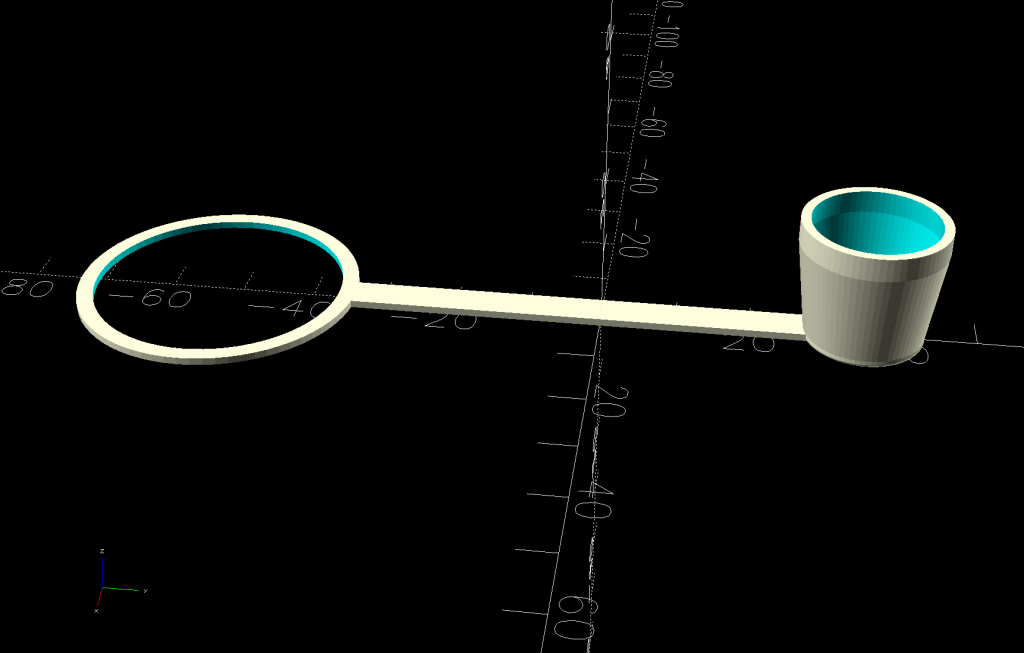
    So the OpenSCAD model now produces a stiffening ring to be laser-cut from acrylic:

    Clothes Dryer Vent Filter Snout - OpenSCAD stiffener
    Clothes Dryer Vent Filter Snout – OpenSCAD stiffener

    The whole snout builds as a single unit in the obvious orientation:

    Clothes Dryer Vent Filter Snout - V2 - slicer
    Clothes Dryer Vent Filter Snout – V2 – slicer

    Because the part of the snout with the tabs is 7 mm tall, I glued a 4 mm acrylic ring to a 3 mm ring, with both of them glued to the snout:

    Clothes Dryer Vent Filter Snout - acrylic gluing
    Clothes Dryer Vent Filter Snout – acrylic gluing

    That’s “natural” PETG, which I expected to be somewhat more transparent, but it’s definitely not a dealbreaker.

    Mary will sew up another cheesecloth filter and we’ll see what happens to this setup.

    As the saying goes, “Experience is what you get when you don’t get what you want.”

    Fortunately, living in the future makes it easy to iterate on the design & implementation until experience produces what should have been obvious at the start.

  • Smashed Glass Coaster: Rivers of Crack

    Smashed Glass Coaster: Rivers of Crack

    Looking at that big smashed-glass coaster from a different angle showed interesting patterns:

    Printed Fragment Coaster - 165mm - long cracks
    Printed Fragment Coaster – 165mm – long cracks

    Although the larger fragments were still holding together when I laid them in their recesses, they apparently consist of several sub-fragments with larger continuous cracks letting the epoxy flow / ooze inside.

    Now that I know what to look for, the original picture also shows them, albeit less distinctly:

    Printed Fragment Coaster 165mm - overview
    Printed Fragment Coaster 165mm – overview

    They’re not obvious in the scanned image of the fragments, although I could convince myself I see some:

    Fragments 165mm square - scan sample
    Fragments 165mm square – scan sample

    The many smaller fragments I’ve been turning into coasters probably separated from similar large chunks along such cracks, which is why I’ve never seen rivers of crack before.

    Apologies if you arrived here expecting a tirade concerning the drug trade … :grin:

  • Mini-lathe Change Gear Generator: Redux

    Mini-lathe Change Gear Generator: Redux

    Because the BOSL2 library includes a gear generator, I can now avoid creating a gear outline in Inkscape and importing it into my stacked change gear generator.

    The labels now snuggle closer to the shaft and (barely) fit on smaller gears:

    Mini-lathe stacked change gears - 28T - solid model
    Mini-lathe stacked change gears – 28T – solid model

    The stacked B-C gears for the jack shaft work as before, with both labels on the top gear:

    Mini-lathe stacked change gears - 28-50T - solid model
    Mini-lathe stacked change gears – 28-50T – solid model

    The admittedly flimsy motivation for all this was to make a 28 tooth gear to cut a 0.9 mm pitch, thus filling an obvious hole in the gear table.

    My collection of gears could do 21-60-81-50, but the 81 T gear collides with the screw holding the 21 T gear. Rearranging it to 21-50-81-60 showed the B-C gears exceeded the space available.

    Because it’s all ratios and a 28 T gear is 4/3 bigger than 21 T, reducing the rest of the train by 3/4 should work. In fact, it produced a reasonable 28-80-81-50 chain:

    Mini-lathe change gears - 28T installed
    Mini-lathe change gears – 28T installed

    The fact that I do not anticipate ever needing to cut a 0.9 mm pitch has nothing whatsoever to do with it; that gear will surely come in handy for something.

    While I was at it, I made a 27 T gear, because 27 = 21 × 9/7:

    Mini-lathe stacked change gears - 27T - PrusaSlicer preview
    Mini-lathe stacked change gears – 27T – PrusaSlicer preview

    You can never have enough change gears. Right?

    The OpenSCAD source code as a GitHub Gist:

    // LMS Mini-Lathe
    // Change gears with stacking
    // Ed Nisley – KE4ZNU
    // 2020-05 use Inkscape SVG gears
    // 2025-12 use BOSL2 gear generator
    include <BOSL2/std.scad>
    include <BOSL2/gears.scad>
    /* [Gears] */
    TopGear = 0; // zero for single gear
    BottomGear = 28;
    /* [Hidden] */
    ThreadThick = 0.20;
    HoleWindage = 0.2;
    Protrusion = 0.1; // make holes end cleanly
    /* [Dimensions] */
    ShaftOD = 12.0;
    GearThick = 7.75;
    Keyway = [3.5,3.0,3*GearThick]; // x on radius, y on perim
    LegendEnable = (TopGear == 0 && BottomGear > 27) || (TopGear > 27);
    LegendThick = 2*ThreadThick;
    LegendZ = (TopGear ? 2*GearThick : GearThick) – LegendThick;
    LegendSize = 5;
    LegendRecess = [8,6,LegendThick];
    LegendOffset = [0,LegendRecess.y/2 + ShaftOD/2 + HoleWindage,LegendZ + LegendRecess.z/2];
    //———————–
    // Build it!
    union() {
    difference() {
    union() {
    spur_gear(mod=1,teeth=BottomGear,thickness=GearThick,shaft_diam=ShaftOD + HoleWindage,anchor=BOTTOM);
    if (TopGear)
    spur_gear(mod=1,teeth=TopGear,thickness=2*GearThick,shaft_diam=ShaftOD + HoleWindage,anchor=BOTTOM);
    }
    right(ShaftOD/2)
    down(Protrusion)
    cube(Keyway,anchor=CENTER+BOTTOM);
    if (LegendEnable) {
    translate(LegendOffset)
    cube(LegendRecess + [0,0,Protrusion],anchor=CENTER);
    if (TopGear)
    zrot(180)
    translate(LegendOffset)
    cube(LegendRecess + [0,0,Protrusion],anchor=CENTER);
    }
    }
    if (LegendEnable)
    translate([0,0,LegendZ – Protrusion])
    linear_extrude(height=LegendThick + Protrusion,convexity=10) {
    translate([LegendOffset.x,LegendOffset.y])
    text(text=str(BottomGear),size=LegendSize,font="Arial:style:Bold",halign="center",valign="center");
    if (TopGear)
    zrot(180)
    translate([LegendOffset.x,LegendOffset.y])
    text(text=str(TopGear),size=LegendSize,font="Arial:style:Bold",halign="center",valign="center");
    }
    }
  • Sears Humidifier Bottle Cap Reinforcement

    Sears Humidifier Bottle Cap Reinforcement

    In the midst of the humidification season, I spotted this while refilling one of the ancient Sears Humidifier bottles:

    Humidifier bottle cap reinforcement - crack
    Humidifier bottle cap reinforcement – crack

    While it’s possible to buy replacement caps, this seemed more appropriate:

    Humidifier bottle cap reinforcement - installed
    Humidifier bottle cap reinforcement – installed

    It’s PETG-CF, of course:

    Bottle cap reinforcement - solid model
    Bottle cap reinforcement – solid model

    The shape is a ring with a simplified model of the cap removed from the middle:

    Bottle cap reinforcement - lid solid model
    Bottle cap reinforcement – lid solid model

    It fits snugly over the cap atop a thin layer of JB PlasticBonder that should hold it in place forevermore:

    Humidifier bottle cap reinforcement - bottom view
    Humidifier bottle cap reinforcement – bottom view

    The other side shows the crack over on the right:

    Humidifier bottle cap reinforcement - top view
    Humidifier bottle cap reinforcement – top view

    Close inspection showed a few smaller cracks, so that cap was likely an original.

    I made another ring for the other cap, only to find it was slightly larger with a black washer inside: apparently a previous owner had replaced one of the caps. The OpenSCAD program has measurements for both, not that you have either.

    The OpenSCAD source code as a GitHub Gist:

    // Humidifier bottle cap reinforcement
    // Ed Nisley – KE4ZNU
    // 2025-11-29
    include <BOSL2/std.scad>
    Layout = "Show"; // [Show,Build,Cap]
    /* [Hidden] */
    Protrusion = 0.1;
    //—–
    // Bottle cap/valve
    // Collects all the magic numbers in one place
    Left = false; // the caps are different, of course
    CapODs = Left ? [43.0,42.1] : [43.1,42.9]; // [0] = base of cap
    CapHeight = 10.0;
    Notch = [0.6,2.0,8.5 + Protrusion]; // Z + hack for slight angle
    NumRibs = 24;
    RibAngle = 90 – atan(CapHeight/((CapODs[0]-CapODs[1])/2));
    echo(RibAngle=RibAngle);
    $fn=2*NumRibs;
    module Cap() {
    difference() {
    cyl(CapHeight,d1=CapODs[1],d2=CapODs[0],anchor=BOTTOM);
    for (a=[0:NumRibs-1])
    zrot(a*360/NumRibs)
    right(CapODs[1]/2) down(Protrusion)
    yrot(RibAngle)
    cuboid(Notch,anchor=RIGHT+BOTTOM);
    }
    }
    //—–
    // Reinforcing ring
    RingThick = 3.0;
    module Ring() {
    render()
    difference() {
    tube(CapHeight,od=CapODs[0] + 2*RingThick,id=CapODs[1] – 2*Notch.x,anchor=BOTTOM);
    Cap();
    }
    }
    // Build things
    if (Layout == "Cap")
    Cap();
    if (Layout == "Build" || Layout == "Show")
    Ring();
  • Large Smashed Glass Coaster

    Large Smashed Glass Coaster

    Those of long memory will recall our vermiculture setup in the basement that turns kitchen scraps into plant food. We accumulate scraps in plastic milk jugs, which jugs get recycled after they become grody.

    I finally made a decorative coaster to keep the sometimes-wet jug off the counter:

    Printed Fragment Coaster 165mm - in use
    Printed Fragment Coaster 165mm – in use

    This used several of the larger smashed glass fragments from the collection:

    Fragments 165mm square - scan sample
    Fragments 165mm square – scan sample

    They all fit inside a 165 mm square, with the conformal perimeter disguising the outline:

    Printed Fragment Coaster 165mm - overview
    Printed Fragment Coaster 165mm – overview

    I printed the frame with the same blue PETG-CF that leaked epoxy the last time around. Using the correct filament setting (Extrusion Multiplier = 1.0) produced an epoxy-tight frame:

    Printed Fragment Coaster 165mm - epoxy filling
    Printed Fragment Coaster 165mm – epoxy filling

    The overall process:

    • Run a bead of epoxy around the edge of each recess
    • Fill in the center with a thin layer
    • Squish the metallized paper reflector in place starting from one end to ease the bubbles out
    • Cover the reflector with another layer of epoxy
    • Lay the glass fragment down starting at one end
    • Press gently down to get all the bubbles out
    • Cover the glass with more epoxy

    I dripped enough epoxy on each fragment to form a meniscus without having it go over the rim:

    Printed Fragment Coaster 165mm - epoxy meniscus
    Printed Fragment Coaster 165mm – epoxy meniscus

    The Basement Shop temperature is just over 60 °F, so I put a heating pad in a huge ziplock bag, laid an aluminum sheet atop it as a heat spreader, put some waxed paper on the aluminum just in case, then did the filling described above:

    Printed Fragment Coaster 165mm - warming setup
    Printed Fragment Coaster 165mm – warming setup

    A cardboard box on top helped the heating pad keep the coaster at a uniform 85 °F, slightly warmer than the epoxy instructions recommend, but it cured overnight with a wonderfully shiny surface.

    Now that I have the process down, making glittery coasters is surprisingly easy.

  • PolyDryer Humidity: White PETG

    PolyDryer Humidity: White PETG

    The white PETG filament started out at 39 %RH and 50 g of silica gel dragged it down to 23 %RH after a three days: still unusually high.

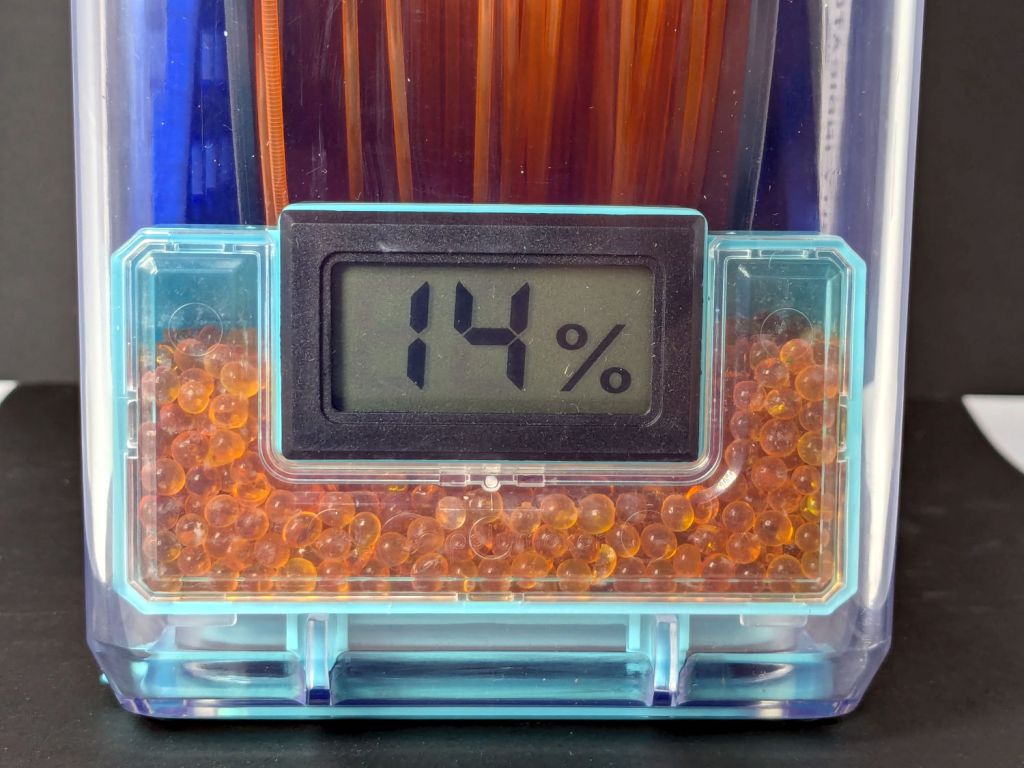
    The beads weighed 54.6 g, a weight gain of 9 %, which is about as much as they’ll take. I replaced them with 50 g of new-from-the-bottle beads and the meter dropped to 14 %RH overnight.

    Running the tiny fan for another day made no difference:

    Polydryer Box desiccant tray - fan
    Polydryer Box desiccant tray – fan

    Thereby confirming my suspicion that air circulation inside the box isn’t nearly as much of a problem as I expected.

    So filament need not arrive bone-dry and, with enough surface area exposed to the air, silica gel beads can adsorb their limit of water vapor in a day or two.