The Smell of Molten Projects in the Morning

Ed Nisley's Blog: Shop notes, electronics, firmware, machinery, 3D printing, laser cuttery, and curiosities. Contents: 100% human thinking, 0% AI slop.

Tag: Laser Cutter

  • Stack Light: Optoisolator Boost Transistor

    Stack Light: Optoisolator Boost Transistor

    The LEDs in each stack light layer require a current sink handling about 50 mA, far above the ability of cheap optoisolators based on the EL817 photocoupler:

    Optoisolator - OEM schematic
    Optoisolator – OEM schematic

    I’ll go into the motivation for optocouplers along with the laser controller wiring details.

    As delivered, the PCB has:

    • R1 = 1 kΩ (a convenient 1 V/mA current sense)
    • R2 = 10 kΩ (a rather high-value pullup)

    The idea is to add an able-bodied transistor to the output in a Darlington configuration:

    Optoisolator - Darlington output
    Optoisolator – Darlington output

    Some rummaging produced a small bag of 2N3904 transistors, although nearly any small NPN transistor will suffice. Removing R2 cleared the field for modification:

    Optoisolator modification - top
    Optoisolator modification – top

    The 2N3904 transistor (with the usual EBC pinout) fits face-down under the PCB:

    Stack Light - optoisolator transistor
    Stack Light – optoisolator transistor

    The cross-legged layout conceals the emitter and base leads being soldered snugly to the former OUT and GND terminals, respectively, with the collector going to the VCC terminal. The terminals thus become:

    • VCC → Collector
    • OUT → Emitter
    • GND→ X (no connection)

    Although I have little reason to believe the EL817 chips are anything other than what they claim to be, their topmarks seemed rather casual:

    EL817 optocoupler - top view
    EL817 optocoupler – top view

    The other four chips carried C333 rank + date codes.

    The datasheet says the C means the Current Transfer Ratio is 200% to 400%: the output current should be 2× to 4× the diode current. The test condition are 5 mA into the diode and 5 V across the transistor terminals. A quick test:

    • 2 mA → 4 mA = 2×
    • 5 mA → 15 mA = 3×
    • 10 mA → 35 mA = 3.5×
    • 12 mA → 40 mA = 3.3×

    The output transistor is rated only to 50 mA, so I stopped at 40 mA. The CTR is between 200% and 350% over that range, suggesting the parts are really real.

    The 2N3904 should have an hFE above 60 in that current range and multiply the EL817 gain by about that amount. Another quick test in the Darlington configuration, now with the 5 V supply across the 2N3904:

    • 100 µA → 8.1 mA = 81×
    • 250 µA → 43 mA = 172×
    • 500 µA → 83 mA = 166×

    The overall current gain is 40× to 50×, less than the estimate, but plenty high enough for my purposes. If you cared deeply, you’d run a circuit simulation to see what’s going on.

    Knowing I needed only 50-ish mA, stopping with the transistor burning half a watt (because VCE is held at 5 V) seemed reasonable. In actual use, VCE will be on the order of 1 V and the dissipation will be under 100 mW.

    A quick test shows they work as intended:

    Stack Light - controller hairball wiring
    Stack Light – controller hairball wiring

    But, yeah, talk about hairballs. Those things cry for little housings to keep them out of trouble.

    The chonky lumps with orange stripes are Wago Lever-Nut connectors: highly recommended.

  • Stack Light Base

    Stack Light Base

    Having external indications for the laser cutter’s internal status signals seemed like a good idea and, rather than build the whole thing, I got a five-layer stack light:

    Stack Light - disassembly
    Stack Light – disassembly

    It arrives sans instructions, apart from the data plate / wiring diagram label on the housing, so the first puzzle involves taking it apart to see what’s inside. My motivation came from a tiny chip of blue plastic on the kitchen table where I’d opened the unpadded bag. Apparently, a mighty force had whacked the equally unpadded box with enough force to crack the blue lens, but I have no idea how the sliver escaped the still-assembled stack.

    Anyhow, hold the blue/green lenses in one hand and twist the red/yellow lenses counterclockwise as seen looking at the cap over the red layer. Apply more force than you think appropriate and the latches will reluctantly give way. Do the same to adjacent layers all the way down, then glue the blue chip in place while contemplating other matters.

    A switch on each layer selects either steady (the default and what I wanted) or blinking (too exciting for my needs). Reassemble in reverse order.

    A Stack Light generally mounts on a production-line machine which might have a suitable cutout for exactly that purpose. I have no such machine and entirely too much clutter for a lamp, so I screwed it to a floor joist over the laser:

    Stack Light - installed
    Stack Light – installed

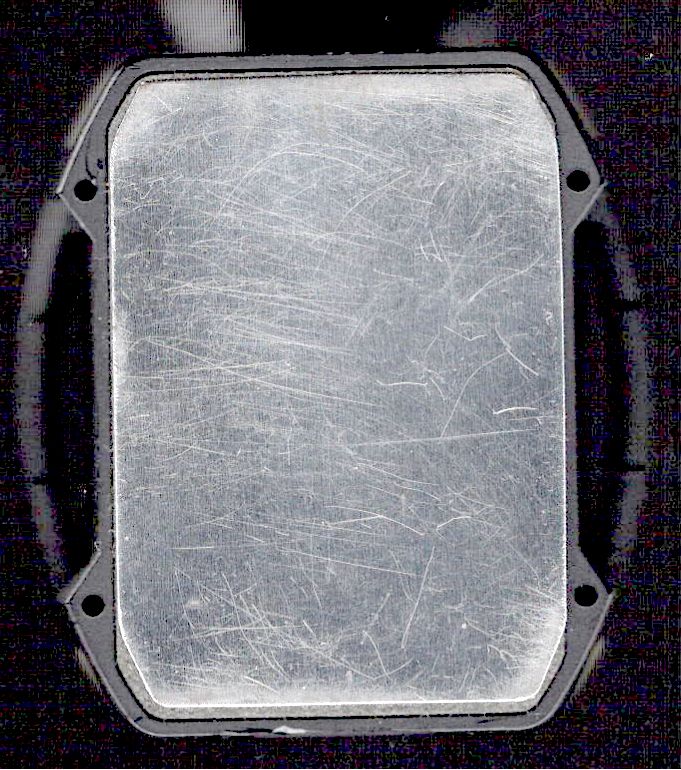
    The tidy blue PETG-CF base started as a scan of the lamp’s base to serve as a dimension reference:

    Stack Light - base scan
    Stack Light – base scan

    Import into LightBurn:

    • Draw a 70 mm square centered on the workspace
    • Round the corners until they match the 13 mm radius
    • Draw one 5.6 mm circle at the origin
    • Move the circle 52/2 mm left-and-down
    • Turn it into a 4 element array on 52 mm centers
    • Verify everything matches the image
    • Export as SVG

    Import into Inkscape:

    • Put the perimeter on one layer
    • Put the four holes on another
    • Center around an alignment mark at a known coordinate
    • Save as an Inkscape SVG

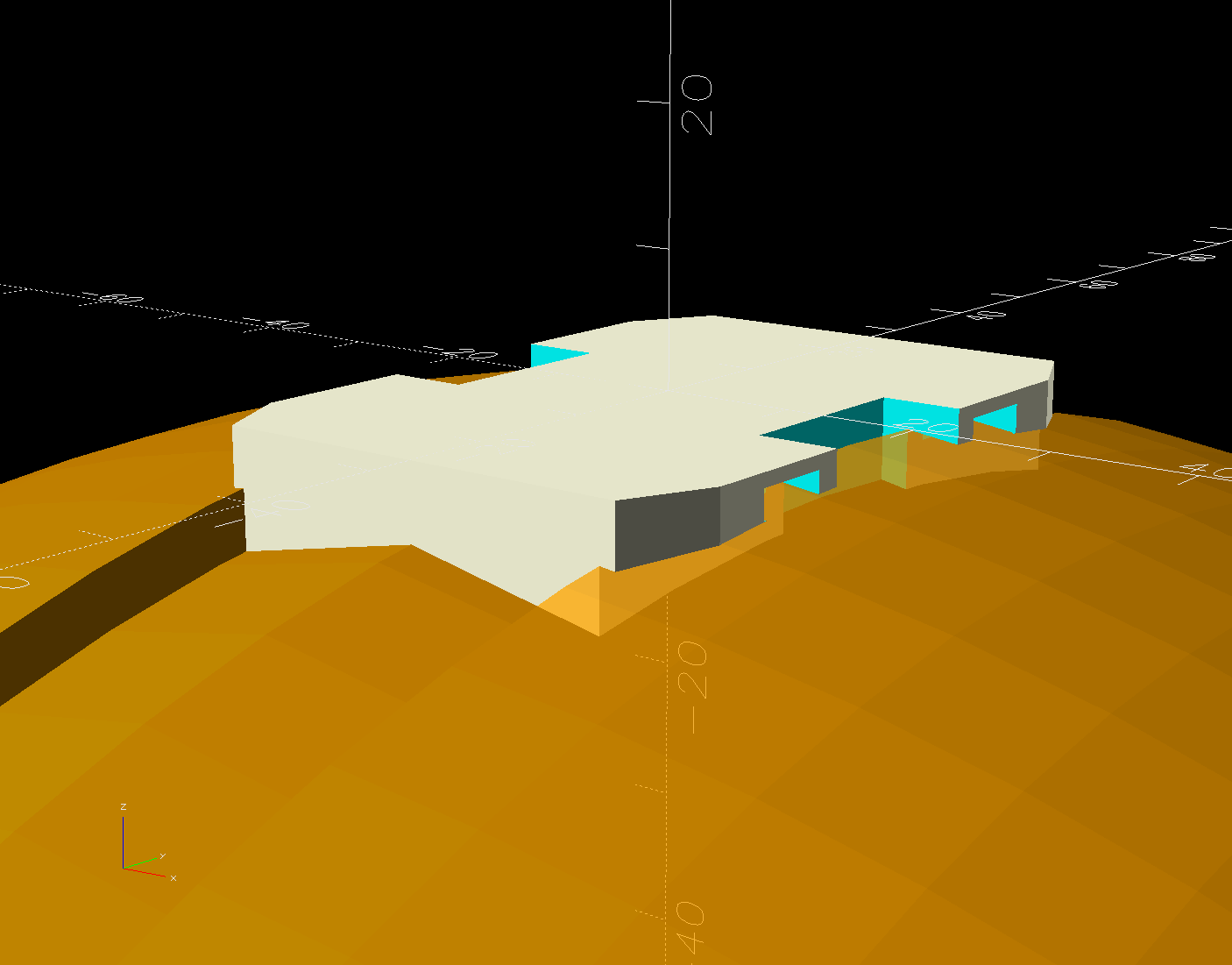
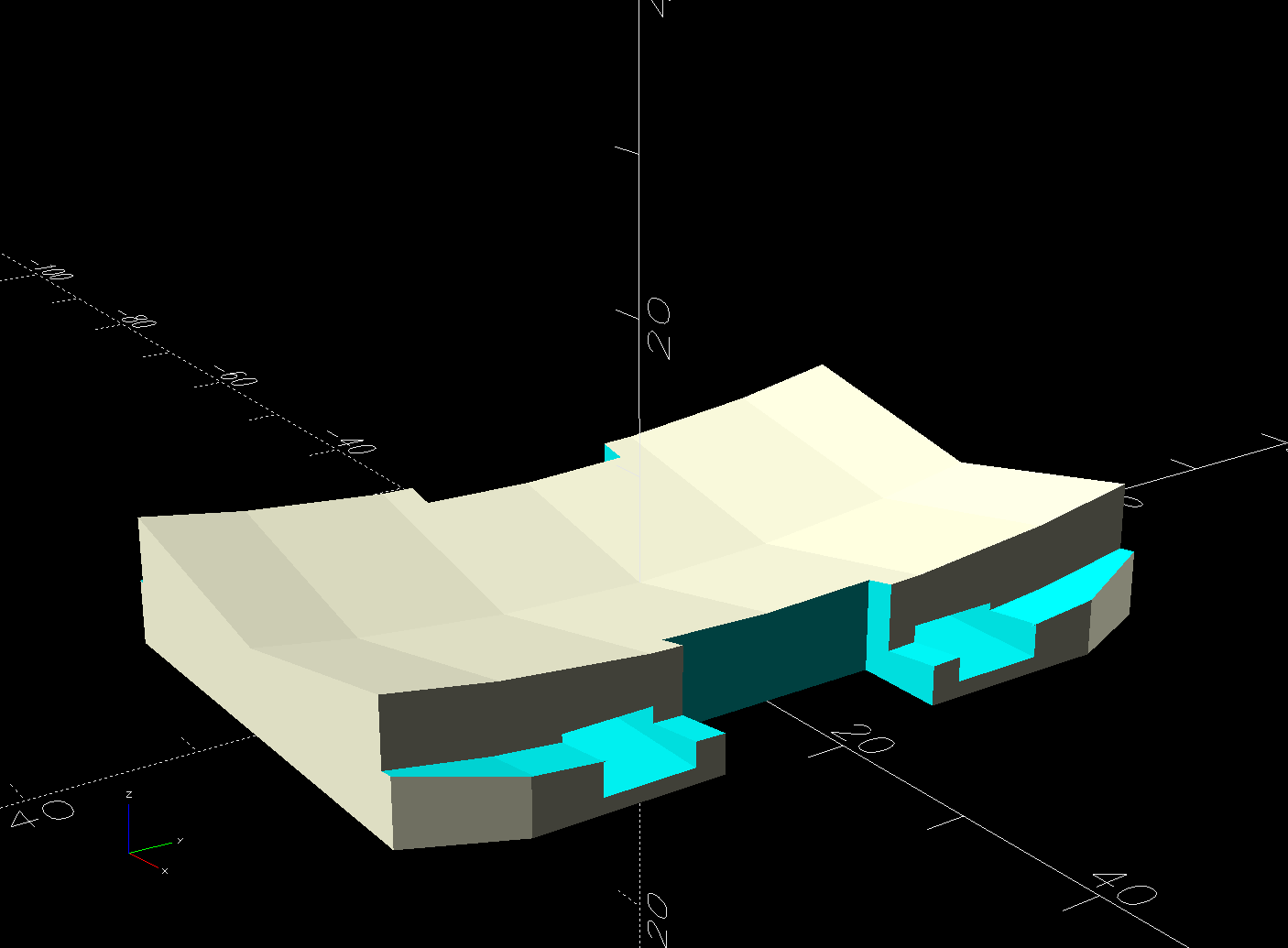
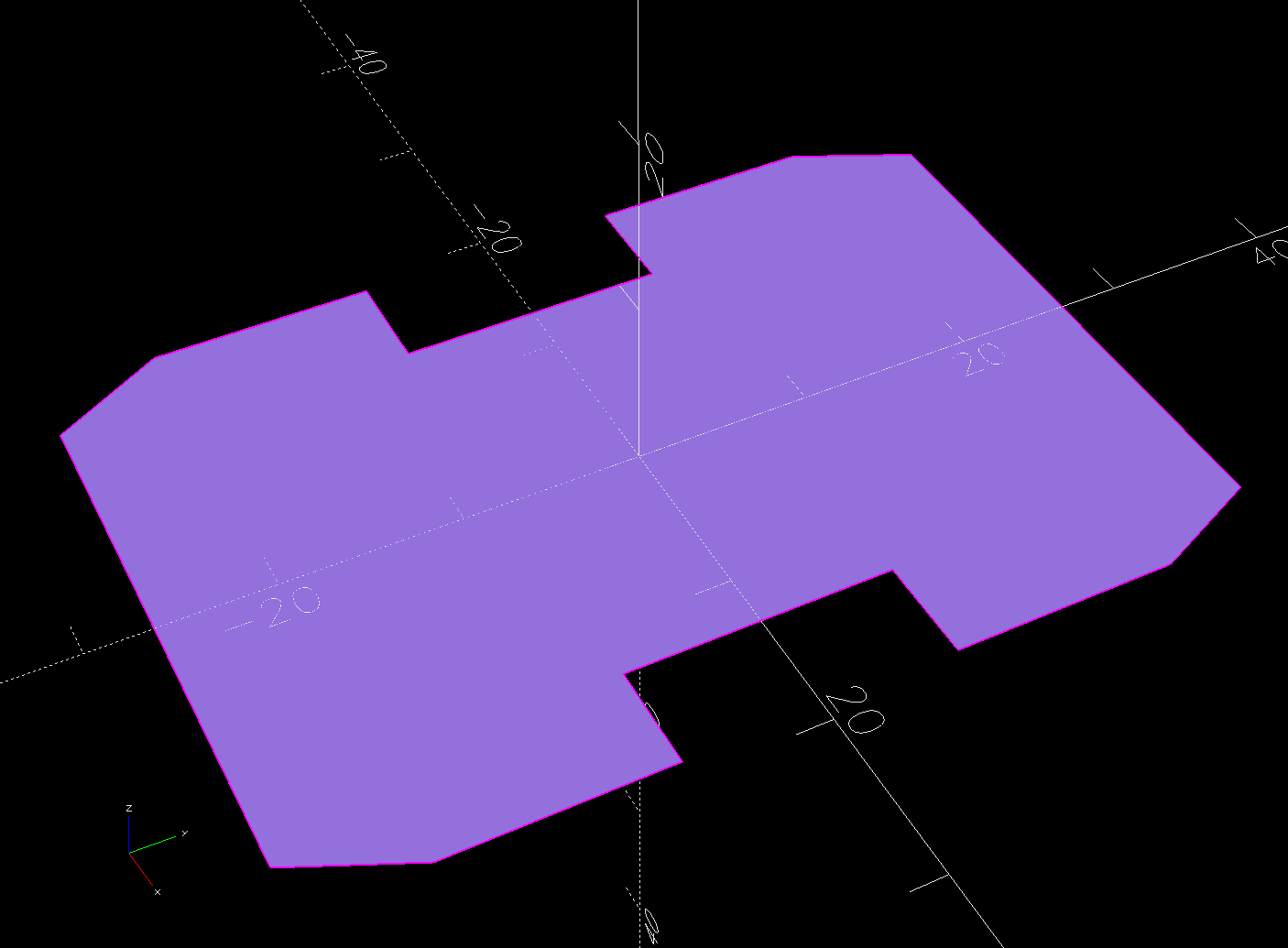
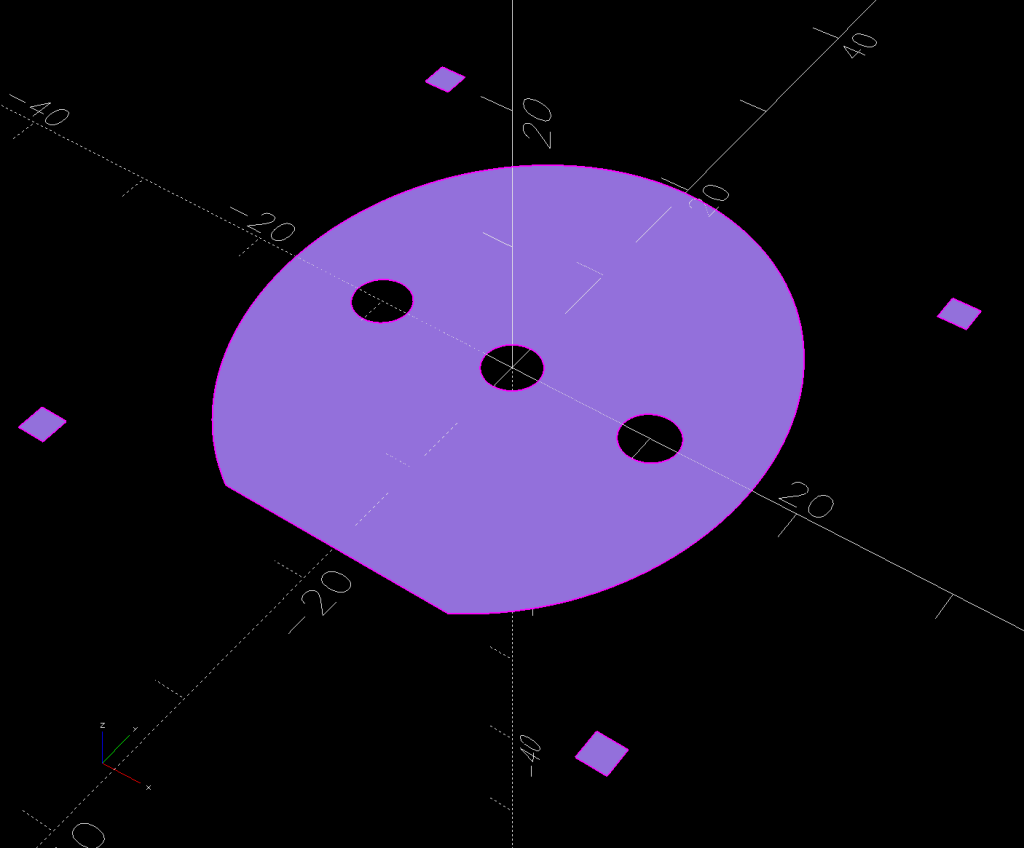
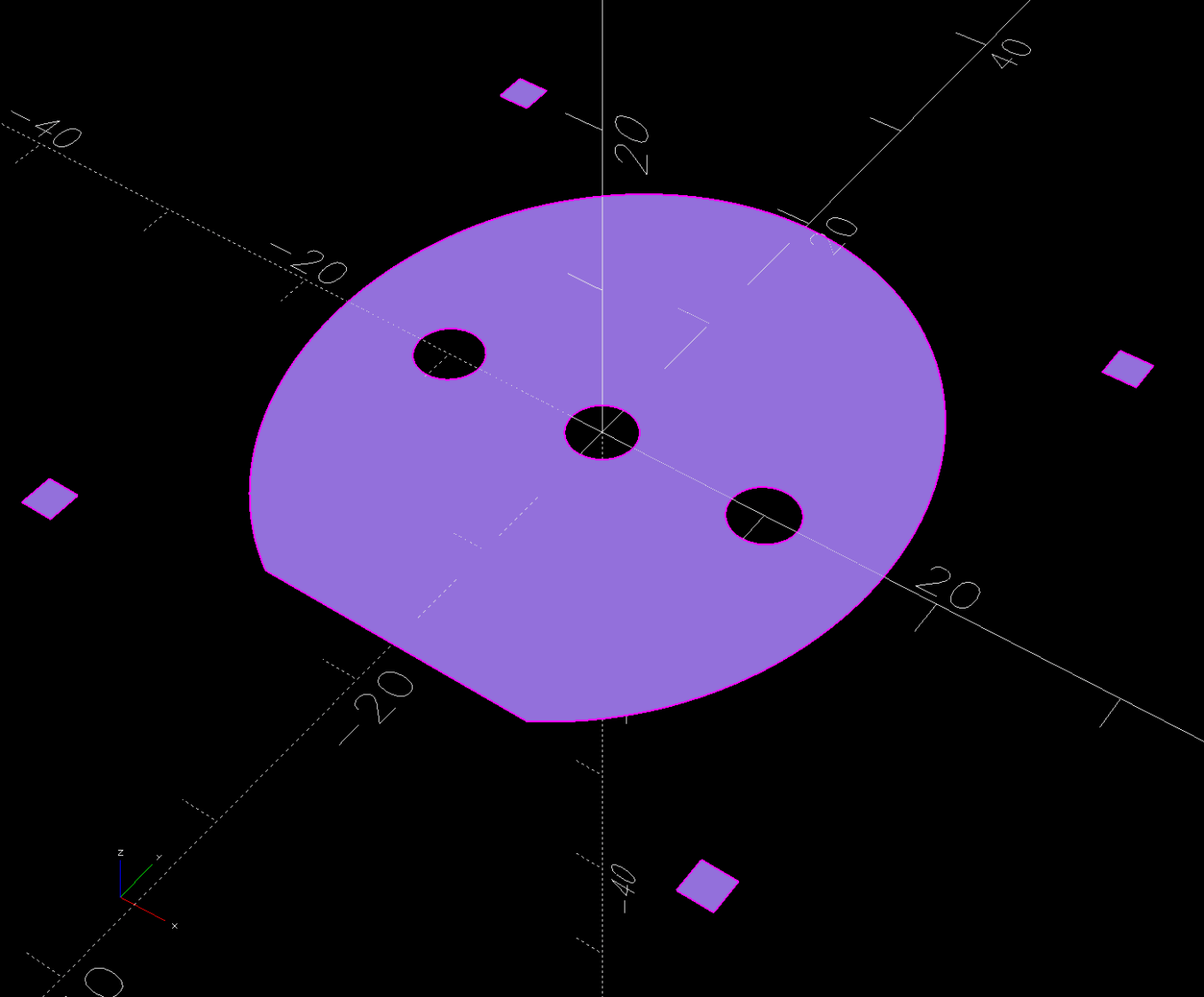
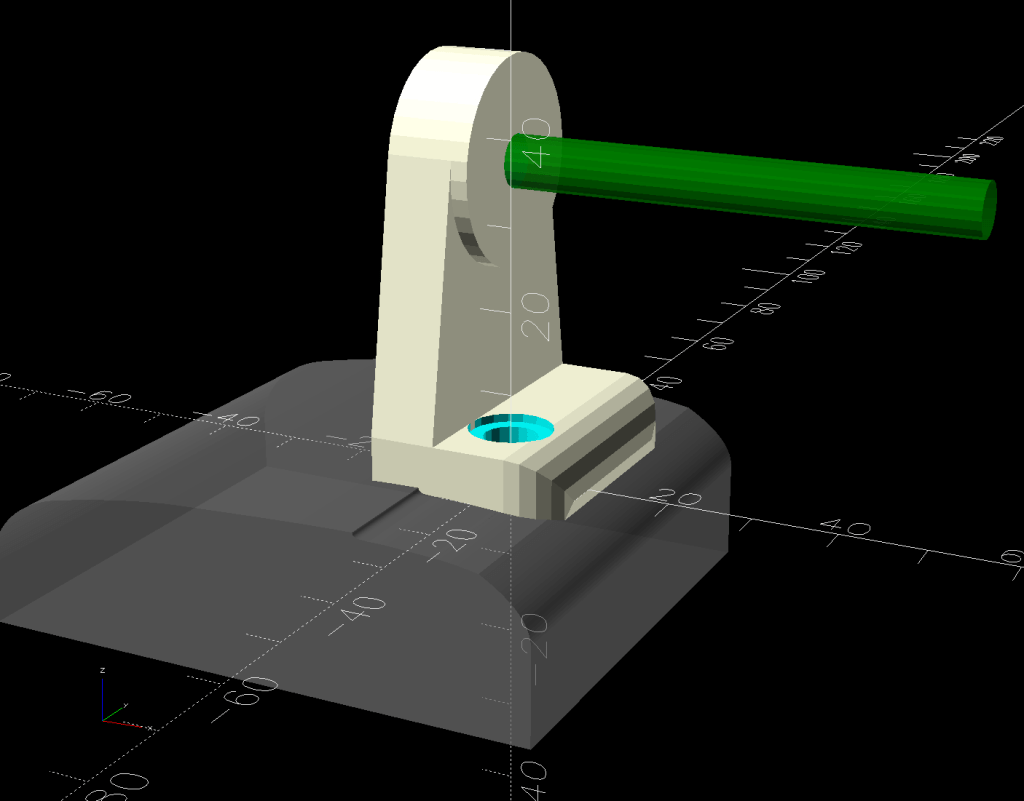
    Import into OpenSCAD, extrude into a solid model, and punch the holes:

    Stack Light Mount base - solid model
    Stack Light Mount base – solid model

    The lip around the inner edge aligns the lamp base.

    If I ever make another one, I’ll add pillars in the corners to put the threaded brass inserts close to the top for 10 mm screws instead of the awkward 30 mm screws in this one. More than a single screw hole in the bottom would align it on whatever you’re indicating.

    Now, to wire the thing up …

    The OpenSCAD source code as a GitHub Gist:

    Loading
    Sorry, something went wrong. Reload?
    Sorry, we cannot display this file.
    Sorry, this file is invalid so it cannot be displayed.
    // Stack Light mount
    // Ed Nisley – KE4ZNU
    // 2025-01-03
    include <BOSL2/std.scad>
    /* [Hidden] */
    ID = 0;
    OD = 1;
    LENGTH = 2;
    BaseCenter = [100,100,0];
    Base = [70,70]; // nominal, for figuring holes
    Insert = [4.9,5.9,6.0];
    PlateThick = Insert[LENGTH];
    HolderTall = 24.0;
    WallThick = 2.7; // outer wall of light base
    LipThick = 1.5; // alignment lip inside light base
    LipTall = 0.75;
    CableOD = 5.0;
    Protrusion = 0.1;
    difference() {
    translate(-BaseCenter)
    linear_extrude(height=HolderTall + LipTall)
    import("Stack Light – base layout.svg",layer="Base Perimeter");
    up(Insert[LENGTH])
    translate(-BaseCenter)
    linear_extrude(height=HolderTall – LipTall)
    offset(delta=-(WallThick + LipThick))
    import("Stack Light – base layout.svg",layer="Base Perimeter");
    up(HolderTall)
    linear_extrude(height=HolderTall,convexity=5)
    translate(-BaseCenter)
    difference() {
    offset(delta=WallThick) // avoid glitches on perimeter edge
    import("Stack Light – base layout.svg",layer="Base Perimeter");
    offset(delta=-WallThick)
    import("Stack Light – base layout.svg",layer="Base Perimeter");
    }
    down(Protrusion)
    translate(-BaseCenter)
    linear_extrude(height=2*HolderTall,convexity=5)
    import("Stack Light – base layout.svg",layer="Base Holes");
    up(HolderTall/2)
    yrot(90) zrot(180/6)
    cylinder(d=CableOD,h=Base.x,$fn=6);
    }

  • Laser-Engraved PETG / PETG-CF

    Laser-Engraved PETG / PETG-CF

    Prompted by scruss’s report of successfully “engraving” PLA, I had to try this:

    Laser engraved PETG-CF
    Laser engraved PETG-CF

    It’s blue PETG-CF from the scrap box, done at 500 mm/s and 20% of a 60 W laser and came out looking really nice.

    I did a pass at 10%, low enough that the laser barely fired, and the mark was, correspondingly, barely visible: no color change and only a slight depth. Obviously, you’d want to tune for best picture depending on whatever you were trying to achieve.

    The results on black PETG, also from the scrap box, were somewhat less attractive:

    Laser engraved PETG - bottom surface
    Laser engraved PETG – bottom surface

    That’s at 500 mm/s with power at 10% and 20, so the outcome definitely depends on the material. That surface was against the platform when it was printed on the Makergear M2, explaining the glossy smooth threads.

    The other side was rougher and needed more power to punch a visible result into the plastic:

    Laser engraved PETG - top surface
    Laser engraved PETG – top surface

    All in all, the PETG-CF result looks usable, particularly for small-ish annotations on a flat surface where full-on multimaterial printing would take forever without adding much value.

  • HLP-200B Laser Power Meter: Variation Across the Platform

    HLP-200B Laser Power Meter: Variation Across the Platform

    It’s generally accepted that laser cutter performance varies across the platform due to differences in path length, with (in my OMTech 60 W machine) the rear left corner having more power because it’s closest to the laser tube and the front right corner having less power because it’s farthest away.

    Having measured the path lengths, set the laser pulse power to 25%, then plotted the power measurements against path length:

    HLP-200B Laser Power Meter - 60 W across platform measurements
    HLP-200B Laser Power Meter – 60 W across platform measurements

    I was mildly surprised at the minimal path length difference between the two corners and the center, but it’s due to the meter case reducing the distance along the X axis without a similar change along Y. In real life, you’d snuggle the HLP-200B sensor against the boundaries of the platform and measure the corresponding distances.

    Given the size of the standard deviation bars, you can surely draw different conclusions, but the linear fit suggests the beam loses 3.5 W per meter of path length: 3.9 W from left rear to right front. Using meters for the distance multiplies the coefficient by 1000 and brings the digits up out of the noise; don’t believe more than two digits.

    Although the beam diverges, the HLP-200B sensor is much larger than the beam and captures all the energy even in the front right corner, so beam divergence doesn’t matter and any square-law effect doesn’t apply.

    If I had measured the power at the tube exit, it would be around 34 W and the error bars would surely justify that expectation, too.

    Assuming the path loss in watts is proportional to the tube exit beam power, calling it 10% would be about right. That would definitely reduce the cutting performance in the front right corner if the power setting was barely adequate elsewhere on the platform.

  • OMTech 60 W Laser: Path Length Measurements

    OMTech 60 W Laser: Path Length Measurements

    Just to see if it worked, I tried measuring the path length between the laser tube exit and various spots on the platform with a laser distance measuring tool / rangefinder:

    Laser Path Length setup - distance meter
    Laser Path Length setup – distance meter

    That is a reenactment based on actual events.

    The trick is to put a retroreflective panel at the tube exit:

    Laser Path Length setup - retroreflector
    Laser Path Length setup – retroreflector

    The key under the tube comes from the key switch on the front panel, which is locked in the OFF position. That way, I can’t fire the CO₂ laser without opening the rear hatch to retrieve the key, whereupon I’ll most likely notice the retroreflective target I forgot earlier.

    Protip: Always set things up so you must make two mistakes before the bad thing happens. I’m certain to make one mistake, but I can generally catch myself before making the second mistake.

    Then it’s just a matter of positioning the base of the rangefinder on the laser head and convincing the targeting dot to go backward through the mirrors to the retroreflector:

    Laser Path Length setup - retroreflector target
    Laser Path Length setup – retroreflector target

    Which is a reenactment with a laser pointer through Mirror 2 to Mirror 1 to the reflector. If I had a few more hands, this stuff would be way easier.

    Then drive the laser head around the platform and make measurements:

    Path length measurements
    Path length measurements

    The distances down the left side are at the Mirror 2 entrance aperture, the rest are at the Mirror 3 entrance on the laser head. I think the measurements are within ±50 mm of the “true” path length at any given spot, because I did not jog the head to exact coordinates. The two values in the front right corner suggest ±10 mm repeatability with my slack process and cross-checking the various differences along the axes comes out reasonably close.

    Don’t believe all the digits.

    Doing this for real would involve figuring the offset from the Mirror 3 entrance to the HLP-200B Laser Power Meter target, then positioning the rangefinder at that point:

    HLP-200B Laser Power Meter - platform center
    HLP-200B Laser Power Meter – platform center

    My rangefinder (an ancient Bosch GLR_225) can use four different measurement origins; I used the default “end of the case” setting, put that end flush-ish against the mirror entrance aperture, and declared it Good Enough™.

  • Christmas Non-Wrapped Box

    Christmas Non-Wrapped Box

    Mostly to find out if I could do it:

    Christmas Wrap custom box
    Christmas Wrap custom box

    The process:

    • Fetch a printable wrapping paper pattern, ignore the watermark
    • Resize / crop to fit a Letter page, print two copies on glossy photo paper
    • Generate a suitable multi-sheet paper box in SVG format
    • Import into LightBurn
    • Rearrange / splice the parts to put the main box on one Letter size sheet and the end caps on another
    • Fire The Laser to score (blue lines) and cut (red lines) the paper
    • Assemble using a glue stick
    • Fill with Christmasy stuff (your choice may vary)
    • Tuck the flap, there’s no need to wrap!

    The rearranged main box just barely fits across a Letter page:

    Non-Wrapped Christmas Box - main piece - LightBurn layout
    Non-Wrapped Christmas Box – main piece – LightBurn layout

    You can make many more end caps than you need:

    Non-Wrapped Christmas Box - endcaps - LightBurn layout
    Non-Wrapped Christmas Box – endcaps – LightBurn layout

    Obviously, this makes no sense whatsoever in terms of box making, but the recipient smiled and that’s what I wanted.

  • OMTech 60 W Laser: Manual Pulse Button

    OMTech 60 W Laser: Manual Pulse Button

    I want to put the HLP-200B Laser Power Meter at the tube’s exit, just upstream from Mirror 1, where it can measure the laser’s power output before the mirrors get into the act. Reaching the Pulse button on the machine console requires much longer arms than any normal human can deploy, plus a certain willingness to lean directly over a laser tube humming with 15 kV at one end.

    Perusing the KT332N doc brings up a hint, blocked in red so you can make some sense of it:

    KT332N Input bits
    KT332N Input bits

    A few minutes with boxes.py produces a simple two-compartment box and a few minutes with LightBurn adds two holes:

    Remote Switch Box - LightBurn layout
    Remote Switch Box – LightBurn layout

    Another few minutes produces the box from Trocraft Eco, which is not quite thin enough for the switch (from my Box o’ Clicky Buttons) to snap into place, but a few dabs of hot melt glue hold it down:

    Laser remote pulse button - installed
    Laser remote pulse button – installed

    Double-sided foam tape sticks the box to the laser frame and the red-n-black cable snakes all the way across the back of the machine and through the electronics bay to the IN2 and GND terminals of the KT332N INPUT block:

    Laser remote pulse button - Ruida KT332N wiring
    Laser remote pulse button – Ruida KT332N wiring

    With the laser head parked at a safe spot and all interlocks happy, it works:

    Laser remote pulse button - demo
    Laser remote pulse button – demo

    That is a re-enactment, because I lack sufficient dexterity to handle a phone with my left hand, poke the button with my right finger, and not damage anything important.

    The general idea is to make it very difficult to inadvertently press that button: you must want to fire the laser with the tube compartment hatch up (it has no interlocks) and the control panel out of sight on the top-front of the machine.

    Setting the power to 30% and putting the meter in harm’s way:

    HLP-200B - Laser tube exit
    HLP-200B – Laser tube exit

    Again, a reenactment based on actual events.

    Five pulses later:

    40.8W
    42.4
    42.3
    41.2
    40.7
    41.5W avg
    0.82W std dev

    For the record, those five pulses dumped about 5 × 42 W × 10 x ≅ 2000 W·s = 2 kJ into the meter, raising it from “chilly basement ambient” to “be careful where you hold it”, thus making the meter’s aluminum case the least-efficient handwarmer in existence.

    The 30% PWM measurements at the center of the platform came out slightly lower: 38.5 W average with a sample standard deviation of 2.2 W.

    The large standard deviations prevent firm conclusions, but, yeah, the power at the tube exit seems about right, before two mirrors and ≅800 mm of path length take their toll.

    The LightBurn SVG layout as a GitHub Gist:

    Loading
    Sorry, something went wrong. Reload?
    Sorry, we cannot display this file.
    Sorry, this file is invalid so it cannot be displayed.