Ed Nisley's Blog: Shop notes, electronics, firmware, machinery, 3D printing, laser cuttery, and curiosities. Contents: 100% human thinking, 0% AI slop.
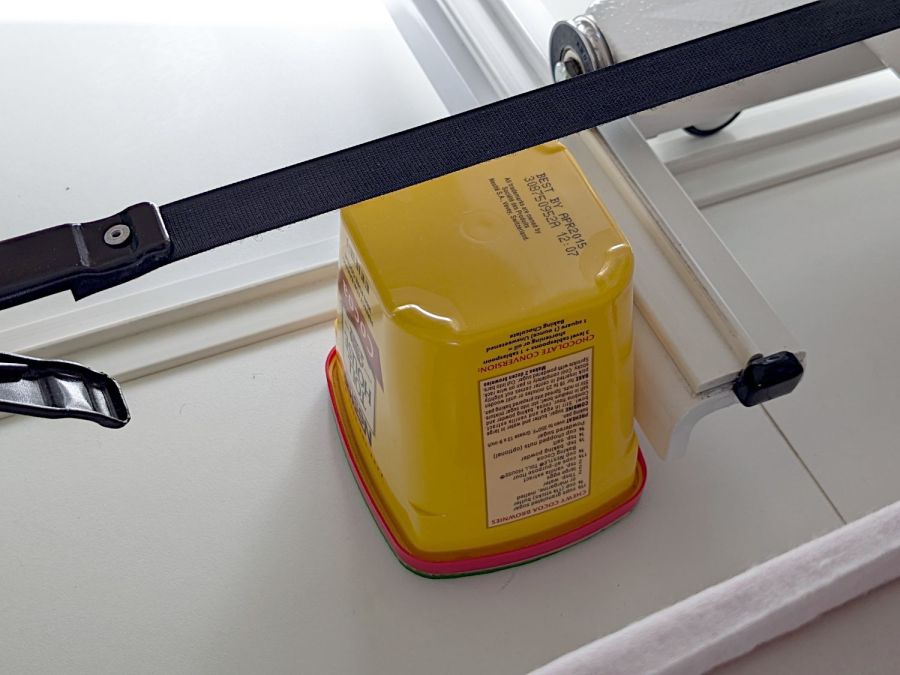
Although I devoted considerable attention to leveling & shimming the table under Mary’s HQ Sixteen, the machine rolls on ball bearing wheels atop (relatively) smooth plastic tracks. Parked at a few spots along the dozen feet of table, the machine will slowly and quietly roll away. This calls for some sort of parking brake, but until inspiration strikes, a simple anchor will suffice:
HQ Sixteen – anchor
It’s a cocoa container chosen from (one of) my Boxes o’ Containers, with a husky chunk of steel atop some very sticky double-sided foam tape inside the red lid.
You can see one of the ball bearing wheel just above the strap applying tension to the practice quilt out of view on the left. The thing that looks like a wheel just under the strap is an encoder for the stitch regulator that we haven’t connected yet.
To prevent the machine from simply bulldozing the container along with it, the lid sits on a sheet of EVA craft foam stuck to a sheet of rigid foam board (with adhesive on both sides).
Scan the lid:
Container lid scan
Select all the red pixels, do a little cleanup, turn it into a binary mask:
Container lid mask
Import it into LightBurn, trace the perimeter, do some curve optimization / smoothing, duplicate the outline, set one to cut EVA foam and the other to cut adhesive board, and Fire The Laser.
Elapsed time: about fifteen minutes from realizing what was needed to plunking the anchor in place.
I briefly considered a full-frontal laser-cut finger-jointed box for the weight, but … Mary’s not a big fan of that campfire smell, particularly in a room dedicated to the Fiber Arts.
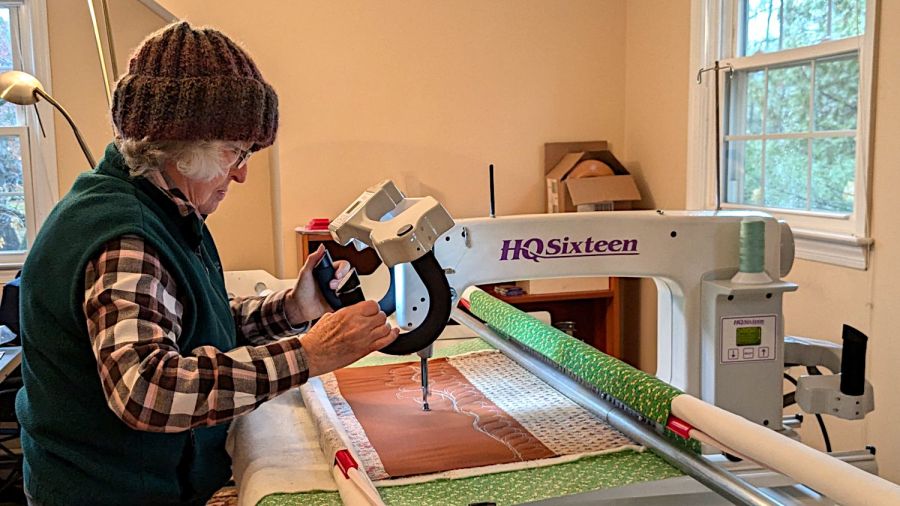
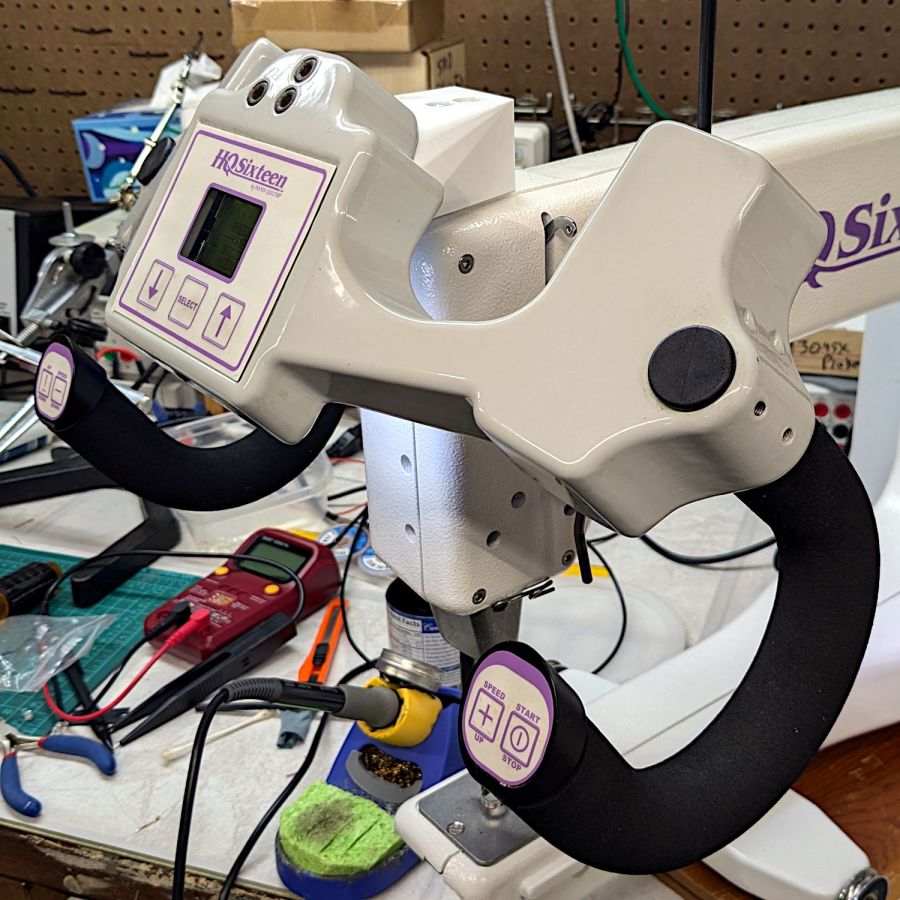
So as to not bury the lede, I remounted the front handlebar unit of Mary’s Handi-Quilter HQ Sixteen long-arm sewing machine so she can see the control panel with its small LCD:
HQ Sixteen – remounted handlebars in use
The new and old white LEDs produce distinctly different colors and intensities on the practice quilt fabric.
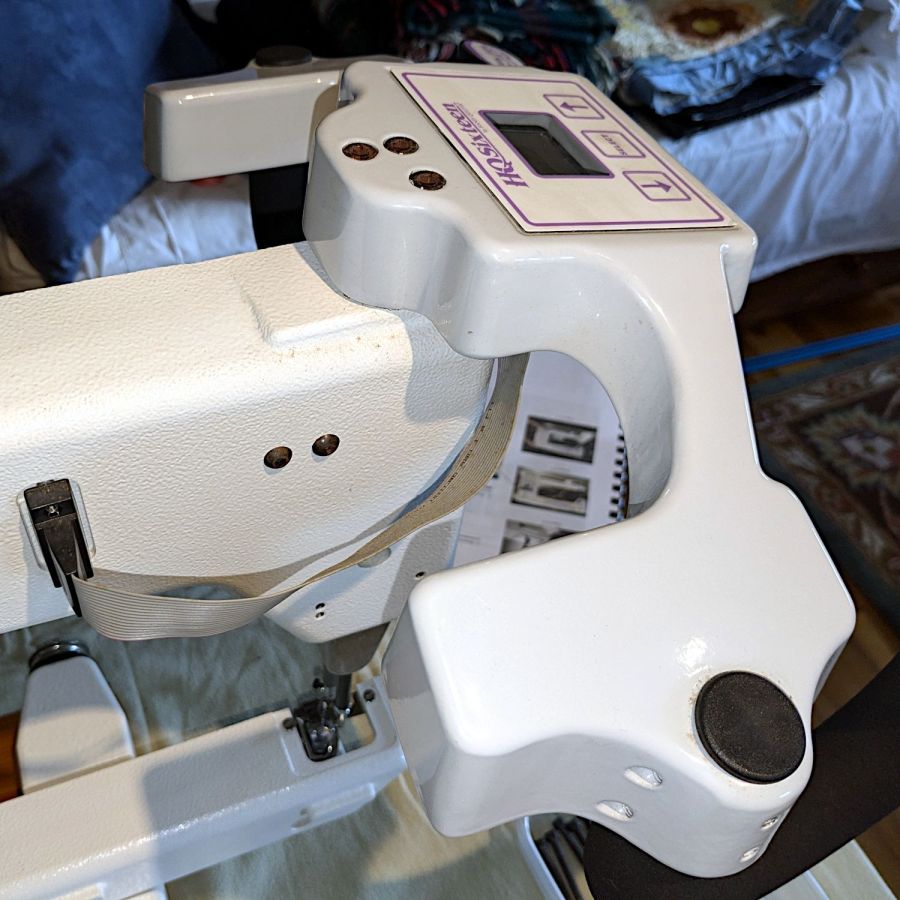
The original HQ Sixteen design bolted squarely atop the arm:
HQ Sixteen – original front handlebar mount
The control surface is, admittedly, angled slightly forward, but Mary was unable to see the lower few lines of the LCD without standing on tiptoe.
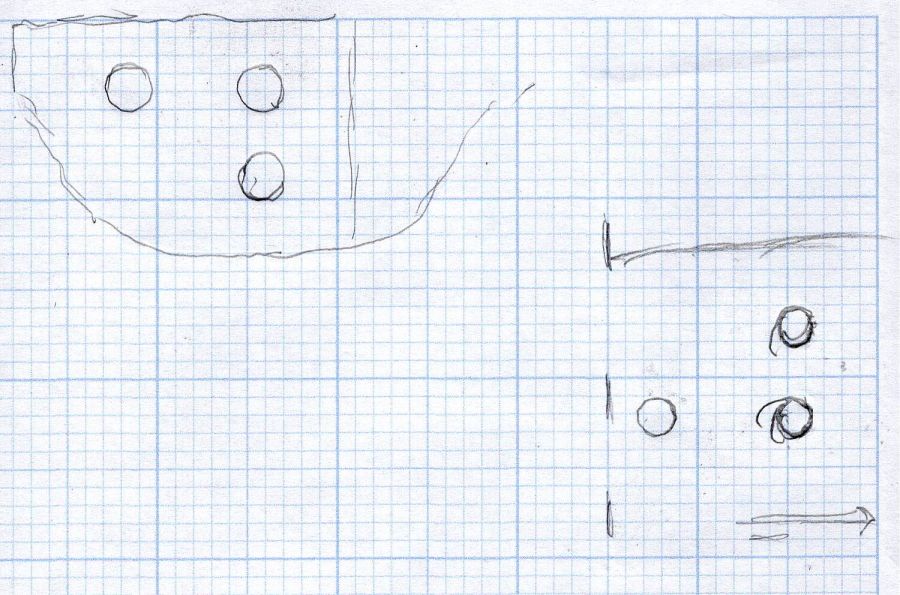
Begin with a crude tracing of the mating surfaces:
Front handlebar base tracings
Import the image into Inkscape and lay some shapes on it:
Front handlebar base layout – Inkscape
Import the SVG into LightBurn and cut templates to verify the hole positions:
HQ Sixteen – handlebar bolt templates
Obviously that took more than one try.
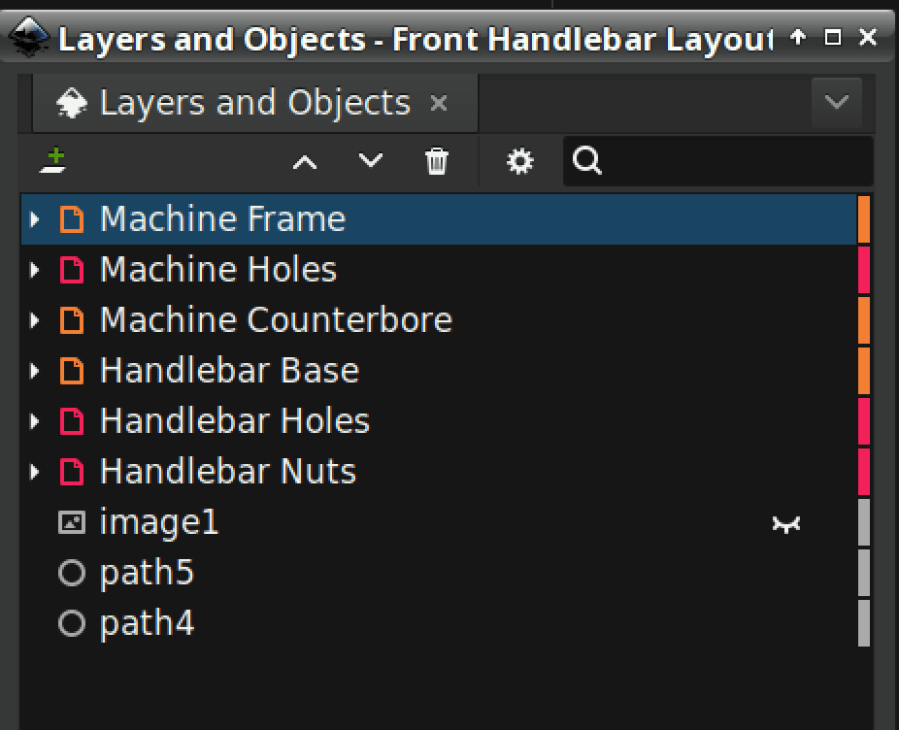
Rationalize the outlines, clean things up, and organize the shapes into useful named layers:
Front handlebar base layout – Inkscape layers
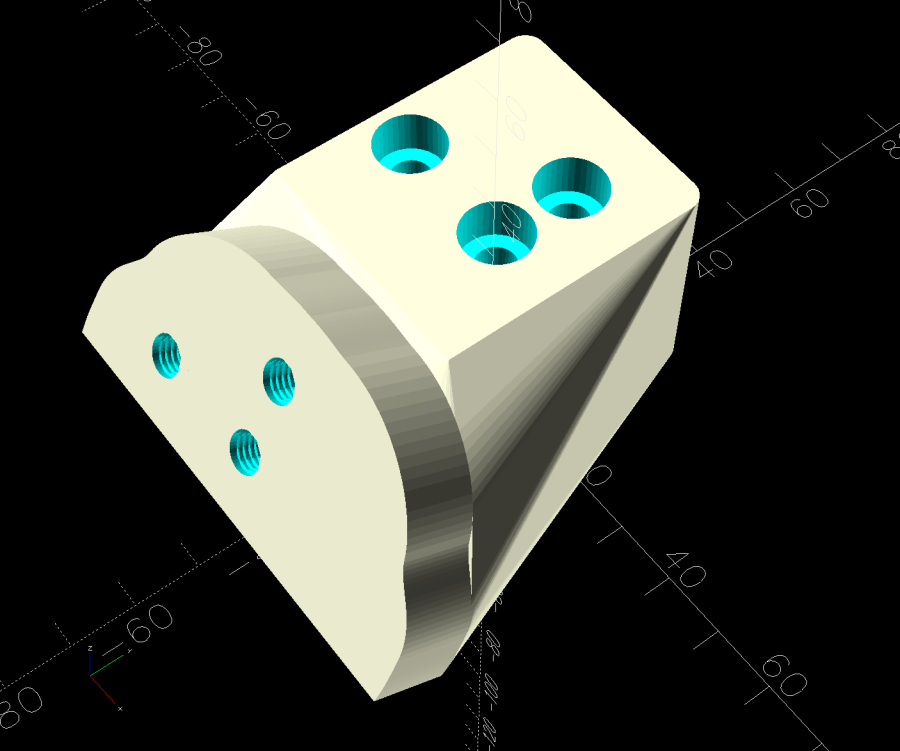
Save as an Inkscape SVG, import into OpenSCAD, and extrude the layers defining all those shapes into a solid model:
Handlebar Base Mount – solid model
That’s the most recent iteration; earlier ones appear in various pix.
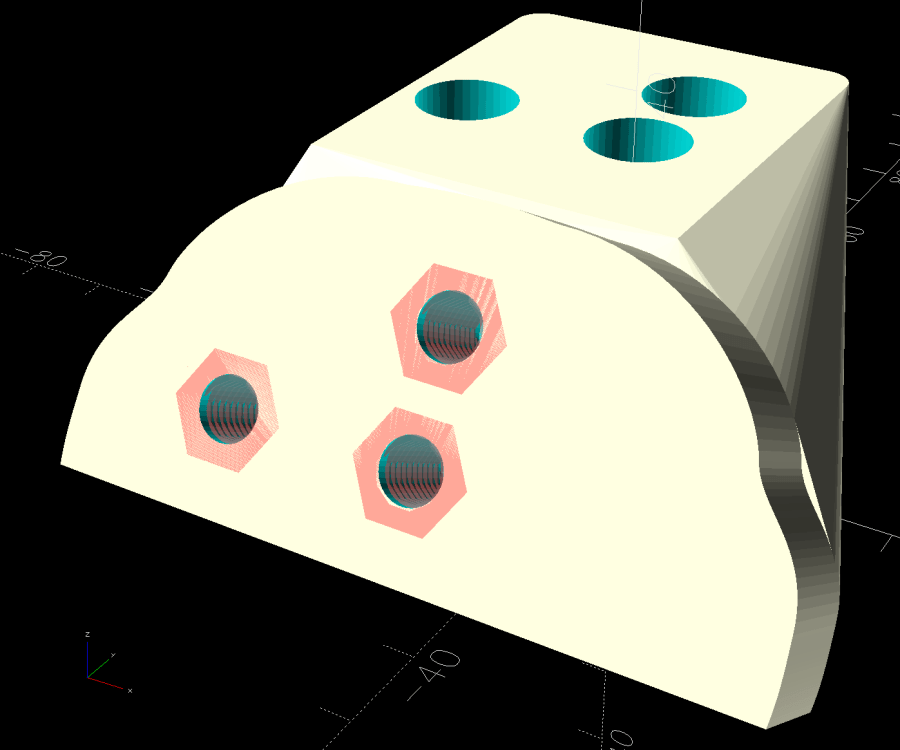
I had intended to use either square nuts or heat-set inserts, but it turned out to be easier to just slam BOSL2 threaded nuts into the front plate and be done with it:
Handlebar Base Mount – solid model – hex nuts
The trick is to sink the nuts around a hole sized slightly larger than the screw’s nominal diameter, letting the threads fill empty space.
The handlebar base is mounted symmetrically along the machine arm centerline aligned with the two screws on the right. The rear block is offset to the left to clear the machine cover on the right, so the hull() wrapped around the two looks weird.
The front plate stands proud of the rest by dint of incorporating only a small slice of its back face into the hull() filling the gaps between the two. It’s not particularly stylin’, but it’s pretty close.
Finding the correct angle for the front plate required a couple of iterations, but they all built successfully:
HQ Sixteen – handlebar mount – on platform
Putting the threaded holes vertical created nicely formed threads that accepted the screws without hassle.
The block screws firmly to the arm and the handlebar unit screws to the block:
HQ Sixteen – remounted handlebars – side
The display now faces front:
HQ Sixteen – remounted handlebars – front
I eventually replaced those black oxide screws with shiny stainless ones, just for pretty.
The nine LEDs under the display now do a great job of lighting up the front of the machine’s arm, rather than the fabric at the needle, but fixing that will be a whole ‘nother project.
The handlebar grips with their control buttons now tilt at a somewhat inconvenient angle, which is also a whole ‘nother project.
Early reports from the user community are overwhelmingly positive.
The OpenSCAD source code and the SVG layout as a GitHub Gist:
This file contains hidden or bidirectional Unicode text that may be interpreted or compiled differently than what appears below. To review, open the file in an editor that reveals hidden Unicode characters.
Learn more about bidirectional Unicode characters
Mary is at least the third owner of a steel rack, originally intended to hold packages of retail stuff, which now holds (much of) her collection of quilting rulers:
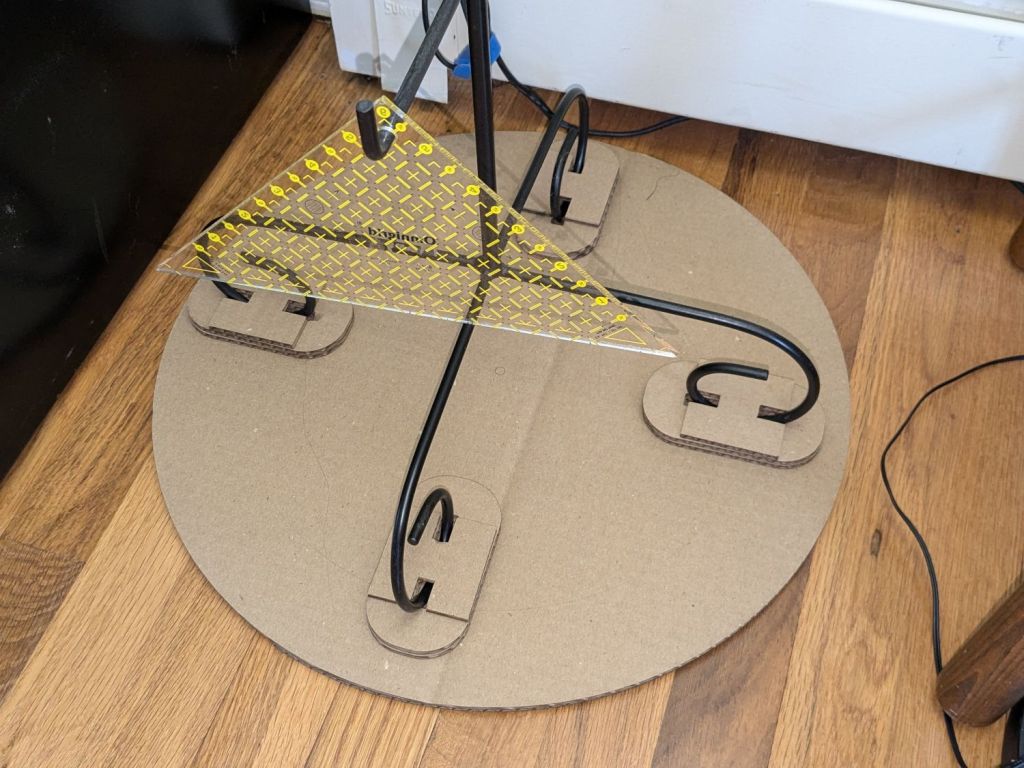
Quilting Ruler Rack Base – overview
Obviously, it was never intended to hold heavy acrylic sheets, but it worked surprisingly well, right up to the point where too many of the rulers collected on two adjacent columns of pegs and overbalanced the whole affair atop her while she attempted to remove a ruler.
Subsequent accident recreation showed the rack toppled when the weight of the rulers on the two adjacent columns of hooks moved the center of mass outward, just inside the line between those feet, whereupon the slightest tug on a ruler pulled it over.
Measurements revealed the four legs do not sit on a square contact patch, are not parallel to the radii from the center point, and are not uniformly distant from the center. Rather than committing to a finished product, I made a cardboard prototype to verify a bigger base would solve the problem and I could capture all those feet.
You don’t have such a rack, so the exact dimensions don’t matter, but the LightBurn layout looks like this:
Quilting Ruler Rack Base
The disk is two cross-laid sheets for stiffness, with marks burned on the top to help align the feet more-or-less around the center point.
The oblong rings fit around the feet to capture them, so cut eight or twelve to make four stacks a bit taller than the wire diameter.
The H shape then glues atop the rings to hold the feet in place. They’re not removable, but a razor knife will eventually solve that problem.
I slobbered hot melt glue across the cardboard disks to hold them together, glued and aligned the rings where the feet dented the disks, stood the rack in the rings, and glued the H plates.
About an hour elapsed from the sound of the crash to the rack once again standing quietly beside the fabric cabinets.
We’ll run this for a while and eventually replace it with a plywood disk and screwed-in-place clamps for the feet, which will surely call for wood surface preparation / stain / seal treatment.
If they think you’re crude, go technical; if they think you’re technical, go crude. I’m a very technical boy. So I decided to get as crude as possible. These days, thought, you have to be pretty technical before you can even aspire to crudeness.
William Gibson — Johnny Mnemonic
Now that the trees have shed most of their leaves / needles, it’s time to get the accumulation off the roof edges. Fortunately, the upstairs windows overlook the biggest piles and, after I considered and rapidly rejected the notion of using the wind stick, Mary convinced me a roof rake would suffice by deploying a too-short broom.
After considering and rejecting several decreasingly elaborate variations of 3D-printed pole-to-pusher-plate adapter nonsense that almost involved our pole saw, this happened:
Roof Rake – in use
The wood pole comes from a left-behind assortment atop the garage’s open ceiling joists and the pusher plate comes from the cardboard box treasure trove.
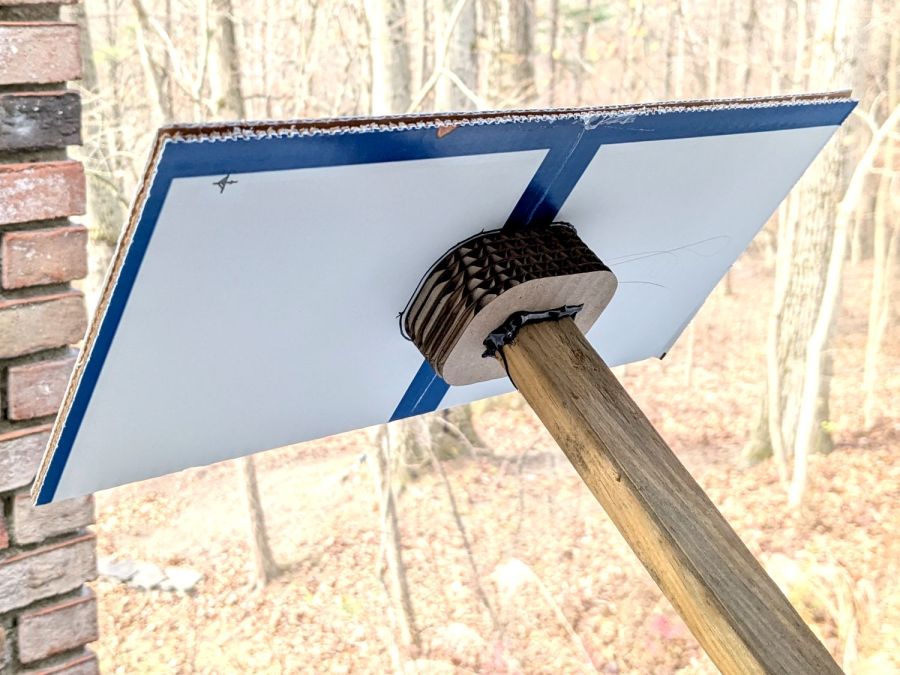
A laser cutter makes close-fitting rings and hot-melt glue sticks those plates together with gleeful abandon:
Roof Rake – detail
The blue-and-white cardboard plate consists of two box flaps glued together, the glued-up stack of half a dozen rings transfers the torque from the plate to the pole, and the whole affair took the better part of fifteen minutes from idea to cool-enough glue.
It’s back on the garage joists for next year, unless we decide that pole has a higher purpose in life. Worst case, it loses two inches of length.
Bonus: Chore accomplished before the predicted weekend snowfall!
Mary’s much-improved / -repaired Sears Sewing Table wanted to move around on the wood floor in the Sewing Room, so I captured its casters in little pads:
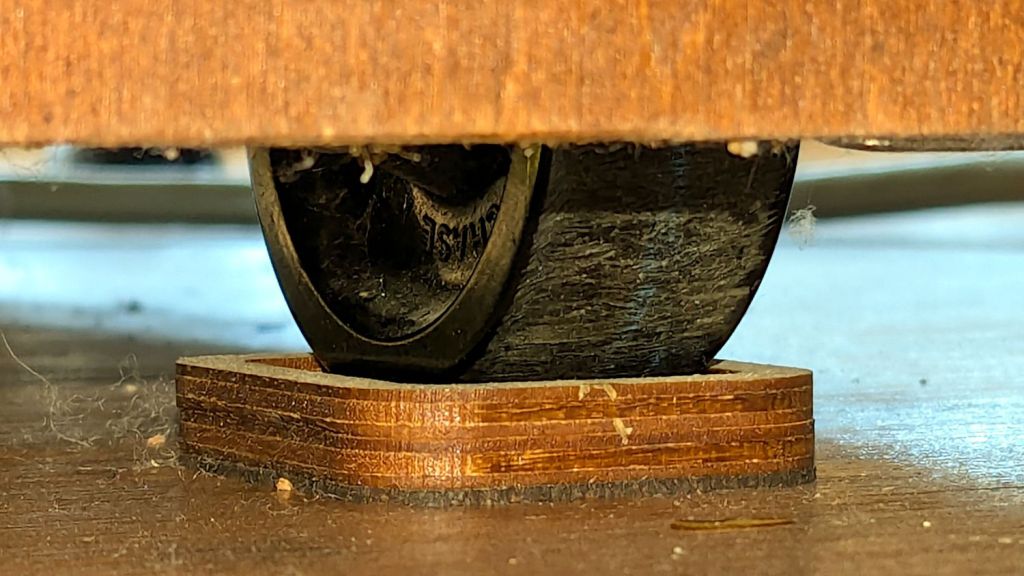
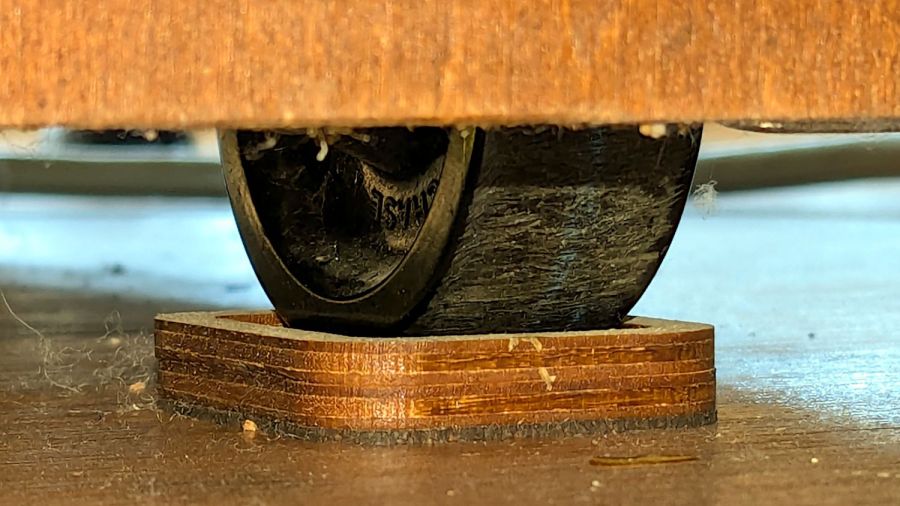
Sears Sewing Table caster pad – installed
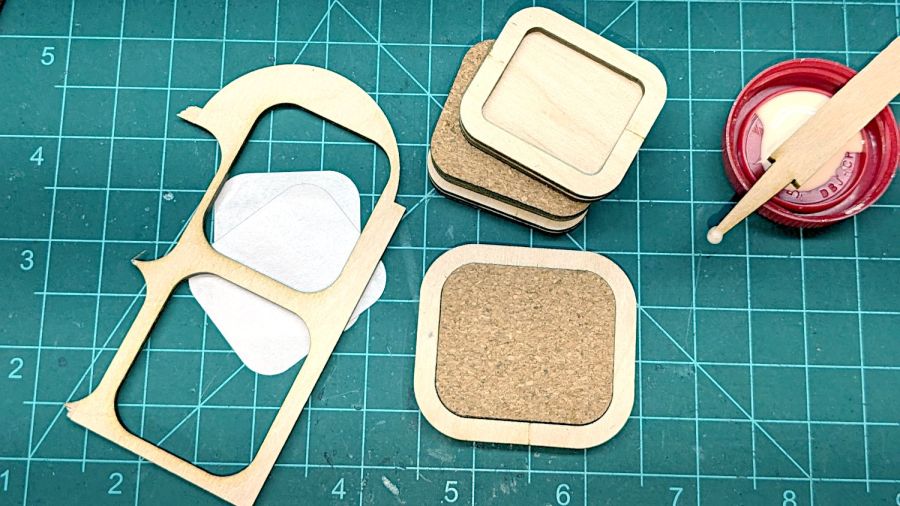
A layer of 1 mm cork with PSA adhesive provides griptivity against the floor, a solid layer of 3 mm plywood spreads the wheel force over the cork, and a top ring of 3 mm plywood captures the wheel.
Which looked like this during gluing:
Sears Sewing Table caster pad – gluing fixtures
The scrap on the left served to align cork & plywood; it came from the plywood contributing the shapes. The ring around the cork is a glued-up pair of plywood rings (4 mm wide, outset from the perimeter of the pads) serving to align the two plywood layers.
Verily: time spent making a fixture is never wasted!
And having a laser cutter makes fixtures trivially easy, at least for simple fixtures like those.
Here’s what I think is going on, referring to the 4×8 foot (!) machine in that discussion and lightly edited to improve readability & fix minor errors …
Mirror 1 alignment gets the beam parallel to the Y axis, averaged over the gantry travel between front and rear. The path length variation on your machine is four feet.
Mirror 2 alignment gets the beam parallel to the X axis, averaged over the laser head travel from left to right. The path length variation on your machine is eight feet.
When the laser head is in the left rear corner, the total path length is maybe a foot or two. When it’s in the front right corner, the total path length is upwards of twelve feet.
The “Fourth Corner” problem comes from a slight angular misalignment of Mirror 1, because you (and I and everybody) must set it with a maximum path length around four feet (Mirror 1 to Mirror 2 with the gantry at the front end of the machine). But with the laser head in the right front corner, the path length (Mirror 1 to Mirror 3) is three times longer, so the error due to a slightly mis-set angle at Mirror 1 is correspondingly larger.
A tiny tweak to Mirror 1 changes the spot position at Mirror 2 by very little, but moves the spot at Mirror 3 by much more due to the longer path length.
Tweaking Mirror 1 cannot compensate for a warped machine frame, but it will get the beam alignment as good as it can be made.
The next point of contention was my “middle of the mirror” suggestion. AFAICT, the spot burned into the target at each mirror marks only the useful part of the beam with stray energy in a halo around it. Centering the spot keeps that stray energy away from the mirror mounts, so it doesn’t cause unnecessary heating. This will be particularly important with a high-power laser.
Angular adjustment of each mirror puts the beam parallel to the axes, but cannot also center it on the mirrors. After it’s aligned, the path from the laser tube through the nozzle depends on the position of the tube relative to the nozzle: moving the tube up/down and front/back moves the beam position on the mirrors and through the nozzle, but (in an ideal world) doesn’t change the angular alignment.
So after aligning the beam parallel to the axes, you must move the laser tube, the mirrors (up/down left/right front/back), and maybe the laser head to center the beam in the mirrors and also in the nozzle. Because we don’t live in an ideal world, moving any of those pieces wrecks their angular alignment, so it’s an iterative process.
The goal is to reach this point:
Beam Alignment – Mirror 3 detail – 2023-09-16
Those are five separate pulses, one each at the four corners and center of the platform.
The beam then goes pretty much through the center of the laser head and lens:












 The Smell of Molten Projects in the Morning
