Ed Nisley's Blog: Shop notes, electronics, firmware, machinery, 3D printing, laser cuttery, and curiosities. Contents: 100% human thinking, 0% AI slop.
Tag: Improvements
Making the world a better place, one piece at a time
The venerable Greenfield kickstand on my Tour Easy doesn’t quite match the mounting plate under the frame, with the result that it can pivot just enough to make the bike tippy with a moderate load in the rear panniers. I’ve carried a small block to compensate for sloping ground, but I finally got around to fixing the real problem.
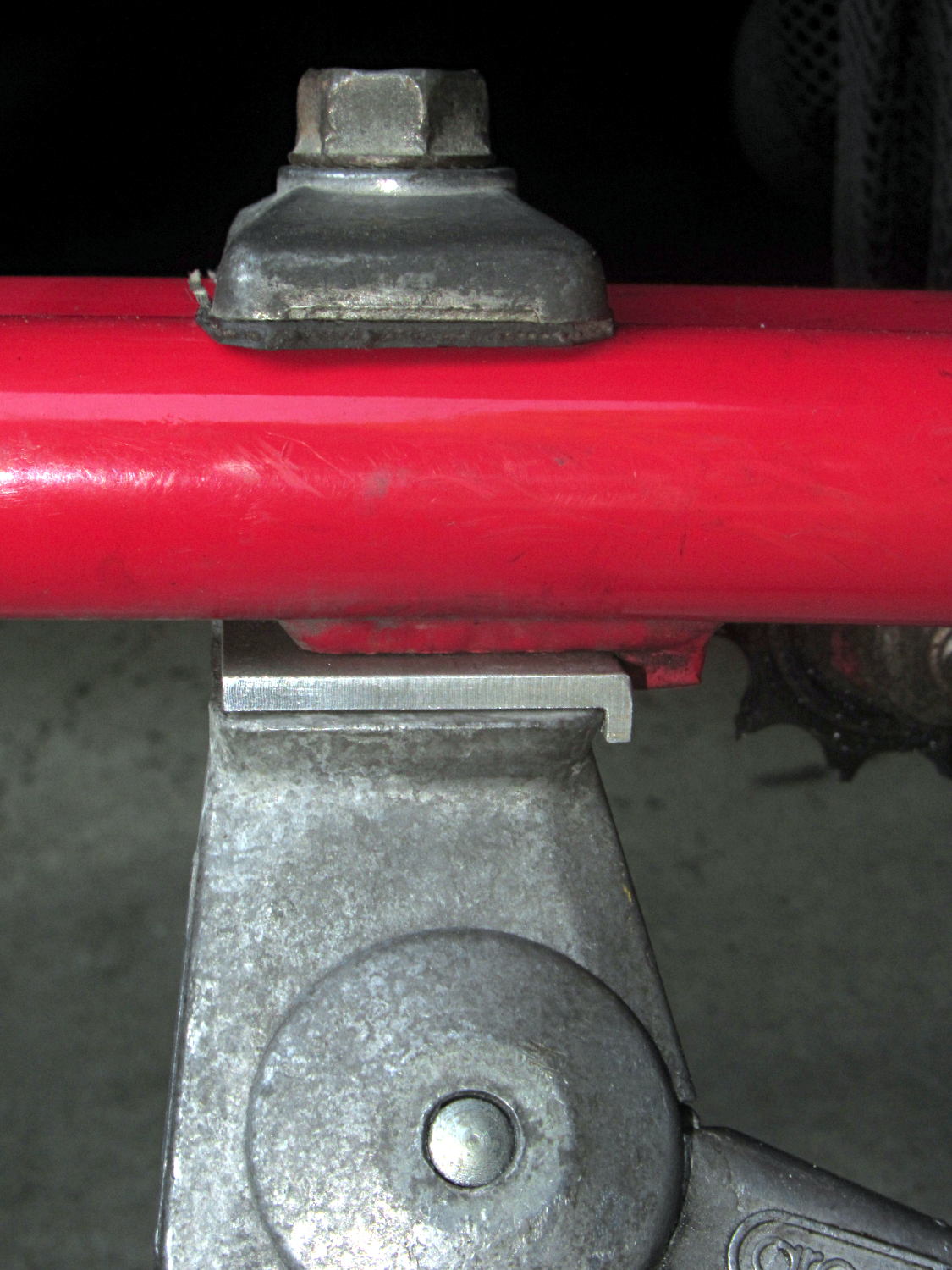
The solution turned out to be a spacer plate that fills the gap between the back of the kickstand casting and the transverse block brazed to the mounting plate:
Tour Easy kickstand adapter plate
That little lip is 2 mm wide, so it’s not off by much.
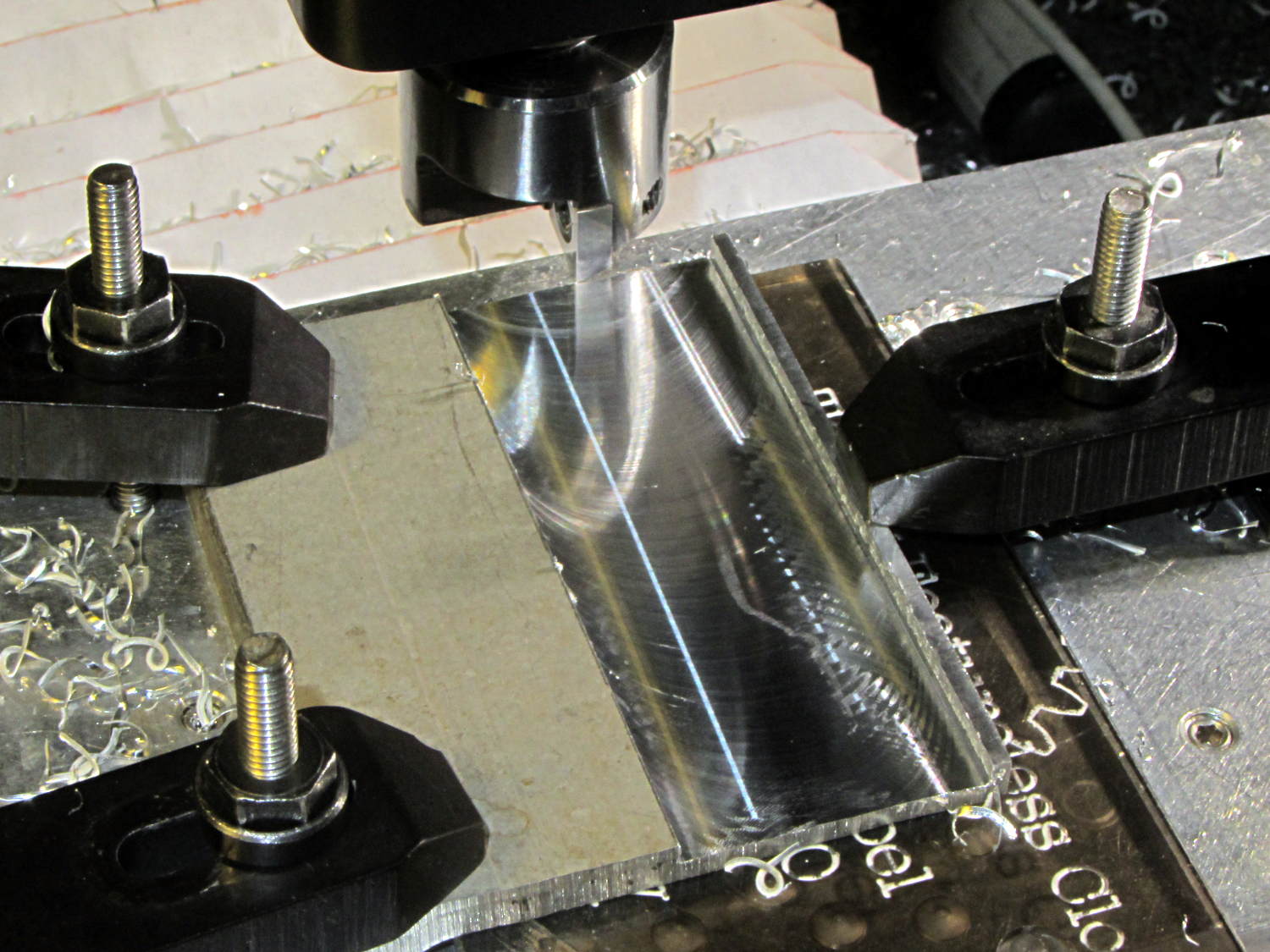
The aluminum came from a Z-shaped post that contributed its legs to a previous project. I flycut the stub of one leg flush with the surface, then flycut a slot 2 mm from the edge:
Tour Easy kickstand adapter – flycutting recess
For no reason whatsoever, the width of that slot turned out exactly right.
Bandsaw along the left edge of the slot, bandsaw the plate to length, square the sides, break the edges, mark the actual location of the mounting plate hole, drill, and it’s done!
An identical Greenfield kickstand on Mary’s identical (albeit smaller) Tour Easy (the bikes have consecutive serial numbers) fits perfectly, so I think this is a classic case of tolerance mismatch.
Unlike the trailer hitch installation instructions, the wiring installation instructions left a bit to be desired. Basically, you can’t get the trim panels off the interior until you know where they hid the snaps and latches, but you can’t find the snaps and latches before you remove the trim panels.
N.B.: this applies to a 2015 Forester. Subaru deliberately moves the connector around for each model and year, for reasons that certainly make sense to them.
Remove everything from the back end of the car that isn’t firmly affixed.
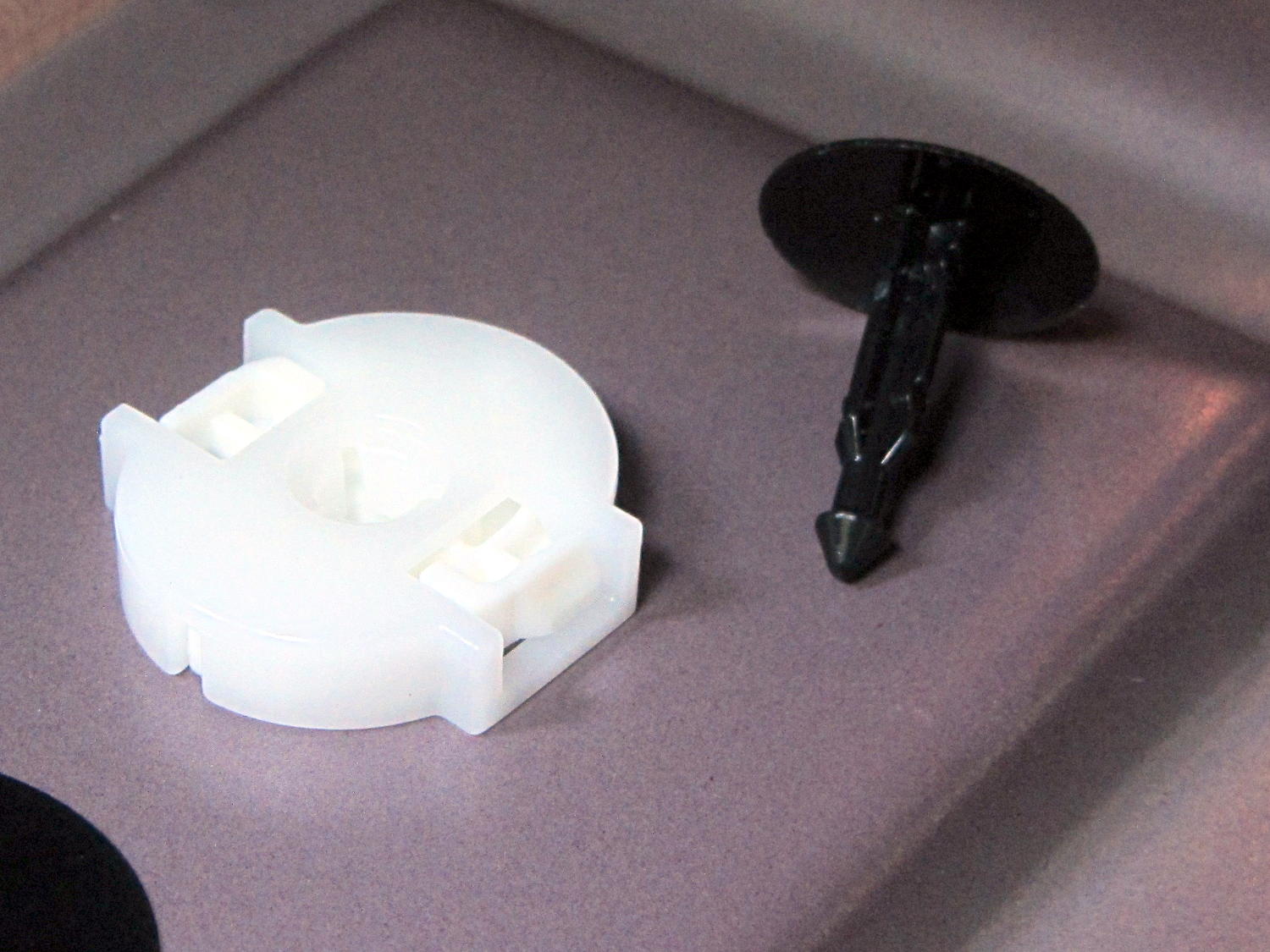
Remove the rivets from the left-side foam block by prying their heads with a big screwdriver; maybe you can get a needlenose pliers under there. They’re surprisingly difficult to get out, due to that nasty barb on the end:
Forester cargo compartment foam block rivet and socket
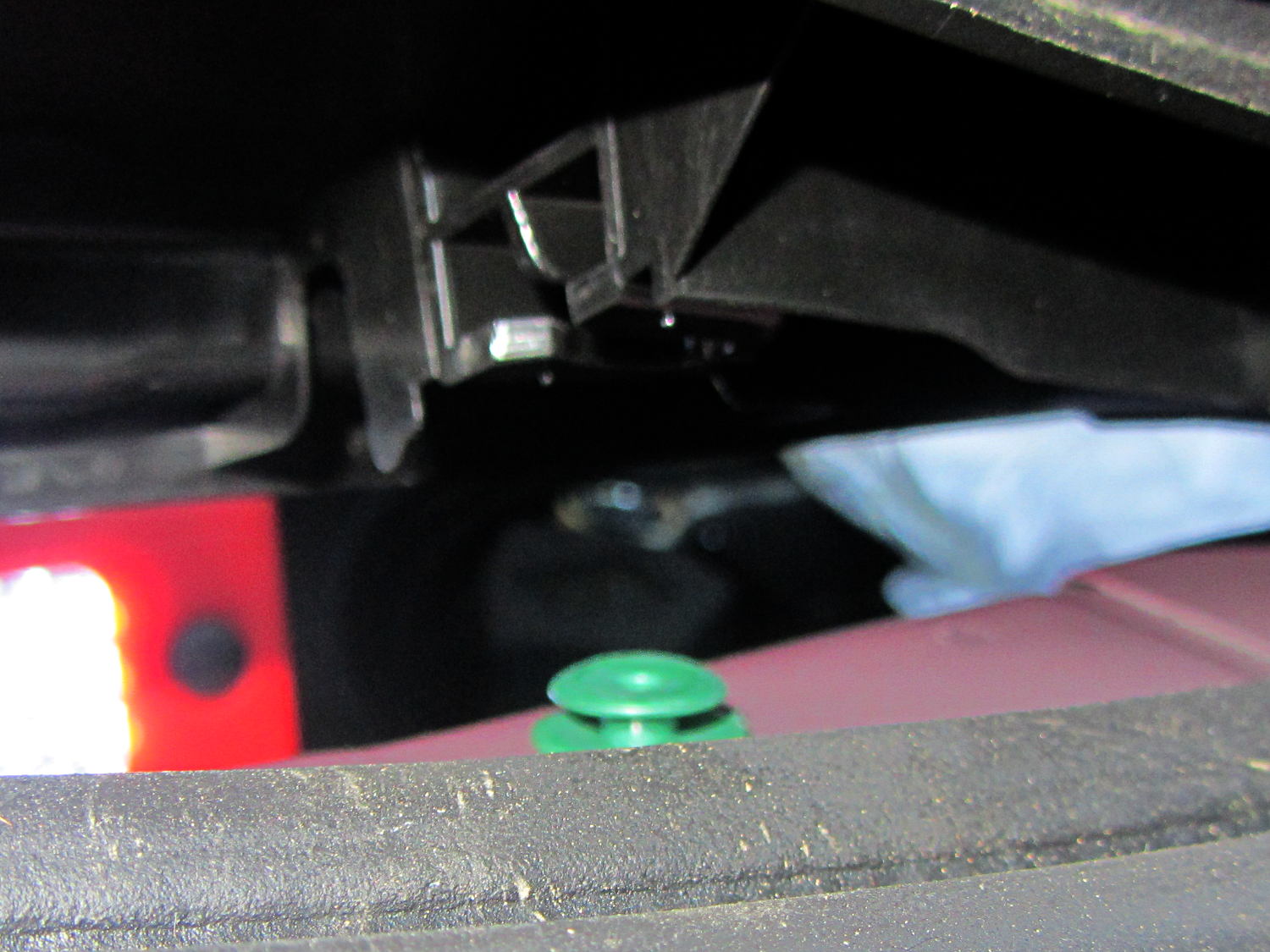
Release the left side of the trim strip across the back of the compartment by pulling the front corner forward to unlock the latch that engages the trim panel on the left edge. Then you can pull the strip upward to locate the green rivet about a foot from the left end, stick a screwdriver under there, and pry it out of the frame. I didn’t do that, with the unhappy result that the rivet stayed in the frame:
Forester hatch trim – snap rivet location
If that happens to you, just pry the rivet out of the frame, slide it into the trim strip, and (when the time comes), ram it back into the frame.
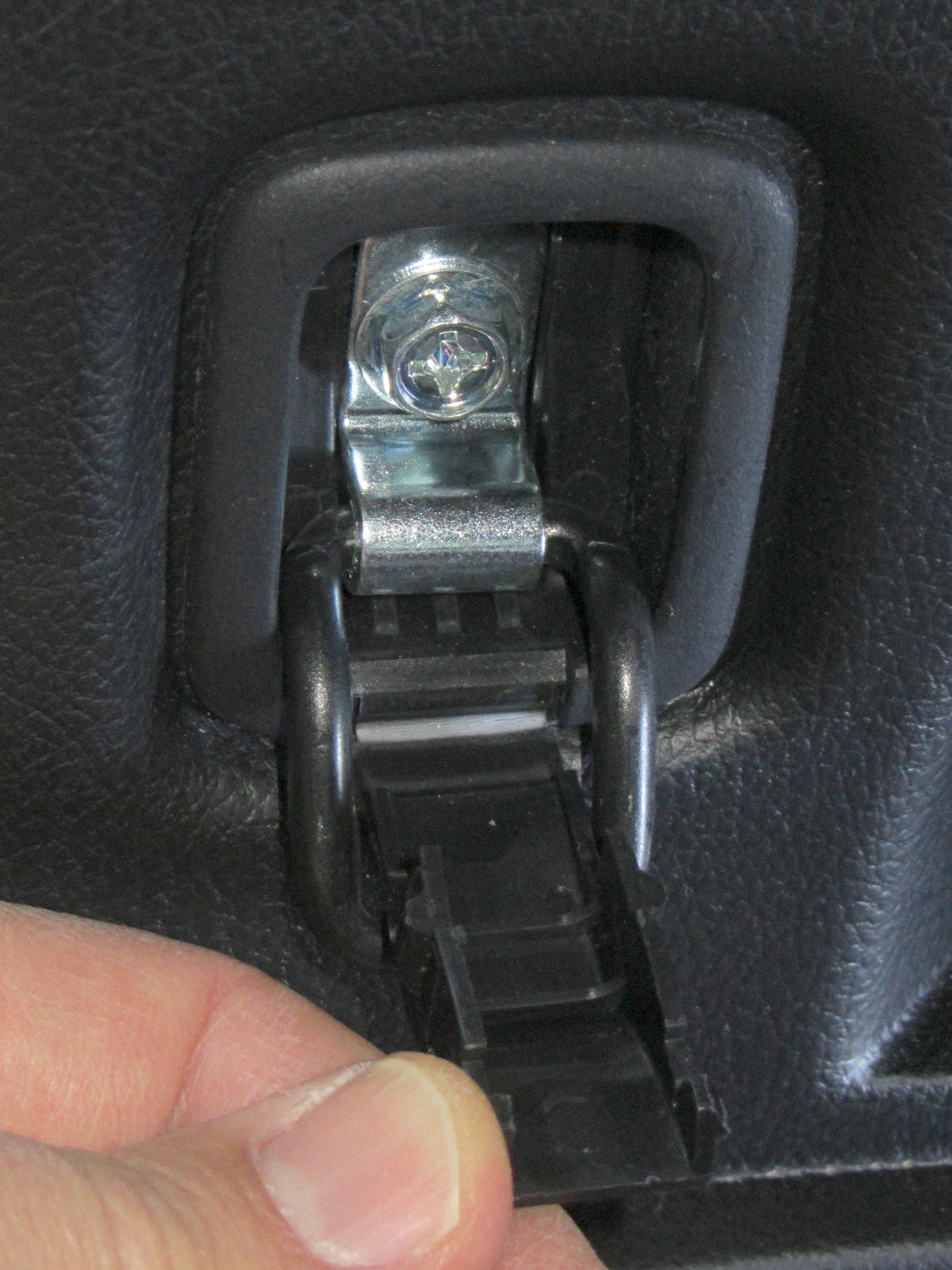
A captive plastic cover over the bolt securing the cargo tiedowns yields to a fingernail, if you know that’s what you must do:
Forester cargo tiedown – screw location
Remove the bolt and tiedown, which greatly simplifies pulling the side trim panel away from the frame:
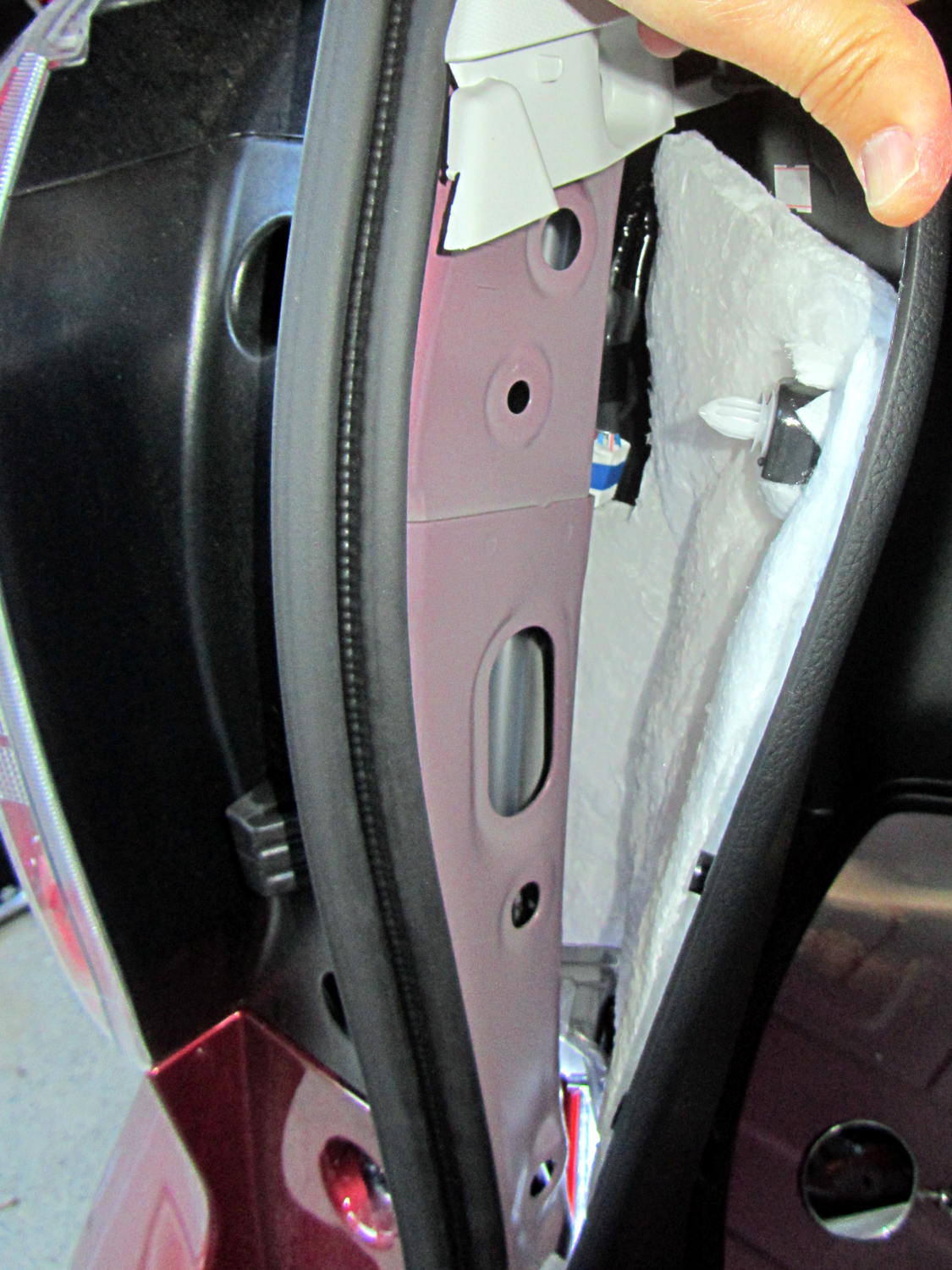
Forester trailer wiring connector location
The trailer hitch connector lies tucked far up inside the recess, taped to the wiring harness with blue tape. Slit the tape, pull the connector free, worm the aftermarket wires up in there, latch the connectors together, and reinstall everything in reverse order.
Subaru could, if they wanted to, add a foot of wire to that harness, tape it near the bottom edge of the trim panel, and eliminate half an hour of dealer labor charge. I think I understand why they don’t do that, but I don’t have to like it.
It’s faintly possible that someone with very thin arms could reach the connector without dismantling the butt end of the car, but the fingers on the end of that arm might not have enough strength to latch the connectors.
The electrical box fit neatly against the rear of the compartment, behind the foam block. A bit of razor knife artistry carved a notch for the fuseholder and the wiring coils up neatly inside an existing recess:
Forest trailer hitch – wiring in cargo compartment
Until I install lighted hitch nuts (you could look it up), I think deploying the trailer connector through the hatch makes more sense than running the wiring through one of the holes in the spare tire well and exposing the connector to the elements. I don’t intend to do much trailer hauling …
I backed the Forester up to put the rear tires over the edge of the garage apron, which provided enough room to work underneath without jacking the thing; there’s a chock under the left front wheel, never fear.
The instructions from etrailer.com were entirely adequate, so there’s not much point in a detailed writeup. Their time estimate (an hour) seems grossly understated, but I wasn’t in any hurry.
A morning of pleasant wrenching produced a good-looking, albeit nearly invisible, result:
Forester trailer hitch – installed
Both hitches bolt directly to the frame and I have no idea what effect that has on the collision behavior. My guess is that the Subaru hitch would be more bendy, if only because it has a much lower load rating, but that probably doesn’t make much difference.
Some notes:
Remove the muffler, which is trivially easy on a new car, and reuse the crushable gasket, which is probably not recommended. After releasing the muffler, you can ease the mounting pins out of their rubber supports without applying any lube or issuing many curses. The tailpipe remains in place, conveniently away from the proceedings.
As others have noted, remove the heat shield, snip a few square inches from the inside front corner, and reinstall with only three screws. I chopped clearance holes for the hitch bolts using a box cutter, but you could probably just punch them right through the butter-soft aluminum sheet.
The instructions suggest drilling / rasping the center mounting holes to 1-1/8 inch diameter. Being that type of guy, I used a step drill to get a 1 inch hole, filed slots on the front and rear sides to accommodate the reinforcing plates, then filed the corners where the slots meet the hole for the carriage bolt heads. The bolts and plates just barely fit, but that leaves more metal on the frame; I doubt any of that matters.
I felt badly about leaving steel filings inside the frame, but there’s no practical way to extract them. I didn’t prime-and-paint the raw edges, either, as they’re buried deep inside the hitch frame; I may regret that decision.
Wear eye protection: those six fish wires have lethally sharp and very whippy ends.
You can support the hitch on your chest to maneuver it into position, but an assistant must hold it in the proper alignment while you fiddle with fish wires, bolts, and nuts.
I don’t know what happens to the raised bump in the frame under the heat shield, but I suspect it gets crushed flat after torquing the nuts on either side.
When you reinstall the muffler, remember to take the gasket off the mounting pin where you put it for safekeeping before maneuvering the pins back into the hangers …
The Official Subaru OEM Hitch Assembly Instructions commence with loosening the taillight housings and then get complicated. That hitch mounts on a crossbar that completely replaces the bumper beam inside the dress cover, the receiver extends through a small square section of the cover that you cut out as part of the process, the mount occupies the two rearmost holes in the frame members, and it doesn’t require trimming the heat shield. It also costs nigh onto $800 including dealer labor.
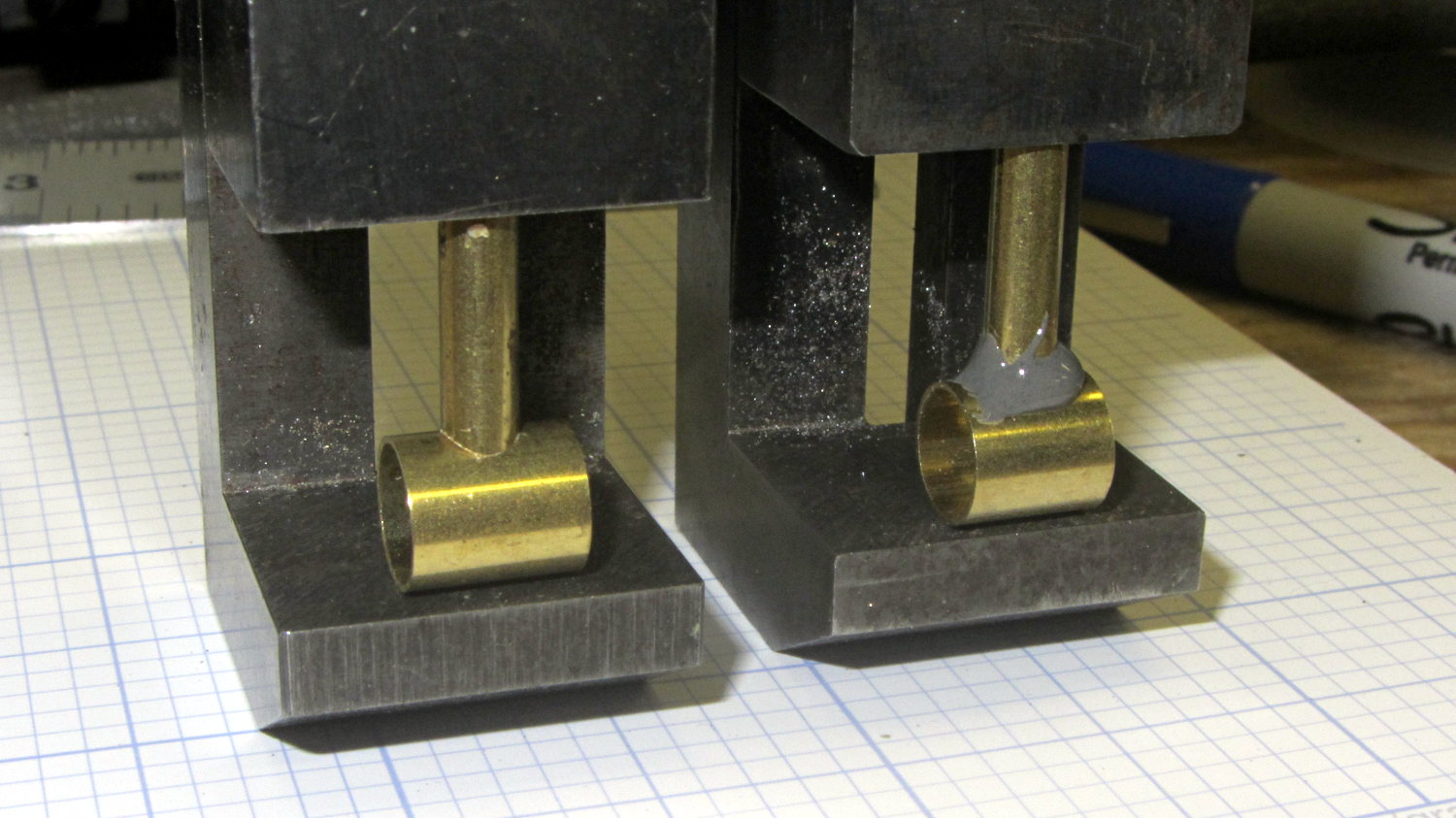
The last time around, this involved silver soldering the boom wire directly to the mic housing. This time, I filed a fishmouth in the smaller tube and epoxied it to the tube that’ll hold the mic capsule:
Bike Helmet Mic Boom – housing
The smaller tube is a loose slip fit for #10 copper wire, but that’s really too heavy for the boom. I’ll probably nestle #12 wire inside another tube and epoxy that whole affair in place.
The mic capsule tube needs a rounded notch filed in one end to accommodate the wire.
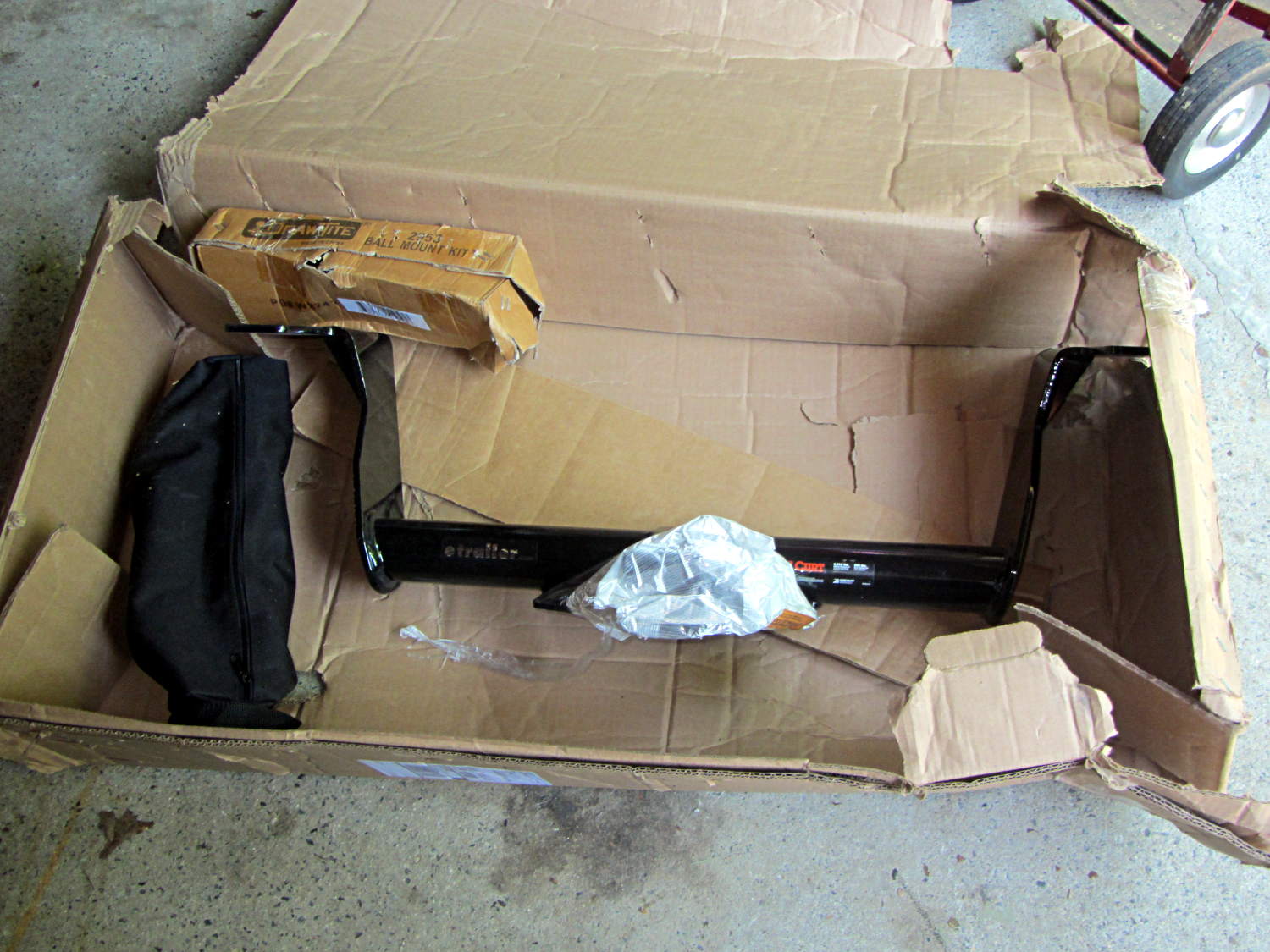
Even though it’s really hard to damage a trailer hitch made of 5/16 inch welded steel plate, that hitch made a mess out of the cardboard box:
Trailer hitch receiver – as received
It’s a Class III hitch with specs (3500 pound max, 525 pound tongue weight) that greatly exceed the Forester’s ratings (1500/150 pound), but it seems to be the only way to get a 2 inch receiver socket. I have no intention whatsoever of towing anything I can’t see over and around.
This is part of the “how to haul the recumbents” solution. Trailer hitch racks require a receiver with a tongue rating of twice the static load; a pair of Tour Easy ‘bents and most of the racks weigh in pretty close to the Subaru OEM 150 pound rating.
It turns out that the clever idea of moving the swap partition to a USB flash drive had no effect whatsoever; the UI continued to freeze up during OpenSCAD compiles and suchlike, with the drive activity light on solid and not much in the way of swap activity. Sooo, I wondered what would happen with the /tmp directory on non-rotating memory.
Then I spotted a sale on a Samsung 840 EVO 120 GB solid state drive, which seemed like it might improve almost everything in one swell foop. That’s a tiny drive, at least by contemporary standards, but all my data files live downstairs on the file server, so the desktop drive holds just the Xubuntu installation.
It’s worth noting that SSDs tend to fail suddenly and catastrophically, so that if the only copy of your data is on that drive, there is no recovery. In this case, I’d lose some configuration that changes with every installation, a few locally installed / compiled-from-source programs, and little else.
The nice thing about transferring a Linux installation: boot a live CD image (I used Ubuntu 14.04LTS, the same as the desktop box), copy the files to the new drive, set up Grub, and you’re back on the air. That recipe worked fine, although I used rsync -au to copy the files and then updated /etc/fstab with the SSD’s new UUID (rather than duplicate a supposedly unique ID).
The Grub recipe does require a bit of delicate surgery, so I removed the OEM hard drive and rebooted the live CD image before doing this. If the SSD fell victim to a finger fumble, I could just start over again:
sudo mount /dev/sda1 /mnt
for f in dev proc sys usr ; do sudo mount --bind /$f /mnt/$f ; done
sudo chroot /mnt
sudo update-grub
sudo grub-install /dev/sda
sudo grub-install --recheck /dev/sda
exit
for f in dev proc sys usr ; do sudo umount /mnt/$f ; done
sudo umount /mnt
Then reboot from the SSD and It Just Worked.
Dropbox and DigiKam noticed the UUID change and asked for advice; there’s no need for re-registration, re-activation, or re-authorization.
The overall time from boot to login isn’t much shorter, because of the tedious delay while the network and the NFS shares get up & running, but the desktop UI startup zips right along.
The same OpenSCAD compile that previously brought the UI to a halt has no effect, so I hereby declare victory. I think the complex solid models that used to take forever will see much the same speedup.
The Dell hard drive (an ordinary 7200 RPM 3.5 inch brick) lies abandoned in place under the fancy black shroud; the Optiplex 980 layout butts the drive’s right-angle SATA connectors hard against the CPU heatsink and offers no spare SATA power connectors. There was just enough room to wedge the SSD above the PCI connectors, where it won’t get into any trouble:
Samsung 840 EVO SSD in Optiplex 980
The hard drive contains the never-used Windows 7 partition and the corresponding recovery / diagnostic partitions; keeping the drive with the Optiplex chassis seems like a Good Idea.
In what’s surely a change intended to better meet the needs of their customers, the newspaper changed the crossword layout just a little teeny bit, so my previous script needed a tweak: