Ed Nisley's Blog: Shop notes, electronics, firmware, machinery, 3D printing, laser cuttery, and curiosities. Contents: 100% human thinking, 0% AI slop.
Tag: Improvements
Making the world a better place, one piece at a time
The MPCNC has the entire weight of the Z axis motor and stage resting on the leadscrew, so the instructions call for preloading the spring coupler by stretching it with the leadscrew butted against the motor shaft. The leadscrew end isn’t particularly flat, so I inserted a 1/4 inch ball bearing between the two before the stretch:
MPCNC – Z Axis leadscrew – coupler bearing
I’m reasonably sure the ball won’t make the slightest difference, but two slightly misaligned shafts can now pivot on a point, rather than grind against each other. There’s no evidence of misalignment; I feel better and that’s what counts.
The GT2 / GT3 belt specs call for 10-ish pounds of tension, but I don’t yet have a good feel for the actual MPCNC belt tension … and it’s hard to measure in-situ. So I picked up some spring tensioners and yanked one with a luggage scale:
GT2 Belt Tensioner – 4 kg
You’re looking at 4 kg = 8-ish pounds of tension. When they’re relaxed, the arms sit at roughly right angles.
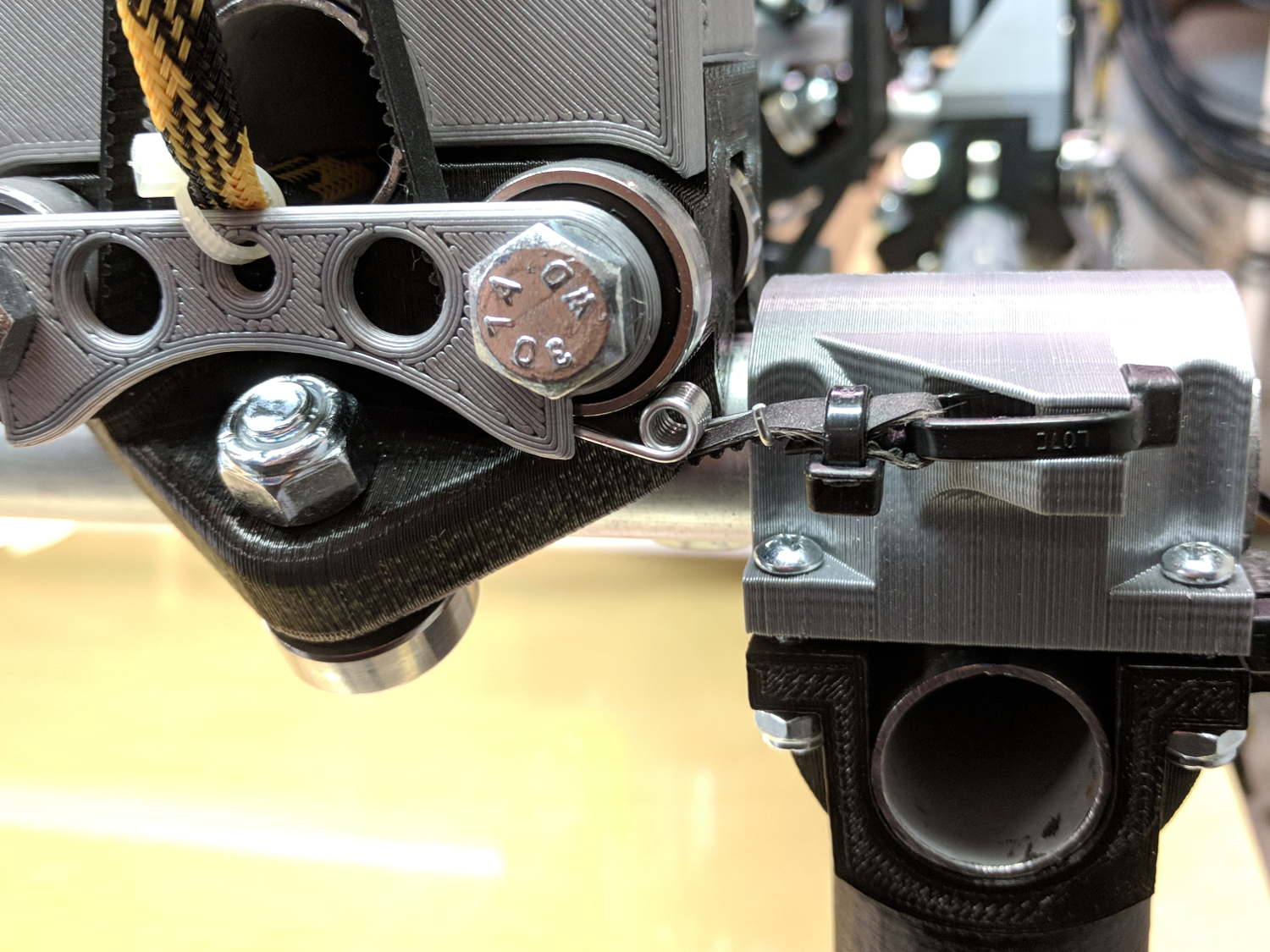
I installed them on the far end of the belts, although that’s a bit snug under the roller:
GT2 Belt Tensioner – installed
An endstop switch will eventually add some clearance and it’ll be all good.
Even though they’re neither linear nor precisely calibrated, they’ll serve as a reminder to check the tension every now and again.
Install them with the same casual disregard you reserve for fish hooks and you’ll emerge unscathed.
The Protoneer CNC Shield has headers for two endstops on each axis, although they’re wired to the same Arduino input pin. I installed a pair of Makerbot-style endstops on the Y axis, plugged them in, triggered one, and … the Arduino crashed. Hard. As in, a complete loss of power and reboot.
Some fiddling around produced absolutely baffling symptoms, as I replaced each endstop board and their cables to no avail.
Perusing the schematic (the “full instructions” link is dead, of course) eventually revealed the problem:
Makerbot style endstop – schematic
Got it?
Although there’s a pullup on the COM switch terminal, the switch’s NC terminal is connected to the +5 V supply, shorting across the both resistor and the LED+resistor. With two endstops in parallel, triggering one crowbars the other’s power supply to ground. I’m sure it made sense at the time, perhaps by ensuring no possible noise source could interfere with the pullup.
The solution is simple: disconnect the NC terminal from the power supply. As it turns out, the PCB layout routes +5 V on the bottom layer, up through the via around the NC switch terminal, thence to the LED and resistor, leaving only one choice:
MPCNC – dual MG endstop hack
Yup, amputate the NC terminal and be done with it.
After that, the pullup resistor lets the endstops cooperate like you’d expect: triggering either one lights up both LEDs.
“High Endurance” means it’s rated for 5000 hours of “Full HD” recording, which they think occurs at 26 Mb/s. The Fly6 records video in 10 minutes chunks, each weighing about 500 MB, call it 1 MB/s = 8 Mb/s, a third of their nominal pace. One might reasonably expect this card to outlive the camera.
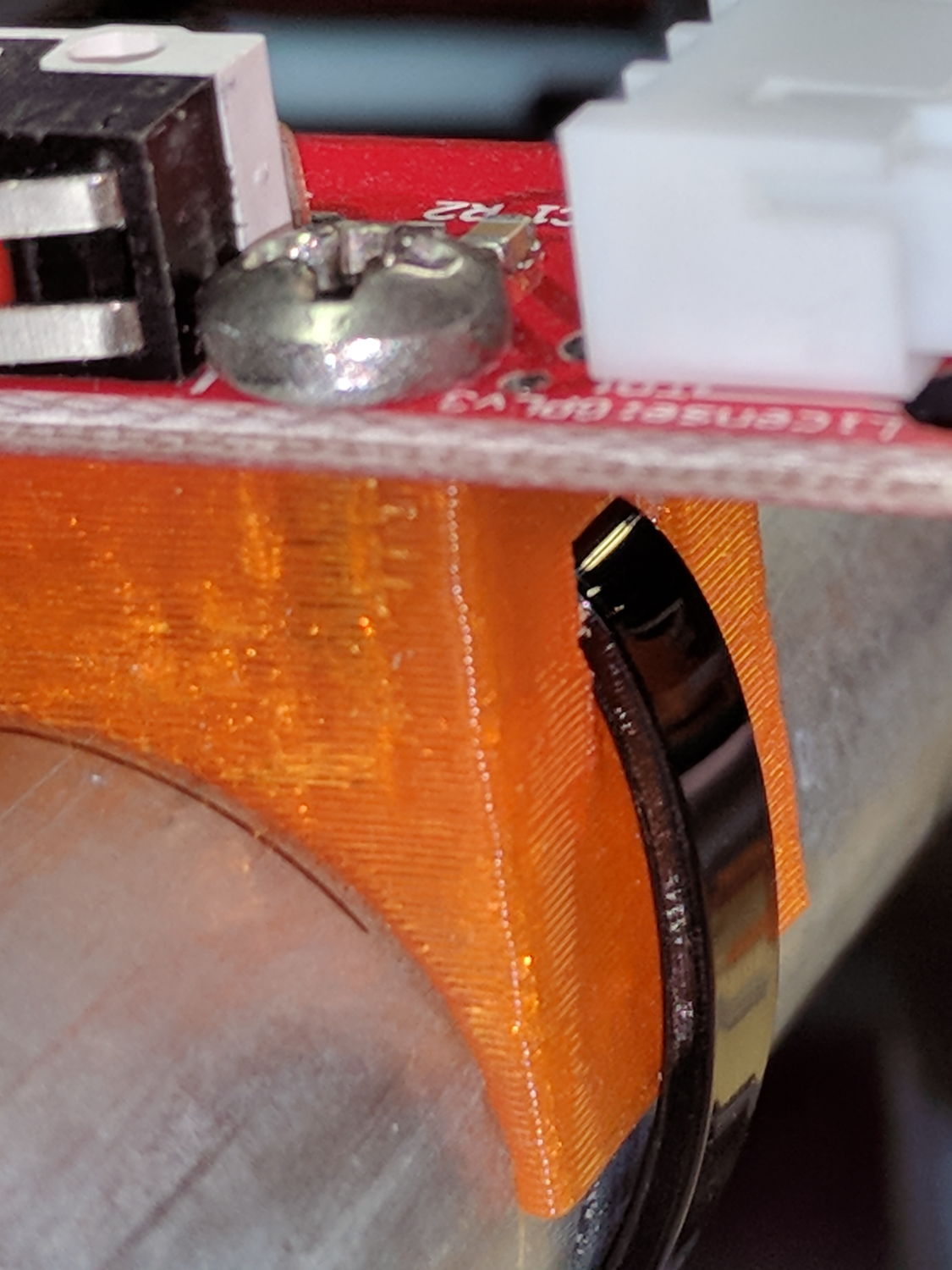
On the other side, a ramp helps bend the tie toward the MPCNC rail:
X min endstop – recessed strap
Which looks thusly in the realm of applied mathematics:
MPCNC MB Endstop Mount – strap recess
I’ll leave the OpenSCAD code to your imagination, because the endstop block turns out to be a bit small for the recesses. Eventually, they need a dust cover and some cleanup.
As part of some protracted flailing around while trying to get GNU Radio running on a Raspberry Pi 3, I discovered Raspbian defaults to a 100 MB swap file, rather than a swap partition, and everything I thought I knew about swap management seems inoperative. The key hint came from some notes on gr-gsm installation.
Tweak the /etc/dphys-swapfile config file to set CONF_SWAPFACTOR=2 for a 2 GB swap file = twice the size of the Pi’s 1 GB memory.
A pair of known-good MicroSD cards arrived direct from Samsung at a surprisingly slight premium over the junk available on Amazon:
Samsung EVO Plus MicroSD – 32 GB
f3probe reported they’re OK, which is no surprise:
sudo f3probe --time-ops /dev/sdc
F3 probe 6.0
Copyright (C) 2010 Digirati Internet LTDA.
This is free software; see the source for copying conditions.

WARNING: Probing normally takes from a few seconds to 15 minutes, but
         it can take longer. Please be patient.

Probe finished, recovering blocks... Done

Good news: The device `/dev/sdc' is the real thing

Device geometry:
	         *Usable* size: 29.81 GB (62521344 blocks)
	        Announced size: 29.81 GB (62521344 blocks)
	                Module: 32.00 GB (2^35 Bytes)
	Approximate cache size: 0.00 Byte (0 blocks), need-reset=no
	   Physical block size: 512.00 Byte (2^9 Bytes)

Probe time: 2'04"
 Operation: total time / count = avg time
      Read: 51.79s / 4197134 = 12us
     Write: 1'10" / 4192321 = 16us
     Reset: 1.41s / 1 = 1.41s
These will go into Raspberry Pi projects, where their huge capacity won’t produce any benefit. It seems one can’t get known-good, small cards these days.
I don’t see much point in buying known-crap counterfeits on Amazon, given their commingled-storage problem as pointed out by their helpful FBA advice:
Use the manufacturer barcode to track inventory
By default, your seller account is set to use the manufacturer barcode to track your eligible inventory throughout the Amazon fulfillment process. You can change this default barcode preference at any time. You have the option to change your barcode preference for each offer you create. You can also change your barcode preference for a product when you change a listing from Fulfilled by Merchant to Fulfilled by Amazon.
Important: Items in your inventory that are identified and tracked using manufacturer barcodes are commingled with items of the same products from other sellers who also use manufacturer barcodes for those items.
If you choose to use manufacturer barcodes, when customers purchase a product from you, Amazon can send the item that is closest to them, even if you didn’t send it to the fulfillment center. When that happens, you get the credit for the sale, and we transfer an item from your inventory to the seller whose inventory was used to fulfill the order. In addition, if you use the manufacturer barcode, you don’t have to apply an Amazon barcode to each item yourself.
Even though inventory tracked using the manufacturer barcode is commingled within the network, the source of the inventory is tracked by our fulfillment systems and is taken into consideration if inventory problems arise.