The Smell of Molten Projects in the Morning

Ed Nisley's Blog: Shop notes, electronics, firmware, machinery, 3D printing, laser cuttery, and curiosities. Contents: 100% human thinking, 0% AI slop.

Tag: Improvements

Making the world a better place, one piece at a time

  • PolyDryer: Noctua Fan Upgrade

    PolyDryer: Noctua Fan Upgrade

    The OEM fan inside the PolyDryer is annoyingly loud, even to my deflicted hearing, so I printed a Noctua NF-A4x10 fan adapter and installed a much quieter fan:

    PolyDryer - Noctua fan installed
    PolyDryer – Noctua fan installed

    The adapter is upside-down from the suggested orientation, I didn’t bother screwing it to the fan because it has sleeves fitting into the fan screw holes, the slot holds everything together, the vivid green EVA foam sheet sits atop a craft adhesive sheet (both cut with scissors!) ensuring they don’t part company, and it works just fine.

    Of course, the OEM fan has a three-wire cable and the Noctua has a four-wire cable:

    PolyDryer - OEM vs Noctua fan cables
    PolyDryer – OEM vs Noctua fan cables

    Although you can’t quite make it out on the white plastic, both connectors have their Pin 1 marks adjacent to each other. I oriented them like that to put the pin release latches on top; a foolish consistency is the hobgoblin of small minds.

    Fortunately, Noctua documents their pinout, a bit of probing verified the OEM fan pinout (which does not match the Noctua 3-wire pinout), and the Basement Warehouse Wing emitted an assortment of matching JST XHP connectors. Chop off the black connector and rewire it in a 3-pin XHP connector:

    • Pin 1 = OEM Red → Noctua Yellow = +24 V
    • Pin 2 = OEM Yellow → Noctua Green = Tachometer
    • Pin 3 = OEM Black → Noctua Black = Ground / Common
    • unused = Noctua Blue = PWM Speed Control

    Which is barely visible plugged into the control PCB on the left:

    PolyDryer - Noctua fan wiring
    PolyDryer – Noctua fan wiring

    The brown thermocouple wire in the upper right didn’t start out in the notch intended to pass it out of the air flow downwind of the heater:

    PolyDryer - crunched thermocouple wire
    PolyDryer – crunched thermocouple wire

    The wire is exceedingly stiff and requires some persuasion, but it will eventually stay in that slot.

    One of the PolyDryer modifications (which I can no longer find) suggested improving the vent openings, because the default slats block more than half of the surface area:

    PolyDryer - molded vent slats
    PolyDryer – molded vent slats

    I chopped out all but three of the slats and stuffed an arch of aluminum window screen into each recess:

    PolyDryer - vent screens installed
    PolyDryer – vent screens installed

    Admittedly, it looks a bit raggedy:

    PolyDryer - vent screen - detail
    PolyDryer – vent screen – detail

    As far as I can tell without actually measuring anything, the air flow has increased.

    Now, to see how whether all that makes any difference.

  • Garden Hose Valve Wrench: Decommissioning

    Garden Hose Valve Wrench: Decommissioning

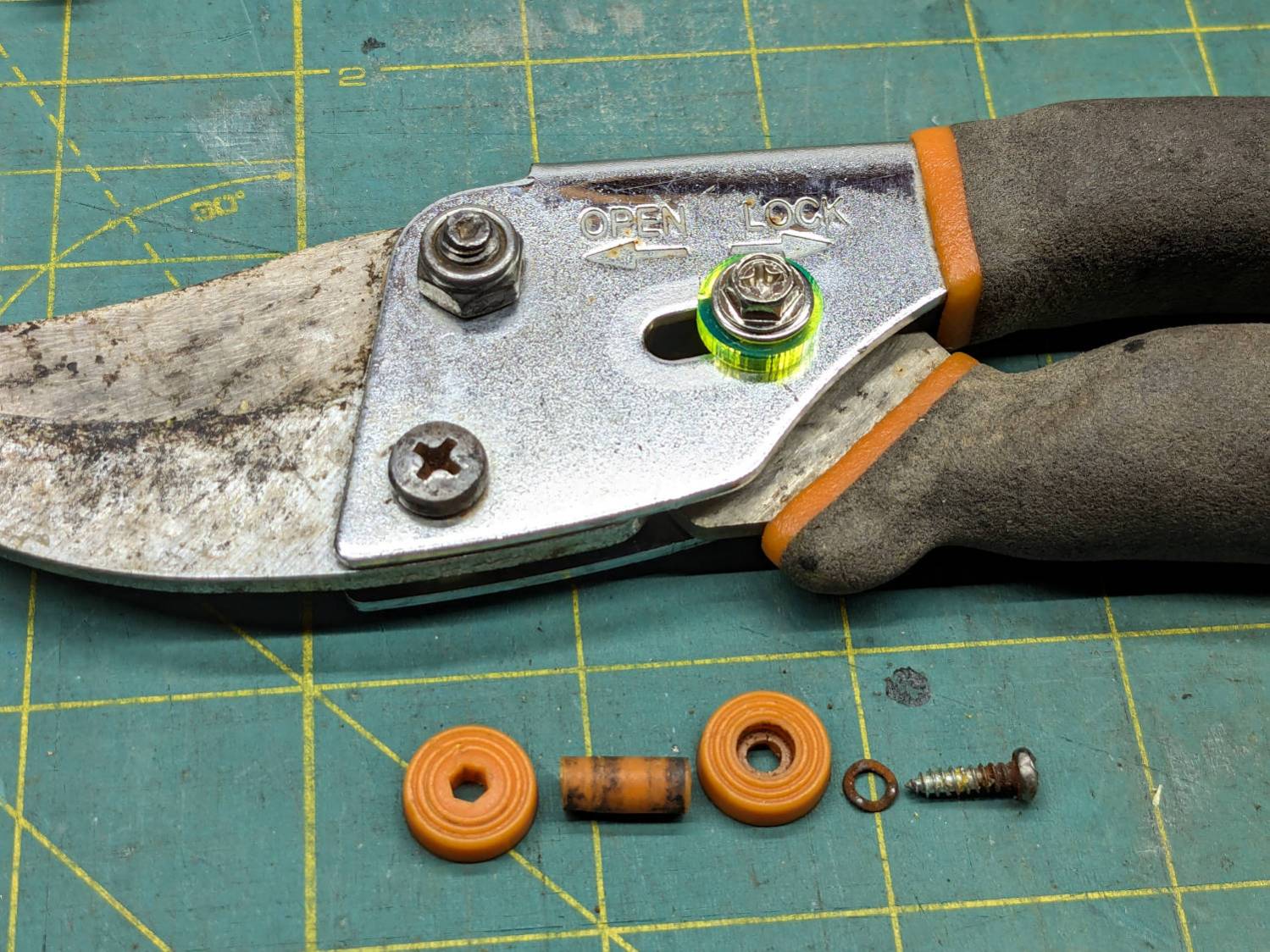
    Mary found the wrench I made five years ago in the bottom of her tool bucket:

    Hose Valve Knob - five years later
    Hose Valve Knob – five years later

    Having moved away from the garden with all the valves that wrench turned, it can now go into the 3D Printed Sample Box for use in the unlikely event I ever give another talk on the subject.

    I’d design it differently these days, what with BOSL2 in my sails, but it got the job done.

    Some things last long enough!

  • HQ Sixteen: Nose Ring Lights Power Supply

    HQ Sixteen: Nose Ring Lights Power Supply

    With the quilt off the HQ Sixteen, I could install the 24 V power supply for the Nose Ring Lights:

    HQ Sixteen Nose Ring Lights - power supply installed
    HQ Sixteen Nose Ring Lights – power supply installed

    IMO, black nylon screws look spiffier than brass.

    The solid model shows the covers have a 2 mm overlap with the power supply case to keep them lined up:

    HQ Sixteen Nose Ring Lights - power supply cover - solid model
    HQ Sixteen Nose Ring Lights – power supply cover – solid model

    I managed to reuse three of the five holes from the previous 12 V power supply and drill only three more:

    HQ Sixteen Nose Ring Lights - power supply detail
    HQ Sixteen Nose Ring Lights – power supply detail

    The tops of the power supply ears aren’t quite flat, giving the standoffs a slight tilt that the covers mostly drag back into alignment.

    The M4 brass standoffs screw into holes tapped in the thick plastic, thus eliminating nuts inside the power pod:

     HQ Sixteen Nose Ring Lights - power supply wiring
    HQ Sixteen Nose Ring Lights – power supply wiring

    The yellow silicone tape wraps two pairs of Wago connectors that dramatically simplify electrical connections in anything with enough space for their chonky bodies.

    In the unlikely event you need such things, the original post links the OpenSCAD source code.

    With the power supply in place, I think I can put some LED strips under the arm of the machine to light up more of the quilt than the nose lights can reach. More pondering is in order.

  • WS-5000 Anemometer Bird Spike Ring

    WS-5000 Anemometer Bird Spike Ring

    A critter made off with our battered plastic rain gauge, so I set up an Ambient Weather WS-5000 station to tell Mary how much rain her garden was getting. I added the Official Bird Spike Ring around the rain gauge to keep birds off, but robins began perching atop the anemometer while surveying the yard and crapping on the insolation photocell.

    After a few false starts, the anemometer now has its own spikes:

    Weather station with additional spikes
    Weather station with additional spikes

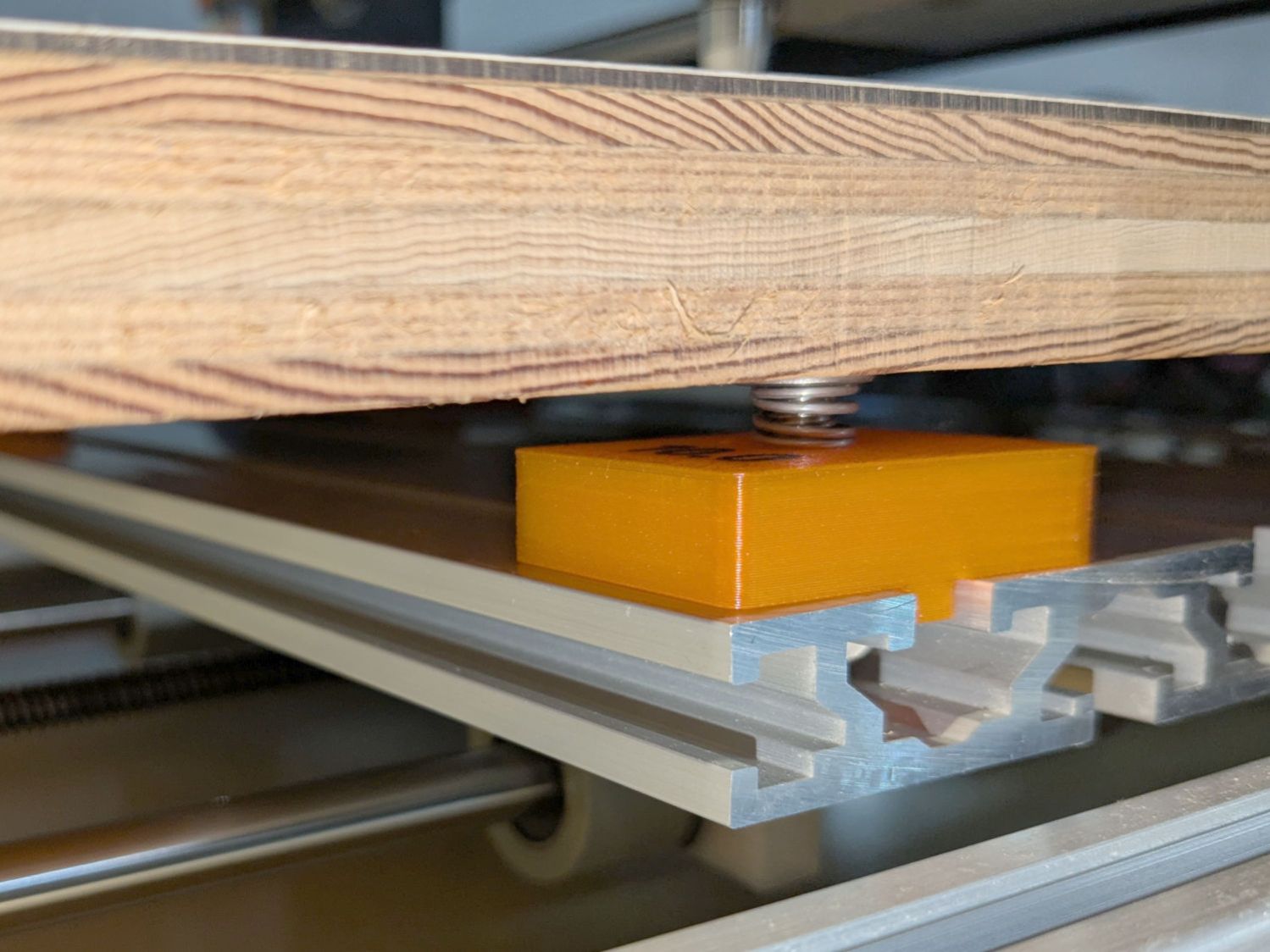
    It’s a snugly fitting TPU ring:

    Weather Station Spikes - build test piece
    Weather Station Spikes – build test piece

    The spikes are Chromel A themocouple wire, because a spool of the stuff didn’t scamper out of the way when I opened the Big Box o’ Specialty Wire. As you can tell from the picture, it’s very stiff (which is good for spikes) and hard to straighten (which is bad for looking cool).

    The shape in the middle is a hole diameter test piece. Next time around, I’ll use thicker 14 AWG copper wire:

    Weather station spikes - test piece
    Weather station spikes – test piece

    The test piece showed I lack good control over the TPU extrusion parameters on the Makergear M2, as holes smaller than about 2 mm vanish, even though the block’s outside dimensions are spot on. This application wasn’t too critical, so I sharpened the wire ends and stabbed them into the middle of the perimeter threads encircling the hole.

    Now we’ll discover how TPU survives weather.

    The OpenSCAD source code as a GitHub Gist:

    // Ambient Weather – Ambient Weather WS-5000 anemometer bird spike ring
    // Ed Nisley – KE4ZNU
    // 2025-06-09
    include <BOSL2/std.scad>
    Layout = "Show"; // [Show,Build,Slice]
    /* [Hidden] */
    HoleWindage = 0.2;
    Protrusion = 0.1;
    ID = 0;
    OD = 1;
    LENGTH = 2;
    SpikeOC = 30.0; // straight-line distance between spikes, OEM = 35
    WallThick = 4.0;
    BandID = 3.5*INCH – 0.5; // = OD of weather station
    BandOD = BandID + 2*WallThick;
    BandHeight = 8.0;
    SpikeOD = 1.7 + HoleWindage; // wire diameter
    SpikeWall = 2.0; // around wires
    SpikeBCD = BandOD;
    MountOD = SpikeOD + 2*SpikeWall;
    NumSpikes = ceil(PI*BandOD/SpikeOC); // need integral number of spikes
    SpikeAngle = 360/NumSpikes;
    NumSides = 3*NumSpikes;
    echo(SpikeAngle=SpikeAngle);
    echo(NumSpikes=NumSpikes);
    //———-
    // Define Shapes
    module Slice() {
    difference() {
    hull() {
    pie_slice(h=BandHeight,d=BandOD,$fn=NumSides,ang=SpikeAngle,spin=-SpikeAngle/2,anchor=BOTTOM);
    right(SpikeBCD/2 – MountOD/2)
    cyl(h=BandHeight,d=MountOD,realign=true,anchor=LEFT+BOTTOM,$fn=2*6);
    }
    down(Protrusion) {
    cyl(h=BandHeight + 2*Protrusion,d=BandID,$fn=NumSides,circum=true,realign=true,anchor=BOTTOM);
    right(SpikeBCD/2)
    cyl(h=BandHeight + 2*Protrusion,d=SpikeOD,$fn=6,circum=true,realign=true,anchor=BOTTOM);
    }
    }
    }
    module SpikeRing() {
    for (i=[0:NumSpikes-1])
    zrot(i*SpikeAngle)
    Slice();
    }
    //———-
    // Build things
    if (Layout == "Slice") {
    Slice();
    }
    if (Layout == "Show") {
    left(SpikeBCD/2)
    Slice();
    SpikeRing();
    }
    if (Layout == "Build") {
    SpikeRing();
    }

  • PolyDryer Internal Fan Puzzle

    PolyDryer Internal Fan Puzzle

    With the humidity inside the PolyDryer boxes being roughly proportional to the amount of filament on the spool, I printed a slightly modified airlock plate and a TPU seal ring, then stuck a tiny fan on it:

    PolyDryer airlock plate - tiny fan
    PolyDryer airlock plate – tiny fan

    It just barely clears the curved air guide inside:

    PolyDryer airlock plate - tiny fan installed
    PolyDryer airlock plate – tiny fan installed

    The tea bags full of desiccant allow some wind between them and the filament in the spool, but I obviously must re-think that setup. There’s enough clearance for what should be reasonable circulation, so i defined it to be good enough for now.

    The box of TPU started at 25 %RH, dropped to 22 %RH overnight, then returned to 25 %RH the next day:

    PolyDryer TPU - 25 pct RH
    PolyDryer TPU – 25 pct RH

    Now that I’m watching more often, I’ve seen the meter glitch to 10% for a few seconds:

    PolyDryer TPU - 10 pct RH glitch
    PolyDryer TPU – 10 pct RH glitch

    A humidity indicator card suggests the air is under 20 %RH:

    PolyDryer TPU - humidity indicator card
    PolyDryer TPU – humidity indicator card

    It may be the filament can outgas water vapor as rapidly as the desiccant can remove it, but I expected the fan to make at least a little difference.

    I have no idea what’s going on in those boxes.

  • Shower Head Hose Clamp

    Shower Head Hose Clamp

    The new shower head’s hose dangled directly in front of the faucet knob, so I conjured a simple clamp to pull the down-going half over to the side of the stall and keep the up-going half away from the faucet:

    Shower head hose clamp - installed
    Shower head hose clamp – installed

    The black nylon M6 screw goes into a hole tapped in the plastic cap atop the aluminum extrusion; I was mildly surprised that worked as well as I hoped. It’s basically invisible from outside the shower stall.

    Stipulated: laser-cut 3 mm acrylic probably isn’t the right material for the job, but it’s a quick & easy way to discover if that’s the right place to clamp the hose.

    While installing those two pieces, it occurred to me the result would be much stronger if the two “jaws” overlapped and had a pair of screws holding them together, so the LightBurn layout includes that idea for the next time:

    Shower Head Hose Clamp - LightBurn layout
    Shower Head Hose Clamp – LightBurn layout

    The Hole Template simplified getting the hole dead center in the plastic cap, because drilling it required an awkward reach across the end of the vanity.

    There is zero chance this will fit your shower & hose, but now you have the general idea.

  • PolyDryer Humidity vs. Spool Fill

    PolyDryer Humidity vs. Spool Fill

    The Basement Shop has 50±5% relative humidity, with the top held down by a hulking dehumidifier (plus a box fan stirring the air) and the bottom supported by being a basement. As a result, the 3D printer filament stabilized at about 50% RH, which seemed to work well enough for PETG.

    Adding TPU to the stable called for better humidity control, so I set up a bunch of PolyMaker PolyDryer boxes with Auto-rewind spindles.

    After a few weeks, though, I didn’t expect this:

    PolyDryer humidity vs spool fill
    PolyDryer humidity vs spool fill

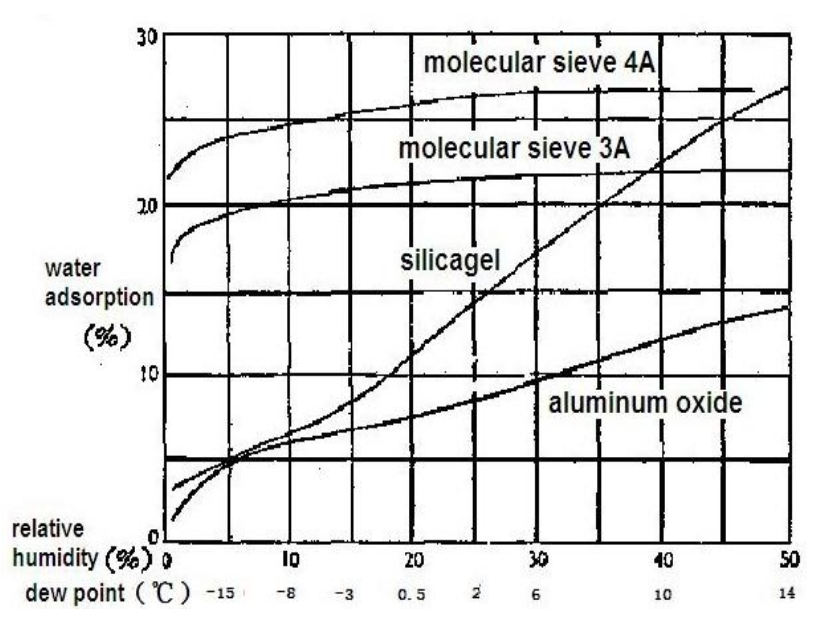
    That’s activated alumina desiccant, mostly because it’s reputed to have more capacity and a lower ultimate humidity than silica gel, but it likely doesn’t make much difference.

    In addition to 25 g of desiccant in the PolyDryer meter case, I dropped five teabags holding 10 g each in the bottom of the box for more capacity. I measure the desiccant by putting 75.0 g into a cup, putting 25.0 g in the PolyDryer meter box (aided by a Polydryer Desiccant Funnel), 10.0 g into four teabags, and whatever’s left into the fifth teabag, thus eliminating rounding errors in the smaller quantities.

    The stabilized humidity inside the boxes seems to depend on the amount of filament on the spool:

    • Nearly full → 25% to 30% RH
    • Half full → 20%-ish RH
    • Nearly empty → 10% to 15% RH

    I think the humidity level comes from the filament outgassing water vapor through its (limited) surface area on the outer layer around the spool. The difference between that rate and the desiccant’s ability to remove water vapor from the (unmoving) air in the box sets the stable humidity: more surface area → more water vapor → higher humidity.

    After the filament eventually dries out, the humidity should decrease, but diffusion is a slow process. More likely, the humidity will remain stable as the printer pulls filament from the outer layer and exposes the somewhat wetter plastic within.

    The heater and fan inside the PolyDryer base unit circulates hot air through the box around the spool, but depends on the desiccant to remove water vapor. Running the base unit for 6 or 12 hours makes little difference in the stabilized humidity, so I think the desiccant is doing the best it can as the filament outgasses more water vapor.

    Using Air Exchanger vents seems to make no difference, likely because the desiccant must then pull more water vapor out of the incoming 50% RH basement air. A psychrometric chart says 50% RH air at 60 °F becomes 10% RH air at 120 °F, but moisture in the filament wrapped around the spool can’t escape any faster.

    So, for example, a full spool of TPU starting at 25% RH:

    PolyDryer humidity - TPU start
    PolyDryer humidity – TPU start

    Six hours of drying pulls it down to 22%:

    PolyDryer humidity - TPU finish
    PolyDryer humidity – TPU finish

    After sitting overnight it’s back at 25%:

    PolyDryer humidity - TPU after 14 hr
    PolyDryer humidity – TPU after 14 hr

    Admittedly, that was with the vents in place, but the closed box started at 25% RH after sitting around for a week or so following a similar drying cycle.

    The desiccant had absorbed 4 g of water since I put it in, so it hasn’t been entirely idle.

    Which suggests 75 g of activated alumina desiccant is workin’ hard and doin’ swell in there, with the filament acting as an essentially infinite reservoir of water vapor.

    I haven’t noticed any particular difference in PETG print quality and the TPU hasn’t gotten enough mileage to notice much trouble, but reducing the MMU3 buffer clutter was totally worth the effort.