The Smell of Molten Projects in the Morning

Ed Nisley's Blog: Shop notes, electronics, firmware, machinery, 3D printing, laser cuttery, and curiosities. Contents: 100% human thinking, 0% AI slop.

Tag: CNC

Making parts with mathematics

  • Laser-marked Hole Drilling Spots

    Laser-marked Hole Drilling Spots

    While setting up to drill holes in the aluminum base for the running light buck converter, I wondered if laser-marking the spots directly from the solid model would work better than my usual fumbling around.

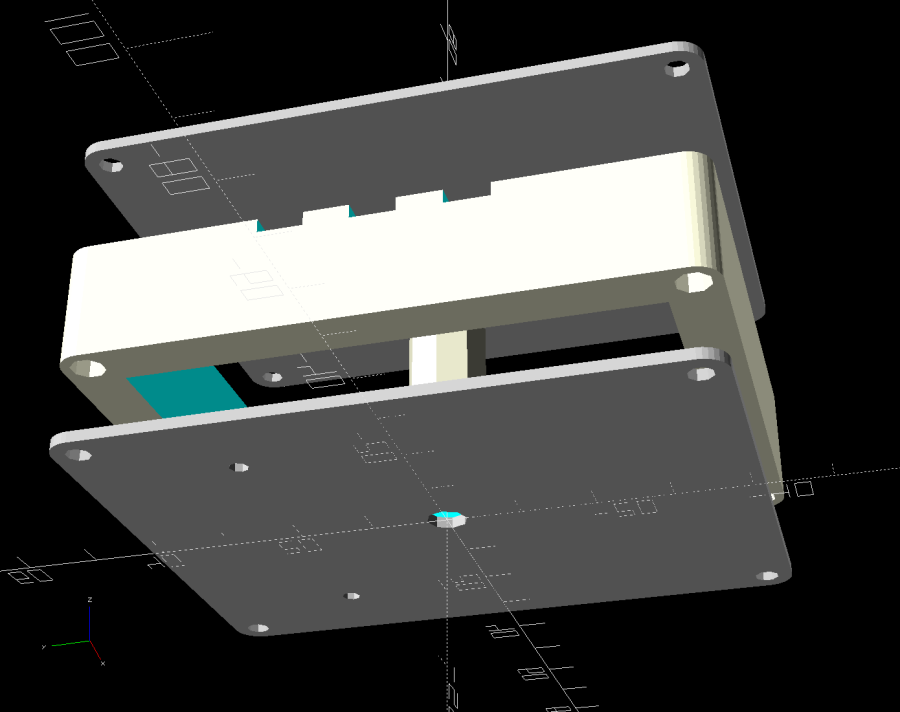
    The solid model:

    Running Light - power box - bottom view
    Running Light – power box – bottom view

    Export projections of the pieces from OpenSCAD as an SVG file:

    Running Light - power box - Projection view
    Running Light – power box – Projection view

    Import into LightBurn, set up for a very fast, very light cut and Fire The Laser:

    Laser-marked hole spots - masking tape
    Laser-marked hole spots – masking tape

    That’s in ordinary masking tape on a hard-anodized sheet of aluminum from the pile, which looked better than I expected.

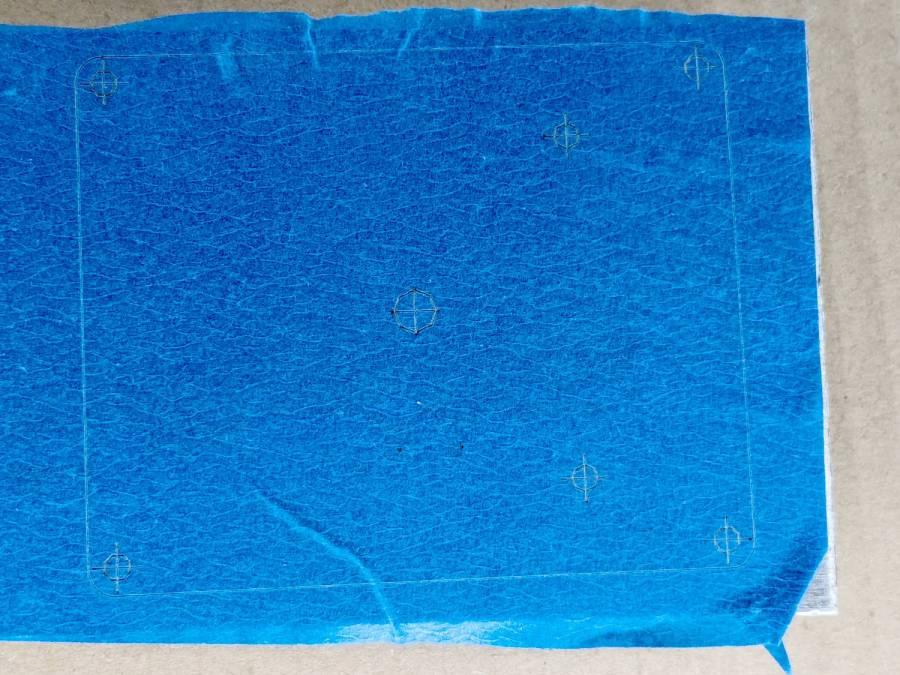
    The same aluminum covered with blue tape:

    Laser-marked hole spots - blue tape - hard anodize
    Laser-marked hole spots – blue tape – hard anodize

    Which looks much better in person than it does in the photo.

    On a soft aluminum sheet from the Basement Warehouse Zone:

    Laser-marked hole spots - blue tape - sheet aluminum
    Laser-marked hole spots – blue tape – sheet aluminum

    The dark outline is a comfort mark hand-drawn around a chipboard test piece to verify the layout fit between random holes drilled in the sheet during its previous life.

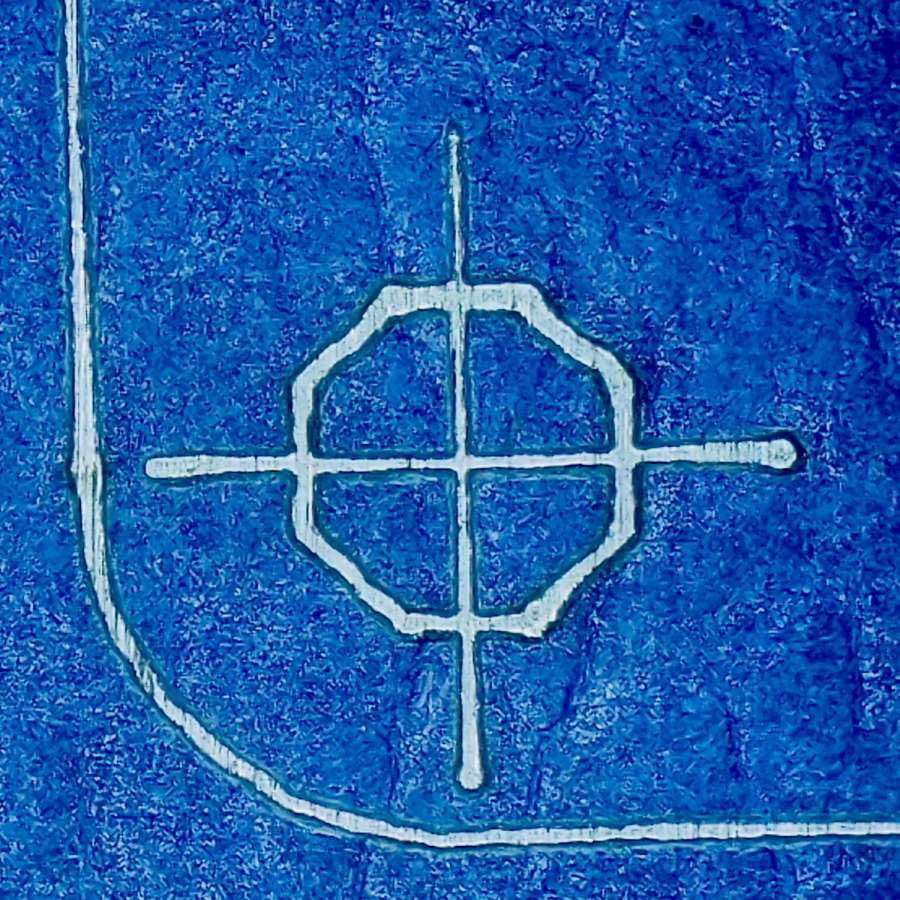
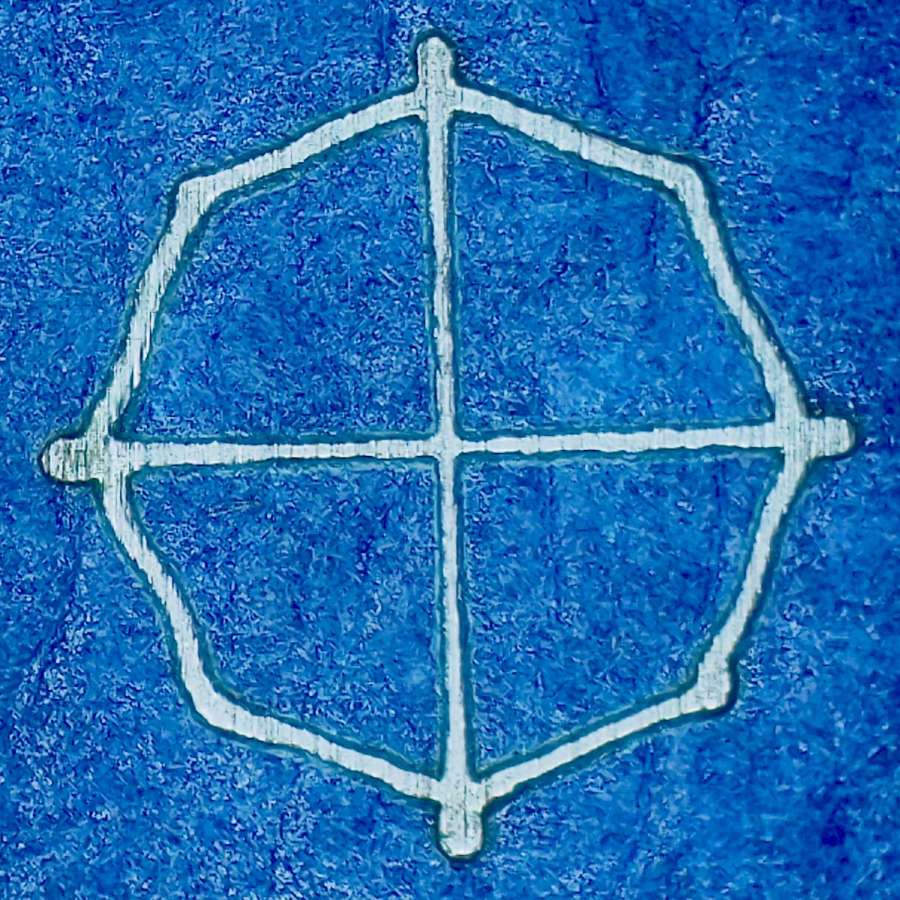
    A closer look at a corner hole:

    Laser-marked hole spots - blue tape - hard anodize - detail 1
    Laser-marked hole spots – blue tape – hard anodize – detail 1

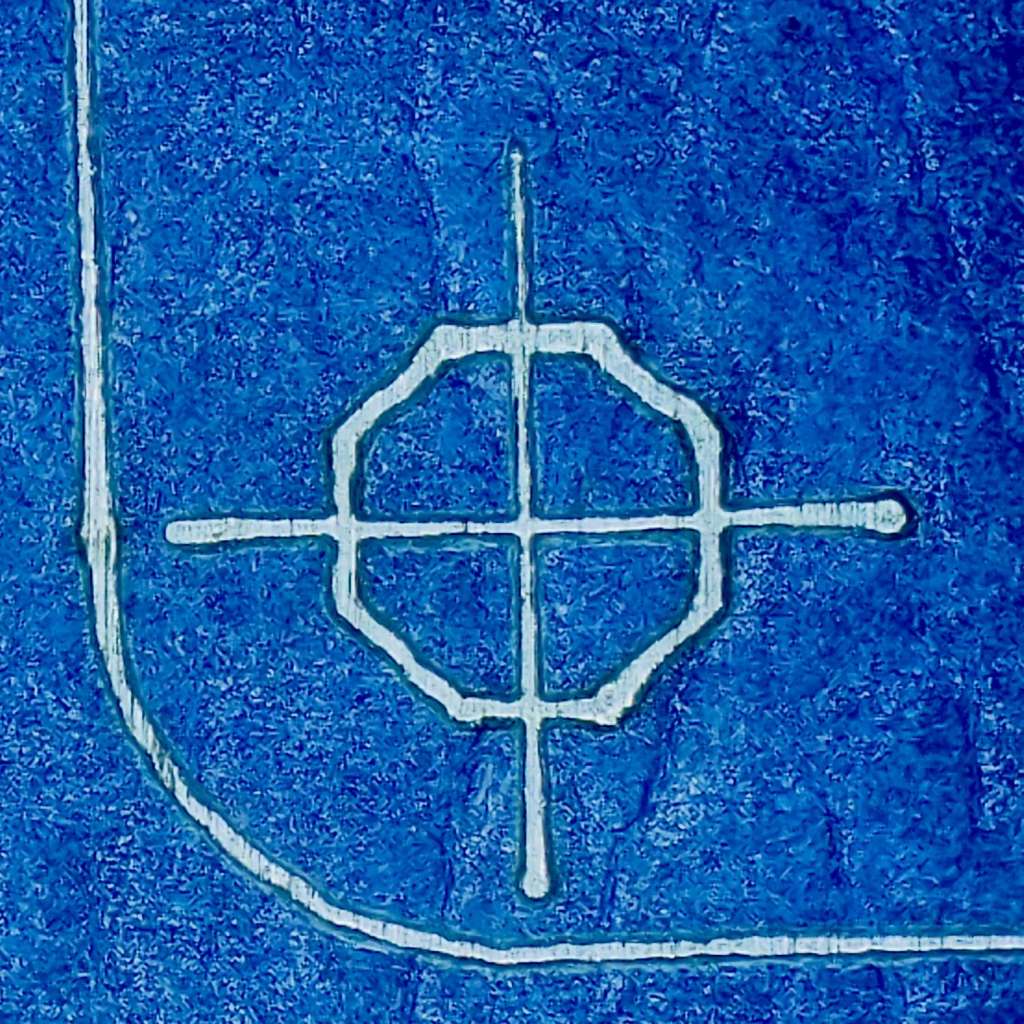
    And the center hole:

    Laser-marked hole spots - blue tape - hard anodize - detail 2
    Laser-marked hole spots – blue tape – hard anodize – detail 2

    The holes appeared in the right places after center-punching by eye, but the fragility of those four little tape leaves around the center point must be experienced to be believed.

    And, yes, those are deliberately low-polygon approximations to a circle, because I’m a low-poly kind of guy.

    I really need an optical center punch if I do more such silliness. The box with those HP plotter digitizing sights recently came to hand, so I suppose I should make something.

  • Guilloche Generator: Now With Layers & Colors

    Guilloche Generator: Now With Layers & Colors

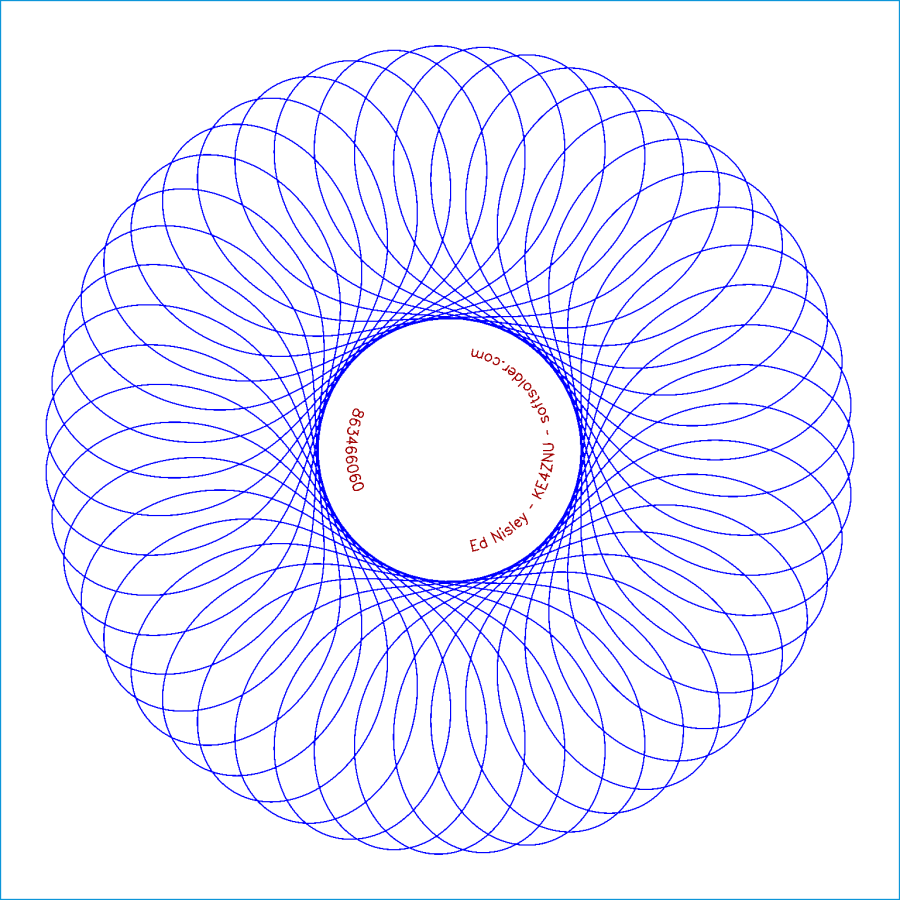
    Tweaking the GCMC Guilloche generator to define colors for the SVG layers produces a pattern ready for LightBurn:

    Guilloche - SVG layer colors
    Guilloche – SVG layer colors

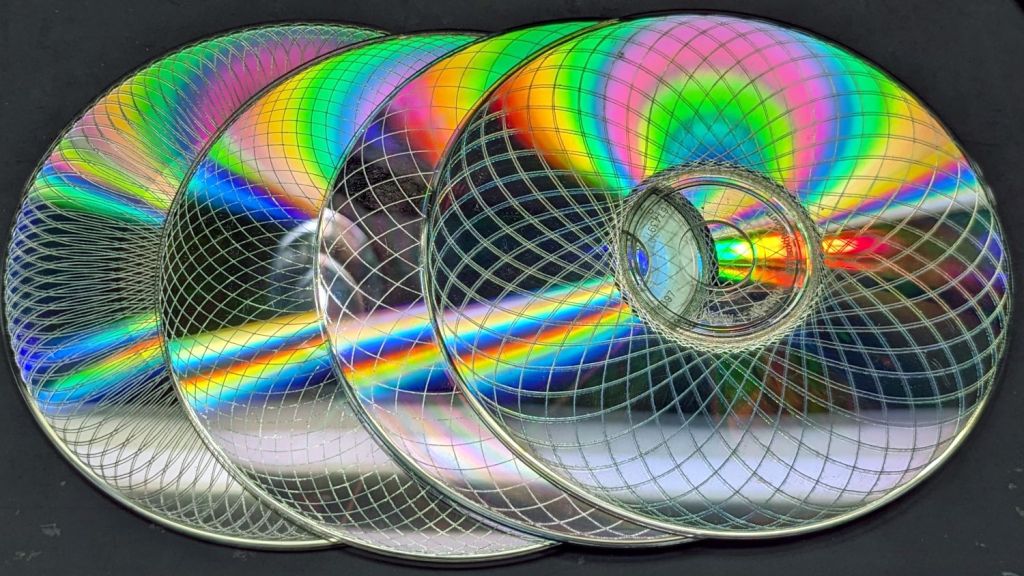
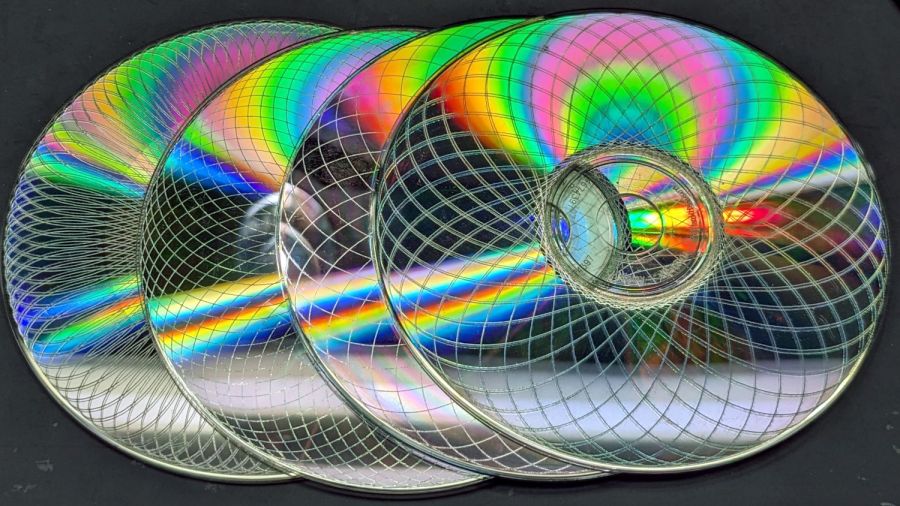
    The blue layer runs at 300 mm/s at 10% PWM to carve trenches all over the CD / DVD surface, which should render it unreadable:

    Laser cut CDs - Guilloche patterns
    Laser cut CDs – Guilloche patterns

    The laser runs much faster than a drag knife or a diamond engraving tool!

    The reddish layer uses Dot mode to draw the legend around the hub:

    Laser-engraved CD - legend detail
    Laser-engraved CD – legend detail

    The characters are 1.5 mm top-to-bottom, with dots just under 0.2 mm diameter on 0.2 mm centers.

    Stipulated: there’s no real point to annotating a CD that you’re wrecking, but the code was already there, so why not?

    So the overall workflow involves generating an SVG image, importing it into LightBurn with those layers set up with the appropriate cut parameters, using the Three-Point Circle Center Finder tool to align the pattern with the CD, then Fire The Laser. Alignment stops on the laser platform eliminate the need to realign every pattern, so it boils down to running the generator script enough times, importing a batch of patterns, then snapping each one into place and cutting it.

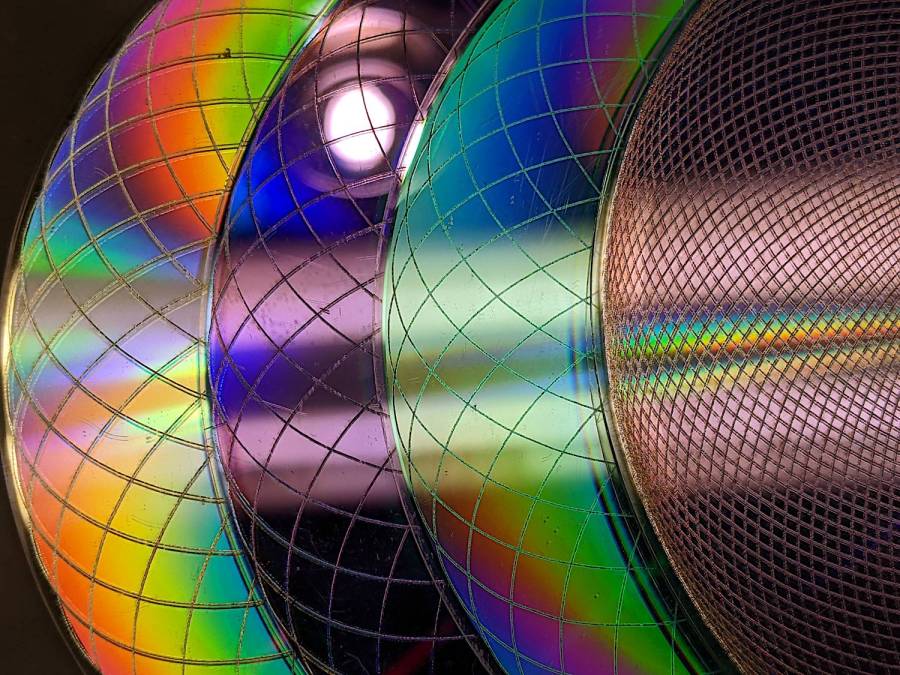
    They’re kinda pretty, in the usual techie way:

    Laser cut CDs - Guilloche patterns
    Laser cut CDs – Guilloche patterns

    I have a lot of scrap discs, some ideas of optimizing the process, and a general notion what to do with the prettier results.

    The GCMC source code and Bash driver script as a GitHub Gist:

  • Mini-Lathe Chuck Stops: Better Next Time

    Mini-Lathe Chuck Stops: Better Next Time

    The story so far:

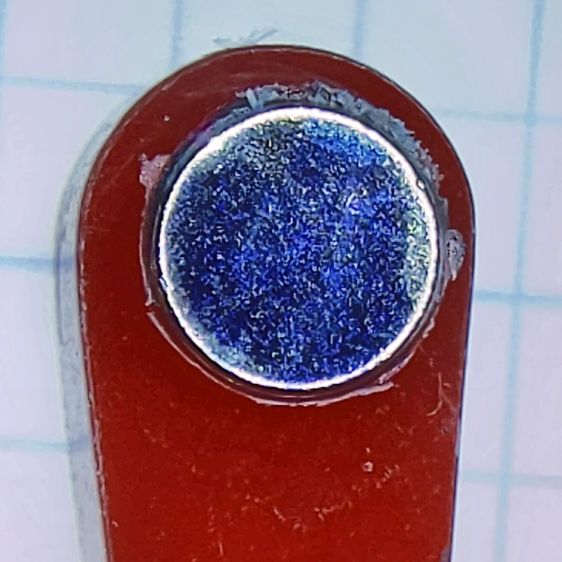
    Daubing urethane adhesive into each pocket, sliding a tiny magnet atop the goo, and flipping them over onto a sheet of plastic atop the surface plate to let them cure went about the way you’d expect. Given the state of my fingertips, however, I was not about to fiddle with the phone / camera / anything, but it really did happen.

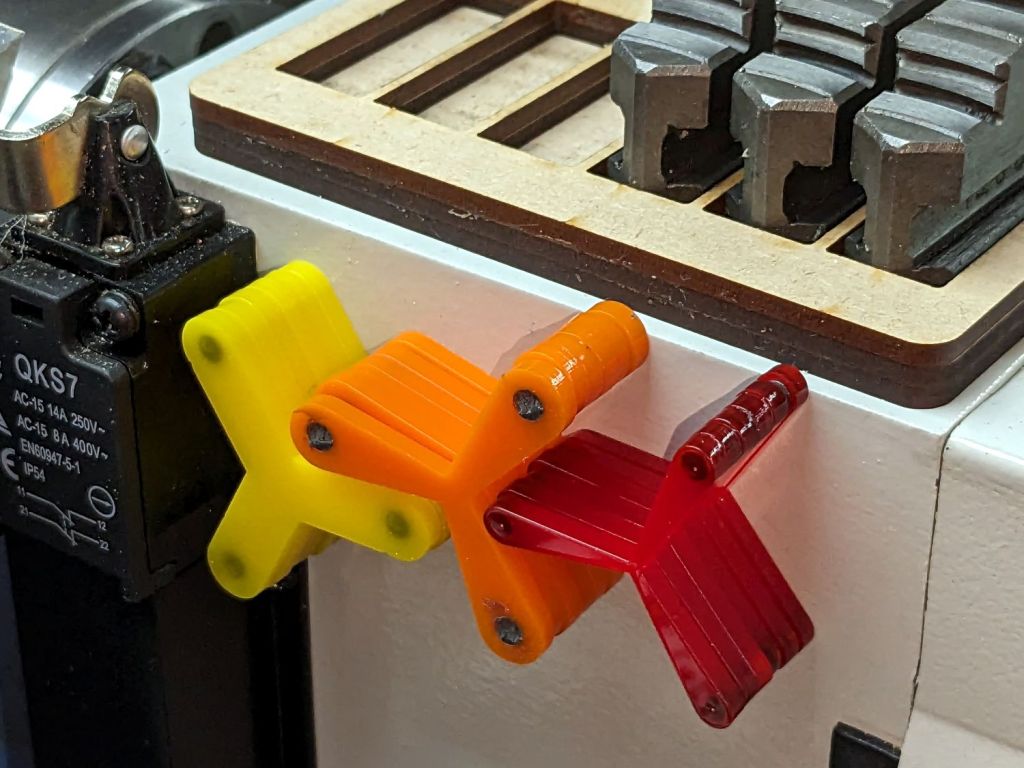
    The final result:

    Lathe Chuck Stops - on-lathe storage
    Lathe Chuck Stops – on-lathe storage

    The alert reader will notice the slight gap under the left leg of the first orange stop, which provides a good introduction for a few things that should happen differently the next time I do something like this.

    To my credit, I got all but one of the 54=3×6×3 magnets into their pockets in the same orientation. That’s gotta count for something and, hey, that orange stop sticks to the chuck just fine.

    That one also suffered from my failure to switch the Axis UI to metric units before touching off the Z axis at 0.1 mm, thereby putting the Z=0.0 level 2.53 mm below the surface. Fortunately, the 3 mm MDF baseplate prevented that error from creating three pockets in the tooling plate, although it did produce holes instead of pockets in the stop.

    I dropped the magnets into the thru-cut stop on the surface plate and dabbed some adhesive atop the magnets to bond them into their holes. This worked fine and led me to suspect the easiest way to make these stops would be to just laser-cut the holes and skip the whole CNC thing.

    The disadvantage of cutting the holes through is that adhesive will inevitably ooze out around the magnet and mess up the bottom surface of the stop. Sticking both the stop and the magnets onto kapton tape seems like it should seal well, but liquid always finds a way.

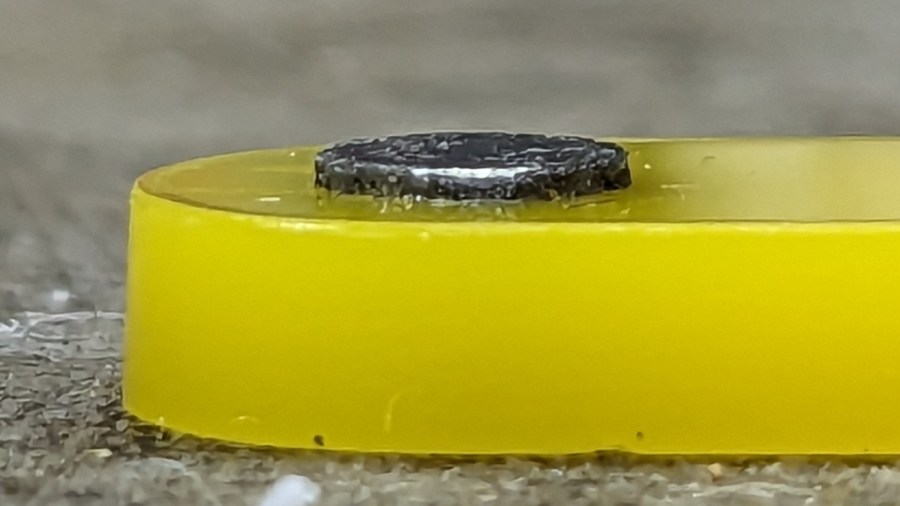
    In any event, the two-part urethane adhesive (JB Plastic Bonder) expands slightly as it cures, which is great for gap filling and not so good for precision bonding. With the pockets in the other 17 stops arranged open-side down, the magnets held themselves firmly to the plastic sheet atop the surface plate and the expanding urethane pushed the acrylic stop upward, leaving the magnets standing slightly proud of the stop’s surface:

    Lathe Chuck Stops - protruding magnet
    Lathe Chuck Stops – protruding magnet

    Not by much, mind you, but not what I wanted, having painstakingly cut the pockets 2.2 mm deep for a 2.0 mm magnet.

    Next time, dot some slow-cure clear pouring epoxy in each pocket, put the stop on the surface plate with the pocket facing up, then drop the magnet in place. The magnet pulls itself into the pocket, the epoxy doesn’t expand, any overflow will fill in over the magnet, and anything sticking out can be sanded off.

    The fixtures worked well and aligned perfectly on the Sherline’s tooling plate. The 0.1 mm outset around the stops in the chipboard probably wasn’t needed, although the total repeatability seemed to be around 0.2 mm and pocket position errors are visible only on the smallest (red) stops:

    Lathe Chuck Stops - misaligned pocket
    Lathe Chuck Stops – misaligned pocket

    All in all, this turned out pretty well. Next time will be even better!

    And, perhaps, making the stops with 3D printing would be even better than that, at the cost of the usual gnarly surface finish.

  • Tube Turning Adapters

    Tube Turning Adapters

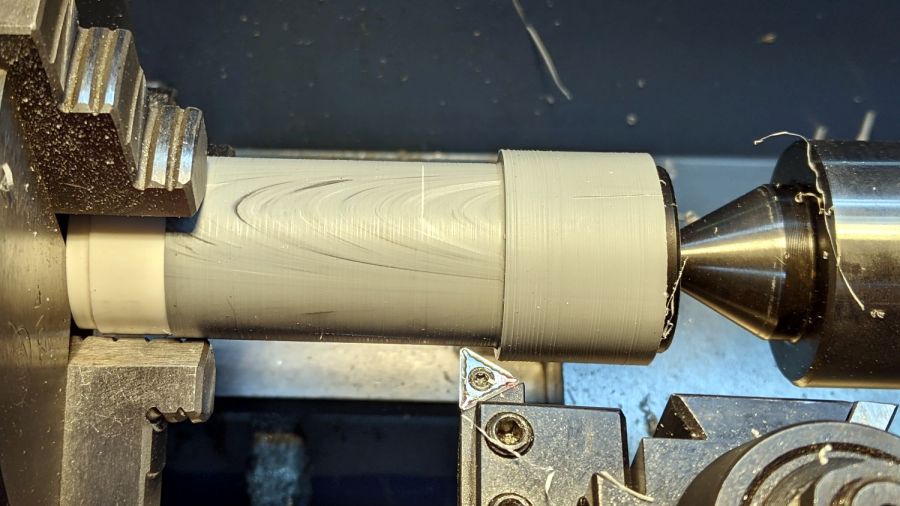
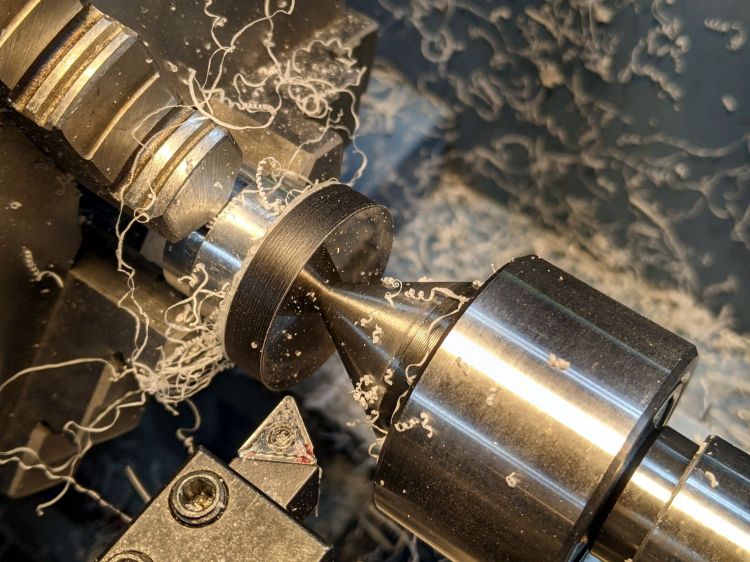
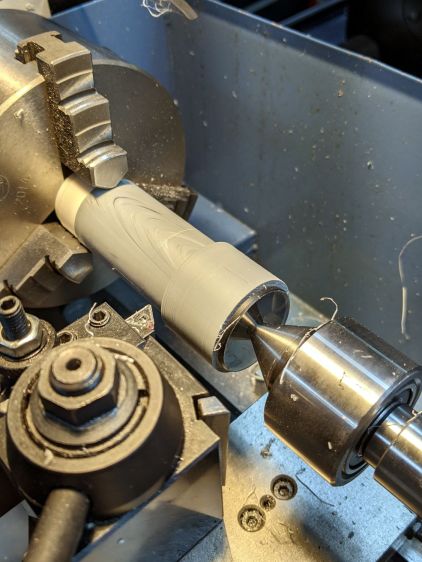
    Finishing the PVC tubes reinforcing the vacuum cleaner adapters required fixtures on each end:

    Dirt Devil adapter - pipe turning
    Dirt Devil adapter – pipe turning

    Because the tubes get epoxied into the adapters, there’s no particular need for a smooth surface finish and, in fact, some surface roughness makes for a good epoxy bond. The interior of a 3D printed adapter is nothing if not rough; the epoxy in between will be perfectly happy.

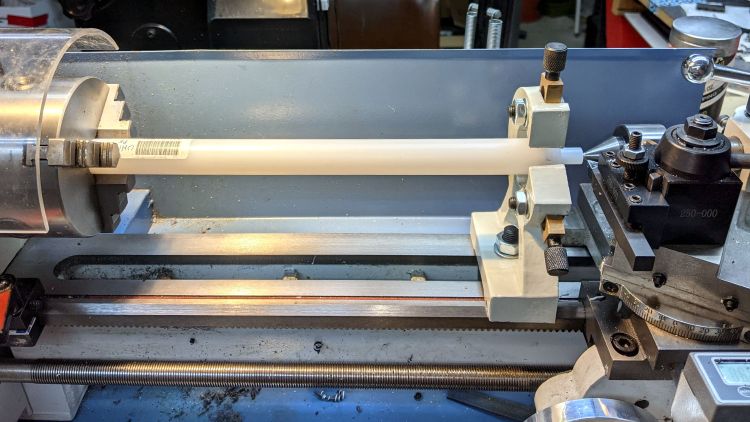
    Turning the tubes started by just grabbing the conduit in the chuck and peeling the end that stuck out down to the finished diameter, because the conduit was thick-walled enough to let that work.

    The remaining wall was so thin that the chuck would crunch it into a three-lobed shape, so the white ring in the chuck is a scrap of PVC pipe turned to fit the tube ID and provide enough reinforcement to keep the tube round.

    The conduit ID isn’t a controlled dimension and was, in point of fact, not particularly round. It was, however, smooth, which counts for more than anything inside a tube carrying airborne fuzzy debris; polishing the interior of a lathe-bored pipe simply wasn’t going to happen.

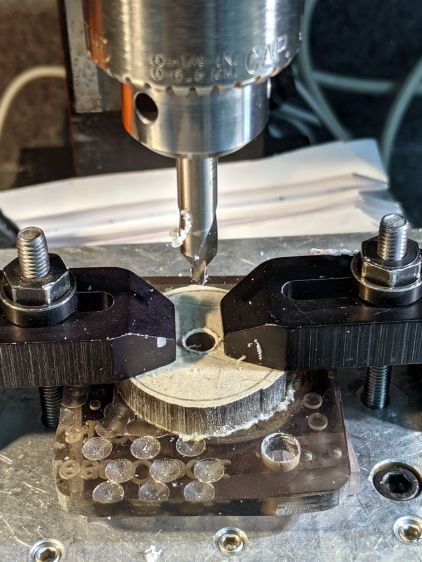
    The fixture on the other end started as a scrap of polycarbonate bandsawed into a disk with a hole center-drilled in the middle:

    Pipe end lathe fixture - center drilling
    Pipe end lathe fixture – center drilling

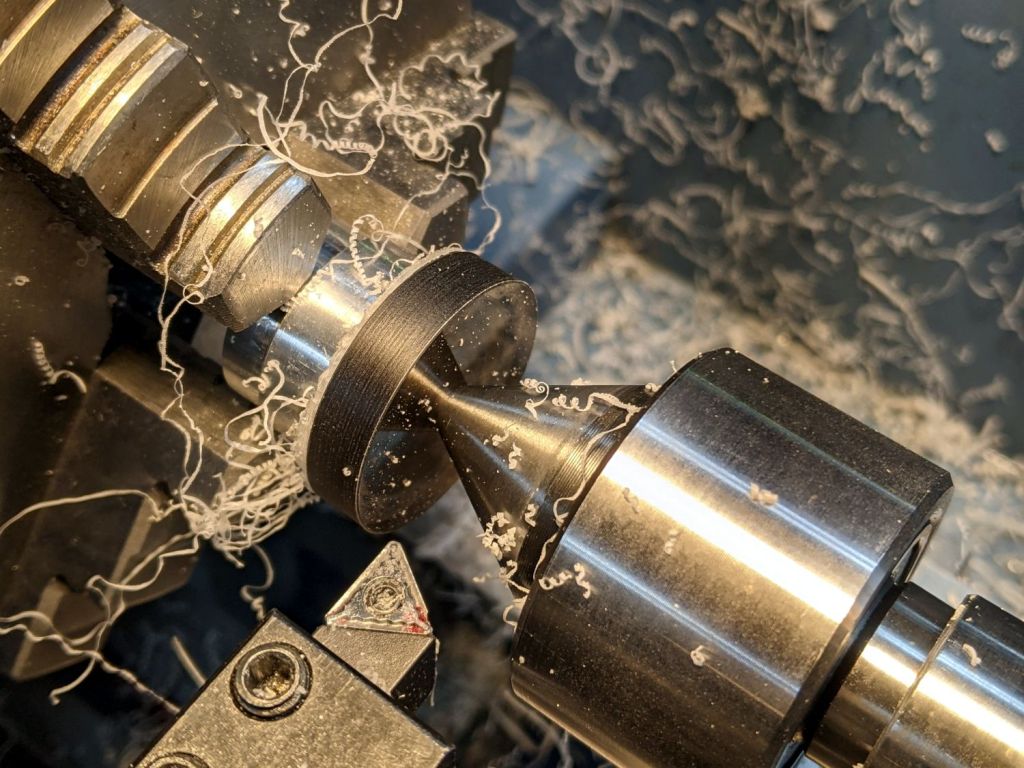
    Stick it onto a disk turning fixture and sissy-cut the OD down a little smaller than the eventual tube OD:

    Pipe end lathe fixture - turning OD
    Pipe end lathe fixture – turning OD

    Turn the end down to fit the tube ID, flip it around to center-drill the other side, stick it into the tube, and finally finish the job:

    Dirt Devil adapter - pipe fixture
    Dirt Devil adapter – pipe fixture

    The nice layering effect along the tube probably comes from molding the conduit from recycled PVC with no particular concern for color matching.

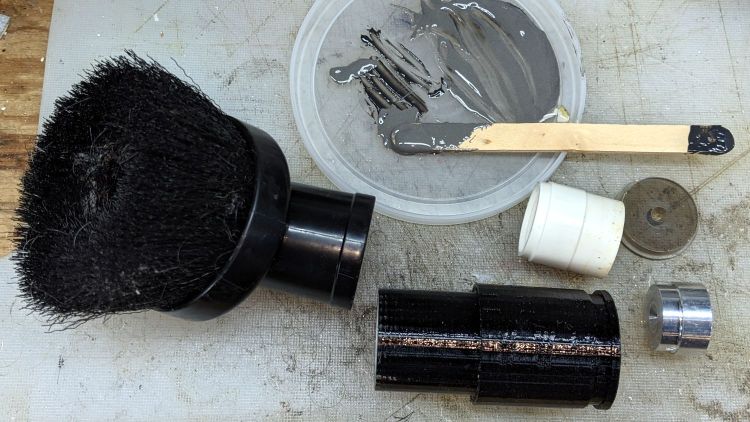
    A family portrait of the fixtures with a finished adapter:

    Dirt Devil adapter - fixtures
    Dirt Devil adapter – fixtures

    A fine chunk of Quality Shop Time: solid modeling, 3D printing, mini-lathe turning, and even some coordinate drilling on the Sherline.

  • Bafang BBS02: Terry Symmetry Shift Sensor & Cable Guides

    Bafang BBS02: Terry Symmetry Shift Sensor & Cable Guides

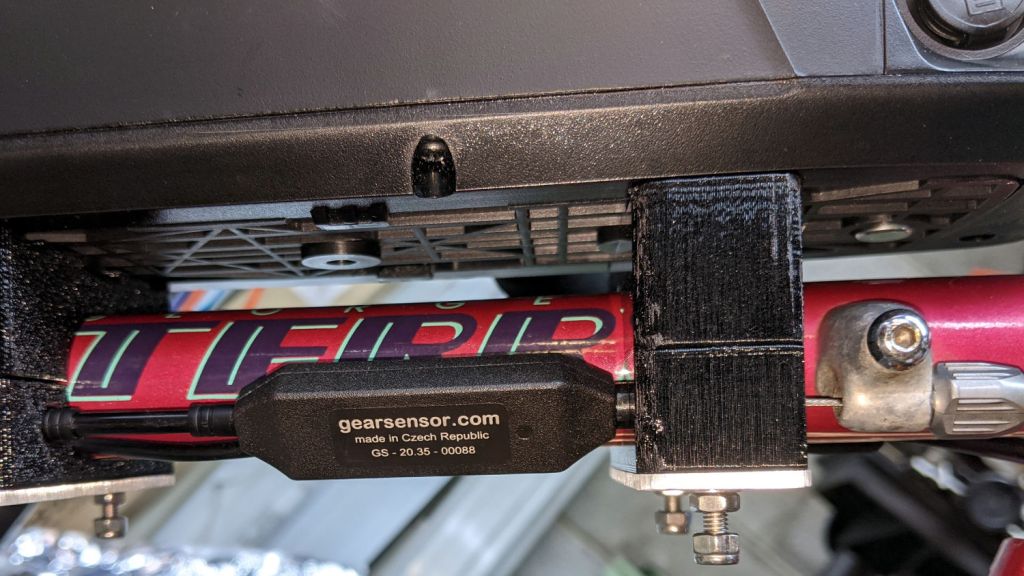
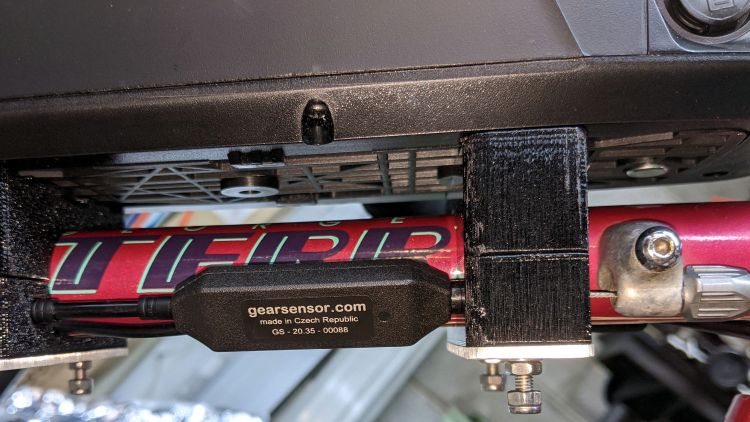
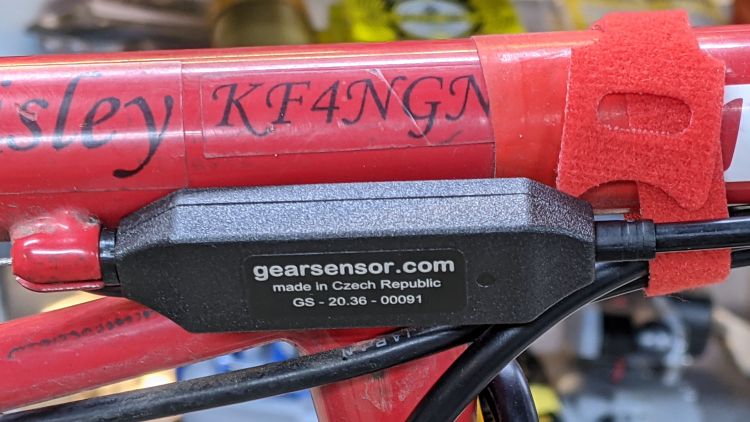
    The Bafang BBS02 came with (because I added it to the order) what looks like a genuine shift (“gear”) sensor made by the original company in the Czech Republic:

    Terry Bafang - shift sensor - installed
    Terry Bafang – shift sensor – installed

    On a typical bike, it mounts against a cable stop with the cable housing holding it in place against its other end:

    Tour Easy Bafang BBS02 - shift sensor - installed
    Tour Easy Bafang BBS02 – shift sensor – installed

    The Terry Symmetry has only two lengths of housing: in front of the adjuster on the downtube and behind the stop brazed to the chainstay. In either position, the sensor would move as the shift cable flexed and (IMO) put unreasonable stress on the electrical cable running to the motor.

    Yes, the Tour Easy has those same two lengths of housing, but the forward one joins a sheaf of wires & cables that barely moves.

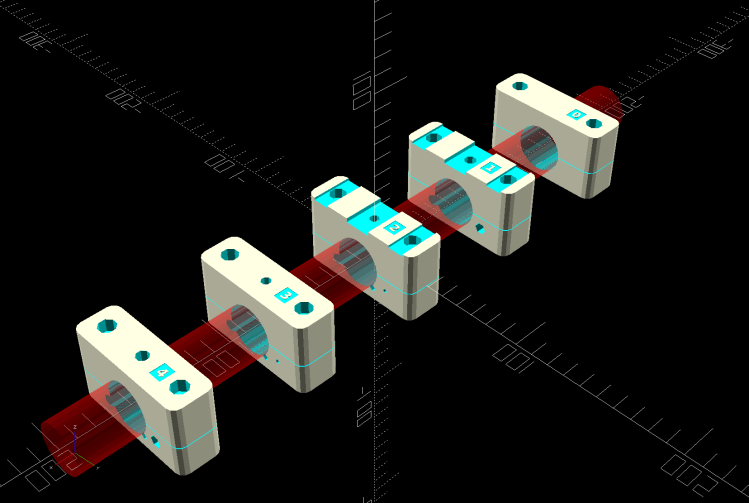
    Fortunately, the sensor fits neatly between stations 1 and 2 along the downtube, with a snippet of PTFE lIned housing holding it firmly in place, with the 3D printed battery mounting blocks including paths for both cables:

    Terry - Bafang battery - all stations - solid model
    Terry – Bafang battery – all stations – solid model

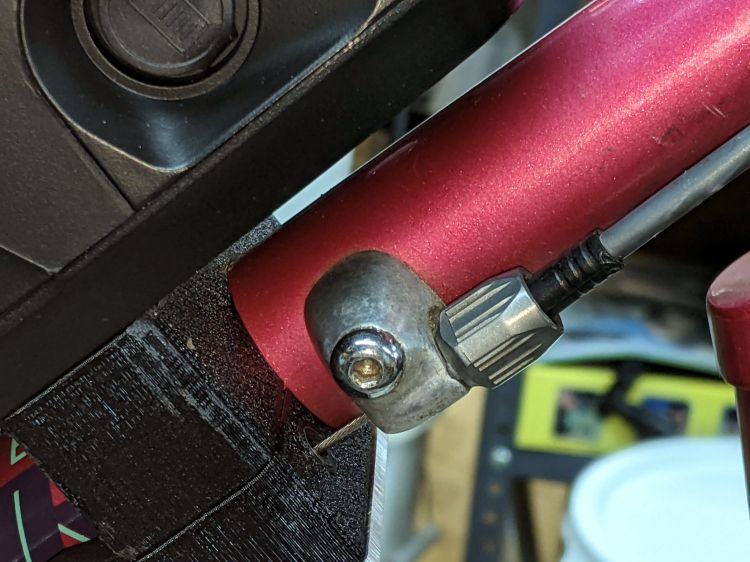
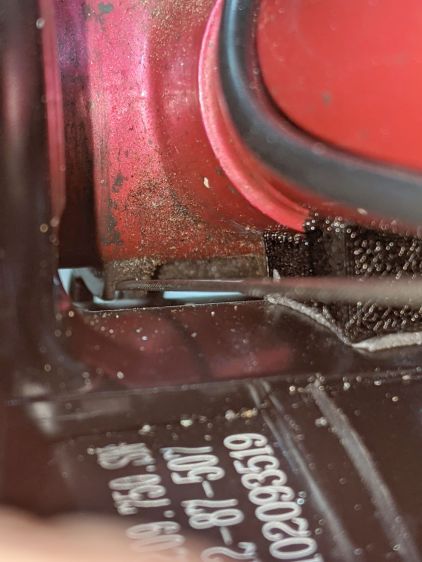
    The shift cable originally ran from the adjuster in the front to the guide under the bottom bracket along a slightly diagonal path I could not possibly match. Instead, the path is now parallel to the downtube from the front adjuster:

    Terry Bafang - OEM shift stop
    Terry Bafang – OEM shift stop

    .. to the rear block, where it angles downward over the motor to the bottom bracket:

    Terry Bafang - shift cable clearance
    Terry Bafang – shift cable clearance

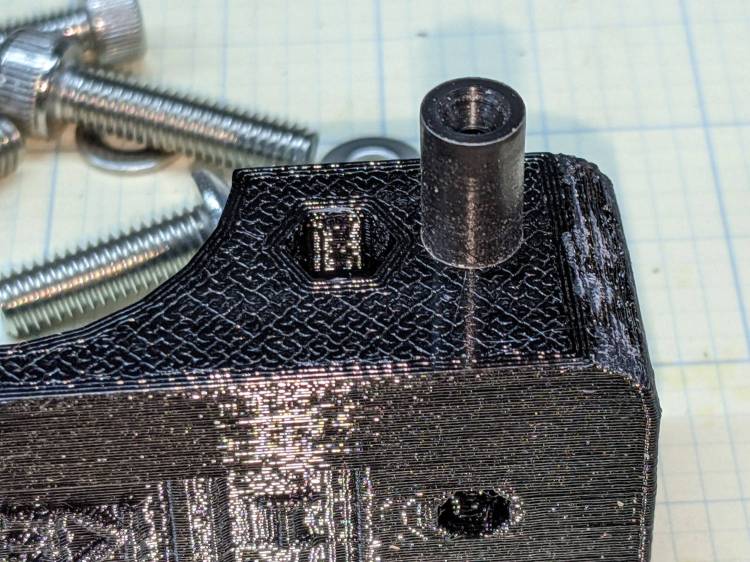
    The front block at station 1 has a Delrin / acetal bushing to align the cable with the rest of the blocks:

    Terry shift guide - acetal installed
    Terry shift guide – acetal installed

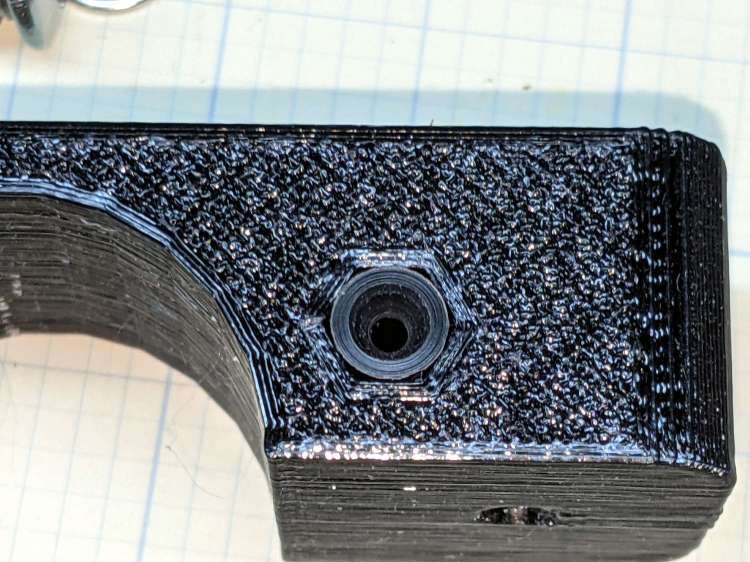
    Yes, it’s a round peg jammed in a hexagonal hole:

    Terry shift guide - acetal hole
    Terry shift guide – acetal hole

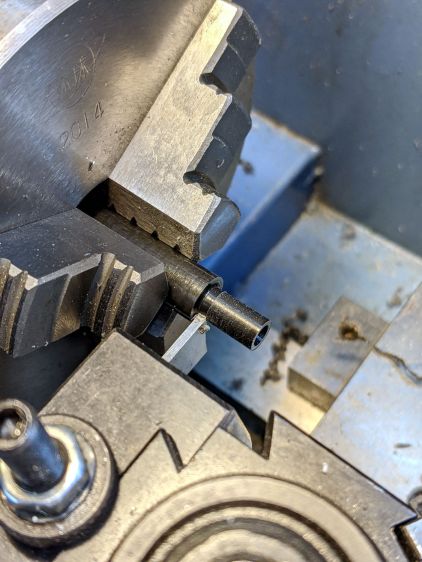
    Turning it from stock is well within the capabilities of Tiny Lathe™:

    Terry shift guide - acetal cutoff
    Terry shift guide – acetal cutoff

    For great slippery, a similar UHMW PE bushing supports the cable bend at the rear of the station 4 block:

    Terry shift guide - UHMWPE installed
    Terry shift guide – UHMWPE installed

    The Basement Laboratory Warehouse Wing disgorged an overly large rod taxing Tiny Lathe™ to its limit:

    Terry shift guide - UHMWPE turning
    Terry shift guide – UHMWPE turning

    Memo to Self: next time, just saw off a stub and move on.

  • Bafang BBS02: Motor Reaction Spacer

    Bafang BBS02: Motor Reaction Spacer

    The Terry Symmetry’s rear shift cable passes along the side of the downtube and through a plastic guide channel under the bottom bracket shell. The Bafang BBS02 motor must press against the bottom of the downtube, so the shift cable rubs against the top of the motor.

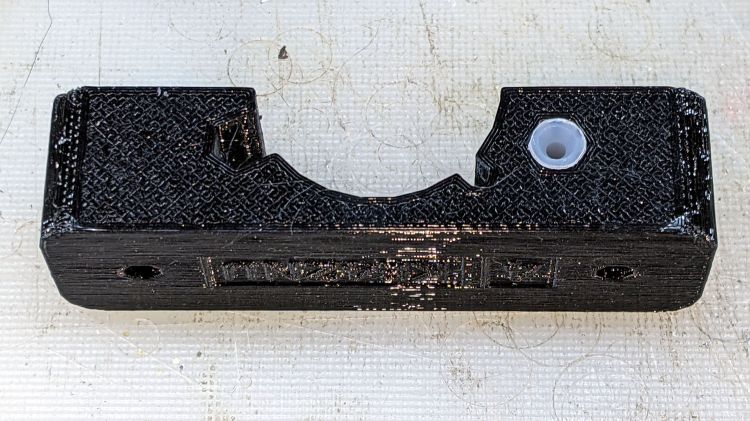
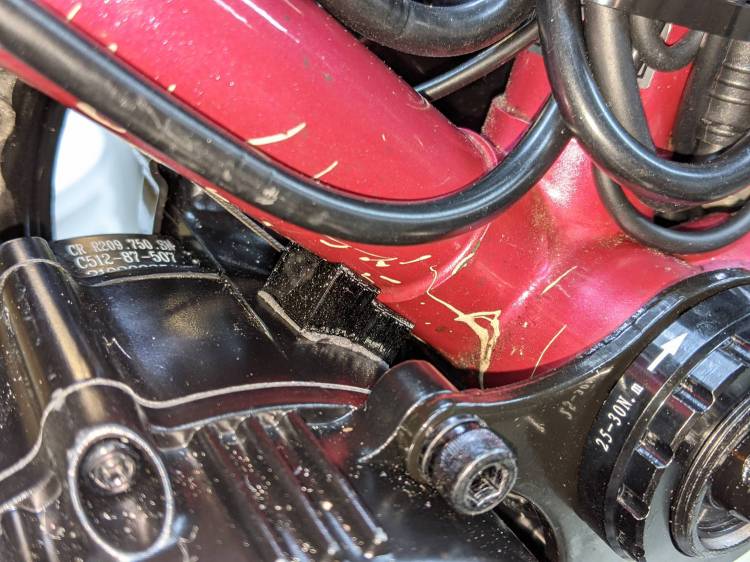
    The solution is a small block shaped around the point of contact to cradle the downtube, the bottom bracket shell lug, and the motor case:

    Terry - Bafang motor spacer - solid model
    Terry – Bafang motor spacer – solid model

    A strip of double-sided foam tape holds the block to the motor and the reaction force from the motor’s torque presses the block against the downtube:

    Terry Bafang - motor reaction block
    Terry Bafang – motor reaction block

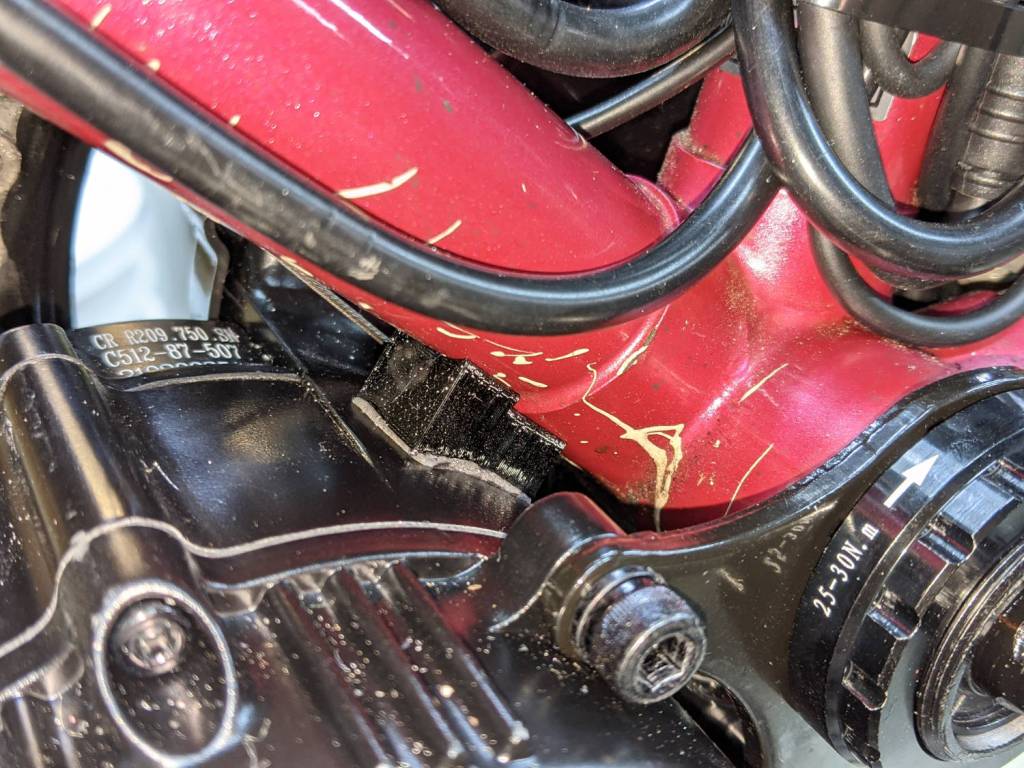
    Seen from the other side, looking parallel to the shift cable, you can see the tight clearance:

    Terry Bafang - shift cable clearance
    Terry Bafang – shift cable clearance

    The block holds the motor 8 mm from the downtube, just enough to give the cable some breathing room.

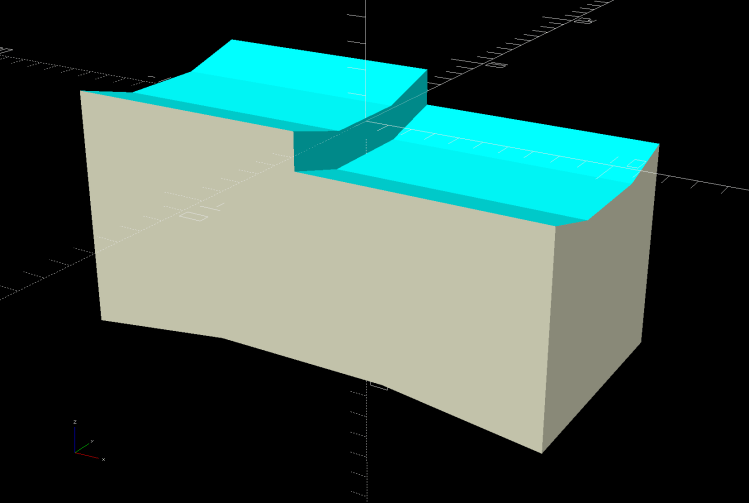
    The block is slightly taller on its front end, because the motor doesn’t meet the downtube at a right angle:

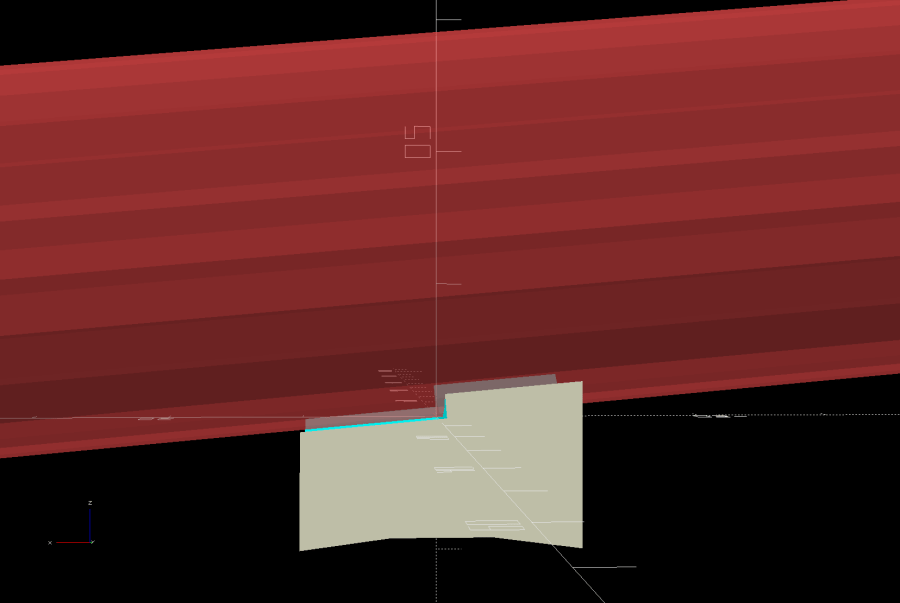
    Terry - Bafang motor spacer - tube angle - solid model
    Terry – Bafang motor spacer – tube angle – solid model

    I determined the proper angle by taping waxed paper to the top of the motor, sticking a trial (non-angled) block to the downtube, coating its bottom surface with hot-melt glue, then squishing the motor against the block. The cooled glue was flush with the block on the rear and 1.8 mm thick on the front, a 5° angle over the 20 mm block.

    Definitely easier than correctly figuring the geometry from first principles: tweak the model to include the measured thickness, compute the angle, tilt the tube, and print another block that fits like it grew there.

    With the block in place and the motor held against the downtube, tighten the retaining nut against the “fixing plate” by giving it a few gentle whacks with a hammer, then tighten the jam nut.

    The OpenSCAD source code snippet:

    // Motor Reaction Block
    // Holds motor away from downtube enough to miss rear shift wire
    
    MotorOD = 111;              // motor frame dia
    MotorMountRad = 85;         // BB spindle center to motor center
    Space = 8.0;                // motor to frame space
    
    Spacer = [20.0,DownTube[ID]/2,4*Space];
    SpaceAngle = atan(1.8/Spacer.x);            // tilt due to non-right-angle meeting
    echo(str("Spacer angle: ",SpaceAngle));
    
    module MotorSpacer() {
    
        difference() {
            cube(Spacer,center=true);
            translate([0,0,DownTube[ID]/2])
                rotate([0,90 + SpaceAngle,0]) rotate(180/FrameSides)
                    cylinder(d=DownTube[ID],h=DownTube[LENGTH],$fn=FrameSides,center=true);
            translate([DownTube[LENGTH]/2,0,DownTube[ID]/2 - DownTube[LENGTH]*sin(SpaceAngle)/2])       // concentric with ID
                rotate([0,90 + SpaceAngle,0]) rotate(180/FrameSides)
                    cylinder(d=DownTube[OD],h=DownTube[LENGTH],$fn=FrameSides,center=true);
            translate([0,0,-(MotorOD/2 + Space)])
                rotate([90,0,0]) rotate(180/48)
                    cylinder(d=MotorOD,h=2*Spacer.y,$fn=48,center=true);
        }
    
    }
    

    Mary’s Tour Easy didn’t need this block, because all the cables run elsewhere, but I did capture a piece of closed-cell foam between its vestigial downtube and the motor to prevent chafing.

  • Tour Easy: Bafang 48 V 11.6 A·h Battery Mount

    Tour Easy: Bafang 48 V 11.6 A·h Battery Mount

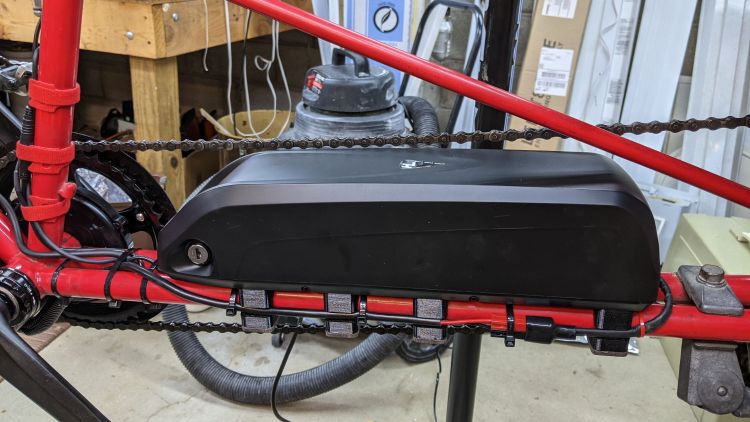
    Bafang BBS02 batteries should mount on the water bottle bosses along a more-or-less standard bicycle’s downtube, which a Tour Easy recumbent has only in vestigial form. The battery does, however, fit perfectly along the lower frame tubes:

    Tour Easy Bafang mid-drive - battery
    Tour Easy Bafang mid-drive – battery

    You might be forgiven for thinking Gardner Martin (not to be confused with Martin Gardner of Scientific American fame) designed the Tour Easy frame specifically to hold that battery, but the design dates back to the 1970s and it’s just a convenient coincidence.

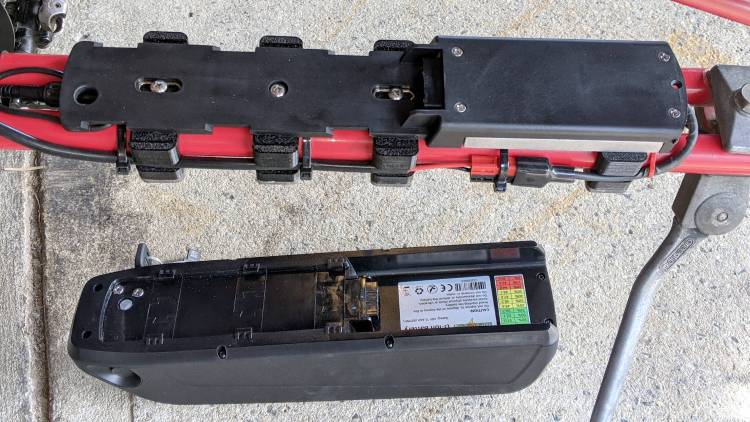
    The battery slides into a flat baseplate and locks in place, although it’s definitely not a high-security design. Mostly, the lock suffices to keep honest people honest and prevent the battery from vibrating loose while riding:

    Tour Easy Bafang battery mount - baseplate installed
    Tour Easy Bafang battery mount – baseplate installed

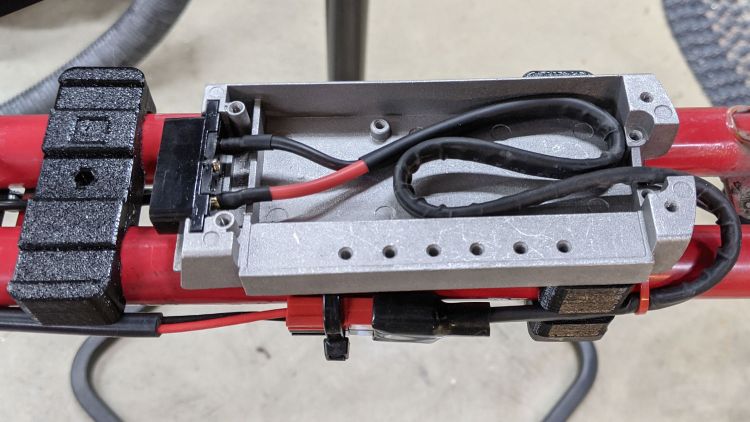
    The flat enclosure toward the rear was obviously designed for more complex circuitry than it now contains:

    Tour Easy Bafang battery mount - interior
    Tour Easy Bafang battery mount – interior

    Those are all neatly drilled and tapped M3 machine screw holes. The cable has no strain relief, despite the presence of suitable holes at the rear opening. I tucked the spare cable inside, rather than cut it shorter, under the perhaps unwarranted assumption they did a good job crimping / soldering the wires to the terminals.

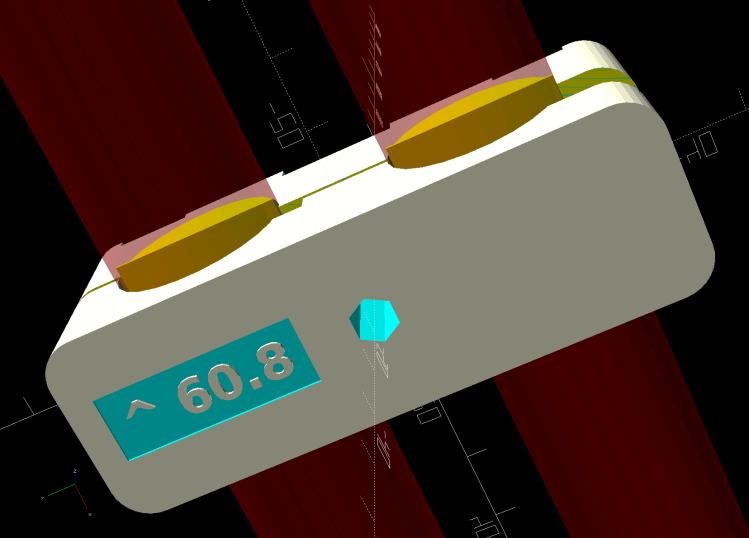
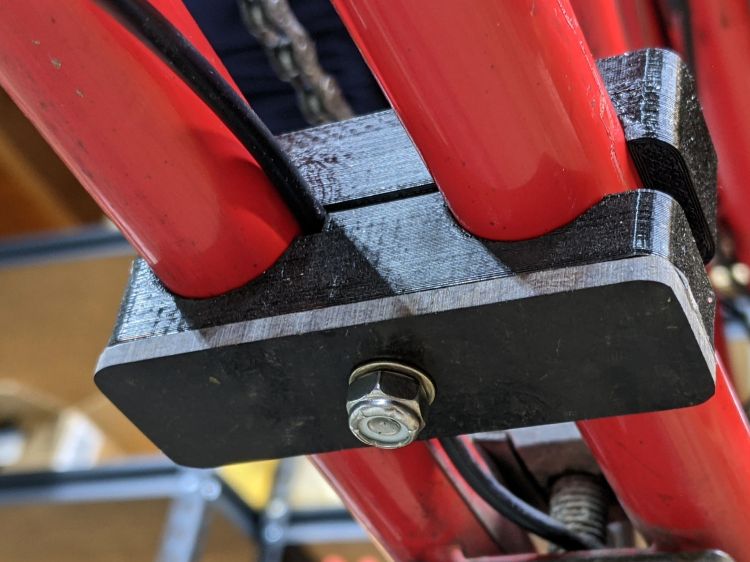
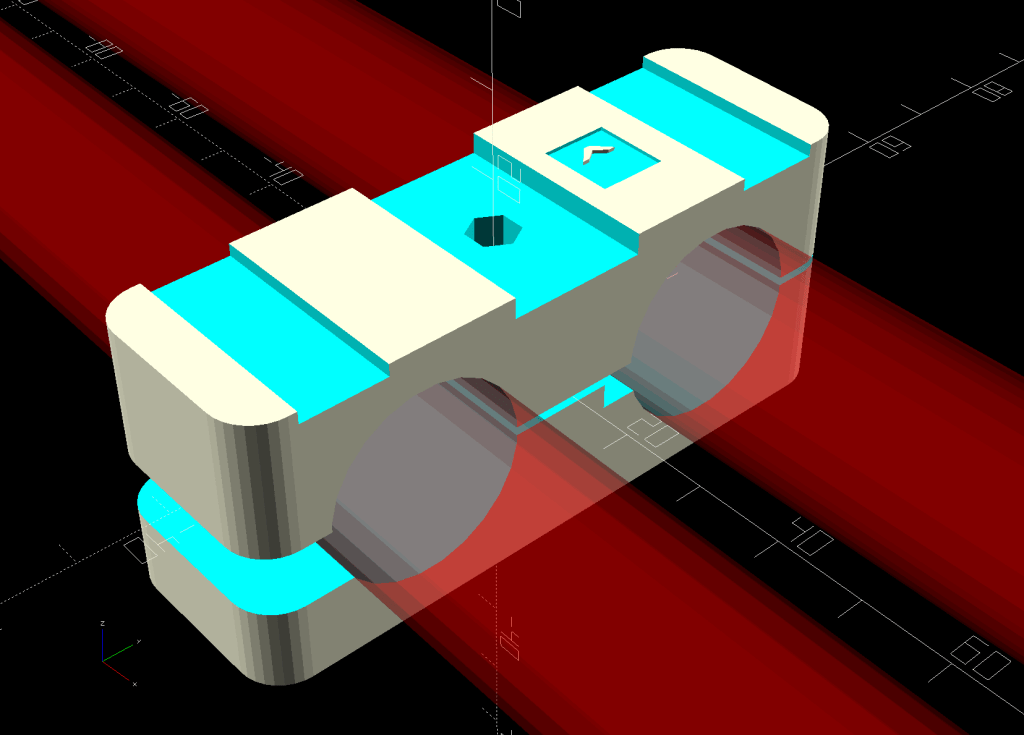
    The red frame tubes are not parallel, so each of the four mounting blocks fits in only one location. They’re identified by the side-to-side tube measurement at their centerline and directional pointers:

    Bafang Battery Mount - Show bottom
    Bafang Battery Mount – Show bottom

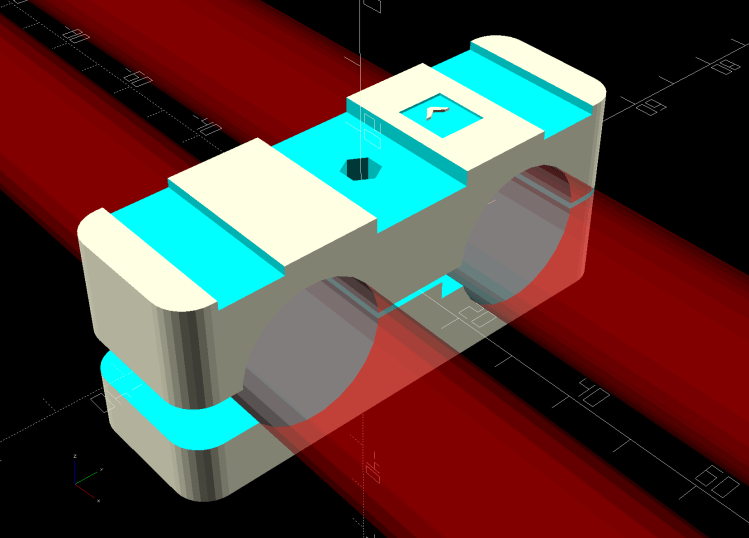
    The first three blocks have a hole for the mounting screw through the battery plate. The central slot fits around the plate’s feature for the recessed screw head. The two other slots clear the claws extending downward from the battery into the plate:

    Bafang Battery Mount - Show view
    Bafang Battery Mount – Show view

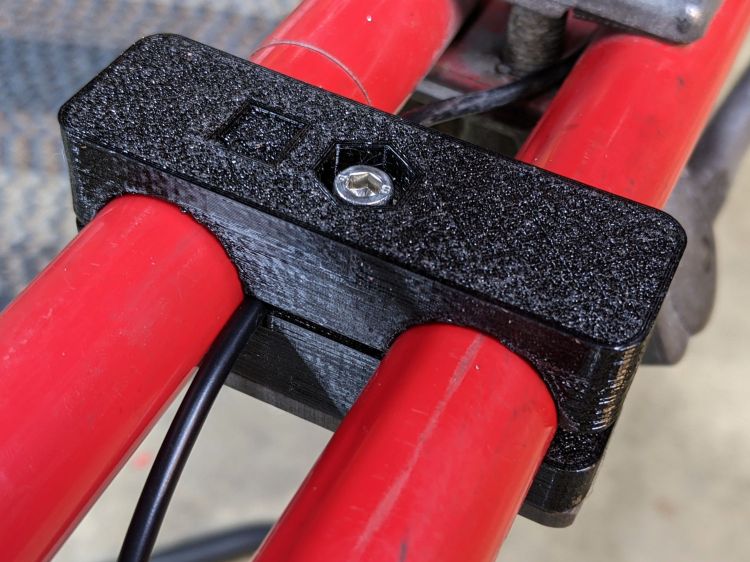
    The rear block has a flat top and a recessed screw head, because the fancy metal enclosure doesn’t have a screw hole:

    Tour Easy Bafang battery mount - top detail
    Tour Easy Bafang battery mount – top detail

    I thought of drilling a hole through the plate, but eventually put a layer of carpet tape atop the block to encourage it to not slap around, as the whole affair isn’t particularly bendy. We’ll see how well it works on the road.

    I had intended to put an aluminum plate across the bottom to distribute the clamping force from the screw, but found a suitable scrap of the institutional-grade cafeteria tray we used as a garden cart seat:

    Tour Easy Bafang battery mount - bottom detail
    Tour Easy Bafang battery mount – bottom detail

    I traced around the block, bandsawed pretty close to the line, then introduced it to Mr Disk Sander for final shaping.

    The round cable runs from the rear wheel speed sensor through all four blocks to join the motor near the bottom bracket. Because a recumbent bike’s rear wheel is much further from its bottom bracket, what you see is actually an extension cable with a few extra inches doubled around its connection just ahead of the battery.

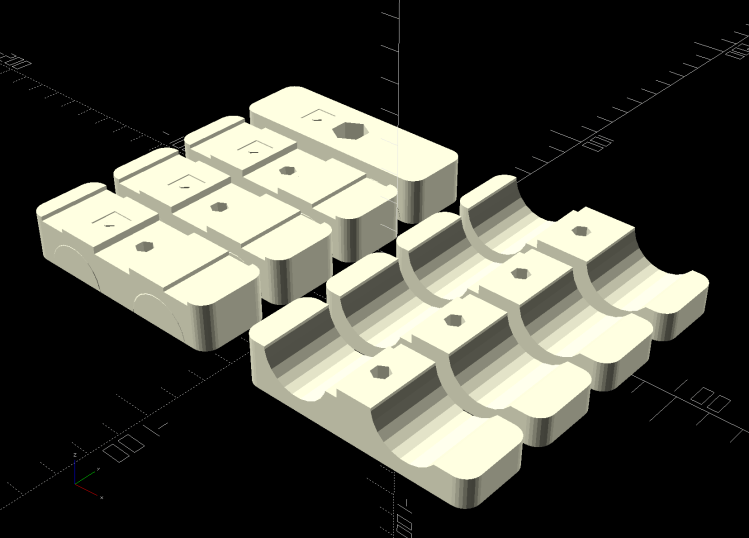
    Each of the four blocks takes about an hour to print, so I did them individually while making continuous process improvements to the solid model:

    Bafang Battery Mount - Build view
    Bafang Battery Mount – Build view

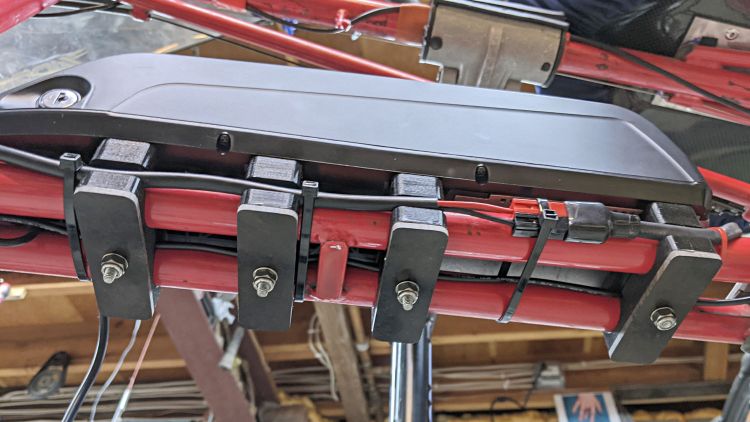
    The heavy battery cable runs along the outside of the left frame tube, with enough cable ties to keep it from flopping around:

    Tour Easy Bafang battery mount - bottom view
    Tour Easy Bafang battery mount – bottom view

    I wanted to fit it between the tubes, but there just wasn’t enough room around the screw in the front block where the tubes converge. It’s still pretty well protected and should be fine.

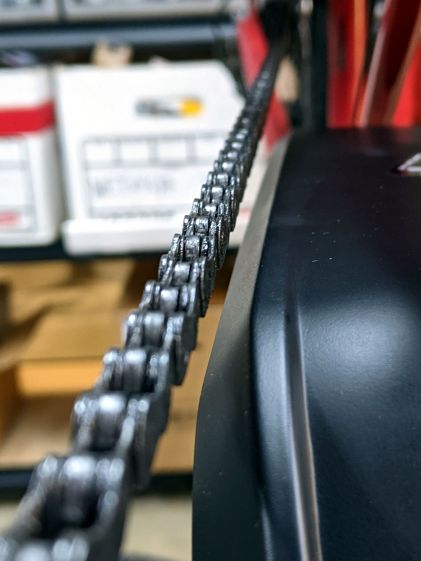
    The chainline worked out much better than I expected:

    Tour Easy Bafang battery mount - chainline
    Tour Easy Bafang battery mount – chainline

    That’s with the chain on the lowest (most inboard) rear sprocket, so it’s as close to the battery as it gets. I’m sure the battery will accumulate oily chain grime, as does everything else on a bike.

    Lithium batteries have a vastly higher power density than good old lead acid batteries, but seven pounds is still a lot of weight!

    The OpenSCAD source code as a GitHub Gist:

    // Tour Easy Bafang Battery Mount
    // Ed Nisley KE4ZNU 2021-04
    Layout = "Build"; // [Frame,Block,Show,Build,Bushing,Cateye]
    FrameWidths = [60.8,62.0,63.4,66.7]; // last = rear overhang support block
    Support = true;
    //- Extrusion parameters must match reality!
    /* [Hidden] */
    ThreadThick = 0.25;
    ThreadWidth = 0.40;
    HoleWindage = 0.2;
    Protrusion = 0.1; // make holes end cleanly
    inch = 25.4;
    function IntegerMultiple(Size,Unit) = Unit * ceil(Size / Unit);
    ID = 0;
    OD = 1;
    LENGTH = 2;
    //———-
    // Dimensions
    // Bike frame lies along X axis, rear to +X
    FrameTube = [350,22.6 + HoleWindage,22.6 + HoleWindage]; // X = longer than anything else
    FrameAngle = atan((65.8 – 59.4)/300); // measured distances = included angle between tubes
    TubeAngle = FrameAngle/2; // .. frame axis to tube
    FrameSides = 24;
    echo(str("Frame angle: ",FrameAngle));
    SpeedOD = 3.5; // speed sensor cable along frame
    PowerOD = 6.7; // power cable between frame tubes
    BatteryBoss = [5.5,16.0,2.5]; // battery mount boss, center is round
    BossSlotOAL = 32.0; // .. end bosses are elongated
    BossOC = 65.0; // .. along length of mount
    LatchWidth = 10.0; // battery latches to mount plate
    LatchThick = 1.5;
    LatchOC = 56.0;
    WallThick = 5.0; // thinnest wall
    Block = [25.0,78.0,FrameTube.z + 2*WallThick]; // must be larger than frame tube spacing
    echo(str("Block: ",Block));
    // M5 SHCS nyloc nut
    Screw = [5.0,8.5,5.0]; // OD, LENGTH = head
    Washer = [5.5,10.1,1.0];
    Nut = [5.0,9.0,5.0];
    // 10-32 Philips nyloc nut
    Screw10 = [5.2,9.8,3.6]; // OD, LENGTH = head
    Washer10 = [5.5,11.0,1.0];
    Nut10 = [5.2,10.7,6.2];
    Kerf = 1.0; // cut through middle to apply compression
    CornerRadius = 5.0;
    EmbossDepth = 2*ThreadThick; // lettering depth
    //———————-
    // Useful routines
    module PolyCyl(Dia,Height,ForceSides=0) { // based on nophead's polyholes
    Sides = (ForceSides != 0) ? ForceSides : (ceil(Dia) + 2);
    FixDia = Dia / cos(180/Sides);
    cylinder(d=(FixDia + HoleWindage),h=Height,$fn=Sides);
    }
    // clamp overall shape
    module ClampBlock() {
    difference() {
    hull()
    for (i=[-1,1], j=[-1,1])
    translate([i*(Block.x/2 – CornerRadius),j*(Block.y/2 – CornerRadius),-Block.z/2])
    cylinder(r=CornerRadius,h=Block.z,$fn=4*8);
    translate([0,0,-(Block.z/2 + Protrusion)])
    rotate(0*180/6)
    PolyCyl(Screw[ID],Block.z + 2*Protrusion,6);
    cube([2*Block.x,2*Block.y,Kerf],center=true);
    translate([0,-(Block.y/2 – PowerOD + Protrusion/2),-PowerOD/2])
    cube([2*Block.x,2*PowerOD + Protrusion,PowerOD],center=true);
    }
    }
    // frame tube layout with measured side-to-side width
    module Frame(Outer = FrameWidths[0],AdjustDia = 0.0) {
    TubeOC = Outer – FrameTube.y/cos(TubeAngle); // increase dia for angle
    for (i=[-1,1])
    translate([0,i*TubeOC/2,0])
    rotate([0,90,i*TubeAngle]) rotate(180/FrameSides)
    cylinder(d=FrameTube.z + AdjustDia,h=FrameTube.x,center=true,$fn=FrameSides);
    }
    // complete clamp block
    module Clamp(Outer = FrameWidths[0]) {
    TubeOC = Outer – FrameTube.y/cos(TubeAngle); // increase dia for angle
    difference() {
    ClampBlock();
    Frame(Outer);
    translate([0,(TubeOC/2 – FrameTube[OD]/2),-SpeedOD/2])
    cube([2*Block.x,2*SpeedOD,SpeedOD],center=true);
    translate([0,15,Block.z/2 – EmbossDepth/2 + Protrusion])
    cube([9.0,8,EmbossDepth],center=true);
    translate([0,22,-Block.z/2 + EmbossDepth/2 – Protrusion])
    cube([9.0,26,EmbossDepth],center=true);
    if (Outer == FrameWidths[len(FrameWidths) – 1]) { // special rear block
    translate([0,0,Block.z/2 – 2*Screw10[LENGTH]])
    PolyCyl(Washer10[OD],2*Screw10[LENGTH] + Protrusion,6);
    }
    else { // other blocks have channels
    translate([0,0,Block.z/2 – BatteryBoss[LENGTH]/2 + Protrusion])
    cube([BossSlotOAL,BatteryBoss[OD],BatteryBoss[LENGTH] + Protrusion],center=true);
    for (i=[-1,1])
    translate([0,i*LatchOC/2,Block.z/2 – LatchThick/2 + Protrusion])
    cube([BossSlotOAL,LatchWidth,LatchThick + Protrusion],center=true);
    }
    }
    translate([0,15,Block.z/2 – EmbossDepth])
    linear_extrude(height=EmbossDepth)
    rotate(90)
    text(text="^",size=5,spacing=1.00,font="Bitstream Vera Sans:style=Bold",
    halign="center",valign="center");
    translate([0,22,-Block.z/2])
    linear_extrude(height=EmbossDepth)
    rotate(-90) mirror([0,1,0])
    text(text=str("^ ",Outer),size=4.5,spacing=1.00,font="Bitstream Vera Sans:style=Bold",
    halign="center",valign="center");
    if (Support)
    color("Yellow") {
    NumRibs = 7;
    RibOC = Block.x/(NumRibs – 1);
    intersection() {
    translate([0,0,Block.z/2 + Kerf/2])
    cube([2*Block.x,2*Block.y,Block.z],center=true);
    union() for (j=[-1,1]) {
    translate([0,j*TubeOC/2,Kerf/2])
    cube([1.1*Block.x,FrameTube.y – 2*ThreadThick,4*ThreadThick],center=true);
    for (i=[-floor(NumRibs/2):floor(NumRibs/2)])
    translate([i*RibOC,j*TubeOC/2,0])
    rotate([0,90,0]) rotate(180/FrameSides)
    cylinder(d=FrameTube.z – 2*ThreadThick,h=2*ThreadWidth,$fn=FrameSides,center=true);
    }
    }
    }
    }
    // Half clamp sections for printing
    module HalfClamp(i = 0, Section = "Upper") {
    render()
    intersection() {
    translate([0,0,Block.z/4])
    cube([Block.x,Block.y,Block.z/2],center=true);
    if (Section == "Upper")
    translate([0,0,-Kerf/2])
    Clamp(FrameWidths[i]);
    else
    translate([0,0,Block.z/2])
    Clamp(FrameWidths[i]);
    }
    }
    // Handlebar bushing for controller
    BushingSize = [16.0,22.2,15.0];
    module Bushing() {
    difference() {
    cylinder(d=BushingSize[OD],h=BushingSize[LENGTH],$fn=24);
    translate([0,0,-Protrusion])
    cylinder(d=BushingSize[ID],h=2*BushingSize[LENGTH],$fn=24);
    translate([0*(BushingSize[OD] – BushingSize[ID])/4,0,BushingSize[LENGTH]/2])
    cube([2*BushingSize[OD],2*ThreadWidth,2*BushingSize[LENGTH]],center=true);
    }
    }
    // Cateye cadence sensor bracket
    module Cateye() {
    Pivot = [3.0,10.0,8.0];
    Slot = [4.2,14.0,14.0];
    Clip = [8.0,Slot.y,Slot.z + Pivot[OD]/2];
    translate([0,0,Clip.z])
    difference() {
    union() {
    translate([0,0,-Clip.z/2])
    cube(Clip,center=true);
    translate([-Clip.x/2,0,0])
    rotate([0,90,0])
    cylinder(d=Clip.y,h=Clip.x,$fn=12);
    }
    translate([-Clip.x,0,0])
    rotate([0,90,0]) rotate(180/6)
    PolyCyl(3.0,2*Clip.x,6);
    translate([0,0,-(Clip.z – Slot.z/2)])
    cube(Slot + [0,Protrusion,Protrusion],center=true);
    }
    }
    //———-
    // Build them
    if (Layout == "Frame")
    Frame();
    if (Layout == "Block")
    ClampBlock();
    if (Layout == "Bushing")
    Bushing();
    if (Layout == "Cateye")
    Cateye();
    if (Layout == "Upper" || Layout == "Lower")
    HalfClamp(0,Layout);
    if (Layout == "Show") {
    Clamp();
    color("Red", 0.3)
    Frame();
    }
    if (Layout == "Build") {
    n = len(FrameWidths);
    gap = 1.2;
    for (i=[0:n-1]) {
    j = i – ceil((n-1)/2);
    translate([-gap*Block.y/2,j*gap*Block.x,0])
    rotate(90)
    HalfClamp(i,"Upper");
    translate([gap*Block.y/2,j*gap*Block.x,0])
    rotate([0,0,90])
    HalfClamp(i,"Lower");
    }
    }