The Smell of Molten Projects in the Morning

Ed Nisley's Blog: Shop notes, electronics, firmware, machinery, 3D printing, laser cuttery, and curiosities. Contents: 100% human thinking, 0% AI slop.

Tag: Arduino

All things Arduino

  • Switch Contact Bounce

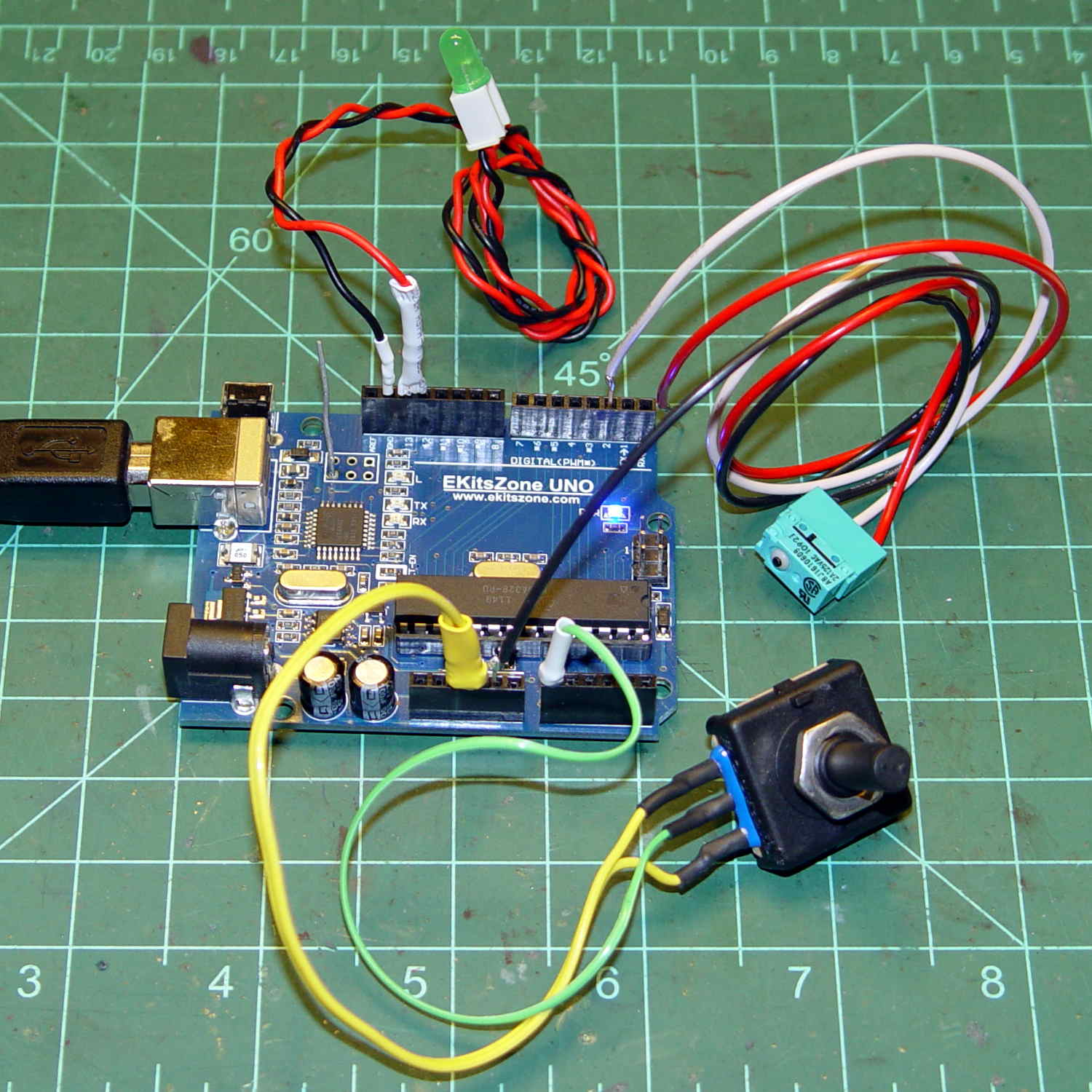
    An Arduino hairball for an upcoming Digital Machinist column:

    Arduino UNO clone - test setup
    Arduino UNO clone – test setup

    A short program monitors the switch. When it closes, the program reads the analog voltage from the pot and blinks the LED (on Pin 13, so you don’t need an external LED) for that number of milliseconds.

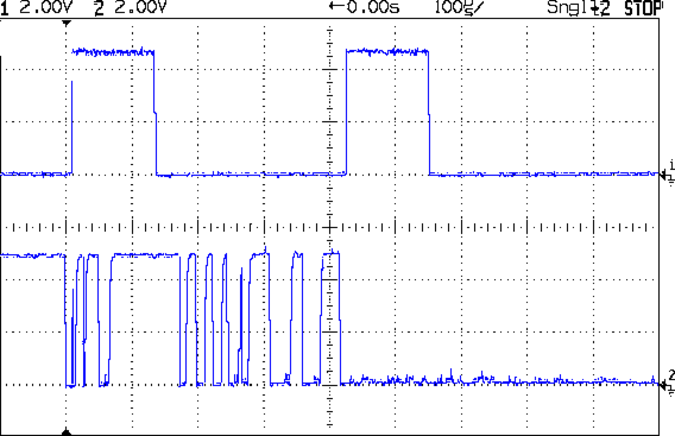
    Some diligent rummaging produced a spectacularly bouncy switch (lower trace) with the output pulse (upper trace):

    Contact Bounce - Matsuhita - NO 1
    Contact Bounce – Matsuhita – NO 1

    A longer timebase shows it’s rattling around for nearly half a millisecond:

    Contact Bounce - Matsuhita - NO 2
    Contact Bounce – Matsuhita – NO 2

    The second pulse in the upper trace shows that the code gets around the loop() fast enough to retrigger on the same button push, which is part of the lesson in the column

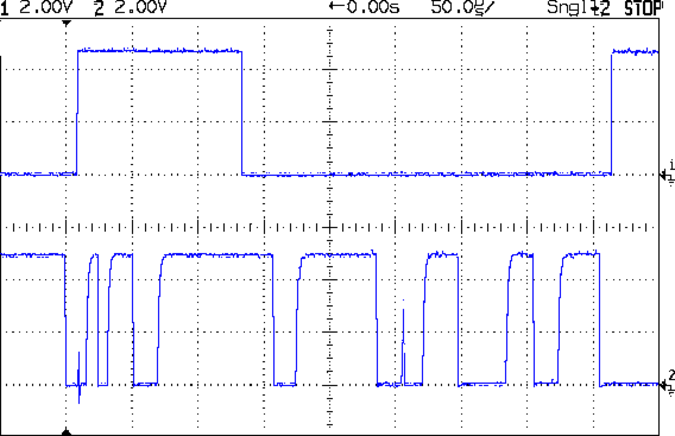
    A midrange timebase:

    Contact Bounce - Matsuhita - NO 3
    Contact Bounce – Matsuhita – NO 3

    You could surely get a few random numbers out of that noise, although the first few bounces seem surprisingly consistent.

  • Random LED Dots: Entropy Library for Moah Speed with Less Gimcrackery

    A discussion over the Squidwrench Operating Table about injecting entropy into VMs before / during their boot sequence reminded me that I wanted to try the Entropy library with my 8×8 RGB LED matrix:

    8x8 RGB LED Matrix - board overview
    8×8 RGB LED Matrix – board overview

    The original version trundled along with random numbers produced by timing Geiger counter ticks. The second version, digitizing the amplified noise from a reverse-biased PN junction, ran much faster.

    What’s new & different: the Entropy library measures the jitter between the ATmega328 watchdog timer’s RC oscillator and the ceramic resonator (on Pro Mini boards) driving the CPU. It cranks out four bytes of uncorrelated bits every half-second, which isn’t quite fast enough for a sparkly display, but re-seeding the Arduino PRNG whenever enough entropy arrives works well enough.

    One could, of course, re-seed the PRNG with Geiger bits or junction noise to the same effect. The key advantage of the Entropy library: no external hardware required. The downside: no external hardware required, so, minus those techie transistors / resistors / op amps, it will look like Just Another Arduino Project.

    Reverse-bias noise amplifier - detail
    Reverse-bias noise amplifier – detail

    Le sigh.

    In any event, the Entropy library has excellent documentation and works perfectly.

    The Arduino PRNG can produce results fast enough for wonderfully twinkly output that’s visually indistinguishable from the “true” random numbers from the Geiger counter or PN junction. I dialed it back to one update every 5 ms, because letting it free-run turned the display into an unattractive blur.

    The top trace shows the update actually happens every 6 ms:

    Entropy TRNG - LED update vs refresh
    Entropy TRNG – LED update vs refresh

    The lower trace shows that each matrix row refresh takes about a millisecond. Refreshes occur on every main loop iteration and interfere with the update, not that that makes any difference. Should it matter, subtract one from the update period and it’ll be all good.

    The Arduino source code as a GitHub Gist:

    // Random LED Dots
    // Based on Entropy library using watchdog timer jitter
    // https://sites.google.com/site/astudyofentropy/project-definition/timer-jitter-entropy-sources/entropy-library
    // Ed Nisley – KE4ANU – August 2016
    #include <Entropy.h>
    //———-
    // Pin assignments
    const byte PIN_HEARTBEAT = 8; // DO – heartbeat LED
    const byte PIN_SYNC = A3; // DO – scope sync
    const byte PIN_LATCH = 4; // DO – shift register latch clock
    const byte PIN_DIMMING = 9; // AO – LED dimming control
    // These are *hardware* SPI pins
    const byte PIN_MOSI = 11; // DO – data to shift reg
    const byte PIN_MISO = 12; // DI – data from shift reg (unused)
    const byte PIN_SCK = 13; // DO – shift clock to shift reg (also Arduino LED)
    const byte PIN_SS = 10; // DO – -slave select (must be positive for SPI output)
    //———-
    // Constants
    #define UPDATE_MS 5
    //———-
    // Globals
    // LED selects are high-active bits and low-active signals: flipped in UpdateLEDs()
    // *exactly* one row select must be active in each element
    typedef struct {
    const byte Row;
    byte ColR;
    byte ColG;
    byte ColB;
    } LED_BYTES;
    // altering the number of rows & columns will require substantial code changes…
    #define NUMROWS 8
    #define NUMCOLS 8
    LED_BYTES LEDs[NUMROWS] = {
    {0x80,0,0,0},
    {0x40,0,0,0},
    {0x20,0,0,0},
    {0x10,0,0,0},
    {0x08,0,0,0},
    {0x04,0,0,0},
    {0x02,0,0,0},
    {0x01,0,0,0},
    };
    byte RowIndex;
    #define LEDS_ON 0
    #define LEDS_OFF 255
    unsigned long MillisNow;
    unsigned long MillisThen;
    //– Helper routine for printf()
    int s_putc(char c, FILE *t) {
    Serial.write(c);
    }
    //– Useful stuff
    // Free RAM space monitor
    // From http://playground.arduino.cc/Code/AvailableMemory
    uint8_t * heapptr, * stackptr;
    void check_mem() {
    stackptr = (uint8_t *)malloc(4); // use stackptr temporarily
    heapptr = stackptr; // save value of heap pointer
    free(stackptr); // free up the memory again (sets stackptr to 0)
    stackptr = (uint8_t *)(SP); // save value of stack pointer
    }
    void TogglePin(char bitpin) {
    digitalWrite(bitpin,!digitalRead(bitpin)); // toggle the bit based on previous output
    }
    void PulsePin(char bitpin) {
    TogglePin(bitpin);
    TogglePin(bitpin);
    }
    //———
    //– SPI utilities
    void EnableSPI(void) {
    digitalWrite(PIN_SS,HIGH); // make sure this is high!
    SPCR |= 1 << SPE;
    }
    void DisableSPI(void) {
    SPCR &= ~(1 << SPE);
    }
    void WaitSPIF(void) {
    while (! (SPSR & (1 << SPIF))) {
    // TogglePin(PIN_HEARTBEAT);
    continue;
    }
    }
    byte SendRecSPI(byte Dbyte) { // send one byte, get another in exchange
    SPDR = Dbyte;
    WaitSPIF();
    return SPDR; // SPIF will be cleared
    }
    void UpdateLEDs(byte i) {
    SendRecSPI(~LEDs[i].ColB); // low-active outputs
    SendRecSPI(~LEDs[i].ColG);
    SendRecSPI(~LEDs[i].ColR);
    SendRecSPI(~LEDs[i].Row);
    analogWrite(PIN_DIMMING,LEDS_OFF); // turn off LED to quench current
    PulsePin(PIN_LATCH); // make new shift reg contents visible
    analogWrite(PIN_DIMMING,LEDS_ON);
    }
    //—————
    // Set LED from integer
    // On average, this leaves the LED unchanged for 1/8 of the calls…
    void SetLED(unsigned long Value) {
    byte Row = Value & 0x07;
    byte Col = (Value >> 3) & 0x07;
    byte Color = (Value >> 6) & 0x07;
    byte BitMask = (0x80 >> Col);
    // printf("%u %u %u %u\r\n",Row,Col,Color,BitMask);
    LEDs[Row].ColR &= ~BitMask;
    LEDs[Row].ColR |= (Color & 0x04) ? BitMask : 0;
    LEDs[Row].ColG &= ~BitMask;
    LEDs[Row].ColG |= (Color & 0x02) ? BitMask : 0;
    LEDs[Row].ColB &= ~BitMask;
    LEDs[Row].ColB |= (Color & 0x01) ? BitMask : 0;
    }
    //——————
    // Set things up
    void setup() {
    pinMode(PIN_HEARTBEAT,OUTPUT);
    digitalWrite(PIN_HEARTBEAT,HIGH); // show we arrived
    pinMode(PIN_SYNC,OUTPUT);
    digitalWrite(PIN_SYNC,LOW);
    pinMode(PIN_MOSI,OUTPUT); // SPI-as-output is not strictly necessary
    digitalWrite(PIN_MOSI,LOW);
    pinMode(PIN_SCK,OUTPUT);
    digitalWrite(PIN_SCK,LOW);
    pinMode(PIN_SS,OUTPUT);
    digitalWrite(PIN_SS,HIGH); // OUTPUT + HIGH is required to make SPI output work
    pinMode(PIN_LATCH,OUTPUT);
    digitalWrite(PIN_LATCH,LOW);
    Serial.begin(57600);
    fdevopen(&s_putc,0); // set up serial output for printf()
    printf("Random LED Dots – Watchdog Entropy\r\nEd Nisley – KE4ZNU – August 2016\r\n");
    Entropy.initialize(); // start up entropy collector
    //– Set up SPI hardware
    SPCR = B01110001; // Auto SPI: no int, enable, LSB first, master, + edge, leading, f/16
    SPSR = B00000000; // not double data rate
    EnableSPI(); // turn on the SPI hardware
    SendRecSPI(0); // set valid data in shift registers: select Row 0, all LEDs off
    //– Dimming pin must use fast PWM to avoid beat flicker with LED refresh rate
    // Timer 1: PWM 9 PWM 10
    analogWrite(PIN_DIMMING,LEDS_OFF); // disable column drive (hardware pulled it low before startup)
    TCCR1A = B10000001; // Mode 5 = fast 8-bit PWM with TOP=FF
    TCCR1B = B00001001; // … WGM, 1:1 clock scale -> 64 kHz
    //– lamp test: send a white flash through all LEDs
    printf("Lamp test begins: white flash each LED…");
    digitalWrite(PIN_HEARTBEAT,LOW); // turn off while panel blinks
    analogWrite(PIN_DIMMING,LEDS_ON); // enable column drive
    for (byte i=0; i<NUMROWS; i++) {
    for (byte j=0; j<NUMCOLS; j++) {
    LEDs[i].ColR = LEDs[i].ColG = LEDs[i].ColB = 0x80 >> j;
    for (byte k=0; k<NUMROWS; k++) {
    UpdateLEDs(k);
    delay(25);
    }
    LEDs[i].ColR = LEDs[i].ColG = LEDs[i].ColB = 0;
    }
    }
    UpdateLEDs(NUMROWS-1); // clear the last LED
    printf(" done!\r\n");
    //– Preload LEDs with random values
    digitalWrite(PIN_HEARTBEAT,LOW);
    uint32_t rn = Entropy.random();
    printf("Preloading LED array with seed: %08lx\r\n",rn);
    randomSeed(rn);
    for (byte Row=0; Row<NUMROWS; Row++) {
    for (byte Col=0; Col<NUMCOLS; Col++) { // Col runs backwards, but we don't care
    LEDs[Row].ColR |= random(2) << Col; // random(2) returns 0 or 1
    LEDs[Row].ColG |= random(2) << Col;
    LEDs[Row].ColB |= random(2) << Col;
    }
    UpdateLEDs(Row);
    }
    check_mem();
    printf("SP: %u HP: %u Free RAM: %u\r\n",stackptr,heapptr,stackptr – heapptr);
    printf("Running…\r\n");
    MillisThen = millis();
    }
    //——————
    // Run the test loop
    void loop() {
    unsigned long Hash;
    uint32_t rn;
    MillisNow = millis();
    // Re-seed the generator whenever we get enough entropy
    if (Entropy.available()) {
    digitalWrite(PIN_HEARTBEAT,HIGH);
    rn = Entropy.random();
    // printf("Random: %08lx ",rn);
    randomSeed(rn);
    digitalWrite(PIN_HEARTBEAT,LOW);
    }
    // If it's time for a change, whack a random LED
    if ((MillisNow – MillisThen) > UPDATE_MS) {
    MillisThen = MillisNow;
    SetLED(random());
    }
    // Refresh LED array to maintain the illusion of constant light
    UpdateLEDs(RowIndex++);
    if (RowIndex >= NUMROWS) {
    RowIndex = 0;
    PulsePin(PIN_SYNC);
    }
    }
    view raw TimerDots.ino hosted with ❤ by GitHub
  • Vacuum Tube LEDs: 500 W Frosted Incandescent Bulb

    This turned out surprisingly well:

    500 W Incandescent - backlit dark
    500 W Incandescent – backlit dark

    In the harsh light of the Electronics Workbench, you can see there’s less than meets the eye: a single knockoff Neopixel taped to the back side of the bulb just below the equator and a knockoff Arduino Pro Mini taped to the Mogul lamp socket:

    500 W Incandescent - backlit light
    500 W Incandescent – backlit light

    The electrical box serves as a base and the cord doesn’t do anything in this incarnation.

    The 5050 SMD LED package (inside an ugly 3D printed plate cap) looks enough like a point source to shadow the filament & support structure against the frosted bulb. The blurry upper part of the filament is closer to the LED, which isn’t really a point source and must fight its way through the frosting.

    The Pro Mini runs the same firmware as the Bowl o’ Fire floodlamp, of course, dialed back for slow fades.

    It lights up the room something wonderful …

  • Vacuum Tube LEDs: Brass Ersatz Heatsink

    A chunk of 1/2 inch = 12.7 mm brass hex rod looks pretty good as an ersatz heatsink serving as an ersatz plate cap on a halogen bulb standing in for a vacuum tube:

    Halogen bulb brass cap - overview
    Halogen bulb brass cap – overview

    The knockoff Neopixels measure just over 10 mm at their widest points, but some judicious filing rounded it off and brought it down to fit in the 3/8 inch = 0.375 = 9.52 mm hole I drilled in the hex:

    Halogen bulb brass cap - wiring
    Halogen bulb brass cap – wiring

    I let it run for a day like that to make sure the thing wasn’t going to crap out, then epoxied everything in place. If the WS2812B controller fails, the repair will require drilling out all the electronics and wiring, then rebuilding it in place.

    The fins come from the same HSS cutoff tool I used for the Bowl o’ Fire cap, cut at 2.5 mm intervals to produce 0.9 mm fins that IMO better suit the smaller diameter. I stopped cutting when the tool got through the hex flats to produce a continuous ring, cut the hex off a bit above the top fin, rounded the end with a carbide insert cutting tool, then sanded the flats to shine ’em up a bit:

    Halogen bulb brass cap - detail flash
    Halogen bulb brass cap – detail flash

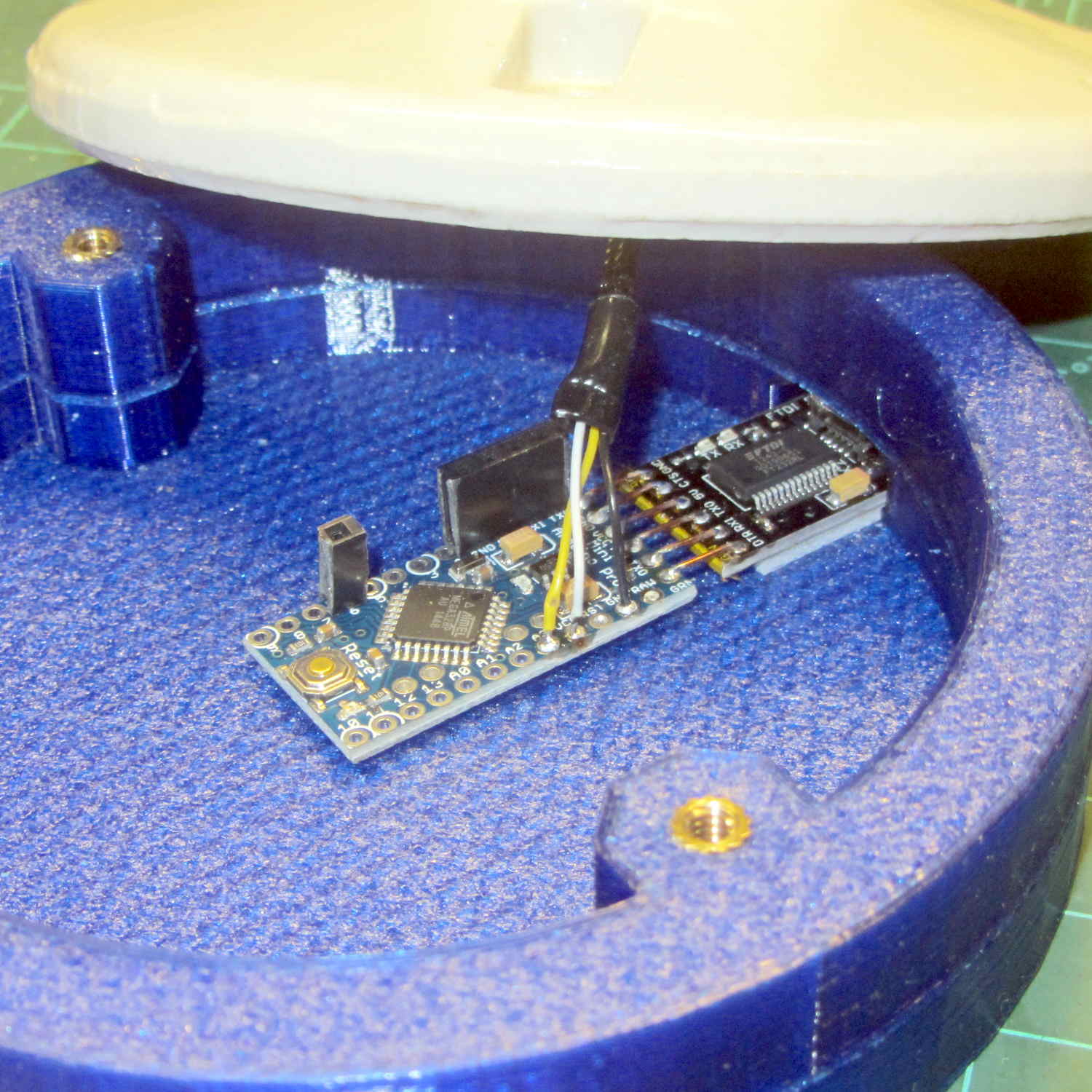
    It turns out that 12 inches of wire inside PET braid barely reaches from the cap to the Arduino Pro Mini in the base:

    Halogen bulb brass cap - Arduino Pro Mini
    Halogen bulb brass cap – Arduino Pro Mini

    Next time, I’m going to add half a foot more wire than I think it can possibly require, with PET braid to suit.

    A thin ring of clear epoxy holds the “heatsink” at the dead center of the bulb. It lights up a bit more than I expected, so opaque epoxy may be in order:

    Halogen bulb brass cap - detail red
    Halogen bulb brass cap – detail red

    It’s still too big to suit even the big 21HB5A tubes, but brass definitely wins over plastic!

    That blue PETG base has become the least-attractive part of the lamp, but it’s survivable for now.

    It runs the same TubeMood firmware as the Bowl o’ Fire.

  • Fairchild and Stoddard RF Current Probes / EMC Field Sniffers

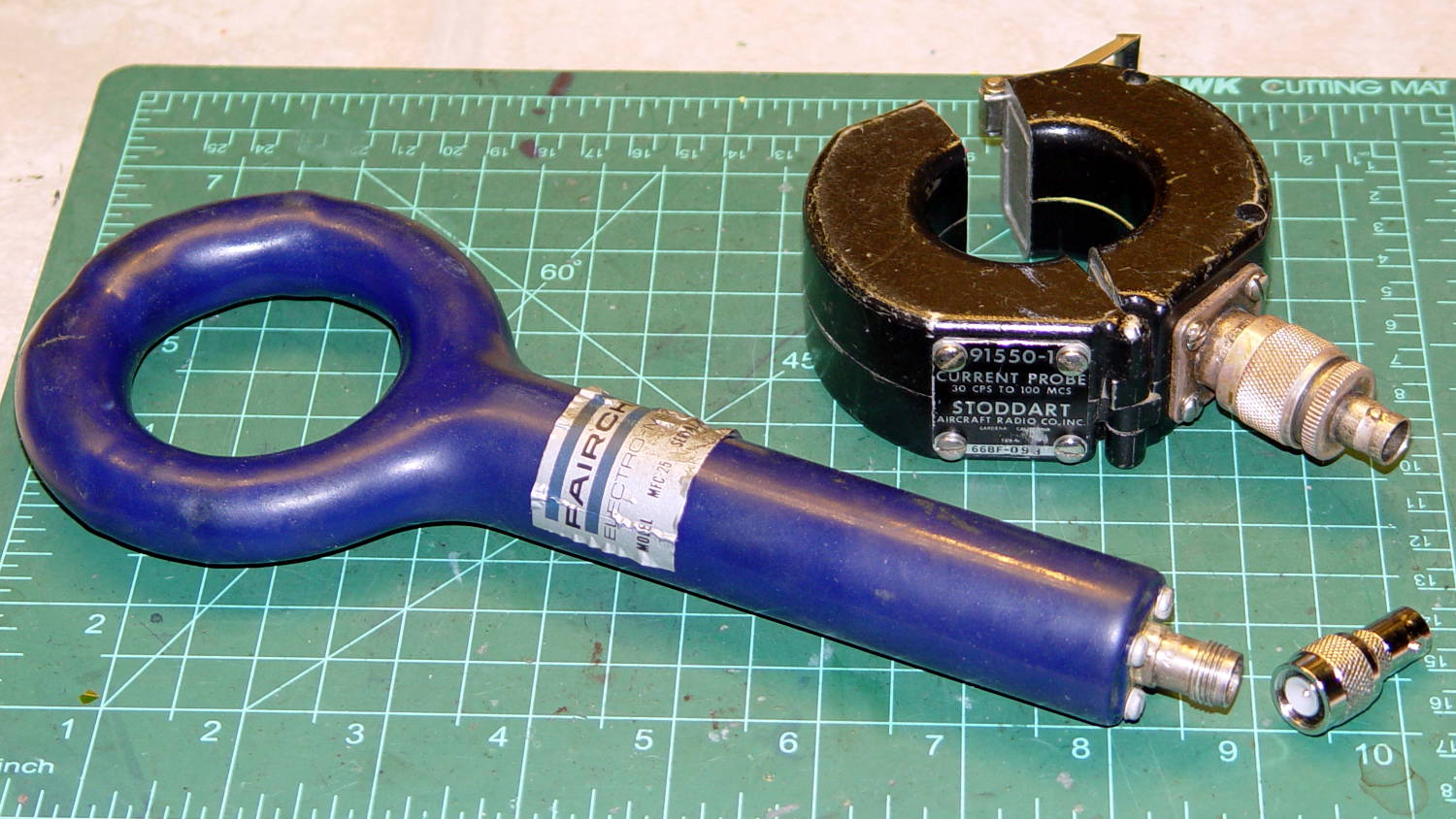
    I’ve always wondered how noisy those Arduino + fake Neopixel lamps might be and these RF sniffers might come in handy:

    Fairchild MFC-25 and Stoddart 91550-1 Current Probes
    Fairchild MFC-25 and Stoddart 91550-1 Current Probes

    Even though they’re long obsolete, RF fields haven’t changed much in the intervening decades.

    Fairchild Electronics may have become Electro-Metrics before they vanished in turn; the single useful search result offers a limited spec sheet that describes it as part of a set of three “loop probes covering the frequency range 10kHz-230MHz designed to search for RF magnetic leaks, especially in cabinets and shielded enclosures”. This one, with the blue coating, has a bandwidth of 22 MHz to 230 MHz. It has a TNC connector that now sports a cheap BNC adapter; note that it has standard polarity, not the reverse polarity required by FCC regulations that don’t take Amazon Prime into consideration.

    Stoddard Aircraft Radio Co, Inc passed the 91550-1 baton to ETS-Lindgren, which (as of right now, anyway) offers a datasheet for a gadget that looks remarkably similar. The 30 Hz lower limit on the data plate suggests it’s roughly equivalent to ETS-L’s contemporary 20 Hz 91550-1L probe, but I doubt that makes much practical difference for my simple needs. The adapter takes the probe’s N connector to BNC.

    The Word According to Mad Phil: If you can get to BNC, you can get to anything.


  • Vacuum Tube LEDs: Bowl of Fire Floodlight

    Although I didn’t plan it like this, the shape of the first doodad on the mini-lathe reminded me that I really wanted something more presentable than the (now failed) ersatz Neopixel inside the ersatz heatsink atop that big incandescent bulb.

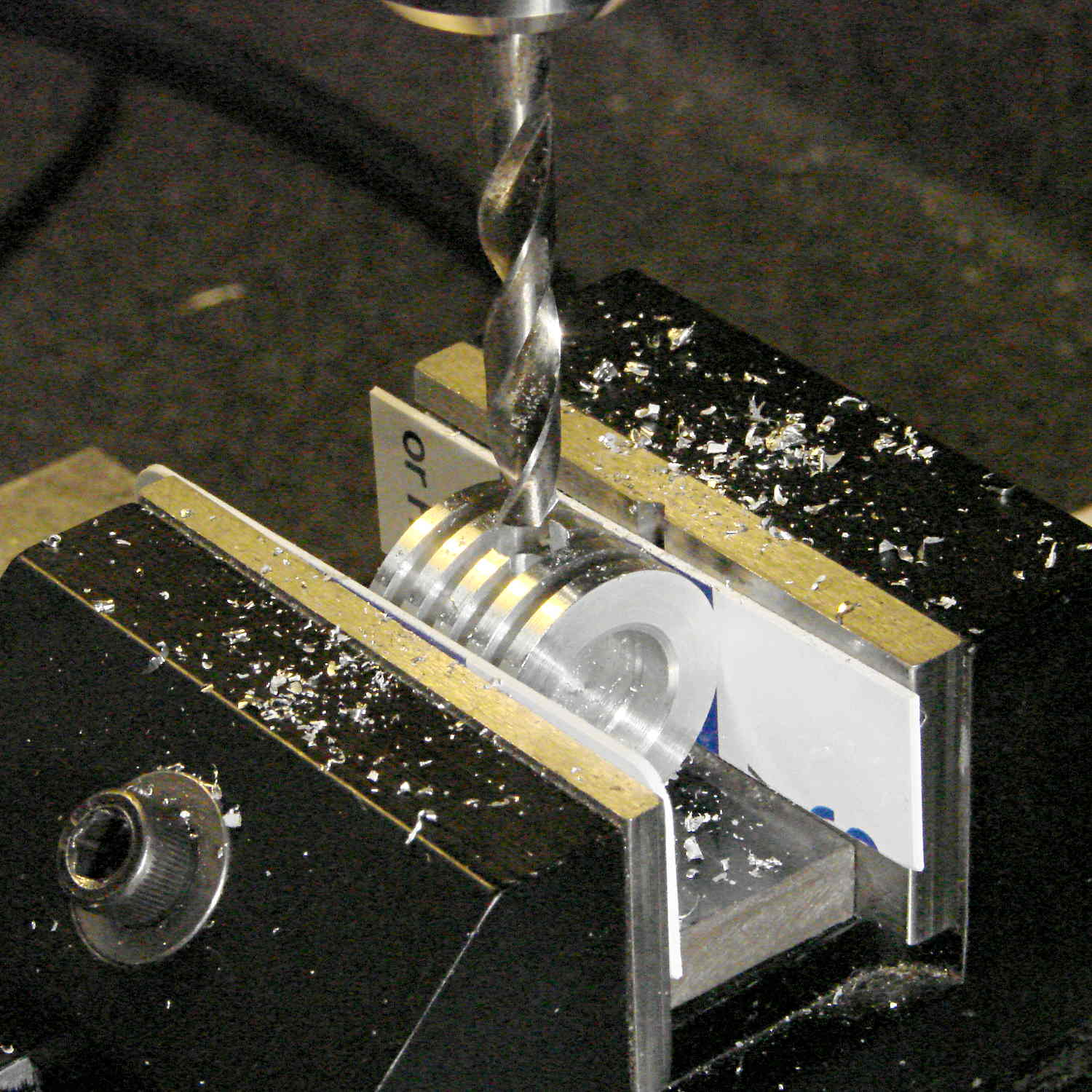
    So, drill a hole in the side:

    Ersatz aluminum heatsink - drilling
    Ersatz aluminum heatsink – drilling

    Epoxy a snippet of brass tubing from the Bottomless Bag o’ Cutoffs into the hole:

    Ersatz aluminum heatsink - tubing trial fit
    Ersatz aluminum heatsink – tubing trial fit

    Recycle the old wire and PET loom, solder to another fake Neopixel, blob epoxy inside to anchor everything, and press it into place:

    Ersatz aluminum heatsink - epoxying LED
    Ersatz aluminum heatsink – epoxying LED

    Cutting the failed LED & plastic heatsink off the wire left it a bit too short for that tall bulb, but some rummaging in the heap produced a 100 W incandescent floodlight with a nicely pebbled lens:

    Reflector floodlight - overview
    Reflector floodlight – overview

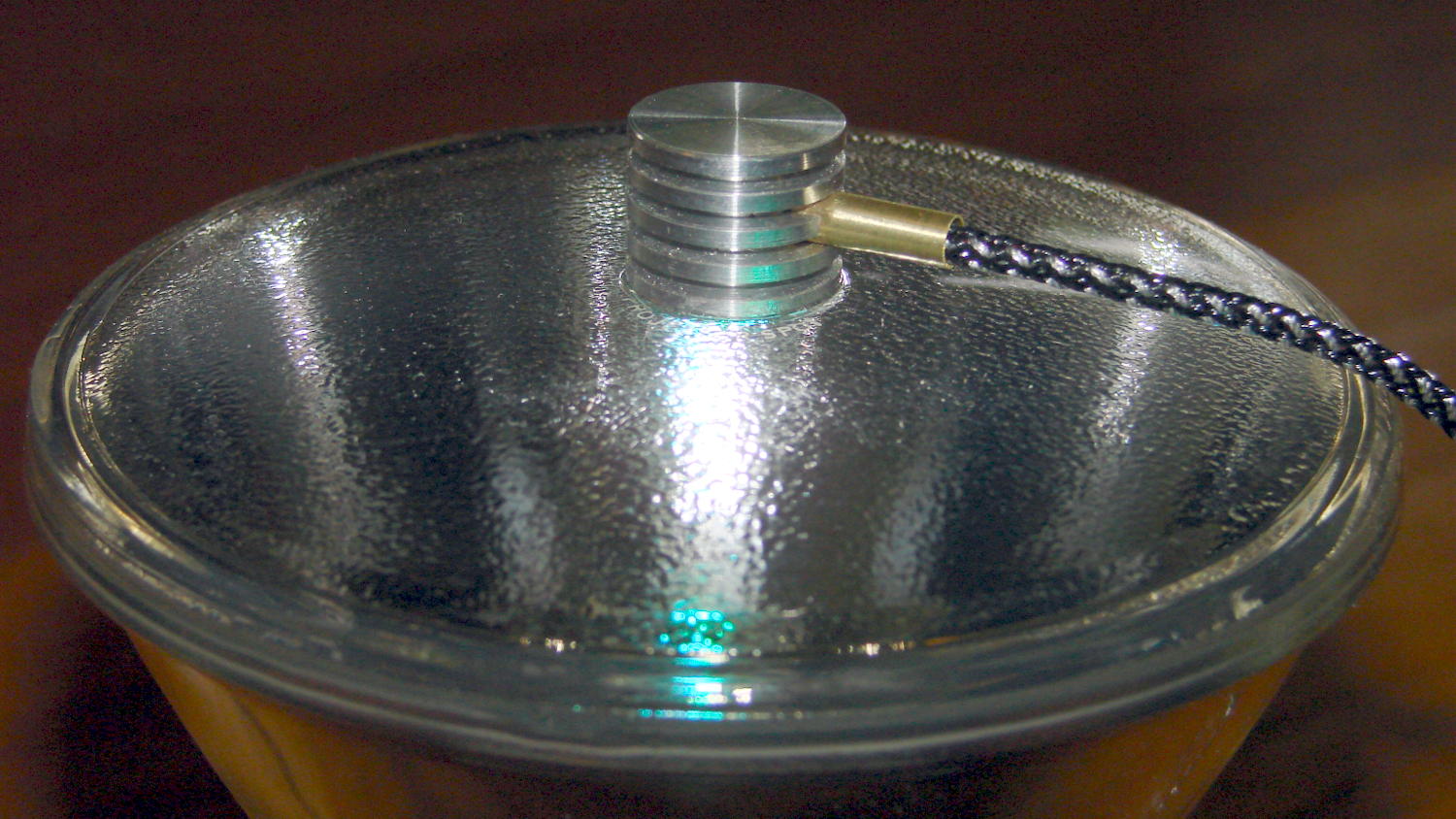
    A thin ring of clear epoxy secures the ersatz heatsink to the floodlight:

    Reflector floodlight - finned LED holder
    Reflector floodlight – finned LED holder

    This time, I paid more attention to centering it atop the General Electric logo ring in the middle of the lens, which you can just barely see around the perimeter of the aluminum fin. By pure raw good fortune, the cable ended up pointed in the general direction of the socket’s pull-chain ferrule; you can’t unscrew the bulb without tediously unsoldering the wires from connector atop the knockoff Pro Mini inside the base and squeezing them back out through the ferrule.

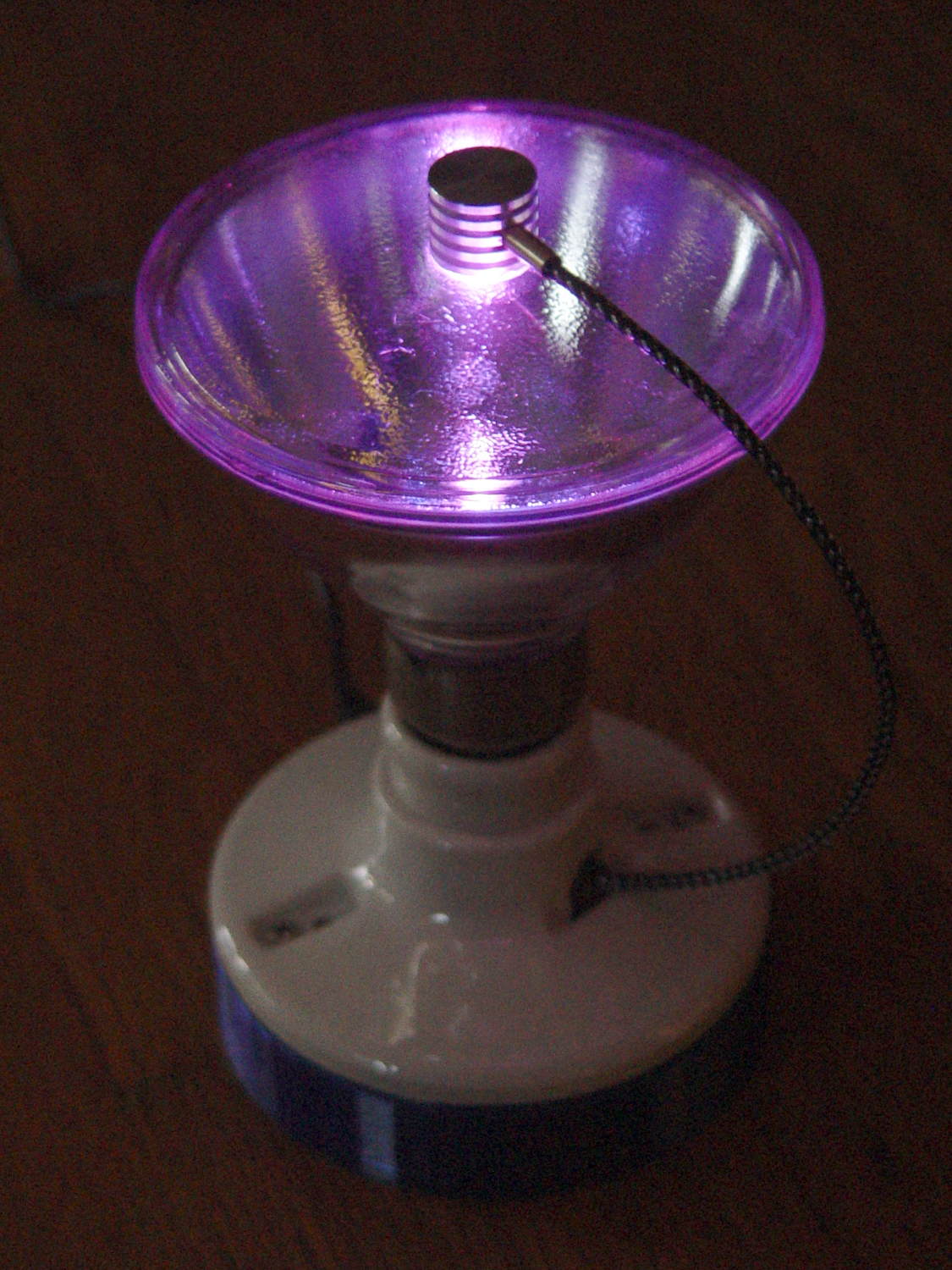
    With the firmware set for a single fake Neopixel on pin A3 and a 75 ms update rate, the floodlight bowl fills with color:

    Reflector floodlight - purple phase
    Reflector floodlight – purple phase

    It puts a colored ring on the ceiling and lights the whole room far more than you’d expect from 200 mW of RGB LEDs.

    Pretty slick, even if I do say so myself …

  • Hard Drive Platter Mood Light: Failed LED Debugging Assistance

    Another of the knockoff Neopixels in the Hard Drive Platter Mood Light failed, even limited to PWM 63 to reduce the temperature. This time, however, I had some help finding the failed blue LED:

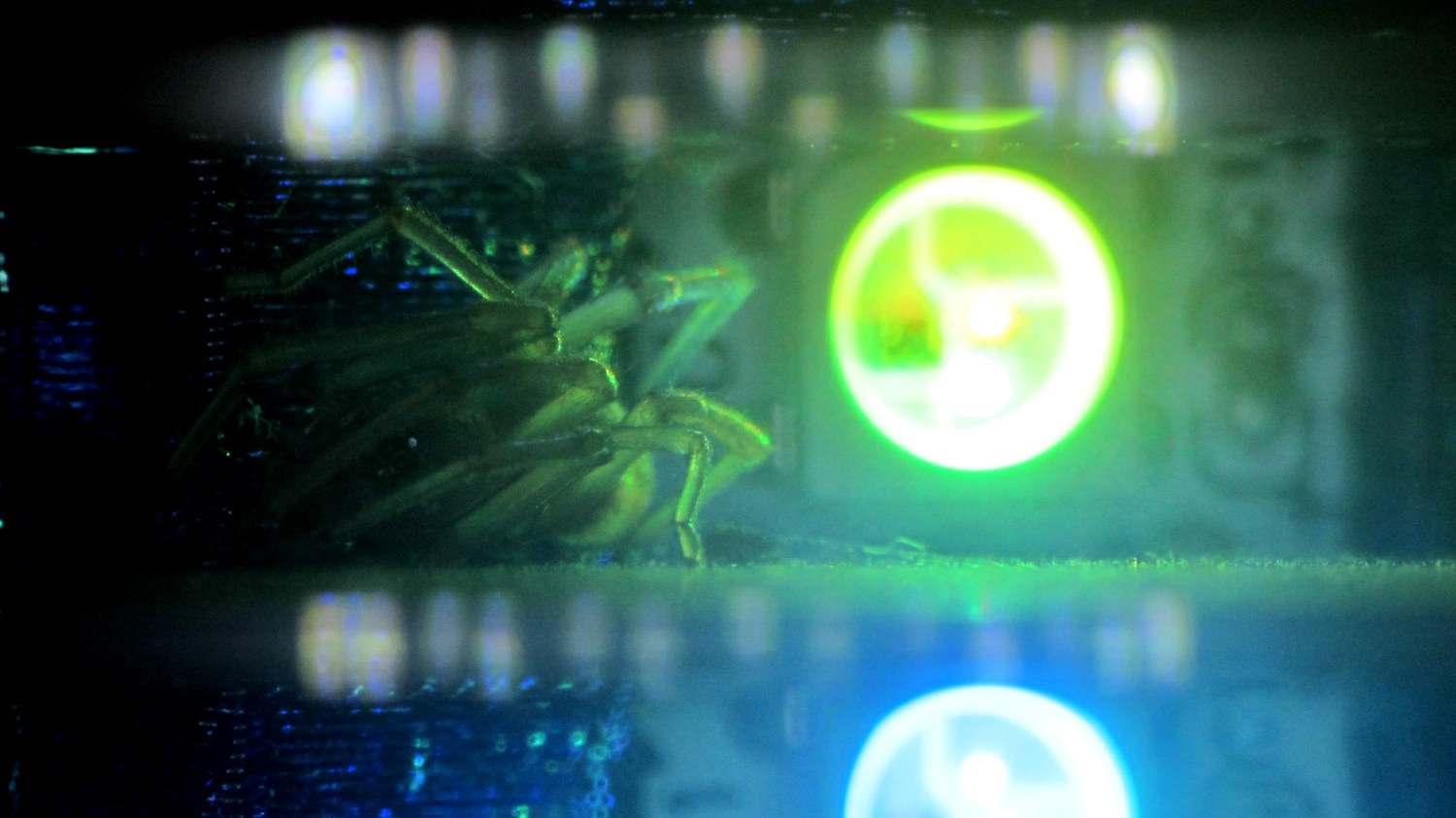
    Hard Drive Mood Light - failed LED with spider - green
    Hard Drive Mood Light – failed LED with spider – green

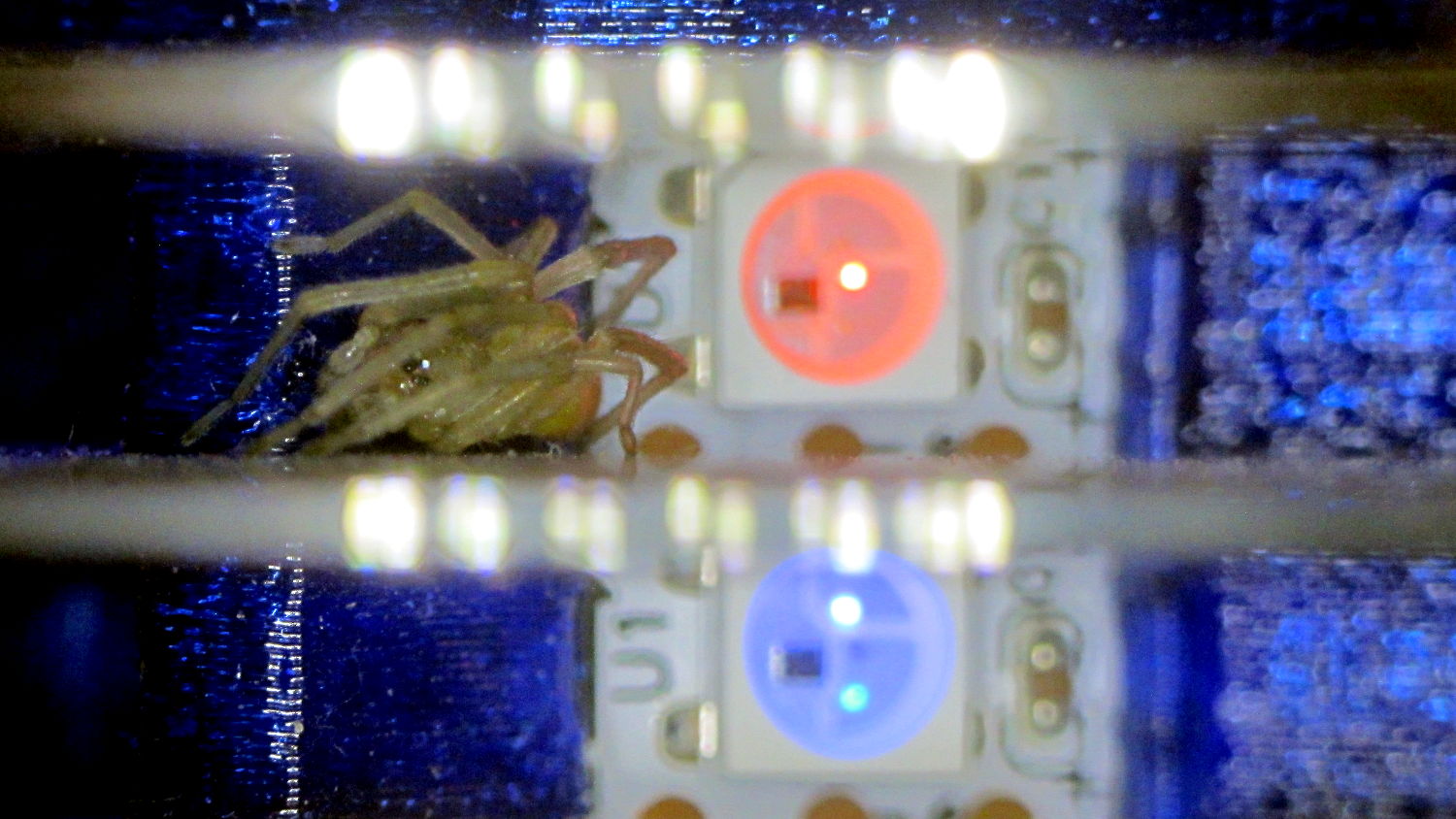
    Spiders seem no less bizarre in white light:

    Hard Drive Mood Light - failed LED with spider - white
    Hard Drive Mood Light – failed LED with spider – white

    A day later, she’d built a small web, presumably to improve the odds of catching something yummy. Who am I to disagree?

    I should set up a test fixture for all the knockoff Neopixels and run some numbers. They’re definitely a disappointment, even to a bottom feeder such as I …