The Smell of Molten Projects in the Morning

Ed Nisley's Blog: Shop notes, electronics, firmware, machinery, 3D printing, laser cuttery, and curiosities. Contents: 100% human thinking, 0% AI slop.

Tag: Arduino

All things Arduino

  • 3D Printer Design Conversation: Part 1

    I recently engaged in a wide-ranging email exchange with a guy planning to scratch-build a large-format 3D printer. He figured it would be a straightforward exercise and asked for some advice; I may be more cynical that he expected.

    Over the next few days, I’ll dump my side of the conversation so I can refer to it in other contexts. I’ve left his side of the conversation as the short quotes that prompted my replies, but you can probably infer what he was thinking.

    He’s well-acquainted with CNC machining and recently added a Makergear M2 to his collection …

    I’m hooked.

    All of sudden, you realize what you’ve been missing!

    In round numbers, I’ve been designing & printing one “thing” every week for the last five years. Granted, my “things” look a lot like brackets, because they go into other shop projects, but 3D printing is how I make nearly all the shapes I formerly bashed from metal.

    I loves me my 3D printer!

    an open source design with AFFORDABLE, EASILY ACCESSIBLE parts with a build platform of at least 150% X/Y volume of the MakerGear

    Some years ago, I had the same general idea. Then I bought an M2 (replacing my Thing-O-Matic), considered LinuxCNC / Machinekit for motion control, and realized there wasn’t much point; I didn’t want to devote far too much time & effort to solving an already solved problem.

    A larger build volume doesn’t buy you as much as you think, while imposing far too many hard constraints. Basically, good-resolution extruders run at 2 to 10 mm³/s, so large objects require print times beyond the 12-hour MTTF of the “printing system”: something will go wrong often enough to drive you mad.

    Bonus: plastic’s thermal coefficient guarantees bed adhesion problems. Using high-traction materials (PEI / hairspray / whatever) introduces problems in the other direction. There’s a limit to how big you can make things before they either don’t stick or stick too hard.

    Some the fundamental design problems that nobody recognizes until far too late in their design:

    • nozzle-to-platform accuracy < ±0.05 mm
    • XY axis speeds 30 mm/s to 500 mm/s
    • Z axis stiction & backlash < 0.1 mm
    • filament drive with excellent retraction control / speed
    • bed adhesion vs. part removal vs. Z accuracy
    • Arduino-class firmware (Marlin, et. al.) is a dead end
    • Windows is crap in any part of a machine-control problem

    Those are hard requirements. At a minimum, your design must satisfy all of them: miss any one and you’re not in the game. It’s easy to build a cheap and crappy fused-filament 3D printer (see Kickstarter), but exceedingly difficult to build one at the state of the art (see patent litigation).

    The M2 descends from the original RepRap design, with the Y axis slinging far too much mass back & forth. That kills nozzle-to-platform accuracy, introduces temperature instability, and soaks up bench space. On the other paw, look at the problems Makerbot (not Makergear) had with their direct-drive extruder on an XY platform; getting that right requires nontrivial engineering

    Bowden filament drives have improved, but really can’t provide enough retraction control / speed. Delta printers always use Bowden drives, because they can’t sling a direct-drive extruder with enough XYZ speed & accuracy. Bowden on an XY platform has the worst of both worlds: bad retraction and difficult mechanical design.

    I think the M2 occupies a sweet spot in 3D printer design: excellent results without excessive complexity or expense. It’s not perfect, but good enough.

    But, then, I’m a known curmudgeon …

    (Continues tomorrow)
  • Cheap WS2812 LEDs: Test Fixture Failure 2

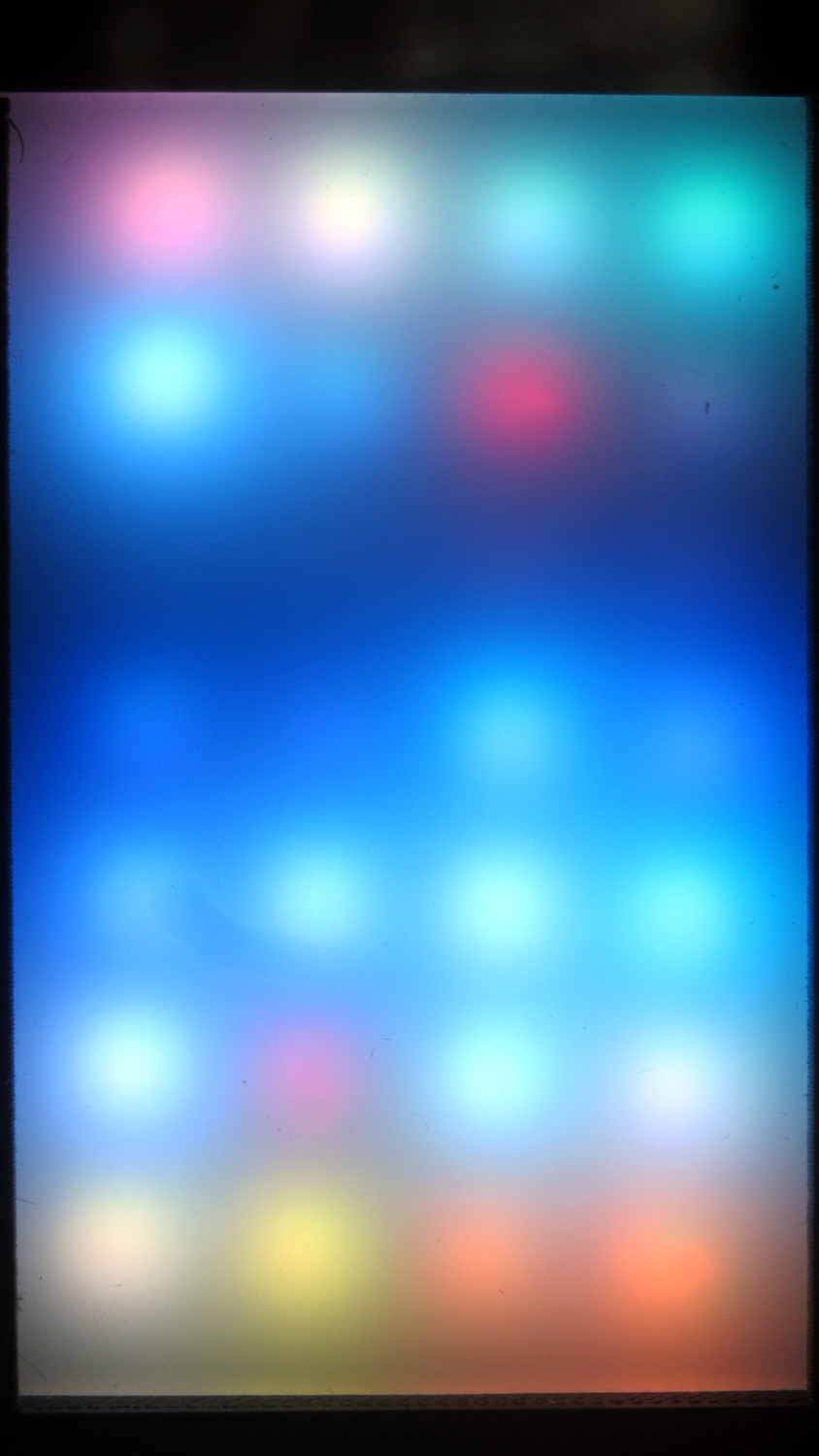
    A second WS2812 RGB LED in the test fixture failed:

    WS2812 LED - test fixture failure 2
    WS2812 LED – test fixture failure 2

    The red pixel in the second row from the top sends pinball panic to the six downstream LEDs (left and upward). Of course, it’s not consistently bad and sometimes behaves perfectly. The dark row below it contains perfectly good LEDs: they’re in a dark-blue part of the cycle.

    The first WS2812 failed after about a week. This one lasted 7 weeks = 50-ish days.

    The encapsulation seal went bad on this one and, for whatever it’s worth, the remainder still pass the Sharpie test. Perhaps the LEDs fail only after heat (or time-at-temperature) breaks the seal. Assuming, equally of course, the seal left the factory in good order, which seems a completely unwarranted assumption.

  • DDS Musings: AD9850 and AD9851

    The general idea is to build a specialized sine-wave source as part of a test fixture to measure quartz crystal / tuning fork resonators in the 10 kHz to 100 kHz band. AD9850 / AD9851 DDS modules are cheap & readily available, albeit with crappy two-layer PCB layouts and no attention to signal integrity:

    AD8950 DDS module
    AD8950 DDS module

    Documentation seems scanty, at best. The Elecfreaks page may be as good as it gets, with a summary:

    Serial mode just need connect GND,D7 WCLK, FQUP, REST, VCC, I-R

    More doodling will be required.

    Because the AD9850 has an upper clock limit of 125 MHz, of course those boards sport a 125 MHz oscillator-in-a-can. The AD9851 has a 180 MHz limit and an internal 6× multiplier, so it gets a more reasonable 30 MHz oscillator and can run at either 30 MHz or 180 MHz.

    The included 70 MHz (?) reconstruction filter won’t do much to improve a 60 kHz signal. A much much lower outboard lowpass filter will be in order.

    As far as the AD9850 goes, the output frequency comes from a 32 bit value determining the phase increment:

    f = Δφ · osc / 232

    Where

    • f = output frequency
    • Δφ = phase increment
    • osc = oscillator frequency (30, 125, or 180 MHz)
    • 232 = DDS phase counter width

    The smallest frequency difference between successive phase increments is thus osc/232, which is 0.029 103 83 Hz at 125 MHz. Obviously, you can’t get nice round frequencies like 60.000 kHz, except by accident, but you can get close.

    Alas, the resolution conflicts with tuning fork characterization, where you (well, I) want to step the frequency in nice round 0.1 Hz units across a 2 Hz range around 60.000 kHz. Because the crystal characterization requires closely spaced frequencies, where the difference between the test frequencies matters, you shouldn’t work from the nicely rounded frequencies on a display.

    For example, successive values of Δφ produce these frequencies near 60 kHz:

    • 2 061 580 → 59.999 874 793
    • 2 061 581 → 59.999 903 897
    • 2 061 582 → 59.999 933 006
    • 2 061 583 → 59.999 962 104
    • 2 061 584 → 59.999 991 208
    • 2 061 585 → 60.000 020 312
    • 2 061 586 → 60.000 049 416
    • 2 061 587 → 60.000 078 520

    In an ideal world, you could pick an oscillator frequency to produce nice increments. For, oh, say, 0.025 Hz increments, all you need is osc = 0.025 × 232 = 107.374 182 MHz. Riiiight.

    The computations require more numeric resolution than built-in Arduino data types and math operations can provide. Floating point numbers have 6-ish significant digits (double is the same as float), which cannot represent the Δφ values or frequencies. Unsigned integers top out at 32 bits (unsigned long long int is not a thing), enough for 9 significant digits that can hold the Δφ values, but integer multiplication and division do not produce 64 bit results and overflow / underflow without warning.

    Other than that, an Arduino would be just about ideal: the generator needs a small display, a knob, and a few buttons.

    Perhaps storing precomputed Δφ values for specific frequencies in a table, then computing nearby frequencies as offsets from that value would suffice. This will require doodling some absurd significant figures.

  • Crystal Parameter Measurement Musings

    In order to probe a crystal’s response with decent resolution, I need a gadget to step a decent-quality sine wave by 0.01 Hz across the 10-to-100 kHz range and a logarithmic front end with a decent dynamic range. That’s prompted by looking at crystal responses through the SA’s 30 Hz resolution bandwidth:

    Quartz Resonator 32.765 kHz - 34.6 pF
    Quartz Resonator 32.765 kHz – 34.6 pF

    Mashing a cheap AD9850/AD9851 DDS board against an Arduino Pro Mini, adding a knob, and topping with a small display might be useful. A Raspberry Pi could dump the response data directly into a file via WiFi, which may be more complication that seems warranted.

    The DDS boards come with absurdly high-speed clock generators of dubious stability; a slower clock might be better. A local 10 MHz oscillator, calibrated against the 10 MHz output of the HP 3801 GPS stabilized receiver would be useful. If the local oscillator is stable enough, a calibration adjustment might suffice: dial for 10 MHz out, then zero-beat with the GPS reference, so that the indicated frequency would be dead on to a fraction of 1 Hz.

    The HP 8591 spectrum analyzer has a better-quality RF front end than I can possibly build (or imagine!), but, at these low frequencies, a simple RF peak detector and log amp based on the ADL5303 or ADL5306 should get close enough. One can get AD8302 / AD8310 chips on boards from the usual low-budget suppliers; a fully connectorized AD8310 board may be a good starting point, as it’s not much more than the single-connector version.

    With frequencies from 10 kHz to 100 kHz coming from a local oscillator, one might argue for a synchronous detector, formerly known as a lock-in amplifier. A Tayloe Detector might be a quick-and-dirty way to sweep a tracking-filter-and-detector over the frequency range. Because it’s a tracking generator, the filter bandwidth need not be very tight.

    At some point, of course, you just digitize the incoming signal and apply DSP, but the whole point of this is to poke around in the analog domain. This must not turn into an elaborate software project, too.


  • Vacuum Tube Lights: Duodecar Rebuild

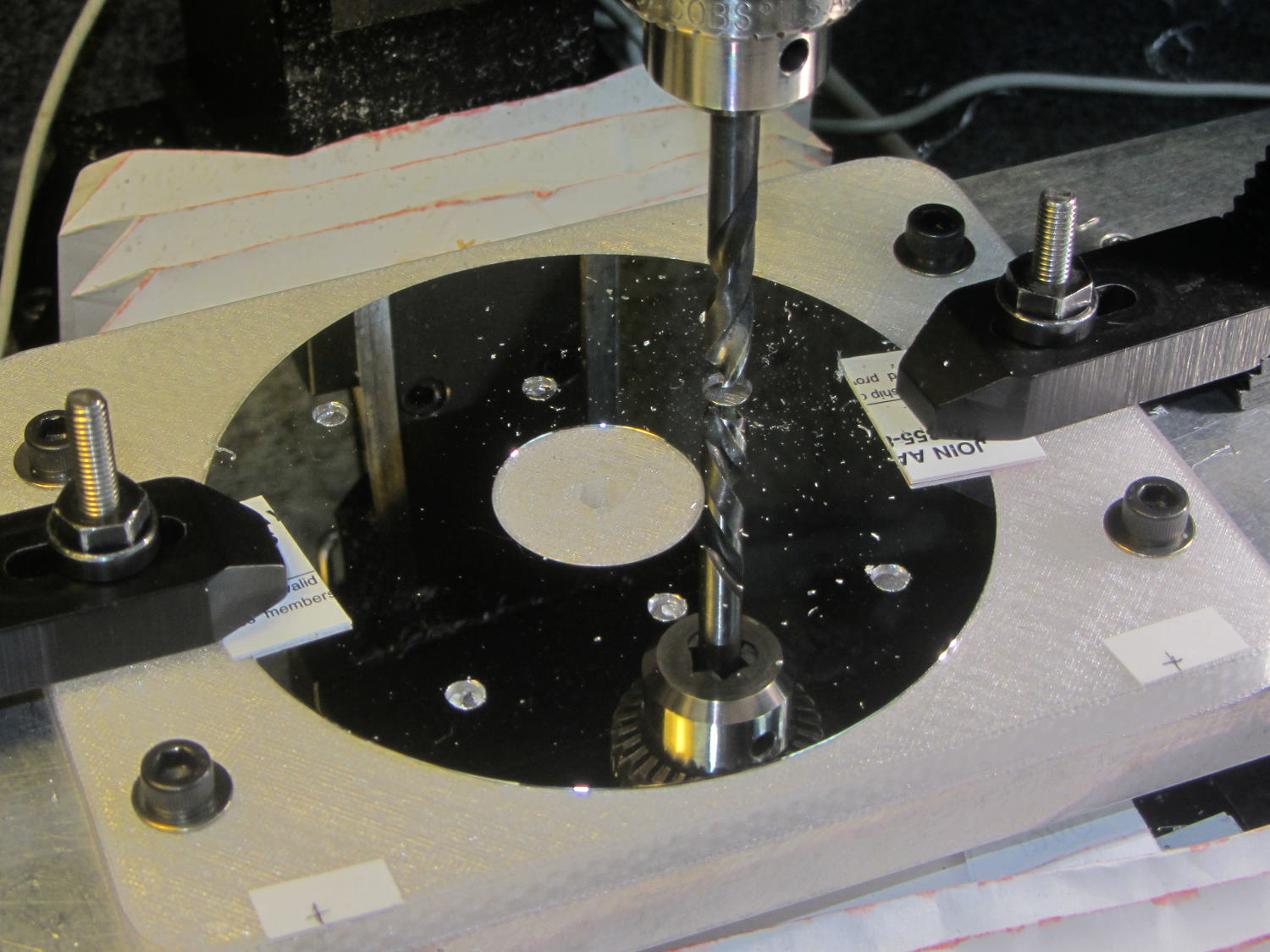
    You’ll recall the LED atop the 21HB5A tube failed, shortly after replacing the bottom LED and rewiring the ersatz plate lead, which led me to rebuild the whole thing with SK6812 RGBW LEDs. So I printed all the plastic parts again, because the duodecar tube socket’s pin circle can fit into a hard drive platter’s unmodified 25 mm hole, then drilled another platter to suit:

    Duodecar disk drilling
    Duodecar disk drilling

    The hole under the drill fits the 3.5 mm stereo socket for the ersatz plate lead, so it’s bigger than before.

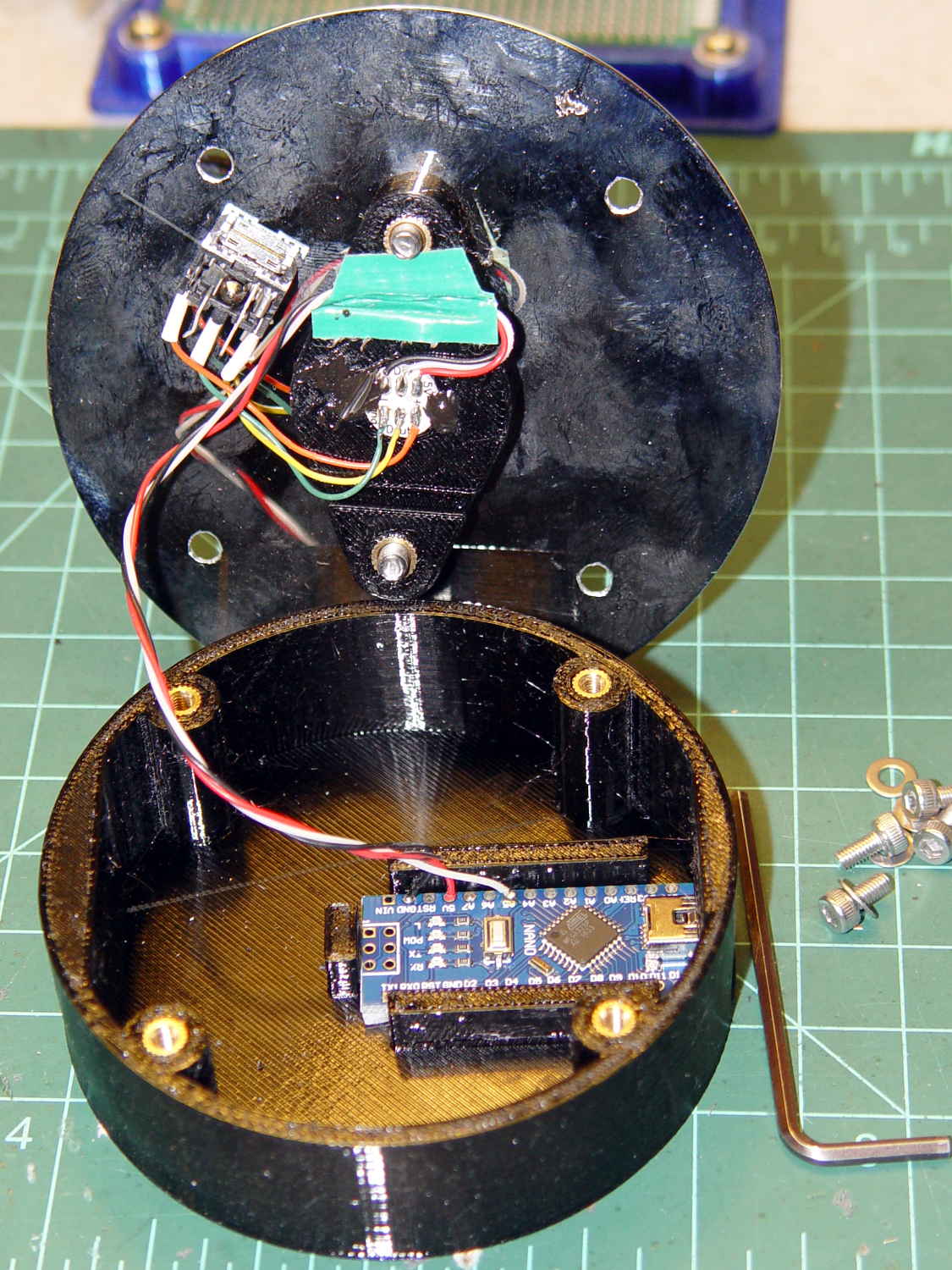
    I’ve switched from Arduino Pro Minis with a separate USB converter to Arduino Nanos with an on-board CH340 USB chip, because the fake FTDI chips on the converters are a continuing aggravation:

    21HB5A base - interior
    21HB5A base – interior

    Adding those wire slots to the sockets definitely helps tidy things up; the wires no longer need a crude cable tie anchoring them to the socket mounting screws.

    I wanted to drive the LEDs from the A7 pin, rather than the A3 pin I’d been using on the Pro Minis, to keep the wires closer together, but it turns out that A6 and A7 can’t become digital output pins. So I used A5, although I may come to regret the backward incompatibility.

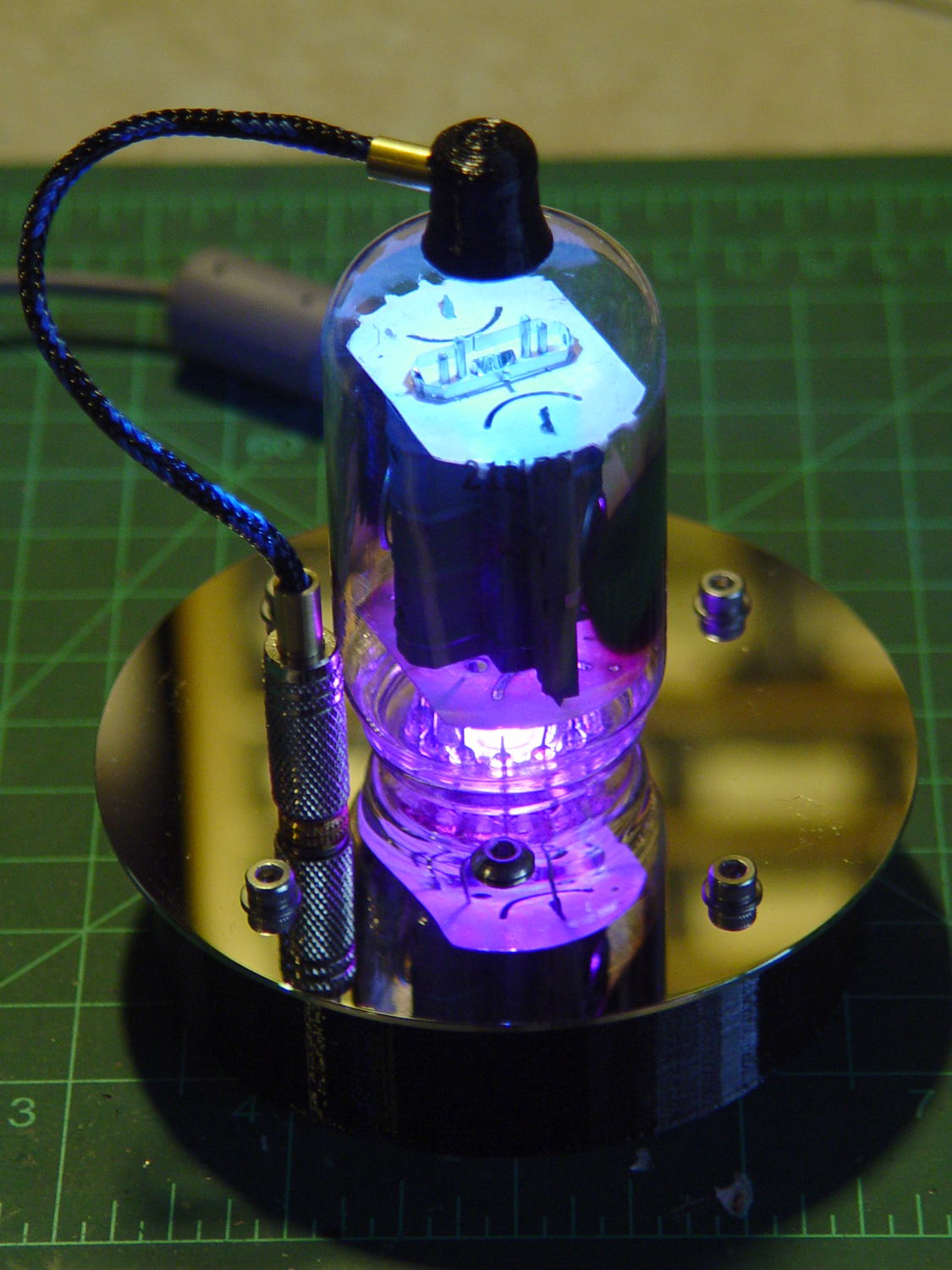
    In any event, the 21HB5A tube looks spiffy with its new LEDs in full effect:

    21HB5A with RBGBW LEDs - cyan violet phase
    21HB5A with RBGBW LEDs – cyan violet phase

    I dialed the white LED PWM down to 32, making the colors somewhat pastel, rather than washed-out.

    The Arduino source code as a GitHub Gist:

    // Neopixel mood lighting for vacuum tubes
    // Ed Nisley – KE4ANU – June 2016
    // September 2016 – Add Morse library and blinkiness
    // October 2016 – Set random colors at cycle end
    // March 2017 – RGBW SK6812 LEDs
    #include <Adafruit_NeoPixel.h>
    #include <morse.h>
    #include <Entropy.h>
    //———-
    // Pin assignments
    const byte PIN_NEO = A5; // DO – data out to first Neopixel
    const byte PIN_HEARTBEAT = 13; // DO – Arduino LED
    #define PIN_MORSE 12
    //———-
    // Constants
    // number of pixels
    #define PIXELS 2
    // index of the Morse output pixel and how fast it sends
    boolean Send_Morse = false;
    #define PIXEL_MORSE (PIXELS – 1)
    #define MORSE_WPM 10
    // lag between adjacent pixel, degrees of slowest period
    #define PIXELPHASE 45
    // update LEDs only this many ms apart (minus loop() overhead)
    #define UPDATEINTERVAL 50ul
    #define UPDATEMS (UPDATEINTERVAL – 1ul)
    // number of steps per cycle, before applying prime factors
    #define RESOLUTION 500
    //———-
    // Globals
    // instantiate the Neopixel buffer array
    Adafruit_NeoPixel strip = Adafruit_NeoPixel(PIXELS, PIN_NEO, NEO_GRBW + NEO_KHZ800);
    uint32_t FullWhite = strip.Color(255,255,255,255);
    uint32_t FullOff = strip.Color(0,0,0,0);
    uint32_t MorseColor;
    struct pixcolor_t {
    unsigned int Prime;
    unsigned int NumSteps;
    unsigned int Step;
    float StepSize;
    float Phase;
    byte MaxPWM;
    };
    unsigned int PlatterSteps;
    byte PrimeList[] = {3,5,7,13,19,29};
    // colors in each LED
    enum pixcolors {RED, GREEN, BLUE, WHITE, PIXELSIZE};
    struct pixcolor_t Pixels[PIXELSIZE]; // all the data for each pixel color intensity
    uint32_t UniColor;
    unsigned long MillisNow;
    unsigned long MillisThen;
    // Morse code
    char * MorseText = " cq cq cq de ke4znu";
    LEDMorseSender Morse(PIN_MORSE, (float)MORSE_WPM);
    uint8_t PrevMorse, ThisMorse;
    //– Figure PWM based on current state
    byte StepColor(byte Color, float Phi) {
    byte Value;
    Value = (Pixels[Color].MaxPWM / 2.0) * (1.0 + sin(Pixels[Color].Step * Pixels[Color].StepSize + Phi));
    // Value = (Value) ? Value : Pixels[Color].MaxPWM; // flash at dimmest points for debug
    return Value;
    }
    //– Select three unique primes for the color generator function
    // Then compute all the step parameters based on those values
    void SetColorGenerators(void) {
    Pixels[RED].Prime = PrimeList[random(sizeof(PrimeList))];
    do {
    Pixels[GREEN].Prime = PrimeList[random(sizeof(PrimeList))];
    } while (Pixels[RED].Prime == Pixels[GREEN].Prime);
    do {
    Pixels[BLUE].Prime = PrimeList[random(sizeof(PrimeList))];
    } while (Pixels[BLUE].Prime == Pixels[RED].Prime ||
    Pixels[BLUE].Prime == Pixels[GREEN].Prime);
    do {
    Pixels[WHITE].Prime = PrimeList[random(sizeof(PrimeList))];
    } while (Pixels[WHITE].Prime == Pixels[RED].Prime ||
    Pixels[WHITE].Prime == Pixels[GREEN].Prime ||
    Pixels[WHITE].Prime == Pixels[BLUE].Prime);
    printf("Primes: %d %d %d %d\r\n",Pixels[RED].Prime,Pixels[GREEN].Prime,Pixels[BLUE].Prime,Pixels[WHITE].Prime);
    Pixels[RED].MaxPWM = 255;
    Pixels[GREEN].MaxPWM = 255;
    Pixels[BLUE].MaxPWM = 255;
    Pixels[WHITE].MaxPWM = 32;
    unsigned int PhaseSteps = (unsigned int) ((PIXELPHASE / 360.0) *
    RESOLUTION * (unsigned int) max(max(max(Pixels[RED].Prime,Pixels[GREEN].Prime),Pixels[BLUE].Prime),Pixels[WHITE].Prime));
    printf("Pixel phase offset: %d deg = %d steps\r\n",(int)PIXELPHASE,PhaseSteps);
    for (byte c=0; c < PIXELSIZE; c++) {
    Pixels[c].NumSteps = RESOLUTION * Pixels[c].Prime; // steps per cycle
    Pixels[c].StepSize = TWO_PI / Pixels[c].NumSteps; // radians per step
    Pixels[c].Step = random(Pixels[c].NumSteps); // current step
    Pixels[c].Phase = PhaseSteps * Pixels[c].StepSize;; // phase in radians for this color
    printf(" c: %d Steps: %d Init: %d Phase: %d deg",c,Pixels[c].NumSteps,Pixels[c].Step,(int)(Pixels[c].Phase * 360.0 / TWO_PI));
    printf(" PWM: %d\r\n",Pixels[c].MaxPWM);
    }
    }
    //– Helper routine for printf()
    int s_putc(char c, FILE *t) {
    Serial.write(c);
    }
    //——————
    // Set the mood
    void setup() {
    pinMode(PIN_HEARTBEAT,OUTPUT);
    digitalWrite(PIN_HEARTBEAT,LOW); // show we arrived
    Serial.begin(57600);
    fdevopen(&s_putc,0); // set up serial output for printf()
    printf("Vacuum Tube Mood Light – RGBW\r\nEd Nisley – KE4ZNU – March 2017\r\n");
    Entropy.initialize(); // start up entropy collector
    // set up pixels
    strip.begin();
    strip.show();
    // lamp test: a brilliant white flash
    printf("Lamp test: flash white\r\n");
    for (byte i=0; i<5 ; i++) {
    for (int j=0; j < strip.numPixels(); j++) { // fill LEDs with white
    strip.setPixelColor(j,FullWhite);
    }
    strip.show();
    delay(500);
    for (int j=0; j < strip.numPixels(); j++) { // fill LEDs with black
    strip.setPixelColor(j,FullOff);
    }
    strip.show();
    delay(500);
    }
    // get an actual random number
    uint32_t rn = Entropy.random();
    printf("Random seed: %08lx\r\n",rn);
    randomSeed(rn);
    // set up the color generators
    SetColorGenerators();
    // set up Morse generator
    Morse.setup();
    Morse.setMessage(String(MorseText));
    MorseColor = strip.Color(255,random(32,64),random(16),0);
    PrevMorse = ThisMorse = digitalRead(PIN_MORSE);
    printf("Morse enabled: %d at %d wpm color: %08lx\n [%s]\r\n",Send_Morse,MORSE_WPM,MorseColor,MorseText);
    MillisNow = MillisThen = millis();
    }
    //——————
    // Run the mood
    void loop() {
    if (!Morse.continueSending()) {
    printf("Restarting Morse message\r\n");
    Morse.startSending();
    }
    ThisMorse = digitalRead(PIN_MORSE);
    MillisNow = millis();
    if (((MillisNow – MillisThen) >= UPDATEMS) || // time for color change?
    (PrevMorse != ThisMorse)) { // Morse output bit changed?
    digitalWrite(PIN_HEARTBEAT,HIGH);
    if (Send_Morse && ThisMorse) { // if Morse output high, overlay flash
    strip.setPixelColor(PIXEL_MORSE,MorseColor);
    }
    PrevMorse = ThisMorse;
    strip.show(); // send out precomputed colors
    boolean CycleRun = false; // check to see if all cycles have ended
    for (byte c=0; c < PIXELSIZE; c++) { // compute next increment for each color
    if (++Pixels[c].Step >= Pixels[c].NumSteps) {
    Pixels[c].Step = 0;
    printf("Cycle %d steps %d at %8ld delta %ld ms\r\n",c,Pixels[c].NumSteps,MillisNow,(MillisNow – MillisThen));
    }
    else {
    CycleRun = true; // this color is still cycling
    }
    }
    // If all cycles have completed, reset the color generators
    if (!CycleRun) {
    printf("All cycles ended: setting new color generator values\r\n");
    SetColorGenerators();
    }
    for (int i=0; i < strip.numPixels(); i++) { // for each pixel
    byte Value[PIXELSIZE];
    for (byte c=0; c < PIXELSIZE; c++) { // … for each color
    Value[c] = (Pixels[c].MaxPWM / 2.0) * (1.0 + sin(Pixels[c].Step * Pixels[c].StepSize – i*Pixels[c].Phase));
    }
    UniColor = strip.Color(Value[RED],Value[GREEN],Value[BLUE],Value[WHITE]);
    strip.setPixelColor(i,UniColor);
    }
    MillisThen = MillisNow;
    digitalWrite(PIN_HEARTBEAT,LOW);
    }
    }
    view raw TubeMorse.ino hosted with ❤ by GitHub
  • Cheap WS2812 LEDs: Failure Waveforms

    The failed WS2812 pixel remains defunct:

    WS2812 array - failure 1
    WS2812 array – failure 1

    Attach scope probes to its data input and output pins (with the fixture face-down on the bench):

    WS2812 LED - fixture probing
    WS2812 LED – fixture probing

    The output no longer comes from the Land of Digital Signals:

    WS2812 Array Fail 1 - in vs out
    WS2812 Array Fail 1 – in vs out

    I immediately thought the broken bits occupied the first 24 bit times, when the WS2812 controller should be absorbing those bits from the incoming stream. The vertical cursors show the failed bits occupy 54 µs = 40-ish bit times at 800 kHz (or you can count them), so it’s worse than a simple logic failure.

    A closer look:

    WS2812 Array Fail 1 - in vs out - detail
    WS2812 Array Fail 1 – in vs out – detail

    At least for those bits, neither output transistor works well at all. On the other paw, the output shouldn’t even be enabled for the first 24 bits, so there’s that to consider.

    Lo and behold, it also fails the Josh Sharpie Test:

    WS2812 LED - test array failure 1 - ink test
    WS2812 LED – test array failure 1 – ink test

    You may recall it passed the leak test shortly before I assembled the test array a month ago. Evidently, just few days of operation suffices to wreck the seal, let air / moisture into the package, and kill the controller. Not a problem you’d find during a production-line test (assuming there is such a thing), but it should certain appear during the initial design & production qualification test phase (another assumption).

    Weirdly, a day after taking that photo, the controller began working perfectly again and the LEDs look just like they should: there is no explaining that!


  • SK2812 RGBW LED: Test Fixture

    [Edit: The SK2812 in the title and elsewhere should be SK6812. If I change the title, then all the other links break. So it goes.]

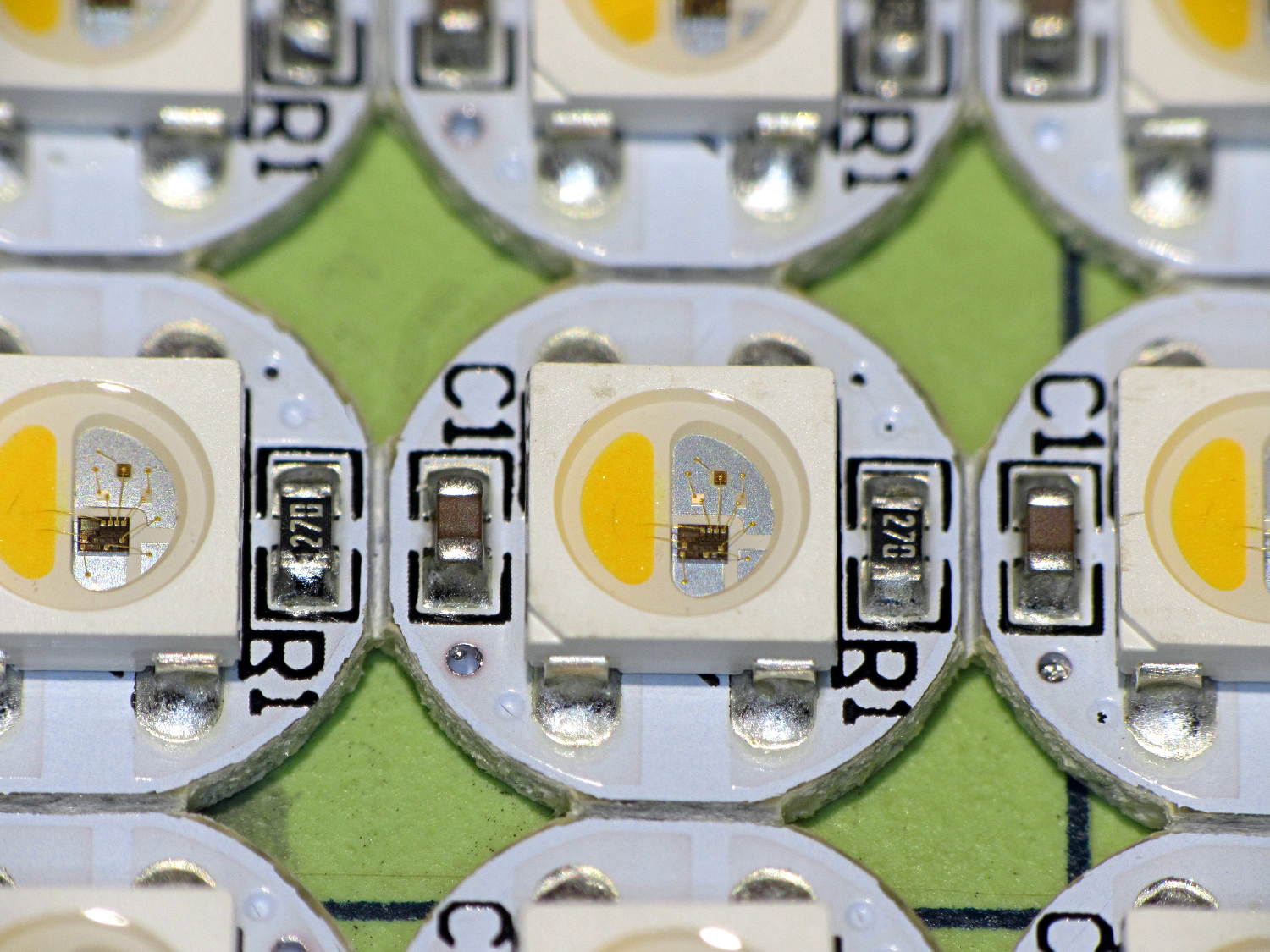
    An envelope of RGBW LEDs, allegedly with SK6812 controllers, arrived from halfway around the planet:

    SK2812RGBW LEDs - as received
    SK2812RGBW LEDs – as received

    The yellow phosphor sauce poured atop the blue LED on the left that makes it glow white leaves the upper loop of two wire bonds sticking out, but I can’t fault ’em for that. The overall build quality looks better than the ill-fated WS2812 LEDs, although it’s hard to tell by looking.

    I conjured a test stand from the vasty digital deep by tweaking the WS2812 mount:

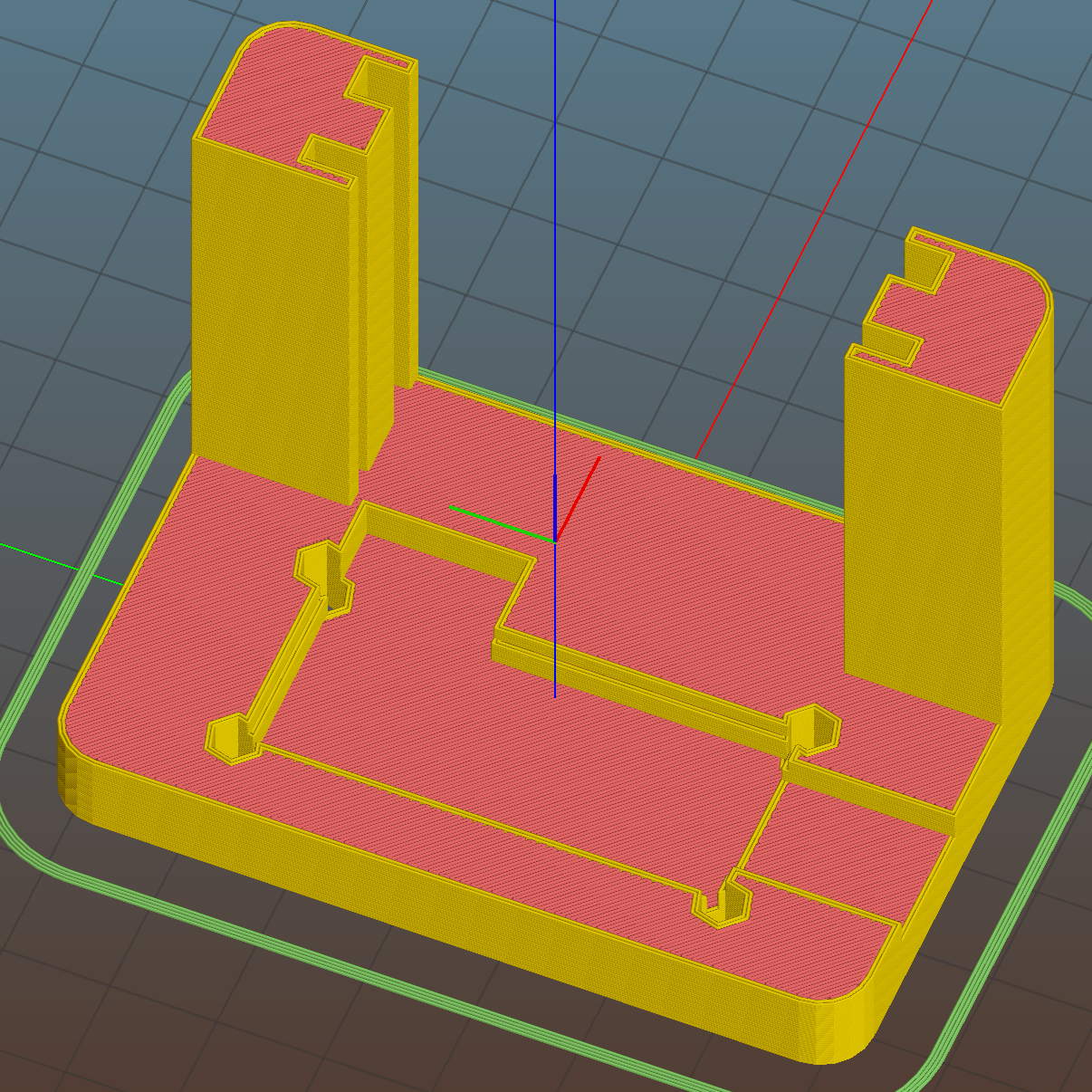
    SK6812 LED Array Test Fixture - Slic3r preview
    SK6812 LED Array Test Fixture – Slic3r preview

    Wiring up a 5×5 panel went as before:

    SK2812RGBW test fixture - rear
    SK2812RGBW test fixture – rear

    The array test code adds another pixel channel and runs another raised sine wave with another random period, accomplished without much hackage.

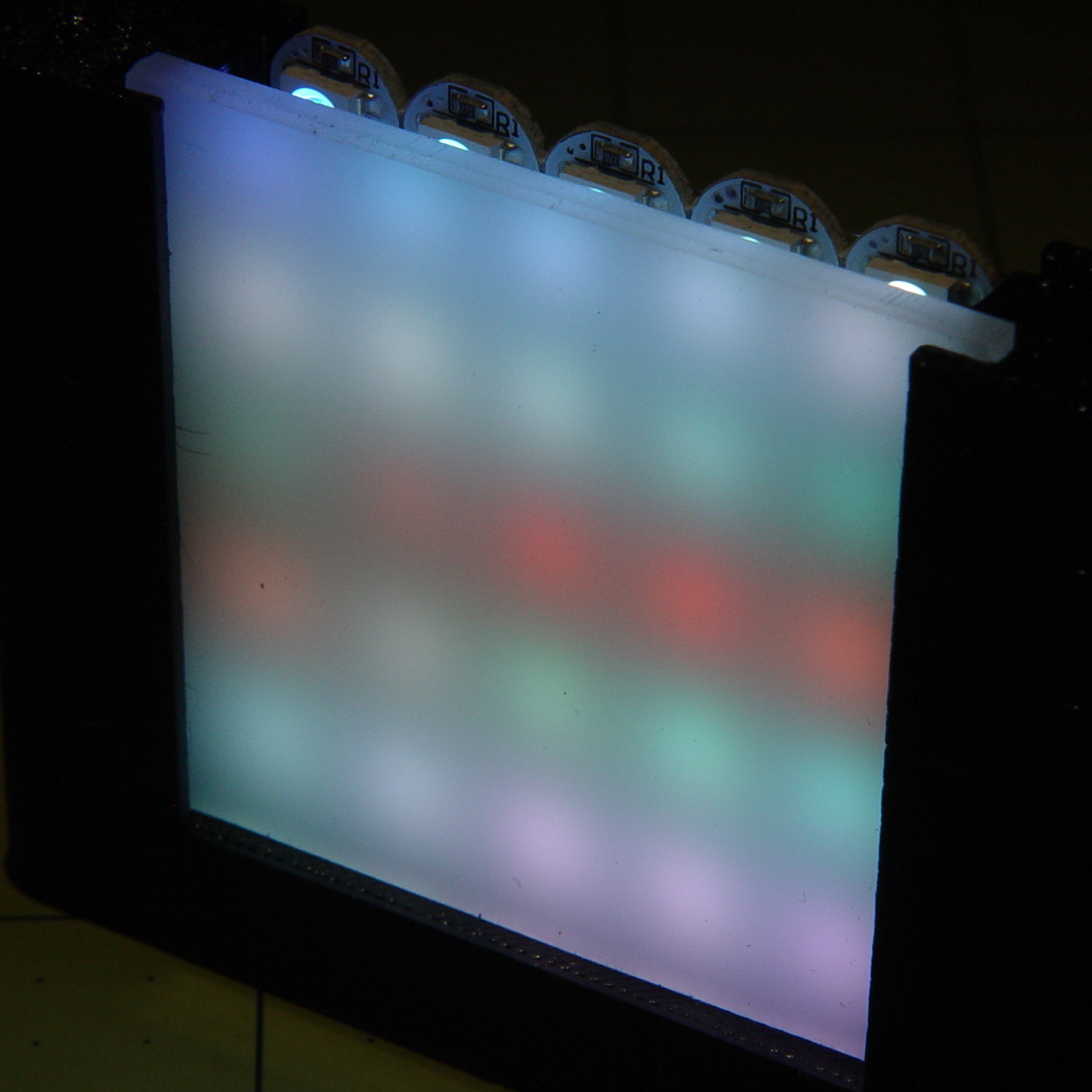
    With the warm-white LED at full throttle (MaxPWM = 255), the panel tends toward the pallid end of HSV space:

    SK2812RGBW test fixture - front - W PWM255
    SK2812RGBW test fixture – front – W PWM255

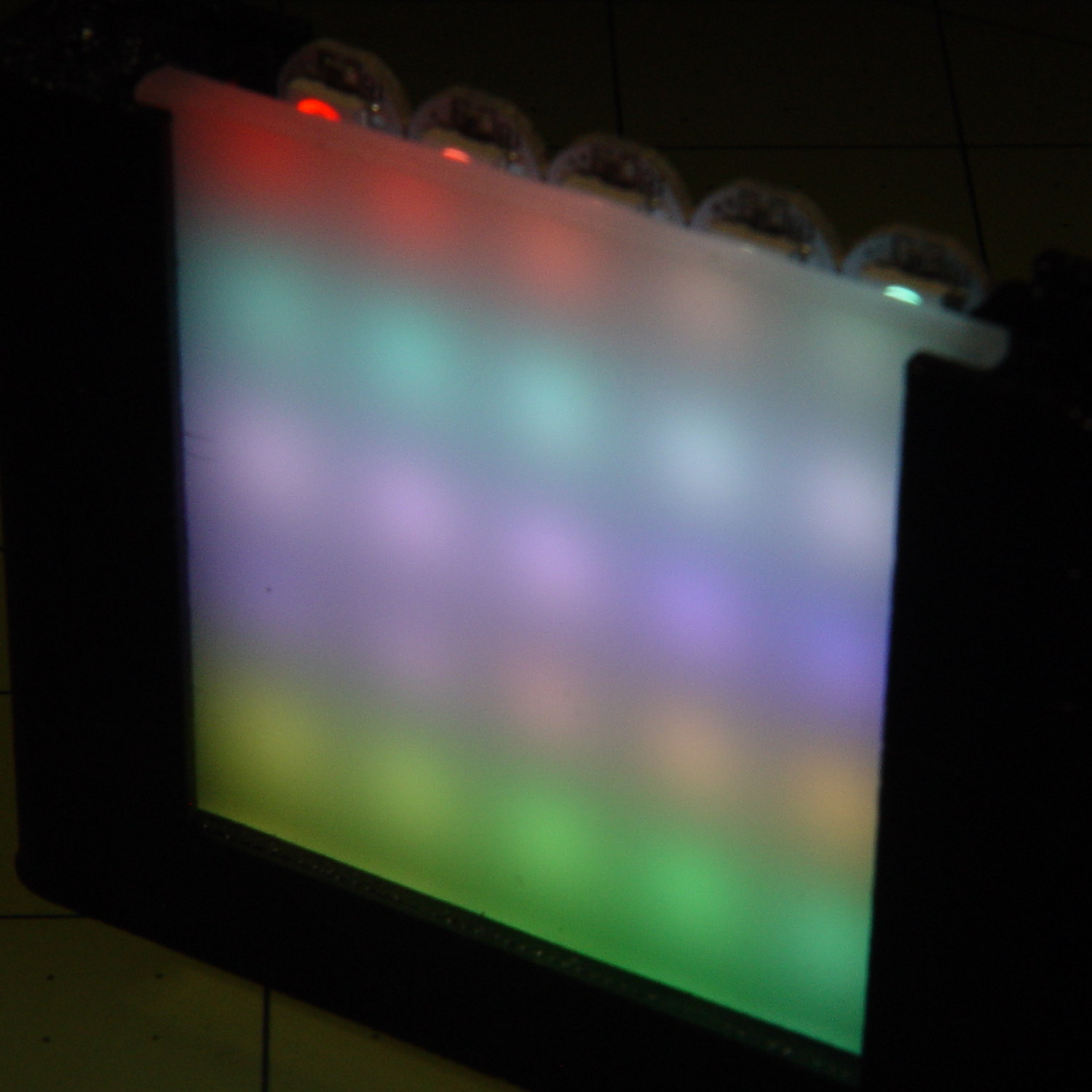
    Dialing the white MaxPWM back to 32 crisps things a bit:

    SK2812RGBW test fixture - front - W PWM32
    SK2812RGBW test fixture – front – W PWM32

    Of course, the RGBW data stream isn’t compatible with the RGB data stream, so vacuum tubes with SK6812 chips require a slightly different driver and I can’t mix the two chips on a single tube.

    The Arduino source code as a GitHub Gist:

    // SK6812 RGBW LED array exerciser
    // Ed Nisley – KE4ANU – February 2017
    #include <Adafruit_NeoPixel.h>
    //———-
    // Pin assignments
    const byte PIN_NEO = A3; // DO – data out to first Neopixel
    const byte PIN_HEARTBEAT = 13; // DO – Arduino LED
    //———-
    // Constants
    #define UPDATEINTERVAL 20ul
    const unsigned long UpdateMS = UPDATEINTERVAL – 1ul; // update LEDs only this many ms apart minus loop() overhead
    // number of steps per cycle, before applying prime factors
    #define RESOLUTION 100
    // phase difference between LEDs for slowest color
    #define BASEPHASE (PI/16.0)
    // LEDs in each row
    #define NUMCOLS 5
    // number of rows
    #define NUMROWS 5
    #define NUMPIXELS (NUMCOLS * NUMROWS)
    #define PINDEX(row,col) (row*NUMCOLS + col)
    //———-
    // Globals
    // instantiate the Neopixel buffer array
    Adafruit_NeoPixel strip = Adafruit_NeoPixel(NUMPIXELS, PIN_NEO, NEO_GRBW + NEO_KHZ800);
    uint32_t FullWhite = strip.Color(255,255,255,255);
    uint32_t FullOff = strip.Color(0,0,0,0);
    struct pixcolor_t {
    byte Prime;
    unsigned int NumSteps;
    unsigned int Step;
    float StepSize;
    float TubePhase;
    byte MaxPWM;
    };
    // colors in each LED
    enum pixcolors {RED, GREEN, BLUE, WHITE, PIXELSIZE};
    struct pixcolor_t Pixels[PIXELSIZE]; // all the data for each pixel color intensity
    unsigned long MillisNow;
    unsigned long MillisThen;
    //– Figure PWM based on current state
    byte StepColor(byte Color, float Phi) {
    byte Value;
    Value = (Pixels[Color].MaxPWM / 2.0) * (1.0 + sin(Pixels[Color].Step * Pixels[Color].StepSize + Phi));
    // Value = (Value) ? Value : Pixels[Color].MaxPWM; // flash at dimmest points
    // printf("C: %d Phi: %d Value: %d\r\n",Color,(int)(Phi*180.0/PI),Value);
    return Value;
    }
    //– Helper routine for printf()
    int s_putc(char c, FILE *t) {
    Serial.write(c);
    }
    //——————
    // Set the mood
    void setup() {
    pinMode(PIN_HEARTBEAT,OUTPUT);
    digitalWrite(PIN_HEARTBEAT,LOW); // show we arrived
    Serial.begin(57600);
    fdevopen(&s_putc,0); // set up serial output for printf()
    printf("WS2812 / SK6812 array exerciser\r\nEd Nisley – KE4ZNU – February 2017\r\n");
    /// set up Neopixels
    strip.begin();
    strip.show();
    // lamp test: run a brilliant white dot along the length of the strip
    printf("Lamp test: walking white\r\n");
    strip.setPixelColor(0,FullWhite);
    strip.show();
    delay(250);
    for (int i=1; i<NUMPIXELS; i++) {
    digitalWrite(PIN_HEARTBEAT,HIGH);
    strip.setPixelColor(i-1,FullOff);
    strip.setPixelColor(i,FullWhite);
    strip.show();
    digitalWrite(PIN_HEARTBEAT,LOW);
    delay(250);
    }
    strip.setPixelColor(NUMPIXELS – 1,FullOff);
    strip.show();
    delay(250);
    // fill the array, row by row
    printf(" … fill\r\n");
    for (int i=NUMROWS-1; i>=0; i–) { // for each row
    digitalWrite(PIN_HEARTBEAT,HIGH);
    for (int j=NUMCOLS-1; j>=0 ; j–) {
    strip.setPixelColor(PINDEX(i,j),FullWhite);
    strip.show();
    delay(100);
    }
    digitalWrite(PIN_HEARTBEAT,LOW);
    }
    // clear to black, column by column
    printf(" … clear\r\n");
    for (int j=NUMCOLS-1; j>=0; j–) { // for each column
    digitalWrite(PIN_HEARTBEAT,HIGH);
    for (int i=NUMROWS-1; i>=0; i–) {
    strip.setPixelColor(PINDEX(i,j),FullOff);
    strip.show();
    delay(100);
    }
    digitalWrite(PIN_HEARTBEAT,LOW);
    }
    delay(1000);
    // set up the color generators
    MillisNow = MillisThen = millis();
    printf("First random number: %ld\r\n",random(10));
    Pixels[RED].Prime = 3;
    Pixels[GREEN].Prime = 5;
    Pixels[BLUE].Prime = 7;
    Pixels[WHITE].Prime = 11;
    printf("Primes: (%d,%d,%d,%d)\r\n",
    Pixels[RED].Prime,Pixels[GREEN].Prime,Pixels[BLUE].Prime,Pixels[WHITE].Prime);
    unsigned int PixelSteps = (unsigned int) ((BASEPHASE / TWO_PI) *
    RESOLUTION * (unsigned int) max(max(max(Pixels[RED].Prime,Pixels[GREEN].Prime),Pixels[BLUE].Prime),Pixels[WHITE].Prime));
    printf("Pixel phase offset: %d deg = %d steps\r\n",(int)(BASEPHASE*(360.0/TWO_PI)),PixelSteps);
    Pixels[RED].MaxPWM = 255;
    Pixels[GREEN].MaxPWM = 255;
    Pixels[BLUE].MaxPWM = 255;
    Pixels[WHITE].MaxPWM = 32;
    for (byte c=0; c < PIXELSIZE; c++) {
    Pixels[c].NumSteps = RESOLUTION * (unsigned int) Pixels[c].Prime;
    Pixels[c].Step = (3*Pixels[c].NumSteps)/4;
    Pixels[c].StepSize = TWO_PI / Pixels[c].NumSteps; // in radians per step
    Pixels[c].TubePhase = PixelSteps * Pixels[c].StepSize; // radians per tube
    printf("c: %d Steps: %5d Init: %5d",c,Pixels[c].NumSteps,Pixels[c].Step);
    printf(" PWM: %3d Phi %3d deg\r\n",Pixels[c].MaxPWM,(int)(Pixels[c].TubePhase*(360.0/TWO_PI)));
    }
    }
    //——————
    // Run the mood
    void loop() {
    MillisNow = millis();
    if ((MillisNow – MillisThen) > UpdateMS) {
    digitalWrite(PIN_HEARTBEAT,HIGH);
    unsigned int AllSteps = 0;
    for (byte c=0; c < PIXELSIZE; c++) { // step to next increment in each color
    if (++Pixels[c].Step >= Pixels[c].NumSteps) {
    Pixels[c].Step = 0;
    printf("Color %d steps %5d at %8ld delta %ld ms\r\n",c,Pixels[c].NumSteps,MillisNow,(MillisNow – MillisThen));
    }
    AllSteps += Pixels[c].Step; // will be zero only when all wrap at once
    }
    if (0 == AllSteps) {
    printf("Grand cycle at: %ld\r\n",MillisNow);
    }
    for (int k=0; k < NUMPIXELS; k++) { // for each pixel
    byte Value[PIXELSIZE];
    for (byte c=0; c < PIXELSIZE; c++) { // … for each color
    Value[c] = StepColor(c,-k*Pixels[c].TubePhase); // figure new PWM value
    // Value[c] = (c == RED && Value[c] == 0) ? Pixels[c].MaxPWM : Value[c]; // flash highlight for tracking
    }
    uint32_t UniColor = strip.Color(Value[RED],Value[GREEN],Value[BLUE],Value[WHITE]);
    strip.setPixelColor(k,UniColor);
    }
    strip.show();
    MillisThen = MillisNow;
    digitalWrite(PIN_HEARTBEAT,LOW);
    }
    }