Ed Nisley's Blog: Shop notes, electronics, firmware, machinery, 3D printing, laser cuttery, and curiosities. Contents: 100% human thinking, 0% AI slop.
Category: Software
General-purpose computers doing something specific
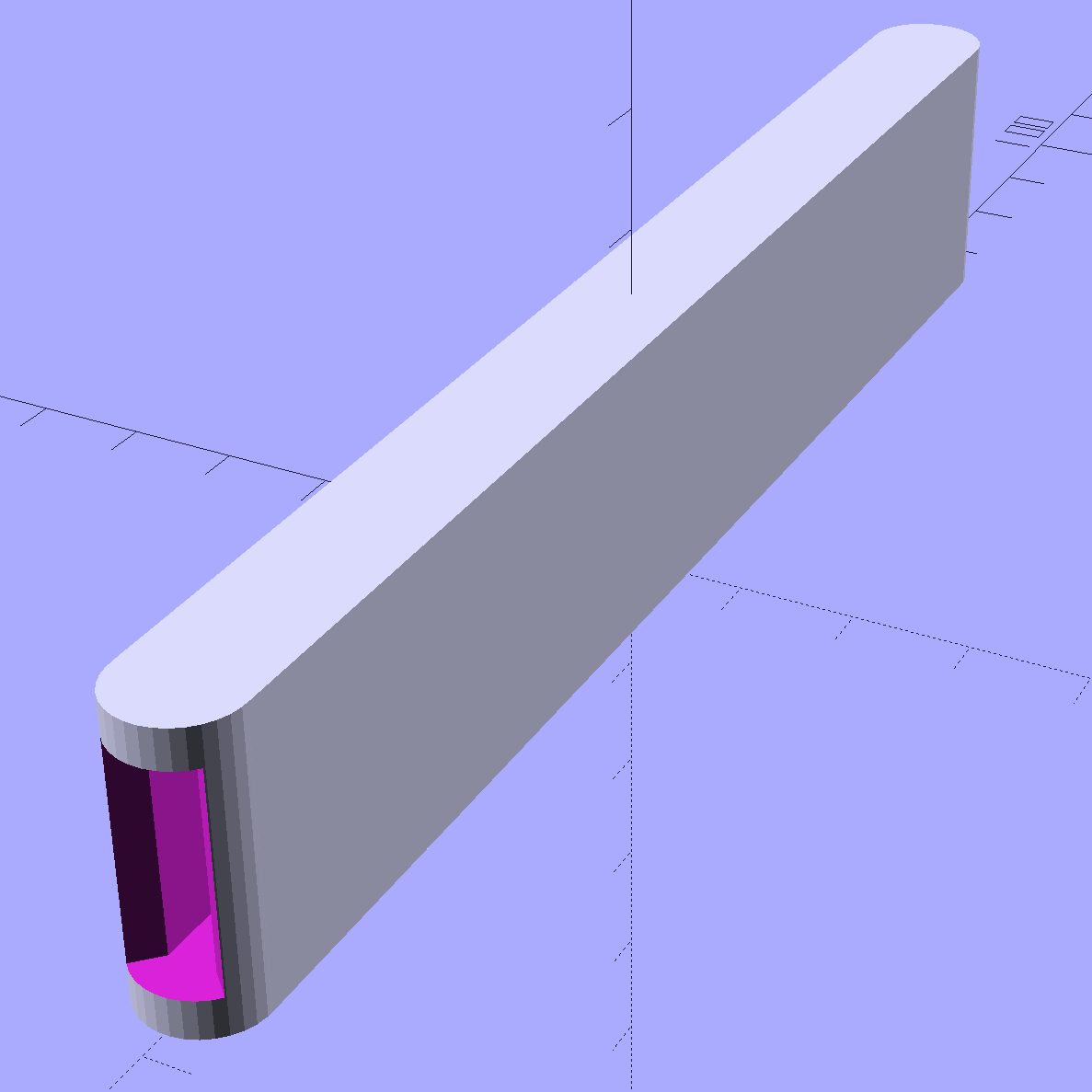
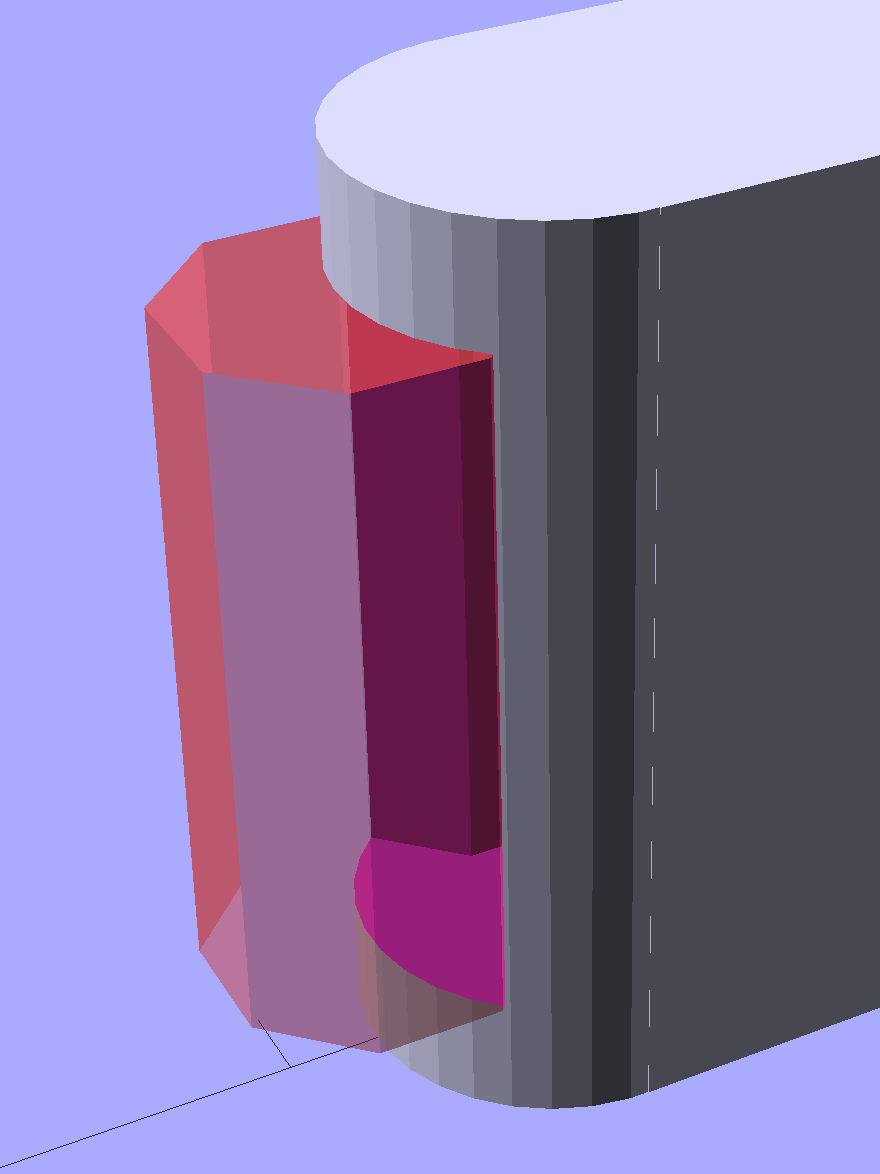
The ends have nice chamfered entrances made from octagons:
Garden Knife Sheath – entrances – solid model
The thing went away so fast I didn’t get a chance to photograph it, but magenta PETG filament should make it much harder to mislay, out there among the greenery…
The OpenSCAD source code:
// Garden Knife Scabbard
// Ed Nisley KE4ZNU - August 2015

//- Extrusion parameters - must match reality!

ThreadThick = 0.25;
ThreadWidth = 0.40;

function IntegerMultiple(Size,Unit) = Unit * ceil(Size / Unit);

Protrusion = 0.1;

HoleWindage = 0.2;

//------
// Dimensions

WallThick = IntegerMultiple(3.0,ThreadWidth);

Blade = [115,1.8,16.0];

Clearance = [10.0,2.0,2.0];

Slot = Blade + Clearance;

Sheath = Slot + [0,2*WallThick,2*WallThick];

//- Build it


translate([0,0,Sheath[2]/2])
    difference() {
        union() {
            for (i=[-1,1])
                translate([i*Sheath[0]/2,0,-Sheath[2]/2])
                    rotate(180/32)
                        cylinder(d=Sheath[1],h=Sheath[2],$fn=32);
            cube(Sheath,center=true);
        }
        cube(Slot + [Slot[0],0,0],center=true);
        for (i=[-1,1])
            translate([i*(Sheath[0]/2 + Sheath[1]/2),0,-Slot[2]/2])
                rotate(180/8)
                    cylinder(d=Sheath[1] - 4*ThreadWidth,h=Slot[2],$fn=8);
    }
Victoreen 710-104 Ionization Chamber Fittings – Show V2
There’s not much difference from the first iteration, apart from a few code cleanups. The engraved text is kinda-sorta gratuitous, but I figured having the circuit board dimensions on all the key parts would avoid heartache & confusion; the code now autosizes the board to the holder OD. Skeletonizing the board template didn’t save nearly as much printing time as I expected, though.
Now I can build a second electrometer amp without dismantling the two-transistor version.
The OpenSCAD source code:
// Victoreen 710-104 Ionization Chamber Fittings
// Ed Nisley KE4ZNU August 2015

Layout = "Show";
					// Show - assembled parts
					// Build - print can parts + shield
					// BuildShield - print just the shield
					// BuildHolder - print just the can cap & PCB base
					// CanCap - PCB insulator for 6-32 mounting studs
					// CanBase - surrounding foot for ionization chamber
					// CanRim - generic surround for either end of chamber
					// PCB - template for cutting PCB sheet
					// PCBBase - holder for PCB atop CanCap
					// Shield - electrostatic shield shell

//- Extrusion parameters must match reality!
//  Print with 2 shells and 3 solid layers

ThreadThick = 0.25;
ThreadWidth = 0.40;

HoleWindage = 0.2;

Protrusion = 0.1;			// make holes end cleanly

AlignPinOD = 1.75;			// assembly alignment pins = filament dia

inch = 25.4;

function IntegerMultiple(Size,Unit) = Unit * ceil(Size / Unit);

//- Screw sizes

Tap4_40 = 0.089 * inch;
Clear4_40 = 0.110 * inch;
Head4_40 = 0.211 * inch;
Head4_40Thick = 0.065 * inch;
Nut4_40Dia = 0.228 * inch;
Nut4_40Thick = 0.086 * inch;
Washer4_40OD = 0.270 * inch;
Washer4_40ID = 0.123 * inch;


//----------------------
// Dimensions

OD = 0;											// name the subscripts
LENGTH = 1;

Chamber = [91.0,38];							// Victoreen ionization chamber dimensions

Stud = [										// stud welded to ionization chamber lid
	[6.5,IntegerMultiple(0.8,ThreadThick)],		// flat head -- generous clearance
	[4.0,9.5],									// 6-32 screw -- ditto
];
NumStuds = 3;									// this really isn't much of a variable...
StudAngle = 360/NumStuds;
StudSides = 6;									// for hole around stud

BCD = 2.75 * inch;								// mounting stud bolt circle diameter

PlateThick = 2.0;								// minimum layer atop and below chamber ends
RimHeight = 4.0;								// extending along chamber perimeter
WallHeight = RimHeight + PlateThick;
WallThick = 3.0;								// thick enough to be sturdy & printable
CapSides = 8*6;									// must be multiple of 4 & 3 to make symmetries work out right

RimOD = Chamber[OD] + 2*WallThick;

echo(str("Rim OD: ",RimOD));

//PCBFlatsOD = 82.0;							// desired hex dia flat-to-flat
PCBFlatsOD = floor(RimOD*cos(30)) - 2.0;		//  .. maximum possible
//PCBFlatsOD = floor(Chamber[OD]*cos(30)) - 2.0;	//  .. chamber fitting
PCBClearance = ThreadWidth;						// clearance beyond each flat for mounting

PCBThick = 1.1;
PCBActual = [PCBFlatsOD/cos(30),PCBThick];		// OD = tip-to-tip
PCBCutter = [(PCBFlatsOD + 2*PCBClearance)/cos(30),PCBThick - ThreadThick];		// OD = tip-to-tip dia + clearance

PCBSize = str(PCBFlatsOD, " mm");
echo(str("Actual PCB across flats: ",PCBFlatsOD));
echo(str(" ... tip-to-tip dia: ",PCBActual[OD]));
echo(str(" ... thickness: ",PCBActual[LENGTH]));

HolderHeight = 13.0 + PCBCutter[LENGTH];		// thick enough for PCB to clear studs + batteries
HolderShelf = 2.0;								// shelf under PCB edge
HolderTrim = 5.0;								// remove end of holder to clear PCB edge solder blobs
echo(str("Holder trim distance: ",HolderTrim));
HolderTrimAngle = StudAngle/2 - 2*atan(HolderTrim*cos(StudAngle/2)/(PCBActual[OD]/2));	// atan is close for small angles
echo(str(" ... angle: ",HolderTrimAngle));

PinAngle = 15;									// alignment pin angle on either side of holder screw

echo(str("PCB holder across flats: ",PCBCutter[OD]*cos(30)));
echo(str(" ... height: ",HolderHeight));

ShieldInset = 0.5;								// shield inset from actual PCB flat
ShieldWall = 2.0;								// wall thickness
ShieldLid = 6*ThreadThick;						// top thickness (avoid one infill layer)
Shield = [(PCBFlatsOD - 2*ShieldInset)/ cos(30),40.0];		// electrostatic shield shell dimensions

TextSize = 4;
TextCharSpace = 1.05;
TextLineSpace = TextSize + 2;
TextDepth = 1*ThreadThick;

//----------------------
// Useful routines

module PolyCyl(Dia,Height,ForceSides=0) {			// based on nophead's polyholes

  Sides = (ForceSides != 0) ? ForceSides : (ceil(Dia) + 2);

  FixDia = Dia / cos(180/Sides);

  cylinder(r=(FixDia + HoleWindage)/2,
			h=Height,
		$fn=Sides);
}

//- Locating pin hole with glue recess
//  Default length is two pin diameters on each side of the split

module LocatingPin(Dia=AlignPinOD,Len=0.0) {

	PinLen = (Len != 0.0) ? Len : (4*Dia);

	translate([0,0,-ThreadThick])
		PolyCyl((Dia + 2*ThreadWidth),2*ThreadThick,4);

	translate([0,0,-2*ThreadThick])
		PolyCyl((Dia + 1*ThreadWidth),4*ThreadThick,4);

	translate([0,0,-Len/2])
		PolyCyl(Dia,Len,4);

}

module ShowPegGrid(Space = 10.0,Size = 1.0) {

  RangeX = floor(100 / Space);
  RangeY = floor(125 / Space);

	for (x=[-RangeX:RangeX])
		for (y=[-RangeY:RangeY])
		translate([x*Space,y*Space,Size/2])
			%cube(Size,center=true);
}

//-----

module CanRim(BaseThick) {

	difference() {
		cylinder(d=Chamber[OD] + 2*WallThick,h=(WallHeight + BaseThick),$fn=CapSides);
		translate([0,0,BaseThick])
			PolyCyl(Chamber[OD],Chamber[LENGTH],CapSides);
	}

}

module CanCap() {

	difference() {
		CanRim(PlateThick + Stud[0][LENGTH]);

		translate([0,0,-Protrusion])											// central cutout
			rotate(180/6)
				cylinder(d=BCD,h=Chamber[LENGTH],$fn=6);						//  ... reasonable size

		for (i=[0:(NumStuds - 1)])												// stud clearance holes
			rotate(i*StudAngle)
				translate([BCD/2,0,0])
					rotate(180/StudSides) {
						translate([0,0,PlateThick])
							PolyCyl(Stud[0][OD],Chamber[LENGTH],StudSides);
						translate([0,0,-Protrusion])
							PolyCyl(Stud[1][OD],Chamber[LENGTH],StudSides);
					}

		for (i=[0:(NumStuds - 1)], j=[-1,1])									// PCB holder alignment pins
			rotate(i*StudAngle + j*PinAngle + 60)
				translate([Chamber[OD]/2,0,0])
					rotate(180/4 - j*PinAngle)
						LocatingPin(Len=2*(PlateThick + Stud[0][LENGTH]) - 4*ThreadThick);

		translate([-(BCD/2),0,-Protrusion])
			rotate(90) mirror()
				linear_extrude(height=(ThreadThick + Protrusion))
				text(PCBSize,size=6,font="Liberation Mono:style=bold",halign="center",valign="center");
	}

}

module CanBase() {

	difference() {
		CanRim(PlateThick);
		translate([0,0,-Protrusion])
			PolyCyl(Chamber[OD] - 2*RimHeight,Chamber[LENGTH],CapSides);
	}
}

module PCBTemplate() {

	CutLen = 10*PCBActual[LENGTH];

	difference() {
		cylinder(d=PCBActual[OD],h=PCBActual[LENGTH],$fn=6);		// actual PCB size
		translate([0,0,-Protrusion])
			cylinder(d=8,h=CutLen,$fn=12);
		if (true)
			for (i=[0:5])											// empirical cutouts
				rotate(i*60 + 30)
					translate([PCBFlatsOD/3,0,-Protrusion])
						rotate(60)
							cylinder(d=0.43*PCBActual[OD],h=CutLen,$fn=3);

		translate([PCBActual[OD]/4,0,(PCBActual[LENGTH] - ThreadThick)])
			linear_extrude(height=(ThreadThick + Protrusion),convexity=1)
			text(PCBSize,size=4,font="Liberation Mono:style=bold",halign="center",valign="center");

	}
}

module PCBBase() {

	intersection() {
		difference() {
			cylinder(d=Chamber[OD] + 2*WallThick,h=HolderHeight,$fn=CapSides);		// outer rim

			rotate(30) {
				translate([0,0,-Protrusion])										// central hex
					cylinder(d=(PCBActual[OD] - HolderShelf/cos(30) - HolderShelf/cos(30)),h=2*HolderHeight,$fn=6);

				translate([0,0,HolderHeight - PCBCutter[LENGTH]])					// hex PCB recess
					cylinder(d=PCBCutter[OD],h=HolderHeight,$fn=6);

				for (i=[0:NumStuds - 1])											// PCB retaining screws
					rotate(i*StudAngle + 180/(2*NumStuds))
						translate([(PCBCutter[OD]*cos(30)/2 + Clear4_40/2 + ThreadWidth),0,-Protrusion])
							rotate(180/6)
								PolyCyl(Tap4_40,2*HolderHeight,6);

				for (i=[0:(NumStuds - 1)], j=[-1,1])								// PCB holder alignment pins
					rotate(i*StudAngle + j*PinAngle + 180/(2*NumStuds))
						translate([Chamber[OD]/2,0,0])
							rotate(180/4 - j*PinAngle)
								LocatingPin(Len=2*(HolderHeight - 4*ThreadThick));
			}

			if (false)
			for (i=[0:NumStuds - 1])
				rotate(i*StudAngle - StudAngle/2)							// segment isolation - hex sides
					translate([0,0,-Protrusion]) {
						linear_extrude(height=2*HolderHeight)
							polygon([[0,0],[Chamber[OD],0],[Chamber[OD]*cos(180/NumStuds),Chamber[OD]*sin(180/NumStuds)]]);
					}

			translate([-(PCBFlatsOD/2 + PCBClearance - HolderShelf),0,HolderHeight/2])
				rotate([0,90,0]) rotate(90)
					linear_extrude(height=(ThreadWidth + Protrusion))
					text(PCBSize,size=6,font="Liberation Mono:style=bold",halign="center",valign="center");

		}

		for (i=[0:NumStuds - 1])
			rotate(i*StudAngle + StudAngle/2 - HolderTrimAngle/2)								// trim holder ends
				translate([0,0,-Protrusion]) {
					linear_extrude(height=2*HolderHeight)
						polygon([[0,0],[Chamber[OD],0],[Chamber[OD]*cos(HolderTrimAngle),Chamber[OD]*sin(HolderTrimAngle)]]);
				}

	}
}

//-- Electrostatic shield
//		the cutouts are completely ad-hoc

module ShieldShell() {

CutHeight = 7.0;

	difference() {
		cylinder(d=Shield[OD],h=Shield[LENGTH],$fn=6);							// exterior shape

		translate([0,0,-ShieldLid])												// interior
			cylinder(d=(Shield[OD] - 2*ShieldWall/cos(30)),h=Shield[LENGTH],$fn=6);

		translate([0,0,Shield[LENGTH] - TextDepth])
		rotate(180) {
			translate([0,0.3*Shield[OD] - 0*TextLineSpace,0])
				linear_extrude(height=(TextDepth + Protrusion))
					text("Gamma",size=TextSize,spacing=TextCharSpace,font="Liberation:style=bold",halign="center",valign="center");
			translate([0,0.3*Shield[OD] - 1*TextLineSpace,0])
				linear_extrude(height=(TextDepth + Protrusion))
					text("Ionization",size=TextSize,spacing=TextCharSpace,font="Liberation:style=bold",halign="center",valign="center");
			translate([0,0.3*Shield[OD] - 2*TextLineSpace,0])
				linear_extrude(height=(TextDepth + Protrusion))
					text("Amplifier",size=TextSize,spacing=TextCharSpace,font="Liberation:style=bold",halign="center",valign="center");
			translate([0,-0.3*Shield[OD] + 1*TextLineSpace,0])
				linear_extrude(height=(TextDepth + Protrusion))
					text("KE4ZNU",size=TextSize,spacing=TextCharSpace,font="Liberation:style=bold",halign="center",valign="center");
			translate([0,-0.3*Shield[OD] + 0*TextLineSpace,0])
				linear_extrude(height=(TextDepth + Protrusion))
					text("2015-08",size=TextSize,spacing=TextCharSpace,font="Liberation:style=bold",halign="center",valign="center");
		}

		translate([Shield[OD]/4 - 20/2,Shield[OD]/2,(CutHeight - Protrusion)/2])	// switch
			rotate(90)
				cube([Shield[OD],20,CutHeight + Protrusion],center=true);

		if (false)
		translate([-Shield[OD]/4 + 5/2,Shield[OD]/2,(CutHeight - Protrusion)/2])	// front
			rotate(90)
				cube([Shield[OD],5,CutHeight + Protrusion],center=true);

		translate([-Shield[OD]/2,0,(CutHeight - Protrusion)/2])						// right side
				cube([Shield[OD],7,CutHeight + Protrusion],center=true);

		translate([0,(Shield[OD]*cos(30)/2 - ThreadWidth),0.75*Shield[LENGTH]])
			rotate([90,0,180]) rotate(00)
				linear_extrude(height=(ThreadWidth + Protrusion))
				text(PCBSize,size=5,font="Liberation Mono:style=bold",halign="center",valign="center");
	}

}

//----------------------
// Build it

ShowPegGrid();

if (Layout == "CanRim") {
	CanRim();
}

if (Layout == "CanCap") {
	CanCap();
}

if (Layout == "CanBase") {
	CanBase();
}

if (Layout == "PCBBase") {
	PCBBase();
}

if (Layout == "PCB") {
	PCBTemplate();
}

if (Layout == "Shield") {
	ShieldShell();
}

if (Layout == "Show") {
	CanBase();
	color("Orange",0.5)
		translate([0,0,PlateThick + Protrusion])
			cylinder(d=Chamber[OD],h=Chamber[LENGTH],$fn=CapSides);
	translate([0,0,(2*PlateThick + Chamber[LENGTH] + 2*Protrusion)])
		rotate([180,0,0])
			CanCap();
	translate([0,0,(2*PlateThick + Chamber[LENGTH] + 5.0)])
		PCBBase();
	color("Green",0.5)
		translate([0,0,(2*PlateThick + Chamber[LENGTH] + 7.0 + HolderHeight)])
			rotate(30)
				PCBTemplate();
	translate([0,0,(2*PlateThick + Chamber[LENGTH] + 15.0 + HolderHeight)])
		rotate(-30)
			ShieldShell();}

if (Layout == "Build") {

	translate([-0.50*Chamber[OD],-0.60*Chamber[OD],0])
		CanCap();

	if (false)
		translate([0.55*Chamber[OD],-0.60*Chamber[OD],0])
			rotate(30)
				translate([0,0,Shield[LENGTH]])
					rotate([0,180,0])
						ShieldShell();
	if (true)
		translate([0.55*Chamber[OD],-0.60*Chamber[OD],0])
			rotate(30)
				PCBTemplate();

	if (true)
		translate([-0.25*Chamber[OD],0.60*Chamber[OD],0])
			CanBase();
		translate([0.25*Chamber[OD],0.60*Chamber[OD],0])
			PCBBase();
}

if (Layout == "BuildHolder") {
	translate([-0.25*Chamber[OD],0,0])
		CanCap();
	translate([0.25*Chamber[OD],0,0])
		PCBBase();
}

if (Layout == "BuildShield") {

	translate([0,0,Shield[LENGTH]])
		rotate([0,180,0])
				ShieldShell();


}
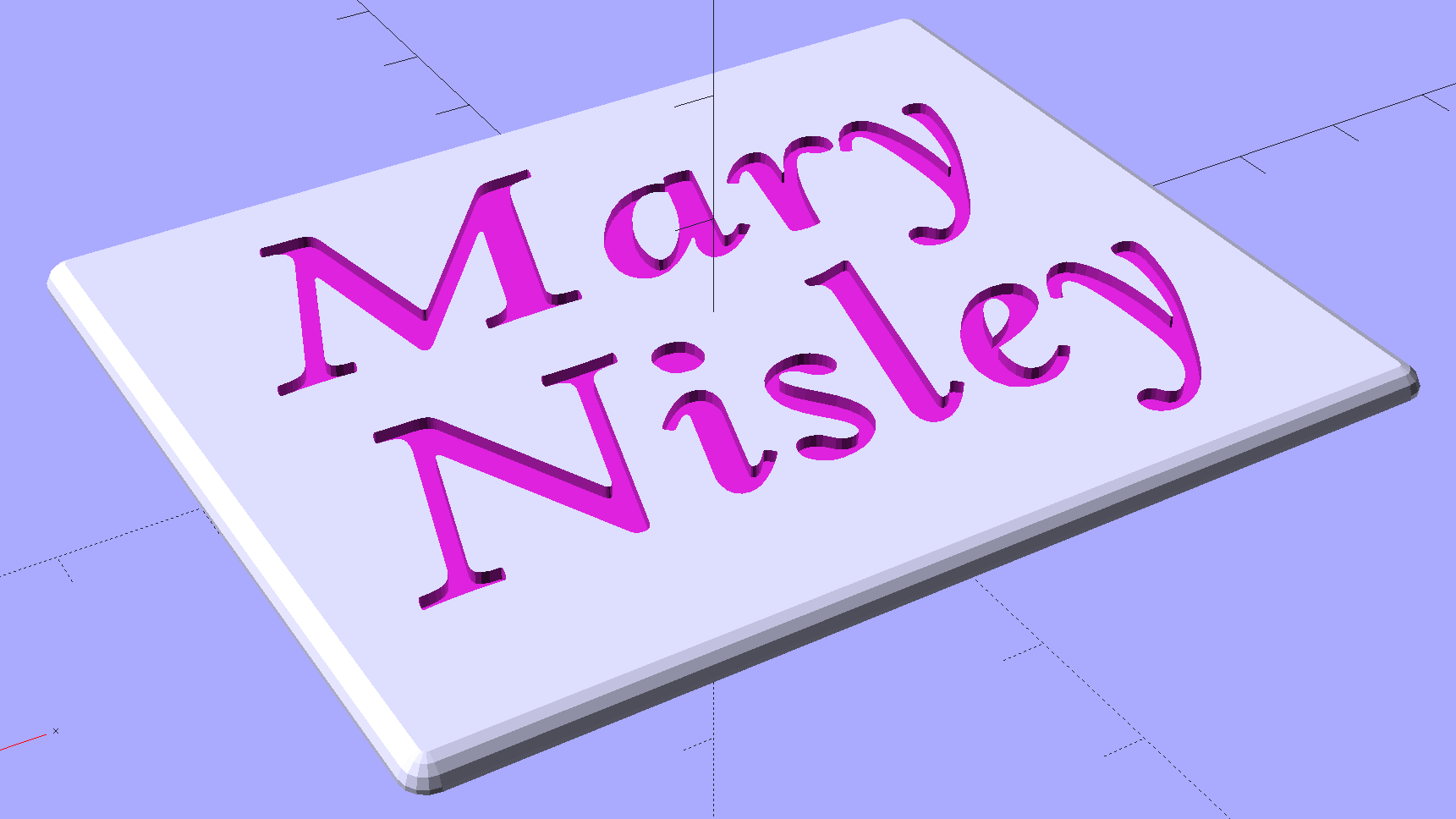
Although Mary’s name in the base of the Clover Mini Iron holder was readable in person, I wondered what filling the characters with epoxy would do. A bit of tinkering produced a name plate:
Text Block – solid model
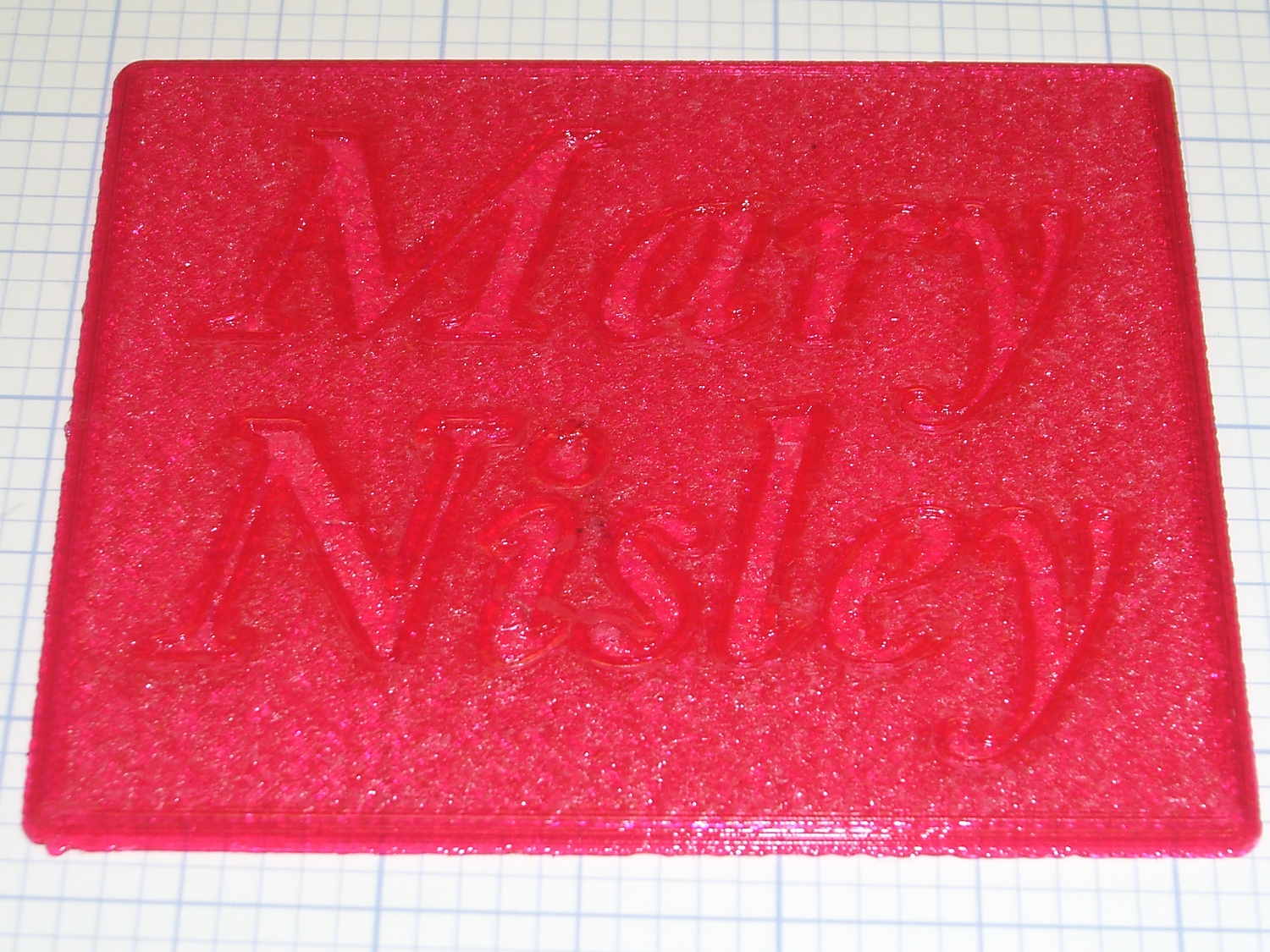
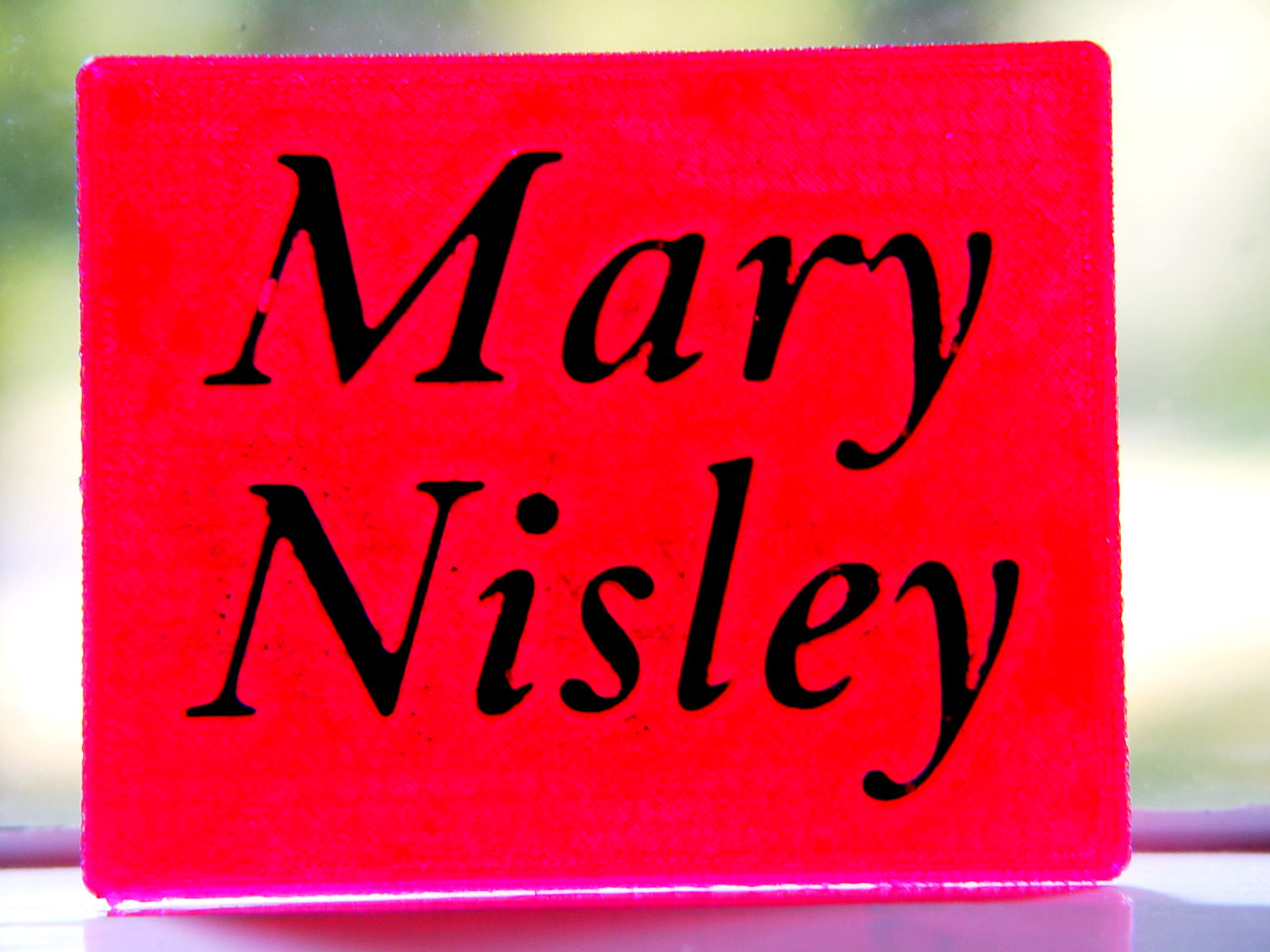
Which is more readable in person, but magenta PETG renders it basically unreadable here:
Text Block – unfilled
The intent of this was not to produce a lovely name block, but to see what various epoxy fills and techniques produced. Think of this as the one you must build to throw away…
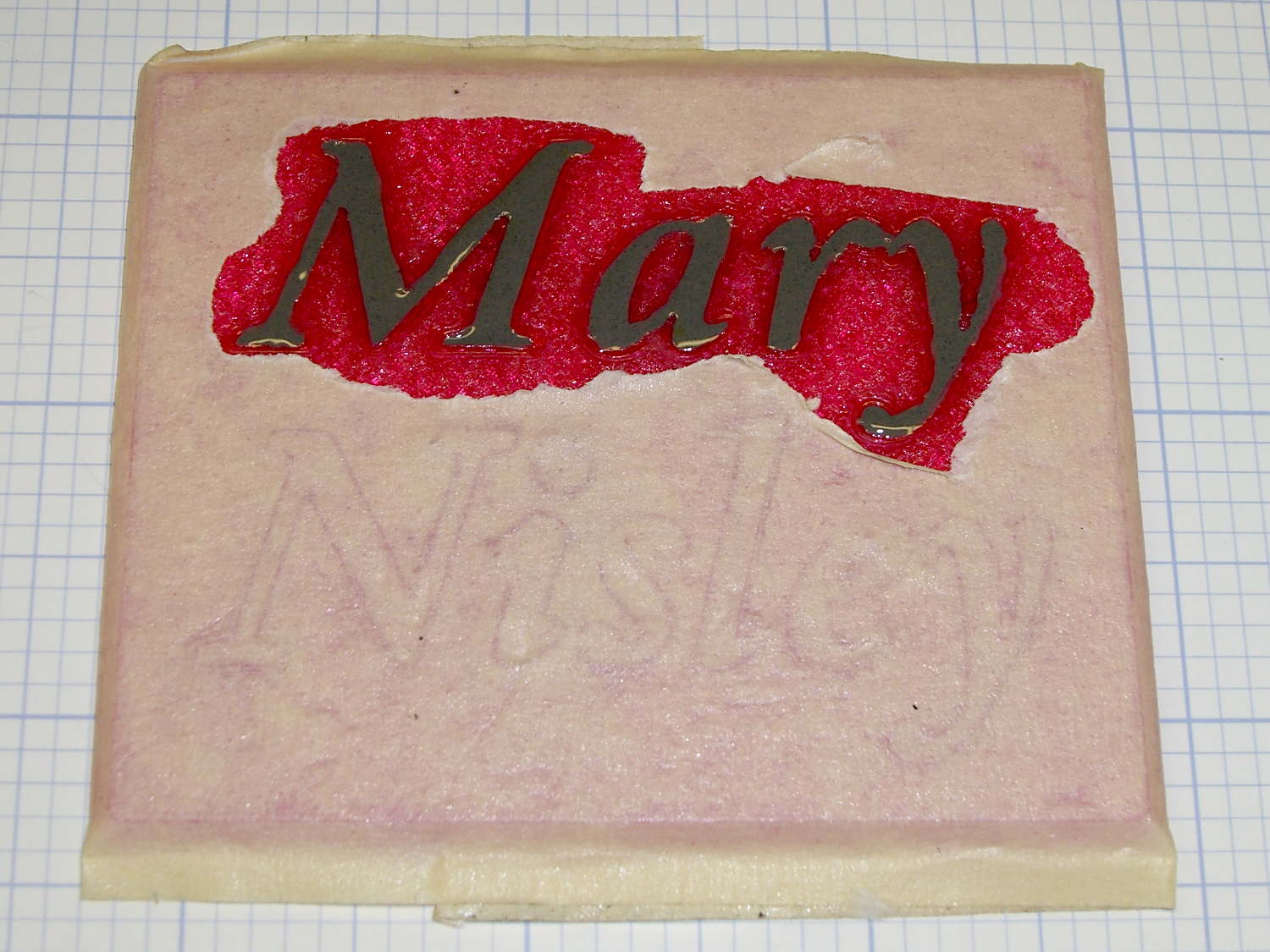
I tediously filled the first line with straight JB Weld epoxy, deliberately ruining the least functional of my 1 ml syringes to ease a strand of epoxy into each letter, then poking the goo into place with a pointed rod:
Text Block – plain epoxy fill
That was way tedious.
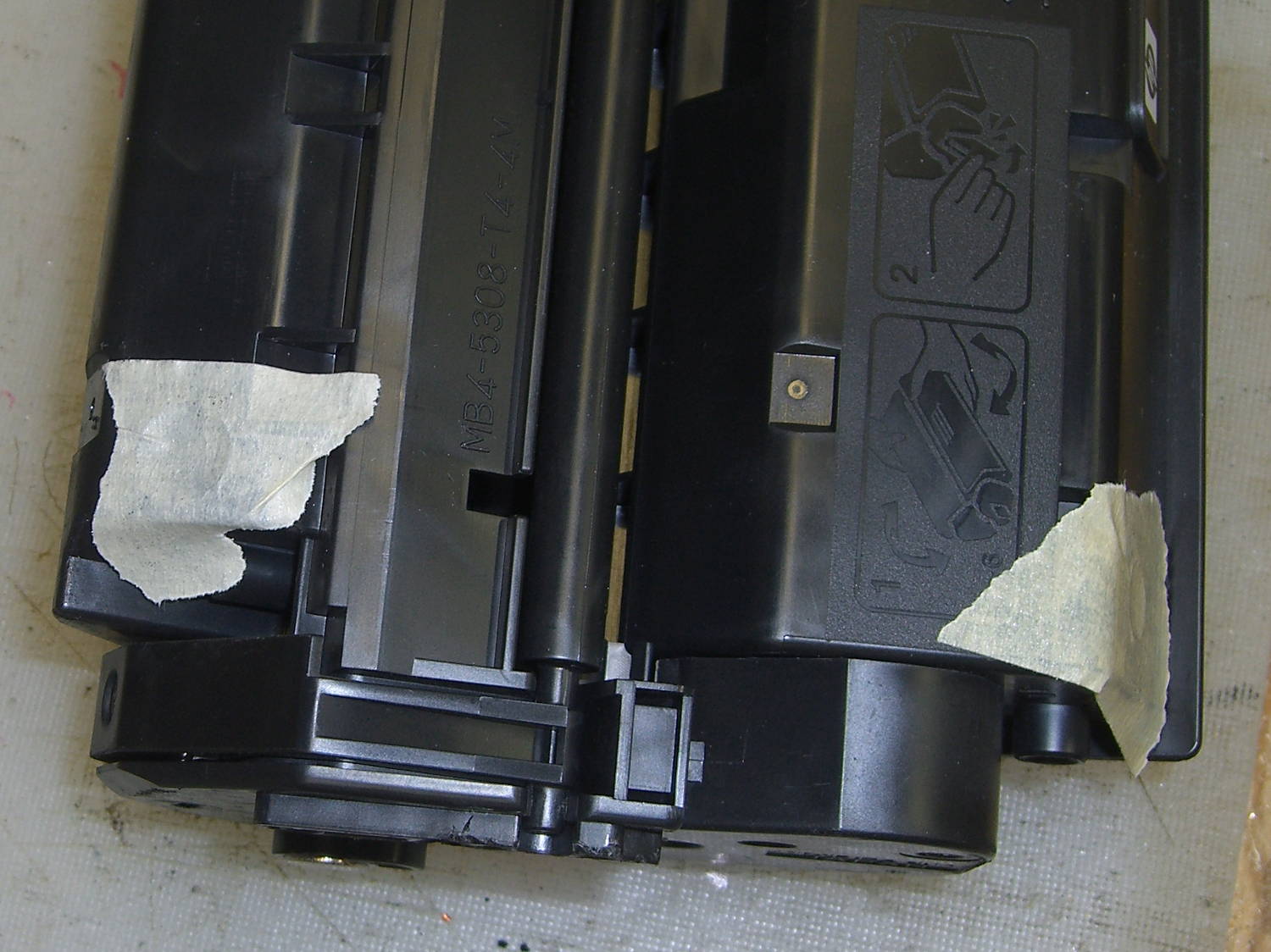
Having recently replaced the cartridge in our trusty HP Laserjet 1200, I had no qualms about step-drilling the “empty” cartridge to get the toner. For future reference, here’s where you drill into a 7115X cartridge:
HP 7115X Toner Cartridge – holes in waste and supply compartments
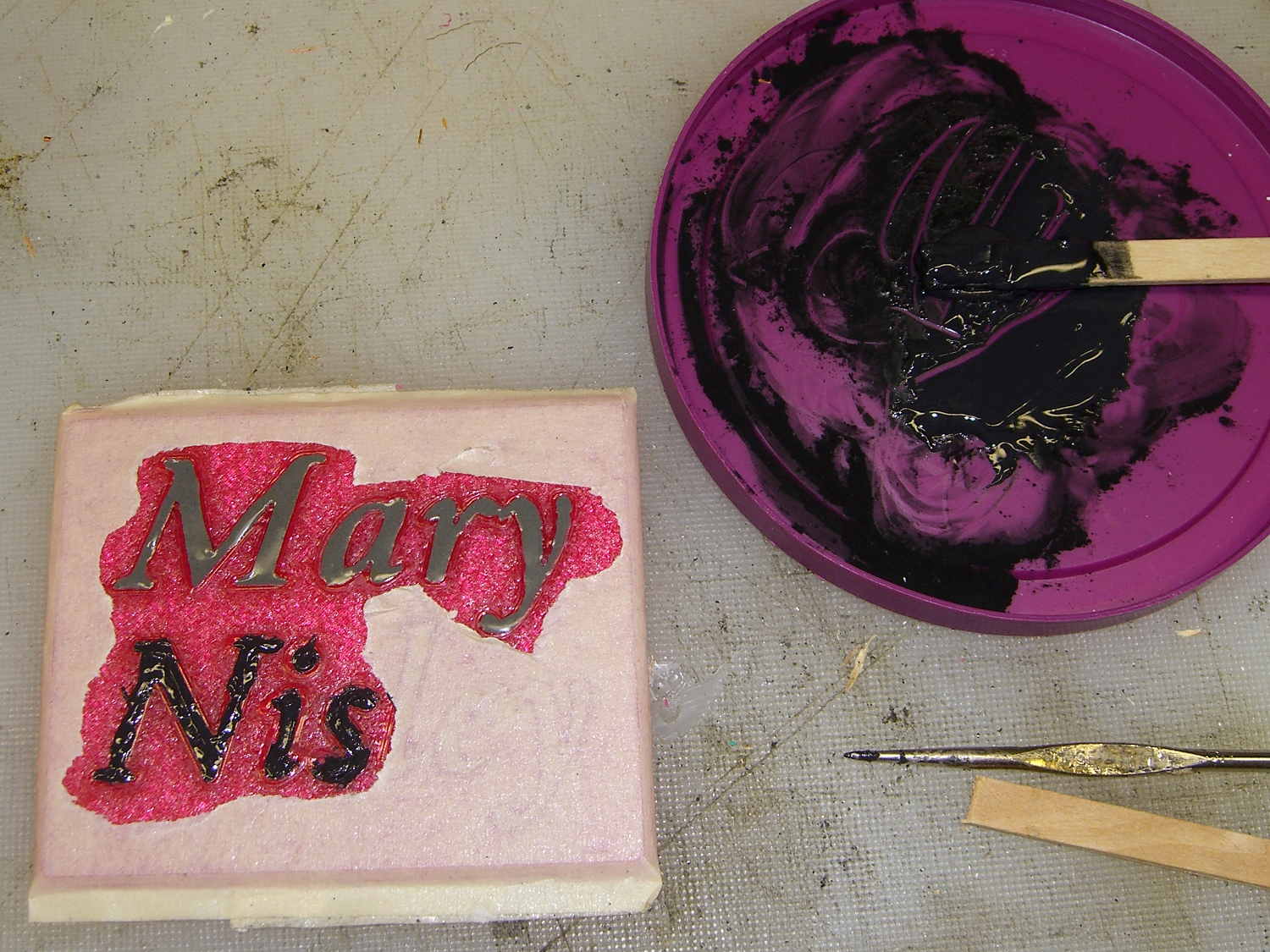
I probably used too much toner, but one heaping pile on that wooden stick didn’t seem like a lot at the time:
Text Block – toner black epoxy
This turned the epoxy rather thick and pasty; it didn’t ease into the letters very well at all. After the usual day, it cured into a slightly rubbery solid, quite unlike the usual rock-solid epoxy blob.
Some rummaging in the Basement Laboratory Warehouse Wing turned up two containers of aluminum powder from an Etch-a-Sketch; I mixed some into another batch of epoxy, to very little effect. With both blends, I just squished the epoxy into the letters and didn’t worry too much about slobbering any over the surface of the block.
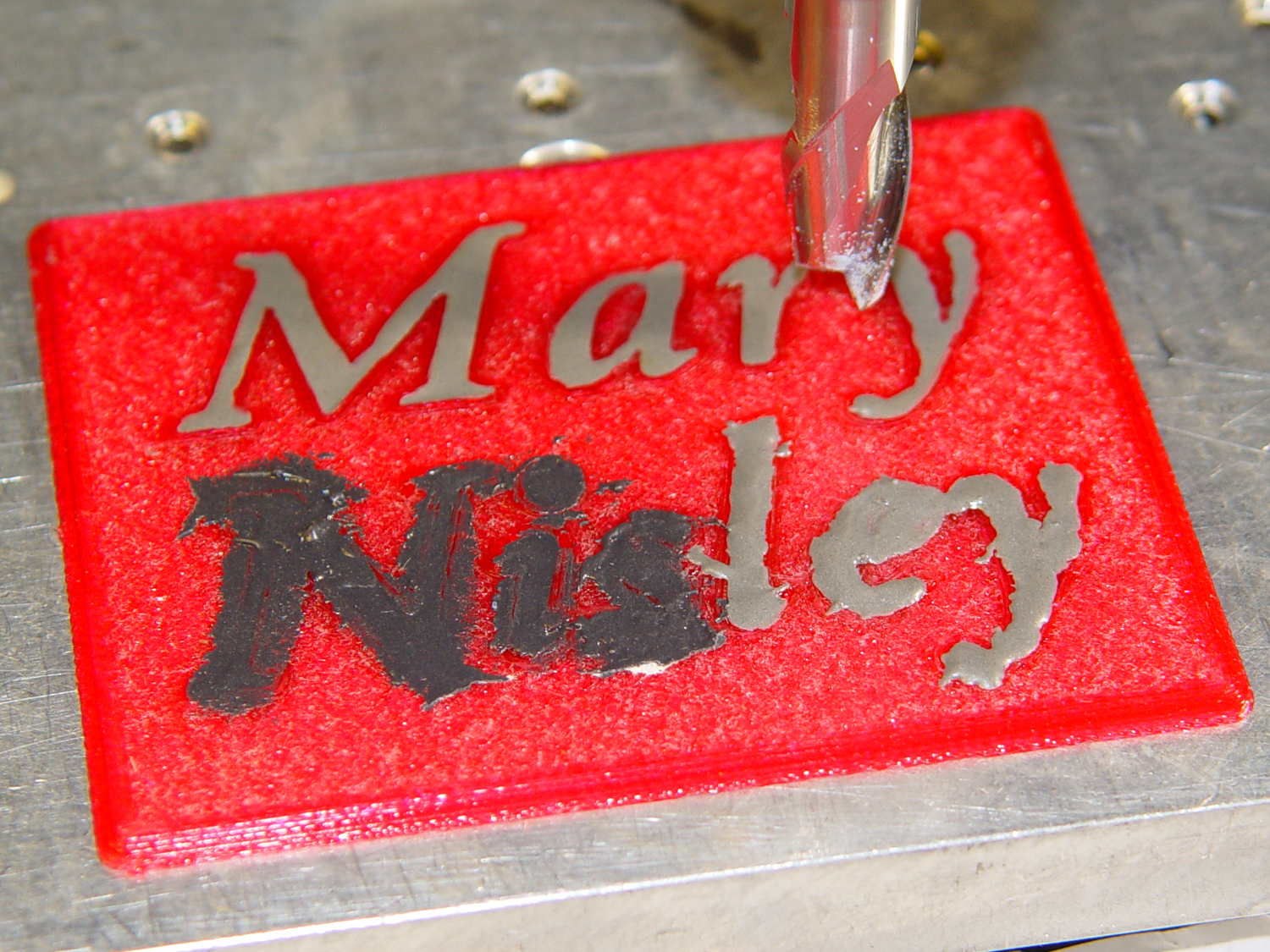
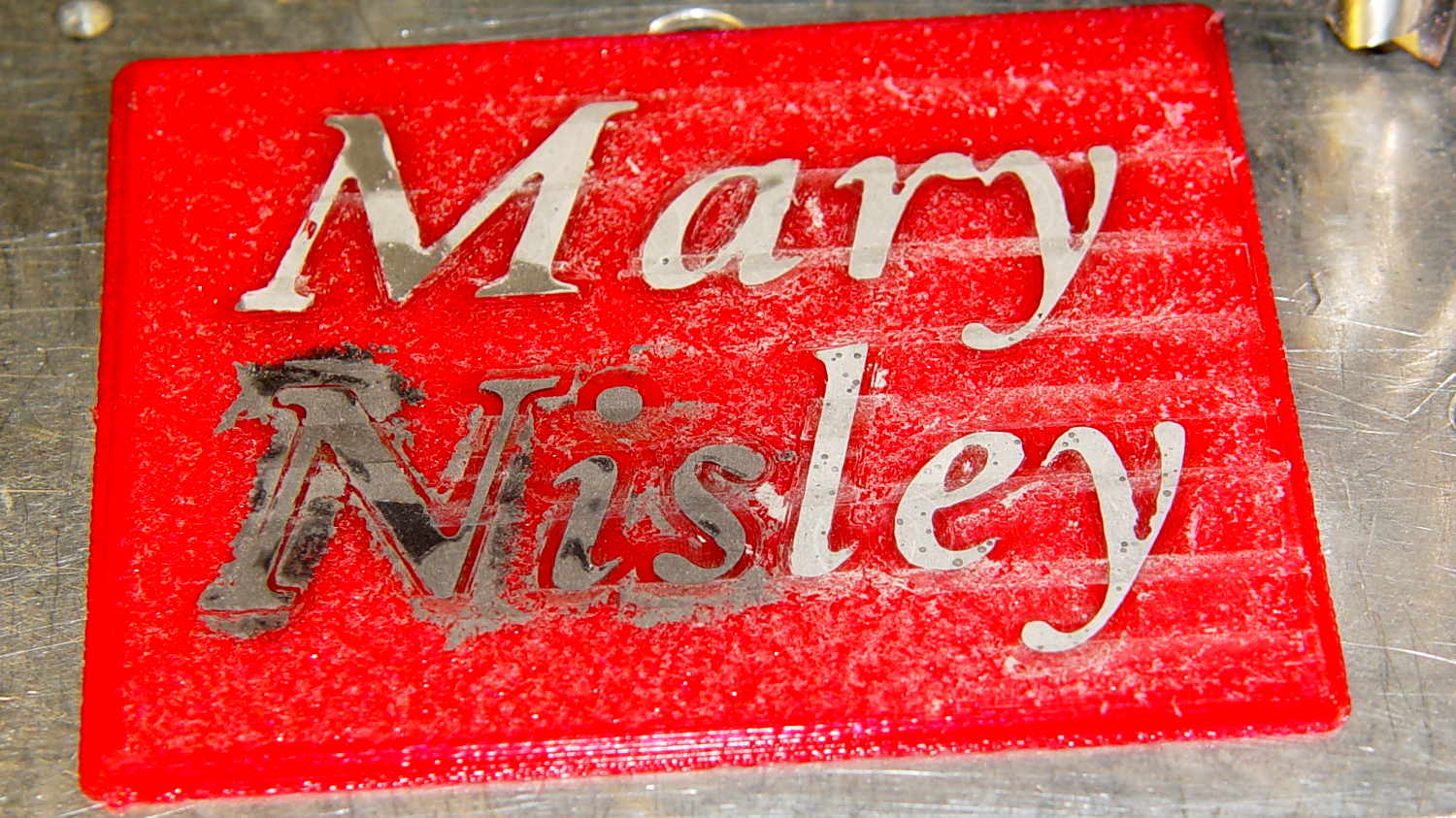
To even off the top surface, I affixed the block to the Sherline’s tooling plate with tapeless sticky (basically double-sided tape without the tape):
Text Block – milling setup
Manually traversing the surface (3 k rpm, 24 inch/min) and stepping downward about 0.1 mm per pass gradually crisped up the letters. I expected the excess epoxy to vanish after going 0.1 mm or so into the top layer, but it actually required removing the entire 0.25 mm Hilbert-curve-filled surface layer to get rid of the epoxy that soaked into / through the tiny gaps. This is 0.4 mm down from the first pass, maybe 0.1 mm into the plastic:
Text Block – milled 0.4 mm
With the top layer gone, it looked rather gnarly, so I applied a sanding block that didn’t do much at all: smoother, still gnarly. Spreading maybe 0.3 ml of IPS 4 solvent adhesive over the sanded surface smoothed it a bit:
Text Block – sanded and leveled with IPS 4
Perhaps a topcoat of clear epoxy, along the lines of XTC-3D, would produce better results.
The small black dots in the top line are holes from bubbles in the epoxy. The missing section of the M started out as a bubble (just visible at 0.4 mm) and gradually enlarged as pieces tore out of the recess. There’s another bubble breaking the right stroke of the “y”.
The small dots in the “ley” are plastic spheres that carried the aluminum powder in the Etch-a-Sketch; they’re cross-sectioned and perfectly flat. The epoxy color is marginally lighter than the top line, but not enough to notice.
Backlit on a window, nearly all of the ugly fades away:
Text Block – backlit
It’s definitely not presentation quality, that’s for sure, and I won’t attempt to fill the Mini Iron holder…
The OpenSCAD source code, which can also produce the soldering iron holder:
// Clover MCI-900 Mini Iron holder
// Ed Nisley KE4ZNU - August 2015

Layout = "Text";					// Iron Holder Show Text

//- Extrusion parameters - must match reality!

ThreadThick = 0.25;
ThreadWidth = 0.40;

function IntegerMultiple(Size,Unit) = Unit * ceil(Size / Unit);

Protrusion = 0.1;

HoleWindage = 0.2;

inch = 25.4;

Tap10_32 = 0.159 * inch;
Clear10_32 = 0.190 * inch;
Head10_32 = 0.373 * inch;
Head10_32Thick = 0.110 * inch;
Nut10_32Dia = 0.433 * inch;
Nut10_32Thick = 0.130 * inch;
Washer10_32OD = 0.381 * inch;
Washer10_32ID = 0.204 * inch;

//------
// Dimensions

CornerRadius = 4.0;

CenterHeight = 25;							// center at cord inlet on body

BodyLength = 110;							// cord inlet to body curve at front flange

Incline = 10;								// central angle slope

FrontOD = 29;
FrontBlock = [20,1.5*FrontOD + 2*CornerRadius,FrontOD/2 + CenterHeight + BodyLength*sin(Incline)];

CordOD = 10;
CordLen = 10;

RearOD = 22;
RearBlock = [15 + CordLen,1.5*RearOD + 2*CornerRadius,RearOD/2 + CenterHeight];

PlateWidth = 2*FrontBlock[1];

TextDepth = 4*ThreadThick;

ScrewOC = BodyLength - FrontBlock[0]/2;
ScrewDepth = CenterHeight - FrontOD/2 - 5;

echo(str("Screw OC: ",ScrewOC));

BuildSize = [200,250,200];					// largest possible thing

module PolyCyl(Dia,Height,ForceSides=0) {			// based on nophead's polyholes

  Sides = (ForceSides != 0) ? ForceSides : (ceil(Dia) + 2);

  FixDia = Dia / cos(180/Sides);

  cylinder(r=(FixDia + HoleWindage)/2,
           h=Height,
	   $fn=Sides);
}

// Trim bottom from child object

module TrimBottom(BlockSize=BuildSize,Slice=CornerRadius) {

	intersection() {
		translate([0,0,BlockSize[2]/2])
			cube(BlockSize,center=true);
		translate([0,0,-Slice])
			children();
	}
}

// Build a rounded block-like thing

module RoundBlock(Size=[20,25,30],Radius=CornerRadius,Center=false) {

	HS = Size/2 - [Radius,Radius,Radius];
	translate([0,0,Center ? 0 : (HS[2] + Radius)])
	hull() {
		for (i=[-1,1], j=[-1,1], k=[-1,1]) {
			translate([i*HS[0],j*HS[1],k*HS[2]])
				sphere(r=Radius,$fn=4*4);
		}
	}
}

// Create a channel to hold something
// This will eventually be subtracted from a block
// The offsets are specialized for this application...

module Channel(Dia,Length) {

	rotate([0,90,0])
		linear_extrude(height=Length)
			rotate(90)
				hull() {
					for (i=[-1,1])
						translate([i*Dia,2*Dia])
							circle(d=Dia/8);
					circle(d=Dia,$fn=8*4);
				}
}

// Iron-shaped series of channels to be removed from blocks

module IronCutout() {

	union() {
		translate([-2*CordLen,0,0])
			Channel(CordOD,2*CordLen + Protrusion);
		Channel(RearOD,RearBlock[0] + Protrusion);
		translate([BodyLength - FrontBlock[0]/2 - FrontBlock[0],0,0])
			Channel(FrontOD,2*FrontBlock[0]);

	}

}

module TextBlock() {
	translate([2,10,0])
		linear_extrude(height=TextDepth + Protrusion,convexity=2)		// rendering glitches for convexity > 1
//			text("Mary",font="Ubuntu:style=Bold Italic",halign="center",valign="center");
			text("Mary",font="Junicode:style=Bold Italic",halign="center",valign="center",size=20,spacing=1.05);

	translate([2,-15,0])
		linear_extrude(height=TextDepth + Protrusion,convexity=2)
			text("Nisley",font="Junicode:style=Bold Italic",halign="center",valign="center",size=20,spacing=1.05);

}

//- Build it

if (Layout == "Iron")
	IronCutout();

if (Layout == "Holder" || Layout == "Show")
	difference() {
		union() {
			translate([(BodyLength + CordLen)/2 - CordLen,0,0])
				TrimBottom()
					RoundBlock(Size=[(CordLen + BodyLength),PlateWidth,CornerRadius]);

			translate([(RearBlock[0]/2 - CordLen),0,0])
				TrimBottom()
					RoundBlock(Size=RearBlock);

			translate([BodyLength - FrontBlock[0]/2,0,0]) {
				TrimBottom()
					RoundBlock(Size=FrontBlock);
			}
		}

		translate([0,0,CenterHeight])
			rotate([0,-Incline,0])
				if (Layout == "Show")
#					IronCutout();
				else
					IronCutout();

		translate([0,0,-Protrusion])
			PolyCyl(Tap10_32,ScrewDepth + Protrusion,6);

		translate([ScrewOC,0,-Protrusion])
			PolyCyl(Tap10_32,ScrewDepth + Protrusion,6);

		translate([(RearBlock[0] - CordLen) + BodyLength/2 - FrontBlock[0],0,CornerRadius - TextDepth])
			TextBlock();

	}

if (Layout == "Text")
	difference() {
		translate([0,0,0])
			TrimBottom(Slice=8*ThreadThick)
				RoundBlock(Size=[80,65,8*ThreadThick],Radius=8*ThreadThick);
#		translate([-2,2,8*ThreadThick - TextDepth])
			TextBlock();

	}
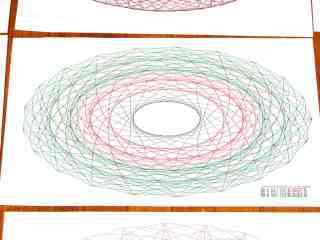
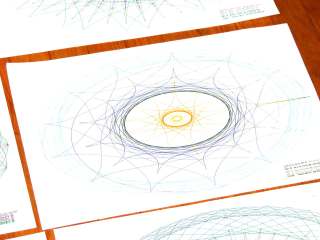
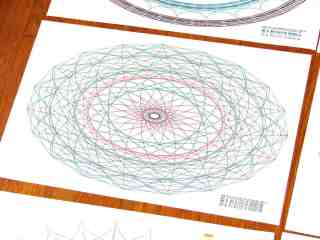
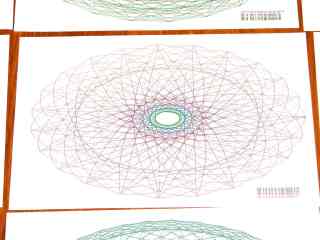
Well, it’s actually not “sensing”, but the demo code now sizes the graph to the paper size reported by the plotter, so you can plot on cheap and readily available A-size paper. The Vulcan Nerve Pinch that switches paper size on the fly is Enter+Size; I leave the DIP switches set for B-size sheets, because they’re more impressive and take longer to plot.
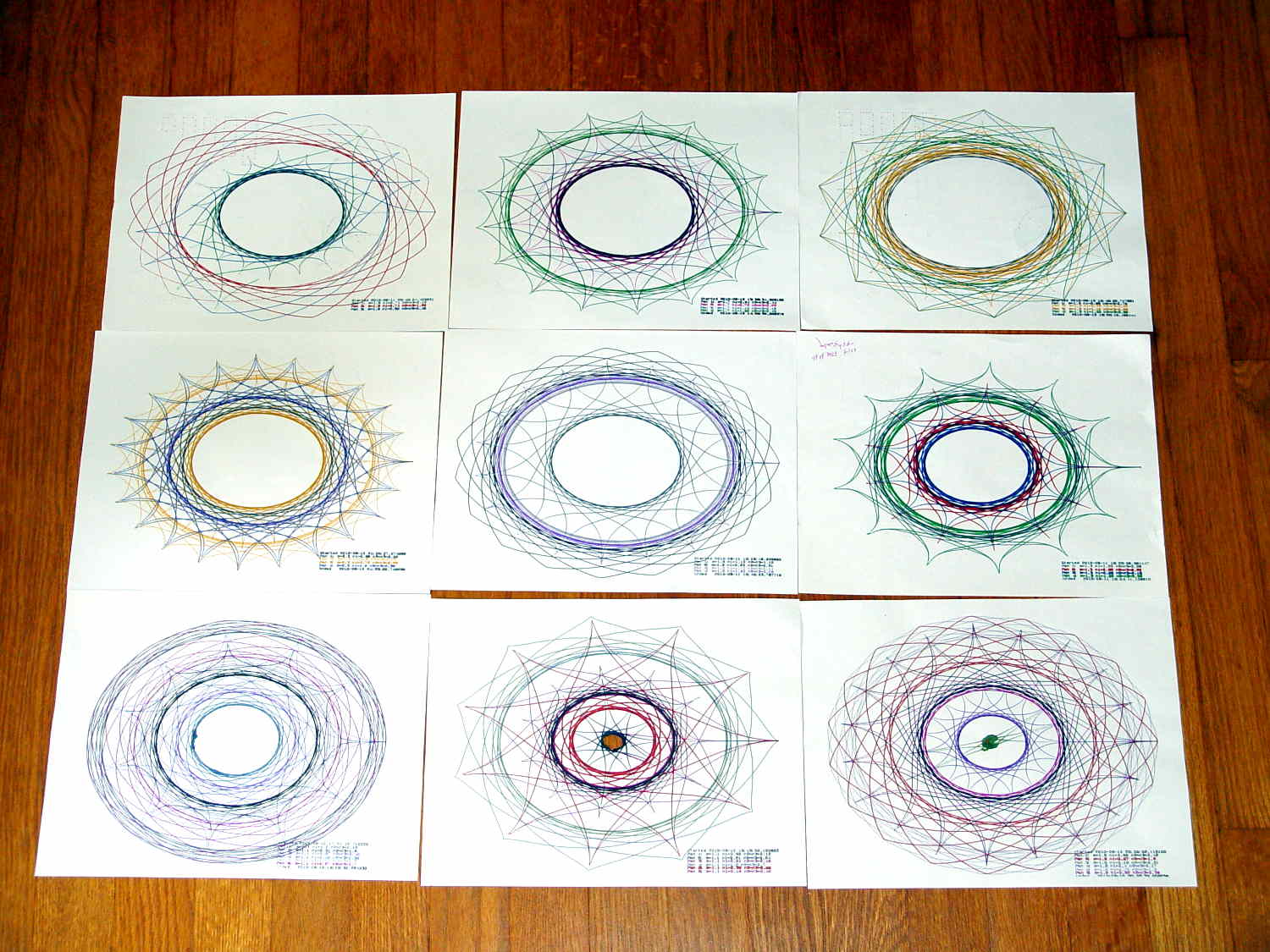
A collection of A-size plots:
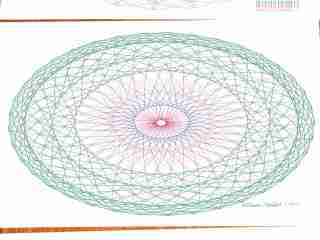
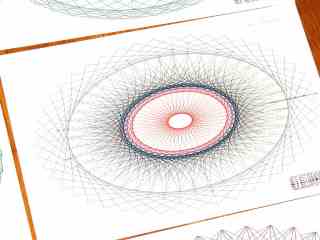
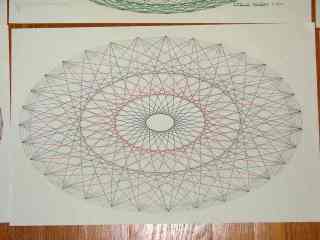
Superformula Plots – A-size paper
The perspective foreshortening makes the sheets look square and the plots seem circular; they’re not.
The plots lie in rough time sequence from lower left to upper right, showing that I tweaked the n1 parameter to avoid the sort of tiny middle that gnawed a hole right through the center-bottom sheet. I also removed higher m parameter values, because more than 50-ish points doesn’t work well on smaller sheets.
I figured out how to use the Python ternary “operator” and tweaked the print formatting, but basically it’s a hack job through & through.
The Python source code, including the hacked Chiplotle routines that produce the SuperFormula:
from chiplotle import *
from math import *
from datetime import *
import random

def superformula_polar(a, b, m, n1, n2, n3, phi):
   ''' Computes the position of the point on a
   superformula curve.
   Superformula has first been proposed by Johan Gielis
   and is a generalization of superellipse.
   see: http://en.wikipedia.org/wiki/Superformula
   Tweaked to return polar coordinates
   '''

   t1 = cos(m * phi / 4.0) / a
   t1 = abs(t1)
   t1 = pow(t1, n2)

   t2 = sin(m * phi / 4.0) / b
   t2 = abs(t2)
   t2 = pow(t2, n3)

   t3 = -1 / float(n1)
   r = pow(t1 + t2, t3)
   if abs(r) == 0:
      return (0,0)
   else:
 #     return (r * cos(phi), r * sin(phi))
     return (r,phi)


def supershape(width, height, m, n1, n2, n3,
   point_count=10*1000, percentage=1.0, a=1.0, b=1.0, travel=None):
   '''Supershape, generated using the superformula first proposed
   by Johan Gielis.

   - `points_count` is the total number of points to compute.
   - `travel` is the length of the outline drawn in radians.
      3.1416 * 2 is a complete cycle.
   '''
   travel = travel or (10*2*pi)

   ## compute points...
   phis = [i * travel / point_count
      for i in range(1 + int(point_count * percentage))]
   points = [superformula_polar(a, b, m, n1, n2, n3, x) for x in phis]

   ## scale and transpose...
   path = [ ]
   for r, a in points:
      x = width * r * cos(a)
      y = height * r * sin(a)
      path.append(Coordinate(x, y))

   return Path(path)


## RUN DEMO CODE

if __name__ == '__main__':

   plt=instantiate_plotters()[0]
#   plt.write('IN;')

   if plt.margins.soft.width < 11000:               # A=10365 B=16640
       maxplotx = (plt.margins.soft.width / 2) - 100
       maxploty = (plt.margins.soft.height / 2) - 150
       legendx = maxplotx - 2600
       legendy = -(maxploty - 650)
       tscale = 0.45
       numpens = 4
       m_list = [n/10.0 for n in [11, 13, 17, 19, 23]];   # prime/10 = number of spikes
       n1_list = [n/100.0 for n in range(55,75,1) + range(80,120,5) + range(120,200,10)]  # ring-ness 0.1 to 2.0, higher is larger
   else:
       maxplotx = plt.margins.soft.width / 2
       maxploty = plt.margins.soft.height / 2
       legendx = maxplotx - 3000
       legendy = -(maxploty - 700)
       tscale = 0.45
       numpens = 6
       m_list = [n/10.0 for n in [11, 13, 17, 19, 23, 29, 31, 37, 41, 43, 47, 53, 59]];   # prime/10 = number of spikes
       n1_list = [n/100.0 for n in range(15,75,1) + range(80,120,5) + range(120,200,10)]  # ring-ness 0.1 to 2.0, higher is larger

   print "Max: ({},{})".format(maxplotx,maxploty)

   n2_list = [n/100.0 for n in range(10,50,1) + range(55,100,5) + range(110,200,10)]  # spike-ness 0.1 to 2.0, lower is spiky

   plt.write(chr(27) + '.H200:')   # set hardware handshake block size
   plt.set_origin_center()
   plt.write(hpgl.SI(tscale*0.285,tscale*0.375))    # scale based on B size characters
   plt.write(hpgl.VS(10))                           # slow speed for those abrupt spikes

   plt.select_pen(1)                                # standard loadout has pen 1 = black
   plt.write(hpgl.PA([(legendx,legendy)]))
   plt.write(hpgl.LB("Started " + str(datetime.today())))
   m = random.choice(m_list)

   pen = 1
   for n1, n2 in zip(random.sample(n1_list,numpens),random.sample(n2_list,numpens)):
    n3 = n2
    print "{0} - m: {1:.1f}, n1: {2:.2f}, n2=n3: {3:.2f}".format(pen,m,n1,n2)
    plt.select_pen(pen)
    plt.write(hpgl.PA([(legendx, legendy - 100*pen)]))
    plt.write(hpgl.LB("Pen {0}: m={1:.1f} n1={2:.2f} n2=n3={3:.2f}".format(pen,m,n1,n2)))
    e = supershape(maxplotx, maxploty, m, n1, n2, n3)
    plt.write(e)
    pen = pen + 1 if (pen % numpens) else 1

   plt.select_pen(1)
   plt.write(hpgl.PA([(legendx, legendy - 100*(numpens + 1))]))
   plt.write(hpgl.LB("Ended   " + str(datetime.today())))
   plt.select_pen(0)
A gallery of SuperFormula plots, resized / contrast stretched / ruthlessly compressed (clicky for more dots):
SuperFormula Plot – 01
SuperFormula Plot – 02
SuperFormula Plot – 03
SuperFormula Plot – 04
SuperFormula Plot – 05
SuperFormula Plot – 06
SuperFormula Plot – 07
SuperFormula Plot – 08
SuperFormula Plot – 09
SuperFormula Plot – 10
SuperFormula Plot – 11
SuperFormula Plot – 12
SuperFormula Plot – 13
SuperFormula Plot – 14
SuperFormula Plot – 15
The gray one at the middle-bottom suffered from that specular reflection; the automagic contrast stretch couldn’t boost the paper with those burned pixels in the way.
Those sheets all have similar plots on the back, some plots used refilled pens that occasionally bled through the paper, others have obviouslybad / dry pens, and you’ll spot abrupt color changes where I swapped out a defunct pen on the fly, but they should give you an idea of the variations.
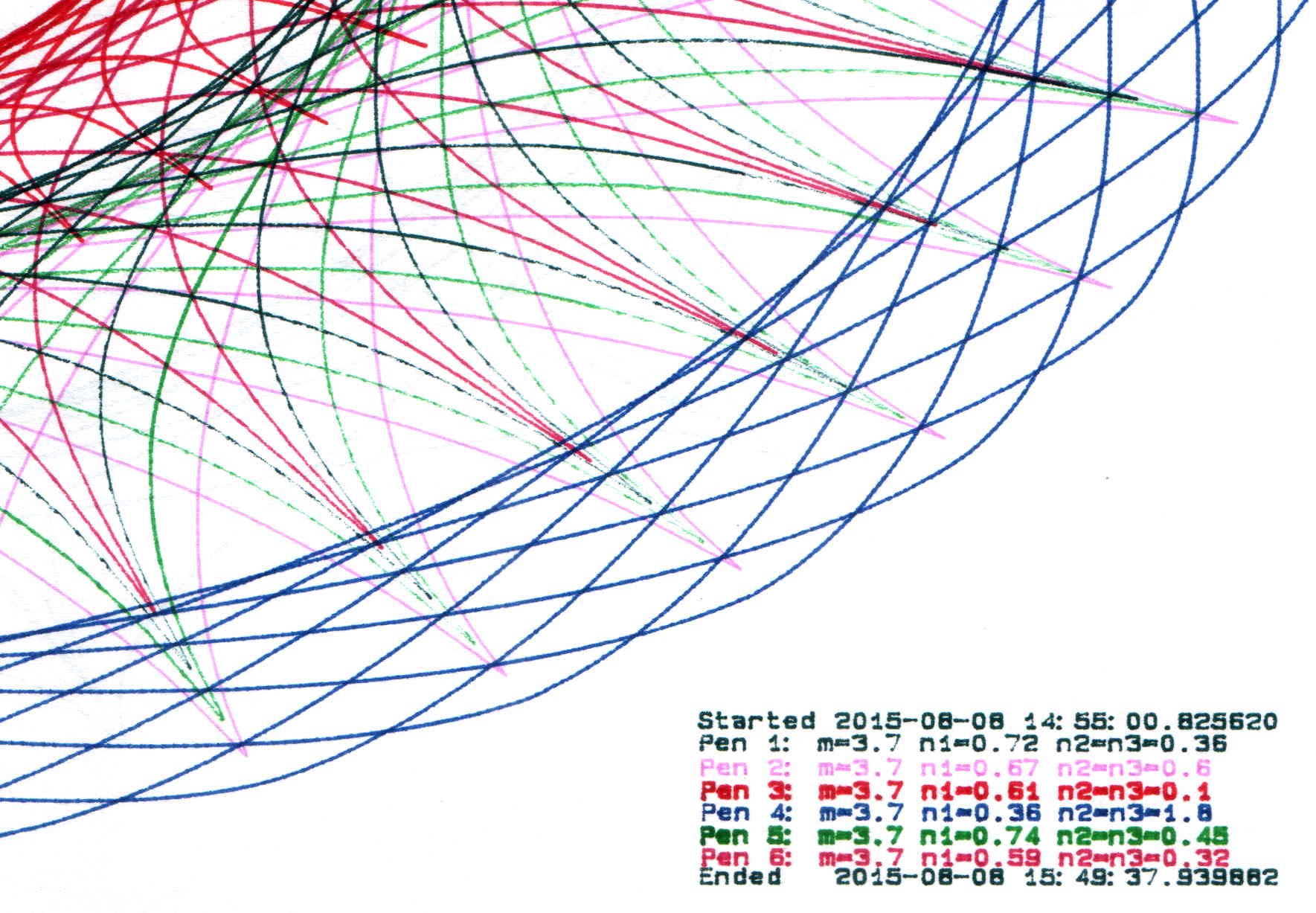
The more recent plots have a legend in the right bottom corner with coefficients and timestamps:
SuperFormula Plot – legend detail
Limiting the pen speed to 10 cm/s (down from the default 38.1 cm/s = 15.00 inch/s) affects only the outermost segments of the spikes; down near the dense center, the 9600 b/s serial data rate limits the plotting speed. Plotting slowly helps old pens with low flow rates draw reasonably dense lines.
Each plot takes an hour, which should suffice for most dog-and-pony events.
I fill a trio of Python lists with useful coefficient values, then choose random elements for each plot: a single value of m determines the number of points for all six traces, then six pairs of values set n1 and n2=n3. The lists are heavily weighted to produce spiky traces, rather than smooth ovals, so the “random” list selections aren’t uniformly distributed across the full numeric range of the values.
Because the coefficient lists contain fixed values, the program can produce only a finite number of different plots, but I’m not expecting to see any duplicates. You can work out the possibilities by yourself.
The modified Chiplotle demo code bears little resemblance to the original:
from chiplotle import *
from math import *
from datetime import *
import random

def superformula_polar(a, b, m, n1, n2, n3, phi):
   ''' Computes the position of the point on a
   superformula curve.
   Superformula has first been proposed by Johan Gielis
   and is a generalization of superellipse.
   see: http://en.wikipedia.org/wiki/Superformula
   Tweaked to return polar coordinates
   '''

   t1 = cos(m * phi / 4.0) / a
   t1 = abs(t1)
   t1 = pow(t1, n2)

   t2 = sin(m * phi / 4.0) / b
   t2 = abs(t2)
   t2 = pow(t2, n3)

   t3 = -1 / float(n1)
   r = pow(t1 + t2, t3)
   if abs(r) == 0:
      return (0,0)
   else:
 #     return (r * cos(phi), r * sin(phi))
     return (r,phi)


def supershape(width, height, m, n1, n2, n3,
   point_count=10*1000, percentage=1.0, a=1.0, b=1.0, travel=None):
   '''Supershape, generated using the superformula first proposed
   by Johan Gielis.

   - `points_count` is the total number of points to compute.
   - `travel` is the length of the outline drawn in radians.
      3.1416 * 2 is a complete cycle.
   '''
   travel = travel or (10*2*pi)

   ## compute points...
   phis = [i * travel / point_count
      for i in range(1 + int(point_count * percentage))]
   points = [superformula_polar(a, b, m, n1, n2, n3, x) for x in phis]

   ## scale and transpose...
   path = [ ]
   for r, a in points:
      x = width * r * cos(a)
      y = height * r * sin(a)
      path.append(Coordinate(x, y))

   return Path(path)


## RUN DEMO CODE

if __name__ == '__main__':
   paperx = 8000
   papery = 5000
   tscale = 0.45
   numpens = 6
   m_list = [n/10.0 for n in [11, 13, 17, 19, 23, 29, 31, 37, 41, 43, 47, 53, 59]];   # prime/10 = number of spikes
   n1_list = [n/100.0 for n in range(15,75,1) + range(80,120,5) + range(120,200,10)]  # ring-ness 0.1 to 2.0, higher is larger diameter
   n2_list = [n/100.0 for n in range(10,50,1) + range(55,100,5) + range(110,200,10)]  # spike-ness 0.1 to 2.0, lower means spiky points
   paramlist = [[n1,n2] for n1 in random.sample(n1_list,numpens) for n2 in random.sample(n2_list,numpens)]
   if  not False:
     plt=instantiate_plotters()[0]
     plt.write('IN;')
#     plt.write(chr(27) + '.H200:')   # set hardware handshake block size
     plt.set_origin_center()
     plt.write(hpgl.SI(tscale*0.285,tscale*0.375))    # scale based on B size characters
     plt.write(hpgl.VS(10))                           # slow speed for those abrupt spikes
     pen = 1
     plt.select_pen(pen)
     plt.write(hpgl.PA([(paperx - 3000,-(papery - 600))]))
     plt.write(hpgl.LB("Started " + str(datetime.today())))
     m = random.choice(m_list)
     for n1, n2 in zip(random.sample(n1_list,numpens),random.sample(n2_list,numpens)):
        n3 = n2
        print "m: ", m, " n1: ", n1, " n2=n3: ", n2
        plt.write(hpgl.PA([(paperx - 3000,-(papery - 500 + 100*(pen - 1)))]))
        plt.select_pen(pen)
        plt.write(hpgl.LB("Pen " + str(pen) + ": m=" + str(m) + " n1=" + str(n1) + " n2=n3=" + str(n2)))
        e = supershape(paperx, papery, m, n1, n2, n3)
        plt.write(e)
        if pen < numpens:
            pen += 1
        else:
            pen = 1
     pen = 1
     plt.select_pen(pen)
     plt.write(hpgl.PA([(paperx - 3000,-(papery - 500 + 100*numpens))]))
     plt.write(hpgl.LB("Ended   " + str(datetime.today())))
     plt.select_pen(0)
   else:
     e = supershape(paperx, papery, 1.9, 0.8, 3, 3)
     io.view(e)
A place to store your vials of blended inkjet juice, plus a workstation for the plotter pen you’re refilling and that ink vial up front:
HP7475A Plotter Pen Refilling Station
The two pen holders accommodate ordinary fiber-tip pens and ceramic-tip pens. The slot along the front lets you keep track of the ink level, not that there’s much danger of running dry at 0.05 ml per refill from a vial holding 1 ml of blended ink. The big flange makes it harder for me to knock the damn thing over; avoiding an ink spill, even when you have a towel underneath, is a Good Thing.
The Slic3r tool path preview shows off the Hilbert Curve top & bottom infill:
Plotter Pen Refill Vial Holder – Slic3r preview
The OpenSCAD source code:
// HP7475A Plotter Pen Refill Station
// Ed Nisley KE4ZNU - August 2015

//- Extrusion parameters - must match reality!

ThreadThick = 0.25;
ThreadWidth = 0.40;

function IntegerMultiple(Size,Unit) = Unit * ceil(Size / Unit);

Protrusion = 0.1;

HoleWindage = 0.2;

module PolyCyl(Dia,Height,ForceSides=0) {			// based on nophead's polyholes

  Sides = (ForceSides != 0) ? ForceSides : (ceil(Dia) + 2);

  FixDia = Dia / cos(180/Sides);

  cylinder(r=(FixDia + HoleWindage)/2,
           h=Height,
	   $fn=Sides);
}


//------
// Dimensions

WallThick = 6*ThreadWidth;
BaseThick = IntegerMultiple(1.0,ThreadThick);

VialOD = 8.0;
VialOC = VialOD + WallThick;

VialArray = [4,4];			// number of vials in each direction

PenOD = [14.7,11.7];			// regular fiber pen body, ceramic *cap* dia
NumPens = len(PenOD);			// really works for just two pens...
PenLength = 38;
FlangeOD = 18;

echo(str("Max pen OD: ",max(PenOD)));
echo(str("Number of pens: ",len(PenOD)));

Holder = [(VialOC*VialArray[0] + WallThick),(VialOC*VialArray[1] + 2*FlangeOD + WallThick),(3*VialOD + BaseThick)];
HolderRound = 5.0;

//- Build it

	difference() {

		union() {
			hull() {
				for (i=[-1,1], j=[-1,1]) {
					translate([i*(Holder[0]/2 - HolderRound),j*(Holder[1]/2 - HolderRound),0])
						cylinder(r=HolderRound,h=Holder[2],$fn=8*4);
				}
			}

			hull() {
				for (i=[-1,1], j=[-1,1]) {
					translate([i*Holder[1]/2,j*(Holder[1]/2 - HolderRound),0])
						cylinder(r=HolderRound,h=BaseThick,$fn=8*4);
				}
			}

			for (i=[0:len(PenOD) - 1])
				translate([(i*Holder[0]/2 - Holder[0]/4),-Holder[1]/4,BaseThick]) {		// spacing is a total hack
					rotate(180/12)
						cylinder(d=FlangeOD,h=PenLength,$fn=3*4);
				}
		}

		for (i=[0:VialArray[0] - 1] , j=[0:VialArray[1] - 1]) {
			vx = i*VialOC - (VialOC*(VialArray[0] - 1)/2);
			vy = j*VialOC - (VialOC*(VialArray[1] - 1)/2) + FlangeOD;
			translate([vx,vy,BaseThick])
				rotate(180/8)
					PolyCyl(VialOD,Holder[2],8);
		}

		translate([0,(VialOD/2 - Holder[1]/2),BaseThick])
			rotate(180/8)
				PolyCyl(VialOD,Holder[2],8);										// edges along open side => snug fit

		for (i=[0:len(PenOD) - 1])
			translate([(i*Holder[0]/2 - Holder[0]/4),-Holder[1]/4,BaseThick]) {		// spacing is a total hack
				rotate(180/12)
					PolyCyl(PenOD[i],(PenLength + Protrusion),3*4);
			}

	}
Mary flattens seam allowances and prepares appliqué pieces with a Clover MCI-900 Mini Iron. The stand resembles the wire gadgets that came with soldering irons, back in the day:
Clover MCI-900 Mini Iron – Clover holder
That stand may be suitable on a workbench, but it’s perilously unstable on an ironing board. After fiddling around for a while and becoming increasingly frustrated with it, she asked for a secure holder that wouldn’t fall over and perhaps had a heat shield around the hot end.
I ran off a quick prototype to verify my measurements and provide a basis for further discussion:
Clover MCI-900 Mini Iron – Level holder
I proposed screwing that holder to a rectangle of leftover countertop extending under the hot end, with a U-shaped heat shield extending upward to keep fingers and fabric away from the blade. She decided the countertop might be entirely too heavy and the heat shield might be too confining, so she suggested just angling the iron upward and adding a flat platform to stabilize it.
Her wish being my command:
Clover MCI-900 Mini Iron – Angled holder
I’m still not convinced that having the hot end up in the air is a Good Thing, but she thinks it’s worth trying as-is. A pair of 10-32 screw holes under each end will let it mount to a base board, should that becomes necessary.
I’ll stick a foam sheet under the platform so it doesn’t slide around. The cord normally dangles downward off the side of the ironing board or work table, so the iron won’t get up and walk away, but it might pull the whole affair toward the edge.
I should fill the letters with JB Weld epoxy darkened with laser printer toner (who knew?) to make them stand out. They’re more conspicuous in person than in the picture, so maybe it doesn’t matter.
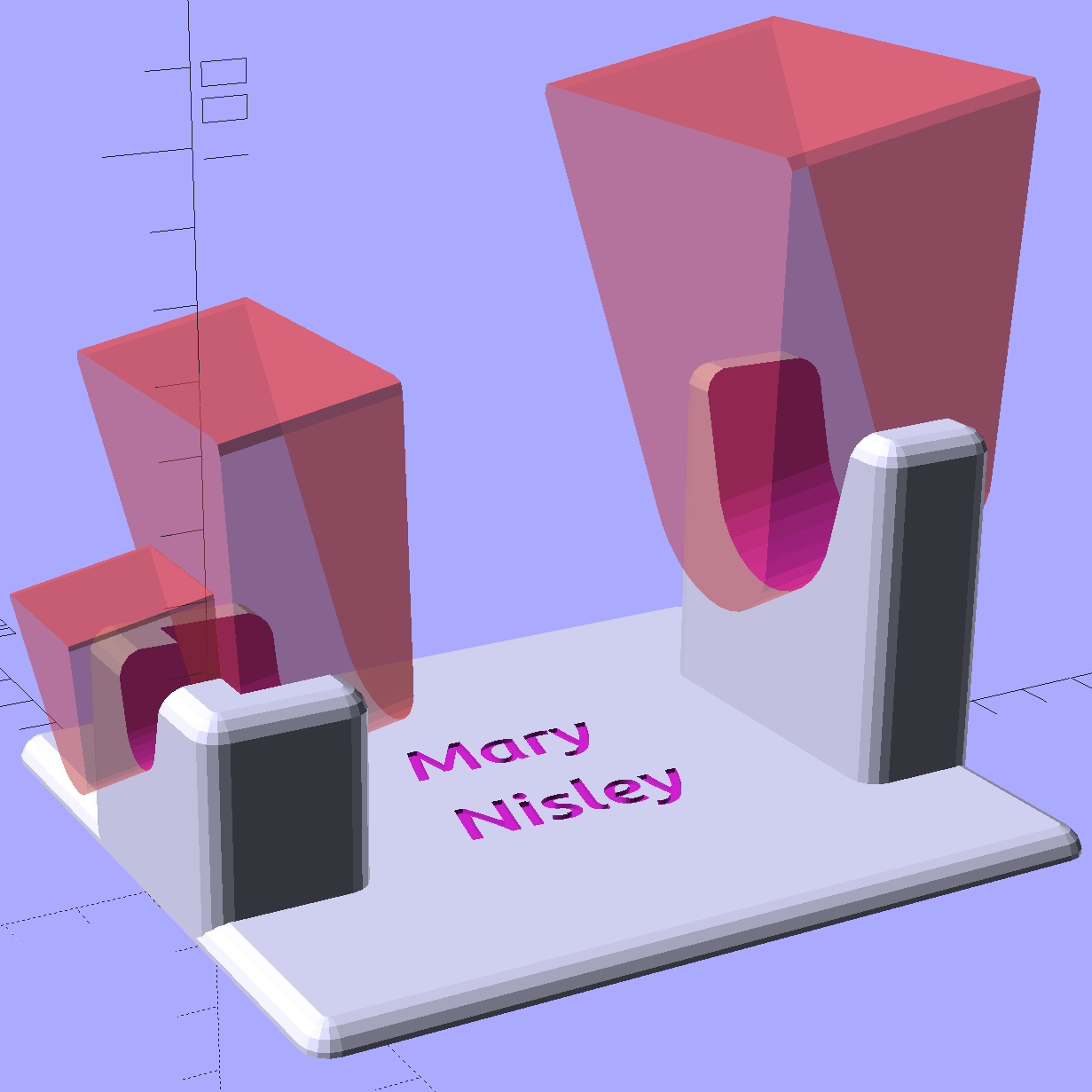
The slots holding the iron have a semicircular bottom and straight-wall sides, created by extruding hulled 2D shapes, arranging them along the iron’s central axis, and tilting the “iron” at the appropriate angle:
Clover Mini Iron Holder – solid model showing iron
That’s a 10° tilt, chosen because it looked right. The model recomputes itself around the key dimensions, so we can raise / lower the iron, change the angle, and so forth and so on, as needed.
Assuming that a hot end sticking out in mid-air isn’t too awful, this one looks like a keeper.
The OpenSCAD source code:
// Clover MCI-900 Mini Iron holder
// Ed Nisley KE4ZNU - August 2015

Layout = "Holder";					// Iron Holder

//- Extrusion parameters - must match reality!

ThreadThick = 0.25;
ThreadWidth = 0.40;

function IntegerMultiple(Size,Unit) = Unit * ceil(Size / Unit);

Protrusion = 0.1;

HoleWindage = 0.2;

inch = 25.4;

Tap10_32 = 0.159 * inch;
Clear10_32 = 0.190 * inch;
Head10_32 = 0.373 * inch;
Head10_32Thick = 0.110 * inch;
Nut10_32Dia = 0.433 * inch;
Nut10_32Thick = 0.130 * inch;
Washer10_32OD = 0.381 * inch;
Washer10_32ID = 0.204 * inch;

//------
// Dimensions

CornerRadius = 4.0;

CenterHeight = 25;							// center at cord inlet on body

BodyLength = 110;							// cord inlet to body curve at front flange

Incline = 10;								// central angle slope

FrontOD = 29;
FrontBlock = [20,1.5*FrontOD + 2*CornerRadius,FrontOD/2 + CenterHeight + BodyLength*sin(Incline)];

CordOD = 10;
CordLen = 10;

RearOD = 22;
RearBlock = [15 + CordLen,1.5*RearOD + 2*CornerRadius,RearOD/2 + CenterHeight];

PlateWidth = 2*FrontBlock[1];

TextDepth = 3*ThreadThick;

ScrewOC = BodyLength - FrontBlock[0]/2;
ScrewDepth = CenterHeight - FrontOD/2 - 5;

echo(str("Screw OC: ",ScrewOC));

BuildSize = [200,250,200];					// largest possible thing

module PolyCyl(Dia,Height,ForceSides=0) {			// based on nophead's polyholes

  Sides = (ForceSides != 0) ? ForceSides : (ceil(Dia) + 2);

  FixDia = Dia / cos(180/Sides);

  cylinder(r=(FixDia + HoleWindage)/2,
           h=Height,
	   $fn=Sides);
}

// Trim bottom from child object

module TrimBottom(BlockSize=BuildSize,Slice=CornerRadius) {

	intersection() {
		translate([0,0,BlockSize[2]/2])
			cube(BlockSize,center=true);
		translate([0,0,-Slice])
			children();
	}
}

// Build a rounded block-like thing

module RoundBlock(Size=[20,25,30],Radius=CornerRadius,Center=false) {

	HS = Size/2 - [Radius,Radius,Radius];
	translate([0,0,Center ? 0 : (HS[2] + Radius)])
	hull() {
		for (i=[-1,1], j=[-1,1], k=[-1,1]) {
			translate([i*HS[0],j*HS[1],k*HS[2]])
				sphere(r=Radius,$fn=4*4);
		}
	}
}

// Create a channel to hold something
// This will eventually be subtracted from a block
// The offsets are specialized for this application...

module Channel(Dia,Length) {

	rotate([0,90,0])
		linear_extrude(height=Length)
			rotate(90)
				hull() {
					for (i=[-1,1])
						translate([i*Dia,2*Dia])
							circle(d=Dia/8);
					circle(d=Dia,$fn=8*4);
				}
}

// Iron-shaped series of channels to be removed from blocks

module IronCutout() {

	union() {
		translate([-2*CordLen,0,0])
			Channel(CordOD,2*CordLen + Protrusion);
		Channel(RearOD,RearBlock[0] + Protrusion);
		translate([BodyLength - FrontBlock[0]/2 - FrontBlock[0],0,0])
			Channel(FrontOD,2*FrontBlock[0]);

	}

}

//- Build it

if (Layout == "Iron")
	IronCutout();

if (Layout == "Holder")
	difference() {
		union() {
			translate([(BodyLength + CordLen)/2 - CordLen,0,0])
				TrimBottom()
					RoundBlock(Size=[(CordLen + BodyLength),PlateWidth,CornerRadius]);

			translate([(RearBlock[0]/2 - CordLen),0,0])
				TrimBottom()
					RoundBlock(Size=RearBlock);

			translate([BodyLength - FrontBlock[0]/2,0,0]) {
				TrimBottom()
					RoundBlock(Size=FrontBlock);
			}
		}

		translate([0,0,CenterHeight])
			rotate([0,-Incline,0])
				IronCutout();

		translate([0,0,-Protrusion])
			PolyCyl(Tap10_32,ScrewDepth + Protrusion,6);

		translate([ScrewOC,0,-Protrusion])
			PolyCyl(Tap10_32,ScrewDepth + Protrusion,6);

		translate([(RearBlock[0] - CordLen) + BodyLength/2 - FrontBlock[0],0,CornerRadius - TextDepth]) {

			translate([0,10,0])
				linear_extrude(height=TextDepth + Protrusion,convexity=1)		// rendering glitches for convexity > 1
					text("Mary",font="Ubuntu:style=Bold Italic",halign="center",valign="center");

			translate([0,-10,0])
				linear_extrude(height=TextDepth + Protrusion,convexity=1)		// rendering glitches for convexity > 1
				text("Nisley",font="Ubuntu:style=Bold Italic",halign="center",valign="center");
		}

	}
The M2 buzzed away for four hours on that puppy, with the first 2½ hours devoted to building the platform. That’s the downside of applying Hilbert Curve infill to two big flat surfaces, but the texture looks really good.











 The Smell of Molten Projects in the Morning