Ed Nisley's Blog: Shop notes, electronics, firmware, machinery, 3D printing, laser cuttery, and curiosities. Contents: 100% human thinking, 0% AI slop.
Category: Software
General-purpose computers doing something specific
However, the actual SCL frequency comes from dividing the CPU’s core clock by an even integer, so you can’t always get what you want. The Pi 3 ticks along at 1.2 GHz (actually 1.1 GHz, because marketing) from a core clock of 550 MHz, so a 200 kHz clock calls for a 2750 divider: 550 MHz / 2750 = 200 kHz.
Actually measuring the SCL frequencies suggests something else is going on:
I2C 200kHz – actual 125kHz
D0, the bottom trace, is SCL, D1 is SDA, and D2 is a trigger output not used in this setup. The yellow analog trace is the current in the SCL line between the Pi and the BNO055, about which more later.
So a 200 kHz nominal frequency produces a 125 kHz actual frequency.
The BNO055 pulls the clock low (“clock stretching”), which can (and does) cause problems, but it’s not active during the main part of the transfer where the Pi determines the SCL frequency.
More measurement along those lines produces a table:
CPU Core Clock:
550
MHz
I2C SCL kHz
Nominal
Ratio
Actual
Ratio
250
2200
156.20
3521
200
2750
125.00
4400
150
3667
92.59
5940
125
4400
78.12
7040
100
5500
62.50
8800
50
11000
31.25
17600
25
22000
15.63
35189
10
55000
6.25
88000
Apparently, the code converting the nominal I2C rate in config.txt uses a table of divider values intended for another CPU core clock. AFAICT, the boot code could divide the actual core clock by the desired I2C frequency to produce the appropriate value.
I have no particular desire to Use The Source to figure out what’s going on …
[Update: Perhaps this comes along with CPU clock throttling due to temperature. For completeness, I should dump the temperature and actual clock speed.]
A soaker hose leaped under a descending garden fork and accumulated a nasty gash:
Soaker Hose Splice – gashed
Mary deployed a spare and continued the mission, while I pondered how to fix such an odd shape.
For lack of anything smarter, I decided to put a form-fitting clamp around the hose, with silicone caulk buttered around the gash to (ideally) slow down any leakage:
Soaker Hose Splice – Solid Model – Assembled
As usual, some doodling got the solid model started:
Soaker Hose Splice – Dimension doodle 1
A hose formed from chopped rubber doesn’t really have consistent dimensions, so I set up the model to spit out small test pieces:
Soaker Hose Splice – Test Fit – Slic3r
Lots and lots of test pieces:
Soaker Hose Splice – test pieces
Each iteration produced a better fit, although the dimensions never really converged:
Soaker Hose Splice – Dimension doodle 2
The overall model looks about like you’d expect:
Soaker Hose Splice – Complete – Slic3r
The clamp must hold its shape around a hose carrying 100 psi (for real!) water, so I put 100 mil aluminum backing plates on either side. Were you doing this for real, you’d shape the plates with a CNC mill, but I just bandsawed them to about the right size and transfer-punched the hole positions:
Soaker Hose Splice – plate transfer punch
Some drill press action with a slightly oversize drill compensated for any misalignment and Mr Disk Sander rounded the corners to match the plastic block:
Soaker Hose Splice – plate corner rounding
A handful of stainless steel 8-32 screws holds the whole mess together:
Soaker Hose Splice – installed
These hoses spend their lives at rest under a layer of mulch, so I’m ignoring the entire problem of stress relief at those sharp block edges. We’ll see how this plays out in real life, probably next year.
I haven’t tested it under pressure, but it sure looks capable!
This file contains hidden or bidirectional Unicode text that may be interpreted or compiled differently than what appears below. To review, open the file in an editor that reveals hidden Unicode characters.
Learn more about bidirectional Unicode characters
For some inexplicable reason, I didn’t have a roll of duct tape in my packs, so the temporary repair required a strip of tape from a battery pack, two snippets of hook-and-loop tape, and considerable muttering:
Tour Easy front fender clip – expedient repair
It was good for two dozen more miles to the end of our vacation, so I’d say that was Good Enough.
The new version has holes in the ferrules ten stay diameters deep, instead of six, which might eliminate the need for heatstink tubing. I added a small hole at the joint between the curved hooks and the ferrules to force more plastic into those spots:
Front Fender Clip – Slic3r
I also bent the hanger extension to put the fender’s neutral position closer to the wheel.
This file contains hidden or bidirectional Unicode text that may be interpreted or compiled differently than what appears below. To review, open the file in an editor that reveals hidden Unicode characters.
Learn more about bidirectional Unicode characters
You get those by plugging everything in, running blkid, and sorting out the results.
The 64 GB MicroSD card from the Sony AS30V camera uses Microsoft’s proprietary exfat file system, which apparently doesn’t associate a UUID/GUID with the entire device, so you must use a partition label. The Official SD Card Formatter doesn’t (let you) set one, so:
exfatlabel /dev/sdd1 AS30V
It turns out you can include spaces in the partition label, but there’s no way to escape them (that I know of) in /etc/fstab, so being succinct counts for more than being explanatory.
One could name the partition in the Windows device properties pane, which would make sense if one knew it was necessary while the Token Windows Laptop was booted with the card in place.
I think this is easier then trying to persuade UDEV to create known device names based on the USB hardware characteristics, because those will depend on which USB card / device / reader I use. I can force the UUIDs to be whatever I want, because they’re just bits in the disk image.
With all that in place, you plug in All. The. Gadgets. and run the script (as seen below). The general idea is to verify the bulk video drive mounted OK, attempt to mount each memory card and fire off a corresponding rsync copy, wait until they’re all done, tidy the target filenames, then delete all the source files to get ready for the next ride.
Funneling all three copies to a single USB hard drive probably isn’t the smartest thing, but the overall write ticks along at 18 MB/s, which is Good Enough for my simple needs. If the drive thrashes itself to death, I won’t do it again; I expect it won’t fail until well outside the 1 year limited warranty.
If any of the rsync copies fail, then nothing gets deleted. I’m a little queasy about automagically deleting files, but it’s really just video with very little value. Should somethinghorriblehappen, I’d do the copies by hand, taking great care to not screw up.
After all, how many pictures like this do we need?
This file contains hidden or bidirectional Unicode text that may be interpreted or compiled differently than what appears below. To review, open the file in an editor that reveals hidden Unicode characters.
Learn more about bidirectional Unicode characters
This file contains hidden or bidirectional Unicode text that may be interpreted or compiled differently than what appears below. To review, open the file in an editor that reveals hidden Unicode characters.
Learn more about bidirectional Unicode characters
For unknown reasons, the Gnome-ish vino-server package for Xubuntu 18.04 no longer installs vino-preferences, so it’s not obvious how to configure the server.
After considerable flailing, I installed good old x11vnc, set up a password, then started it in .xprofile:
x11vnc -forever -find -no6 -avahi -usepw
I don’t mind having programs change, but it’d be nice if features like, say, configuration wouldn’t just vanish.
Dan pointed out CNC machined aluminum cable clamps are a thing, but those are sized for larger frame tubes than the 1.0 inch steel used on our Tour Easy ‘bents and, although I’ve shimmed everything else on the frame, I wanted to tweak the cable angle to match the arm on the derailleur.
A bit of OpenSCAD wrangling produces a likely candidate:
Front Derailleur Cable Clamp – Slic3r
That’s a bulked-up revision of the prototype:
Tour Easy Front Derailleur Cable Clamp – installed
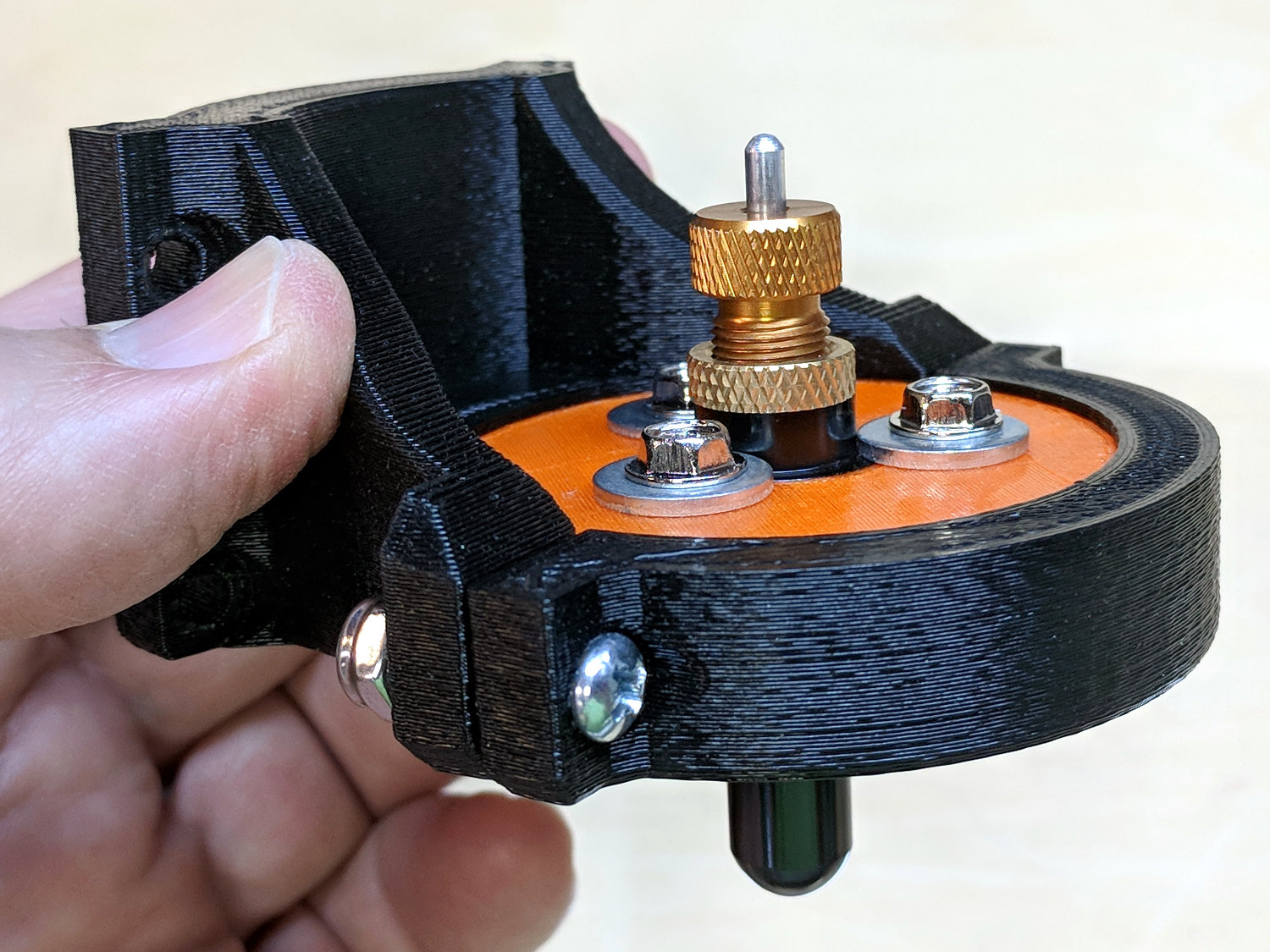
Done up in orange PETG, it demonstrated the idea worked, but two perimeter threads wrapped around 15% infill isn’t quite up to the task. Note the split along the screw on the far half and various irregularities around the ferrule.
The cable angle isn’t quite right, either, as the proper compound angle would, alas, aim the cable into the pedal crank. The bulky bushings get in the way of putting the ferrule where it should be with the screws aligned in a tidy manner, so I must get used to the jaunty angle.
The bulkier version, done with 50% infill and four perimeter threads, has the same tilt angle, but the ferrule sits further from the screws:
Tour Easy Front Derailleur Cable Clamp V2 – rear quarter view
The view from the left side shows the cable angles slightly to the rear, but the smaller angle should make it happier:
Tour Easy Front Derailleur Cable Clamp V2 – side view
Probably should have used black PETG. Next time, for sure!
This file contains hidden or bidirectional Unicode text that may be interpreted or compiled differently than what appears below. To review, open the file in an editor that reveals hidden Unicode characters.
Learn more about bidirectional Unicode characters
Poking the Print button on the front of the Siglent SDS2304X scope saves the screen to a BMP file (in the /BMP directory) on a USB flash drive plugged into its front-panel port:
Siglent SDS2304X Front Panel – Print Button – USB port
Which produces files like these:
ll --block-size=1 /path-to-USB-stick/BMP/
total 2318336
drwxr-xr-x 2 ed ed 4096 May 23 13:13 ./
drwxr-xr-x 4 ed ed 4096 Dec 31 1969 ../
-rw-r--r-- 1 ed ed 1152054 May 23 13:13 SDS00001.BMP
-rw-r--r-- 1 ed ed 1152054 May 23 13:13 SDS00002.BMP
The files are 1152054 bytes long, as specified by the BMP header inside the file:
hexdump -C /path-to-USB-stick/BMP/SDS00001.BMP | head
00000000 42 4d 36 94 11 00 00 00 00 00 36 00 00 00 28 00 |BM6.......6...(.|
00000010 00 00 20 03 00 00 e0 01 00 00 01 00 18 00 00 00 |.. .............|
00000020 00 00 00 94 11 00 00 00 00 00 00 00 00 00 00 00 |................|
00000030 00 00 00 00 00 00 01 01 01 01 01 01 01 01 01 01 |................|
00000040 01 01 01 01 01 01 01 01 01 01 01 01 01 01 01 01 |................|
*
00000880 01 01 01 01 01 01 01 01 01 01 01 01 01 01 1e 1e |................|
00000890 1e 1e 1e 1e 1e 1e 1e 1e 1e 1e 1e 1e 1e 1e 1e 1e |................|
*
00000990 1e 1e 1e 1e 1e 1e 01 01 01 01 01 01 01 01 01 01 |................|
The first 14 bytes contain the Bitmap file header, with the file size in Little-Endian order in the four bytes at offset +0x02: 0x00119436 = 1152054.
The four bytes at offset +0x0A give the offset of the pixel data: +0x36. That’s the series of 0x01 bytes in the fourth row. Unlike most images, BMP pixel arrays start at the lower left corner of the image and proceed rightward / upward to the last pixel at the upper right corner.
The data between the Bitmap file header and the start of the pixel data contains at least a Device Independent Bitmap header, identified by its length in the first four bytes at offset +0x0E. In this case, the length of 0x28 = 40 bytes makes it a Windows (no surprise) header.
The two bytes at +1C give the bits-per-pixel value: 0x18 = 24 = 3 bytes/pixel, so parse the pixels in RGB order.
The four bytes at +0x12 give the bitmap width in pixels: 0x320 = 800. Each pixel row must be a multiple of 4 bytes long, which works out fine at 2400 bytes.
The tail end of the file shows one dark pixel at the upper right:
hexdump -C /path-to-USB-stick/BMP/SDS00001.BMP | tail
00118330 00 cc 00 00 cc 00 00 cc 00 00 cc 00 00 cc 00 00 |................|
00118340 cc 00 00 cc 00 00 cc 00 00 cc 00 00 cc 00 00 cc |................|
00118350 00 00 cc 00 00 cc 00 00 cc 0f 0f 75 1e 1e 1e 1e |...........u....|
00118360 1e 1e 1e 1e 1e 1e 1e 1e 1e 1e 1e 1e 1e 1e 1e 1e |................|
*
00118ad0 1e 1e 1e 01 01 01 1e 1e 1e 1e 1e 1e 1e 1e 1e 1e |................|
00118ae0 1e 1e 1e 1e 1e 1e 1e 1e 1e 1e 1e 1e 1e 1e 1e 1e |................|
*
00119430 1e 1e 1e 01 01 01 |......|
Which looks like this, expanded by a factor of eight (clicky for more dots to reveal the situation):
Screenshot – upper right corner – 8x expansion
The scope can also transfer a screenshot over the network:
lxi screenshot -a 192.168.1.42 /tmp/lxi-shot.bmp
Loaded siglent-sds screenshot plugin
Saved screenshot image to /tmp/lxi-shot.bmp
Which has the same header:
hexdump -C /tmp/lxi.bmp | head
00000000 42 4d 36 94 11 00 00 00 00 00 36 00 00 00 28 00 |BM6.......6...(.|
00000010 00 00 20 03 00 00 e0 01 00 00 01 00 18 00 00 00 |.. .............|
00000020 00 00 00 94 11 00 00 00 00 00 00 00 00 00 00 00 |................|
00000030 00 00 00 00 00 00 01 01 01 01 01 01 01 01 01 01 |................|
00000040 01 01 01 01 01 01 01 01 01 01 01 01 01 01 01 01 |................|
*
00000880 01 01 01 01 01 01 01 01 01 01 01 01 01 01 1e 1e |................|
00000890 1e 1e 1e 1e 1e 1e 1e 1e 1e 1e 1e 1e 1e 1e 1e 1e |................|
*
00000990 1e 1e 1e 1e 1e 1e 01 01 01 01 01 01 01 01 01 01 |................|
But the resulting file is three bytes = one pixel (!) too large:
ll --block-size=1 /tmp/lxi.bmp
-rw-rw-r-- 1 ed ed 1152057 May 23 19:09 /tmp/lxi.bmp
The tail end of the file:
hexdump -C /tmp/lxi.bmp | tail
00118330 00 cc 00 00 cc 00 00 cc 00 00 cc 00 00 cc 00 00 |................|
00118340 cc 00 00 cc 00 00 cc 00 00 cc 00 00 cc 00 00 cc |................|
00118350 00 00 cc 00 00 cc 00 00 cc 0f 0f 75 1e 1e 1e 1e |...........u....|
00118360 1e 1e 1e 1e 1e 1e 1e 1e 1e 1e 1e 1e 1e 1e 1e 1e |................|
*
00118ad0 1e 1e 1e 01 01 01 1e 1e 1e 1e 1e 1e 1e 1e 1e 1e |................|
00118ae0 1e 1e 1e 1e 1e 1e 1e 1e 1e 1e 1e 1e 1e 1e 1e 1e |................|
*
00119430 1e 1e 1e 01 01 01 01 01 0a |.........|
Because the file header doesn’t include those three bytes, they don’t go into the image and the resulting screenshot is visually the same.
Which looks like a picket-fence error, doesn’t it? I’d lay long odds the erroneous loop runs from 0 to NUMPIXELS, rather than 0 to NUMPIXELS-1. Raise your hand if you’ve ever made that exact mistake.
I have no practical way to determine whether the error is inside the scope or the LXI network code, but given Siglent’s overall attention to software fit-and-finish, I suspect the former.
One can convert BMP files to the much more compact PNG format:
convert /tmp/lxi.bmp /tmp/lxi.png
convert: length and filesize do not match `/tmp/lxi.bmp' @ warning/bmp.c/ReadBMPImage/829.
Yes. Yes, there is a mismatch.
The space savings is impressive, particularly in light of PNG being a lossless format:
ll /tmp/lxi.*
-rw-rw-r-- 1 ed ed 1.1M May 23 19:09 /tmp/lxi.bmp
-rw-rw-r-- 1 ed ed 14K May 23 19:17 /tmp/lxi.png