The Smell of Molten Projects in the Morning

Ed Nisley's Blog: Shop notes, electronics, firmware, machinery, 3D printing, laser cuttery, and curiosities. Contents: 100% human thinking, 0% AI slop.

Category: Software

General-purpose computers doing something specific

  • Glass-top Patio Table Leg Brackets: Hardfought

    Glass-top Patio Table Leg Brackets: Hardfought

    A glass-top patio table came with our house and, similar to one of the patio chairs, required some repair. The arched steel legs fit into plastic brackets / sockets around the steel table rim under the glass top:

    Glass patio table - new brackets installed
    Glass patio table – new brackets installed

    The four glaringly obvious white blocks are the new brackets.

    The original brackets had, over uncounted years, deteriorated:

    Glass patio table - failed OEM bracket
    Glass patio table – failed OEM bracket

    Perhaps disintegrated would be a better description:

    Glass patio table - crumbled OEM bracket
    Glass patio table – crumbled OEM bracket

    Each leg has a pair of rusted 1-½ inch ¼-20 screws holding it to the central ring. As expected, seven of the eight screws came out easily enough, with the last one requiring an overnight soak in Kroil penetrating oil plus percussive persuasion:

    Glass patio table - jammed screw
    Glass patio table – jammed screw

    The four legs had three different screws holding them to the brackets, so I drilled out the holes and squished M5 rivnuts in place:

    Glass patio table - M5 rivnut installed
    Glass patio table – M5 rivnut installed

    Although it’s not obvious, the end of that tube is beveled with respect to the centerline to put both the top and bottom edges on the table rim inside the bracket. In addition, the tube angles about 10° downward from horizontal, which I did not realize amid the wrecked fittings, so the first bracket model failed instantly as I inserted the leg:

    Glass patio table - first bracket test
    Glass patio table – first bracket test

    The top & bottom walls of that poor thing were breathtakingly thin (to match the original bracket) and cracked when confronted with the angled tube. I could not measure all the sizes & angles without assembling the table on trial brackets, so getting it right required considerable rapid prototyping:

    Glass patio table - failed brackets
    Glass patio table – failed brackets

    Some trigonometry produced a solid model with features rebuilding themselves around the various sizes / angles / offsets:

    Glass Top Table - leg bracket - solid model
    Glass Top Table – leg bracket – solid model

    A sectioned view shows the angled tube position and end chamfer:

    Glass Top Table - leg bracket - section view
    Glass Top Table – leg bracket – section view

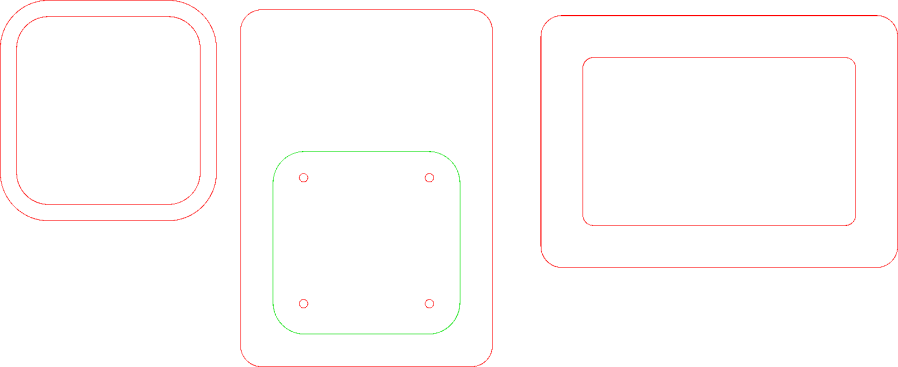
    The OpenSCAD code can produce a sectioned midline slice useful for laser-cut MDF pieces to check the angle:

    Glass patio table - chunky bracket installed - bottom
    Glass patio table – chunky bracket installed – bottom

    That eliminated several bad ideas & misconceptions, although trying to balance the leg on a 3 mm MDF snippet was trickier than I expected. In retrospect, gluing a few snippets together would be easier and still faster than trying to print a similar section from the model.

    The slightly elongated slot for the M5 screw shows that the original screw holes were not precisely placed or that the tubes were not precisely cut, neither of which come as a surprise. I finally built some slop into the design to eliminate the need for four different blocks keyed to four different legs.

    The outer rim, the notch on the bottom, and the tab on the top curve to match the four foot OD glass tabletop, with the inward side & ends remaining flat:

    Glass patio table - chunky bracket installed - top
    Glass patio table – chunky bracket installed – top

    The sector’s difference from a straight line amounts to half a millimeter and improved the fit enough to justify the geometric exercise. The bracket snaps into position with the notch over the table rim and the tab locked in the gap between the glass disk & the rim, although I suspect the weight of the tabletop would keep everything aligned anyway.

    The walls are now at least 4 mm thick and, printed in PETG, came out strong enough to survive assembly and some gentle testing. They’re arranged to print on their side to eliminate support under those slight curves and to align the layers for best strength vertically in the finished bracket:

    Glass Top Table - leg bracket - slicer preview
    Glass Top Table – leg bracket – slicer preview

    The leg cavity and screw hole built well enough without internal support.

    They’re relentlessly rectangular and I’m not going to apologize one little bit.

    Now to see how they survive out there on the screened porch.

    The OpenSCAD source code as a GitHub Gist:

    // Glass patio table leg brackets
    // Ed Nisley – KE4ZNU
    // 2024-08
    /* [Layout] */
    Layout = "Show"; // [Section,Projection,Show,Build]
    Part = "Leg"; // [Leg, RimPlate, Block, Bracket]
    /* [Hidden] */
    ThreadWidth = 0.40;
    ThreadThick = 0.25;
    HoleWindage = 0.2;
    Protrusion = 0.1;
    //—–
    // Dimensions
    /* [Hidden] */
    GlassOD = 1230.0; // inner edge of upper tab
    GlassThick = 5.0;
    WallThick = 4.0;
    TOP = 0;
    BOT = 1;
    TabWidth = [3.0,3.0]; // locking tabs, top & bottom
    TabHeight = [0.5,3.0]; // … height
    LegOA = [16.0,36.5,23.0]; // X insertion, Y around glass, Z upward
    LegAngle = 10;
    ScrewOffset = [8.0,10.0]; // from socket bottom
    ScrewOD = 6.0; // clearance hole
    Plate = [1.0 + 2*max(TabWidth[TOP],TabWidth[BOT]),
    LegOA.y + 2*WallThick,
    25.5
    ];
    echo(Plate=Plate);
    BlockOA = [LegOA.x*cos(LegAngle) + (LegOA.z/2)*sin(LegAngle) + WallThick,
    Plate.y,
    LegOA.z/cos(LegAngle) + 2*LegOA.x*sin(LegAngle) + 2*WallThick
    ];
    echo(BlockOA=BlockOA);
    //—–
    // Useful routines
    function IntegerMultiple(Size,Unit) = Unit * ceil(Size / Unit);
    module PolyCyl(Dia,Height,ForceSides=0) { // based on nophead's polyholes
    Sides = (ForceSides != 0) ? ForceSides : (ceil(Dia) + 2);
    FixDia = Dia / cos(180/Sides);
    cylinder(r=(FixDia + HoleWindage)/2,
    h=Height,
    $fn=Sides);
    }
    //—–
    // Table Leg
    // Including screw slot
    // Additional length to allow use as difference
    module Leg() {
    union() {
    difference() {
    rotate([0,90,0])
    translate([0,0,-LegOA.x])
    linear_extrude(height=4*LegOA.x,convexity=5)
    hull()
    for (j=[-1,1])
    translate([0,j*(LegOA.y – LegOA.z)/2])
    circle(d=LegOA.z);
    rotate([0,-LegAngle,0])
    translate([-2*LegOA.x,0,0])
    cube(4*LegOA,center=true);
    }
    hull()
    for (c = ScrewOffset)
    translate([each c + (LegOA.z/2)*sin(LegAngle),0,-LegOA.z])
    //rotate(180/6)
    PolyCyl(ScrewOD,LegOA.z,6);
    }
    }
    // Rim Plate
    module RimPlate() {
    n = 16*4*3;
    render(convexity=5)
    translate([-Plate.x,0,0])
    difference() {
    intersection() { // shape outer side to match table rim curve
    translate([0,-Plate.y/2,0])
    cube(Plate,center=false);
    translate([GlassOD/2 + TabWidth[TOP],0,0])
    cylinder(d=GlassOD + 2*TabWidth[TOP],h=Plate.z,center=false,$fn=n);
    }
    translate([GlassOD/2 + TabWidth[TOP],0,Plate.z – TabHeight[TOP]])
    cylinder(d=GlassOD,h=Plate.z,center=false,$fn=n);
    translate([GlassOD/2 + TabWidth[BOT],0,-(Plate.z – TabHeight[BOT])])
    difference() {
    cylinder(d=GlassOD,h=Plate.z,center=false,$fn=n);
    cylinder(d=GlassOD – 2*TabWidth[BOT],h=Plate.z,center=false,$fn=n);
    }
    }
    }
    // Block surrounding leg
    module Block() {
    intersection() {
    translate([BlockOA.x/2,0,0])
    cube(BlockOA,center=true);
    translate([0,0,BlockOA.x*sin(LegAngle) – BlockOA.z/2])
    rotate([0,LegAngle,0])
    translate([-2*BlockOA.x,-2*BlockOA.y,0])
    cube(4*BlockOA,center=false);
    }
    }
    // Complete bracket
    module Bracket() {
    difference() {
    union() {
    RimPlate();
    translate([0,0,Plate.z – BlockOA.z/2 – TabHeight[TOP] – 0*WallThick])
    Block();
    }
    translate([0,0,1*Plate.z/2 – 1*WallThick])
    rotate([0,LegAngle,0])
    translate([WallThick,0,0])
    Leg();
    }
    }
    //—–
    // Build things
    // Layouts for design & tweaking
    if (Layout == "Section")
    intersection() {
    Bracket();
    translate([0,BlockOA.y/2,0])
    cube([4*BlockOA.x,BlockOA.y,3*BlockOA.z],center=true);
    }
    if (Layout == "Projection")
    for (j = [1])
    translate([0,j*2*BlockOA.z])
    projection(cut=true)
    translate([0,0,j*5.0])
    rotate([90,0,0])
    Bracket();
    if (Layout == "Show")
    if (Part == "Leg")
    Leg();
    else if (Part == "RimPlate")
    RimPlate();
    else if (Part == "Bracket")
    Bracket();
    else if (Part == "Block")
    Block();
    // Build layouts for top-level parts
    if (Layout == "Build") {
    translate([0,0,Plate.y/2])
    rotate([90,0,0])
    Bracket();
    }

    Some dimension doodles, not all of which correspond to reality:

    Glass patio table - dimension doodle A
    Glass patio table – dimension doodle A
    Glass patio table - dimension doodle B
    Glass patio table – dimension doodle B

    See? It’s not all slotted animals all the time around here …

  • Slotted Alligator

    Slotted Alligator

    An alligator head should look good at the front door in late October:

    Alligator - left side
    Alligator – left side

    The printing on the moving boxes makes it a bit less scary on the other side:

    Alligator - right side
    Alligator – right side

    Perhaps those are gang tats!

    The eyes are fluorescent acrylic and definitely improve the thing.

  • Slotted Insects

    Slotted Insects

    Continuing the theme of Halloween decorations (and slots-n-tabs resizing), a Dragonfly took shape:

    Dragonfly - assembled
    Dragonfly – assembled

    It’s about a foot long, which makes one think of those prehistoric insects flying in dense, oxygen-rich air.

    Of course, a Dragonfly needs prey, for which a Mosquito should suffice:

    Mosquito - assembled
    Mosquito – assembled

    It’s about five inches from needle tip to tail and would certainly put up a stiff fight.

    They’re both made from chipboard, with original model slot sizing being Close Enough that I could just resize the whole thing to fit the available sheets.

  • Slotted Spiders

    Slotted Spiders

    Starting from an SVG file set up for 3 mm material, apply the usual optimizations & tweaks to get a usable LightBurn file, then go nuts:

    Spider Collection
    Spider Collection

    The big one is two cross-laid layers of corrugated cardboard using up the better part of three Home Depot Large moving boxes:

    Spider - LightBurn layout - 2x cardboard
    Spider – LightBurn layout – 2x cardboard

    That little bitty grid is the 700×500 mm laser cutter platform, so I just slap a sheet of cardboard in place, update the workspace from the camera, select the next layout, drag it over the cardboard, and Fire The Laser.

    The smaller cardboard spider over on the left is built with a single cardboard layer and succumbed to the square-cube law: the legs are entirely too bendy for the weight of the body. Although it’s not obvious from the pictures, both cardboard spiders have a keel plate I added under the body to support most of their weight.

    The brightly colored little spiders got a coat of rattlecan paint without any underlying primer and definitely look like that happened:

    Spider Collection - detail 2
    Spider Collection – detail 2

    The edge-lit fluorescent green spider is sized around 2.9 mm material, the clear spider uses 2.3 mm acrylic, and the chipboard one in the background is at 1.8 mm:

    Spider Collection - detail 1
    Spider Collection – detail 1

    The eyes are fluorescent red or green acrylic with concentric circles engraved to catch the light. They’re more effective than I expected, although they won’t look like much after dark.

    We now live in a neighborhood with youngsters and Halloween this year will be so much fun

    The WordPress AI image generator caught the general idea of “cardboard spiders”:

    Spider - WordPress AI image
    Spider – WordPress AI image

    So. Many. Legs.

  • Slotted Beetles

    Slotted Beetles

    Continuing the theme of slot resizing & overall scaling:

    Beetle Collection
    Beetle Collection

    The original model has 3.0 mm slots and arrived in CorelDraw format requiring a bank shot off InkScape to create an SVG file suitable for LightBurn. After the usual cleanup & optimization, I applied global rescaling to match the available material.

    The smallest beetles use 1.9 mm chipboard:

    Beetle - 1.9mm chipboard
    Beetle – 1.9mm chipboard

    Everything is held together by ordinary wood glue, squeezed together for a few moments until the two parts no longer slide around.

    One layer of 3.9 mm corrugated cardboard:

    Beetle - 1x cardboard
    Beetle – 1x cardboard

    The fancy gold & hologram decorations come from what’s surely non-laser-safe PSA vinyl sheets, cut by offsetting the top layer shapes inward a reasonable amount. The eyes come from random colored paper or painted chipboard.

    Two layers of cardboard add up to 8 mm:

    Beetle - 2x cardboard
    Beetle – 2x cardboard

    That’s purple paper left over from the layered paper quilt blocks and, obviously, my glue stick hand is weak.

    Three layers of cardboard makes each part half an inch thick:

    Beetle - 3x cardboard
    Beetle – 3x cardboard

    That bad boy needs black stripes on yellow in the universal “Fear me! I am a seriously dangerous creature!” danger marking.

    The layers are laid out with crossed corrugations to make the part less bendy, which is more necessary for the relatively slender legs.

    It’s two feet long and chewed up the better part of two Home Depot Extra Large moving boxes:

    Beetle - LightBurn layout - 3x cardboard
    Beetle – LightBurn layout – 3x cardboard

    The gridded rectangle represents the 700×500 mm laser platform.

    The little ones are kinda cute and not too threatening:

    Beetle Collection - 1.9mm
    Beetle Collection – 1.9mm

    Yes, that is one of the Goldbug Variations.

  • Slotted Elephants

    Slotted Elephants

    Continuing the theme of slot resizing for various materials:

    Elephants - 3.8 and 1.5 mm
    Elephants – 3.8 and 1.5 mm

    The DXF pattern imports directly into LightBurn and requires the usual joining / closing / optimization before all the slots resize in unison. Doing the resize changed the slots from the original 3.0 mm to the 3.9 mm required to convert a cardboard moving box into a pachyderm.

    The leg sections turned out to be a bit too thin for corrugated cardboard, so the corrugations came loose from the surface sheets, although the tail looked much more realistic. Stipulated: corrugated cardboard is the wrong material, but I really didn’t need a big MDF elephant looming over everything else.

    The smaller elephants, both in 1.5 mm thick materials, come from a global resize applied through the LightBurn Numeric Edit toolbar:

    LightBurn Numeric Edit - percent resize
    LightBurn Numeric Edit – percent resize

    The ratio makes the slots become the new size, with the entire rest of the design scaled around them. This works if you don’t much care about the overall size, but is rare in actual practice where you need a model “that big” with the slots fitting “that material”.

    But the pieces just slid together:

    Elephants - 1.5 mm detail
    Elephants – 1.5 mm detail

    I put dots of cyanoacrylate in the acrylic joints, although the vapors scarred the surface enough to remind me why that’s the wrong adhesive for the job when you care about surface quality. Dots of wood glue hold the chipboard elephant together, with a quick shot of clear rattlecan paint to knock down the smell of the charred edges; I’d say the color came out about right.

    All in all, they worked out rather well.

  • Tour Easy Running Lights: Updated Lights

    Tour Easy Running Lights: Updated Lights

    With the new battery mount & buck converter box installed on Mary’s bike, I updated the running light circuitry to match the ones on my bike. The original wiring just supplied 6.3 V from the headlight circuit, but now the four wire ribbon cable from the electronics box carries 6.3 VDC from the buck converter and a 6 VDC signal going high when the DPC-18 display’s “headlight” output goes active. The latter goes into an optoisolator pulling down Pin 2, telling the running light to stay on continuously.

    The optoisolator sits next to the Arduino Nano’s Reset button:

    Tour Easy Running Light - unified light top
    Tour Easy Running Light – unified light top

    The black wire barely visible below the optoisolator jumpers Pin 3 to ground, telling the firmware that this is the front running light.

    The black & white wires from the top of the optoisolator connect directly to the ribbon cable entering on the other side:

    Tour Easy Running Light - unified light bottom
    Tour Easy Running Light – unified light bottom

    The gray wrap of clear silicone tape mummifies the wire-to-wire soldered connectors.

    The firmware now pays attention to the jumper input, so I need only one source file for both front and rear lights:

        if (digitalRead(PIN_POSITION) == HIGH) {
            Blinks = String("i e  ");             // rear = occulting
            Polarity = true;
        }
        else {
            Blinks = String("n e  ");             // front = blinking
            Polarity = false;
        }


    It just doesn’t get much easier than that!

    The Arduino source code as a GitHub Gist: