Ed Nisley's Blog: Shop notes, electronics, firmware, machinery, 3D printing, laser cuttery, and curiosities. Contents: 100% human thinking, 0% AI slop.
Category: Science
If you measure something often enough, it becomes science
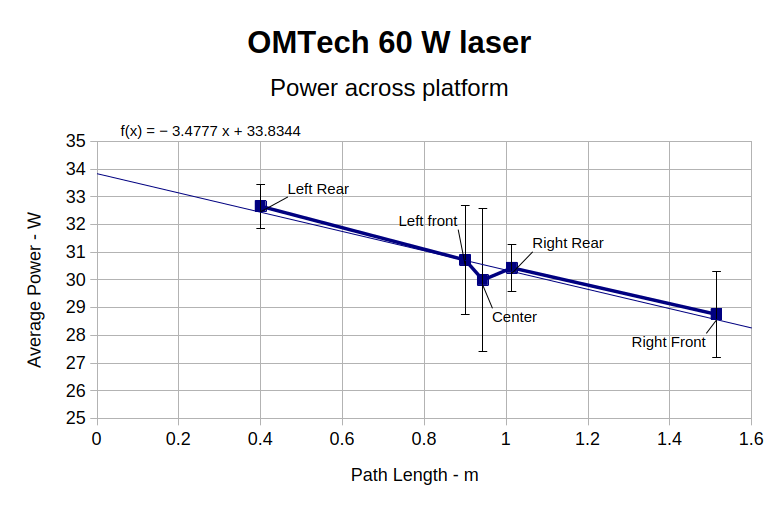
It’s generally accepted that laser cutter performance varies across the platform due to differences in path length, with (in my OMTech 60 W machine) the rear left corner having more power because it’s closest to the laser tube and the front right corner having less power because it’s farthest away.
HLP-200B Laser Power Meter – 60 W across platform measurements
I was mildly surprised at the minimal path length difference between the two corners and the center, but it’s due to the meter case reducing the distance along the X axis without a similar change along Y. In real life, you’d snuggle the HLP-200B sensor against the boundaries of the platform and measure the corresponding distances.
Given the size of the standard deviation bars, you can surely draw different conclusions, but the linear fit suggests the beam loses 3.5 W per meter of path length: 3.9 W from left rear to right front. Using meters for the distance multiplies the coefficient by 1000 and brings the digits up out of the noise; don’t believe more than two digits.
Although the beam diverges, the HLP-200B sensor is much larger than the beam and captures all the energy even in the front right corner, so beam divergence doesn’t matter and any square-law effect doesn’t apply.
If I had measured the power at the tube exit, it would be around 34 W and the error bars would surely justify that expectation, too.
Assuming the path loss in watts is proportional to the tube exit beam power, calling it 10% would be about right. That would definitely reduce the cutting performance in the front right corner if the power setting was barely adequate elsewhere on the platform.
Just to see if it worked, I tried measuring the path length between the laser tube exit and various spots on the platform with a laser distance measuring tool / rangefinder:
Laser Path Length setup – distance meter
That is a reenactment based on actual events.
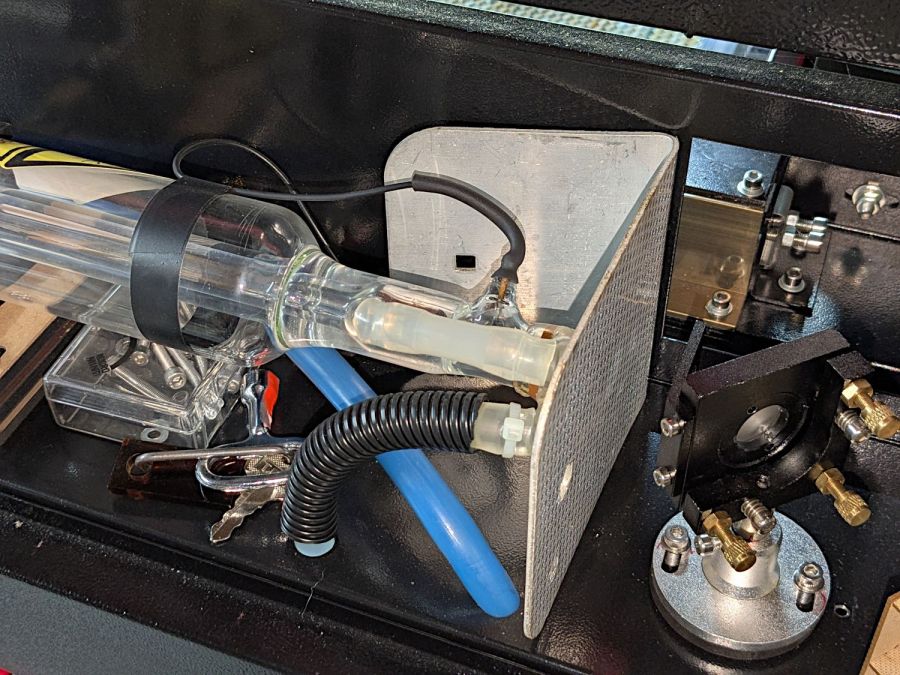
The trick is to put a retroreflective panel at the tube exit:
Laser Path Length setup – retroreflector
The key under the tube comes from the key switch on the front panel, which is locked in the OFF position. That way, I can’t fire the CO₂ laser without opening the rear hatch to retrieve the key, whereupon I’ll most likely notice the retroreflective target I forgot earlier.
Protip: Always set things up so you must make two mistakes before the bad thing happens. I’m certain to make one mistake, but I can generally catch myself before making the second mistake.
Then it’s just a matter of positioning the base of the rangefinder on the laser head and convincing the targeting dot to go backward through the mirrors to the retroreflector:
Laser Path Length setup – retroreflector target
Which is a reenactment with a laser pointer through Mirror 2 to Mirror 1 to the reflector. If I had a few more hands, this stuff would be way easier.
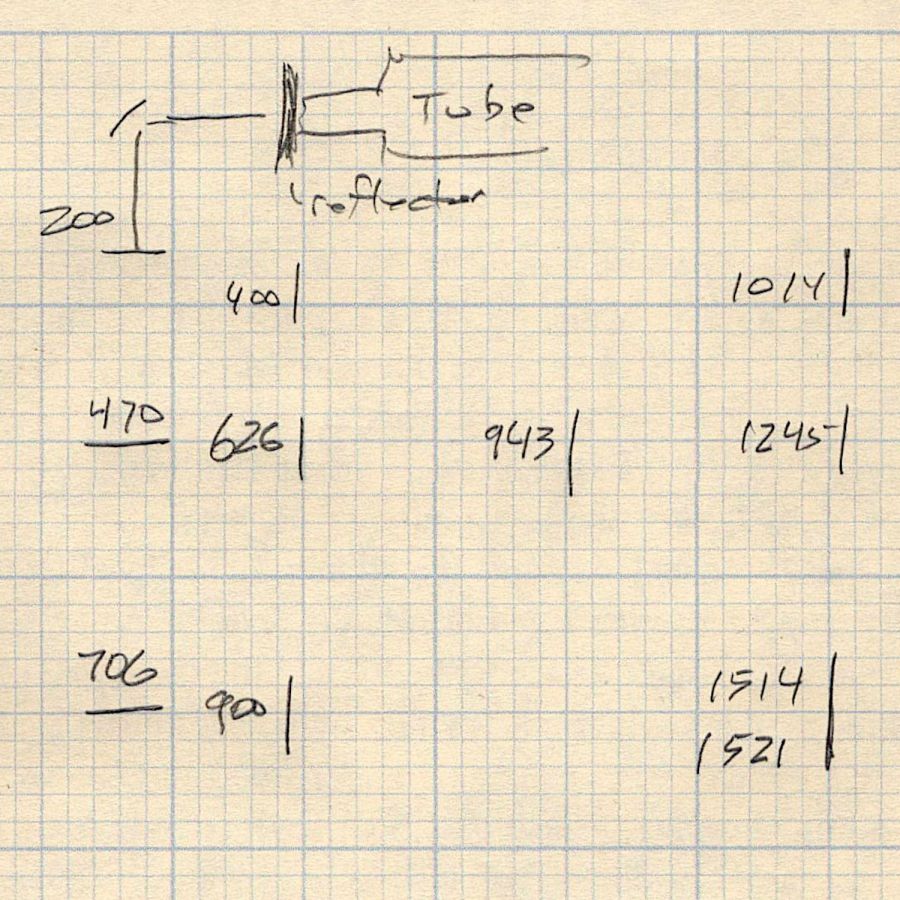
Then drive the laser head around the platform and make measurements:
Path length measurements
The distances down the left side are at the Mirror 2 entrance aperture, the rest are at the Mirror 3 entrance on the laser head. I think the measurements are within ±50 mm of the “true” path length at any given spot, because I did not jog the head to exact coordinates. The two values in the front right corner suggest ±10 mm repeatability with my slack process and cross-checking the various differences along the axes comes out reasonably close.
Don’t believe all the digits.
Doing this for real would involve figuring the offset from the Mirror 3 entrance to the HLP-200B Laser Power Meter target, then positioning the rangefinder at that point:
HLP-200B Laser Power Meter – platform center
My rangefinder (an ancient Bosch GLR_225) can use four different measurement origins; I used the default “end of the case” setting, put that end flush-ish against the mirror entrance aperture, and declared it Good Enough™.
The HLP-200B Laser Power Meter Handheld comes fully calibrated at 10.6 μm (CO2). Each laser power meter we calibrate is directly traceable to NIST absolute standards because we use GOLD standards as a reference for each calibration. You will obtain the most accurate result possible
A line in the description says “+/- 3% within the central section”, but that’s not much help. Back in the day, any error percentage referred to the meter’s full-scale value, which would be ±6 W for a 200 W meter.
So I plunked the meter in the middle of the laser platform:
HLP-200B Laser Power Meter – platform center
Then took five measurements at each of ten power levels:
PWM %
10
20
30
40
50
60
70
80
90
99
°C
17.2
17.9
18.4
19.0
19.4
20.3
20.0
20.0
20.5
19.4
Tube Current
3
4
7
10
14
16
18
20
22
24
W
7.1
21.0
42.0
51.8
59.1
63.0
67.8
69.6
74.7
64.0
6.0
19.8
37.2
48.9
52.7
56.0
65.1
69.6
72.4
71.8
6.4
21.1
39.3
45.6
56.5
53.2
61.1
60.7
74.6
75.2
5.6
17.8
37.1
40.4
55.3
53.2
55.1
64.2
74.9
73.5
6.0
17.7
36.9
45.1
54.5
53.1
62.2
69.9
72.2
70.9
Avg Power
6.2
19.5
38.5
46.4
55.6
55.7
62.3
66.8
73.8
71.1
std dev
0.57
1.66
2.19
4.29
2.39
4.26
4.78
4.16
1.34
4.29
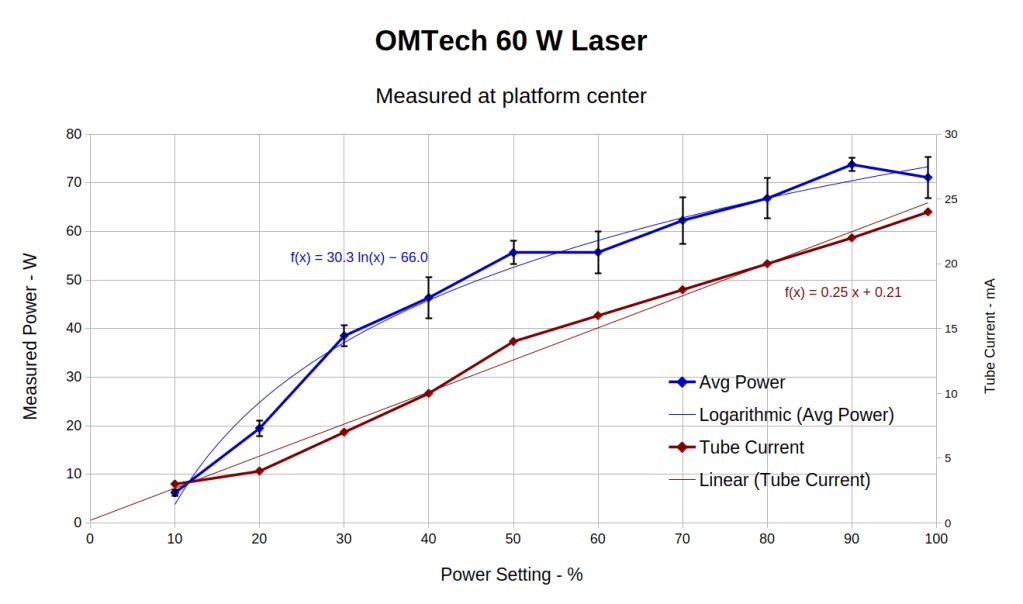
That’s easier to digest from a graph:
HLP-200B Laser Power Meter – 60 W platform center measurements
The absurdity of computing the sample standard deviation from five measurements taken at each power level does not escape me, but this just surveys the situation.
Earlier measurements of the tube current vs. PWM setting, using an RMS value computed by the oscilloscope’s firmware, produced a plot resembling the brown points (read the mA scale on the right) at the high end and differing greatly on the low end. These values come from the power supply’s digital meter, but the straight-line fit doesn’t look absurdly forced and the zero intercept seems plausible. I *assume* it’s actually measuring the tube current, rather than displaying a value computed from the PWM input, but I don’t know for sure.
The rather sketchy paperwork accompanying the laser had one handwritten “21 mA” seemingly corresponding to 60 W output, which looks approximately correct. The instruction manual has a table of power vs. current suggesting that 65-ish W corresponds to 18 mA, with 100 W at 23 mA; it’s unclear whether that is for the 60 W tube in the machine or applies to the entire range of available tubes. The manual recommends not using more than 95% PWM, with which I heartily agree.
Because my meter stand holds the target in the same position relative to the beam during successive measurements much better than I could by hand, I think the pulse-to-pulse variation comes from meter and tube repeatability.
Earlier measurements with a grossly abused Gentec ED-200 joulemeter suggested the laser has some pulse-to-pulse timing variation, down in the millisecond range, but produced roughly the right power for middle-of-the-range PWM settings. This meter integrates the beam power over about ten seconds, so I think variations will be due to (possible) tube power changes and meter repeatability, rather than timing errors.
Obviously, you must not depend on any single-shot measurement to fall within maybe 10% or several watts of the right answer.
With all that in mind and assuming the meter is delivering approximately the right numbers on average, the power supply overcooks the tube at any PWM setting above 50%. I’ve noticed some beam instability / defocusing over 80% while cutting recalcitrant materials, which is surely due to the tube not lasing properly. I generally avoid doing that.
The log fit to the measured power looks better than I expected, although I’m unprepared to compute natural logs in my head.
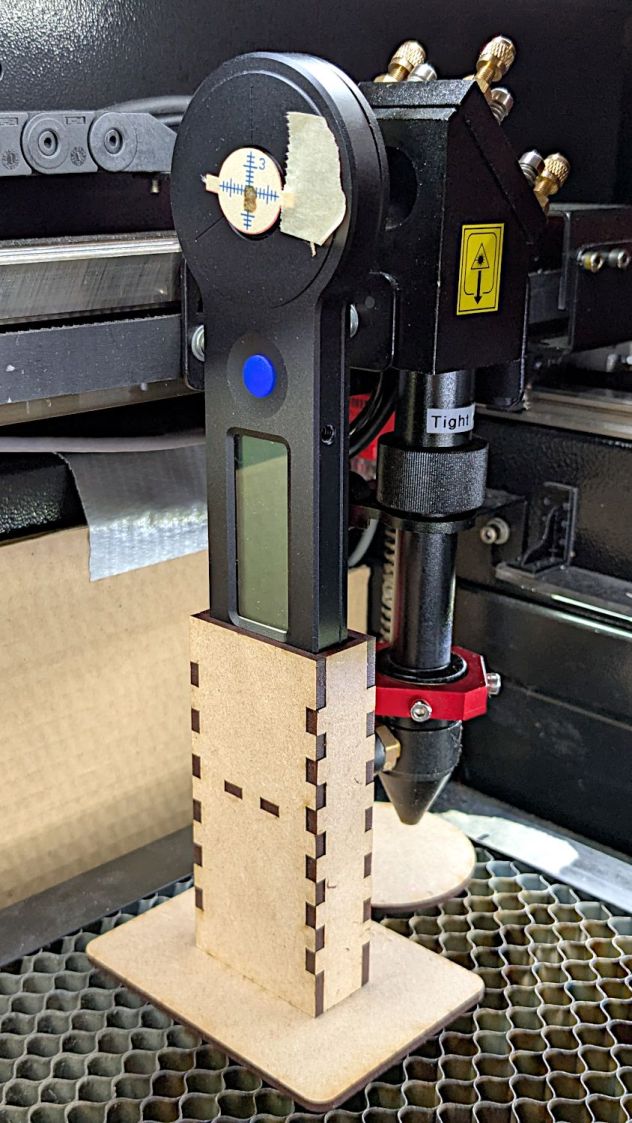
The overall measurement process for the HLP-200B laser power meter requires more coordination than I can muster on a dependable basis, so a third hand seemed in order:
HLP-200B Power Meter – target setup
In actual use, a pair of finger-crushingly strong magnets laid on the base hold it firmly to the honeycomb.
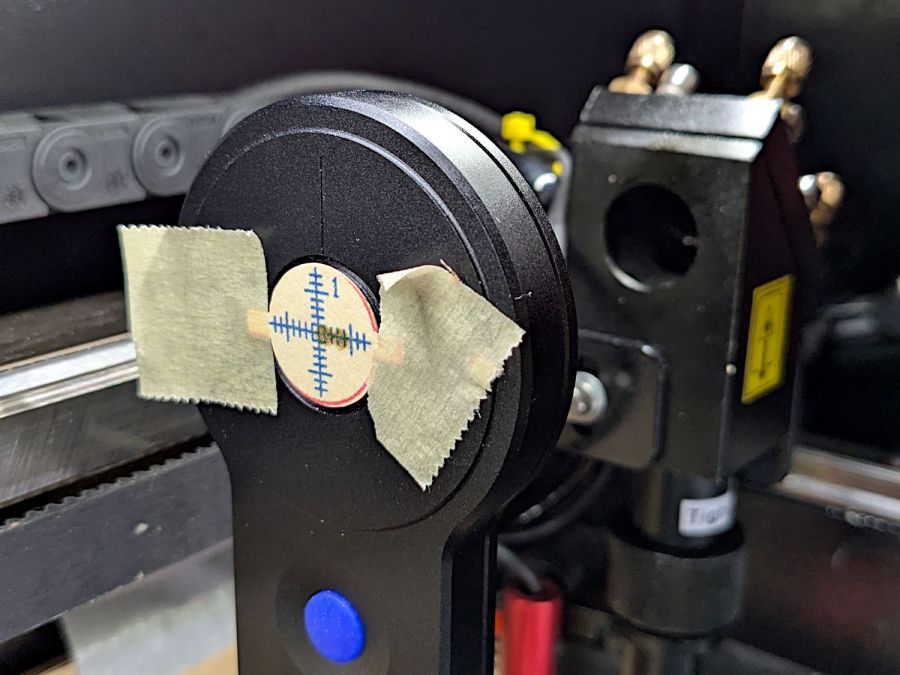
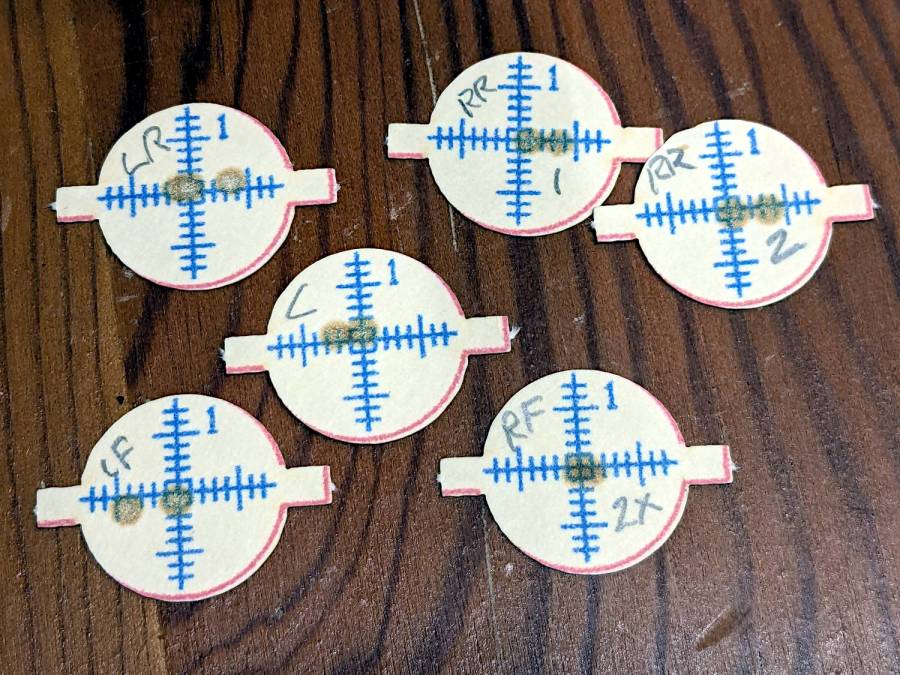
Because a CO₂ laser beam is invisible, the only way to know where it hits is to char a bit of paper:
HLP-200B Power Meter – target detail
With that evidence, I can jog the platform up-and-down and the gantry front-and-back to center the beam on the paper target and, thus, on the sensor behind it. That process happens at each test position across the platform:
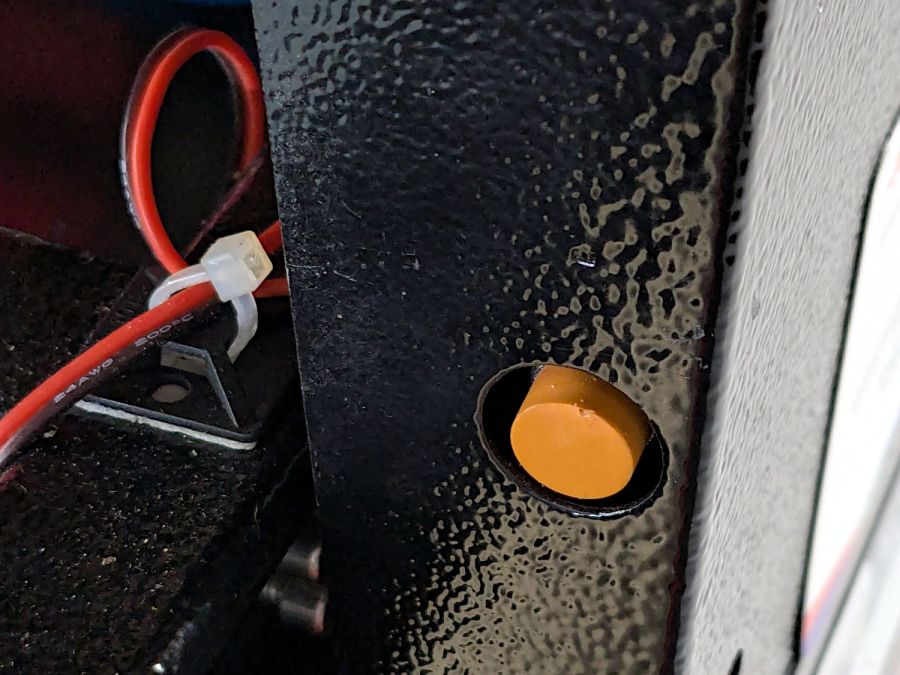
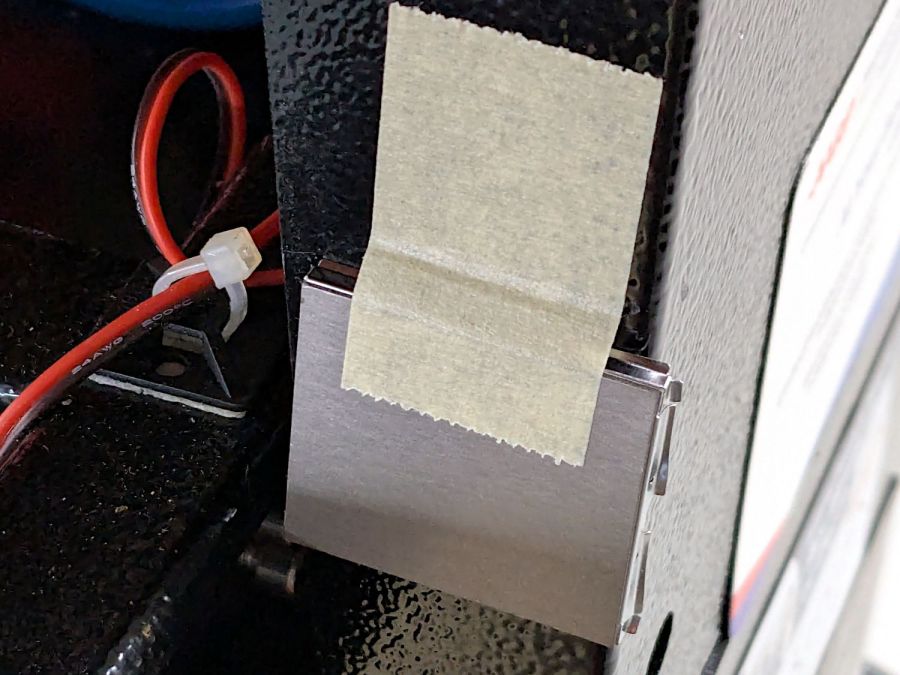
Rather than install a switch to bypass the interlock, I taped a steel cover harvested from defunct electronics over the sensor:
Laser lid interlock sensor – bypassed
Which has the useful side effect of preventing me from closing the lid with the interlock defeated.
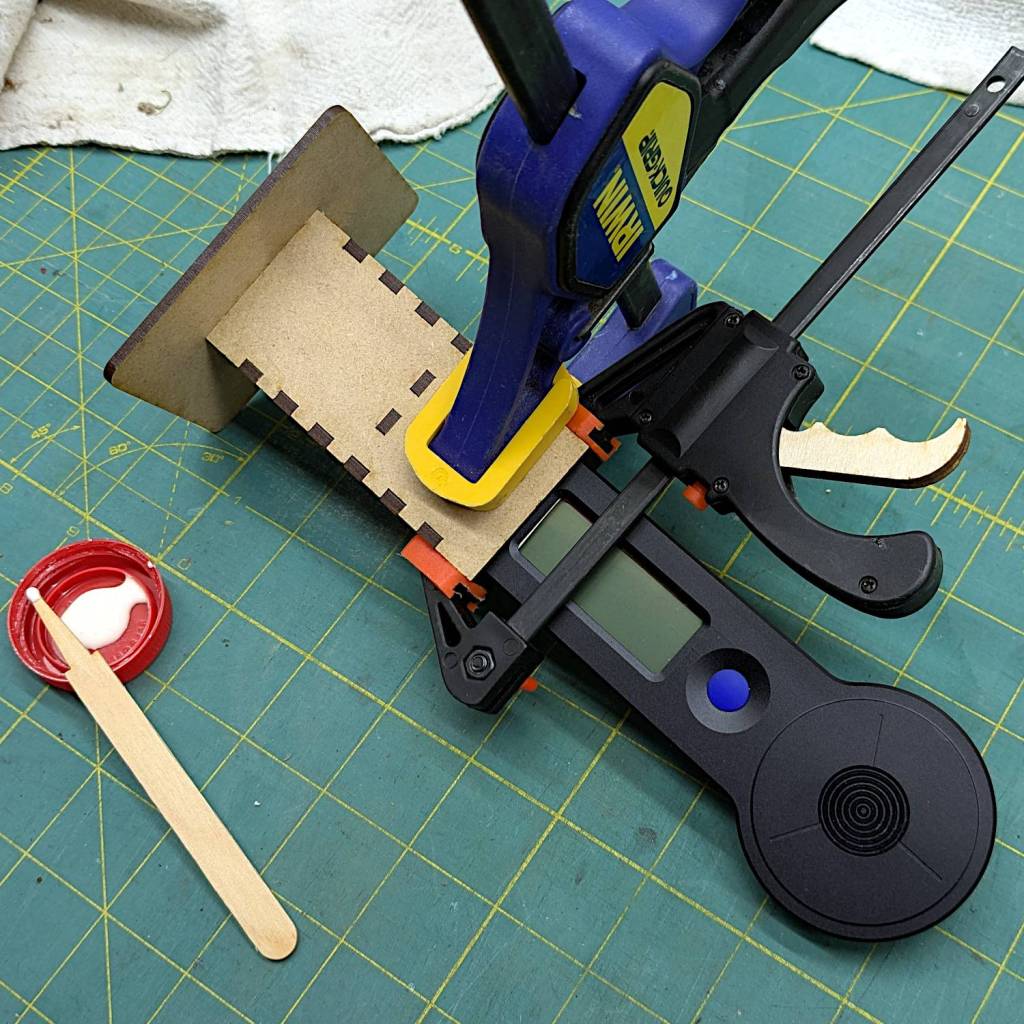
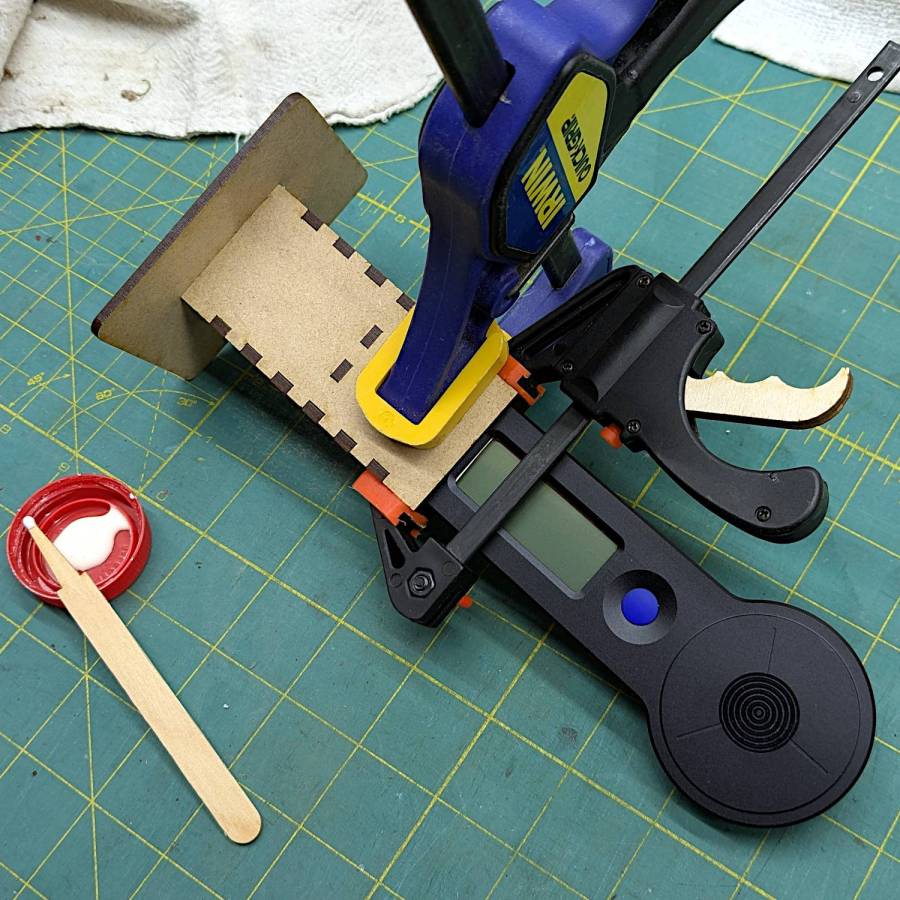
The holder is just slightly larger than the meter’s handle and some clamps produced a snug fit while the glue cured:
HLP-200B Power Meter – holder gluing
The holder keeps the meter sensor at the same position vertically and within about a millimeter horizontally. The laser beam seems to be around 5 mm in diameter (the scorches above come from the hottest central part), so the beam should hit the same position on the sensor during successive measurements, making them far more repeatable than my waving it around by hand.
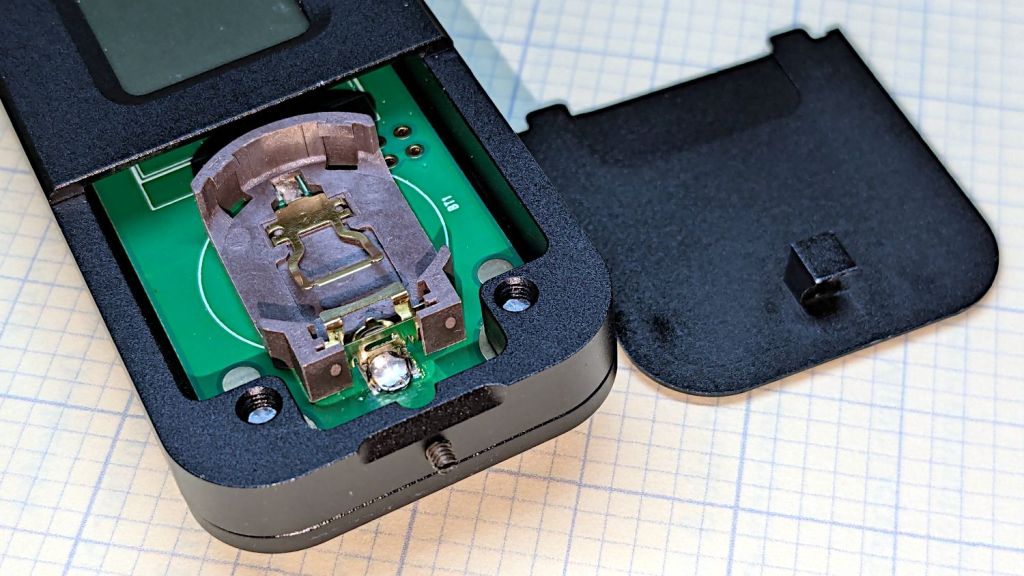
The manual does not exactly match the hardware. In particular, “so users won’t need any tools to replace the battery” is incorrect:
HLP-200B – battery lid screw
Until you loosen the M2 setscrew below the finger notch a couple of turns, “Use just fingers to remove the battery cover” will merely scuff your fingerprints. Apply a 1.5 mm or 1/16 inch straight screwdriver bit with no more than finger torque and, after two or three turns, the lid comes free.
The meter arrives without a battery, so you passed the first test.
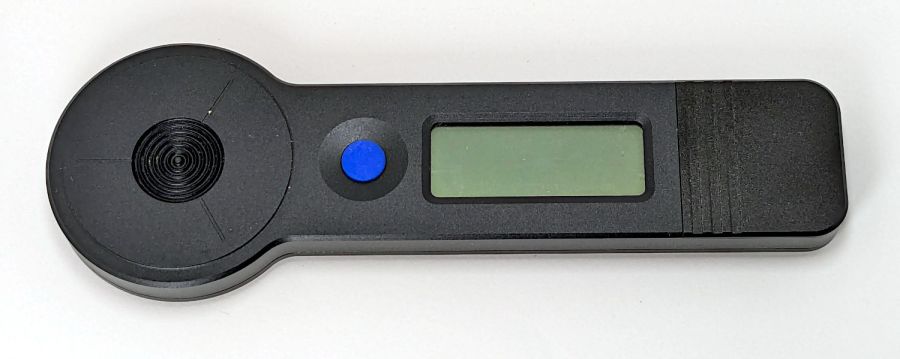
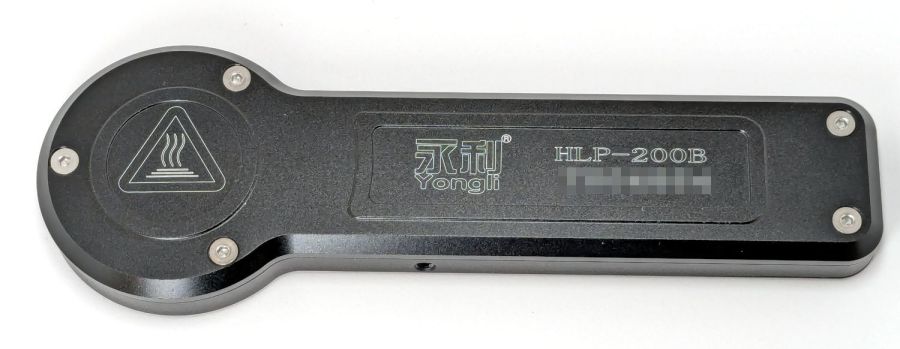
Despite the “another screw hold (M4) is added”, there’s only one tapped hole in the case, as visible in the back panel photo. Seen from the front, it’s above the four digit LCD.
Operation is at best awkward and at worst hazardous:
Press the blue button to turn it on and hear a beep
It’s ready to measure within three seconds
Hit it with the laser beam until it beeps
The LCD shows the power for six seconds
It shuts off with a beep
Bonus: If the meter doesn’t detect any energy, it shuts off 20-ish seconds after the button press
Minus my power ears, the beeps are completely inaudible.
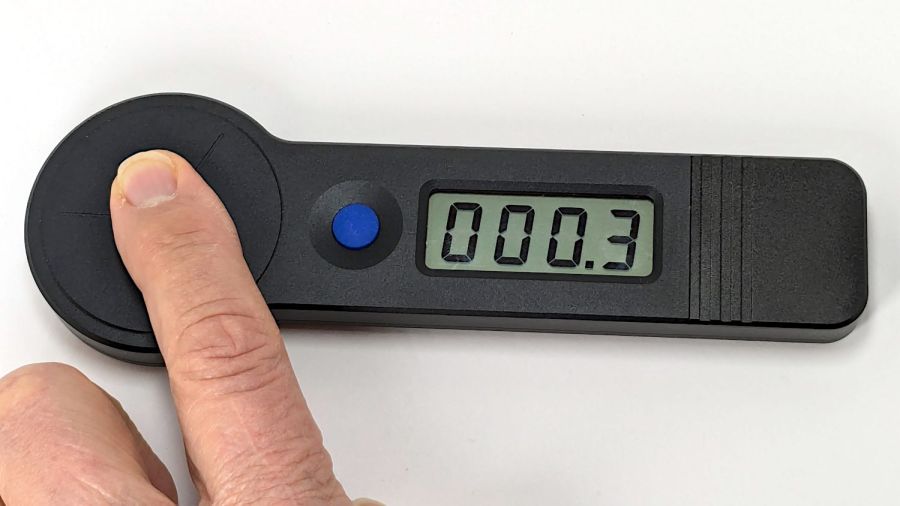
The meter is sensitive enough to respond to weak heat sources like LED bulbs and even fingertips, so you can test it without firing the laser. The numeric value shows the power from a CO₂ laser beam dumping an equivalent amount of energy into the sensor:
HLP-200B – finger heat response
The sensor target is 20 mm OD, although the instructions remind you to “Ensure the laser is emitted to the center of the sensor”. I suspect hitting the sensor with a focused laser spot will eventually damage the surface.
Making a real measurement requires:
Set the Pulse button for continuous output
Set the power level
Defeat the lid interlock switch on the laser cabinet
Push the blue button on the HLP-200B
Quickly position the meter target accurately in the beam path
Hold down the laser Pulse button
Freeze in that position until the meter beeps
Release the Pulse button
Quickly reorient the meter and read the display
I have a visceral reluctance concerning safety interlock overrides, misgivings about poking my head inside the cabinet, and no yearning to put one hand near the beam line with the other on the console. Yes, I have known-good laser safety glasses.
The meter generates plausible results for the (claimed) 60 W tube in my machine, but further tests await conjuring fixtures to keep various irreplaceable body parts out of harm’s way.
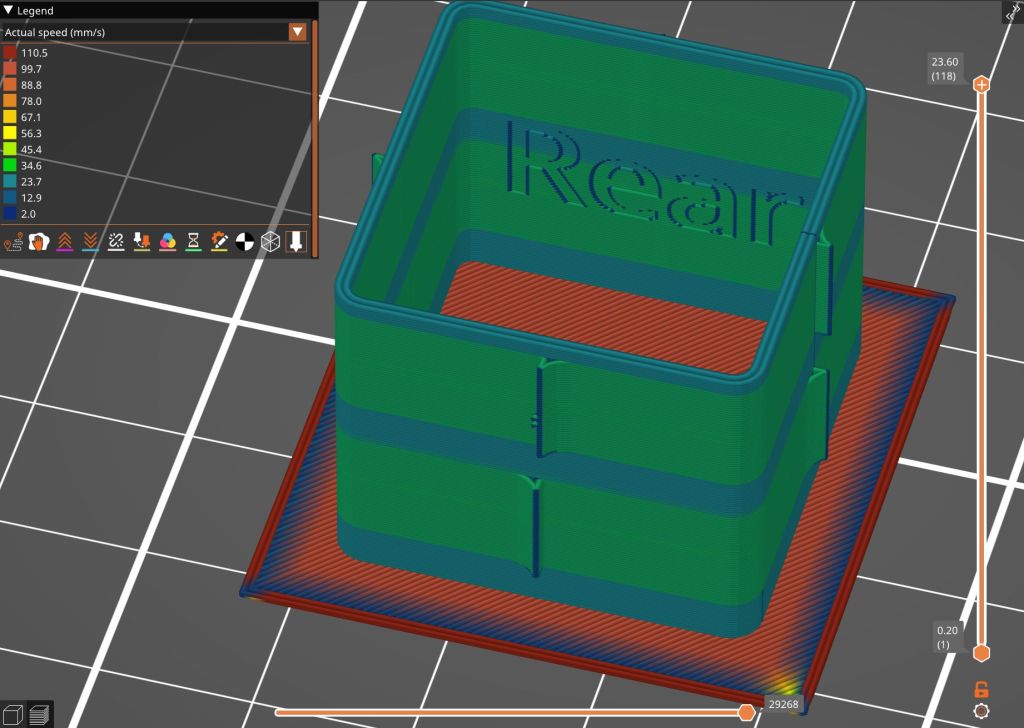
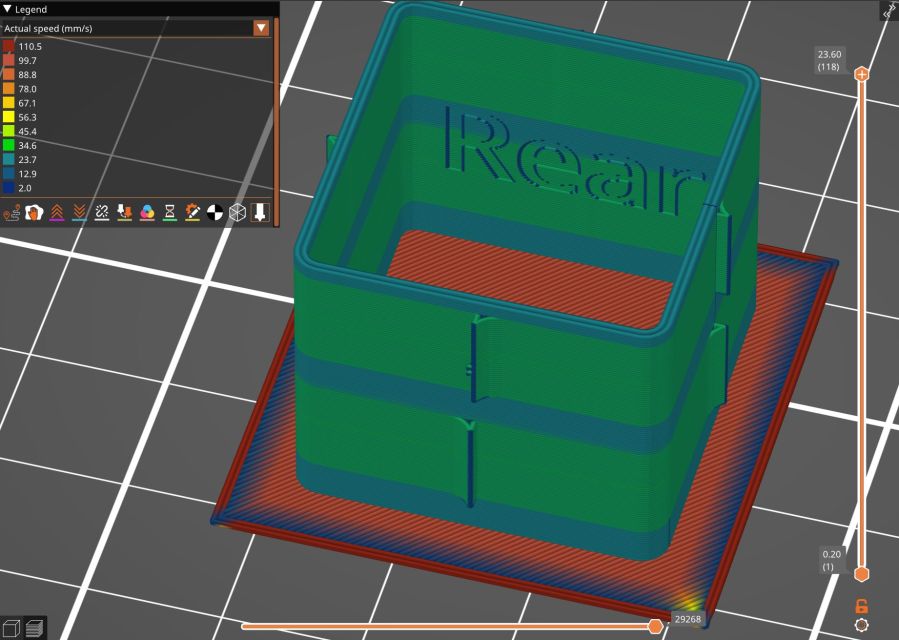
Loading the STL into PrusaSlicer, adding a text label to remind me which way it printed, then slicing with my PETG-CF profile shows the “Actual Speed”, which seems to take acceleration into consideration:
PrusaSlicer preview – actual speed
The colors in the legend don’t quite match the colors on the model, but the greenish layers with the jolts trundle along in the mid-20 mm/s range and the blue-ish straight-through layers at 30-ish mm/s.
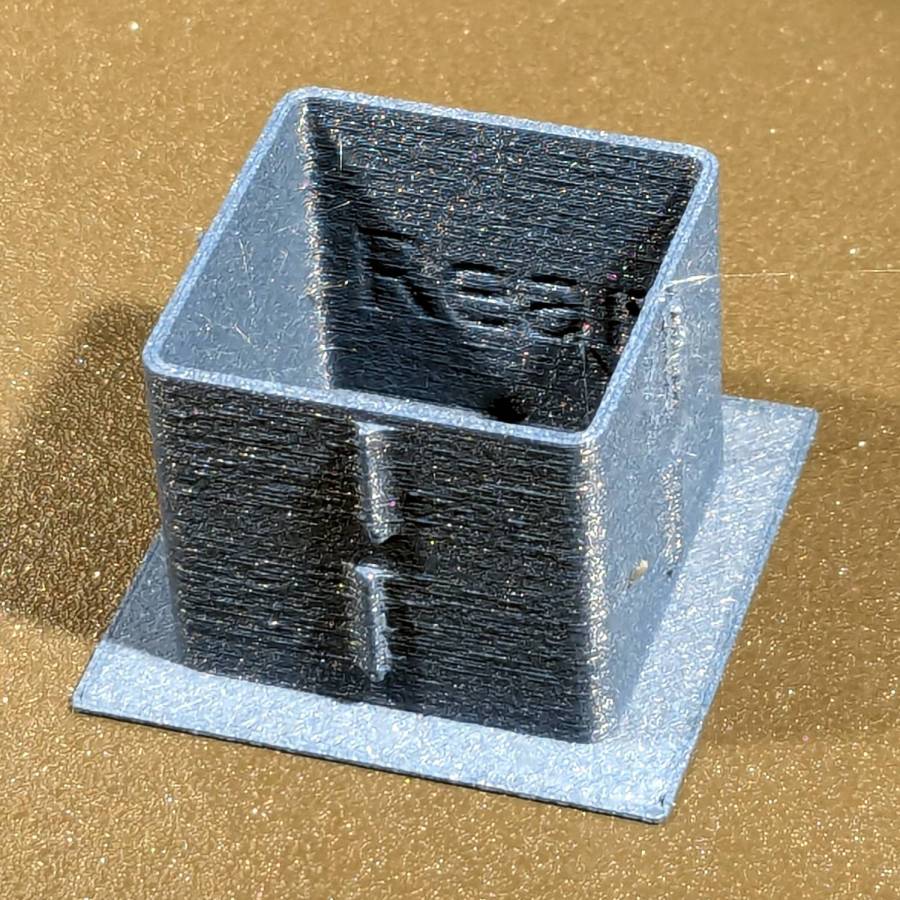
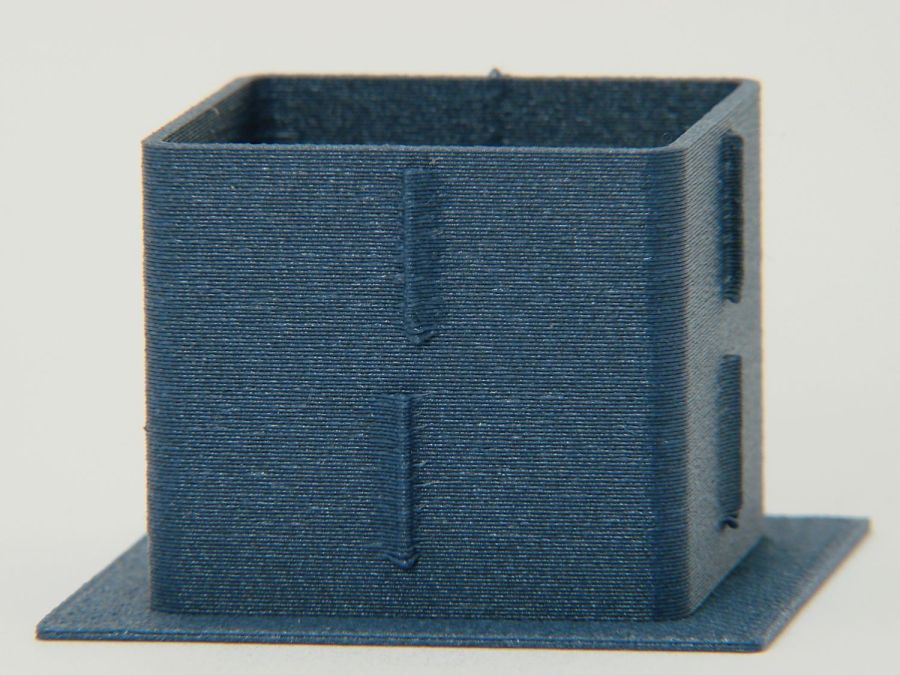
Eryone PETG-CF has a somewhat fuzzy appearance that seems not characteristic of other brands, so I’ll try something else when these spools run out:
MK4 Resonance Test Box – overview
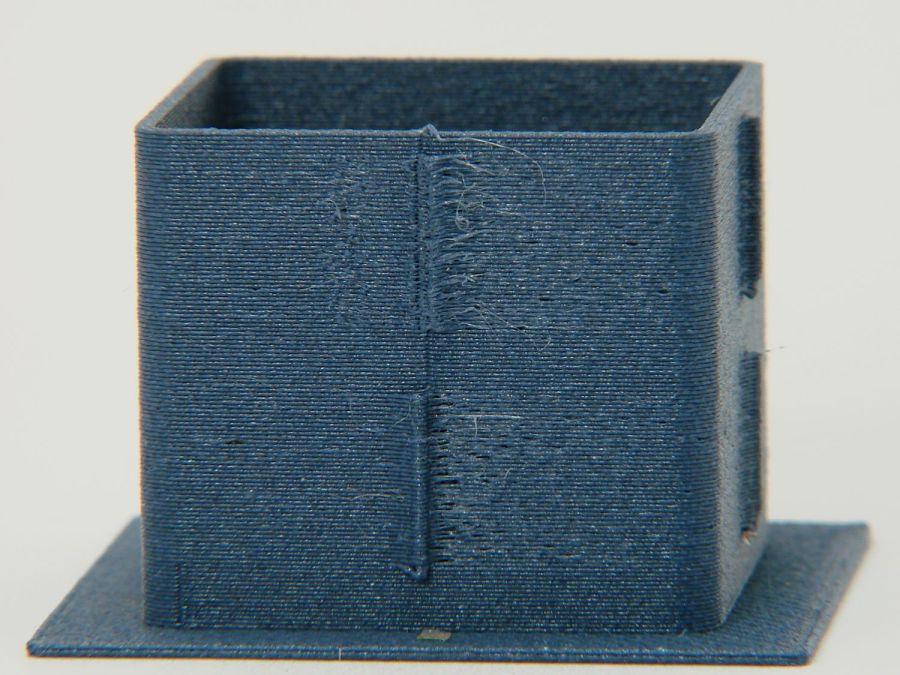
The right side of the box (as oriented on the platform) got all the layer retractions and came out festooned with PETG hairs:
MK4 Resonance Test Box – right side
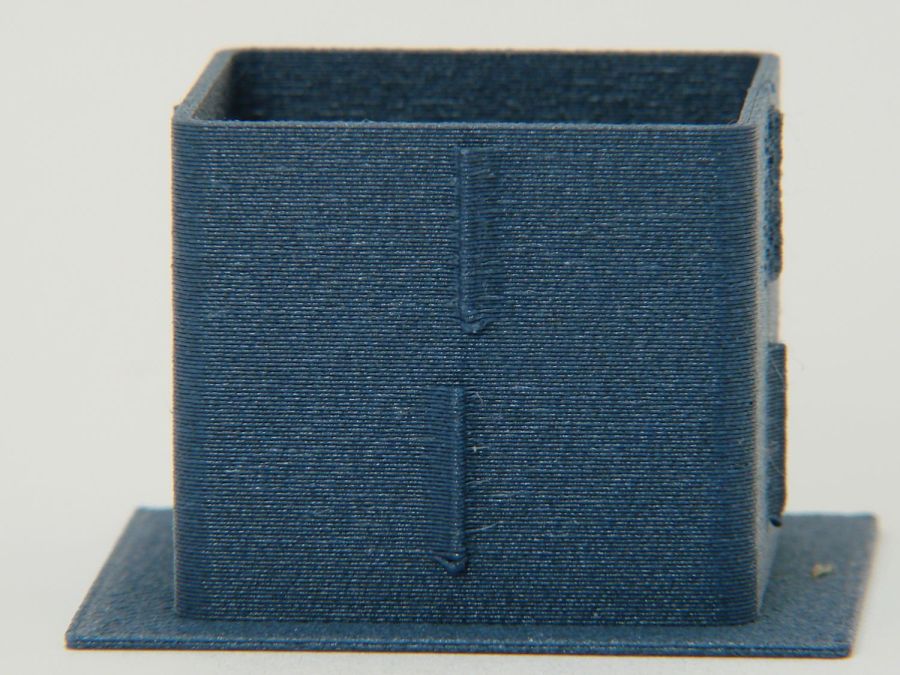
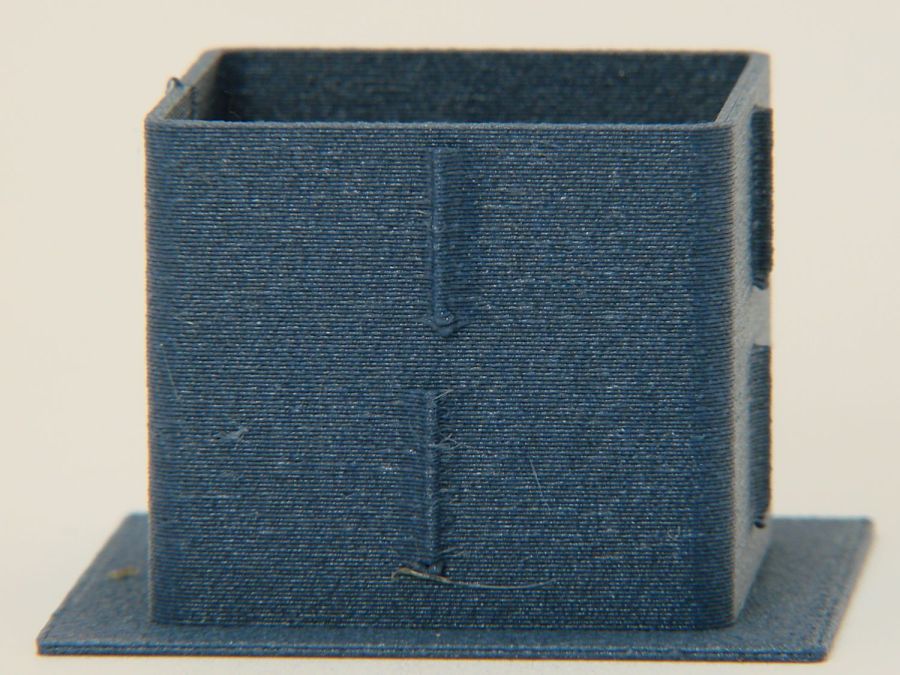
You can check my labels by tracking the small retraction zit sticking up from the top layer; I got it wrong the first time. Open the images in a new tab to see more pixels.
The front:
MK4 Resonance Test Box – front side
The left:
MK4 Resonance Test Box – left side
And the rear:
MK4 Resonance Test Box – rear side
You can barely see the shadow of the “Rear” text on the surface, even though the wall is two threads thick and the text is indented by 0.2 mm, about half the thread width.
As far as I can tell, the MK4 Input Shaper compensation does a great job of suppressing resonance or wobble in all directions.
The Prusa belt tension guide pretty much explains that subject, with their Belt Tuner making up for my utter tone deafness. FWIW, if the Belt Tuner produces inconsistent results differing by an octave, either up or down from the correct value, the belt is way too loose: give the axis belt tension screw a turn or two to drag the results into the right time zone, then fine-tune from there.
While it is possible to reach both tensioning screws without too much trouble, they’re definitely not convenient.
The accelerometer fits on the hot end:
Prusa MK4 Accelerometer – on hot end
Then under the steel sheet, where it’s clamped by the platform magnets:
Prusa MK4 Accelerometer – on platform
The MK4 firmware measures the resonant frequencies while prompting you to put the accelerometer in the proper locations, then computes the best shaper values.
For reference, the stock OEM values:
X = MZV 50 Hz
Y = MZV 40 Hz
Just after I got the accelerometer and without doing anything to prep the MK4, these results popped out:
X = MZV 56 Hz
Y = MZV 42 Hz
Now, with bling and properly tensioned belts:
X = MZV 59 Hz
Y = MZV 45 Hz
The most recent values were also the most stable, once again pointing out the value of careful assembly and maintenance.
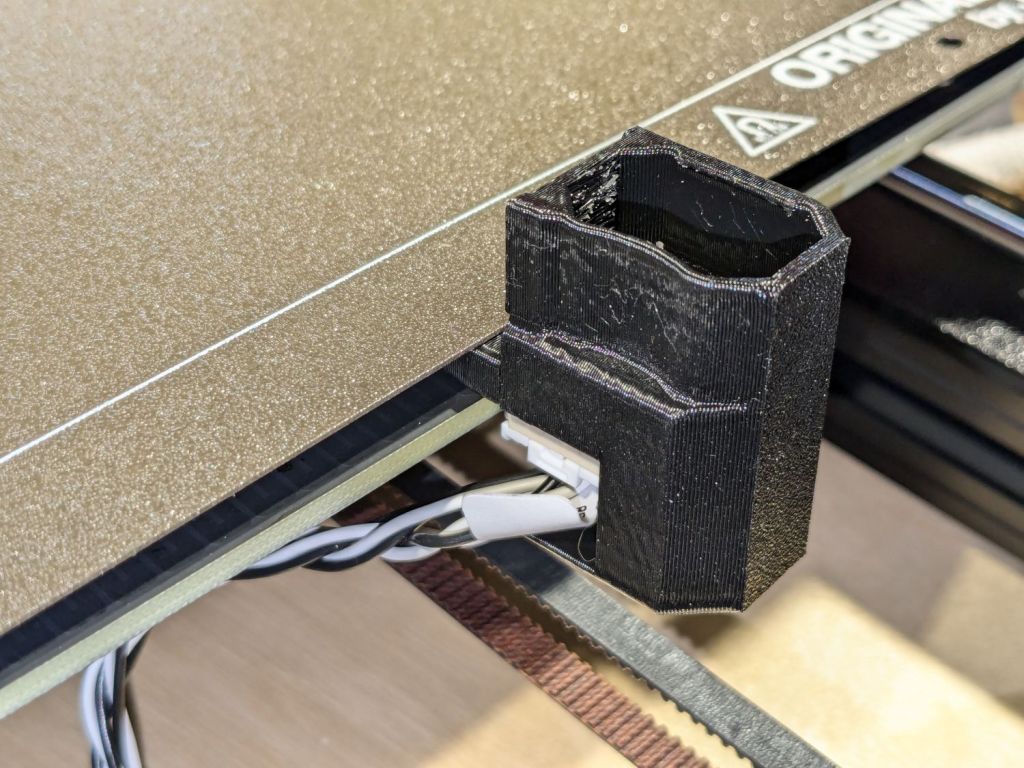
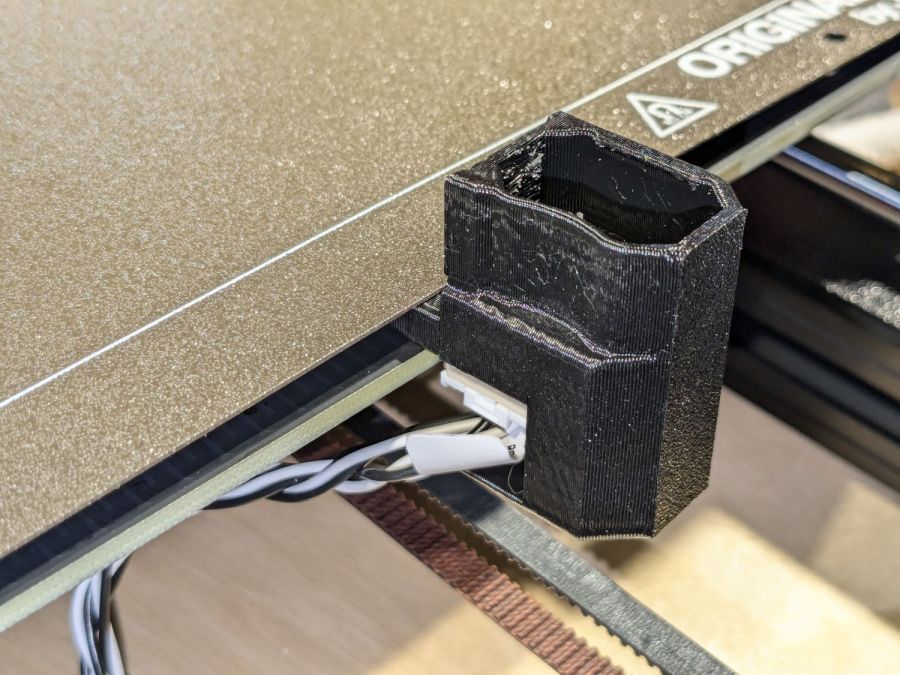
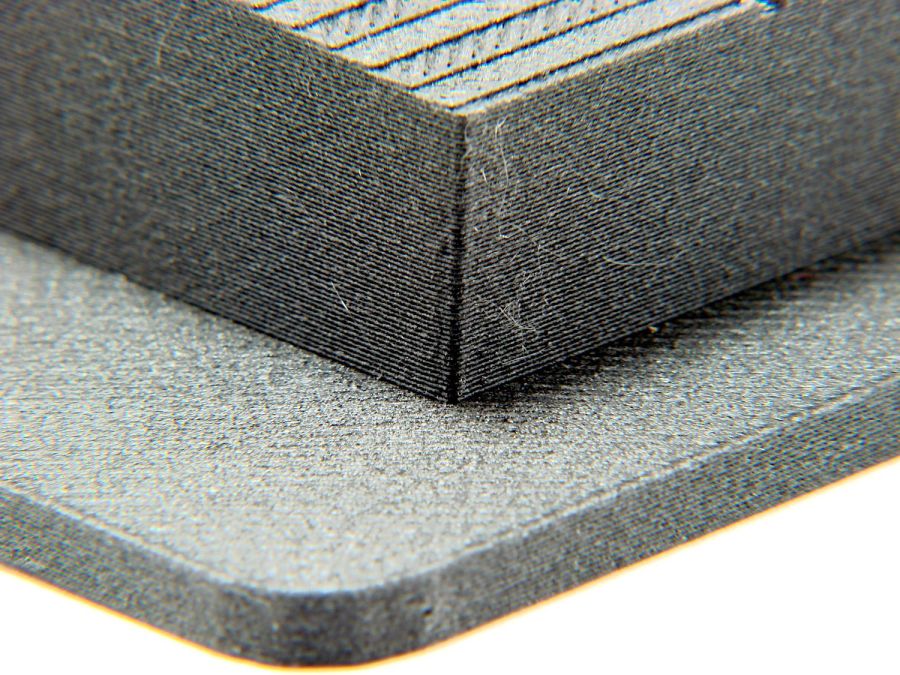
With that in mind, though, I built the laser ramp focus fixture shortly after doing the first recalibration and it has no visible ripples on any of its walls:
Ramp Test Fixture – corner detail
That’s a square corner perpendicular to the sloped top surface at the default 45 mm/s. It’s not as difficult a test as some you’ll see, but it suffices for my simple needs. The MK4 definitely behaves better around corners than the Makergear M2.