Ed Nisley's Blog: Shop notes, electronics, firmware, machinery, 3D printing, laser cuttery, and curiosities. Contents: 100% human thinking, 0% AI slop.
Based on Tee’s unfortunate experience, I finally got around to labeling the Bafang batteries on our Tour Easy ‘bents:
Bafang battery labeling – charge jack
On the other side, each lock is now color-coded to its key:
Bafang battery labeling – lock and keys
It’s laser-safe polyurethane vinyl applied to the battery after vigorously wiping crud off the surface with denatured alcohol. Think of it as an outdoor testcase for PSA vinyl.
I’m sure there’s a master key out there for all e-bike locks, but we remove them so rarely the color coding should suffice.
Worst case, pick the lock with a piece of wire and a hex key.
My pre-ride thumb check showed a flat rear tire on Mary’s Tour Easy:
Glass chip – end view in tread
So we fetched groceries with the car.
As usual, no tire armor can withstand a glass blade:
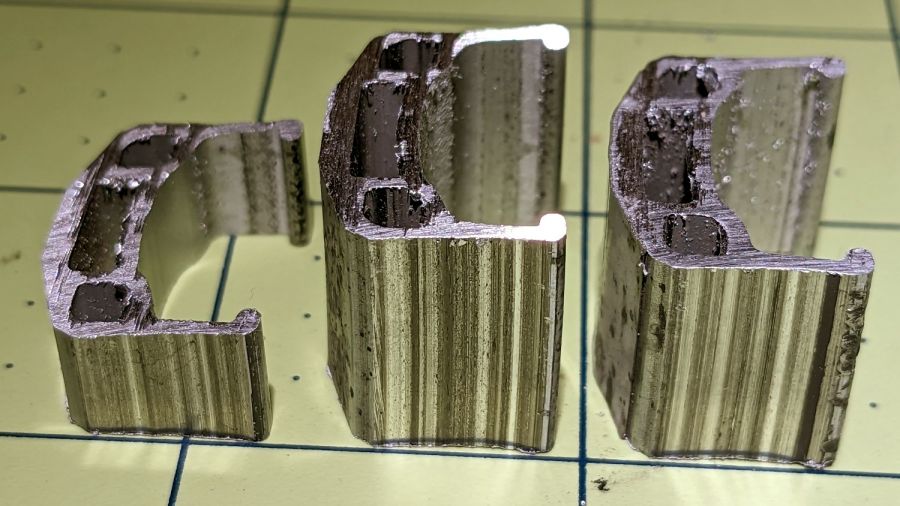
Glass Chip – side view
It’s a bit over 5 mm from the knife edge to the ground-flat end, just long enough to punch through a rather well-worn Schwalbe Marathon Plus tire and poke a slow leak in the tube.
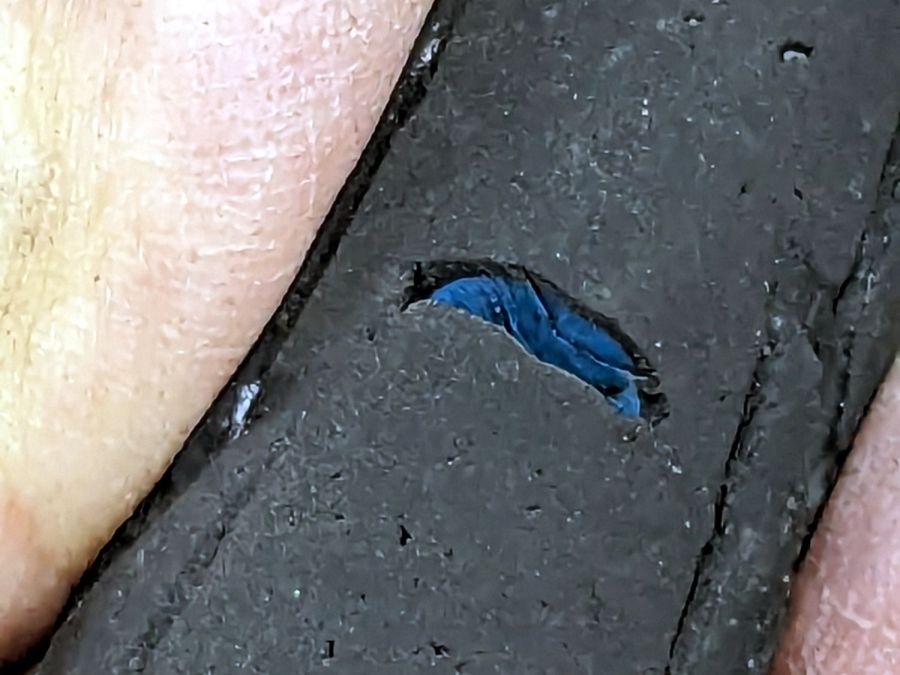
The tire has covered enough miles to wear the tread down to maybe half a millimeter over the blue armor layer:
Glass chip – tire damage
Time for a new tire!
For the record, the odometer is just shy of 35 k miles and she rides about 1500 miles a year; somewhat less over the last year for reasons not relevant here. As best I can tell, the tire has been on there for about five years and 7000 miles.
A white pickup from a local landscaping company pulled onto Raymond Avenue well ahead of me:
Pickup Truck Drill Drop – A
Although it’s not obvious to you, something seemed wrong as it pulled away:
Pickup Truck Drill Drop – B
A closer look:
Pickup Truck Drill Drop – B – detail
The dark blob turned out to be a carrying case for an industrial-strength drill:
Pickup Truck Drill Drop – C
Fortunately, there was no oncoming traffic and the drivers could all swerve around the debris:
Pickup Truck Drill Drop – D
I was hauling a trailer of groceries and didn’t want to stop, but hailed the driver where he pulled over just past the Hooker Avenue intersection. Unfortunately, he didn’t notice the drill was missing and proceeded on his way.
When I got home, I called the company to tell them what happened. I hope they got someone there before the circling vultures landed …
Using Bash arrays is an exercise in masochism, but I got to recycle most of the oddities from the previous script, so it wasn’t a dead loss.
The cameras use individually unique / screwy / different filesystem layouts, so the script must have individual code to both copy the file and decapitalize the file extensions. This prevents using a single tidy function, although laying out the code in case statements keyed by the camera name helps identify what’s going on.
My previous approach identified the MicroSD cards by their UUIDs, which worked perfectly right up until the camera reformats the card while recovering from a filesystem crash and installs a randomly generated UUID. Because there’s no practical way to modify an existing UUID on a VFAT drive, I’m switching to the volume label as needed:
In particular, note the two UUIDs for the M20 camera: there’s a crash and reformat in between those two lines. The two C100 cameras started out with labels because the M20 taught me the error of my ways.
The script simply iterates through a list array of the cameras and tries to mount the corresponding MicroSD card for each one: the mount points are cleverly chosen to match the camera names in the array. Should the mount succeeds, an asynchronous rsync then slurps the files onto the bulk video drive.
With all the rsync operations running, the script waits for all of them to complete before continuing. I don’t see much point in trying to identify which rsync just finished and fix up its files while the others continue to run, so the script simply stalls in a loop until everything is finished.
All in all, the script scratches my itch and, if naught else, can serve as a Bad Example™ of how to get the job done.
A picture to keep WordPress from reminding me that readers respond positively to illustrated posts:
This file contains hidden or bidirectional Unicode text that may be interpreted or compiled differently than what appears below. To review, open the file in an editor that reveals hidden Unicode characters.
Learn more about bidirectional Unicode characters
As expected, the internal battery does not last for our usual hour-long rides, so the cameras now operate in “car mode”: recording starts when we plug in the USB battery pack and stops shortly after unplugging.
I started with the waterproof case on my bike:
Tour Easy – SJCAM C100 mount – installed
Which (obviously) does not allow for an external battery, so they’re now in the “frame” mount. The hatch covering the MicroSD card and USB Micro-B connector (and a Reset button!) is on the bottom of the camera, but (fortunately) the whole affair mounts up-side-down and the settings include an image flip mode.
The ergonomics / user interface of this whole setup is terrible:
The camera’s flexible hatch is recessed inside the frame far enough that it cannot be opened without using a small & sharp screwdriver
The USB jack is slightly off-center, so lining the plug up with the camera body doesn’t align it with the jack
The MicroSD card is in a push-to-release socket, but its raised ridge faces the hatch flap and cannot be reached by a fingernail. I added a small tab that helps, but it’s difficult to grasp.
Extracting the video files from the camera through the app is an exercise in frustration. Having already figured out how to do this for the other cameras in the fleet, it’s easier to fumble with the MicroSD card.
I devoutly hope we never really need any of the videos.
Some drivers give us absurd amounts of clearance, which is what we thought the driver of the white Jeep was doing:
New Jeep Reckless Driving – Jeep passing
Some drivers give us very little clearance, either deliberately or though negligence, which is what I thought the driver of the silver Subaru was doing:
New Jeep Reckless Driving – Subaru close pass
Reviewing the videos revealed a different story that could have ended very badly for everyone involved.
Moving back in time, we crossed the bridge over the Wappingers creek, which has two southbound lanes. The left lane is dedicated to left turns onto Red Oaks Mill Road and the right lane is for through traffic southbound on Rt 376:
New Jeep Reckless Driving – Red Oaks Mill bridge
I had noticed oncoming drivers in the northbound lane were moving far over to the fog line, but (unseen by me) they were definitely swerving off the road:
New Jeep Reckless Driving – swerve 1
It seems the Jeep driver crossed the bridge in the left lane and continued straight through, passing the solid line of vehicles in the right lane behind us. You can see the top of the Jeep’s windshield peeking out behind the Subaru, with minimal clearance to the black car swerving out of the way:
New Jeep Reckless Driving – swerve 1 clearance
There’s not much shoulder on that side of the road, but the driver of the white Honda is using it all:
New Jeep Reckless Driving – swerve 2
With all the oncoming traffic out of the way, the Jeep driver now accelerates in the wrong lane:
New Jeep Reckless Driving – passing 1
And passes the Subaru just behind us:
New Jeep Reckless Driving – passing 2
The license plate looks like JAE-7751, early in the “J” plate series, so that’s a shiny new Jeep.
Being passed at close range in an obviously no-passing zone caused the Subaru driver to flinch in our direction:
New Jeep Reckless Driving – Subaru clearance
Unsurprisingly, the Jeep driver ran the red light at the top of the hill, presumably to avoid being stopped directly in front of us.
It’s more properly called a “chain guide” and is basically a shifter cage minus the mechanism:
Chain Catcher – side view
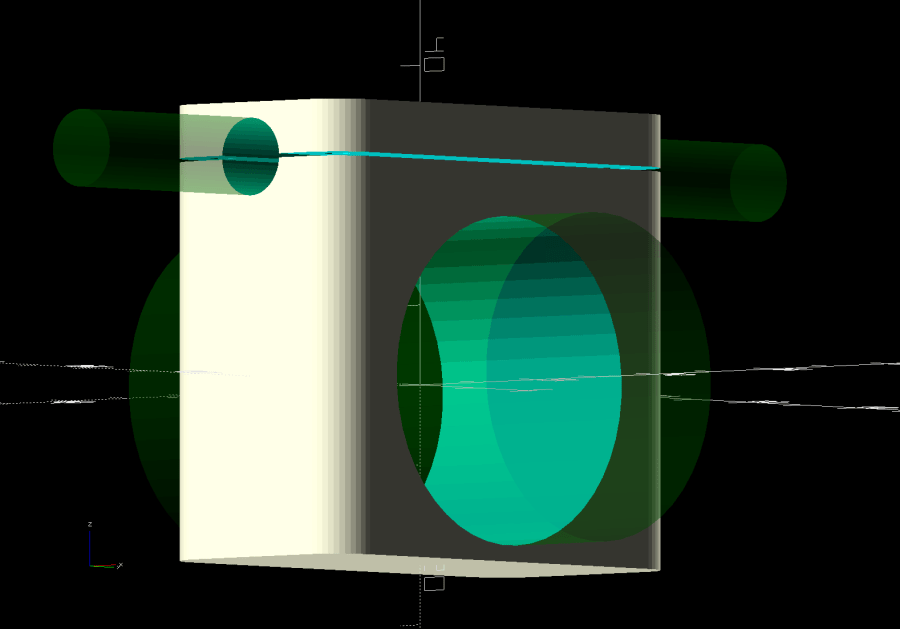
Because the Tour Easy frame has a 25 mm tube where the guide’s clamp expects a minimum 31.8 mm tube, a 3D printed adapter fills the gap:
Chain Catcher adapter ring – solid model
The hole is off-center because it seemed like a good idea, although it’s not strictly necessary. The flange helps align the pieces while tightening the clamp screw.
The guide cage clears the chain on all sides while up on the work stand, but there’s nothing like getting out on the road to find out why something doesn’t work as you expect.
This file contains hidden or bidirectional Unicode text that may be interpreted or compiled differently than what appears below. To review, open the file in an editor that reveals hidden Unicode characters.
Learn more about bidirectional Unicode characters