The Smell of Molten Projects in the Morning

Ed Nisley's Blog: Shop notes, electronics, firmware, machinery, 3D printing, laser cuttery, and curiosities. Contents: 100% human thinking, 0% AI slop.

Category: Photography & Images

Taking & making images.

  • RPi: Logitech QuickCam for Notebook vs. fswebcam

    Combining the camera data I collected a while ago with a few hours of screwing around with this old Logitech camera:

    Logitech QuickCam for Notebook Plus - front
    Logitech QuickCam for Notebook Plus – front

    I’m convinced it’s the worst camera I’d be willing to use in any practical application.

    The camera offers these controls:

    fswebcam --list-controls
    --- Opening /dev/video0...
    Trying source module v4l2...
    /dev/video0 opened.
    No input was specified, using the first.
    Available Controls Current Value Range
    ------------------ ------------- -----
    Brightness 128 (50%) 0 - 255
    Contrast 128 (50%) 0 - 255
    Gamma 4 1 - 6
    Exposure 2343 (8%) 781 - 18750
    Gain, Automatic True True | False
    Power Line Frequency Disabled Disabled | 50 Hz | 60 Hz
    Sharpness 2 0 - 3
    Adjusting resolution from 384x288 to 320x240.
    

    Putting the non-changing setup data into a fswebcam configuration file:

    cat ~/.config/fswebcam.conf
    # Logitech QuickCam for Notebook Plus -- 046d:08d8
    device v4l2:/dev/video0
    input gspca_zc3xx
    resolution 320x240
    scale 640x480
    set sharpness=1
    #jpeg 95
    set "power line frequency"="60 hz"
    

    Trying to use 640×480 generally produces a Corrupt JPEG data: premature end of data segment error, which looks no better than this and generally much worse:
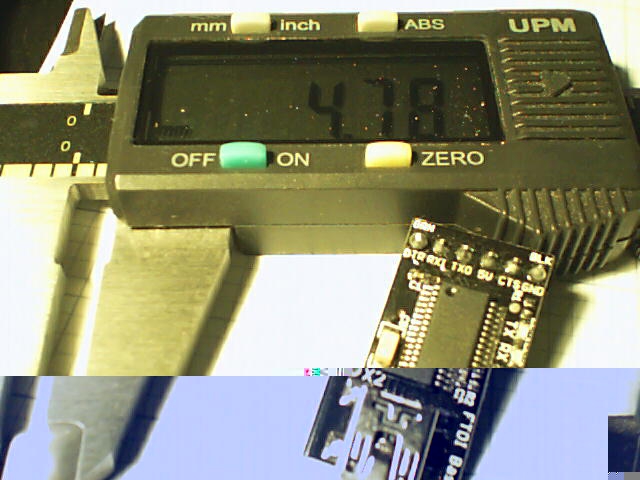
    Logtech 08d8 - 640x480
    Logtech 08d8 – 640×480

    The top of the picture looks pretty good, with great detail on those dust particles, but at some point the data transfer coughs and wrecks the rest of the image. I could crop the top half to the hipster 16:9 format of 640×360, but the transfer doesn’t always fail that far down the image.

    The -R flag that specifies using direct reads instead of mmap, whatever that means, doesn’t help. In fact, the camera generally crashes hard enough to require a power cycle.

    Delaying a second with -D1 and / or skipping a frame with -S1 don’t help, either.

    The camera works perfectly at 640×480 using fswebcam under Xubuntu 14.04 on a Dell Latitude E6410 laptop, so I’m pretty sure this is a case of the Raspberry Pi being a bit underpowered for the job / the ARM driver taking too long / something totally obscure. A random comment somewhere observed that switching from Raspbian to Arch Linux (the ARM version) solved a similar video camera problem, so there’s surely room for improvement.

    Dragorn of Kismet reports that the Raspberry Pi USB hardware doesn’t actually support USB 2.0 data rates, which also produces problems with Ethernet throughput. The comments in that slashdot thread provide enough details: the boat has many holes and it’s not a software problem.

    For lack of anything more adventurous, the config file takes a 320×240 image and scales it up to 640×480, which looks about as crappy as you’d expect:

    Logtech 08d8 - 320x240 scaled
    Logtech 08d8 – 320×240 scaled

    Even that low resolution will occasionally drop a few bytes along the way, but much less often.

    The picture seems a bit blown out, so set the exposure to the absolute minimum:

    fswebcam -c ~/.config/fswebcam.conf --set exposure=781 "Logitech 08d8 - expose 781.jpg"
    

    Which looks like this:

    Logitech 08d8 - expose 781
    Logitech 08d8 – expose 781

    Given that’s happening a foot under a desk lamp aimed well away from the scene, the other end of the exposure scale around 18000 produces a uselessly burned out image. I think a husky neutral-density filter would be in order for use with my M2’s under-gantry LED panels. The camera seems to be an early design targeting the poorly illuminated Youtube / video chat market segment (I love it when I can talk like that).

    There’s probably a quick-and-dirty Imagemagick color correction technique, although Fred’s full-blown autocorrection scripts seem much too heavy-handed for a Raspberry Pi…
  • Red-Bellied Woodpecker

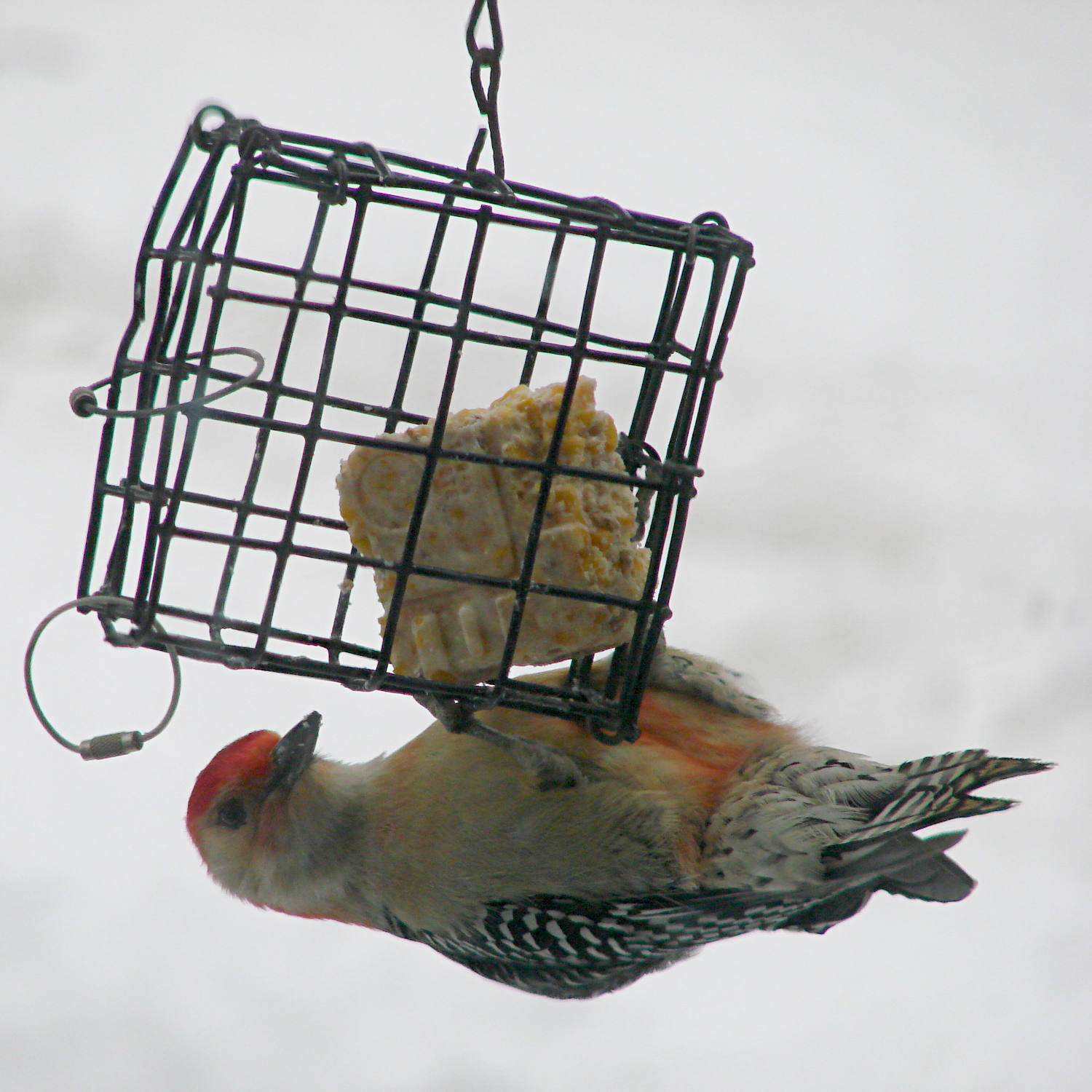
    Woodpeckers generally perch with their tummies against a tree, so it took me a long time to understand why Red-bellied Woodpeckers have that name:

    Red-bellied Woodpecker - suet feeder
    Red-bellied Woodpecker – suet feeder

    The bright red nape and head seemed entirely sufficient to me, but another woodpecker claimed that name first…

  • Backyard Turkey Flock

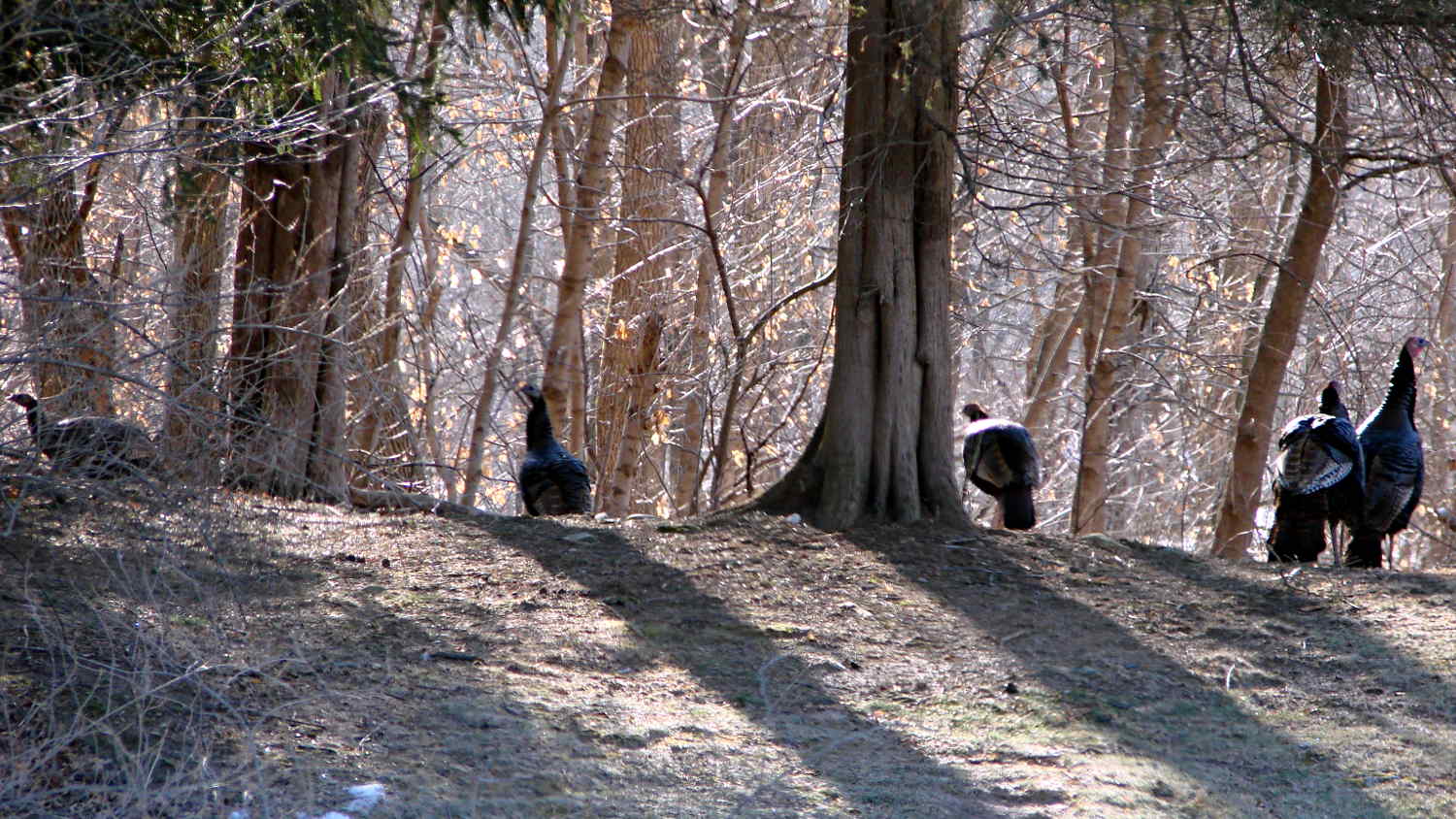
    The turkey flock that normally lives along the Wappingers Creek valley, downslope from the back yard, has emerged for the ritual spring foraging:

    Turkey flock - 0
    Turkey flock – 0

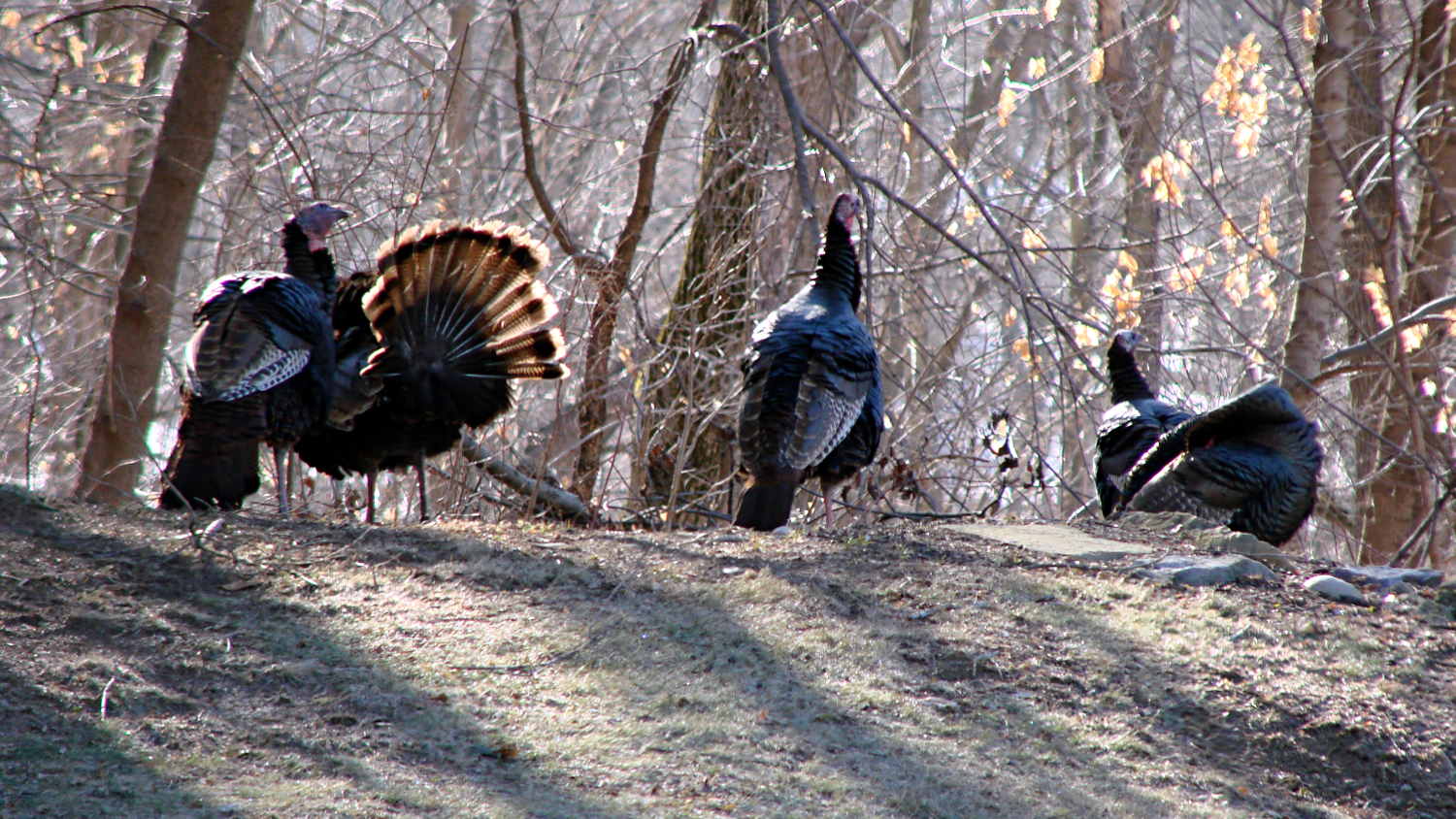
    And posturing:

    Turkey flock - 1
    Turkey flock – 1

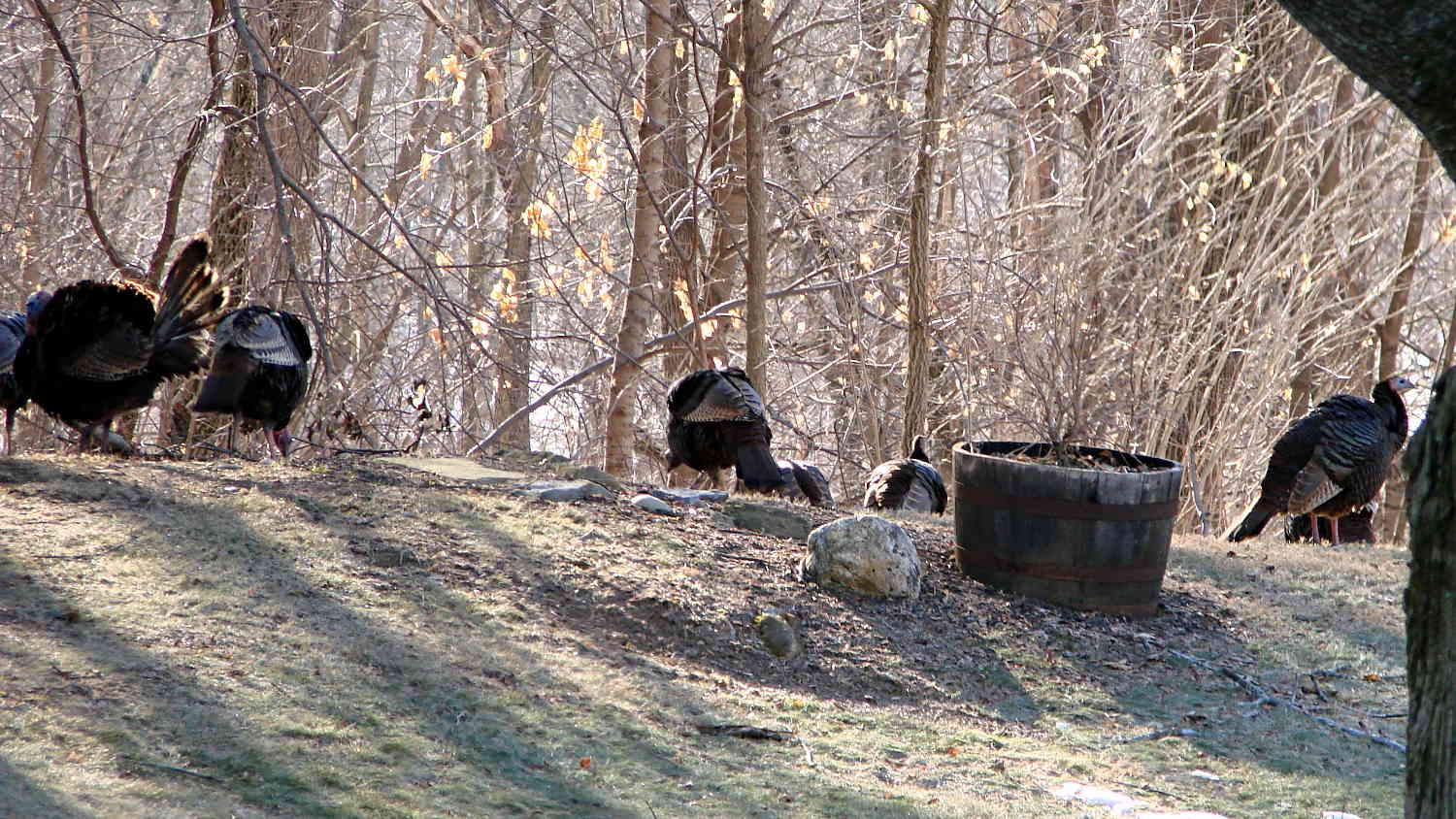
    And just moseying around:

    Turkey flock - 2
    Turkey flock – 2

    You can match the trees and identify some duplicated birds, but the flock seems stable around a dozen. They used to deploy skirmish lines upwards of two dozen bird and we’ve recently counted 19; we think foxes have been encouraging better control of wandering chicks.

    Turkeys are good folks…

  • RPi: Logitech Camera Data

    After installing things like imagemagick and mjpg_streamer on the Raspberry Pi, I exhumed a quartet of Logitech cameras from the heap to see how they worked. None bear any identification, apart from a tag on the cable, so here’s what I found out for later reference.

    They’re all reasonably good for still pictures, if you don’t mind terrible initial exposures. The default program works OK:

    fswebcam -d /dev/video0 -r 320x240 image.jpg
    

    On the other hand, getting any streaming video requires searching through the parameter space, which wasn’t helped by the total lack of documentation. The Arch Linux wiki has a useful summary of camera & drivers, with pointers to additional lists-of-lists. The OctoPrint repo documents the mjpg-streamer plugin parameters.

    So, we begin…

    This camera, one of two identical cameras in the heap, has a clip that used to fit on the upper edge of a laptop display:

    Logitech QuickCam for Notebook Plus - front
    Logitech QuickCam for Notebook Plus – front

    One has a tag:

    Logitech QuickCam for Notebook Plus - tag
    Logitech QuickCam for Notebook Plus – tag

    To make the tag data more useful for search engine inquiries:

    • M/N: V-UBG35
    • P/N: 861228-0000
    • PID: CE64105

    From lsusb:

    Bus 001 Device 008: ID 046d:08d8 Logitech, Inc. QuickCam for Notebook Deluxe
    

    With Raspbian on the RPi, 640×480 video tears and stutters, leaving 320×240 as the least-worst alternative:

    mjpg_streamer -i "/usr/local/lib/input_uvc.so -r 320x240" -o "/usr/local/lib/output_http.so -w /usr/local/www"
    

    The cameras don’t support YUYV at all and the video quality is mediocre, at best, but they do have a manual focus ring that lets you snuggle the camera right up against the subject.

    This ball camera:

    Logitech QuickCam Pro 5000 - on tripod
    Logitech QuickCam Pro 5000 – on tripod

    Has a tag:

    Logitech QuickCam Pro 5000 - tag
    Logitech QuickCam Pro 5000 – tag

    Which reads:

    • M/N: V-UAX16
    • P/N: 861306-0000
    • PID: LZ715BQ

    From lsusb:

    Bus 001 Device 009: ID 046d:08ce Logitech, Inc. QuickCam Pro 5000
    

    It requires YUYV at 320×240 (on the Pi) and nothing else works at all:

    mjpg_streamer -i "/usr/local/lib/input_uvc.so -r 320x240 -y" -o "/usr/local/lib/output_http.so -w /usr/local/www"
    

    It produces even worse video than the Notebook camera.

    This HD 720p camera has C130 scrawled on the front in my handwriting:

    Logitech HD Webcam C510 - front
    Logitech HD Webcam C510 – front

    And a tag:

    Logitech HD Webcam C510 - tag
    Logitech HD Webcam C510 – tag

    Bearing this text:

    • M/N: V-U0016
    • P/N: 860-000261
    • PID: LZ114SF

    The scrawled C130 doesn’t match up with what lsusb reports:

    Bus 001 Device 010: ID 046d:081d Logitech, Inc. HD Webcam C510
    

    It produces very nice results in many resolutions, using YUYV mode, although I think its native resolution is 1280×720 and that works perfectly on the Pi:

    mjpg_streamer -i "/usr/local/lib/input_uvc.so -r 1280x720 -y" -o "/usr/local/lib/output_http.so -w /usr/local/www"
    

    Video over USB is mysterious…

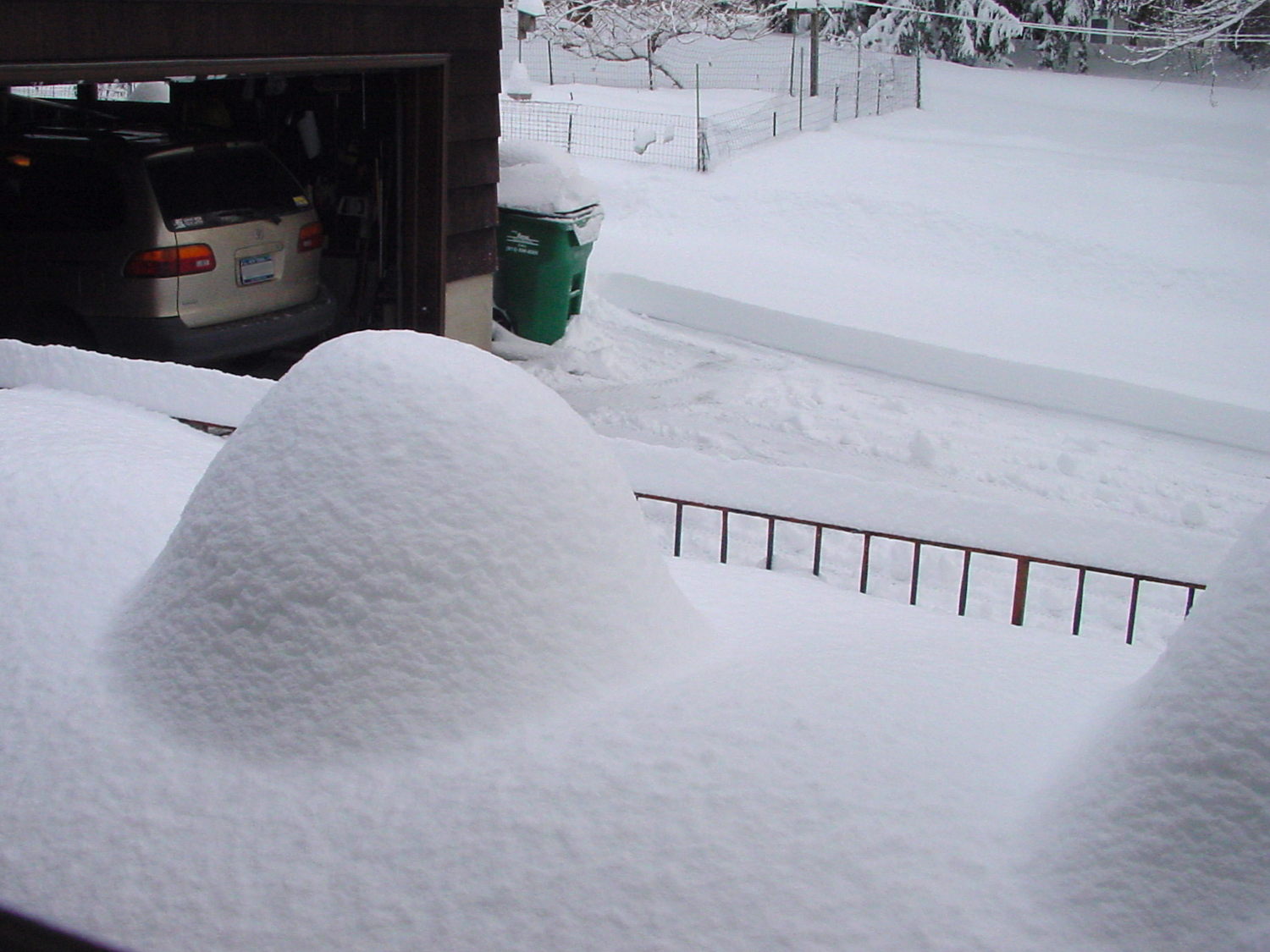
  • Monthly Image: Too Much Snow Again

    Thirteen months ago, that round table had self-enclosed:

    Snow on patio - 2014-02-14
    Snow on patio – 2014-02-14

    We don’t have a good picture of the square table, but it had that same crater open to the central hole.

    Other pictures show the topmost 14+ inches from that storm consisted of lovely, fluffy snow that cleared well, although I’d have settled for a bit less.

    It’s winter in the Northeast US. Snow happens on a regular basis. I enjoy the shapes, not the shoveling…

  • Raccoons at the Suet Feeder

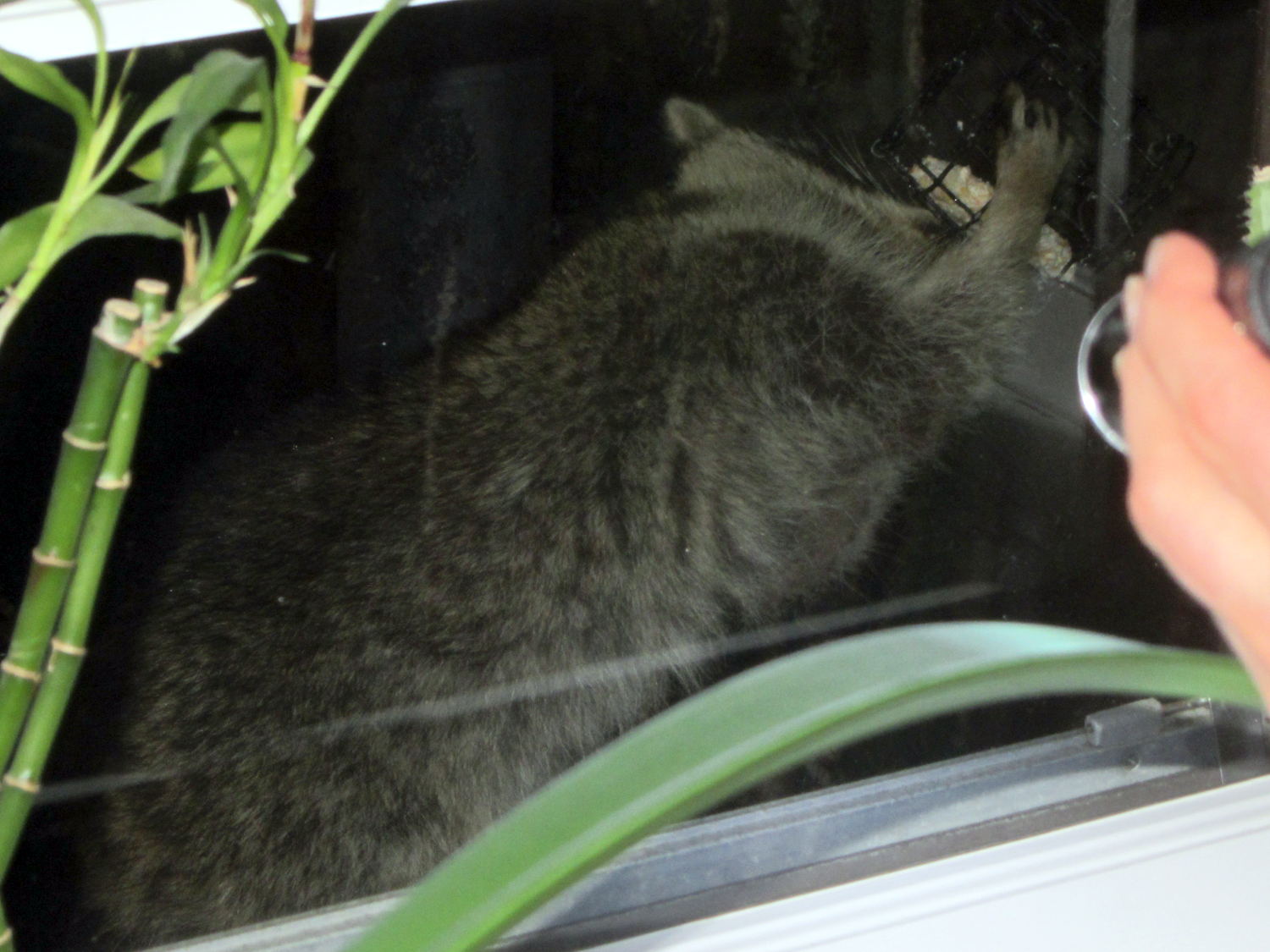
    They only come out at night:

    Raccoon on suet feeder
    Raccoon on suet feeder

    Two raccoons took turns at the feeder, but I only caught one in the act:

    Raccoon on suet feeder
    Raccoon on suet feeder

    Apparently they enter torpor, rather than hibernate, which means they’re getting hungry right about now.

    Taken through two panes of 1955 glass with the Sony DSC-H5, using an LED flashlight for focus assist. Both culprits oozed off the far end of the patio when I opened the door…

  • Snow Mounds Redux

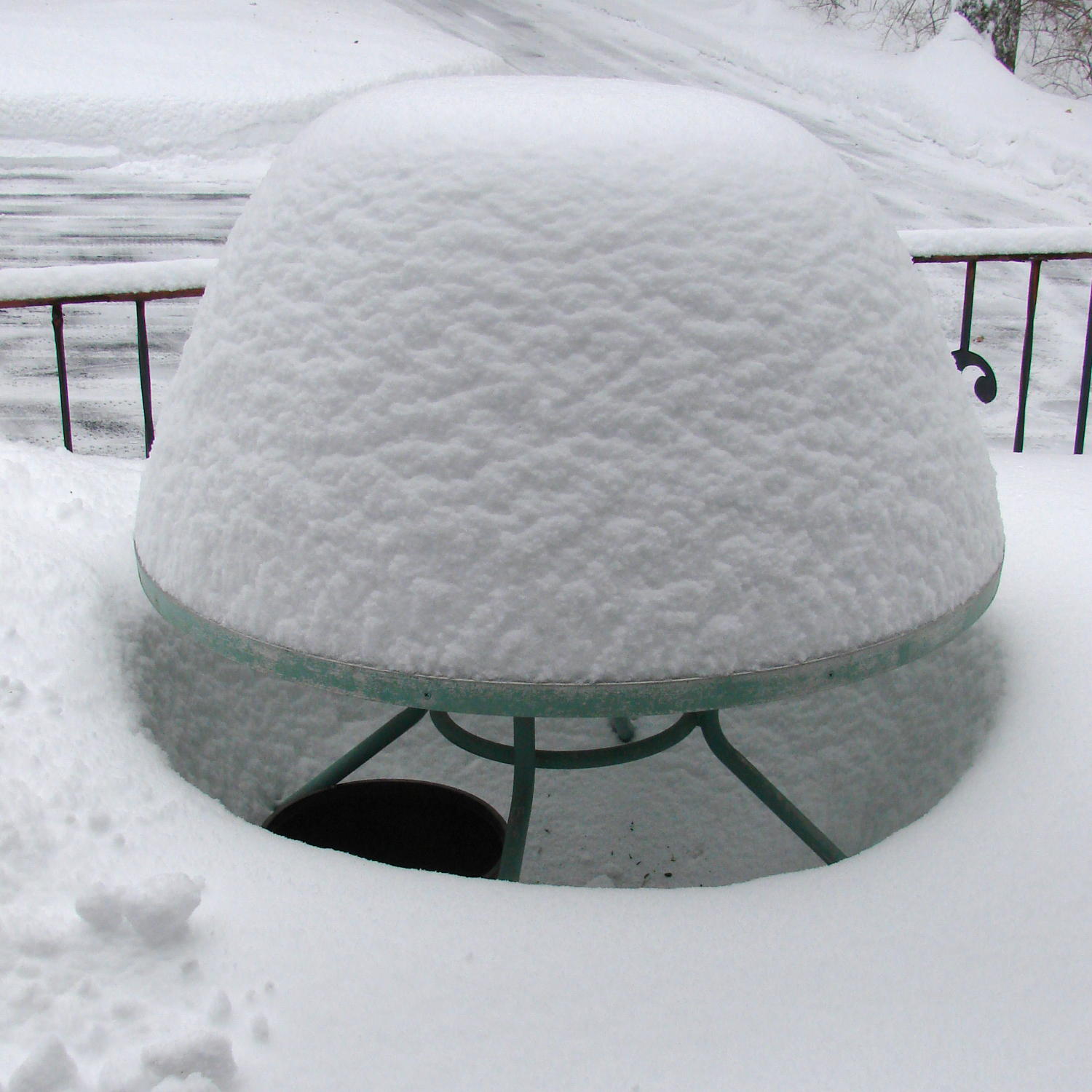
    A few more weekly snowstorms refreshed the patio tables mounds:

    Snow mound - round table - 2015-02-22
    Snow mound – round table – 2015-02-22

    The spire under the square table nearly reached the cross brace:

    Snow mound - square table - 2015-02-22
    Snow mound – square table – 2015-02-22

    That spire comes from snow falling straight down through the table, with a bit collecting on the struts:

    Snow pillar - square table - 2015-02-22
    Snow pillar – square table – 2015-02-22

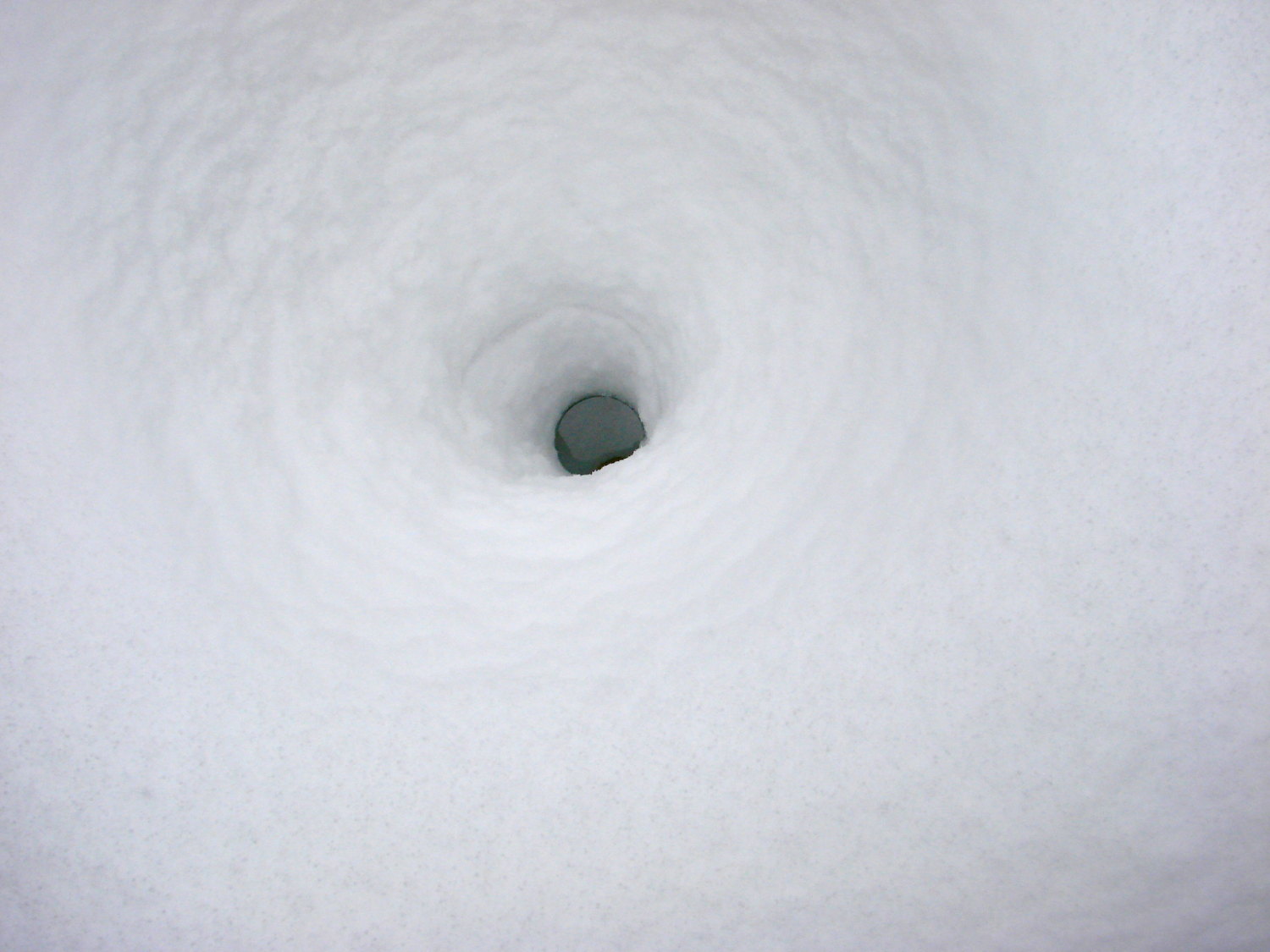
    Holding the camera over the table shows a thin glass rim around the edge of the hole:

    Snow cauldron - square table - 2015-02-22
    Snow cauldron – square table – 2015-02-22

    I wouldn’t believe it, either, if I hadn’t seen it!