
Last week a wind gust blew my Tour Easy over while resting on its kickstand at Mary’s garden; I rarely depend on the kickstand for that very reason, but some days are like that. Anyhow, the mount for the Sony AS30V helmet camera did exactly what it should by releasing the camera, rather than grinding it into the ground.
Calling it a “mount” may be overstating the case:
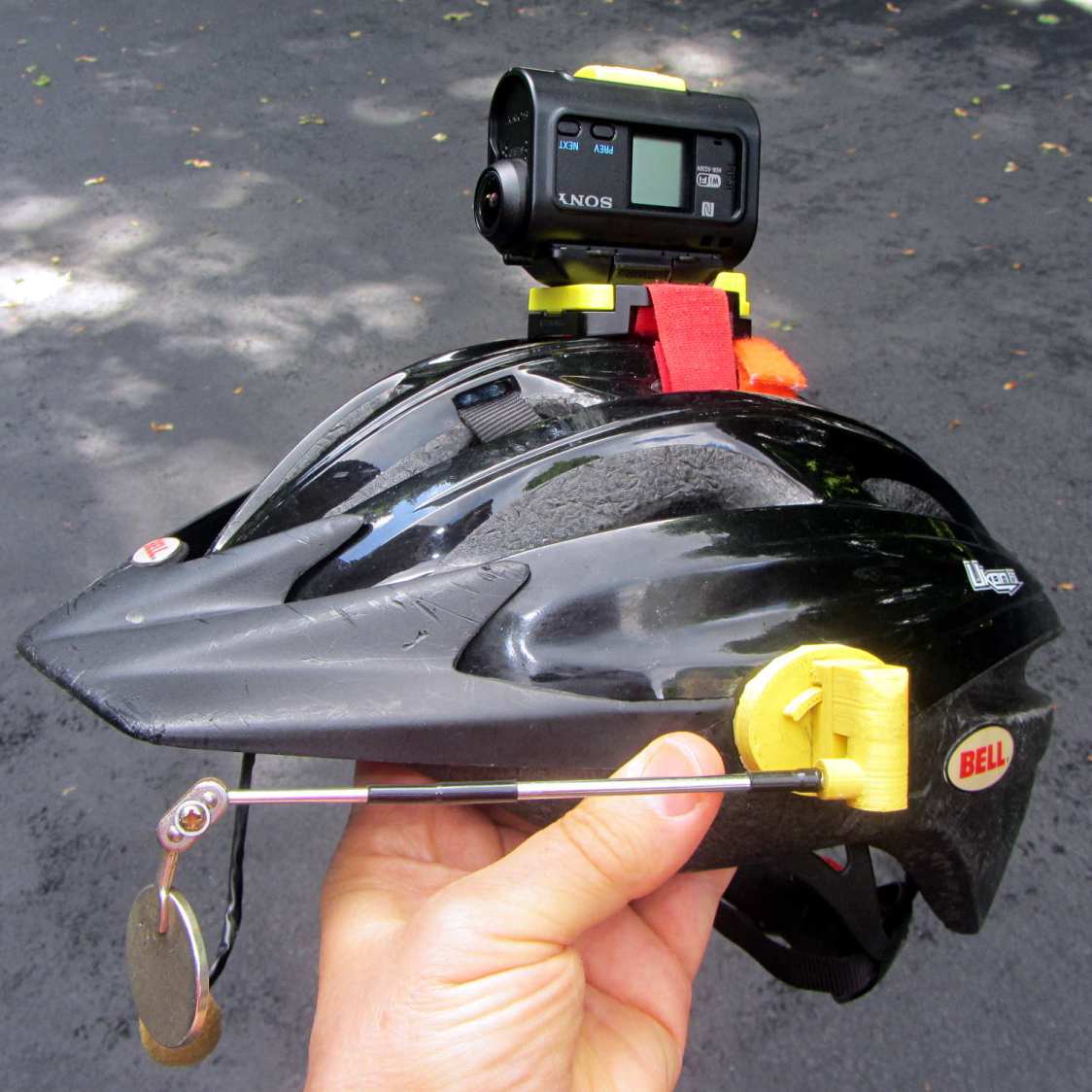
I was still using that helmet, albeit with a better mirror mount, but it was getting rather crusty and the hook-n-loop straps were definitely sun-faded, so I built a better mount with an adapter plate matching a new-old-stock helmet from the stash:
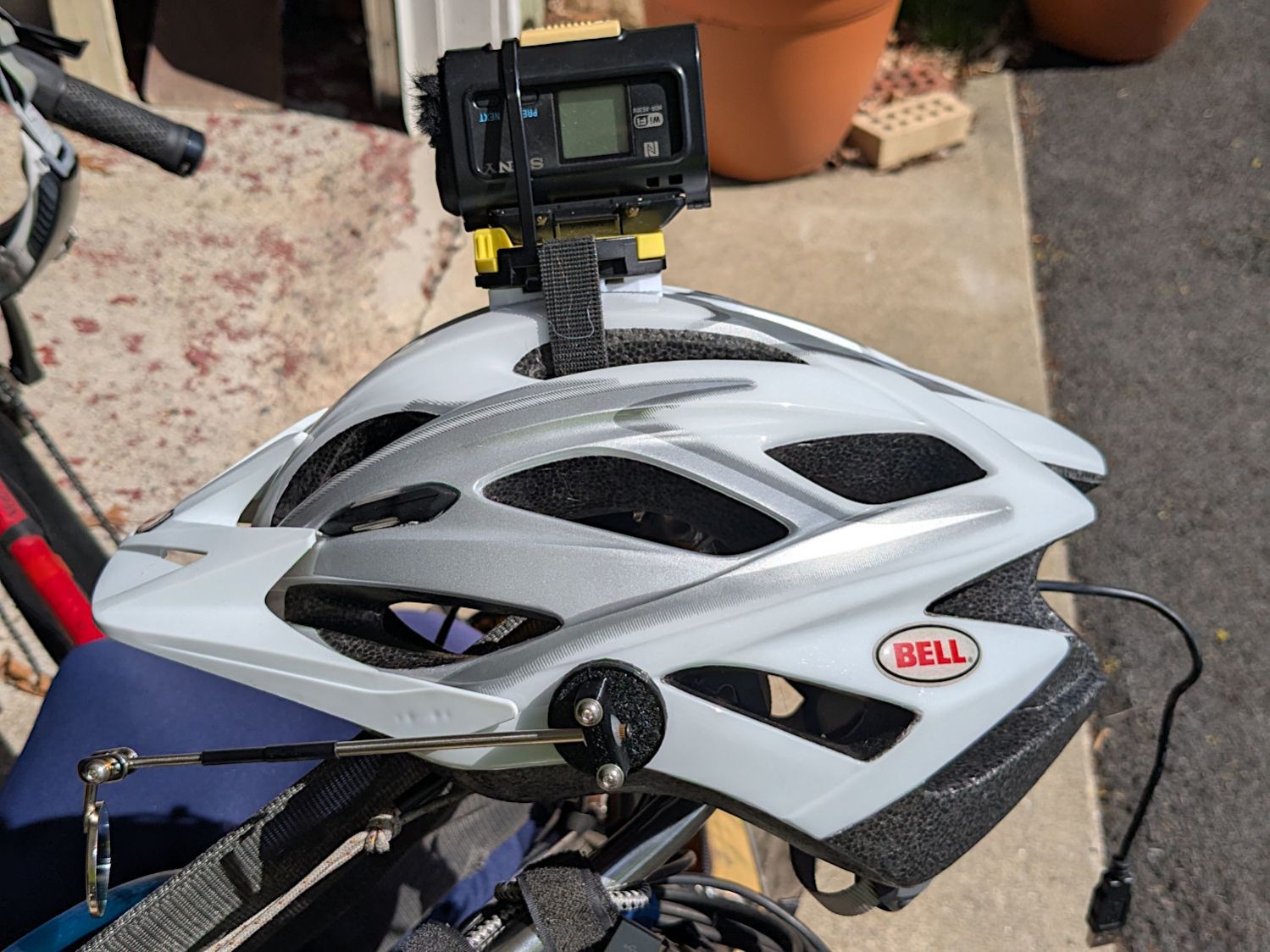
The white slab atop the helmet curves to match the helmet contour, with the ridge fitting into the vent slot:
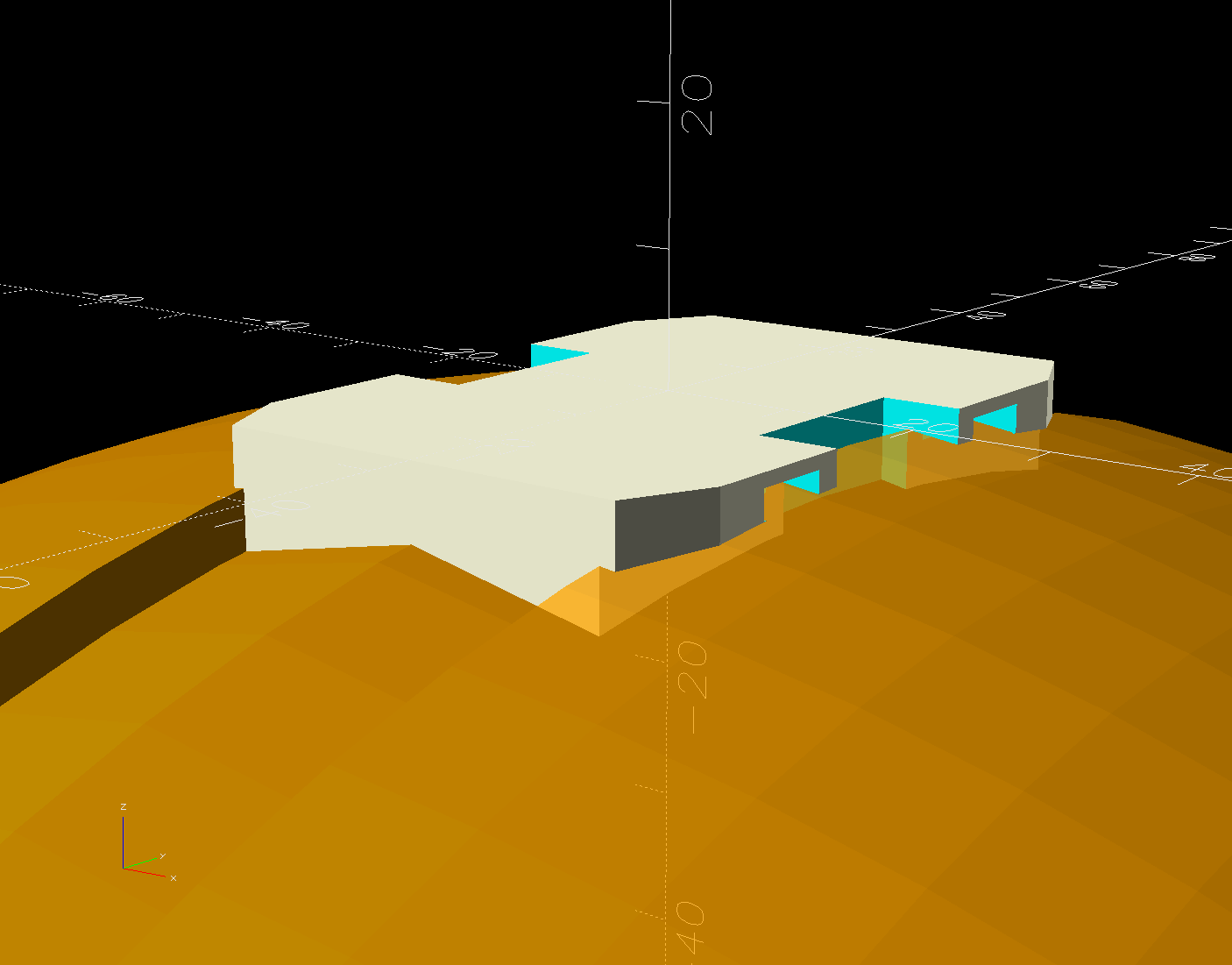
OK, the helmet isn’t orange, but you get the idea. The sphere has a 153 mm radius, calculated from the Official Sony helmet mount’s bottom curve, minus a ring shaping the central groove:

This upside-down view shows the interesting parts:
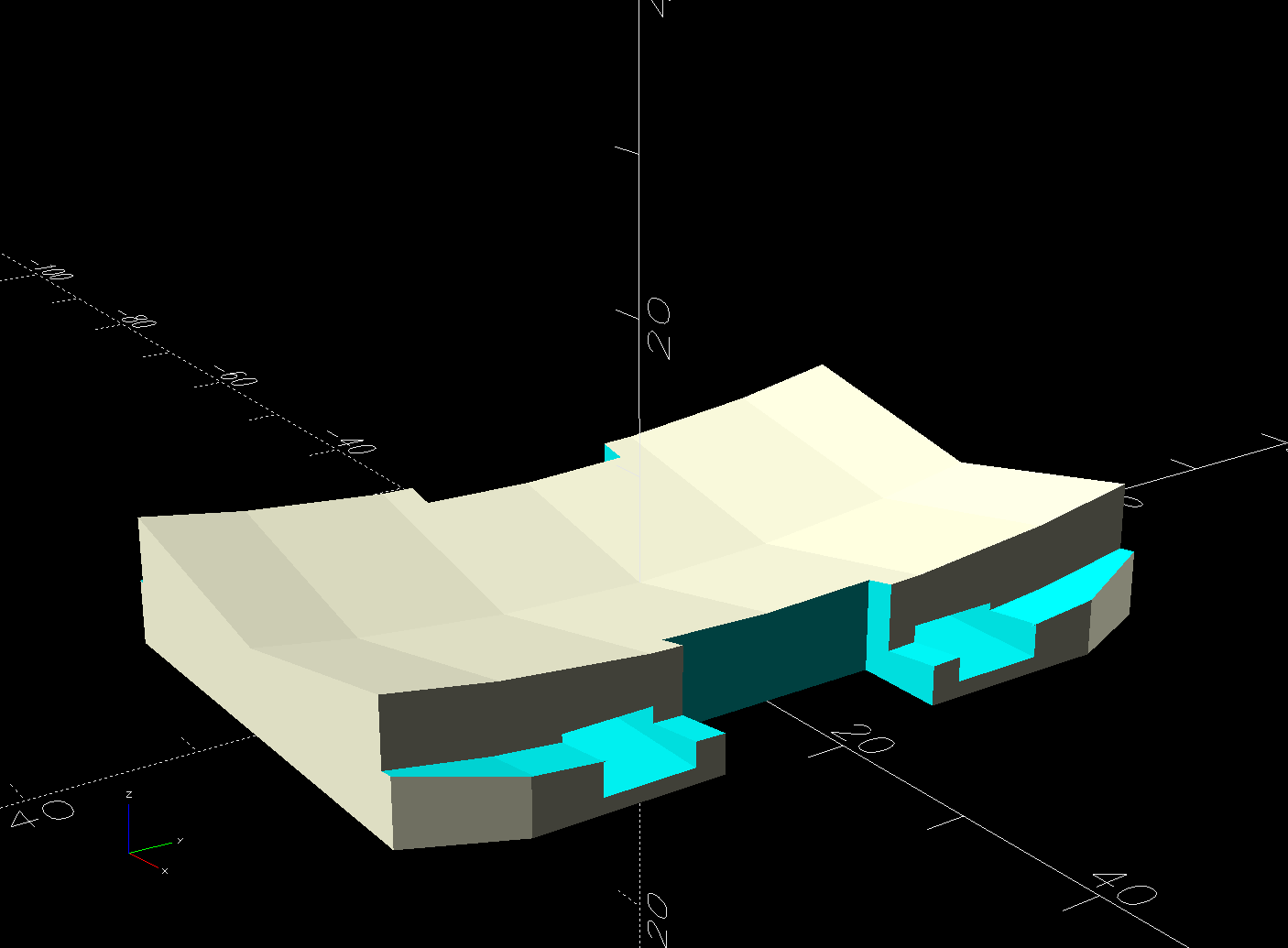
The flat side sticks to the camera’s holder with a custom-cut sheet of craft adhesive shaped like this:
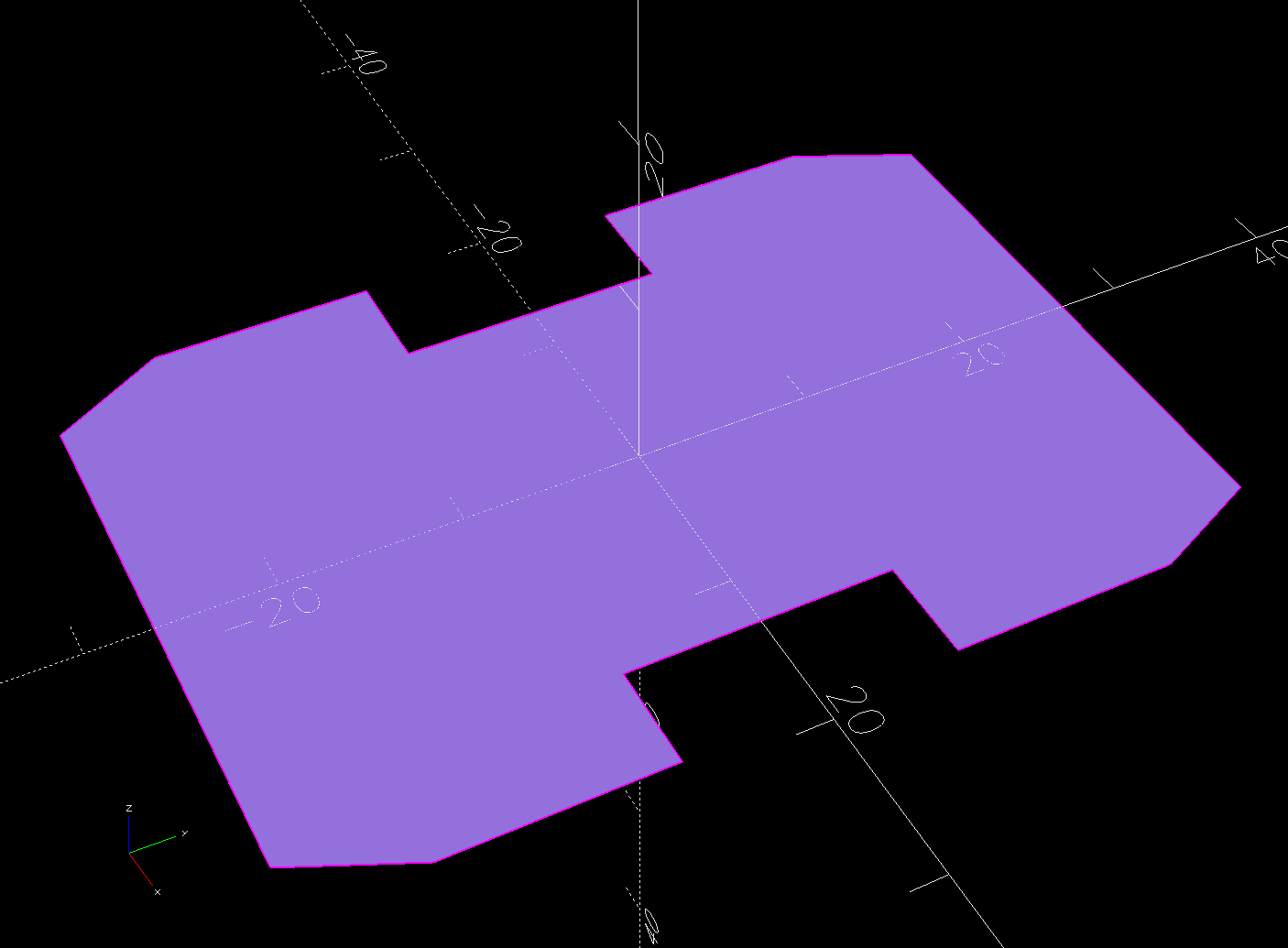
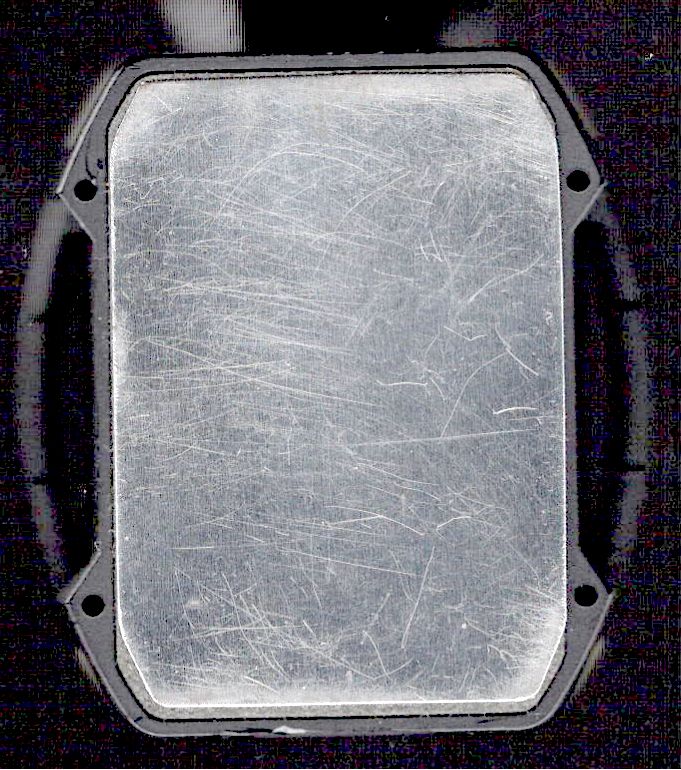
The overall outline of those things comes from a scan of the bottom of the Sony camera holder, passed through Inkscape and LightBurn to generate the curves:
The large notches in the sides pass hook-n-loop straps intended to break away when the helmet hits the ground again. The front tunnel (of two, because symmetry) passes a cable tie preventing the camera from parting company with the mount during normal riding and holding the yellow latch in the Locked position:

It is just barely possible to slide the cable tie over the front of the camera to release the latch.
The camera rides upside-down to protect the lens from scuffs and scrapes. Fortunately, there’s a setting to invert the picture.
For completeness, the front view:

The furry patch covers the microphone pores to kill (most of) the wind noise.
The sharp ventral angle matches the helmet’s midline ridge in the back, but obviously isn’t needed over the vent hole in the front. I decided to not bother making a comprehensive model of the hole, not least because I didn’t really know the camera’s exact front-to-back location.
Works fine where it sits, though:
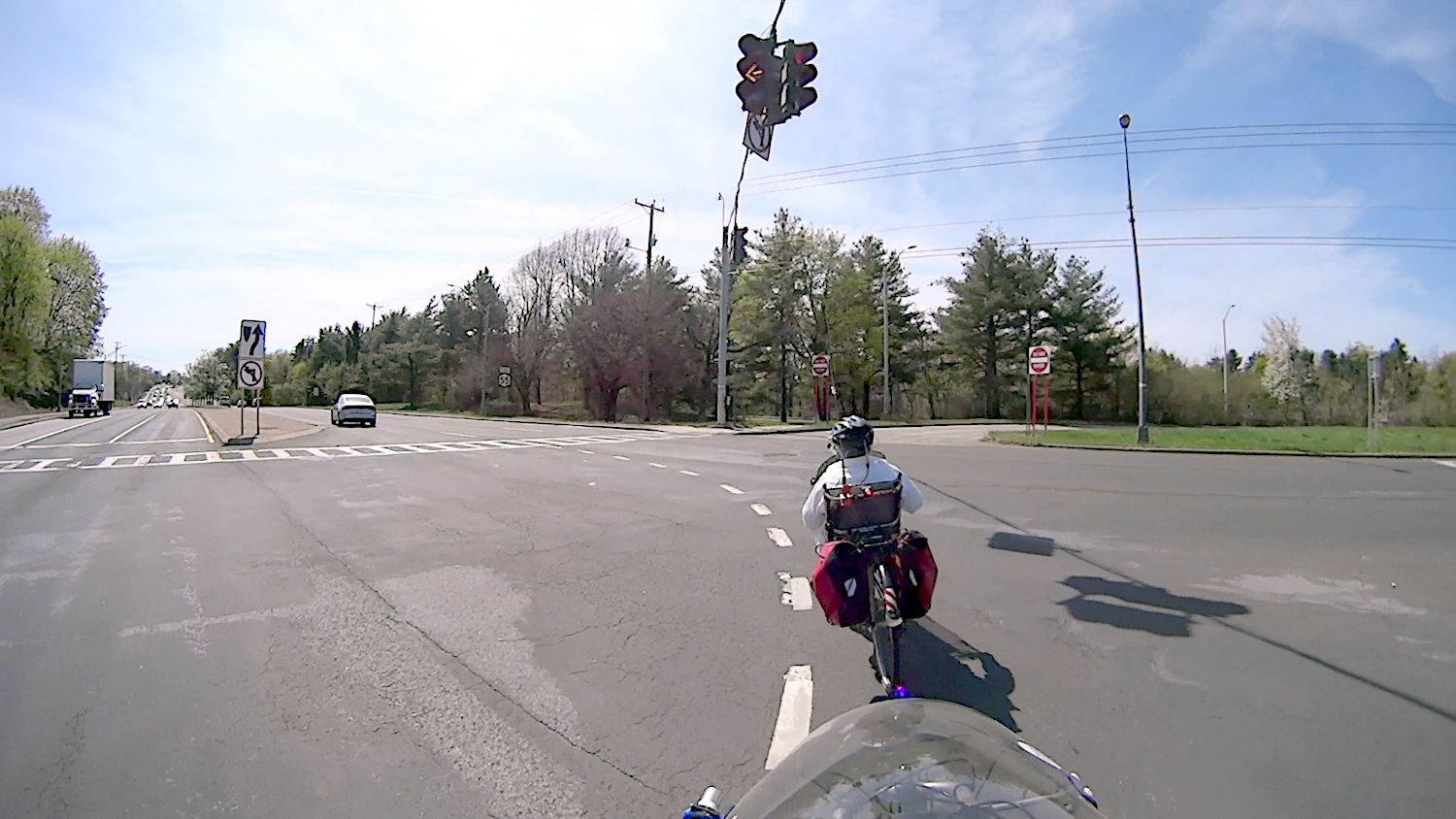
NYSDOT’s signal timing at Burnett Blvd and Rt 55 remains bicycle-hostile, same as it ever was.
The OpenSCAD source code and baseplate shape as a GitHub Gist:
| // Sony AS30 helmet mount | |
| // Ed Nisley – KE4ZNU | |
| // 2025-04-20 | |
| include <BOSL2/std.scad> | |
| Layout = "Show"; // [Show,Build,Ball,Tab,Glue] | |
| Gap = 5; // [0:5:20] | |
| /* [Hidden] */ | |
| HoleWindage = 0.2; | |
| Protrusion = 0.1; | |
| WallThick = 1.0; // enough stiffness against flat pad | |
| HelmetRadius = 153.0; // from chord equation on curved pad = magic number | |
| Groove = [30.0,100,3.0,]; // roughly the groove along helmet midline | |
| Pad = [38,53,10]; // baseplate size, thick enough without fancy trig | |
| Strap = [3.0,15.0,10*Pad.z]; // hook-n-loop strap holes, double-thick | |
| Tie = [100,6.0,2.0 + Protrusion]; // cable tie around camera | |
| TieOffset = 14.0; // … from end of pad | |
| $fn=96; | |
| //———- | |
| // Define shapes | |
| module Ball() { | |
| difference() { | |
| sphere(r=HelmetRadius); | |
| Tab(); | |
| } | |
| } | |
| // Rough approximation of the helmet groove | |
| module Tab() { | |
| m = 2.0; // roughly the chord height beyond the tab | |
| rotate_extrude(convexity=10) { | |
| right(HelmetRadius) | |
| zrot(180) | |
| polygon([ | |
| [0,0], | |
| [0,Groove.x/2],[Groove.z + m,Groove.x/2],[m,0], | |
| [Groove.z + m,-Groove.x/2],[0,-Groove.x/2], | |
| [0,0] | |
| ],convexity=10); | |
| } | |
| } | |
| // Baseplate with all the cutouts | |
| module BasePlate() { | |
| difference() { | |
| linear_extrude(height=Pad.z,convexity=10) | |
| import("AS30 Baseplate layout.svg",layer="Baseplate"); | |
| up(WallThick + HelmetRadius) | |
| yrot(90) | |
| Ball(); | |
| for (i = [-1,1]) // strap clearance at edge of helmet hole | |
| right(i*Groove.x/2) | |
| cube([(Pad.x – Groove.x)/2,Strap.y,Strap.z],center=true); | |
| for (i = [-1,1]) // cut through edge of pad | |
| right(i*Pad.x/2) | |
| cube([(Pad.x – Groove.x),Strap.y,Strap.z],center=true); | |
| for (j = [-1,1]) | |
| fwd(j*(Pad.y/2 – TieOffset)) up(WallThick) | |
| cuboid(Tie,anchor=BOTTOM); | |
| } | |
| } | |
| //———- | |
| // Build things | |
| if (Layout == "Glue") | |
| projection(cut=true) | |
| BasePlate(); | |
| if (Layout == "Tab") | |
| Tab(); | |
| if (Layout == "Show") { | |
| xrot(180) | |
| BasePlate(); | |
| down(WallThick + HelmetRadius + Gap) | |
| yrot(90) | |
| color("Orange",0.75) Ball(); | |
| } | |
| if (Layout == "Build") | |
| BasePlate(); | |
| if (Layout == "Ball") | |
| Ball(); |
| <?xml version="1.0" encoding="UTF-8" standalone="no"?> | |
| <!– Created with Inkscape (http://www.inkscape.org/) –> | |
| <svg | |
| width="11in" | |
| height="8.5in" | |
| viewBox="0 0 279.40056 215.90043" | |
| version="1.1" | |
| id="SVGRoot" | |
| inkscape:version="1.4.1 (93de688d07, 2025-03-30)" | |
| sodipodi:docname="AS30 Baseplate layout.svg" | |
| xml:space="preserve" | |
| xmlns:inkscape="http://www.inkscape.org/namespaces/inkscape" | |
| xmlns:sodipodi="http://sodipodi.sourceforge.net/DTD/sodipodi-0.dtd" | |
| xmlns:xlink="http://www.w3.org/1999/xlink" | |
| xmlns="http://www.w3.org/2000/svg" | |
| xmlns:svg="http://www.w3.org/2000/svg" | |
| xmlns:rdf="http://www.w3.org/1999/02/22-rdf-syntax-ns#" | |
| xmlns:cc="http://creativecommons.org/ns#"><sodipodi:namedview | |
| id="namedview7" | |
| pagecolor="#ffffff" | |
| bordercolor="#0000ff" | |
| borderopacity="1" | |
| inkscape:pageshadow="0" | |
| inkscape:pageopacity="0" | |
| inkscape:pagecheckerboard="1" | |
| inkscape:document-units="mm" | |
| showgrid="true" | |
| units="mm" | |
| gridtolerance="9.9" | |
| guidetolerance="10.4" | |
| inkscape:snap-perpendicular="true" | |
| inkscape:snap-tangential="true" | |
| width="700mm" | |
| borderlayer="false" | |
| inkscape:showpageshadow="true" | |
| viewbox-width="700" | |
| guidecolor="#ff00e3" | |
| guideopacity="0.49803922" | |
| inkscape:zoom="1.6945884" | |
| inkscape:cx="86.451671" | |
| inkscape:cy="111.82656" | |
| inkscape:window-width="1780" | |
| inkscape:window-height="1091" | |
| inkscape:window-x="0" | |
| inkscape:window-y="0" | |
| inkscape:window-maximized="0" | |
| inkscape:current-layer="layer1" | |
| objecttolerance="31" | |
| inkscape:deskcolor="#d1d1d1" | |
| showguides="true"><inkscape:grid | |
| type="xygrid" | |
| id="grid9" | |
| units="mm" | |
| spacingx="5" | |
| spacingy="5" | |
| dotted="false" | |
| empspacing="2" | |
| originx="148.5" | |
| originy="127.29919" | |
| color="#ff0000" | |
| opacity="0.18431373" | |
| empcolor="#4040ff" | |
| empopacity="0.49411765" | |
| visible="true" /><sodipodi:guide | |
| position="157.7549,120.64599" | |
| orientation="1,0" | |
| id="guide1" | |
| inkscape:locked="false" /></sodipodi:namedview><defs | |
| id="defs2" /><g | |
| inkscape:label="Baseplate" | |
| inkscape:groupmode="layer" | |
| id="layer1" | |
| transform="translate(0,5.4354331)"><path | |
| id="path1" | |
| style="fill:none;fill-rule:evenodd;stroke:#0c96d9;stroke-width:0.0998686;stroke-linejoin:round" | |
| d="m -18.99969,190.42075 3.09576,-6.45581 h 32.08112 l 2.82285,6.45581 -10e-6,40.00473 -3.02778,6.53957 -31.33905,-0.14658 -3.63324,-6.39299 z" | |
| sodipodi:nodetypes="ccccccccc" | |
| inkscape:label="Aligned path" /></g><g | |
| inkscape:groupmode="layer" | |
| id="layer2" | |
| inkscape:label="Original"><image | |
| width="57.658115" | |
| height="65.193459" | |
| preserveAspectRatio="none" | |
| xlink:href="AS30%20Baseplate%20scan.jpg" | |
| id="image1" | |
| x="112.42073" | |
| y="67.772316" | |
| transform="rotate(0.87516737,-355.84202,2.7177945)" | |
| style="display:inline" /><path | |
| id="rect1" | |
| style="fill:none;fill-rule:evenodd;stroke:#0c96d9;stroke-width:0.0998686;stroke-linejoin:round" | |
| d="m 120.39572,83.160307 3.09576,-6.45581 h 32.08112 l 2.82285,6.45581 -1e-5,40.004733 -3.02778,6.53957 -31.33905,-0.14658 -3.63324,-6.39299 z" | |
| sodipodi:nodetypes="ccccccccc" | |
| transform="translate(0,5.4354331)" /></g><metadata | |
| id="metadata11"><rdf:RDF><cc:Work | |
| rdf:about=""><cc:license | |
| rdf:resource="http://creativecommons.org/licenses/by-nc-sa/4.0/" /></cc:Work><cc:License | |
| rdf:about="http://creativecommons.org/licenses/by-nc-sa/4.0/"><cc:permits | |
| rdf:resource="http://creativecommons.org/ns#Reproduction" /><cc:permits | |
| rdf:resource="http://creativecommons.org/ns#Distribution" /><cc:requires | |
| rdf:resource="http://creativecommons.org/ns#Notice" /><cc:requires | |
| rdf:resource="http://creativecommons.org/ns#Attribution" /><cc:prohibits | |
| rdf:resource="http://creativecommons.org/ns#CommercialUse" /><cc:permits | |
| rdf:resource="http://creativecommons.org/ns#DerivativeWorks" /><cc:requires | |
| rdf:resource="http://creativecommons.org/ns#ShareAlike" /></cc:License></rdf:RDF></metadata></svg> |












 The Smell of Molten Projects in the Morning