Ed Nisley's Blog: Shop notes, electronics, firmware, machinery, 3D printing, laser cuttery, and curiosities. Contents: 100% human thinking, 0% AI slop.
I spotted this little gadget chugging steadily across a table in the living room:
Chestnut parasite larva – detail
Nearby, two of its friends / siblings / clones remained near their landing craft:
Chestnut parasite larvae – overview
They’re about 5 mm long and, although there are no larva-size holes visible in the chestnuts tucked inside the burr, that’s definitely where they started their journey.
A few hours later, the rest of the crew bailed out:
Chestnut parasite larvae – irruption
The exit hole must be on a nut under the curve of the husk, but they’re sufficiently squishy to wriggle their way out. The little brown dot over on the left belongs to the top larva of a pair queued in the exit corridor:
Chestnut parasite larvae – exiting husk
I lost count at 18. There’s surely more where they came from, so I replaced the plate with a bowl to reduce the quantum tunneling probability.
In an ideal world, they’d grow up to be chestnut weevils, but I put them out near the suet feeder and, a few hours later, my offering was accepted.
The values written to the I²C register controlling the Arducam Motorized Focus Camera lens position are strongly nonlinear with distance, so a simple linear increment / decrement isn’t particularly useful. If one had an equation for the focus value given the distance, one could step linearly by distance.
So, we begin.
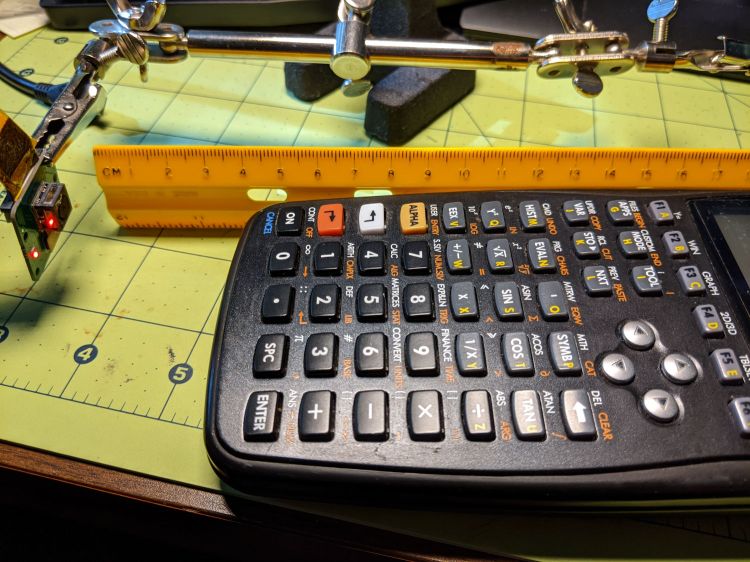
Set up a lens focus test range amid the benchtop clutter with found objects marking distances:
The camera defaults to a focus at infinity (or, perhaps, a bit beyond), corresponding to 0 in its I²C DAC (or whatever). The blue-green scenery visible through the window over on the right is as crisp as it’ll get through a 5 MP camera, the HP spectrum analyzer is slightly defocused at 80 cm, and everything closer is fuzzy.
Experimentally, the low byte of the I²C word written to the DAC doesn’t change the focus much at all, so what you see below comes from writing a focus value to the high byte and zero to the low byte.
For example, to write 18 (decimal) to the camera:
i2cset -y 0 0x0c 18 0
That’s I²C bus 0 (through the RPi camera ribbon cable), camera lens controller address 0x0c (you could use 12 decimal), focus value 18 * 256 + 0 = 0x12 + 0x00 = 4608 decimal.
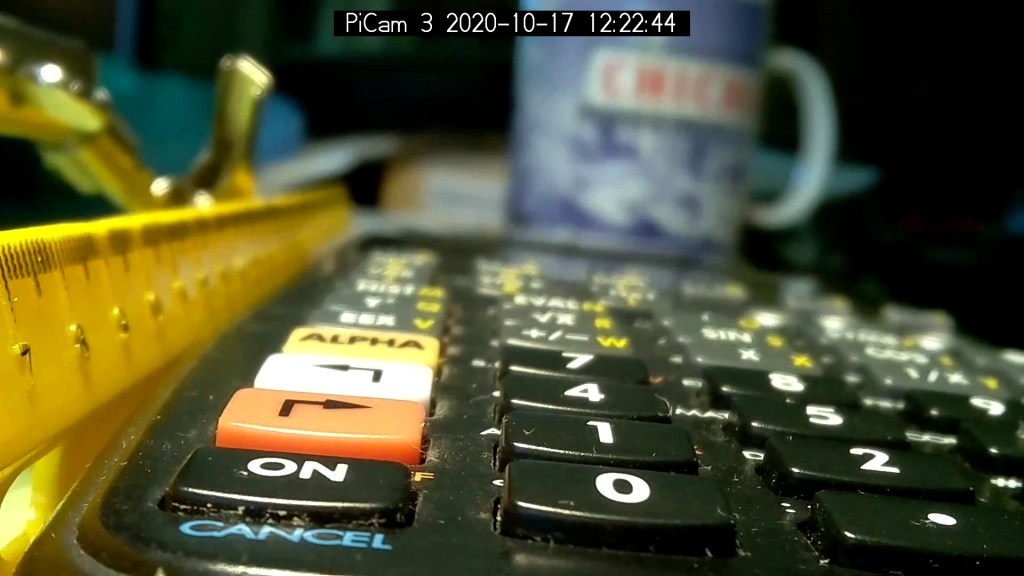
Which yanks the focus inward to 30 cm, near the end of the ruler:
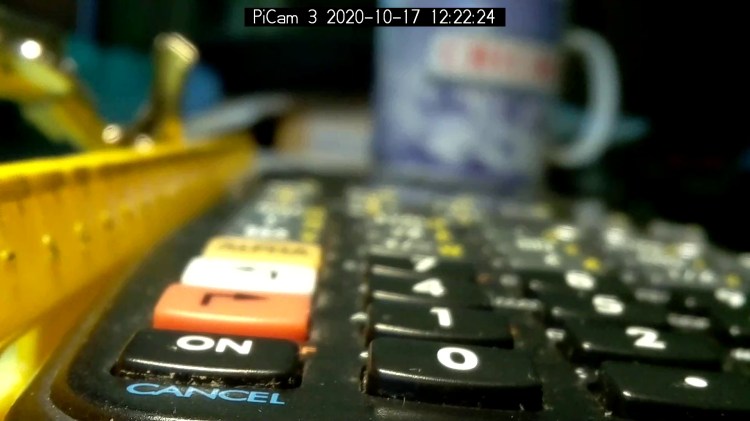
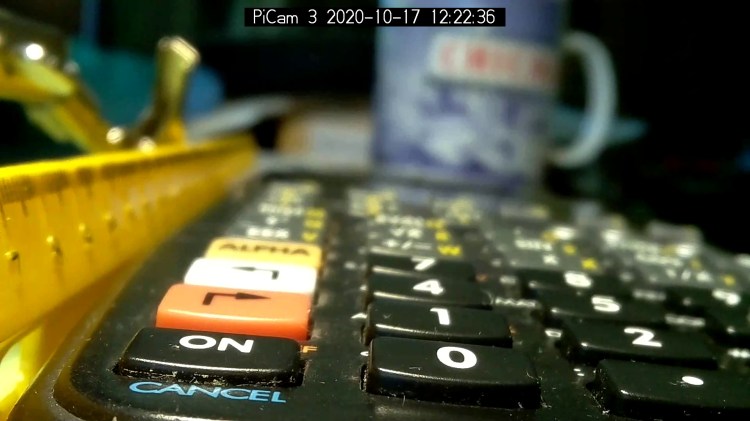
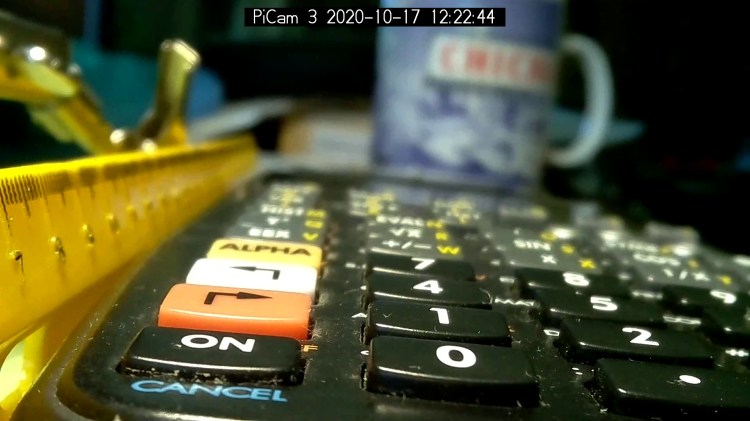
Arducam Motorized Focus test – focus 30 cm
The window is now blurry, the analyzer becomes better focused, and the screws at the far end of the yellow ruler look good. Obviously, the depth of field spans quite a range at that distance, but iterating a few values at each distance gives a good idea of the center point.
A Bash one-liner steps the focus inward from infinity while you arrange those doodads on the ruler:
for i in {0..31} ; do let h=i*2 ; echo "high: " $h ; let rc=1 ; until (( rc < 1 )) ; do i2cset -y 0 0x0c $h 0 ; let rc=$? ; echo "rc: " $rc ; done ; sleep 1 ; done
Write 33 to set the focus at 10 cm:
Arducam Motorized Focus test – focus 10 cm
Then write 55 for 5 cm:
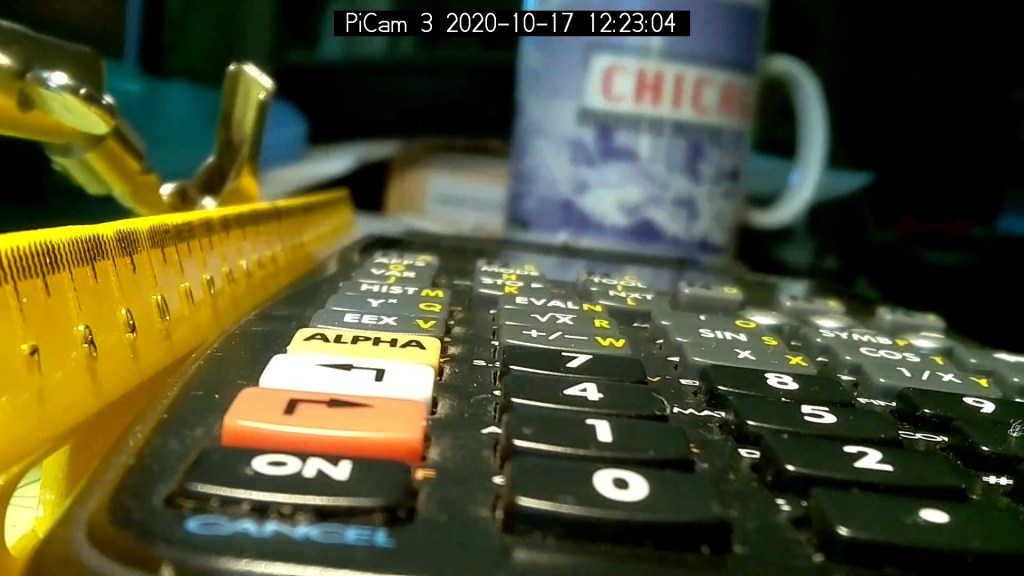
Arducam Motorized Focus test – focus 5 cm
The tick marks show the depth of field might be 10 mm.
Although the camera doesn’t have a “thin lens” in the optical sense, for my simple purposes the ideal thin lens equation gives some idea of what’s happening. I think the DAC value moves the lens more-or-less linearly with respect to the sensor, so it should be more-or-less inversely related to the focus distance.
Take a few data points, reciprocate & scale, plot on a doodle pad:
Arducam Motorized Focus RPi Camera – focus equation doodles
Dang, I loves me some good straight-as-a-ruler plotting action!
The hook at the upper right covers the last few millimeters of lens travel where the object distance is comparable to the sensor distance, so I’ll give the curve a pass.
DAC MSB = 10.8 + 218 / (distance in cm) = 10.8 + 2180 / distance in mm)
Given the rather casual test setup, the straight-line section definitely doesn’t support three significant figures for the slope and we could quibble about exactly where the focus origin sits with respect to the camera.
So this seems close enough:
DAC MSB = 11 + 2200 / (distance in mm)
Anyhow, I can now tweak a “distance” value in a linear-ish manner (perhaps with a knob, but through evdev), run the equation, send the corresponding DAC value to the camera lens controller, and have the focus come out pretty close to where it should be.
Much to our utter astonishment, this appeared on the driveway:
Chestnut burr
We’ve since found half a dozen chestnut burrs in the yard, which means at least two trees (it takes two to cross-fertilize) are growing in the immediate area.
We originally thought they were American Chestnuts, but Mary (being a Master Gardener) found enough references including comparative burr pictures to convince us they’re Chinese Chestnuts.
We’ve seen squirrels carrying the burrs in their mouths from the trees to wherever they bury their food supply, as shown by this gnawed spot on the other side of the burr:
Chestnut burr – gnawed section
I regard this as conclusive proof that squirrels either have no sense of pain or no lips, because I can’t imagine carrying that thing in my hand, let alone gnawing through it to extract the nuts inside.
Each burr contains three nuts, although this empty husk shows some nuts can fail to fill out:
Chestnut burr – interior with failed nut
We don’t know where the trees are, but the squirrels seem to carry the burrs across our yard from north to south, so they can’t be too far from us or each other.
Despite our conclusion, it’s faintly possible they’re American Chestnuts, in which case they’re definitely survivors!
The Big Box o’ Optics disgorged an ancient new-in-box Computar 4.8 mm lens, originally intended for a TV camera, with a C mount perfectly suited for the Raspberry Pi HQ camera:
RPi HQ Camera – Computar 4.8mm – front view
Because it’s a video lens, it includes an aperture driver expecting a video signal from the camera through a standard connector:
Computar 4.8 mm lens – camera plug
The datasheet tucked into the box (!) says it expects 8 to 16 V DC on the red wire (with black common) and video on white:
Computar Auto Iris TV Lens Manual
Fortunately, applying 5 V to red and leaving white unconnected opens the aperture all the way. Presumably, the circuitry thinks it’s looking at a really dark scene and isn’t fussy about the missing sync pulses.
Rather than attempt to find / harvest a matching camera connector, the cord now terminates in a JST plug, with the matching socket hot-melt glued to the Raspberry Pi case:
RPi HQ Camera – 4.8 mm Computar lens – JST power
The Pi has +5 V and ground on the rightmost end of its connector, so the Computar lens will be jammed fully open.
I gave it something to look at:
RPi HQ Camera – Computar 4.8mm – overview
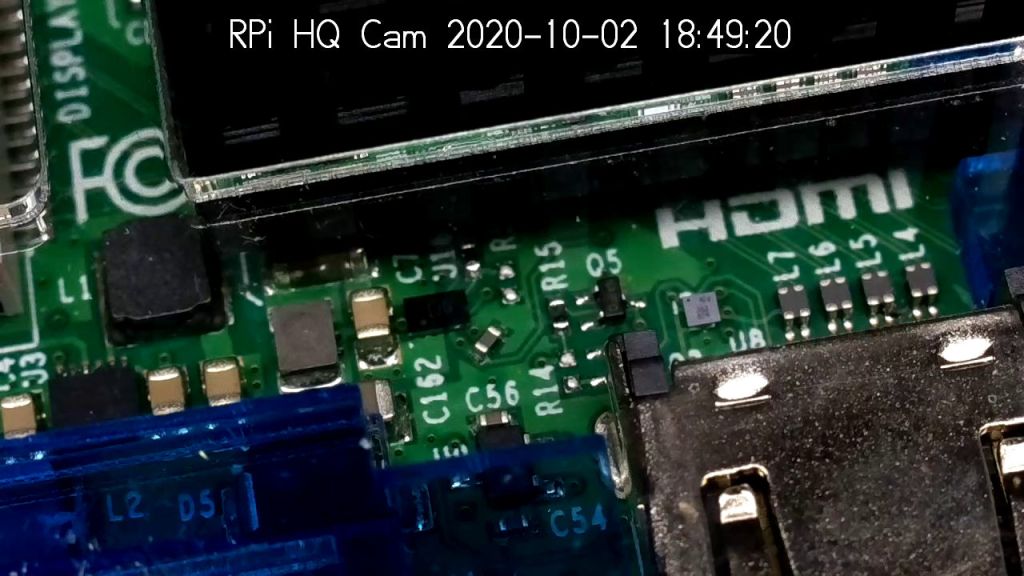
With the orange back plate about 150 mm from the RPi, the 4.8 mm lens delivers this scene:
RPi HQ Camera – 4.8 mm Computar lens – 150mm near view
The focus is on the shutdown / startup button just to the right of the heatsink, so the depth of field is maybe 25 mm front-to-back.
For comparison, the official 16 mm lens stopped down to f/8 has a tighter view with good depth of field:
RPi HQ Camera – 16 mm lens – 150mm near view
It’d be nice to have a variable aperture, but it’s probably not worth the effort.
Despite the company name, the Arducam 5 MP Motorized Focus camera plugs into a Raspberry Pi’s camera connector and lives on a PCB the same size as ordinary RPi cameras:
Arducam Motorized Focus RPi Camera – test overview
That’s a focus test setup to get some idea of how the control values match up against actual distances.
It powers up focused at infinity (or maybe a bit beyond):
Arducam Motorized Focus RPi Camera – default focus
In practice, it’s a usable, if a bit soft, at any distance beyond a couple of meters.
The closest focus is around 40 mm, depending on where you set the ruler’s zero point:
Pondering the sample code shows the camera focus setting involves writing two bytes to an I²C address through the video controller’s I²C bus. Enable that bus with a line in /boot/config.txt:
dtparam=i2c_vc=on
If you’re planning to capture 1280×720 or larger still images, reserve enough memory in the GPU:
gpu_mem=512
I don’t know how to determine the correct value.
And, if user pi isn’t in group i2c, make it so, then reboot.
The camera must be running before you can focus it, so run raspivid and watch the picture. I think you must do that in order to focus a (higher-res) still picture, perhaps starting a video preroll (not that kind) in a different thread while you fire off a (predetermined?) focus value, allow time for the lens to settle, then acquire a still picture with the video still running.
The focus value is number between 0 and 1023, in two bytes divided, written in big-endian order to address 0x0c on bus 0:
i2cset -y 0 0x0c 0x3f 0xff
You can, of course, use decimal numbers:
i2cset -y 0 0x0c 63 255
I think hex values are easier to tweak by hand.
Some tinkering gives this rough correlation:
Focus value (hex)
Focus distance (mm)
3FFF
45 (-ish)
3000
55
2000
95
1000
530
0800
850
Arducam Motorized Focus Camera – numeric value vs mm
Beyond a meter, the somewhat gritty camera resolution gets in the way of precise focusing, particularly in low indoor lighting.
A successful write produces a return code of 0. Sometimes the write will inexplicably fail with an Error: Write failed message, a return code of 1, and no focus change, so it’s Good Practice to retry until it works.
This obviously calls for a knob and a persistent value!
Part of the motivation for getting a Raspberry Pi HQ camera sensor was being able to use lenses with adjustable focus and aperture, like the Official 10 MP “telephoto” lens:
RPi HQ Camera – aperture demo setup
Yes, it can focus absurdly close to the lens, particularly when you mess around with the back focus adjustment.
With the aperture fully open at f/1.4:
RPi HQ Camera – aperture demo – f 1.4
Stopped down to f/16:
RPi HQ Camera – aperture demo – f 16
The field of view is about 60 mm (left-to-right) at 150 mm. Obviously, arranging the camera with its optical axis more-or-less perpendicular to the page will improve everything about the image.
For normal subjects at normal ranges with normal lighting, the depth of field works pretty much the way you’d expect:
At f/1.4, focused on the potted plants a dozen feet away:
Raspberry Pi HQ Camera – outdoor near focus
Also at f/1.4, focused on the background at infinity:
Raspberry Pi HQ Camera – outdoor far focus
In comparison, the laptop camera renders everything equally badly (at a lower resolution, so it’s not a fair comparison):
None of this is surprising, but it’s a relief from the usual phone sensor camera with fixed focus (at “infinity” if you’re lucky) and a wide-open aperture.
The NYS DOT has been improving the pedestrian crossings at the Burnett – Rt 55 intersection. I expect this will be a bullet item in their Complete Streets compliance document, with favorable job reviews for all parties. The situation for bicyclists using the intersection, which provides the only access from Poughkeepsie to the Dutchess Rail Trail, hasn’t changed in the slightest. No signal timing adjustments, no bike-capable sensor loops, no lane markings, no shoulders, no nothing.
Here’s what NYS DOT’s Complete Streets program looks like from our perspective, with the four-digit frame numbers ticking along at 60 frame/sec.
We’re waiting on Overocker Rd for Burnett traffic to clear enough to cross three lanes from a cold start:
Burnett Signal – 2020-09-25 – front 0006
That building over there across Burnett is the NYS DOT Region 8 Headquarters, so we’re not in the hinterlands where nobody ever goes.
About 1.5 seconds later, the vehicles have started moving and we’re lining up for the left side of the right-hand lane:
Burnett Signal – 2020-09-25 – front 0752
There’s no traffic behind us, so we can ride a little more to the right than we usually do, in the hopes of triggering the signal’s unmarked sensor loop:
Burnett Signal – 2020-09-25 – front 1178
We didn’t expect anything different:
Burnett Signal – 2020-09-25 – front 1333
We’re rolling at about 12 mph and it’s unreasonable to expect us to jam to a stop whenever the signal turns yellow. Oh, did you notice the truck parked in the sidewalk over on the left?
As usual, 4.3 seconds later, the Burnett signals turn red, so we’re now riding in the “intersection clearing” delay:
One second later, we’re still proceeding through the intersection, clearing the lethally smooth manhole cover by a few inches, and approaching the far side:
Burnett Signal – 2020-09-25 – front 1771
Here’s what the intersection looks like behind me:
Burnett Signal – 2020-09-25 – rear 1
Another second goes by and we’re pretty much into the far right lane , with the westbound traffic beginning to move:
Burnett Signal – 2020-09-25 – front 1831
The pedestrian crossing ladder has fresh new paint. They milled off the old paint while reconstructing the crossing, so the scarred asphalt will deteriorate into potholes after a few freeze-thaw cycles. Not their problem, it seems.
Although it’s been three seconds since Rt 55 got a green signal, the eastbound drivers remain stunned by our presence:
Burnett Signal – 2020-09-25 – rear 2
After another second, we’re almost where we need to be:
Burnett Signal – 2020-09-25 – front 1891
There’s a new concrete sidewalk on the right, with a wheelchair-accessible signal button I can now hit with my elbow when we’re headed in the other direction. It’s worth noting there is no way to reach Overocker by bicycle, other than riding the sidewalk; there’s only one “complete” direction for vehicular cyclists.
One second later puts us as far to the right as we can get, given all the gravel / debris / deteriorated asphalt along the fog line near the curb:
Burnett Signal – 2020-09-25 – front 1957
Which is good, because four seconds after the green signal for Rt 55, the pack has overtaken us:
Burnett Signal – 2020-09-25 – rear 3
If you were the driver of the grayish car in the middle lane, directly behind the black one giving us plenty of room, you might be surprised at the abrupt lane change in front of you. Maybe not, because you had a front-row seat while we went through the intersection.
Elapsed time from the green signal on Burnett: 25 seconds. My point is that another few seconds of all-red intersection clearing time wouldn’t materially affect anybody’s day and would go a long way toward improving bicycle safety.
Unlike the pedestrian crossing upgrade, NYS DOT could fix this with zero capital expenditure: one engineer with keys to the control box, a screwdriver or keyboard (depending on the age of the controls), and the ability to do the right thing could fix it before lunch tomorrow.