The Smell of Molten Projects in the Morning

Ed Nisley's Blog: Shop notes, electronics, firmware, machinery, 3D printing, laser cuttery, and curiosities. Contents: 100% human thinking, 0% AI slop.

Category: Machine Shop

Mechanical widgetry

  • Laser Cutter: Mirror Pin Wrench

    Laser Cutter: Mirror Pin Wrench

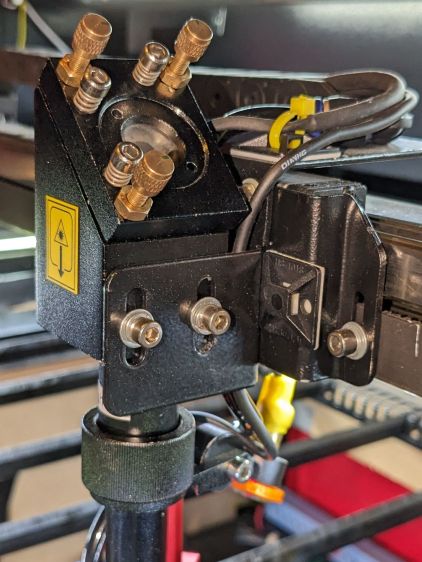
    After struggling with pin pliers again, I finally made a pin wrench for the laser cutter’s mirror retaining rings:

    Laser Mirror Pin Wrench - in use
    Laser Mirror Pin Wrench – in use

    The odd grayish tint toward the flat end of the knob comes from residual black filament in the hot end after switching to retina-burn orange PETG.

    The solid model looks about like you’d expect:

    Mirror Pin Wrench - Solid Model
    Mirror Pin Wrench – Solid Model

    The pins are snippets of 3/32 inch = 2.4 mm steel rod with ground-round ends to fit the 2.5 mm pin sockets in the retaining ring.

    They’re rammed into place with a drill press to keep them aligned with the holes:

    Laser Mirror Pin Wrench - pin insertion
    Laser Mirror Pin Wrench – pin insertion

    Pressed flush with the central boss that aligns the wrench with the ring:

    Laser Mirror Pin Wrench - pin leveling
    Laser Mirror Pin Wrench – pin leveling

    Then put the ring on the bench, set the wrench atop the ring with the pins in the sockets, and press firmly to seat the pins to the proper depth. The end results should look like this:

    Laser Mirror Pin Wrench - mirror ring test
    Laser Mirror Pin Wrench – mirror ring test

    The next time I clean the mirrors, there will be less muttering.

    The OpenSCAD source code as a GitHub Gist:

    // OMTech laser cutter mirror pin wrench
    // Ed Nisley – KE4ZNU – August 2023
    // From https://www.thingiverse.com/thing:4146258
    use <knurledFinishLib_v2_1.scad>
    /* [Hidden] */
    ThreadThick = 0.20;
    ThreadWidth = 0.40;
    HoleWindage = 0.2; // extra clearance
    Protrusion = 0.1; // make holes end cleanly
    inch = 25.4;
    //———————-
    // Dimensions
    /* [Knob] */
    PinDia = 2.4; // pin diameter
    PinOC = 20.5; // … on-center spacing
    PinDepth = 10.0; // … hole depth
    LocDia = 14.5; // central stud
    LocLength = 3.0;
    ShaftDia = 26.0; // un-knurled section diameter
    ShaftLength = 15.0; // … length
    KnurlDia = 30.0; // diameter at midline of knurl diamonds
    KnurlLen = 20.0; // … length of knurled section
    /* [Hidden] */
    KnurlDPNom = 32; // Nominal diametral pitch = (# diamonds) / (OD inches)
    DiamondDepth = 0.5; // … depth of diamonds
    DiamondAspect = 2; // length to width ratio
    KnurlID = KnurlDia – DiamondDepth; // dia at bottom of knurl
    NumDiamonds = ceil(KnurlDPNom * KnurlID / inch);
    echo(str("Num diamonds: ",NumDiamonds));
    NumSides = 4*NumDiamonds; // 4 facets per diamond
    KnurlDP = NumDiamonds / (KnurlID / inch); // actual DP
    echo(str("DP Nom: ",KnurlDPNom," actual: ",KnurlDP));
    DiamondWidth = (KnurlID * PI) / NumDiamonds;
    DiamondLenNom = DiamondAspect * DiamondWidth; // nominal diamond length
    DiamondLength = KnurlLen / round(KnurlLen/DiamondLenNom); // … actual
    TaperLength = 0.75*DiamondLength;
    KnobOAL = ShaftLength + KnurlLen + 2*TaperLength;
    //———————-
    // Useful routines
    module PolyCyl(Dia,Height,ForceSides=0) { // based on nophead's polyholes
    Sides = (ForceSides != 0) ? ForceSides : (ceil(Dia) + 2);
    FixDia = Dia / cos(180/Sides);
    cylinder(r=(FixDia + HoleWindage)/2,
    h=Height,
    $fn=Sides);
    }
    //- Build it
    difference() {
    union() {
    render(convexity=10)
    translate([0,0,TaperLength])
    knurl(k_cyl_hg=KnurlLen,
    k_cyl_od=KnurlDia,
    knurl_wd=DiamondWidth,
    knurl_hg=DiamondLength,
    knurl_dp=DiamondDepth,
    e_smooth=DiamondLength/2);
    color("Orange")
    cylinder(r1=ShaftDia/2,
    r2=(KnurlDia – DiamondDepth)/2,
    h=(TaperLength + Protrusion),
    $fn=NumSides);
    color("Orange")
    translate([0,0,(TaperLength + KnurlLen – Protrusion)])
    cylinder(r2=ShaftDia/2,
    r1=(KnurlDia – DiamondDepth)/2,
    h=(TaperLength + Protrusion),
    $fn=NumSides);
    color("Moccasin")
    translate([0,0,(2*TaperLength + KnurlLen – Protrusion)])
    cylinder(r=ShaftDia/2,h=(ShaftLength + Protrusion),$fn=NumSides);
    color("Brown")
    translate([0,0,KnobOAL – Protrusion])
    cylinder(r=LocDia/2,h=(LocLength + Protrusion),$fn=NumSides);
    }
    for (i=[-1,1])
    translate([i*PinOC/2,0,KnobOAL – PinDepth])
    rotate(180/6)
    PolyCyl(PinDia,PinDepth + Protrusion,6);
    }

    It descends from a long line of similar things dating back to the OG Sherline Speed Wrenches.

  • Tour Easy Running Lights: Anodizing Sun Fade

    Tour Easy Running Lights: Anodizing Sun Fade

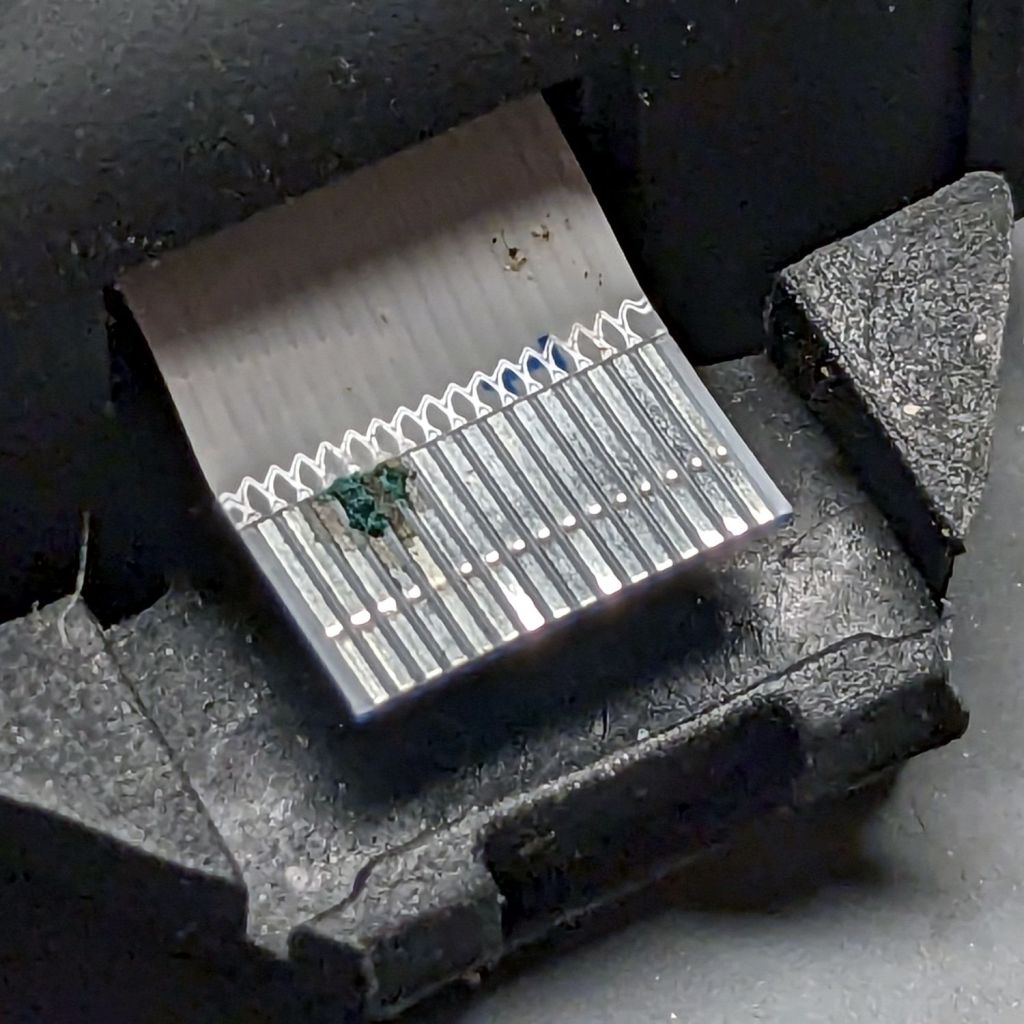
    After six years, the anodizing on the Anker LC40 flashlights I repurposed as daytime running lights shows some radiation damage:

    Tour Easy Running Lights fading - mount top view
    Tour Easy Running Lights fading – mount top view

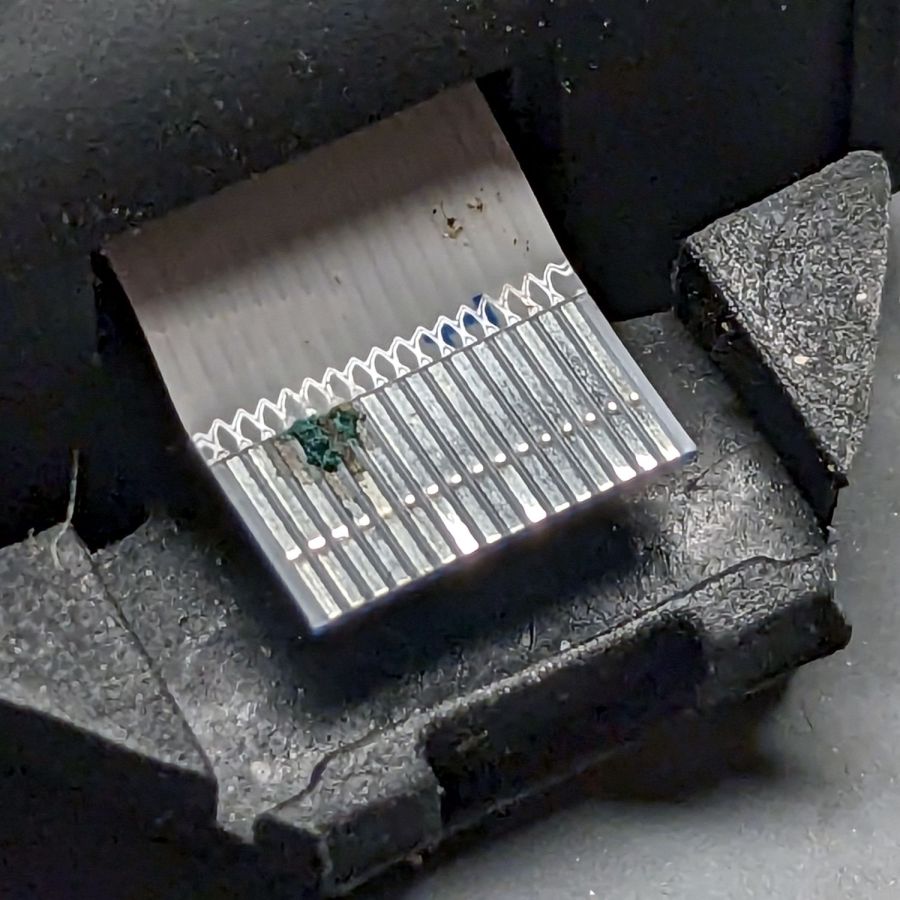
    The bottom side looks pristine:

    Tour Easy Running Lights fading - mount bottom view
    Tour Easy Running Lights fading – mount bottom view

    It turns out they were clamped in slightly different positions on our two bikes:

    Tour Easy Running Lights fading - top view
    Tour Easy Running Lights fading – top view

    The side view shows a gentle color transition:

    Tour Easy Running Lights fading - bottom view
    Tour Easy Running Lights fading – bottom view

    Apparently I had swapped the caps from the two lights when I noticed the fading after only the first year.

  • Onion Maggot Fly Sticky Trap Repair

    Onion Maggot Fly Sticky Trap Repair

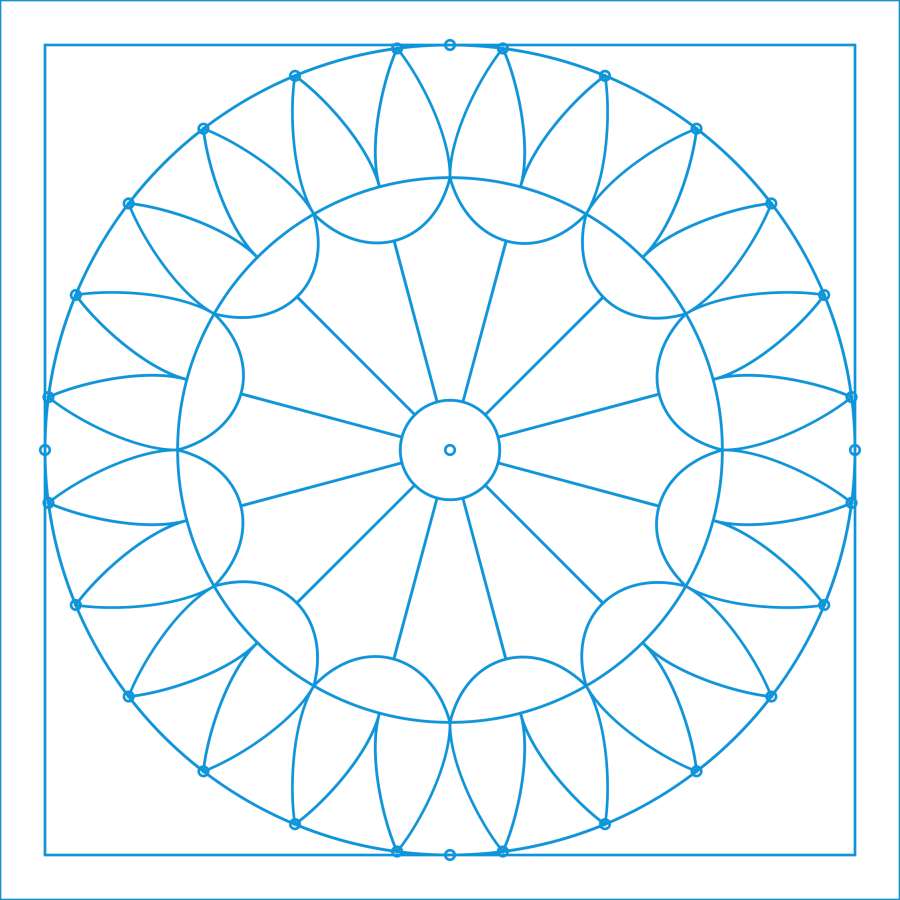
    One of the sticky traps absorbed a mighty blow during the season and its ski-pole mount snapped off. Rather then rebuild the whole thing, I decided to just epoxy the pieces together and stick a reinforcing plate on the bottom.

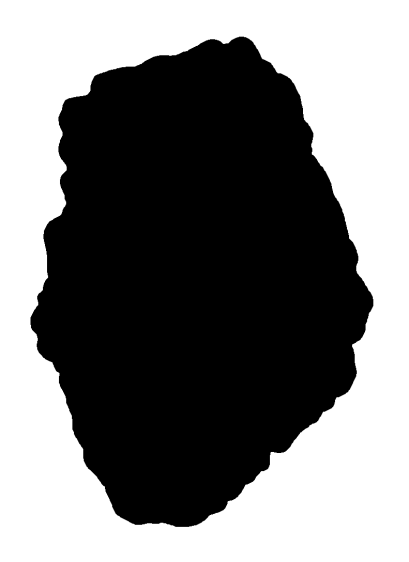
    I added a pair of screw holes to the OpenSCAD model and produced a projection of the bottom layer:

    if (Layout == "Projection") {
        projection(cut=true) {
            Attachment();
            Cap();
        }
    }
    

    Which looked like this:

    Sticky Sheet Cage - projection
    Sticky Sheet Cage – projection

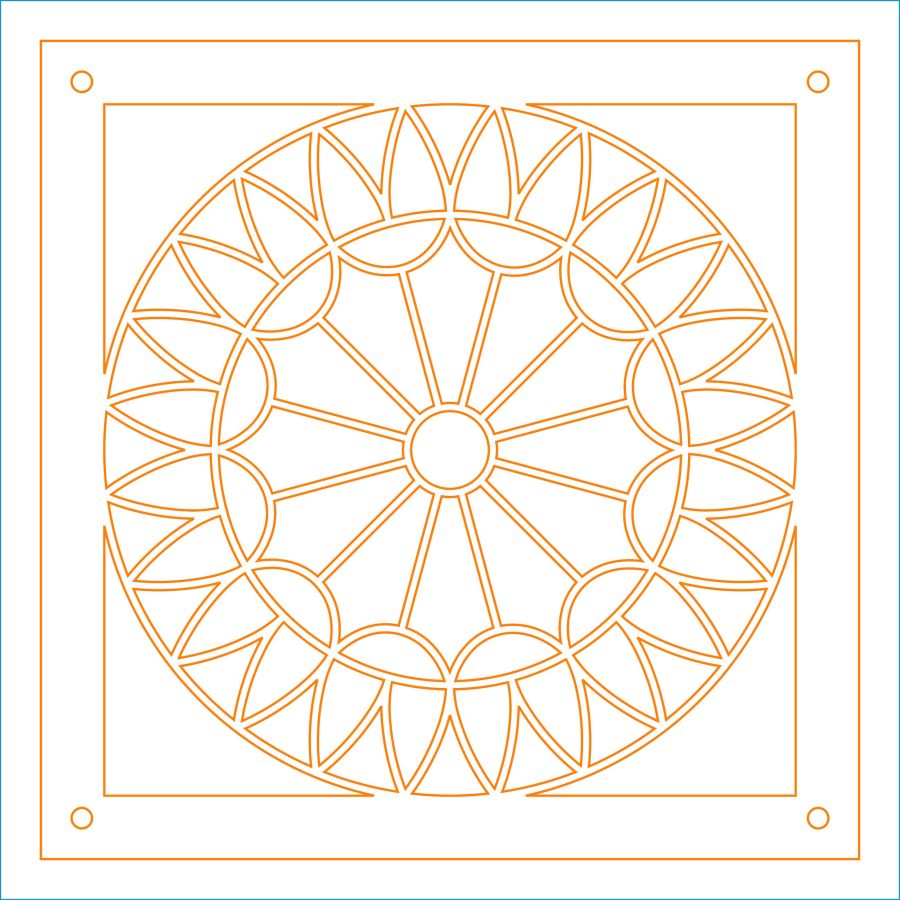
    Cutting that shape from an adhesive sheet looks the same:

    Onion Maggot Fly Trap - adhesive sheet
    Onion Maggot Fly Trap – adhesive sheet

    The somewhat raggedy large hole seems to come from OpenSCAD’s somewhat low-res SVG outline conversion.

    Fill the broken part with epoxy:

    Onion Maggot Fly Trap - epoxy ready
    Onion Maggot Fly Trap – epoxy ready

    Clamp it together on a plate to keep the bottom aligned:

    Onion Maggot Fly Trap - clamping
    Onion Maggot Fly Trap – clamping

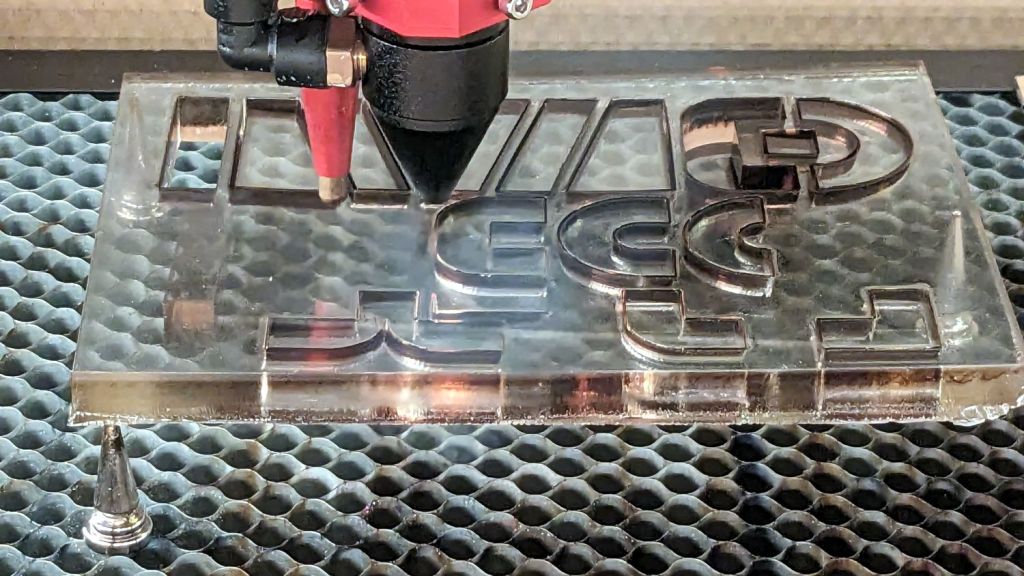
    Cut an acrylic baseplate:

    Onion Maggot Fly Trap - acrylic cut
    Onion Maggot Fly Trap – acrylic cut

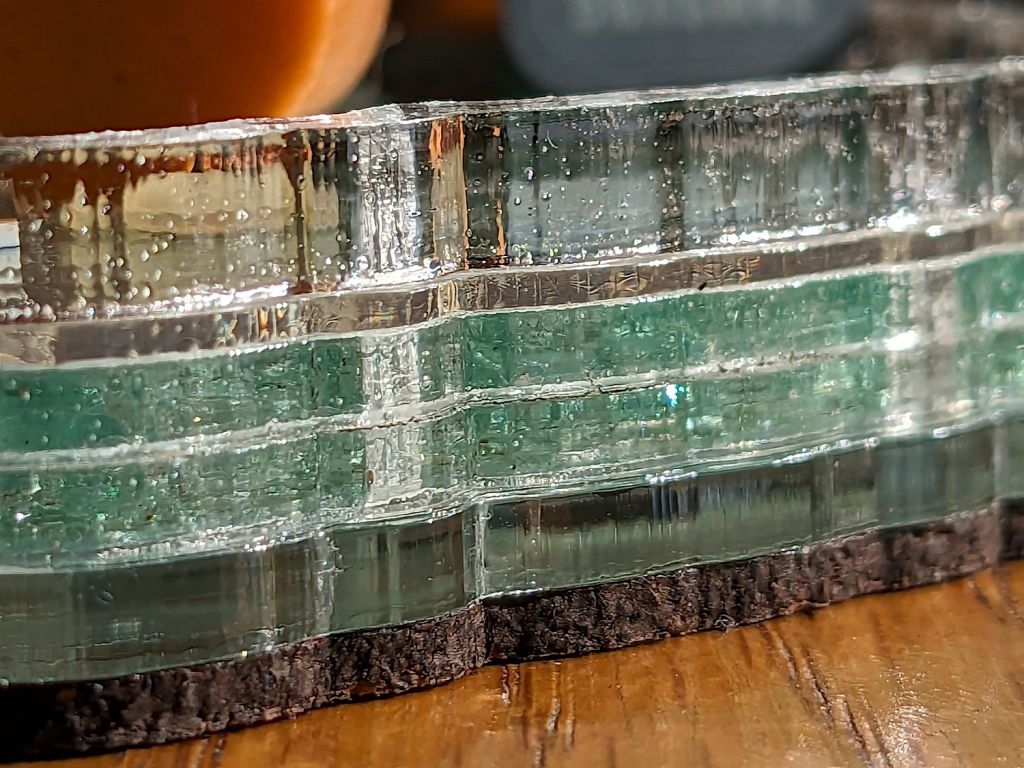
    Apply adhesive sheet to acrylic, stick it on the bottom of the cage, add a pair of stainless steel screws, and declare victory:

    Onion Maggot Fly Trap - bottom view
    Onion Maggot Fly Trap – bottom view

    We’ll see how long that lasts out in the garden next year …

  • Popsicle Mixing Sticks

    Popsicle Mixing Sticks

    Perhaps popsicle stick mixers?

    Popsicle stick mixer - in action
    Popsicle stick mixer – in action

    I made a batch to see if they’d simplify mixing my usual tiny batches of epoxy … and they do! Now I need not worry about forgetting to wipe off the screwdriver or cross-contaminating the resin / hardener tubes.

    Reshaping the tip so the laser beam enters at right angles to the stick produced a cleaner cut and a slightly narrower blade:

    Popsicle stick mixer - cutting
    Popsicle stick mixer – cutting

    The fixture and LightBurn template I made for the engraved markers came in handy. Aligning the template to the fixture proceeds as with the larger craft stick garden markers.

    A small holder keeps finished sticks ready for use:

    Popsicle stick mixer - presentation box
    Popsicle stick mixer – presentation box

    I don’t know how long the box originally holding 1000 sticks has been sitting on the shop shelf, but it’s at least half full despite my continuing efforts. Maybe I can get ahead on my holiday gift prep?

    The LightBurn SVG template layout as a GitHub Gist:

    Loading
    Sorry, something went wrong. Reload?
    Sorry, we cannot display this file.
    Sorry, this file is invalid so it cannot be displayed.

  • Zenni Optical Glasses: Metalbending

    Zenni Optical Glasses: Metalbending

    The new batch of glasses I just received makes me take back any nice things I previously implied about Zenni Optical’s nose pad alignment:

    Zenni eyeglass pads - as received
    Zenni eyeglass pads – as received

    Zenni does have a guide to reshaping the frames, but it does not include aligning the pads parallel to your nose, which definitely goes better with wire-bending pliers in hand.

    They should look more like this when you’re done:

    Zenni eyeglass pads - aligned
    Zenni eyeglass pads – aligned

    I suppose this is a consequence of being able to get two eyeglasses + two sunglasses in three different frame styles and two different prescriptions, each with progressive lenses and antireflective coating, for about $350 delivered halfway around the planet.

    Makes owning a set of metal-forming pliers look downright economical.

    A few years ago, Mary paid more than that for a single pair of badly fitted glasses from a local outlet. Those days are over.

  • Magnetic Stirrer Resurfacing & Mug Decoration

    Magnetic Stirrer Resurfacing & Mug Decoration

    Half a year of plunking my morning cocoa mug on the magnetic stirrer had pretty well scuffed up its platform, so this seemed like a good idea:

    Magnetic stirrer - vinyl surface
    Magnetic stirrer – vinyl surface

    Rather than add the blue disk to the small-scraps collection, I converted the Squidwrench logo into a LightBurn layout:

    Squidwrench logo - laser cut layout
    Squidwrench logo – laser cut layout

    The roll of transfer tape I have on hand doesn’t stick well to the polyurethane sheet, so easing the vinyl onto the mug required careful tweezer work:

    Squidwrench logo on mug
    Squidwrench logo on mug

    It’s on the other side of the mug from the original, somewhat battered, logo.

    Now we can learn how long polyurethane sheets survive under the same conditions.

  • Tour Easy Running Lights: Mechanics

    Tour Easy Running Lights: Mechanics

    The running lights have the same general structure as before and fit into the same front and rear holders:

    Tour Easy Running Light - rear installed
    Tour Easy Running Light – rear installed

    I made the recess slightly deeper to provide a bit more protection to the lens:

    Tour Easy Running Light - front installed
    Tour Easy Running Light – front installed

    The lenses have a 10° beam angle, so a few more millimeters of sidewall doesn’t intercept much light.

    The layout doodle grew a few more notes:

    Tour Easy running light - housing dimensions
    Tour Easy running light – housing dimensions

    I had the good idea of boring the tube, knurling the rod, then epoxying the two together before cutting the rod:

    Tour Easy Running Light - heatsink curing
    Tour Easy Running Light – heatsink curing

    Which let the lathe hold them in perfect alignment during curing:

    Tour Easy Running Light - heatsink plug alignment
    Tour Easy Running Light – heatsink plug alignment

    The rod fits through the lathe spindle and I intended to use it as an arbor while turning the tube exterior, then cut the finished heatsink off flush.

    Which really good idea lasted until the next morning, when I looked at the setup and immediately cut the rod flush with the tube. Because reasons, perhaps excess blood in my caffeine stream.

    So I had to finish the heatsink on hard mode right up against the chuck:

    Tour Easy Running Light - turning heatsink rebate
    Tour Easy Running Light – turning heatsink rebate

    Flipping it around and gripping that little rebate to skim the OD down to 25 mm seemed fraught with peril, so I stabilized the open end with a chuck and plenty of oil; the live center was just too big around for the job.

    Dang, I hate it when I screw up a nice plan.

    Then drill various holes on the Sherline and epoxy the circuit support plate:

    Tour Easy Running Light - circuit plate curing
    Tour Easy Running Light – circuit plate curing

    After boring the PVC pipe to 23 mm ID, I made a pair of Delrin fixtures to simplify turning the exterior to 25 mm before parting it off:

    Tour Easy Running Light - turning body OD
    Tour Easy Running Light – turning body OD

    The PVC is so thin the Arduino’s LEDs shine right through:

    Tour Easy Running Light - installed top view
    Tour Easy Running Light – installed top view

    The radioactive green endcap is ordinary laser-cut fluorescent edge-lit acrylic with sunlight through the garage door on the left. I used red acrylic for the taillight to encourage their separate identities.

    The knockoff Arduino Nano fits on one side of the support plate:

    Tour Easy Running Light - Arduino view
    Tour Easy Running Light – Arduino view

    And the current regulator on the other:

    Tour Easy Running Light - current regulator
    Tour Easy Running Light – current regulator

    Because these run from a dedicated 6.3 V step-down regulator, rather than the Bafang controller’s headlight output, the 2.0 Ω sense resistor sets the LED current to 0.8 V / 2.0 Ω = 400 mA, which is pretty close to the LED 1 W spec.

    The white blob at the end of the two ribbon cable wires is the optoisolator pulling down a pin when the LIGHT signal is active, telling the firmware to stop the normal blink pattern and just turn the LED on all the time. This will come in handy if I ever do any night riding.

    The LED is epoxied to the aluminum shell (with metal-filled JB Weld) and the whole affair never gets more than comfortably warm even with the LED running constantly.

    I think they came out All Good™, despite various blunders along the way.