The Smell of Molten Projects in the Morning

Ed Nisley's Blog: Shop notes, electronics, firmware, machinery, 3D printing, laser cuttery, and curiosities. Contents: 100% human thinking, 0% AI slop.

Category: Machine Shop

Mechanical widgetry

  • Database Troubles

    So I bought a batch of small carbide bits at Lowe’s: some Dremel burrs and a neat pointed RotoZip engraving bit. Got to the checkout and everything went swimmingly except the RotoZip, which triggered a management override.

    This caused the dreaded price check on Register 6, the only register open at the time. People are four deep behind me and the line is growing.

    Manager shows up, scans his magic power card, types in a small bit of life history, scans the package again. It calls for another management override.

    He re-scans his card, types in a (presumably different) slice of life history, re-scans the package, and the price pops up in bright green for all to see:

    89991 Point Cutting $10,000.00

    “This just isn’t going to happen” sez I. In round numbers, I think it costs 15 bux. Maybe 10, maybe 20.

    The line now extends to the paint counter. I turn to the woman behind me and observe that I don’t think I’ve ever charged a $10,000 item before and that I sure hope it comes with a free yacht.

    The manager laughs, re-scans his card, types in still more life history, re-scans the package, types in yet more life history, and a new price pops up:

    89991 Point Cutting $1.00

    I say “Thank you very much!” He sez “Have a nice day!” The cashier sez “Wow, great deal!” I say “I’m outta here!”

    Hopped on my bike and rode off into the haze.

    I strongly support the “If it doesn’t scan, it’s free” method of price determination, but this is just the second time it’s happened. The first was a clerk who made an on-the-spot decision. This one had management approval!

    I think the price in their database is $10k because of a data entry error, which triggered the first management override.

    Fairly obviously, the database didn’t get fixed today.

    But a good time was had by all!

  • STP: The Miracle Lubricant

    Every PC I’ve ever owned with a fan-cooled video card has had a fan failure. It used to take years, now it takes months. The obvious conclusion: cheapnified fans.

    The “business class” Dell I’d been using as a file server started groaning a year ago. I swapped out the video card fan for a similar (used) one from my heap, which failed after half a year. I just replaced the whole box with a newer one that has on-board graphics with no fan…

    A while ago I stuck a pair of nVidia cards in my always-on desktop box so I could get a portrait-mode page display. One of the cards had a bizarre cooler with a fan stuck inside a fingered aluminum cup clamped atop the video chip: definitely not a FRU, at least from my parts heap.

    Months later: groaning & whining. So I used the same trick as I did for the fan in the refrigerator: a drop of STP soaked into the sintered bronze sleeve bearing. Worked like a champ (the freezer fan is still silent) and the PC is now nearly silent once more.

    While I have the STP out, I’m going to blob some on the bathroom fan that’s starting to groan. Certainly cheaper than replacing the fan and, as I found out with the refrigerator, even a new fan can have crappy bearings.

    I now officially loathe fans…

    Yes, I’m perfectly aware that STP is not a real lubricant, but it’s close enough for these bearings. Mostly, it’s slippery and gooey and works perfectly to damp out shaft vibrations and wobbulations.

  • Camera Microscope Adapter

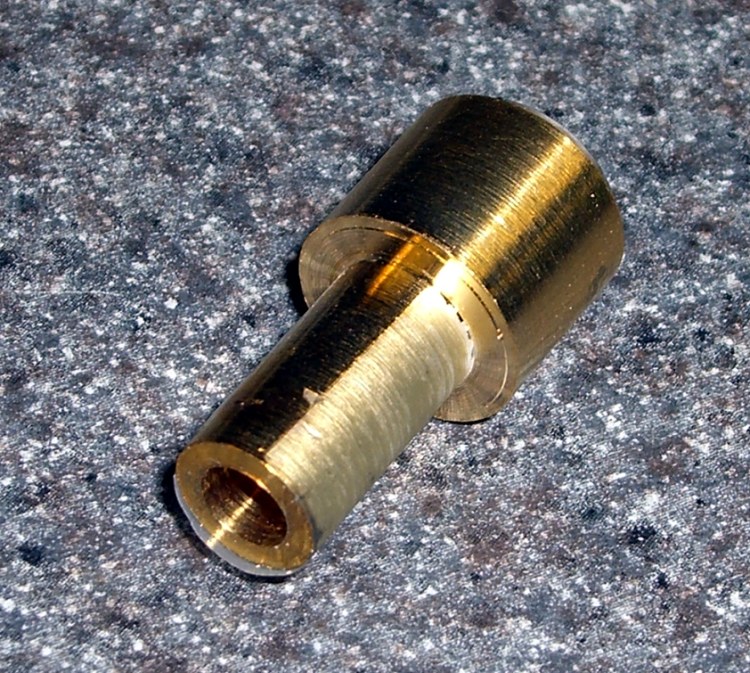
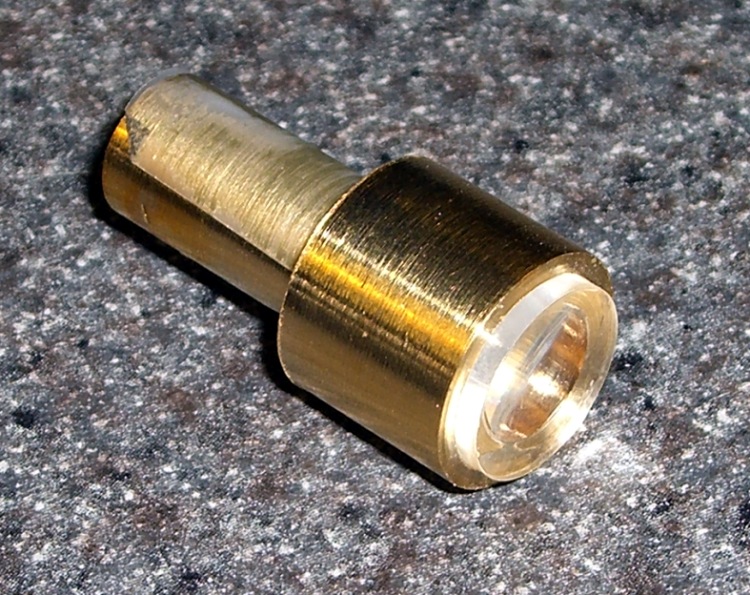
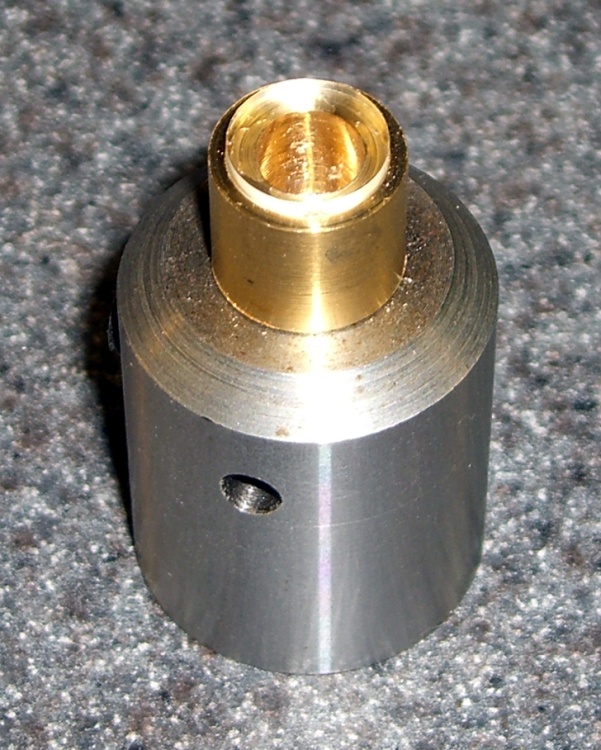
    Microscope Eyepiece Adapter Parts
    Microscope Eyepiece Adapter Parts
    Mount and Camera
    Mount and Camera
    Camera on Microscope Eyepiece
    Camera on Microscope Eyepiece

    This worked out surprisingly well…

    The project was to mount my pocket camera on the stereo zoom microscope, so I can take decent pix of small stuff.

    The entrance pupil of the camera is about the same size as that of a human eyeball: focus at infinity, tune for best picture, and you’re set. Best of all, no microscope mods other than a wrap of tape around the eyepiece to prevent scratching.

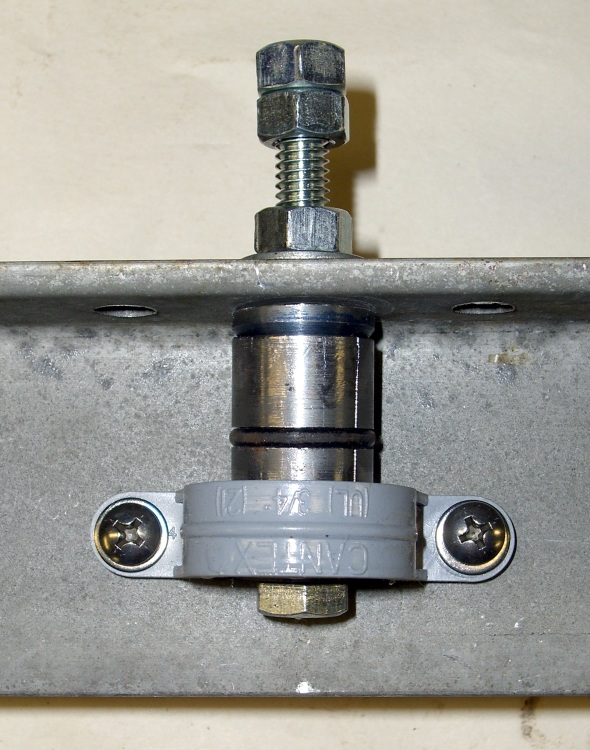
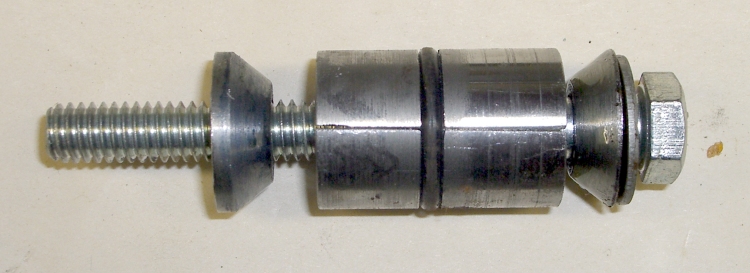
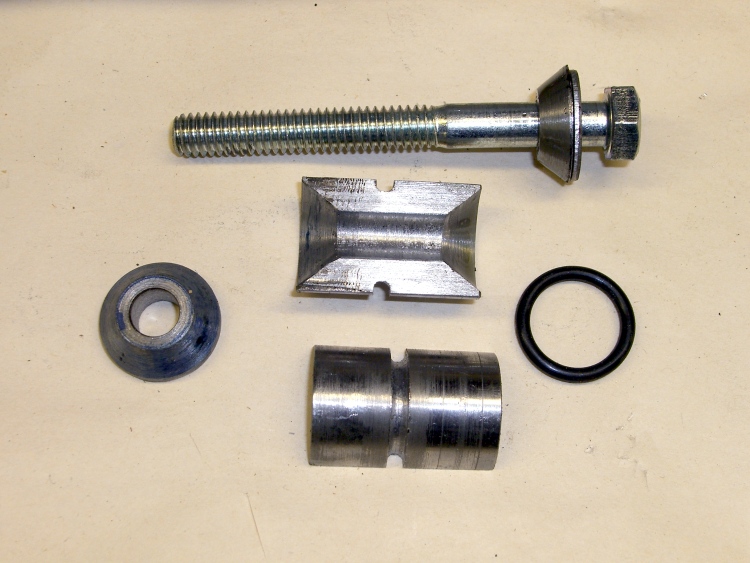
    My heap disgorged two tubes that were exactly the right diameter and length with finished ends (evidently stubs left over from a previous lathe project), so all I had to do was turn the adapter ring between them. The heap even had a slightly-too-long 1/4-20 thumbscrew with a boss below the thread. Ya gotta have stuff!

    I set the ‘scope up with the eyepiece exactly vertical, put the tubes on the eyepiece, screwed the T-bracket to the camera,  squooshed a J-B Weld epoxy putty turd between the T and the tube, then boresighted the camera to the ‘scope axis by centering the light on the LCD. Shazam: nearly perfect alignment with no fussy machining. I added two machine screws through the blob: I don’t trust the camera to an epoxy-PVC joint.

    The smallest field looks like 2 mm, so the resolution is about 2 mm/2400 = 800 nm, which I don’t believe for an instant. Maybe a micron or three, at best, limited far more by the camera than the ‘scope. Widest is >15 mm, a more reasonable and still unbelievable 6 microns. The lens just ain’t that good.

    The eggs are from our stick insect, with a millimeter scale.

    cimg0139-stick-insect-eggs
    Stick Insect Eggs – 1 mm scale

    [Update: This post seems to pop up in response to searches for stick insect eggs. One of my rather more interesting pictures is there.]

  • Ya Gotta Have Tools, Mobile Division

    Once upon a time we delivered a van full of composted leaves to Mary’s Vassar Farms garden plot in the evening.

    There’s a gate at the entrance that was half-closed, but Mary’s never seen it closed & locked, so we drove in and parked by the plot to toss bags. We were done in about 15 minutes, drove back to the gate, and found the Vassar security folks had locked it… with the van in plain sight.

    My guess is that they were busting our chops, but one should never ascribe to malice what can be explained by stupidity.

    We had a phone, but none of the bystanders knew what number to call. The ladies reported that the other gate was also locked. A chain-link fence surrounds the plots.

    What to do?

    The gate hinges were plain old 1″ bolts and nuts, so I figured I could just dismount a gate, drive out, then put the gate back in place. Non-destructive and easy to explain if The Man arrives while I’m at work. Plan B was to just cut the padlocked chain holding the gates together.

    The back of the van has a small “tool” compartment for the jack and suchlike. I long ago added a multi-bit screwdriver set, a medium adjustable wrench (not quite big enough for a 1″ bolt, alas), a Vise-Grip, and similar odds & ends.

    Fortunately, it turned out that the chain around the middle of the gates had two links held together with a 1/4-20 bolt and two nuts. I suspect this sort of thing has happened before, perhaps to someone else with a Vise-Grip.

    Five minutes later, we were outside, the gate was closed & locked, and the tools were back in place.

    Memo to self: add a bigger wrench.

  • Steel Preservation, The Good Old Days of

    Cadmium plated hangers
    Cadmium plated hangers

    Last year I geared up for scraping the soffits and figured I should put a piece of plywood across the windows so I couldn’t possibly have the ladder fall into a window. The storm windows are big, awkward inserts that hang from hooks atop the frames, so I planned to cut a plywood blank to match the opening.

    Gene left us a cigar box of “Storm Window Hdwr” containing this card of hooks-and-eyes that looked just like the ones on the windows. Alas, they’re not quite the same and don’t quite fit, a fact I discovered after mounting them and manhandling the sheet out the window. So much for “standard size”.

    But I’m sure the hardware on the side of the house looks as good as it does because it’s cadmium-plated, too! None of the hooks & eyes have a hint of rust, other than where the edges scrape together, after half a century.

    I heroically refrained from sucking my thumb afterward…

  • Rehabilitating an Old Variac

    Variac Rotor Before Fixup
    Variac Rotor Before Fixup
    Variac Brush Holder and Staking
    Variac Brush Holder and Staking
    Variac Rotor After Fixup
    Variac Rotor After Fixup

    So I’ve had this ancient 5 A Variac on the heap for far too long, finally came up with an actual application, and discovered that not only was the line cord shot, it basically didn’t work.

    Of course, I had to replace the cord & outlet before I discovered that it didn’t work…

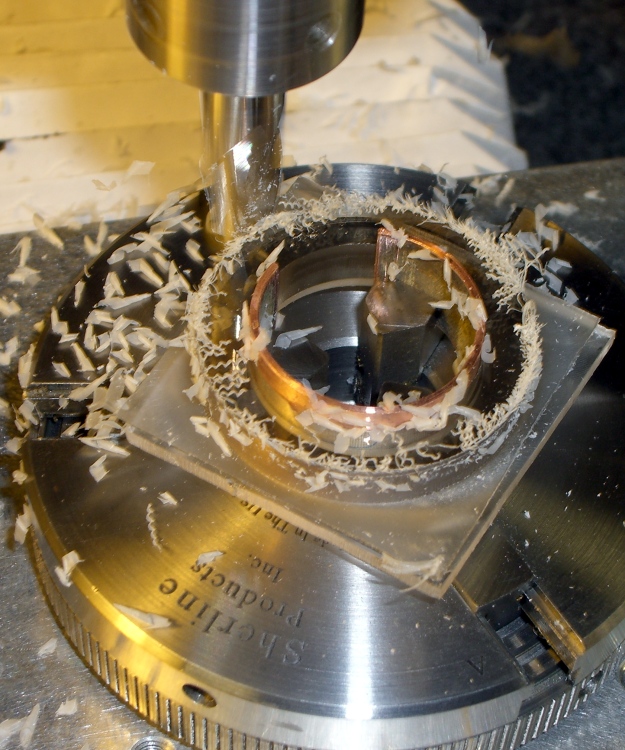
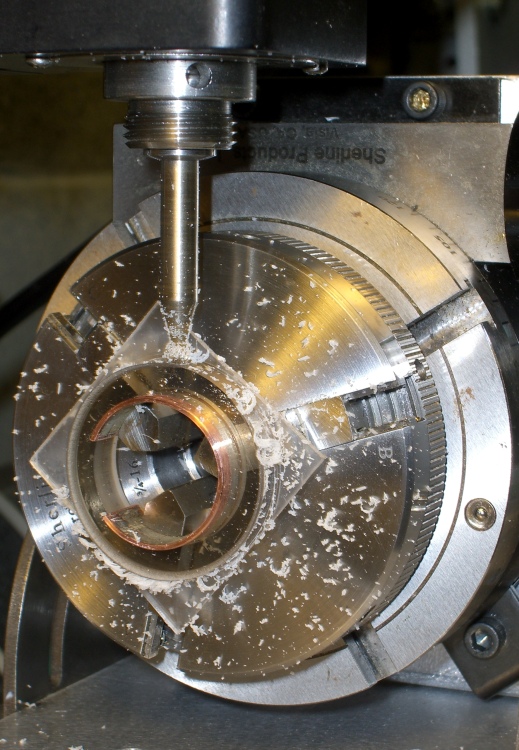
    The classic Variac failure happens when the carbon brush wears down to nothing, at which point the holder scrapes on the windings and the whole thing burns out. In this case, the brush still had 3/16″ left, but the sliding holder was firmly corroded in place.

    I soaked it in PB’laster, rapped it all over with a small drift punch, and managed to drive the holder out. In the process, the brass sleeve around the brush holder came out, putting the entire problem on the bench.

    The rotor had two brass rivets securing the brush contact bar (the part that’s connected to the actual brush holder by a length of copper braid) that would not come out, nohow. After I broke one off (the first picture), I found that they were swaged over on the bottom, so I broke the other one off and punched both stubs out.

    I spent a few hours wearing a headband magnifier and gently filing everything to a pair of slip fits: brush holder into sleeve, sleeve into rotor. The rotor is aluminum, so I applied a liberal dose of oxidation inhibitor, slipped the sleeve in place, and staked that sucker down.

    Which meant I spent another half hour filing the brush holder to restore the slip fit…

    Turned out that the rivets were 40 mils, the holes were 43, and 00-90 machine screws are 43.5. I don’t have a 00-90 tap (mostly because I know I’d break it by looking hard at it), so I just ran a screw into the hole and formed the threads. They must have 10% engagement, tops, but this isn’t a high-stress application.

    This is, I think, the first time I’ve ever used those 00-90 screws and nuts. The washers are 0-80 so they reach over the brush contact bar far enough to hold it in place. Dang, those things are small!

    The main conduction path seems to be through a brass slip contact, into the aluminum rotor, through the brass sleeve, and into the carbon brush. I’m not convinced the rivets / screws conduct any appreciable amount of current to the contact bar and through the braid, but I shined up the contact patches anyway.

    Put it all back together, fired it up, and it worked!

    Ought to be good for the next half-century, at least…

  • Door Chocks

    Radial Arm Saw Setup
    Radial Arm Saw Setup

    So I volunteered to make 40-odd door chocks for the Marching Band’s motel stay in Syracuse: by edict, all room doors must remain open until lights out. You’re probably not astonished to hear that the kids can think up all manner of reasons why their room doors just sort of drifted shut…

    I contributed two battered maple library bookshelves (which my father salvaged from a flooded library three decades ago)  to the cause, whacked ’em into 5-inch chunks, then ripped each chunk into two wedges. Being the sort of bear I am, I had those suckers immobilized every which way from zero, with a push stick to make sure nothing exciting happened near my knuckles.

    Worked like a champ; nothing exciting happened at all. It just looks like the blade should suck the wedges into itself and fling ’em across the shop; they’re actually held in position from the outside and wind up quietly zinging against the blade without being caught.

    I applied my cute little corner-rounding plane to one of the wedges, did some mental math, then came to my senses: Mr Chock, meet Mr Belt Sander. Ten minutes later, they’re all done!

    A pleasant hour of shop time that made the whole basement smell of cut wood… which means that I’m breathing all those fine particles, even with the shopvac catching nearly everything else. Ran the lah-dee-dah radon reducer for a few hours, which helped a bit, and played with my upstairs toys for the rest of the afternoon.