The Smell of Molten Projects in the Morning

Ed Nisley's Blog: Shop notes, electronics, firmware, machinery, 3D printing, laser cuttery, and curiosities. Contents: 100% human thinking, 0% AI slop.

Category: Machine Shop

Mechanical widgetry

  • Kenmore 158 UI: Pastel Buttons

    The user community asked for toned-down buttons, in place of my rather garish color scheme. A bit of twiddling with the Hue parameter produced these buttons:

    Kenmore 158 UI - Pastel Buttons
    Kenmore 158 UI – Pastel Buttons

    Which look pretty good in context:

    Kenmore 158 UI - Pastel buttons
    Kenmore 158 UI – Pastel buttons

    The Bash script, which includes Unicode characters that may confuse your browser:

    ND=50
    ./mkBFam.sh NdDn  $ND ⤓ 
    ./mkBFam.sh NdUp  $ND ⤒
    ./mkBFam.sh NdAny $ND ⛀ 80 80 40
    #./mkBFam.sh NdAny $ND  ⛂ 80 80 40
    #./mkBFam.sh NdAny $ND 🍥 80 80 40
    
    PD=14
    ./mkBFam.sh PdOne $PD One 120 80 
    ./mkBFam.sh PdFol $PD Follow 120 80 
    ./mkBFam.sh PdRun $PD Run 120 80 
    
    SM=44
    ./mkBFam.sh SpMax $SM  🏃 80 80 40
    ./mkBFam.sh SpMed $SM  🐇 80 80 40
    ./mkBFam.sh SpLow $SM  🐌
    
    montage *bmp -tile 3x -geometry +2+2 Buttons.png
    display Buttons.png
    

    So far, so good…

  • Silhouette Eyeglasses: Second Temple Repair

    As we expected, the remaining temple of Mary’s Silhouette glasses broke, a bit over a year from the previous repair, and this repair proceeded along the same lines as the previous fix.

    Cross-drill a brass tube for the teeny screws:

    Silhouette temple repair - cross-drilling brass tube
    Silhouette temple repair – cross-drilling brass tube

    I don’t recall having to do quite this much filing to make the screws fit, but they don’t call ’em “needle files” for nothin’:

    Silhouette temple repair - filing screw holes
    Silhouette temple repair – filing screw holes

    Trim the tube to the proper length by chucking it in the Sherline, rotating the spindle by hand, and filing a notch just below the jaws:

    Silhouette temple repair - trimming tube
    Silhouette temple repair – trimming tube

    Then file the end flat, countersink it just a bit, and ream out the hole to fit the broken end of the earpiece. This one didn’t quite fit the tubing, but we’re talking a few mils of tolerance on a bent piece of titanium. Rough up the end of the earpiece, degrease everything, and a few dabs of epoxy suffice for another Steampunk repair:

    Silhouette temple repair - finished
    Silhouette temple repair – finished

    The original fix continues to hold, but … this can’t go on.


  • Tour Easy Chainstay Rust Repair

    While replacing the well-worn sprocket / chain / chainrings on Mary’s bike, I finally got around to repairing some damaged paint tucked in an inconvenient spot…

    Over the years, a flaw in the paint underneath the strap connecting the chainstays on Mary’s Tour Easy let in enough moisture to dislodge the paint over a considerable area. I chipped off the loose paint and used Evapo-Rust to convert the oxide to phosphate; there’s not much damage to the steel parts, despite what it may look like in the pictures.

    A top view from the right rear, minus the wheel & fender, looking toward the left chainstay:

    Tour Easy - rusted chainstay strap
    Tour Easy – rusted chainstay strap

    Two epoxy fillets in the concave sections where the strap meets the chainstays should eliminate problems in those sections forever more:

    Tour Easy - chainstay strap - epoxy fillet
    Tour Easy – chainstay strap – epoxy fillet

    Some rusty-metal primer and a few coats of red paint conceal most of the ugliness:

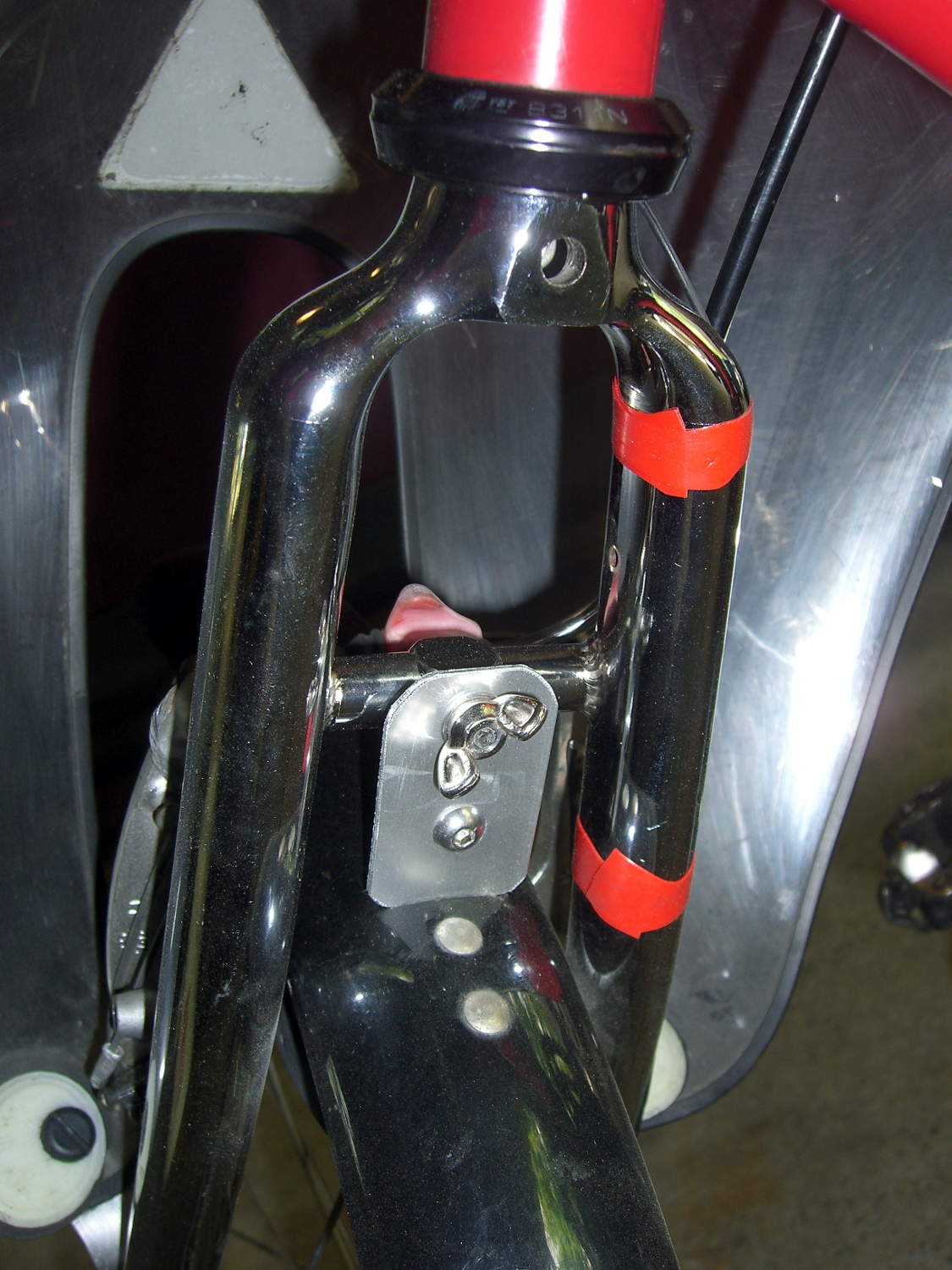
    Tour Easy - rear fender bracket - installed - top
    Tour Easy – rear fender bracket – installed – top

    It’ll never be mistaken for showroom quality, but our bikes are tools, not art objects.

    The obviously 3D printed red block in the middle of the strap holds the fender in place, about which more tomorrow…

  • Whirlpool Refrigerator Drawer Strut Re-Re-Repair

    Well, another year, another deep-cleaning session, another break in the strut holding up the drawers in the Whirlpool refrigerator:

    Whirlpool refrigerator drawer strut - clamped
    Whirlpool refrigerator drawer strut – clamped

    This time, there’s a fixture positioning the tab in the proper orientation while the solvent evaporates. The two bottom clamps hold an aluminum plate against the top (far side) of the strut, with the top-center clamp holding the tab against a steel block shimmed with cardboard to get the correct angle. The other two clamps squash the tab against the joint, which is well-soaked with IPS 4 adhesive.

    I replaced the right-side guide plate, originally made from phosphor bronze strip, with some thicker steel strip. The bronze strip collapsed into the worn section of the plastic bump that appeared in the previous post:

    Refrigerator strut - worn retainers
    Refrigerator strut – worn retainers

    I’ve written bigger caution messages on the top of the strut in red letters, but we think it’s getting on time for a whole new refrigerator…

  • Kenmore 158 UI: Button Rework

    Simplifying the Kenmore 158 UI’s buttons definitely improved the user experience:

    Kenmore 158 Controller - Simplified Buttons
    Kenmore 158 Controller – Simplified Buttons

    The trick depends on specifying the colors with HSB, rather than RGB, so that the buttons in each row have the same hue and differ in saturation and brightness. The Imagemagick incantations look like this:

    • Disabled: hsb\(${HUE}%,50%,40%\)
    • Unselected: hsb\(${HUE}%,100%,70%\)
    • Selected: hsb\(${HUE}%,100%,100%\)

    For whatever reason, the hue must be a percentage if the other parameters are also percentages. At least, I couldn’t figure out how to make a plain integer without a percent sign suffix work as a degree value for hue.

    Anyhow, in real life they look pretty good and make the selected buttons much more obvious:

    Kenmore 158 UI - Simplified buttons - contrast stretch
    Kenmore 158 UI – Simplified buttons – contrast stretch

    The LCD screen looks just like that; I blew out the contrast on the surroundings to provide some context. The green square on the left is the Arduino Mega’s power LED, the purple dot on the right is the heartbeat spot.

    The new “needle stop anywhere” symbol (left middle) is the White Draughts Man Unicode character: ⛀ = U+26C0. We call them checkers here in the US, but it’s supposed to look like a bobbin, as you must disengage the handwheel clutch and stop the main shaft when filling a bobbin; the needle positioning code depends on the shaft position sensor.

    Weirdly, Unicode has no glyphs for sewing, not even a spool of thread, although “Fish Cake With Swirl” (🍥 = U+1F365) came close. Your browser must have access to a font with deep Unicode support in order to see that one…

    You can’t say I didn’t try:

    Unicode characters - bobbin-like shapes
    Unicode characters – bobbin-like shapes

    The script that generates all the buttons:

    ./mkBFam.sh NdDn  9 ⤓
    ./mkBFam.sh NdUp  9 ⤒
    ./mkBFam.sh NdAny 9 ⛀ 80 80 40
    ./mkBFam.sh PdOne 33 One 120 80
    ./mkBFam.sh PdFol 33 Follow 120 80
    ./mkBFam.sh PdRun 33 Run 120 80
    ./mkBFam.sh SpMax 83  🏃 80 80 40
    ./mkBFam.sh SpMed 83  🐇 80 80 40
    ./mkBFam.sh SpLow 83  🐌
    montage *bmp -tile 3x -geometry +2+2 Buttons.png
    display Buttons.png
    

    The script that generates all the versions of a single button:

    # create family of button images
    # Ed Nisley - KE4ZNU
    # March 2015
    
    [ -z $1 ] && FN=Test || FN=$1
    [ -z $2 ] && HUE=30  || HUE=$2
    [ -z $3 ] && TXT=x   || TXT=$3
    [ -z $4 ] && SX=80   || SX=$4
    [ -z $5 ] && SY=80   || SY=$5
    [ -z $6 ] && PT=25   || PT=$6
    [ -z $7 ] && BDR=10  || BDR=$7
    
    echo fn=$FN hue=$HUE txt=$TXT sx=$SX sy=$SY pt=$PT bdr=$BDR
    
    echo Working ...
    
    echo Shape
    
    echo Buttons
    echo  .. Disabled
    convert -size ${SX}x${SY} xc:none \
      -fill hsb\(${HUE}%,50%,40%\) -draw "roundrectangle $BDR,$BDR $((SX-BDR)),$((SY-BDR)) $((BDR-2)),$((BDR-2))" \
      ${FN}_s.png
    convert ${FN}_s.png \
      -font /usr/share/fonts/custom/Symbola.ttf  -pointsize ${PT}  -fill gray20  -stroke gray20 \
      -gravity Center  -annotate 0 "${TXT}"  -trim -repage 0x0+7+7 \
      \( +clone -background navy -shadow 80x4+4+4 \) +swap \
      -background snow4  -flatten \
      ${FN}0.png
    
    echo  .. Enabled
    convert -size ${SX}x${SY} xc:none \
      -fill hsb\(${HUE}%,100%,70%\) -draw "roundrectangle $BDR,$BDR $((SX-BDR)),$((SY-BDR)) $((BDR-2)),$((BDR-2))" \
      ${FN}_s.png
    convert ${FN}_s.png \
      -font /usr/share/fonts/custom/Symbola.ttf  -pointsize $PT  -fill black  -stroke black \
      -gravity Center  -annotate 0 "${TXT}"  -trim -repage 0x0+7+7 \
      \( +clone -background navy -shadow 80x4+4+4 \) +swap \
      -background snow4  -flatten \
      ${FN}1.png
    
    echo  .. Pressed
    convert -size ${SX}x${SY} xc:none \
      -fill hsb\(${HUE}%,100%,100%\) -draw "roundrectangle $BDR,$BDR $((SX-BDR)),$((SY-BDR)) $((BDR-2)),$((BDR-2))" \
      ${FN}_s.png
    convert ${FN}_s.png \
      -font /usr/share/fonts/custom/Symbola.ttf  -pointsize ${PT}  -fill black  -stroke black \
      -gravity Center  -annotate 0 "${TXT}"  -trim -repage 0x0+7+7 \
      \( +clone -background navy -shadow 80x4+4+4 -flip -flop \) +swap \
      -background snow4  -flatten \
      ${FN}2.png
    
    echo BMPs
    for ((i=0 ; i <= 2 ; i++))
    do
     convert ${FN}${i}.png -type truecolor ${FN}${i}.bmp
    # display -resize 300% ${FN}${i}.bmp
    done
    
    rm ${FN}_s.png ${FN}?.png
    
    echo Done!
    
  • MakerGear M2: Platform Z-axis Switch Repeatability

    Having run off four quick prints with identical settings, I measured the thickness of the skirt threads around each object:

    Skirt Thread Consistency
    Skirt Thread Consistency

    They’re all slightly thicker than the nominal 0.25 mm layer thickness, but centered within ±0.02 mm of the average 0.27 mm. Tweaking the G92 offset in the startup G-Code by 0.02 would fix that.

    The 0.29 mm skirt surrounded the first object, which had a truly cold start: 14 °C ambient in the Basement Laboratory. After that, they’re pretty much identical.

    Some informal measurements over a few days suggests the actual repeatability might be  ±0.05 mm, which is Good Enough for layers around 0.20 to 0.25 mm.

    The larger skirt suggests that the platform has a slight tilt, but the caliper resolution is only 0.01 mm.

    When I realigned everything after installing the V4 hot end, the last set of thinwall boxes looked like this:

    Thinwall Calibration Cubes - 5 copies
    Thinwall Calibration Cubes – 5 copies

    Their heights were:

    4.96 5.01
    4.98
    4.91 4.92

    Not enough to worry about, in any event, sez I…

  • Lurid Filament Colors vs. Monochrome Images

    An experiment with images of an object made with translucent magenta PETG…

    The Slic3r preview of the object looks like this, just so you know what you should be seeing:

    Necklace Heart - Slic3r Preview
    Necklace Heart – Slic3r Preview

    It’s pretty much a saturated red blob with the Canon SX230HS in full color mode:

    Necklace Heart - Slic3r Preview
    Necklace Heart – Slic3r Preview

    Unleashing The GIMP and desaturating the image based on luminosity helps a lot:

    Necklace Heart - magenta PETG - desaturate luminosity
    Necklace Heart – magenta PETG – desaturate luminosity

    Desaturating based on either lightness or average, whatever that is, produced similar results.

    Auto level adjustment plus manual value tweaking brings out more detail from that image:

    Necklace Heart - magenta PETG - desaturated - adjusted
    Necklace Heart – magenta PETG – desaturated – adjusted

    I also tried using the camera in its B&W mode to discard the color information up front:

    Necklace Heart - circle detail
    Necklace Heart – circle detail

    It’s taken through the macro adapter with the LEDs turned off and obviously benefits from better lighting, with an LED flashlight at grazing incidence. You can even see the Hilbert Curve top infill.

    The object of the exercise was to see if those tiny dots would print properly, which they did:

    Necklace Heart - dots detail
    Necklace Heart – dots detail

    Now, admittedly, PETG still produces fine hairs, but those dots consist of two layers and two thread widths, so it’s a harsh retraction test.

    A look at the other side:

    Necklace Heart - detail
    Necklace Heart – detail

    All in all, both the object and the pix worked out much better than I expected.

    Leaving the camera in full color mode and processing the images in The GIMP means less fiddling with the camera settings, which seems like a net win.