Ed Nisley's Blog: Shop notes, electronics, firmware, machinery, 3D printing, laser cuttery, and curiosities. Contents: 100% human thinking, 0% AI slop.
To the end of documenting colors, connectors, and connections for the MPCNC stepper motors …
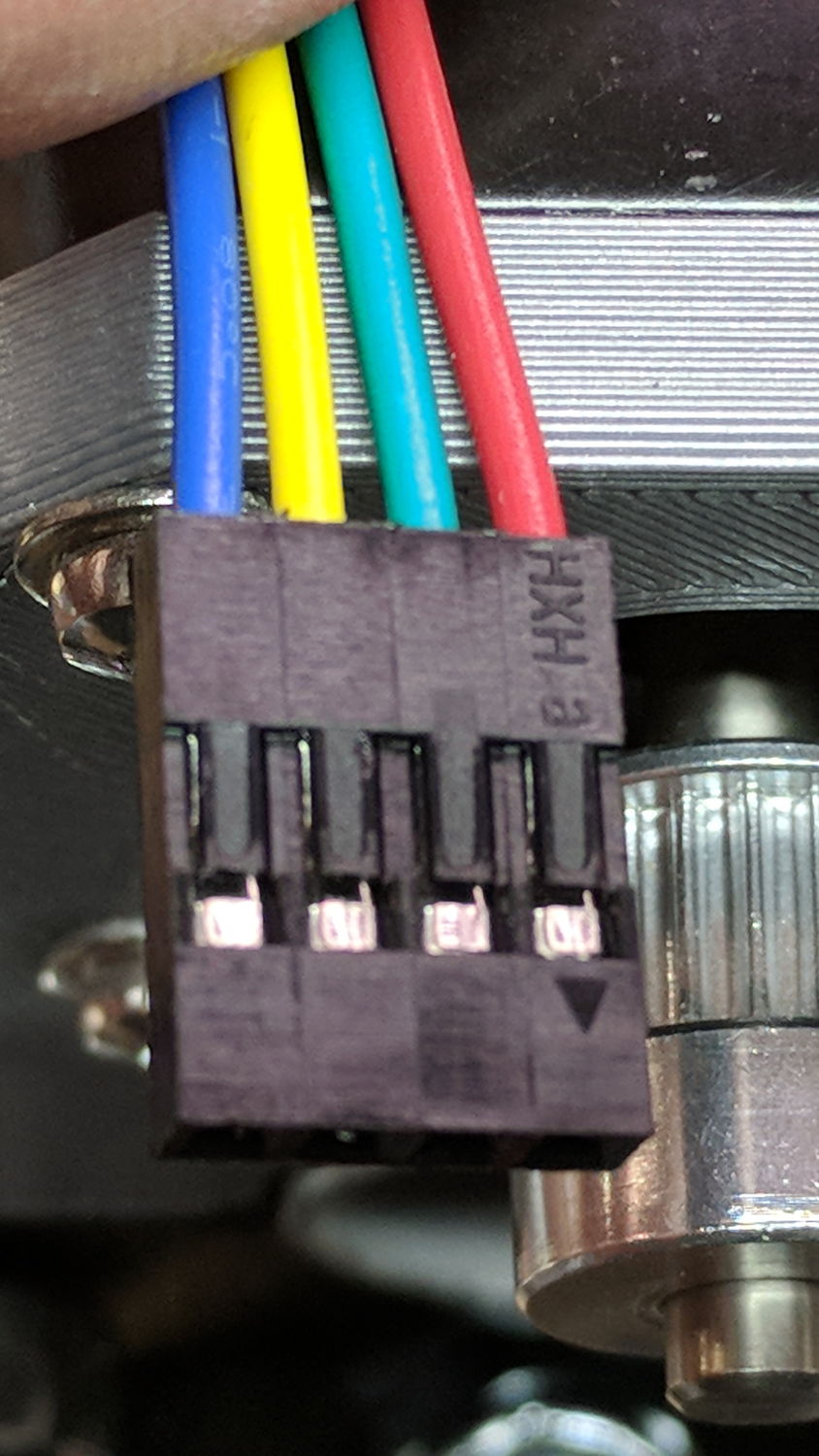
At the stepper motors:
MPCNC – Stepper Connector
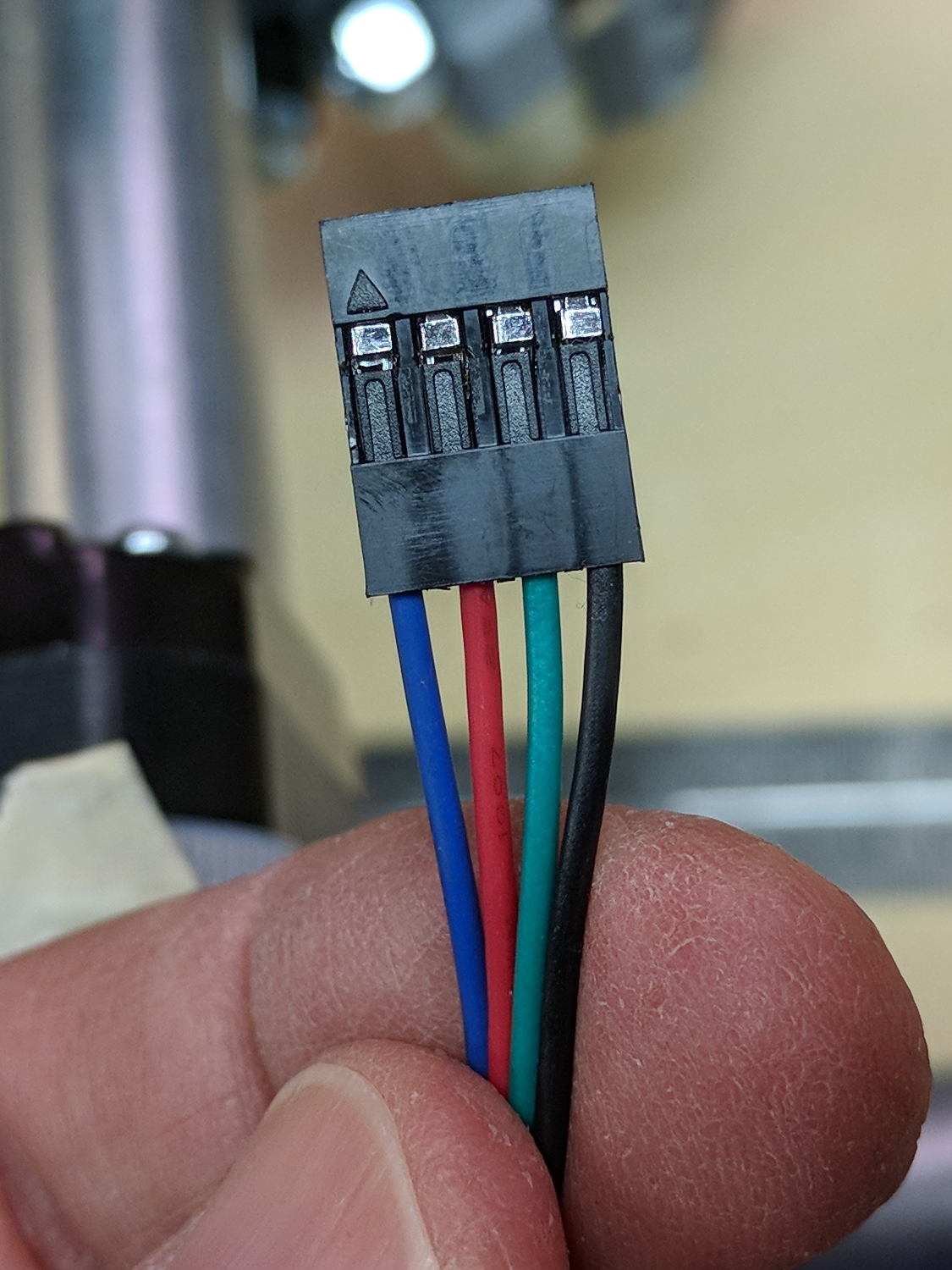
The plug for the stepper at the end of the harness:
MPCNC – Stepper Harness end connector
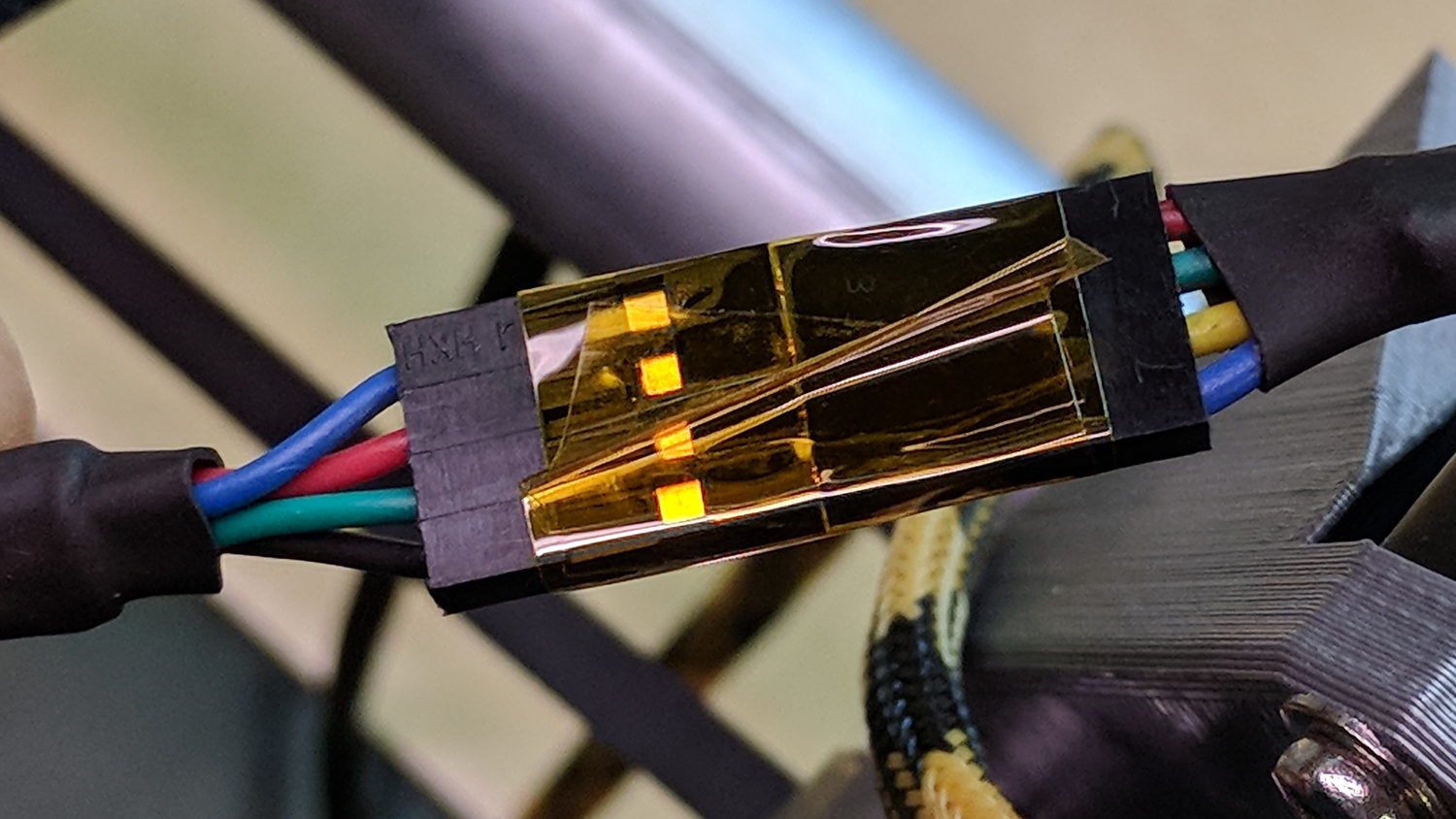
I opted to match the “pin 1” marks on the connectors, because that’s easy to remember, although it puts the pin latches on opposite sides:
MPCNC – Stepper to Harness End
Some obligatory Kapton tape holds the two connectors together.
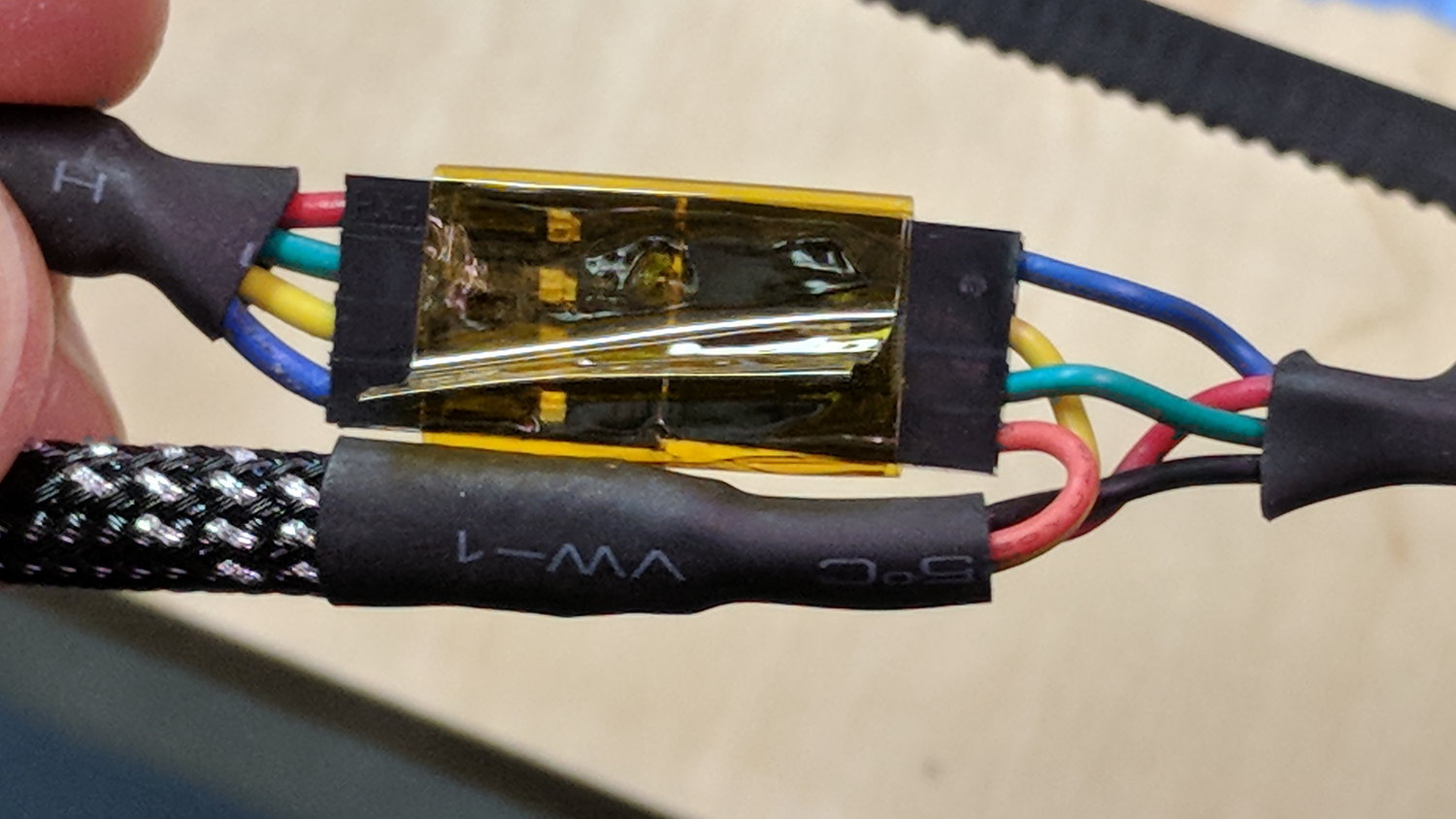
The joint at the middle of the harness, with the near-end stepper cable on the upper left:
MPCNC – Stepper Harness mid connection
At the RAMPS driver end of the cable:
MPCNC – Stepper harness – driver end
The Z-axis extension cable, with the stepper cable on the right:
MPCNC – Z stepper to extension cable
I plugged the cables into the RAMPS board with the “pin 1” mark at the A1A2 end of the connectors.
With all the wires in place (and the GT2 drive belt still in its bag), I stuck masking tape tabs on the motor shafts, connected the RAMPS board, and verified the directions:
MPCNC – Stepper motor direction test
Although the Y axis needed reversing, both pairs of motors turned in the same direction!
Being that type of guy, I reversed the Y axis direction in the firmware configuration, because it’s easier for me to make all the physical connections look the same than (try to) remember to flip the Y axis connector whenever I must reconnect the cable to the driver.
A Mostly Printed CNC machine from Vicious1 provides an easily configured platform for low-force CNC activities like plotting, vinyl cutting, PCB milling, and maybe wood / plastic / wax routing with a suitable dust vacuum / downdraft table / enclosure. Despite many videos, the notion of open-air laser cutting remains a non-starter around here.
I opted for the Parts Bundle (all the “vitamins” required, from RAMPS controller to locknuts, to assemble the machine) and the Printed Parts Bundle (all the printed components), then picked up four 10 foot lengths of 3/4 inch ID = 23.5 mm OD galvanized steel conduit locally. Yes, I have a 3D printer, but the notion of feeding two spools of plastic through it over the course of 100++ printing hours, plus figuring out how to get the tolerances right, convinced me to regard this as a kit project, not a design-and-build project.
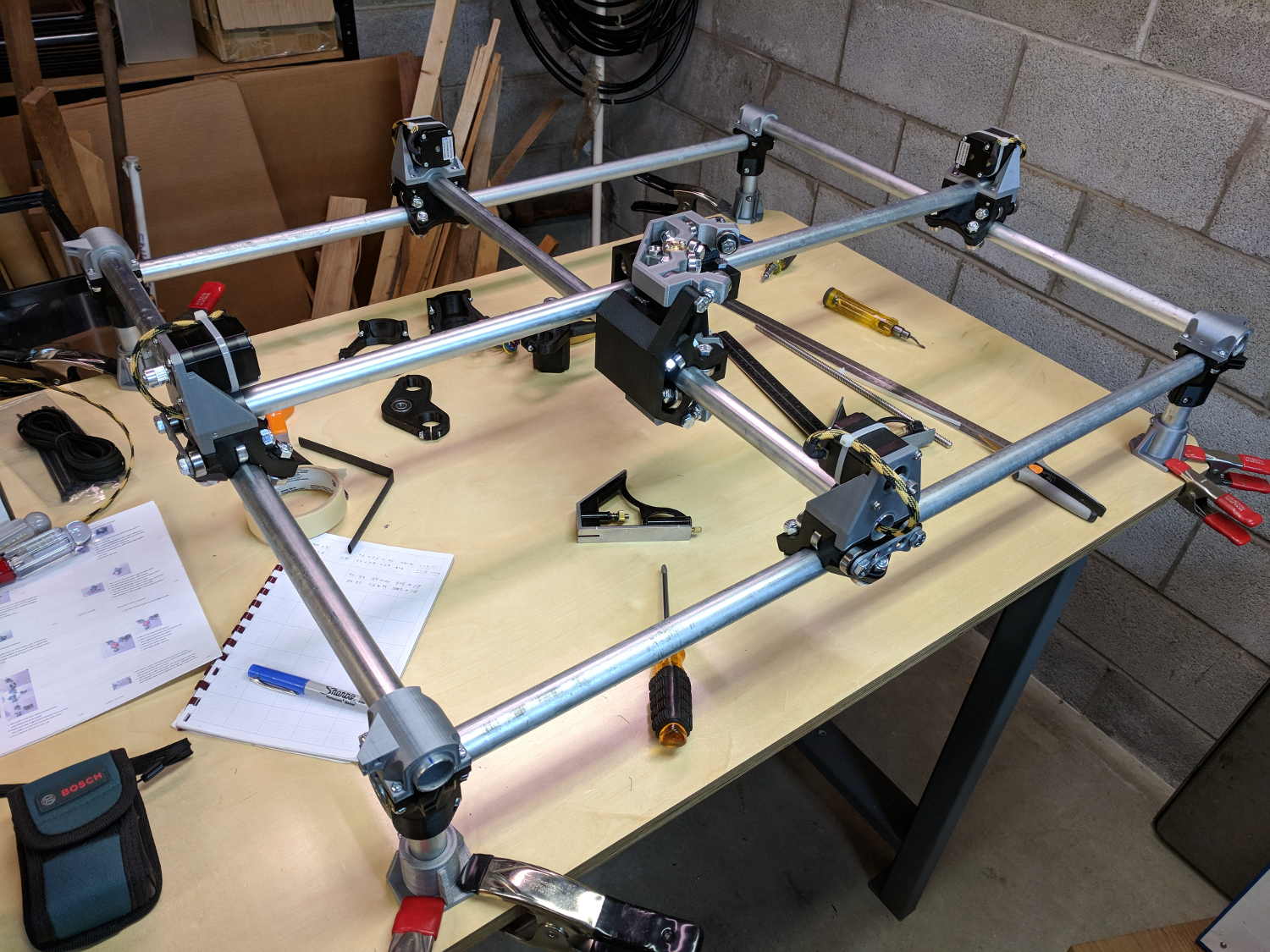
The first trial assembly atop a new workbench went reasonably smoothly:
Mostly Printed CNC – construction overview
I missed the step where you must put the high rails parallel to the X axis, which I want along the length of the table, and had to disassemble and rebuilt the frame to rotate the Middle Assembly a quarter turn clockwise. It’s always easier the second (or third) time and, if you regard the first few passes as dry runs / learning experiences, the process can be soothing, rather than annoying.
A laser rangefinder dramatically simplifies squaring and de-skewing the rails:
MPCNC – Laser rail measurement
I wanted 24+ inches along the X axis and 18+ inches along the Y, so as to handle stock sizes with hard-inch measurements.The current MPCNC design adds about 11 inches to each axis outside the work area, which makes the footprint 35 × 29 (-ish) inches overall. The bench measures 30 inches front-to-back, I allowed an inch along the front to recess the moving parts, and the final frame measures 37+ × 30+ inches to the outside of all the gadgetry.
Within that footprint, the laser says the rails are 845 × 674 mm = 33 × 26+ inch apart, giving a work area of 640 × 475 mm = 25+ × 19- inch.
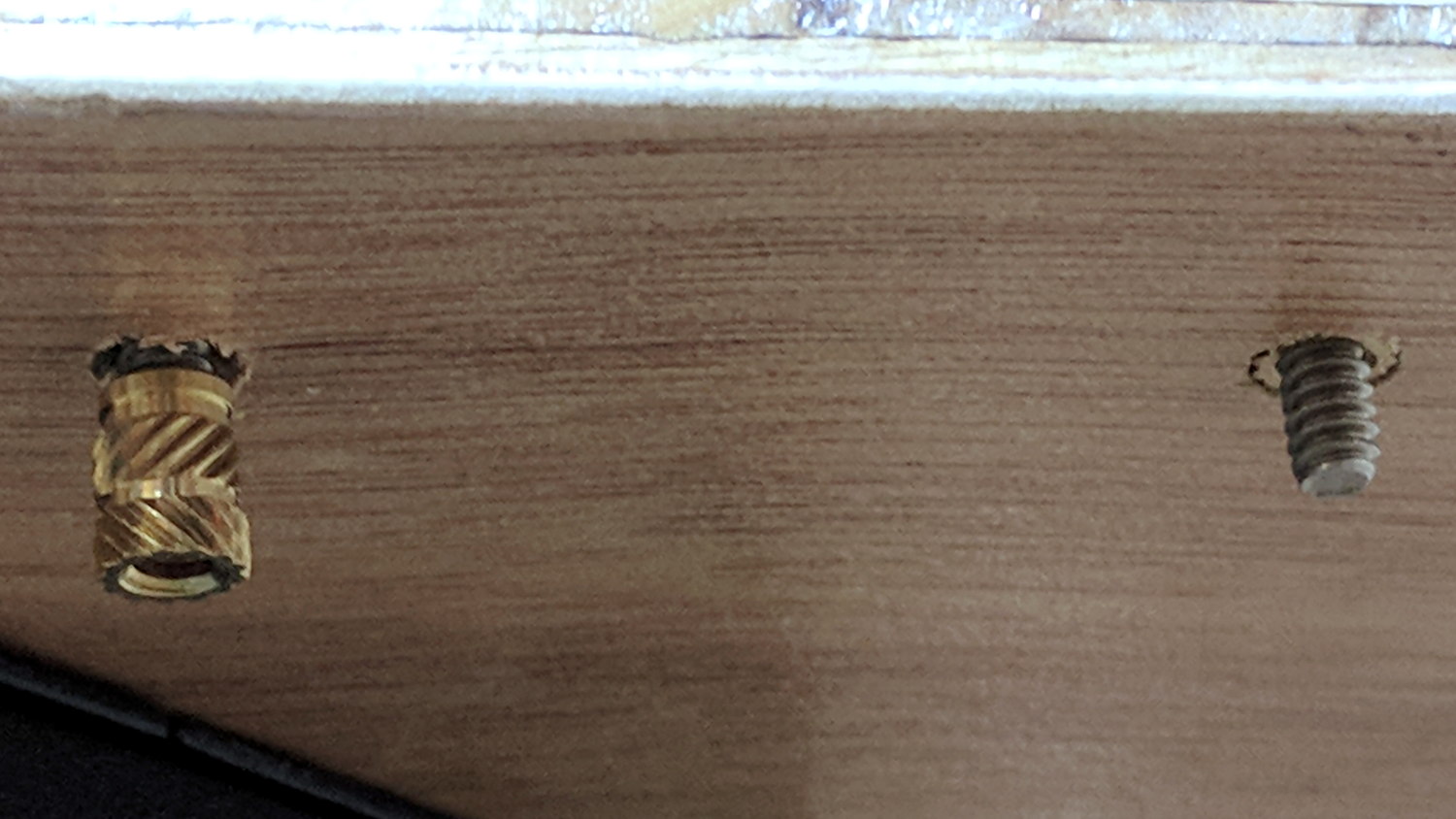
After some careful surveying, I marked / punched / drilled holes for each mounting foot, then counterdrilled brass inserts on the bottom for that nice clean look:
MPCNC – Table anchors
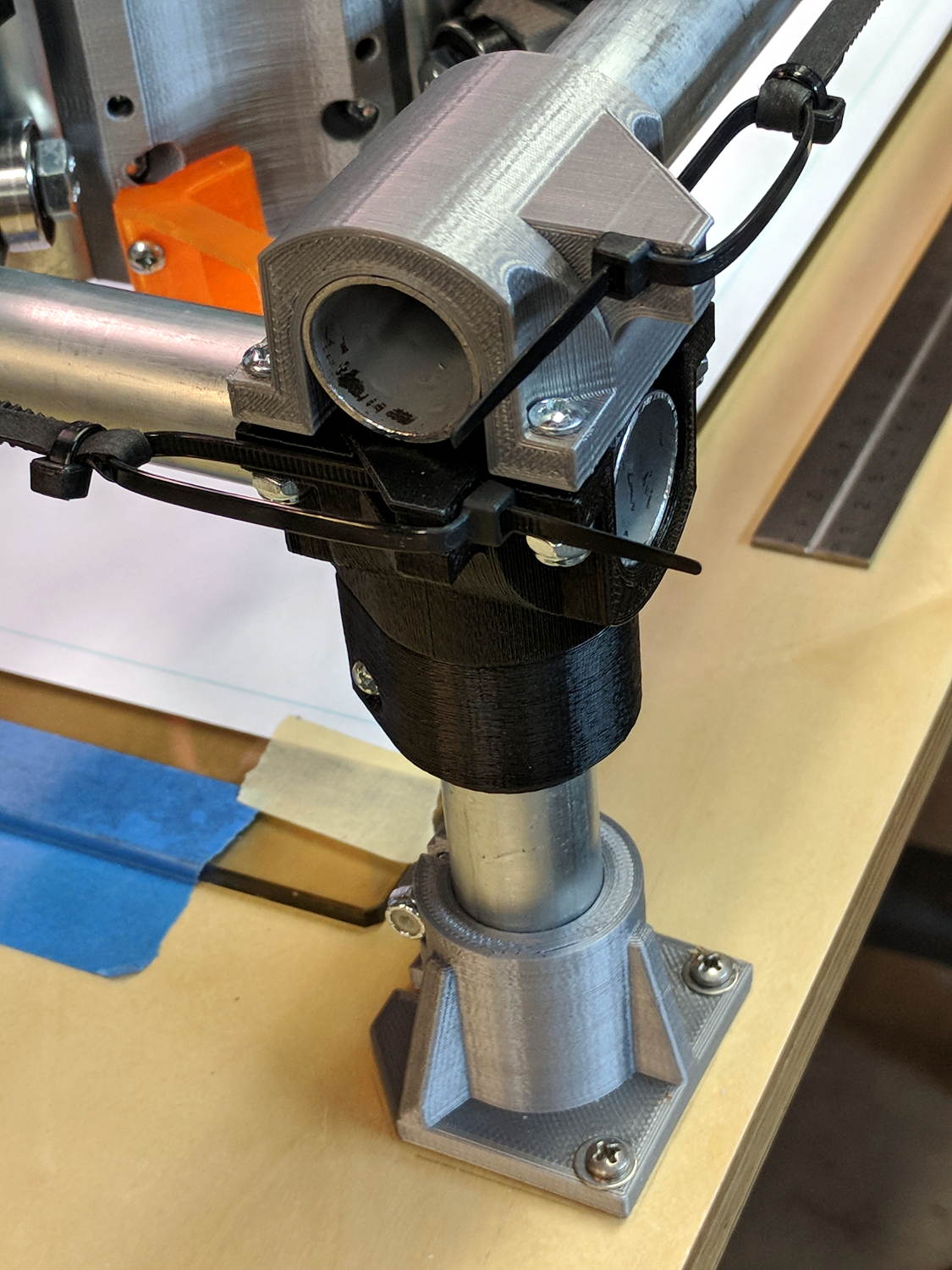
The screws came out flush when mounted atop washers:
MPCNC – Corner Assembly
My “careful surveying” produced a 1 mm error over the internal 1 meter diagonal, but a bit of judicious hole filing let me squash the long diagonal and stretch the short one by Just Enough to make the answer come out right, at least according to the laser rangefinder.
Setting the rail height goes more easily with a height gauge:
MPCNC – Rail height measurement
Stipulated: the absurdity of a height gauge on a plywood tabletop. On the other paw, the corner posts rest on that same plywood, so it actually works pretty well. I slowly pried the three lowest caps upward with the Big Screwdriver, levered on a wood block, to set all the rails to the same height as the highest one.
The X axis rails may need mid-rail supports, although I don’t see any meaningful deflection right now.
One could mount a T-nut atop the table inside each foot (and the center brace, as needed), with a long-ish bolt (head below the table) pushing the corner joint upward, which might be more stable than the current plastic-on-steel compression grip.
The steppers mount on rollers gripping the rail with six bearings, plus two more bending the GT2 drive belt (not installed yet) upward to the motor drive pulley:
MPCNC – Stepper on Roller
I devoted a few quiet hours to threading four-wire cables through 6 mm PET braided sleeves, in hope of protecting the PVC insulation from the usual abrasion & bending stresses. I have some drag chains which may come in handy, although they seem overly klunky for the purpose.
I’m not entirely convinced a PLA stepper mount is a Good Thing, given the warmth of steppers and PLA’s 60 °C glass transition temperature. We’ll see how it goes; obviously, one should not leave PLA parts in one’s car during a hot summer afternoon, either.
The neatly sheathed stepper cable vanishes into the center rail held firmly by the stepper mount. An identical stepper mount grips the other end of the rail, with the motors wired in series. The conduits provide a tidy way to pass wires along the length and width of the frame.
After you install and tension the belts, tweak the pulley location so the 6 mm belt tracks more-or-less in the middle of the 9 mm tooth width:
It has six printed parts, three each in two matching pairs, 24 bearings in eight triples, and plenty of 5/16 inch bolts + locknuts holding it together: all the metal bits make it weigh a lot more than you’d expect.
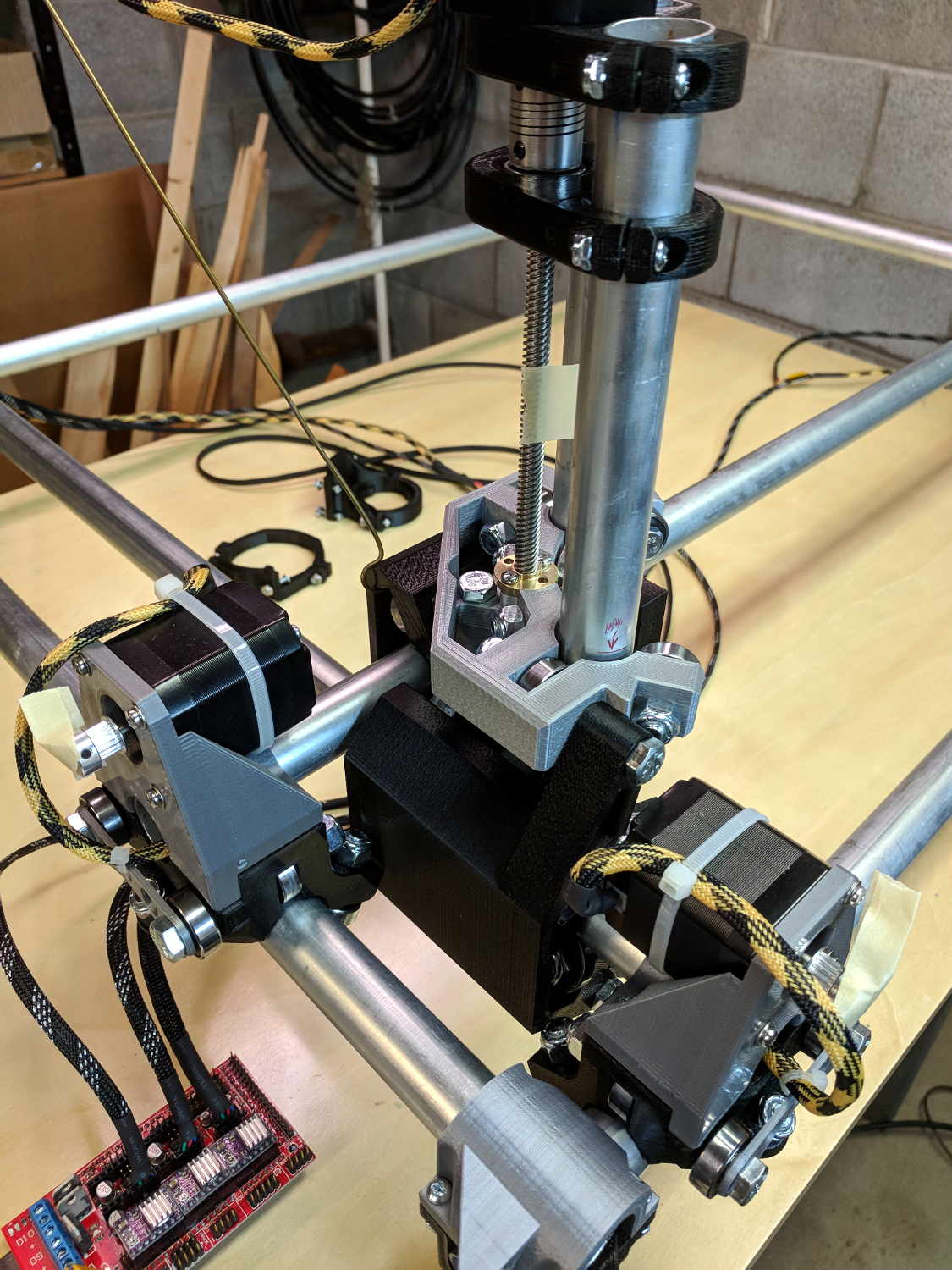
The Z axis rails fit into the two pairs of three bearings facing you:
MPCNC – Correct Mid-Assembly orientation
You’ll note the correct Middle Assembly orientation, after I rearranged the frame with the high rails along the X axis. Home switches will eventually fit neatly on the untraveled rail sections near the front-left corner post.
I built the Z using the default 12 inch rails called out by the Cut Calculator (metric version), which left an inch of the leadscrew sticking out beyond the bottom of the rails:
MPCNC – Z leadscrew – 12 inch rails
I left the work height at the default 4 inches, which specifies a minimum 7 inch = 175 mm leadscrew. The actual leadscrew is 300 mm = 8 inch, which completely explains the situation. I’ll rebuilt the Z axis with longer rails, but this suffices for now.
The concave silvery part joining the Z axis struts is the tool mount, to which you screw a tool holder:
MPCNC – Pen Holder Detail
That’s the Official Drag Knife / Pen Holder, generally seen with a Sharpie ziptied in place, but I have Real Plotter Pens, dammit, and I’m going to use them! The holder has one hole dangling to put the pen nib below the end of the leadscrew.
A friend gave me a New Old Stock IBM Model M keyboard, built by Lexmark on 1/30/96. Although I intended to try it out, I first showed it to Mary and it immediately ended up at her desk:
IBM Model M 1996 – media keys
I favor off-lease Dell boxes intended for office use, so the PS/2 plug on the end of the (permanently attached) cable slid right into the PS/2 jack on the back panel. Gotta love it.
She’d been hammering out testcases and doc on Model M keyboards basically forever, so her fingers snapped into position and the room sounds like her old IBM office.
The “101 key” layout predates frippery along the lines of multimedia keys, so I gimmicked the top row of the numeric pad to control the mixer volume and muting toggle:
/ ⇒ amixer sset 'Master' 10%-
* ⇒ amixer sset 'Master' 10%+
– ⇒ amixer sset 'Master' toggle
While doing that, I found the semicolon key fired at the slightest touch, so I popped the keycap to see if I could frighten it into compliance:
IBM Model M 1996 – dome switch
Huh.
It seems Lexmark replaced the classic buckling spring mechanism with less clicky rubber dome switches, even back in 1996, perhaps for use in libraries & suchlike. Come to think of it, this place is more like a library than an office, so muted clickiness seems appropriate.
While contemplating all the hocus-pocus and precision alignment involved in the DIY plotter project, it occurred to me you could conjure a plotter from a pair of steppers, two disks, a lifting mechanism, and not much else. The general idea resembles an Rθ plotter, with the paper glued to a turntable for the “theta” motion, but with the “radius” motion produced by pen(s) on another turntable:
Rotary Plotter – geometry 4
The big circle is the turntable with radius R1, which might be a touch over 4.5 inches to fit an 8.5 inch octagon cut from ordinary Letter paper. The arc with radius R2 over on the right shows the pen path from the turntable’s center to its perimeter, centered at (R1/2,-R1) for convenience.
The grid paper represents the overall Cartesian grid containing the XY points you’d like to plot, like, for example, point Pxy in the upper right corner. The object of the game is to figure out how to rotate the turntable and pen holder to put Pxy directly under the pen at Ixy over near the right side, after which one might make a dot by lowering the pen. Drawing a continuous figure requires making very small motions between closely spaced points, using something like Bresenham’s line algorithm to generate the incremental coordinates or, for parametric curves like the SuperFormula, choosing a small parameter step size.
The offset between the two centers is (ΔX,ΔY) and the distance is R2 = sqrt(ΔX² + ΔY²). The angle between the +X axis and the pen wheel is α = atan2(ΔY,ΔX), which will be negative for this layout.
Start by transforming Pxy to polar coordinates PRθ, which produces the circle containing both Pxy and Ixy. A pen positioned at radius R from the center of the turntable will trace that circle and Ixy sits at the intersection of that circle with the pen rotating around its wheel.
The small rectangle with sides a and b has R as its diagonal, which means a² + b² = R² and the pointy angle γ = atan a/b.
The large triangle below that has base (R2 – a), height b, and hypotenuse R2, so (R2 – a)² + b² = R2².
Some plug-and-chug action produces a quadratic equation that you can solve for a as shown, solve for b using the first equation, find γ from atan a/b, then subtract γ from θ to get β, the angle spearing point Ixy. You can convert Rβ back to the original grid coordinates with the usual x = R cos β and y = R sin β.
Rotate the turntable by (θ – β) to put Pxy on the arc of the pen at Ixy.
The angle δ lies between the center-to-center line and Ixy. Knowing all the sides of that triangle, find δ = arccos (R2 – a) / R2 and turn the pen wheel by δ to put the pen at Ixy.
Lower the pen to make a dot.
Done!
Some marginal thinking …
I’m sure there’s a fancy way to do this with, surely, matrices or quaternions, but I can handle trig.
You could drive the steppers with a Marlin / RAMPS controller mapping between angles and linear G-Code coordinates, perhaps by choosing suitable steps-per-unit values to make the degrees (or some convenient decimal multiple / fraction thereof)correspond directly to linear distances.
You could generate points from an equation in, say, Python on a Raspberry Pi, apply all the transformations, convert the angles to G-Code, and fire them at a Marlin controller over USB.
Applying 16:1 microstepping to a stock 200 step/rev motor gives 0.113°/step, so at a 5 inch radius each step covers 0.01 inch. However, not all microsteps are moved equally and I expect the absolute per-step accuracy would be somewhere between OK and marginal. Most likely, given the application, even marginal accuracy wouldn’t matter in the least.
The pen wheel uses only 60-ish degrees of the motor’s rotation, but you could mount four-ish pens around a complete wheel, apply suitable pen lift-and-lower action and get multicolor plots.
You could gear down the steppers to get more steps per turntable revolution and way more steps per pen arc, perhaps using cheap & readily available RepRap printer GT2 pulleys / belts / shafts / bearings from the usual eBay sellers. A 16 tooth motor pulley driving a 60 tooth turntable pulley would improve the resolution by a factor of 3.75: more microsteps per commanded motion should make the actual motion come out better.
Tucking the paper atop the turntable and under the pen wheel could be a challenge. Perhaps mounting the whole pen assembly on a tilting plate would help?
Make all the workings visible FTW!
Some doodles leading up to the top diagram, complete with Bad Ideas and goofs …
Centering the pen wheel at a corner makes R2 = R1 * sqrt(2), which seems attractive, but seems overly large in retrospect:
Rotary Plotter – geometry 1
Centering the pen wheel at (-R1,R1/2) with a radius of R1 obviously doesn’t work out, because the arc doesn’t reach the turntable pivot, so you can’t draw anything close to the center. At least I got to work out some step sizes.
A first attempt at coordinate transformation went nowhere:
Rotary Plotter – geometry 2
After perusing the geometric / triangle solution, this came closer:
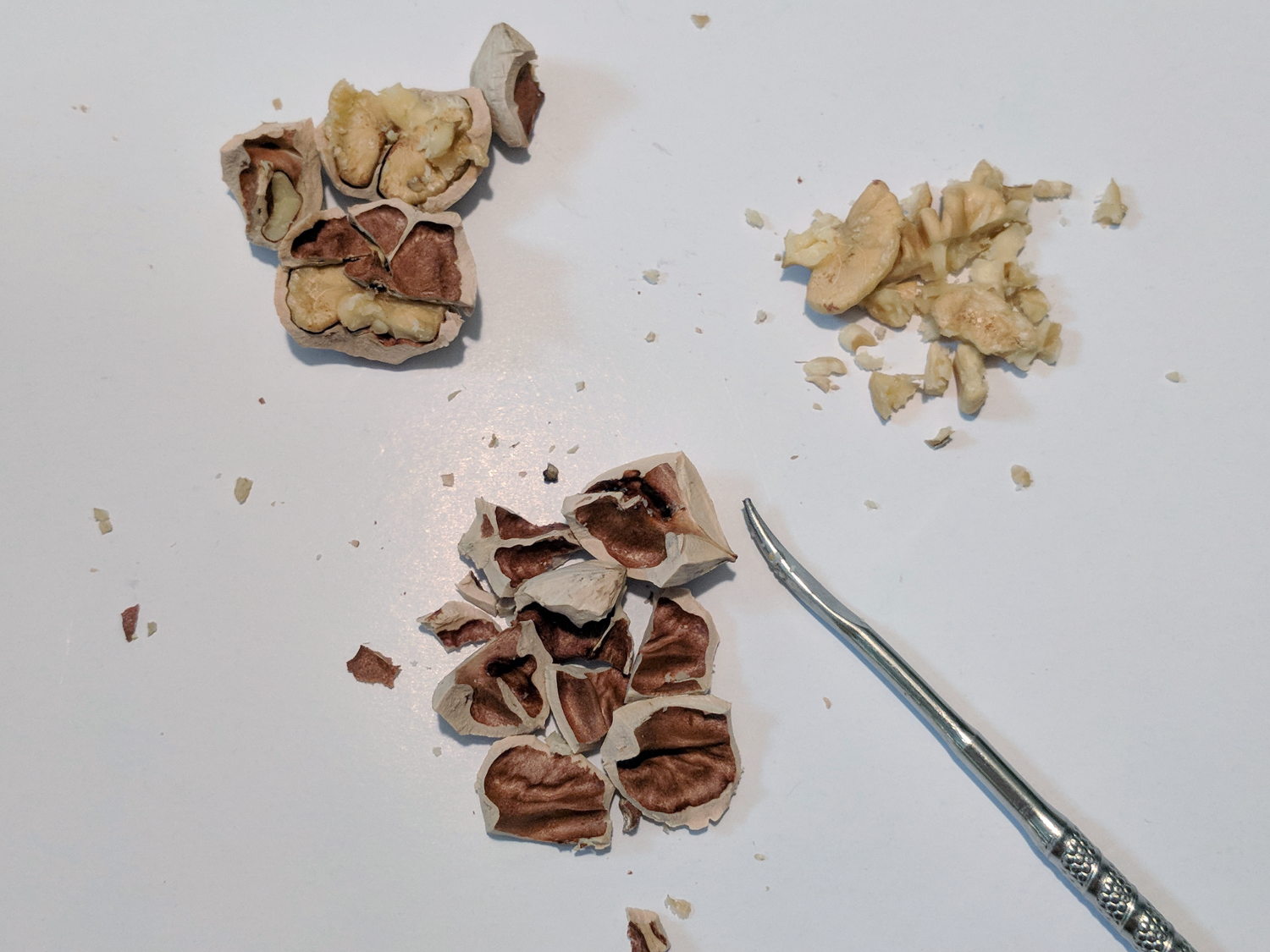
Hickory trees run on a triennial cycle and 2017 produced a huge crop of nuts. My trusty Vise-Grip makes short work of the otherwise impenetrable shells:
Hickory Nuts – cracking in Vise-Grip
A nut pick extracts the good stuff:
Hickory Nuts – cracked
In round numbers, you get twice as much shell as you do nut meat, so there’s plenty of shells left over.
I wrapped 10 ounces of shells in a double layer of aluminum foil, poked two rows of air holes along the package, dropped it holes-up atop the “flavorizer” bars in the propane barbie, and smoked 5 pounds of cured pork belly into some of the finest bacon we’ve ever eaten.
Heated and starved for airinside the aluminum wrapper, the shells became charcoal:
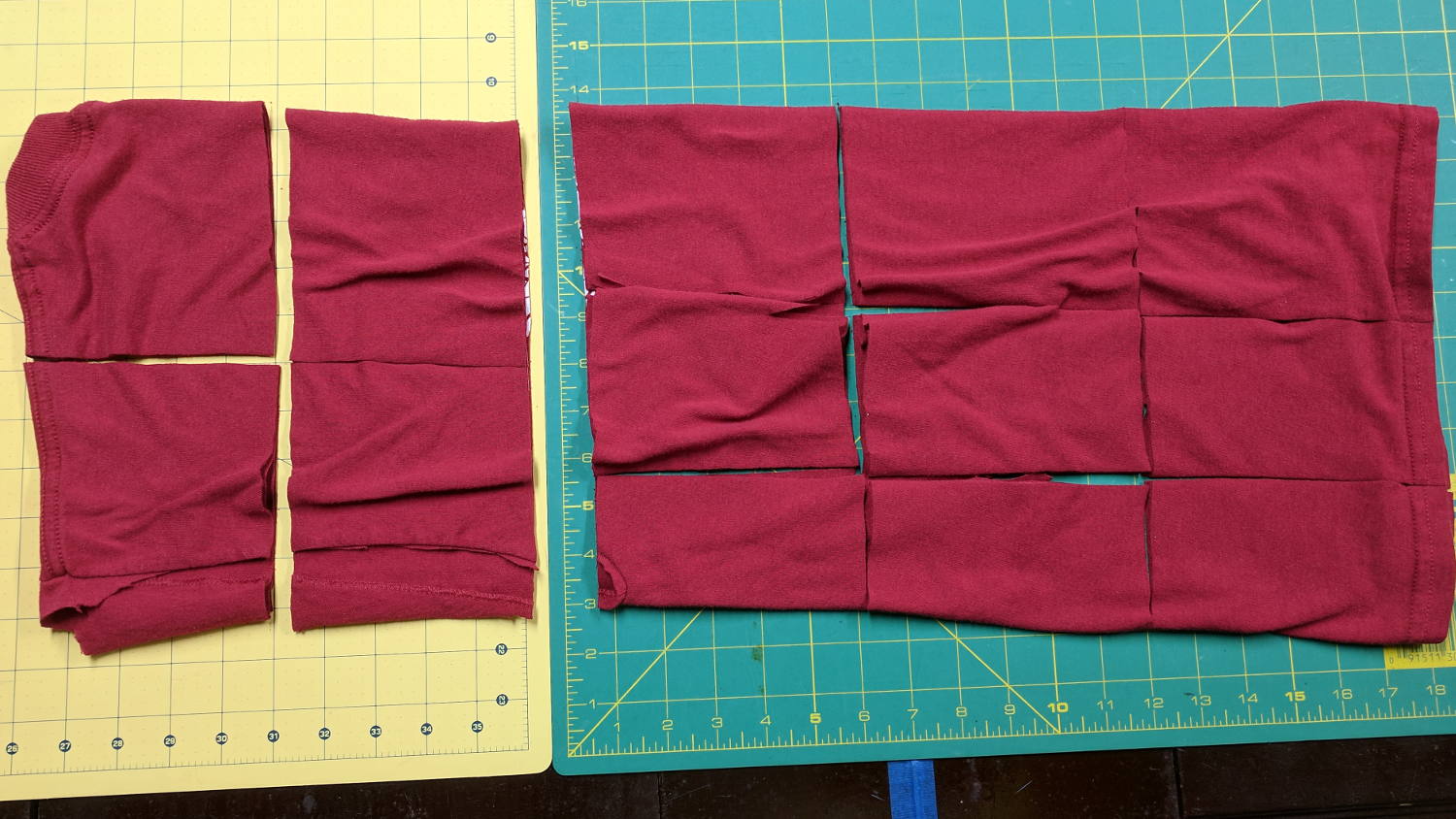
Small wipes made from worn-out cotton t-shirts absorb most shop liquids, don’t overstay their welcome after short projects, and prevent the deep emotional attachment leaving swarf in the clothes washer. Scissors cutting gets tedious, so mooch a rotary cutter and slash away:
T-shirt shop rags
Synthetic fabrics don’t work nearly as well as cotton, so pay attention to the labels.






 The Smell of Molten Projects in the Morning