The Smell of Molten Projects in the Morning

Ed Nisley's Blog: Shop notes, electronics, firmware, machinery, 3D printing, laser cuttery, and curiosities. Contents: 100% human thinking, 0% AI slop.

Category: Machine Shop

Mechanical widgetry

  • Tour Easy: Bafang BBS02 Configuration

    Tour Easy: Bafang BBS02 Configuration

    The Bafang BBS02 motor claims a 750 W power output, although I suspect that’s measured at the instant before it flings its guts across the test lab:

    Tour Easy Bafang BBS02 motor
    Tour Easy Bafang BBS02 motor

    With a nominal 48 V battery supplying the motor’s nominal 24 A (some say 25 A) current, it dissipates well over 1100 W, although that’s obviously a short-term thing. With 750 W calling for 15-ish A, most likely it will (ideally) suffer thermal shutdown long before the battery runs out.

    Torque being more-or-less proportional to current, its nominal 160 N·m torque at 24 A scales downward by the same factor as the current, for 100 N·m at 15 A.

    The as-received Bafang BBS02 motor controller configuration provided far too much torque for our riding style; I think it’s intended for much younger folks tackling off-road trails on what used to be called mountain bikes, rather than assisting us with normal street riding.

    For example, the default maximum current was 24 A and the first step of pedal assistance was 28% = 6.7 A → 45 N·m: a pretty hefty shove right off the starting line. The Tour Easy was pretty much uncontrollable in the driveway, which is a Bad Sign.

    I started with the “Limitless” configuration (wherein the assistance for all steps continues up to the 20 mph overall speed limit) and reduced the maximum current to 15 A.

    The first assistance step of 5% = 0.8 A → 5 N·m now compensates for the additional weight of the Bafang motor + battery and feels like the unloaded bike.

    The second step was 37% = 8.9 A → 59 N·m and is now 7% = 1 A → 7 N·m, so Mary can ride along with a little oomph for minor hills.

    The third step was 46% = 11 A → 74 N·m and is now 16% = 2.4 A → 16 N·m, enough for the admittedly gentle hills along Vassar Road.

    The throttle uses the ninth step setting (100% = 15 A → 100 N·m) to provide a “get out of Dodge” boost at intersections.

    So far, the BBS02 configuration file looks like this:

    [Basic]
    LBP=42
    LC=15
    ALC0=0
    ALC1=5
    ALC2=7
    ALC3=16
    ALC4=25
    ALC5=37
    ALC6=51
    ALC7=67
    ALC8=85
    ALC9=100
    ALBP0=0
    ALBP1=100
    ALBP2=100
    ALBP3=100
    ALBP4=100
    ALBP5=100
    ALBP6=100
    ALBP7=100
    ALBP8=100
    ALBP9=100
    WD=12
    SMM=0
    SMS=1
    [Pedal Assist]
    PT=3
    DA=0
    SL=0
    SSM=3
    WM=0
    SC=10
    SDN=5
    TS=10
    CD=8
    SD=1
    KC=100
    [Throttle Handle]
    SV=11
    EV=42
    MODE=1
    DA=10
    SL=0
    SC=10
    

    Mary says she’s getting entirely enough exercise and, frankly, so am I. We have yet to try faster paces and steeper hills.

  • Tour Easy: Bafang BBS02 Mid-Drive Motor

    Tour Easy: Bafang BBS02 Mid-Drive Motor

    For reasons not relevant here, Mary’s Tour Easy recumbent now sports a Bafang BBS02 Mid-drive motor:

    Tour Easy Bafang mid-drive - overview
    Tour Easy Bafang mid-drive – overview

    It pretty much Just Fit, although the lithium battery sits atop mounts conjured from the vasty digital deep:

    Tour Easy Bafang mid-drive - battery
    Tour Easy Bafang mid-drive – battery

    Many cables connect all the doodads, which a custom-made e-bike can hide inside the frame, but … that’s not an option for us.

    The Bafang BBS02 kit is basically plug-n-play, at least if you own a standard-ish bike. I included some useful options for our setup:

    Changing the controller parameters, usually called “programming”, required firing up the Token Windows Laptop:

    As you might expect, I set up a relatively sedate and low-powered pedal assist mode in place of the default rocket sled mode.

    The motor design seems a decade old, so Bafang (née 8Fun) has had time to work out some of the original design misfeatures. It definitely has shortcomings, but nothing insurmountable so far.

    Early results suggest Mary is now riding her familiar bike over much flatter terrain.

    Some background reading:

    More on all of this as I compile my notes …

  • Tek CC Milled Cursor: MVP

    Tek CC Milled Cursor: MVP

    What a difference 100 µm can make:

    Hairline V tool tests - 0.3 mm 10 kRPM 24 ipm
    Hairline V tool tests – 0.3 mm 10 kRPM 24 ipm

    All three hairlines have 0.3 mm depth of cut, with the spindle running at 10 kRPM and the cut proceeding at 24 inch/min = 600 mm/min. All three cuts went through a strip of water + detergent along their length, which seems to work perfectly.

    The cuts start on the left side:

    Hairline V tool tests - 0.3 mm 10 kRPM 24 ipm - start
    Hairline V tool tests – 0.3 mm 10 kRPM 24 ipm – start

    I cut the red hairline through the PET cursor’s protective film to confirm doing it that way is a Bad Idea™; the gnarly appearance is sufficient proof.

    The cuts end on the right:

    Hairline V tool tests - 0.3 mm 10 kRPM 24 ipm - end
    Hairline V tool tests – 0.3 mm 10 kRPM 24 ipm – end

    Eyeballometrically, the cuts are the same depth on both ends, with a slight texture difference at the start as the X axis ramps up to full speed.

    They’d be a bit stout on an old-school engraved slide rule, but look just fine laid against a laser-printed Homage Tek Circuit Computer:

    Hairline V tool tests - 0.3 mm 10 kRPM 24 ipm - Tek CC
    Hairline V tool tests – 0.3 mm 10 kRPM 24 ipm – Tek CC

    Flushed with success, here’s a fresh-cut red hairline in action:

    Tek CC cursor hairline - V tool red fill
    Tek CC cursor hairline – V tool red fill

    The end of the cursor sticks out 1 mm over the rim of the bottom deck, because I wanted to find out whether that would make it easier to move. It turns out the good folks at Tek knew what they were doing; a too-long cursor buckles too easily.

    The trick will be touching off the V tool accurately enough on the cursor surface to get the correct depth of cut. The classic machinist’s technique involves a pack of rolling papers, which might be coming back into fashion here in NY.

  • Sherline Tooling Plate Re-Alignment

    Sherline Tooling Plate Re-Alignment

    Engraving a 0.2 mm deep hairline in a Tek Circuit Computer cursor showed the fixture had a bit of a tilt:

    Hairline V tool - 0.2 0.3 0.4 DOC 10K RPM - water cool mid
    Hairline V tool – 0.2 0.3 0.4 DOC 10K RPM – water cool mid

    The bottom blue hairline started with a good cut and ended with the V tool skating along the surface without cutting. The raggedy red one just above it is what happens when you (well, I) try engraving a hairline through Kapton tape without coolant; just don’t do that thing.

    The 3D printed fixture holding the cursor came from a neurotically aligned Makergear M2 and the tooling plate has never had much attention to its alignment, so I figured the tilt probably came from crud between the tooling plate and the Sherline’s X axis table, with the printed fixture contributing zilch to the problem.

    Which turned out to be the case. Scraping a few flakes from the bottom of the plate and top of the table, dissolving old crud with water + alcohol, and passing a file over both surfaces definitely made a difference. I converted a sheet of 0.1 mm laminating plastic film into a pad by punching holes for the T-nuts:

    Sherline tooling plate pad
    Sherline tooling plate pad

    Snugging the tooling plate down produced perfect alignment along the length of three 0.3 mm deep hairlines:

    Hairline V tool tests - 0.3 mm 10 kRPM 24 ipm
    Hairline V tool tests – 0.3 mm 10 kRPM 24 ipm

    That was surprisingly easy …

  • Tek CC Milled Cursor vs. Speed vs. Coolant

    Tek CC Milled Cursor vs. Speed vs. Coolant

    After getting the Sherline running with the Mesa 5I25, I could return to milling cursor hairlines for the Tek Circuit Computer:

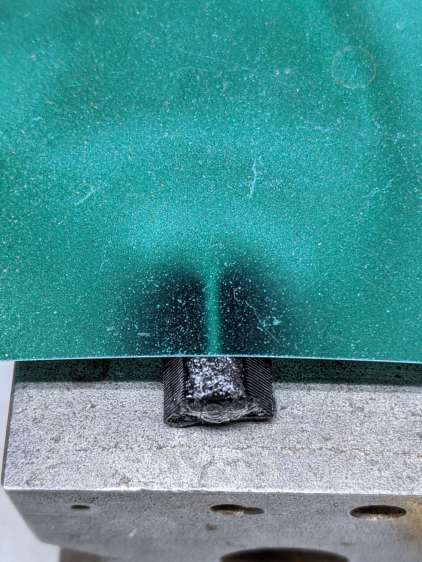
    Hairline V tool - fixture
    Hairline V tool – fixture

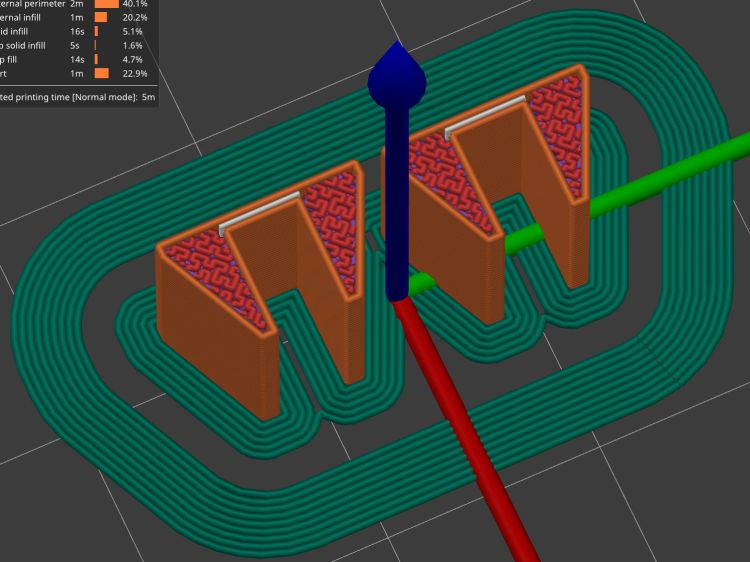
    That’s the fixture intended for Gyros circular saw blades, repurposed for V tool engraving. The V tool in the Sherline tool holder collet is one of the ten-pack from the CNC 3018, unused until this adventure.

    The actual setup had a scrap cursor secured with a strip of Kapton tape:

    Hairline V tool - 0.2 0.3 0.4 DOC 10K RPM - Kapton fixture
    Hairline V tool – 0.2 0.3 0.4 DOC 10K RPM – Kapton fixture

    Those are three passes at (nominal) depths of 0.2, 0.3, and 0.4 mm (bottom to top) with a pre-existing hairline visible just above the second pass. The spindle ran at the Sherline’s top speed of just under 10 kRPM with no coolant on the workpiece.

    I touched off the 0.2 mm cut by lowering the tool 0.1 mm at a time until it just left a mark on the Kapton tape, after a coarse touch-off atop a 0.5 mm plastic card, and calling it zero.

    Scribbling over the cuts with a red Industrial Sharpie looked downright gory:

    Hairline V tool - 0.2 0.3 0.4 DOC - Kapton Sharpie
    Hairline V tool – 0.2 0.3 0.4 DOC – Kapton Sharpie

    Peeling the tape and applying a cloth moistened with denatured alcohol showed three gnarly hairlines:

    Hairline V tool - 0.2 0.3 0.4 DOC 10K RPM - Kapton start
    Hairline V tool – 0.2 0.3 0.4 DOC 10K RPM – Kapton start

    The top hairline shows distinct signs of melted PET plastic along the trench, with poor color fill due to the Sharpie not sticking to / wiping off the smooth-ish trench bottom. The next one is the existing saw-cut hairline with the lead-in cut over on the left.

    The 0.3 and 0.2 mm hairlines look much better, with less debris and more complete fill. Unfortunately, the right side of the Sherline’s tooling plate seems to be a few tenths of a millimeter lower than the left, causing the 0.2 mm hairline to … disappear … where the cutter skipped up onto the Kapton tape:

    Hairline V tool - 0.2 0.3 0.4 DOC 10K RPM - Kapton mid
    Hairline V tool – 0.2 0.3 0.4 DOC 10K RPM – Kapton mid

    Now, in practical terms, this is the first time I’ve actually needed platform alignment to within a hundred microns in subtractive machining. As some folks discover to their astonishment, however, 3D printing does require that level of accuracy:

    Thinwall Box - platform height
    Thinwall Box – platform height

    Engraving through a layer of tape isn’t the right way to do it and some coolant will definitely improve the results, so I ignored the alignment issue, remounted the same scrap cursor with the red hairlines on the bottom, pulled a strip of water + detergent along the tool path, cut the same hairlines, and colored the trenches with blue Industrial Sharpie:

    Hairline V tool - 0.2 0.3 0.4 DOC 10K RPM - water cool start
    Hairline V tool – 0.2 0.3 0.4 DOC 10K RPM – water cool start

    The 0.2 mm hairline on the bottom becomes a line as the V bit begins sliding along the surface at 10 kRPM without cutting:

    Hairline V tool - 0.2 0.3 0.4 DOC 10K RPM - water cool mid
    Hairline V tool – 0.2 0.3 0.4 DOC 10K RPM – water cool mid

    The 0.3 mm hairline looks pretty good and the 0.4 mm hairline remains too rugged by the end of the passes. I think the actual depth of cut is at least 0.05 mm less than at the start:

    Hairline V tool - 0.2 0.3 0.4 DOC 10K RPM - water cool end
    Hairline V tool – 0.2 0.3 0.4 DOC 10K RPM – water cool end

    Obviously, neurotically precise touchoff carries a big reward, as will aligning the tooling plate to an absurd degree.

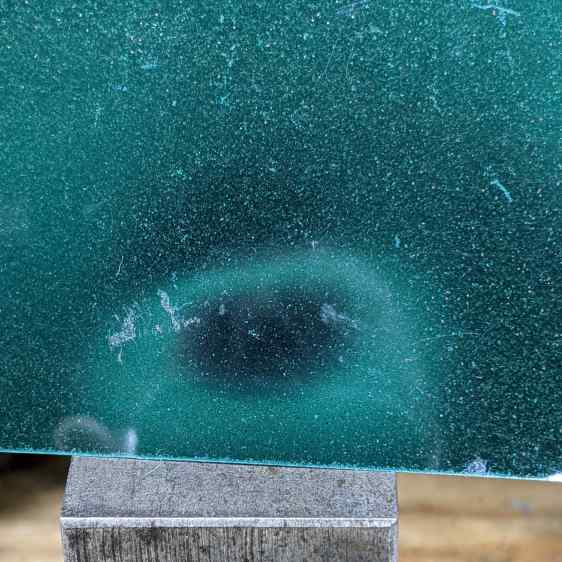
    A real machinist simply flycuts the top of an offending part / fixture / tooling plate to align it with the machine’s spindle, but I have a sneaky suspicion the real problem is a speck (or ten) of swarf between the Sherline’s table and the tooling plate; better cleanliness and attention to detail may improve the situation.

  • Sherline CNC Driver Step Pulse Width Puzzle

    Sherline CNC Driver Step Pulse Width Puzzle

    Long long ago, as part of tidying up the power distribution inside the Sherline CNC controller PCB, I wrote a cleanroom reimplementation of its PIC firmware and settled on a 25 µs Step pulse width with a minimum 50 µs period:

    [PARPORT]
    ADDRESS = 0x378
    RESET_TIME = 10000
    STEPLEN = 25000
    STEPSPACE = 25000
    DIRSETUP = 50000
    DIRHOLD = 50000
    

    Even shorter values for the Direction signal worked with the initial pncconf setup for the Mesa 5I25 FPGA card:

    DIRSETUP   = 25000
    DIRHOLD    = 25000
    STEPLEN    = 25000
    STEPSPACE  = 25000


    After thrashing through enough of the Kicad-to-HAL converter to get a HAL file sufficiently tasty to prevent LinuxCNC from spitting it out, the X and A axes moved with a gritty sound and the two other axes were pretty much inert.

    After eliminating everything else, including having Tiny Scope™ confirm the pulses were exactly the right duration, I increased them by 10 µs:

    DIRSETUP   = 35000
    DIRHOLD    = 35000
    STEPLEN    = 35000
    STEPSPACE  = 35000
    

    After which, all the axes suddenly worked perfectly.

    At some point along the way, I (re)discovered that Sherline Step pulses are active-low, although in practical terms getting the pulse upside-down just delays the active edge by its width. Given that the Sherline’s top speed is 24 inch/min = 0.4 inch/s, the minimum step period is 156 µs and even a wrong-polarity step should work fine.

    For the record, here’s a perfectly good Step pulse:

    Mesa 5I25 35us active-low Step pulse
    Mesa 5I25 35us active-low Step pulse

    Gotta wipe off that screen more often …

  • Bypass Lopper Bumper

    Bypass Lopper Bumper

    I used the long-handled bypass lopper to harvest the 3D printed soaker hose splices and clamps, which made the sad state of the lopper’s bumper painfully obvious:

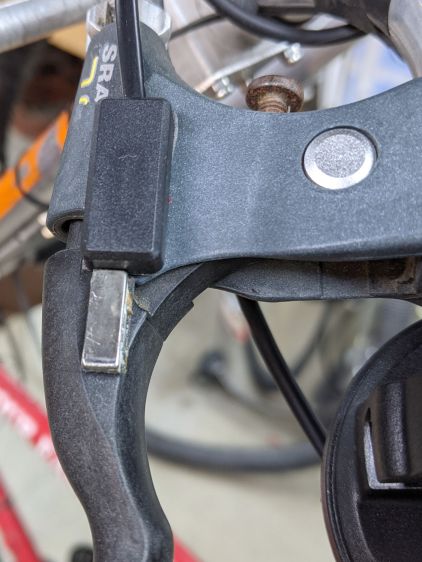
    Bypass Lopper - OEM bumper
    Bypass Lopper – OEM bumper

    Contrary to what you might think, those rivets never had a head on this side and the bumper seems to be held in place by an interference fit with the plastic handle cover.

    A bit of cutoff wheel work removed the crimped end on the 5 mm stud holding the bumper to the pot-metal dingus:

    Bypass Lopper - shaft cut
    Bypass Lopper – shaft cut

    Whacking it with a punch separated all the parts:

    Bypass Lopper - bumper parts
    Bypass Lopper – bumper parts

    The gray thing is a silicone rubber vibration isolator that’s a bit too large in all dimensions, but surely Close Enough™ for present purposes.

    A length of 5 mm shaft became the new stud, with M3×0.5 threads tapped into both ends and a pair of random screws held in place with red Loctite:

    Bypass Lopper - epoxy curing
    Bypass Lopper – epoxy curing

    There are no pix of the drilling and threading, as it was accomplished after a shiny-new 2.7 mm “titanium” metric drill from a not-dirt-cheap set shattered in the shaft:

    Shattered metric drill
    Shattered metric drill

    The blue color on the flutes is Sharpie to remind me it’s defunct. I completed the mission using a #36 drill with no further excitement.

    The dingus is now held to the lopper with JB Weld and, should that fail, I’ll drill-n-tap the rivets and be done with it.