The Smell of Molten Projects in the Morning

Ed Nisley's Blog: Shop notes, electronics, firmware, machinery, 3D printing, laser cuttery, and curiosities. Contents: 100% human thinking, 0% AI slop.

Category: Electronics Workbench

Electrical & Electronic gadgets

  • LED Nightlight Base Teardown & Simulation

    I volunteered to take a look inside a small LED nightlight base to see how well it might work as a power supply for other circuitry:

    Nightlight - overview
    Nightlight – overview

    Note: the AC plug is not polarized. Either blade can contact the hot side of the AC line.

    The cadmium-selenide photocell in front turns the white LED on when it sees darkness and off when it sees lightness, with a more-or-less proportional response during dimness. The LED has an obvious 60 Hz flicker, particularly during its partially on phase, so I didn’t expect much inside.

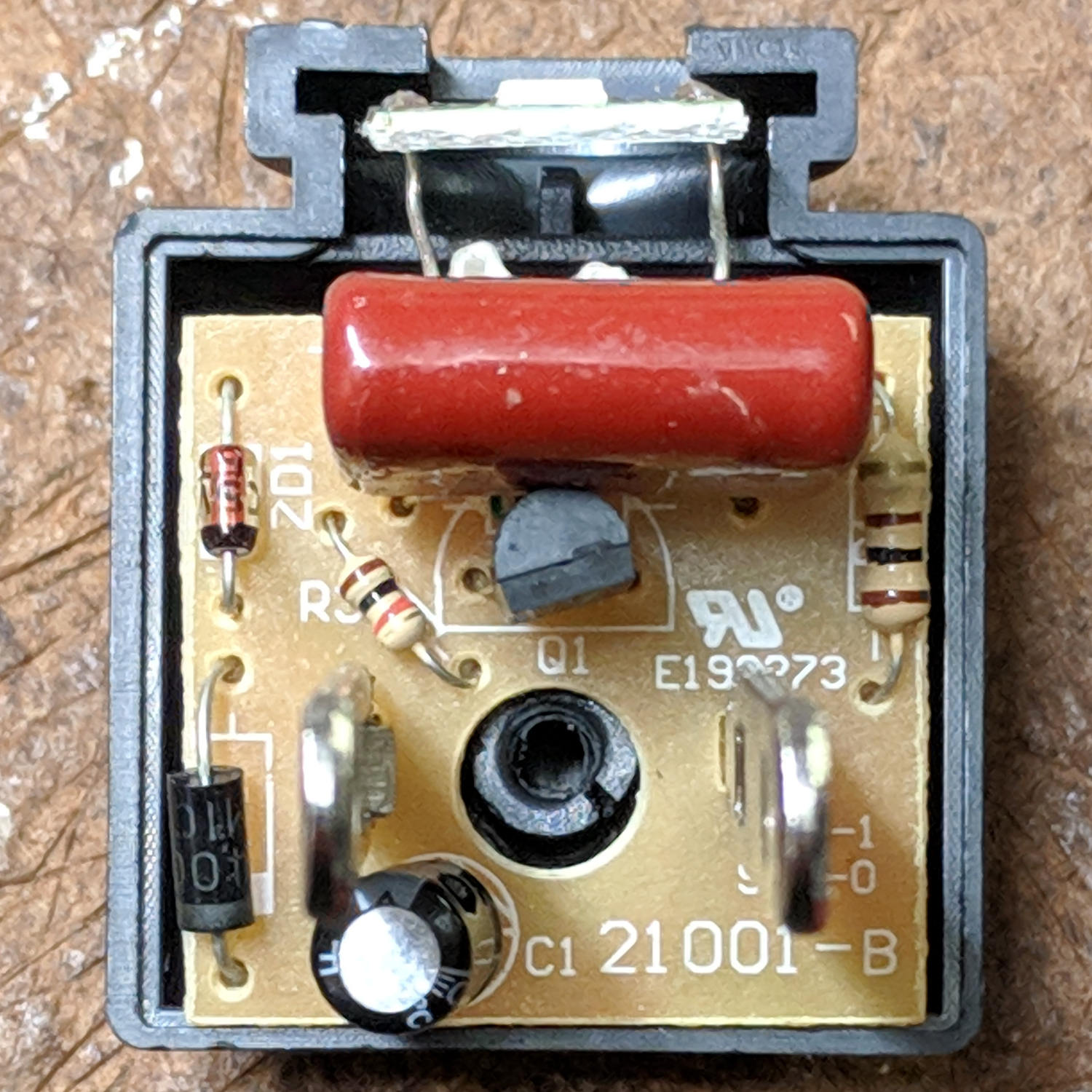
    The component side of the PCB faces toward the blades, which you’re looking along the lengths of:

    Nightlight - PCB component side
    Nightlight – PCB component side

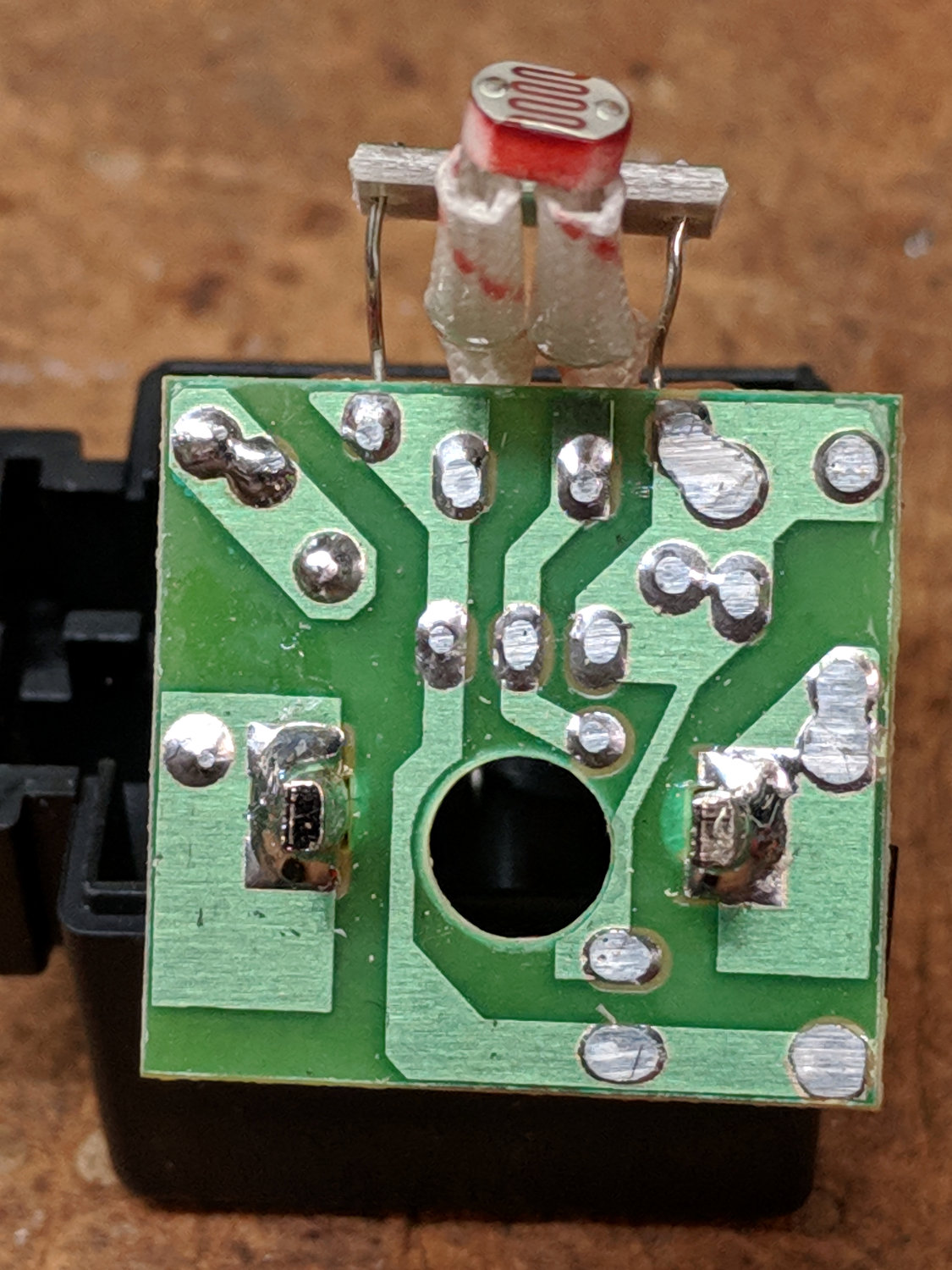
    The solder side faces away from the outlet:

    Nightlight - PCB solder side
    Nightlight – PCB solder side

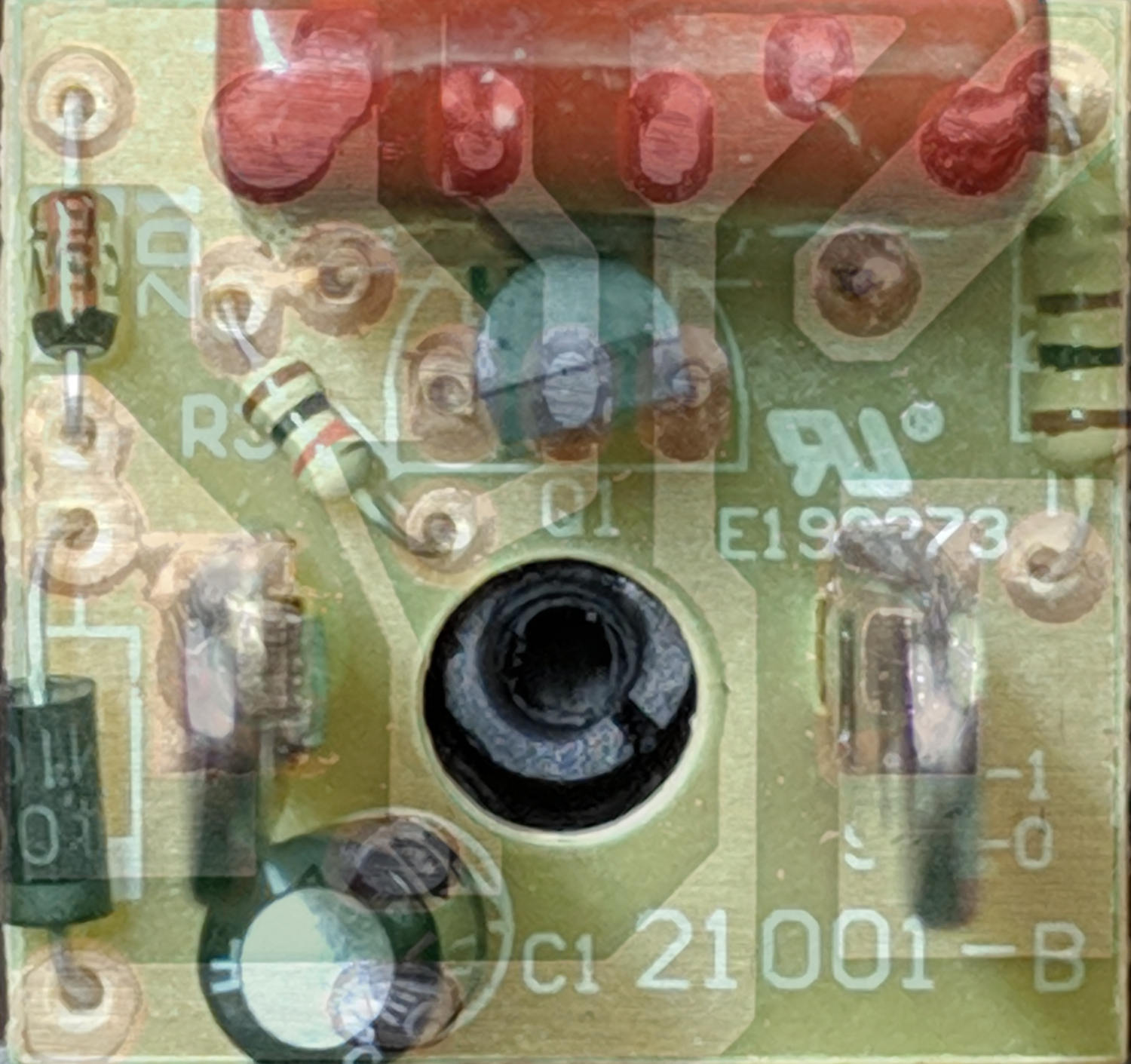
    Flipping the solder side left-to-right and overlaying the two images produces an X-ray-ish view useful for tracing the circuitry:

    Nightlight - PCB trace overlay
    Nightlight – PCB trace overlay

    Some doodling extracts an LTSpice schematic:

    Nightlight schematic
    Nightlight schematic

    None of the component values seem particularly critical; the diodes and transistor are close approximations to what’s really inside. I think the 100 Ω resistor also serves as a fuse, should anything else go wrong.

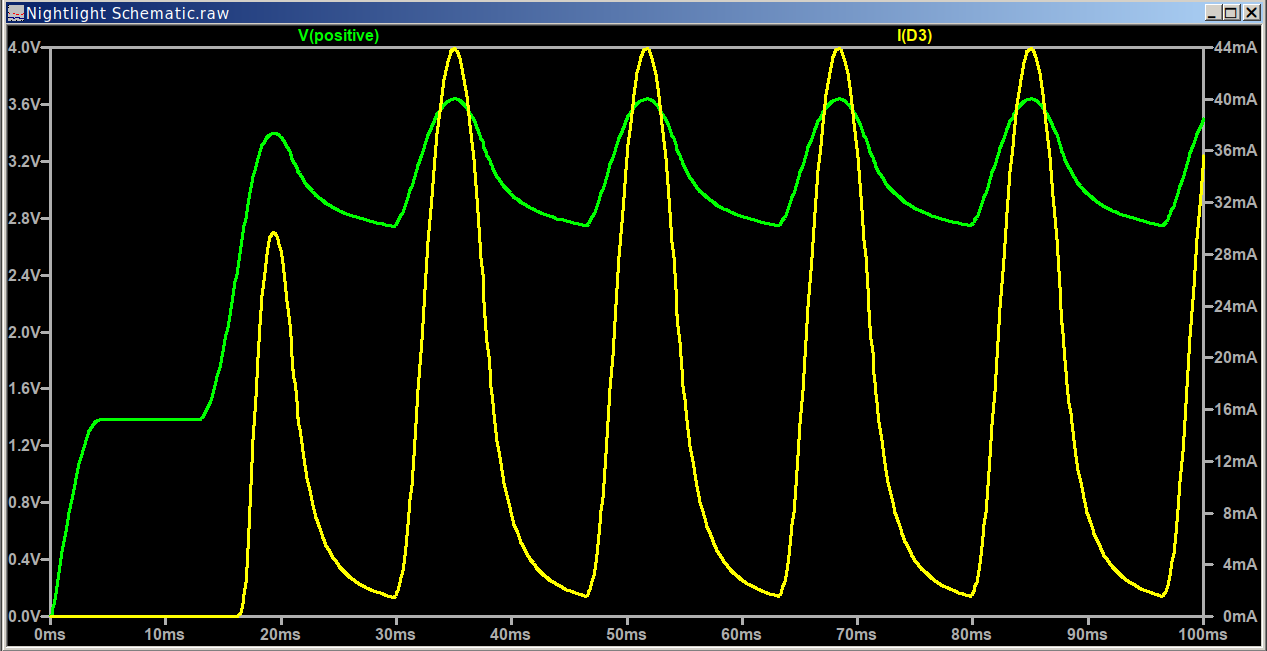
    Setting the CdS cell to 1 MΩ = “dark” turns the LED on:

    Nightlight - ON waveforms
    Nightlight – ON waveforms

    Although I don’t trust the numbers very far, the LED current waveform definitely suggests the flicker isn’t all in my head.

    Setting the cell to 10 Ω = “light” turns the LED off, by the simple expedient of clamping the filter capacitor voltage well below the LED’s forward drop:

    Nightlight - OFF waveforms
    Nightlight – OFF waveforms

    When the LED is off, the transistor current is slightly higher than the LED’s on-state current, because saturation voltage:

    Nightlight - OFF - transistor current
    Nightlight – OFF – transistor current

    The current runs right through the 820 nF capacitor, which serves as a more-or-less 3.2 kΩ ballast resistor:

    Nightlight - OFF - 820 nF cap current
    Nightlight – OFF – 820 nF cap current

    It’s a nice film cap and should have a low ESR, but this seems a bit sketchy to me.

    So, basically, the nightlight doesn’t really have a power supply in the usual meaning of the term and isn’t suited for driving anything other than the white LED inside the case. Relocating the LED outside the case is an Extremely Bad Idea™, because the anode is one diode away from what might well be the hot AC line; one little oopsie and you’ve got a lethal shock hazard.

  • Equipping an Electronics Lab on the Cheap

    I described how to take advantage of Living in the Golden Age of Electronic Making for HVOpen:

    Although you don’t get my patter, perhaps the linkies will make up for the silence:

    I filled a table with Show-n-Tell widgets and a good time was had by all: hardly anybody fell asleep.

    [Update: The talk addressed folks interested in starting out with electronic projects who have no test equipment at all. The choices would be different for other audiences, but … boat anchors aren’t appropriate here.]

  • ANENG AN8008 / AN8009 Fuses

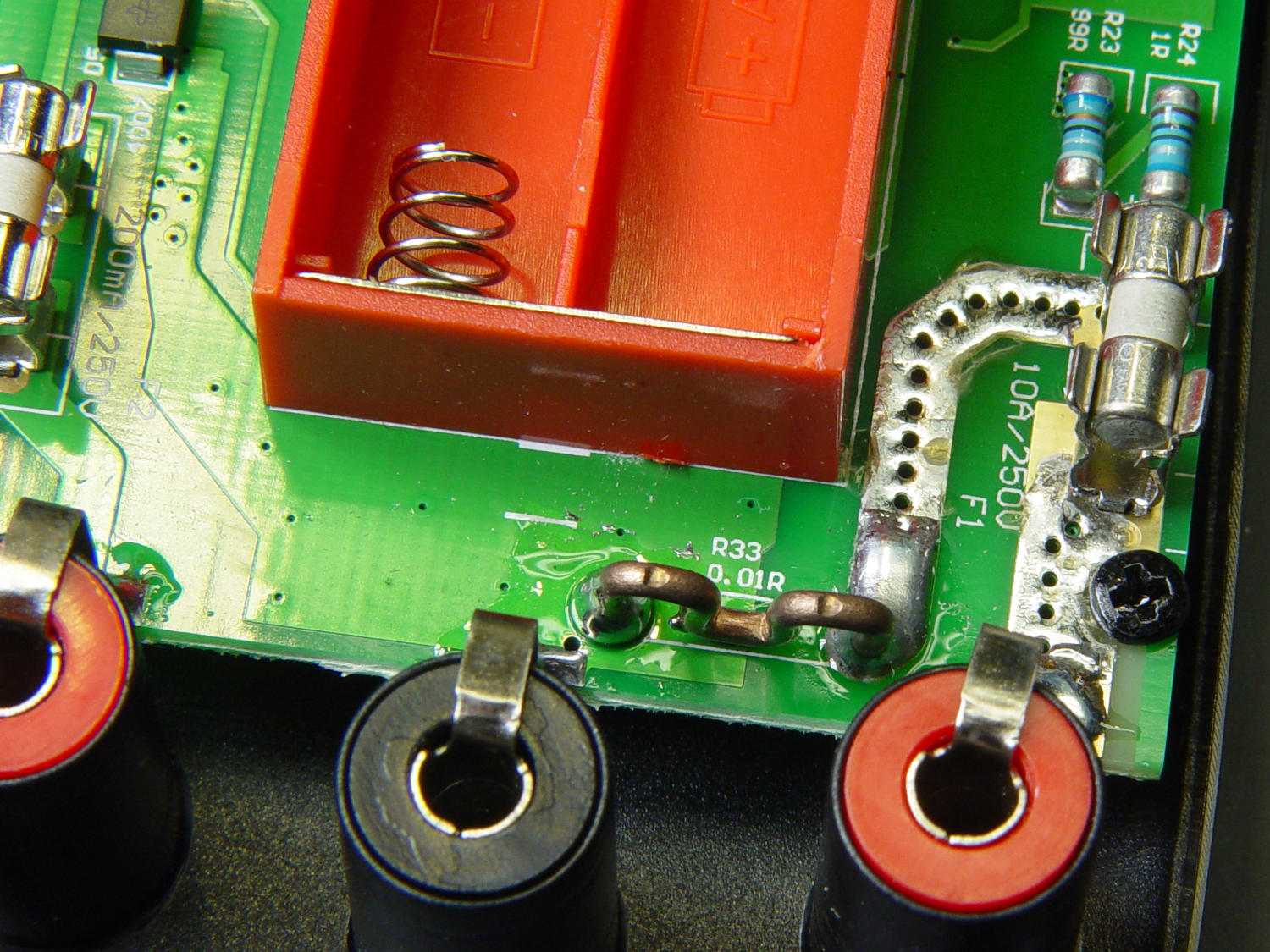
    The ANENG AN8008 / AN8009 multimeters have 3.6×10 mm ceramic fuses on their inputs:

    AN8009 10 A current shunt - top view
    AN8009 10 A current shunt – top view

    Based on past experience, at some point over the next year or five, I’ll forget to plug the hot probe back in the voltage hole before measuring a power supply:

    AN8008 multimeter jacks
    AN8008 multimeter jacks

    Whereupon the fuse will blow.

    So, for about five bucks, a bag of 10 A and 0.5 A axial lead fast-blow glass fuses just arrived from halfway around the planet:

    3.6x10 mm axial fuses
    3.6×10 mm axial fuses

    They have the right body size and, in this application, fine points concerning current ratings and cartridge composition don’t make much difference. If I actually need one, I’ll snip off the leads, jam it in the holder, and move on.

  • Fluorescent Ballast Caps: FAIL

    After converting another fluorescent shoplight into an LED fixture, I tested its capacitors:

    Fluorescent ballast capacitors - one failed
    Fluorescent ballast capacitors – one failed

    The ESR02 reports one as a 4.8 µF capacitor, the other as a “defective part” with a 4 kΩ resistance. Having a cap fail by turning into a resistor is surprising; I’m more surprised it didn’t simply burn up.

    They’re visually indistinguishable, of course.

  • Samsung EVO Pro 32 GB MicroSD Cards

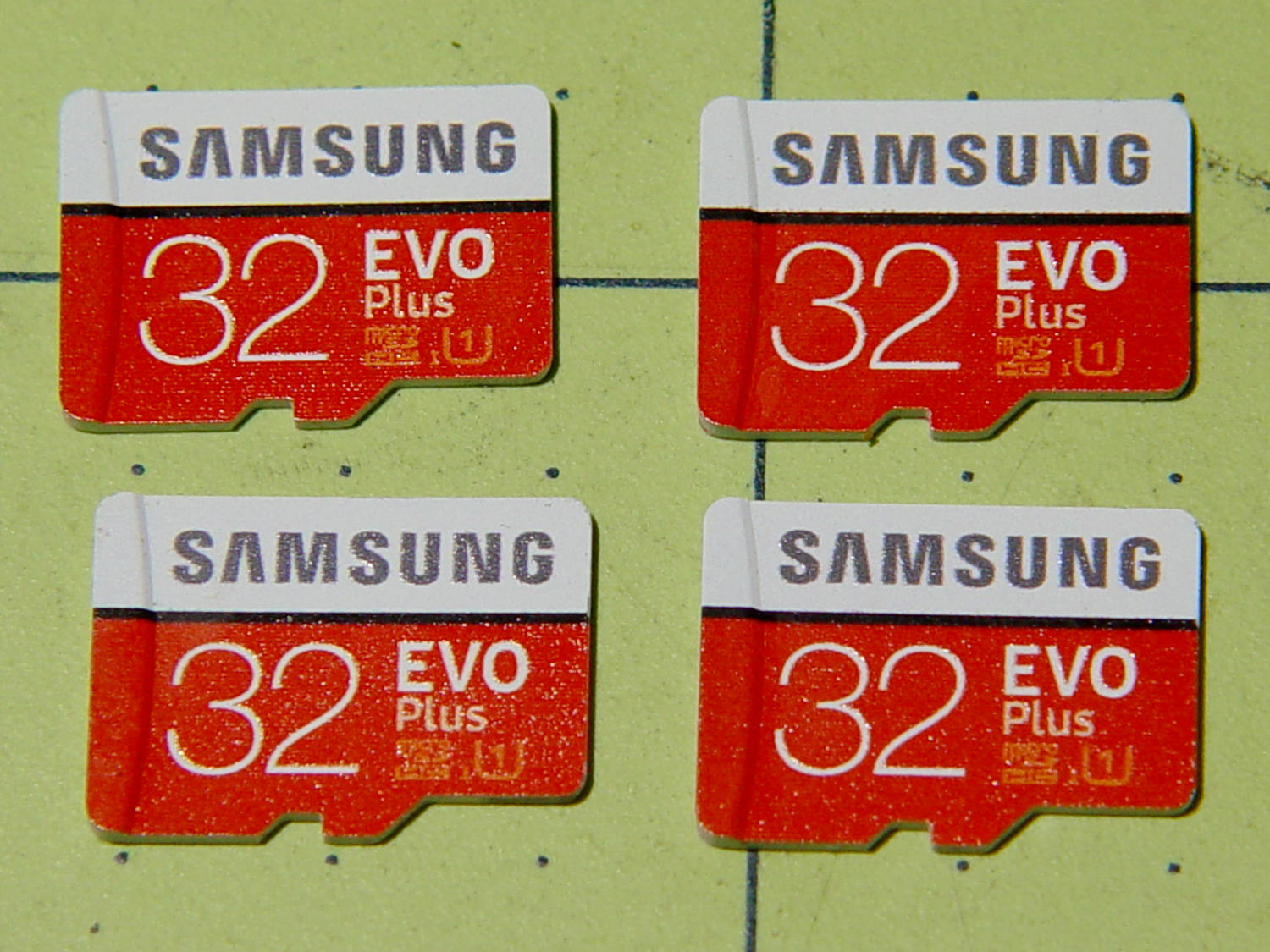
    Installing the Xiaomi Dafang Hacks firmware requires an MicroSD card in each camera and, my previous stock having run low, four more just arrived:

    Samsung EVO Plus - 32 GB MicroSD
    Samsung EVO Plus – 32 GB MicroSD

    Prices have collapsed to the point where known-good (all four passed f3probe testing) cards direct from Samsung (as opposed to Amazon’s “commingled inventory” counterfeit situation) now cost $12-ish each with free shipping.

    After I finish fiddling with the first camera, I’ll copy its card onto these four, unique-ify the IP addresses / hostnames /suchlike, and bring ’em all online.

  • Sony NP-FM50 Battery Rebuild

    With six new 18500 lithium cells in hand, I rebuilt the three weakest NP-FM50 packs.

    The Sherline CNC mill setup for sawing around the midline:

    Sony NP-FM50 battery - Sherline saw setup
    Sony NP-FM50 battery – Sherline saw setup

    Adjust the saw to cut along the seam, set X=0 at the surface, jog to about X+0.7 mm, jog the saw along the seam, then repeat for the other three sides. No real CNC involved, but it’s much easier than sawing or breaking through the seam by hand.

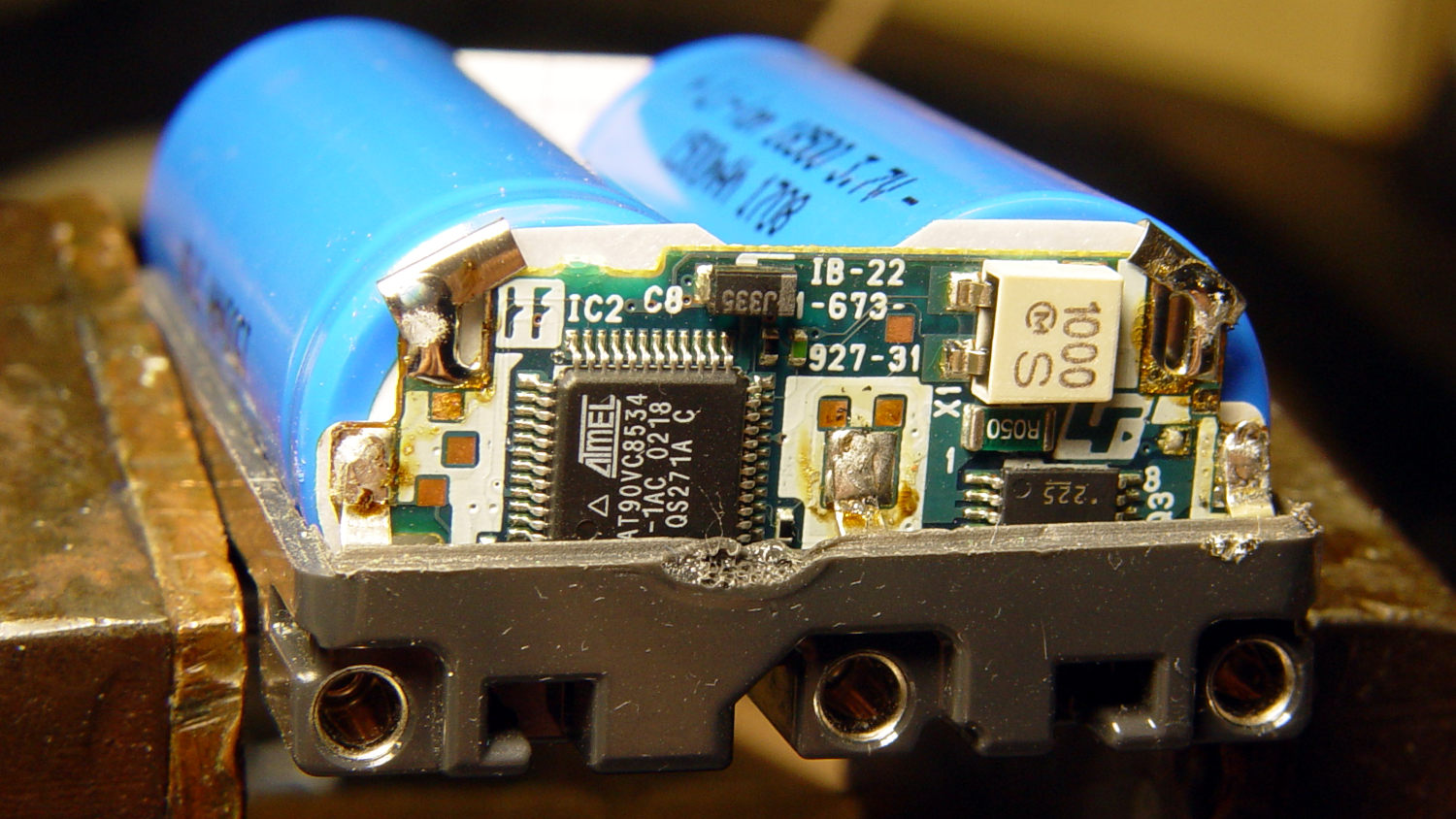
    These two packs came with the camera:

    Sony NP-FM50 battery - 2003-era cells
    Sony NP-FM50 battery – 2003-era cells

    The cells have only lot numbers, no manufacturer ID. Wikipedia sayeth Sony Fukushima started in 2000; perhaps these were early production units with no branding.

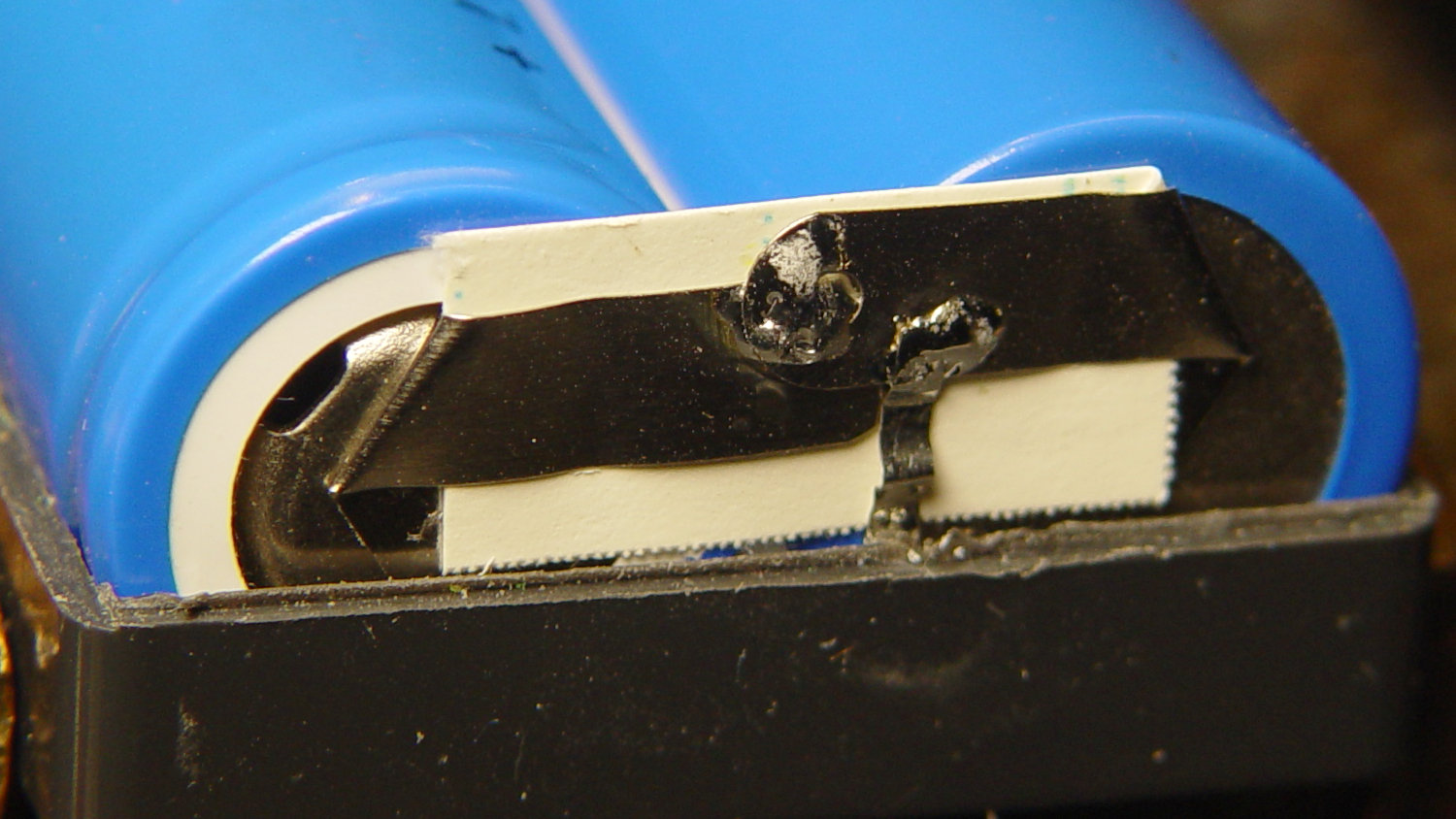
    The center strap running the length of the pack didn’t seem long enough, because I mistakenly thought I’d straightened its end while unsoldering it. As it happens, the end was straight and secured to the PCB by structural solder:

    Sony NP-FM50 battery - PCB center tab joint
    Sony NP-FM50 battery – PCB center tab joint

    Moral of the story: pay attention, dammit!

    The other end of the center strap required a snippet of tin strip to reach the tabs:

    Sony NP-FM50 battery - rebuilt center strap
    Sony NP-FM50 battery – rebuilt center strap

    Aligning the cells that way allowed me to just bend the other tabs over the PCB pads and solder them in place:

    Sony NP-FM50 battery - rebuilt PCB contacts
    Sony NP-FM50 battery – rebuilt PCB contacts

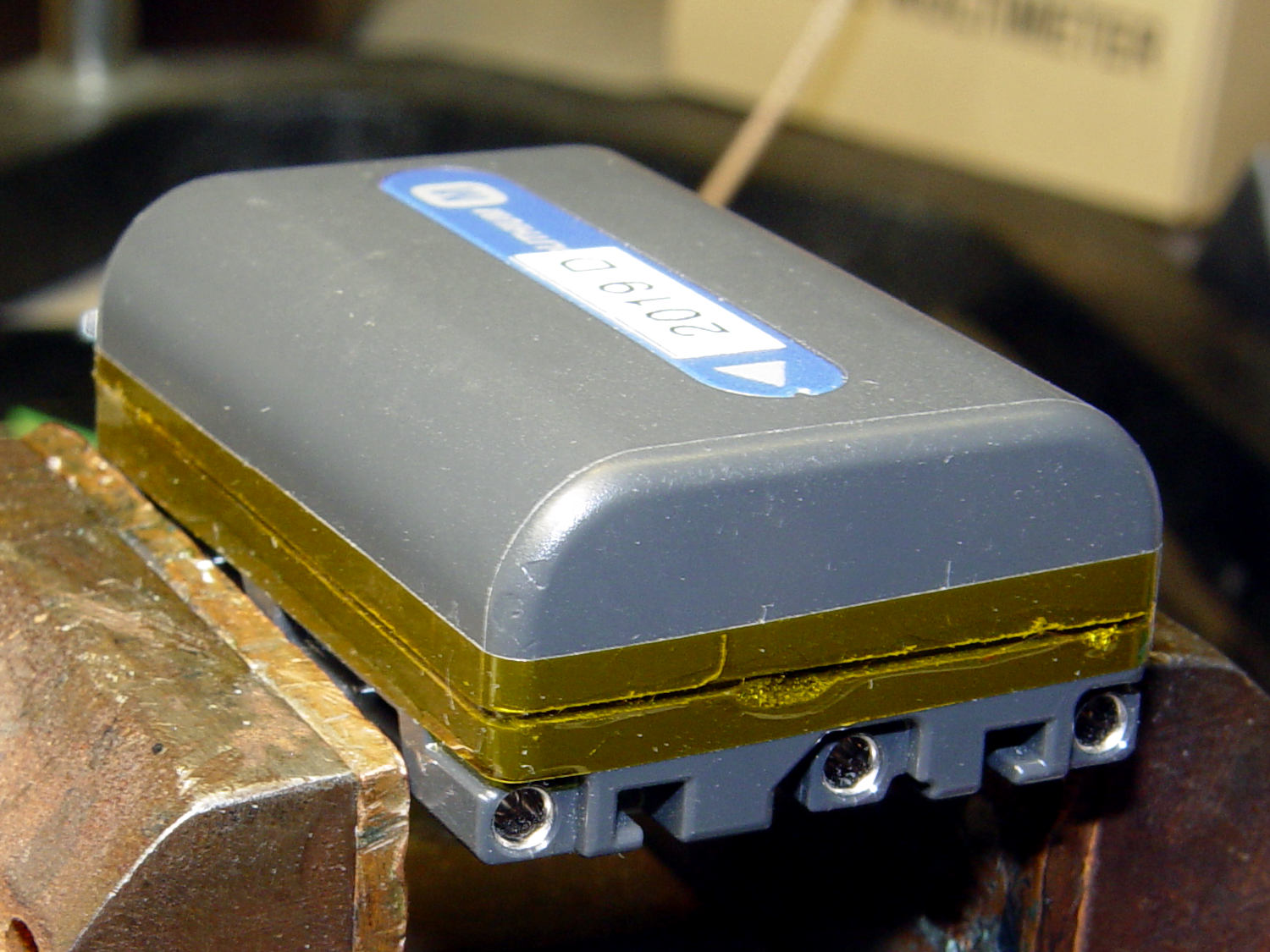
    Then a strip of Kapton tape across the kerf holds the case together well enough to survive our gentle usage:

    Sony NP-FM50 battery - Kapton belly band
    Sony NP-FM50 battery – Kapton belly band

    The battery packs require a brief stay in the charger to reset the PCB’s lockout circuitry, after which they work fine:

    Sony NP-FM50 - 2019-04-12
    Sony NP-FM50 – 2019-04-12

    The two oldest batteries (OEM 2003 A and OEM 2003 B) have new identities to suit their new innards: 2019 E and 2019 F. The DOA eBay battery retains its 2019 D label after the rebuild, as there’s little room for confusion.

    Admittedly, it’d be easier / cheaper / faster to buy third-party NP-FM50 packs directly from eBay or Amazon, but this way I know the cells aren’t complete crap and I get some Quality Shop Time™ out of the deal.

    What’s not to like?

  • Anker MicroSD Card Adapter Speeds

    According to its description, the Anker USB 3.0 card reader can handle both a MicroSD and a standard SD card at once:

    Simultaneously read and write on two cards to save yourself the effort of constant unplugging and re-plugging.

    Which looks like this:

    Anker USB Reader - dual card
    Anker USB Reader – dual card

    After you get used to inserting the SD card downside-up, it fits perfectly. The Kapton tape on the MicroSD card eases extraction from the still finger-dent-less M20 camera mount on the back of my Tour Easy ‘bent.

    Plugged into a USB 3.0 port, my file extractor script chugs along at 25.9 MB/s, taking about 18 minutes to transfer 28 GB of video data.

    Splurging another eleven bucks for a second reader produces this setup:

    Anker USB Reader - single card
    Anker USB Reader – single card

    After plugging both readers into adjacent USB 3.0 ports, the script transfers files at 46.6 MB/s and copies 28 GB in 10 minutes.

    So, yes, the reader can handle two cards at once, but at half the speed.

    Not life-changing, but it shows why I like measurements so much …