The Smell of Molten Projects in the Morning

Ed Nisley's Blog: Shop notes, electronics, firmware, machinery, 3D printing, laser cuttery, and curiosities. Contents: 100% human thinking, 0% AI slop.

Category: Electronics Workbench

Electrical & Electronic gadgets

  • Metal-case 5T4 Vacuum Tube Opened

    I’ve always wondered what’s inside a metal-case vacuum tube:

    Dual rectifier tube 5T4 - metal case opened
    Dual rectifier tube 5T4 – metal case opened

    The cutter last saw action on the EMT used in the MPCNC, so it’s intended for use on steel tubes. I thought about parting the case off in the lathe, but a tubing cutter sufficed for a first attempt, even if it couldn’t cut quite as close to the flange as I wanted.

    A 5T4 tube is a full-wave rectifier with two sections:

    Dual rectifier tube 5T4 - upright
    Dual rectifier tube 5T4 – upright

    Unsurprisingly, the guts resemble those of glass-envelope rectifier tubes in my collection, like this 5U4GB:

    5U4GB Full-wave vacuum rectifier - cyan red phase
    5U4GB Full-wave vacuum rectifier – cyan red phase

    The metal case would be far more rugged than a glass bottle and, perhaps, the flange locked the tube into its socket against vibration.

    The filaments surely weren’t thoriated, so it’s all good …

  • Video-rated MicroSD Card Status Report

    Having just returned from the fourth ride of the season, it’s worthwhile to note how the MicroSD cards in the cameras are doing.

    The Sony HDR-AS30V helmet camera has been running a 64 GB Sandisk high-endurance video-rated card since late August 2017:

    Sandisk - 64 GB MicroSDXC cards
    Sandisk – 64 GB MicroSDXC cards

    In those 29 calendar months (maybe 20 riding months) I’ve ridden 4500-ish miles at perhaps 12 mph, so call it 375 hr = 22.5 k min. The camera fills a 4 GB file every 22.75 min, so it’s recorded 1000 files = 4 TB, which is 62× its capacity. This is better than the defunct Sandisk Extreme Pro card (3 TB & 50×) and much much better than the Sony cards (1 TB & 15×), although I have caught the camera in RCVR mode maybe twice, which means the card or camera occasionally coughs and reformats itself.

    The Cycliq Fly6 rear camera uses a Sandisk 32 GB card that’s been running flawlessly since late 2017:

    MicroSD 32 GB - Samsung EVO and SanDisk High Endurance
    MicroSD 32 GB – Samsung EVO and SanDisk High Endurance

    The new 16850 lithium cell continues to work fine, too.

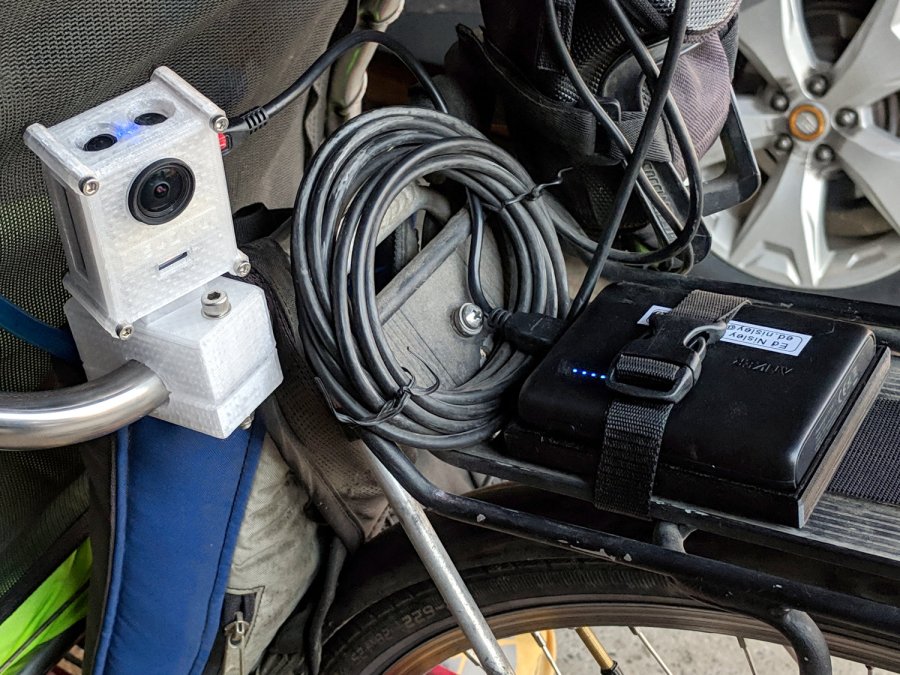
    The SJCam M20 rear camera also uses a Sandisk 32 GB high-endurance card and has worked fine since early 2018. An external battery eliminated all the hassle of its feeble internal batteries, although the one that’s been in there has faded to the point of just barely keeping the clock ticking over during winter weeks without rides:

    SJCAM M20 Mount - Tour Easy side view
    SJCAM M20 Mount – Tour Easy side view

    All in all, paying the premium for video-rated MicroSD cards has been worthwhile!

  • Homage Tek CC: Subscripts & Superscripts

    The GCMC typeset() function converts UTF-8 text into a vector list, with Hershey vector fonts sufficing for most CNC projects. The fonts date back to the late 1960s and lack niceties such as superscripts, so the Homage Tektronix Circuit Computer scale legends have a simpler powers-of-ten notation:

    Tek CC - Pilot V5 - plain paper - red blue
    Tek CC – Pilot V5 – plain paper – red blue

    Techies understand upward-pointing carets, but … ick.

    After thinking it over, poking around in the GCMC source code, and sketching alternatives, I ruled out:

    • Adding superscript glyphs to the font tables
    • Writing a text parser with various formatting commands
    • Doing anything smart

    Because I don’t need very many superscripts, a trivial approach seemed feasible. Start by defining the size & position of the superscript characters:

    SuperScale = 0.75;                                       // superscript text size ratio
    SuperOffset = [0mm,0.75 * LegendTextSize.y];            //  ... baseline offset
    

    Half-size characters came out barely readable with 0.5 mm Pilot pens:

    Tek CC - Superscript test - 0.5x
    Tek CC – Superscript test – 0.5x

    They’re legible and might be OK with a diamond drag point.

    They work better at 3/4 scale:

    Tek CC - Superscript test - 0.75x
    Tek CC – Superscript test – 0.75x

    Because superscripts only occur at the end of the scale legends, a truly nasty hack suffices:

    function ArcLegendSuper(Text,Super,Radius,Angle,Orient) {
    
      local tp = scale(typeset(Text,TextFont),LegendTextSize);
    
      tp += scale(typeset(Super,TextFont),LegendTextSize * SuperScale) + SuperOffset + [tp[-1].x,0mm];
    
      local tpa = ArcText(tp,[0mm,0mm],Radius,Angle,TEXT_CENTERED,Orient);
    
      feedrate(TextSpeed);
      engrave(tpa,TravelZ,EngraveZ);
    }
    

    The SuperScale constant shrinks the superscript vectorlist, SuperOffset shifts it upward, and adding [tp[-1].x,0mm] glues it to the end of the normal-size vectorlist.

    Yup, that nasty.

    Creating the legends goes about like you’d expect:

      ArcLegendSuper("pF - picofarad  x10","-12",r,a,INWARD);
    

    Presenting “numeric” superscripts as text keeps the option open for putting non-numeric stuff up there, which seemed easier than guaranteeing YAGNI.

    A similar hack works for subscripts:

    Tek CC - Subscript test - 0.75x
    Tek CC – Subscript test – 0.75x

    With even more brutal code:

      Sub_C = scale(typeset("C",TextFont),LegendTextSize * SubScale) + SubOffset;
    
    <<< snippage >>>
    
        tp = scale(typeset("←----- τ",TextFont),LegendTextSize);
        tp += Sub_C + [tp[-1].x,0mm];
        tp += scale(typeset(" Scale -----→",TextFont),LegendTextSize) + [tp[-1].x,0mm];
    

    The hackage satisfied the Pareto Principle, so I’ll declare victory and move on.

  • CNC 3018XL: Arduino + Protoneer CNC

    If the truth be known, I wanted to do this as soon as I discovered the CAMtool V3.3 board hardwired the DRV8825 PCBs in 1:32 microstep mode:

    CNC 3018XL - Protoneer atop Arduino - installed
    CNC 3018XL – Protoneer atop Arduino – installed

    The Protoneer CNC board has jumpers, so selecting 1:8 microstep mode is no big deal.

    As before, I epoxied another row of pins along the I/O header for Makerbot-style endstops:

    Protoneer endstop power mod
    Protoneer endstop power mod

    I’ll probably regret not adding pins along the entire row, but, unlike the MPCNC, the CNC 3018XL won’t ever have hard limit switches. I plugged the Run-Hold switch LEDs into an unused +5 V pin and moved on.

    I modified the DRV8825 driver PCBs for fast decay mode:

    DRV8825 PCB - Fast Decay Mode wire
    DRV8825 PCB – Fast Decay Mode wire

    Then set the current to a bit over 1 A:

    3018XL - Protoneer setup - Z 1 mm
    3018XL – Protoneer setup – Z 1 mm

    Six hours later I hauled the once-again-functional CNC 3018XL to my presentation for the ACM:

    Spirograph - intricate sample plot - detail
    Spirograph – intricate sample plot – detail

    Memo to Self: Time to get another Prontoneer board …

  • CAMtool V3.3 vs. The Fat Fingers of Death

    As is my custom, the day before showtime I talked my way through a final full-up dress rehearsal, with the HP 7475A plotter and the CNC 3018XL running their demo plots. As if to justify my attention to detail, the 3018 refused to home, with its X axis motor grinding in a manner suggesting something had gone terribly wrong with its driver.

    OK, I can fix that™.

    Turn off the power, verify the leadscrew turns smoothly by hand, check all the connections & connectors, then pull the DRV8825 PCB to see if anything looks obviously wrong. It didn’t, so I carefully re-plugged the driver and moved the whole affair to the Electronics Workbench for further study.

    I turned on the scope and Tek current probes, then turned on the 3018 power supplies, whereupon a great cloud of Magic Smoke emerged from the CAMtool board and filled the Basement Laboratory with the acrid smell of Electrical Death.

    It seems I carefully and meticulously re-plugged the DRV8825 PCB into its socket exactly one pin too high, which, among other Bad Things, connects the +24 V motor power supply to the driver GND pin.

    Obviously, this did not end well:

    CAMtool V3.3 - blown stepper fuse
    CAMtool V3.3 – blown stepper fuse

    The fuse, put under considerable stress, vented smoke & debris in all directions across the board; note the jets above the white motor connector. Surprisingly, the 1 kΩ resistor just below it is in fine shape, as is the rather blackened electrolytic cap.

    The fuse measures the same 150-ish mΩ as the fuses in the other two axes, but I doubt it’s actually a fuse any more.

    Astonishingly, the Arduino clone on the board worked fine, so I could extract the GRBL configuration.

    Memo to Self: Never plug things in with your head upside down!

  • Anonymous Bike Taillight Current

    Along with the (defunct) Blackburn Flea, the bike pack also disgorged an anonymous taillight with a battery resistant to recharging through the USB port. Gentle suasion cracked the solvent-glued joint around the case:

    Bike taillight - cracking case
    Bike taillight – cracking case

    As with most modern electronics, a battery occupies most of the interior volume:

    Bike taillight - opening case
    Bike taillight – opening case

    For posterity, the connections:

    Bike taillight - connections
    Bike taillight – connections

    I unsoldered the cell and charged it from a bench supply:

    Bike taillight - external recharge
    Bike taillight – external recharge

    The voltage started out low with the current held to about 100 mA, eventually rose to 4.1 V, and stayed there while the current dropped to zero. Unlike the Blackburn cell, it appears not too much worse for the experience, although I haven’t measured the actual capacity.

    Clipping the Tek current probe around the LED supply wire produced this waveform for the “dim” setting:

    Anonymous Taillight - Low - 200 mA-div
    Anonymous Taillight – Low – 200 mA-div

    Adding a voltage probe across the LEDs and clicking to the “high” setting:

    Anonymous Taillight - High - 200 mA-div
    Anonymous Taillight – High – 200 mA-div

    The intense ringing at the start of the pulse seems an artifact of the measurement setup, but ya never know; these days, RFI can come from anywhere.

    In any event, the COB LED strip draws 800 mA from a fully charged battery, about 26 mA for each of the 30 LEDs. The 5% duty cycle in the “dim” setting is decently bright and 18% in “high” is entire adequate.

    A trio of blinks works for daytime rides, although the fastest one seems seizure-inducing.

    I’ve strapped it around a rack strut and run it at the slowest blink, on the principle you can never have too many blinky lights

  • SK6812 RGBW Test Fixture: Row-by-Row Color Mods

    The vacuum tube LED firmware subtracts the minimum value from the RGB channels of the SK6812 RGBW LEDs and displays it in the white channel, thereby reducing the PWM value of the RGB LEDs by their common “white” component. The main benefit is reducing the overall power by about two LEDs. More or less, kinda sorta.

    I tweaked the SK6812 test fixture firmware to show how several variations of the basic RGB colors appear:

          for (int col=0; col < NUMCOLS ; col++) {              // for each column
            byte Value[PIXELSIZE];                              // figure first row colors
            for (byte p=0; p < PIXELSIZE; p++) {                //  ... for each color in pixel
              Value[p] = StepColor(p,-col*Pixels[p].TubePhase);
            }
            // just RGB
            int row = 0;
            uint32_t UniColor = strip.Color(Value[RED],Value[GREEN],Value[BLUE],0);
            strip.setPixelColor(col + NUMCOLS*row++,UniColor);
    
            byte MinWhite = min(min(Value[RED],Value[GREEN]),Value[BLUE]);
    
            // only common white
            UniColor = strip.Color(0,0,0,MinWhite);
            strip.setPixelColor(col + NUMCOLS*row++,UniColor);
    
            // RGB minus common white + white
            UniColor = strip.Color(Value[RED]-MinWhite,Value[GREEN]-MinWhite,Value[BLUE]-MinWhite,MinWhite);
            strip.setPixelColor(col + NUMCOLS*row++,UniColor);
    
             // RGB minus common white
            UniColor = strip.Color(Value[RED]-MinWhite,Value[GREEN]-MinWhite,Value[BLUE]-MinWhite,0);
            strip.setPixelColor(col + NUMCOLS*row++,UniColor);
    
            // inverse RGB
            UniColor = strip.Color(255 - Value[RED],255 - Value[GREEN],255 - Value[BLUE],0);
            strip.setPixelColor(col + NUMCOLS*row++,UniColor);

    Which looks like this:

    SK6812 Test Fixture - RGBW color variations - diffuser
    SK6812 Test Fixture – RGBW color variations – diffuser

    The pure RGB colors appear along the bottom row, with the variations proceeding upward to the inverse RGB in the top row. The dust specks show it’s actually in focus.

    The color variations seem easier to see without the diffuser:

    SK6812 Test Fixture - RGBW color variations - bare LEDs
    SK6812 Test Fixture – RGBW color variations – bare LEDs

    The white LEDs are obviously “warm white”, which seems not to make much difference.

    Putting a jumper from D2 to the adjacent (on an Nano, anyway) ground pin selects the original pattern, removing the jumper displays the modified pattern:

    SK6812 test fixture - pattern jumper
    SK6812 test fixture – pattern jumper

    For whatever it’s worth, those LEDs have been running at full throttle for two years with zero failures!

    The Arduino source code as a GitHub Gist:

    // SK6812 RGBW LED array exerciser
    // Ed Nisley – KE4ANU – February 2017
    // 2020-01-25 add row-by-row color modifications
    #include <Adafruit_NeoPixel.h>
    //———-
    // Pin assignments
    const byte PIN_NEO = A3; // DO – data out to first Neopixel
    const byte PIN_HEARTBEAT = 13; // DO – Arduino LED
    const byte PIN_SELECT = 2; // DI – pattern select input
    //———-
    // Constants
    #define UPDATEINTERVAL 20ul
    const unsigned long UpdateMS = UPDATEINTERVAL – 1ul; // update LEDs only this many ms apart minus loop() overhead
    // number of steps per cycle, before applying prime factors
    #define RESOLUTION 100
    // phase difference between LEDs for slowest color
    #define BASEPHASE (PI/16.0)
    // LEDs in each row
    #define NUMCOLS 5
    // number of rows
    #define NUMROWS 5
    #define NUMPIXELS (NUMCOLS * NUMROWS)
    #define PINDEX(row,col) (row*NUMCOLS + col)
    //———-
    // Globals
    // instantiate the Neopixel buffer array
    Adafruit_NeoPixel strip = Adafruit_NeoPixel(NUMPIXELS, PIN_NEO, NEO_GRBW + NEO_KHZ800);
    uint32_t FullWhite = strip.Color(255,255,255,255);
    uint32_t FullOff = strip.Color(0,0,0,0);
    struct pixcolor_t {
    byte Prime;
    unsigned int NumSteps;
    unsigned int Step;
    float StepSize;
    float TubePhase;
    byte MaxPWM;
    };
    // colors in each LED
    enum pixcolors {RED, GREEN, BLUE, WHITE, PIXELSIZE};
    struct pixcolor_t Pixels[PIXELSIZE]; // all the data for each pixel color intensity
    unsigned long MillisNow;
    unsigned long MillisThen;
    //– Figure PWM based on current state
    byte StepColor(byte Color, float Phi) {
    byte Value;
    Value = (Pixels[Color].MaxPWM / 2.0) * (1.0 + sin(Pixels[Color].Step * Pixels[Color].StepSize + Phi));
    // Value = (Value) ? Value : Pixels[Color].MaxPWM; // flash at dimmest points
    // printf("C: %d Phi: %d Value: %d\r\n",Color,(int)(Phi*180.0/PI),Value);
    return Value;
    }
    //– Helper routine for printf()
    int s_putc(char c, FILE *t) {
    Serial.write(c);
    }
    //——————
    // Set the mood
    void setup() {
    pinMode(PIN_HEARTBEAT,OUTPUT);
    digitalWrite(PIN_HEARTBEAT,LOW); // show we arrived
    pinMode(PIN_SELECT,INPUT_PULLUP);
    Serial.begin(57600);
    fdevopen(&s_putc,0); // set up serial output for printf()
    printf("WS2812 / SK6812 array exerciser\r\nEd Nisley – KE4ZNU – February 2017\r\n");
    /// set up Neopixels
    strip.begin();
    strip.show();
    // lamp test: run a brilliant white dot along the length of the strip
    printf("Lamp test: walking white\r\n");
    strip.setPixelColor(0,FullWhite);
    strip.show();
    delay(250);
    for (int i=1; i<NUMPIXELS; i++) {
    digitalWrite(PIN_HEARTBEAT,HIGH);
    strip.setPixelColor(i-1,FullOff);
    strip.setPixelColor(i,FullWhite);
    strip.show();
    digitalWrite(PIN_HEARTBEAT,LOW);
    delay(250);
    }
    strip.setPixelColor(NUMPIXELS – 1,FullOff);
    strip.show();
    delay(250);
    // fill the array, row by row
    printf(" … fill\r\n");
    for (int i=NUMROWS-1; i>=0; i–) { // for each row
    digitalWrite(PIN_HEARTBEAT,HIGH);
    for (int j=NUMCOLS-1; j>=0 ; j–) {
    strip.setPixelColor(PINDEX(i,j),FullWhite);
    strip.show();
    delay(100);
    }
    digitalWrite(PIN_HEARTBEAT,LOW);
    }
    // clear to black, column by column
    printf(" … clear\r\n");
    for (int j=NUMCOLS-1; j>=0; j–) { // for each column
    digitalWrite(PIN_HEARTBEAT,HIGH);
    for (int i=NUMROWS-1; i>=0; i–) {
    strip.setPixelColor(PINDEX(i,j),FullOff);
    strip.show();
    delay(100);
    }
    digitalWrite(PIN_HEARTBEAT,LOW);
    }
    delay(1000);
    // set up the color generators
    MillisNow = MillisThen = millis();
    printf("First random number: %ld\r\n",random(10));
    Pixels[RED].Prime = 3;
    Pixels[GREEN].Prime = 5;
    Pixels[BLUE].Prime = 7;
    Pixels[WHITE].Prime = 11;
    printf("Primes: (%d,%d,%d,%d)\r\n",
    Pixels[RED].Prime,Pixels[GREEN].Prime,Pixels[BLUE].Prime,Pixels[WHITE].Prime);
    unsigned int PixelSteps = (unsigned int) ((BASEPHASE / TWO_PI) *
    RESOLUTION * (unsigned int) max(max(max(Pixels[RED].Prime,Pixels[GREEN].Prime),Pixels[BLUE].Prime),Pixels[WHITE].Prime));
    printf("Pixel phase offset: %d deg = %d steps\r\n",(int)(BASEPHASE*(360.0/TWO_PI)),PixelSteps);
    Pixels[RED].MaxPWM = 255;
    Pixels[GREEN].MaxPWM = 255;
    Pixels[BLUE].MaxPWM = 255;
    Pixels[WHITE].MaxPWM = 32;
    for (byte c=0; c < PIXELSIZE; c++) {
    Pixels[c].NumSteps = RESOLUTION * (unsigned int) Pixels[c].Prime;
    Pixels[c].Step = (3*Pixels[c].NumSteps)/4;
    Pixels[c].StepSize = TWO_PI / Pixels[c].NumSteps; // in radians per step
    Pixels[c].TubePhase = PixelSteps * Pixels[c].StepSize; // radians per tube
    printf("c: %d Steps: %5d Init: %5d",c,Pixels[c].NumSteps,Pixels[c].Step);
    printf(" PWM: %3d Phi %3d deg\r\n",Pixels[c].MaxPWM,(int)(Pixels[c].TubePhase*(360.0/TWO_PI)));
    }
    }
    //——————
    // Run the mood
    void loop() {
    MillisNow = millis();
    if ((MillisNow – MillisThen) > UpdateMS) {
    digitalWrite(PIN_HEARTBEAT,HIGH);
    unsigned int AllSteps = 0;
    for (byte c=0; c < PIXELSIZE; c++) { // step to next increment in each color
    if (++Pixels[c].Step >= Pixels[c].NumSteps) {
    Pixels[c].Step = 0;
    printf("Color %d steps %5d at %8ld delta %ld ms\r\n",c,Pixels[c].NumSteps,MillisNow,(MillisNow – MillisThen));
    }
    AllSteps += Pixels[c].Step; // will be zero only when all wrap at once
    }
    if (0 == AllSteps) {
    printf("Grand cycle at: %ld\r\n",MillisNow);
    }
    if (digitalRead(PIN_SELECT)) {
    for (int col=0; col < NUMCOLS ; col++) { // for each column
    byte Value[PIXELSIZE]; // figure first row colors
    for (byte p=0; p < PIXELSIZE; p++) { // … for each color in pixel
    Value[p] = StepColor(p,-col*Pixels[p].TubePhase);
    }
    // just RGB
    int row = 0;
    uint32_t UniColor = strip.Color(Value[RED],Value[GREEN],Value[BLUE],0);
    strip.setPixelColor(col + NUMCOLS*row++,UniColor);
    byte MinWhite = min(min(Value[RED],Value[GREEN]),Value[BLUE]);
    // only common white
    UniColor = strip.Color(0,0,0,MinWhite);
    strip.setPixelColor(col + NUMCOLS*row++,UniColor);
    // RGB minus common white + white
    UniColor = strip.Color(Value[RED]-MinWhite,Value[GREEN]-MinWhite,Value[BLUE]-MinWhite,MinWhite);
    strip.setPixelColor(col + NUMCOLS*row++,UniColor);
    // RGB minus common white
    UniColor = strip.Color(Value[RED]-MinWhite,Value[GREEN]-MinWhite,Value[BLUE]-MinWhite,0);
    strip.setPixelColor(col + NUMCOLS*row++,UniColor);
    // inverse RGB
    UniColor = strip.Color(255 – Value[RED],255 – Value[GREEN],255 – Value[BLUE],0);
    strip.setPixelColor(col + NUMCOLS*row++,UniColor);
    }
    }
    else {
    for (int k=0; k < NUMPIXELS; k++) { // for each pixel
    byte Value[PIXELSIZE];
    for (byte c=0; c < PIXELSIZE; c++) { // … for each color
    Value[c] = StepColor(c,-k*Pixels[c].TubePhase); // figure new PWM value
    // Value[c] = (c == RED && Value[c] == 0) ? Pixels[c].MaxPWM : Value[c]; // flash highlight for tracking
    }
    uint32_t UniColor = strip.Color(Value[RED],Value[GREEN],Value[BLUE],Value[WHITE]);
    strip.setPixelColor(k,UniColor);
    }
    }
    strip.show();
    MillisThen = MillisNow;
    digitalWrite(PIN_HEARTBEAT,LOW);
    }
    }