The Smell of Molten Projects in the Morning

Ed Nisley's Blog: Shop notes, electronics, firmware, machinery, 3D printing, laser cuttery, and curiosities. Contents: 100% human thinking, 0% AI slop.

Category: Electronics Workbench

Electrical & Electronic gadgets

  • Gentec ED-200 Optical Joulemeter: Specs

    Gentec ED-200 Optical Joulemeter: Specs

    The Gentec ED-200 optical joulemeter from the Box o’ Optical Stuff is so thoroughly obsolete that no datasheet exists for it anywhere online:

    Gentec ED-200 - measurement setup
    Gentec ED-200 – measurement setup

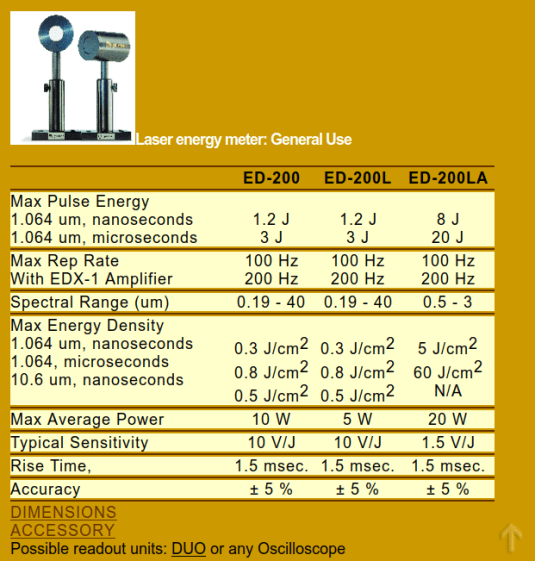
    The best I could come up with, after many dead ends, is a 2001 capture from gentec-eo.com at archive.org with the barest hint of specifications:

    Gentec ED-200 specs
    Gentec ED-200 specs

    The Max Energy Density spec suggests longer pulses are allowed to deposit more energy, probably because more time gives thermal diffusion an opportunity to spread the heat across the target; at CO₂ laser wavelengths that may not apply.

    With the platform lowered as far as it goes, the ED-200 is 130 mm below the laser nozzle where the beam diameter is about 6 mm for an area of 0.3 cm². Ignoring the ideal Gaussian beam profile by smearing 60 W uniformly across the circle gives a power density of 200 W/cm², which means the laser pulse must be less than 0.5 W·s / 200 W = 2.5 ms to stay inside the power density limit.

    I sincerely hope Gentec overbuilt and underspecified their detector.

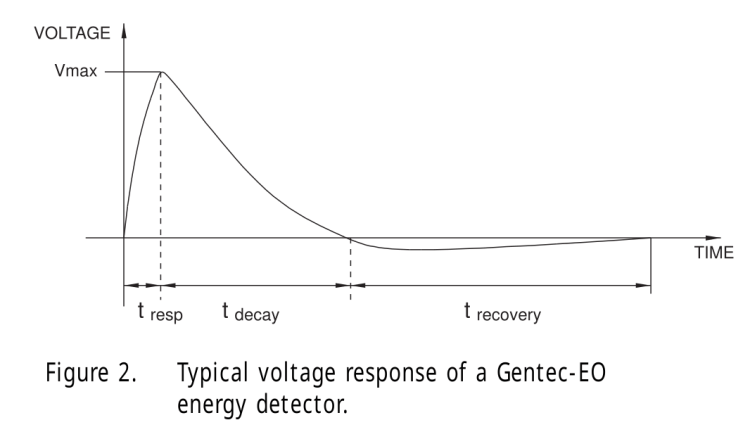
    Also, there’s a useful overview document from Genetc-eo.com, wherein it is written:

    The Voltage Response
    The result is a voltage pulse that rises quickly with the response time of the device to a level proportional to the laser energy (Figure 2). It then decays exponentially over a longer period of time that is a function of the pyroelectric device and load impedance. Figure 2 also shows that there is a longer recovery time to return to the initial state of the detector. This is a function of thermal phenomena and is not affected by the load impedance as are the rise and decay times. The integrated pulse energy over this period is proportional to the peak voltage.

    Pulse Width Versus Rise Time

    Usually the applied laser pulse must be shorter than the rise time of the detector for all of its energy to be represented by the peak voltage. Pulse energy received after the detector voltage has peaked will not be fully integrated into that value. For very long pulses, the peak voltage will actually represent peak power rather than pulse energy.

    Gentec Energy Detectors, page 2

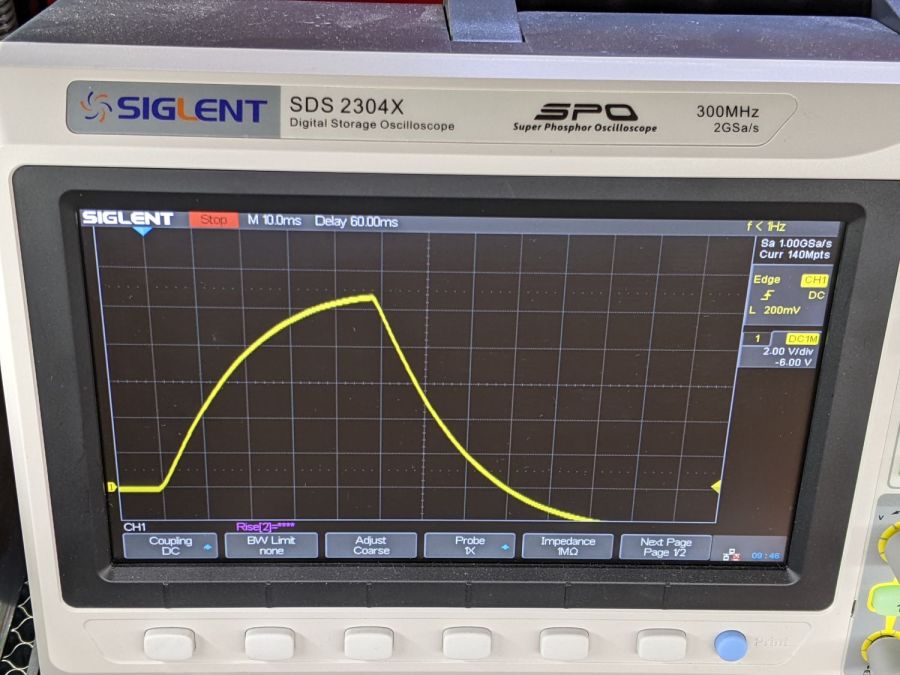
    Figure 2 shows the overall waveform:

    Gentec Energy Detectors - Figure 2
    Gentec Energy Detectors – Figure 2

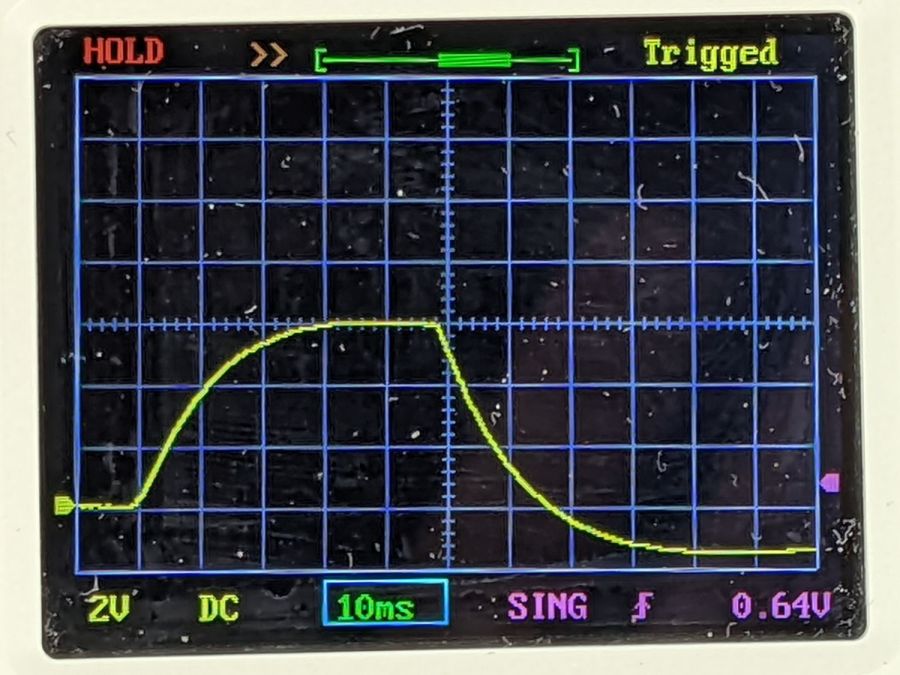
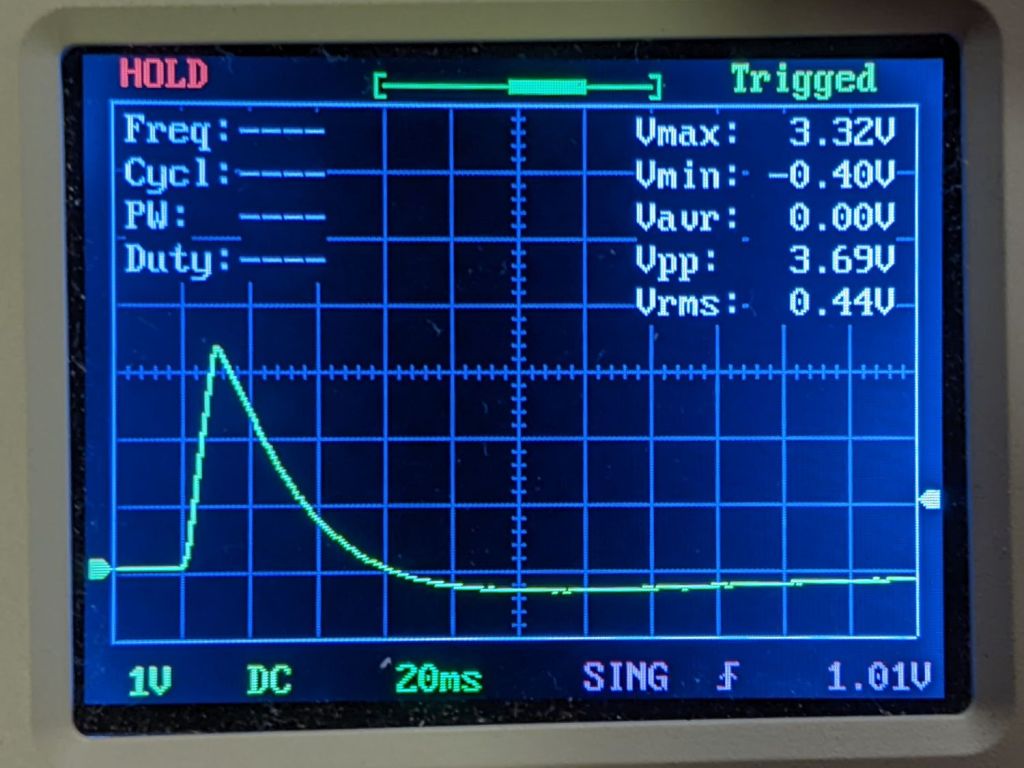
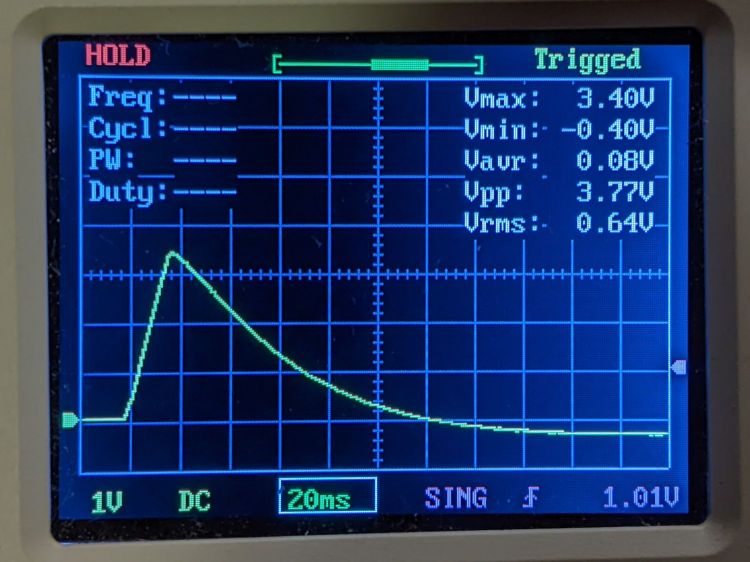
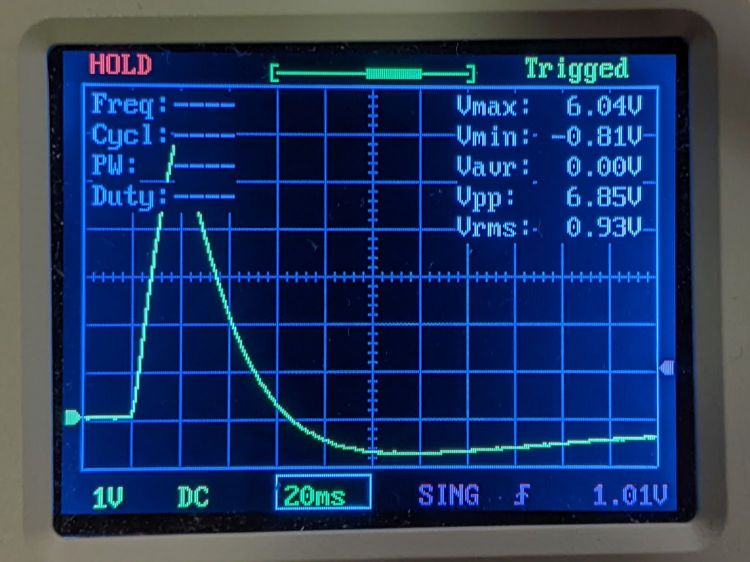
    Which looks a lot like this 10 ms pulse at 50% duty cycle:

    Gentec ED-200 - 60W 50pct 10ms
    Gentec ED-200 – 60W 50pct 10ms

    The pulse was 10 ms long, much longer than the 1.5 ms ED-200 risetime spec, but the overall shape looks right. Dividing the 3.3 V peak by the detector’s 10.78 J/V calibration value (11 J/V works for me) says the pulse delivered 300 mJ = 300 mW·s. Dividing 300 mJ by 10 ms gives 30 W, a beam power astonishingly close to the expected value.

    The OMTech laser has a nominal 60 W output, although the tube life drops dramatically with regular use over 70% = 40 W. Power does not scale linearly with the laser tube current displayed on the power supply milliammeter, with the maximum value presumably preset to the tube’s 20 mA limit producing 60 W. The 20 kHz PWM duty-cycle chopping applied by the controller should linearly scale the average power downward from there.

    It looks like the ED-200 might deliver reasonable results for millisecond-scale pulses at low PWM duty cycles, but it was obviously intended for much milder lasers.

    On the other paw, it’s fully depreciated …

  • Gentec ED-200 Optical Joulemeter: Accessories

    Gentec ED-200 Optical Joulemeter: Accessories

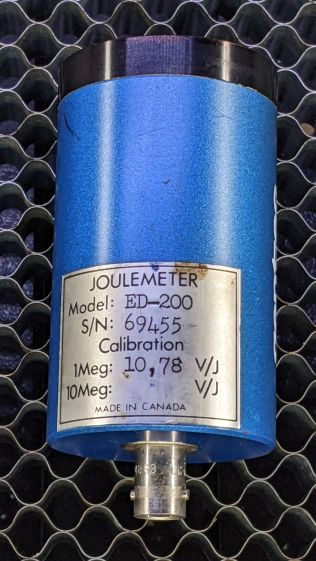
    The Box o’ Optical Stuff disgorged an ancient Gentec ED-200 Joulemeter:

    Gentec ED-200 - measurement setup
    Gentec ED-200 – measurement setup

    It’s an optical pyrometer producing, sayeth the dataplate, an output of 10.78 V per joule of energy applied to its matte black absorber. Whether it’s accurate or not, I have no way of knowing, but aiming the business end toward the sun and waving my fingers over it produced a varying voltage, so there was hope.

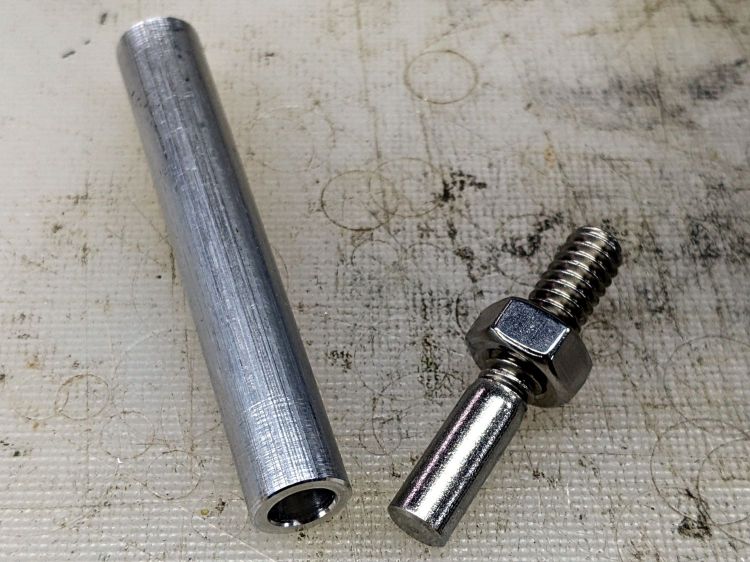
    It has a 1/4-20 socket on one side and my spare magnetic mount expects a 3/8 inch rod, so I drilled a suitable hole in a suitable aluminum rod and cut the head off a suitable bolt:

    Gentec ED-200 mounting rod - parts
    Gentec ED-200 mounting rod – parts

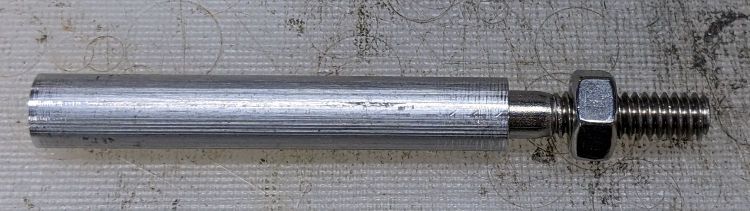
    A dab of Loctite intended to secure bushings completed the assembly:

    Gentec ED-200 mounting rod - assembled
    Gentec ED-200 mounting rod – assembled

    I later replaced the nut with a finger-friendly nylon wingnut.

    Which allows a measurement setup along these lines:

    Gentec ED-200 - measurement setup
    Gentec ED-200 – measurement setup

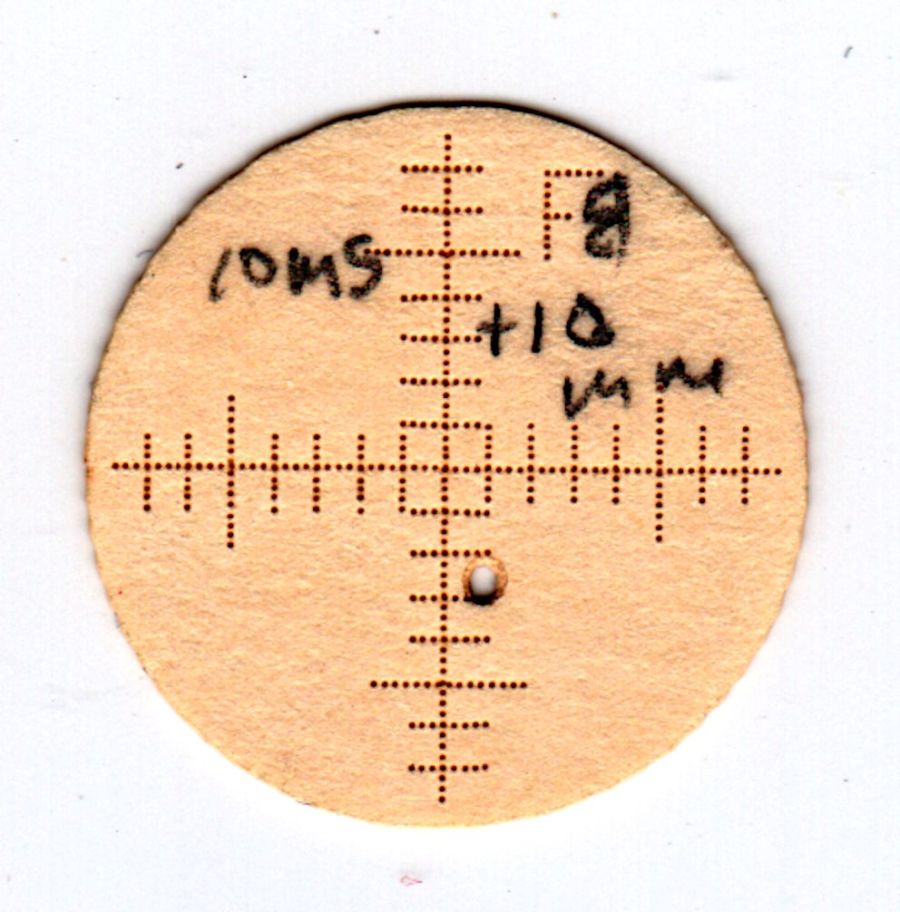
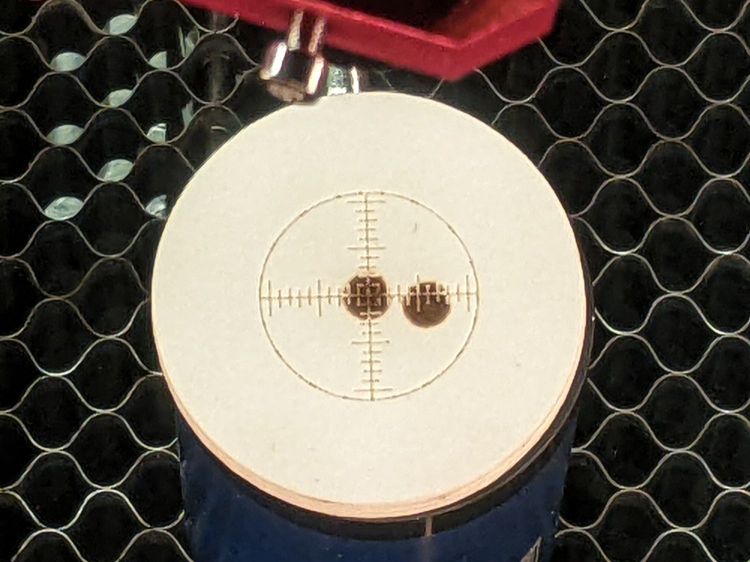
    The white disk atop the sensor is a homebrewed target to indicate the active sensor area and its center point:

    Gentec ED-200 target - scorches
    Gentec ED-200 target – scorches

    The 1 mm graticule lines give a jogging suggestion to hit the center, assuming you (well, I) manage to hit anywhere on the target at the first shot. The beam is supposed to fill most of the central region, which is obviously not going to happen here, and it must not be focused to a pinpoint. The previous owner (or his minions) put a few scars on the surface and I expect to make similar mistakes.

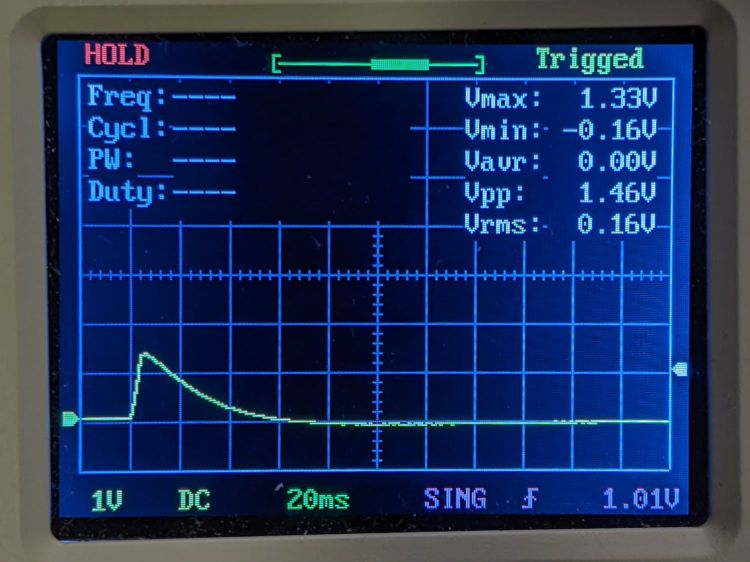
    Early results look encouraging:

    Gentec ED-200 Joulemeter - first pulse
    Gentec ED-200 Joulemeter – first pulse

    The SVG image as a GitHub Gist:

    Loading
    Sorry, something went wrong. Reload?
    Sorry, we cannot display this file.
    Sorry, this file is invalid so it cannot be displayed.

    I added the two mounting ears in anticipation of putting the joulemeter in the beamline between the mirrors to measure their loss.

  • Figaro TGS5042 CO Sensor

    Figaro TGS5042 CO Sensor

    The hallway fire detector recently told us it scented carbon monoxide, but we hadn’t been doing any cooking or baking (in the kitchen two rooms away), the furnace (in the basement) hadn’t run for a few hours, and nothing else looked like it was on fire. I had recently replaced the alkaline batteries after a similar false alarm a few weeks earlier; it seems the detector failed after half a dozen years or so.

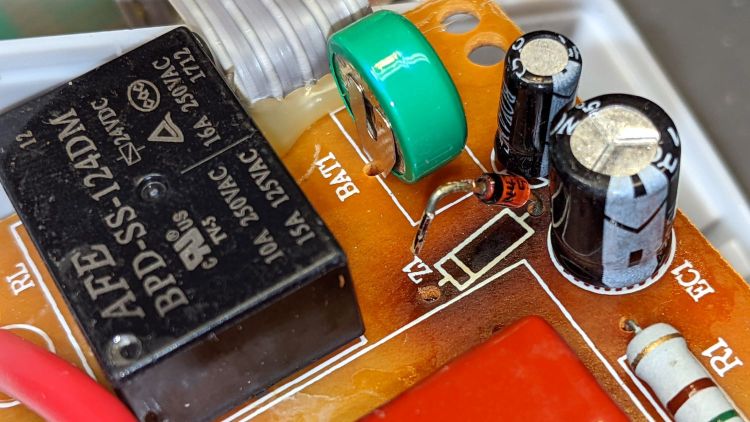
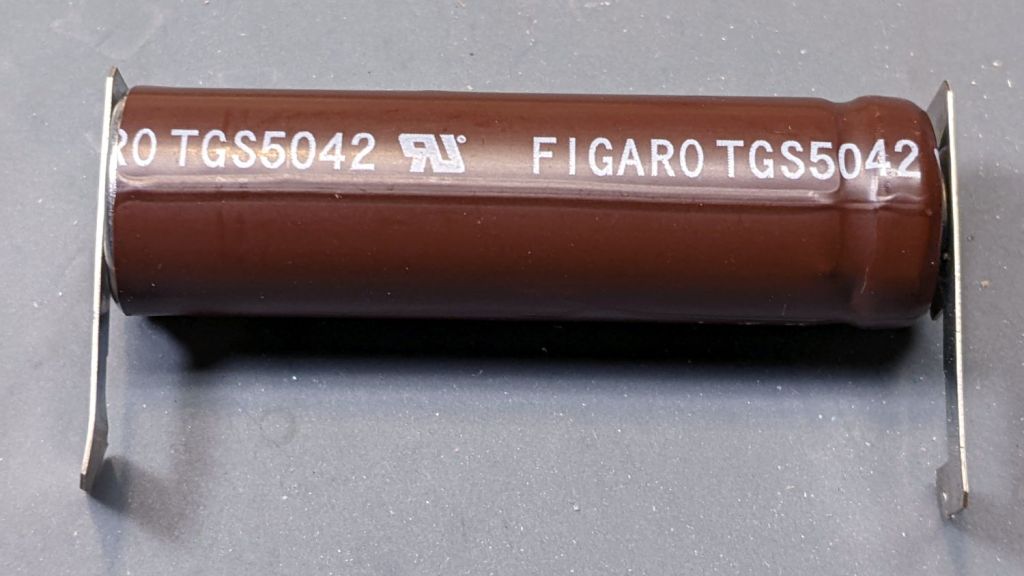
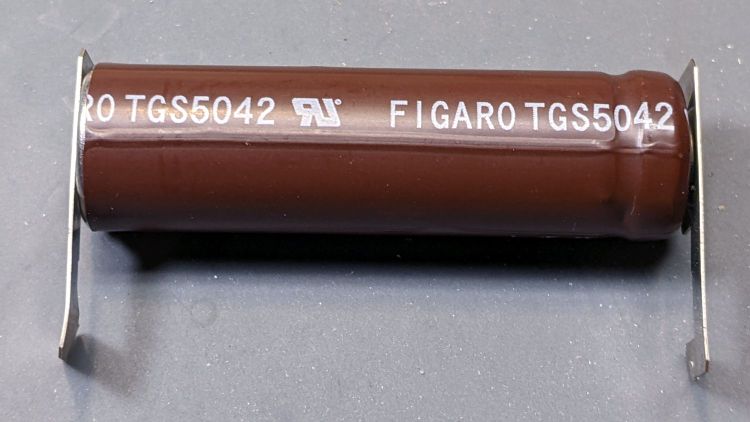
    Tearing it apart revealed something resembling an 18650 lithium cell:

    Figaro TGS5042 CO sensor - overview
    Figaro TGS5042 CO sensor – overview

    Which made no sense, given the circuitry.

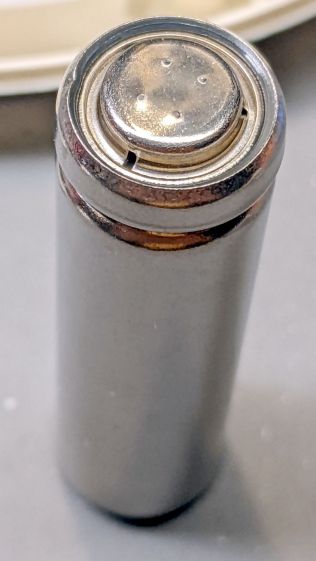
    A casual search shows a Figaro TGS5042 is actually a carbon monoxide sensor. I’m mildly surprised enough gas gets through the vents fast enough to produce an early alert:

    Figaro TGS5042 CO sensor - vent detail
    Figaro TGS5042 CO sensor – vent detail

    I tore it apart to reveal a few droplets of whatever the electrolyte might be, so it hadn’t completely dried out.

    The Product Information flyer doesn’t define what “long life” might be, but another page says “10 years”, so apparently the rest of the circuitry failed around a not-quite-dead-yet sensor.

  • Kodak 750H Slide Projector: Tin Whiskers!

    Kodak 750H Slide Projector: Tin Whiskers!

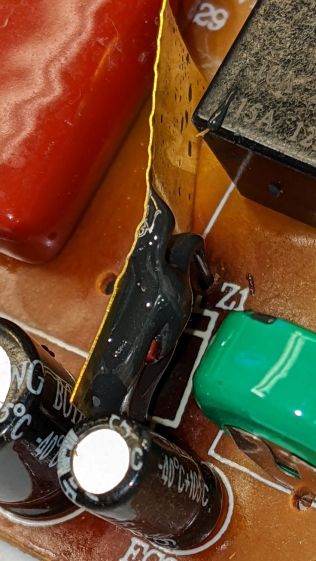
    Mary’s folks asked me to figure out why the carousel on their Kodak 750H projector no longer turned. Some initial poking around suggested a problem with the solenoid, which only clunked when the projector was upside-down on the desk. I thought it might just have gummed up after all those years, but disassembling the thing (per the Service Manual and the usual Youtube videos) produced the root cause:

    Kodak 750H Projector - broken solenoid link
    Kodak 750H Projector – broken solenoid link

    That explained the yellowish plastic fragments rattling around inside.

    As predicted, it’s impossible to remove the solenoid without breaking the equally brittle focus gear in the process:

    Kodak 750H Projector - stripped focus gear
    Kodak 750H Projector – stripped focus gear

    This is a sufficiently common projector to make repair parts cheap and readily available, at least for now.

    Some of the interior sheet metal has a dark surface, likely heavy tin plating, covered with a thick coat of whiskers:

    • Kodak 750H Projector - tin whiskers
    • Kodak 750H Projector - tin whiskers
    • Kodak 750H Projector - tin whiskers
    • Kodak 750H Projector - tin whiskers

    Touching a whiskered surface with masking tape captures the culprits, whereupon zooming the microscope and camera all the way in makes them just barely visible: they’re a few millimeters long and a few atoms wide:

    Kodak 750H Projector - tin whiskers - detail
    Kodak 750H Projector – tin whiskers – detail

    I have surely contaminated the entire Basement Laboratory with tin whiskers. Makes me itchy just thinking about them …

  • B4-size Light Pad: Stabilizing the USB Connector

    B4-size Light Pad: Stabilizing the USB Connector

    What used to be a “light box” had become a “light pad” powered through a USB Micro-B connector on the side. Unfortunately, the pad’s 5 mm thickness allows for very little mechanical reinforcement around the USB jack, while providing infinite opportunity to apply bending force. Over the course of the last half-dozen years (during which the price has dropped dramatically, despite recent events), the slightest motion flickered the LEDs.

    So I squished the jack’s metal shell back into shape, found a short right-angle USB cable, and conjured a reinforcing fixture from the vasty digital deep:

    LitUp LED Light Pad
    LitUp LED Light Pad

    The plate fits under the light pad, where a strip of super-sticky duct tape holds it in place:

    LitUp Light Pad USB jack reinforcement - bottom
    LitUp Light Pad USB jack reinforcement – bottom

    The USB plug fits between the two blocks with hot-melt glue holding it in place and filling the gap between the plug and the pad.

    I’d like to say it’s more elegant than the cable redirection for my tablet, but anything involving black electrical tape and hot-melt glue just isn’t in the running for elegant:

    LitUp Light Pad USB jack reinforcement - top
    LitUp Light Pad USB jack reinforcement – top

    On the other paw, that socket ought to last pretty nearly forever, which counts for a whole lot more around here.

    The retina-burn orange tape patches on the connector eliminate all the fumbling inherent to an asymmetric connector with invisible surface features. The USB wall wart on the other end of the cable sports similar markings.

    The OpenSCAD source code as a GitHub Gist:

    // Bracket to protect USB jack on LitUp LED Pad
    // Ed Nisley KE4ZNU 2022-03-28
    Protrusion = 0.1; // make holes end cleanly
    Pad = [10.0,30.0,1.2];
    Plug = [8.0,10.5 + 0.5,8.0];
    BasePlate = [Pad.x + Plug.x,Pad.y,Pad.z];
    //———-
    // Create parts
    module Stiffener() {
    difference() {
    union() {
    translate([-Pad.x,-BasePlate.y/2,0])
    cube(BasePlate,center=false);
    translate([0,-Pad.y/2,0])
    cube([Plug.x,Pad.y,Plug.z],center=false);
    }
    translate([-Protrusion,-Plug.y/2,-Protrusion])
    cube(Plug + [2*Protrusion,0,Plug.z],center=false);
    }
    }
    //———-
    // Build them
    Stiffener();

  • OMTech 60 W Laser: Improved Electronics Bay Fan

    OMTech 60 W Laser: Improved Electronics Bay Fan

    The OMTech laser arrived with a 120 VAC fan blowing air out of the electronics bay on the right side of the cabinet. It runs continuously, because the stepper drivers remain active even when idle, and gave off an annoyingly high-pitched whirrrrr.

    The Big Box o’ Fans produced a 24 V tangential blower which (felt like it) moved about the same amount of air with a quieter and lower-pitched hmmmmmm, so I made an adapter to fit it into the original cabinet opening:

    OMTech laser - improved electronics fan - mounting
    OMTech laser – improved electronics fan – mounting

    Yeah, it’s hot-melt glued to a stacked pair of laser-cut cardboard plates. Fight me.

    The white square of retro-reflective tape came from its previous life as a test item.

    The black cardboard makes it rather low-key from the outside:

    OMTech laser - improved electronics fan - grille
    OMTech laser – improved electronics fan – grille

    I reused the original grille, mostly because otherwise I’d have to put it somewhere else.

    The anemometer suggests 5 m/s airflow an inch from the grille. Rounding downward from the 25×35 mm opening says it’s pulling 9 CFM from a compartment with a little over a cubic foot of free volume, which sounds enough good to me. For whatever it’s worth, this airflow calculation disagrees with all of the specs and my handwaving calculation in that old blog post.

    The cabinet hatch has slits distributing the incoming air over all the active ingredients (somewhat visible inside behind the flash glare):

    OMTech laser - improved electronics fan - hatch
    OMTech laser – improved electronics fan – hatch

    The SVG image as a GitHub Gist:

    Loading
    Sorry, something went wrong. Reload?
    Sorry, we cannot display this file.
    Sorry, this file is invalid so it cannot be displayed.

  • OMTech 60 W Laser: Controlling the Air Assist Pump

    OMTech 60 W Laser: Controlling the Air Assist Pump

    The OMTech 60 W laser gets its air assist from an aquarium-style air pump in the right rear of the cabinet:

    OMTech 60W laser - Z motor - air pump
    OMTech 60W laser – Z motor – air pump

    Since that picture, I’ve sealed the slots for the Z-axis belt tensioner pulleys.

    The pump is connected directly to the AC line at the main barrier block (blue and brown on leftmost two terminals):

    OMTech 60W laser - AC barrier strip
    OMTech 60W laser – AC barrier strip

    Even though the pump has very flexy rubber feet, it’s annoyingly noisy and should be off when the laser beam is off.

    The knockoff RuiDa KT332N controller (possibly by Ryxon, based on a LightBurn forum thread, but without a visible name anywhere on the hardware or in the manual) has an Aux.Air output terminal:

    KT332N Controller - output wiring plug- glued
    KT332N Controller – output wiring plug- glued

    Yes, the controller is mounted that way inside the electronics bay.

    Chipping away the hot-melt glue over the terminals lets you pry the terminal block out of the controller:

    KT332N Controller - output wiring plug
    KT332N Controller – output wiring plug

    The KT332N manual describes the Aux.Air pin 2 function:

    Dedicated output. When auxiliary air control is enabled, this port outputs a control signal to control the valve or other relay to release auxiliary air. This port is multiplexed with pen control signal. When auxiliary air control is disabled, this port is assigned as pen control. The output type is open collector. The output can be set to be synchronized with laser or synchronized with work.
    Section 4.6 — General and dedicated output

    The word “pen” does not occur anywhere else in the manual, so I have no idea what it might mean. Perhaps the controller can also become a pen plotter?

    A configuration screen (MenuPara SettingAuxi.Air) gives the options:

    KT332N Controller - Air Assist Config screen
    KT332N Controller – Air Assist Config screen

    Section 9.2 of the manual describes the choices, although not quite in the same words:

    • Blowing method:The way of the air is blown during processing. Can be configured to output fire, process gas, and manual gas.
    • Blow on delay:Delay time after turning on air blowing
    • Blow off delay:Delay time before turning off the blow

    Section 7.2 gives the electrical parameters:

    All output signals of this controller are output based on opto-coupler isolation technology and OC gate output. Its maximum driving capacity is 300mA, which can directly drive 6V / 24V relays, light-emitting indicators, buzzer alarm devices, etc.
    Section 7.2 — Output

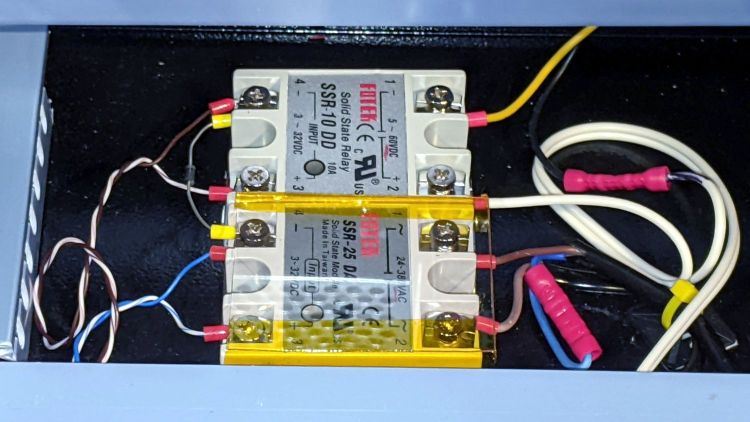
    I wired an AC solid state relay (surely a counterfeit Fotek) in series with the pump’s AC Line wire:

    KT332N Controller - Air Assist SSR installed
    KT332N Controller – Air Assist SSR installed

    It’s firmly stuck to the bottom of the electronics bay with heatsink tape, not that it gets particularly warm switching a few dozen watts of pump.

    Because the output pin is active low, the SSR + input comes from a ferrule jammed into the 24 V supply pin on the controller, along with the original ferrule holding three other wires:

    KT332N Controller - Air Assist SSR wiring
    KT332N Controller – Air Assist SSR wiring

    With all that in place, I turned it on and … the air pump did not turn on when I ran the next job. I could manually turn the pump on with the front panel Aux Air button, but it shut off as soon as I ran a file.

    The “enable” setting referred to in Section 4.6 appears in the Vendor Parameters:

    Enable the auxiliary air control : If you want to use the Wind signal of the output port to control the fan switch in layers, you must enable this parameter. Otherwise, the Wind signal outputs other signals.
    Section 9.1 — Vendor Parameters

    The Vendor Settings are protected by a password I don’t know do not appear in the section of settings I assumed they would be in, based on the manual’s wording. It seems an external program connected to the controller by USB or the network provides the only way to access these settings.

    Fortunately, LightBurn exposes the Vendor settings after you click through a warning dialog:

    LightBurn Vendor Config - Air Assist Enable
    LightBurn Vendor Config – Air Assist Enable

    And then It Just Works™.

    The “Blow when laser” option turns on the pump whenever the laser power supply is producing a beam, so it switches on and off at a furious pace. This is not the option you are looking for.