Ed Nisley's Blog: Shop notes, electronics, firmware, machinery, 3D printing, laser cuttery, and curiosities. Contents: 100% human thinking, 0% AI slop.
The Dell Optiplex 9010 acting as a file server woke up dead after I plugged it in after returning from a road trip. Its ID sticker shows a manufacturing date almost exactly nine years ago and the problem was exactly what you might expect:
Optiplex CR2032
I’d never measured 100 mV on a CR2032 before.
Because the Optiplex runs headless in the basement, diagnosis required hauling it upstairs, booting it with a display & keyboard, whacking the date into the current decade, then resetting a few other vital bits.
Some weeks ago the Sunbeam clothes iron Mary uses for her quilting projects stopped retracting its cord and a few days ago the entire compartment holding the cord spool simply fell off:
Sunbeam 3035 Iron – detached cord compartment
One plastic stud and two thin plastic tabs held the compartment onto the rest of the iron. How they lasted this long I do not know, but they are neither replaceable nor fixable.
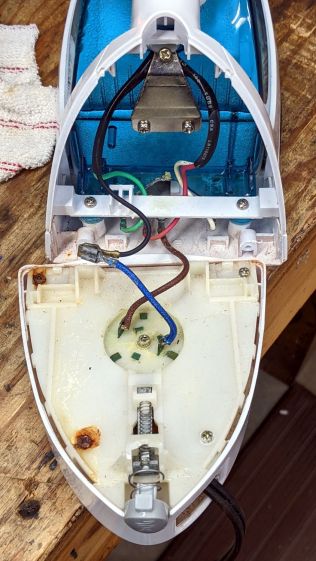
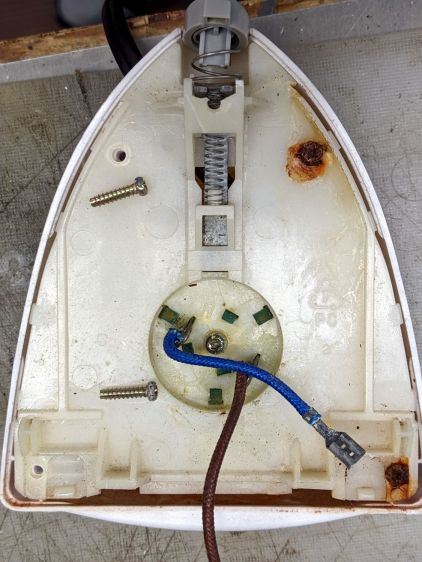
When you see badly rusted screws in an electrical device, you know the story cannot end well:
Sunbeam 3035 Iron – cord connections
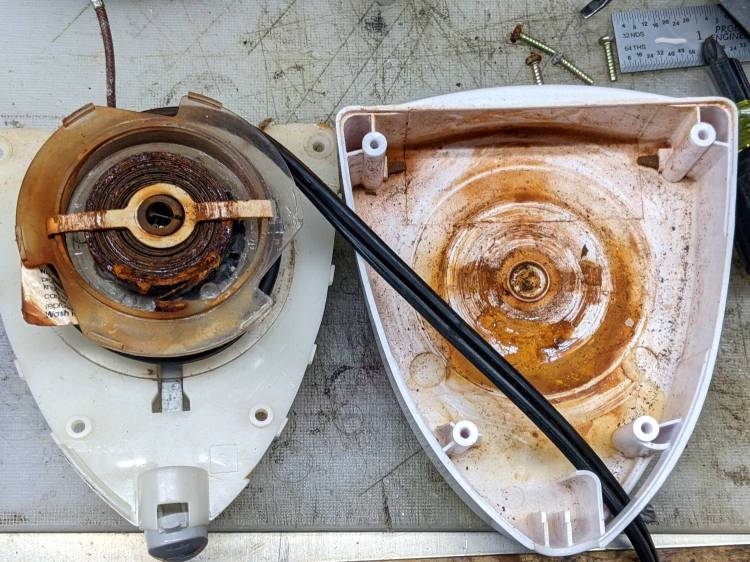
And, indeed, it hasn’t:
Sunbeam 3035 Iron – retraction spring rust
This being a steam iron, it has a water tank that gets filled through an awkward port with a sliding cover. Mary is as conscientious a person as you’ll ever meet, but the occasional spill has certainly happened and it is painfully obvious the iron’s designers anticipated no such events.
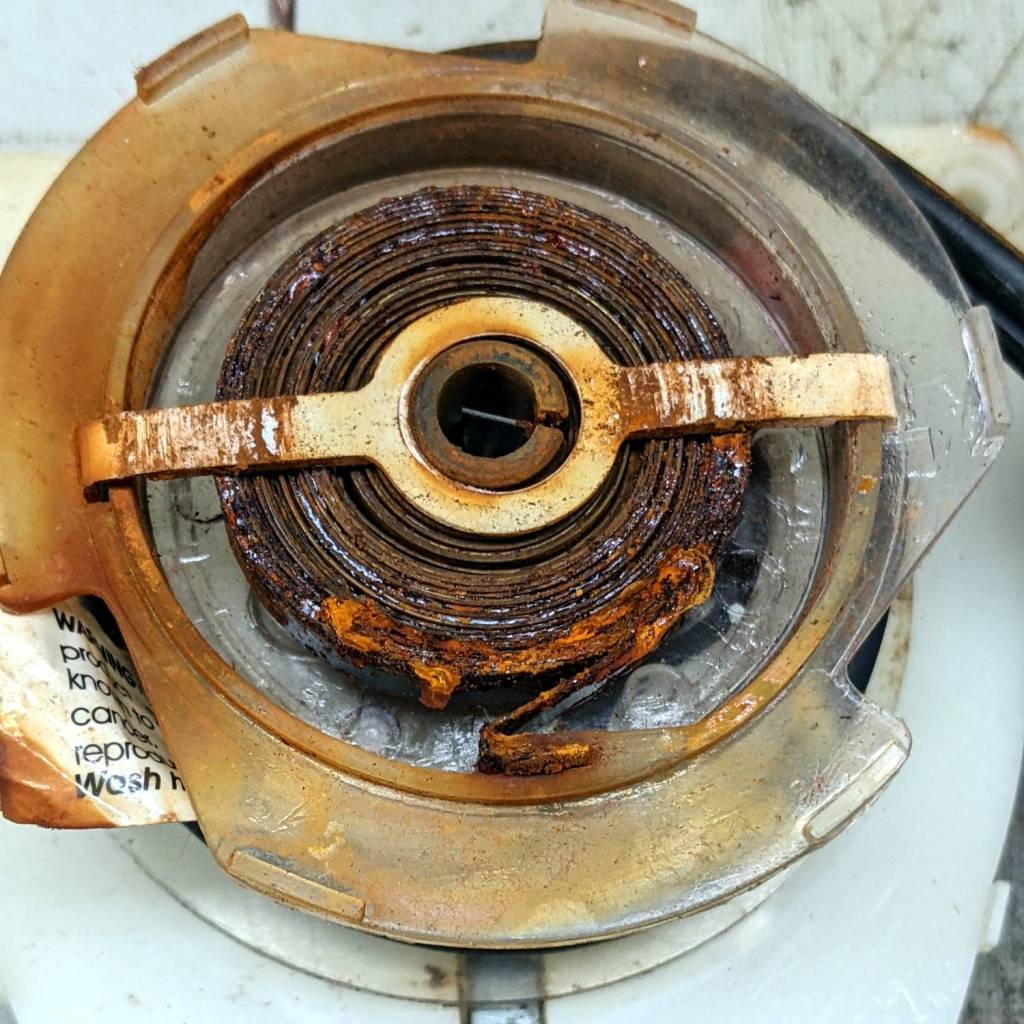
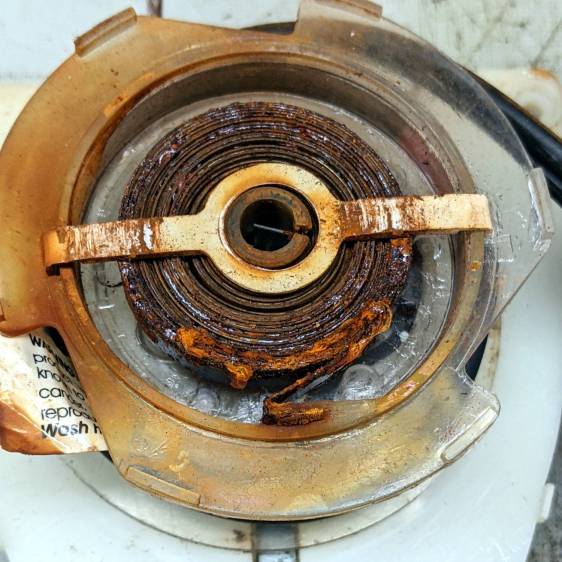
The coil spring had rusted into a solid mass:
Sunbeam 3035 Iron – spring rust – detail
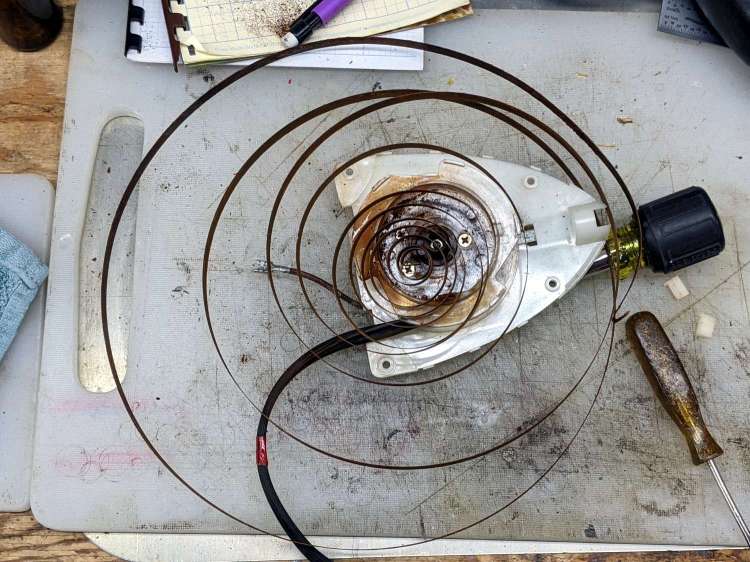
I removed the spring, soaked it in Evapo-Rust for a few hours, then cleaned and oiled it:
Sunbeam 3035 Iron – relaxed spring
Rewinding and reinstalling the spring showed it has lost its mojo and cannot retract more than a few feet of cord.
She’s in the middle of a quilting project and will replace the iron with whatever cheapnified piece of crap might be available these days. Similar irons have reviews reporting they begin spitting rust after a few months, which suggests the plastic tank or stainless steel hardware in this one have been cost-reduced with no regard for fitness-for-use.
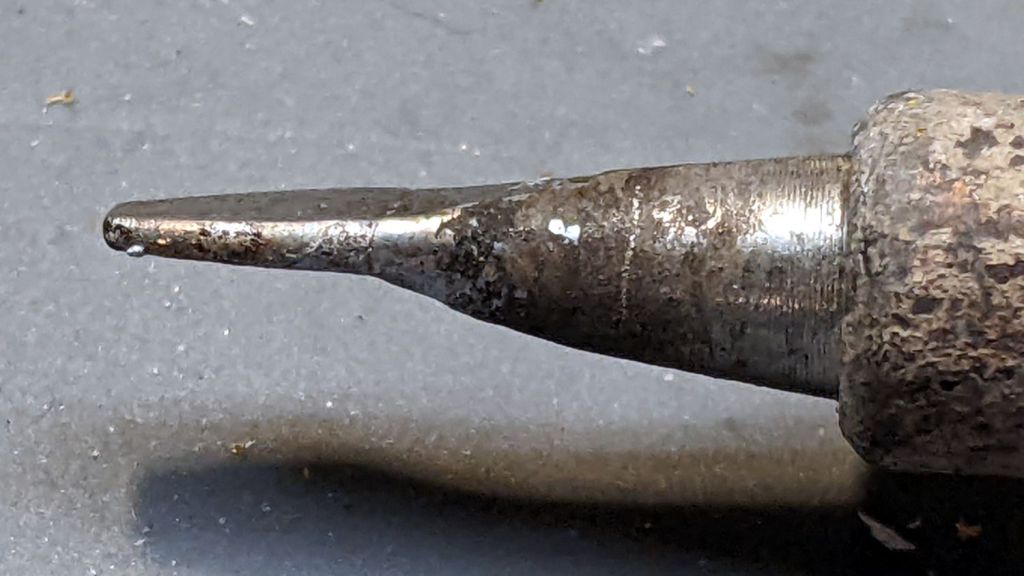
An upcoming project calls for cutting dozens of lengths from a spool of 550 (pound tensile strength) all-nylon paracord, which means I must also heat-seal the ends. Cold-cutting paracord always produces wildly fraying ends, so I got primal on an old soldering iron tip:
Paracord cutting – flattened soldering iron tip
Bashed into a flattish blade, it does a Good Enough job of hot-cutting paracord and sealing the end in one operation:
Paracord cutting – results
Setting the iron to 425 °C = 800 °F quickly produces reasonably clean and thoroughly sealed cut ends.
Obviously, I need more practice.
Yes, I tried laser cutting the paracord. Yes, it works great, makes a perfectly flat cut, and heat-seals both ends, but it also makes no sense whatsoever without a fixture holding a dozen or so premeasured lengths in a straight line. No, I’m not doing that.
The entire control panel of our longsuffering Kenmore gas range became increasingly erratic, eventually reaching the condition where touching the upper right corner would blank the display, touching the lower right corner would restore it, and gently touching the temperature knob might elicit an F2 or F4 error code on the display. Given the symptoms, the old adage “It’s always the connectors” sprang unbidden to mind; I was pretty sure the oven temperature sensor had nothing to do with it.
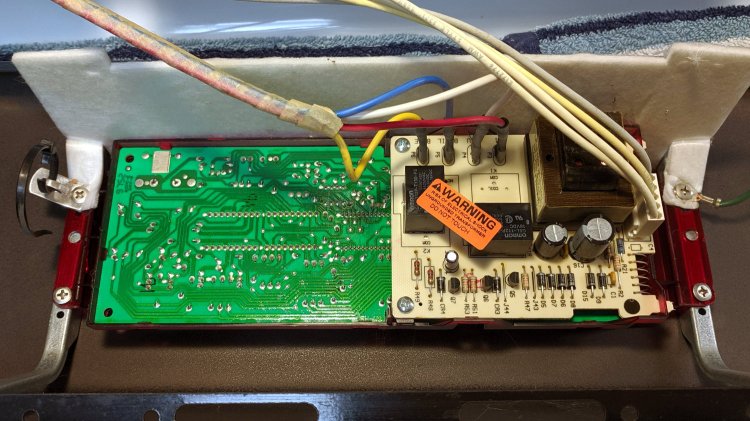
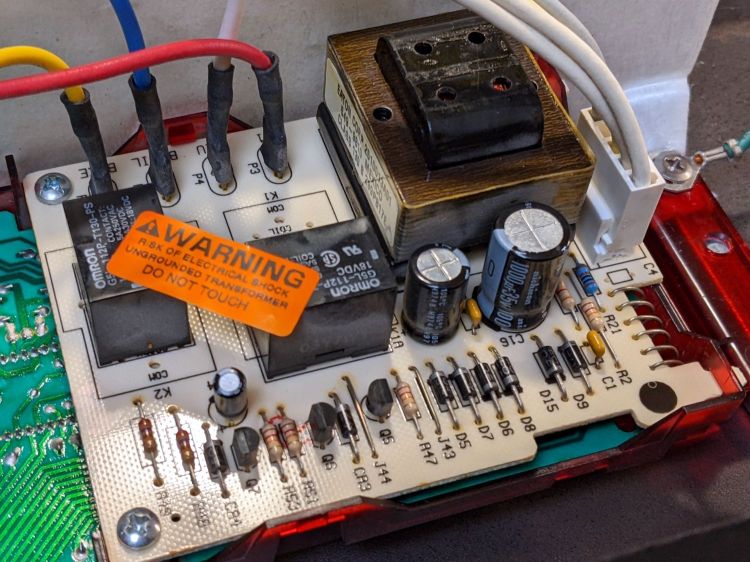
Pulling the thing apart reveals the PCB across the back of the control panel:
Kenmore oven control – PCB overview
Note that all of the external connections arrive on the white power supply PCB attached over the main PCB.
A closer look shows one of the two groups of wire interconnects between the two boards:
Kenmore gas range – rear PCB
There’s a similar group hidden behind the hulking transformer.
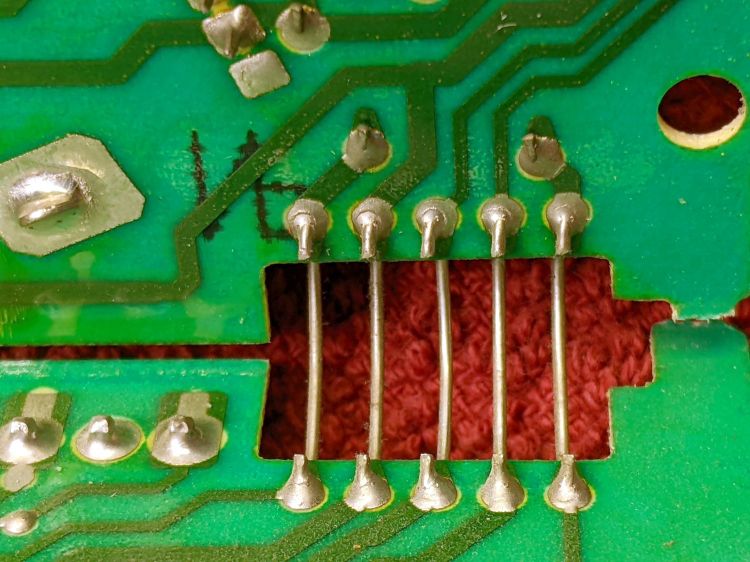
Removing the two obvious screws and easing the PCB out of the red plastic latches made the problem instantly obvious:
Kenmore gas range – failed solder joint
Yeah, that broken solder joint would definitely be touch-sensitive!
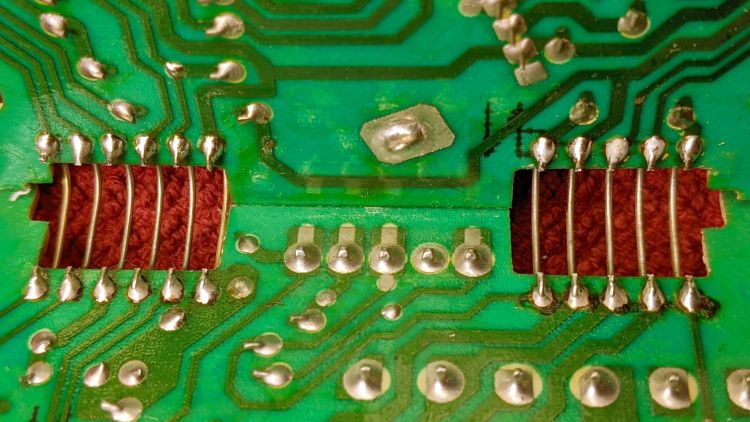
The solder joints in the other group also show signs of fatigue:
Kenmore gas range – broken solder joints
It’s of interest only the upper joints on the power supply PCB have fractured. Perhaps those ends of the wires were hand-soldered separately from the other ends in the main PCB?
Resoldering both ends of all the wires restored perfect operation:
Kenmore gas range – resoldered joints
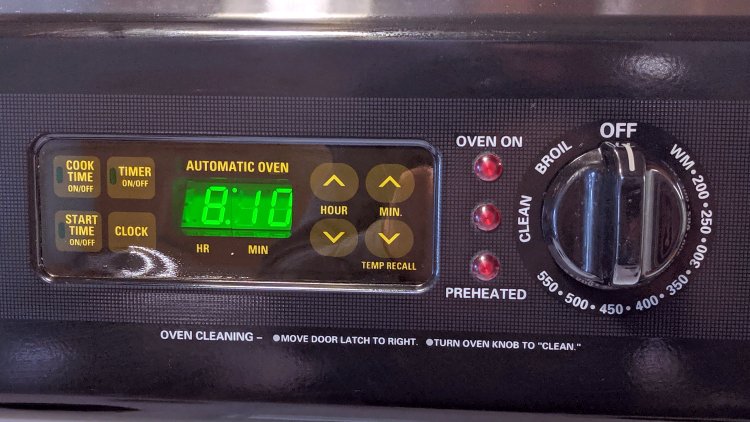
For the record, the Kapton tape I laid over the entire control panel 2-½ years ago continues to protect the slightly cracked membrane over the pushbutton switches:
Kenmore oven control – Kapton tape cover
Gotta love yet another zero-dollar appliance repair …
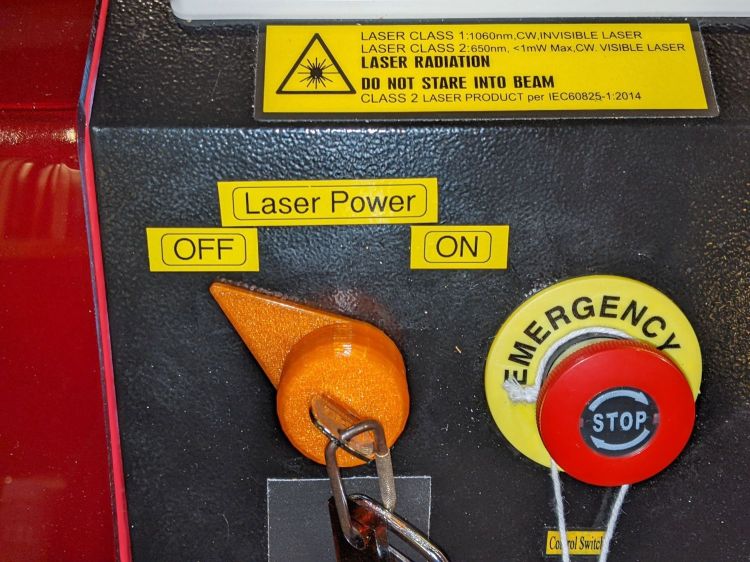
It is in series with the lower switch on the side panel:
OMTech Laser – rocker switch lit
Although I would have labeled those switches differently, the “Control Switch” handles the 120 VAC line voltage to the HV power supply. As you’d expect, when its light is ON, the power supply is also ON and the laser is ready to fire.
Those two pictures show the situation after I turned the laser power on a few days ago: key lock switch OFF, HV laser power supply stubbornly ON.
Whoops.
The “Control Switch” still does what it should, so I can shut the HV supply off when it’s not needed, but the key lock switch has definitely failed ON.
As far as I can tell, the moving contact bar jammed at the bottom of its travel against the terminals. Pulling the switch out of the laser jostled it enough to release the bar and it’s now at the top of its travel:
OMTech Laser – key lock – side view
If it failed once, it’ll fail again.
OMTech’s Customer Support agrees it shouldn’t behave like that; a replacement should arrive in a few days.
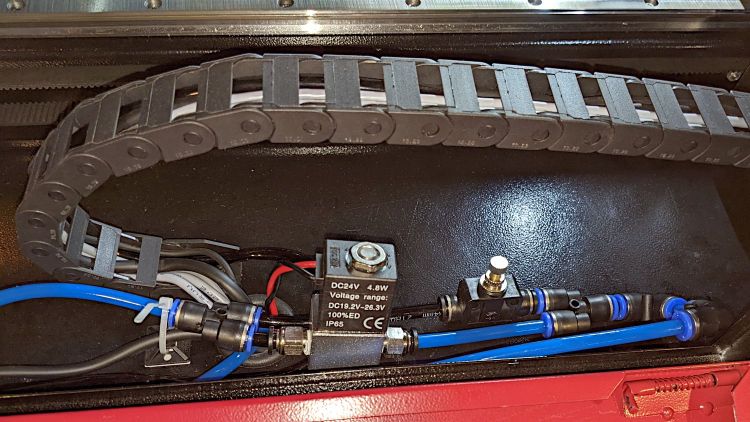
A tweak to the air assist plumbing of my OMTech 60 W laser produces much the same result as Russ Sadler’s Super Ultimate Air Assist, with somewhat less plumbing and cheaper Amazon parts:
OMTech Laser – air assist – plumbing
The overall doodle shows the electrical wiring and pneumatic plumbing:
Dual-path air assist diagram
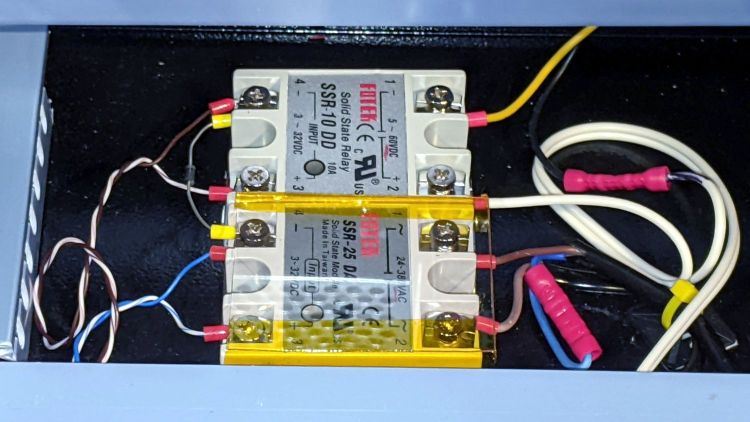
The electronics bay now has two solid state relays:
OMTech Laser – air assist SSRs
The front SSR turns on the air pump when the controller activates the STATUS or AUX AIR outputs; the diode between the (-) terminals acts as wired-OR.
The rear SSR turns on the solenoid valve whenever the AUX AIR output is active. The diode turns on the other SSR to start the pump.
When the laser cutter is idle, both the STATUS and AUX AIR outputs are inactive, so the pump doesn’t run and the solenoid is closed.
The controller has a front-panel AUX AIR button that turns on its eponymous output, which turns on both the solenoid and the pump. I have turned it on to verify the circuitry works, but don’t do any manual cutting. I never was very good with an Etch-a-Sketch and the laser’s UI is much worse.
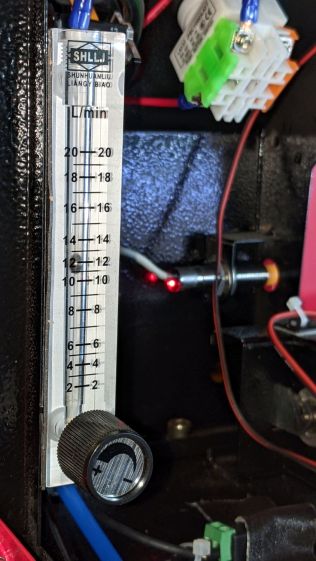
The solenoid valve must be a “direct acting solenoid valve“, as the air pump produces about 3 psi and cannot activate a “self piloted” solenoid valve. When the valve is open, the pump can push about 12 l/min through the plumbing to the nozzle:
The flow control valve is a manually adjusted needle valve to restrict the engraving air flow to maybe 2 l/min, just enough to keep the smoke / fumes out of the nozzle and away from the lens, when the solenoid valve is closed.
I set the controller to delay for 1 s after activating the air pump to let it get up to speed. There’s an audible (even to my deflicted ears) rattle from the flowmeter when the air assist solenoid opens.
The paltry 12 l/min seems to promote clean cuts and 2 l/min doesn’t push much smoke into the surface around the engraved area.
The little DSO-150 oscilloscope has a 1 MΩ || 20 pF input with a 200 kHz bandwidth that should be entirely adequate for the OMTech laser’s millisecond-scale modulation signals from the Gentec ED-200 Optical Joulemeter. There is, however, only one way to be sure:
Gentec ED-200 – scope test setup
The two scope inputs are in parallel, so the joulemeter over on the far right sees a 500 kΩ load, half of the specified 1 MΩ load, with at least twice the capacitance. If the two scopes display pretty much the same result, then it’s good enough.
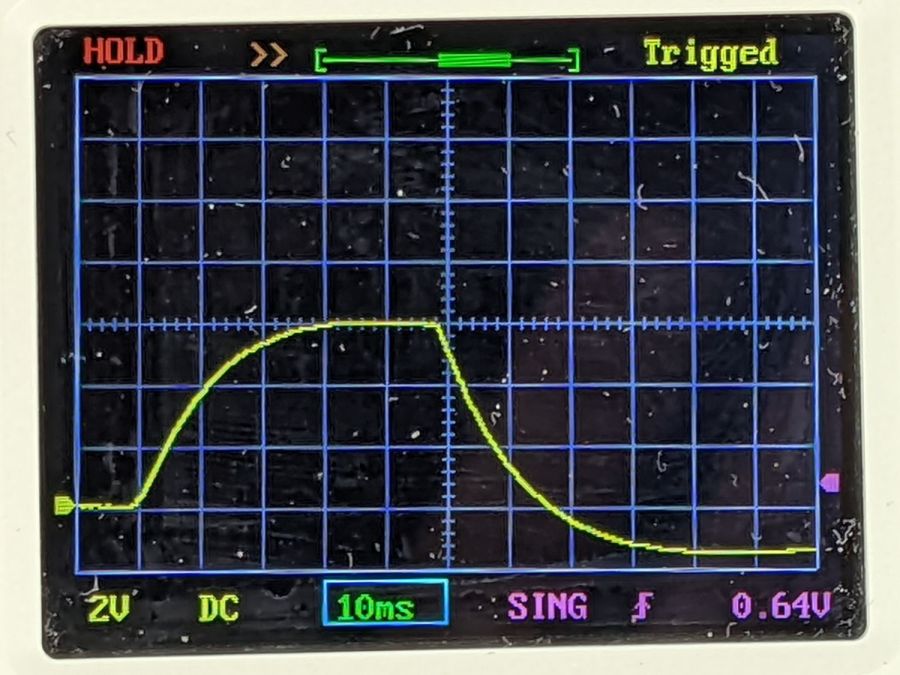
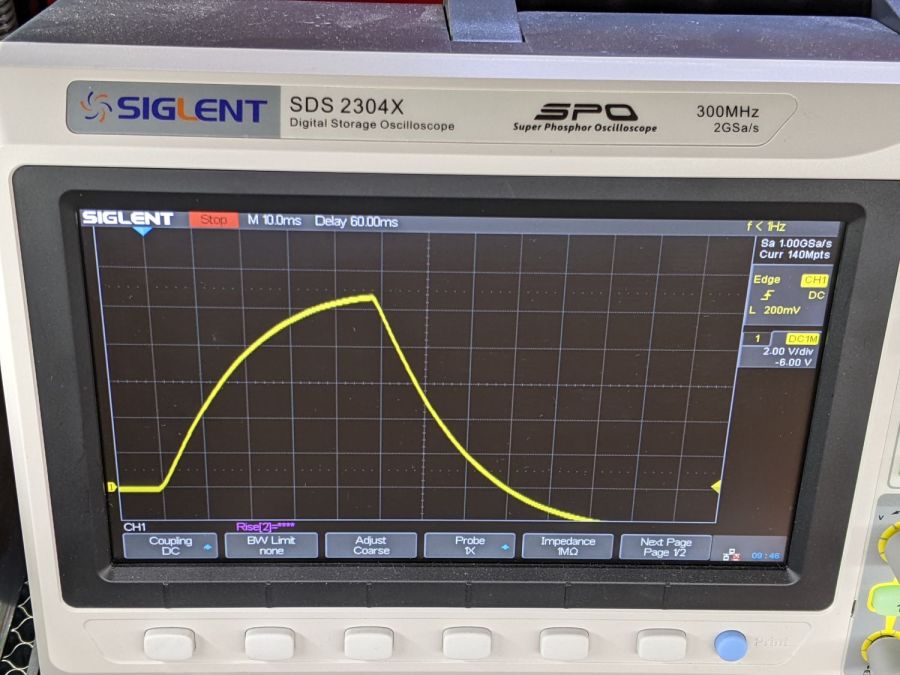
A 50 ms pulse at half power looks the same on both scopes:
Gentec ED-200 – 50 ms – DSO-150
Gentec ED-200 – 50 ms – Siglent
A 50 ms pulse at full power doesn’t quite top out:
Gentec ED-200 – 11V 50ms – DSO-150
Gentec ED-200 – 11V 50ms – Siglent
Given that the pulse duration should be less than the detector’s 1.5 ms risetime, using a 50 ms pulse is absurd. Right now I’m just looking at the overall waveform and detector range, not trying to get useful numbers out of the poor thing.














 The Smell of Molten Projects in the Morning