The Smell of Molten Projects in the Morning

Ed Nisley's Blog: Shop notes, electronics, firmware, machinery, 3D printing, laser cuttery, and curiosities. Contents: 100% human thinking, 0% AI slop.

Author: Ed

  • Craptastic Kitchen Scale Tinkering

    Craptastic Kitchen Scale Tinkering

    The health plan I use pays $100 toward the year’s over-the-counter healthcare stuff, although with a caveat: you can only buy the stuff from a specific website. As you might expect, what’s available consists of no-name generic products with absurdly high sticker prices and, just to rub it in, the hundred bucks gets paid in quarterly use-it-or-lose it installments.

    Seeing as how it was free, I got a kitchen scale:
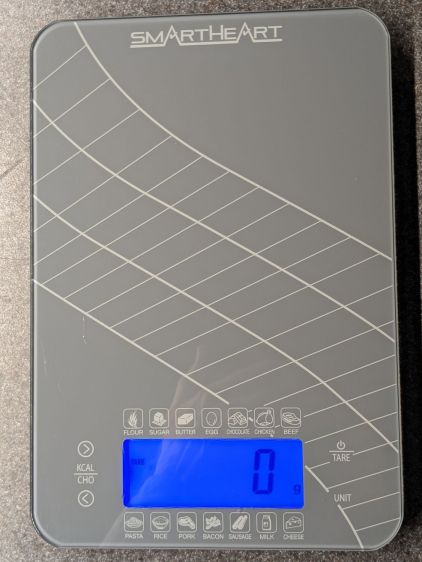
    SmartHeart 19-106 Kitchen Scale - top view
    SmartHeart 19-106 Kitchen Scale – top view

    It has two catastrophically bad design features:

    • Terrible battery life
    • Overly sensitive controls

    It runs from a pair of series-connected CR2032 non-rechargeable lithium coin cells. Which would be fine, except that the blue LED backlight stays on for 30 seconds after each button touch and draws about 10 mA.

    The battery lifetime is best measured in days.

    The four control “buttons” on either side of the backlit LCD are touchless sensors using copper foil stickers:

    SmartHeart 19-106 Kitchen Scale - NP-BX1 retrofit
    SmartHeart 19-106 Kitchen Scale – NP-BX1 retrofit

    The alert reader will spot those the empty CR2032 coin cell contacts over on the left and a pair of NP-BX1 batteries in the middle.

    I figured there was no need to keep feeding it coin cells while I played with it, so I conjured a holder from the vasty digital deep. Normally, that would be an OpenSCAD solid model suited for 3D printing, but in this case the lithium cells exactly filled the space between the PCB and the bottom of the case, so it became a 2D design neatly suited for laser cuttery.

    Kitchen scale - NP-BX1 holder - LB layout
    Kitchen scale – NP-BX1 holder – LB layout

    I planned to stick the orange cutout (in 1.5 mm acrylic) as a stabilizer around the pogo pins making contact with the cell terminals from the red cutout (in 3 mm acrylic), but just melting the pins into the acrylic seemed sufficient for the purpose. Strips of adhesive sheet saved from the margins of previous projects affix the holder (not the cells!) to the scale’s upper glass layer.

    As far as I can tell, the scale is perfectly happy running on 7.4 V, rather than 6.0 V. The PCB has two terminals marked +3V and +6V, so it probably depends on which LEDs they use for backlights:

    SmartHeart 19-106 Kitchen Scale - PCB detail
    SmartHeart 19-106 Kitchen Scale – PCB detail

    The alert reader will notice a peculiarity concerning the sensor pad connections along the top edge.

    More on that second bad design decision later …

  • Innovative Bumper Repair

    Innovative Bumper Repair

    Having seen bandage stickers on wounded cars, my first glance suggested a Frankenstein surgical version:

    Zip-tied car bumper
    Zip-tied car bumper

    They don’t make bumpers like they used to!

    Which is, overall, a good thing, but crushable plastic definitely raises the repair cost for a glancing impact.

    Fortunately, the scuff didn’t reach the headlight.

  • Medium Ricotta Lid Box: QR Code vs. Chipboard

    Medium Ricotta Lid Box: QR Code vs. Chipboard

    Another box from the festi.info box configurator to collect more lids in a kitchen drawer:

    Medium Ricotta Lids box
    Medium Ricotta Lids box

    This was really a thinly veiled excuse for a deeper look at the QR code generator encoding the myriad parameters required to create the box and see what happens when you try to burn such a complex thing into chipboard.

    Spoiler: chipboard has very low contrast and really does not work well with high-density QR codes.

    Although the festi.info box generator can produce QR codes, I used qrencode (available in your Linux distro) on the command line to generate QR code image files with specific settings:

    qrencode --level=M --size=6 --dpi=254 --output='Ricotta Lids 2 lb - chipboard.png' 'http://festi.info/boxes.py/ABox?FingerJoint_angle=90.0&FingerJoint_style=rectangular&FingerJoint_surroundingspaces=2.0&FingerJoint_bottom_lip=0.0&FingerJoint_edge_width=2.0&FingerJoint_extra_length=0.0&FingerJoint_finger=2.0&FingerJoint_play=0.0&FingerJoint_space=3.0&FingerJoint_width=1.0&x=200.0&y=120.0&h=60.0&outside=0&bottom_edge=h&thickness=1.4&format=lbrn2&tabs=0.0&qr_code=0&debug=0&labels=0&reference=0&inner_corners=corner&burn=0.04&language=en&render=0'


    The key parameters:

    • --level → error correction level
    • --size → size of the smallest square (“module”) in pixels
    • --dpi → DPI of the output image file

    The default file type is PNG. The unusual 254 DPI makes each pixel exactly 0.1 mm wide and a peculiar 169.33 DPI = 0.15 mm came in handy for the first pattern.

    The final parameter is the character string to encode, which you should definitely quote to prevent the shell from wrecking things while trying to help you.

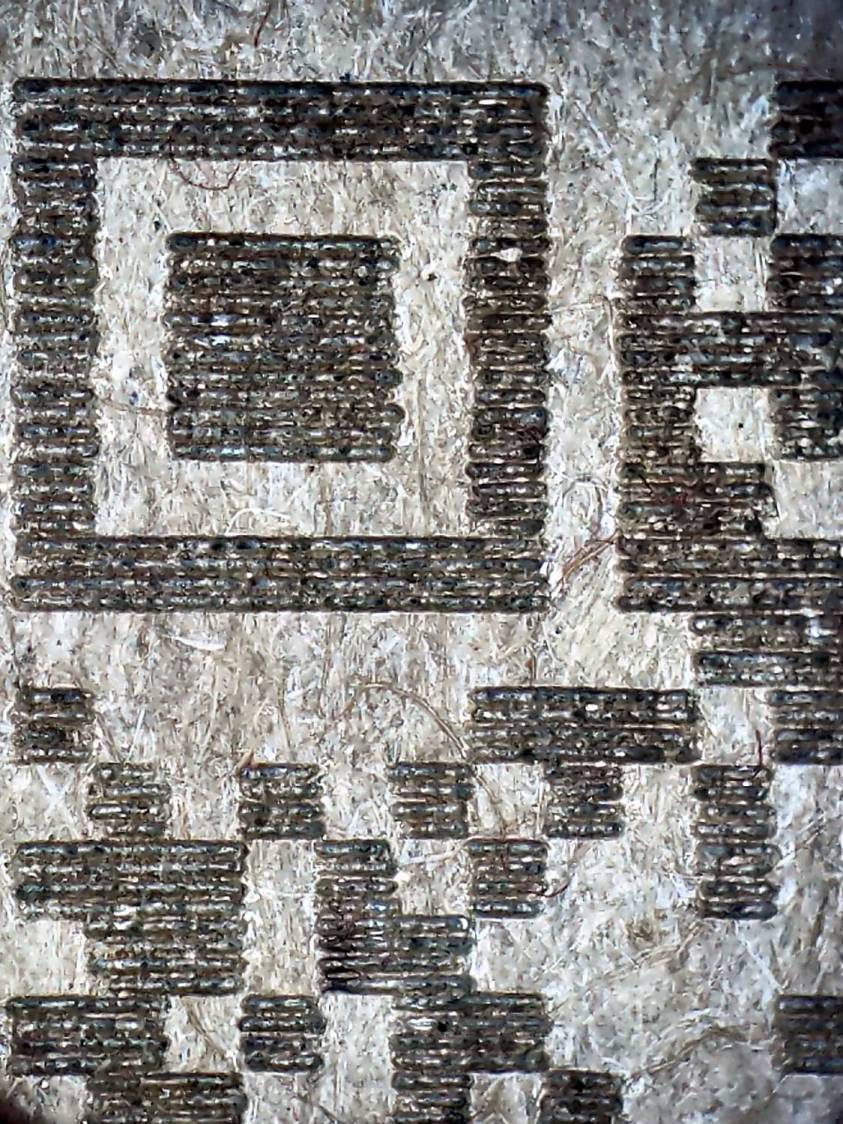
    A pattern with 4×4 pixel modules didn’t scan at all:

    Chipboard QR code - 15pct 0.15mm 4x4 - overview
    Chipboard QR code – 15pct 0.15mm 4×4 – overview

    A closer look shows the modules have ragged edges due to laser timing variations during the engraving scans and gaps between successive scans because the spot size is less than the 0.15 mm scan interval:

    Chipboard QR code - 15pct 0.15mm 4x4 - detail
    Chipboard QR code – 15pct 0.15mm 4×4 – detail

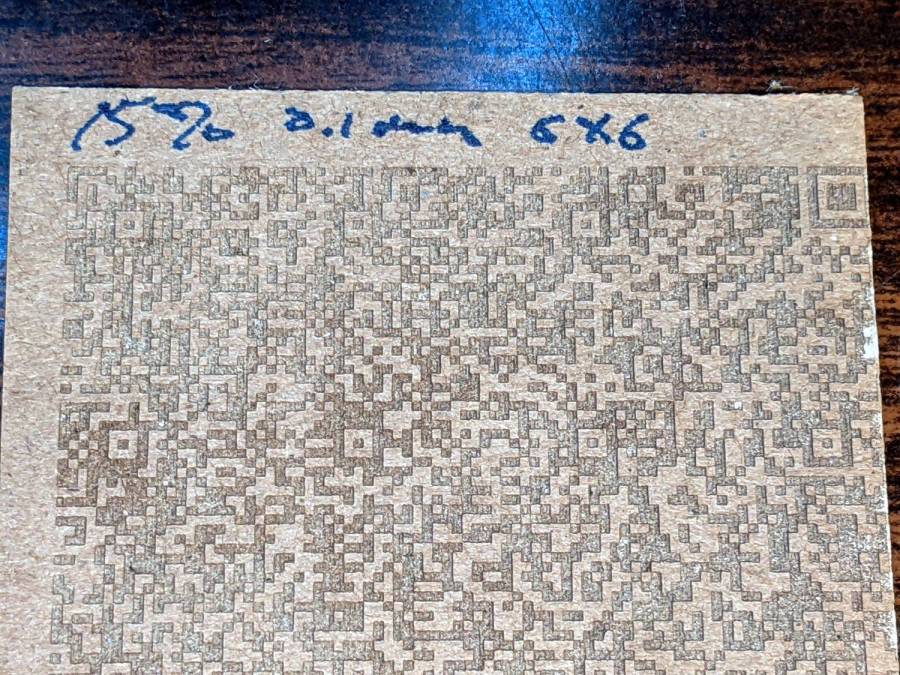
    Increasing the module to 6×6 pixels at a 0.1 mm scan interval :

    Chipboard QR code - 15pct 0.10mm 6x6 - overview
    Chipboard QR code – 15pct 0.10mm 6×6 – overview

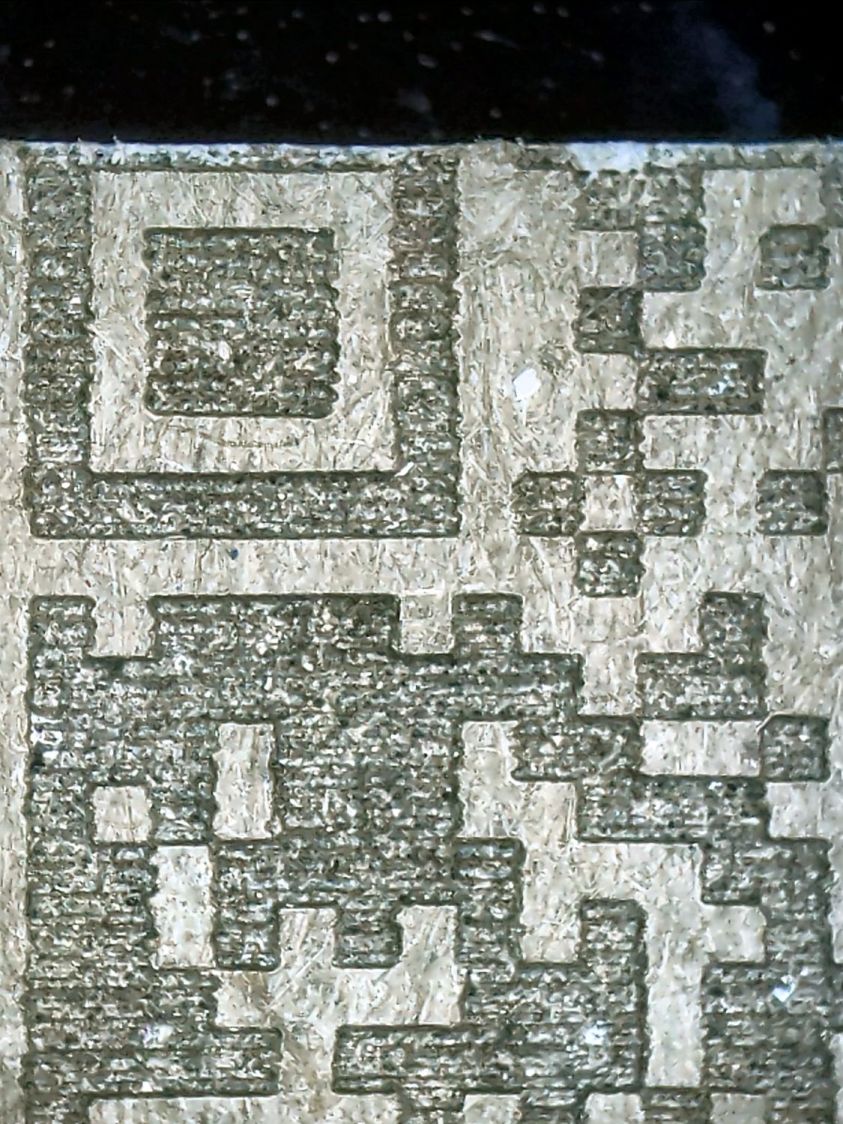
    A closer look shows the larger module reduces the relative size of the timing errors, while the decreased line spacing tidies up the blocks:

    Chipboard QR code - 15pct 0.10mm 6x6 - detail
    Chipboard QR code – 15pct 0.10mm 6×6 – detail

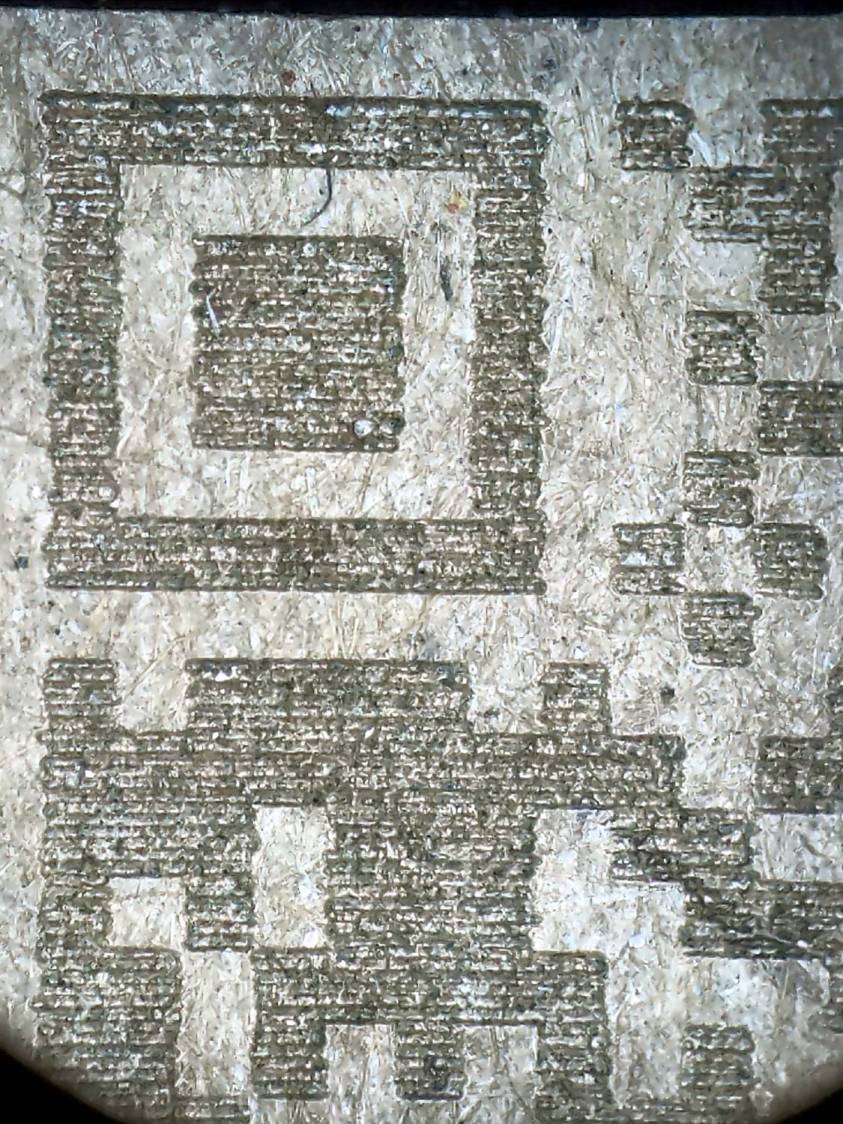
    Reducing the power from 15% to 10% reduced the contrast to the point of illegibility:

    Chipboard QR code - 10pct 0.10mm 6x6 - overview
    Chipboard QR code – 10pct 0.10mm 6×6 – overview

    A closer look shows the engraving barely punches through the surface and has somewhat more ragged edges due to the tube’s pulsating startup current at very low power:

    Chipboard QR code - 10pct 0.10mm 6x6 - detail
    Chipboard QR code – 10pct 0.10mm 6×6 – detail

    I also tried 5×5 modules with similar results.

    The laser spot size sets the engraving scan interval, which then determines the DPI value for the QR code image. With all that matched up, you can send the images directly to the laser in Passthrough mode, without having LightBurn resample the pixels and change the module’s shape.

    Looked at from a different angle: given the laser spot size and the module size, the QR code image size is not under your control.

    From another angle: given a QR code image size in, say, millimeters, and the engraving scan interval, the module size is not under your control.

    All this is moot if you print QR codes on a high-resolution / high-contrast printer. It’s just the gritty nature of laser cuttery that limits what you can accomplish.

    And, of course, using a material less awful than chipboard will definitely improve the results.

    If you want a similar box of your own, here ya go:

    Medium Ricotta Lids - chipboard QR code - default
    Medium Ricotta Lids – chipboard QR code – default

    The URL is too ugly to print, but you can copy it from this link.

  • Mini-lathe Chuck Jaw Holder

    Mini-lathe Chuck Jaw Holder

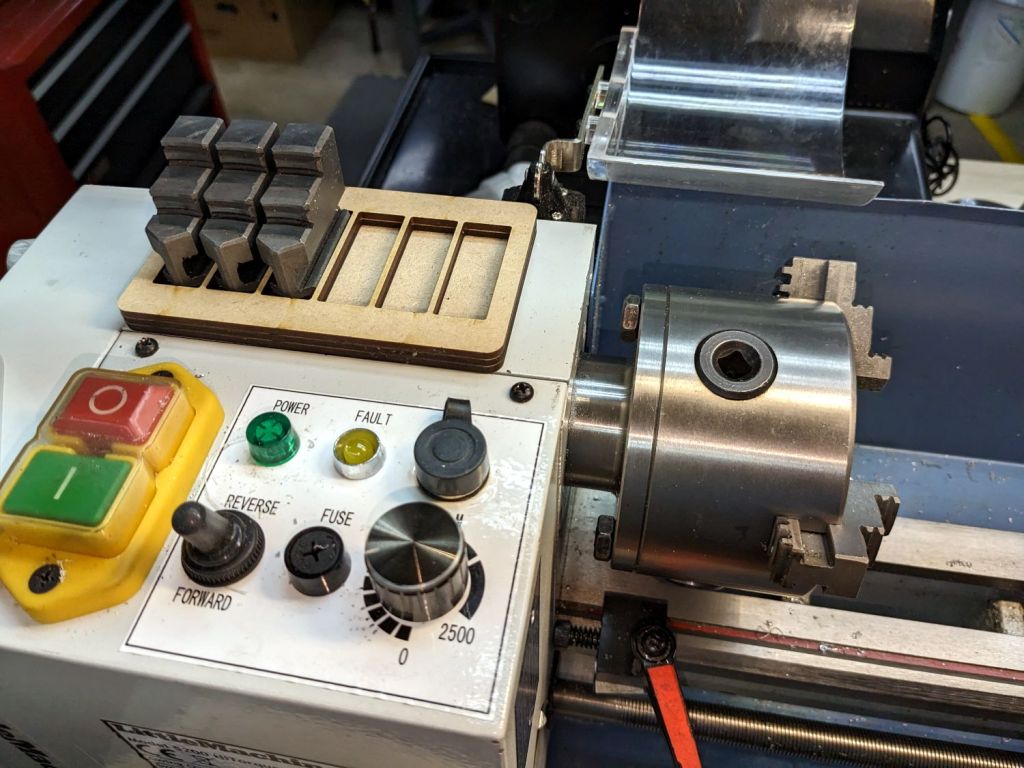
    While swapping chuck jaws I realized I didn’t have to pile them on a shop rag atop the lathe headstock, no matter how neatly cut those rags might be:

    Lathe chuck jaw holder - installed
    Lathe chuck jaw holder – installed

    It’s three layers of MDF cut to hold all six jaws from the 4 inch 3 jaw chuck, stuck together with wood glue.

    You really need only four sockets: one empty for the jaw you just removed, then work your way around the chuck. But, hey, MDF is cheap and I usually remove all three at once anyway.

    When it starts walking away, it’ll sprout silicone feet.

    The LightBurn SVG layout as a GitHub Gist:

    Loading
    Sorry, something went wrong. Reload?
    Sorry, we cannot display this file.
    Sorry, this file is invalid so it cannot be displayed.

    That was easy!

  • Laser-safe PSA “Vinyl”: Proof of Concept

    Laser-safe PSA “Vinyl”: Proof of Concept

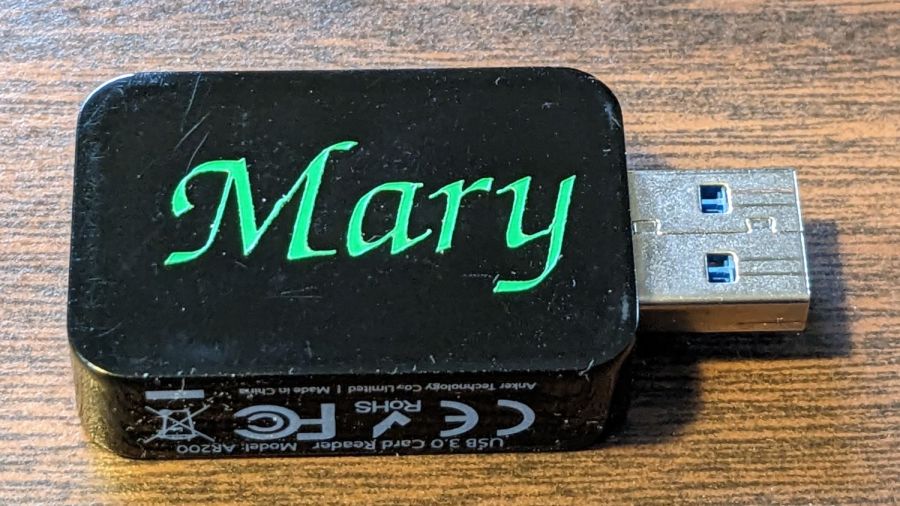
    Mary’s ResMed AirSense 11 saves the data from every overnight breath she takes on an SD card, which she uploads to OSCAR once a week. I figured she needed an SD card to USB adapter / card reader of her very own:

    PU PSA Vinyl test - installed
    PU PSA Vinyl test – installed

    The lurid green letters aren’t backlit, they’re cut from a PVC-free “vinyl” (really, polyurethane) sheet with adhesive on the back.

    N.B.: Laser-cutting real vinyl, made from PVC, releases enough chlorine gas to corrode the guts of your machine and, with poor fume extraction, rot your lungs along with it.

    The LightBurn layout is pretty much what you’d expect, with the letter inside the outline of the USB dingus on a tool layer to get the size right:

    PU PSA Vinyl test - LB layout
    PU PSA Vinyl test – LB layout

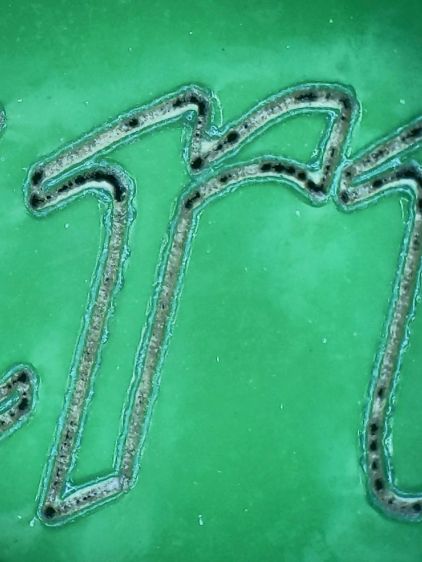
    The red layer is a “kiss cut” through the vinyl (remember: polyurethane) that leaves the backing paper mostly undamaged:

    PU PSA Vinyl test - dot mode cut detail
    PU PSA Vinyl test – dot mode cut detail

    The cut uses Dot Mode, with the laser firing at 10% power for 2 ms, spaced every 0.1 mm along the cut. I found 0.1 mm spacing produced a more-or-less continuous cut in the PETG sheet for the Tek Circuit Computer cursor hairline, but this picture shows it’s definitely running in pulsed mode. In any event, Dot Mode is the only way a 60 W CO₂ laser can make a kiss cut, as a normal vector cut can’t run fast enough to prevent cutting all the way through the backing paper, even at 10% power, around those letters.

    The edges of the letters are slightly melted with a raised border, although they look pretty good if you’re not peering at them through a microscope.

    I cut the rectangular outline with scissors, peeled the waste vinyl away, and weeded the ‘a’ with tweezers:

    PU PSA Vinyl test - weeded
    PU PSA Vinyl test – weeded

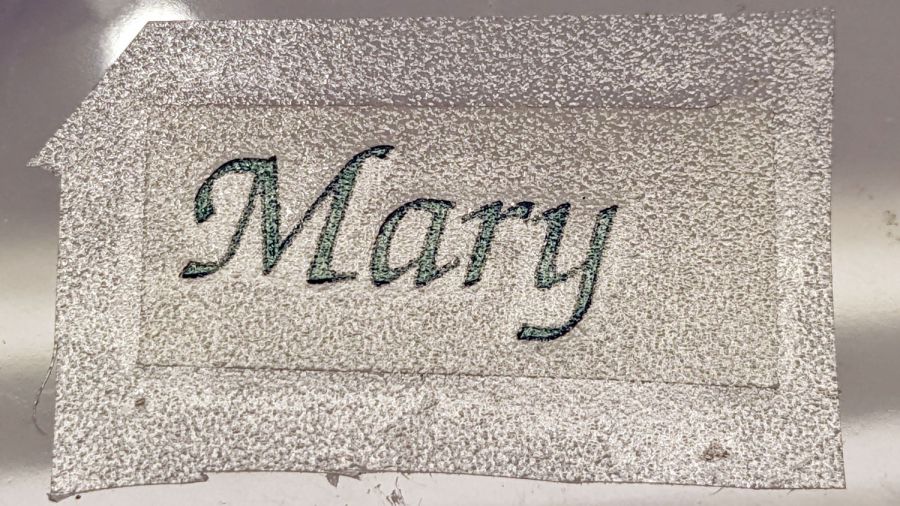
    Stick a snippet of transfer tape on top:

    PU PSA Vinyl test - transfer tape
    PU PSA Vinyl test – transfer tape

    In theory, the transfer tape sticks more firmly to the cut letters than the letters adhere to their backing paper, so peeling off the tape also peels the letters off the backing paper.

    Which did not go well:

    PU PSA Vinyl test - transfer tape - peeling
    PU PSA Vinyl test – transfer tape – peeling

    The two adhesions obviously require a delicate balance to work properly and I would be unsurprised to learn different transfer tapes behave differently on each type of vinyl sheet, with no way to know the results without trying every possible combination.

    A few retries got the “r” back in position on the transfer tape, but a bit of kink remains in the “M”.

    A third adhesion balance occurs between the transfer tape and the USB card reader, where the tape must stick to the letters slightly less than the letters stick to the reader. Burnishing the tape + letters to the reader encouraged the letters to stick and the tape pulled off without dislodging them.

    We deemed the result good enough for the purpose and the process taught me a few lessons along the way. Next time, maybe it’ll work out better.

  • Bafang Motor Connector Gasket Replacement

    Bafang Motor Connector Gasket Replacement

    Reasonable people disagree as to the cause of the failure, but a replacement controller for the (new) Bafang motor I’m installing on my bike just arrived in the mail.

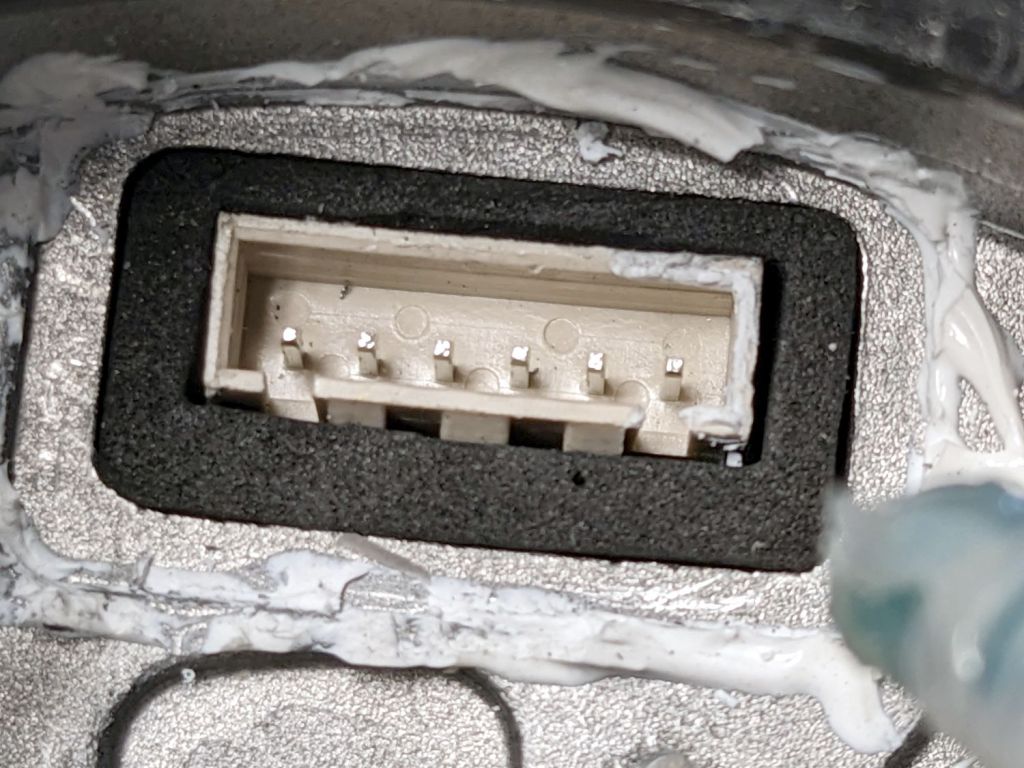
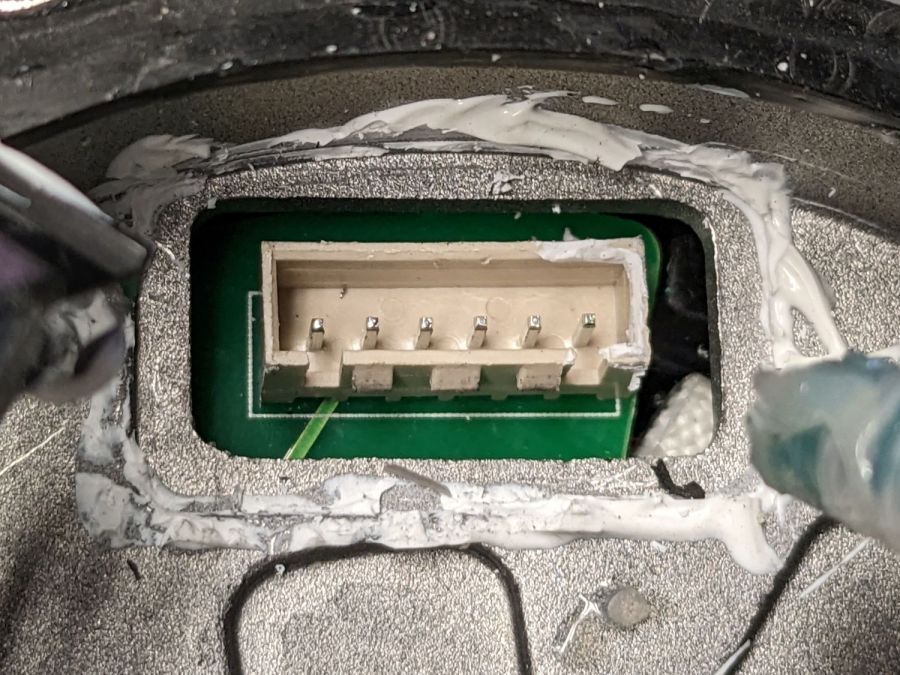
    Disassembling the motor is straightforward, except for the part where you must excavate an internal plug from the silicone snot gluing it into place, eventually revealing its socket:

    Bafang motor - interior gasket - connector
    Bafang motor – interior gasket – connector

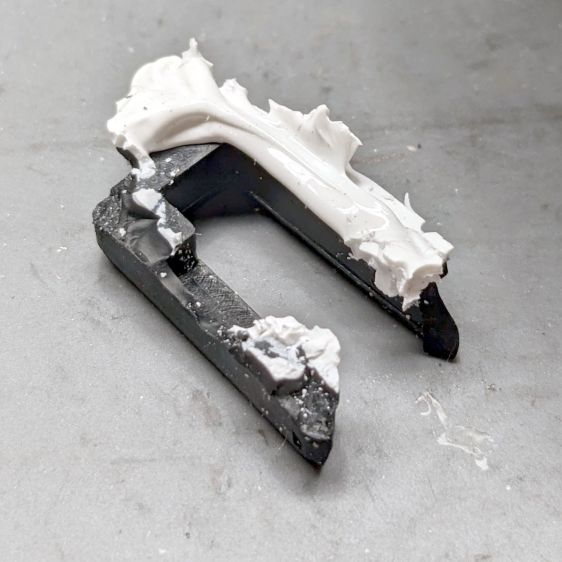
    Regrettably, there seems no way to do that without destroying the dense closed-cell gasket around the connector:

    Bafang motor - interior gasket - damaged original
    Bafang motor – interior gasket – damaged original

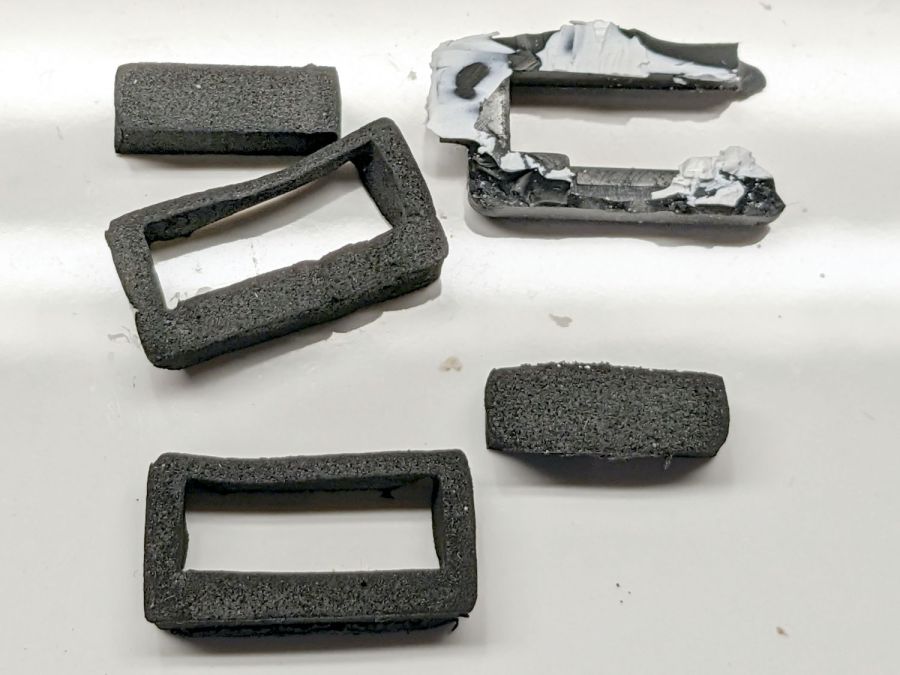
    Equally regrettable: a replacement gasket wasn’t included with the replacement controller. Although I don’t have any of the specific foam, some marginally less dense foam from the Big Box o’ Padding seemed suitable for laser cuttery:

    Bafang motor - interior gasket - iterations
    Bafang motor – interior gasket – iterations

    The upper left prototype suggested a slightly larger rear bar that produced the gasket in front, which fit snugly:

    Bafang motor - interior gasket - test fit
    Bafang motor – interior gasket – test fit

    It lacks the latch cutout, but the foam is squishy and I expect to never touch it again.

    A generous glob of hot melt glue holds everything in place:

    Bafang motor - interior gasket - replacement glued
    Bafang motor – interior gasket – replacement glued

    Although the usual Youtube videos show folks slathering RTV silicone caulk on these connectors, that’s a Very Bad Idea™, because RTV caulk releases acetic acid as it cures. That’s not a problem in the open-air siding-and-lumber environment the caulk was intended for, but sealing a glob of the stuff inside an enclosure will eventually corrode all of the electronics therein.

    Cutting intricate doodads has become trivially easy: if you can draw it, you can pretty much cut it, just like that:

    Bafang motor connector gasket - LB layout
    Bafang motor connector gasket – LB layout

    That was the easy part, anyway.

  • Gas Price Signage: FAIL

    Gas Price Signage: FAIL

    The big price displays at the Mobil station on the corner have always behaved oddly, but these replacements began failing within a week of their installation:

    Mobil price sign - north face
    Mobil price sign – north face

    That doesn’t look too bad, until you notice the number of dead LEDs in both red displays.

    The south face is in worse shape:

    Mobil price sign - south face
    Mobil price sign – south face

    The green LEDs seem to be failing less rapidly than the reds, but I don’t hold out much hope for them.

    The previous display had seven-segment digits made of smooth bars, rather than discrete LEDs. This one appeared after the segments failed at what must have been more than full brightness; the red LEDs were distracting by day and blinding by night.

    Maybe they got the LEDs from the same folks selling traffic signals to NYS DOT? The signals around here continue to fail the same way, so I suppose DOT doesn’t replace them until somebody enough people complain.