Ed Nisley's Blog: Shop notes, electronics, firmware, machinery, 3D printing, laser cuttery, and curiosities. Contents: 100% human thinking, 0% AI slop.
For just under twenty bucks, Mary has a new clothes iron and I harvested the heating element from the longsuffering Sunbeam iron:
Sunbeam clothes iron – heater connections
Per the notations:
AC Line enters on middle terminal to thermostat
Thermostat controlled Line on left terminal to heater
AC Neutral to heater terminal on right
The heater measures 12.6 Ω cold, so 9.5 A → 1.1 kW.
The iron had an insulating sleeve on the thermostat shaft capped with a plastic dial, which makes perfect sense for something in contact with the hot side of the AC power cord.
The IC date codes suggest it’s been around since 2002, so it’s about two decades old. In that time, one of the two electrolytic capacitors succumbed to the plague:
Sunbeam clothes iron – capacitor plague
I think the relay and electronics implemented the iron’s timed shutoff function, but it does seem rather complex for that.
The black plate on the front may be a door panel from the other contestant, because it obviously does not match the vehicle. Perhaps the wrecker crew strapped it on to hold the debris in place?
The front end submarined under the obstacle and stopped just before the passenger compartment reached the excitement.
A view of the windshield and top of the dashboard:
Guardian Angel at Work – dashboard
The fan may have been tucked in there by the wrecker crew, along with assorted chunks of plastic and metal.
A closer look at the medallion resting on the dash, rotated for your viewing convenience:
Guardian Angel at Work – medallion
The steering wheel airbag had deployed, so perhaps the driver emerged relatively undamaged, but, as always, guardian angels seem unconcerned with property damage.
The last three years have pretty conclusively shown the various gods do not care about individuals and, in fact, their presumed acts closely resemble epidemiology in action.
So the oven igniter I installed in January failed to ignite the oven when its current draw fell far enough below the valve’s 3.3 A minimum:
Oven Igniter – 2.3 A current
Of course, the seller no longer offers that particular igniter.
I described the problem:
The igniter just failed. The oven gas valve requires 3.3 to 3.6 amps to open, but this igniter now draws only 2.3 amps, as shown by the clamp-on current meter.
Because of the low current, the valve does not open and the oven does not heat.
The igniter should last more than five months! How do I go about getting a replacement or a refund? Thanks …
Which generated pretty much the reply you’d expect:
We are very sorry, because your product is 5 months from the date of purchase, we cannot offer you a refund. Please purchase another replacement.
Which made me a bit salty:
” the best quality for greater power connection, higher load and longer service life “
” We stand by our products, and our customers are our focus as a business. If you have any quality problem, please contact Funmit customer service team in time, and we will try our best to solve your problems “
So five months is “longer service life” with “the best quality”.
Bonus: now I understand what “try our best” means, too.
But to no avail:
Have a nice day! We are glad to serve you. We are very sorry that you are not satisfied with our products. Amazon.com Return Policy:Amazon.com Voluntary 30-Day Return Guarantee: You can return many items you have purchased within 30 days following delivery of the item to you. Our Voluntary 30-Day Return Guarantee does not affect your legal right of withdrawal in any way. However, the product has passed the return and exchange period, so it cannot provide you with a warranty. If you have other questions, please contact us in time, we will serve you wholeheartedly. Thank you. Sincere wishes, –By Funmit
So I bought a slightly more expensive igniter from a different randomly named seller that draws a slightly under-spec but entirely typical 3 A:
Oven Igniter – 3.0 A initial current
This one, however, allegedly comes with a one year warranty:
Quality you can Trust – All Snap Products are made with premium materials and are tested so they last Buy with Confidence – Snap Supply Parts always come with a 1 Year Warranty
Which surely requires the seller remaining in business until then.
Some years ago we acquired a free quartet of aluminum-frame patio chairs in need of new straps and feet. Eventually enough straps broke to force me to re-strap the things and I finally got around to replacing the badly worn OEM feet:
Patio Chair Foot Adapter – OEM feet
The small drilled holes let me yoink most them out with sheet-metal screw attached to a slide hammer, then apply the Designated Prydriver to the most recalcitrant / broken ones.
Some feet had worn enough to expose the aluminum tubes, but most had at least a thin layer of plastic:
Patio Chair Foot Adapter – OEM foot erosion
Obviously, I should have stripped and repainted the frames (if that’s possible, as they’re probably powder-coated), but a man’s gotta know his limitations and this job needed to get done.
One might think patio furniture replacement feet are cheap & readily available, but no amount of keyword engineering produced search results with any degree of assured fit, so I conjured adapters for screw-in feet from the vasty digital deep:
Patio Chair Foot Adapters – solid models
This was a long-awaited opportunity to explore the BOSL2 library and it worked wonderfully well. Each adapter is whittled from a huge hex nut with threads that perfectly fit the M8×1.25 stud, which stands vertically through the middle of the (slightly oval) bottom surface parallel to the floor.
The front tubes have a 5° angle with respect to the vertical:
Patio Chair Foot Adapter – front
And the rear tubes are 15° off:
Patio Chair Foot Adapter – rear
Each adapter has an orientation notch pointing toward the front of the front leg and the rear of the rear leg:
Patio Chair Foot Adapter – orientation notch
I expected to apply adhesive on the inside and outside of the adapters, but they tapped firmly into place inside the legs and the studs screwed firmly into them, so we’ll see how they survive in actual use. I expect the studs to rust after a while, but that might not be the most awful thing ever to happen.
This file contains hidden or bidirectional Unicode text that may be interpreted or compiled differently than what appears below. To review, open the file in an editor that reveals hidden Unicode characters.
Learn more about bidirectional Unicode characters
They’re not fancy marquetry, but they look pretty good:
SCP Earrings – wood veneer
The darker areas are laser-engraved with the usual SCP warning label geometry.
The left set was engraved through blue masking tape, which increased the exposure, added no benefit, and required fiddly cleanup. Won’t make that mistake again.
The middle one has the darkest wood of the set with the lighter part not exposed to the laser.
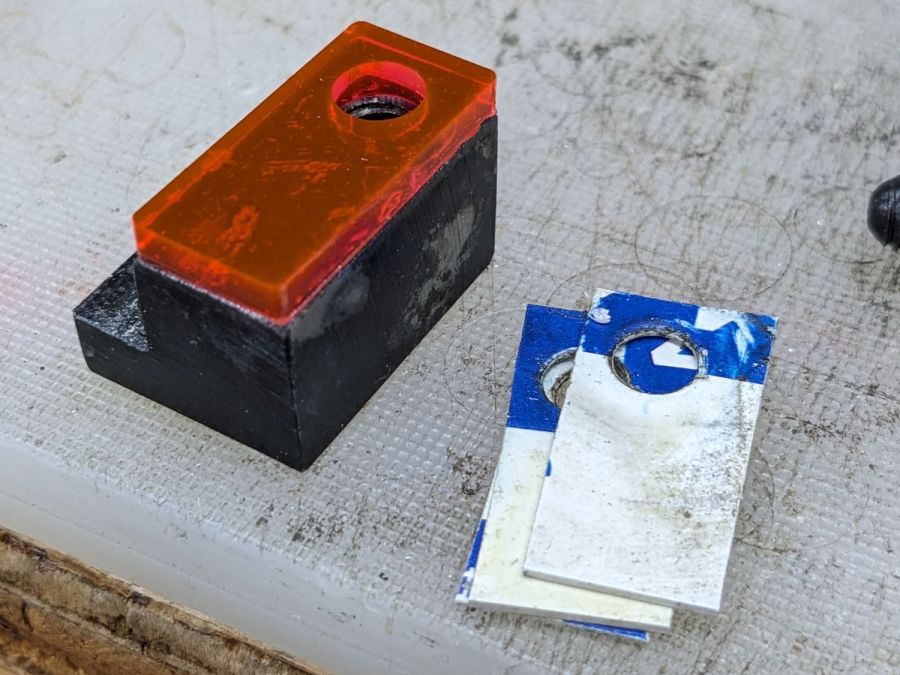
Rather than make another fixture for the backside branding, I cut adapters using the two outlines and dropped the hollow triangles into the fixture:
SCP Earrings – wood cutting fixture
Two layers of veneer feel about right, although the layers should not have their grains oriented in parallel as these do. The PSA sheet on the back veneer holds them together, but they’re too flexy for confidence.
The contrast between gentle natural wood (using a generous interpretation of “natural” for veneer with a PSA layer) and the SFnal SCP warning label symbology is definitely amusing.
Laser cutting the Danger Zone coasters with the proper kerf offset for a good fit produced a pile of waste pieces from the other side of the kerf that seemed too nice to throw out. A bit of rummaging in the Basement Shop Warehouse Wing produced a battered magnetic sign that fell off the side of another truck and some casual searching suggested the material was laser-cuttable, whereupon this happened:
Laser-cutting magnetic sheet
The trick is to cover the label side of the sign with adhesive sheet and the refrigerator side with blue painter’s tape, thereby simplifying the inevitable cleanup. Cutting through the adhesive produced poor results, perhaps due to molten adhesive or the sign material (which is almost certainly non-laser-safe PVC, alas) flowing into the cut and contaminating the process. Cutting through the blue tape worked reasonably well, albeit with a disconcerting shower of sparks.
The cutting pattern is the shape outline inset by about 0.5 mm.
Peel off the blue tape, remove the adhesive cover layer, align the outermost shape, press it down, add the rest, then admire the results:
SCP Cognitohazard – refrigerator magnets
The obvious difference in the “filament” size comes from two different kerf offsets, both on the order of 0.15 mm. It makes a big difference in narrow objects!
The Autonomous Object coaster created its own pile of scrap and you can see the gaps created by the mismatched kerf offsets:
SCP Autonomous Object refrigerator magnet
Not works of art, but they came out nicely given where they started.