The Smell of Molten Projects in the Morning

Ed Nisley's Blog: Shop notes, electronics, firmware, machinery, 3D printing, laser cuttery, and curiosities. Contents: 100% human thinking, 0% AI slop.

Author: Ed

  • Laser Cutter: Fourth Corner Adjustment

    Laser Cutter: Fourth Corner Adjustment

    The pieces of a larger scrap bin ventured into the right-front quarter of the laser platform and didn’t cut well at all:
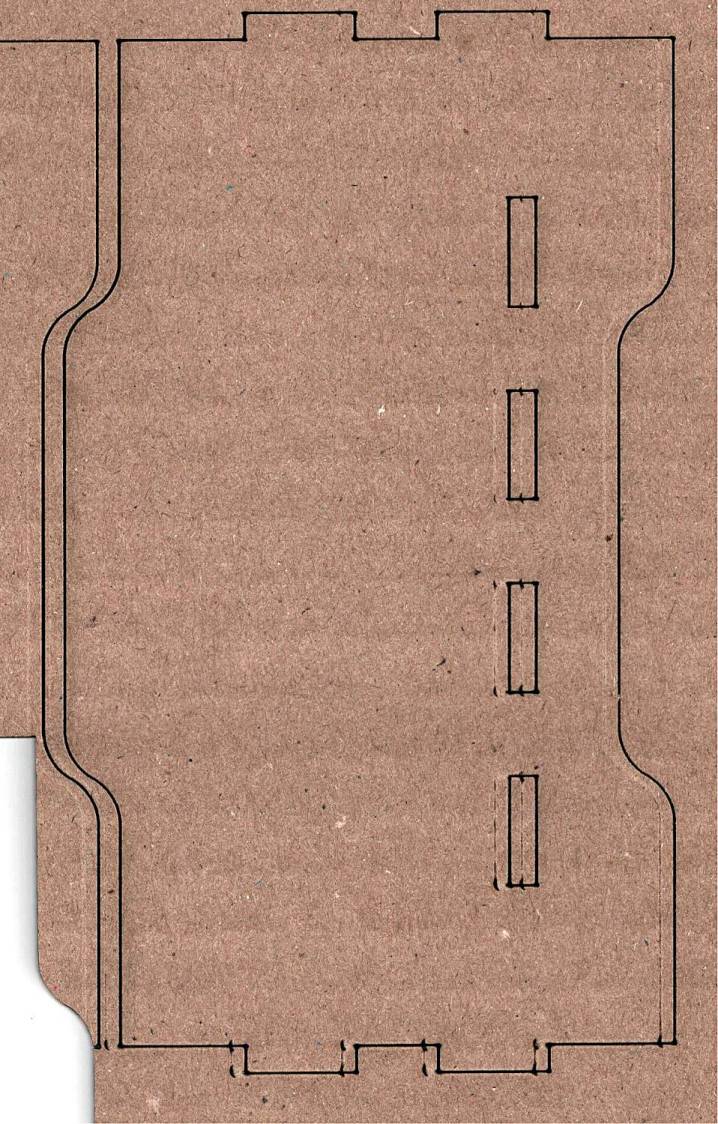
    Fourth Corner beam misalignment - 2024-05-31
    Fourth Corner beam misalignment – 2024-05-31

    A closer look at the bottom right corner of that image shows the problem in more detail:

    Fourth Corner beam misalignment - detail - 2024-05-31
    Fourth Corner beam misalignment – detail – 2024-05-31

    The intended cuts are the dark lines, each with a poorly defined scorch 2 mm on its left. Knowing that the nozzle is about 4 mm, this suggests the beam is off-center enough to juuuust kiss the nozzle and splash the outer part of the beam away.

    Having recently spot-checked the alignment and not seen any odd behavior on another platform-spanning project, this was puzzling. Given that the laser recently survived a move from one Basement Shop to another, with plenty of jostling while standing on end, I suppose I should have been more careful.

    The biggest clue was seeing the shadow lines only near the front-right corner and noting they got worse farther into the corner. This seemed like the “fourth-corner” alignment problem described by St. Sadler some years ago and covered in a more succinct recent video.

    AFAICT, the problem boils down to the difficulty of precisely aligning the beam at the longest distance it travels in the front-right corner. Careful adjustment of Mirror 1, after getting everything else lined up properly, seems to be solution.

    The initial alignment at the first two mirrors looks OK, using targets taped parallel to the mirror plane:

    Beam Alignment - Initial M1 M2 - 2024-05-31
    Beam Alignment – Initial M1 M2 – 2024-05-31

    The beam is slightly off-center at Mirror 1 and only a millimeter high on Mirror 2 at either end of the gantry travel along the Y axis.

    The beam position at the laser head entry upstream of Mirror 3 shows the problem:

    Beam Alignment - Initial M3 entry - 2024-05-31
    Beam Alignment – Initial M3 entry – 2024-05-31

    The targets are left- and right-rear, left- and right-front, with varying pulse lengths obviously underpowering the last and most distant shot.

    Looks like a classic fourth-corner problem!

    Tweaking Mirror 1 by about 1/8 turn of the adjusting screw to angle the beam vertically upward eventually put the beam dead-center at Mirror 3:
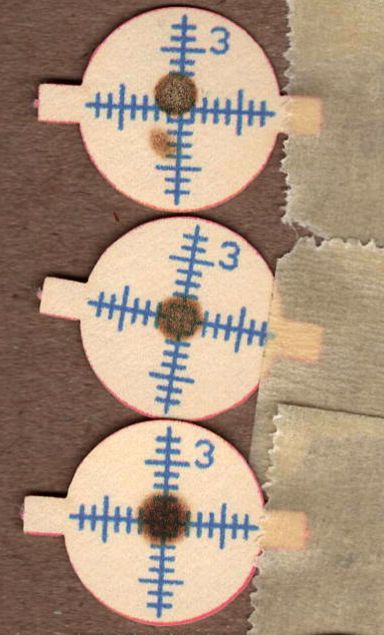
    Beam Alignment - M3 adjustments - 2024-05-31
    Beam Alignment – M3 adjustments – 2024-05-31

    The bottom two targets are double pulses at the left- & right-rear and ‑front, so the beam is now well-centered.

    A quick cross-check shows the beam remains centered on Mirror 2 at the front- and rear-end of the gantry travel, Mirror 3 is still OK, and the beam comes out of the center of the nozzle aperture:

    Beam Alignment - M2 M3 exit final - 2024-05-31
    Beam Alignment – M2 M3 exit final – 2024-05-31

    Subsequent cutting proceeded perfectly all over the platform, so I think the alignment is now as good as it gets or, perhaps, as good as it needs to be.

    Whew!
  • Laser Material Scrap Bins

    Laser Material Scrap Bins

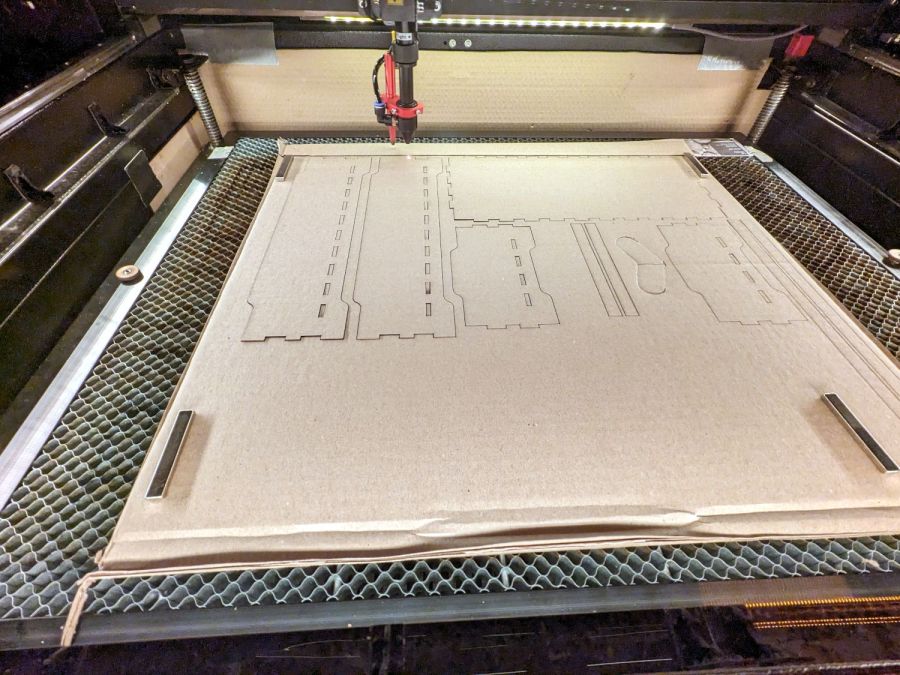
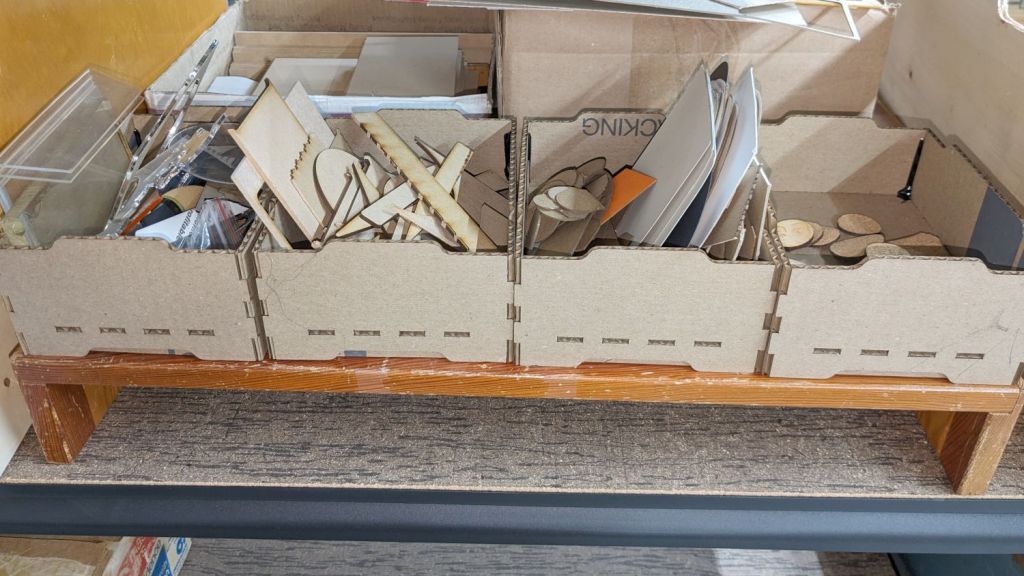
    Being in need of small bins to sort cutoffs / scrap material from the laser and now having an essentially unlimited supply of corrugated cardboard at hand, this made some sense:

    Laser scrap bins - cutting
    Laser scrap bins – cutting

    The cardboard is 3.8 mm thick and laid with the ribs parallel to the X axis to make all the parts stiff in the right direction. I rearranged the parts to fit the space available and work around the butterfly finger hole over on the right.

    The box pattern comes from the infinite supply at boxes.py (you’re welcome to the jawbreaker URL with my parameters) and assembles to become a sturdy little box:

    Laser scrap bins - in action
    Laser scrap bins – in action

    Rather than gluing all those fingers into their holes, I ran a hot melt glue bead around the bottom perimeter and up the four corners, which seems to do the trick. The fingers parallel to the X axis tend to be fragile, as only one or two corrugated ribs run along their length, but the overall box is surprisingly rigid after gluing.

    They’re nominally stackable and the pattern includes stiffeners glued across the leg openings so they don’t slide off the box below, but it’s obvious these boxes will always have too much stuff to allow stacking.

    I made a longer box for plywood scraps and may need a couple more for other stuff yet to be unpacked, but you get the general idea.

    The WordPress AI Assistant reminds me to remind you of the safety measures appropriate for using hot melt glue: consider yourself warned.

  • Balans Chair Re-footing

    Balans Chair Re-footing

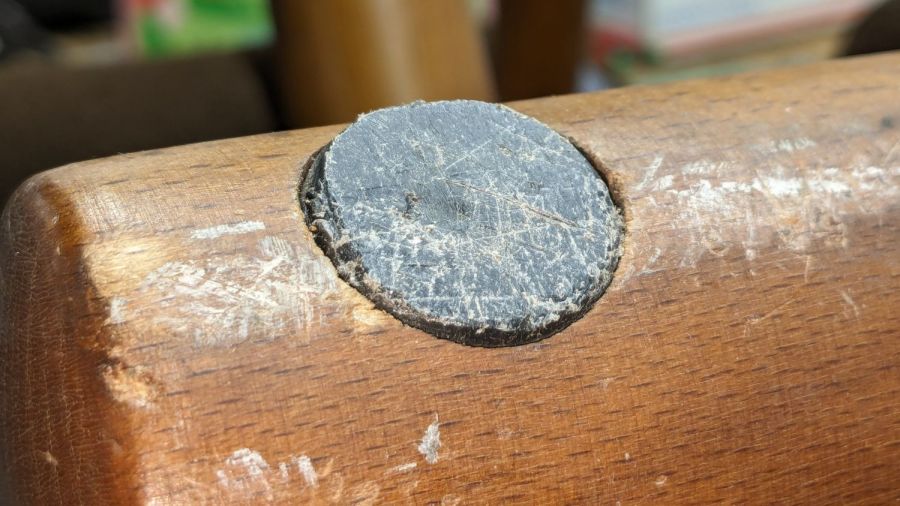
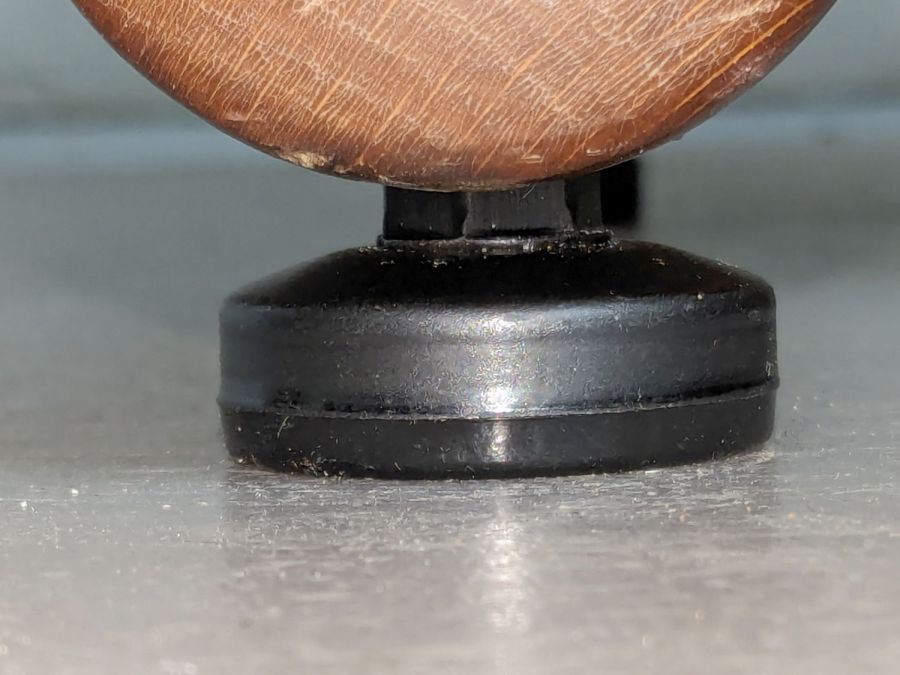
    I’ve been using what’s now called a Multi balans chair since shortly after it came out in the 80s, during which time the plastic feet have worn flat:

    Balans chair foot - foot wear
    Balans chair foot – foot wear

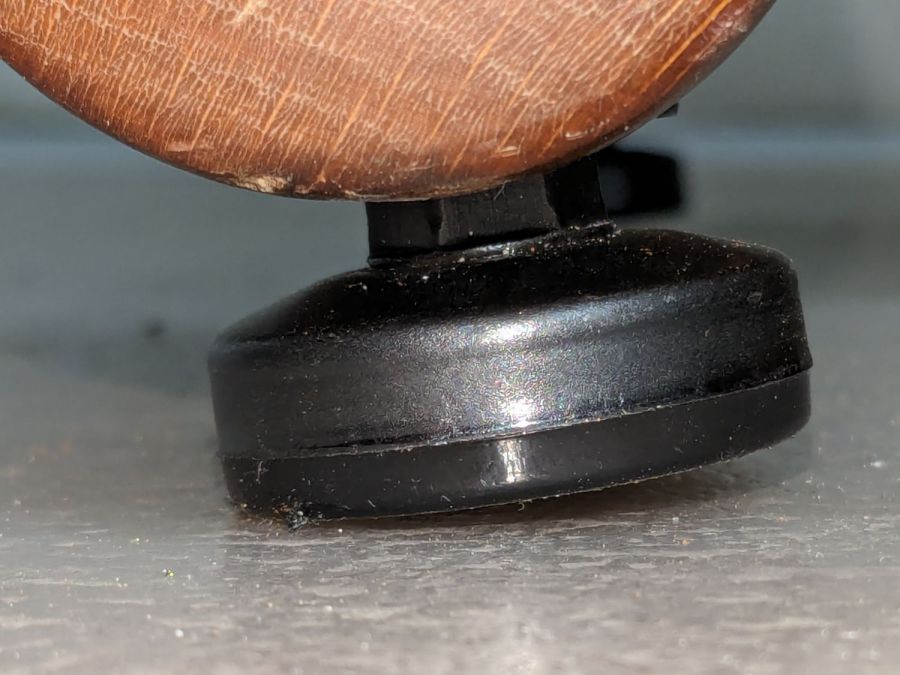
    By now, the wood bases ride on the floor, which is a Bad Thing I should have fixed long ago:

    Balans chair foot - wood wear
    Balans chair foot – wood wear

    The newer Multi chairs have rolling endcaps, but AFAICT that’s not a retrofittable thing.

    The feet have no obvious way to get them out, but after I saw how thin the plastic had become on one foot, some experimental carving solved the problem:

    Balans chair foot - OEM foot removal
    Balans chair foot – OEM foot removal

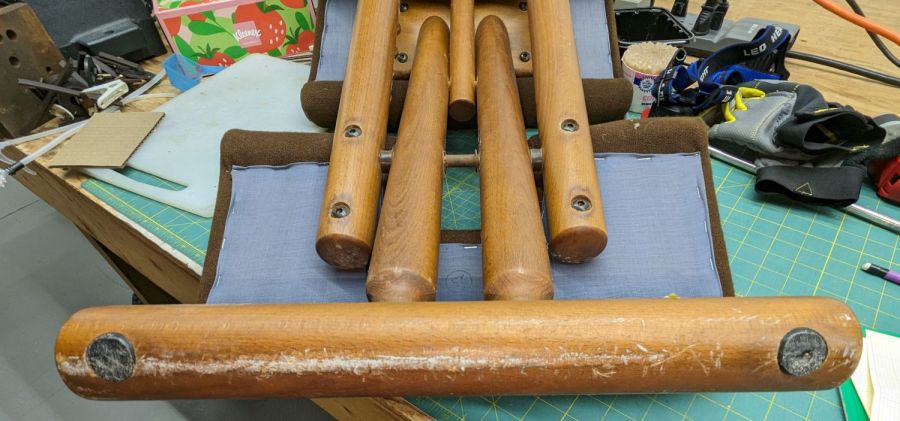
    A large bolt threaded into the crude hole provided enough griptivity to yank the feet out:

    Balans chair foot - removed feet
    Balans chair foot – removed feet

    With measurements in hand, I picked up a quartet of furniture leveling feet with M10 stems and tee nuts that exactly fit into the recesses:

    Balans chair foot - tee nut fit
    Balans chair foot – tee nut fit

    I generally buy from sellers who include measurements in their descriptions, although I no longer believe any unit-measurement prices. Most of the time the sizes come out close enough to reality for my simple needs.

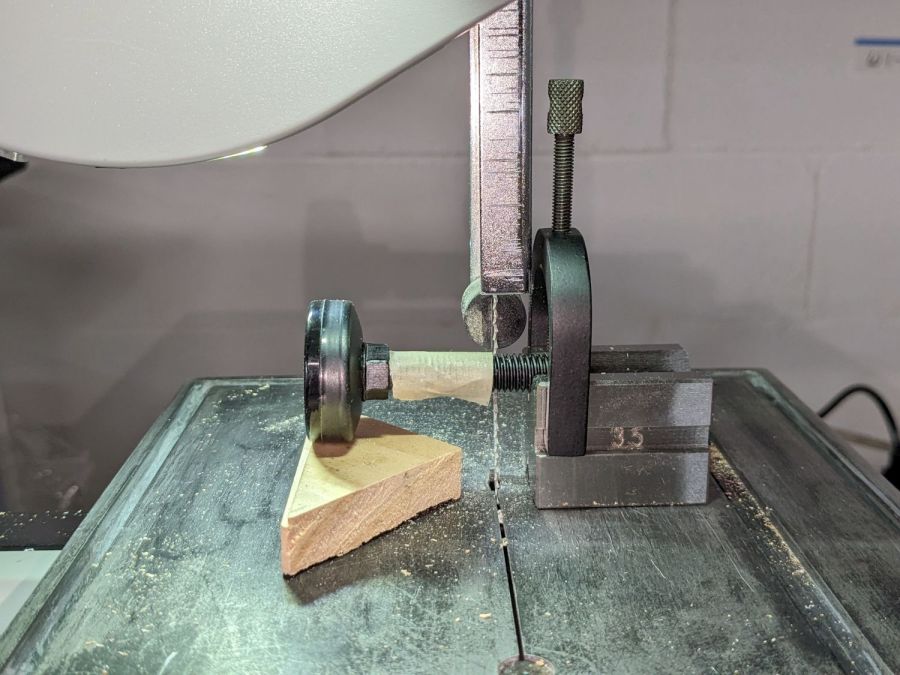
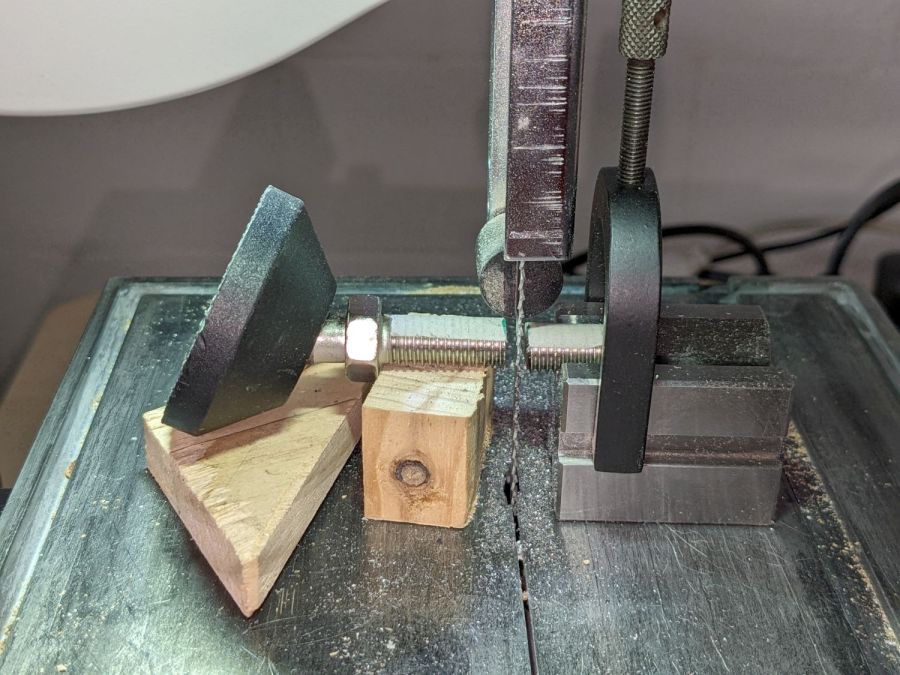
    The stems were, of course, too long, but that’s easy to fix:

    Balans chair foot - cutting stem
    Balans chair foot – cutting stem

    The saw does yank the stem down at the last moment, but cutting slow & steady thins the steel and reduces the drama to manageable proportions. Fitting a scrap of wood exactly under the screw would be a much better technique; be it so moved.

    With the chair set to the mid-angle position I normally use, the feet meet the floor almost perfectly:

    Balans chair foot - straight foot contact
    Balans chair foot – straight foot contact

    At the steepest angle, things get skewed:

    Balans chair foot - angled foot contact
    Balans chair foot – angled foot contact

    Applying my nearly perfect hindsight, I got a set of swiveling feet and found an appropriate scrap of wood:

    Balans chair foot - swivel foot cutting
    Balans chair foot – swivel foot cutting

    Zero drama!

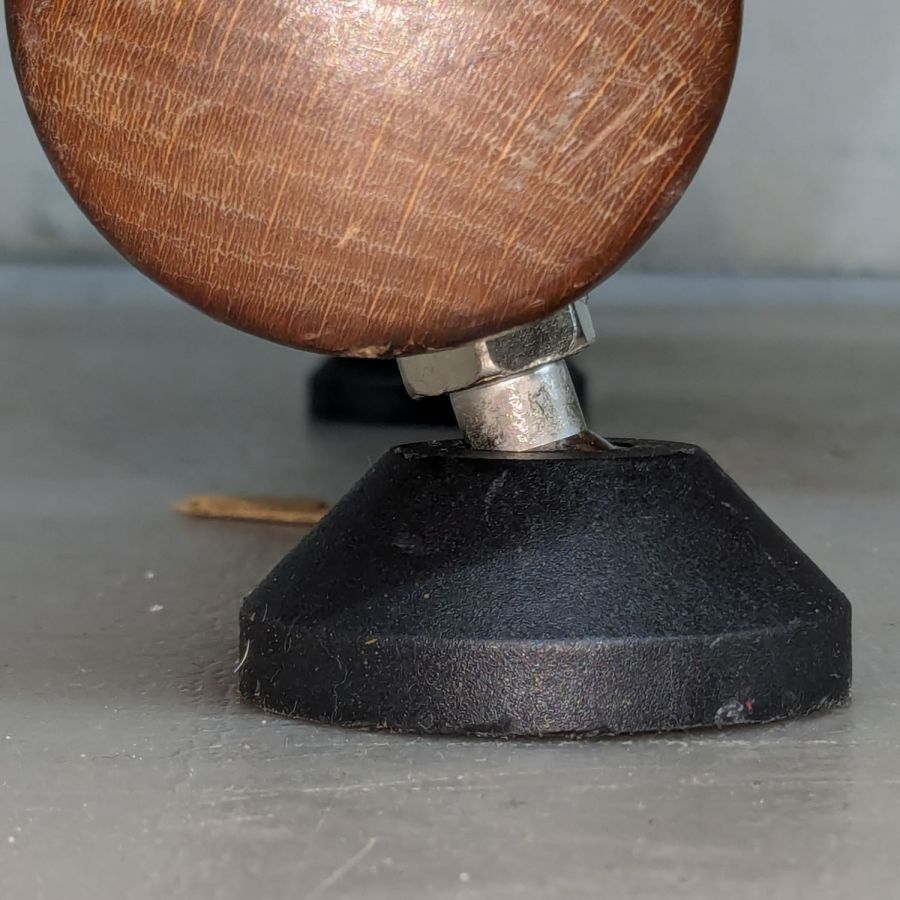
    Which looks exactly like it should with the chair at the steepest angle:

    Balans chair foot - swivel foot contact
    Balans chair foot – swivel foot contact

    The chair now sports two pairs of feet:

    • Straight feet on the rear
    • Swivel feet on the front

    Now, to see how they survive on a chair, rather than motionless furniture.

    If you have any idea why the WordPress AI image generator would come up with this, let me know:

    Balans chair foot - WP AI image
    Balans chair foot – WP AI image

    That’s not hallucination, it’s just plain irrelevant.

    For the record, we also have a couple of equally ancient Variable balans chairs.

  • Improvised Table Leg Latch

    Improvised Table Leg Latch

    While setting up the small table I conjured from scrap, I discovered one of the folding legs no longer had a latch to keep it from folding. Whether it never had one or the latch got lost along the way, there’s no time like the present:

    Table leg latch - installed
    Table leg latch – installed

    The bolt I put there in place of the joint rivet precludes a smaller latch along the lines of the simple steel loop on the other leg, so I figured I may as well go large and, with that much surface area, plywood will work just as well as steel for my simple needs.

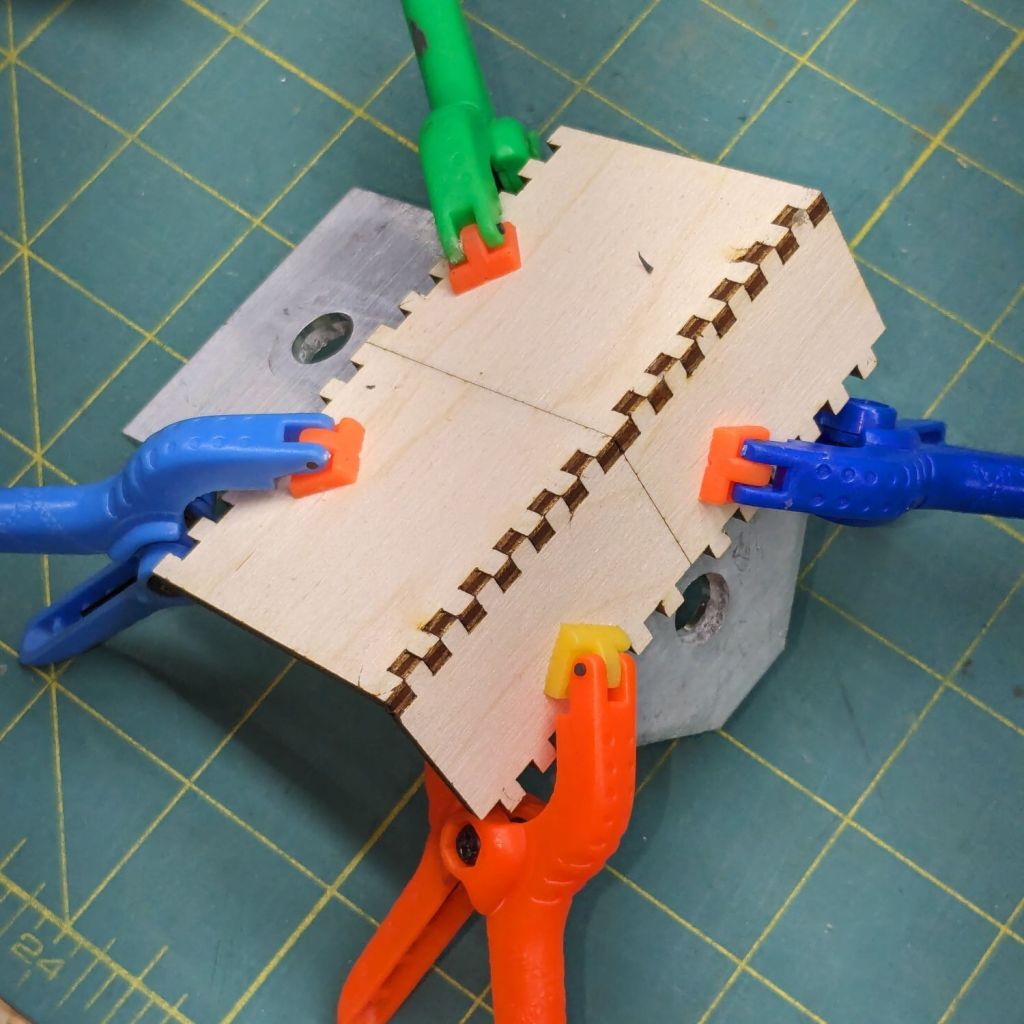
    It’s a topless, bottomless box from the infinite supply at boxes.py, here seen with its halves being glued at right angles on an aluminum bracket:

    Table leg latch - gluing
    Table leg latch – gluing

    When those set, I glued & clamped them together in situ, then wrapped the whole mess with what’s basically high-strength friction tape to encourage it to not come too far apart under the inevitable stress when the leg tries to fold with a pile of stuff on the table.

    We’ll see how long this survives; if past experience is any guide, it’ll be a while.

    The WordPress AI image generator has a shaky grasp of both human anatomy and the blog topic:

    Woodwork design by Escher. What is that interesting tool? So many arms, all with nightmare fuel anatomy!

  • Sillcock Faucet Alignment Wedge: Getting the Angle Right

    Sillcock Faucet Alignment Wedge: Getting the Angle Right

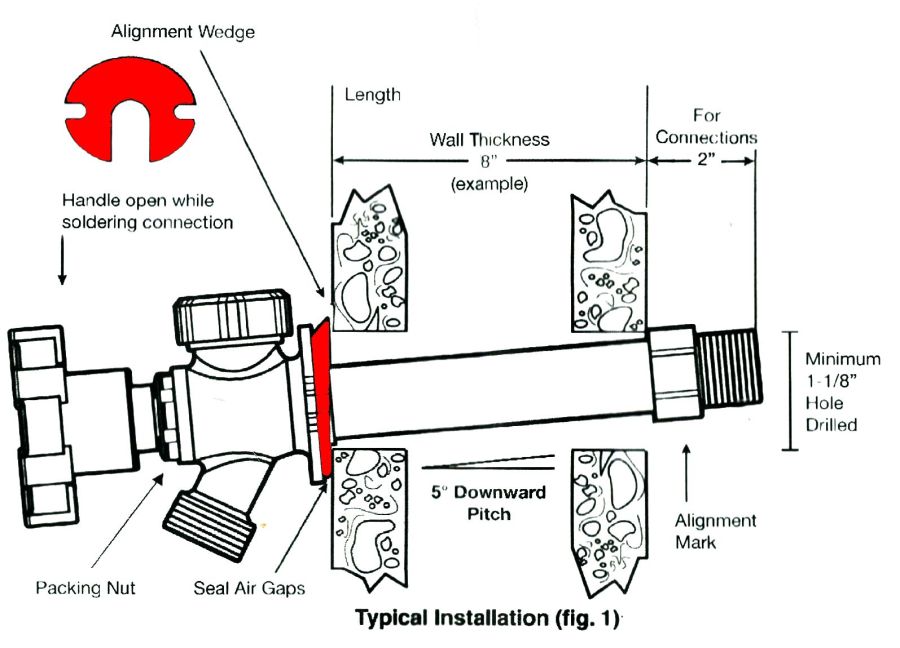
    A pair of frost-free sillcock faucets arrived to replace the house’s leaky and un-repairable hose bibs. The faucet must be mounted at a 5° angle to let the water drain out when it’s closed:

    Everbilt Frost-Free Sillcock faucet - installation
    Everbilt Frost-Free Sillcock faucet – installation

    One might expect the Alignment Wedge included with the faucet to have a 5° angle. Because I can both measure and math, it has a 1° angle.

    Well, I can fix that.

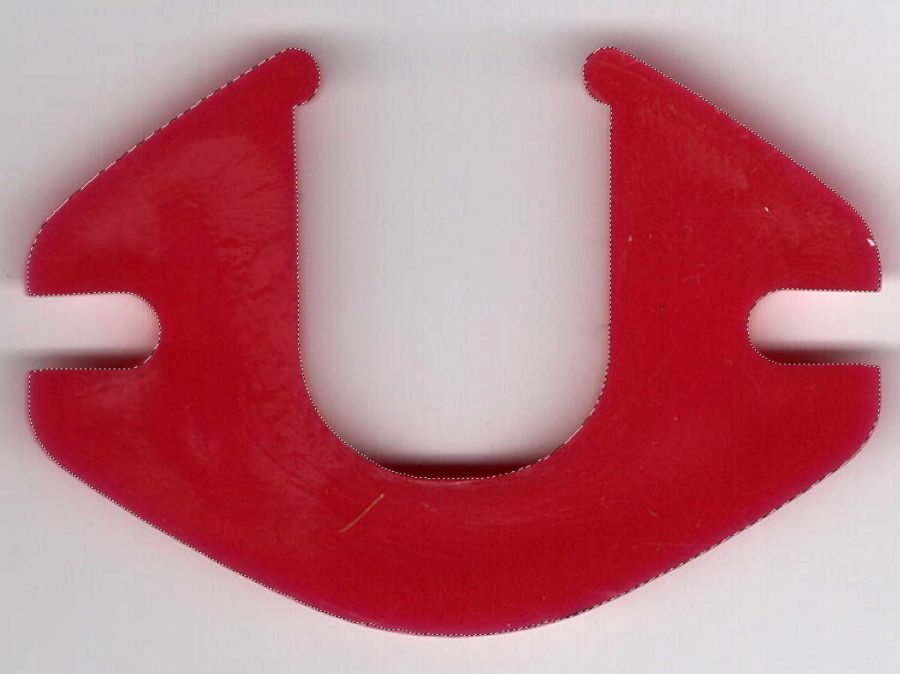
    Start by scanning the bottom (widest side) of the wedge and apply GIMP’s Select by color tool:

    Sillcock faucet alignment wedge - GIMP color selection
    Sillcock faucet alignment wedge – GIMP color selection

    After a little manual cleanup in Quick Mask mode, apply a 1 mm inset to ensure it snaps around the pipe, convert the selection to a path, export it as an SVG image, and import it into OpenSCAD to cut the angle:

    // Sillcock faucet alignment wedge
    // Ed Nisley KE4ZNU - May 2024
    
    MaxThick = 5.0;
    Tilt = -5.0;
    
    PlateOA = [60,40,MaxThick];   // XY = original angle plate size
    
    difference() {
      linear_extrude(height=MaxThick,convexity=5)
        offset(r=-1.0)
          import("/mnt/bulkdata/Cameras/2024/Shop Projects/Sillcock Faucets/Sillcock faucet angle washer - outline.svg",
                 center=true);
       translate([-PlateOA.x/2,-PlateOA.y/2,MaxThick])
         rotate([Tilt,0,0])
            cube(PlateOA,center=false);
    }
    

    The solid model goes into PrusaSlicer for duplication & slicing:

    Sillcock faucet alignment wedge - PrusaSlicer layout
    Sillcock faucet alignment wedge – PrusaSlicer layout

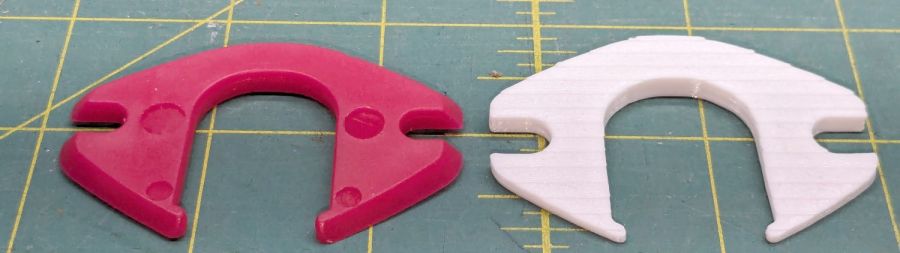
    And comes off the printer looking just about like you’d expect:

    Sillcock faucet alignment wedge - OEM vs printed
    Sillcock faucet alignment wedge – OEM vs printed

    The far side of both wedges are 5 mm tall, but you can see the difference four more degrees makes in the front.

    It’s even more obvious from the edge:

    Sillcock faucet alignment wedge - on pipe
    Sillcock faucet alignment wedge – on pipe

    The wood siding where these will fit is perfectly vertical, so getting the wedge angle right isn’t really optional.

    I must drill the existing hole in the sill plate out to 1-1/8 inch to clear the pipe fittings, plus the wood around the screws holding the current bibs to the wall will surely need some buttressing, but all that’s in the nature of fine tuning.

    FWIW, this was the first 3D print after the move and I’m happy to say the M2 had no any need of adjustments.

    The WordPress AI image generator apparently ignored the post text and produced a stylin’ picture of an arched bathroom faucet over a rimless sink, which I shall leave to your imagination.

  • Baofeng UV-5 Wiring Plate Globbery

    Baofeng UV-5 Wiring Plate Globbery

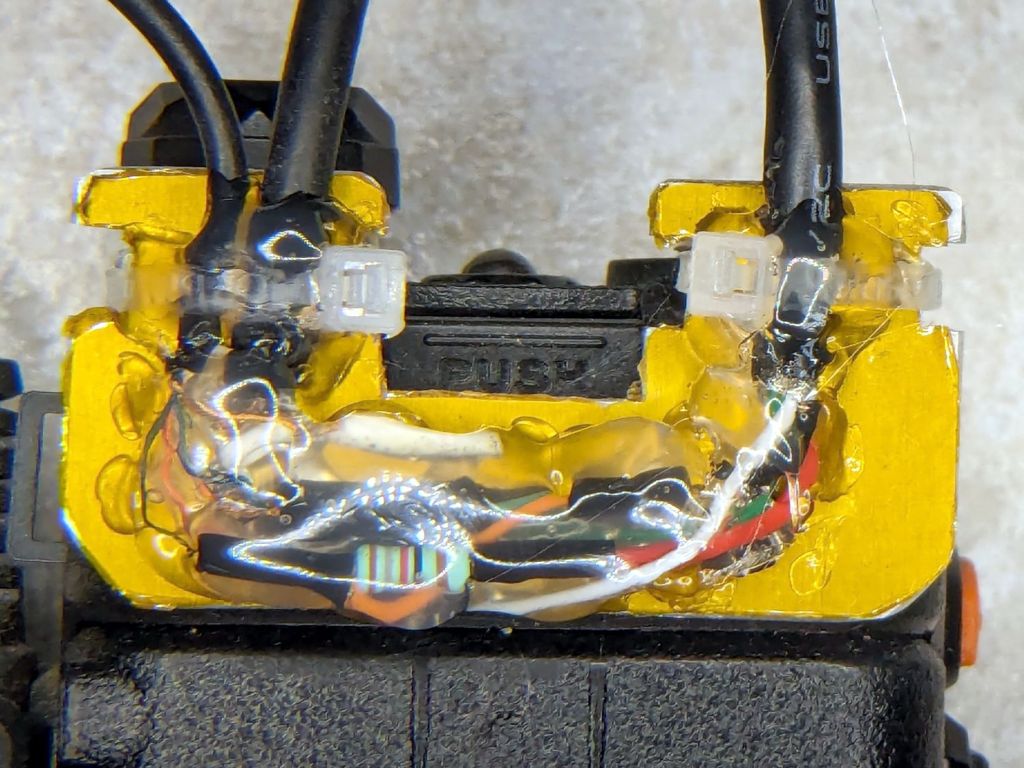
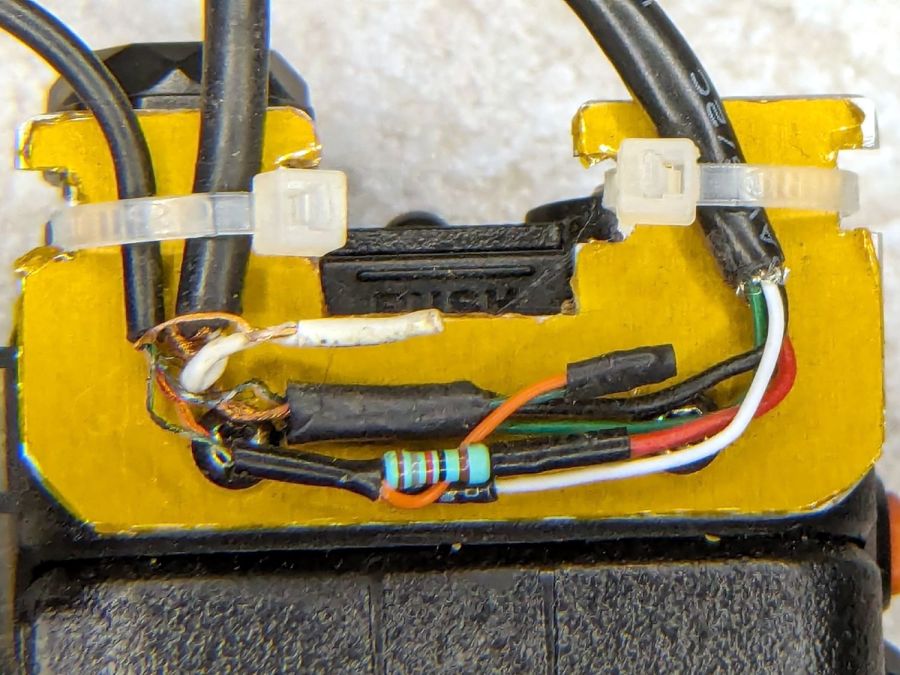
    The weekly battery swap revealed the dismal state of the headset wires on Mary’s radio:

    Baofeng wiring plate - loose wires
    Baofeng wiring plate – loose wires

    That’s after sorting & disentangling loose ends, ramming cables under their ties, and generally tidying things up.

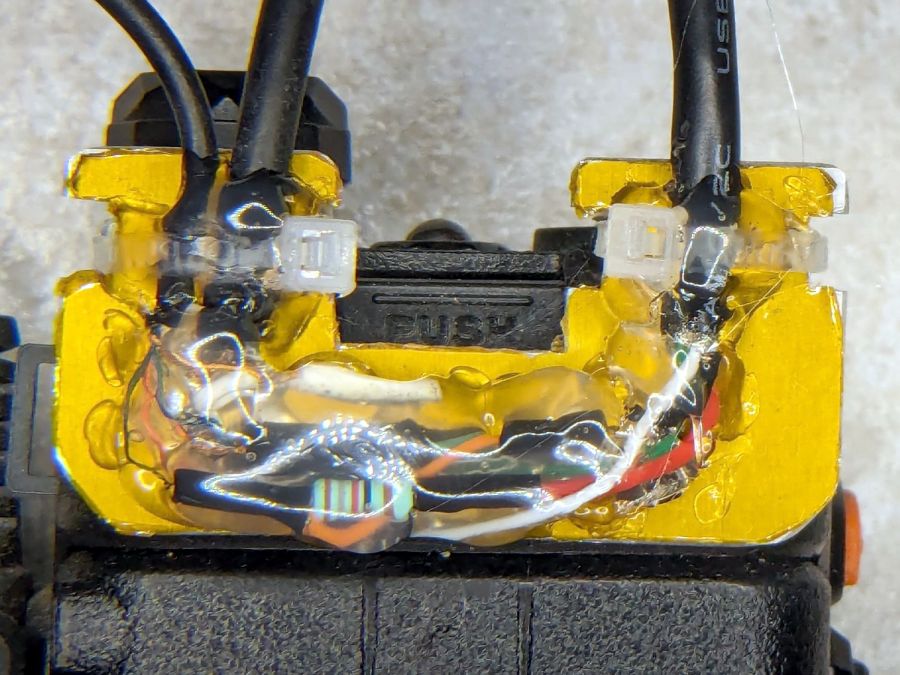
    Which suggested an improvement I should have done long ago:

    Baofeng wiring plate - globbed
    Baofeng wiring plate – globbed

    Verily, it is written: the bigger the blob, the better the job.

    Gotta glob my bike the next time around.

    Update: It’s hot melt glue!

  • ssh_agent vs. The New Hotness

    ssh_agent vs. The New Hotness

    A recent Manjaro update killed whatever magic held the passwords used for public-key ssh access from my desktop box, requiring me to remember the passords and type them correctly.

    After considerable thrashing around doing what I thought I knew about ssh_agent (which, yes, was being autostarted to no avail), it seems that thread applies and the fix now requires creating /etc/profile.d/gcr-keyring.sh with this burst of line noise:

    export SSH_AUTH_SOCK=$XDG_RUNTIME_DIR/gcr/ssh
    

    Then tell systemd about it:

    systemctl --user enable gcr-ssh-agent.socket
    systemctl --user enable gcr-ssh-agent.service
    

    Whereupon, after a reboot presumably causing systemd to make the right thing perform the right act at the right time, It Just Worked™.

    I used to have some mild sysadmin mojo, but obviously if you don’t do it all the time, everything you think you know becomes wrong.

    The WordPress AI did generate an image based on the above text and the prompt linux overlapping windows on monitor:

    WP AI Image - linux overlapping windows on monitor
    WP AI Image – linux overlapping windows on monitor

    Which looks a lot like those stock photos filling otherwise empty space in spammy web pages, doesn’t it? In point of fact, the AI Feedback on Post had this to say:

    While the AI-generated image may align with the content, consider using original or more contextually relevant visuals to maintain the professional look of the website.

    Couldn’t have put it better myself. Thank you, AI image & text generators, for your help.