The Smell of Molten Projects in the Morning

Ed Nisley's Blog: Shop notes, electronics, firmware, machinery, 3D printing, laser cuttery, and curiosities. Contents: 100% human thinking, 0% AI slop.

Author: Ed

  • Dell Inspiron E1405 vs. Ubuntu 14.04LTS vs. Broadcom Drivers

    So the ancient Dell E1405 laptop on the Electronics Bench, connected to this-and-that, woke up without network connections. As in, right after booting, the link and activity lights jammed on solid, the usual eth0 device wasn’t there, WiFi was defunct, and nothing made any difference.

    After a bit of searching, the best summary of what to do appears on the Ubuntu forums. The gist of the story, so I need not search quite so much the next time, goes like this:

    The laptop uses the Broadcom BCM4401 Ethernet and BCM4311 WiFi chips, which require the non-free Broadcom firmware found in the linux-nonfree-firmware package. There’s a proprietary alternative in bcmwl-kernel-source that apparently works well for most Broadcom chips, but not this particular set.

    Guess which driver installed itself as part of the previous update?

    The key steps:

    sudo apt-get purge bcmwl-kernel-source
    egrep 'blacklist (b43|ssb)' /etc/modprobe.d/*
    ... then manually kill any files that appear ...
    

    Apparently that problem has been tripping people for at least the last four years. That this is the 14.04 Long Term Support version evidently has little to do with anything at all.

    While I was at it, I deleted all the nVidia packages that somehow installed themselves without my noticing; the laptop has Intel 945 integrated graphics hardware.

    I vaguely recall what I intended to do before this happened…
  • IBM L191p Monitor Stand Disassembly

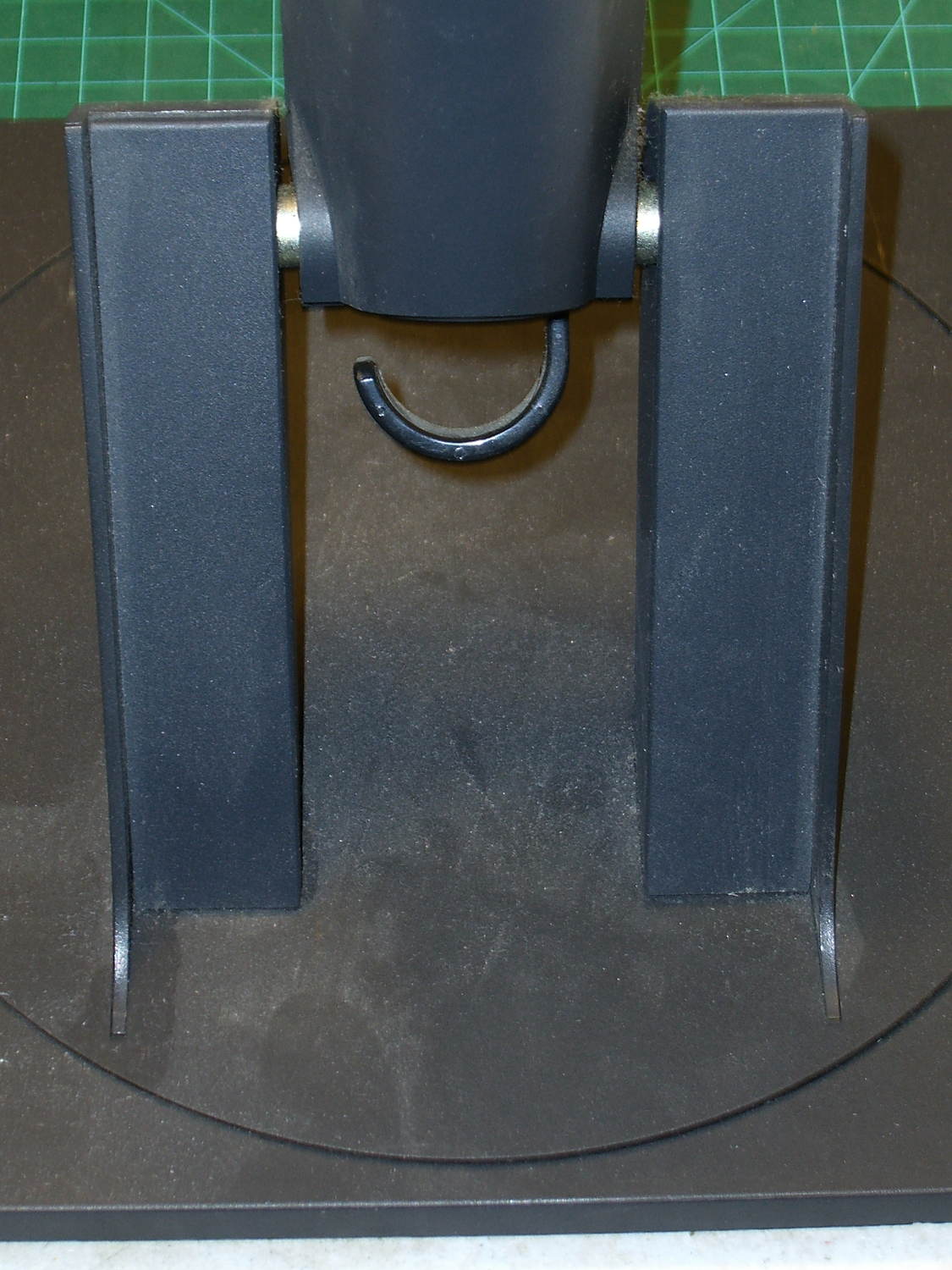
    Our Larval Engineer expressed a need for some monitors, so I dispatched a pair of IBM L191p panels from the heap. Despite reusing a gargantuan box from the Dell U2713HM monitor, I had to disassemble the struts from their swiveling base to fit everything inside.

    The intact base has no obvious affordance to remove the covers:

    L191p Monitor Stand - struts intact
    L191p Monitor Stand – struts intact

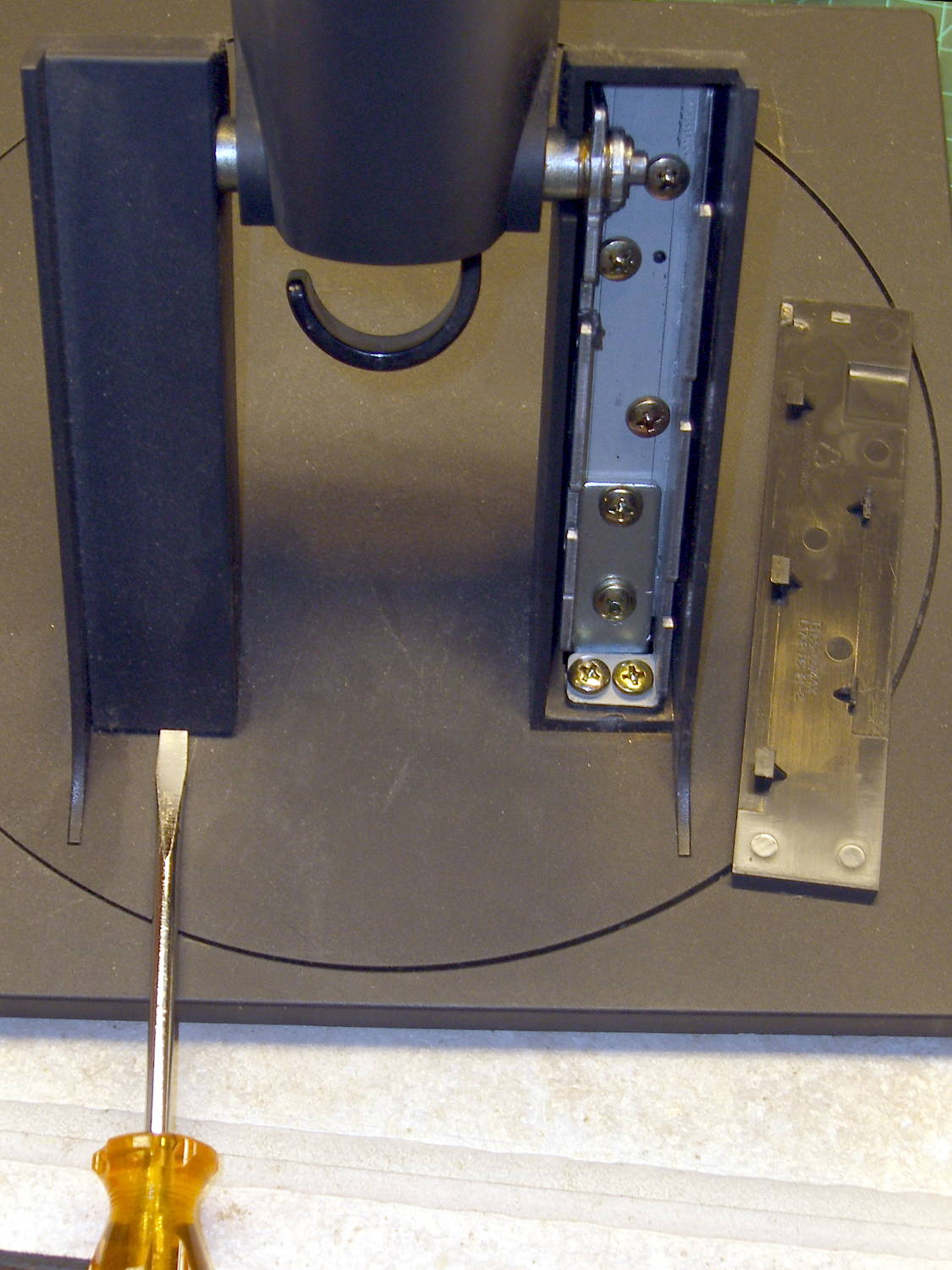
    After taking the bottom apart, I discovered that you just poke a screwdriver under each cover and it slides upward and off:

    L191p Monitor Stand - struts cover removal
    L191p Monitor Stand – struts cover removal

    Duh & similar remarks.

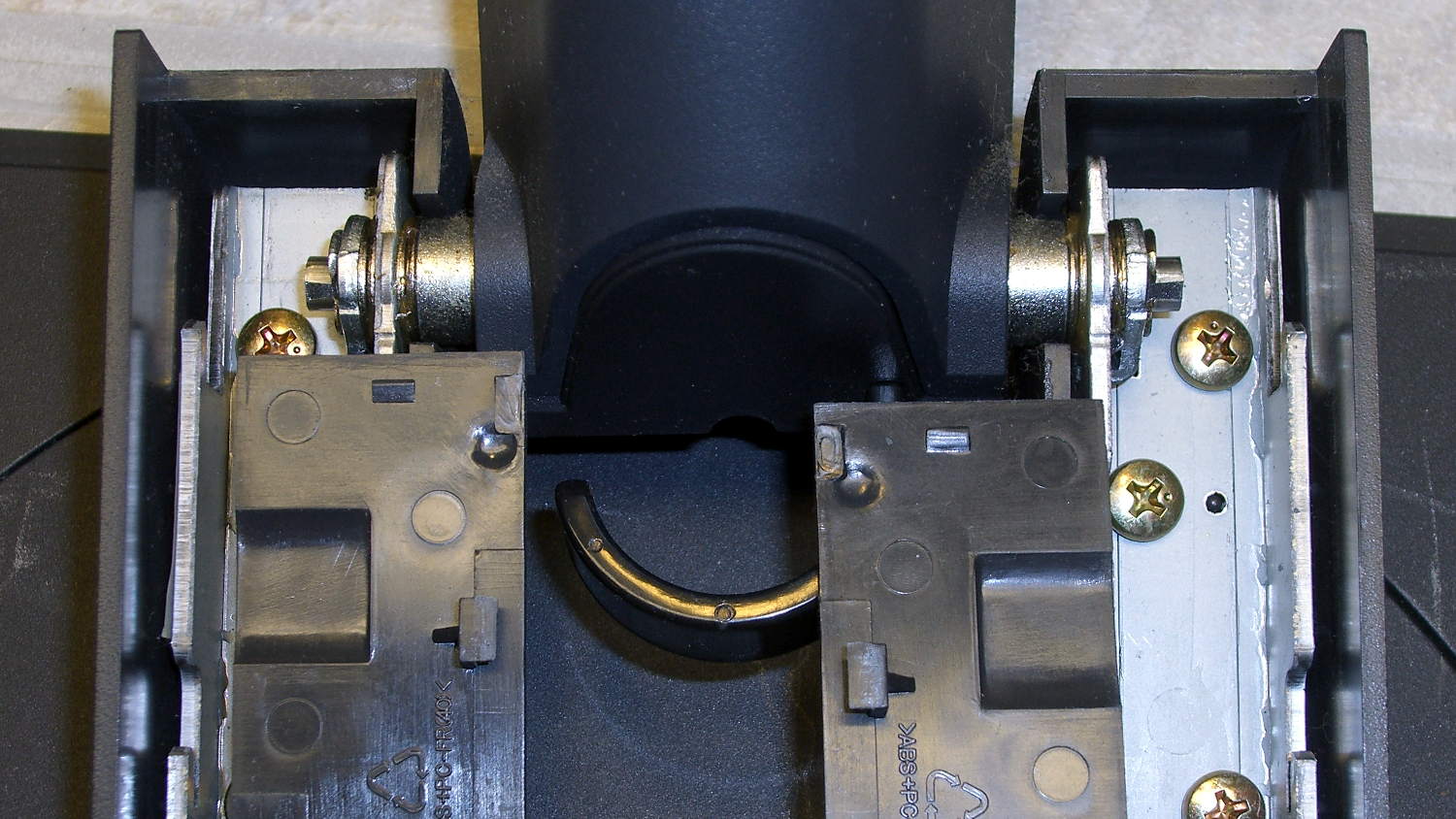
    The two covers are not interchangeable:

    L191p Monitor Stand - struts cover handedness detail
    L191p Monitor Stand – struts cover handedness detail

    Removing two pairs of screws from each strut releases them from the base:

    L191p Monitor Stand - struts disassembled
    L191p Monitor Stand – struts disassembled

    The projecting horns on the outboard side of those struts are exactly as delicate as you think.

    I put a piece of thick cardboard sheathed in closed-cell foam between the LCD screens that separated their bezels (minus cutouts for the buttons), then taped them together face-to-face. Add foam peanuts, drop in the monitors, nestle struts beside monitors, add rigid foam blocks all around and between, put flat bases atop monitors with a foam slab protecting those strut brackets, over-stuff the box with more peanuts, forcibly tape the thing closed, and it survived the trip in good order.

    A pair of 1280×1024 monitors isn’t worth insuring these days, though.

  • Dell 2005FPW Monitor Disassembly & Recapping

    The Dell 2005FPW monitor that I’d been using in portrait mode suffered the common failure of rebooting itself, which suggested failing capacitors. Despite my reservations, I dropped eleven bucks on a repair kit containing exactly the right caps (from sunny California via eBay), hauled the carcass to a couple of Squidwrench sessions, replaced the offending caps, and it’s all good again.

    No pix of the recapping, but a few notes that may prove useful next time.

    The standard advice from the usual Internet Sages recommends prying the bezel apart along the nearly invisible outside joint. I did that, then found the user manuals and the Fine Repair Manual and discovered that you jam your fingernails under the inside of the bezel against the LCD screen, pry upward, rotate / bend the bezel around its outer edge, and it Just Pops Off. I doubt it’s that easy, but …

    You should start from the top of the bezel, because the PCB behind the buttons & LEDs along the bottom doesn’t have a whole lot of slack in its cable. This shows the PCB and disconnected cable:

    Dell 2005FPW monitor - button PCB cable
    Dell 2005FPW monitor – button PCB cable

    Just pull the small brown latch away from the cable and the cable will slide out. That would be significantly easier if the socket were on the backside of the PCB, but you must pop the PCB out of its own latches before you get access to the socket latch. Rotate the bezel carefully around the PCB and maybe it’ll survive.

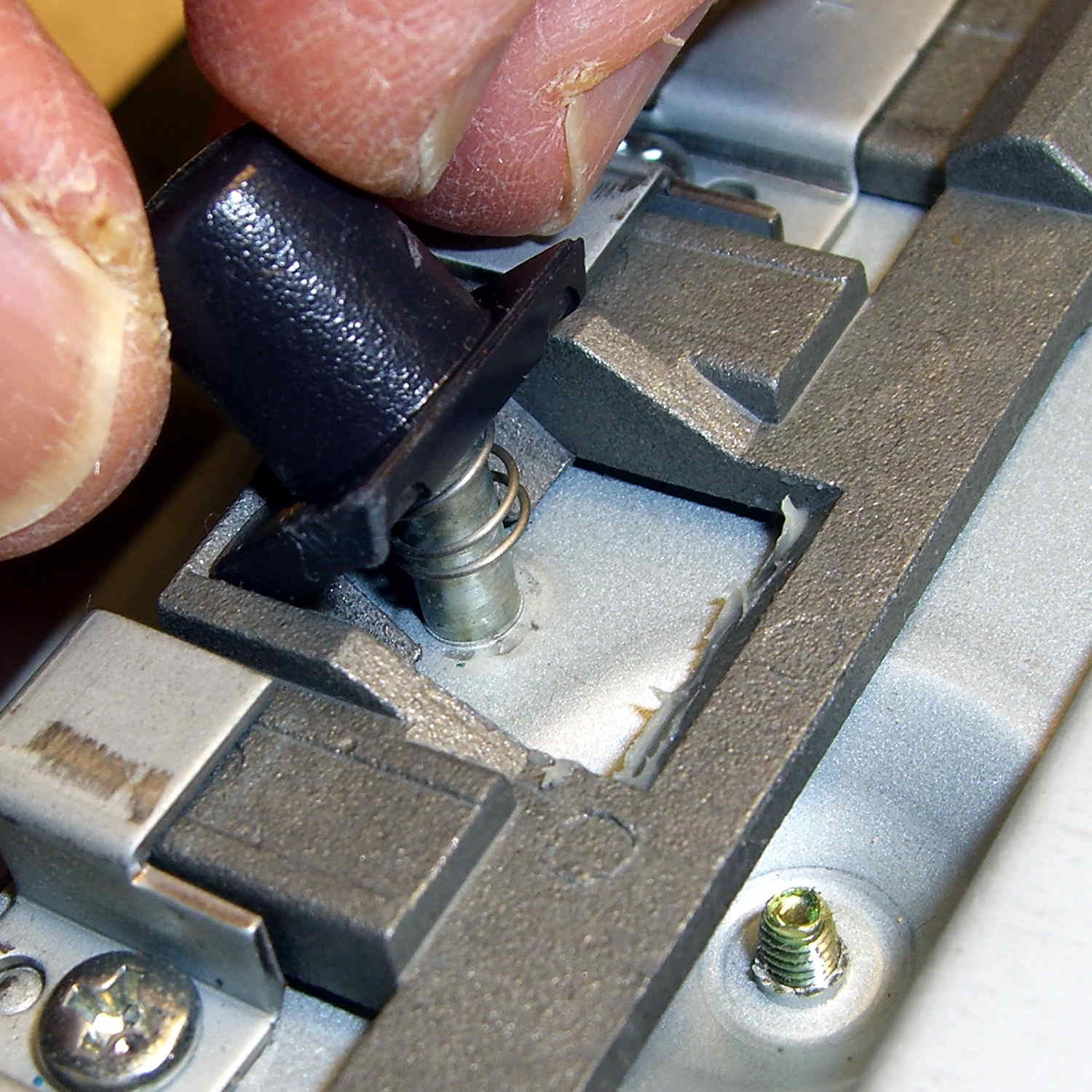
    The pushbutton that releases the stand’s not-quite-a-VESA-mount bracket remains in place when you remove the rear cover, held in place by a wedge:

    Dell 2005FPW monitor - mount release button detail
    Dell 2005FPW monitor – mount release button detail

    It is, however, the only thing sticking that far out of the back surface and, if you leave it alone, it will eventually release itself from captivity, whereupon its spring will fire it across the room. You have been warned.

    Reassembly is in reverse order, although I didn’t snap the button-and-LED PCB firmly into place. Fixing that will require dismounting the bezel again, which I’m so not doing for a 1 mm gap along the bottom edge.

  • Kenmore 158: Bobbin Winder Repair

    For reasons which are, trust me on this, not relevant here, we now have a third Kenmore 158 sewing machine: a freebie that sat under a roof leak in an unused room some years ago and wasn’t cleaned before being stored. Even though not much water got inside the covers, the bobbin winder shaft froze solid.

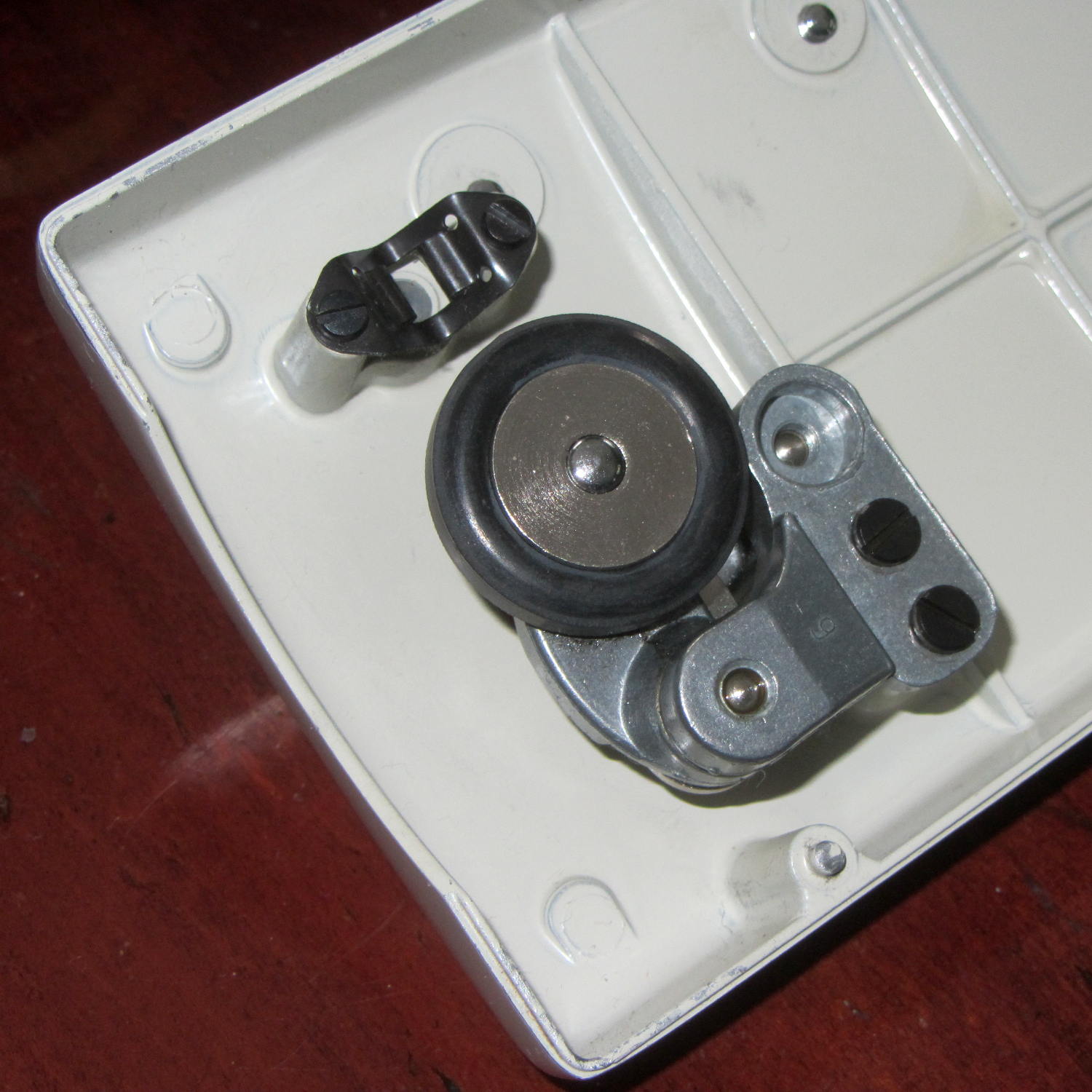
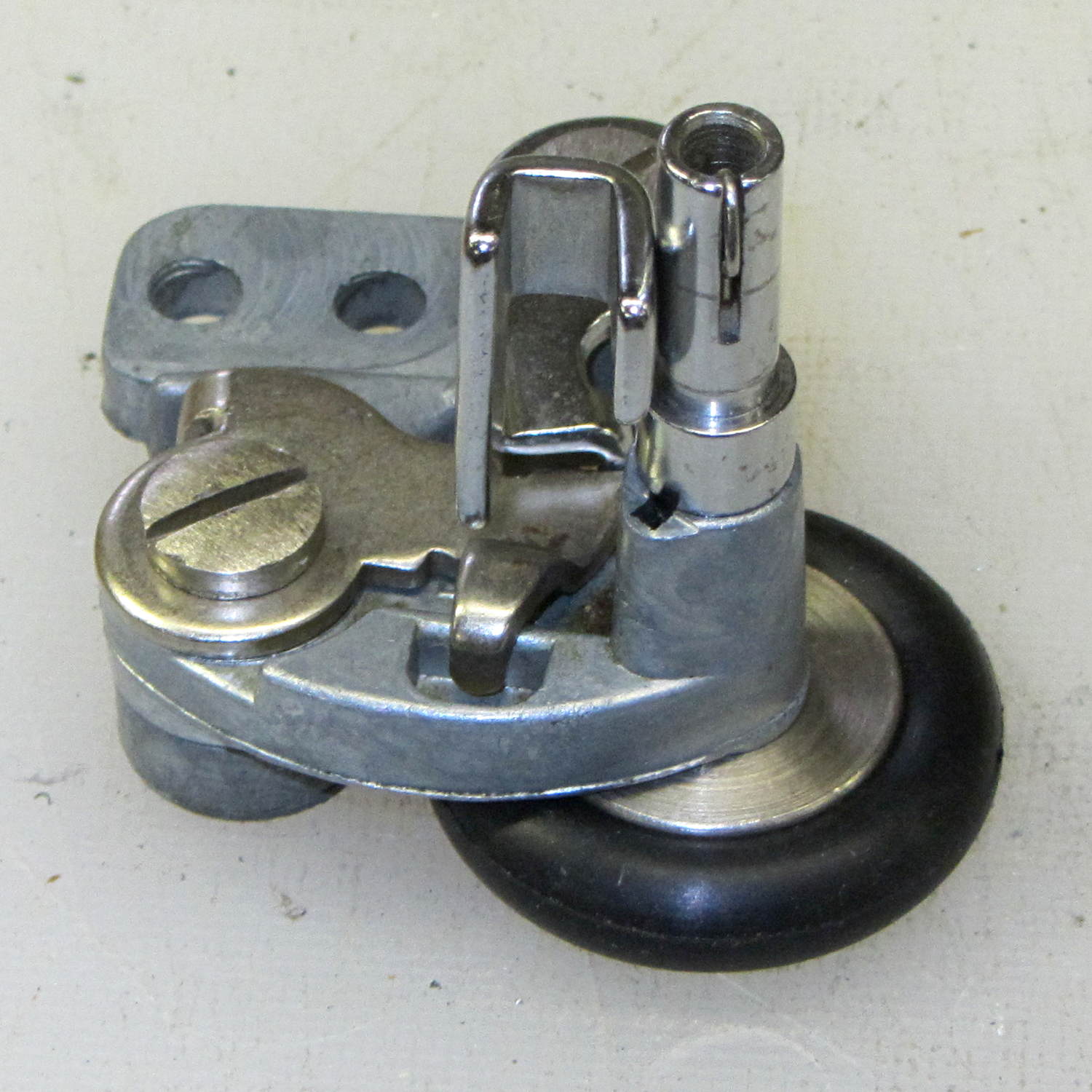
    Two black screws hold it to the cover and provide a slight adjustment of the tire-to-handwheel distance:

    Bobbin Winder - old tire
    Bobbin Winder – old tire

    Prior to this adventure, I soaked the shaft in penetrating oil for a week or two, but to no avail.

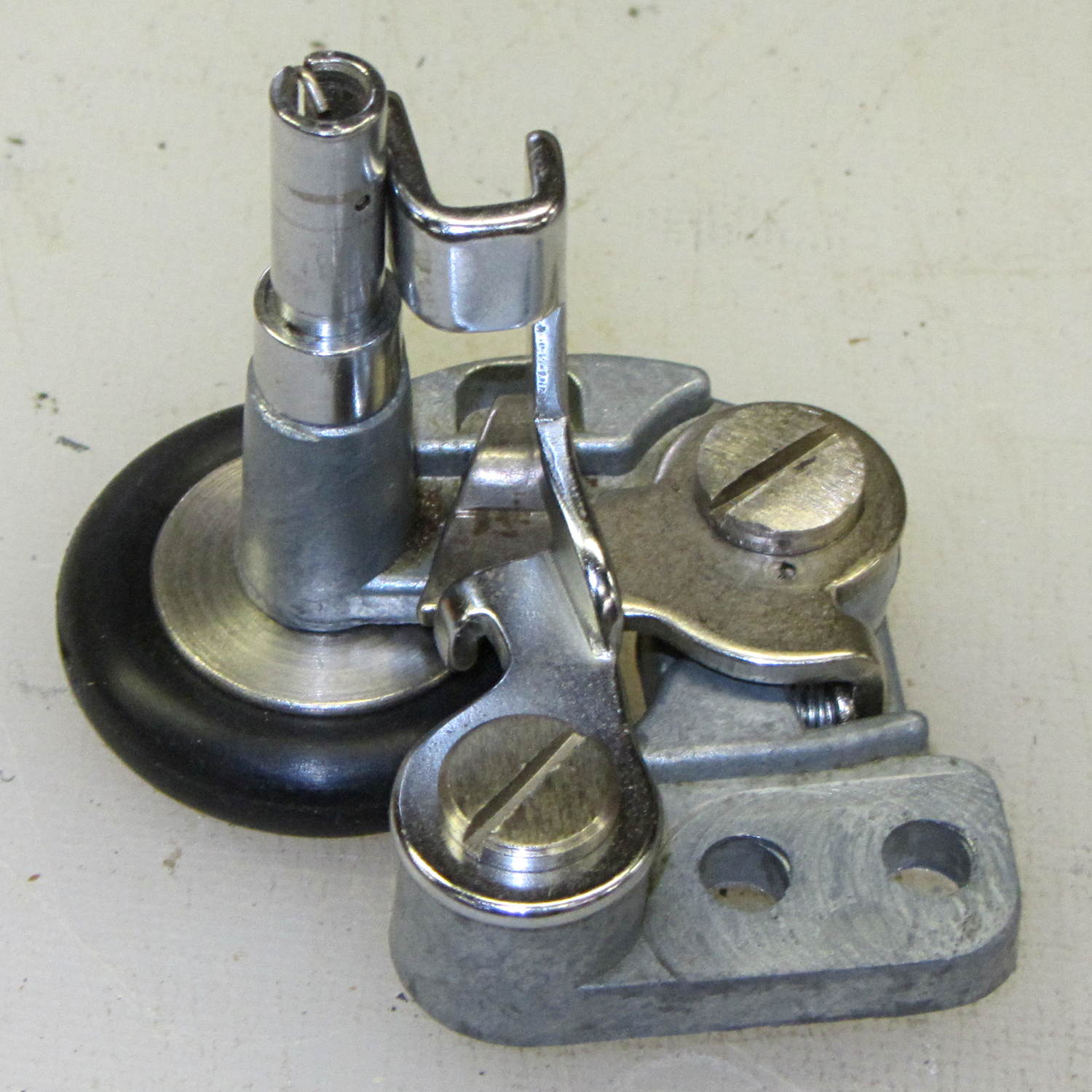
    I didn’t take any before-the-repair photos, but it looked like this afterward, with the new tire installed…

    From the top right (looking over the handwheel):

    Bobbin Winder - assembled - top right
    Bobbin Winder – assembled – top right

    Notice the small rectangular hole just below the larger section of the shaft in the protruding part of the pot metal housing. That’s supposed to be an oil hole, but it’s also a fine water inlet.

    From the top left:

    Bobbin Winder - assembled - top left
    Bobbin Winder – assembled – top left

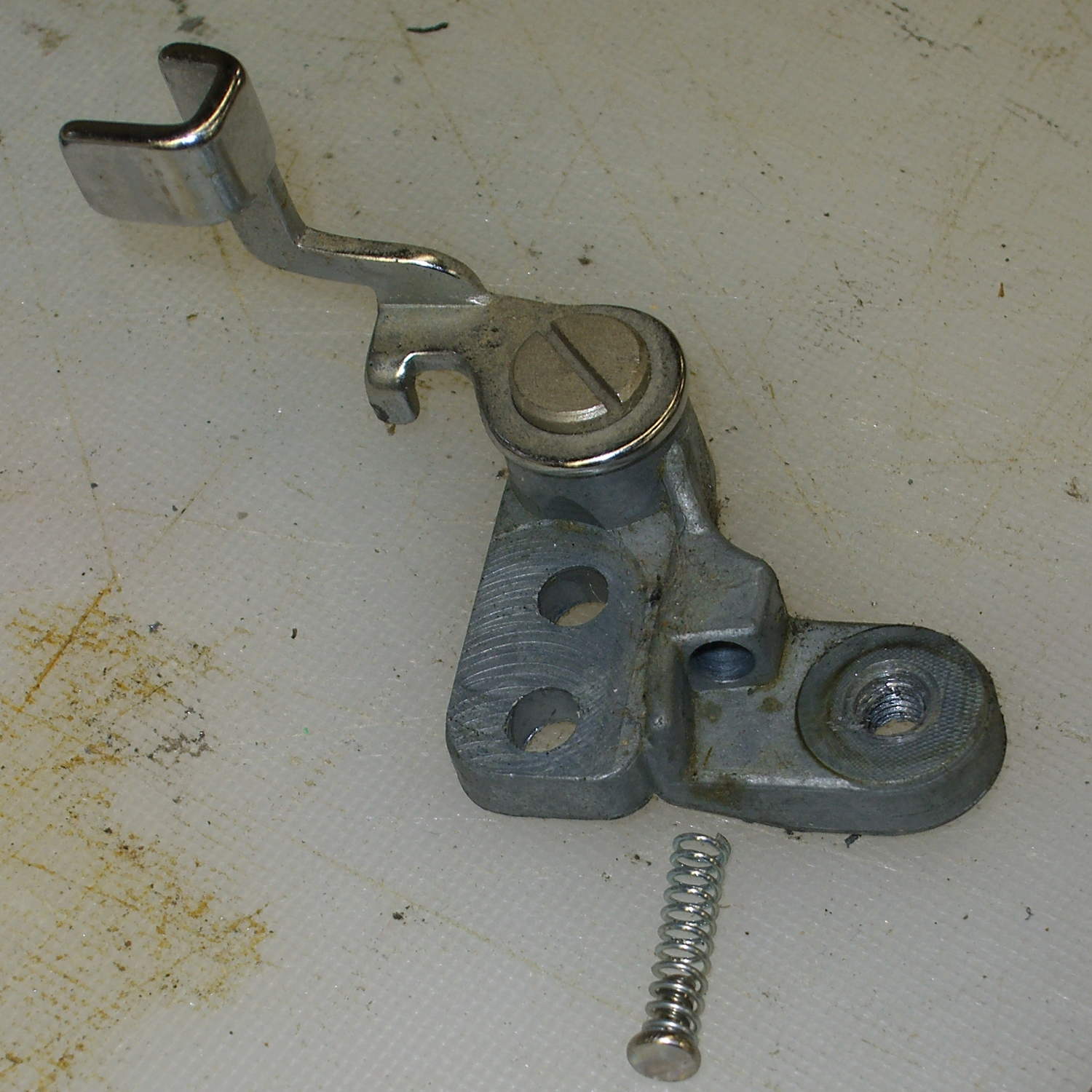
    The two obvious screws remove the obvious parts, but beware the compression spring:

    Bobbin Winder - fill sense lever
    Bobbin Winder – fill sense lever

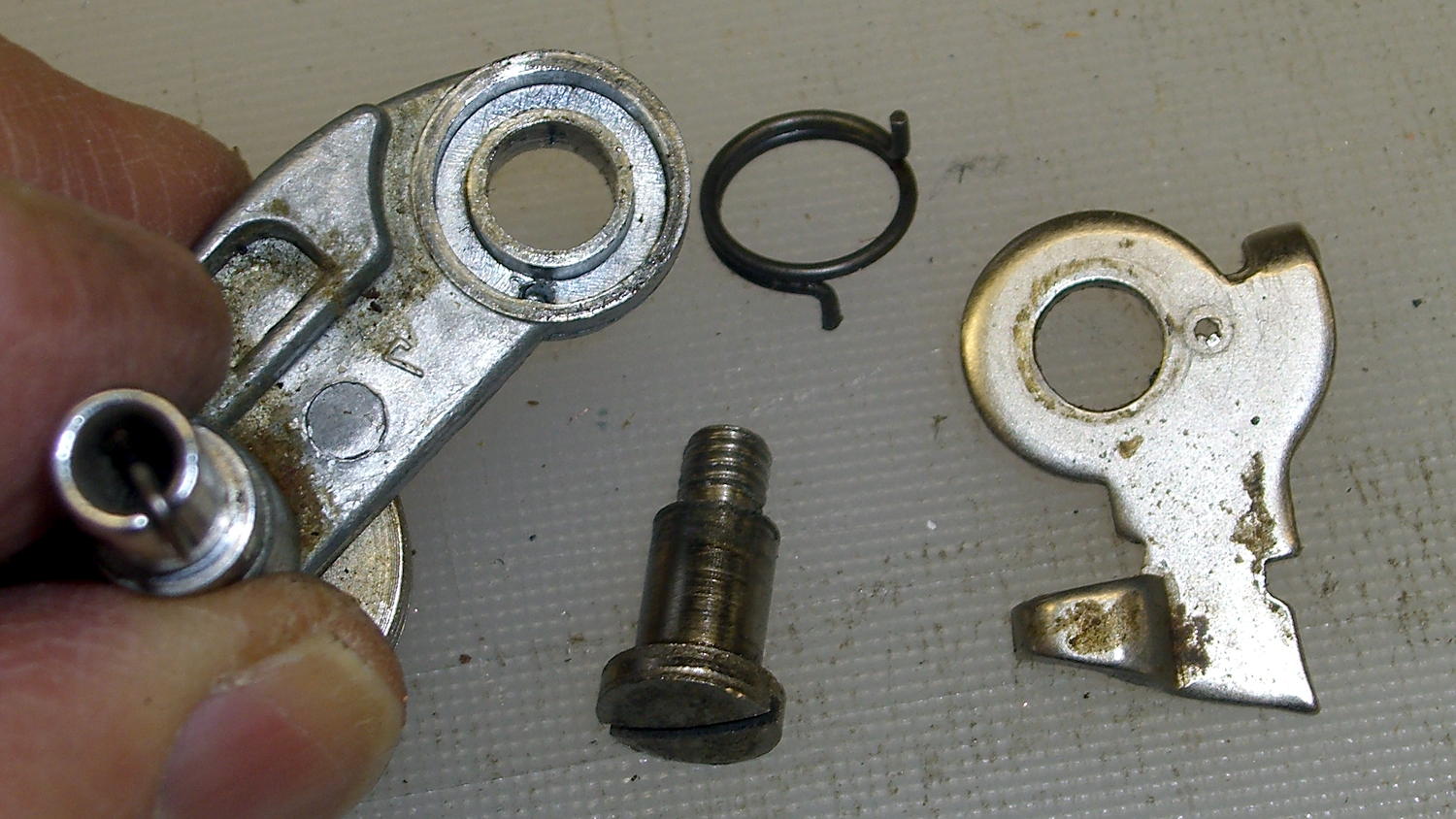
    And the torsion spring:

    Bobbin Winder - drive latch
    Bobbin Winder – drive latch

    Some experimentation with a strap wrench rotated the wheel on the (still firmly frozen) shaft, which suggested the joint was a press fit without a setscrew, splines, or adhesive.

    Grabbing the shaft lightly in a machinist’s vise, resting it atop the bench vise, and giving it a few shots with a drift punch drove it downward through the housing:

    Bobbin Winder - driving out spindle
    Bobbin Winder – driving out spindle

    More gentle beating produced this heartrending scene:

    Bobbin Winder - corroded shaft
    Bobbin Winder – corroded shaft

    Water just isn’t any good at all for unlubricated steel in a pot-metal bushing…

    Anyhow, the shaft & housing cleaned up well, although they look a tad grody, and everything went back together in the reverse order.

    I added a drop of light oil through the lube port, chucked the shaft in the drill press, spun it for a minute at low speed to wear off a slight binding, and it’s all good again.

  • Kenmore 158: Bobbin Winder Tires

    The bobbin winder atop the Kenmore 158 sewing machine has a rubber tire that contacts a ribbed ring on the inside surface of the handwheel; the clutch knob disengages the main shaft and you run the motor at top speed. As you’d expect, both age and wear take their toll on the rubber, to the extent that the winder on Mary’s machine stopped turning. I swapped it for the slightly less decrepit winder on the Crash Test Dummy, but that was obviously a stop-gap measure.

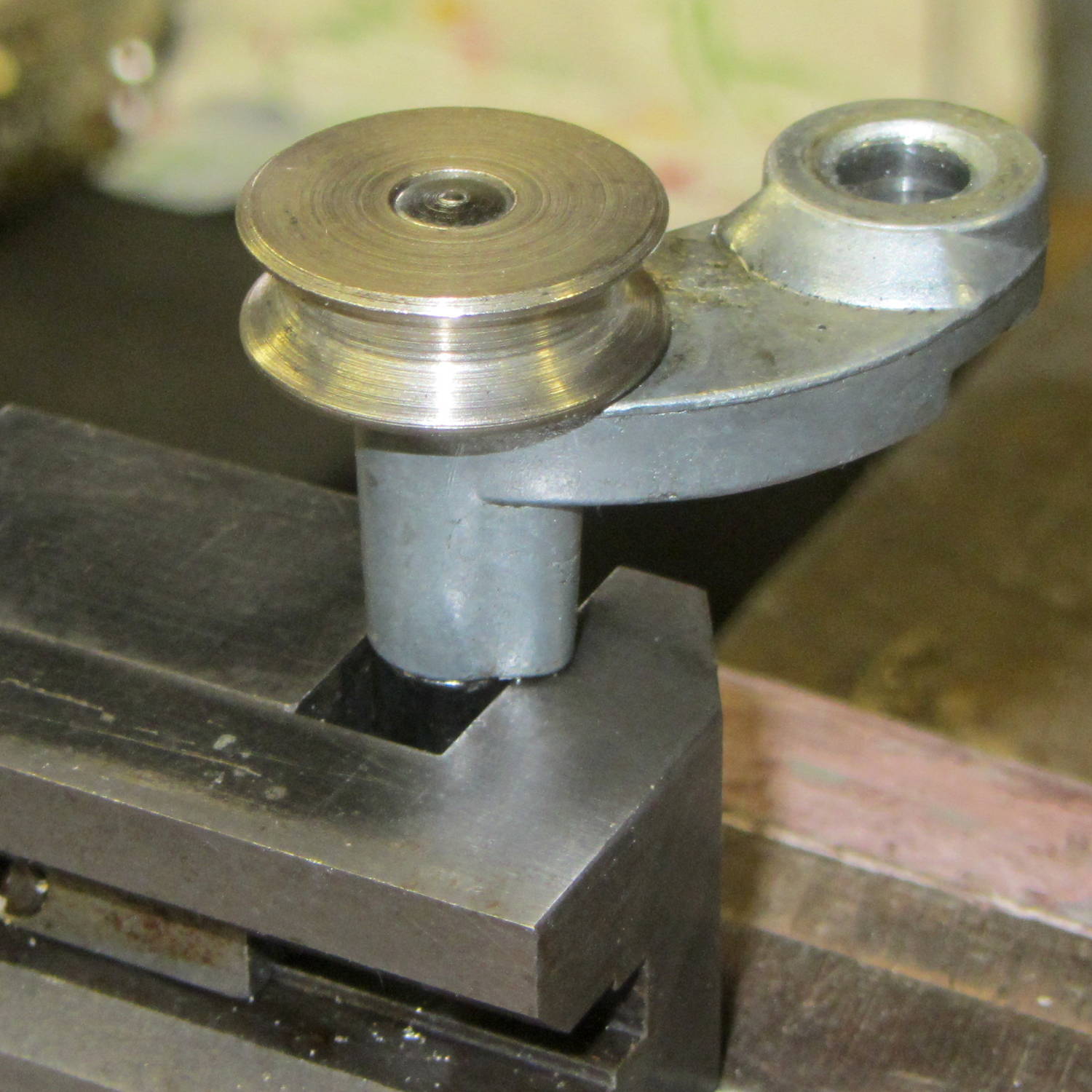
    I mistakenly thought the metal wheel consisted of two plates that clamped a rubber disk in place, with no possibility of removal:

    Bobbin Winder - old tire
    Bobbin Winder – old tire

    The fact that the spare parts list didn’t include the rubber disk helped convince me.

    Eventually, I stumbled over replacement “tires” on, of course, eBay that suggested how to dismount them:

    Bobbin Winder - wheel and tires
    Bobbin Winder – wheel and tires

    Yup, that sucker slides right off.

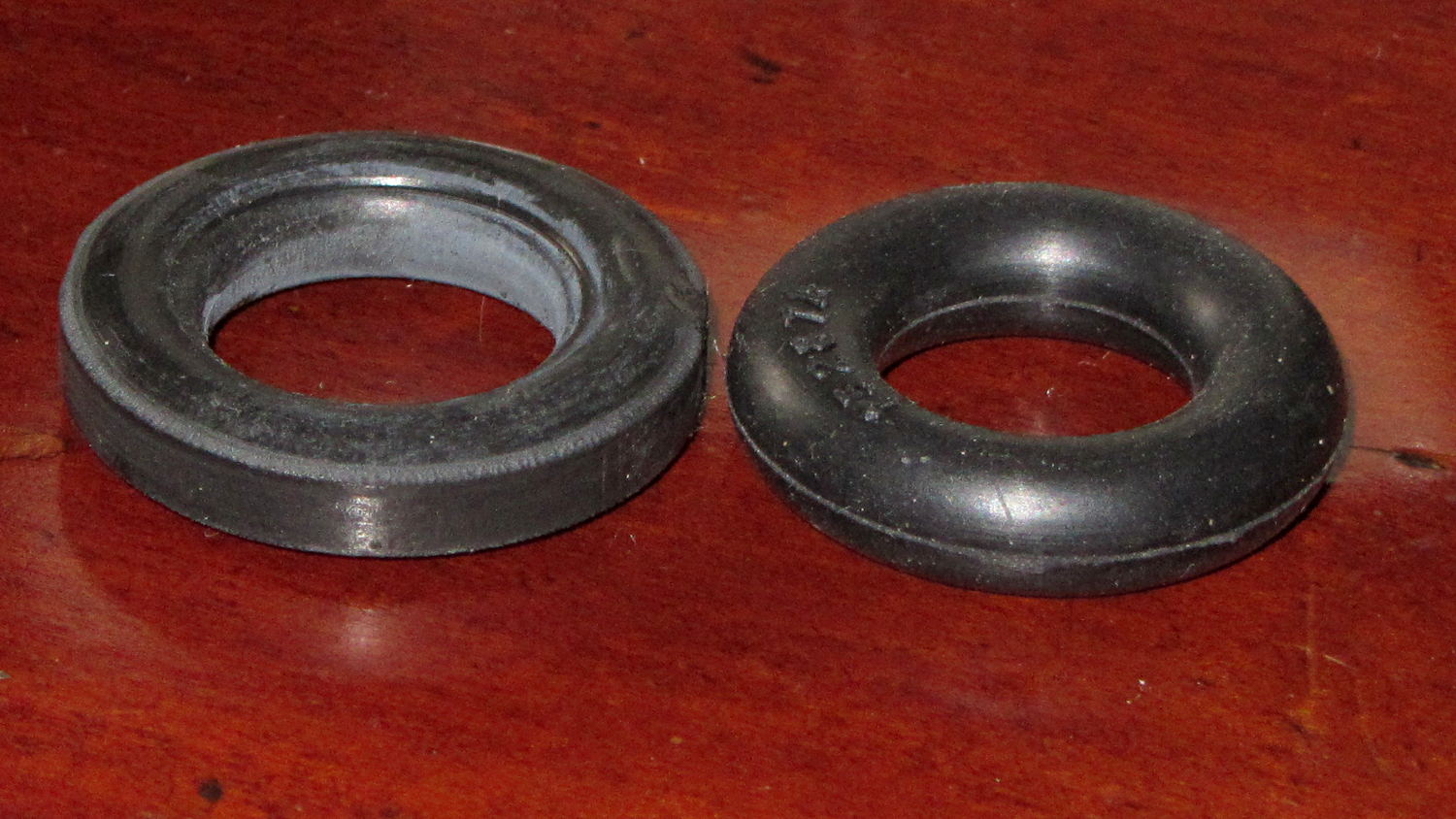
    Anyhow, the replacements seem to be standard industrial O-rings, rather than the original tire with a flattened rim:

    Bobbin Winder - old vs new tire
    Bobbin Winder – old vs new tire

    The new tires measure 28.94 mm OD on the bench (I don’t trust that last digit, either) and 29.56 mm OD installed. The (hardened and cracked) old tires measure 29.94, 30.06, and 30.28 mm OD on the bench; that’s a radius anywhere from 0.2 mm to 0.4 mm larger. The winder’s mounting screws provide a very small adjustment range that helps a bit.

    Knowing that I needed an O-ring, I checked the assortment of “standard size” O-rings I bought many, many years ago, which once again failed to offer up anything suitable. To the best of my knowledge, that kit has never had the right size; apparently, every application uses a different standard.

    The O-ring definitely puts less rubber on the handwheel than the tire, but seems to drive the bobbin winder well enough to fill a handful of bobbins without any of the previous drama.

  • Broken Birds

    A licensed bird rescuer gave a talk before a showing of Pelican Dreams in Rhinebck and presented some of her patients…

    A Red Tailed Hawk with a broken left wing, just out of its bandage:

    Red Tailed Hawk - in hand
    Red Tailed Hawk – in hand

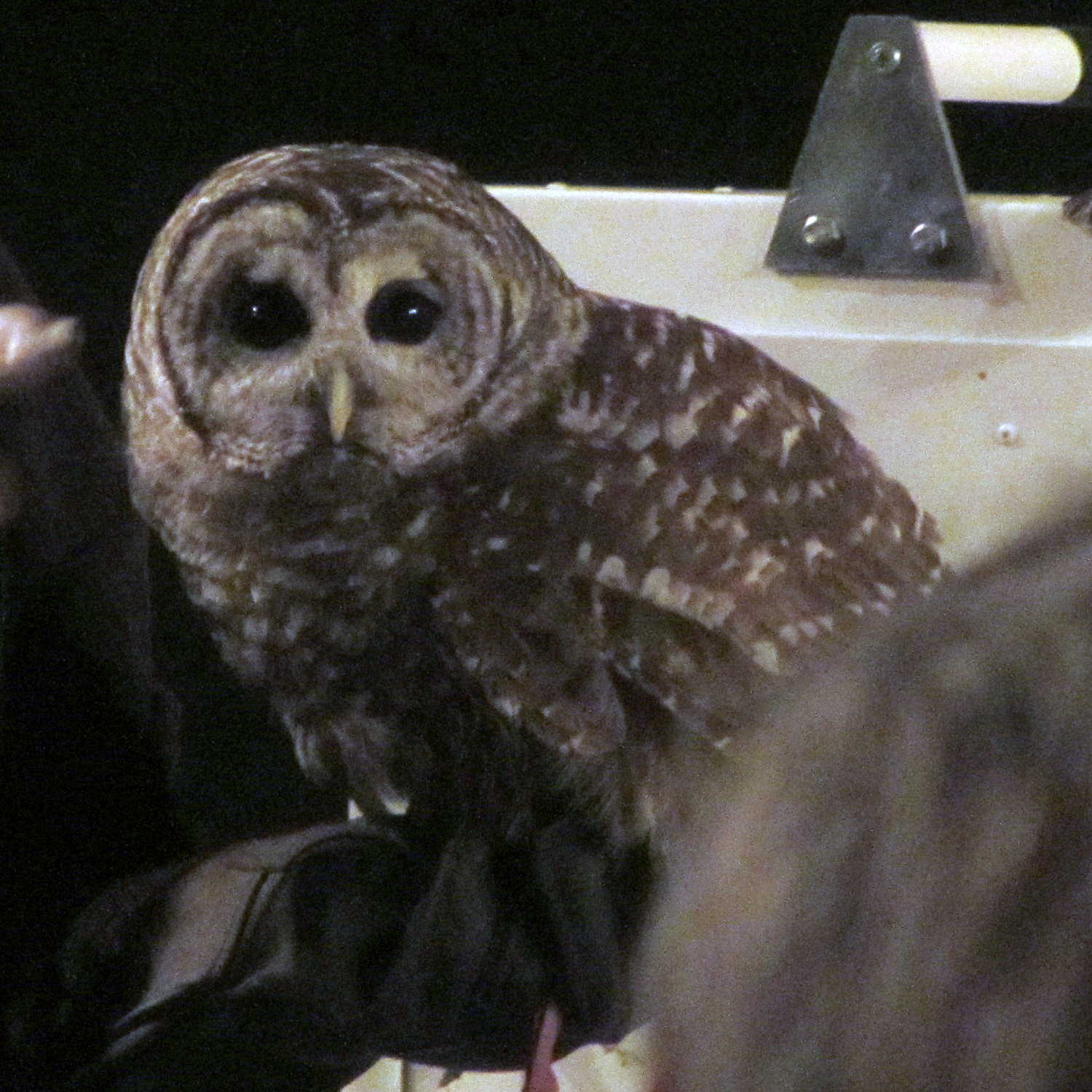
    A Barred Owl who, despite having a left eye that no longer dilates, rapidly acquired weapons lock on my camera’s focus assist light:

    Barred owl - eye contact
    Barred owl – eye contact

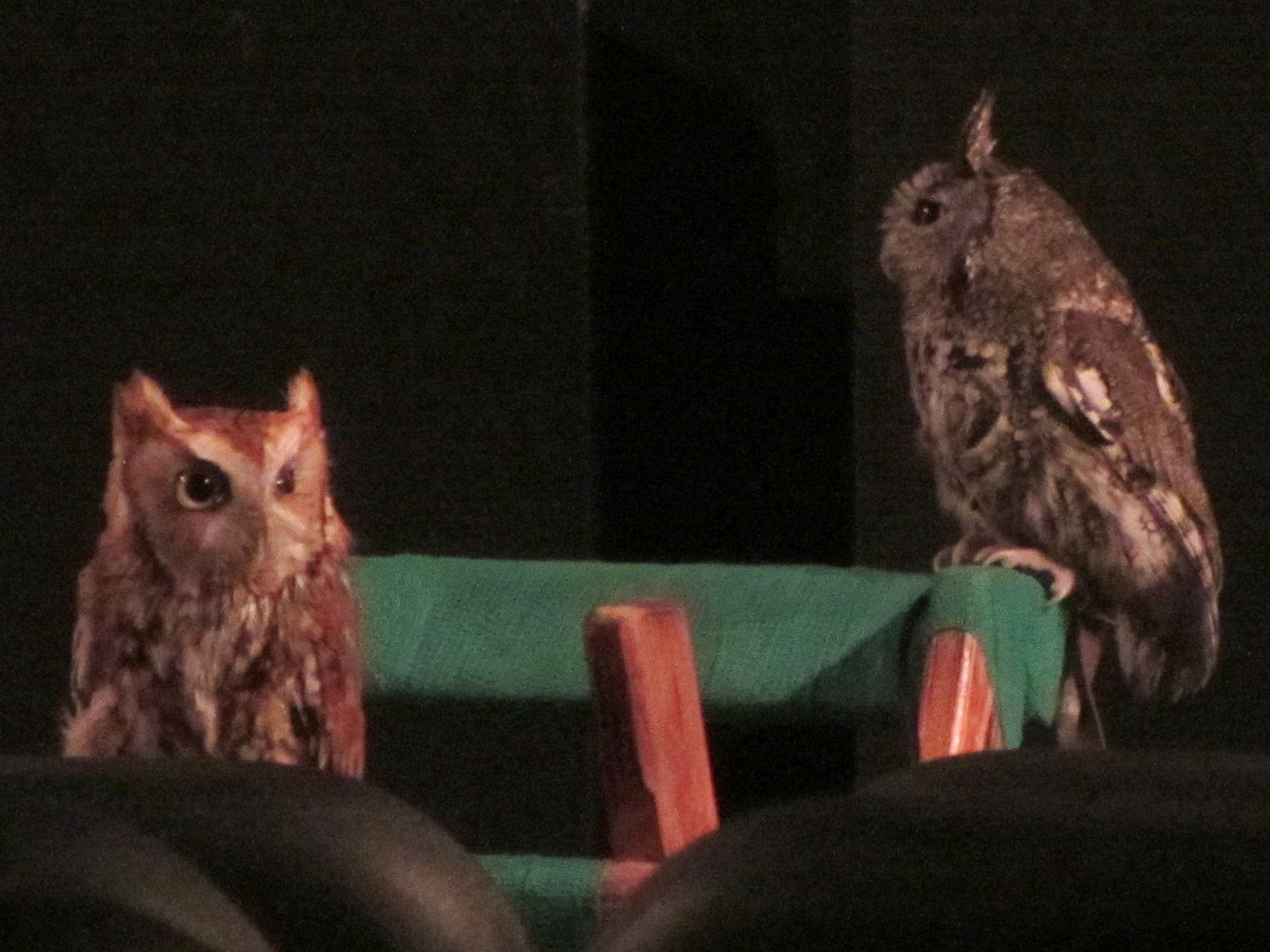
    And a pair of insanely cute Screech Owls, both with eye damage, atop their padded perch:

    Screech Owls - on stand
    Screech Owls – on stand

    Most of her patients arrive after collisions with automobiles; it seems carnivorous birds don’t look both ways before pouncing on prey near the roadside.

    Contrary to her impassioned claims, however, wind turbines kill essentially zero birds, at least compared to windows, HV power lines, and cats. Some reports with actual numbers that, obviously, won’t convince anybody who already knows what the results should be:

    Low light, no flash, long zoom, handheld, good-looking subjects.

  • Gutter Icicles

    OK, I’m a sucker for sunlit solid water:

    They’re hanging from the gutters over the patio. The house has six-foot soffits back there and nearly three feet elsewhere, plus the roofers installed rubber sheets along the walls, so we’re not worried about leaks…