The Smell of Molten Projects in the Morning

Ed Nisley's Blog: Shop notes, electronics, firmware, machinery, 3D printing, laser cuttery, and curiosities. Contents: 100% human thinking, 0% AI slop.

Author: Ed

  • Victoreen 710-104 Ionization Chamber: Improved Circuit Board Holder

    The alignment pin holes between the ionization can lid and the board supports:

    Victoreen 710-104 Ionization Chamber Fittings - Alignment pin detail
    Victoreen 710-104 Ionization Chamber Fittings – Alignment pin detail

    … turned out to be a bit shorter than they should be, so I changed two lines of code and ran off another set:

    Electrometer amp - chamber cap - on platform
    Electrometer amp – chamber cap – on platform

    Which glued together perfectly, albeit with Too Many Clamps:
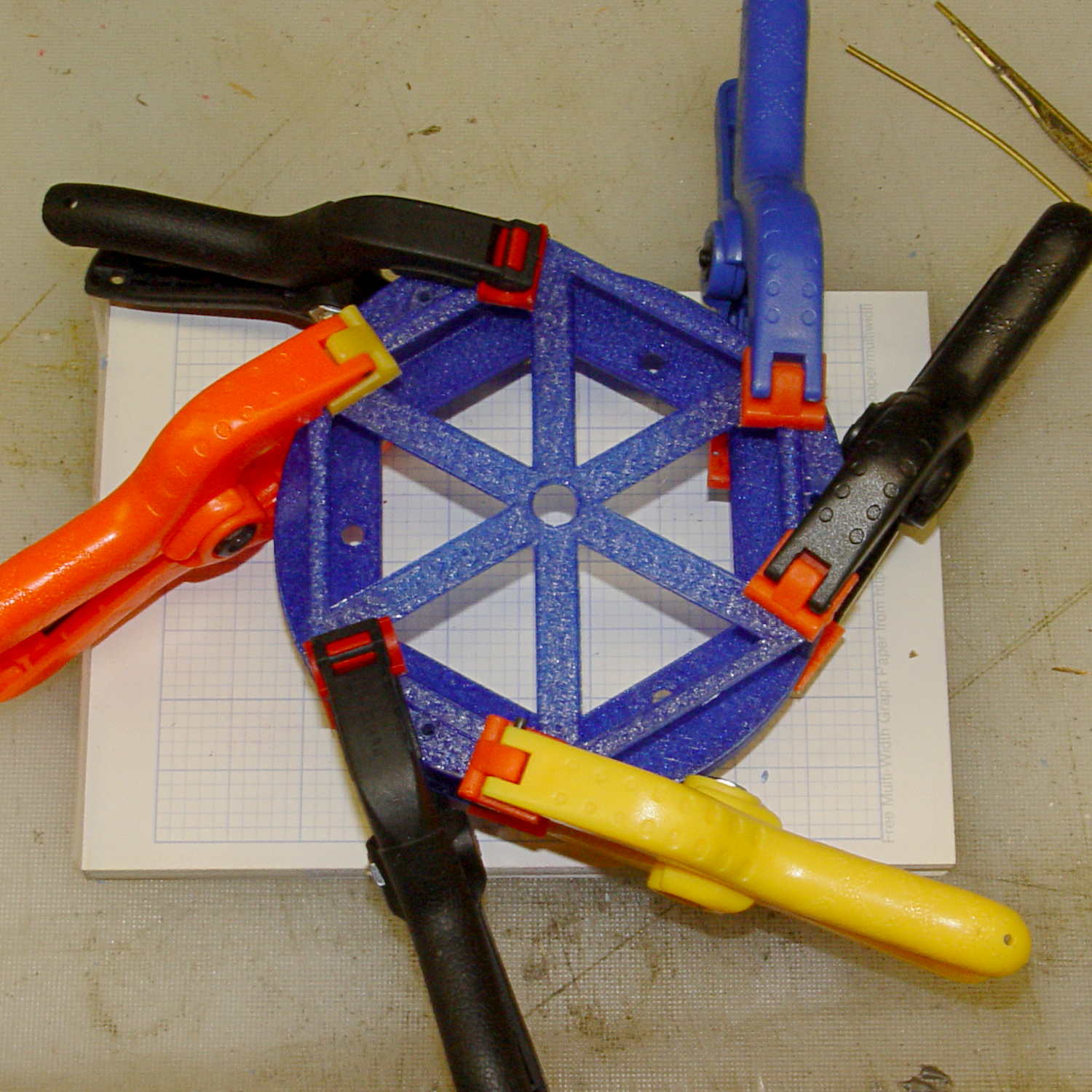
    Electrometer amp - chamber cap - gluing
    Electrometer amp – chamber cap – gluing

    The (minutely revised) OpenSCAD source code:

    // Victoreen 710-104 Ionization Chamber Fittings
    // Ed Nisley KE4ZNU August 2015
    
    Layout = "Show";
    					// Show - assembled parts
    					// Build - print can parts + shield
    					// BuildShield - print just the shield
    					// BuildHolder - print just the can cap & PCB base
    					// CanCap - PCB insulator for 6-32 mounting studs
    					// CanBase - surrounding foot for ionization chamber
    					// CanRim - generic surround for either end of chamber
    					// PCB - template for cutting PCB sheet
    					// PCBBase - holder for PCB atop CanCap
    					// Shield - electrostatic shield shell
    
    //- Extrusion parameters must match reality!
    //  Print with 2 shells and 3 solid layers
    
    ThreadThick = 0.25;
    ThreadWidth = 0.40;
    
    HoleWindage = 0.2;
    
    Protrusion = 0.1;			// make holes end cleanly
    
    AlignPinOD = 1.75;			// assembly alignment pins = filament dia
    
    inch = 25.4;
    
    function IntegerMultiple(Size,Unit) = Unit * ceil(Size / Unit);
    
    //- Screw sizes
    
    Tap4_40 = 0.089 * inch;
    Clear4_40 = 0.110 * inch;
    Head4_40 = 0.211 * inch;
    Head4_40Thick = 0.065 * inch;
    Nut4_40Dia = 0.228 * inch;
    Nut4_40Thick = 0.086 * inch;
    Washer4_40OD = 0.270 * inch;
    Washer4_40ID = 0.123 * inch;
    
    
    //----------------------
    // Dimensions
    
    OD = 0;											// name the subscripts
    LENGTH = 1;
    
    Chamber = [91.0,38];							// Victoreen ionization chamber dimensions
    
    Stud = [										// stud welded to ionization chamber lid
    	[6.5,IntegerMultiple(0.8,ThreadThick)],		// flat head -- generous clearance
    	[4.0,9.5],									// 6-32 screw -- ditto
    ];
    NumStuds = 3;									// this really isn't much of a variable...
    StudAngle = 360/NumStuds;
    StudSides = 6;									// for hole around stud
    
    BCD = 2.75 * inch;								// mounting stud bolt circle diameter
    
    PlateThick = 2.0;								// minimum layer atop and below chamber ends
    RimHeight = 4.0;								// extending along chamber perimeter
    WallHeight = RimHeight + PlateThick;
    WallThick = 3.0;								// thick enough to be sturdy & printable
    CapSides = 8*6;									// must be multiple of 4 & 3 to make symmetries work out right
    
    RimOD = Chamber[OD] + 2*WallThick;
    
    echo(str("Rim OD: ",RimOD));
    
    //PCBFlatsOD = 82.0;							// desired hex dia flat-to-flat
    PCBFlatsOD = floor(RimOD*cos(30)) - 2.0;		//  .. maximum possible
    //PCBFlatsOD = floor(Chamber[OD]*cos(30)) - 2.0;	//  .. chamber fitting
    PCBClearance = ThreadWidth;						// clearance beyond each flat for mounting
    
    PCBThick = 1.1;
    PCBActual = [PCBFlatsOD/cos(30),PCBThick];		// OD = tip-to-tip
    PCBCutter = [(PCBFlatsOD + 2*PCBClearance)/cos(30),PCBThick - ThreadThick];		// OD = tip-to-tip dia + clearance
    
    PCBSize = str(PCBFlatsOD, " mm");
    echo(str("Actual PCB across flats: ",PCBFlatsOD));
    echo(str(" ... tip-to-tip dia: ",PCBActual[OD]));
    echo(str(" ... thickness: ",PCBActual[LENGTH]));
    
    HolderHeight = 13.0 + PCBCutter[LENGTH];		// thick enough for PCB to clear studs + batteries
    HolderShelf = 2.0;								// shelf under PCB edge
    HolderTrim = 5.0;								// remove end of holder to clear PCB edge solder blobs
    echo(str("Holder trim distance: ",HolderTrim));
    HolderTrimAngle = StudAngle/2 - 2*atan(HolderTrim*cos(StudAngle/2)/(PCBActual[OD]/2));	// atan is close for small angles
    echo(str(" ... angle: ",HolderTrimAngle));
    
    PinAngle = 15;									// alignment pin angle on either side of holder screw
    
    echo(str("PCB holder across flats: ",PCBCutter[OD]*cos(30)));
    echo(str(" ... height: ",HolderHeight));
    
    ShieldInset = 0.5;								// shield inset from actual PCB flat
    ShieldWall = 2.0;								// wall thickness
    ShieldLid = 6*ThreadThick;						// top thickness (avoid one infill layer)
    Shield = [(PCBFlatsOD - 2*ShieldInset)/ cos(30),40.0];		// electrostatic shield shell dimensions
    
    TextSize = 4;
    TextCharSpace = 1.05;
    TextLineSpace = TextSize + 2;
    TextDepth = 1*ThreadThick;
    
    //----------------------
    // Useful routines
    
    module PolyCyl(Dia,Height,ForceSides=0) {			// based on nophead's polyholes
    
      Sides = (ForceSides != 0) ? ForceSides : (ceil(Dia) + 2);
    
      FixDia = Dia / cos(180/Sides);
    
      cylinder(r=(FixDia + HoleWindage)/2,
    			h=Height,
    		$fn=Sides);
    }
    
    //- Locating pin hole with glue recess
    //  Default length is two pin diameters on each side of the split
    
    module LocatingPin(Dia=AlignPinOD,Len=0.0) {
    	
    	PinLen = (Len != 0.0) ? Len : (4*Dia);
    	
    	translate([0,0,-ThreadThick])
    		PolyCyl((Dia + 2*ThreadWidth),2*ThreadThick,4);
    
    	translate([0,0,-2*ThreadThick])
    		PolyCyl((Dia + 1*ThreadWidth),4*ThreadThick,4);
    		
    	translate([0,0,-Len/2])
    		PolyCyl(Dia,Len,4);
    
    }
    
    module ShowPegGrid(Space = 10.0,Size = 1.0) {
    
      RangeX = floor(100 / Space);
      RangeY = floor(125 / Space);
      
    	for (x=[-RangeX:RangeX])
    		for (y=[-RangeY:RangeY])
    		translate([x*Space,y*Space,Size/2])
    			%cube(Size,center=true);
    }
    
    //-----
    
    module CanRim(BaseThick) {
    	
    	difference() {
    		cylinder(d=Chamber[OD] + 2*WallThick,h=(WallHeight + BaseThick),$fn=CapSides);
    		translate([0,0,BaseThick])
    			PolyCyl(Chamber[OD],Chamber[LENGTH],CapSides);
    	}
    	
    }
    
    module CanCap() {
    	
    	difference() {
    		CanRim(PlateThick + Stud[0][LENGTH]);
    		
    		translate([0,0,-Protrusion])											// central cutout
    			rotate(180/6)
    				cylinder(d=BCD,h=Chamber[LENGTH],$fn=6);						//  ... reasonable size
    			
    		for (i=[0:(NumStuds - 1)])												// stud clearance holes
    			rotate(i*StudAngle)
    				translate([BCD/2,0,0])
    					rotate(180/StudSides) {
    						translate([0,0,PlateThick])
    							PolyCyl(Stud[0][OD],Chamber[LENGTH],StudSides);
    						translate([0,0,-Protrusion])
    							PolyCyl(Stud[1][OD],Chamber[LENGTH],StudSides);
    					}
    					
    		for (i=[0:(NumStuds - 1)], j=[-1,1])									// PCB holder alignment pins
    			rotate(i*StudAngle + j*PinAngle + 60)
    				translate([Chamber[OD]/2,0,0])
    					rotate(180/4 - j*PinAngle)
    						LocatingPin(Len=2*(PlateThick + Stud[0][LENGTH]) - 4*ThreadThick);
    						
    		translate([-(BCD/2),0,-Protrusion])
    			rotate(90) mirror() 
    				linear_extrude(height=(ThreadThick + Protrusion))
    				text(PCBSize,size=6,font="Liberation Mono:style=bold",halign="center",valign="center");
    	}
    
    }
    
    module CanBase() {
    	
    	difference() {
    		CanRim(PlateThick);
    		translate([0,0,-Protrusion])
    			PolyCyl(Chamber[OD] - 2*RimHeight,Chamber[LENGTH],CapSides);
    	}
    }
    
    module PCBTemplate() {
    	
    	CutLen = 10*PCBActual[LENGTH];
    	
    	difference() {
    		cylinder(d=PCBActual[OD],h=PCBActual[LENGTH],$fn=6);		// actual PCB size
    		translate([0,0,-Protrusion])
    			cylinder(d=8,h=CutLen,$fn=12);
    		if (true)
    			for (i=[0:5])											// empirical cutouts
    				rotate(i*60 + 30)
    					translate([PCBFlatsOD/3,0,-Protrusion])
    						rotate(60)
    							cylinder(d=0.43*PCBActual[OD],h=CutLen,$fn=3);
    							
    		translate([PCBActual[OD]/4,0,(PCBActual[LENGTH] - ThreadThick)])
    			linear_extrude(height=(ThreadThick + Protrusion),convexity=1)
    			text(PCBSize,size=4,font="Liberation Mono:style=bold",halign="center",valign="center");
    							
    	}
    }
    
    module PCBBase() {
    
    	intersection() {
    		difference() {
    			cylinder(d=Chamber[OD] + 2*WallThick,h=HolderHeight,$fn=CapSides);		// outer rim
    			
    			rotate(30) {
    				translate([0,0,-Protrusion])										// central hex
    					cylinder(d=(PCBActual[OD] - HolderShelf/cos(30) - HolderShelf/cos(30)),h=2*HolderHeight,$fn=6);
    					
    				translate([0,0,HolderHeight - PCBCutter[LENGTH]])					// hex PCB recess
    					cylinder(d=PCBCutter[OD],h=HolderHeight,$fn=6);
    					
    				for (i=[0:NumStuds - 1])											// PCB retaining screws
    					rotate(i*StudAngle + 180/(2*NumStuds))
    						translate([(PCBCutter[OD]*cos(30)/2 + Clear4_40/2 + ThreadWidth),0,-Protrusion])
    							rotate(180/6)
    								PolyCyl(Tap4_40,2*HolderHeight,6);
    								
    				for (i=[0:(NumStuds - 1)], j=[-1,1])								// PCB holder alignment pins
    					rotate(i*StudAngle + j*PinAngle + 180/(2*NumStuds))
    						translate([Chamber[OD]/2,0,0])
    							rotate(180/4 - j*PinAngle)
    								LocatingPin(Len=2*(HolderHeight - 4*ThreadThick));
    			}
    			
    			if (false)
    			for (i=[0:NumStuds - 1])
    				rotate(i*StudAngle - StudAngle/2)							// segment isolation - hex sides
    					translate([0,0,-Protrusion]) {
    						linear_extrude(height=2*HolderHeight)
    							polygon([[0,0],[Chamber[OD],0],[Chamber[OD]*cos(180/NumStuds),Chamber[OD]*sin(180/NumStuds)]]);
    					}
    					
    			translate([-(PCBFlatsOD/2 + PCBClearance - HolderShelf),0,HolderHeight/2])
    				rotate([0,90,0]) rotate(90)
    					linear_extrude(height=(ThreadWidth + Protrusion))
    					text(PCBSize,size=6,font="Liberation Mono:style=bold",halign="center",valign="center");
    					
    		}
    		
    		for (i=[0:NumStuds - 1])
    			rotate(i*StudAngle + StudAngle/2 - HolderTrimAngle/2)								// trim holder ends
    				translate([0,0,-Protrusion]) {
    					linear_extrude(height=2*HolderHeight)
    						polygon([[0,0],[Chamber[OD],0],[Chamber[OD]*cos(HolderTrimAngle),Chamber[OD]*sin(HolderTrimAngle)]]);
    				}
    			
    	}
    }
    
    //-- Electrostatic shield
    //		the cutouts are completely ad-hoc
    
    module ShieldShell() {
    	
    CutHeight = 7.0;
    	
    	difference() {
    		cylinder(d=Shield[OD],h=Shield[LENGTH],$fn=6);							// exterior shape
    		
    		translate([0,0,-ShieldLid])												// interior
    			cylinder(d=(Shield[OD] - 2*ShieldWall/cos(30)),h=Shield[LENGTH],$fn=6);
    
    		translate([0,0,Shield[LENGTH] - TextDepth])
    		rotate(180) {
    			translate([0,0.3*Shield[OD] - 0*TextLineSpace,0])
    				linear_extrude(height=(TextDepth + Protrusion))
    					text("Gamma",size=TextSize,spacing=TextCharSpace,font="Liberation:style=bold",halign="center",valign="center");
    			translate([0,0.3*Shield[OD] - 1*TextLineSpace,0])
    				linear_extrude(height=(TextDepth + Protrusion))
    					text("Ionization",size=TextSize,spacing=TextCharSpace,font="Liberation:style=bold",halign="center",valign="center");
    			translate([0,0.3*Shield[OD] - 2*TextLineSpace,0])
    				linear_extrude(height=(TextDepth + Protrusion))
    					text("Amplifier",size=TextSize,spacing=TextCharSpace,font="Liberation:style=bold",halign="center",valign="center");
    			translate([0,-0.3*Shield[OD] + 1*TextLineSpace,0])
    				linear_extrude(height=(TextDepth + Protrusion))
    					text("KE4ZNU",size=TextSize,spacing=TextCharSpace,font="Liberation:style=bold",halign="center",valign="center");
    			translate([0,-0.3*Shield[OD] + 0*TextLineSpace,0])
    				linear_extrude(height=(TextDepth + Protrusion))
    					text("2015-08",size=TextSize,spacing=TextCharSpace,font="Liberation:style=bold",halign="center",valign="center");
    		}
    			
    		translate([Shield[OD]/4 - 20/2,Shield[OD]/2,(CutHeight - Protrusion)/2])	// switch
    			rotate(90)
    				cube([Shield[OD],20,CutHeight + Protrusion],center=true);
    
    		if (false)
    		translate([-Shield[OD]/4 + 5/2,Shield[OD]/2,(CutHeight - Protrusion)/2])	// front
    			rotate(90)
    				cube([Shield[OD],5,CutHeight + Protrusion],center=true);
    
    		translate([-Shield[OD]/2,0,(CutHeight - Protrusion)/2])						// right side
    				cube([Shield[OD],7,CutHeight + Protrusion],center=true);
    
    		translate([0,(Shield[OD]*cos(30)/2 - ThreadWidth),0.75*Shield[LENGTH]])
    			rotate([90,0,180]) rotate(00)
    				linear_extrude(height=(ThreadWidth + Protrusion))
    				text(PCBSize,size=5,font="Liberation Mono:style=bold",halign="center",valign="center");
    	}
    	
    }
    
    //----------------------
    // Build it
    
    ShowPegGrid();
    
    if (Layout == "CanRim") {
    	CanRim();
    }
    
    if (Layout == "CanCap") {
    	CanCap();
    }
    
    if (Layout == "CanBase") {
    	CanBase();
    }
    
    if (Layout == "PCBBase") {
    	PCBBase();
    }
    
    if (Layout == "PCB") {
    	PCBTemplate();
    }
    
    if (Layout == "Shield") {
    	ShieldShell();
    }
    
    if (Layout == "Show") {
    	CanBase();
    	color("Orange",0.5)
    		translate([0,0,PlateThick + Protrusion])
    			cylinder(d=Chamber[OD],h=Chamber[LENGTH],$fn=CapSides);
    	translate([0,0,(2*PlateThick + Chamber[LENGTH] + 2*Protrusion)])
    		rotate([180,0,0])
    			CanCap();
    	translate([0,0,(2*PlateThick + Chamber[LENGTH] + 5.0)])
    		PCBBase();
    	color("Green",0.5)
    		translate([0,0,(2*PlateThick + Chamber[LENGTH] + 7.0 + HolderHeight)])
    			rotate(30)
    				PCBTemplate();
    	translate([0,0,(2*PlateThick + Chamber[LENGTH] + 15.0 + HolderHeight)])
    		rotate(-30)
    			ShieldShell();}
    
    if (Layout == "Build") {
    	
    	translate([-0.50*Chamber[OD],-0.60*Chamber[OD],0])
    		CanCap();
    		
    	if (false)
    		translate([0.55*Chamber[OD],-0.60*Chamber[OD],0])
    			rotate(30)
    				translate([0,0,Shield[LENGTH]])
    					rotate([0,180,0])
    						ShieldShell();
    	if (true)
    		translate([0.55*Chamber[OD],-0.60*Chamber[OD],0])
    			rotate(30)
    				PCBTemplate();
    
    	if (true)
    		translate([-0.25*Chamber[OD],0.60*Chamber[OD],0])
    			CanBase();
    		translate([0.25*Chamber[OD],0.60*Chamber[OD],0])
    			PCBBase();
    }
    
    if (Layout == "BuildHolder") {
    	translate([-0.25*Chamber[OD],0,0])
    		CanCap();
    	translate([0.25*Chamber[OD],0,0])
    		PCBBase();
    }
    
    if (Layout == "BuildShield") {
    	
    	translate([0,0,Shield[LENGTH]])
    		rotate([0,180,0])
    				ShieldShell();
    		
    
    }
    

    Yeah, a Github repo would be nice, but the overhead for one-off models just isn’t worthwhile.
  • Sears Sewing Table: Shortened Legs With Levelers

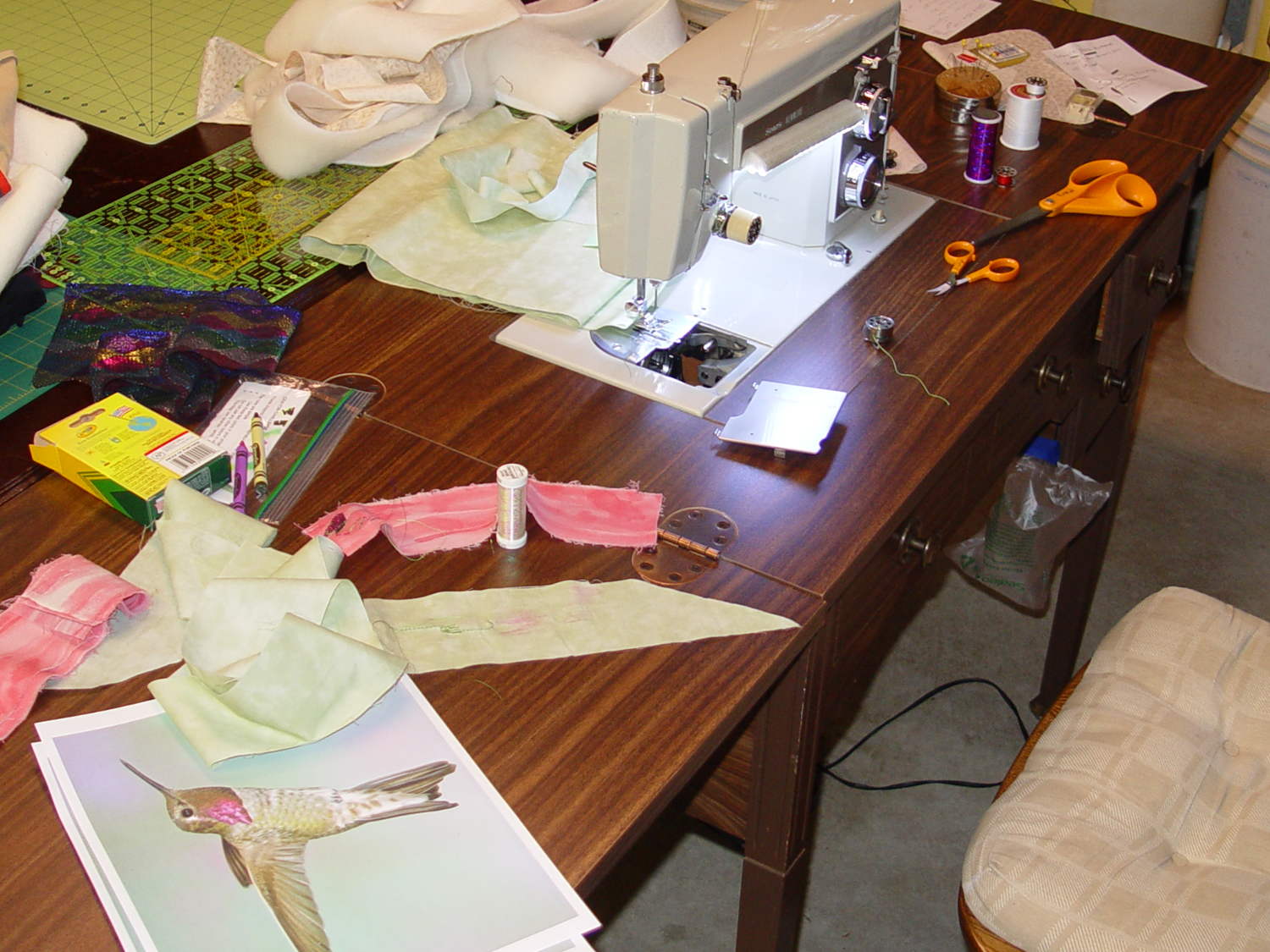
    Mary picked up a sewing table at a tag sale:

    Sears Sewing Table - installed
    Sears Sewing Table – installed

    It has a number of shortcomings (notice the padding taped to the corner of the useless drawers), but the most pressing problem was that it didn’t quite line up with the table top in the Basement Sewing Room. After some pondering, we decided to shorten the legs and install leveling screws.

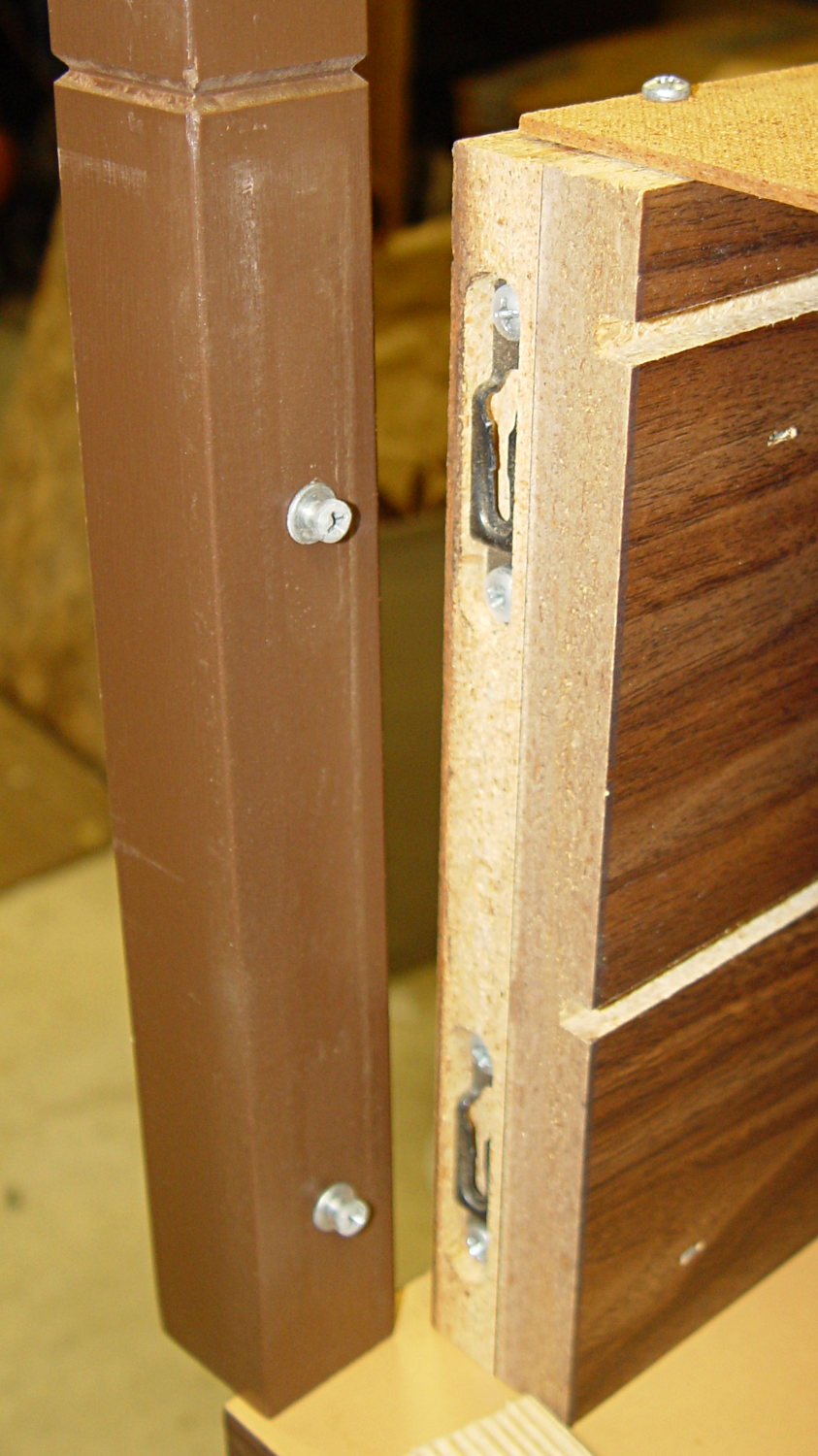
    The first problem was figuring out how to dismantle the thing. It turns out the legs have completely hidden joint hardware:

    Sears Sewing Table - leg joint hardware
    Sears Sewing Table – leg joint hardware

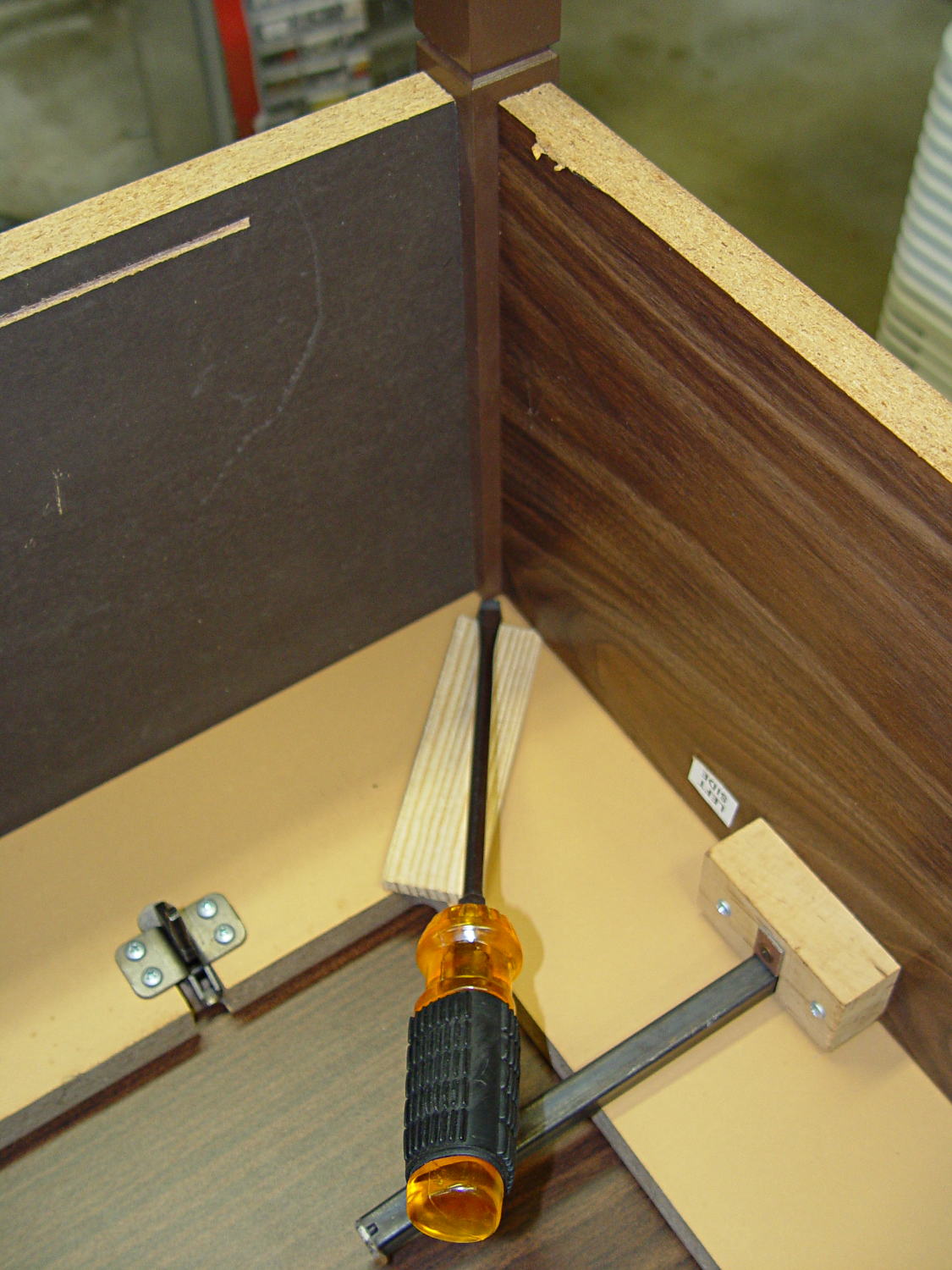
    They’re obviously intended as assemble-only fittings, but prying from the inside of the corners will put the tool marks where they can’t be seen:

    Sears Sewing Table - leg removal
    Sears Sewing Table – leg removal

    The legs taper below the fittings and require shims to prevent horrible saw accidents:

    Sears Sewing Table - leg shortening
    Sears Sewing Table – leg shortening

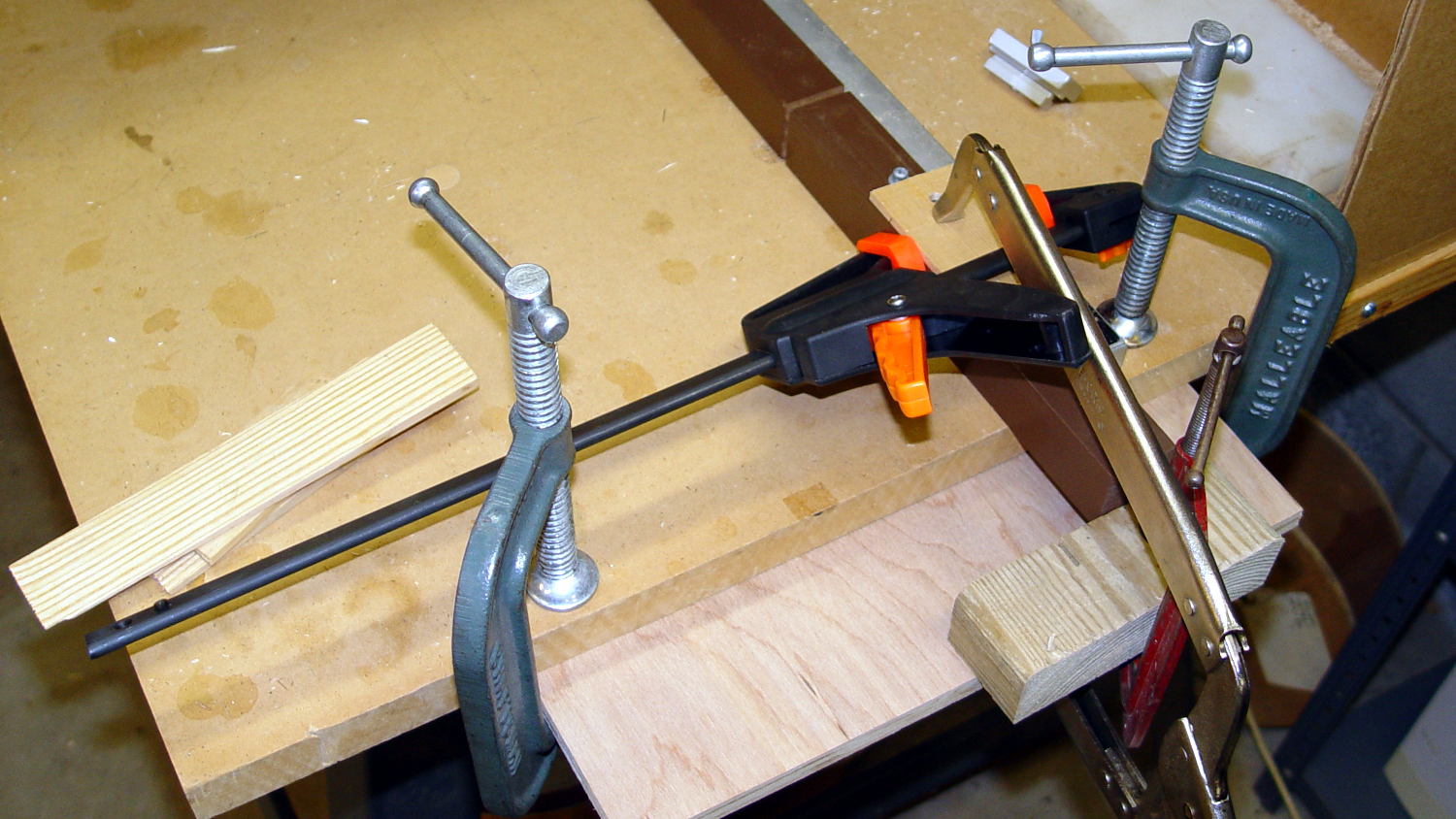
    Another in my continuing series of Why You Can Never Have Too Many Clamps shows the square section of the leg aligned with the saw fence:

    Sears Sewing Table - leg clamps
    Sears Sewing Table – leg clamps

    And when the cuttin’ were done, it turned out that the table had two different types of legs with (at least) two different lengths:

    Sears Sewing Table - leg cutoffs
    Sears Sewing Table – leg cutoffs

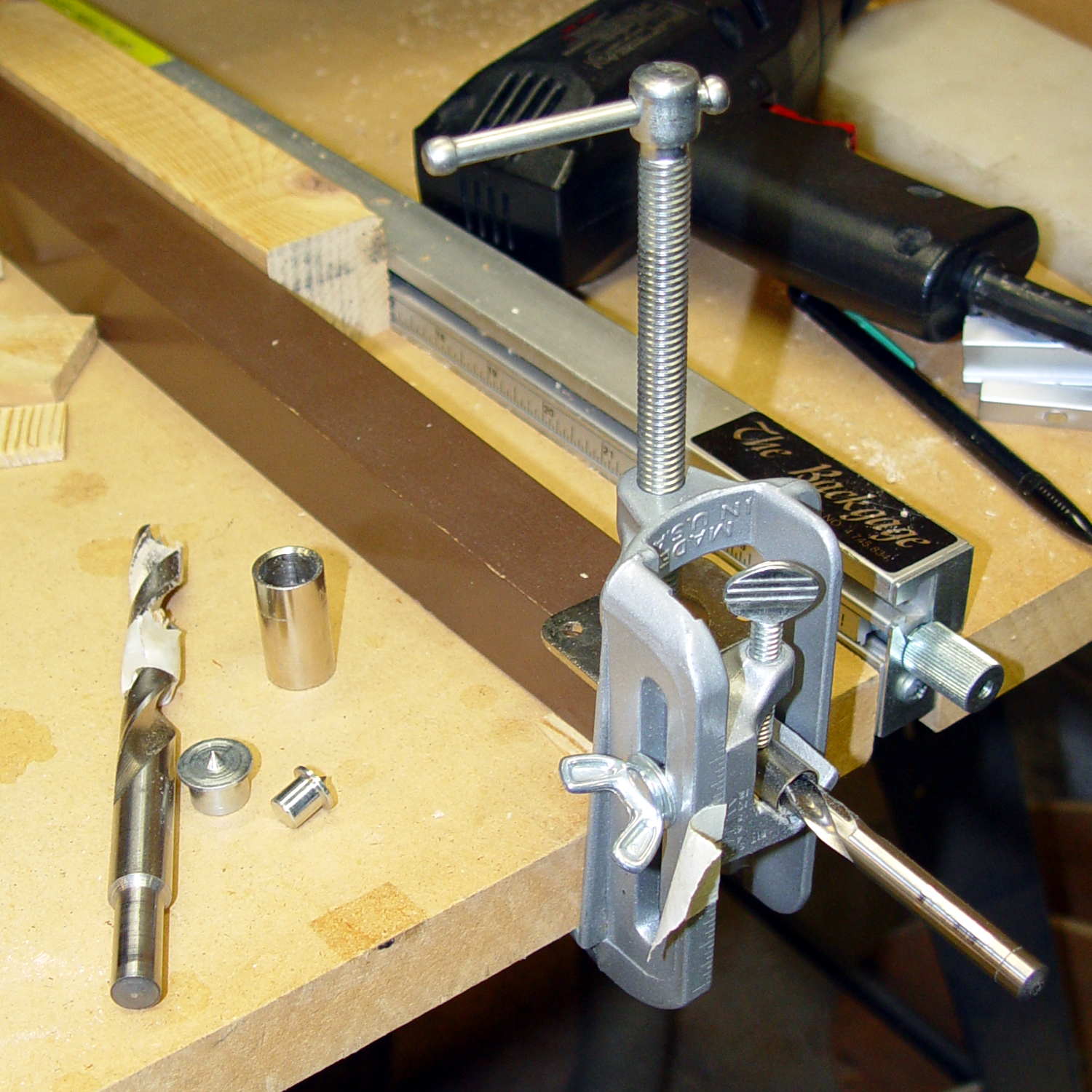
    I have a bunch of 5/16 inch feet from some random industrial hardware, so I drilled a 5/16 inch hole into the legs, using a doweling jig and more shims:

    Sears Sewing Table - leg drilling setup - overview
    Sears Sewing Table – leg drilling setup – overview

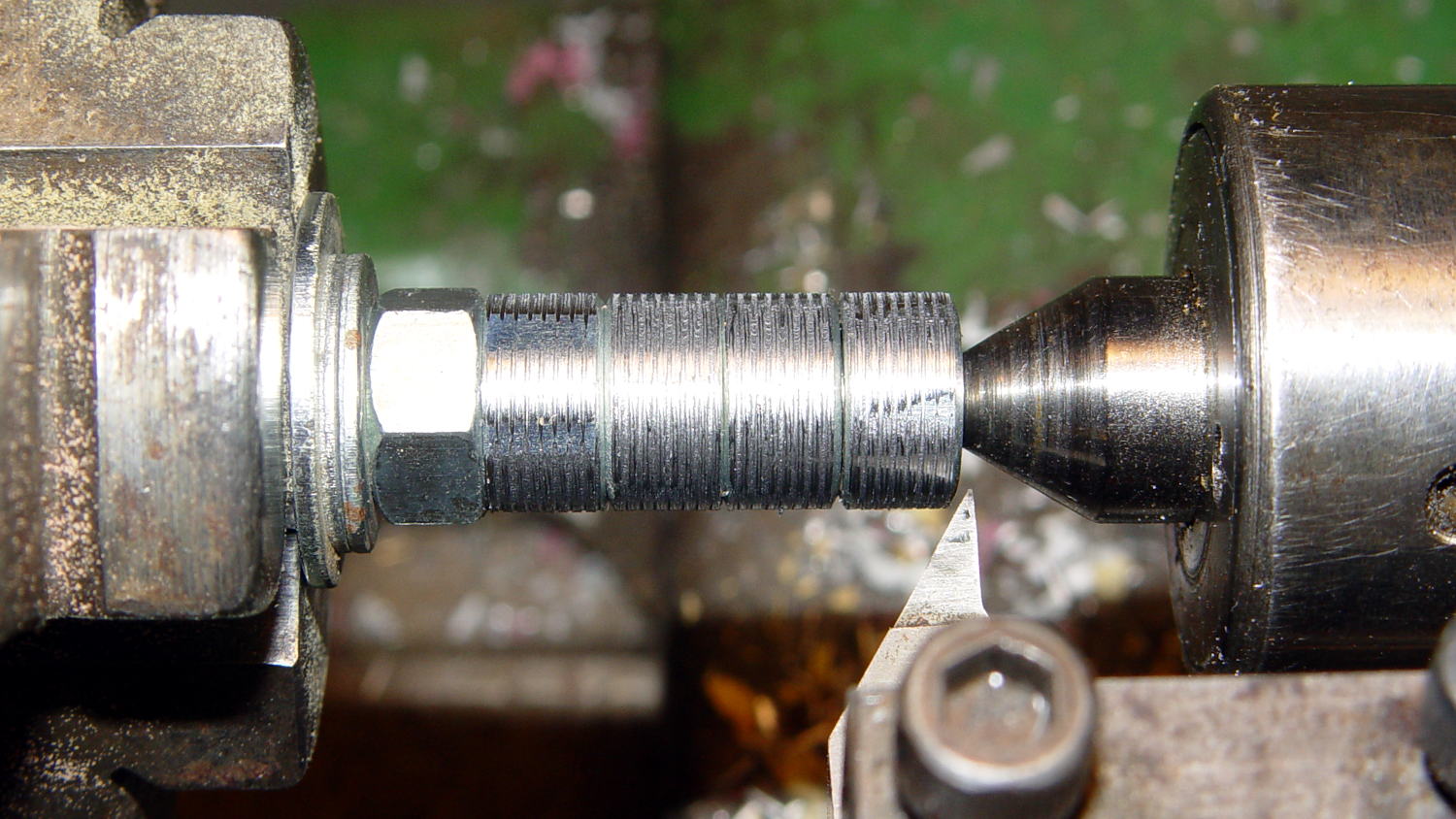
    Normally, you’d bang a T-nut into each leg, but I thought those spikes would split the minimal wood remaining around the hole, so I turned the corners off a quartet of ordinary hex nuts and laid a coarse groove along their length:

    Sears Sewing Table - preparing nut inserts
    Sears Sewing Table – preparing nut inserts

    The modified nuts are 1/2 inch OD and you should drill that hole before the longer 5/16 inch clearance hole. I’ll eventually dab some epoxy in the holes, seat the nuts, and that’ll be a permanent installation with no risk of cracking the legs.

    The snippet of tape on the doweling jig remembers the drill guide position, but the legs were sufficiently different that each one required different shims and some hand-tuning:

    Sears Sewing Table - leg drilling setup - detail
    Sears Sewing Table – leg drilling setup – detail

    I dry-assembled the table in anticipation of more modifications. Basically, you wiggle-jiggle the leg studs into their latches, then whack the end of the leg with a rubber mallet to seat it against the underside of the tabletop.

    Slicing another half inch off the legs seems like a Good Idea that should better match the upstairs table. Mary also wants to round off the drawers and remove a bit of the front panel, which will require dismantling the entire table, but that can wait for a pause in the quilting.

  • Monthly Image: Sturgeon Moonwalk 2015

    The Walkway Over the Hudson showed off the huge Sturgeon Moon during their August Moonwalk:

    Walkway Over the Hudson - Sturgeon Moonwalk - 2015-08-28
    Walkway Over the Hudson – Sturgeon Moonwalk – 2015-08-28

    The view from the middle of the Walkway northward along the Hudson makes a nice panorama:

    Walkway Over the Hudson - Sturgeon Moonwalk - North Panorama - 2015-08-28
    Walkway Over the Hudson – Sturgeon Moonwalk – North Panorama – 2015-08-28

    The black rectangular lump on the left is a steel I-beam that I didn’t notice until too late.

    Taken with the Canon SX-230HS, hand-braced on the rail, and stitched with The GIMP’s panorama tool. It’s surprisingly easy to stitch a decent panorama from five low-detail images with plenty of overlap…

  • Makergear M2: Platform Stability

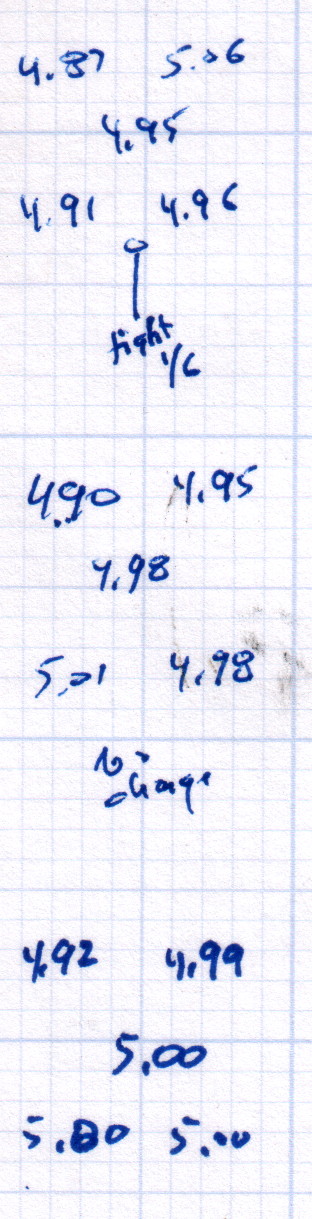
    After replacing that washer, the last step in the platform alignment required 1/6 turn on the front screw between the top two sets of measurements:

    M2 Alignment measurements - 2015-08-09 - 2
    M2 Alignment measurements – 2015-08-09 – 2

    The last two sets show the sample-to-sample variation with no adjustments, which didn’t amount to much.

    Without changing anything else, I then switched from magenta PETG filament to cyan and ran off two more sets of thinwall hollow boxes (in addition to other doodads) over the next two days:

    M2 Alignment measurements - 2015-08-10
    M2 Alignment measurements – 2015-08-10

    A bit less than a month later, after producing several iterations of unrelated doodads:

    M2 Alignment measurements - 2015-09-07
    M2 Alignment measurements – 2015-09-07

    The variation in the center box height from 4.94 mm to 5.00 mm shows that sensing the platform Z-axis position directly on the glass surface actually works the way it should: ±0.03 mm is as good as it gets. Given that my measurement error / eyeballometric averaging on any given box runs around ±0.02 mm, the far corners also seem rock-stable and certainly don’t justify automatic alignment probing and adjustment.

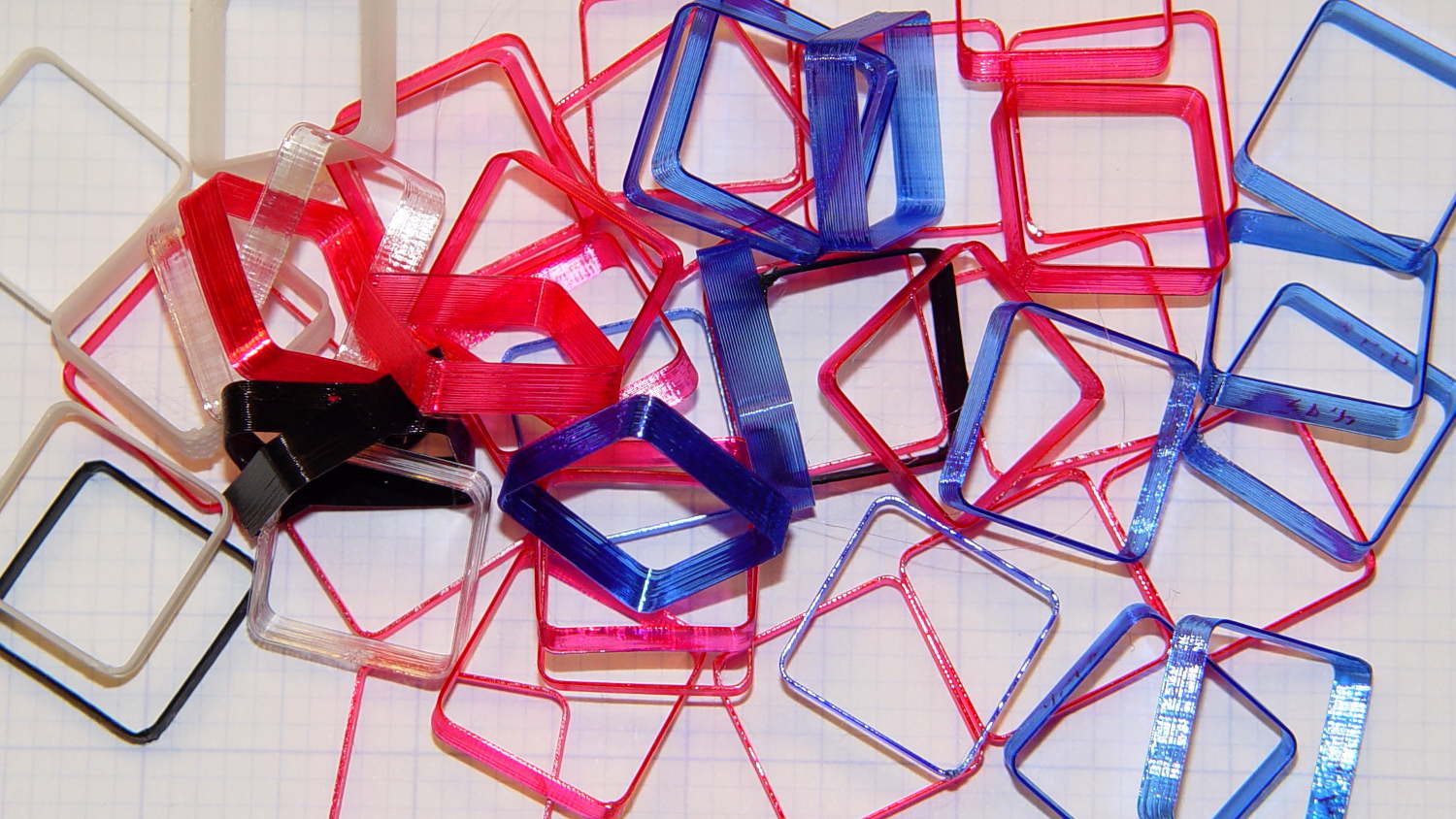
    Thinwall hollow boxes make good handouts at 3D printing presentations…

    Thinwall Hollow Box collection
    Thinwall Hollow Box collection
  • Harbor Freight 12 Inch Bar Clamp: Handle Failure

    Harbor Freight’s 12 Inch Ratcheting Bar Clamps come with a clear description:

    The 12 in. ratchet bar clamp/spreader is a light duty tool that’s perfect for delicate woodwork or scale modeling.

    Yeah, right. (*)

    It’s an awkward, clunky, heavy steel bar with chunky plastic fittings, not at all suitable for “delicate woodwork”. In my case, I attempted to clamp a 4×4 block against a bonded pair of of 2×4 studs before drilling a pair of bolt holes, whereupon one of the clamps failed. I deployed a spare clamp (always have a backup) and completed the mission.

    An autopsy showed the problem:

    Harbor Freight Bar Clamp - failed handle pivot
    Harbor Freight Bar Clamp – failed handle pivot

    The orange handle magnifies the applied force by the (more or less) 4:1 lever arm and applies it against two hollow plastic bosses on the side plates. The one just below the handle broke free, which is exactly what you’d expect to happen.

    The through hole looks like it should pass a pivot, but that’s not the case:

    Harbor Freight Bar Clamp - handle detail 1
    Harbor Freight Bar Clamp – handle detail 1

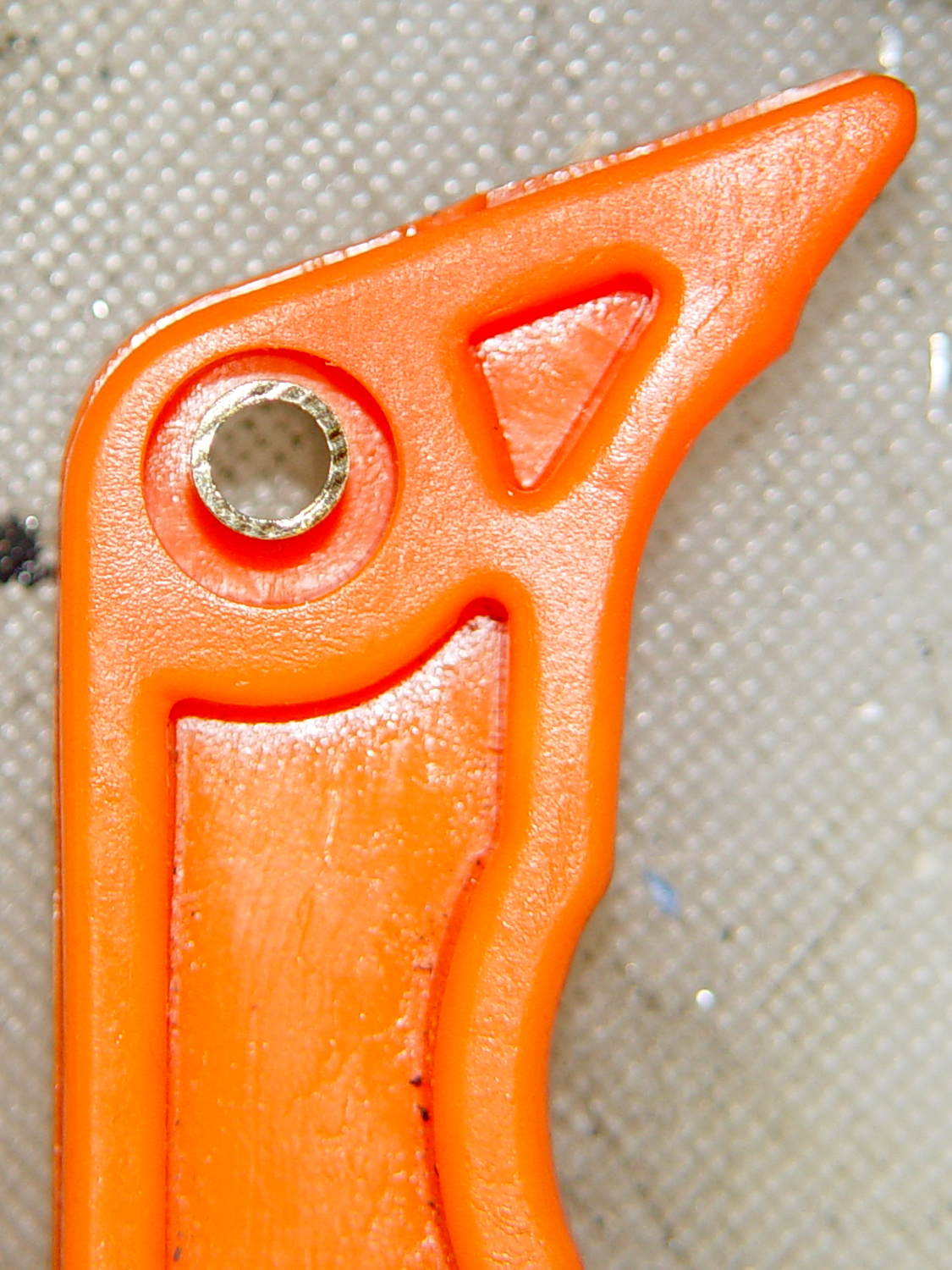
    I drilled out the hole just slightly to fit a snippet of brass tubing:

    Harbor Freight Bar Clamp - brass bushing
    Harbor Freight Bar Clamp – brass bushing

    If the tubing looks slightly off-center, that’s because it is. The two halves of the injection mold weren’t aligned, as you can see along the top edge of the picture, putting the hole off-center. The broken boss took most of the reaction force from the handle: a poor bad design compounded by crappy production QC.

    I filled the empty spaces with epoxy, topped it off with a pair of washers, match-drilled holes in the side plates, and ran a stainless 8-32 screw through the brass tubing:

    Harbor Freight Bar Clamp - reinforced pivot
    Harbor Freight Bar Clamp – reinforced pivot

    The end-on view shows the misaligned handle halves:

    Harbor Freight Bar Clamp - repaired - edge view
    Harbor Freight Bar Clamp – repaired – edge view

    It’s not nearly as stylish, but the handle pivot won’t fail again. I should preemptively repair the other clamps, but …

    “Harbor Freight: The Home of Single-Use Tools” once again performs as expected.

    (*) That’s a rare example of a double positive statement denoting a negative opinion, by the way.

  • Garden Knife Sheath

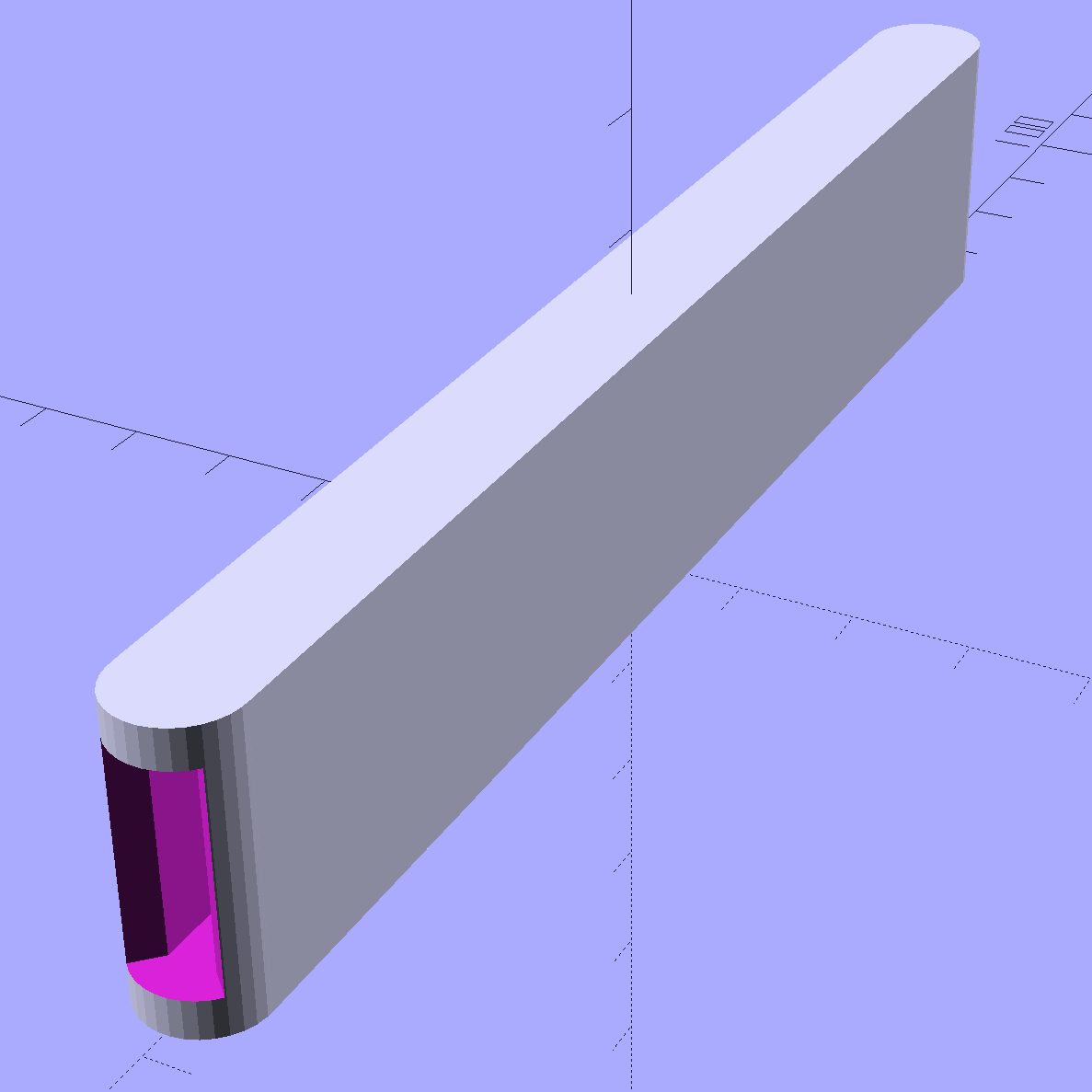
    This replaces the transparent acrylic version that’s sure to resurface in the garden:

    Garden Knife Sheath - solid model
    Garden Knife Sheath – solid model

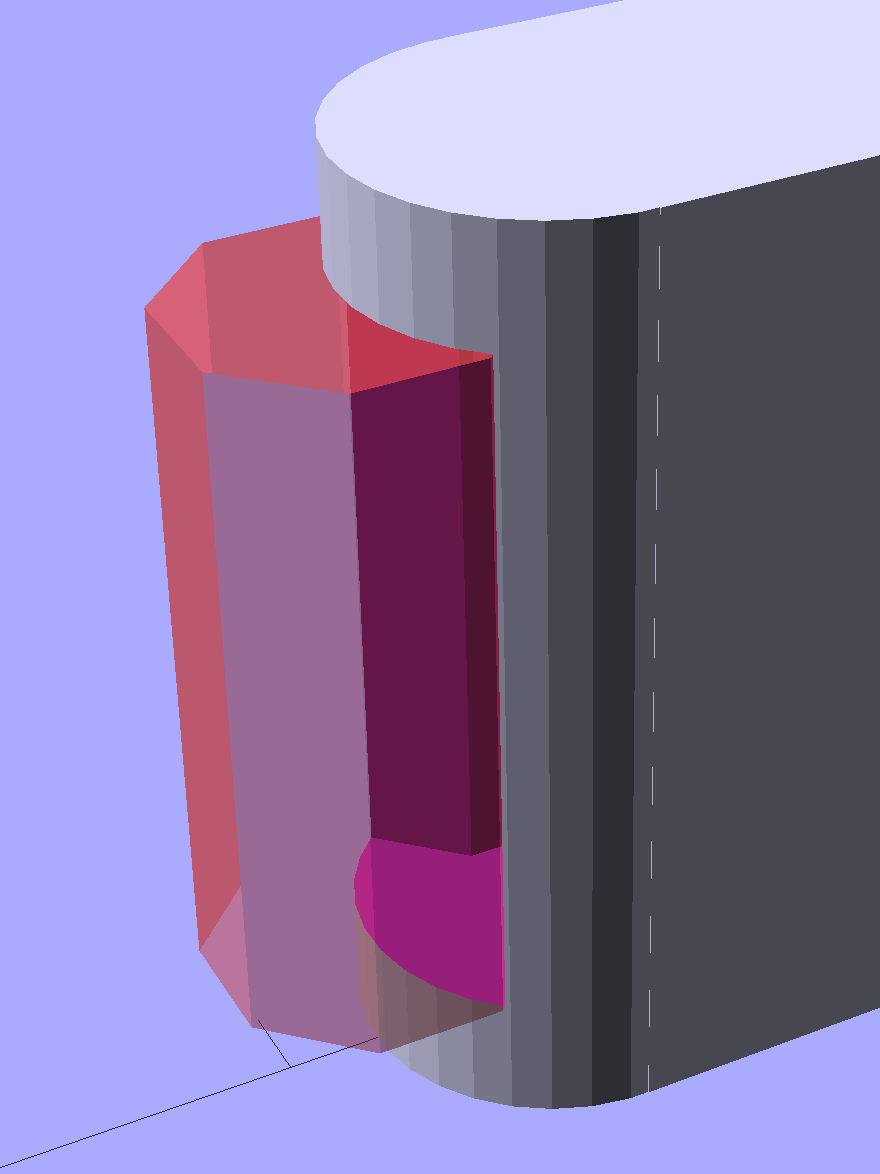
    The ends have nice chamfered entrances made from octagons:

    Garden Knife Sheath - entrances - solid model
    Garden Knife Sheath – entrances – solid model

    The thing went away so fast I didn’t get a chance to photograph it, but magenta PETG filament should make it much harder to mislay, out there among the greenery…

    The OpenSCAD source code:

    // Garden Knife Scabbard
    // Ed Nisley KE4ZNU - August 2015
    
    //- Extrusion parameters - must match reality!
    
    ThreadThick = 0.25;
    ThreadWidth = 0.40;
    
    function IntegerMultiple(Size,Unit) = Unit * ceil(Size / Unit);
    
    Protrusion = 0.1;
    
    HoleWindage = 0.2;
    
    //------
    // Dimensions
    
    WallThick = IntegerMultiple(3.0,ThreadWidth);
    
    Blade = [115,1.8,16.0];
    
    Clearance = [10.0,2.0,2.0];
    
    Slot = Blade + Clearance;
    
    Sheath = Slot + [0,2*WallThick,2*WallThick];
    
    //- Build it
    
    
    translate([0,0,Sheath[2]/2])
        difference() {
            union() {
                for (i=[-1,1])
                    translate([i*Sheath[0]/2,0,-Sheath[2]/2])
                        rotate(180/32)
                            cylinder(d=Sheath[1],h=Sheath[2],$fn=32);
                cube(Sheath,center=true);
            }
            cube(Slot + [Slot[0],0,0],center=true);
            for (i=[-1,1])
                translate([i*(Sheath[0]/2 + Sheath[1]/2),0,-Slot[2]/2])
                    rotate(180/8)
                        cylinder(d=Sheath[1] - 4*ThreadWidth,h=Slot[2],$fn=8);
        }
    
  • HP 7475A Plotter: Pen Performance and a Backup

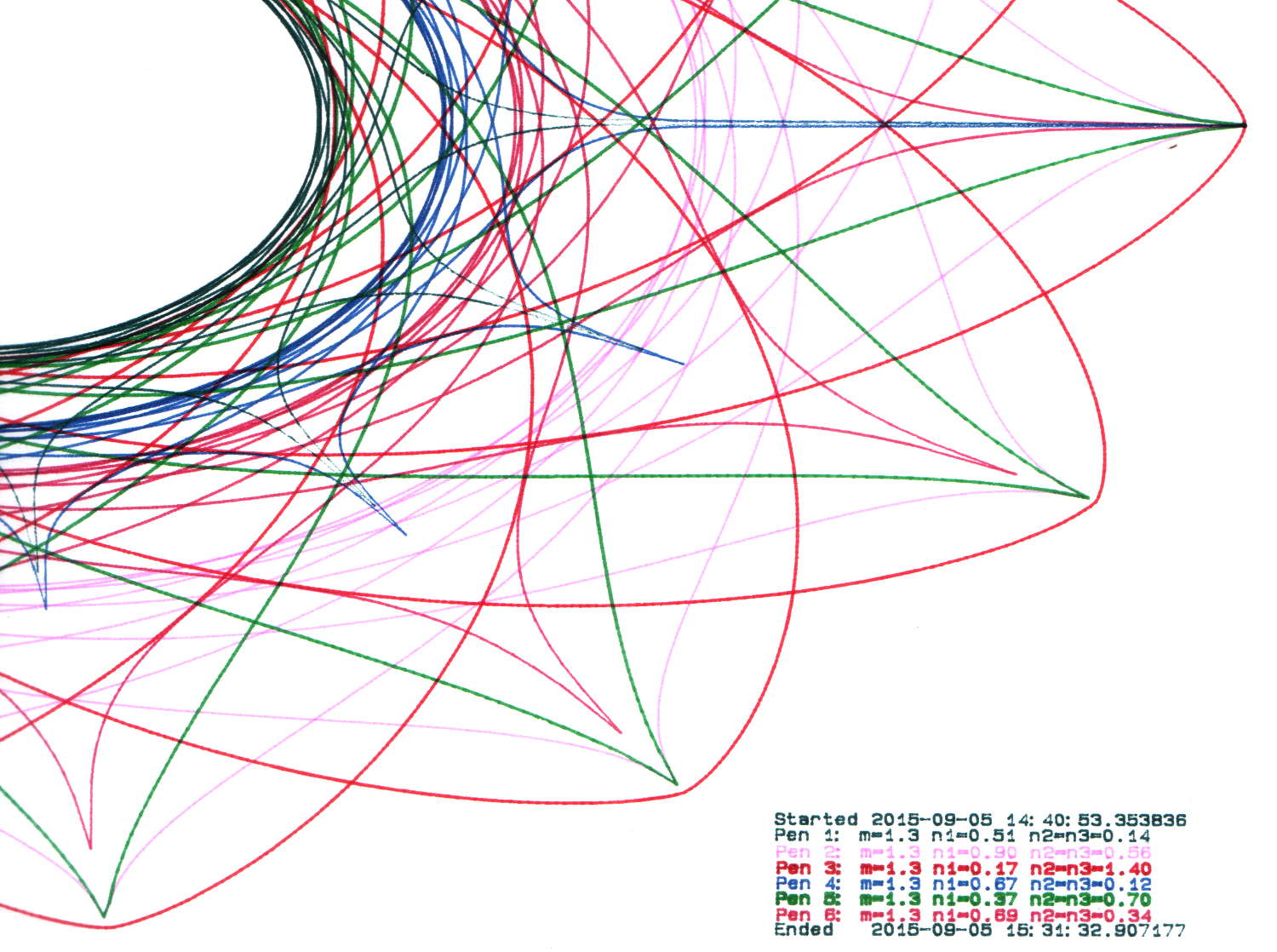
    By now, I have half a dozen baggies each containing half a dozen plotter pens, plus a demo program that can produce good-looking Superformula plots, so I can do this without any hassle:

    HP 7475A 2541A 68465 - Random pens
    HP 7475A 2541A 68465 – Random pens

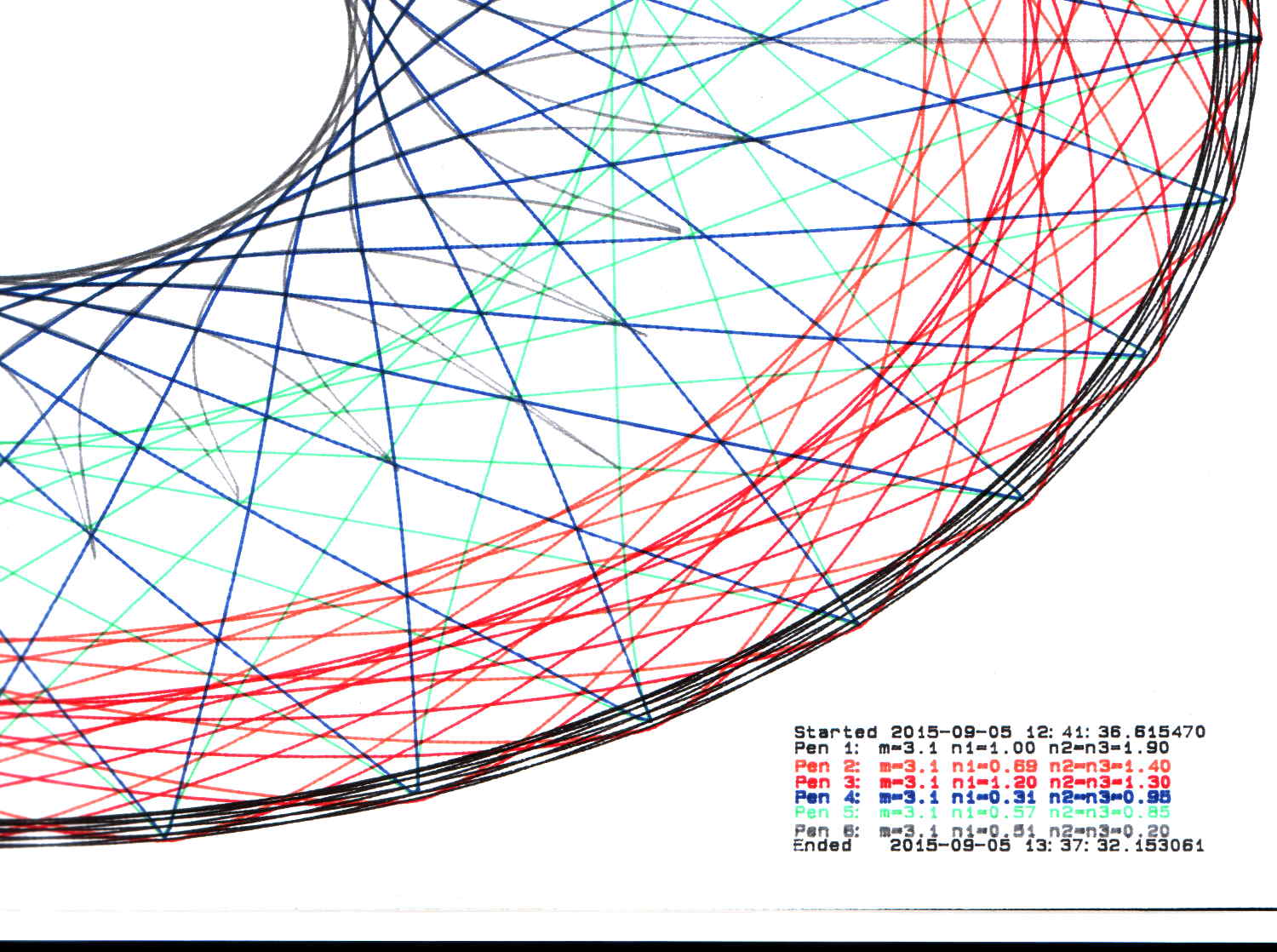
    And this:

    HP 7475A 2641V 26599 - Random pens
    HP 7475A 2641V 26599 – Random pens

    I must confess to not being good at withstanding temptation; the second plot comes from another HP 7475A plotter that I won on eBay:

    Stacked HP 7475A Plotters
    Stacked HP 7475A Plotters

    Apparently, nobody else wanted a plotter advertised as “non-working”, leaving me as the sole bidder. The photos showed that it powered up properly, sported a serial (not HPIB) interface, had an (empty) carousel with rubber pen boots (that were, oddly enough, not fossilized), and came with a complete set of manuals. Turns out any one of those items sells for more than the entire package, so I can part it out, flip the pieces, and Profit! if I were so inclined.

    Load the carousel with a handful of restored pens, insert a sheet of paper, hold down the P1 + P2 buttons, flip the power switch, and out comes a perfectly drawn demo plot:

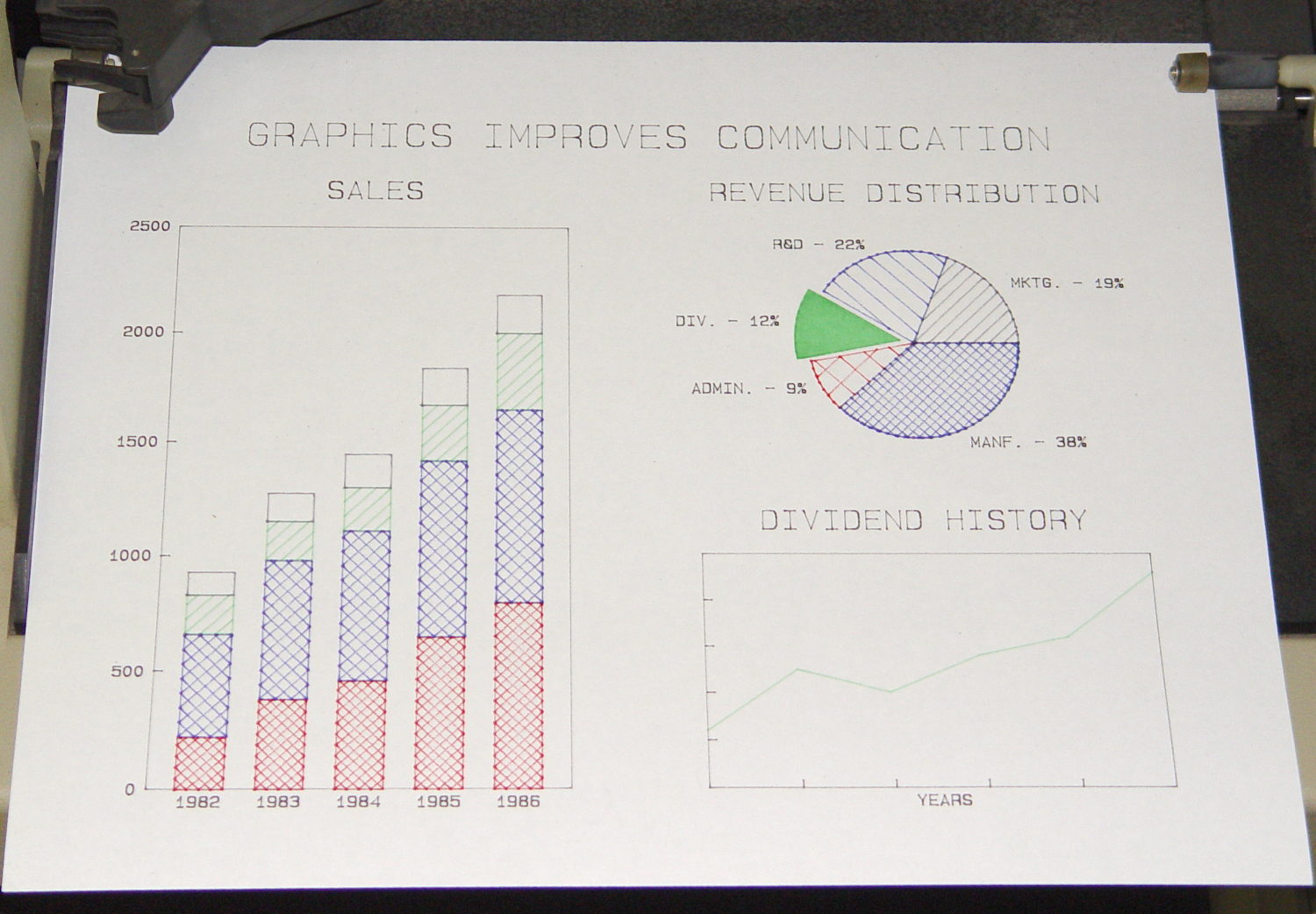
    HP 7475A 2641V 26588 - Firmware Demo Plot
    HP 7475A 2641V 26588 – Firmware Demo Plot

    Compared with the first plot from the first plotter, I’m plotting like it’s 1989!

    Which was the title of my Lightning Talk for the MHV LUG: MHVLUG – HP 7475A Demo – Plot Like Its 1989

    Anyway, now I have a backup…