The Smell of Molten Projects in the Morning

Ed Nisley's Blog: Shop notes, electronics, firmware, machinery, 3D printing, laser cuttery, and curiosities. Contents: 100% human thinking, 0% AI slop.

Author: Ed

  • HQ Sixteen: Ball-mounted Stylus Laser

    HQ Sixteen: Ball-mounted Stylus Laser

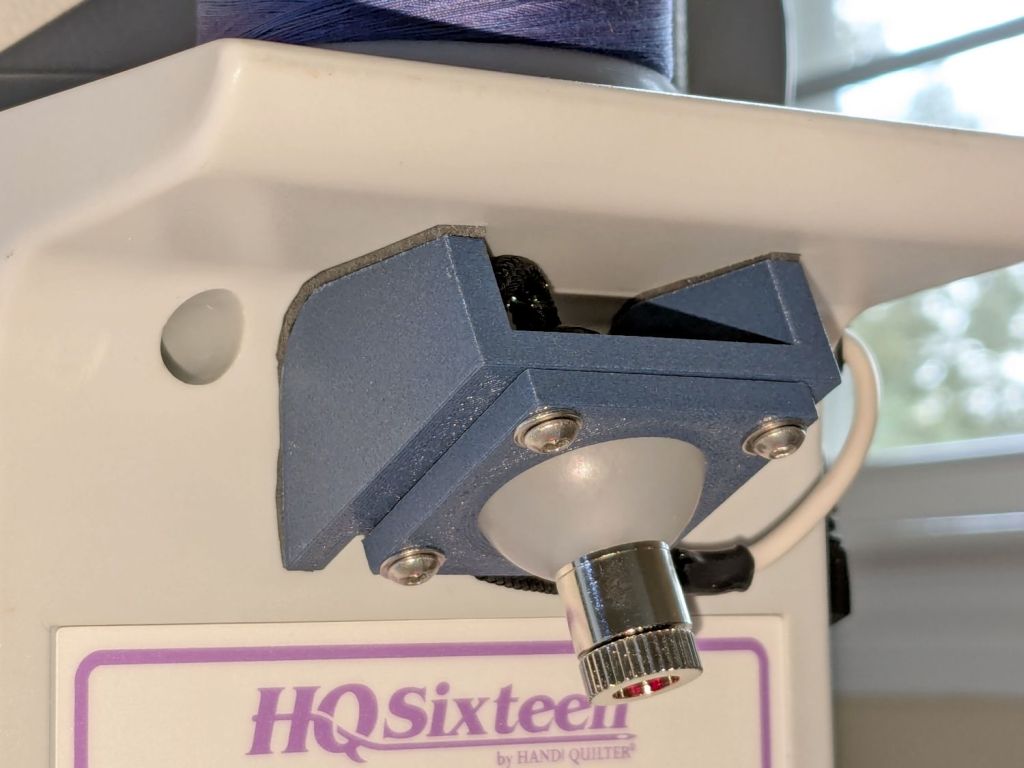
    Installing the new ball-mount laser stylus on the HQ Sixteen’s electronics pod required nothing more than two strips of good foam tape:
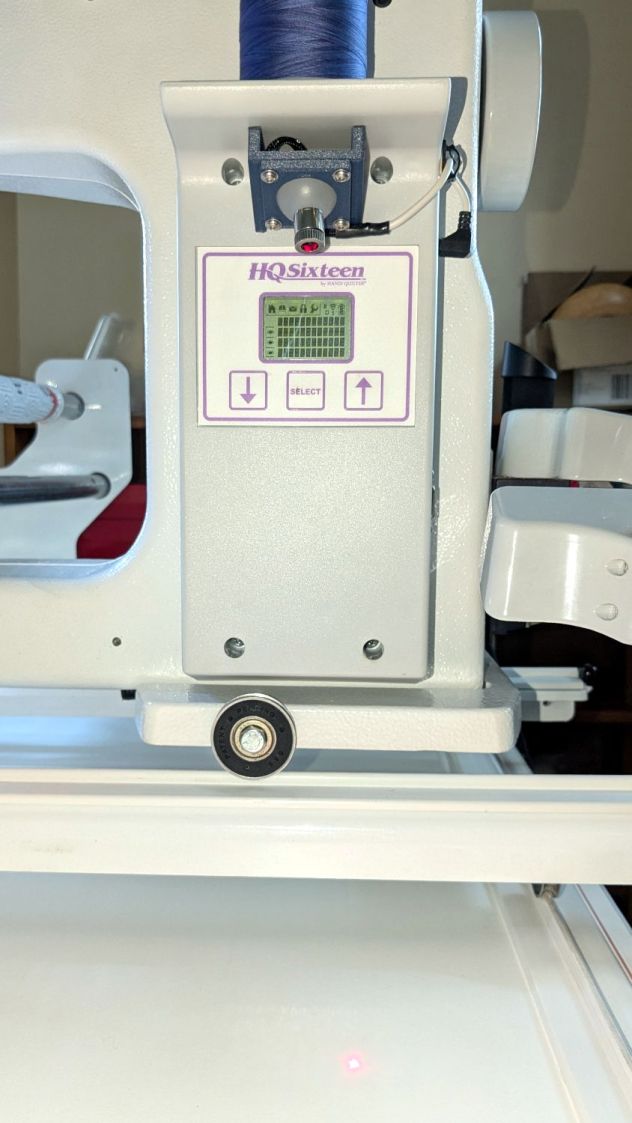
    HQ Sixteen - Stylus Laser - installed - overview
    HQ Sixteen – Stylus Laser – installed – overview

    In actual use, you would:

    • Lay down a “pantograph” pattern on a paper strip along the rear track under the machine’s carriage
    • Position the needle at the appropriate spot on the quilt
    • Aim the laser at the corresponding point on the pattern
    • Start the machine!
    • Move the laser spot along the pattern while the machine stitches that pattern in the quilt

    Mary thinks free-motion quilting is easier and I’m not in a position to argue the point.

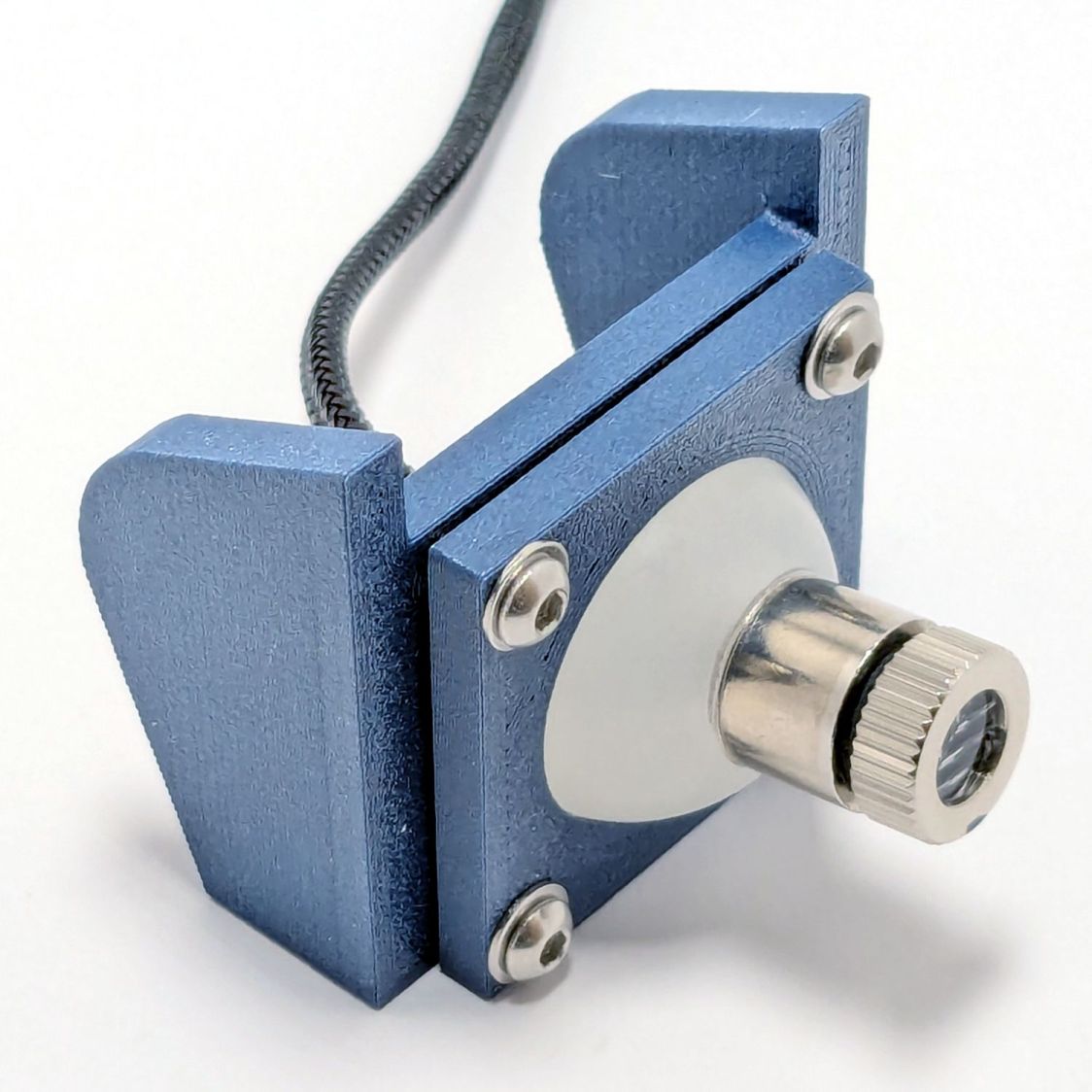
    Anyhow, the key feature of my ball mount is that it’s completely out of the way:
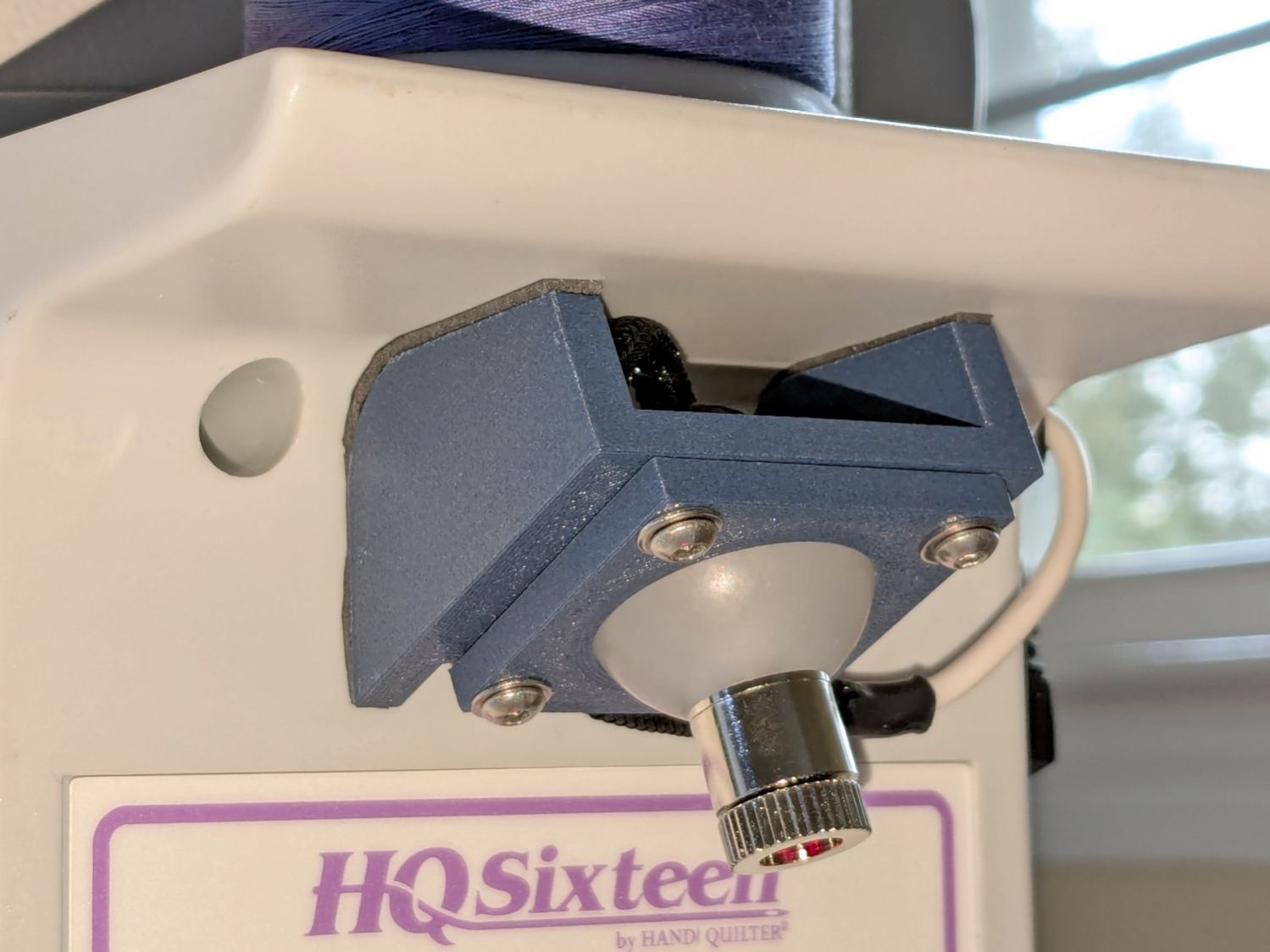
    HQ Sixteen - Stylus Laser - installed - front
    HQ Sixteen – Stylus Laser – installed – front

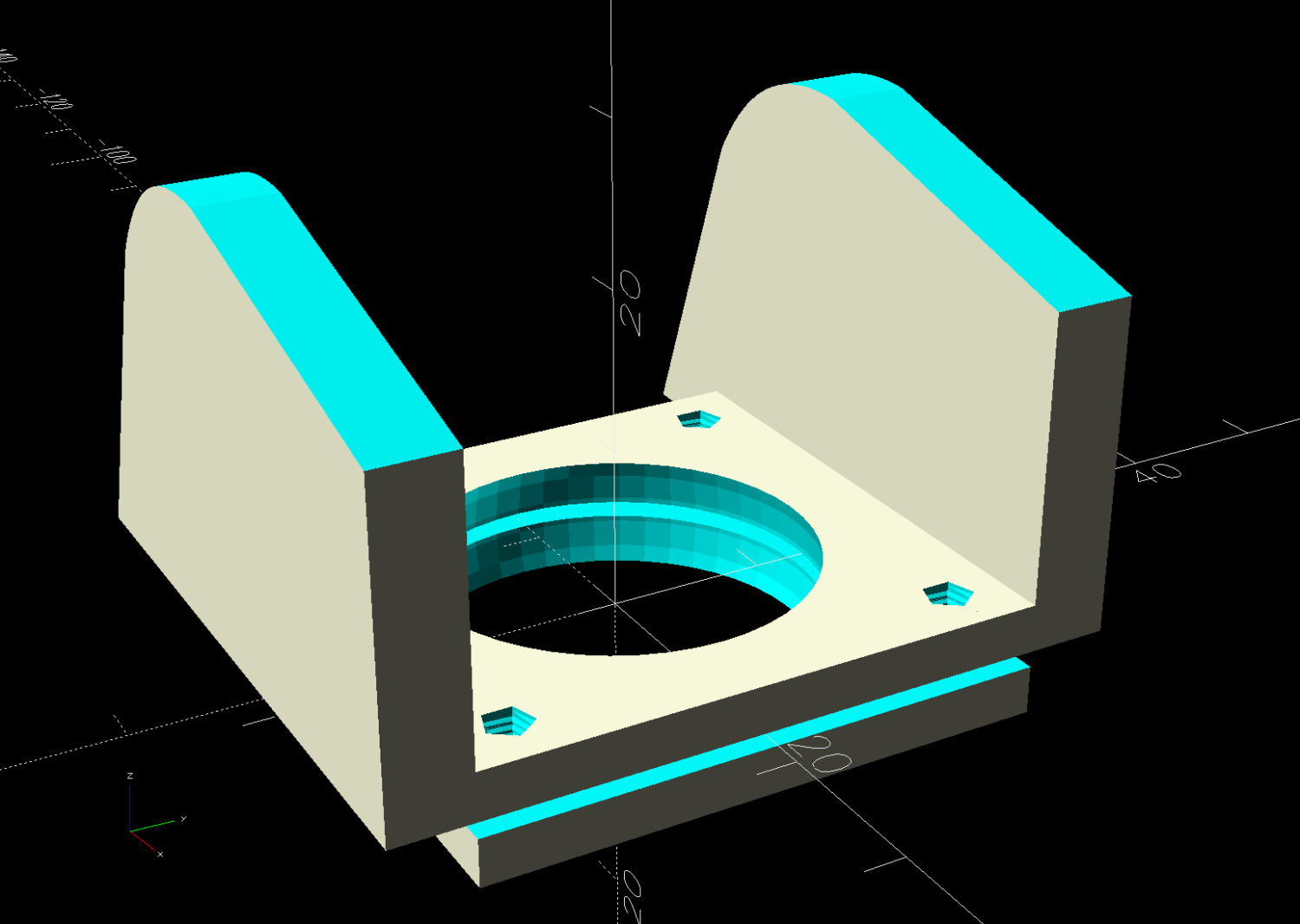
    Which looks comfortingly like the original solid model:
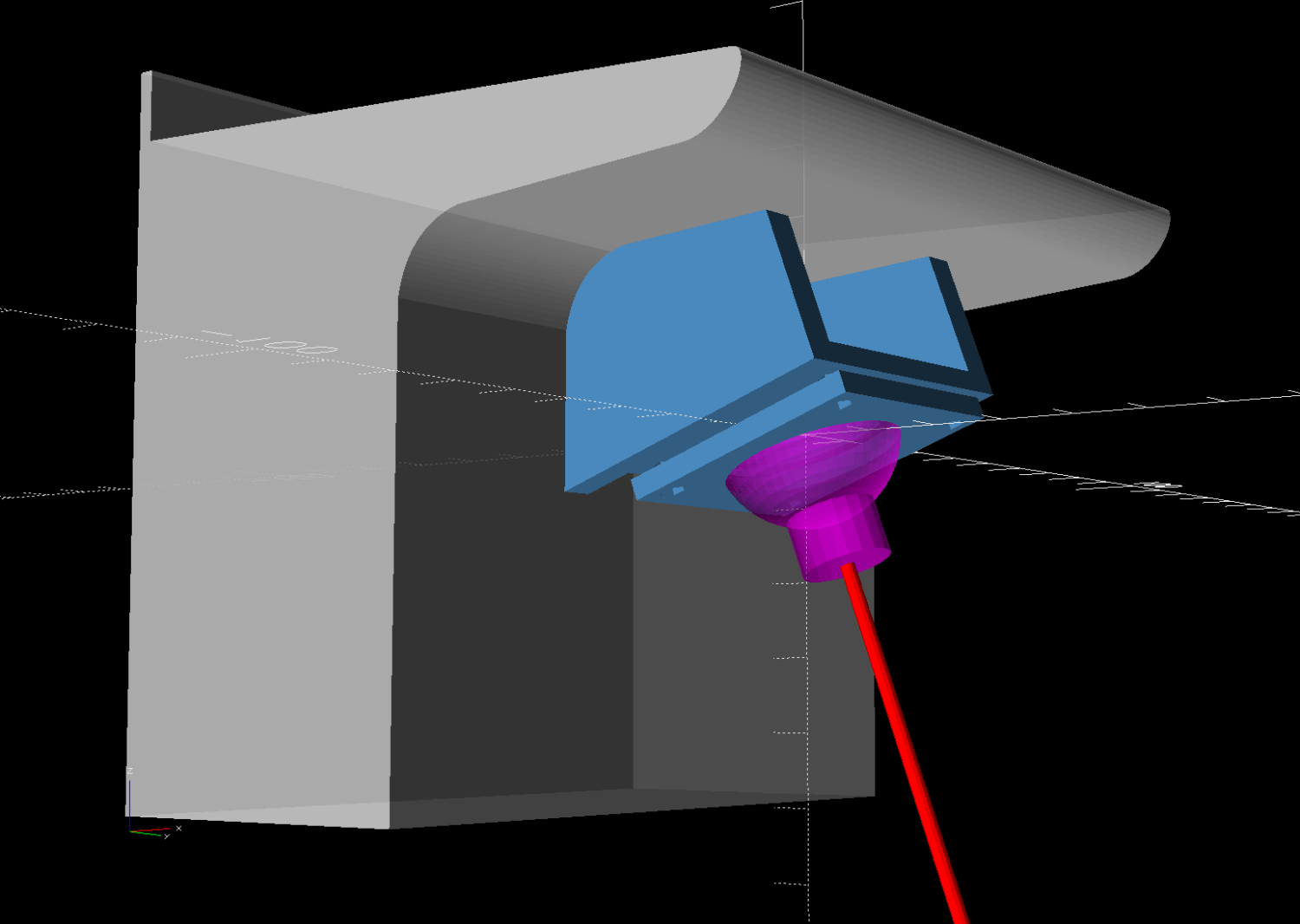
    HQ Sixteen - Stylus Laser Mount - solid model - show
    HQ Sixteen – Stylus Laser Mount – solid model – show

    Minus the vivid red death ray and pew! pew! pew!

    Power comes from a barrel jack in the back intended for the original stylus laser; all small lasers, unless otherwise noted, run from 5 VDC. The jack is 3.5×1.3 mm, but the Drawer o’ Weird Barrel Plugs disgorged a matching right-angle plug. Unsurprisingly, such things are readily available these days.

    Splice the laser leads to the plug and cover the evidence with a braided loom + heatshrink tubing:
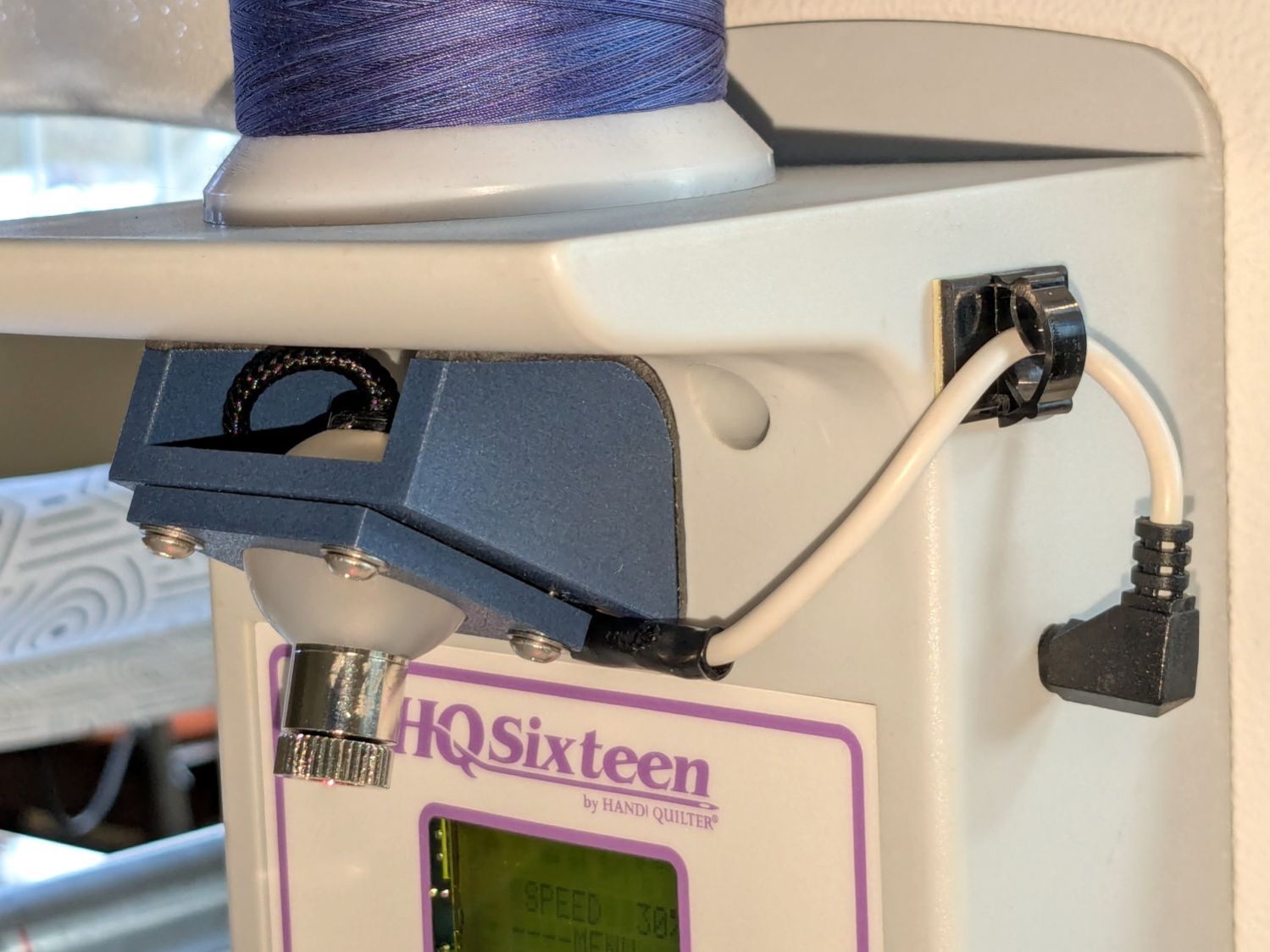
    HQ Sixteen - Stylus Laser - installed - rear
    HQ Sixteen – Stylus Laser – installed – rear

    I considered a switch, but the anticipated low duty cycle suggested just unplugging it, so that’s that.

    And It Just Worked™.

    The backstory begins There and continues to now.
  • HQ Sixteen: Stylus Laser Ball Drilling

    HQ Sixteen: Stylus Laser Ball Drilling

    With the ball mount in hand:

    HQ Sixteen - Stylus Laser - ball clamp test fit
    HQ Sixteen – Stylus Laser – ball clamp test fit

    The next step is to drill a 12 mm hole for the red-dot laser module right through the middle of the 1 inch = 25.4 mm polypropylene ball.

    I decided to use a more-or-less standard laser module, rather than the Genuine Handi-Quilter laser, because:

    • Cheap & readily available
    • Identical spares on hand
    • Two decades of red laser diode progress

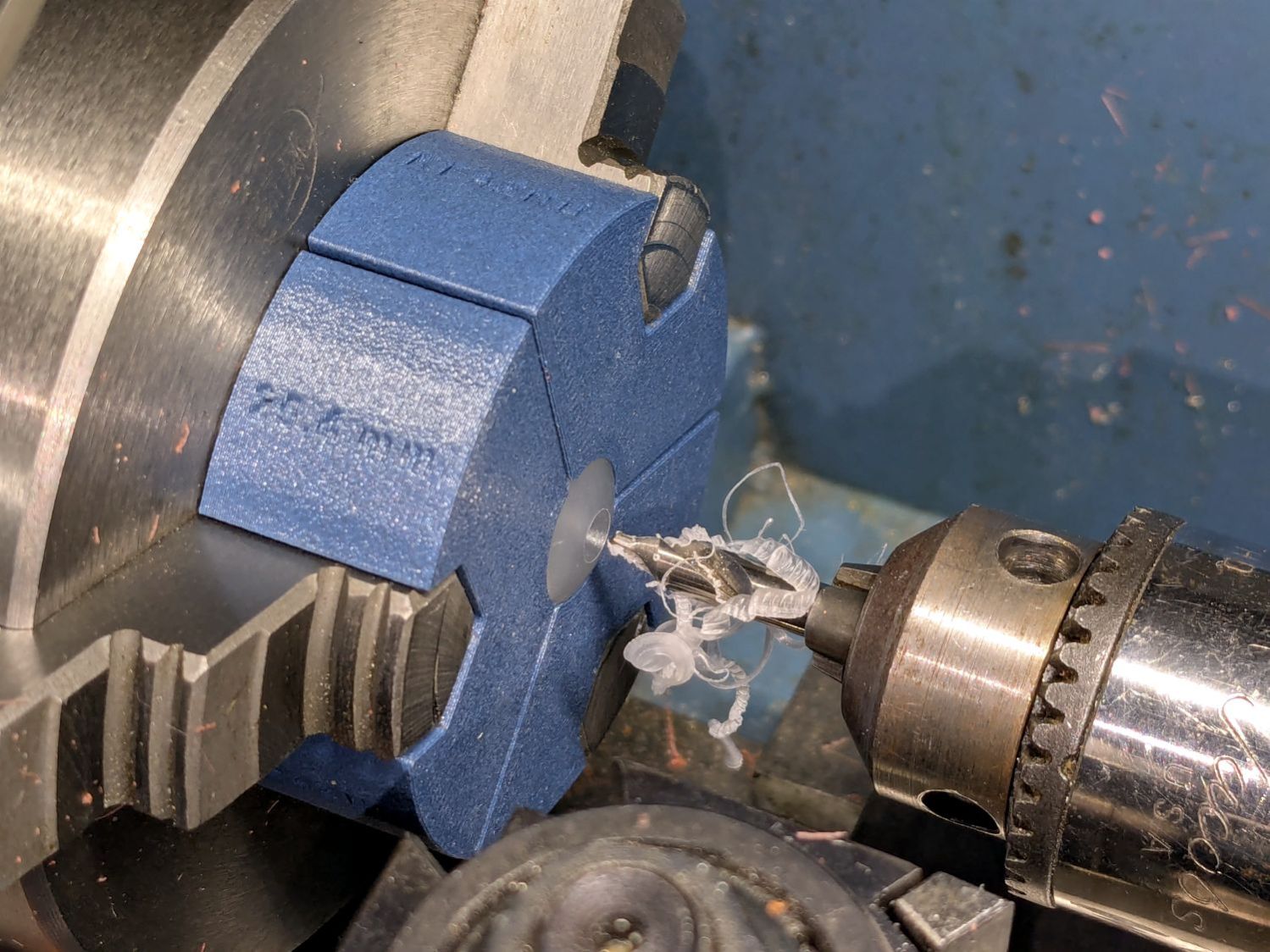
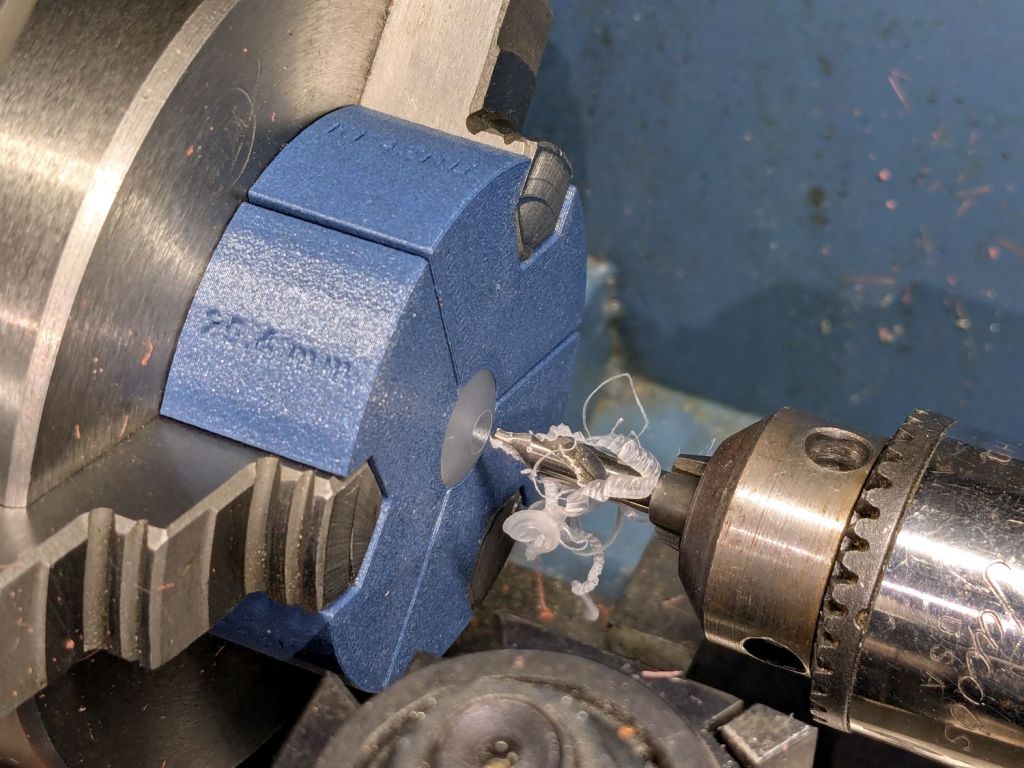
    Start by conjuring a lathe chuck fixture for a 1 inch ball from my OpenSCAD model and printing it in PETG-CF:

    HQ Sixteen - Stylus Laser - center drilling
    HQ Sixteen – Stylus Laser – center drilling

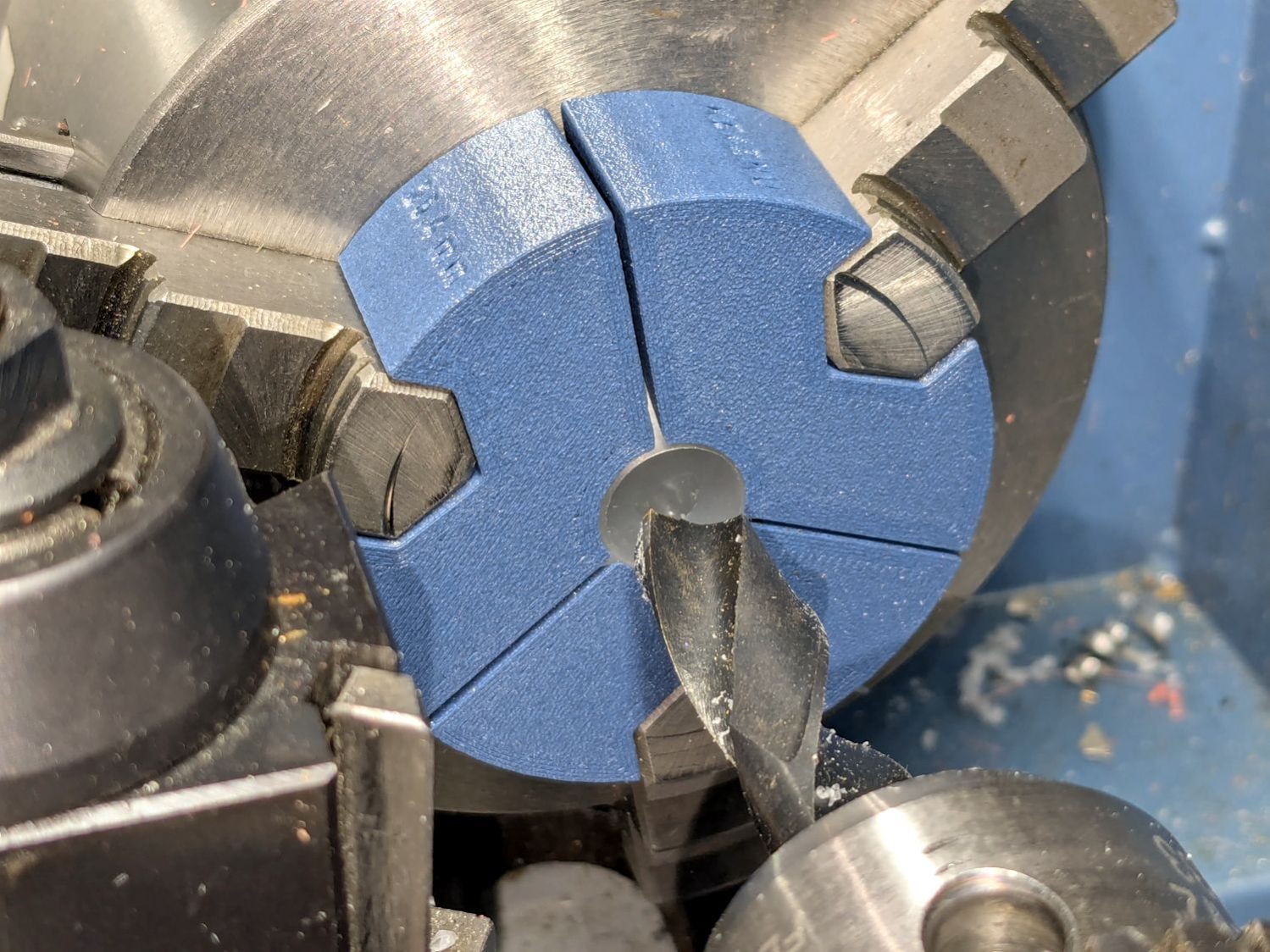
    Run a few drills through the ball up to 15/32 inch = 0.469 inch = 11.9 mm:

    HQ Sixteen - Stylus Laser - final drilling
    HQ Sixteen – Stylus Laser – final drilling

    Which looks terrifying and was no big deal.

    The laser module didn’t quite fit until I peeled off the label, as setting up a boring bar seemed like too much hassle for too little gain. The ball is slick polypropylene and the laser module is chromed plastic, which means there’s not much friction involved and a stiff fit is a Good Thing™.

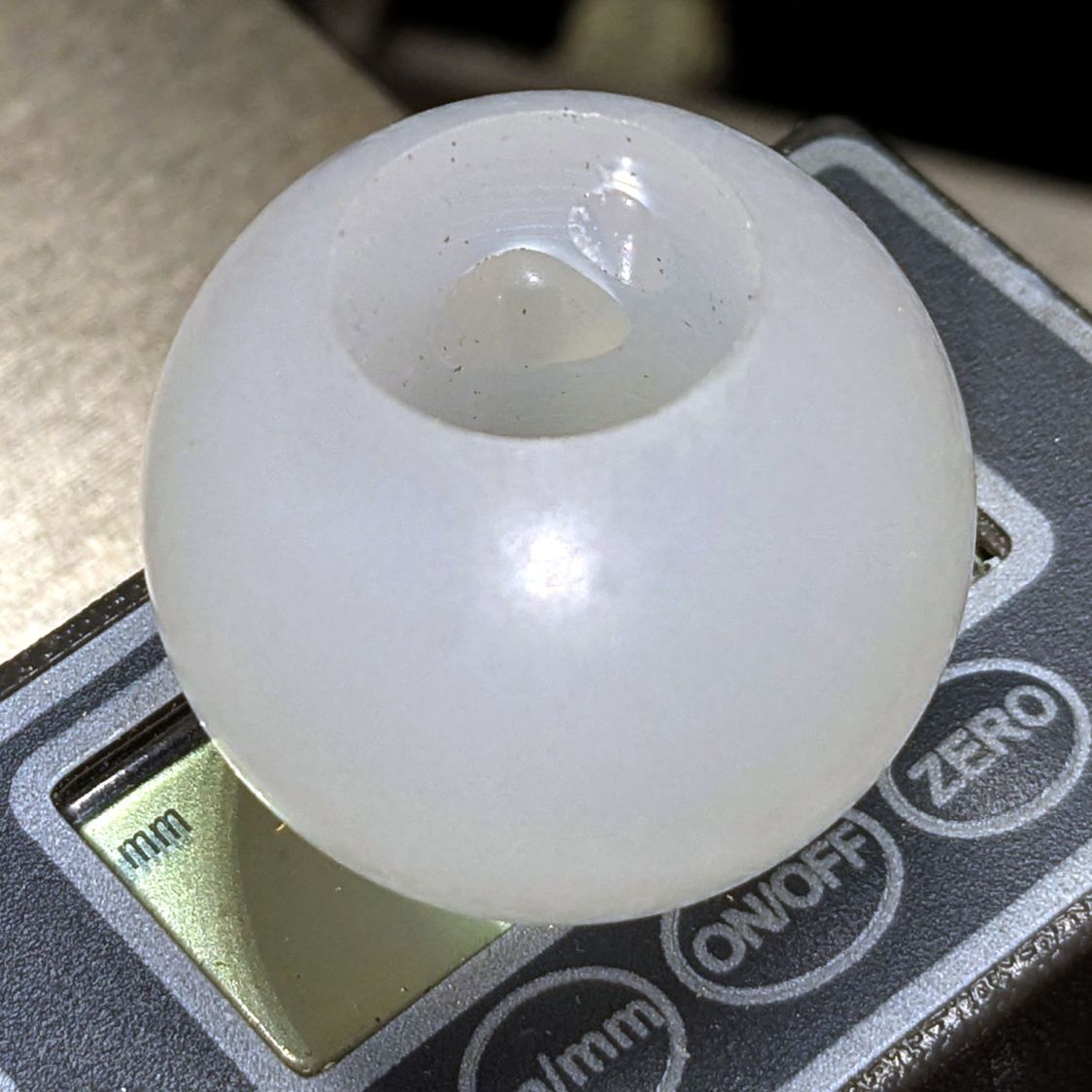
    I did not realize the hazy white patches barely visible inside the ball were voids / bubbles:

    HQ Sixteen - Stylus Laser - drilled ball
    HQ Sixteen – Stylus Laser – drilled ball

    Next time I’ll (try to) orient the patches toward the tailstock in hopes of simply drilling through them to leave solid plastic around the rim.

    Ramming the laser in place makes it look like it grew there;

    HQ Sixteen - Stylus Laser - laser test fit
    HQ Sixteen – Stylus Laser – laser test fit

    The alert reader will note the lens projects a line, due to my not ordering any dot modules back when I got a bunch of these things. After all, who wants a plain dot when you can light up a line or even a crosshair?

    Next, wire it up and stick it on the machine …

  • HQ Sixteen: Stylus Laser Ball Mount

    HQ Sixteen: Stylus Laser Ball Mount

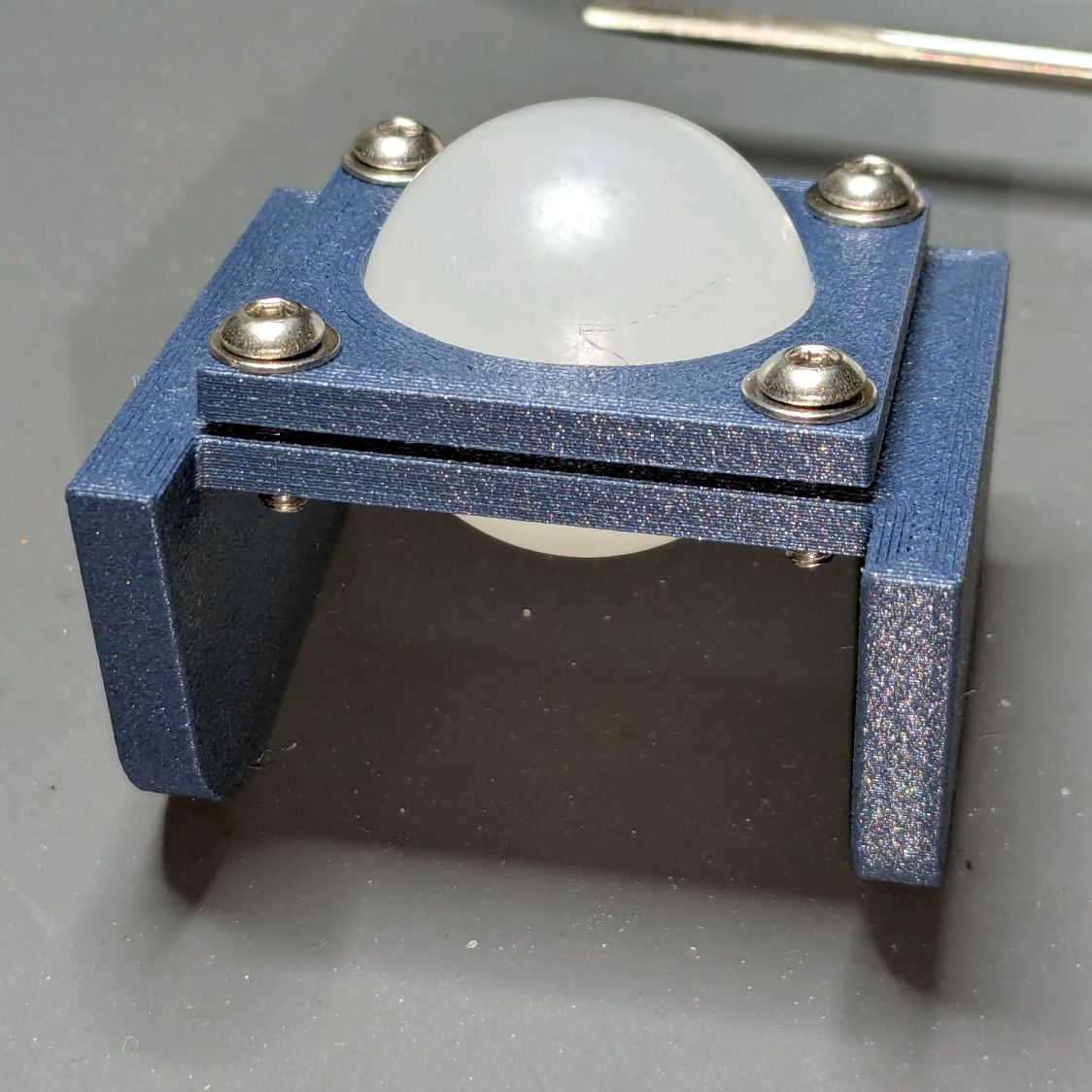
    My version of a mount for the HQ Sixteen’s “stylus laser” clamps a 1 inch polypropylene ball between two plates:

    HQ Sixteen - Stylus Laser - ball clamp test fit
    HQ Sixteen – Stylus Laser – ball clamp test fit

    The plates have a sphere subtracted from them and a kerf sliced across the sphere’s equator for clamping room:

    HQ Sixteen - Stylus Laser Mount - solid model
    HQ Sixteen – Stylus Laser Mount – solid model

    Given that this is a relatively low-stress situation, I embedded BOSL2 nuts to produce threads in the plate rather than use brass inserts.

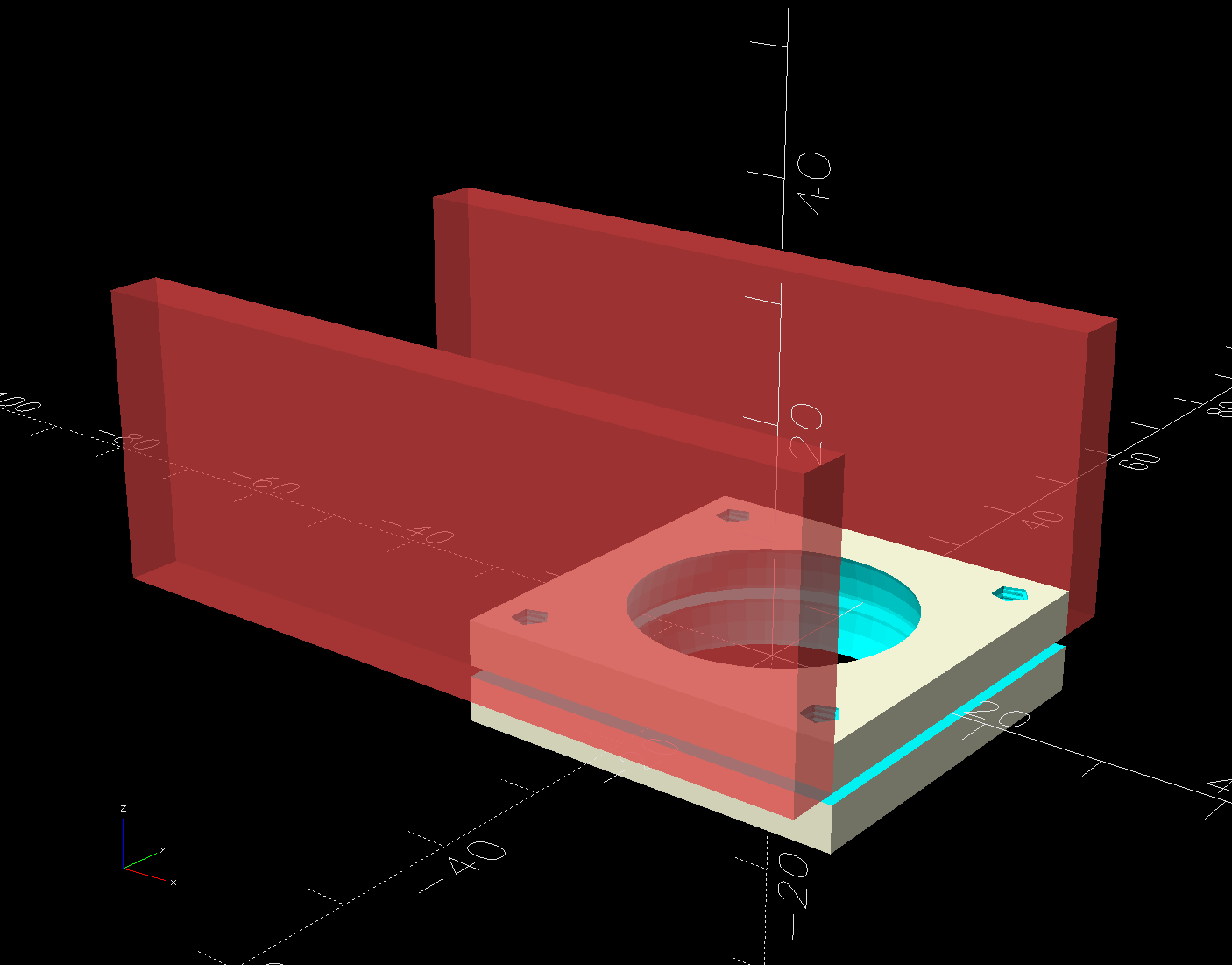
    The side plates start as simple rectangles:

    HQ Sixteen - Stylus Laser Mount - solid model - mount sides
    HQ Sixteen – Stylus Laser Mount – solid model – mount sides

    Subtracting the electronics pod shape from those slabs matches them exactly to the curvalicious corner:

    HQ Sixteen - Stylus Laser Mount - solid model - mount shaping
    HQ Sixteen – Stylus Laser Mount – solid model – mount shaping

    The weird angle comes from tilting the mount to aim the laser in roughly the right direction when perpendicular to the plates:

    HQ Sixteen - Stylus Laser Mount - solid model - show
    HQ Sixteen – Stylus Laser Mount – solid model – show

    That angle can be 0° to 30°, although 25° seems about right. The slab sides neither stick out the top nor leave gaps in the corner over that range, after some cut-and-try tinkering sizing.

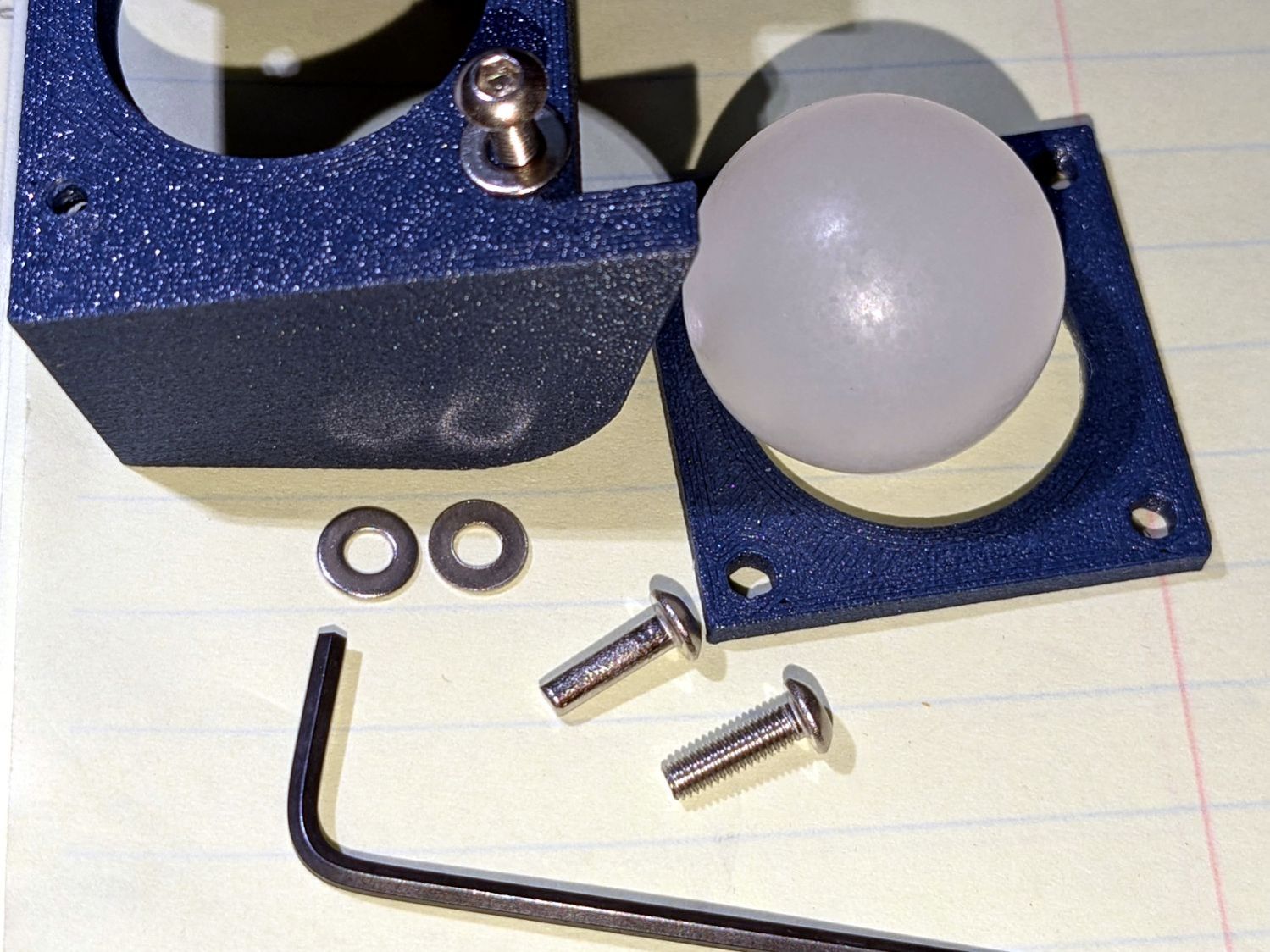
    One of the M3 screws just did not want to go into its hole:

    HQ Sixteen - Stylus Laser - threadless M3 screw
    HQ Sixteen – Stylus Laser – threadless M3 screw

    A bad day in the screw factory, I suppose.

    The OpenSCAD source code as a GitHub Gist:

    // Handiquilter HQ Sixteen Stylus Laser Mount
    // Ed Nisley – KE4ZNU
    // 2025-02-23
    include <BOSL2/std.scad>
    include <BOSL2/threading.scad>
    Layout = "Pod"; // [Show,Build,Pod,Mount]
    /* [Hidden] */
    PodWidth = 110.0; // overall width of pod
    PodScrewClear = 50.0; // clear distance between pod screws
    PodRecenter = [0,0]; // pod trace upper corner to origin if not done in Inkscape
    BaseAngle = -25; // laser neutral angle
    BallOD = 25.4 + 0.2; // bearing ball + easy fit clearance
    BallOffset = [70.0,0,-35.0]; // upper corner to ball center
    LaserOD = 12.2; // laser module
    LaserLength = 38.0;
    Kerf = 1.0; // clamp gap
    Plate = [35.0,35.0,8.0 + Kerf]; // basic mount plate
    WallThick = 5.0; // upright walls: plate to pod
    WasherOD = 7.0;
    ScrewPitch = 0.5;
    ScrewNomOD = 3.0;
    ScrewNomID = ScrewNomOD – ScrewPitch;
    ScrewOC = Plate – [WasherOD,WasherOD,0];
    Gap = 5.0; // build spacing
    //———-
    // HQ Sixteen electronics pod
    module Pod() {
    xrot(90)
    down(PodWidth/2)
    linear_extrude(height=PodWidth,convexity=5)
    translate(PodRecenter)
    import("HQ Sixteeen – pod profile.svg",
    layer="Pod Profile");
    }
    module LaserPointer() {
    cylinder(d=LaserOD,h=LaserLength,center=true);
    }
    module Ball() {
    union() {
    sphere(d=BallOD,$fn=4*12);
    down(0.25*LaserLength)
    LaserPointer();
    }
    }
    module Mount() {
    union() {
    difference() {
    union() {
    cuboid(Plate,anchor=CENTER);
    for (j=[-1,1])
    translate([-(BallOffset.x – Plate.x)/2,j*(Plate.y + WallThick)/2,Kerf/2])
    cuboid([BallOffset.x,WallThick,-0.75*BallOffset.z],anchor=BOTTOM);
    }
    cuboid([4*Plate.x,4*Plate.y,Kerf],anchor=CENTER);
    Ball();
    for (i=[-1,1], j=[-1,1])
    translate([i*ScrewOC.x/2,j*ScrewOC.y/2,0])
    cylinder(d=1.2*ScrewNomOD,h=2*Plate.z,anchor=CENTER,$fn=6);
    yrot(-BaseAngle)
    translate(-BallOffset)
    Pod();
    }
    for (i=[-1,1], j=[-1,1])
    translate([i*ScrewOC.x/2,j*ScrewOC.y/2,Kerf/2])
    // flat size root dia height pitch
    threaded_nut(1.5*ScrewNomOD,ScrewNomID,(Plate.z – Kerf)/2,ScrewPitch,$slop=0.10,
    bevel=false,ibevel=false,anchor=BOTTOM);
    }
    }
    //———-
    // Build things
    if (Layout == "Pod")
    Pod();
    if (Layout == "Mount")
    Mount();
    if (Layout == "Show") {
    yrot(BaseAngle) {
    color("SteelBlue")
    Mount();
    color("Magenta",0.5)
    Ball();
    color("Red")
    yrot(180)
    cylinder(d=2,h=-2*BallOffset.z,$fn=12);
    }
    translate(-BallOffset)
    color("Silver",0.8)
    Pod();
    }
    if (Layout == "Build") {
    left(Plate.x/2 + Gap/2)
    intersection() {
    cuboid([4*Plate.x,4*Plate.y,-BallOffset.z],anchor=DOWN);
    down(Kerf/2)
    Mount();
    }
    right(Plate.x/2 + Gap/2)
    intersection() {
    cuboid([4*Plate.x,4*Plate.y,Plate.z/2],anchor=DOWN);
    up(Plate.z/2)
    Mount();
    }
    }
  • HQ Sixteen: Electronics Pod Solid Model

    HQ Sixteen: Electronics Pod Solid Model

    The HQ Sixteen came with a small red-dot laser pointer attached to a threaded pin:

    HQ Sixteen - Stylus LED Mount - OEM version
    HQ Sixteen – Stylus Laser Mount – OEM version

    The pin can go into either of a pair of threaded holes in the machine castings or the laser + clamp can, as in the picture, attach to a spool pin.

    With a “pantograph” pattern laid along the rear of the table, you can stitch that design (at full size, hence “pantograph” seems aspirational) by guiding the red dot along the lines. The laser’s flimsy clamp mount seems prone to move at the worst possible moment, so neither of us liked the idea.

    Mary is good at free-motion quilting and says she’s unlikely to use the laser, but I figured staying slightly ahead of the curve would be a Good Idea. Bonus: 3D printing.

    The general idea is to tuck a (similar) red-dot laser module under the overhang of the electronics pod, with a ball mount for easy aiming and stable setting, something like this:

    HQ Sixteen - Stylus LED Mount - solid model - show
    HQ Sixteen – Stylus Laser Mount – solid model – show

    Fitting the mount into that curved corner requires a model of the electronics pod, so I held a pad of paper against the pod and traced the outline:

    HQ Sixteen - pod profile trace
    HQ Sixteen – pod profile trace

    Scan it, import the image into Inkscape, fit lines and curves around the shape:

    HQ Sixteen - pod outline - Inkscape
    HQ Sixteen – pod outline – Inkscape

    I only needed the top of the pod, so the bottom is truncated from the actual 250 mm height.

    Save the SVG, import into OpenSCAD, extrude to match the pod’s 110 mm width:

    module Pod() {
    
        xrot(90)
        down(PodWidth/2)
            linear_extrude(height=PodWidth,convexity=5)
                translate(PodRecenter)
                    import("HQ Sixteeen - pod profile.svg",
                            layer="Pod Profile");
    }
    

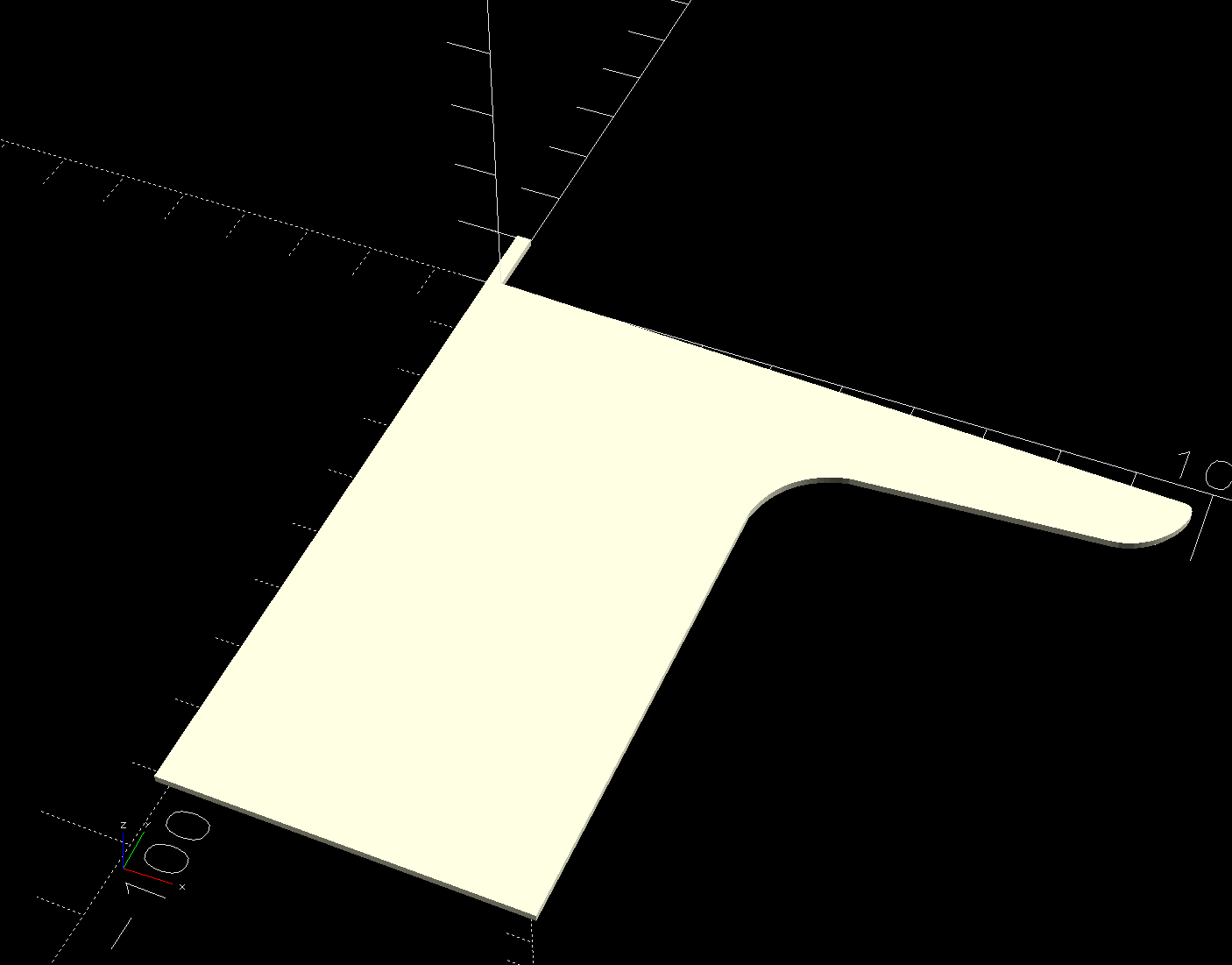
    The model origin is where the upper lip meets the slightly sloped top surface in the middle of the extrusion, because that’s the only easy-to-locate feature:

    HQ Sixteen - Stylus LED Mount - electronics pod - solid model
    HQ Sixteen – Stylus Laser Mount – electronics pod – solid model

    Something Has Changed in the Inkscape SVG → OpenSCAD model chain, because the parts of an Inkscape drawing lying outside the page boundary are no longer cropped from the OpenSCAD model. Now, simply putting a feature at the Inkscape origin at the lower-left corner of the document’s Page produces a complete OpenSCAD 2D shape with that feature at the 3D coordinate origin.

    For reference:

    The Inkscape layout with the entire shape off the page:

    HQ Sixteeen - pod profile - Inkscape origin
    HQ Sixteeen – pod profile – Inkscape origin

    The 2D imported shape in OpenSCAD with a matching origin:

    HQ Sixteeen - pod profile - OpenSCAD origin
    HQ Sixteeen – pod profile – Inkscape origin

    I do not know what changed or if, in fact, my misunderstanding of how things worked required the previous workaround, but this is much better. The OpenSCAD code includes a [0,0] offset value, should you need it.

    More on the mount tomorrow …

  • OMTech 60 W Laser: Engraving Wobbulation

    OMTech 60 W Laser: Engraving Wobbulation

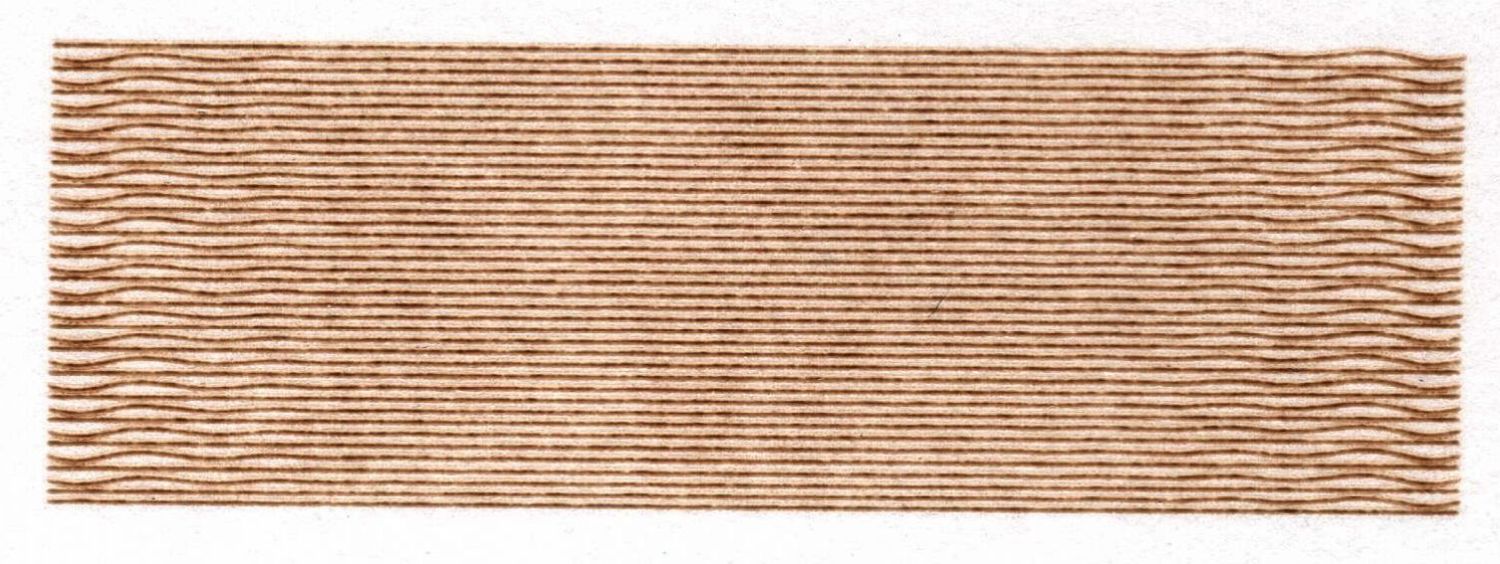
    Continuing the experiments on Y axis wobbling produced this shaky engraving:

    Engraving - 100mm-s 0.25mm interval 9pct
    Engraving – 100mm-s 0.25mm interval 9pct

    The rectangle is 30×10 mm, with lines spaced 0.25 mm apart to simplify estimating distances (although I also have a measuring magnifier) and run at 100 mm/s to simplify converting distance to time. The lines alternate in direction, beginning with a left-to-right line at the bottom (which is bar-straight from the initial positioning move). The wobbles occur at the start of each line.

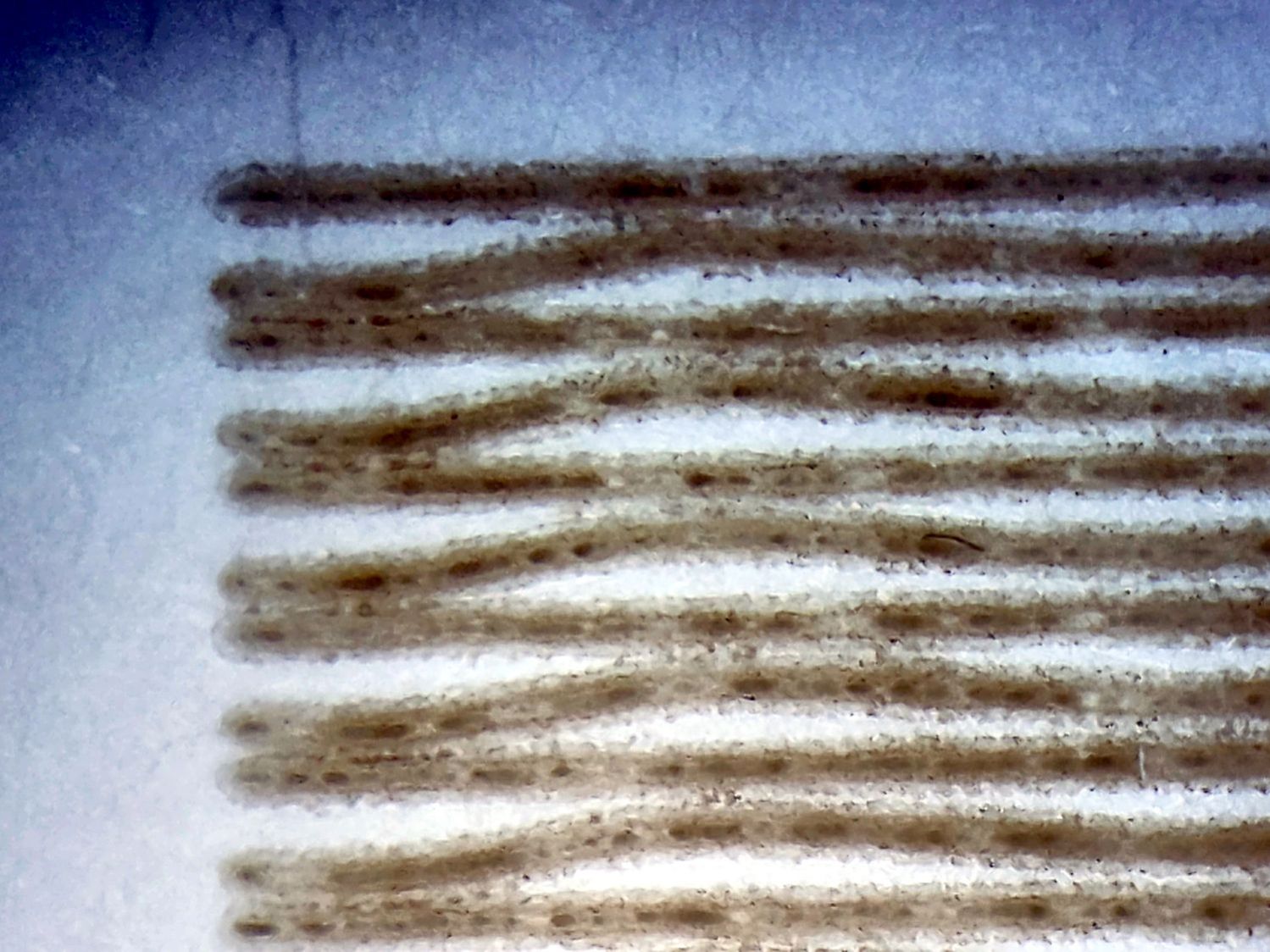
    A closer look with blown contrast:

    Engraving - 100mm-s 0.25mm interval 9pct - detail
    Engraving – 100mm-s 0.25mm interval 9pct – detail

    The maximum error in the Y axis direction looks like 0.12 mm and damps out after 3 cycles. Each cycle covers 2.8 mm = 28 ms = 35 Hz.

    The LightBurn Preview shows a 1.5 mm overscan distance and extrapolating the wobbulations leftward suggests the gantry starts the scan line with an overshoot due to the Y axis motion. The cycle-to-cycle damping is about 50%, so the initial overshoot (invisible in the overscan region) might be 0.25 mm, agreeing reasonably well with the 0.2 mm seen while cutting small squares.

    The results above come from these settings:

    • Layer speed: 100 mm/s
    • Line interval: 0.25 mm
    • Y acceleration: 2000 mm/s²
    • Y start speed: 20 mm/s

    I then made single-variable changes to the Engraving Parameters settings:

    Line shift speed

    • 500 mm/s
    • 10 mm/s

    Y Acceleration

    • 200 mm/s²

    Y start speed

    • 30 mm/s

    Today I Learned: The Y Start Speed (in mm/s) for engraving is capped by the Y Axis Jumpoff Speed (in mm/s², so perhaps the maximum change in speed), which is, in turn, capped at 80 mm/s.

    Each of the variations produced a result visually indistinguishable from the image you see above: the error magnitude and oscillation frequency were identical.

      One possible reason: None of those settings have any effect, because LightBurn doesn’t do whatever the Ruida controller defines as Engraving. However, changing both the Y start speed and the Jumpoff speed should have made at least a little change to the results and did not.

      Another possible reason: Each 0.25 mm Y axis change requires 20.8 motor steps (either 20 or 21 at 12 µm/step), so the fancy tweaks lack space to take effect, the motor thumps 20-ish steps, and the gantry shakes the same way every time.

      The closer you look, the worse it gets …

    • Ooma Telo2: Speaker2 Failure

      Ooma Telo2: Speaker2 Failure

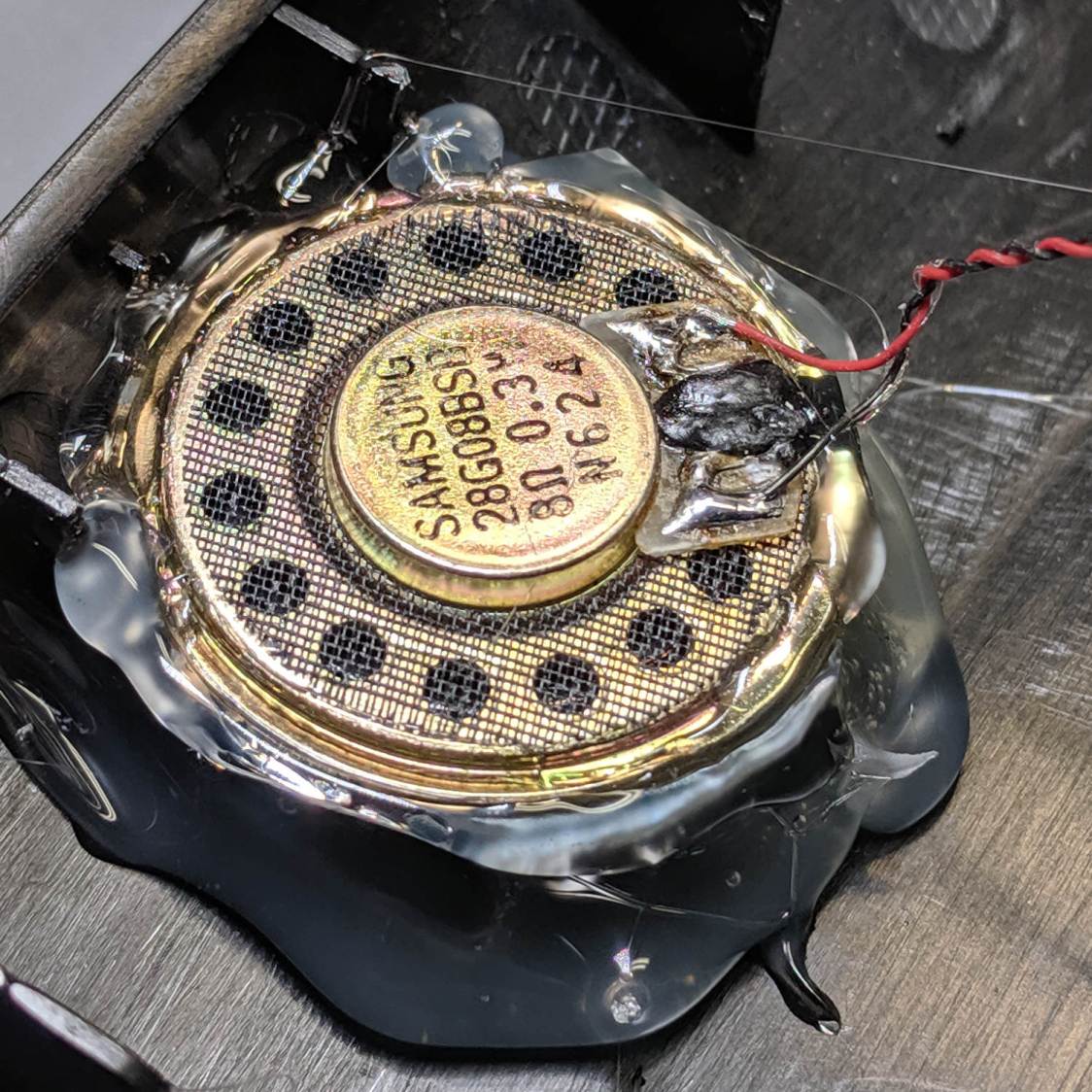
      After not quite six years, the replacement speaker I hacked into our Ooma Telo2 VOIP gadget failed:

      Ooma Telo 2 - replacement speaker installed
      Ooma Telo 2 – replacement speaker installed

      Quite by coincidence, a few days earlier a friend reported the speaker in her Ooma Telo2 had failed. This seems to be a common failure mode, with the rest of the gadget continuing to work fine.

      The failed speaker showed continuity through its coil and, in fact, still had the same 8 Ω DC resistance as an identical speaker pulled from the Drawer o’ Small Speakers. It did not, however, make a sound when connected to a signal generator, where the new speaker squeaked happily.

      So it seems the speaker failed by a mechanical jam, rather than an electrical / wiring failure. It’s not as though we play thrash metal music through the thing, but apparently the magnet disintegrated:

      Samsung speaker magnet disintegration
      Samsung speaker magnet disintegration

      Yes, the coil gap is full of nicely oriented magnetic particles:

      Samsung speaker magnet disintegration - detail
      Samsung speaker magnet disintegration – detail

      If Samsung (or whoever built the speaker) used a poorly sealed neodymium magnet, then it would crumble exactly as shown.

      I wonder if that’s how the original speaker failed.

      Installing the identical replacement speaker involved more hot melt glue and, as expected, restored the Telo2 to normal operation:

      Ooma Telo - second speaker installed
      Ooma Telo – second speaker installed

      I can do that repair eight more times …

    • OMTech 60 W Laser: Speed vs. Corner Radius Wobbulation

      OMTech 60 W Laser: Speed vs. Corner Radius Wobbulation

      Experimenting with little squares showed the Y axis has a definite wobble:

      Subpixel Zoo - Quattron RGBY Shifted - detail
      Subpixel Zoo – Quattron RGBY Shifted – detail

      Which suggested a simple test:

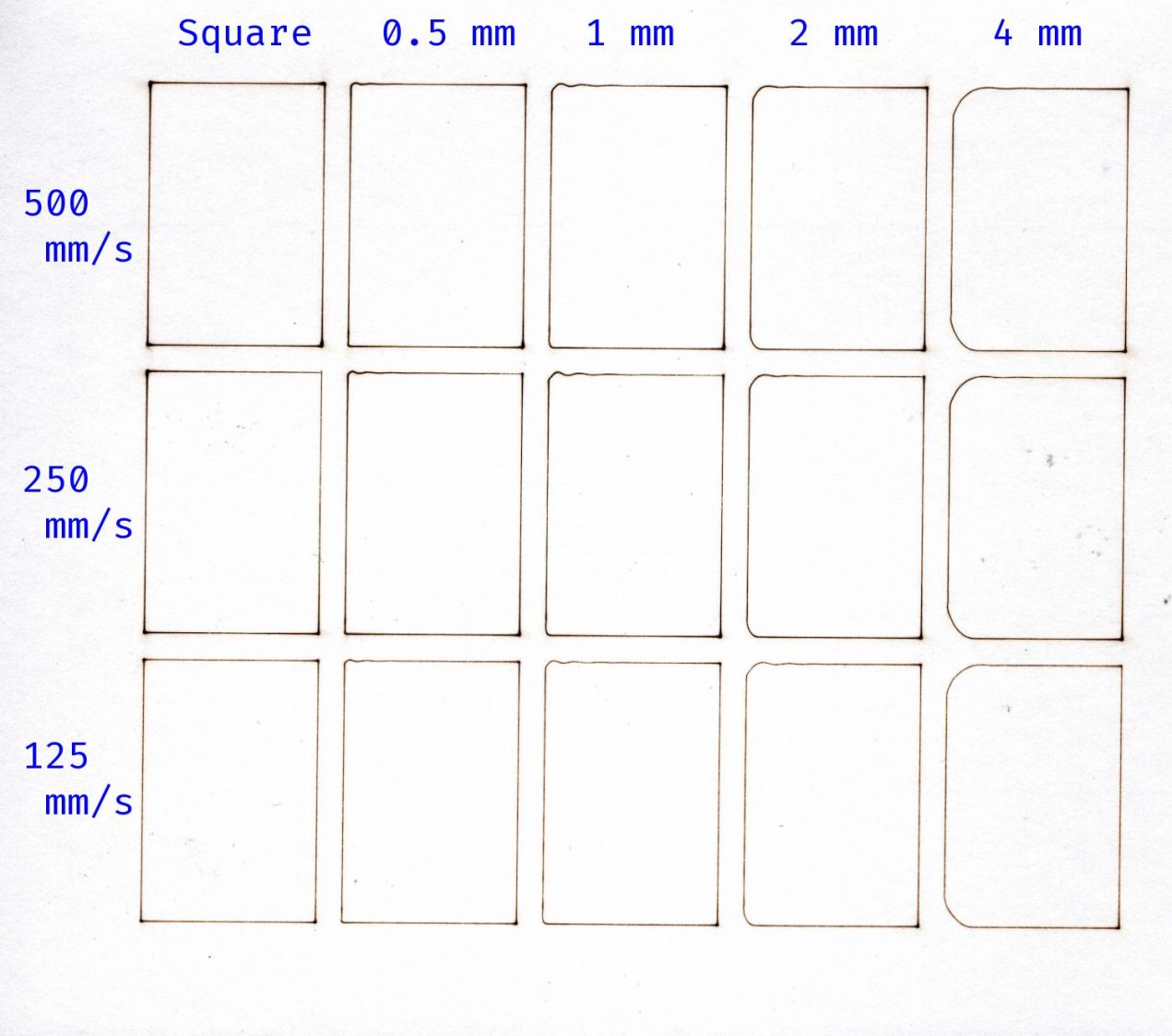
      Cornering - overview
      Cornering – overview

      I adjusted the laser power to compensate for the speed, with the result being a line burned into white cardboard. The lines are a bit under 0.2 mm wide, roughly the width of the focused spot.

      The controller settings for the X and Y axes:

      KT332N - X Y Axis Parameters - 2025-02-18
      KT332N – X Y Axis Parameters – 2025-02-18

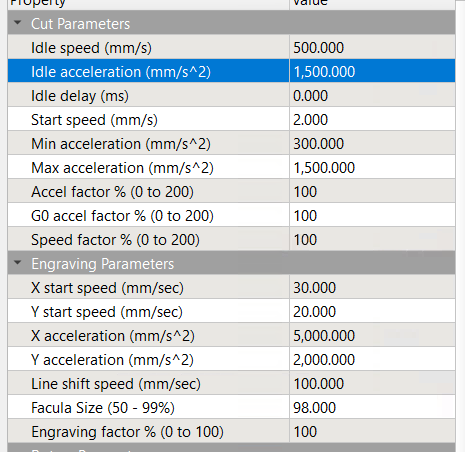
      The acceleration values may be affected by the limits in this section:

      KT332N - Cut Engraving Parameters - 2025-02-18
      KT332N – Cut Engraving Parameters – 2025-02-18

      Assuming the Y axis acceleration is 3000 mm/s², the RepRap calculator shows the Y axis speeds within the 30 mm distance along the vertical sides:

      RepRap Accel Calculator - 3000mm-s2 30mm
      RepRap Accel Calculator – 3000mm-s2 30mm

      Extracting the useful bits and lining them up for comparison:

      Cornering - detail
      Cornering – detail

      The first column in the test results shows perfectly square corners have no problem at any speed, because the controller decelerates to nearly a stop before changing direction.

      Rounding the corner to 0.5 mm introduces a distinct wobble in the Y axis that doesn’t change much, probably because the controller still decelerates as it approaches the corner.

      The 1 mm radius corners show a distinct overshoot at all speeds. The peak overshoot doesn’t change much between 250 and 500 mm/s, because the RepRap calculator shows the machine barely reaches 250 mm/s by the middle of the side, so 500 mm/s isn’t any faster.

      The first overshoot is about 0.2 mm, the first undershoot is a little over 0.1 mm, and the rest are barely visible.

      The 2 and 4 mm radius corners have barely visible wobbles. Whether that is due to the head not flexing as much due to the lower acceleration around the larger radius I cannot say.

      The machine may not follow the simple RepRap acceleration profile when approaching a corner, let alone a rounded corner.

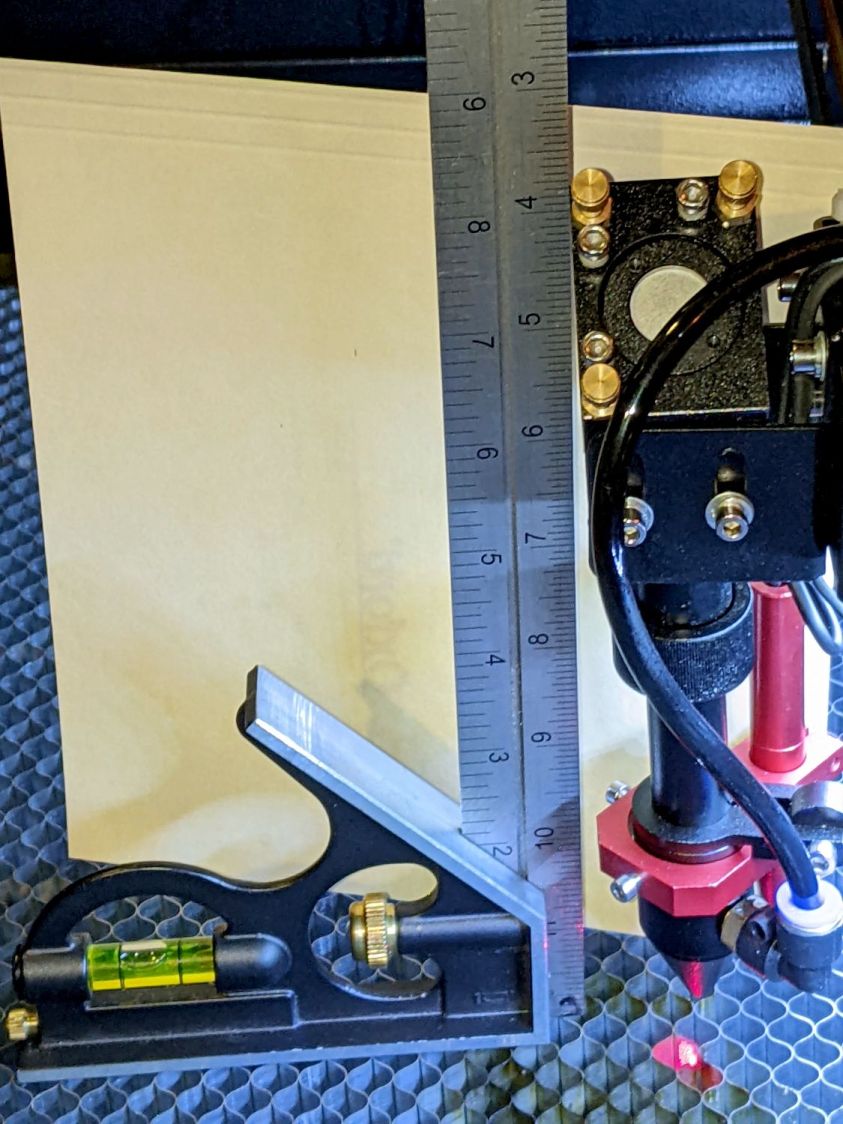
      I think attempting to reduce the overshoot by fiddling with the belt tension / hardware fasteners / whatever will be unavailing. The laser head runs on a linear rail along the gantry with plenty of unbalanced mass hanging off the bottom:

      OMTech 60W beam alignment - head X plane
      OMTech 60W beam alignment – head X plane

      Moving the beam 0.2 mm on the platform by pivoting around the rail 6 inch = 150 mm above amounts to only 0.08°, far less than anything I can measure while adjusting the mechanics.

      Slowing down doesn’t help nearly as much as I expected and rounding the corners makes it worse.

      Word has it that much spendier machines behave better, which is both comforting and unhelpful.