The Smell of Molten Projects in the Morning

Ed Nisley's Blog: Shop notes, electronics, firmware, machinery, 3D printing, laser cuttery, and curiosities. Contents: 100% human thinking, 0% AI slop.

Author: Ed

  • Tour Easy Front Fender Clip: Heatshrink

    So: jouncing over the larg(er) potholes / pavement discontinuities / debris on the roads around here wobbulates the front fender enough to pull the stays out of those tidy 18 mm = 6 diameter deep sockets on the fender clip.

    Perhaps a generous application of heatshrink tubing will help:

    Tour Easy Front Fender Clip - heatshrink hack
    Tour Easy Front Fender Clip – heatshrink hack

    Waving a heat gun around a 3D printed part seems fraught with peril, even with PETG’s glass transition temperature around 80 °C = 175 °F, as ordinary polyolefin tubing shrinks at 140-ish °C. Aiming the hot air stream more-or-less away from the clip (and the tire!) carried the day. PLA would surely have gotten bendy.

    The proper solution surely involves screw clamps and suchlike. I really dislike fiddly hardware: I hope this hack survives.

  • Garage Door Openers: Pity the Color Blind

    The small garage door opener I tote around in the Tour Easy’s underseat bag failed after many years of exposure to the elements, so I paid a few bucks more for a cheap replacement in order to get fast delivery from a (US!) eBay supplier:

    Garage door opener remote controls
    Garage door opener remote controls

    For whatever it’s worth, before buying the replacement I tried:

    • Cleaning the battery contacts
    • Installing a new CR2032 battery
    • Programming the hitherto-unused buttons to open the door

    The remote control would occasionally work, but none of the “repairs” made much difference; I suspect corrosion hidden under the components or cracked solder joints.

    The eBay item description clearly, if inarticulately, specifies the compatibility requirement:

    key chain remote control
    compatible for purple learn button

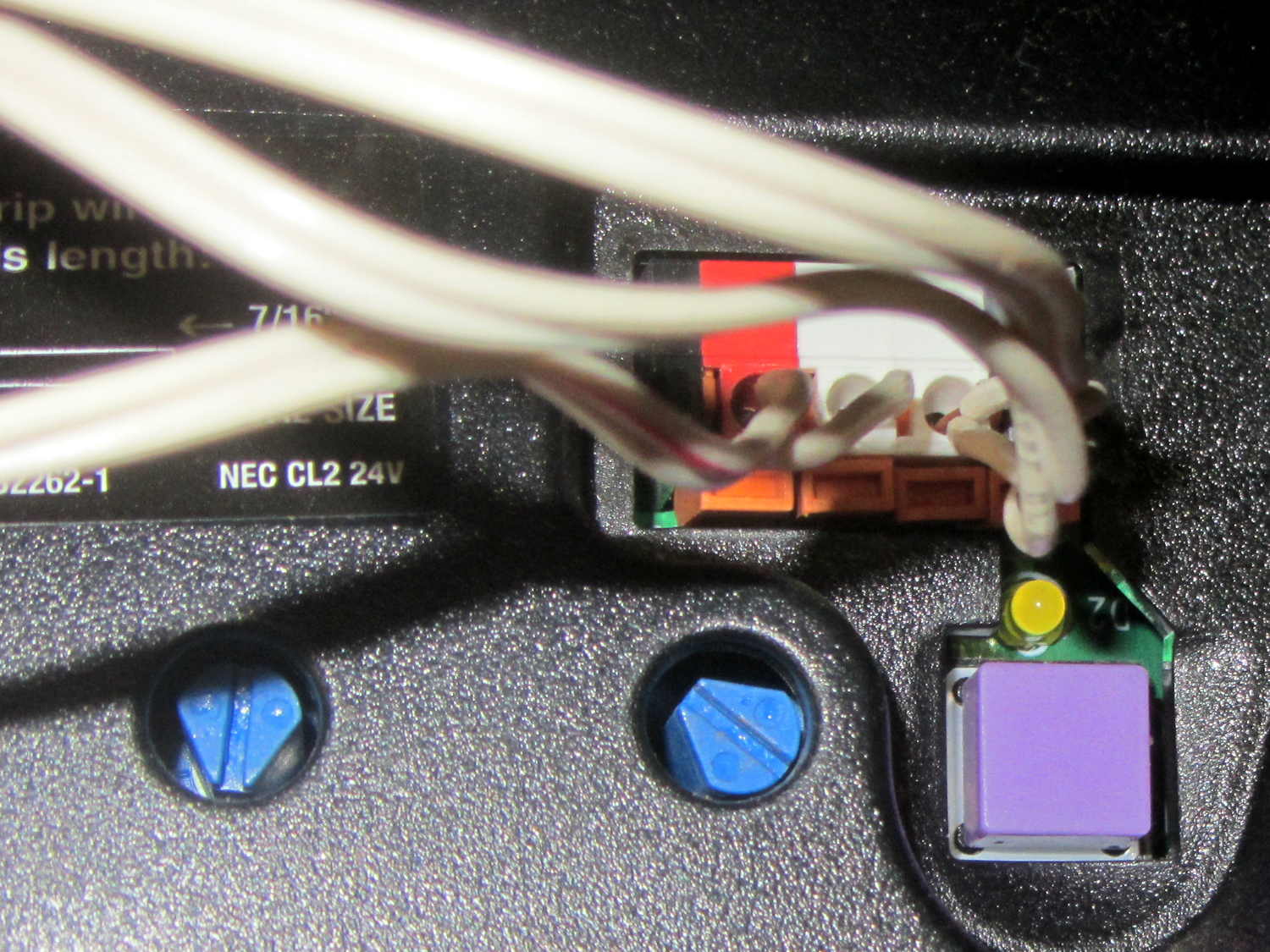
    So I trotted out to the garage and inspected the button:

    Sears Garage Door Opener - purple button
    Sears Garage Door Opener – purple button

    Looks purple to me, but, being that type of guy, I also read the adjacent instruction sticker:

    Sears Garage Door Opener - instructions
    Sears Garage Door Opener – instructions

    Nobody, nobody, maintains the documentation. [sigh]

    I figured if they went to all the trouble of ordering a bazillion switches with purple caps, then the PCB surely holds the corresponding RF filters & firmware & whatever else that button signifies.

    Seeing as how we have exactly one garage door opener and no lights or other doodads, I told the opener to obey both the 1 and 2 buttons, thereby dramatically reducing the dexterity required to open the door while pedaling up the driveway. The opener can remember an unspecified number of transmitters, so I didn’t go for all four buttons.

  • Monthly Science: CR2023 Lithium Cells vs. Wearable LEDs

    Those wearable LEDs spent the last five months sitting on the kitchen window sash, quietly discharging their CR2032 lithium cells:

    Wearable LED with CR2023 cell
    Wearable LED with CR2023 cell

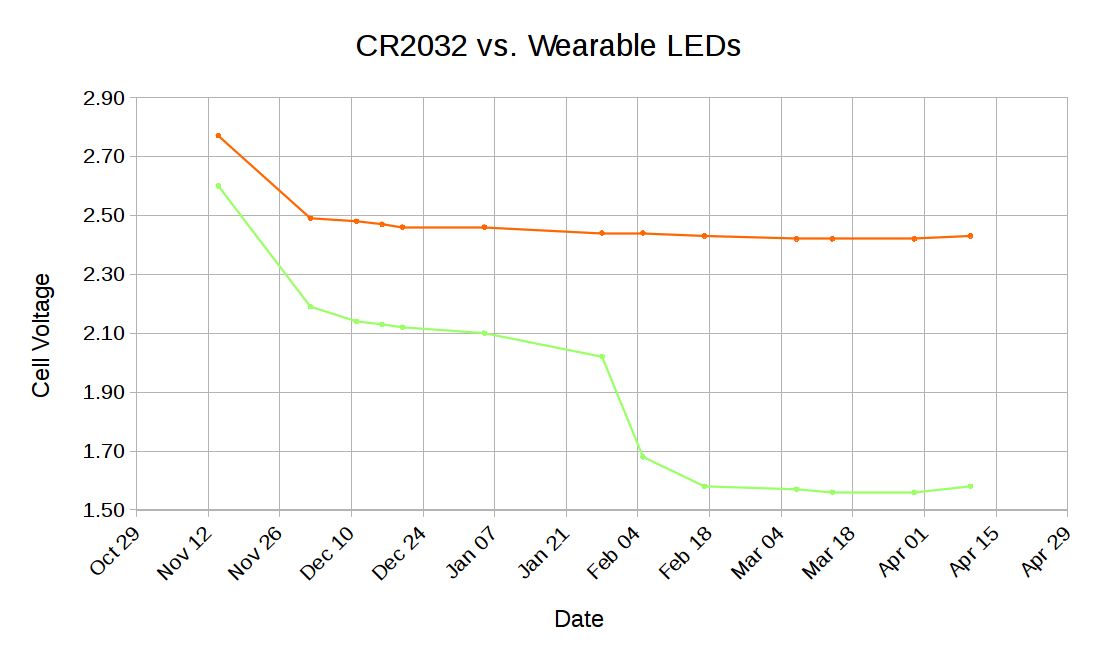
    Occasional voltage measurements produced an interesting graph:

    CR2032 vs Wearable LEDs
    CR2032 vs Wearable LEDs

    CR2023 primary lithium cells start out around 3.3 V, so these were pretty much dead (from their previous lives in dataloggers) when I slipped them into their holders. The LEDs seem to be blue LEDs, with threshold voltages around 3.6 V, with colored phosphors / filters, so they started out dim and got dimmer. The green(-ish) LED obviously fell over a cliff and went dark in late January; I have no way to measure long-term microamp currents, alas.

    The reddish LED is still going, mmm, strong.

    If you need a rather dim light for a surprisingly long time, these things will do the trick.

    I should gimmick up another astable multivibrator to blink one LED.

    The original data:

    CR2032 vs Wearable LEDs - data
    CR2032 vs Wearable LEDs – data
  • The Perils of PDF

    The Dodge Ram ProMaster cargo van we rented to haul our bikes to Glens Falls (and bring some furniture back) sat on their 2500 truck chassis, thus weaponizing an obvious phishing email waiting for me on our return:

    Subject: About the Dodge ram 2500
    Kindly review full details of your order.
    Methner

    The From and To addresses were identical, which is always a tipoff, as was the fact neither were any of my addresses. The email had an attached PDF, of course, although the context suggested handling it with the same nonchalance I’d use with any lump of high-level radioactive waste.

    That brief text tripped my junk filters, but, somewhat to my surprise, all the scanners at VirusTotal passed Order 372.PDF without complaint (since then, one scanner woke up, smelled the scam, and tagged the file as “PDF/Phishing.A.Gen”).

    Converting the PDF to plain text with pdftotext produced an empty file, so the PDF payload isn’t a script.

    Passing the PDF through strings revealed a URL for a (probably compromised) server unrelated to the (obviously bogus) email address, wrapped with layout verbiage suggesting a clickable link:

    <</Subtype/Link/Rect[ 205.25 467.11 369.91 499.51] /BS<</W 0>>/F 4/A<</Type/Action/S/URI/URI(http://bogus-domain-here.com/wp-settings/bloglist/hh/index.php) >>>>
    

    Passing the PDF through pdftoppm produced this comforting image:

    Bogus Order Form - Image
    Bogus Order Form – Image

    The “100% SECURE” padlock logo, with a green check for added confidence, is a nice touch.

    At this point, if a product involves The Cloud, you can deal me out.

  • Gas Pump UI: FAIL

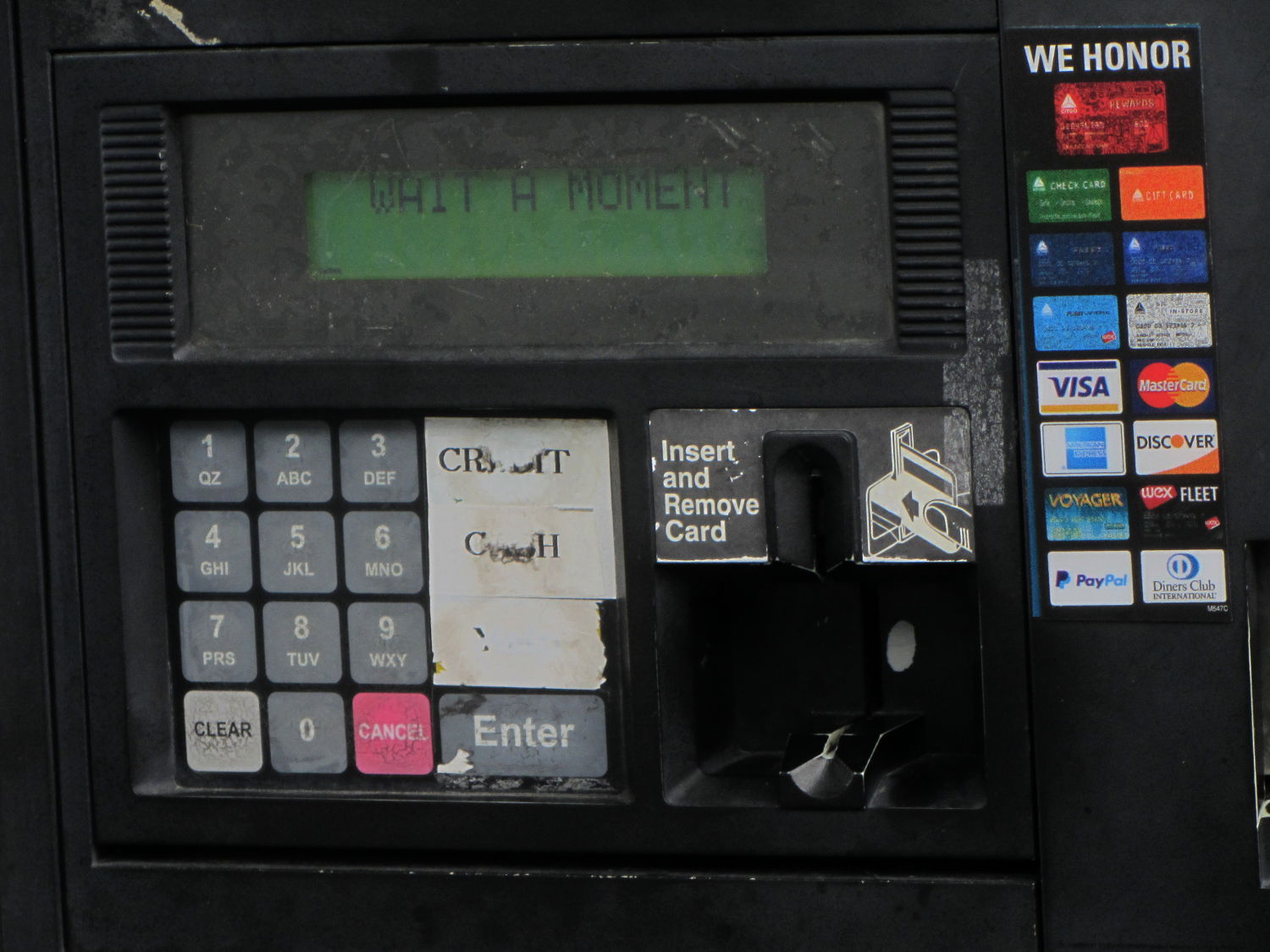
    During our most recent trip, I stopped at a new-to-me gas station, managed to figure out the pump’s UI enough to swipe my card and fill the tank, then utterly failed at the Print Receipt? prompt:

    Gas Pump Keypad Abrasion
    Gas Pump Keypad Abrasion

    A quick hike to the adjacent pump suggested pressing the illegible key above Enter, but the UI timed out before I got back and the promised “moment” never ended. The attendant generated a receipt showing I’d paid for the gas and told me to jiggle the pump nozzle, which didn’t improve the situation. We eventually agreed he’d handle it later and I drove away, never to return, hoping that the next customer didn’t get a free fill on my dime dollar C-note.

    Surely I’d know what to do, were I a regular customer …

  • Badge Lanyard Reel Mount

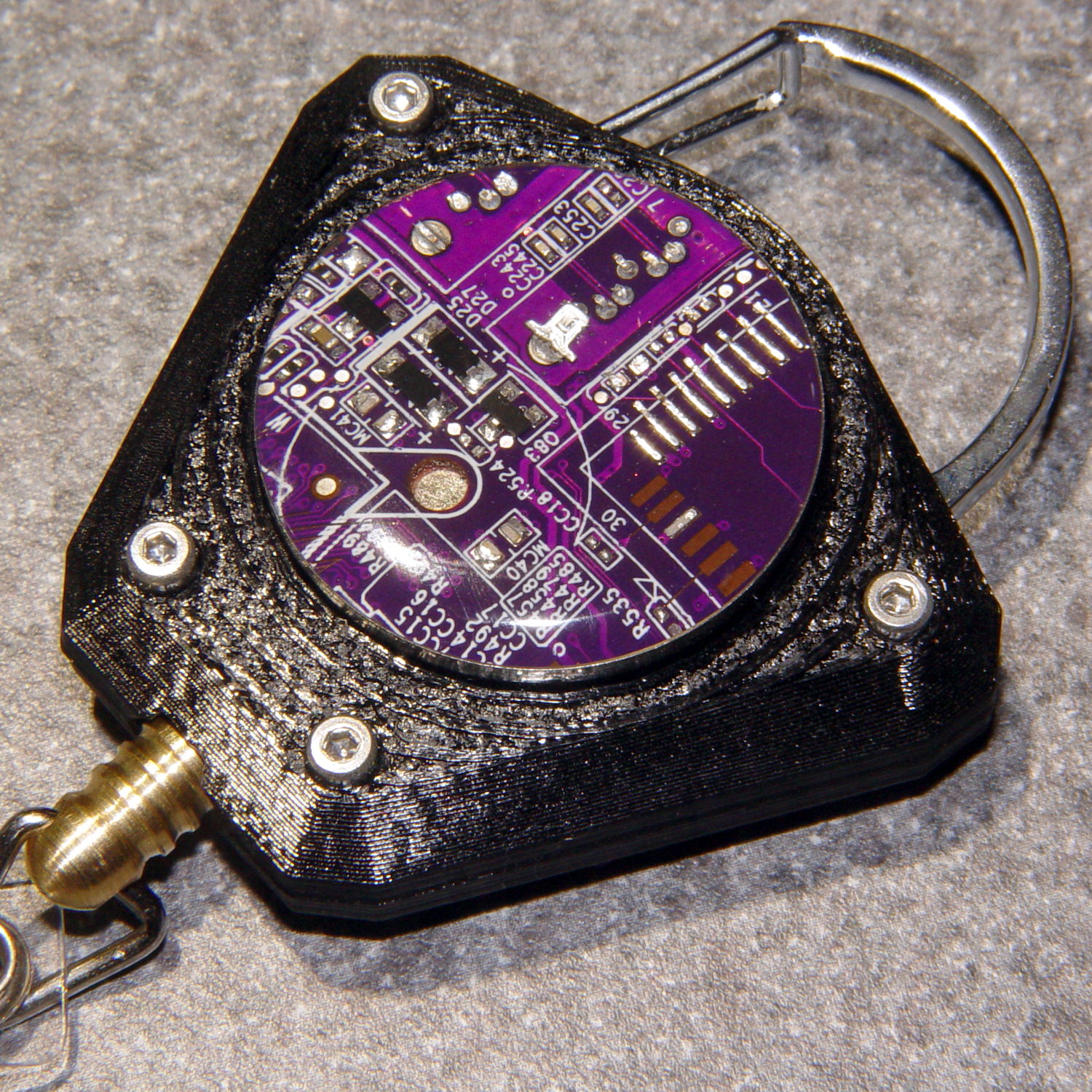
    A certain young engineer of my acquaintance now carries an ID badge and, so I hear, works in a PCB design & test venue. Seeing as how her favorite color is purple, this seemed appropriate:

    Badge Lanyard Reel - front - overall
    Badge Lanyard Reel – front – overall

    The guts came from Circuit Breaker Labs in the form of a recycled PCB trapped in acrylic resin atop a plastic housing with a spring-loaded reel inside.

    It arrived with a plastic bullet at the end of the lanyard:

    Badge Lanyard Reel - plastic bullet link
    Badge Lanyard Reel – plastic bullet link

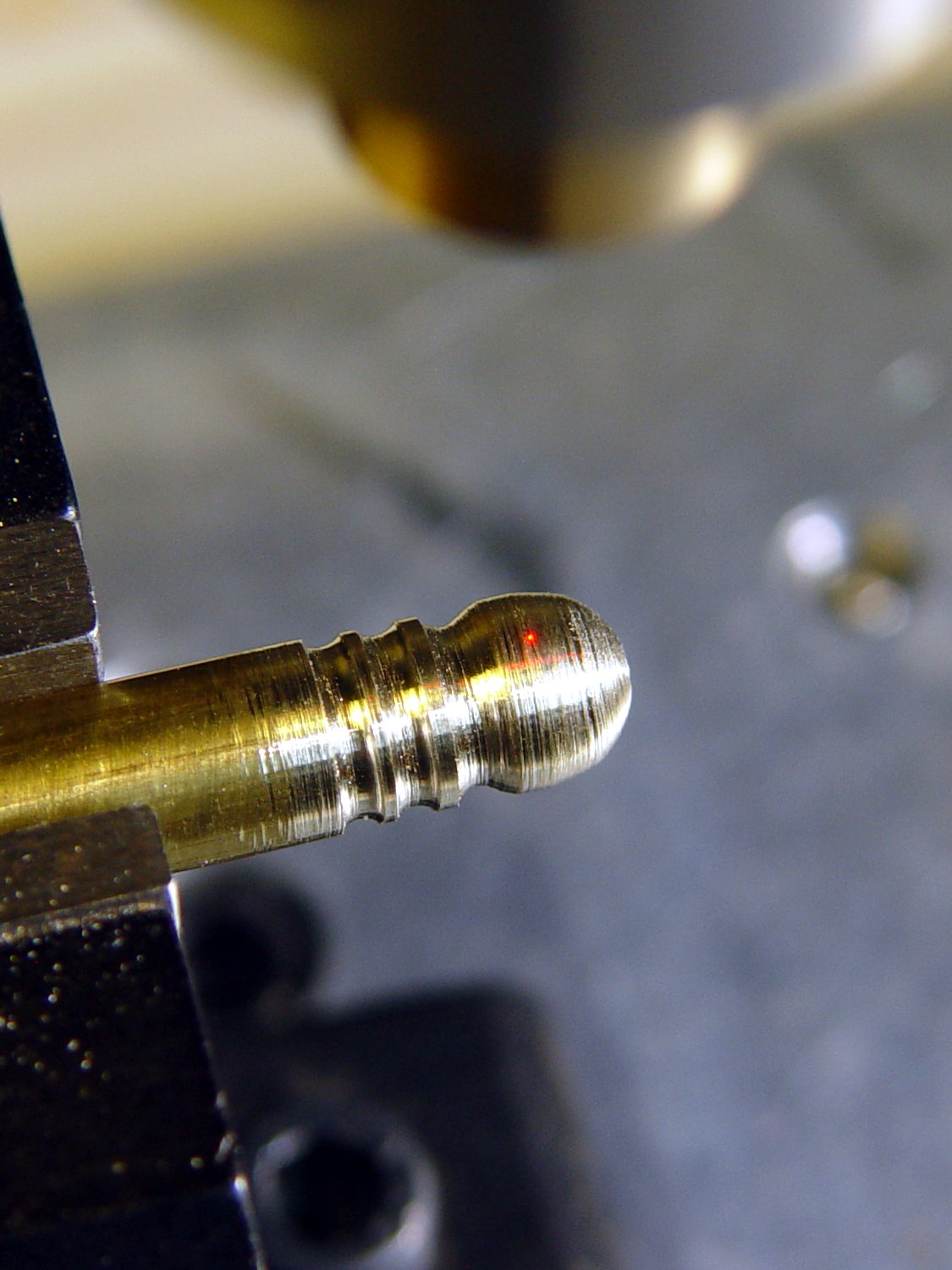
    Which I immediately replaced with brass, because Steampunk:

    Badge Lanyard Reel - bullet cross-drill
    Badge Lanyard Reel – bullet cross-drill

    That made the plastic housing look weak, so, in a series of stepwise refinements, I conjured a much better case from the vasty digital deep:

    Badge Lanyard Reel - iterations
    Badge Lanyard Reel – iterations

    All of the many, many critical dimensions lie inside the case, where they can’t be measured accurately, so each of those iterations could improve only one or two features. The absolutely wonderful thing about OpenSCAD is having it regenerate the whole model after loosening, say, the carabiner slot by two thread thicknesses; you can do that with a full-on relational CAD drawing, but CAD drawings always seems like a lot of unnecessary work if I must figure out the equations anyway.

    The back sports my favorite Hilbert Curve infill with a nicely textured finish:

    Badge Lanyard Reel - rear - oblique
    Badge Lanyard Reel – rear – oblique

    It’d surely look better in solid brass with Hilbert curve etching.

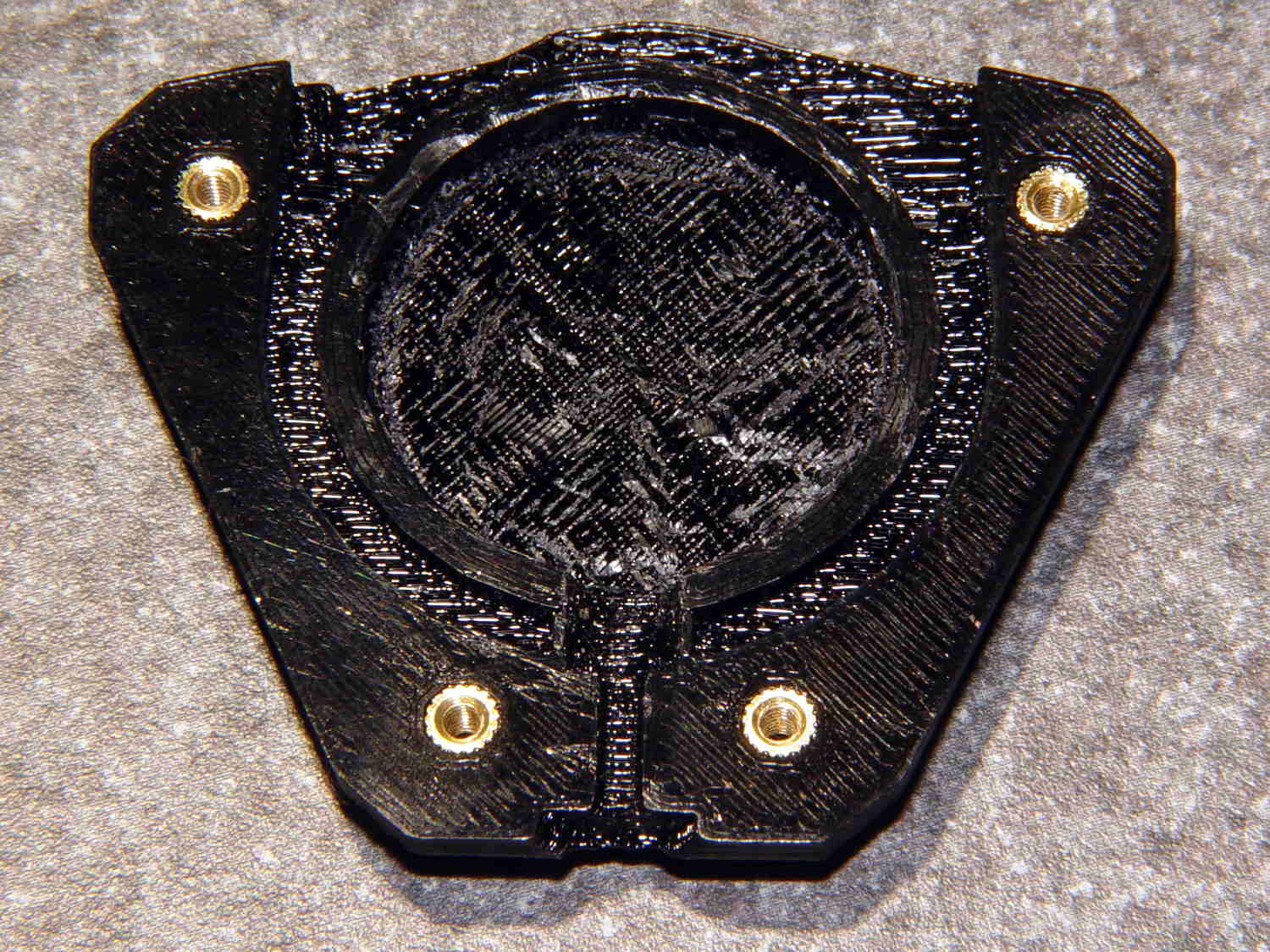
    Black PETG doesn’t photograph well, but at least you can see the M2 brass inserts:

    Badge Lanyard Reel - lower interior
    Badge Lanyard Reel – lower interior

    The first prototype showed the inserts needed far more traction than the usual reamed holes could provide, so I added internal epoxy grooves in each hole:

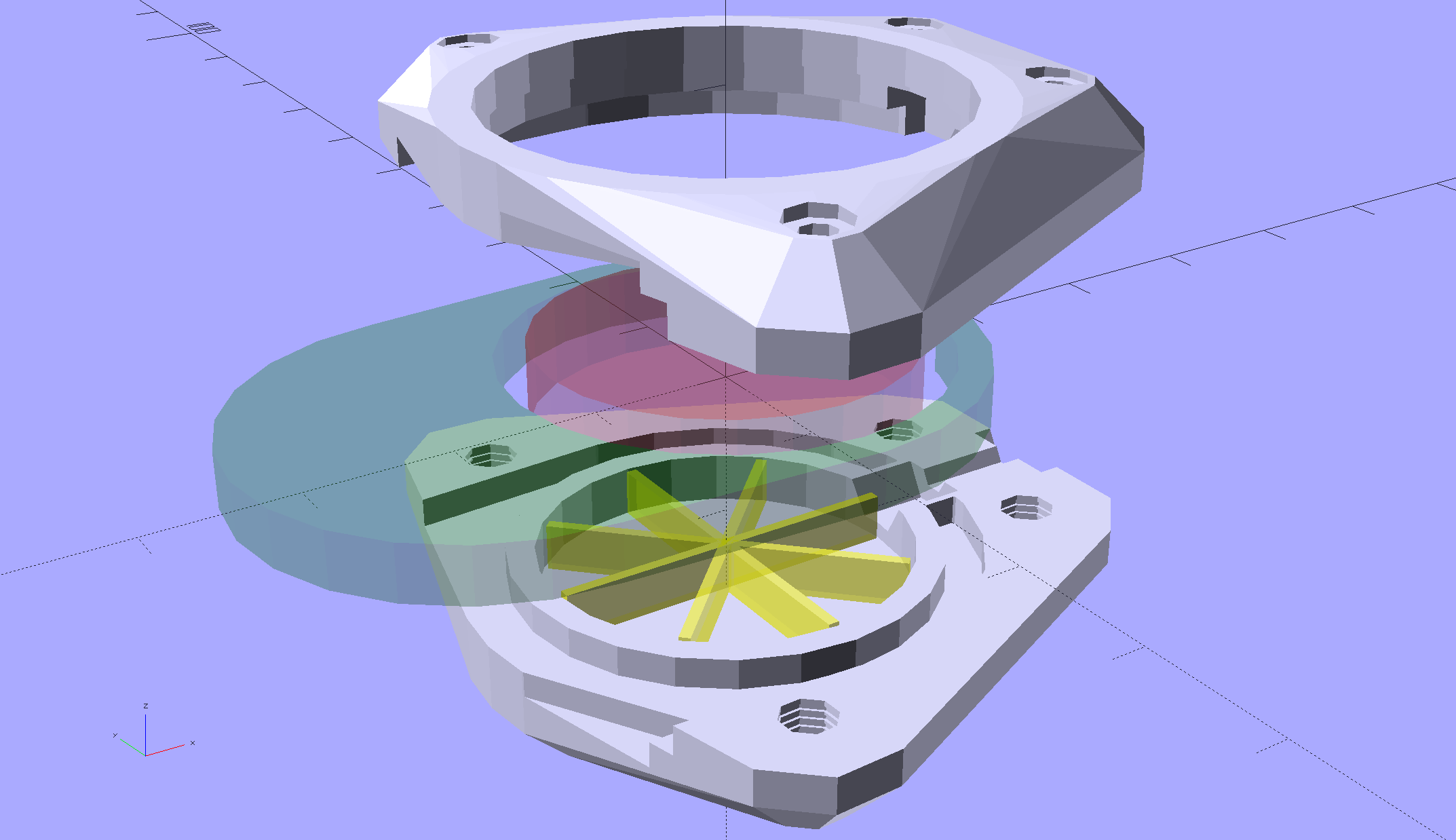
    Badge Lanyard Reel Mount - show
    Badge Lanyard Reel Mount – show

    Recessing the screw heads into the top plate made them more decorative and smoother to the touch. Button-head screws would be even smoother, but IMO didn’t look quite as bold.

    After seeing how well the grooves worked, I must conjure a module tabulating all the inserts on hand and automagically generating the grooves.

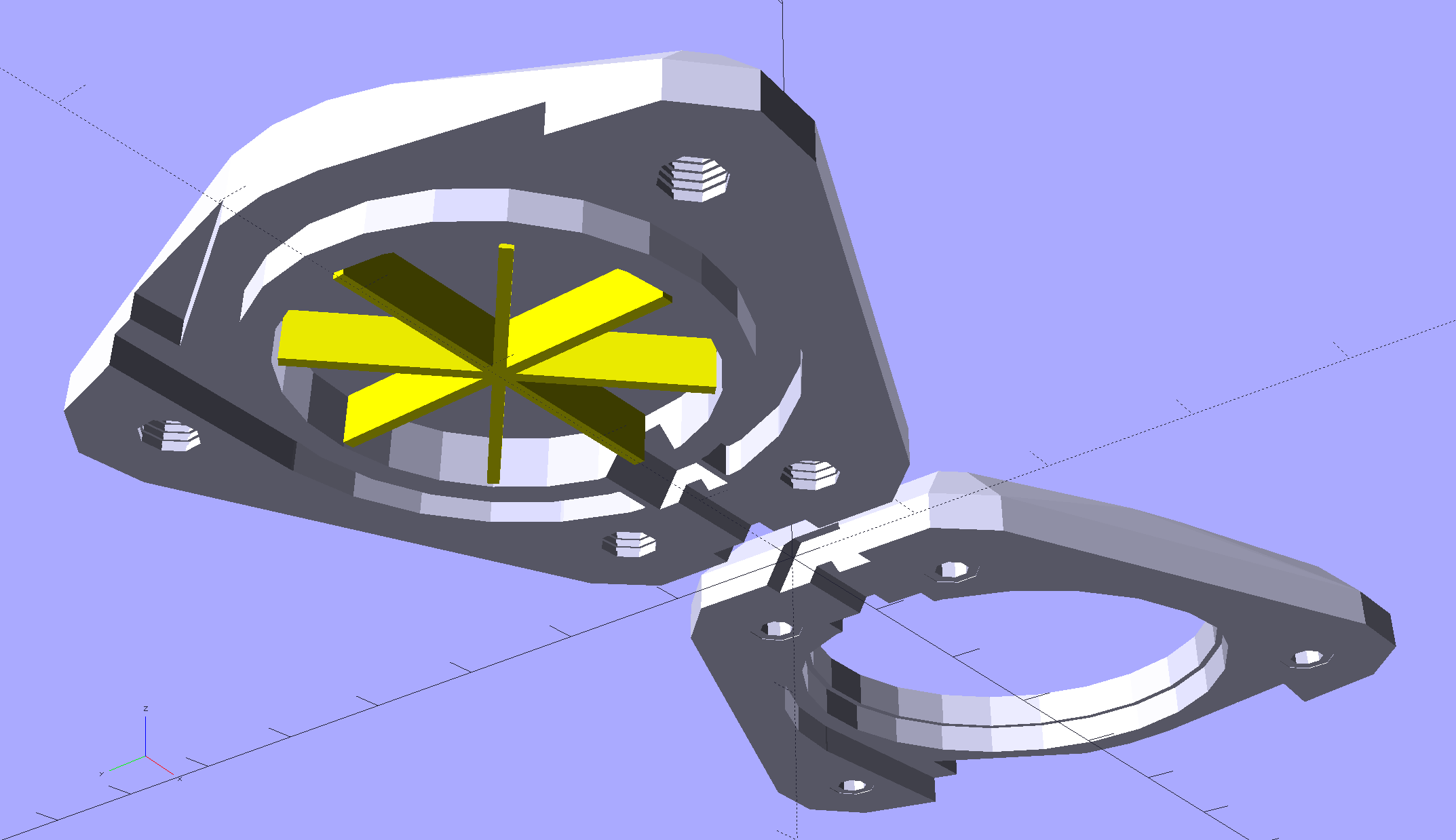
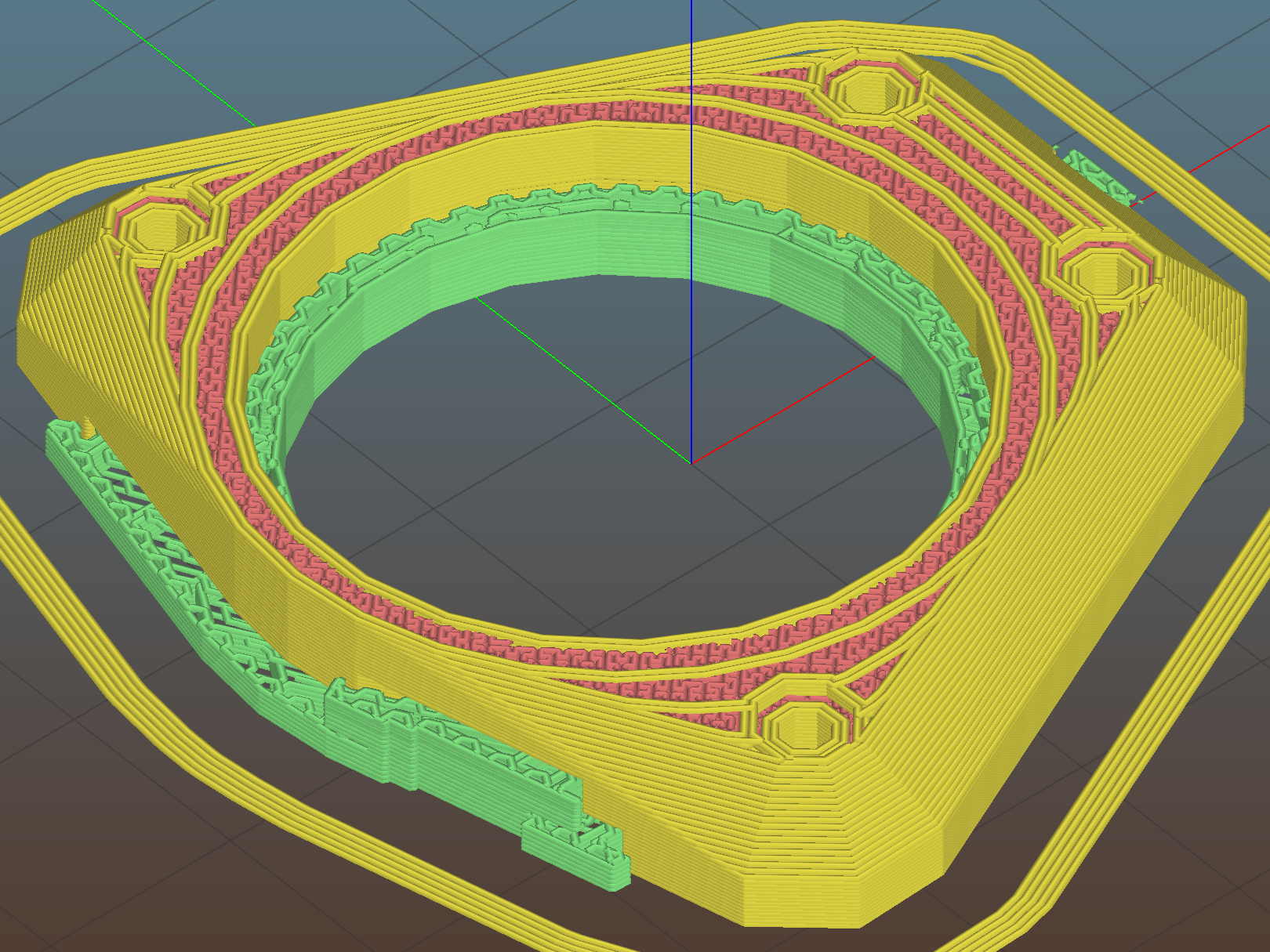
    The yellow star holds up the roof of the reel recess in the build layout:

    Badge Lanyard Reel Mount - build layout - bottom
    Badge Lanyard Reel Mount – build layout – bottom

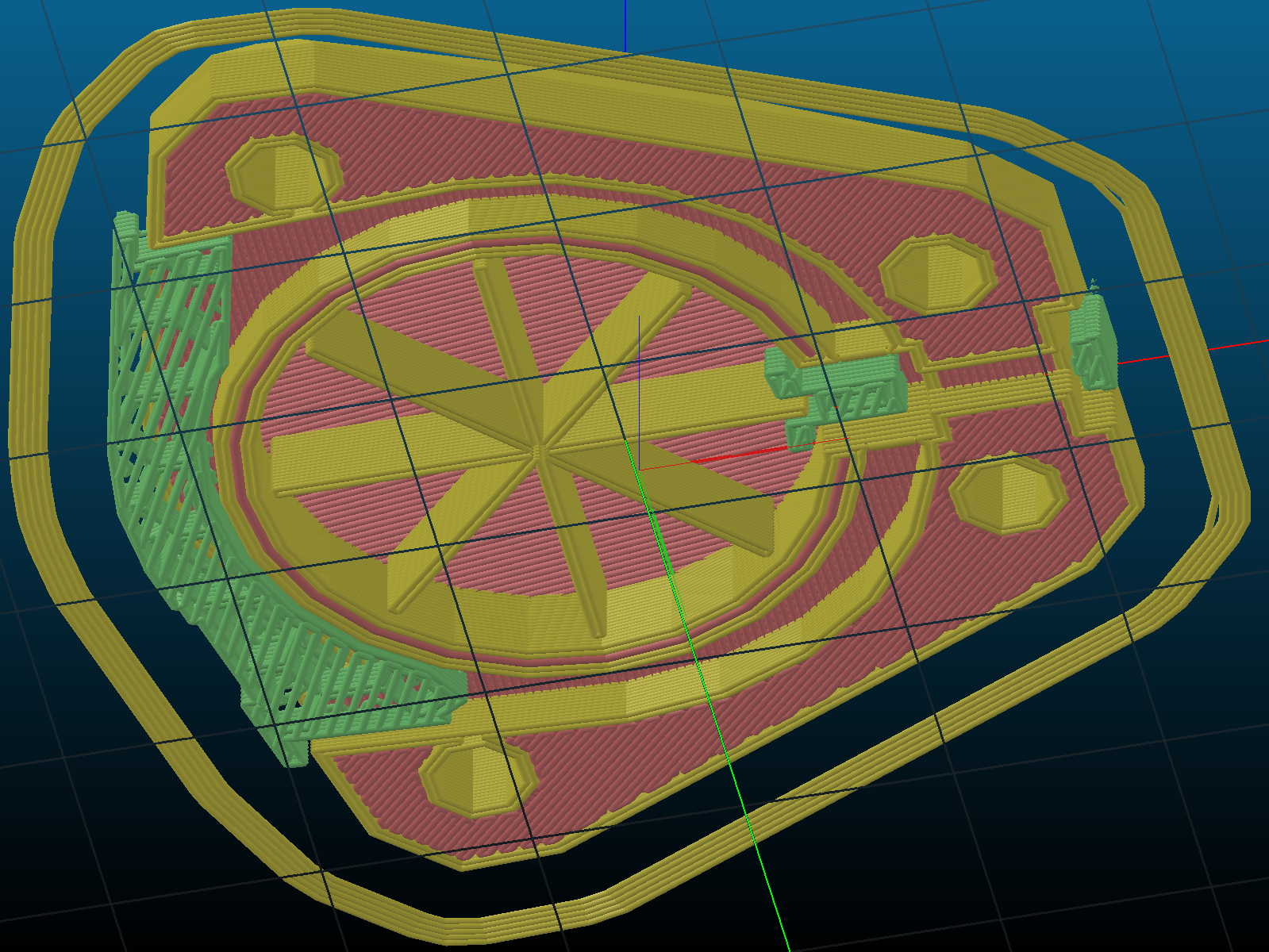
    Slic3r produced the rest of the support material for the carabiner exit slot:

    Badge Lanyard Reel Mount - bottom - Slic3r support
    Badge Lanyard Reel Mount – bottom – Slic3r support

    Those two support lumps on the right don’t actually support anything, but tweaking the support settings to disable them also killed the useful support on the left; come to find out Slic3r’s modifier meshes don’t let you disable support generation.

    The top plate required support all the way around the inside of the bezel:

    Badge Lanyard Reel Mount - top - Slic3r support
    Badge Lanyard Reel Mount – top – Slic3r support

    I carved the original plastic housing in half, roughly along its midline, and discarded the bottom section with the belt clip (it’s on the far left of the scrap pile). The top section, with PCB firmly affixed, holds the lanyard reel and anchors the retracting spring in a central slotted peg. No pictures of that, as it’s either a loose assembly of parts or a spring-loaded bomb and I am not taking it apart again.

    The lanyard passes through an eyelet that pays it out to the rotating reel. I’d definitely do that differently, were I building it from scratch, because mounting the eyelet in exactly the proper position to prevent the lanyard from stacking up on the reel and jamming against the inside of the housing turned out to be absolutely critical and nearly impossible.

    The top plate presses the original housing against the carabiner, with the cut-off section inside the carabiner’s circular embrace, which just barely worked: the PCB bezel is a millimeter smaller than the shoulder of the housing.

    All in all, I think it came out really well for a 3D printed object made by a guy who usually builds brackets:

    Badge Lanyard Reel - front - oblique
    Badge Lanyard Reel – front – oblique

    I hope she likes it …

    The OpenSCAD source code as a GitHub Gist:

    // Badge Lanyard Reel Mount
    // Ed Nisley KE4ZNU April 2017
    // Reel center at origin, lanyard exit toward +X
    Layout = "Show";
    Support = true;
    //- Extrusion parameters must match reality!
    ThreadThick = 0.20;
    ThreadWidth = 0.40;
    HoleWindage = 0.2;
    Protrusion = 0.05; // make holes end cleanly
    inch = 25.4;
    function IntegerMultiple(Size,Unit) = Unit * ceil(Size / Unit);
    //———————-
    // Dimensions
    ID = 0; // for round things
    OD = 1;
    LENGTH = 2;
    Carabiner = [30.7,35.3,3.5]; // metal carabiner around original reel
    Latch = [6.0,-15,8.0]; // wire spring latch: offset from OD + thickness
    LatchAngle = 60; // max deflection angle to center from -X direction
    LatchPoints = [[0,0],
    [Latch[1]/tan(LatchAngle),0],
    [Latch[1]/tan(LatchAngle),-Latch[1]]]; // polygon in as-cut orientation
    echo(str("Latch polygon: ",LatchPoints));
    Screw = [2.0,3.8 + 0*ThreadWidth,10.0]; // M2 screw: ID = clear, OD = head
    ScrewHeadLength = 2.0;
    ScrewSides = 8;
    ScrewRecess = 5*ThreadThick;
    MountSides = ScrewSides; // suitably gritty corners
    MountThick = Screw[LENGTH] / cos(180/MountSides) + ScrewRecess + 2.0;
    Insert = [Screw[ID],3.4,4.0]; // brass insert for screws
    BCD = Carabiner[OD] + 2.5*Insert[OD];
    BoltAngles = [20,110]; // ± angles to bolt holes
    Reel = [5.3,25.5 + 2*ThreadWidth,6.0 + 2*ThreadThick]; // lanyard cord reel
    ShimThick = 2*ThreadThick; // covers open side of reel for better sliding
    Bezel = [31.0,32.0,7.5]; // PCB holder + shell, LENGTH = post + shell
    BezelSides = 6*4;
    BezelBlock = [5.5,7.5,3.6] + [ThreadWidth,ThreadWidth,ThreadThick]; // block around lanyard eyelet
    Eyelet = [3.5,4.5,3.0];
    Bullet = [2.0,6.5,2.0]; // brass badge holder, LENGTH = recess into mount
    //———————-
    // Useful routines
    module PolyCyl(Dia,Height,ForceSides=0) { // based on nophead's polyholes
    Sides = (ForceSides != 0) ? ForceSides : (ceil(Dia) + 2);
    FixDia = Dia / cos(180/Sides);
    cylinder(r=(FixDia + HoleWindage)/2,
    h=Height,
    $fn=Sides);
    }
    //– Lanyard reel mockup
    module Reel() {
    cylinder(d=Reel[OD],h=Reel[LENGTH],center=true,$fn=6*4);
    }
    // Carabiner metal mockup
    // Some magic numbers lie in wait
    module Beener() {
    difference() {
    hull() {
    cylinder(d=Carabiner[OD],
    h=Carabiner[LENGTH] + 2*ThreadThick,
    center=true,$fn=BezelSides);
    translate([-Carabiner[OD]/2,0,0])
    cylinder(d=Carabiner[OD] – 2.0,
    h=Carabiner[LENGTH] + 2*ThreadThick,
    center=true,$fn=6*4);
    }
    cylinder(d=Carabiner[ID],
    h=2*Carabiner[LENGTH],
    center=true,$fn=BezelSides);
    translate([Carabiner[ID]/4,0,0])
    cube([Carabiner[ID],7.0,2*Carabiner[LENGTH]],center=true);
    }
    }
    // mockup of PCB holder atop remains of old mount with reel post
    // Z = 0 at midline of case
    module BezelMount() {
    rotate(180/BezelSides) {
    PolyCyl(Bezel[ID] + HoleWindage,MountThick,BezelSides); // PCB punches through mount
    PolyCyl(Bezel[OD] + HoleWindage,Bezel[LENGTH] – Reel[LENGTH]/2,BezelSides);
    }
    translate([Reel[OD]/2,0,BezelBlock[2]/2])
    scale([2,1,1])
    cube(BezelBlock,center=true);
    }
    // Main mount around holder & carabiner
    module Mount(Section="All") {
    render()
    difference() {
    hull() {
    for (a = BoltAngles) // spheres defining corners
    for (i=[-1,1])
    rotate(i*a)
    translate([BCD/2,0,0])
    sphere(d=MountThick,$fn=MountSides);
    cylinder(d=Carabiner[OD] + 4*ThreadWidth,
    h=MountThick,center=true); // capture carabiner ring
    }
    for (a = BoltAngles) // screw & insert holes, head recess
    for (i=[-1,1])
    rotate(i*a)
    translate([BCD/2,0,0])
    rotate(0*i*180/ScrewSides) {
    translate([0,0,-(Insert[LENGTH] + 2*ThreadThick)])
    PolyCyl(Insert[OD],
    Insert[LENGTH] + 2*ThreadThick + Protrusion,ScrewSides);
    for (k = [-2:2]) // epoxy retaining grooves
    translate([0,0,-(k*3*ThreadThick + Insert[LENGTH]/2)])
    PolyCyl(Insert[OD] + 1*ThreadWidth,
    2*ThreadThick,ScrewSides);
    PolyCyl(Screw[ID],Screw[LENGTH],ScrewSides);
    translate([0,0,MountThick/2 – ScrewRecess]) // recess screw heads
    PolyCyl(Screw[OD],Screw[LENGTH],ScrewSides);
    }
    translate([0,0,-1*ThreadThick]) // Minkowski Z extends only top surface!
    minkowski() { // space for metal carabiner
    Beener();
    // cube([ThreadWidth,ThreadWidth,2*ThreadThick]);
    cylinder(d=ThreadWidth,h=2*ThreadThick,$fn=6);
    }
    rotate([0,90,0]) rotate(180/6) // cord channel = brass tube clearance
    PolyCyl(Bullet[ID],Carabiner[ID],6);
    translate([Eyelet[LENGTH] + 2.0,0,0]) // eyelet, large end inward
    rotate([0,90,0]) rotate(180/6)
    PolyCyl(Eyelet[OD] + HoleWindage, Reel[OD]/2,6);
    if (false)
    translate([Reel[OD]/2 + Eyelet[LENGTH]/2,0,0]) // eyelet, small end outward
    rotate([0,90,0]) rotate(180/6)
    PolyCyl(Eyelet[ID],Eyelet[LENGTH],6);
    translate([(BCD/2 + MountThick/2)*cos(BoltAngles[0]) – Bullet[LENGTH],0,0]) // bullet recess
    rotate([0,90,0]) rotate(180/6)
    PolyCyl(Bullet[OD],Carabiner[ID],6);
    BezelMount(); // PCB holder clearance
    Reel(); // reel clearance
    translate([0,0,-(Reel[LENGTH] + ShimThick)/2]) // sliding plate on open side of reel
    cylinder(d=Reel[OD],h=ShimThick,center=true,$fn=6*4);
    translate([-Carabiner[OD]/2 + Latch[0],Latch[1],0])
    linear_extrude(height=Latch[2],center=true)
    polygon(LatchPoints);
    if (Section == "Upper") // display & build section cutting
    translate([0,0,-2*Carabiner[LENGTH]])
    cube(4*Carabiner,center=true);
    else if (Section == "Lower")
    translate([0,0,2*Carabiner[LENGTH]])
    cube(4*Carabiner,center=true);
    }
    if (Support) { // Completely ad-hoc support structures
    color("Yellow", Layout == "Show" ? 0.3 : 1.0) {
    if (false && Section == "Upper") {
    Spokes = BezelSides;
    Offset = 6*ThreadWidth;
    for (i = [2:Spokes – 2])
    rotate(i * 360/Spokes)
    translate([Offset,-ThreadWidth,0*(Carabiner[LENGTH]/2)/2])
    cube([Carabiner[OD]/2 – Offset – 0*ThreadWidth,
    2*ThreadWidth,
    Carabiner[LENGTH]/2],center=false);
    for (i = [0:Spokes – 1])
    rotate(i * 360/Spokes)
    translate([Offset,-ThreadWidth,0])
    cube([Bezel[OD]/2 – Offset,
    2*ThreadWidth,
    Bezel[LENGTH] – Reel[LENGTH]/2 – 2*ThreadThick],center=false);
    Bars = 7;
    render()
    difference() {
    union() {
    for (i = [-floor(Bars/2) : floor(Bars/2)])
    translate([-Carabiner[ID]/2,i*Carabiner[OD]/Bars,Carabiner[LENGTH]/4])
    cube([Carabiner[ID]/3,2*ThreadWidth,Carabiner[LENGTH]/2],center=true);
    translate([-Carabiner[ID]/2,0,ThreadThick/2])
    cube([Carabiner[ID]/3,Carabiner[ID],ThreadThick],center=true);
    }
    cylinder(d=Carabiner[ID] + 2*ThreadWidth,h=Carabiner[LENGTH]);
    }
    }
    if (Section == "Lower") {
    translate([0,0,-(Reel[LENGTH]/4 + ShimThick/2 – ThreadThick/2)])
    for (i = [0:8])
    rotate(i * 360/8)
    cube([Reel[OD] – 2*ThreadWidth,
    2*ThreadWidth,
    Reel[LENGTH]/2 + ShimThick – ThreadThick],center=true);
    if (false) {
    Bars = 7;
    render()
    difference() {
    union() {
    for (i = [-floor(Bars/2) : floor(Bars/2)])
    translate([-Carabiner[ID]/2,i*Carabiner[OD]/Bars,-Carabiner[LENGTH]/4])
    cube([Carabiner[ID]/3,2*ThreadWidth,Carabiner[LENGTH]/2],center=true);
    translate([-Carabiner[ID]/2,0,-ThreadThick/2])
    cube([Carabiner[ID]/3,Carabiner[ID],ThreadThick],center=true);
    }
    translate([0,0,-Carabiner[LENGTH]])
    cylinder(d=Carabiner[ID] + 0*ThreadWidth,h=Carabiner[LENGTH]);
    }
    }
    }
    }
    }
    }
    //———————-
    // Build it
    if (Layout == "Beener")
    Beener();
    if (Layout == "Mount")
    Mount();
    if (Layout == "Reel")
    Reel();
    if (Layout == "BezelMount")
    BezelMount();
    Gap = 25;
    if (Layout == "Show") {
    translate([0,0,Gap/2])
    Mount("Upper");
    translate([0,0,-Gap/2])
    Mount("Lower");
    color("Green",0.3)
    Beener();
    color("Brown",0.3)
    Reel();
    color("Red",0.3)
    translate([0,0,-(Reel[LENGTH] + ShimThick)/2])
    cylinder(d=Reel[OD],h=ShimThick,center=true,$fn=6*4);
    }
    if (Layout == "Build") {
    translate([(BCD + MountThick)/2,0,0])
    rotate(180)
    Mount("Upper");
    rotate([180,0,0])
    translate([-(BCD + MountThick)/2,0,0])
    Mount("Lower");
    }
    if (Layout == "BuildUpper")
    Mount("Upper");
    if (Layout == "BuildLower")
    rotate([180,0,0])
    Mount("Lower");


  • Eneloop AAA Cells: First Charge

    With an AAA-to-AA adapter in hand, the Eneloop AAA cells looked like this:

    Eneloop AAA - as received - Ah scale - 2017-04-20
    Eneloop AAA – as received – Ah scale – 2017-04-20

    The glitch comes from a not-quite-seated cell, showing that a poor connection matters.

    The package touts “up to 800 mA·h, 750 mA·h min”, with asterisks and superscripts leading to “Based on IEC 61951-2(7.3.2)“, access to which requires coughing up 281 bucks. So it goes.

    A full charge made them happier:

    Eneloop AAA - first charge - Ah scale - 2017-04-22
    Eneloop AAA – first charge – Ah scale – 2017-04-22

    The as-delivered 530 mA·h capacity represents 73% of the 725 mA·h after the first charge, so I suppose they’re more-or-less within the “Maintains up to 70% charge after 10 years of storage” claim. The 16-10 date code suggests they’re hot off the factory charger, so they must ship with somewhat less than a full charge.

    Comparing the capacity in W·h makes more sense, because most devices (other than the Planet Bike blinky light these will go into, of course) use a boost converter to get a fixed voltage from the declining terminal voltage.

    They arrived bearing just over 600 mW·h:

    Eneloop AAA - as received - Wh scale - 2017-04-20
    Eneloop AAA – as received – Wh scale – 2017-04-20

    After charging, that went a bit over 850 mW·h :

    Eneloop AAA - first charge - Wh scale - 2017-04-22
    Eneloop AAA – first charge – Wh scale – 2017-04-22

    Call it 71% of full capacity on arrival. Close enough.

    The Planet Bike blinky will be somewhat dimmer with two NiMH cells delivering 2.3-ish V, compared with the initial 3-ish V from a pair of alkaline cells. I generally burn the alkalines down to 1.1 V apiece, so perhaps they’ll be Good Enough.

    Now, if I were gutsy, I’d install a rechargeable lithium AAA cell, with a dummy pass-through adapter in the other cell socket, and run the blinky at 3.7 V. At least for a few moments, anyhow …