The Smell of Molten Projects in the Morning

Ed Nisley's Blog: Shop notes, electronics, firmware, machinery, 3D printing, laser cuttery, and curiosities. Contents: 100% human thinking, 0% AI slop.

Author: Ed

  • GIMP 3.0 vs. XSane vs. gimp-xsanecli

    GIMP 3.0 vs. XSane vs. gimp-xsanecli

    For reasons I do not profess to understand, GIMP 3.0 does not work with plugins written for GIMP 2.0, including the XSane plugin that handles scanning. This seems like an obvious oversight, but after three months it also seems to be one of those things that’s like that and that’s the way it is.

    Protracted searching turned up gimp-xsanecli, a GIMP 3.0 plugin invoking XSane through its command-line interface to scan an image into a temporary file, then stuff the file into GIMP. Unfortunately, it didn’t work over the network with the Epson ET-3830 printer / scanner in the basement.

    It turns out gimp-xsanecli tells XSane to output the filename it’s using, then expects to find the identifying XSANE_IMAGE_FILENAME string followed by the filename on the first line of whatever it gets back:

    if result != 'XSANE_IMAGE_FILENAME: ' + png_out:
      Gimp.message('Unexpected XSane result: ' + result)
      return Gimp.ValueArray.new_from_values([GObject.Value(Gimp.PDBStatusType, Gimp.PDBStatusType.EXECUTION_ERROR)])


    The font ligature that may or may not mash != into is not under my control.

    Protracted poking showed the scanner fires a glob of HTML through proc/stdout into gimp-xsanecli before XSane produces its output, but after the scan completes:

    <!DOCTYPE HTML PUBLIC "-//W3C//DTD HTML 4.01//EN "
    "http://www.w3.org/TR/html4/strict.dtd">
    <html>
    <head>
    … snippage …
    </head>
    <body><noscript>Enable your browser's JavaScript setting.</noscript></body></HTML>XSANE_IMAGE_FILENAME: /tmp/out.png
    

    Complicating the process:

    • The HTML glob only appears on the first scan, after which XSane produces exactly what gimp-xsanecli expects
    • There is no newline separating the glob from the expected output on the last line

    So …

    Insert a while loop into the main loop to strip off the HTML glob line by line by line:

            while True:
                    # Wait until XSane prints the name of the scanned file, indicating scanning is finished
                    # This blocks Python but that is ok because GIMP UI is not affected
    
                    # discard HTML header added by scanner to first scan
                    while True :
    
                            result = proc.stdout.readline().strip()
    
                            if r'</body>' in result :
                                    result = result.partition(r'</HTML>')[-1]
                            #        Gimp.message('Found end of HTML: ' + result)
                                    break
    
                            elif 'XSANE_IMAGE_FILENAME:' in result :
                            #        Gimp.message('Found filename: ' + result)
                                    break
    
                            else :
                            #        Gimp.message('Discarding: ' + result)
                                    continue
    
                    if result == '':
                            # XSane was closed
                            break
    
                    if result != 'XSANE_IMAGE_FILENAME: ' + png_out:
                            Gimp.message('Unexpected XSane result: ' + result)
                            return Gimp.ValueArray.new_from_values([GObject.Value(Gimp.PDBStatusType, Gimp.PDBStatusType.EXECUTION_ERROR)])
    
                    # Open image
                    image = Gimp.file_load(Gimp.RunMode.NONINTERACTIVE, Gio.File.new_for_path(png_out))
                    Gimp.Display.new(image)
    
                    # Remove temporary files
                    os.unlink(png_out)
    
                    if not SCAN_MULTIPLE:
                            proc.terminate()
                            break
    
            os.rmdir(tempdir)
    
            return Gimp.ValueArray.new_from_values([GObject.Value(Gimp.PDBStatusType, Gimp.PDBStatusType.SUCCESS), GObject.Value(Gimp.Image.__gtype__, image)])


    While it’s tempting to absorb the whole thing in one gulp with proc.stdout.read().strip(), that doesn’t work because nothing arrives until the XSane subprocess terminates, which is not what you want.

    A scan to show It Just Works™ :

    I expect it doesn’t work under a variety of common conditions, but … so far so good.

  • Newmowa NP-BX1: Three Years Later

    Newmowa NP-BX1: Three Years Later

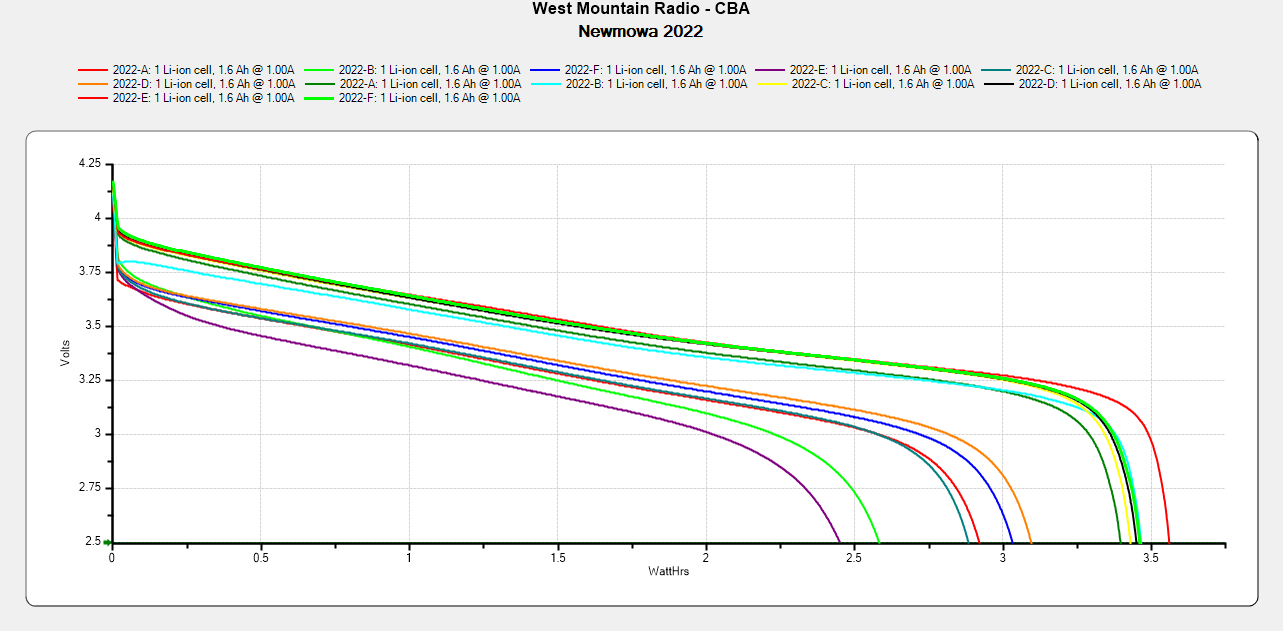
    A pair of the 2022 batch of Newmowa NP-BX1 lithium batteries for the Sony AS-30V helmet camera no longer survive a typical hour-long bike ride:

    NP-BX1 - Newmowa 2022 in 2025-06
    NP-BX1 – Newmowa 2022 in 2025-06

    The best four have a capacity down 14% from the good old days and the weakest pair are down 29%.

    The camera uses 1.9 W, so a battery with 2.5 W·hr capacity should last 78 minutes, but about 400 mV of voltage depression causes the camera to give up before using its full capacity.

    So they have a useful lifetime of maybe two years in our regular bike riding schedule and I should have bought replacements last year. I hope the next batch isn’t New Old Stock or recycled cells.

  • Activated Alumina Regeneration

    Activated Alumina Regeneration

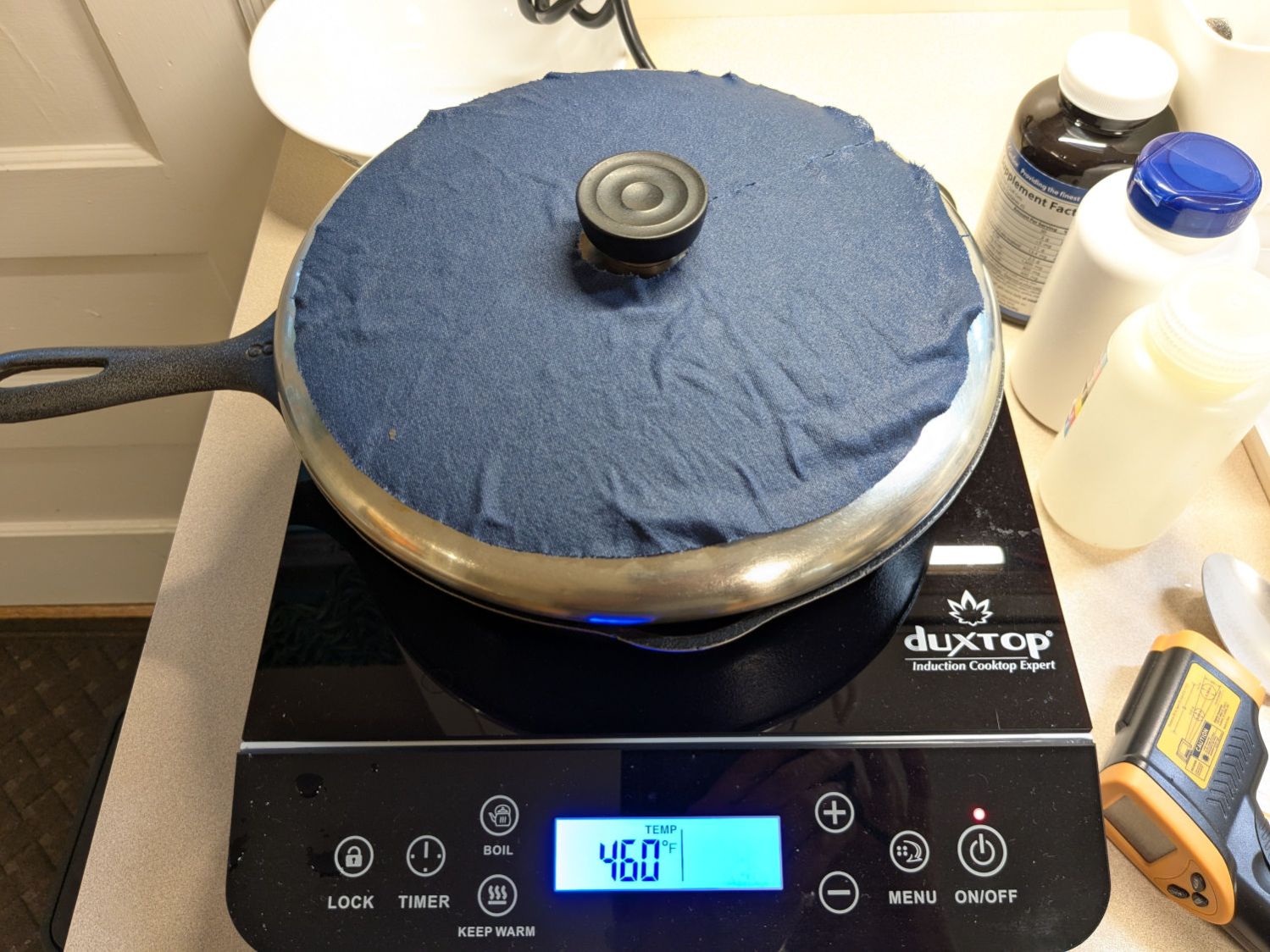
    Having accumulated a bunch of used activated alumina desiccant, I figured now was a good time to try regenerating it. Industrial applications use dry gas and very high temperatures, but perhaps holding it over 100 °C for a few hours will suffice for my purposes.

    I pressed our daily driver cast iron skillet and induction cooktop into service:

    Alumina regeneration - induction cooktop
    Alumina regeneration – induction cooktop

    After an hour the surface temperature was around 150 °F, so I covered the pan with a water-cooled lid to see if any vapor condensed on it:

    Alumina regeneration - lid cooling
    Alumina regeneration – lid cooling

    It did, indeed, so I alternated covering and exposing the pan, which was likely a waste of my time, until the alumina dried enough that the lid didn’t collect any condensation. The whole process took just under four hours with the cooktop set to its maximum of 460 °F for most of the time.

    The beads then cooled to room temperature in a covered dish:

    Alumina regeneration - final cooling
    Alumina regeneration – final cooling

    The beads weighed 626 g at the start of the adventure and sweated down to 593 g, parting with 33 g = 1.2 oz of water in the process for a loss of 5.6%. I have no idea how dry they are now, but they’re an ounce drier than before.

  • Rolling Bed Stop

    Rolling Bed Stop

    The upstairs Sewing Room came with a couch-like bed incorporating a roll-out trundle bed. It doesn’t get a lot of use, but it lacks wheel locks and tends to scoot away unless you get into it rather more carefully than seems reasonable.

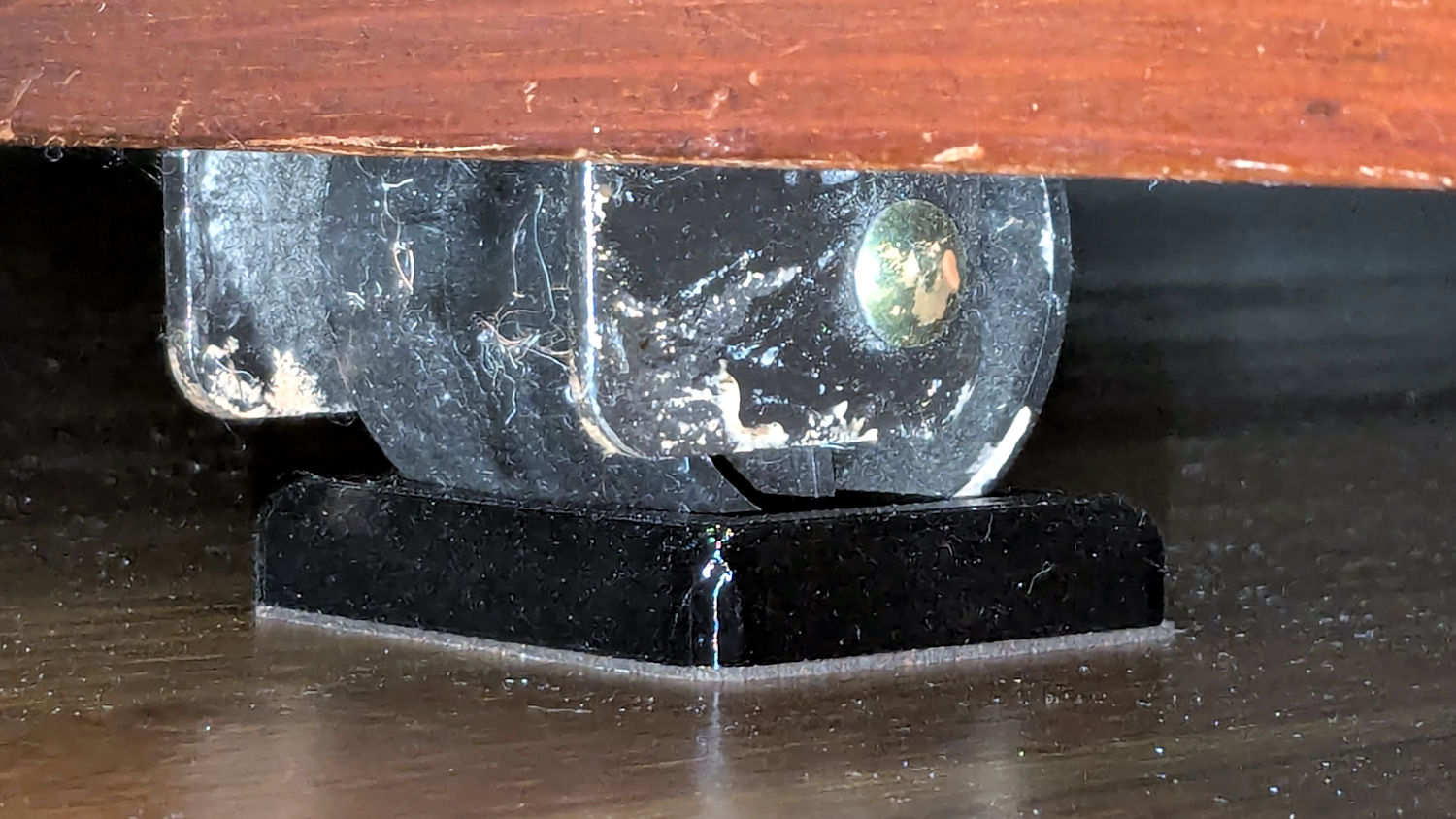
    So I made a pair of stops to capture the wheels:

    Rolling Bed Stops - installed
    Rolling Bed Stops – installed

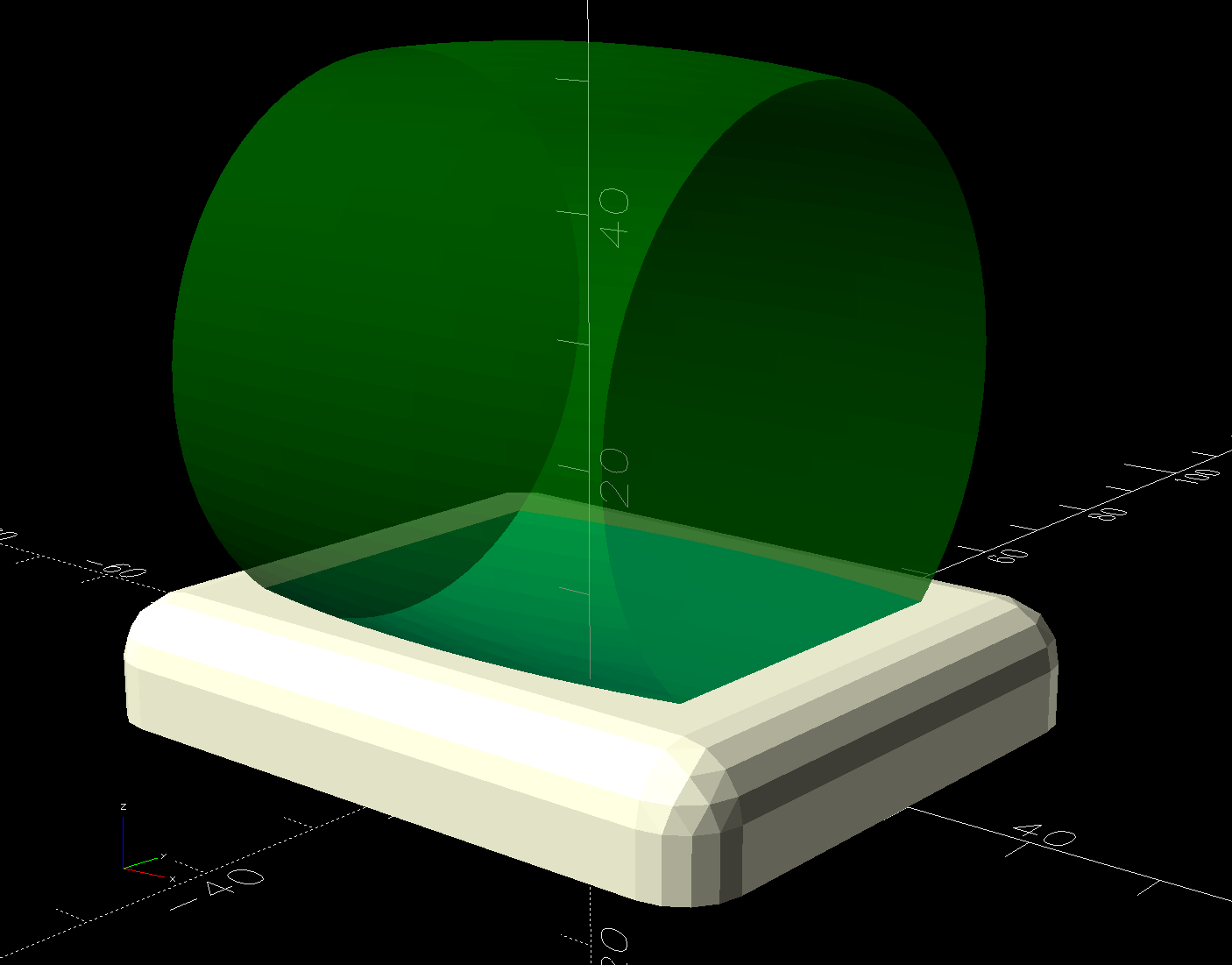
    The solid model shows they’re just plastic blocks minus a model of the roller wheel:

    Rolling Bed Stops - solid model - show view
    Rolling Bed Stops – solid model – show view

    I like the wood-grain effect of the doubly curved recess on printed plastic layers, even if nobody will ever see it:

    Rolling Bed Stops - PrusaSlicer
    Rolling Bed Stops – PrusaSlicer

    The OpenSCAD code also exports a projection of the block as an SVG file to laser-cut the cork pad.

    Roll the trundle bed into position, push the stops against the wheels, lift and pull forward an inch, let it down, and the wheels snap into those recesses.

    These are considerably fancier than some of the other wheel stops / feet around the house, if only because I got to use the Chord Equation to solve for the radius of the circle parallel to the axle for a snug socket.

    The OpenSCAD source code as a GitHub Gist:

    // Rolling Bed roller stops
    // Ed Nisley – KE4ZNU
    // 2025-06-16
    include <BOSL2/std.scad>
    Layout = "Show"; // [Show,Build,Roller,Plan]
    /* [Hidden] */
    HoleWindage = 0.2;
    Protrusion = 0.1;
    ID = 0;
    OD = 1;
    LENGTH = 2;
    WallThick = 10.0; // default width for things
    BaseThick = 3.0; // bottom thickness
    RollerOA = [47.2,49.8,40.0]; // min & max dia, length
    FrameClearance = 11.0; // max height under bed frame at roller
    PadOA = [RollerOA[LENGTH] + 2*WallThick,RollerOA[OD],FrameClearance – 1.0];
    //———-
    // Define Shapes
    module Roller() {
    m = (RollerOA[OD] – RollerOA[ID])/2;
    RollerR = (m^2 + (RollerOA[LENGTH]^2)/4) / (2*m);
    up(RollerOA[OD]/2)
    yrot(90)
    rotate_extrude($fa=1)
    intersection() {
    left(RollerR – RollerOA[OD]/2)
    circle(r=RollerR,$fa=1);
    rect([RollerOA[OD]/2,RollerOA[LENGTH] + 2.0],anchor=LEFT);
    }
    }
    module RollerStop() {
    difference() {
    cuboid(PadOA,anchor=BOTTOM,rounding=WallThick/2,except=BOTTOM);
    up(BaseThick)
    Roller();
    }
    }
    //———-
    // Build things
    if (Layout == "Plan") {
    projection(cut=true)
    RollerStop();
    }
    if (Layout == "Roller") {
    Roller();
    }
    if (Layout == "Show") {
    RollerStop();
    color("Green",0.5)
    up(BaseThick)
    Roller();
    }
    if (Layout == "Build") {
    RollerStop();
    }
  • PolyDryer Humidity: One More TPU Cycle

    PolyDryer Humidity: One More TPU Cycle

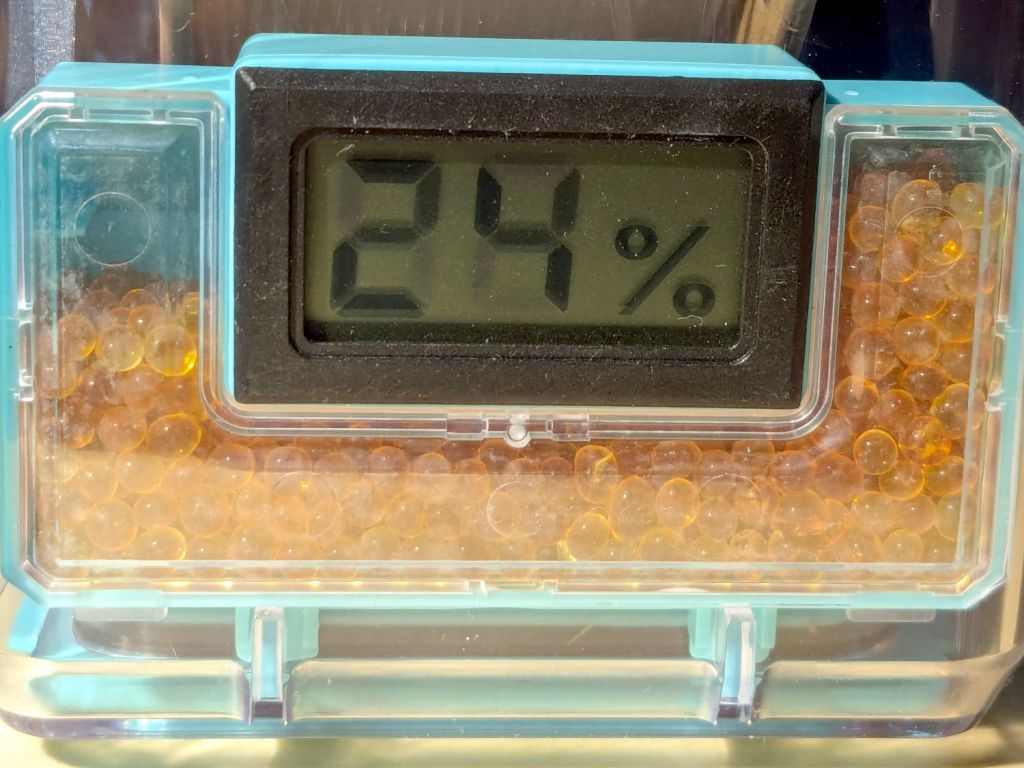
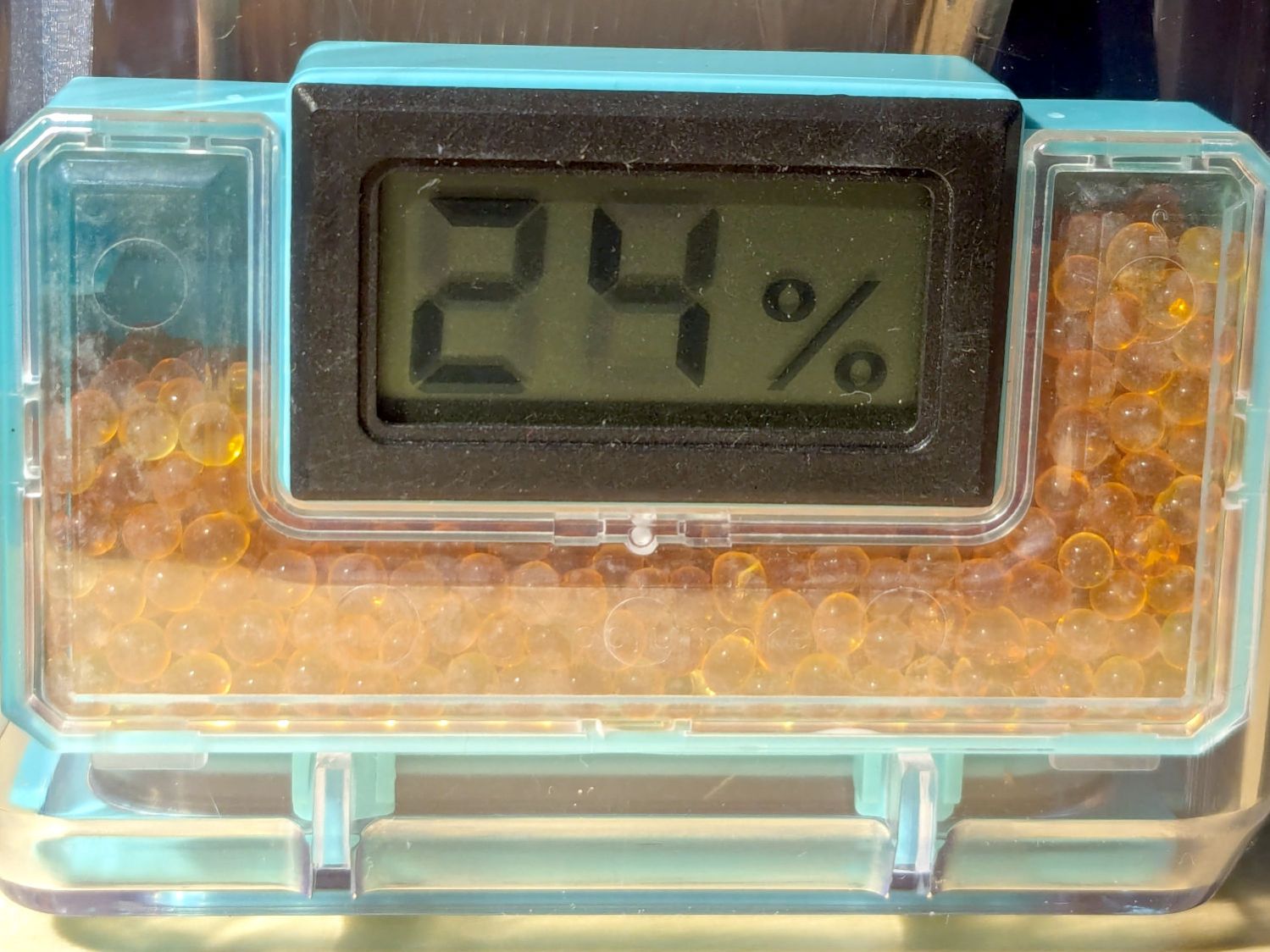
    With more instrumentation in the PolyDryer TPU box and a day to let the humidity stabilize, the OEM meter reads 24 %RH, as it has all along:

    PolyDryer - TPU base - 24pctRH OEM
    PolyDryer – TPU base – 24pctRH OEM

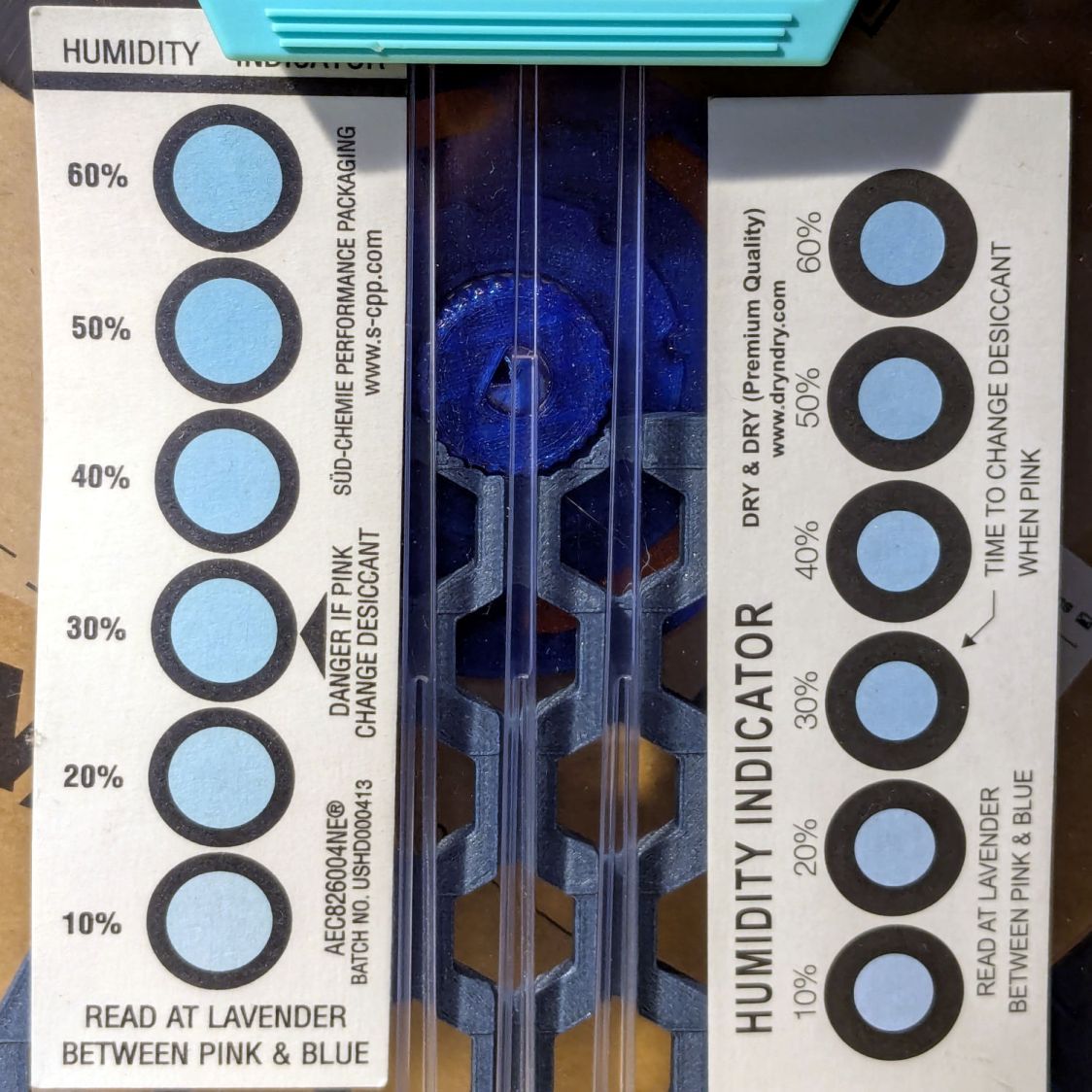
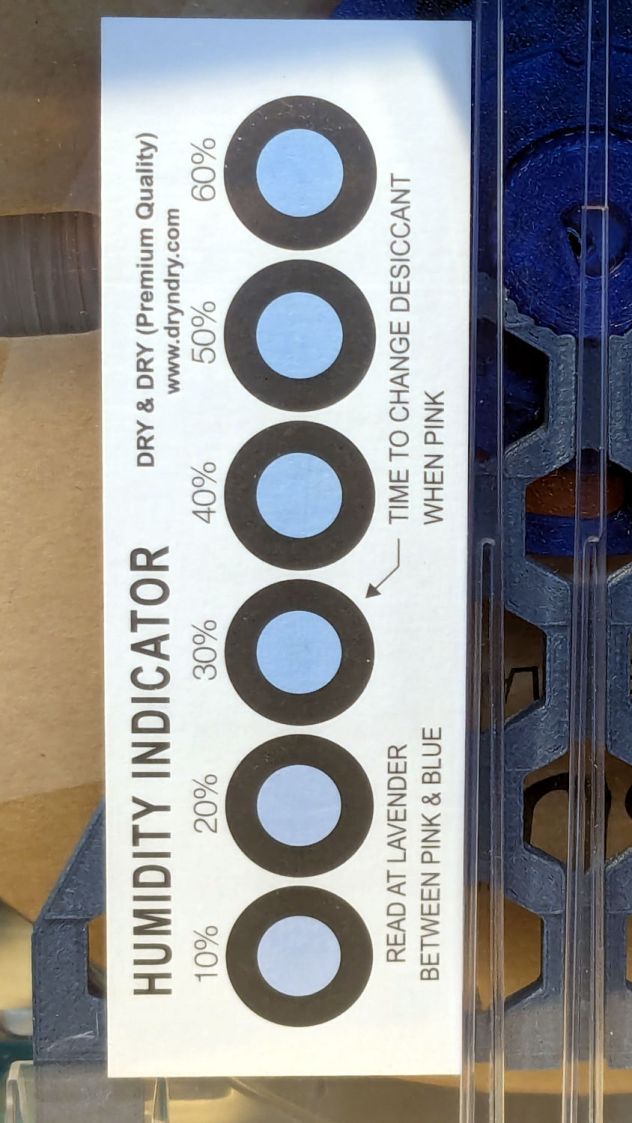
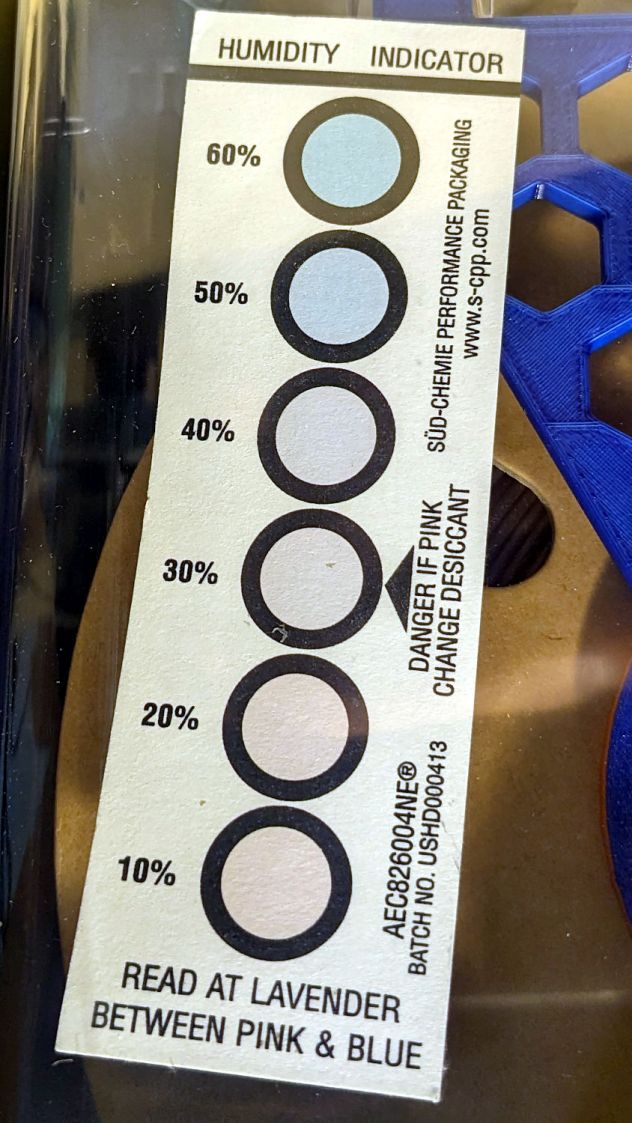
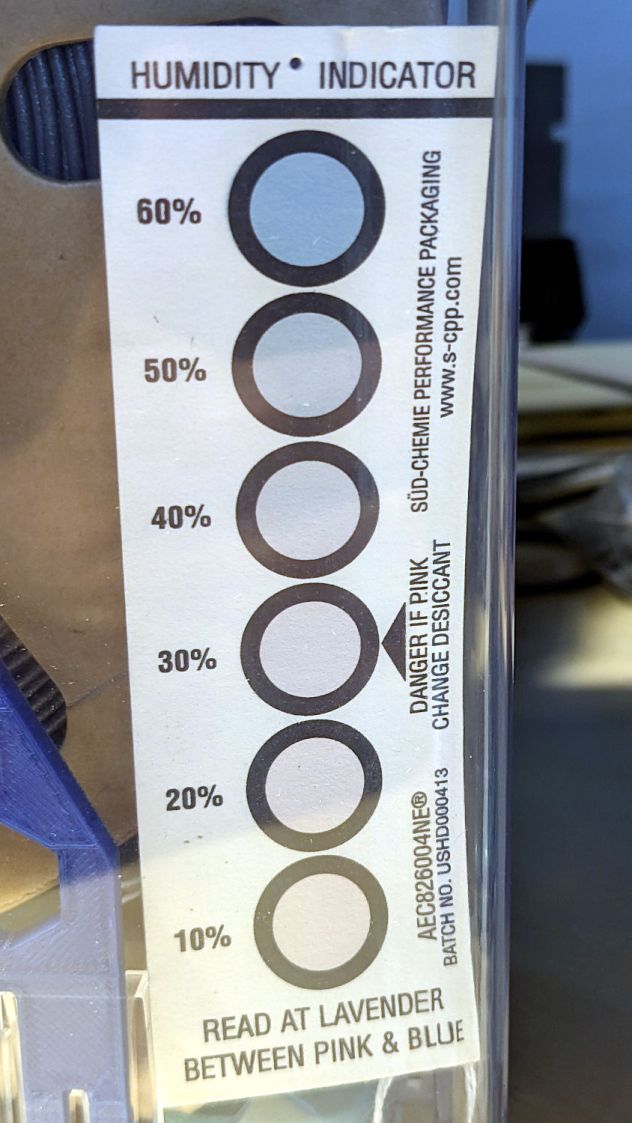
    The indicator cards show the humidity is maybe a little over 10 %RH:

    PolyDryer - TPU base - 10pctRH cards
    PolyDryer – TPU base – 10pctRH cards

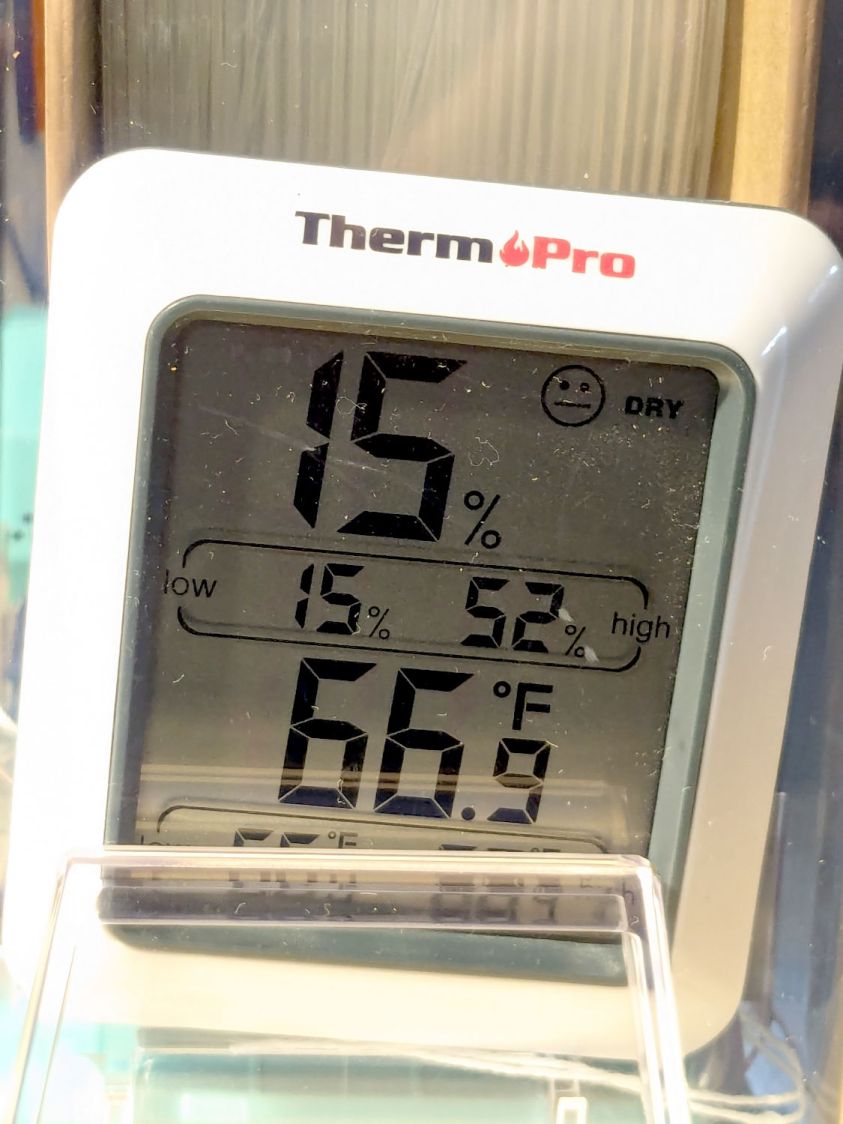
    The meter jammed in the other end of the box splits the difference at 15 %RH:

    PolyDryer - TPU base - 15pctRH TP
    PolyDryer – TPU base – 15pctRH TP

    Put the box atop the improved PolyDryer, set it for the recommended 12 hours with “two bars” of oomph (which may roughly correspond to the temperature), and fire it up.

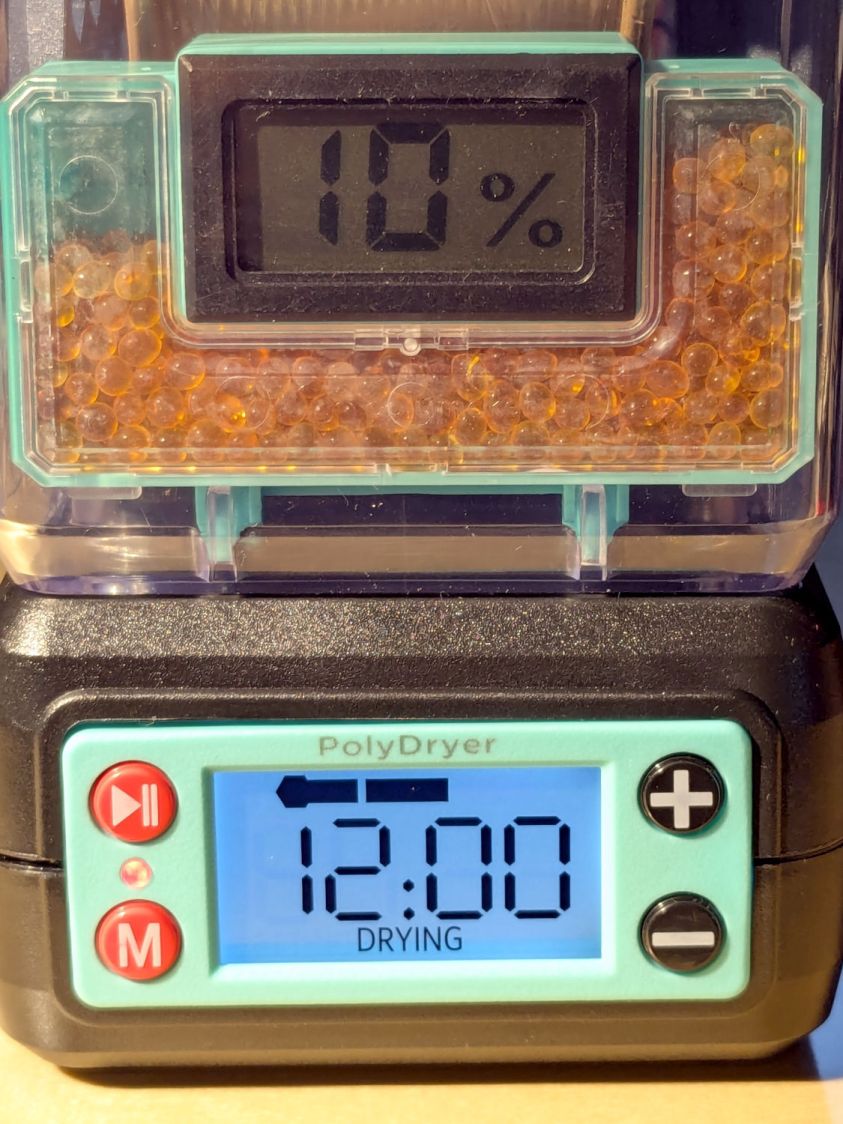
    The OEM meter occasionally glitches to 10 %RH:

    PolyDryer - TPU dry 1200h - 10pctRH glitch OEM
    PolyDryer – TPU dry 1200h – 10pctRH glitch OEM

    That type of humidity meter apparently reports values from 10 %RH upward, so this seems like the kind of glitch where the reading jams at one end of the range due to the sensor opening up / shorting / misbehaving. It does not correlate with any nearby electrical activity due to fans / heaters / 3D printers / whatever.

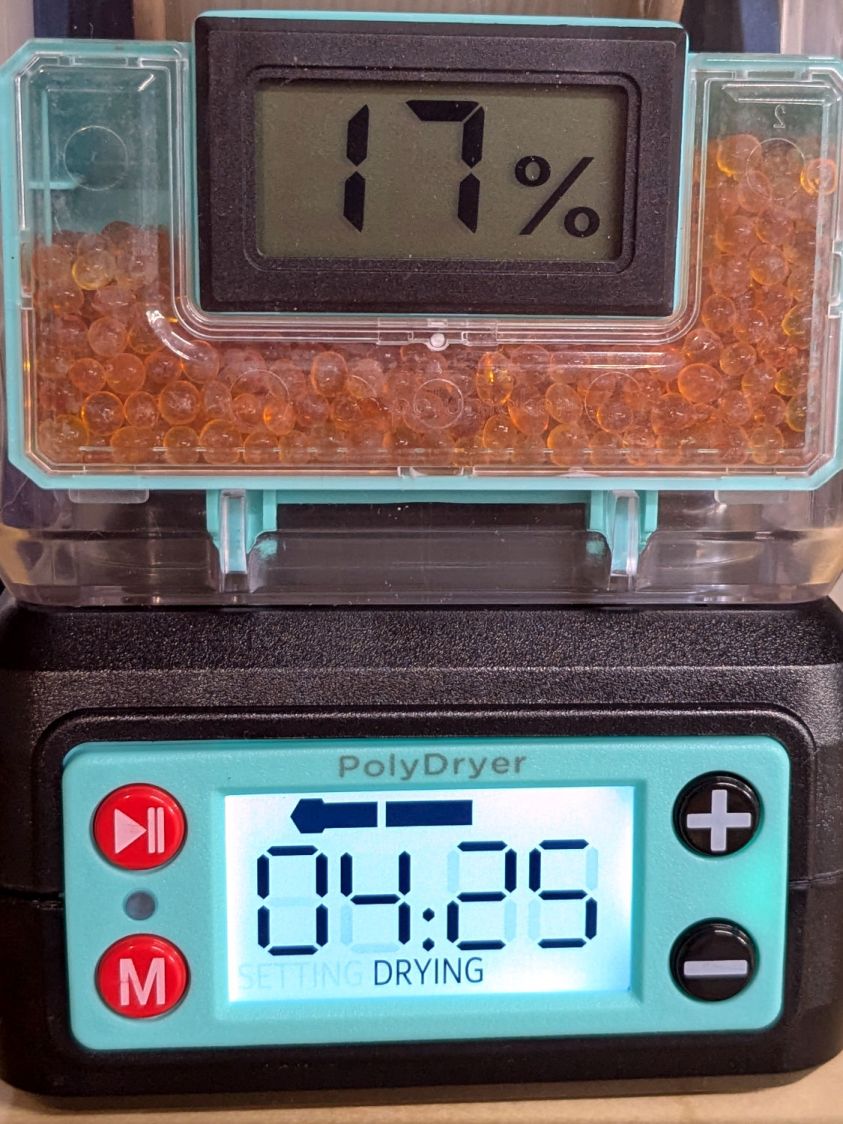
    A little under eight hours later, it shows 17 %RH:

    PolyDryer - TPU dry 0425h - 17pctRH OEM
    PolyDryer – TPU dry 0425h – 17pctRH OEM

    Although it still has glitches to 10 %RH.

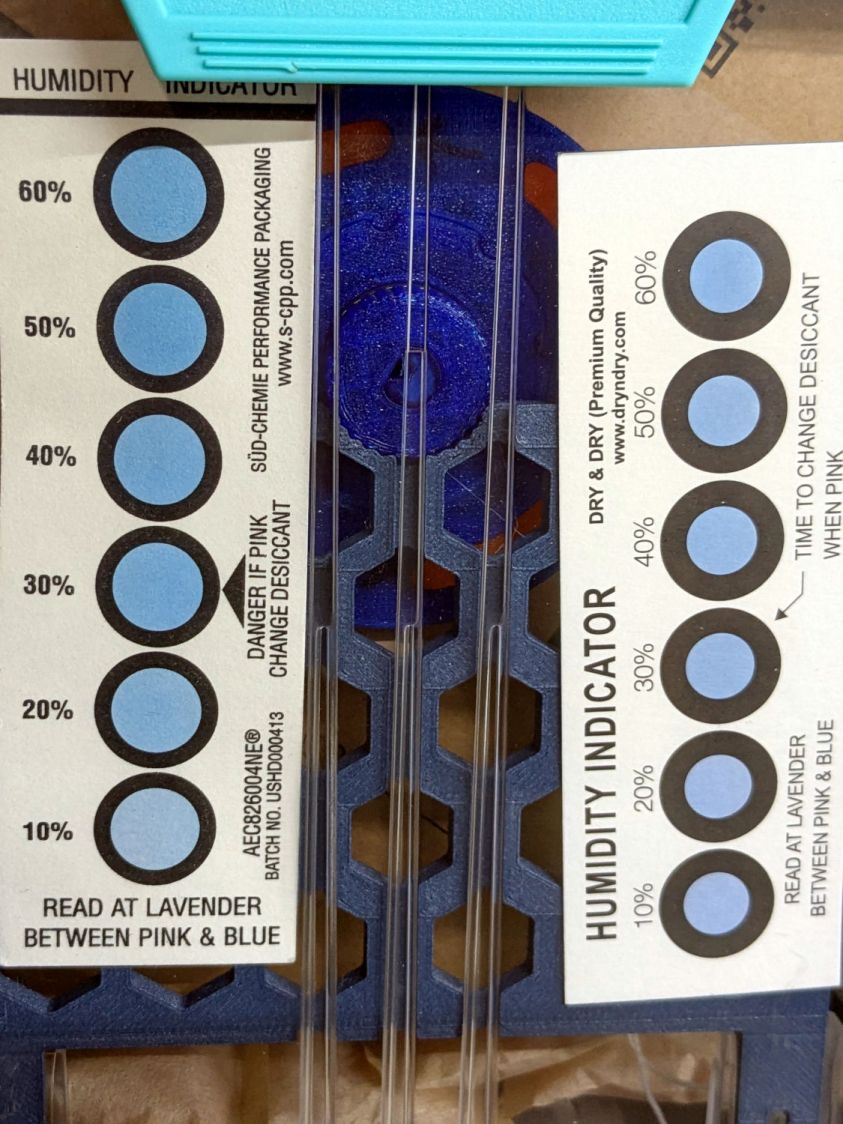
    The cards look about the same, although I could be persuaded the 10% spots look ever so slightly more blue:

    PolyDryer - TPU dry 0425h - 10pctRH cards
    PolyDryer – TPU dry 0425h – 10pctRH cards

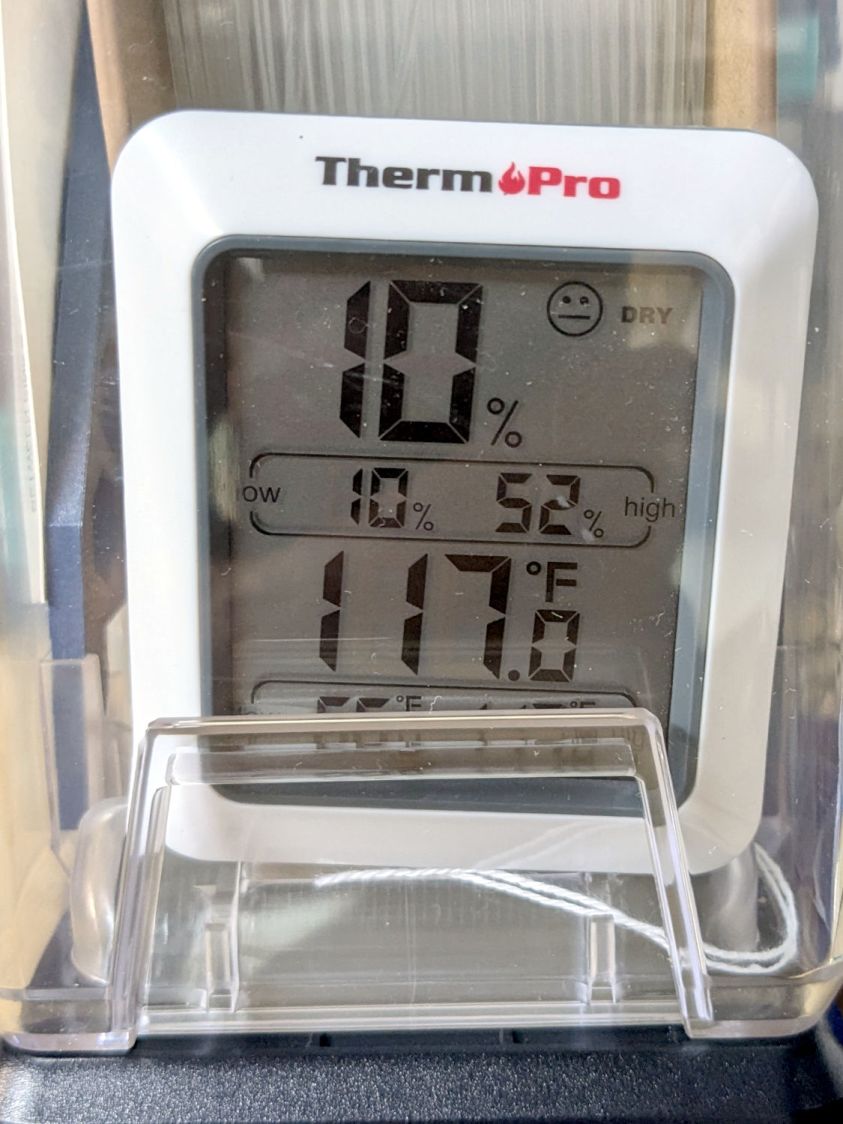
    The meter in the back shows it’s toasty in there:

    PolyDryer - TPU dry 0425h - 10pctRH TP
    PolyDryer – TPU dry 0425h – 10pctRH TP

    A psychrometric chart shows heating air from 66 °F & 15 %RH to 117 °F will put it at 3 %RH without removing any water vapor. This is far below the level my cheap “instrumentation” can measure, but it does suggest the meters should bottom out, regardless of whatever the silica gel is doing.

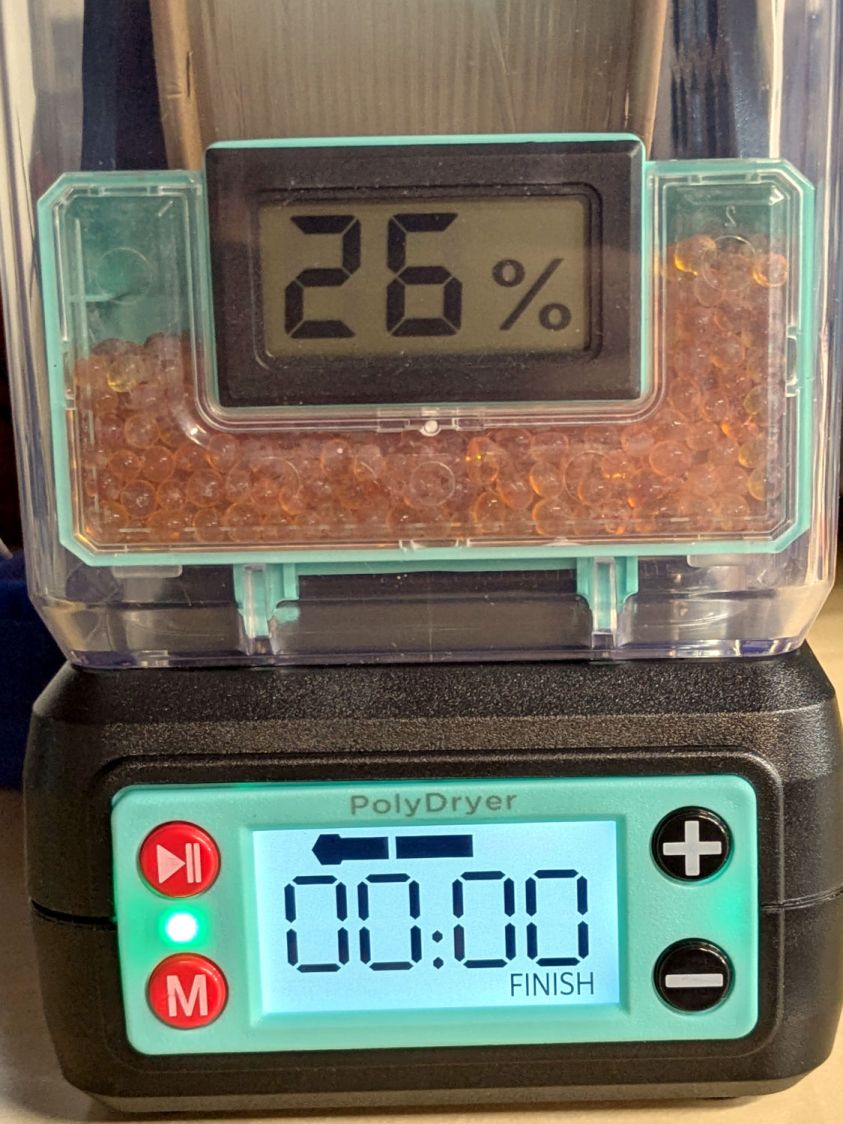
    Allowing six hours to cool down & stabilize after the PolyDryer turns off in the middle of the night (because for science does not include all-nighters) shows a rebound to 26 %RH on the OEM meter:

    PolyDryer - TPU dry 0000h - 26pctRH OEM
    PolyDryer – TPU dry 0000h – 26pctRH OEM

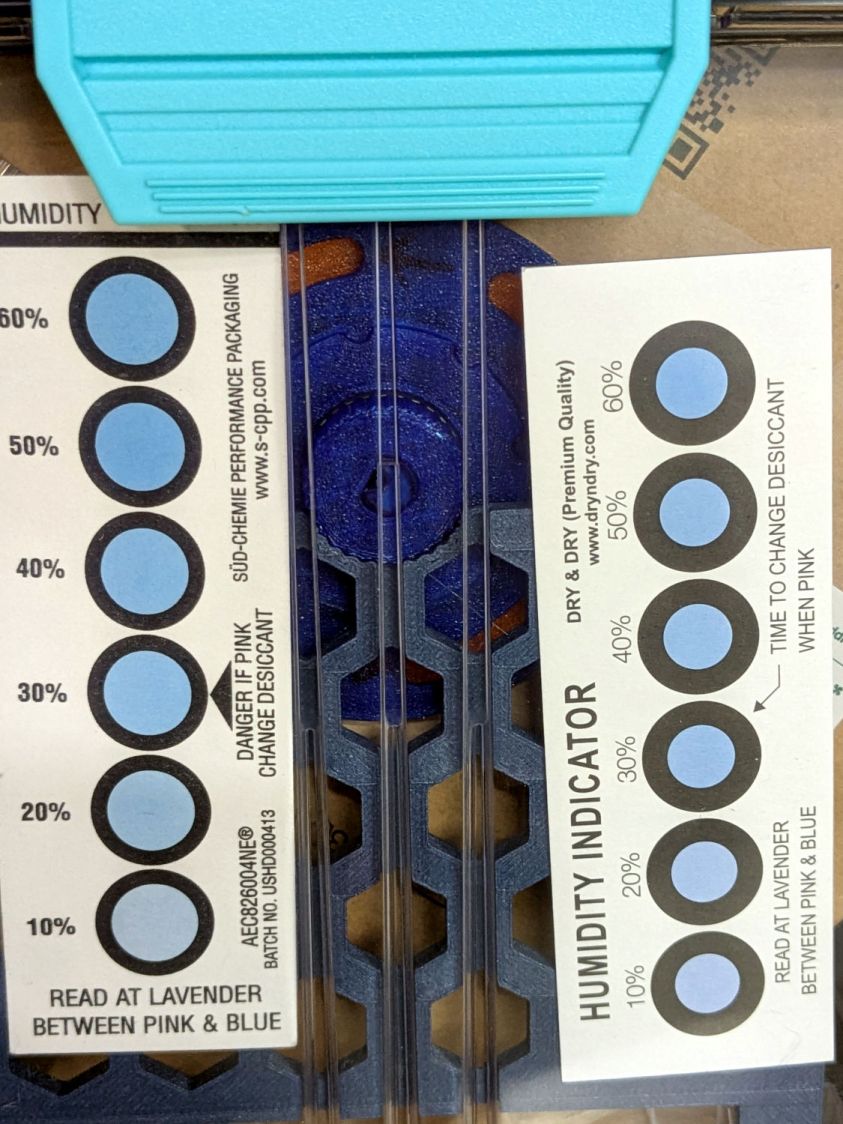
    The cards remain unchanged:

    PolyDryer - TPU dry 0000h - 10pctRH cards
    PolyDryer – TPU dry 0000h – 10pctRH cards

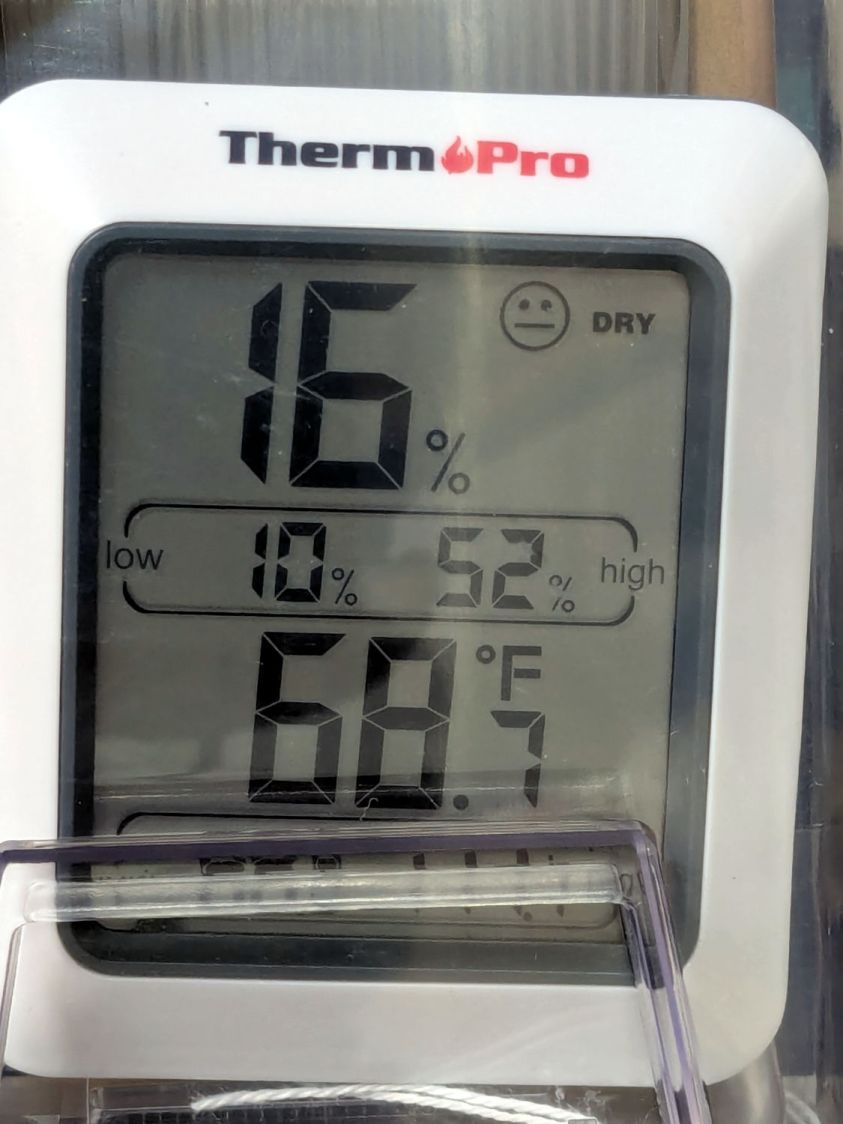
    The meter in the back again splits the difference at 16 %RH:

    PolyDryer - TPU dry 0000h - 16pctRH TP
    PolyDryer – TPU dry 0000h – 16pctRH TP

    I pulled the larger meter and both cards out of the box.

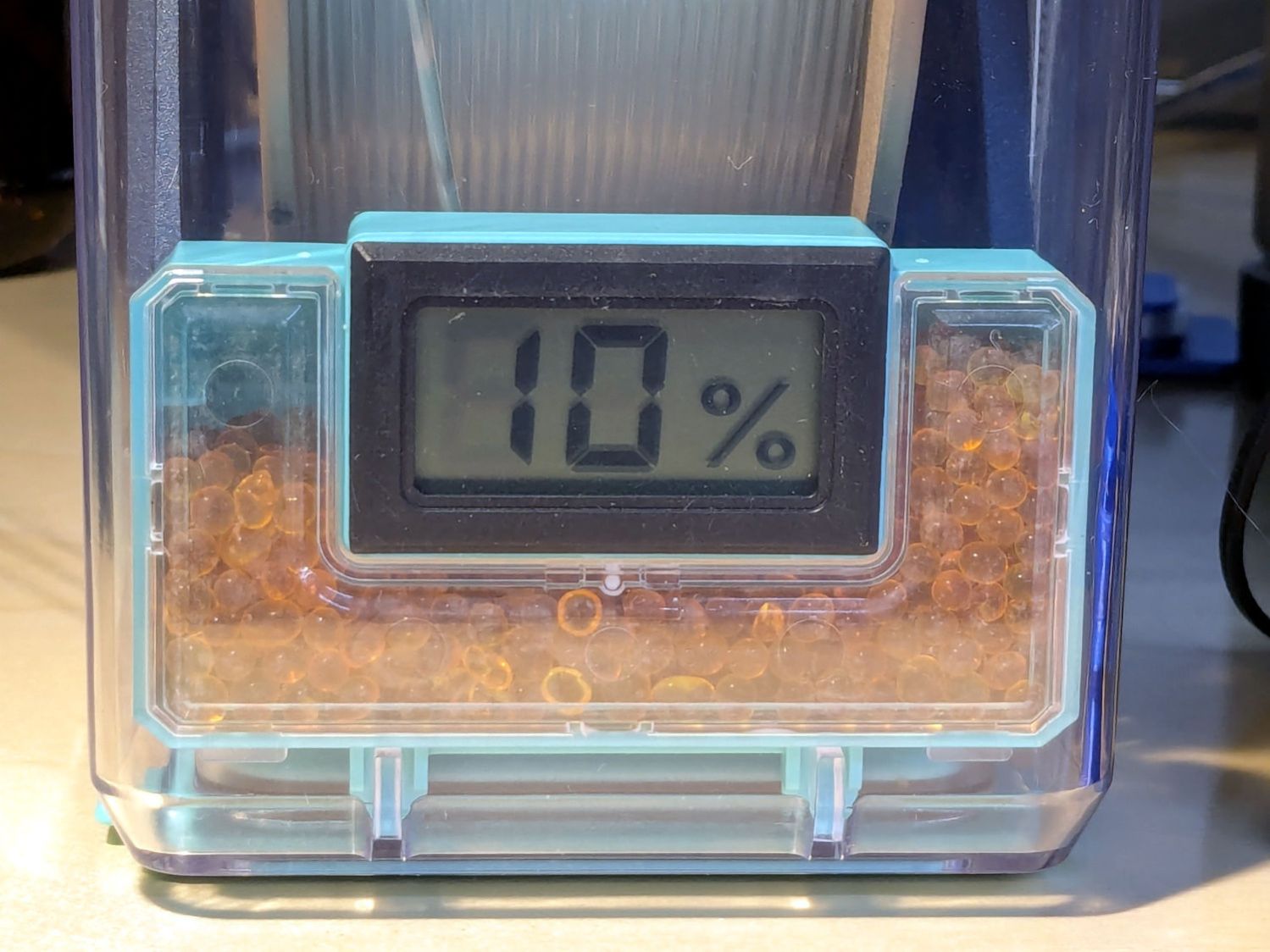
    After sitting undisturbed for a day, the OEM meter in the box stabilized at 10 %RH:

    PolyDryer - TPU post dry - 10pctRH OEM
    PolyDryer – TPU post dry – 10pctRH OEM

    The card agrees, to the best of its limited resolution:

    PolyDryer - TPU post dry - 10pctRH card
    PolyDryer – TPU post dry – 10pctRH card

    The silica gel weighs 25.0 g, exactly what it did when I loaded the meter case. I think the scale’s 0.1 g resolution exceeds its accuracy, but even if the silica gel weighed 25.2 g ≅ 0.8 % water the humidity would be under 5 %RH.

    As far as I can tell:

    • The filament on the spool isn’t outgassing water vapor
    • The air in the TPU box remains under 15-ish %RH at normal basement temperature
    • Running a PolyDryer cycle at 15-ish %RH doesn’t stuff any more water vapor in the silica gel
    • Cheap humidity meters lack accuracy around 15-ish %RH
    • Humidity meters take longer than you think to stabilize
    • Humidity indicating cards may be as good as you (well, I) need

  • HQ Sixteen: Under-arm Lights

    HQ Sixteen: Under-arm Lights

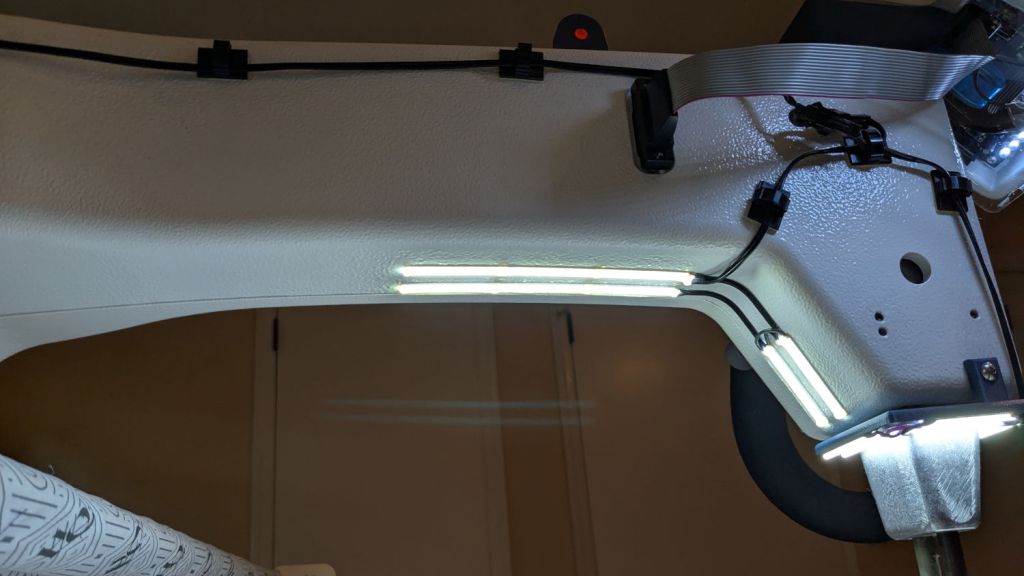
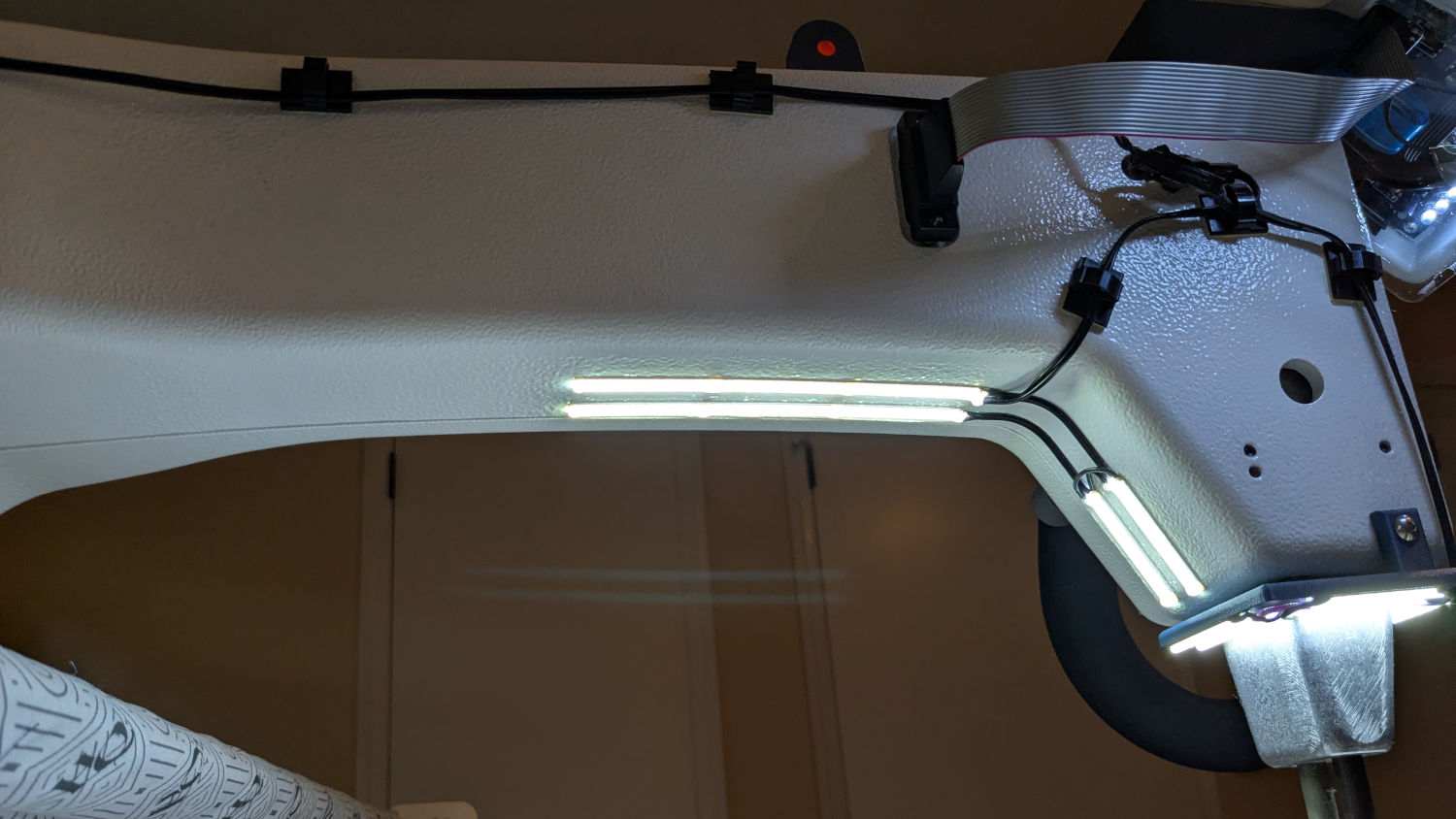
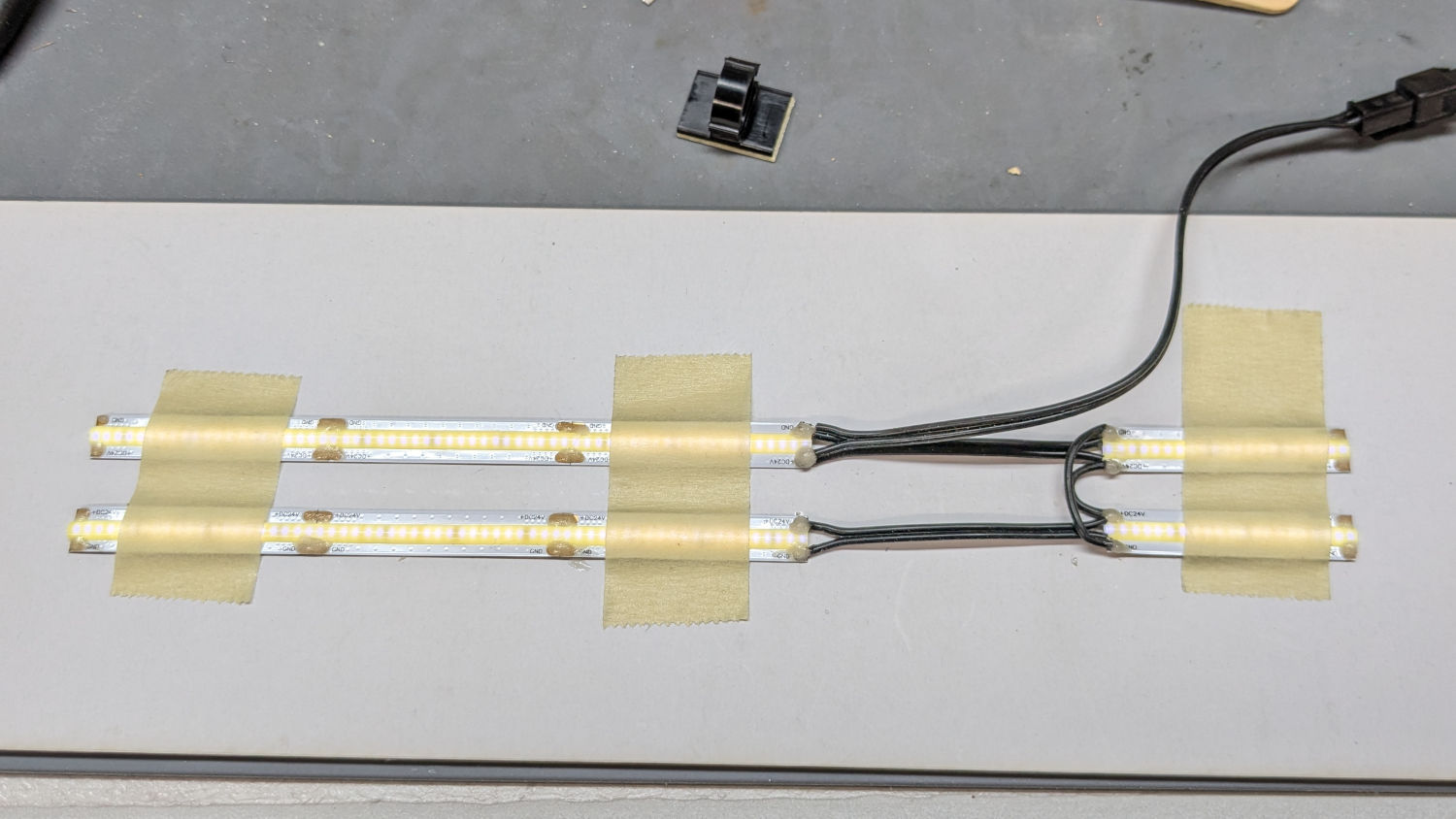
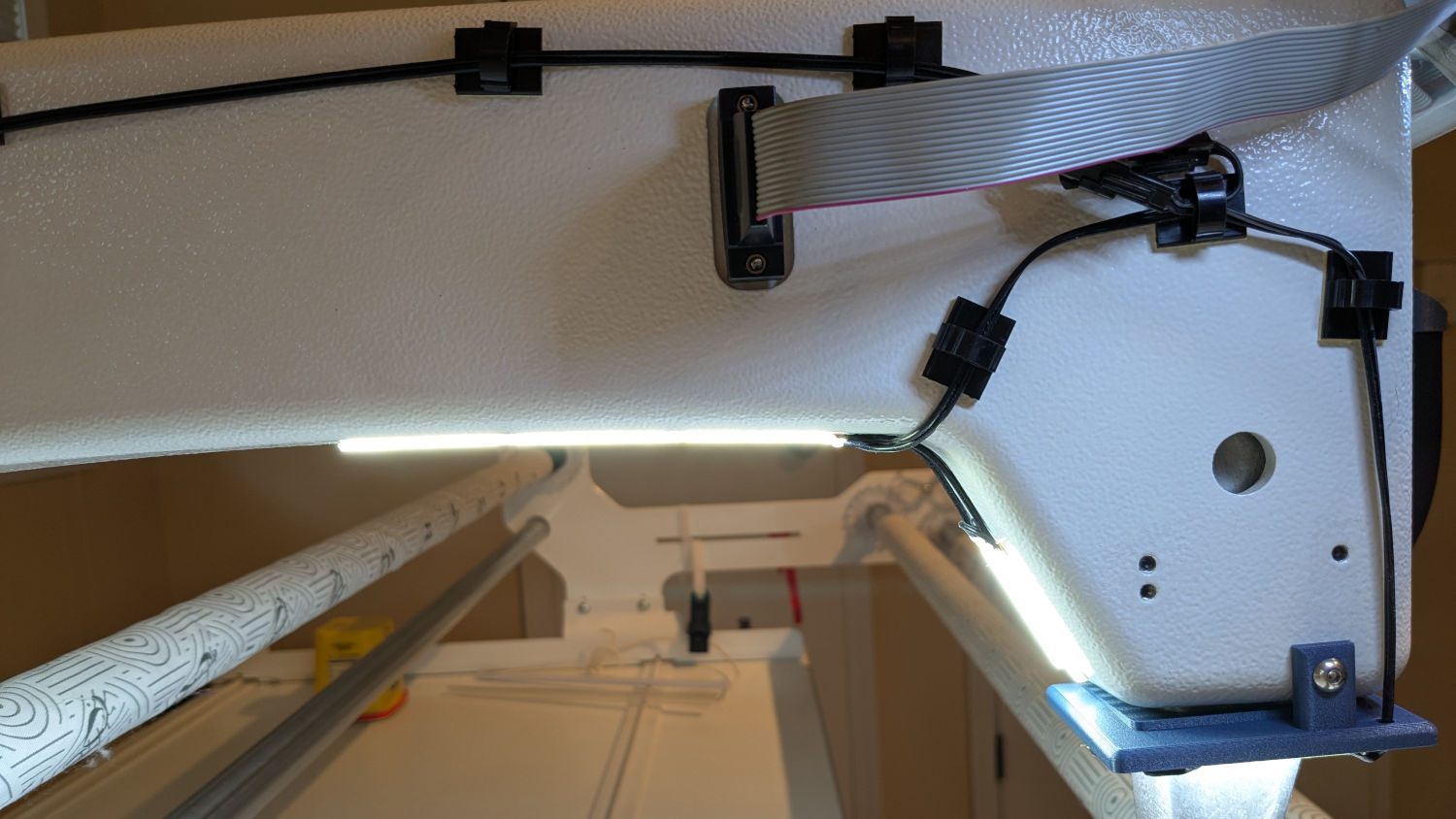
    With the nose ring lights in place, I soldered up eight more 24 V LED strips to light the quilt under the HQ Sixteen’s arm:

    HQ Sixteen - under-arm lights - bottom view
    HQ Sixteen – under-arm lights – bottom view

    A simple fixture aligned the strips for soldering:

    HQ Sixteen - under-arm lights - soldering fixture
    HQ Sixteen – under-arm lights – soldering fixture

    I intended to peel the masking tape off the glossy cardboard, then use it to keep the strips aligned while I pressed the PSA adhesive on the back of the strips to the machine. The silicone molded over the LEDS turned out to be supremely un-stick-able to the tape and the strips got far more handling than I planned, but I think the adhesive will work.

    The cable from the power supply now has a pair of JST SM connectors on the end. Although crimping two conductors into the same pin is not good practice, all 14 of the LED strips draw an aggregate of maybe 130 mA, so I think it’ll suffice.

    The JST connectors hide behind the ribbon cable going to the machine’s front panel, so there’s not a lot of basis for arguing they’re unsightly:

    HQ Sixteen - under-arm lights - side view
    HQ Sixteen – under-arm lights – side view

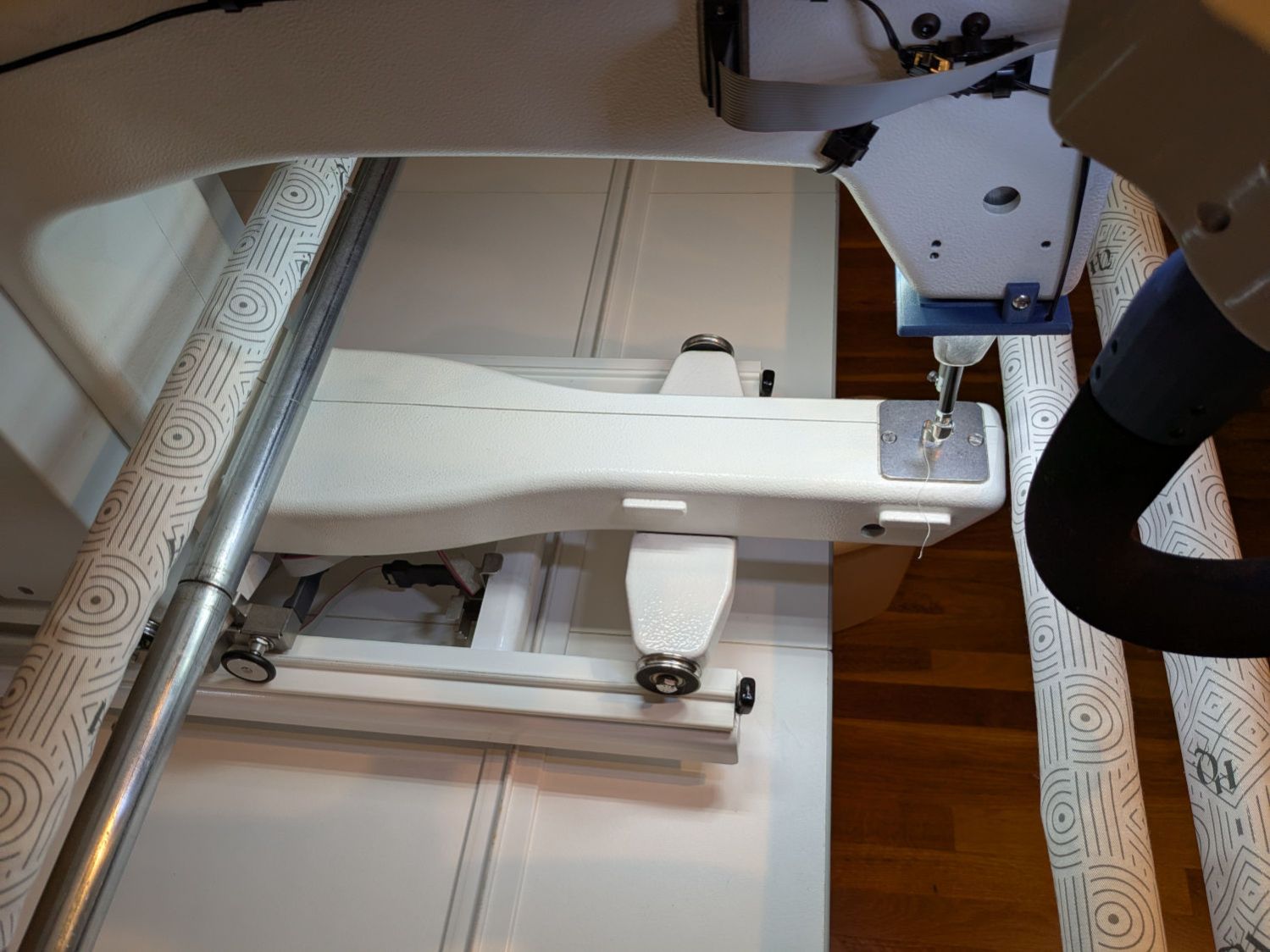
    The finished part of the quilt passes under the bottom bar on the left (the rear of the machine table) and forms an ever-increasing roll around the top bar; the white fabric leader attaches to the edge of the quilt. The LED strips illuminate the in-progress part of the quilt under the arm and should be far enough forward to not snag on the rolled-up finished part.

    I think there’s now enough light to work with:

    HQ Sixteen - under-arm lights - top view
    HQ Sixteen – under-arm lights – top view

    We recently decided the motor stall Heisenbug has vanished, perhaps due to my re-soldering the motor power supply components on the PCB. It’s hard to tell with Heisenbugs, but sometimes they decohere into a desirable state.

    After the better part of a year, Mary’s vintage HQ Sixteen runs better than new!

    A blog search unearths an extensive project in reverse chronologic order.

  • PolyDryer Humidity: Alumina vs. PETG-CF

    PolyDryer Humidity: Alumina vs. PETG-CF

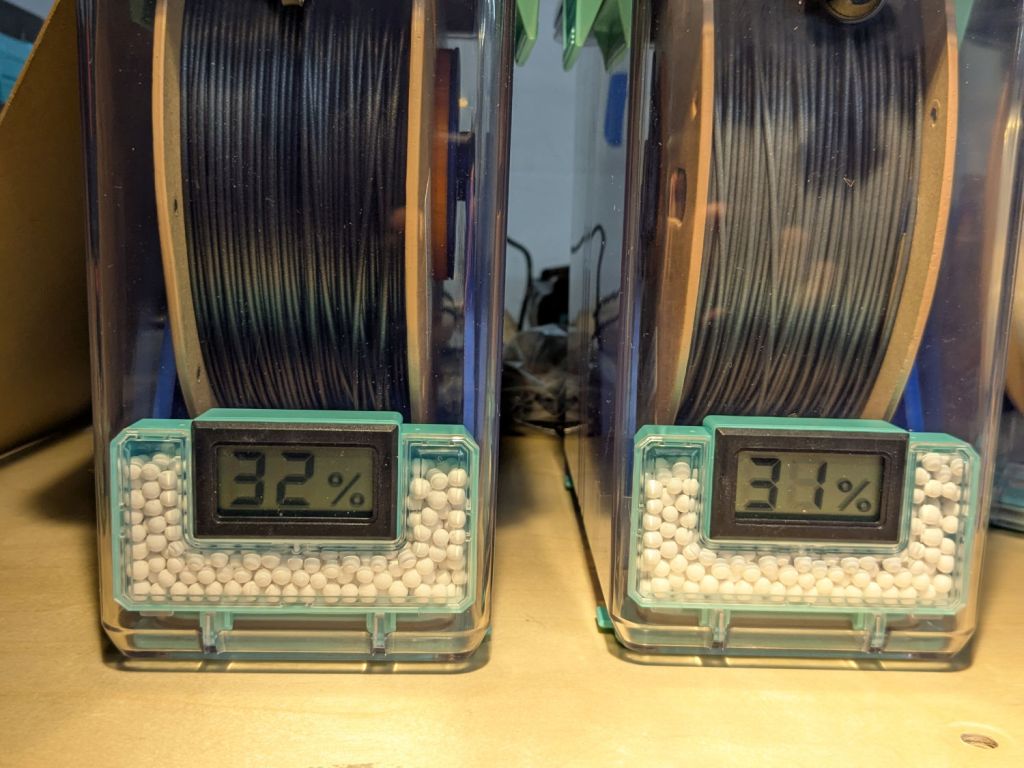
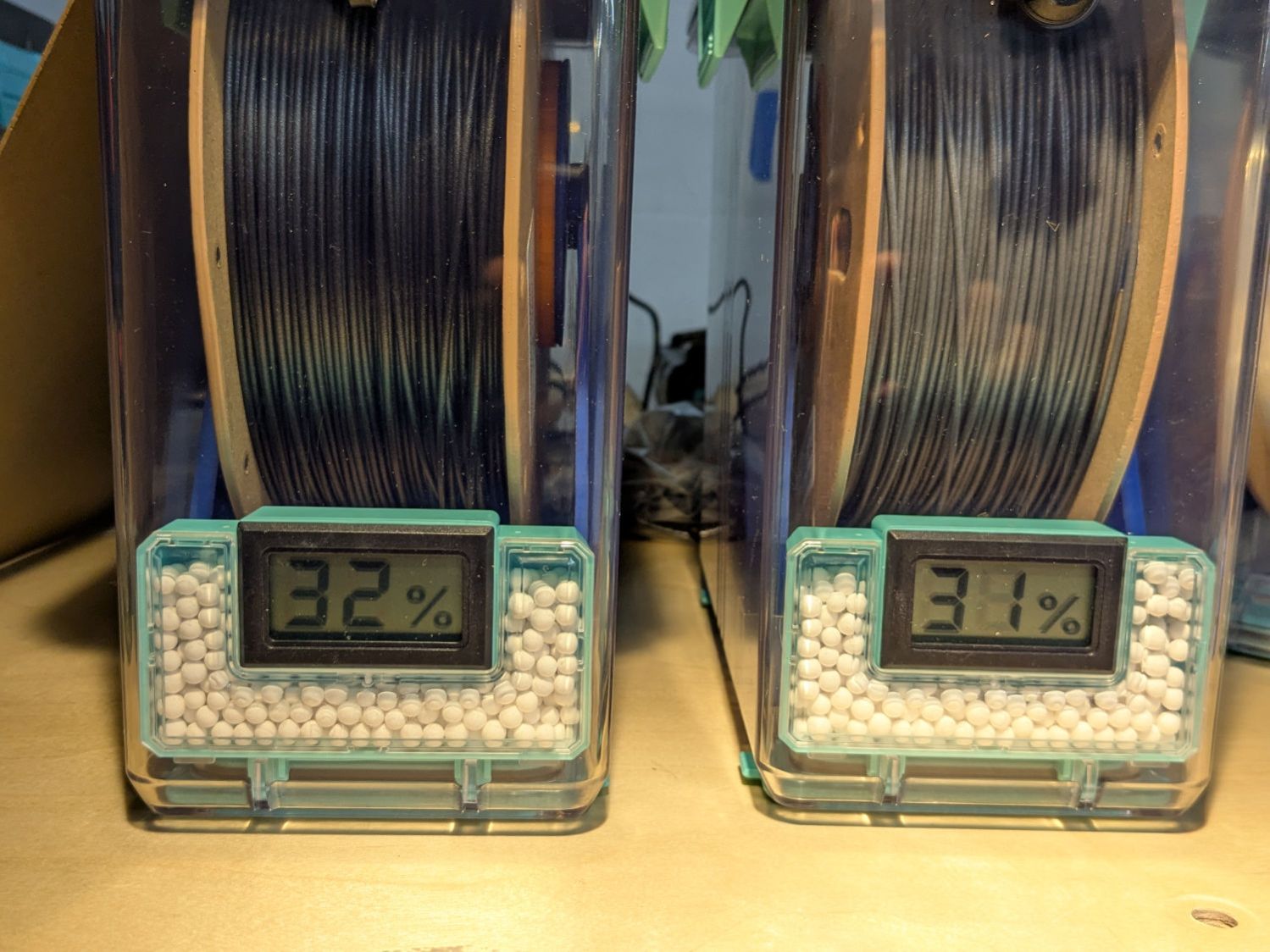
    A pair of PolyDryer boxes has been holding black and gray PETG-CF for a while:

    PolyDryer - PETG-CF - 32 pctRH Black 31 pctRF Gray
    PolyDryer – PETG-CF – 32 pctRH Black 31 pctRF Gray

    A few days ago I slipped humidity indicator cards into the boxes:

    The black PETG-CF card suggests 30 to 40 %RH:

    PolyDryer - PETG-CF - 32 pctRH Black test card
    PolyDryer – PETG-CF – 32 pctRH Black test card

    Yes, I dropped that card into the box upside-down.

    The gray PETG-CF card shows similar results:

    PolyDryer - PETG-CF - 31 pctRF Gray test card
    PolyDryer – PETG-CF – 31 pctRF Gray test card

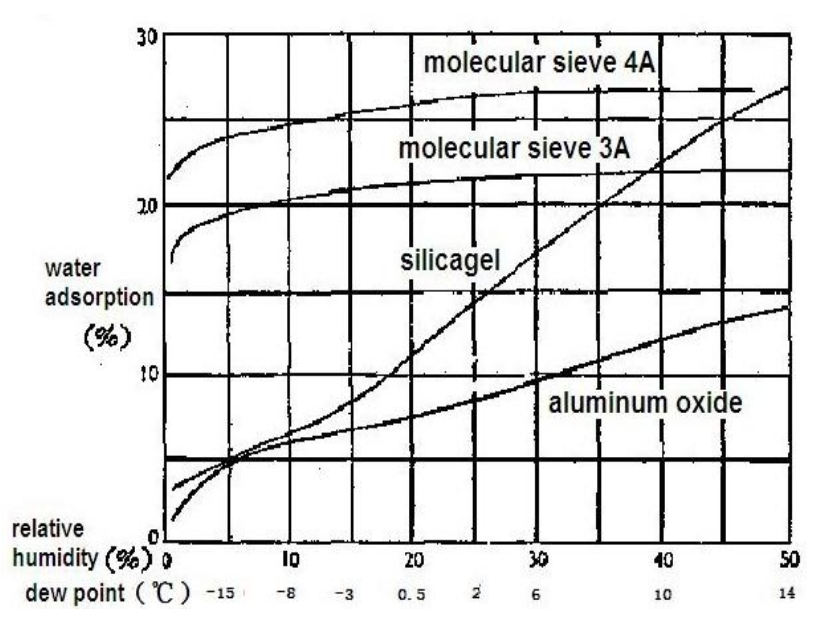
    The desiccant in the black PETG-CF box weighed 80.9 g, a gain of 5.9 g = 10.8%. The chart suggests that corresponds to 35 to 40 %RH:

    Desiccant adsorption vs humidity
    Desiccant adsorption vs humidity

    The gray PETG-CF box had 102.0 g of desiccant. I apparently loaded 25 g in the meter container and 70 g in seven tea bags, but I don’t trust those numbers enough to go any further.

    Unlike the black PETG box mismatch, these black PETG-CF numbers seem plausible. The results may depend on allowing far more time for the filament + air to equilibrate with the desiccant tucked in its containers than the days I’ve been giving it.