Ed Nisley's Blog: Shop notes, electronics, firmware, machinery, 3D printing, laser cuttery, and curiosities. Contents: 100% human thinking, 0% AI slop.
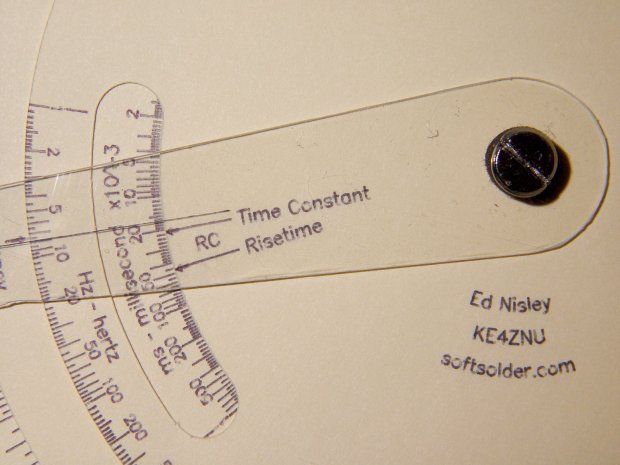
The original Tektronix Circuit Computer cursor is a floppy sheet of plastic with a hairline printed on it. I’m making the homage version from 0.5 mm PETG sheet with an engraved hairline:
Tek CC – radial text example
But I don’t foresee enough ahem production volume to justify making a punch-and-die to cut the thing out, so I need a milling fixture to hold the sheet in place while I have my way with it.
Start by squaring up a suitably sized scrap from the Box o’ Plastic Scrap:
Tek CC – Cursor milling fixture – squaring sides
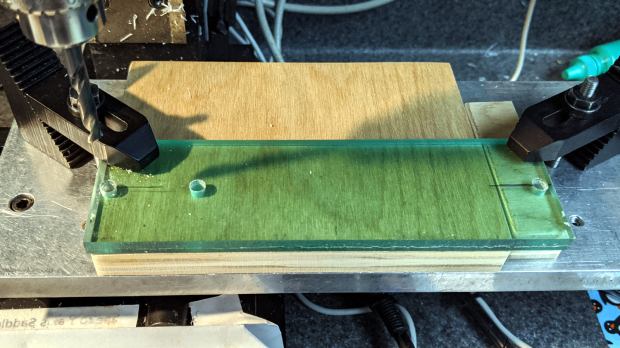
It need not be particularly square, but getting rid of the ragged edges seemed like a Good Idea. I think it’s polycarbonate and, yes, it’s just about that green in real life.
Align it square-ish to the tooling plate and drill three #7 holes on 1.16 inch centers to line up with the plate and clear the Sherline’s 10-32 screws:
Tek CC – Cursor milling fixture – hole drilling
The two outer holes will clamp the fixture to the table. The third hole may be useful to clamp a stack of cursors to the fixture, should I need more than a few.
Screw it to the tooling plate, mill the outline of the cursor into the fixture, apply a layer of double sticky tape, then cut out the cursor outline so the milling bit won’t accrete a giant whirling ball of adhesive & swarf:
Tek CC – Cursor milling fixture – 2-side tape applied
I milled the perimeter 2 mm deep, anticipating a 1 mm cut depth for the cursor, and milled a small step inside the perimeter by compiling the GCMC code with a 2.5 mm cutter diameter instead of the actual 3.175 mm. I tweaked the cursor code for proper offset milling, about which more later.
With the tape in place, it’s not entirely obvious this will work the way I expect, but it wasn’t too difficult.
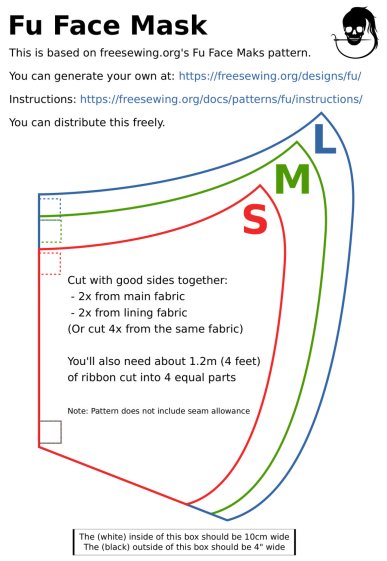
A local hospital contacted Mary’s quilting group to sew up cloth covers to prolong the life of their medical-grade N95 masks. Their recommended pattern, the Fu Face Mask from the FreeSewing group, comes in three sizes:
Freesewing – Fu Mask
N.B.: Use their original PDF, because a JPG picture probably won’t come out at the right size.
Also N.B.: Used by itself, this is not a medical-grade filter mask.
The patterns do not include the usual 1/4 inch seam allowance around the outside, so I cranked out 3D printed plastic cutting templates.
If you’re not interested in 3D printing, 2D print the PDF file on cardboard, sketch a seam allowance, and cut it out, as quilters have been doing since slightly after home printers happened.
The plan of attack:
Convert mask outlines into a bitmap image (GIMP)
Create Bezier curves by tracing outlines (Inkscape)
Save curves as SVG files
Convert SVG into solid model (OpenSCAD)
Add stiffening ribs &c
Save as STL solid model
Slice into G-Code file (Slic3r)
Fire the M2!
So, we begin …
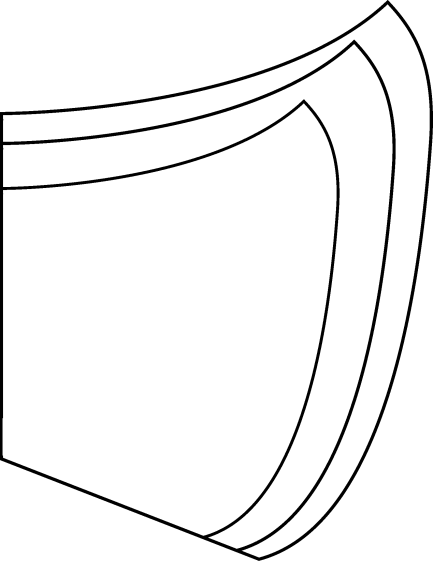
Import the PDF into The GIMP, delete the text & suchlike, convert to monochrome, and save the pattern outlines as a PNG file:
Fu Facemask – outlines
It turns out Inkscape can directly import the PDF, but it valiantly tries to convert all the text and the incidental graphic elements, none of which will be useful in this situation. It’s easier to delete them in The GIMP and make a bank shot off a PNG file.
Import the PNG into Inkscape and trace one outline with the Bezier curve tool:
Fu Mask – Inkscape Bezier trace
If you squint really carefully, you’ll see Bezier control handles sticking out of the nodes. I laid three nodes along the top arc and four along the right side, but do what’cha like; the Insert key or Shift+I inserts and Delete removes nodes. It’s easier to center a node in the middle of the PNG line with snapping turned off: Shift+drag while mousing or globally with #.
You could unleash the bitmap auto-tracer, but it generates a bazillion uselessly tiny Bezier curves.
When you’re happy, select and copy the path with Ctrl+C, paste it into a shiny new Inkscape document (Ctrl+N) with Ctrl-V, save it with a catchy file name like Fu Mask - Small - nominal.svg, and close that document to return to the document with the PNG outlines and the original path.
Select the original path again, create a dynamic offset with Ctrl+J, open the XML editor with Ctrl+Shift+X (which automagically selects the proper SVG element), and change the inkscape:radius value from 0 to 6.35 (mm, which everyone should use) to get a 1/4 inch seam allowance:
Fu Mask – Inkscape XML Editor – Offset radius
The path will puff out with curved corners:
Fu Mask – Inkscape offset
Copy into a new document, save as Fu Mask - Small - seam allowance.svg, and close.
Repeat that process for each of the three mask sizes to create three pairs of SVG files: the nominal mask outline and the corresponding seam allowance outline for each size.
The OpenSCAD program imports the SVG files, removes the nominal outline from within the seam allowance to leave the outline, adds stiffening ribs, and stamps an ID letter on both sides of the central button:
Fu Mask Cutting Template – Small – solid model
Choose one of the three sizes with the OpenSCAD customizer, save the resulting model as an STL file, repeat for the three sizes, and you’re done.
This process can convert any outline paths in SVG files into cutting templates, so, should the Fu Mask not suit your fancy, Use The Source.
For convenience, the STL files are on Thingiverse.
This file contains hidden or bidirectional Unicode text that may be interpreted or compiled differently than what appears below. To review, open the file in an editor that reveals hidden Unicode characters.
Learn more about bidirectional Unicode characters
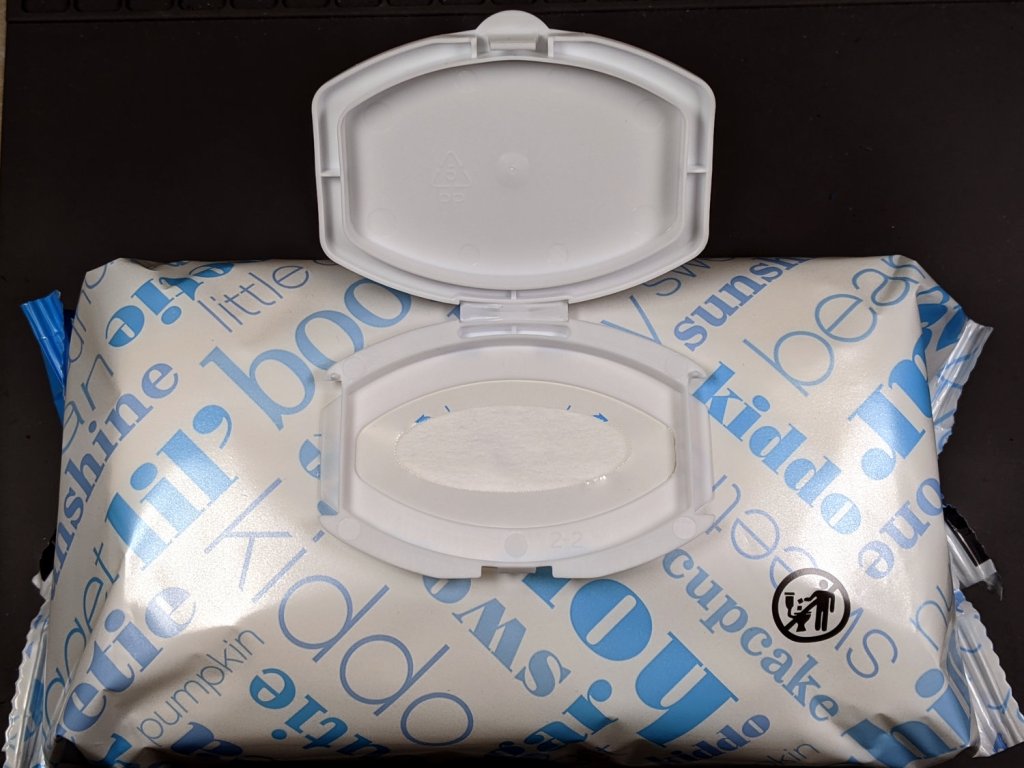
As other folks have discovered, it’s straightforward to convert soft, soothing baby wipes into toxic sanitizing wipes by pouring harsh chemicals down the hatch:
AmazonBasics Baby Wipes
Ending up with the proper dilution, though, requires knowing how much liquid the wipes already have, so you can account for it in whatever recipe you’re following.
Gut a new package of wipes: 552 g total weight, with 80 wet wipes weighing 536 g, so the packaging amounts to 15.5 g and each wet wipe weighs 6.7 g.
Hang five wipes in the breeze for a few hours to find they weigh 9.2 g. They’re still slippery, because of all the aloe & Vitamin E & whatever else Amazon specifies for the mix, but they’re dry. One dry wipe weighs 1.8 g, so all 80 weigh 150 g.
The block o’ wet wipes holds 536 – 150 = 390 g = 390 ml of water.
Should you want a 70% (by volume) isopropyl alcohol solution, pour 0.7/0.3 × 390 ml = 910 ml of 99% alcohol into the package and let it settle for a while. Each wipe will emerge dripping wet, but that’s not entirely a Bad Thing. Perhaps it’d be a good idea to start by letting the block dry out for a while, re-weigh, then calculate the alcohol dose from the reduced amount of water.
Bleach dilutions for sanitation seem wildly varied, but the jug of 8.25% sodium hypochlorite on the shelf says 1/2 cup to a gallon, a 1:32 volume ratio. Starting with 390 ml of water-like substance in the package, pour 12 ml of bleach into the hatch, let things settle, then squish it around for good measure.
None of the dosages seem particularly critical, given the slapdash way everybody applies wipes.
You should, of course, conspicuously mark the packages, so as not to apply toxic wipes to sensitive parts of you or your baby …
We now have enough statistics from the USA to draw some useful graphs, so click the Logarithmic options to make the charts comprehensible:
COVID-19 – USA Total Cases and Total Deaths – 2020-03-25
The penciled lines give an eyeballometric fit, but it’s pretty obvious the USA is now dealing with purely exponential infection rates.
Total Cases, which is the patients tested = people already in the medical system, is growing by a factor of ten every eight days. By next weekend, the USA will have one million Total Cases: average it to 112,000 new cases, every day,over the next eight days.
Which may not happen, if only because we may not have the intake / testing / recording capacity for that number of patients and maybe, just maybe, Social Distancing will have an effect. I expect the Total Cases line bend downward slightly during the week, but it won’t be anywhere near horizontal. Obviously, the extrapolation fails completely within the next 24 days, because we lack a factor of 1000 more people to infect.
The 9,000 patients who will die in the next week are already in the medical system (because you take about two weeks to die) and, at least in downstate NY, have essentially filled all available hospital beds; they’re getting the best care possible from the medical establishment.
Not every new case becomes a patient, but in the USA we seem to be testing only folks with obvious COVID-19 symptoms, so all the optimistic hospitalization estimates of 10% are off the table and 50% seems more believable. Pick any percentage you like.
Eight days from now, the rate will ramp toward 10,000 deaths per day, to reach 100,000 Total Deaths in sixteen days, again, as an average.
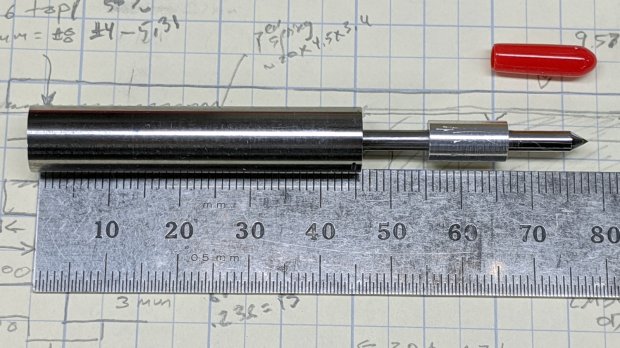
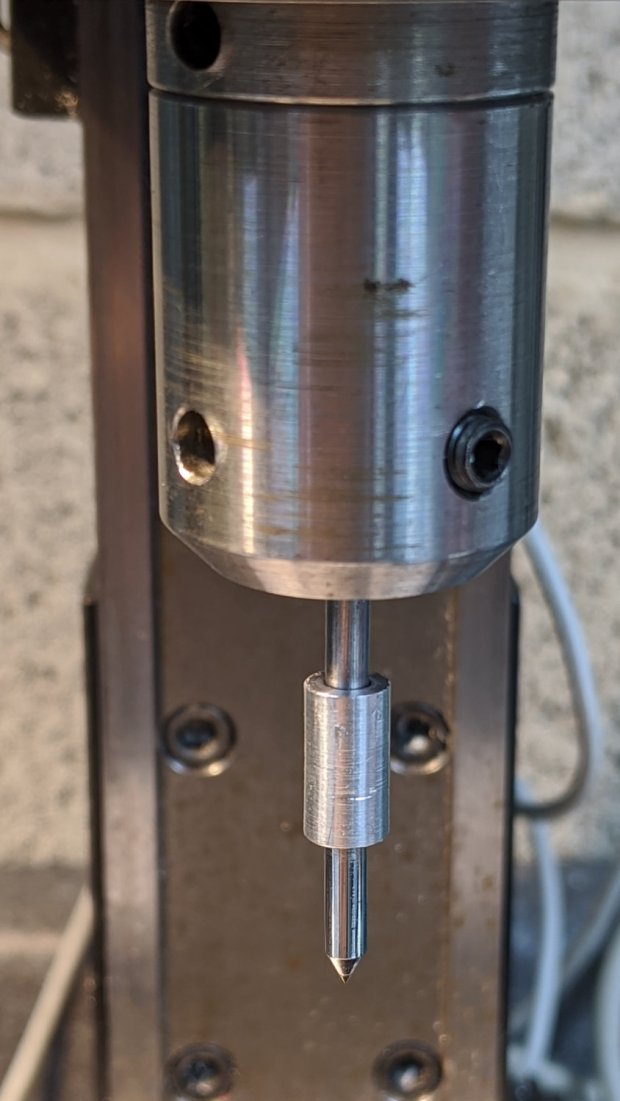
Although I shouldn’t have used a hardened shaft for the case, the rest of the diamond drag tool holder worked out well enough:
Sherline Diamond Drag Holder – assembled
The dimension doodle shows what’s inside and gives some idea of the sizes:
Sherline Diamond Drag Holder – dimension doodles
From left to right, it’s an M6×1.0 setscrew to adjust the spring preload, a spring harvested from a cheap clicky ballpoint pen, a machined cap, a 3 mm rod (which should be a hardened & ground shaft, but isn’t) surrounded by a pair of LM3UU linear bearings, a machined coupler, and the stub of a diamond engraving tool’s shank.
Tapping 15 mm of M6×1.0 thread inside of the case took an unreasonable amount of grunt. Next time, brass.
The setscrew gets a little boss to hold the spring away from the adjacent threads in the case:
Sherline Diamond Drag Holder – setscrew spring boss
The little machined cap has a somewhat longer spring guide to prevent buckling:
Sherline Diamond Drag Holder – shank cap spring guide
The spring fits snugly on the slightly enlarged section inside the last few coils, with the rest being a loose fit around the guide. When the spring is fully compressed, it’s just slightly longer than the guide and can’t buckle to either side.
The cap gets epoxied onto the 3 mm rod with some attention to proper alignment:
Sherline Diamond Drag Holder – shank cap alignment
The other end of the rod has a 3 mm thread, which would be a serious non-starter on a hardened rod.
The shortened diamond tool shank gets epoxied into the gizmo connecting it to the now-threaded rod, again with some attention paid to having it come out nicely coaxial:
The LM3UU bearings got epoxied into the case, because I don’t have a deep emotional attachment to them.
Unscrew diamond tool, push spring onto cap, drop rod through bearings, crank setscrew more-or-less flush with the end of the case, screw diamond in place with some weak threadlock, add oil to rod, work it a few times to settle the bearings, and it’s all good.
The spring rate works out to 230 g + 33 g/mm for deflections between 1.0 mm (263 g) and 3.5 mm (346 g), so it’s in the same ballpark as the diamond tools on the MPCNC and CNC 3018.
Note: WordPress just “improved” their post editor, which has totally wrecked the image alignment. They’re all set to “centered” and the editor says they are, but they’re not. It’s a free blog and I’m using one of their ancient / obsolete / unsupported themes, so I must update the theme. Bleh.
While doodling a drag knife holder for the Sherline, I figured a 3/8 inch shaft would hold all the parts and fit neatly into a standard Sherline tool holder, which it did:
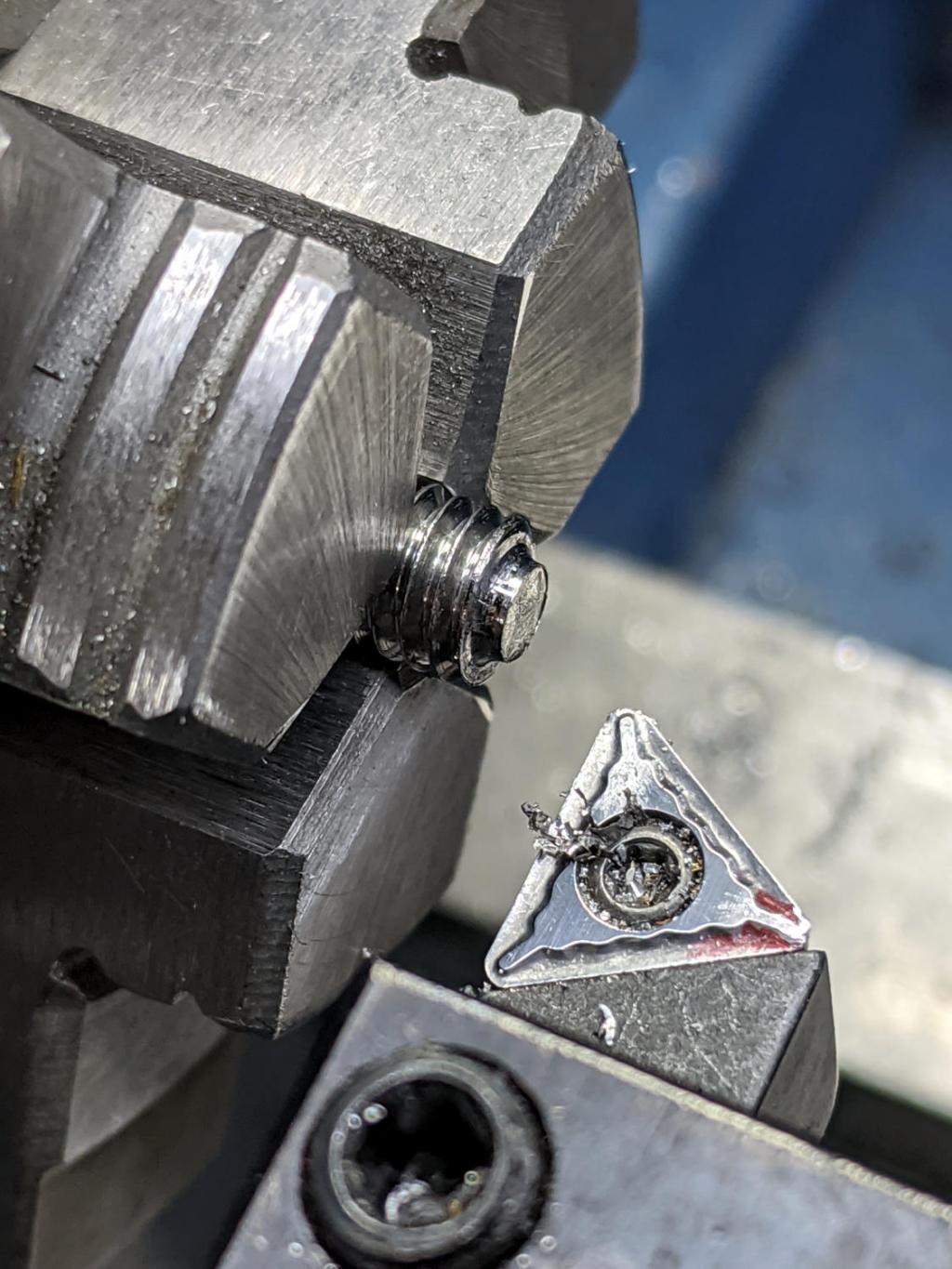
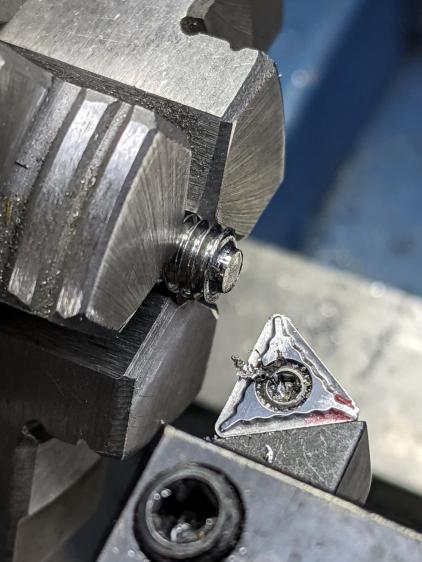
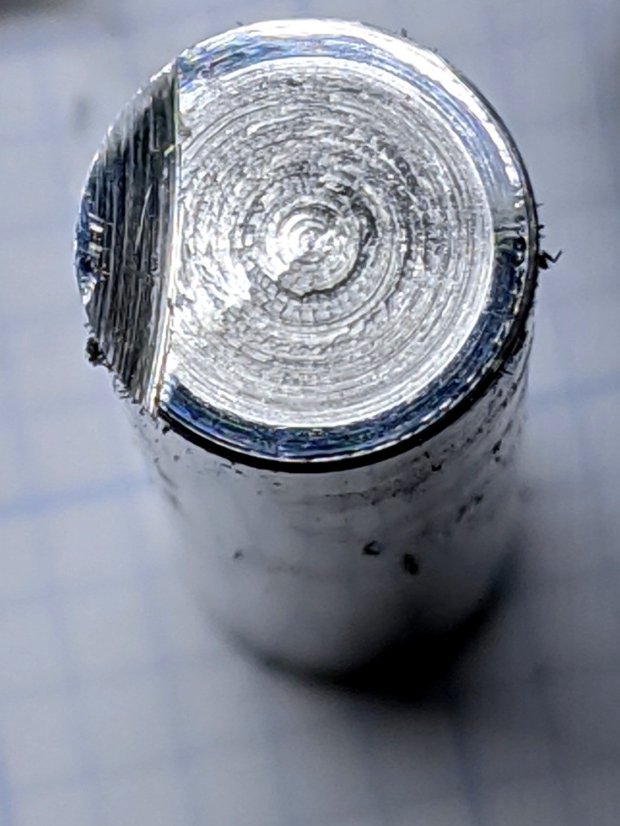
Although the mini-lathe’s carbide insert gnawed at the shaft’s case-hardened shell, it obviously wasn’t making much progress against that step.
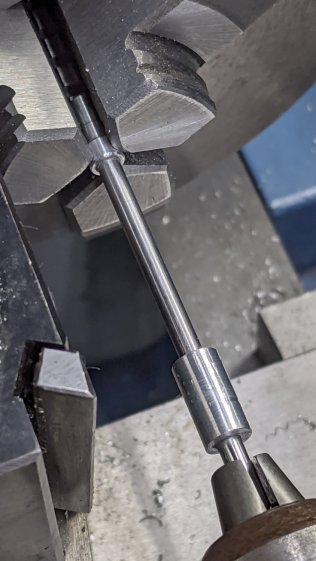
Back to the abrasive cutoff saw:
Hardened shaft facing – abrasive flattening
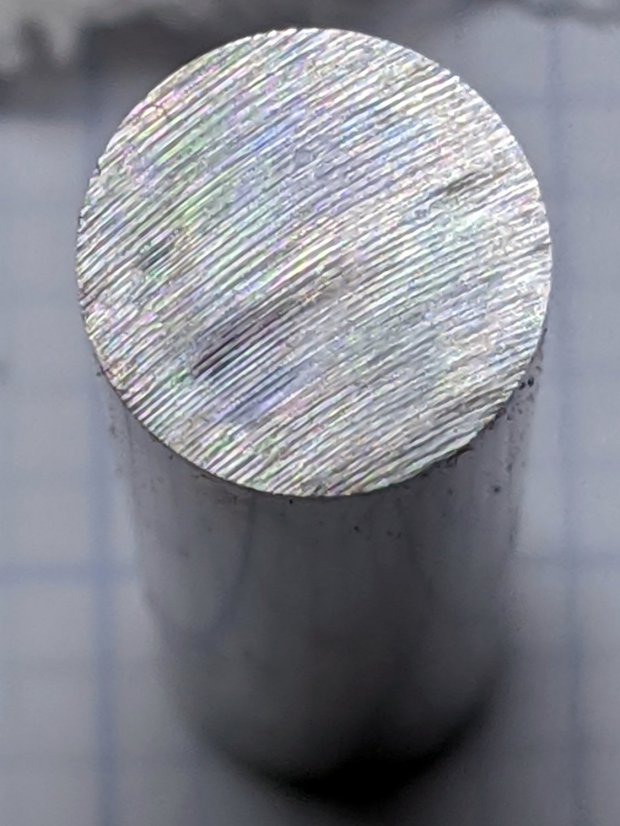
Which looked better, although it still wasn’t quite perpendicular to the shaft axis.
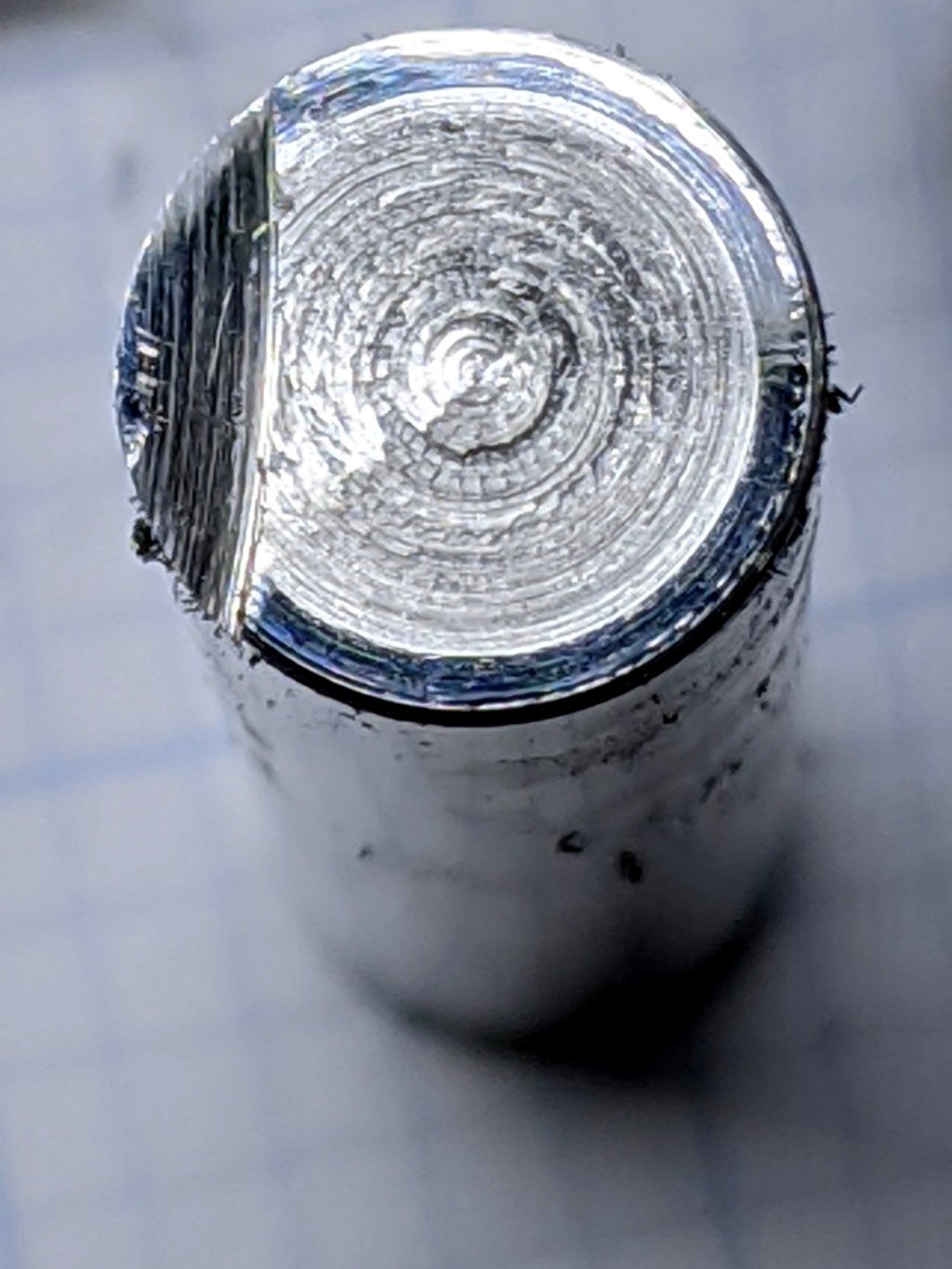
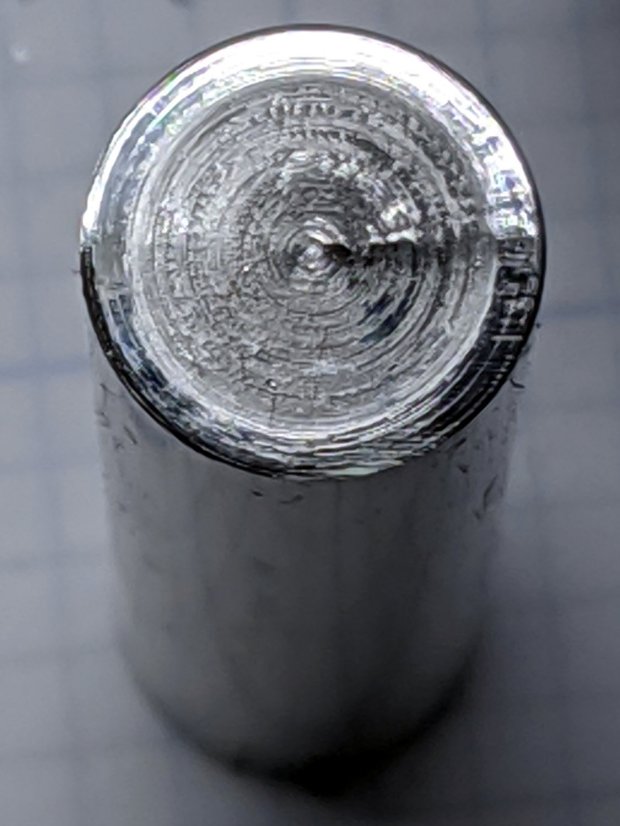
Back to the lathe:
Hardened shaft facing – lumpy face
Well, it’s better, but it sure ain’t pretty.
Put gently, the mini-lathe’s lack of rigidity doesn’t help in the least. The compound was a-reelin’ and a-rockin’ on every revolution and eventually turned a slight tilt into a distinct radial step.
Total Deaths = Total Cases recorded two weeks earlier
This also works forward in time: given the total number of cases “today”, I (and you) can predict the total number of deaths in two weeks, give or take a few days.
Run the numbers for Italy, because it has a relatively long timeline and trustworthy data:
2020-03-01: 1694 cases → 2020-03-15: 1809 deaths
2020-03-02: 2036 cases → 2020-03-16: 2158 deaths
2020-03-03: 2502 cases → 2020-03-17: 2503 deaths
As the numbers become difficult to comprehend, the time difference slows to 16 days instead of 14:
2020-03-06: 4636 cases → 2020-03-22: 4825 deaths
2020-03-07: 5883 cases → 2020-03-23: 6077 deaths
On 2020-03-23, Italy had 63,927 confirmed cases. Prediction: Easter will not be celebrated in the usual manner.
The current recommendation: remain home unless and until you develop COVID-19 symptoms requiring urgent medical attention. Should that happen to me, I fully expect there will be no medical attention to be found and, certainly, all available medical equipment will be oversubscribed.
Speaking strictly as an Olde Farte looking at the data, the future looks downright grim.
On the upside, it’s amazing how little an order to remain home changed my daily routine: so many projects, so little time.











 The Smell of Molten Projects in the Morning