The Smell of Molten Projects in the Morning

Ed Nisley's Blog: Shop notes, electronics, firmware, machinery, 3D printing, laser cuttery, and curiosities. Contents: 100% human thinking, 0% AI slop.

Author: Ed

  • Manjaro 20.1: CUPS Setup

    Tweaking a new Manjaro Linux 20.1 installation to share printers and allow remote administration, done while replacing an aging Optiplex desktop box that’s been running unattended for far too long.

    Start by installing Manjaro’s printer support package:

    pamac install manjaro-printer
    

    In the general section of the default /etc/cups/cupsd.conf file, up near the top:

    Listen *:631       # listen on all interfaces
    DefaultShared Yes  # share the local printers
    BrowseWebIF Yes    # turn on the Web interface
    

    Allow remote admin:

    <Location />
      Allow all
      Order allow,deny
    </Location>
    <Location /admin>
      Allow all
      Order allow,deny
    </Location>


    Restart the CUPS server:

    sudo systemctl restart org.cups.cupsd
    

    And then It Should Just Work.

  • Bicycling For The Fun of It All

    Bicycling For The Fun of It All

    Somewhere out there, you’ll find his video:

    Photo Op - 2020-11-09 - 287
    Photo Op – 2020-11-09 – 287

    Everybody needs a reason to smile!

    Bonus: enough vehicles to keep the signal at Burnett green.

    In the unlikely event you were wondering, 287 is the frame number from the video-to-still conversion:

    ffmpeg -ss 00:03:30 -i /mnt/video/AS30V/2020-11-09/MAH07624.mp4 -t 20 -f image2 -q 1 'Photo Op - 2020-11-09 - '%03d.jpg

    All in all, a fine day for a ride …

  • Huion H610Pro (V2) Tablet vs. USB 3.0

    Huion H610Pro (V2) Tablet vs. USB 3.0

    For reasons that surely made sense at the time, the Huion H610Pro (V2) tablet can recognize when it’s connected to an Android device’s USB port and enter a special mode where the stylus only responds in a phone-shaped portrait rectangle over on the left side:

    Huion H610Pro (V2) Tablet - Android layout
    Huion H610Pro (V2) Tablet – Android layout

    There’s a Vulcan Nerve Pinch button push to force the tablet into Android mode if it doesn’t automagically get there on its own, but AFAICT there’s no way to force it out of Android mode.

    It’s a USB 2.0 device, but I had plugged it into a USB 3.0 port on my desktop box, whereupon it would enter Android mode on pretty nearly every boot. The only way to coerce it back into normal mode was to unplug it, replug it, then manually run the xsetwacom incantation to restrict the coordinates to the portrait monitor.

    I just discovered it works perfectly when plugged into one of the few USB 2.0 ports on the box.

    Apparently, USB 3.0 ports keep the thing powered all the time, whereupon it doesn’t see the proper sequence of events (or, perhaps, sees the Android sequence) during the next boot. USB 2.0 ports don’t do that and it works fine all the time.

    Much better!

  • XFCE vs. Screen Locking

    XFCE vs. Screen Locking

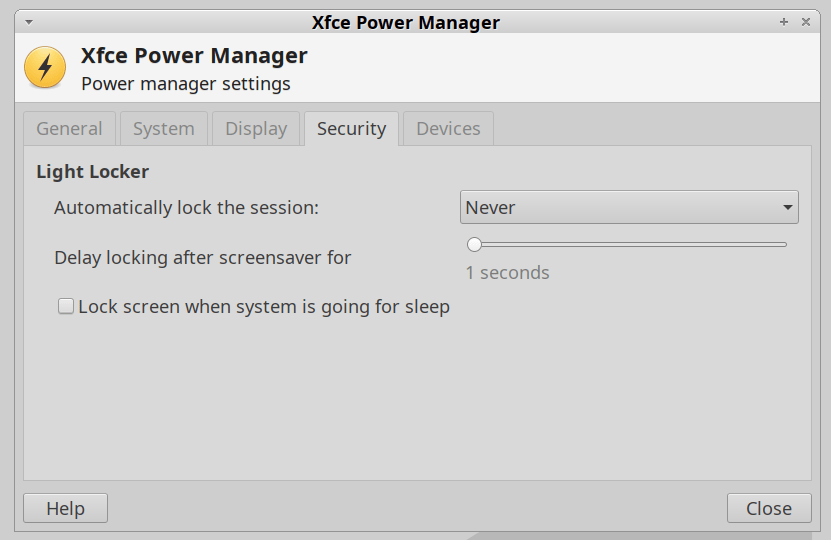
    For reasons not relevant here, I was asked to tweak an XFCE 20.04 installation to not ask for a password after the screen power-saver kicks in. There’s no need for a screensaver with an LCD panel, so this should be straightforward, as per the XFCE 18.04 setup:

    XFCE Power Manager Light Locker settings 18.04
    XFCE Power Manager Light Locker settings 18.04

    Which had no effect.

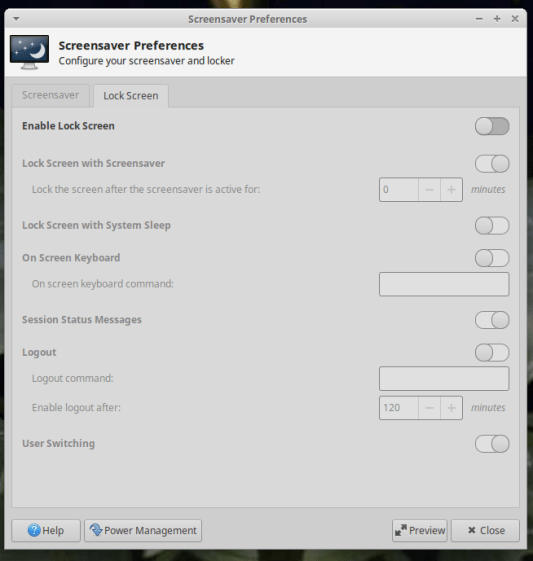
    For some reason, perhaps having to do with an upgrade from 18.04 to 20.04, Light Locker wasn’t actually handling the screen locking; some dedicated searching suggested this is a problem of long standing.

    So tweak the Lock Screen settings of the screen saver that’s not in use:

    XFCE Screensaver Lock Screen Preferences - 20.04
    XFCE Screensaver Lock Screen Preferences – 20.04

    If you’re doing this remotely, adding a stanza to ~/.config/xfce4/xfconf/xfce-perchannel-xml/xfce4-screensaver.xml should suffice:

    <?xml version="1.0" encoding="UTF-8"?>
    
    <channel name="xfce4-screensaver" version="1.0">
      <property name="saver" type="empty">
        <property name="mode" type="int" value="0"/>
      </property>
      <property name="lock" type="empty">
        <property name="enabled" type="bool" value="false"/>
      </property>
    </channel>
    

    The threat model for this particular installation is “minimal”.

  • Hiatus

    ‘Tis the season of leaf shredding and yard cleanup, with a generous helping of home chores and maintenance on the side, so I’ll be posting intermittently for a while.

  • Monthly Science: Chestnut Weevil Damage

    Monthly Science: Chestnut Weevil Damage

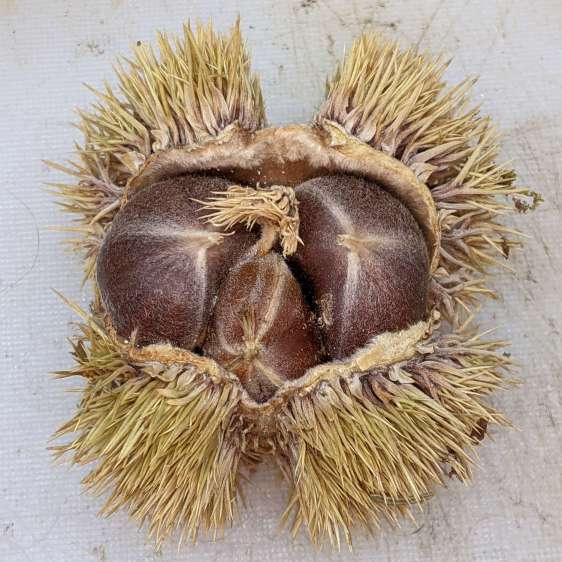
    The dried chestnuts looked undamaged in their husk, but three groups of weevil grubs surely left some damage behind:

    Chestnut husk - dried
    Chestnut husk – dried

    Gingerly prying the seeds out revealed holes in all three:

    Chestnut weevil damage - exterior
    Chestnut weevil damage – exterior

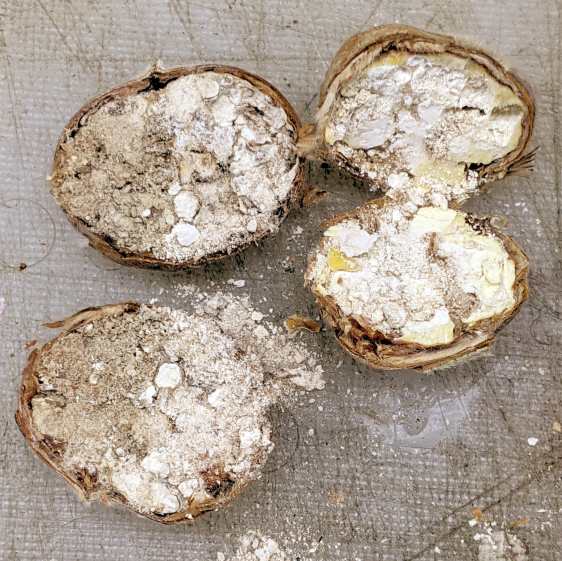
    The weevils converted the nut meat into what looks like solid frass:

    Chestnut weevil damage - interior
    Chestnut weevil damage – interior

    Having eaten themselves out of house and home, they moved on to the next plane of existence.

    For most of them, that would be bird food.

  • Raspberry Pi Camera vs. RTSP Streaming

    Raspberry Pi Camera vs. RTSP Streaming

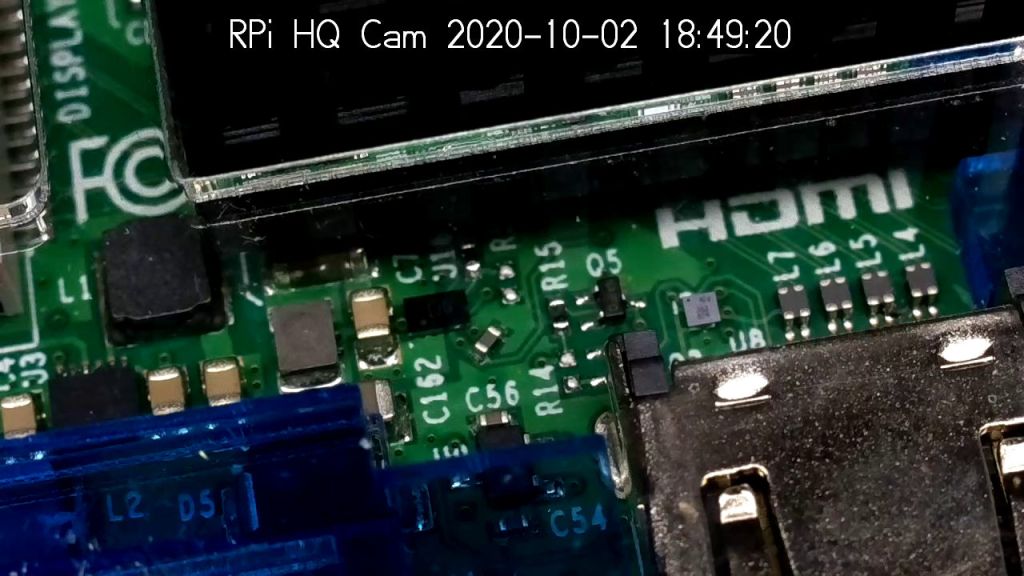
    It Would Be Nice to turn the various Raspberry Pi camera boxen around here into more-or-less full-automatic IP streaming cameras, perhaps using RTSP, so as to avoid having to start everything manually, then restart the machinery after a trivial interruption. I naively thought video streaming was a solved problem, especially on an RPi, particularly with an Official RPi Camera, given the number of solutions found by casual searching with the obvious keywords.

    As far as I can tell, however, all of the recommended setups fail in glorious / amusing / tragic ways. Some failures may be due to old configurations no longer applicable to new software, but I’m nowhere near expert experienced enough to figure out what’s broken and how to fix anything in particular.

    Doing RTSP evidently requires the live555.com Streaming Media libraries & test suite. Compiling requires adding -DNO_SSL=1 to the COMPILE_OPTS line in the Makefile, then letting it bake it for a while.

    The v4l2rtspserver code fetches & cleanly compiles its version of the live555 code, then emits various buffer overflow errors while streaming; the partial buffers clearly show how the compression works on small blocks in successive lines. Increasing various buffer sizes from 60 kB to 100 kB to 300 kB had little effect. This may have to do with the stream’s encoding / compression methods / bit rates, none of which seem amenable to random futzing.

    Another straightforward configuration compiled fine, but VLC failed to actually show the stream, perhaps due to differences between the old version of Raspbian (“Stretch”) and the new version of Raspberry Pi OS (“Buster”).

    Running the RPi camera through the Video4Linux2 interface to create a /dev/video0 device seems to work, but controlling the camera’s exposure (and suchlike) with v4l2_ctl behaves erratically. Obvious effects, like rotation & flipping, work fine, but not the fine details along the lines of auto exposure and color modes.

    Attempting to fire raspivid through cvlc to produce an RTSP stream required installing VLC on a headless Raspberry Pi, plus enough co-requisite packages to outfit world+dog+kitchenSink. After all the huffing & puffing wound down, the recommended VLC parameters failed to produce an output stream. The VLC doc regarding streaming is, to me, impenetrable, so I have no idea how to improve the situation; I assume RTSP streaming is possible, just not by me.

    Whenever any of those lashups produced any video whatsoever, the images suffered from tens-of-seconds latency, dropped frames, out-of-order video updates, and generally poor behavior. Some maladies certainly came from the aforementioned inappropriate encoding / compression methods / bit rates.

    The least horrible alternative seems to be some variation on the original theme of using raspivid to directly create a tcp stream or firing raspivid into netcat to the same effect, then re-encoding it on a beefier PC as needed. I’m sure systemd can automagically restart raspivid (or, surely, a script with all the parameters) after it shuts down.

    So far, this has been an … unsatisfactory … experience, but now I can close a dozen browser tabs.