The Smell of Molten Projects in the Morning

Ed Nisley's Blog: Shop notes, electronics, firmware, machinery, 3D printing, laser cuttery, and curiosities. Contents: 100% human thinking, 0% AI slop.

Author: Ed

  • CO₂ Laser Tube Current: Constant Power

    CO₂ Laser Tube Current: Constant Power

    The test pattern consists of 1 mm blocks:

    Pulse Timing Pattern - 1 mm blocks
    Pulse Timing Pattern – 1 mm blocks

    I set the layer speed at 250 mm/s = 4 ms / mm, then set PWM (a.k.a. “power”) for each test, and measured the results, which look like this for three power levels on corrugated cardboard:

    Pulse Timing Pattern - cardboard - 10 20 30 pct
    Pulse Timing Pattern – cardboard – 10 20 30 pct

    The scan interval of 0.2 mm produces distinct lines at 10% PWM, the lower limit of the laser’s range. The lines remain separate at 30%, although their width is definitely increasing.

    Yesterday’s post explains the test wiring setup and the signals in the scope screenshots.

    The 10% PWM current waveform looks like nothing you’d expect:

    Tube Current - 10pct - 250mm-s - 5ma-div
    Tube Current – 10pct – 250mm-s – 5ma-div

    The scope triggers at the start of a left-to-right scan line, with 50 ms devoted to ramping up the speed to 250 mm/s before the start of the vertical bar along the left edge and slowing down before reversing.

    The green trace shows huge spikes in the laser current, not a well-defined DC current pulse, and they’re offscale beyond 30 mA at 5 mA/div. The baseline sits well above the 0 V line due to the AM502 amplifier’s breathtaking thermal drift; I occasionally touch it up, but the current really is zero between the pulses.

    Similarly for 20% PWM:

    Tube Current - 20pct - 250mm-s - 5ma-div
    Tube Current – 20pct – 250mm-s – 5ma-div

    Even through there’s little visible difference between the 10% and 20% current waveforms, there’s a distinct difference in the actual beam power delivered to the cardboard.

    At 30% PWM the beam current looks a bit more reasonable:

    Tube Current - 30pct - 250mm-s - 5ma-div
    Tube Current – 30pct – 250mm-s – 5ma-div

    The 2 mm = 8 ms bar on the right gives the current time to stabilize at 6 mA, but all of the pulses have at least 3 ms of spikes. The first pulse definitely looks worse, so it seems the power supply gets better as the scan line progresses.

    At 40% PWM the beam current pulses look more like pulses:

    Tube Current - 40pct - 250mm-s - 5ma-div
    Tube Current – 40pct – 250mm-s – 5ma-div

    They still have 3 ms or so of those startup spikes, as seen in this closer look at the first pulse in a line, scaled at 10 mA/div (along with the PWM drive signal):

    Tube Current - 40pct PWM first detail - 250mm-s - 10ma-div
    Tube Current – 40pct PWM first detail – 250mm-s – 10ma-div

    The top of those spikes exceed 70 mA!

    At 80% PWM, the current waveform looks like a damped tank circuit:

    Tube Current - 80pct first - 250mm-s - 5ma-div
    Tube Current – 80pct first – 250mm-s – 5ma-div

    The 20 mA at the end of that pulse suggests the maximum tube current would be 25 mA, which is undoubtedly why OMTech recommends running at no more than 70% PWM = 17-ish mA.

    The pulses start immediately after the L-ON signal goes active and stop promptly when it goes inactive, so there’s no question about the responsiveness. What baffles me is why the current looks the way it does.

    I must figure out how to have the scope compute the RMS value of those spikes, with a sufficiently large mA/div setting to keep the entire range of the pulses on the screen.

  • CO₂ Laser Tube Current: Test Wiring

    CO₂ Laser Tube Current: Test Wiring

    Having seen some rather bizarre laser tube current waveforms from the replacement power supply (and an equivalent Cloudray supply I bought as a backup) in the OMTech 60 W laser, I finally got A Round Tuit for a closer look.
    I tapped three signals from the Ruida KT332N controller by the simple expedient of crunching wires into the output terminal clamps along with their original ferrules:

    KT332N controller - Tube Current test connections
    KT332N controller – Tube Current test connections

    From top to bottom:

    • X axis DIR: low = left-to-right motion = toward X+
    • Laser L-ON: low-active laser beam enable
    • PWM: pulse-width modulation laser power control

    Those three cables pass through a small hole in the cabinet to the left of the hatch on their way to channels 1, 2, and 3 of the scope.
    The PWM signal (cyan, channel 3) isn’t particularly useful, but a quick look confirmed it is an active-high signal ticking along at 20 kHz, with a duty cycle corresponding to the selected laser “power”:

    Tube Current - 40pct PWM first detail - 250mm-s - 10ma-div
    Tube Current – 40pct PWM first detail – 250mm-s – 10ma-div

    The bottom trace (green, channel 4) is the laser tube current, as monitored by a Tek A6302 Hall-effect current probe around the tube’s cathode (low voltage return) lead:

    HV laser power supply - current probe setup
    HV laser power supply – current probe setup

    This time around, I poked a bight of that overly long wire through the hole in the cabinet (just above the power-line earth ground terminal) so I could keep the probe outside the cabinet and close the hatch.

    Minus the PWM signal, the scope looks like this:

    Tube Current - 40pct - 250mm-s - 5ma-div
    Tube Current – 40pct – 250mm-s – 5ma-div

    The top trace (yellow, channel 1) is the DIR signal, with a high-to-low transition triggering the scope when the X axis begins moving from left to right.

    The second trace (magenta, channel 2) is the L-ON laser enable; the high-voltage power supply drives current through the laser tube only when L-ON is low.

    The third trace (green, channel 4) is, as above, the laser tube current. The Tek AM502 amplifier sets the gain, with the scope channel always set to 10 mV/div with a 50 Ω input impedance, so I must put the current scale in the screenshot file name (which becomes the caption here).

    With all that in mind, the next few posts will make more sense … and I can remember what I did.

  • Squash Frog

    Squash Frog

    Mary persuaded the squash vine to run along the top of the garden fence, where it would get good sun, stay out from underfoot, and produce what we call aerosquash:

    Tree frog on squash - overview
    Tree frog on squash – overview

    That bright green spot is a misplaced tree frog:

    Tree frog on squash - detail
    Tree frog on squash – detail

    Well, maybe it’s the same frog we’ve seen elsewhere; it’s hard to tell with tree frogs.

    Not everything green is froglike, though:

    Green stink bug on squash
    Green stink bug on squash

    That one got dealt with … harshly.

  • Laser Cutter: Improving the Red-Dot Pointer

    Laser Cutter: Improving the Red-Dot Pointer

    The red-dot pointer on the OMTech laser cutter has the same problem as my laser aligner for the Sherline mill: too much brightness creating too large a visual spot. In addition, there’s no way to make fine positioning adjustments, because the whole mechanical assembly is just a pivot.

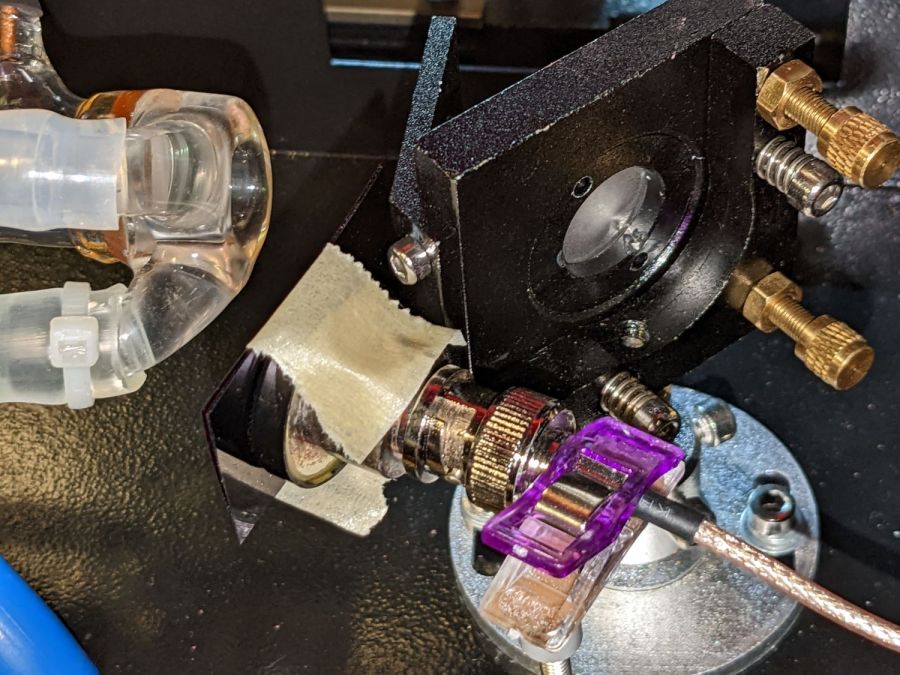
    The first pass involved sticking a polarizing filter on the existing mount while I considered the problem:

    OMTech red dot pointer - polarizing filter installed
    OMTech red dot pointer – polarizing filter installed

    The red dot pointer module is 8 mm OD and the ring is 10 mm ID, but you will be unsurprised to know the laser arrived with the module jammed in the mount with a simple screw. Shortly thereafter, I turned the white Delrin bushing on the lathe to stabilize the pointer and installed a proper setscrew, but it’s obviously impossible to make delicate adjustments with that setup.

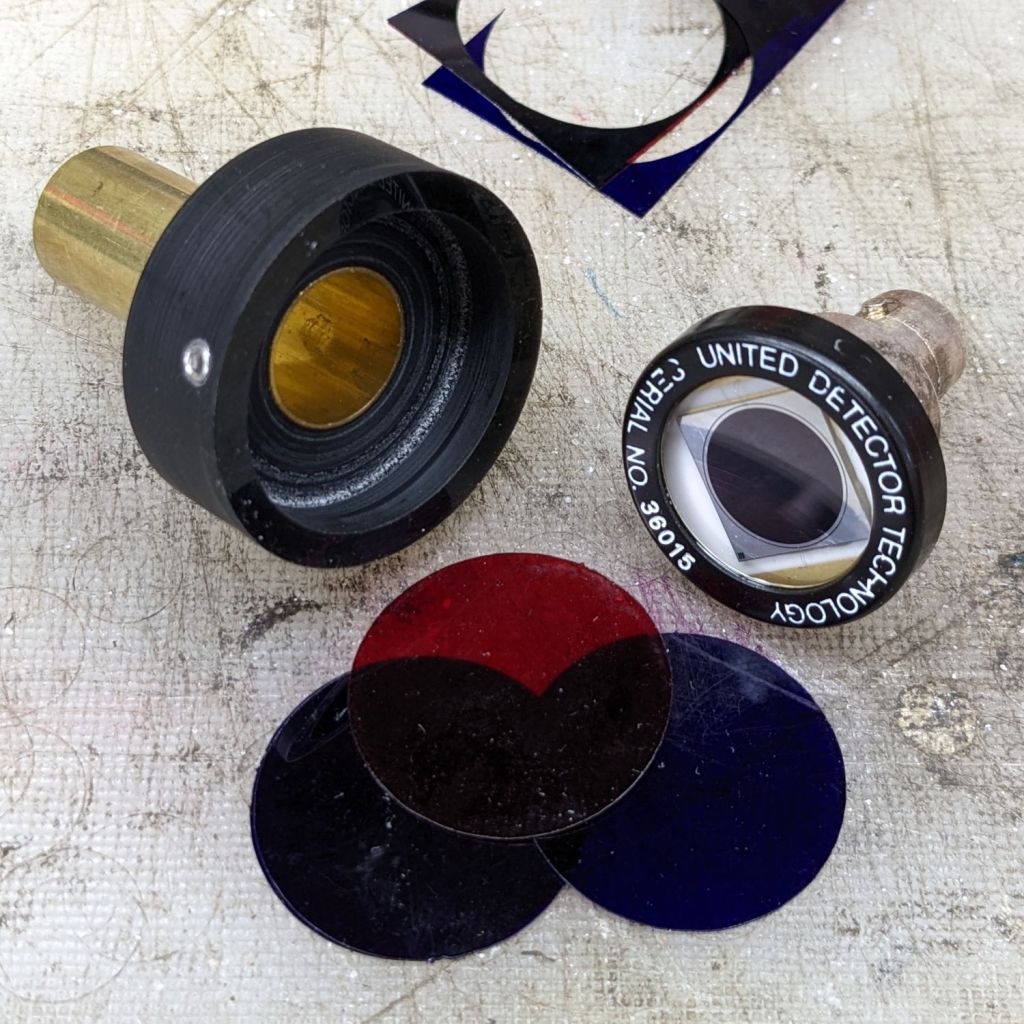
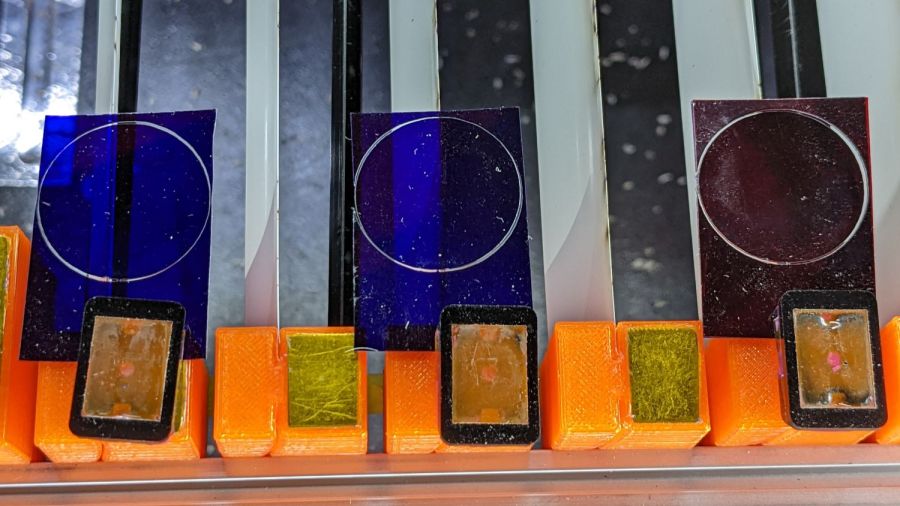
    Making the polarizing filter involves cutting three circles:

    OMTech red dot pointer - polarizing filter
    OMTech red dot pointer – polarizing filter

    Rotating the laser module in the bushing verified that I could reduce the red dot to a mere shadow of its former self, but it was no easier to align.

    Replacing the Delrin bushing with a 3D printed adjuster gets closer to the goal:

    Pointer fine adjuster - solid model
    Pointer fine adjuster – solid model

    Shoving a polarizing filter disk to the bottom of the recess, rotating the laser module for least brightness, then jamming the module in place produces a low-brightness laser spot.

    The 8 mm recess for the laser module is tilted 2.5° with respect to the Y axis, so (in principle) rotating the adjuster + module (using the wide grip ring) will move the red dot in a circle:

    Improved red-dot pointer - overview
    Improved red-dot pointer – overview

    The dot sits about 100 mm away at the main laser focal point, so the circle will be about 10 mm in diameter. In practice, the whole affair is so sloppy you get what you get, but at least it’s more easily adjusted.

    The M4 bolt clamping the holder to the main laser tube now goes through a Delrin bushing. I drilled out the original 4 mm screw hole to 6 mm to provide room for the bushing:

    Improved red-dot pointer - drilling bolt hole
    Improved red-dot pointer – drilling bolt hole

    The bushing has a wide flange to soak up the excess space in the clamp ring:

    Improved red-dot pointer - turning clamp bushing
    Improved red-dot pointer – turning clamp bushing

    With all that in place, the dimmer dot is visually about 0.3 mm in diameter:

    Improved red-dot pointer - offset
    Improved red-dot pointer – offset

    The crappy image quality comes from excessive digital zoom. The visible dot on the MDF surface is slightly larger than the blown-out white area in the image.

    The CO₂ laser hole is offset from the red laser spot by about 0.3 mm in both X and Y. Eyeballometrically, the hole falls within the (dimmed) spot diameter, so this is as good as it gets. I have no idea how durable the alignment will be, but it feels sturdier than it started.

    Because the red dot beam is 25° off vertical, every millimeter of vertical misalignment (due to non-flat surfaces, warping, whatever) shifts the red dot position half a millimeter in the XY plane. You can get a beam combiner to collimate the red dot with the main beam axis, but putting more optical elements in the beam path seems like a Bad Idea™ in general.

    The OpenSCAD source code as a GitHub Gist:

    // Laser cutter red-dot module fine adjust
    // Ed Nisley KE4ZNU 2022-09-22
    Layout = "Show"; // [Build, Show]
    /* [Hidden] */
    ThreadThick = 0.25;
    ThreadWidth = 0.40;
    HoleWindage = 0.2;
    Protrusion = 0.1; // make holes end cleanly
    inch = 25.4;
    ID = 0;
    OD = 1;
    LENGTH = 2;
    function IntegerMultiple(Size,Unit) = Unit * ceil(Size / Unit);
    //———————-
    // Dimensions
    PointerOD = 8.0 + 0.2; // plus loose turning fit
    Aperture = 5.0; // clear space for lens
    SkewAngle = 2.5;
    MountRing = [10.0,16.0,8.0]; // OEM laser module holder
    GripRim = [Aperture,MountRing[OD] + 2*1.5,3.0]; // finger grip around OD
    NumSides = 24;
    //———————-
    // Useful routines
    module PolyCyl(Dia,Height,ForceSides=0) { // based on nophead's polyholes
    Sides = (ForceSides != 0) ? ForceSides : (ceil(Dia) + 2);
    FixDia = Dia / cos(180/Sides);
    cylinder(r=(FixDia + HoleWindage)/2,
    h=Height,
    $fn=Sides);
    }
    //———————-
    // Holder geometry
    module Holder() {
    difference() {
    union() {
    cylinder(d=GripRim[OD],h=GripRim[LENGTH],$fn=NumSides);
    PolyCyl(MountRing[ID],MountRing[LENGTH] + GripRim[LENGTH],NumSides);
    }
    translate([0,0,-Protrusion]) // close enough without skew angle
    PolyCyl(Aperture,2*MountRing[LENGTH],NumSides);
    translate([0,0,MountRing[LENGTH]/2 + GripRim[LENGTH]])
    rotate([0,SkewAngle,0])
    translate([0,0,-MountRing[LENGTH]/2])
    PolyCyl(PointerOD,2*MountRing[LENGTH],NumSides);
    }
    }
    //———————-
    // Build it
    if (Layout == "Show") {
    Holder();
    }
    if (Layout == "Build") {
    Holder();
    }

  • The Stone

    The Stone

    Yeah, this is enough to knock your bike completely off course:

    The Stone - A
    The Stone – A

    The black smudge matches a scuff on the right sidewall of the front tire. I think I hit it in that orientation and it pivoted clockwise while lifting the bike and shoving the tire to the left.

    Another look from what was likely the right side of the shoulder:

    The Stone - B
    The Stone – B

    I’ll give it a decent burial out back … and be glad our roles aren’t reversed!

  • Stone Cold Swerve

    Stone Cold Swerve

    We’re southbound on Rt 376, ticking along at about 15 mph, with fresh string-trimmer debris littering the shoulder:

    T – 50 ms

    Did you notice the rock? I didn’t.

    The fairing ripples as my front tire hits the left side of the rock:

    T = 0

    I have no memory of the next two seconds.

    The offset impact turns the front wheel to the left, so the bike steers out from underneath my weight:

    T + 500 ms

    Because the bike frame was still aimed straight ahead, the wheel is steering further to the left and putting me even more off-balance. I am somehow trying to lean left far enough to get my weight lined up with the bike:

    T + 1.0 s

    One second into the event, Mary has no idea what’s going on behind her.

    My memory resumes with an image of the yellow midline just beyond my left foot:

    T + 2.0 s

    Mary heard an odd sound and asks (over the radio) “Are you all right?”

    I’m approximately balanced, turning toward the shoulder, and manage to shout “NO!”:

    T + 3.0 s

    I’m coasting toward the shoulder with my feet off the pedals:

    T + 4.0 s

    Mary is stopping and I coast past her:

    T + 5.0s

    Landing gear out:

    T + 6.0 s

    Back on the shoulder, lining up with the guide rail:

    T + 7 s

    Dead slow:

    T + 8.0 s

    Docking adapter deployed:

    T + 9.0 s

    And stopped:

    T + 10.0 s

    I sat in that exact position for nearly four minutes.

    A slideshow view of the same images so you can watch it unfold:

    Doesn’t look like much, does it?

    If I could have looked over my shoulder, this is what I would have seen, starting at T = 0 with the rock impact blurring the image:

    Surely scared the daylights out of that driver, perhaps confirming all the usual expectations of crazy bicyclist behavior.

    Here’s what Mary would have seen over her shoulder, again starting at T = 0 with the fairing bulging from the impact:

    Timing is everything.

    That Benz is new enough to have automatic emergency braking, as it slowed pretty dramatically while I was busy getting out of the way, but it’s not clear whether AEB knows about small / lightweight targets like pedestrians and bicyclists.

    We completed the ride as planned, although I finally realized the front fender bracket had broken a few miles later.

    Every adult human male has at least one story beginning “But for that millisecond or inch, I wouldn’t be here.” Now I have one more.

    I must not fear. Fear is the mind-killer. Fear is the little-death that brings total obliteration. I will face my fear. I will permit it to pass over me and through me. And when it has gone past I will turn the inner eye to see its path. Where the fear has gone there will be nothing. Only I will remain.

    Frank Herbert, Dune
  • Tour Easy: Another Front Fender Bracket

    Tour Easy: Another Front Fender Bracket

    The mudflap on my front fender rides low enough to snag on obstacles and the most recent incident (about which more later) was a doozy, breaking the left strut ferrule and pulling the bracket off its double-sticky foam tape attachment. Fortunately, the repair kit now has plenty of duct tape.

    The replacement printed up and installed just like its predecessors:

    Tour Easy - front fender bracket
    Tour Easy – front fender bracket

    Having the bracket be the weakest link makes perfect sense to me …