Both the round and square TPU patio table feet came from a 0.8 mm nozzle on the Prusa MK4, which produces results much faster than the venerable Makergear M2’s 0.35 mm nozzle. However, for unknown reasons a 0.8 mm nozzle is not compatible with the MMU3, so changing from and to the default 0.4 mm nozzle requires a somewhat complex ritual.
For context, the MK4 extruder and hot end:
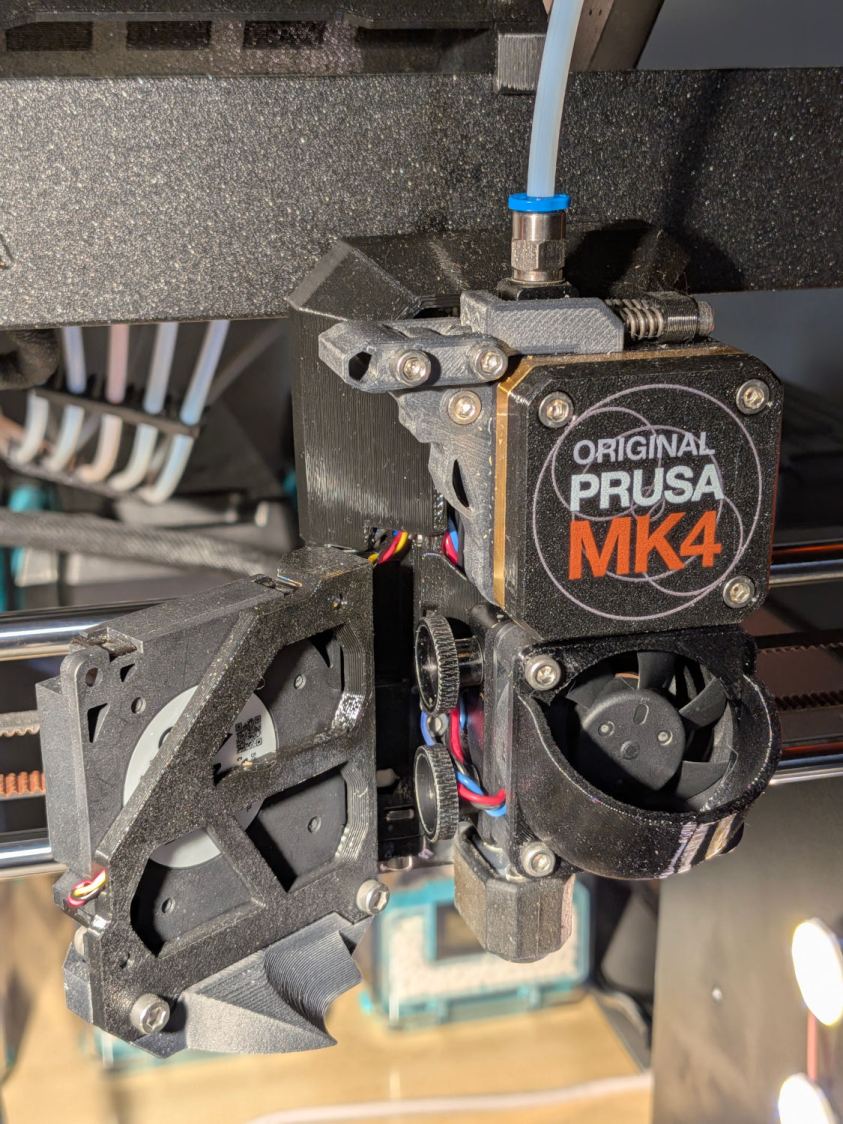
Because the MK4 automatically unloads the filament from the extruder (with help from auto-retracting filament spools) when using the MMU, the hot end doesn’t have any filament in it. Disconnect the PTFE tube from the fitting atop the extruder, insert the end of the TPU filament from its Polydryer box, and …
Change to 0.8 mm nozzle:
- Remove silicone sock from hot end
- Install fixture to hold the hot end in place
- Loosen the two knobs clamping the nozzle
- Loosen nozzle with 7 mm socket wrench
- Unscrew & remove nozzle by hand
- Install new nozzle by hand
- Tighten nozzle with wrench
- Tighten those two knobs
- Remove fixture
- Install silicone sock
Change MK4 settings using the LCD panel:
Settings→MMU= OffSettings→Hardware→Printhead= 0.8 mm
Then, with the TPU filament poked into the top of the extruder:
Filament→Load Filament=FLEX
You’ll want to extrude a few lengths just to settle everything in place.
Switching back to the 0.4 mm nozzle proceeds in the opposite direction, starting with:
Filament→Unload Filament
Something of a nuisance, but not unbearable.

