The Smell of Molten Projects in the Morning

Ed Nisley's Blog: Shop notes, electronics, firmware, machinery, 3D printing, laser cuttery, and curiosities. Contents: 100% human thinking, 0% AI slop.

LED Garage Light: FAIL

A three-wing garage light Came With The House in the basement, where it served to light up the foot of the stairs. One of the 48 LEDs in one of the three LED panels began flickering brightly and, over the course of a few days, that panel went dark. The next time I turned on the basement lights, all three panels were dark.

Removing the screw-in lamp base:
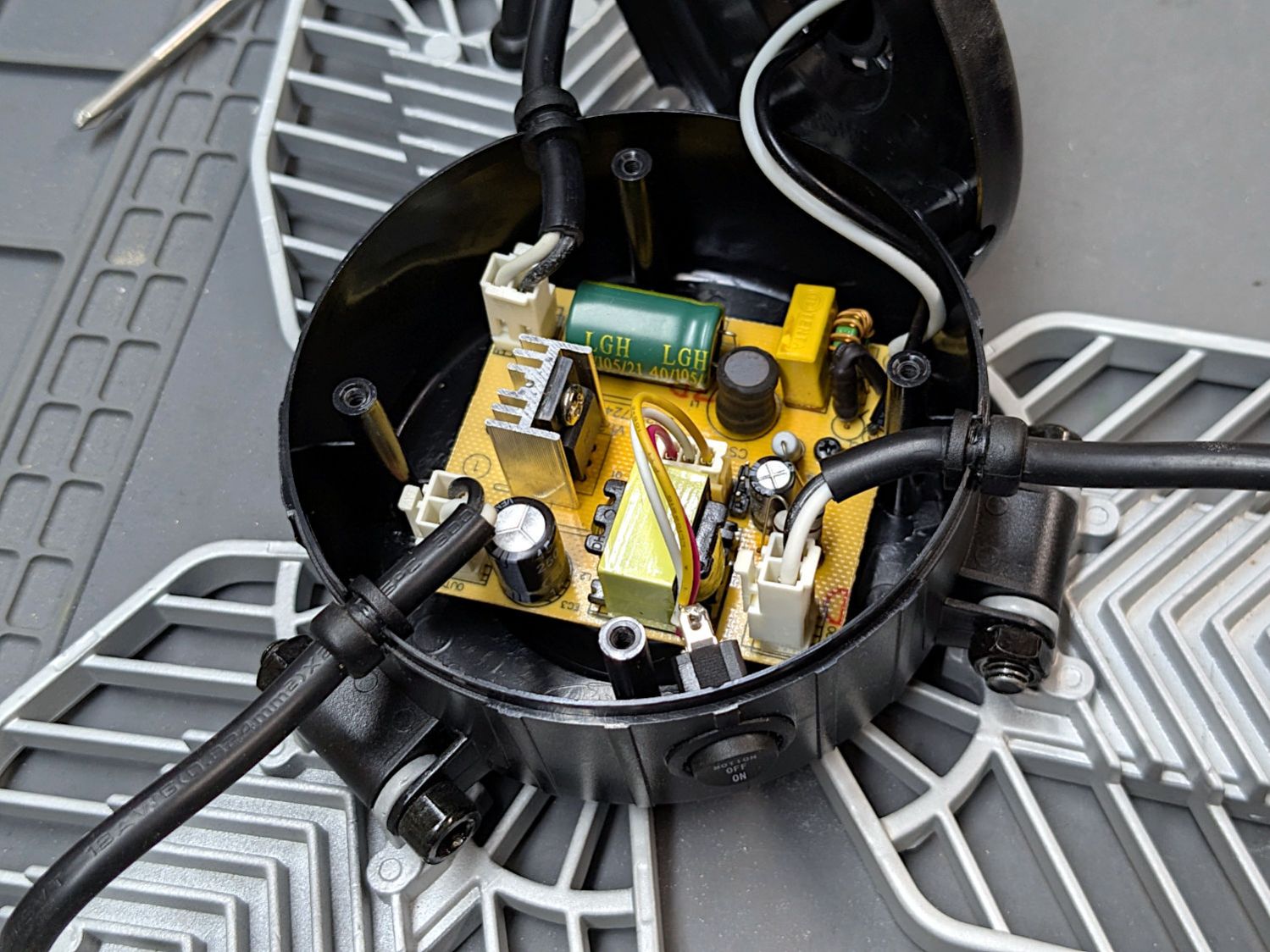
LED Garage Light - overview
LED Garage Light – overview

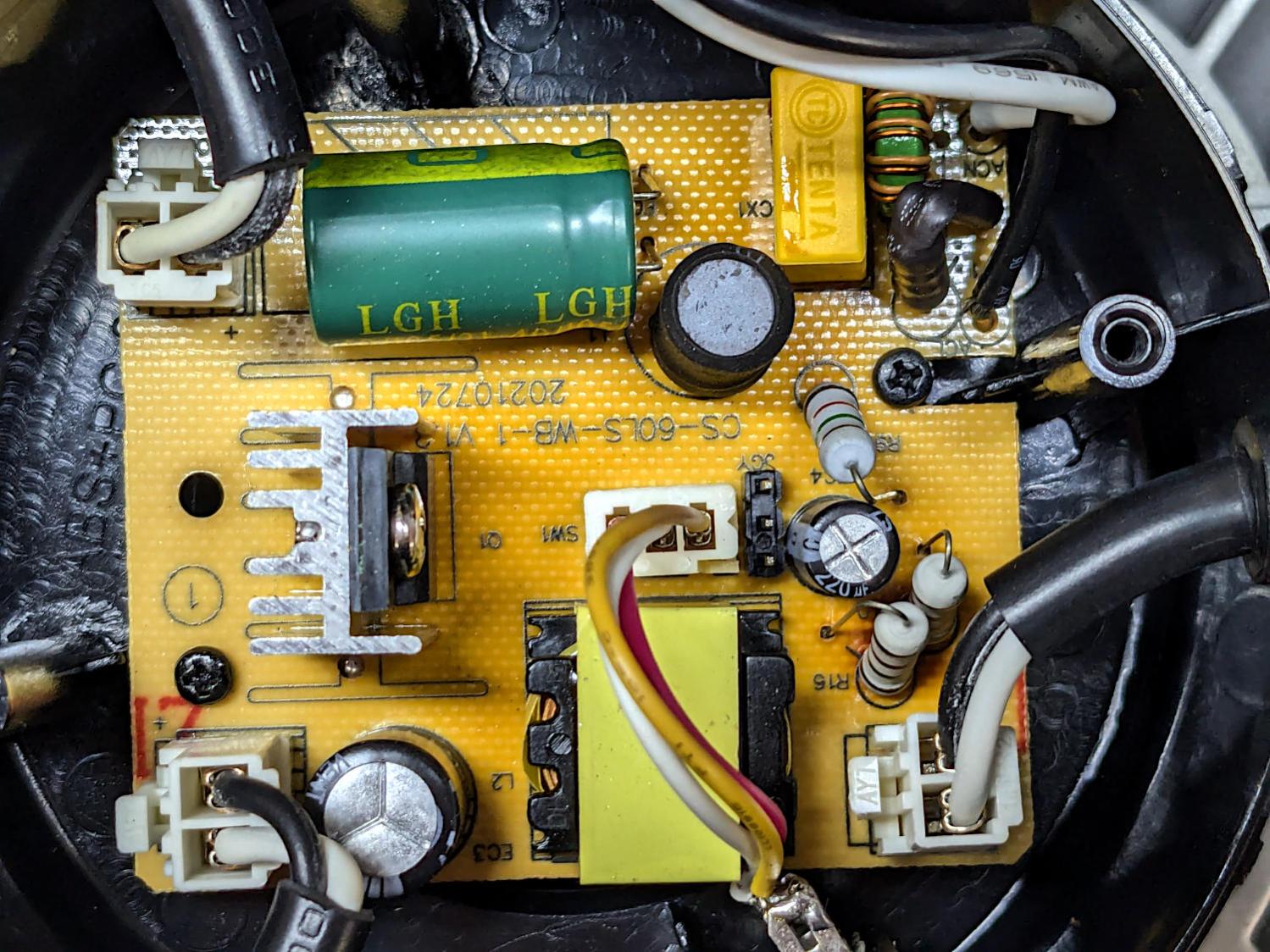
A closer look inside:

LED Garage Light - detail
LED Garage Light – detail

The middle of the PCB is darker than the perimeter, with the darkest area around the black inductor standing up near the green filter cap. A blackened lump on the solder side that may have once been an SMD resistor evidently served as a fuse.

All three panels are in wired parallel, so the failed panel reduced the load on the supply, thus increasing the voltage on the remaining two panels enough to kill them off, too.

Worth noting: the black wire goes to the positive side of the LED panel. You can just see the + mark near the two connectors on the left side.

I wired each panel to a lashed-up bridge rectifier with a widowmaker extension cord from a variable transformer controlling the voltage, but none of them responded to the 150 VDC peaks: they’ve suffered Real Death.

The electronics landed in the recycling box and the three heatsinks are now in the Big Box o’ Heatsinkery, where they will surely come in handy for something.

The surprisingly readable 09/21 date code on the case says it’s just over four years old. Similar garage lights now run around ten bucks each and I wouldn’t expect them to last more than a couple of years.

Comments

6 responses to “LED Garage Light: FAIL”

  1. beaudirect Avatar
    beaudirect

    Glad to see someone else keeps a Big Box o’ Heatsinkery for all the post-autopsy finds. If nothing else, I always save the heatsinks.

    1. Ed Avatar

      If naught else, the leftovers will be easy to recycle.

  2. RCPete Avatar
    RCPete

    I have a couple of computers destined for eWaste/scrapbox. The Y2K vintage Sony has a great case, but little else beyond the heat sink and a fan or two to use.

    The 2012 Inspiron suffers from a random motherboard error*. Being “off” for a period prevents turnon, though the tedious task of resetting the CMOS password jumpers will get a restart. I thought the reset would last, but no. OTOH, there’s a newish 2TB drive in there, plus another heat sink… [Makes note to wipe the drive just in case.]

    (*) Said error seems to be common with that model. The Optiplex that replaced it does well enough, so the Inspiron is toast.

    1. Ed Avatar

      I’m sure a new set of caps would improve the situation, but by now they’d cost about as much as a whole new mini-PC and what’s the point of that?

      The most recent power failure had me changing the long-expired CR2032 cell in one of the Optiplexes around here, but doing that preemptively on the others just isn’t happening.

  3. pardobsso Avatar
    pardobsso

    About the colours, I understood that for mains black is “live” and white is “neutral” per code.

    Still my house is wired the other way around and it makes more sense to anyone working on it.

    1. Ed Avatar

      I trip over the gap between “electronics black = ground” and “power line black = hot” every single time. :grin:

Leave a reply to RCPete Cancel reply