Having picked up a small rotary intended for Ortur diode laser machines during Black Friday, I knew using it with my OMTech 60 W CO₂ laser wasn’t going to be plug-n-play. The usual connection for a rotary in a CO₂ laser is directly into the stepper motor driver for the Y axis, so the stepper motor in the rotary must handle the same current as the Y axis motor. The OMTech laser has NEMA 23 steppers set for 3.5 A, which would quickly fry the NEMA 17 stepper in the Ortur rotary.
So the general idea was to run the rotary from another stepper driver set for an amp or so. A separate driver would also let me choose microstep settings more suitable for a rotary.
A simple SPDT switch enables the appropriate driver:
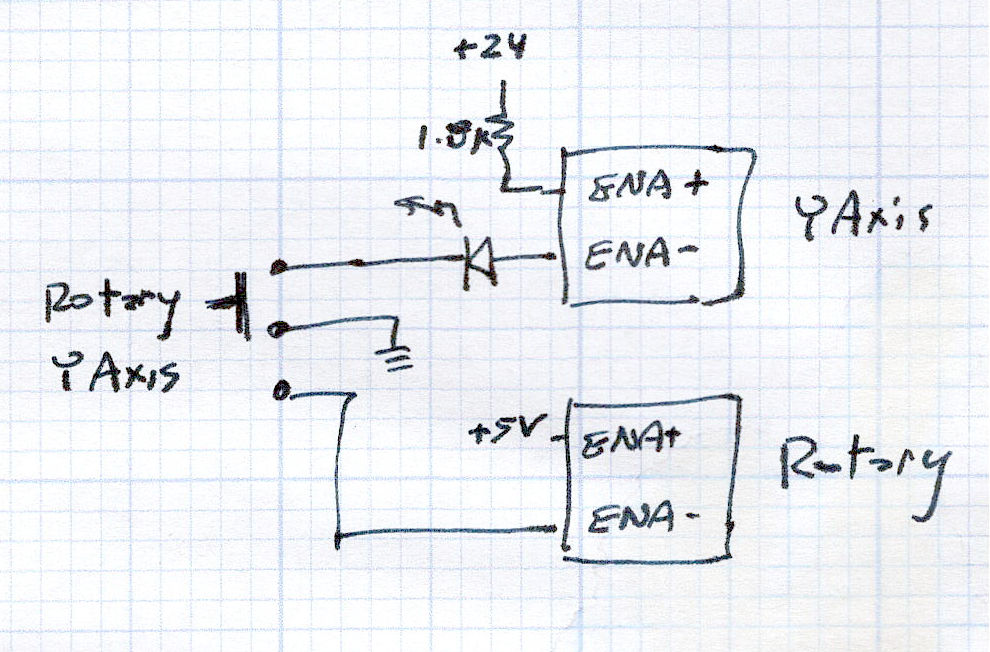
NB: Leaving the ENA pins of a stepper driver disconnected enables the motor output and passing current through them disables the motor; why that function was not labeled DISABLE remains a mystery.
So the switch looks bassakwards, but it connects the -ENA pin of the disabled driver to GND / common, with its +ENA pin tied to the supply.
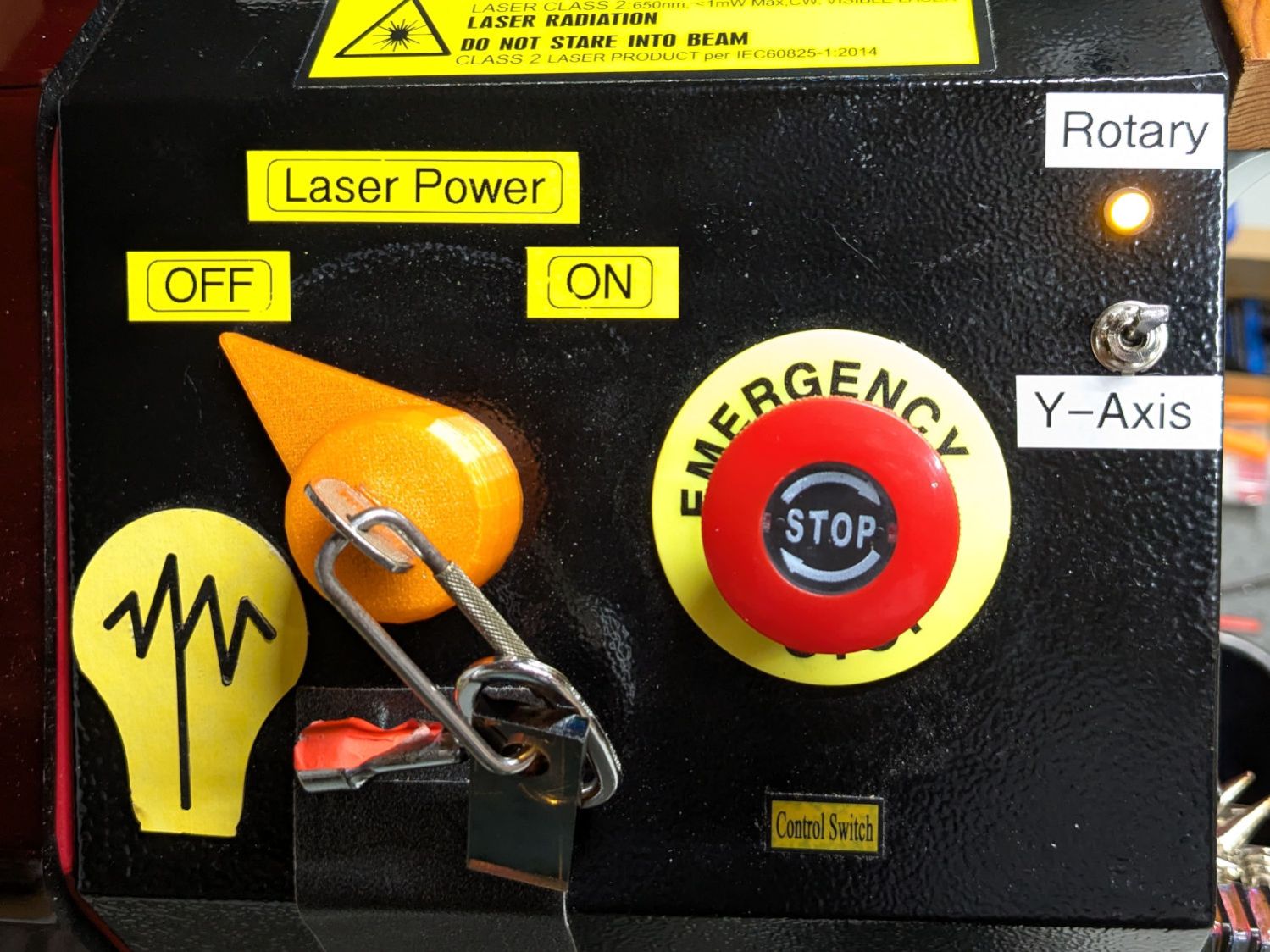
Translating that doodle into hardware required drilling holes in what passes for the laser’s front panel:
The new driver stands up in bottom of the electronics bay:
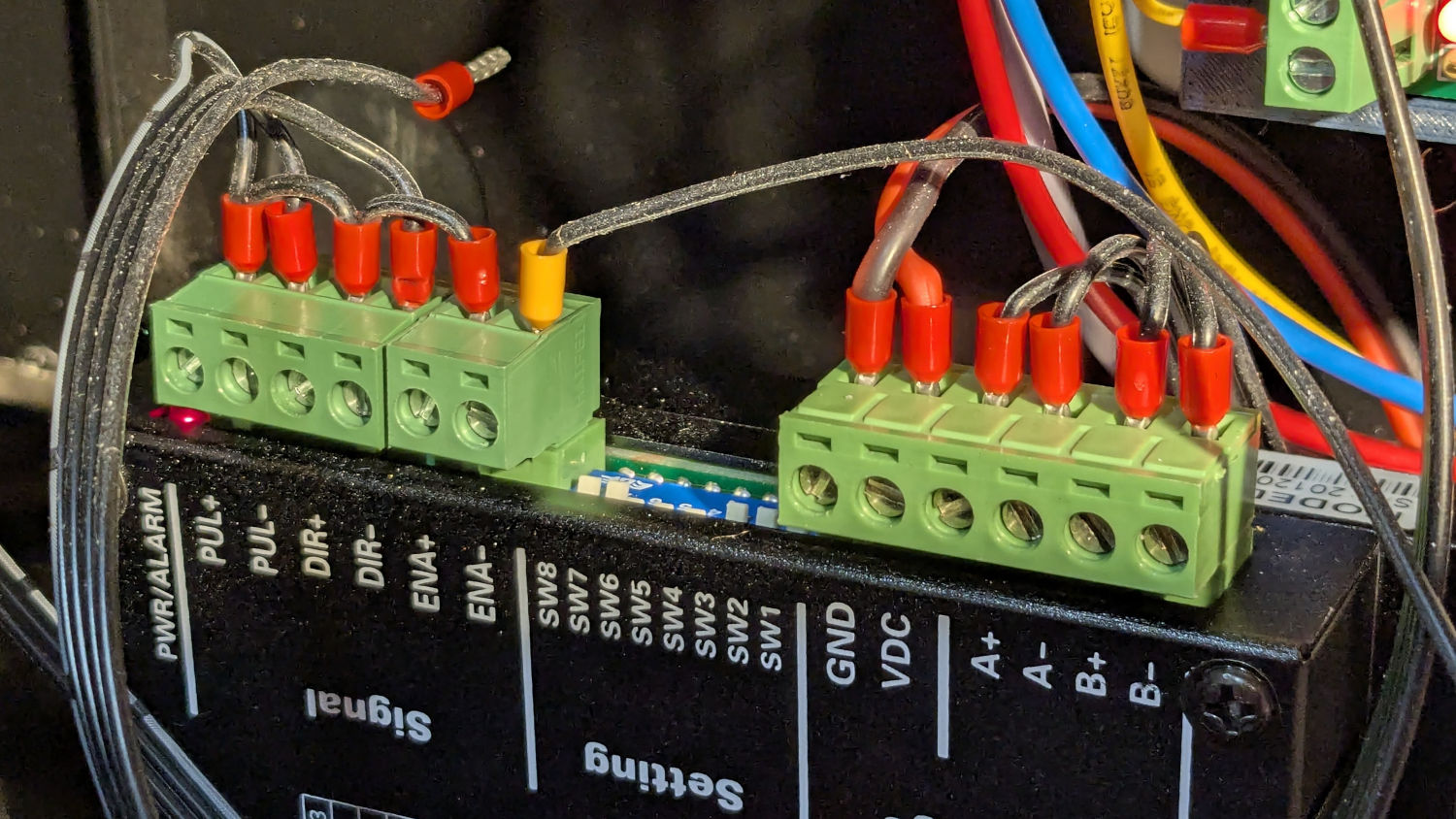
The loose wire over on the left is a remnant of the discovery that the KT332N controller’s General output bits do not behave as expected. While you (well, I) can set their state through the display’s MENU → DIAGNOSES screen, the controller unilaterally slams them low = active while running a job. To be fair, the manual does say “General output, reserved”, but I had to find out the hard way.
The +ENA terminal comes from the +5V supply, along with the other + terminals. The -ENA terminal goes off to the switch, along with two wires from the existing Y axis stepper driver:
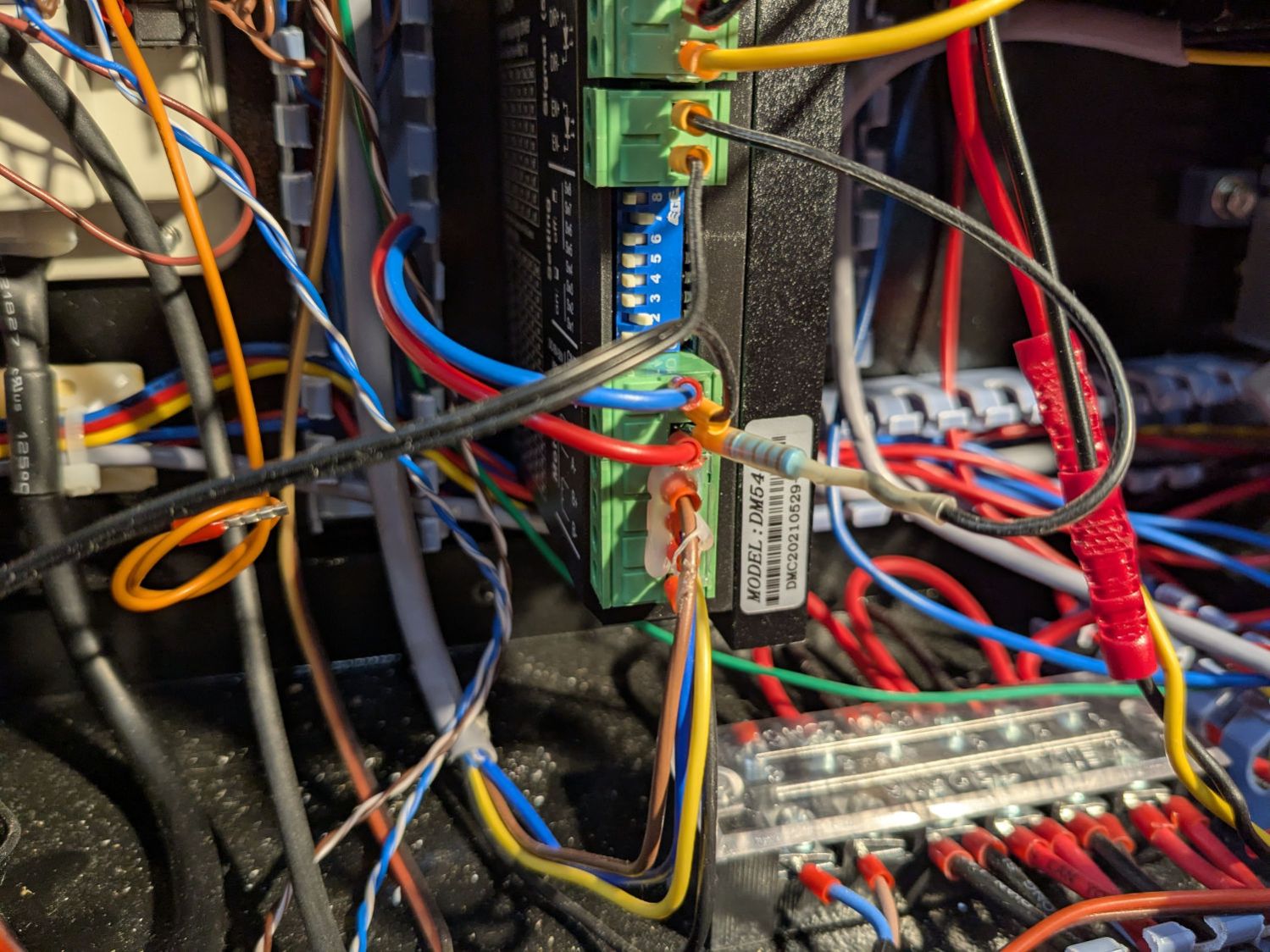
The 1.8 kΩ resistor sticks out of a ferrule doubled up in the 24V terminal feeding the driver and connects to a wire into the +ENA terminal. Two wires from the switch connect to the -ENA and GND terminals, join the -ENA wire from the rotary driver, and crawl through the machine to the front panel.
The new power supply on the far right completes the electronics bay installation:
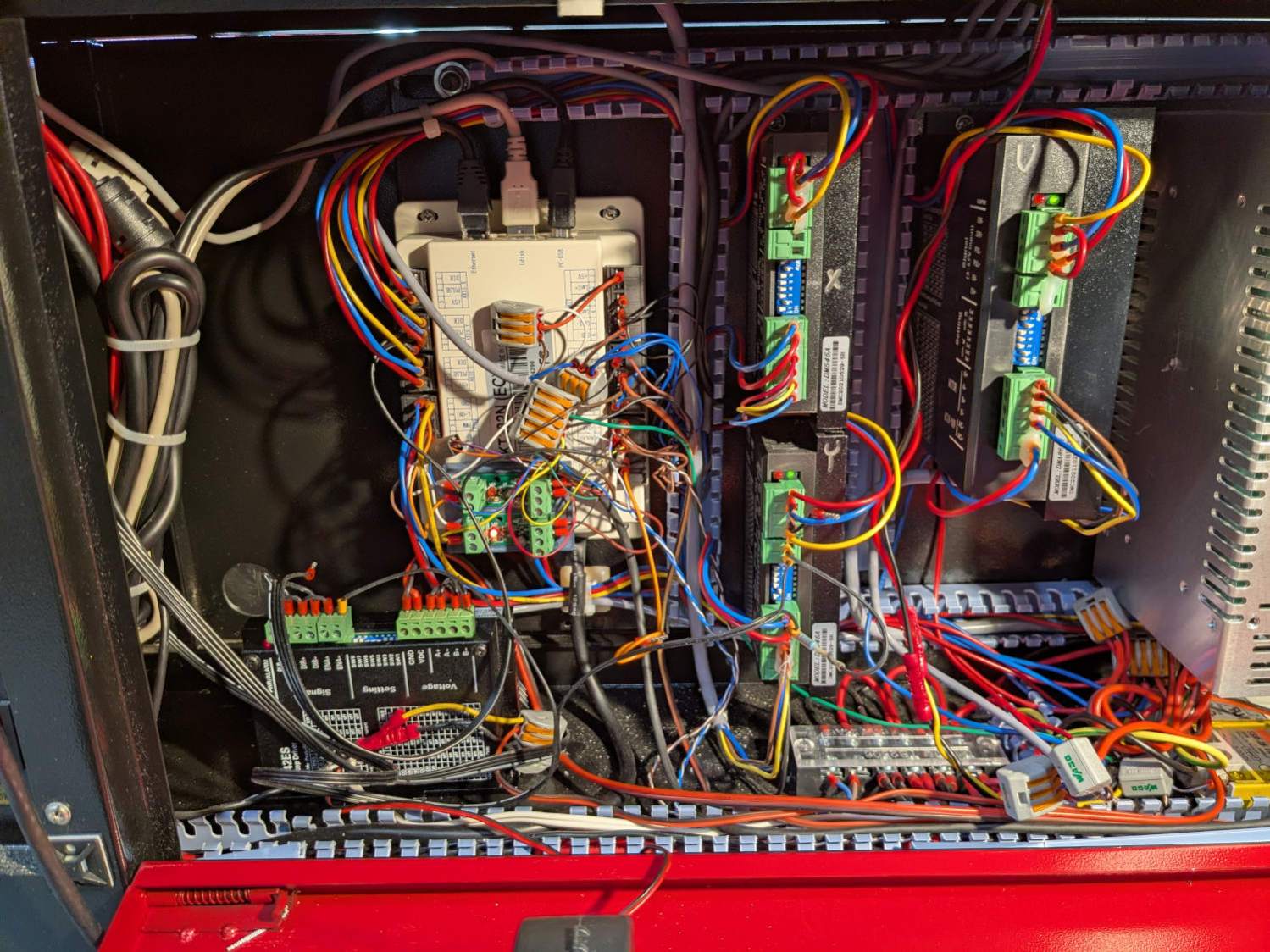
Obviously, the wiring situation is completely out of control.
Up top, though, it looks like it grew there:
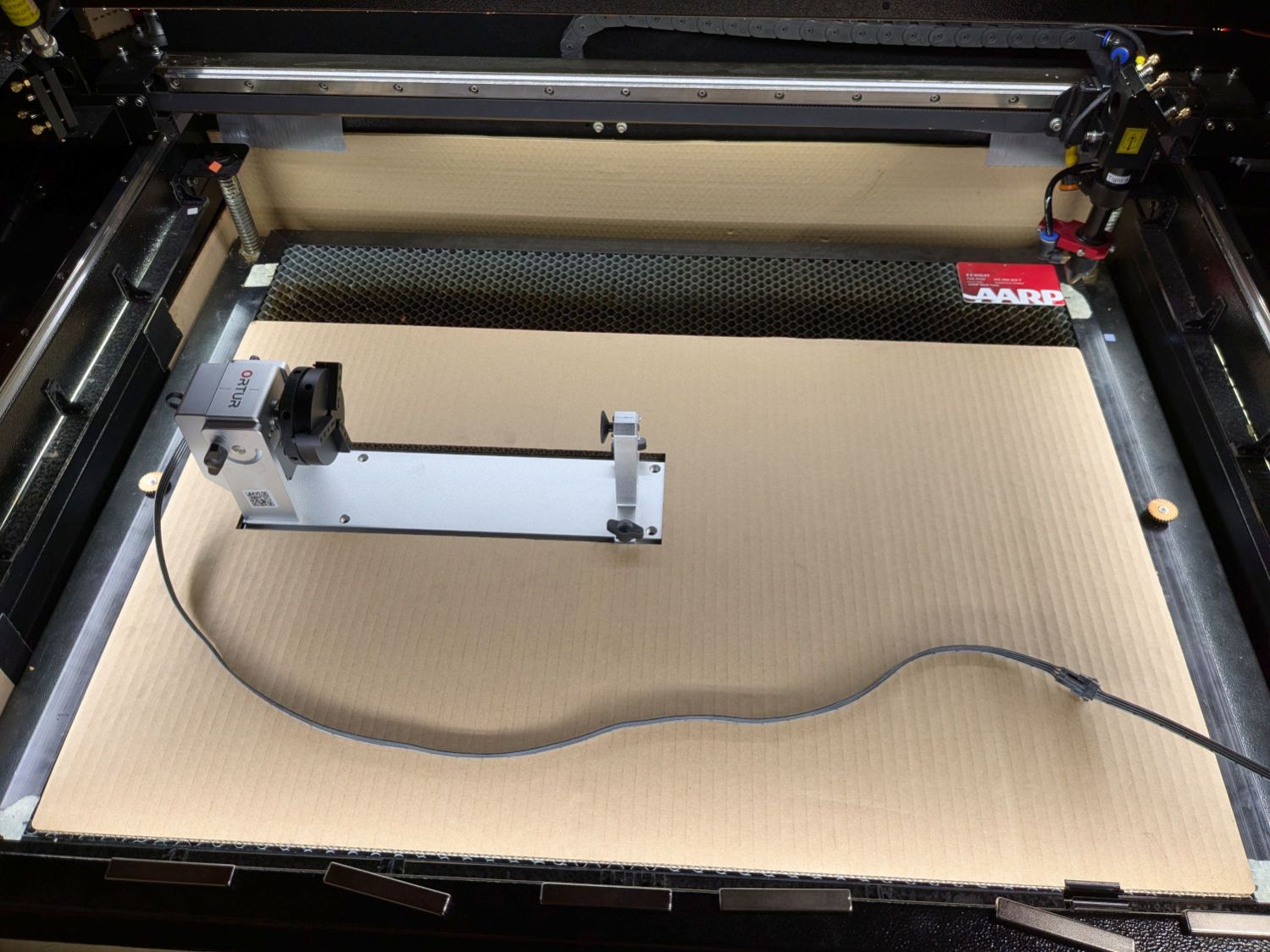
Now, to figure out the settings …
Edit: The rotary has a pulley ratio of 1:3, so the step/rev value is three times the DIP switch setting on the stepper driver. For this setup, 1600 → 4800 step/rev.
 The Smell of Molten Projects in the Morning
Comments
2 responses to “Laser Cutter: Rotary Stepper Driver”
Ceramic mugs everyone..
… or what about a circular slide rule on a tumbler (with a plastic sleeve that works as index) ?
It could definitely become a project:
https://en.wikipedia.org/wiki/Fuller_calculator
Gotta get better at flat engraving before that, through.