Unlike my old ICOM IC-Z1A, the Wouxun KG-UV3D radio has mic and speaker jacks recessed into the case, so that a custom plug plate can absorb all the stress from forces applied to the cables without wiggling the plugs. Even better, there’s a removable cover with a mounting screw that can hold the new plate in place!

The first pass at the mount required a bit of filing, as the deepest part of the recess turns out to be not exactly rectangular. That’s (probably) fixed in the source code:

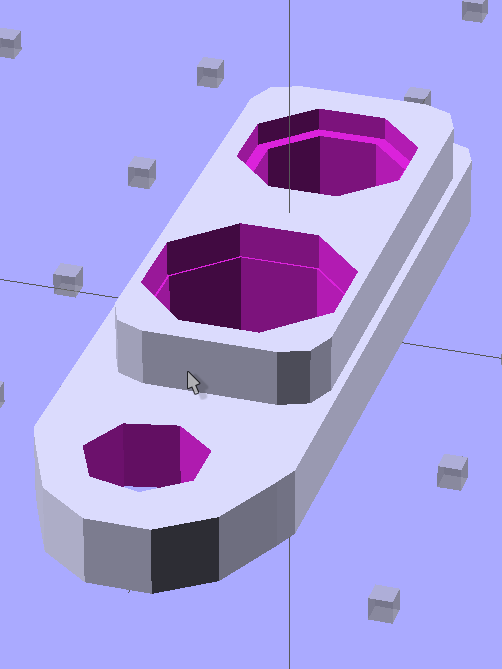
The solid model looks about like you’d expect, with terribly thin side walls between the plugs and the not-quite-rectangular section. The whole affair is asymmetrical around the long axis; the not-quite-rectangular block and hole really are offset:
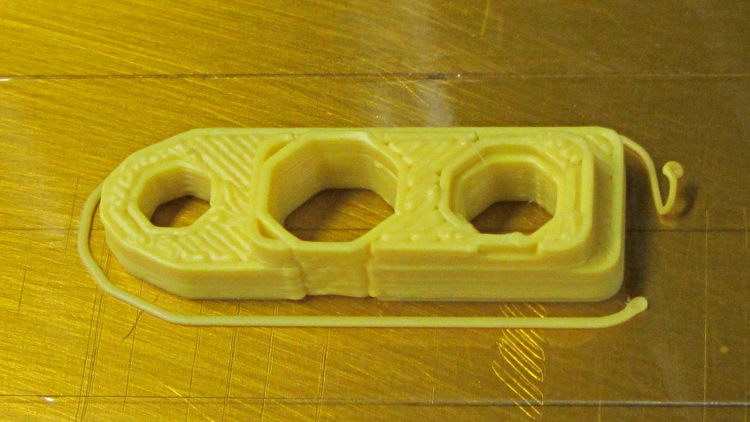
When printed, the thin sections come out one 0.66 mm plastic thread wide:
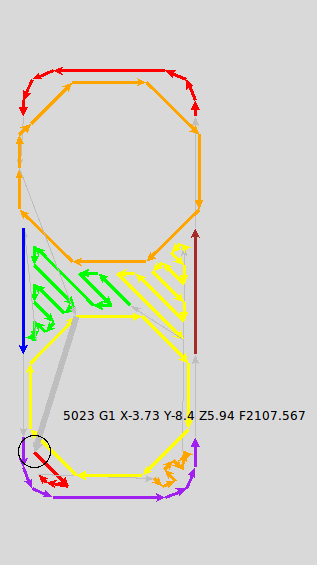
I spent quite some time iterating through OpenSCAD, RepG, and SkeinLayer to make sure that came out right. This is from a later version with larger recesses around the plugs:
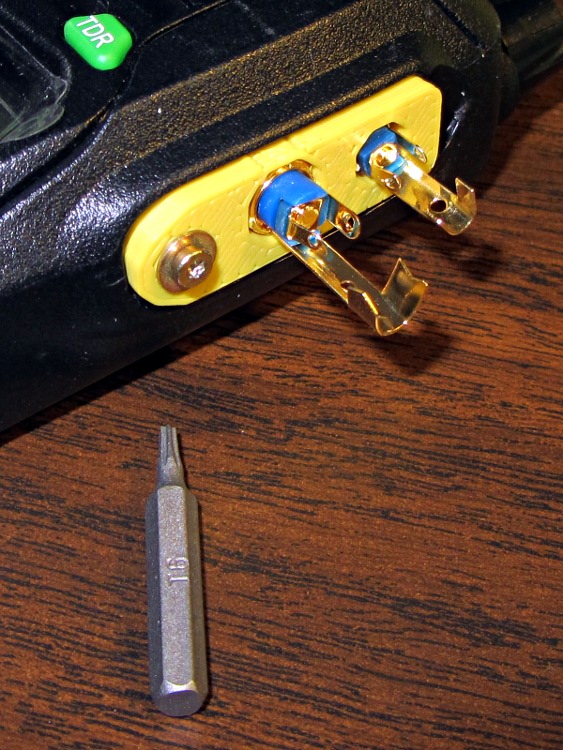
Some epoxy eased down along the plugs will lock them into the plastic, with an epoxy putty turd over the top to stabilize the cables and terminal connections. That’s a T6 Torx bit to mate with the 2 mm screw (with a captive washer!) pulled from the Small Drawer o’ Salvaged Metric Screws:
The OpenSCAD source code is part of the huge block of code at the bottom of that post, but here’s the relevant section:
module PlugPlate() {

  BaseX = PlugBaseWidth/2 - PlugBaseRadius;
  BaseY = PlugBaseLength/2 - PlugBaseRadius;

  difference() {
	union() {
	  linear_extrude(height=PlugBaseThick,center=false,convexity=3)
		hull() {
		  translate([-BaseX,-BaseY,0])
			circle(r=PlugBaseRadius,$fn=8);
		  translate([-BaseX, BaseY,0])
			circle(r=PlugBaseRadius,$fn=8);
		  translate([ BaseX, BaseY,0])
			circle(r=PlugBaseRadius,$fn=8);
		  translate([ BaseX,-BaseY,0])
			circle(r=PlugBaseRadius,$fn=8);
		}

	  translate([PlugFillOffsetX,
				(PlugFillLength/2 - PlugBaseLength/2 + PlugFillOffsetY),
				PlugBaseThick])
		linear_extrude(height=PlugFillThick,center=false,convexity=5)
		  hull() {
			translate([0,-(PlugFillLength/2 - PlugFillRadius2),0])
			  circle(r=PlugFillRadius2,$fn=10);
			translate([-(PlugFillWidth/2 - PlugFillRadius1),-PlugBaseLength/2,0])
			  circle(r=PlugFillRadius1,$fn=8);
			translate([-(PlugFillWidth/2 - PlugFillRadius1),
					  (PlugFillLength/2 - PlugFillRadius1),0])
			  circle(r=PlugFillRadius1,$fn=8);
			translate([(PlugFillWidth/2 - PlugFillRadius1),
					  (PlugFillLength/2 - PlugFillRadius1),0])
			  circle(r=PlugFillRadius1,$fn=8);
			translate([(PlugFillWidth/2 - PlugFillRadius1),-PlugBaseLength/2,0])
			  circle(r=PlugFillRadius1,$fn=8);
		  }
	}

	translate([0,-JackOC/2,-Protrusion])
	  rotate(360/16) {
		PolyCyl(Plug3BezelDia,(Plug3BezelThick + Protrusion),8);
		PolyCyl(Plug3ScrewDia,(PlugBaseThick + PlugFillThick + 2*Protrusion),8);
	  }

	translate([0,+JackOC/2,-Protrusion])
	  rotate(360/16) {
		PolyCyl(Plug2BezelDia,(Plug2BezelThick + Protrusion),8);
		PolyCyl(Plug2ScrewDia,(PlugBaseThick + PlugFillThick + 2*Protrusion),8);
	  }

	translate([JackScrewOffsetX,-(PlugBaseLength/2 + JackScrewOffsetY),0])
	  PolyCyl(JackScrewDia,(PlugBaseThick + PlugFillThick + Protrusion));
  }

}
 The Smell of Molten Projects in the Morning
Comments
8 responses to “KG-UV3D GPS+Voice: Plug Mounting Plate”
What a great idea! They should make something like this standard on all laptop power plugs, where by standard I mean as standard as USB.
I suppose Apple’s magnetic clip that doesn’t yank the thing off the table works better for around-the-house gadgets, but in this case I really want a rugged attachment that doesn’t abuse the radio’s innards. It’s definitely an improvement over two mini-plugs sticking out of the top of the radio!
I suppose so, but either way, my first laptop died due to movement on the (apparently surprisingly brittle) entry point of the power cable plug on the motherboard. With one exception I think more ruggedness would’ve been more helpful than easy exit (although no doubt that would’ve helped too).
Just like the radio, the jack pulls free from the n-layer / impossible to repair PCB. It’s a tradeoff, but I’d favor having the cable break before the laptop / radio / whatever!
The cases used to be so thick that they could accommodate a lengthy strain-relief guide for the plug. That, of course, would require a standardized plug with tight tolerances and that would mean they couldn’t get power bricks with a generic coaxial power plug from the lowest bidder…
Nowadays, the jack seems to be flush with the case. [sigh]
[…] the PCBs into slots along the inside of the main case body. The red doodad off to the far side is that plug alignment block for the […]
[…] on measurements I made on a Wouxun headset, the yellow plug mounting plate put the plugs on 11.2 mm centers and they fit into the KG-UV3D radio; it’s been working fine […]
Is there a way to contact you and maybe purchase a couple of those?
thanks
The About & Copyright & Contact link in Useful Stuff, just above the calendar in the right-hand column, should do the trick.
I must run off another set, so you can even pick your color: natural, black, Safety Orange, yellow, green, or blue!