Ed Nisley's Blog: Shop notes, electronics, firmware, machinery, 3D printing, laser cuttery, and curiosities. Contents: 100% human thinking, 0% AI slop.
Tag: Thing-O-Matic
Using and tweaking a Makerbot Thing-O-Matic 3D printer
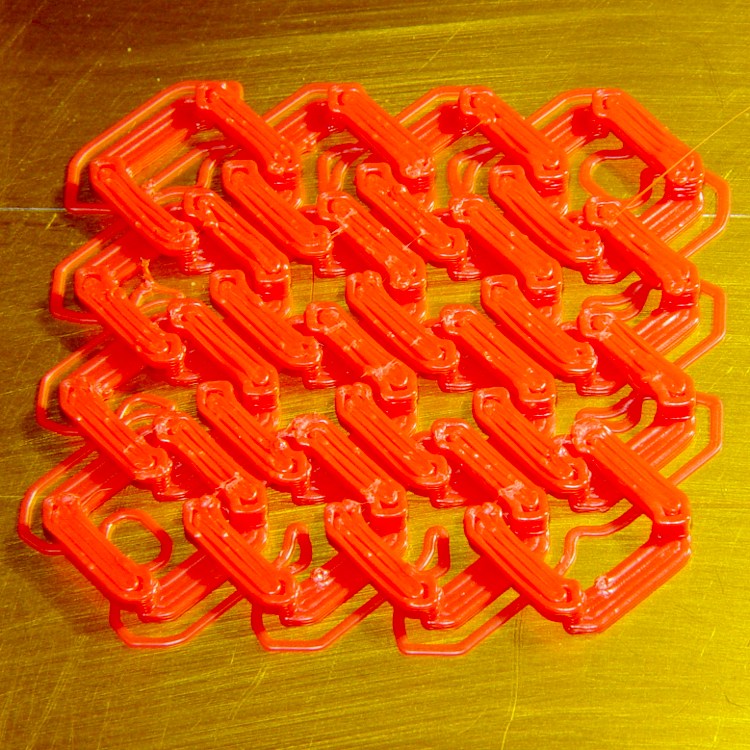
As the writing says, printed at 20 & 100 mm/s, 0.33 mm thickness, 0.66 mm width, and bridge speed at 1.0 to 1.3 times the usual.
I tried a few variations and got decent results with the bars set to 3 threads wide (the pix show 4 × bars). Making it fairly tall (11 × thread thickness, IIRC) helps get enough clearance below the sagging bridges between the vertical pegs. I’m amazed it works as well as it does.
Dropping to a width of 2 threads doesn’t work: the vertical pegs simply disappear from the G-Code! Turning the pegs into cylinders might help.
A pair of flush-cutting wire nippers applied to the top of the pegs along one edge allows you to lace a pair of sheets together. Apply a micro-drop of plastic cement to each cut, put a roll of duct tape on the joint overnight, and it’s all good.
My Shop Assistant has some interesting ideas for this, although I was mostly interested in its build-ability. It’s wonderful to see the printer lay down a sheet of tiny vertical pegs, five layers tall, and clear the top of every one, every time, on its way back and forth.
It had a bit of trouble with overhang under the ears, but I figure rabbits are soft and fluffy there anyway, so I’ll define this as a feature rather than a bug:
Stanford Bunny – ear overhang
What’s nice: all I did was slice the STL and build the rabbit. No muss, no fuss: It. Just. Works.
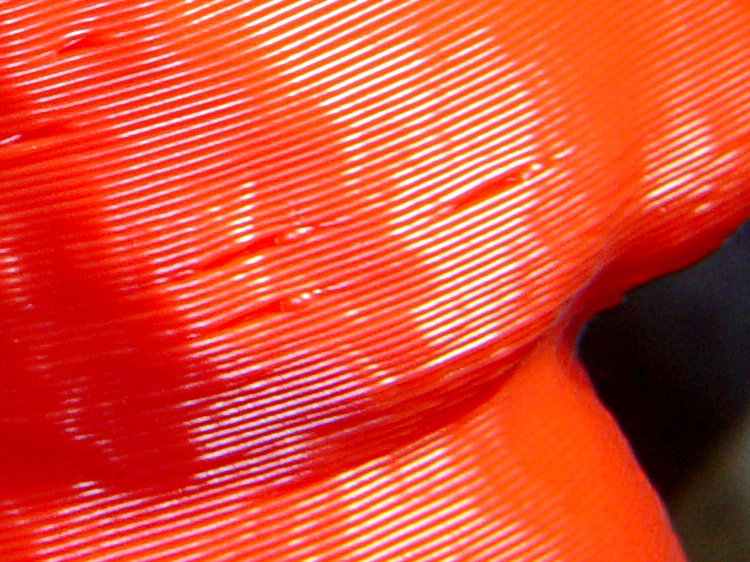
If you look very closely, you can see early Reversal suckouts just to the left of the zit marking the start of the thread. This was the object that prompted me to turn off early Reversal action, but I still haven’t figured out how to get rid of the zits:
Stanford Bunny – Reversal suckouts and zits
(Is it just me or does that not look like part of a rabbit?)
All in all, though, this bunny marks the end of the Intense Thing-O-Matic Hackage era. The printer now works dependably, prints parts accurately, and doesn’t require a lot of babysitting. I’ll present some test pieces over the next few days that explore some variations.
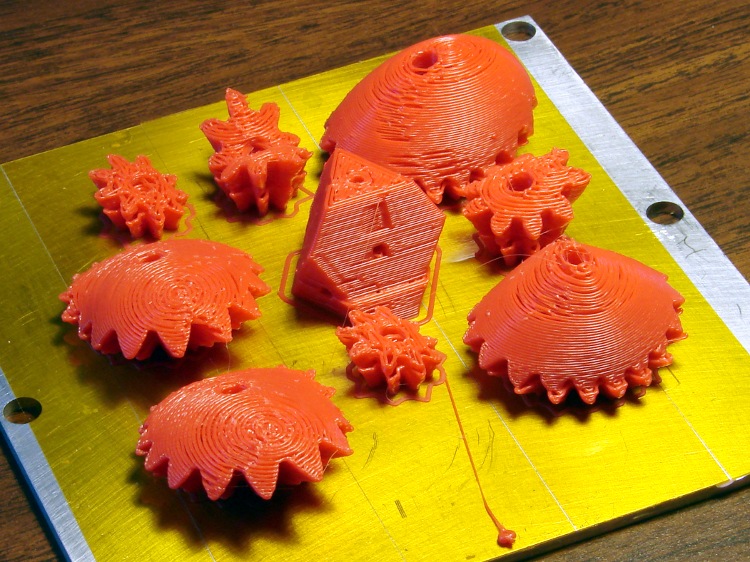
This one didn’t work out at all and, after a few attempts, I gave up:
Failed Heart Gears objects
It turns out that the myriad gear teeth curl up slightly as they cool. At some point, one of them will snag the nozzle and, even with good steppers in full effect, yank the XY stage to a dead stop. The missed steps cause that ledge a few millimeters up from the plate and, of course, the gears don’t mesh at all.
I watched it happen and stopped the print as soon as I could, but I didn’t catch exactly which tooth did the damage. Then I extracted just the bottom few layers by importing the STL into OpenSCAD, subtracting a block from the top, exporting what’s left as another STL, then built just that chunk.
Of course, that worked perfectly:
Heart Gears – curling gear teeth
Printing each object separately should eliminate the problem: the nozzle would remain within the outline at all times and, with a smaller part, the plastic would stay bendy.
A 3×3 array of dodecahedra printed at 50 mm/s with 100 mm/s moves:
Dodecahedra – 50 mm per sec
You can clearly see the axis oscillation near the left edges.
What’s nice: the total lack of threads between the parts: snap ’em off the platform and they’re done!
After they built halfway up the top facets, I dropped a ball bearing in each one. They rattled around something fierce, but didn’t quite hop out.
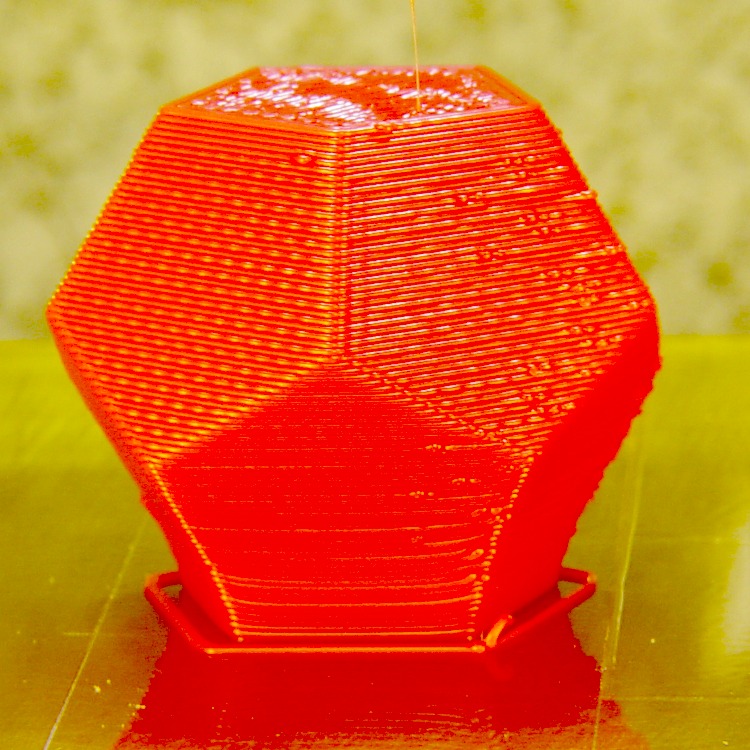
Building a single dodecahedron at 20 mm/s showed that the oscillation problem really is due to the speed. More accurately, the problem is the abrupt change in velocity as the axes change direction without any deceleration / acceleration in the middle.
Here, the single line near the edge matches up with the internal fill, so it’s not an oscillation:
Dodecahedron – 20 mm per sec
The small ripples come from a mechanical resonance in the geared stepper mount pumped by its full-step drive at 1.28 rev/min. I’m using a failed MBI stepper driver board that can only do full stepping, so trying 1/2 stepping won’t happen until I build a 4-axis space transformer for those tiny Pololu stepper boards.
As you’ve probably noticed, I’ve gone back to Kapton tape on the build platform, rather than the ABS I’d been using. AFAICT, the Kapton didn’t work well on my earlier attempts because I didn’t have good control over the first-layer thickness and was probably printing too fast for conditions.
The Z-min switch solves the layer thickness problem and printing at 10 to 15 mm/s for the first layer glues the thread in place. So far, so good!
As it turned out, though, that part wasn’t the first attempt.
Caliper part – heavy blobbing
Even switching to red filament didn’t help:
Extrusion blob – top view
That, in fact, was when the light dawned: it always failed at exactly the same point for a given set of G-Code.
Come to find out that, for some parts printed with certain options, the Skeinforge Reversal plugin dependably produces huge blobs of plastic after a move. The extruder reverses properly, the XY stages move, then the extruder starts running forward at the Reversal speed while the XY stages move at whatever rate they’re supposed to for the next thread, producing a prodigious blob.
Extrusion blob – side view
Most parts have much more interior than they do exterior and, with any luck, the blobs vanish inside. However, this little bitty thing has no room to hide a blob. Several parts went down the drain, but at least it had a countable number of layers!
You need that program, because ordinary grep only searches within a single line. In this case, the G-Code pattern extends over several lines. The pcre stands for Perl Compatible Regular Expressions and the -M turns on multi-line matching.
You can count the number of blobs with the -cl options.
Having found the blobs, edit the file, jump to the indicated lines, copy the nearest preceding forward extruder move, including the speed setting, and paste it in front of the M101 that starts the extruder. If my sed-fu were stronger, I could automate that process.
Unleashing pcregrep on my collection of G-Code files shows a bunch of ’em with blobs and a few without. Note that this has nothing to do with the firmware running on the printer, because the G-Code has the error.
What happens, I think, is that Reversal emits a correct reverse at the end of a thread, does a fast move to the start of the next thread, notices that (at least) the first G1 of the new thread falls below the length threshold that would activate the un-reversal action, and incorrectly assumes that it need not run the extruder forward to restore working pressure. The to-be-printed G1 commands all seem to be very short in the failing G-Code files I’ve examined.
Setting the reversal threshold to 0.0 should avoid triggering this error. I’ve verified that it produces correct G-Code for two parts that didn’t work before, but that’s not conclusive proof.
I’ve looked into reversal.py and fixing (heck, finding) this error lies beyond my abilities.
With only two feet of Barbie Filament left, I ran some Reversal tests leading up to printing another replacement part for that digital caliper. The end result, printed in red ABS, turned out to be perfect:
Caliper Part – Installed
Quite literally, I snapped the part off the build platform, lined it up in the caliper, ran that 1-72 screw through it, and It Just Worked. No cleanup, no trimming, no fiddling around, no problems!
Unlike the previous part, I printed this one as a singleton in the middle of the plate in order to concentrate on the other parameters:
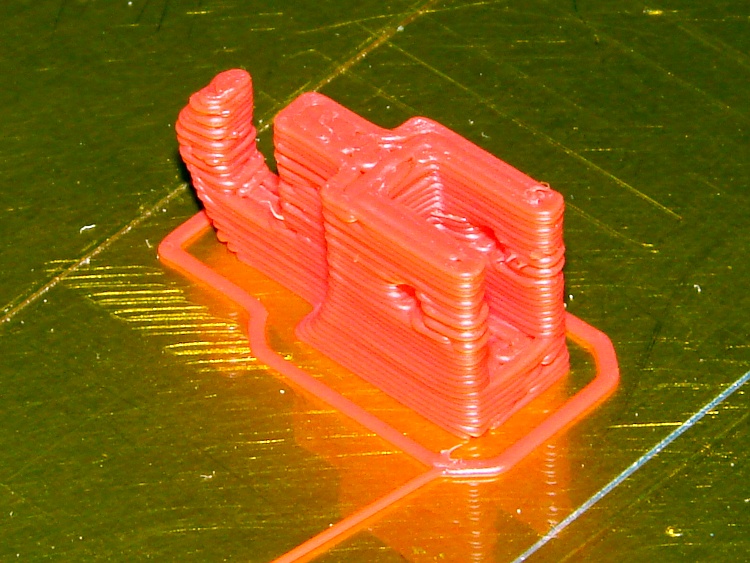
Finished caliper repair part
I set the Cool plugin to 15 s/layer, which meant the top few layers printed very very slowly and the tip of the hook took forever. That’s fine with me: notice the total lack of overshoot and oscillation, compared with those Companion Cubes printed at much higher speeds.
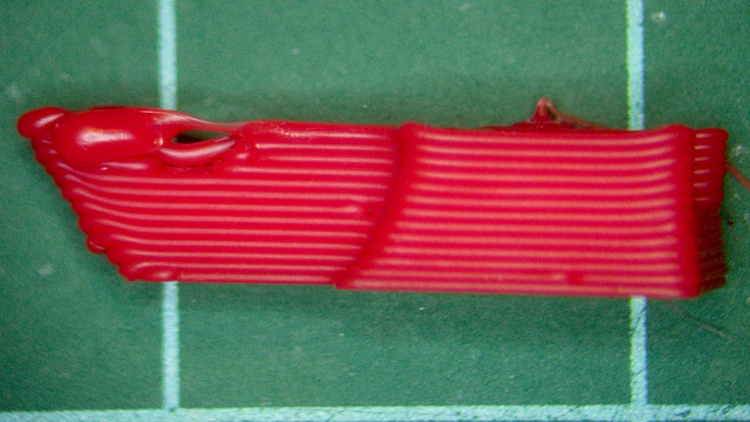
Side view:
Caliper Part – Side
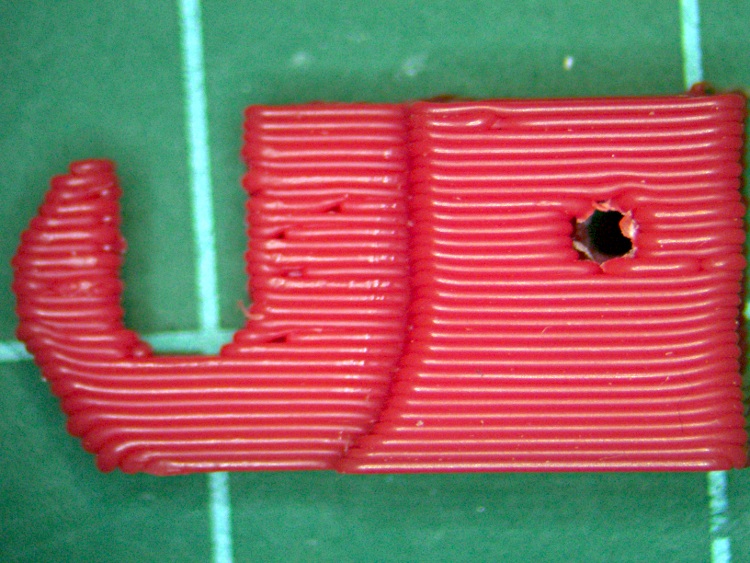
Bottom (the side against the caliper frame) view:
Caliper Part – Bottom
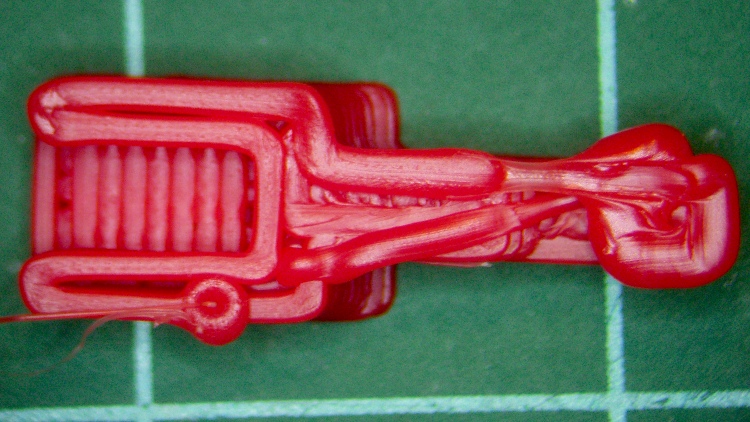
Top view:
Caliper Part – Top
The fill orientation is 0° for the first layer with 90° rotation, which lines it up neatly with the sides. There’s not enough room for anything fancy; the interior layers came out nearly solid even with the usual 0.25 fill ratio for the hex shapes.
The fill isn’t quite as solid as you might like, but given the overall size & shape, I think it’s just about as good as it can be expected.
Isn’t that just the cutest little thing you’ve ever seen?
The OpenSCAD code that built it:
// Digital Caliper thumbwheel holder
// Ed Nisley - KE4ZNU - May 2011

Build = true;						// set true to generate buildable layout

$fn = 8;							// default for holes

// Extrusion values
// Use 0 extra shells
//     2 solid shells on the top & bottom

ThreadThickness = 0.33;
ThreadWT = 2.00;
ThreadWidth = ThreadThickness * ThreadWT;

HoleWindage = 0.0;					// enlarge hole dia by small Finagle Constant

Protrusion = 0.1;					// extend holes beyond surfaces for visibility

// Caliper dimensions

WheelDia = 10.0;					// thumbwheel OD
WheelRadius = WheelDia/2;
WheelMargin = 1.5;					// space around wheel
WheelRimThick = 2.5;				// subtract from repair block

ShaftDia = 2.90;					// axle between knurled wheels
ShaftRadius = ShaftDia/2;
ShaftLength = 2.7;
ShaftRetainer = 3.0;				// thickness around shaft

StubThick = 2.45;					// stub of holder on caliper head
StubLength = 6.0;					// toward caliper head
StubHeight = 7.0;					// perpendicular to caliper head
StubClearanceX = 0.0;				// distance to caliper head
StubClearanceZ = 0.75;				// distance to caliper frame

FrameLength = 50;					// for display only
FrameHeight = 16.0;
FrameThick = 3.0;

// Repart part dimensions

ForkLength = StubLength - StubClearanceX;	// toward caliper head around stub
ForkHeight = StubHeight;			// perpendicular to caliper head
ForkGap = 0.3;						// clearance to stub on all sides
ForkBladeThick = 3 * ThreadWidth;	// on each side of stub

ShaftClearance = 0.1;				// Additional clearance around shaft
ShaftOffset = 8.5;					// Shaft center to stub

BoltHoleDia = 1.8;					// 1-72 machine screw, more or less
BoltHoleRadius = BoltHoleDia/2;
BoltHoleOffset = 3.5;				// offset from caliper frame to hole center

// Convenient sizes and shapes

FrameBlock = [FrameLength,FrameThick,FrameHeight];

StubBlock = [StubLength,StubThick,StubHeight];
StubMargin = [ForkGap,2*ForkGap,ForkGap];

RepairBlockLength = ForkLength + ShaftOffset;
RepairBlockThick = 2*ForkBladeThick + StubThick;
RepairBlockHeight = WheelRadius + ShaftRadius + ShaftRetainer;

RepairBlock = [RepairBlockLength,RepairBlockThick,RepairBlockHeight];

// Caliper parts to show how repair fits in

module CaliperParts() {
  union() {
	translate([0,0,-(StubClearanceZ + FrameHeight/2)])
	  cube(FrameBlock,center=true);
	translate([-(StubLength/2 + ShaftOffset),0,(StubHeight/2)])
	  cube(StubBlock,center=true);
  }
}

// Repair block with origin below wheel shaft

module RepairPart() {

  difference() {

// Body of repair part
	union() {
	  translate([-RepairBlockLength/2,0,RepairBlockHeight/2])
		cube(RepairBlock,center=true);
	  translate([0,0,WheelRadius])
		rotate([90,0,0])
		  cylinder(r=ShaftRadius+ShaftRetainer,h=ShaftLength,center=true,$fn=12);
	}

// wheels
	translate([0,(ShaftLength + WheelRimThick)/2,WheelRadius])
	  rotate([90,0,0])
		cylinder(r=(WheelRadius + WheelMargin),h=WheelRimThick,center=true,$fn=16);
	translate([-(WheelRadius + WheelMargin)/2,
			  (ShaftLength + WheelRimThick)/2,
			  (WheelRadius - Protrusion)/2])
	  cube([(WheelRadius + WheelMargin),WheelRimThick,(WheelRadius + Protrusion)],
			center=true);
	translate([0,-(ShaftLength + WheelRimThick)/2,WheelRadius])
	  rotate([90,0,0])
		cylinder(r=(WheelRadius + WheelMargin),h=WheelRimThick,center=true,$fn=16);
	translate([-(WheelRadius + WheelMargin)/2,
			  -(ShaftLength + WheelRimThick)/2,
			  (WheelRadius - Protrusion)/2])
	  cube([(WheelRadius + WheelMargin),WheelRimThick,(WheelRadius + Protrusion)],
			center=true);

// axle clearance
	translate([0,0,WheelRadius])
	  rotate([90,0,0])
		cylinder(r=(ShaftRadius + 2*ShaftClearance),	// hack clearance to match octagon to cube
				 h=(ShaftLength + 2*Protrusion),
				 center=true);
	translate([0,0,(WheelRadius - Protrusion)/2])
	  cube([(ShaftDia + 2*ShaftClearance),
		    (ShaftLength + 2*Protrusion),
		    (WheelRadius + Protrusion)],
		    center=true);

// stub of previous wheel holder
	translate([-(ShaftOffset + (ForkLength - ForkGap)/2 + Protrusion),
			  0,
			  (StubHeight + ForkGap - Protrusion)/2])
	  cube([(ForkLength + ForkGap + Protrusion),
		   (StubThick + 2*ForkGap),
		   (StubHeight + ForkGap + Protrusion)],
		   center=true);

// mounting screw hole
	translate([-(RepairBlockLength - BoltHoleOffset),0,StubHeight/2])
	  rotate([90,0,0])
		cylinder(r=(BoltHoleDia + HoleWindage)/2,
				 h=(RepairBlockThick + 2*Protrusion),
				 center=true,$fn=6);
  }
}

// Build it!

if (!Build) {
  CaliperParts();
  RepairPart();
}

if (Build) {
  translate([-RepairBlockLength/2,0,RepairBlockHeight])
	rotate([0,180,0])
	  RepairPart();
}
Companion Cubes* being nice handouts, at least in certain circles, I printed three arrays of nine. This being an opportunity for Science, they’re printed at 25, 40, and 50 mm/s, all with 100 mm/s moves.
Cube array – 25-100
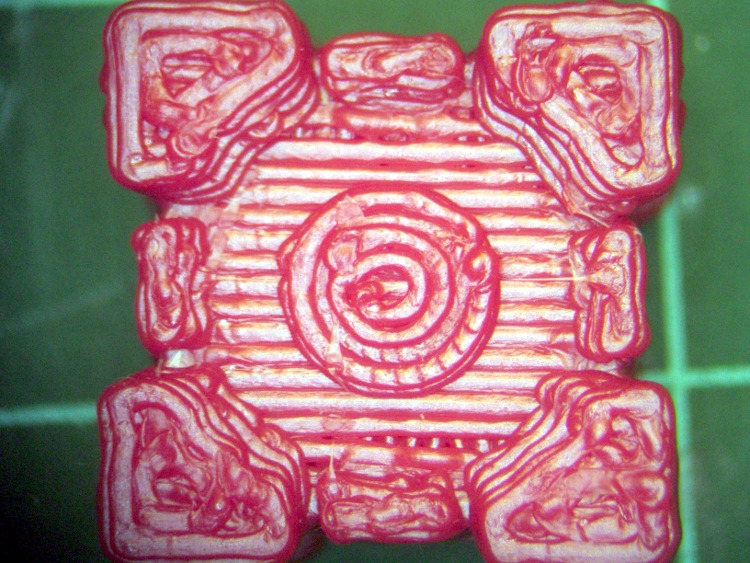
They’re scaled to about 16 mm on a side, making them about as small as anything you’d want to print. With a 0.66 mm extrusion width (0.33 mm thick and 2.0 w/t, they’re only 24 threads wide, which doesn’t allow for much detail. Here’s the top of one printed at 25 mm/s:
Cube top – 25
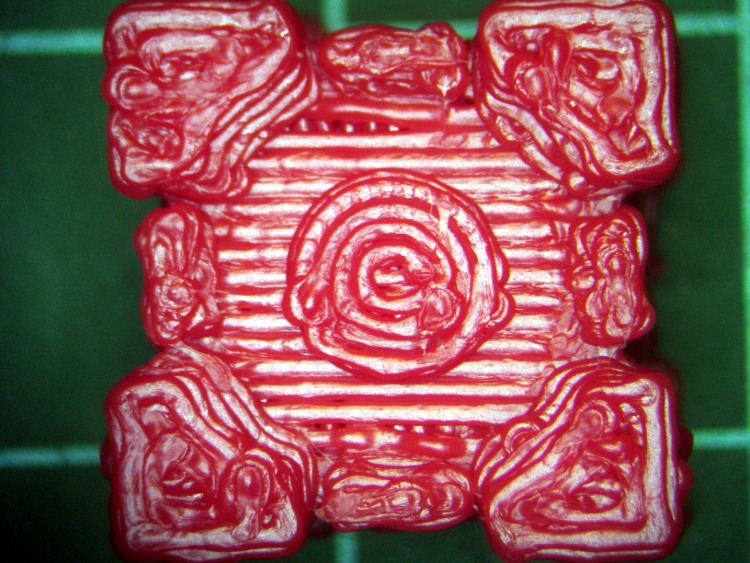
And at 50 mm/s:
Cube top – 50
Obviously, the faster cube turned out uglier. The 40 mm/s cubes look a whole lot like the 50 mm/s ones, which means the best printing quality occurs well below that.
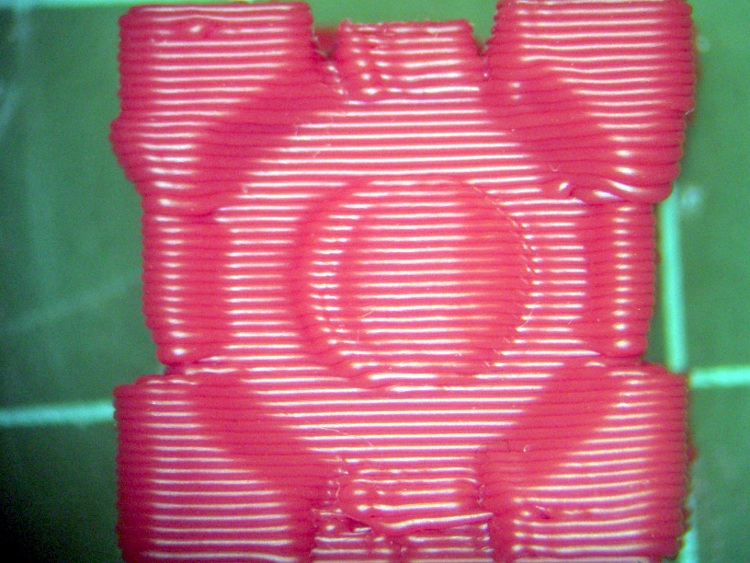
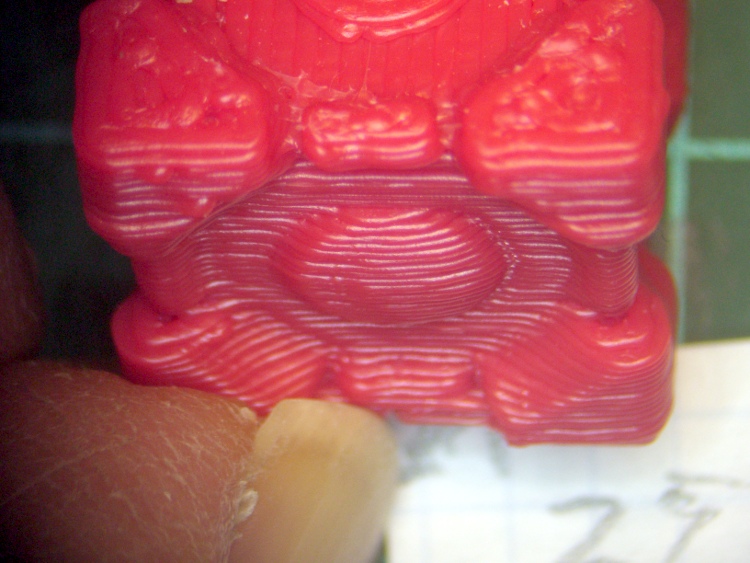
The front at 25 mm/s:
Cube front – 25
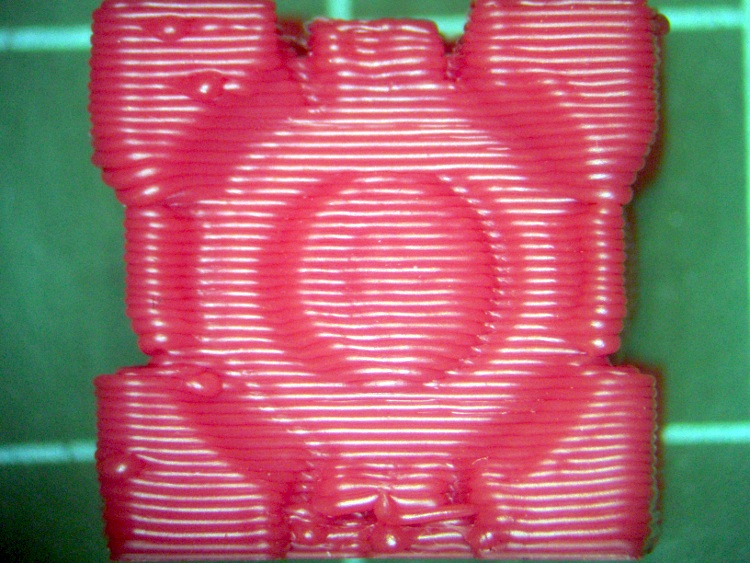
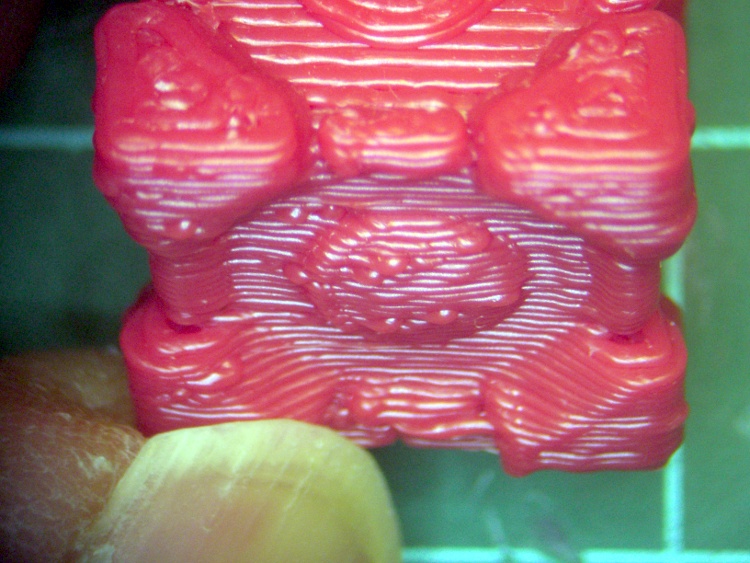
And at 50 mm/s:
Cube front – 50
The odd shadows on either side of the central bump become more obvious at an oblique angle. At 25 mm/s:
Cube front oblique – 25
And at 50 mm/s:
Cube front oblique – 50
This confirms a suspicion I’ve had for a while that the XY stages don’t have the positioning accuracy required for this level of detail when printing at any reasonable speed: they tend to oscillate slightly after changing position. I think acceleration limiting would help this, but I have no way to prove that. I know a more rigid mechanical assembly would help a lot, but there’s no way to get there from here.
Obviously, slowing down will improve the overall quality. I’m printing at high speeds to see what goes wrong; I have no objection to reducing the speed to a crawl in order to wring the best quality out of the hardware.
Moving at 100 mm/s, however, definitely reduces the opportunity for ooze. Even with Reversal, sometimes the nozzle dribbles a bit and very fast moves tend to produce a hair-fine thread that’s easily removed from the finished object. In this case, all three sets of nine cubes printed with no threads at all.
These were printed with Reversal set to 25 rev/min, 110 ms in and out, and no early motion. That eliminates suck-out as the extruder reverses while the nozzle approaches the end of the thread, but still leaves a zit at the endpoint where the nozzle moves to the start of the next thread:
Cube rear oblique – 25
The zits appear identical with faster print speeds, so they don’t depend on anything other than Reversal.
The other two sides of each cube look about the same.
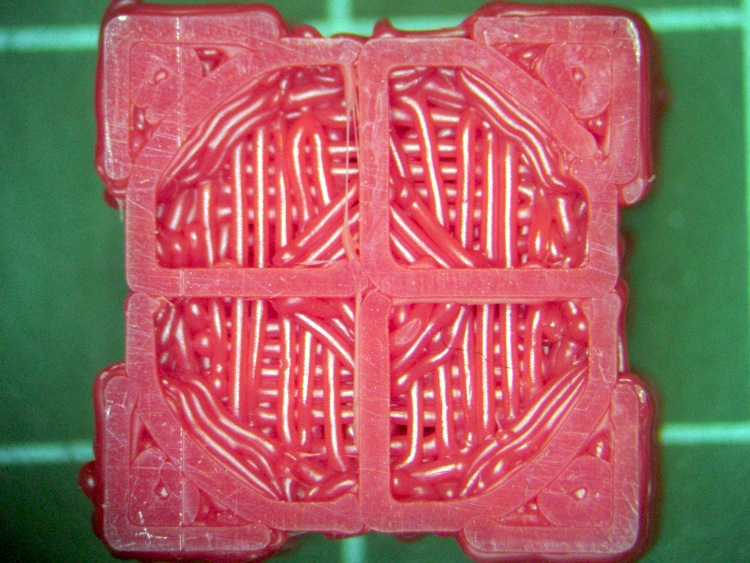
For completeness, here’s the bottom at 50 mm/s:
Cube bottom – 50
Comparing that with the top suggests that Skeinforge used bridging fill, rather than surface fill.
(*) They’re actually Weighted Storage Cubes, as they lack the hearts found on Companion Cubes. My Shop Assistant asserts that if you cuddle them enough, they’ll grow hearts…









 The Smell of Molten Projects in the Morning