The Smell of Molten Projects in the Morning

Ed Nisley's Blog: Shop notes, electronics, firmware, machinery, 3D printing, laser cuttery, and curiosities. Contents: 100% human thinking, 0% AI slop.

Tag: Thing-O-Matic

Using and tweaking a Makerbot Thing-O-Matic 3D printer

  • Reversal Zits: Extruder Pressure vs. Flow vs. Acceleration

    Pondering the Reversal Zittage Bestiary led me to wonder about the formal relationship between pressure and flow in a viscous fluid passing through a nozzle. I’ll cheerfully admit my never-very-puissant fluid dynamics fu has become way rusty and, this being the first time I’ve collected all this stuff in one place, there’s certainly something I’m overlooking (to put it charitably), but here goes…

    Assuming that (semi-)molten plastic:

    Counterargument:

    The hot end contains about 20 mm of molten filament, which is 140 mm3 of 3 mm filament. During filament swaps, the filament pushes back about 2 mm = 14 mm3 without any external force, so there’s about 10% springiness in the hot end. That suggests the plastic really isn’t incompressible. Some of the springiness may come from the PTFE tube expanding against the surrounding metal tube, but the fact that the (solidified) molten zone has a larger diameter than the rest of the filament says the PTFE expansion is not very dynamic: the filament solidified at zero pressure.

    Boldly assuming incompressiblity anyway, the always-right-and-never-lies Wikipedia tells us that the equations of state boil down to the Stokes Equations, herewith directly cribbed:

    \boldsymbol{\nabla}p = \mu \nabla^2 \mathbf{u} + \mathbf{f}
    \boldsymbol{\nabla}\cdot\mathbf{u}=0

    That’s using this symbology, typographically modified to eliminate the need for embedded graphics:

    • The del operator represents the spatial gradient
    • ∇p = pressure gradient
    • u = fluid velocity
    • ∇·u = divergence of velocity (pointiness)
    • 2 u = Laplacian of velocity (sharpness of pointiness)
    • μ = dynamic viscosity
    • f = applied force

    Under the breathtakingly aggressive simplifying assumption that we can model slices across the extruder’s nozzle as nearly 2D radially symmetric pipes with a teeny frustum shape, we have a mostly one-dimensional situation:

    • The first equation says that axial pressure gradient is directly proportional to the applied force, which makes sense, plus a huge term due to the nozzle shape (how abruptly the velocity gradient changes)
    • The second equation is a generalization of GladOS‘s explanation of the conservation of momentum across Portal transfers: Speedy thing goes in, speedy thing comes out. For slightly conical slices, the axial speed increases as the radial area decreases, but the overall velocity gradient comes out zero.

    All the force f comes from a stepper motor ramming filament into the hot end:

    • To a good first order approximation, stepper motor torque is proportional to winding current.
    • For a given filament diameter, drive wheel diameter, and speed, a constant-current stepper applies constant force to the filament.
    • Stepper power being roughly constant for a given current, the available force varies inversely with rotational speed.

    Vigorous handwaving

    The low Reynolds number says the inertial forces don’t amount to squat, so everything depends on viscous flow. There’s nothing to accelerate; try accelerating a spoon through honey.

    Given a desired velocity u (mostly axial, for a particular extruding speed) and a nozzle, the first equation says the required force varies linearly with the pressure gradient ∇p. The gradient runs from atmospheric pressure on one end to the molten pool on the other, with the steepest change in the narrowest part of the nozzle. This suggests a short nozzle aperture is good.

    Conversely, a long smooth nozzle reduces ∇2 u by reducing abrupt velocity changes. For a given ∇p, the required force varies directly with the second (spatial) derivative of the velocity; lower velocity doesn’t mean lower force, but smoother changes (and their derivatives) certainly do.

    During reversal, the extruder must produce a negative ∇p very quickly to inhale the filament and prevent drooling. Assuming ∇p has the same order of magnitude in both directions (thus, different signs), changing the fluid velocity will produce huge changes in ∇2 u.

    Fluid compressibility means that, during the early part of the reversal operation, moving the filament doesn’t change the pressure by very much at all: the first equation remains pretty much constant.

    Caveats

    The Stokes equations are time-invariant: the velocity is a constant. So we’re looking at the steady state and making dangerous assumptions about changing conditions.

    The force variation seems linear with pressure gradient around a given flow, which is comforting: at least it’s not quadratic or something even more horrible.

    Given the low Reynolds number, even moderate flow variations should be roughly linear, as the velocity gradients won’t change much with changing velocity.

    This explains why Reversal Zittage gets so much worse at higher speeds: the extruder operates under constant (and, at least in my TOM, low) power that can keep pace with normal extrusion, but doesn’t have an order of magnitude more force in reserve for retraction.
  • Harbor Freight Bar Clamp: New Handle

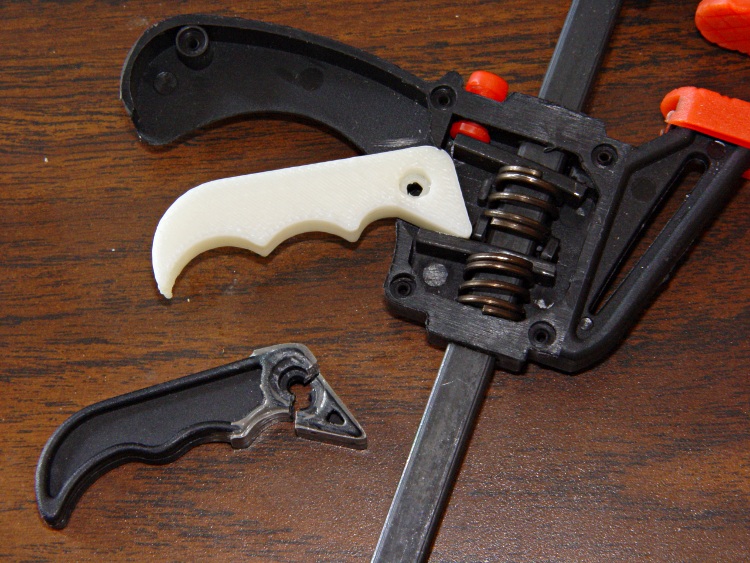
    Conjuring up a replacement handle for that broken Harbor Freight bar clamp turned out to be easier than I expected:

    HF bar clamp handle - installed
    HF bar clamp handle – installed

    The thing omits the original’s fancy edge rounding, because I just hit the finger grips with a rat-tail file after it cooled:

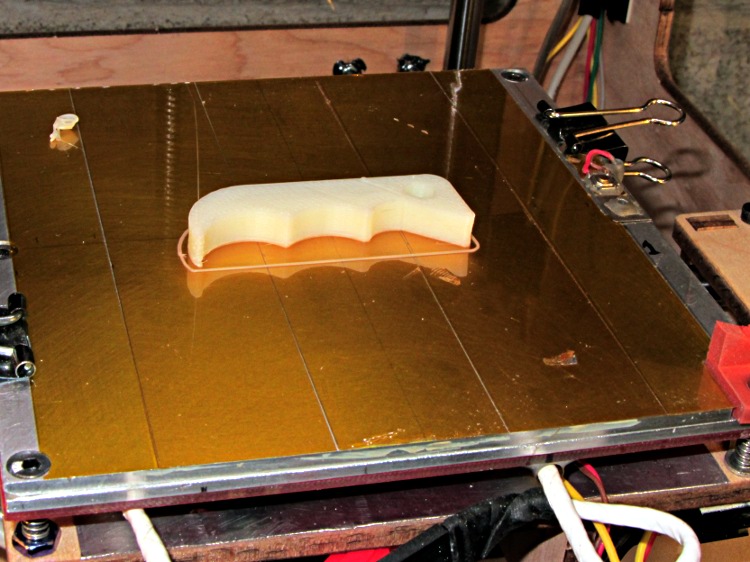
    HF bar clamp handle - build platform
    HF bar clamp handle – build platform

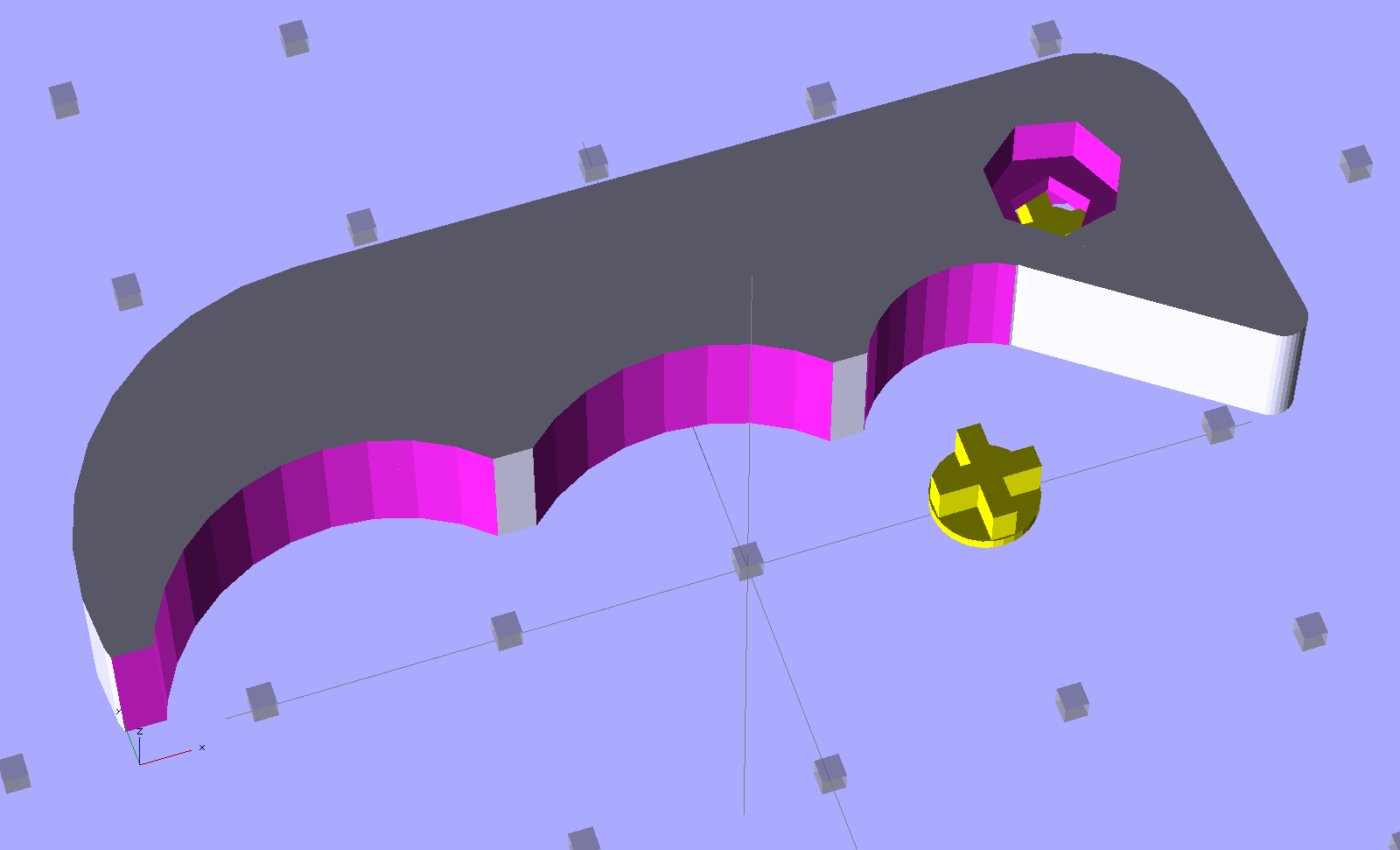
    The solid model uses OpenSCAD’s hull() operation for the beak and straight side of the handle, with a handful of circles chopping out the recesses. The rightmost arc lies tangent to the near side of the beak, so as to join without a stress-raiser bump:

    HF Bar Clamp - support - solid model
    HF Bar Clamp – support – solid model

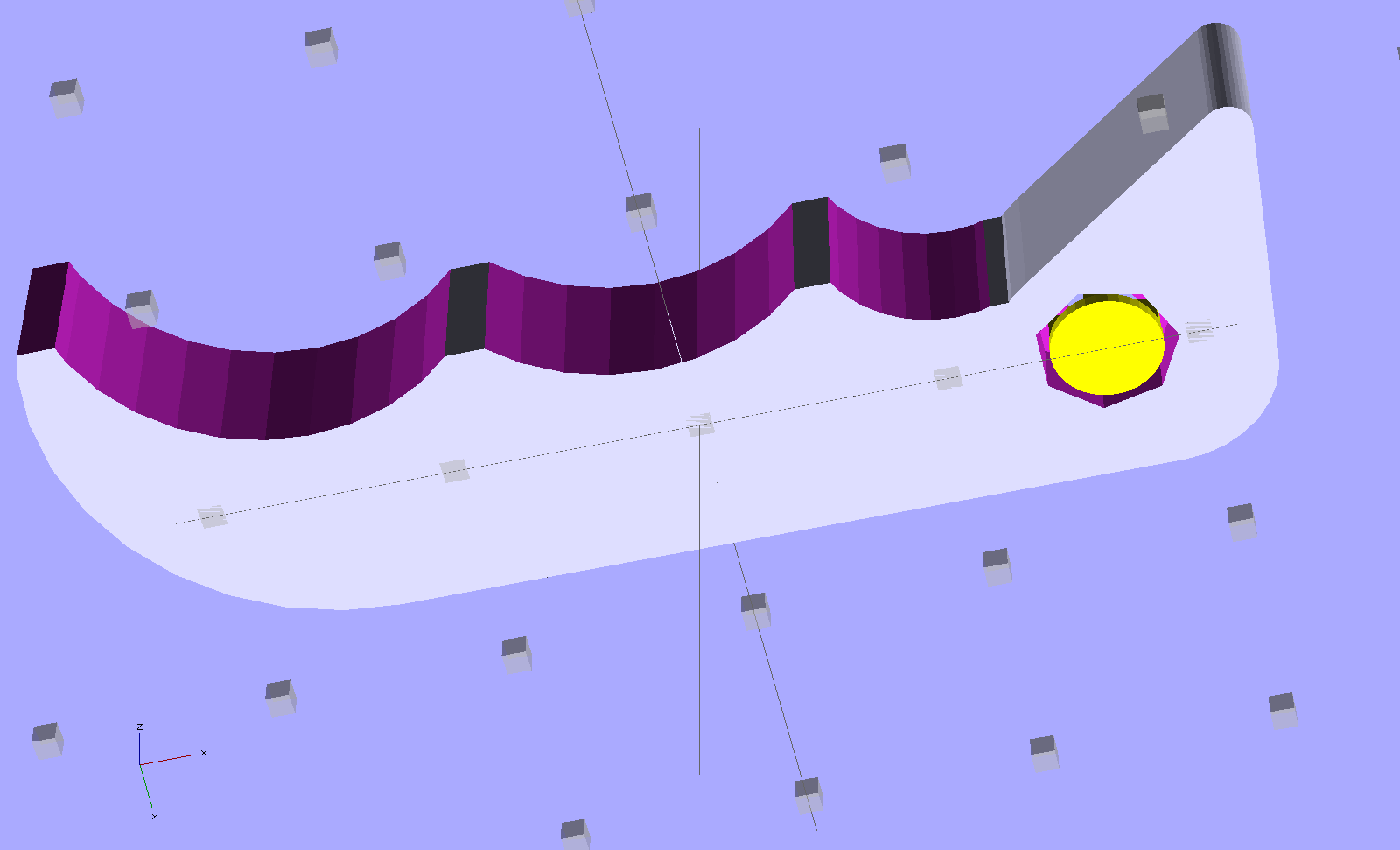
    The little yellow doodad is (a duplicate of) the support structure inside the pivot hole that prevents the middle section from drooping. It’s easier to see from the bottom:

    HF Bar Clamp - solid model - bottom
    HF Bar Clamp – solid model – bottom

    Removing the plug required nothing more than a fat pin punch and a whack from a brass hammer, with the plug centered over a hole in a random chunk of aluminum (with many other holes):

    HF bar clamp handle - support plug removed
    HF bar clamp handle – support plug removed

    Much to my delight, the holes & pivot recesses came out exactly the right size on the first version, with HoleWindage = 0.2. What’s new & different: that the first layer height has stabilized at 0.25 mm and the first few layers don’t get squished.

    I built three more handles in one setup, just to have some show-n-tell objects, with one prepped and on hot standby should the other Harbor Freight handle break. If these handles break, something aluminum on the Sherline will be in order.

    Now that clamp can go back into the collection. Puzzle: which one isn’t like the other ones?

    Too many bar clamps
    Too many bar clamps

    I should’a used Safety Orange filament, eh?

    [Update: xylitol designed a much better looking version that should be a drop-in replacement. Perhaps you can print it standing on edge (or end) to eliminate the support structures?]

    The OpenSCAD source code:

    // Handle for Harbor Freight bar clamp
    // Ed Nisley KE4ZNU - Jan 2012
    
    Layout = "Show";                // Build Show
    
    Support = true;
    SupportColor = "Yellow";
    
    //- Extrusion parameters must match reality!
    //  Print with +1 shells and 3 solid layers
    //  Use infill solidity = 0.5 or more...
    
    ThreadThick = 0.25;
    ThreadWidth = 2.0 * ThreadThick;
    
    HoleWindage = 0.2;
    
    Protrusion = 0.1;           // make holes end cleanly
    
    CircleSides = 4*8;
    $fn = CircleSides;
    
    //-------
    // Handle dimensions
    
    OALength = 49;
    OAThickness = 6.0;
    
    BodyWidth = 12;
    
    BeakRadius = 12;                            // hole to tip
    BeakEndRadius = 1.0;                        // roundness of tip
    BeakIncludedAngle = 40;
    BeakAngle = 55;
    BeakAdder = [2.0,1.0];                      // additional meat on outer and upper sides
    
    BeakHalfWidth = IntegerMultiple(BeakRadius*sin(BeakIncludedAngle/2),ThreadWidth);
    
    PivotXY = BeakRadius*[cos(BeakAngle),sin(BeakAngle)]; // pivot hole offset from beak tip
    
    PivotShaftDia = 2.6;
    PivotRecessDia = 5.0;
    PivotRecessDepth = 2.5;
    
    NumScallops = 3;
    ScallopRadius = [5,9,9];        // first scallop must be tangent to beak!
    ScallopX = [-((ScallopRadius[0] + BeakHalfWidth)*cos(90 - (BeakAngle - BeakIncludedAngle/2))),
                -17.5,-31.5];
    ScallopY = [-((ScallopRadius[0] + BeakHalfWidth)*sin(90 - (BeakAngle - BeakIncludedAngle/2))),
                -12,-12];
    
    echo(str("Scallops R=",ScallopRadius," X=",ScallopX," Y=",ScallopY));
    
    TailOuterRadius = 12;
    TailInnerRadius = 22;
    
    //-------
    
    function IntegerMultiple(Size,Unit) = Unit * ceil(Size / Unit);
    
    module PolyCyl(Dia,Height,ForceSides=0) {           // based on nophead's polyholes
    
      Sides = (ForceSides != 0) ? ForceSides : (ceil(Dia) + 2);
    
      FixDia = Dia / cos(180/Sides);
    
      cylinder(r=(FixDia + HoleWindage)/2,h=Height,$fn=Sides);
    }
    
    module ShowPegGrid(Space = 10.0,Size = 1.0) {
    
      Range = floor(50 / Space);
    
        for (x=[-Range:Range])
          for (y=[-Range:Range])
            translate([x*Space,y*Space,Size/2])
              %cube(Size,center=true);
    
    }
    
    //-------
    // Bits and pieces
    
    module Pivot() {
    
      translate([0,0,-Protrusion])
        PolyCyl(PivotShaftDia,(OAThickness + 2*Protrusion));
    
      translate([0,0,(OAThickness - PivotRecessDepth)])
        PolyCyl(PivotRecessDia,(PivotRecessDepth + Protrusion));
    
      translate([0,0,-Protrusion])
        PolyCyl(PivotRecessDia,(PivotRecessDepth + Protrusion));
    
    }
    
    module HandleBlock() {
    
      hull() {                            // beak
        cylinder(r=BeakHalfWidth,h=OAThickness);
        translate(BeakAdder)
          cylinder(r=BeakHalfWidth,h=OAThickness);
        translate([(PivotXY[0] - BeakEndRadius*cos(BeakAngle)),
                  -(PivotXY[1] - BeakEndRadius*sin(BeakAngle))])
          cylinder(r=BeakEndRadius,h=OAThickness);
      }
    
      hull() {                            // straight body edge
        translate(BeakAdder)
          cylinder(r=BeakHalfWidth,h=OAThickness);
        translate([-(OALength - PivotXY[0] - TailOuterRadius),BeakAdder[1]])
          cylinder(r=BeakHalfWidth,h=OAThickness);
      }
    
      translate([ScallopX[0],0,0])        // scalloped edge tips
        rotate(180)
          cube([(OALength - PivotXY[0] + ScallopX[0] - TailOuterRadius),
                (BodyWidth/2 - ThreadWidth),      // small Finagle constant = flat tips
                OAThickness],center=false);
    
      translate([-(OALength - PivotXY[0] - TailOuterRadius),        // tail
                (BeakHalfWidth + BeakAdder[1] - TailOuterRadius)])
        rotate(180)
          intersection() {
            cylinder(r=TailOuterRadius,h=OAThickness);
            translate([0,-TailOuterRadius])
              cube([TailOuterRadius,2*TailOuterRadius,OAThickness]);
          }
    
    }
    
    module SupportPlug() {
    
      color(SupportColor)
      union() {
        cylinder(r=IntegerMultiple((PivotRecessDia - ThreadWidth),ThreadWidth)/2,
                  h=2*ThreadThick);
        for (Index=[0,1])
          rotate(Index*90)
            translate([0,0,(PivotRecessDepth - ThreadThick)/2])
              cube([(PivotRecessDia - ThreadWidth - 2*Protrusion),
                    2*ThreadWidth,(PivotRecessDepth - ThreadThick)],
                  center=true);
      }
    }
    
    //------
    
    module Handle() {
    
        difference() {
          HandleBlock();
    
          translate([-(OALength - PivotXY[0] - TailOuterRadius),    // trim tail tip
                    -(PivotXY[1] - ThreadWidth),
                    -Protrusion])
            rotate(180)
              cube([TailOuterRadius,TailOuterRadius,(OAThickness + 2*Protrusion)]);
    
          for (Index=[0:NumScallops-1]) {
            translate([ScallopX[Index],ScallopY[Index],-Protrusion])
              cylinder(r=ScallopRadius[Index],h=(OAThickness + 2*Protrusion));
          }
    
          Pivot();
        }
    
        if (Support)                    // choose support to suit printing orientation
          SupportPlug();
    }
    
    //-------
    
    ShowPegGrid();
    
    if (Layout == "Show") {
      translate([OALength/3,10,0])
        Handle();
      translate([10,0,0])
        SupportPlug();
    }
    
    if (Layout == "Build")
      translate([OALength/3,0,0])
        Handle();
    

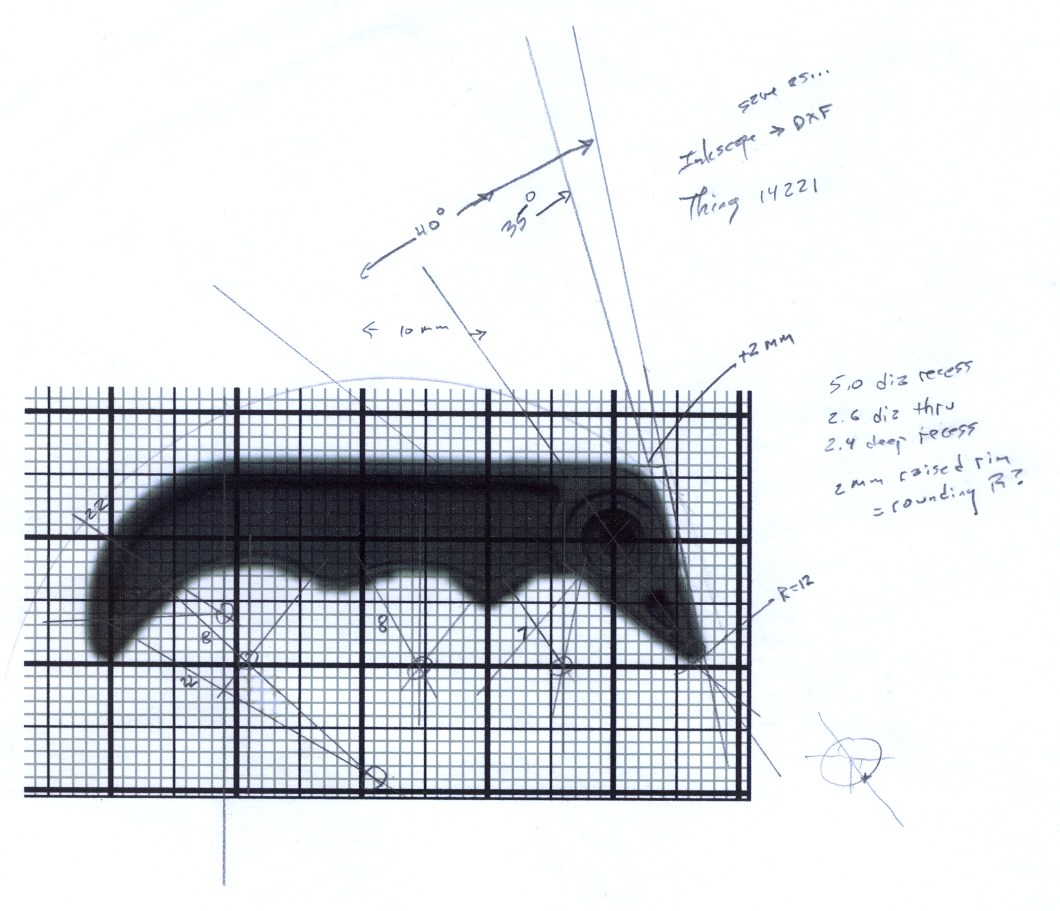
    The original doodles, which I started by scanning an unbroken handle and overlaying a grid, then scaling the grid so the end-to-end measurement worked out to the proper number of millimeters:

    Handle dimension doodles
    Handle dimension doodles
  • Skeinforge Feed Settings

    As part of the general reshuffling, I’ve started running the printer with different feeds for different functions:

    • Travel = 250 mm/s (non-printing!)
    • Basic rate = Infill = 60 mm/s (SF Speed plugin → Feed Rate)
    • Perimeter = 0.33 → 20 mm/s
    • First layer Infill = 0.25 → 15 mm/s
    • First layer Perimeter = 0.15 → 9 mm/s

    All of the corresponding Flow rates have the same values, which seems to be the right way to go. In Skeinforge 45, these are all collected in the Speed plugin.

    The very slow first layer ensures good adhesion to the Kapton build surface, with the rebuilt HBP now maintaining a very stable 0.25 mm across the whole platform. I’ll try goosing the first layer infill to 20 mm/s and the perimeter to 15 mm/s at some point, but this is entirely tolerable; I’d rather have it Just Work than occasionally come unstuck.

    The 20 mm/s perimeter reduces the Extruder Zittage problem, with the 9 mm/s Perimeter on the first layer coming out entirely zit-free. However, the sequential version of Amdahl’s Law applies here: a slow perimeter around a fast infill produces a fairly slow overall layer. Making the infill rather sparse doesn’t help, of course, but overall it’s a win.

    This collection of speeds hopelessly confuses Pronterface’s estimated print time calculation; the most amazing prediction reported just under 24 hours for a fairly simple set of objects that took maybe half an hour. A recent gizmo had an estimated time of 4:34 and an actual time of 28:07, off by a factor of 6.2. If Pronterface divides the total filament length by the first speed it finds in the file, it’d be off by a factor of 6.7, so maybe that’s close to what happens under the covers.

  • Reversal Zits: Speed, Acceleration, and a Bestiary

    The Skeinforge Dimension plugin subsumes the obsolete Reversal plugin’s features. At the end of each thread, if the nozzle will move more than the Minimum Travel distance (1 mm by default, which is what I’m using) to the start of the next thread, the extruder yanks Retraction Distance of filament out of the hot end at the Retraction Speed.

    Some experimentation at 30 mm/s showed that 2 mm of filament would eliminate all drooling, 1.5 mm left thin threads, and 1.0 mm wasn’t nearly enough.

    Similar experimentation suggested 60 mm/s as the upper limit for Retraction Speed, with the SJFW acceleration limiting parameters set for 250 mm/s2. The usual extrusion speed isn’t much faster than a crawl, so the distance required to reach a backwards 60 mm/s is:

    dist = (60 mm/s)2 / (2 * 250 mm/s2) = 7.2 mm

    What that means, of course, is that the extruder doesn’t have enough torque to reach the programmed speed in the required distance. Assuming SJFW uses trapezoidal limiting, it will accelerate to some maximum speed at the halfway point and decelerate to a stop at the same rate. Pegging the midpoint at 1 mm, the extruder will reach a peak speed of:

    v = √(2 * 250 mm/s2 * 1 mm) = 22 mm/s

    In order to hit 60 mm/s in the middle of the retraction, the extruder must accelerate at:

    a = (60 mm/s)2 / (2 * 1 mm) = 1800 mm/s2

    Which requires way more torque than the piddly little motor I’m using can provide.

    While I could swap in that larger motor, crank the current up a bit, and goose the extruder acceleration, the current Reversal Zittage is small enough for my purposes. I’d rather expend that effort on doodling up a direct-drive extruder, but that’s on the back burner until something horrible happens to the current extruder.

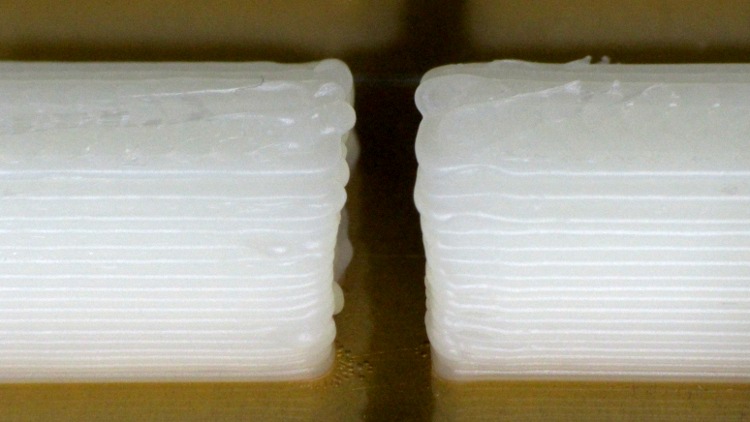
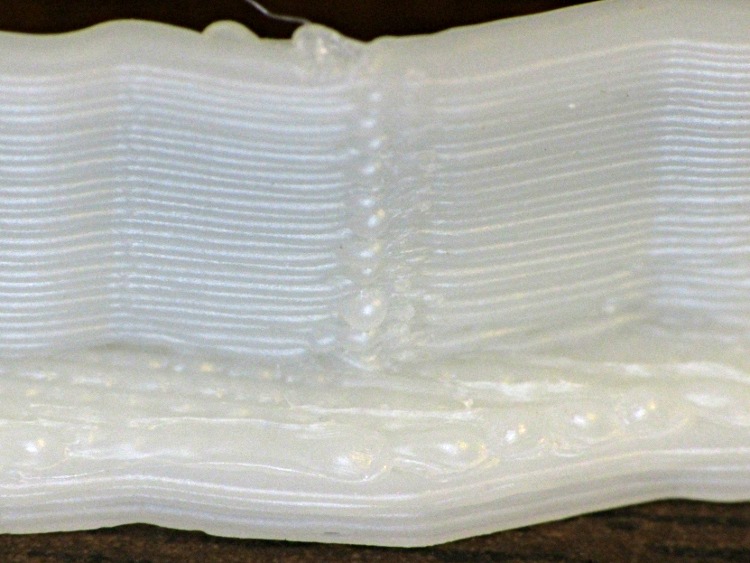
    One easy alternative: lower the perimeter speed sufficiently far as to reduce the pressure in the hot end enough that the current speeds can suppress the zits. Notice the difference in the pix below; what you can’t see is that the first layer has no zittage whatsoever. Of course, that means the perimeter must trundle along at maybe 10 mm/s…

    Herewith, a Reversal Zittage bestiary at various perimeter speeds, with Dimension set as described above and these extrusion settings:

    • 0.25 mm layer height
    • 0.50 mm thread width
    • 60 mm/s infill
    • 250 mm/s travel

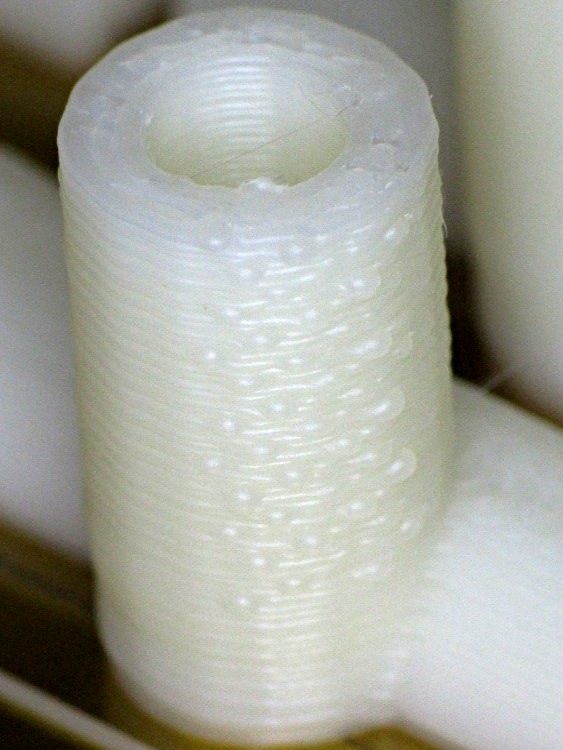
    A Dishwasher Rack Protector vertical tube at 30 mm/s:

    Rack protector - Reversal zits
    Rack protector – Reversal zits

    The tube’s interior had equivalent zits that cleaned out easily with a twist drill.

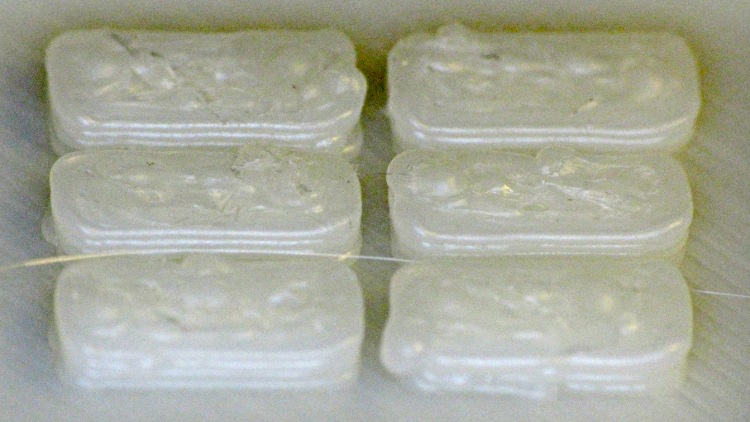
    Some of the half-tube ends came out slightly angled with zits here & there, but remember that they’re 4.5 mm tall:

    Rack protector - Reversal zits

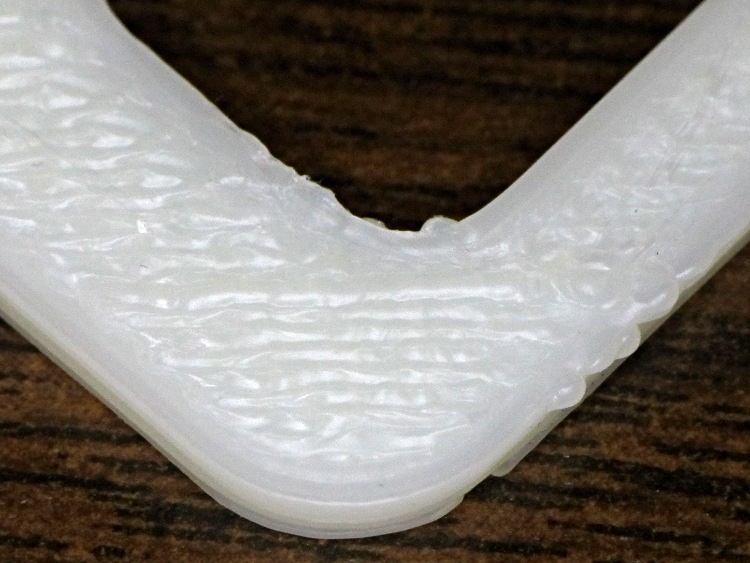
    The Zire 71 Protector had a lot more infill with very few perimeter joints. This corner shows a few zits at 30 mm/s:

    Zire 71 protector - Reversal zits
    Zire 71 protector – Reversal zits

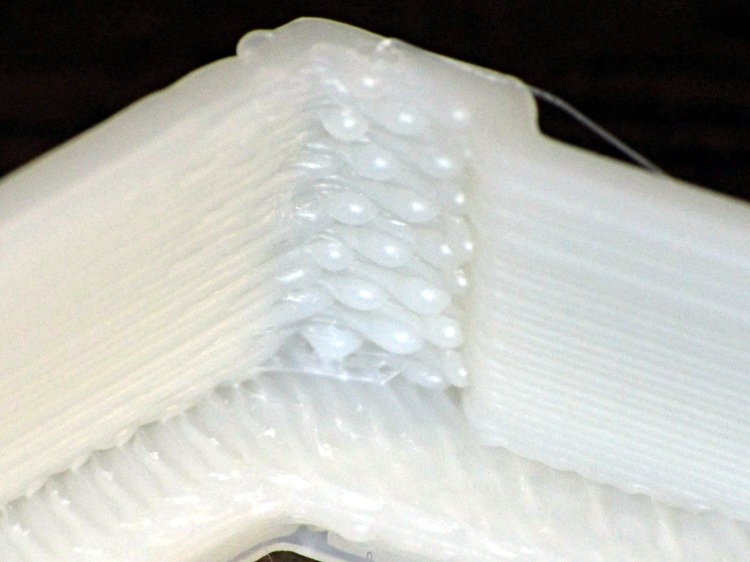
    One of the Dr. Who Cookie Cutters showed much more conspicuous zittage on the inside of a corner at 20 mm/s:

    Dr Who cutter - Reversal zit - interior corner
    Dr Who cutter – Reversal zit – interior corner

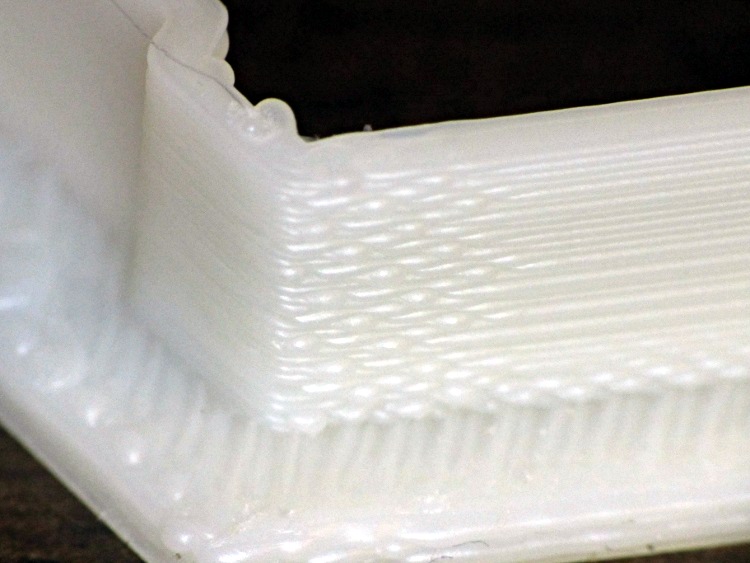
    Than on the outside of the same corner:

    Dr Who cutter - Reversal zit - Exterior corner
    Dr Who cutter – Reversal zit – Exterior corner

    The zits on the other cutter fell along one edge. The inside:

    Dr Who cutter - Reversal zits - interior side
    Dr Who cutter – Reversal zits – interior side

    And the outside:

    Dr Who cutter - Reversal zits - exterior side
    Dr Who cutter – Reversal zits – exterior side

    The Dr. Who set included flat cookie presses with patterns. Although these islands show some zittage, they’re about 1 mm tall and perhaps 5 mm long:

    Dr Who cutter - Reversal zits - islands
    Dr Who cutter – Reversal zits – islands

    The rest of the perimeter extrusions look essentially perfect, so these really are very minor imperfections.

  • Dr. Who Cookie Cutters

    These Dr. Who themed cookie cutters came out nearly perfect:

    Dr Who Cookie Cutters
    Dr Who Cookie Cutters

    Each consists of an outer cutter rim and an inner dough press that fit neatly together.

    The STL files contain a few triangle errors that seem to be typical of objects made with Google Sketchup, but the final G-Code came out fine despite a few Skeinforge warnings.

    No strings, no cleanup, no muss, no fuss: the printer is back in operation once again!

    The relevant Skeinforge 45 settings, about which more later:

    • 0.25 mm layer thickness + 0.50 mm thread width
    • First layer: 9 mm/s perimeter + 15 mm/s infill
    • Other layers: 20 mm/s perimeter  + 60 mm/s infill
    • 250 mm/s travel (!)
    • +0 extra shells, 3 solid layers
    • 0.20 infill + 45°/90° rectangular
    • 200 °C extrusion + 110 °F platform

    Dimension plugin settings:

    • Filament dia = 2.96 mm, FPD = 0.93 (natural ABS from MBI)
    • Retraction 2 mm @ 60 mm/s, min 1 mm travel

    I’m not a big Dr. Who fan, but I know someone who is…

  • Zire 71 Printed Button Shield

    After fixing that old plate, I just had to do this:

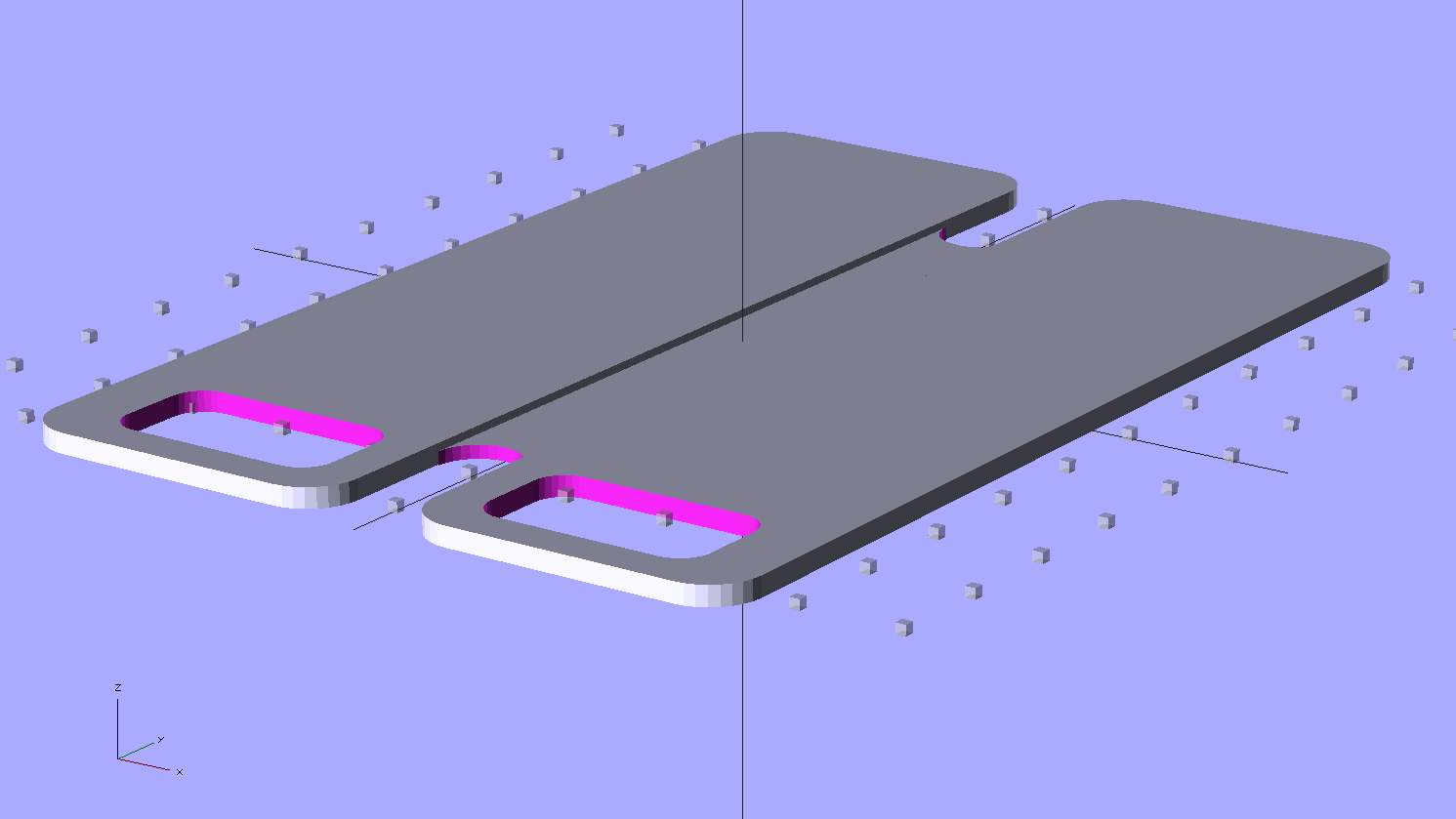
    Zire 71 protector - solid model
    Zire 71 protector – solid model

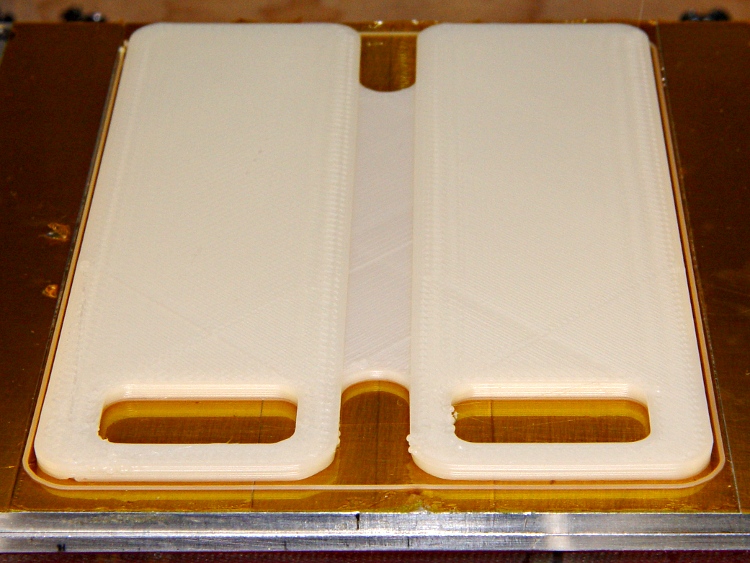
    Which pretty much fills up the build platform:

    Zire 71 protector - on build platform
    Zire 71 protector – on build platform

    And fits perfectly:

    Zire 71 protector in place
    Zire 71 protector in place

    It’s printed with 100% infill to produce a solid plastic plate.

    In retrospect, I think it’d work better if I put the notch on the bottom side with a bit of support, so that the glass-smooth surface faced the Zire. Maybe next time?

    The OpenSCAD source code:

    // Protector plate for Zire 71 PDA
    // Ed Nisley KE4ZNU - Jan 2012
    
    //-------
    //- Extrusion parameters must match reality!
    //  Print with +0 shells, 3 solid layers, 0.2 infill
    
    ThreadThick = 0.25;
    ThreadWidth = 2.0 * ThreadThick;
    
    Protrusion = 0.1;           // make holes end cleanly
    
    function IntegerMultiple(Size,Unit) = Unit * ceil(Size / Unit);
    function IntegerMultipleMin(Size,Unit) = Unit * floor(Size / Unit);
    
    //-------
    // Dimensions
    
    $fn=8*4;
    
    Length = 110;
    Width = 73;
    Thickness = IntegerMultiple(2.0,ThreadThick);
    CornerRadius = 5.0;
    
    NotchLength = 20;
    
    PocketWidth = 22;
    PocketLength = 12;
    PocketRadius = 3.0;
    PocketOffsetX = -1;
    PocketOffsetY = 10;
    
    SlotLength = 20;
    SlotWidth = IntegerMultiple(8.0,ThreadWidth);
    SlotDepth = IntegerMultiple(0.75,ThreadThick);
    
    //-------
    
    module ShowPegGrid(Space = 10.0,Size = 1.0) {
    
      Range = floor(50 / Space);
    
        for (x=[-Range:Range])
          for (y=[-Range:Range])
            translate([x*Space,y*Space,Size/2])
              %cube(Size,center=true);
    }
    
    //-------
    // Outer section of plate
    //  with nice rounded edges
    
    module PlateHalf() {
    
      translate([0,0,Thickness/2])
        difference() {
          minkowski(convexity=3) {
            cube([(Width - SlotWidth)/2 - 2*CornerRadius,(Length - 2*CornerRadius),(Thickness - 2*Protrusion)],center=true);
            cylinder(r=CornerRadius,h=Protrusion);
          }
          translate([PocketOffsetX,PocketOffsetY - Length/2,0])
            minkowski() {
              cube([PocketWidth - 2*PocketRadius,PocketLength - 2*PocketRadius,Thickness],center=true);
              cylinder(r=PocketRadius,h=Protrusion);
            }
        }
    }
    
    //-------
    
    ShowPegGrid();
    
    translate([(Width - SlotWidth)/4 + SlotWidth/2,0,0])
      PlateHalf();
    
    translate([-(Width - SlotWidth)/4 - SlotWidth/2,0,0])
      mirror([1,0,0])
        PlateHalf();
    
    difference() {
      translate([0,0,(Thickness - SlotDepth)/2])
        cube([SlotWidth + 2*Protrusion,Length - 2*SlotLength + SlotWidth,(Thickness - SlotDepth)],center=true);
      for (Index=[-1,1])
        translate([0,(Index*(Length/2 - SlotLength + SlotWidth/2)),-Protrusion])
          cylinder(r=SlotWidth/2,h=Thickness + 2*Protrusion);
    }
    
  • Thing-O-Matic: Dummy Load Fan Replacement

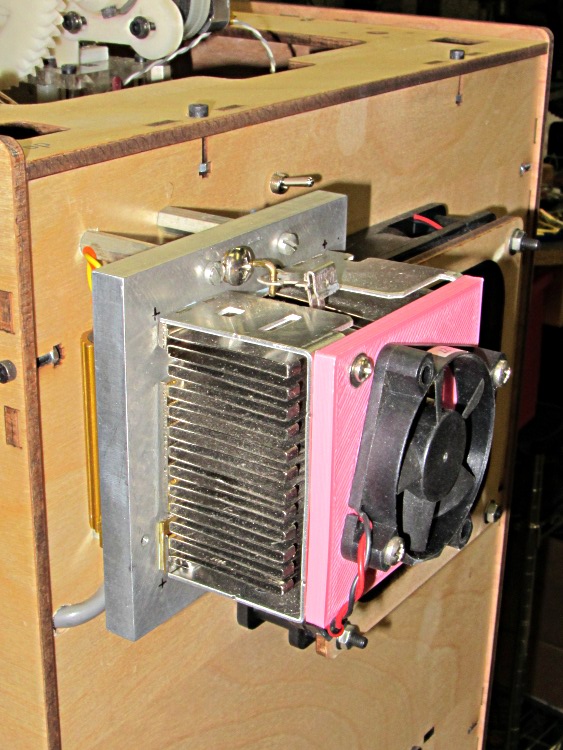
    Dummy load fan replacement
    Dummy load fan replacement

    The fan on the dummy load that consumes the required minimum current to keep the ATX power supply happy wasn’t starting up reliably. That’s not surprising: I connected it to 5 V rather than the rated 12 V, because the load heatsink needs just a whisper of air flow to stay barely above room temperature, so it’s barely turning over and has no spare torque at all.

    It turns out the heatsink really doesn’t need any forced air flow, despite having the fins oriented crosswise. Without the fan, it stabilizes just above comfortable-to-the-touch, a bit hotter than I’d prefer.

    While I had the hood up for the HBP rebuild, though, I swapped in another fan and the heatsink is now cool to the touch. I did clean that dust off the fins, too.

    If this one also fails at +5 V, I’ll fiddle the wiring to put it across the +12 V and +5 V supplies, where it’ll see 7 V. That should improve its disposition…