The Smell of Molten Projects in the Morning

Ed Nisley's Blog: Shop notes, electronics, firmware, machinery, 3D printing, laser cuttery, and curiosities. Contents: 100% human thinking, 0% AI slop.

Tag: Slipstick

  • Drag Knife Blade Wear

    Drag Knife Blade Wear

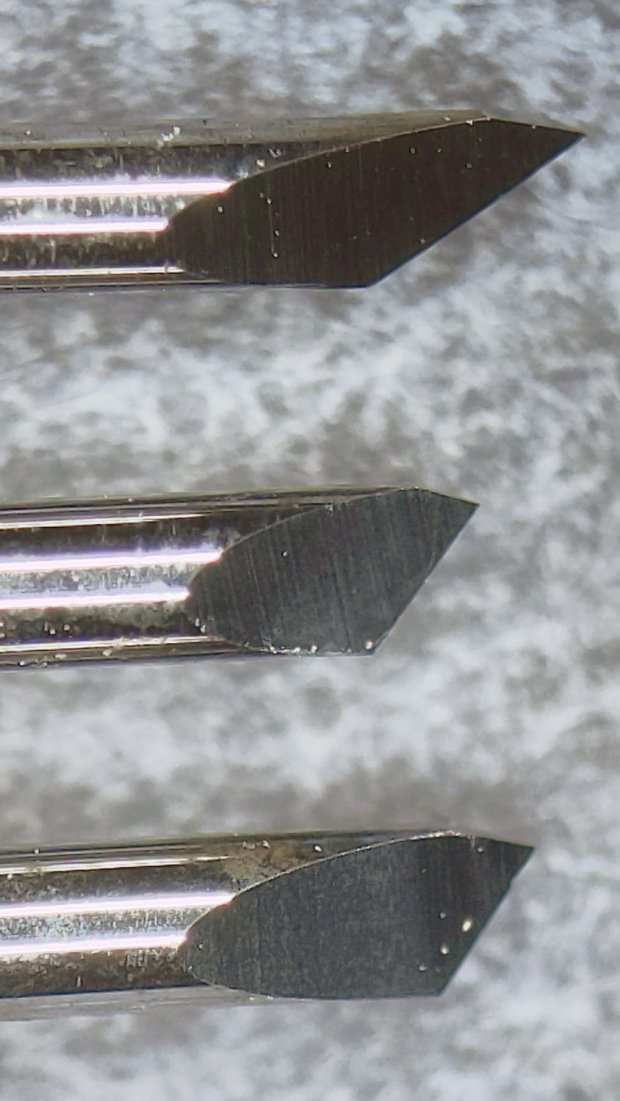
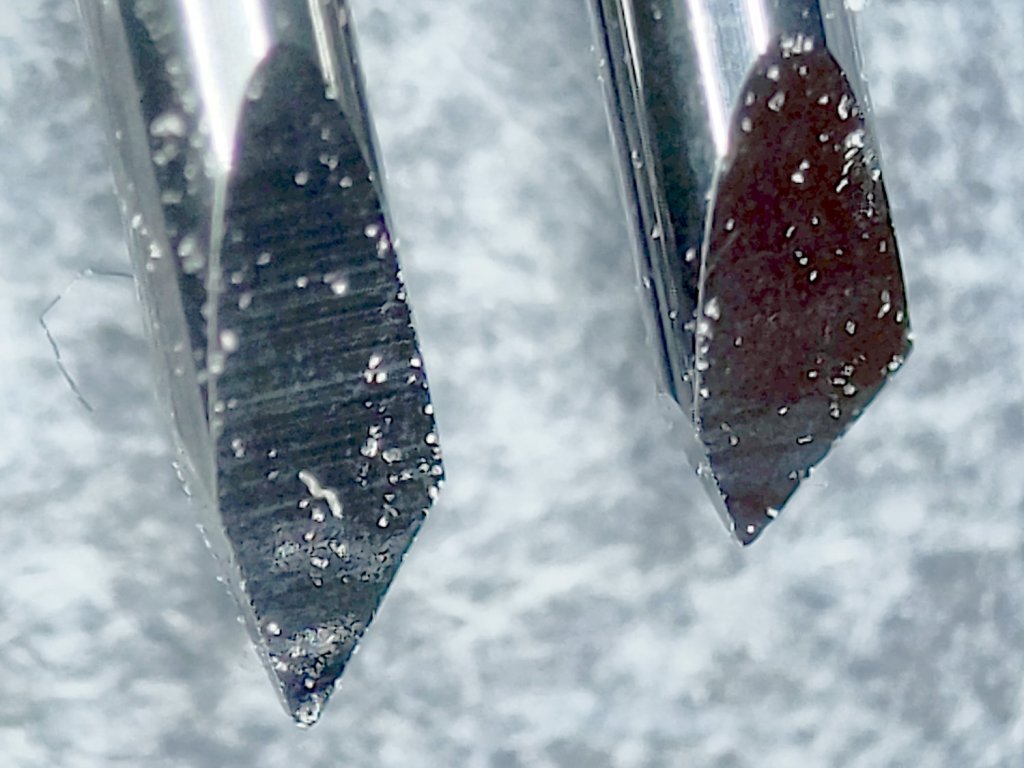
    Having used the same two drag knife blades intermittently over the last three-ish years, I wondered just how worn they’d gotten:

    Drag Knife Blades - sides
    Drag Knife Blades – sides

    For scale, the cylindrical part of the blade is 1.0 mm OD.

    The blade with the longer face (left above and bottom below) has seen the most use and is definitely rounded at the tip:

    Drag Knife Blades - tips
    Drag Knife Blades – tips

    Three unused blades have sharp tips:

    Drag Knife Blades - unused 60 45 30 degree
    Drag Knife Blades – unused 60 45 30 degree

    From the top, the (nominal) blade angles are 60°, 45°, and 30°, generally indicated by yellow, red, and blue plastic caps. However, various eBay sellers disagree on how to measure the angle (up from surface / outward from axis) and which cap colors correspond to which angles.

    The unused 45° blade bracketed by the two used blades:

    Drag Knife Blades - unused in center
    Drag Knife Blades – unused in center

    The two lower blades have angles somewhere between 30° and 45°, suggesting slack grinder and QC tolerances. If the actual angle matters to you, buy an assortment (from one seller!), measure what you get, and don’t be surprised when the results aren’t anything in particular.

    Perhaps, with careful attention to alignment in a non-pivoting / collet holder, one might scribe exceedingly narrow lines.

    The microphotographic setup:

    Drag Knife Blades - microscope stage setup
    Drag Knife Blades – microscope stage setup

    That’s the back of a sheet of carbon paper (remember carbon paper?), which is deep dark gray in normal light. It’s sitting on the sheet of 100 mil grid paper providing scale for small objects, atop the microscope stage positioner, with cold white illumination from an LED ring light.

    Protip: even worn blades remain lethally sharp …
  • Slide Rules: Real Engraving vs. Pilot V5RT Pens

    A 0.5 mm Pilot V5RT pen produces good-looking results on presentation-grade paper:

    Tek CC - V5RT black - glossy presentation paper
    Tek CC – V5RT black – glossy presentation paper

    Peering through a measuring magnifier shows a bit more tremble in the traces, but they’re still OK:

    Tek CC - V5RT pen width
    Tek CC – V5RT pen width

    The desk light off to the upper left casts shadows from the reticle on the three different sheets.

    A closer view of the linear scales:

    Tek CC - V5RT pen width - detail
    Tek CC – V5RT pen width – detail

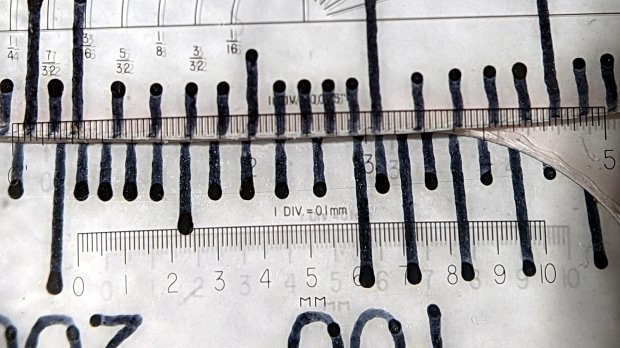
    The pen lines seem to be 0.25 to 0.3 mm wide, with 0.4 mm dots at the end of each stroke.

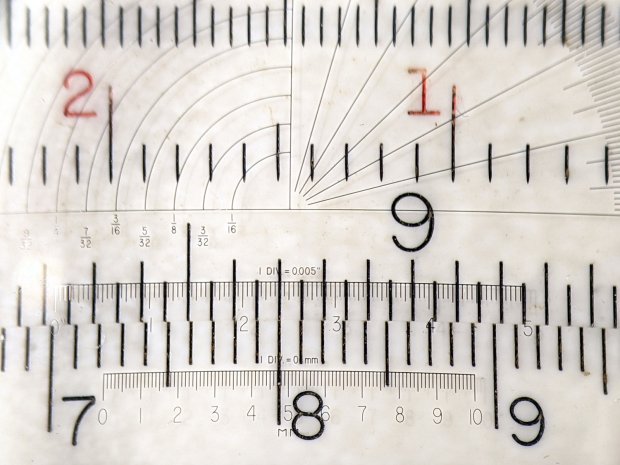
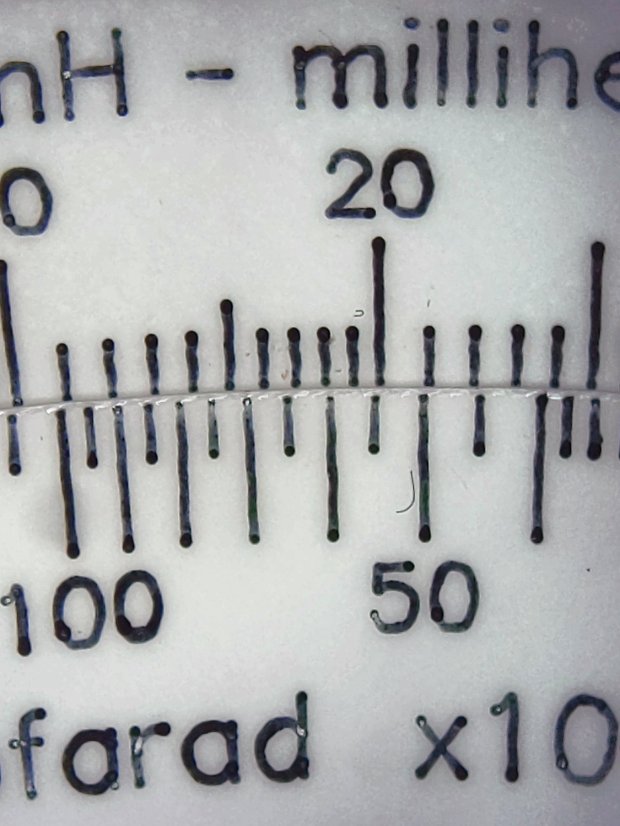
    For comparison, the engraved lines on my trusty K&E Deci-Lon slide rule are under 0.1 mm:

    KE Deci-Lon Slide Rule - scale detail
    KE Deci-Lon Slide Rule – scale detail

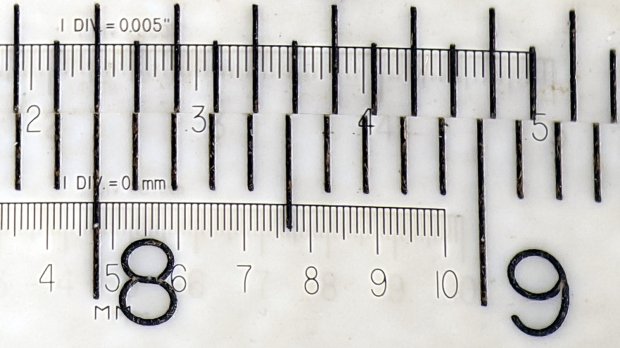
    The digits look like they’re embossed into the surface with shaped punches, rather than engraved like the lines. Of course, I don’t know how K&E’s production machinery worked.

    A closer view:

    KE Deci-Lon Slide Rule - scale detail - digits
    KE Deci-Lon Slide Rule – scale detail – digits

    I think 0.1 mm is an aggressively narrow trace width, even for a laser engraver.

  • Homage Tek CC: Subscripts & Superscripts

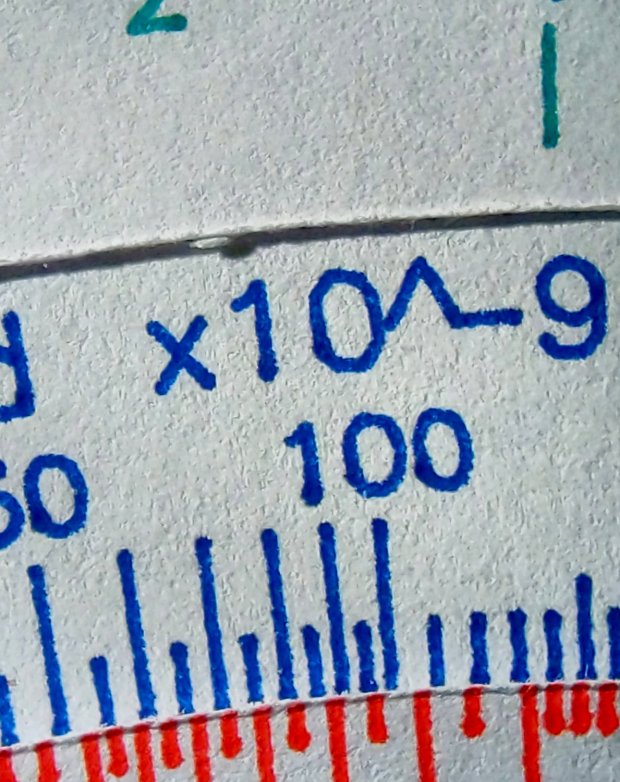
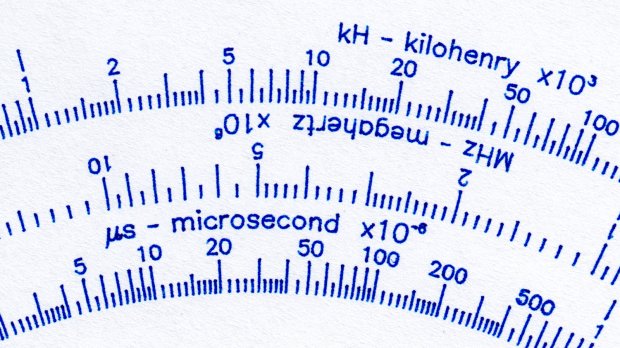
    The GCMC typeset() function converts UTF-8 text into a vector list, with Hershey vector fonts sufficing for most CNC projects. The fonts date back to the late 1960s and lack niceties such as superscripts, so the Homage Tektronix Circuit Computer scale legends have a simpler powers-of-ten notation:

    Tek CC - Pilot V5 - plain paper - red blue
    Tek CC – Pilot V5 – plain paper – red blue

    Techies understand upward-pointing carets, but … ick.

    After thinking it over, poking around in the GCMC source code, and sketching alternatives, I ruled out:

    • Adding superscript glyphs to the font tables
    • Writing a text parser with various formatting commands
    • Doing anything smart

    Because I don’t need very many superscripts, a trivial approach seemed feasible. Start by defining the size & position of the superscript characters:

    SuperScale = 0.75;                                       // superscript text size ratio
    SuperOffset = [0mm,0.75 * LegendTextSize.y];            //  ... baseline offset
    

    Half-size characters came out barely readable with 0.5 mm Pilot pens:

    Tek CC - Superscript test - 0.5x
    Tek CC – Superscript test – 0.5x

    They’re legible and might be OK with a diamond drag point.

    They work better at 3/4 scale:

    Tek CC - Superscript test - 0.75x
    Tek CC – Superscript test – 0.75x

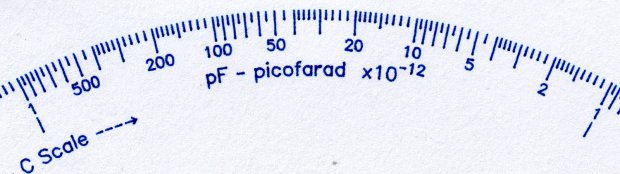
    Because superscripts only occur at the end of the scale legends, a truly nasty hack suffices:

    function ArcLegendSuper(Text,Super,Radius,Angle,Orient) {
    
      local tp = scale(typeset(Text,TextFont),LegendTextSize);
    
      tp += scale(typeset(Super,TextFont),LegendTextSize * SuperScale) + SuperOffset + [tp[-1].x,0mm];
    
      local tpa = ArcText(tp,[0mm,0mm],Radius,Angle,TEXT_CENTERED,Orient);
    
      feedrate(TextSpeed);
      engrave(tpa,TravelZ,EngraveZ);
    }
    

    The SuperScale constant shrinks the superscript vectorlist, SuperOffset shifts it upward, and adding [tp[-1].x,0mm] glues it to the end of the normal-size vectorlist.

    Yup, that nasty.

    Creating the legends goes about like you’d expect:

      ArcLegendSuper("pF - picofarad  x10","-12",r,a,INWARD);
    

    Presenting “numeric” superscripts as text keeps the option open for putting non-numeric stuff up there, which seemed easier than guaranteeing YAGNI.

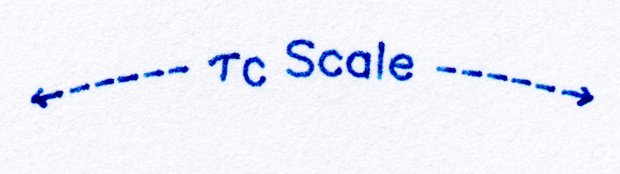
    A similar hack works for subscripts:

    Tek CC - Subscript test - 0.75x
    Tek CC – Subscript test – 0.75x

    With even more brutal code:

      Sub_C = scale(typeset("C",TextFont),LegendTextSize * SubScale) + SubOffset;
    
    <<< snippage >>>
    
        tp = scale(typeset("←----- τ",TextFont),LegendTextSize);
        tp += Sub_C + [tp[-1].x,0mm];
        tp += scale(typeset(" Scale -----→",TextFont),LegendTextSize) + [tp[-1].x,0mm];
    

    The hackage satisfied the Pareto Principle, so I’ll declare victory and move on.

  • Homage Tek CC Cursor: Pivot Milling

    A test to mill the pivot hole in 0.5 mm PETG sheet worked perfectly:

    Tek CC - cursor pivot hole milling
    Tek CC – cursor pivot hole milling

    The cutter is a 3.175 mm = 1/8 inch router bit, one of a ten-pack that came with the CNC 3018 and to which I have no deep emotional attachment, held in a collet in the Sherline. The hole is 5.5 mm to fit an eyelet. The PETG is taped to a thin plywood scrap.

    The hole happened by feeding G-Code manually into LinuxCNC, after touching off XYZ=0 at the center of the pivot and jogging up a bit:

    g0 y-1.1625
    f1000
    g0 z0.5
    g2 p5 z-1.5 i0 j1.1625

    Yes, I engraved the hairline using a diamond drag tool on the CNC 3018, cut the cursor outline with a drag knife on the MPCNC, then milled the pivot hole on the Sherline. This seems way over the top, even to me, but that’s just how the tooling worked out right now.

    In actual practice, I’d probably mill a stack of cursors and pivot holes on the Sherline in one setup, then engrave the hairlines in a suitable fixture. I think I know enough to fit a spring-loaded diamond drag bit into the Sherline’s 10 mm ID spindle or, worst case, conjure a block for the Z-axis carrier in place of the entire spindle mount.

    At least now I can remember what I did to make the hole.

  • Homage Tektronix Circuit Computer: Colored Scales

    Although the original Tektronix Circuit Computer had relentlessly monochrome scales, a dash of color added a festive holiday look:

    Tek CC - Pilot V5 - color test overview
    Tek CC – Pilot V5 – color test overview

    Well, OK, that’s excessive.

    The intent was to see how the pens behaved, with an eye toward accenting general-purpose circular slide rule scales with a few colored characters.

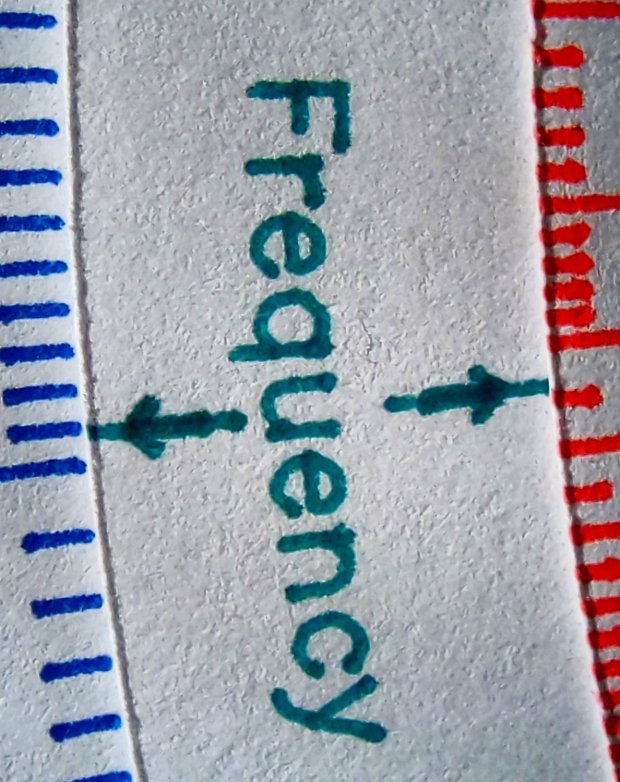
    The green pen shows how I built the arrows by drawing a line through vertical arrow characters:

    Tek CC - Pilot V5 - plain paper - letters
    Tek CC – Pilot V5 – plain paper – letters

    I like blue ink entirely too much, having used a blue pen as my daily writer for most of my adult life:

    Tek CC - Pilot V5 - plain paper - red blue
    Tek CC – Pilot V5 – plain paper – red blue

    Red ink for “backwards” scales and suchlike would work well, even if it’s too vivid for the tick marks:

    Tek CC - Pilot V5 - plain paper - red green
    Tek CC – Pilot V5 – plain paper – red green

    Those are all on unlaminated plain paper, with plenty of room for improvement.

    Seeing as how I’d be doing all the “tool changes” manually, optimizing the plotting sequence would be mandatory: one pen change per color per deck!

  • CNC 3018XL: Pen Variations

    Cheap 1 mm pens produce scratchy lines:

    CNC 3018 - Cheap pen - plain paper
    CNC 3018 – Cheap pen – plain paper

    More expensive 0.5 mm Pilot Precise V5RT pens produce well-filled lines:

    CNC 3018 - Pilot V5RT - plain paper
    CNC 3018 – Pilot V5RT – plain paper

    Both of those are on plain paper. Better paper would surely improve the results, while moving the cheap pen further into sow’s ear territory.

    For reference, the cheap pens use a collet holder:

    CNC3018 - Collet pen holder - assembled
    CNC3018 – Collet pen holder – assembled

    The Pilot V5RT pens use a custom holder:

    Pilot V5RT holder - installed
    Pilot V5RT holder – installed

    A 3D printer really simplifies making things!

  • Homage Tektronix Circuit Computer: Eyelet Pivot

    Although a sex bolt works as a central pivot, even the shortest one available in a cheap assortment is too long for three paper decks and an acrylic cursor:

    Tek CC - radial text example
    Tek CC – radial text example

    An eyelet / grommet intended for leather crafting works better:

    Tek CC - eyelet pivot - front
    Tek CC – eyelet pivot – front

    That’s the front side, with the stylin’ rounded head, in “gunmetal” gray. The shank is 5 mm ID (the advertised size), 5.5 mm (-ish) OD, 4 mm long beyond the 10 mm OD head. All dimensions vary unpredictably between sellers, so expect nothing in particular and you won’t be disappointed.

    The back side gets the washer:

    Tek CC - eyelet pivot - rear
    Tek CC – eyelet pivot – rear

    The entire stack is 1.7 mm tall: three 0.4 mm laminated decks and the 0.5 mm polypropylene cursor. The 4 mm shank length seems excessive, but works out well in practice, even if I need more practice at smoothly swaging shank over washer. It’s sufficiently good looking in person.

    Note: the washer goes on convex side outward!

    The set includes a hole punch suitable for leather work and slightly too small for paper, plus the swaging punch and die required for the washer.