The Smell of Molten Projects in the Morning

Ed Nisley's Blog: Shop notes, electronics, firmware, machinery, 3D printing, laser cuttery, and curiosities. Contents: 100% human thinking, 0% AI slop.

Tag: Repairs

If it used to work, it can work again

  • Kensington Expert Mouse Scroll Ring: More Data Points

    Kensington Expert Mouse Scroll Ring: More Data Points

    A note from Alan adds more data about troubleshooting problems with the classic Kensington Expert Mouse trackball scroll ring:

    I have two comments and a question: first I made the mistake of purchasing 4 used expert mice on ebay etc and each had a different problem but 3 of 4 also had faulty scroll rings. 2nd: one of them was dated 2020 (a wireless version). so they definitely haven’t fixed this issue and it’s very wide spread (or maybe why shady sellers decide to part ways with their trackballs).

    question: from reading across your quotes it’s not clear but it seems like there is no real consistent fix to this issue nor a really strong conclusion as to what causes it? My futzing with a couple of these does seem to suggest that alignment of the ring makes a difference but not a lasting one.

    As far as the alignment non-fix goes, tweaking the detector position just changes the amount of light passing through the wrong side of the reversed IC, without solving the problem. That’s what we’ve all done, with essentially the same results: feels good, doesn’t last.

    Kensington (whoever they are these days) may have fixed the problem with a different quadrature detector oriented in the proper direction, but that’s not something we civilians can accomplish.

    It should be possible to unsolder the reversed detector (if, indeed, it is), aim the lens (if that’s what it is) at the emitter, then somehow resolder the leads to the same pads. Perhaps flip it to put the leads on the top, away from the PCB, secure it with a generous blob of hot-melt glue, and connect jumpers from pads to leads?

    So far, the two new-ish units on my desks continue to work well, depriving me of sufficient motivation to dig into my junkers.

    If anybody is willing to hack their defunct trackball, please let us all know what happened!

    Because you may be reading this in our future, comments on this particular post will probably have been disabled to reduce the attack surface for spammers. Send me an email / use the comment form (linky over on the right), or comment on the post of the day and I’ll sort it out. Thanks!

  • Wheelbarrow Wheel Transplant

    Wheelbarrow Wheel Transplant

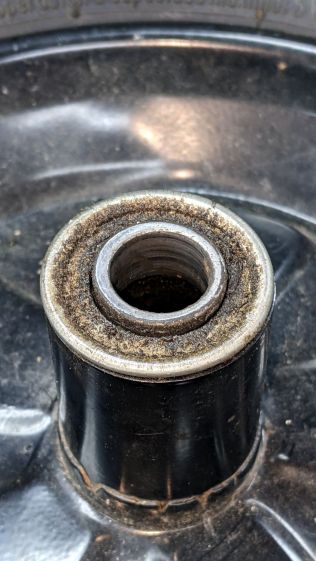
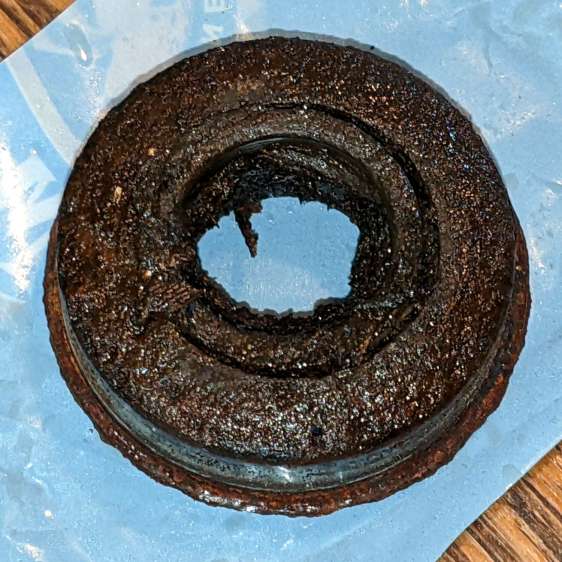
    The rubber in pneumatic tires / tubes rots when left out in the open for a year or three, so I volunteered to replace the dead-flat tire (on the wheelbarrow I rebuilt last year) with the “flat free” solid foam tire+wheel harvested from an irreparably damaged wheelbarrow. Which, as it turned out, had lost one bearing and the remaining bearing wasn’t in good shape:

    Wheelbarrow Wheel - victim bearing
    Wheelbarrow Wheel – victim bearing

    The bearings in the pneumatic wheel were in comparatively good shape:

    Wheelbarrow Wheel - donor bearing
    Wheelbarrow Wheel – donor bearing

    So I knocked the good bearings out, cleaned up / re-lubed them with squirts from my lifetime supply of genuine Mobil Vactra No. 2 Sticky Way Oil, and hammered tapped them into the solid-tire wheel.

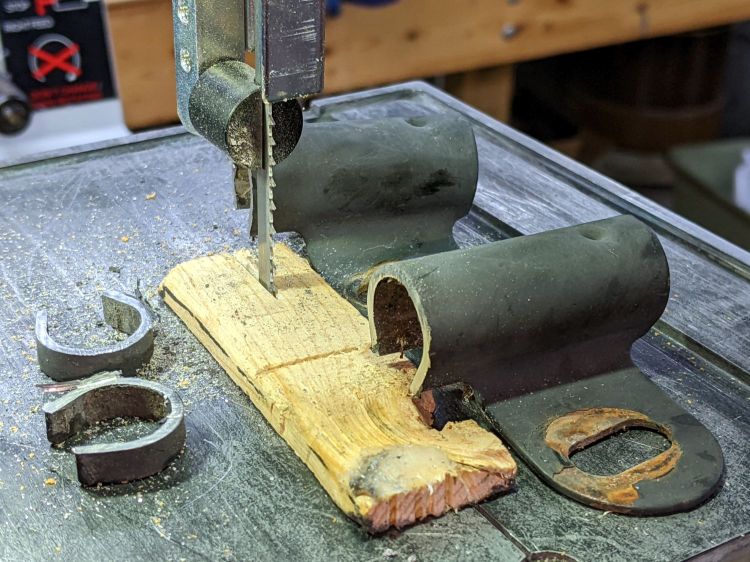
    Whereupon I discovered the two wheels have different hub lengths and, unfortunately, the axle clamps in the recipient wheelbarrow lacked enough adjustment range.

    Well, I can fix that:

    Wheelbarrow Wheel - axle clamp cutting
    Wheelbarrow Wheel – axle clamp cutting

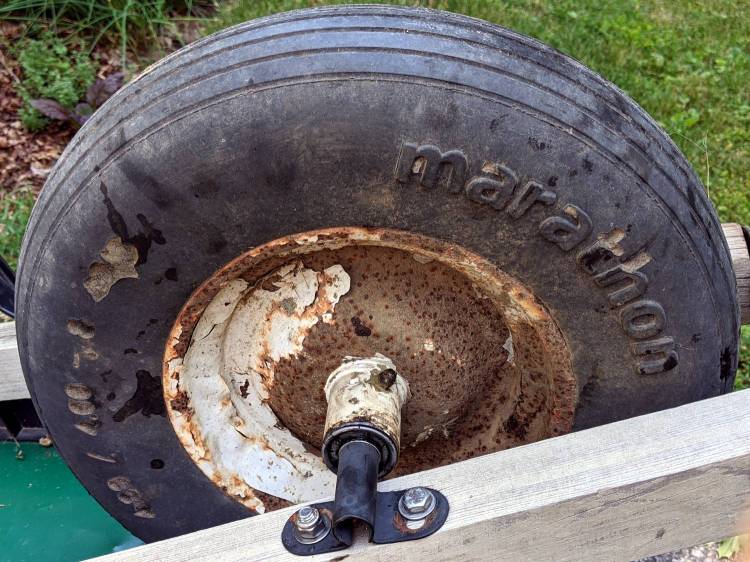
    I briefly considered cleaning and repainting the wheel, but came to my senses when I considered the tire’s condition:

    Wheelbarrow Wheel - transplanted
    Wheelbarrow Wheel – transplanted

    I suppose when the tread flakes off, the interior foam will rapidly erode, but we’ll burn that bridge when we encounter it.

    The alert reader will have immediately noted the grease fitting on that rusty wheel: you’re supposed to periodically fill the entire hub with sufficient grease to push the crud out of the bearings. IMO, that’s so deep in silk purse territory as to be irrelevant.

    The remaining useful parts from the defunct wheelbarrow will, most likely, come to good use next year …

  • Lawn Chair Re-strapping: Countdown Hold

    Lawn Chair Re-strapping: Countdown Hold

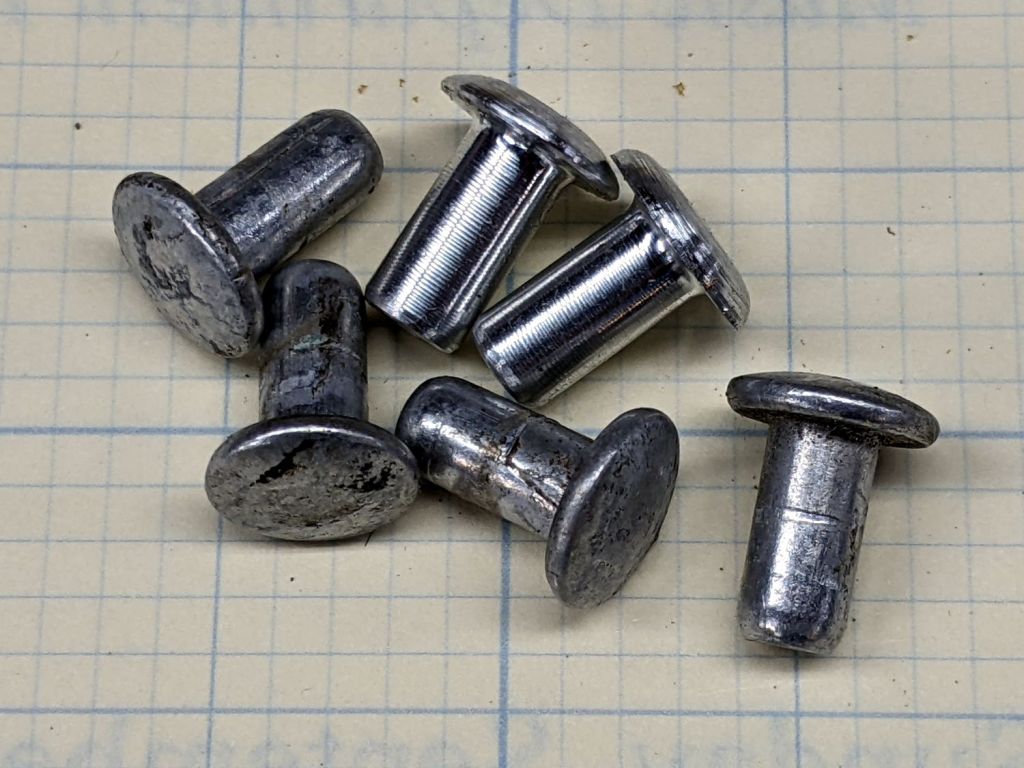
    I planned to replace the vinyl straps on our set of (salvaged) lawn / patio chairs and made a pair of rivets for one long-missing strap:

    Lawn chair strap rivets
    Lawn chair strap rivets

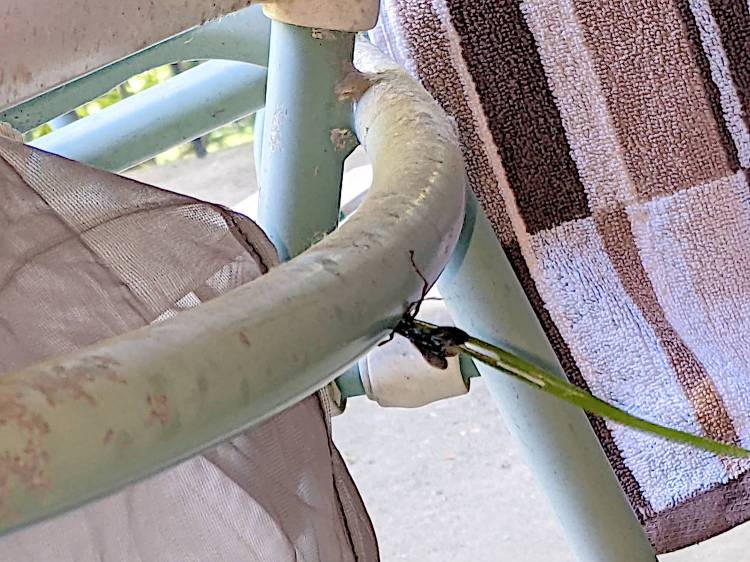
    The overall project is on indefinite hold, as a Steel-blue Cricket Hunter (*) has decided at least one of the chairs is an ideal place to start a family:

    Lawn chair - wasp nest under construction
    Lawn chair – wasp nest under construction

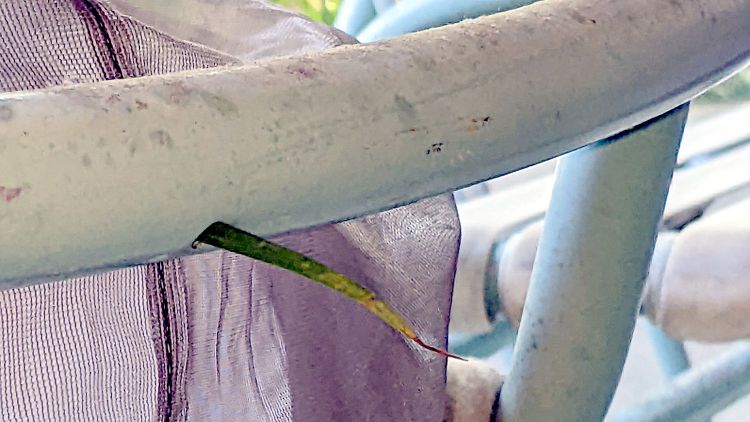
    The patio under the chair is littered with blades of grass and twigs that didn’t quite fit through the 5 mm vent hole in the tube, but that long stem went in just fine:

    Lawn chair - wasp nest grass stem
    Lawn chair – wasp nest grass stem

    We have seen the wasp airlifting crickets near the chair, so provisioning has begun. The cricket seemed not only larger than the hole, but also larger than the wasp; we assume the wasp knows what she’s doing.

    The new wasp will hatch this year, pupate over the winter, then hatch and emerge next summer, but I plan to replace the straps after the construction season ends.

    I have no idea how to clean out whatever’s accumulating in there …

    (*) I learned them as Steel-blue Cricket Killer, but the crickets are just paralyzed, not completely dead.

  • Bathroom Sink Pop-up Drain Rod Status

    Bathroom Sink Pop-up Drain Rod Status

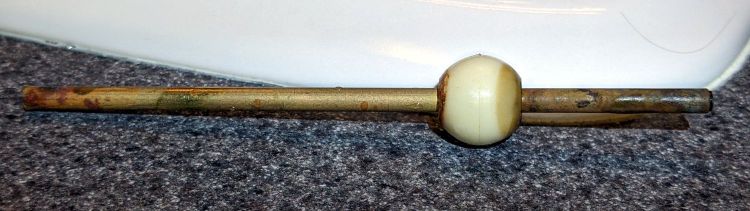
    Three years later, the bathroom drain stopper once again disconnected from the pop-up rod and gave me a chance to inspect how the brass is surviving:

    Bathroom drain pop-up pivot
    Bathroom drain pop-up pivot

    After five years, the epoxy plug is either creeping out of the end or the end is corroding back a bit, but there’s plenty more where that came from.

    The original steel rod disintegrated after nine years, so it’s still a horse race.

  • Miroco LED Floor Lamp: MOSFET Replacement

    Miroco LED Floor Lamp: MOSFET Replacement

    The only LED floor lamp I bought which didn’t require extensive hackery to lower the business end to suit Mary’s preferences failed after two years. The warm white LEDs continued to work fine:

    Miroco LED Floor Lamp - warm white LEDs
    Miroco LED Floor Lamp – warm white LEDs

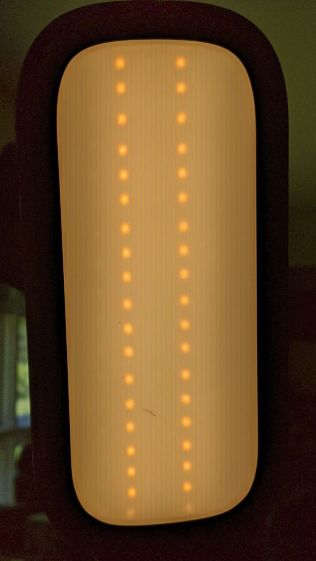
    But the cool white LEDs were permanently on at a very low level and did not respond to any of the brightness controls:

    Miroco LED Floor Lamp - cool white LEDs
    Miroco LED Floor Lamp – cool white LEDs

    You can’t tell, but the cool whites are on in the first picture, too.

    The symptoms suggested the driver transistor for the cool whites has failed partially on, although I’d expect it to be either a dead short or completely open.

    The lamp being a year or more out of warranty and having come from one of the myriad Amazon sellers banned during the Great Paid Review Purge, there’s nothing to do but remove the four screws from the back of the control lump and see what’s inside:

    Miroco LED Floor Lamp - PCB packing
    Miroco LED Floor Lamp – PCB packing

    How this was assembled I cannot say, because the three wires going to the LED head (on the far right) have less than an inch of slack. Maybe they pulled wire into the head while screwing things together?

    I think the HC8T1212 microcontroller sticking out of the foam is a distant descendant of the Motorola (remember Motorola?) MC68HC05 family. I’m mildly surprised they didn’t use a 32-bit ARM / MIPS / whatever micro, with WiFi capability and a strong desire to siphon my private bits.

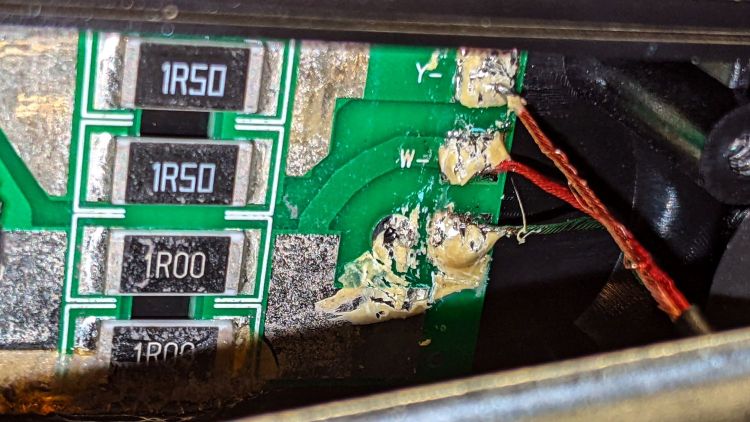
    The two pieces of closed-cell foam seemed firmly glued to the PCB, but eventually yielded to brute force. Scraping brittle yellowish goo off the right end revealed the LED ballast resistors and the wire labels:

    Miroco LED Floor Lamp - ballast resistors - LED wiring
    Miroco LED Floor Lamp – ballast resistors – LED wiring

    Note the bar-taut Y- wire going to the warm-white (“yellow”?) LEDs.

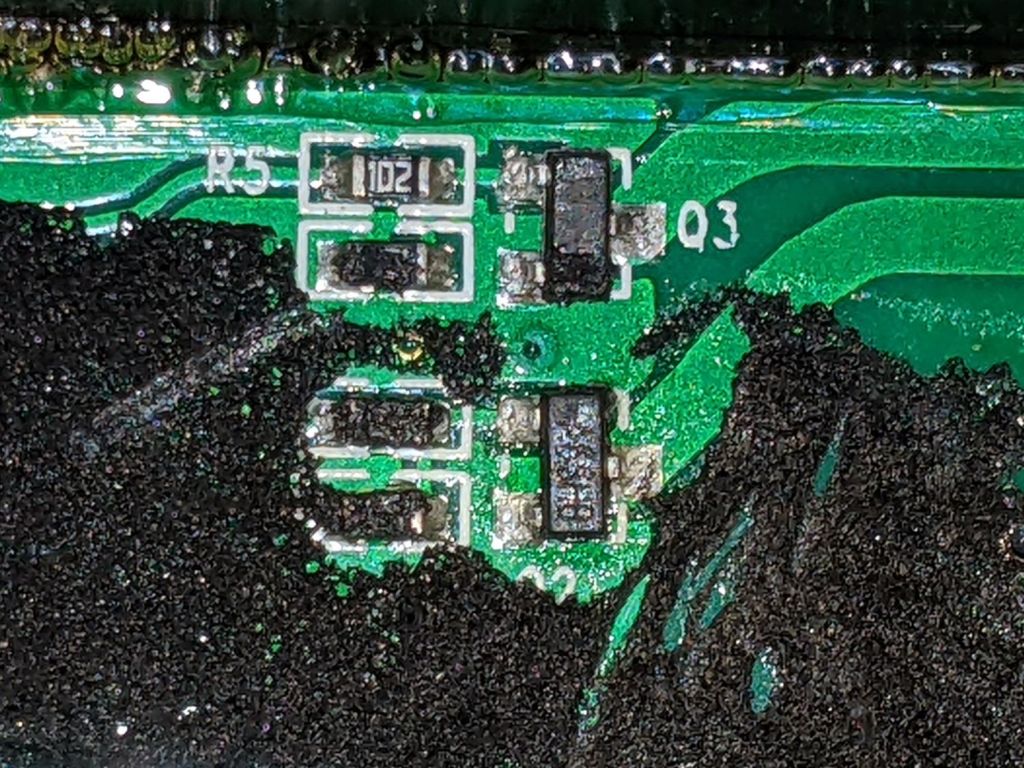
    The black foam left a mess over most of the PCB, but diligent scraping eventually revealed the driver transistors:

    Miroco LED Floor Lamp - A6SHB MOSFETs
    Miroco LED Floor Lamp – A6SHB MOSFETs

    You can’t read it, but the topmarks were A6SHB: an old Siliconix (remember Siliconix?) SI2306 30 V / 3 A MOSFET. Turns out you can get new-production SI2306 transistors from the usual Asian foundries through eBay, which I did.

    It’s not the neatest soldering job ever, but it’ll suffice:

    Miroco LED Floor Lamp - A6SHB MOSFET replaced
    Miroco LED Floor Lamp – A6SHB MOSFET replaced

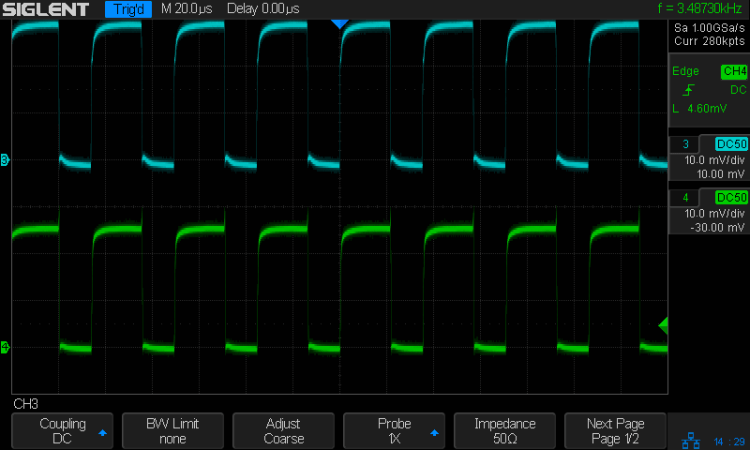
    The colorful wires over on the right added enough length for a pair of Tek current probes:

    Miroco LED Floor Lamp - 200 mA-div
    Miroco LED Floor Lamp – 200 mA-div

    The top (cyan) trace is the (repaired) cool LEDs, drawing 600 mA from the 10 V supply, so the 0.5 Ω ballast dissipates 180 mW. The bottom (green) trace is the warm LEDs at 500 mA through a 0.75 Ω ballast for 190 mW. That end of the control lump does feel a bit warm after a while, but nothing out of the ordinary.

    Stuff the foam back in place, tuck the longer wires around the edges, snap the cover in place, reinstall the screws, and the lamp is at least as good as new.

  • LitUp LED Light Pad: Direct Wiring

    LitUp LED Light Pad: Direct Wiring

    Unfortunately, reinforcing the USB Micro-B jack on the side of the LitUp LED Light Pad only delayed the inevitable: the light became erratic even without the slightest touch. The pad consists of three acrylic sheets glued together around the entire perimeter, so there’s no way to get access to the no-user-serviceable-parts within. Apparently, you’re supposed to just throw it out.

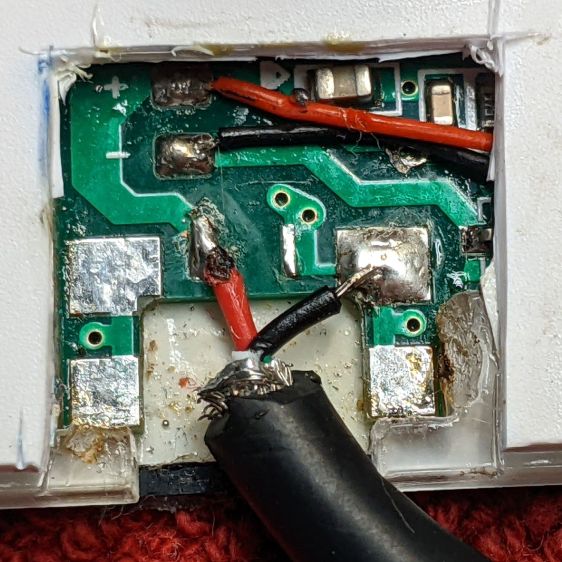
    On the other paw, it’s already dead, so there’s nothing to lose:

    LitUp LED Light Pad - failed USB jack
    LitUp LED Light Pad – failed USB jack

    A little deft razor knife work chopped through the rear sheet without doing any (more) damage to the PCB within. The LEDs can still be convinced to light, but the USB jack is definitely wrecked.

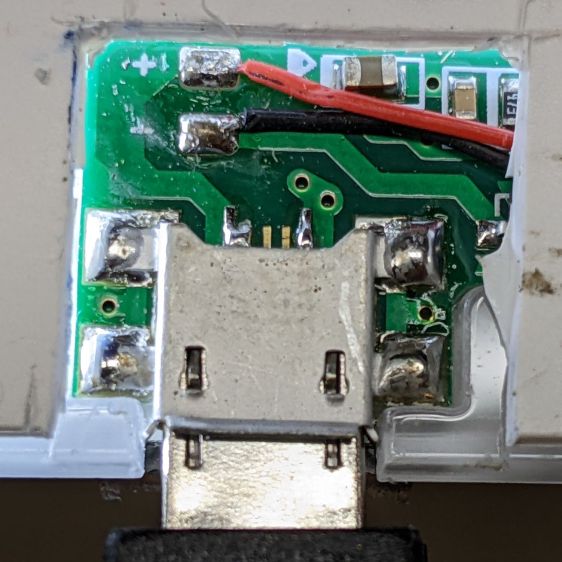
    Applying some ChipQuik let me extract the jack without (too much) more damage. Rather than replace it, I just soldered a pigtail USB cable to the obvious PCB pads:

    LitUp LED Light Pad - direct power wiring
    LitUp LED Light Pad – direct power wiring

    If I’d noticed that little solder ball, I’d have removed it before filling the cavity with hot melt glue and squishing the cut-out piece of white acrylic in place.

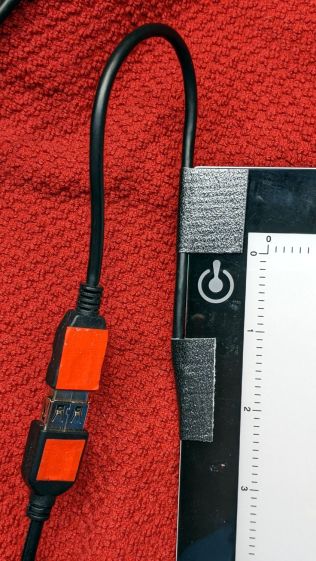
    A little black duct tape should keep the wiring stable enough for the foreseeable future:

    LitUp LED Light Pad - redirected cable
    LitUp LED Light Pad – redirected cable

    That was another (relatively) easy zero-dollar repair that should not be necessary.

  • Replacement Muntin Clips

    Replacement Muntin Clips

    Terminology I had to look up:

    • Window: something in a wall you can see through
    • Sash: a sliding panel in a window
    • Mullion: vertical post separating two windows
    • Muntin: strips separating glass panes in a sash

    TIL: Muntin, which I’d always known was called a Mullion.

    With that as preface, one of Mary’s quilting cronies lives in a very old house updated with vinyl windows sporting wood muntins arranged in a grille. The wood strips forming the grille end in plastic clips that snap into the sash, thereby holding the grill in place to make the window look more-or-less historically correct, while not being a dead loss as far as winter heating goes.

    Time passed, sun-drenched plastic became brittle, and eventually enough clips broke that the grilles fell out. An afternoon quilting bee produced a question about the possibility of making a 3D printed clip, as the original manufacturer is either defunct or no longer offers that particular style of clip as a replacement part.

    Well, I can do that:

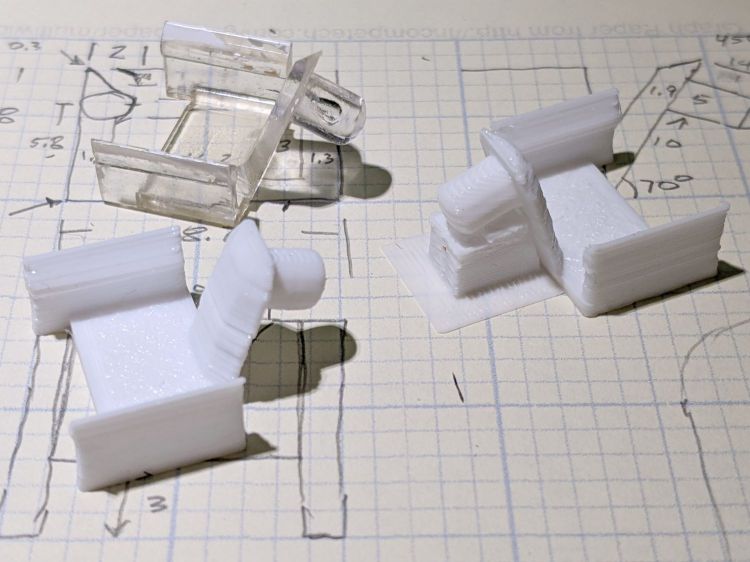
    Window Muntin Clips
    Window Muntin Clips

    The original is (obviously) the transparent injection-molded part in the upper left. The other two come hot off the M2’s platform, with the one on the right showing the support material under the sash pin.

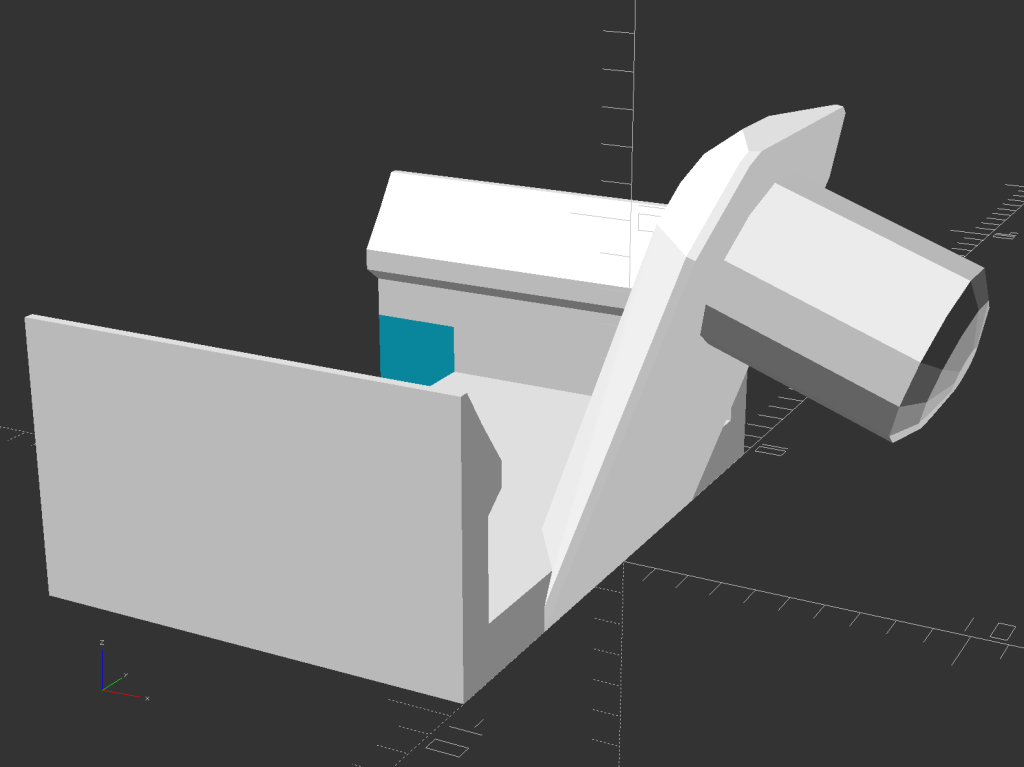
    The solid model looks about like you’d expect:

    Window Muntin Clip - solid model
    Window Muntin Clip – solid model

    There is obviously no way to build it without support material, so I painted the bottom facet of the sash pin with a PrusaSlicer support enforcer:

    Window Muntin Clip - PrusaSlicer
    Window Muntin Clip – PrusaSlicer

    The pin comes out slightly elongated top-to-bottom, but it’s still within the tolerances of the original part and ought to pop right into the sash. We’ll know how well it works shortly after the next quilting bee.

    The doodle with useful measurements amid some ideas that did not work out:

    Window Muntin Clip - Dimension Doodle
    Window Muntin Clip – Dimension Doodle

    The OpenSCAD source code as a GitHub Gist:

    // Window Muntin Clips
    // Ed Nisley KE4ZNU June 2022
    Layout = "Show"; // [Build, Show]
    /* [Hidden] */
    ThreadThick = 0.25;
    ThreadWidth = 0.40;
    HoleWindage = 0.2;
    Protrusion = 0.1; // make holes end cleanly
    inch = 25.4;
    ID = 0;
    OD = 1;
    LENGTH = 2;
    function IntegerMultiple(Size,Unit) = Unit * ceil(Size / Unit);
    //———————-
    // Dimensions
    ClipOA = [13.0,18.7,8.0];
    TongueAngle = 70;
    TongueOA = [14.0,10.0,1.8 – 0.2]; // minus Z windage for angular slices
    BuildGap = 5.0;
    //———————-
    // Useful routines
    module PolyCyl(Dia,Height,ForceSides=0) { // based on nophead's polyholes
    Sides = (ForceSides != 0) ? ForceSides : (ceil(Dia) + 2);
    FixDia = Dia / cos(180/Sides);
    cylinder(r=(FixDia + HoleWindage)/2,
    h=Height,
    $fn=Sides);
    }
    //———————-
    // Pieces
    module Shell() {
    // Clip base as 2D polygon
    // Magic numbers from measurements
    cx = ClipOA.x;
    cy = ClipOA.y;
    cz = ClipOA.z;
    ClipPts = [
    [0,0],[0,cz],[0.3,cz],
    [1.0,cz-1.0],[2.0,cz-2.3],[2.0,cz-3.0],[1.3,cz-3.5],
    [1.3,1.6],[17.4,1.6],
    [17.4,cz-3.5],[16.7,cz-3.0],[16.7,cz-2.3],[17.7,cz-1.0],
    [18.4,cz],[18.7,cz],[18.7,0.0],[0,0]
    ];
    difference() {
    translate([-ClipOA.x,-ClipOA.y/2,0])
    rotate([90,0,90])
    linear_extrude(height=ClipOA.x,convexity=3)
    polygon(convexity=3,points=ClipPts);
    translate([-(ClipOA.x – 3.0/2 + Protrusion),0,0])
    cube([3.0 + Protrusion,ClipOA.y – 2*1.3,4*1.6],center=true);
    }
    }
    module Tongue() {
    tx = TongueOA.x;
    ty = TongueOA.y;
    tz = TongueOA.z;
    tt = ty – 2*sqrt(2)*tz; // width at top of tapers
    td = ThreadWidth; // min size of features
    intersection() {
    rotate([0,-TongueAngle,0]) {
    difference() {
    union() {
    hull() {
    for (j=[-1,1]) {
    translate([td/2,j*(ty – td)/2,td/2])
    cube(td,center=true);
    translate([td/2,j*(tt – td)/2,tz – td/2])
    cube(td,center=true);
    }
    translate([10.0,0,0])
    rotate(180/12)
    cylinder(d=ty,h=td,center=false,$fn=12);
    translate([10.0,0,tz – td/2])
    rotate(180/12)
    cylinder(d=tt,h=td,center=false,$fn=12);
    };
    translate([10.0,0,-5.2])
    rotate(180/12)
    cylinder(d=5.0,h=5.2,center=false,$fn=12);
    translate([10.0,0,-5.2])
    rotate(180/12)
    resize([0,0,2.0])
    sphere(d=5.0/cos(180/12),$fn=12);
    }
    if (false)
    translate([10.0,0,-10]) // stiffening hole
    rotate(180/6)
    PolyCyl(0.1,20,6);
    }
    }
    cube([2*ClipOA.x,2*ClipOA.y,2*IntegerMultiple(13.0,ThreadThick)],center=true);
    }
    }
    module Clip() {
    Shell();
    Tongue();
    }
    //———————-
    // Build it
    if (Layout == "Show") {
    Clip();
    }
    if (Layout == "Build") {
    Clip();
    }