The Smell of Molten Projects in the Morning

Ed Nisley's Blog: Shop notes, electronics, firmware, machinery, 3D printing, laser cuttery, and curiosities. Contents: 100% human thinking, 0% AI slop.

Tag: Repairs

If it used to work, it can work again

  • Kenmore Gas Range Control: Solder Joint Failure

    Kenmore Gas Range Control: Solder Joint Failure

    The entire control panel of our longsuffering Kenmore gas range became increasingly erratic, eventually reaching the condition where touching the upper right corner would blank the display, touching the lower right corner would restore it, and gently touching the temperature knob might elicit an F2 or F4 error code on the display. Given the symptoms, the old adage “It’s always the connectors” sprang unbidden to mind; I was pretty sure the oven temperature sensor had nothing to do with it.

    Pulling the thing apart reveals the PCB across the back of the control panel:

    Kenmore oven control - PCB overview
    Kenmore oven control – PCB overview

    Note that all of the external connections arrive on the white power supply PCB attached over the main PCB.

    A closer look shows one of the two groups of wire interconnects between the two boards:

    Kenmore gas range - rear PCB
    Kenmore gas range – rear PCB

    There’s a similar group hidden behind the hulking transformer.

    Removing the two obvious screws and easing the PCB out of the red plastic latches made the problem instantly obvious:

    Kenmore gas range - failed solder joint
    Kenmore gas range – failed solder joint

    Yeah, that broken solder joint would definitely be touch-sensitive!

    The solder joints in the other group also show signs of fatigue:

    Kenmore gas range - broken solder joints
    Kenmore gas range – broken solder joints

    It’s of interest only the upper joints on the power supply PCB have fractured. Perhaps those ends of the wires were hand-soldered separately from the other ends in the main PCB?

    Resoldering both ends of all the wires restored perfect operation:

    Kenmore gas range - resoldered joints
    Kenmore gas range – resoldered joints

    For the record, the Kapton tape I laid over the entire control panel 2-½ years ago continues to protect the slightly cracked membrane over the pushbutton switches:

    Kenmore oven control - Kapton tape cover
    Kenmore oven control – Kapton tape cover

    Gotta love yet another zero-dollar appliance repair …

  • OMTech 60 W Laser: Key Lock FAIL

    OMTech 60 W Laser: Key Lock FAIL

    The orange indicator I added makes the key lock switch position on the OMTech 60 W laser perfectly obvious:

    Laser Power Lock Indicator - installed
    Laser Power Lock Indicator – installed

    It is in series with the lower switch on the side panel:

    OMTech Laser - rocker switch lit
    OMTech Laser – rocker switch lit

    Although I would have labeled those switches differently, the “Control Switch” handles the 120 VAC line voltage to the HV power supply. As you’d expect, when its light is ON, the power supply is also ON and the laser is ready to fire.

    Those two pictures show the situation after I turned the laser power on a few days ago: key lock switch OFF, HV laser power supply stubbornly ON.

    Whoops.

    The “Control Switch” still does what it should, so I can shut the HV supply off when it’s not needed, but the key lock switch has definitely failed ON.

    As far as I can tell, the moving contact bar jammed at the bottom of its travel against the terminals. Pulling the switch out of the laser jostled it enough to release the bar and it’s now at the top of its travel:

    OMTech Laser - key lock - side view
    OMTech Laser – key lock – side view

    If it failed once, it’ll fail again.

    OMTech’s Customer Support agrees it shouldn’t behave like that; a replacement should arrive in a few days.

  • Garden Cart Handle Pivot

    Garden Cart Handle Pivot

    For reasons not relevant here, I was tapped to replace the plastic parts attaching the handle to a garden cart:

    Garden Cart - handle attachment
    Garden Cart – handle attachment

    The owner tried to contact the “manufacturer” to no avail; repair parts are simply not available, even if the name painted on the cart had a meaningful relationship to anything else.

    Well, I can fix that:

    Garden Cart - handle repair parts
    Garden Cart – handle repair parts

    Fortunately, another cart in the fleet provided the missing bits so I could reverse-engineer their measurements.

    The solid model looks about like you’d expect:

    Garden Cart Handle - show view
    Garden Cart Handle – show view

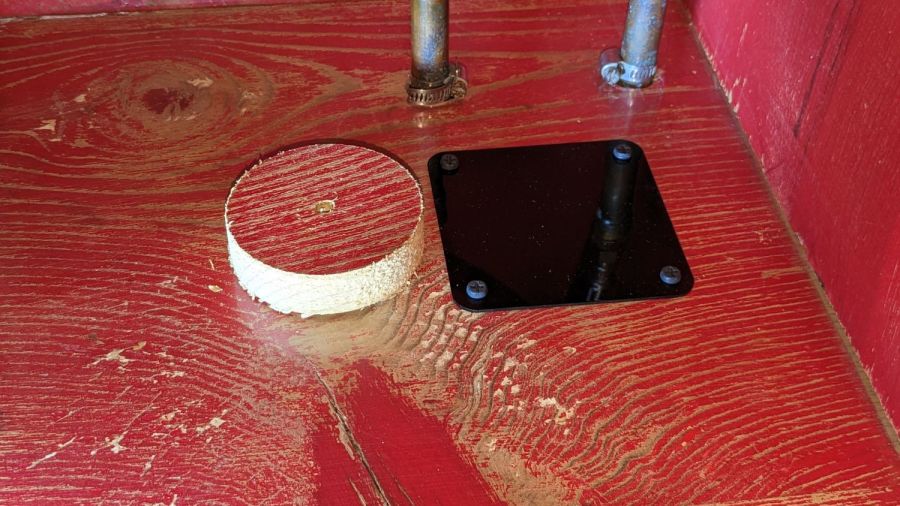
    Printing the two halves with those nice (yellow) bosses in place wasn’t feasible. They were exactly 1 inch in diameter, so I just parted two cookies from the end of a stout acetal rod after drilling a hole for the 2-¼ inch 5/16-18 bolt.

    The two pieces took nigh onto three hours with five perimeters and 50% infill:

    Garden Cart Handle - slicer preview
    Garden Cart Handle – slicer preview

    While delivering and installing the parts, I got volunteered to haul plants to cars with one of the carts during the upcoming Spring Plant Sale. That’ll teach me to stay in the Basement Shop …

    The OpenSCAD source code as a GitHub Gist:

    // Garden Cart Handle Pivot
    // Ed Nisley KE4ZNU 2022-05
    Layout = "Show"; // [Show,Build]
    /* [Hidden] */
    ThreadThick = 0.25;
    ThreadWidth = 0.40;
    HoleWindage = 0.2;
    Protrusion = 0.1; // make holes end cleanly
    inch = 25.4;
    function IntegerMultiple(Size,Unit) = Unit * ceil(Size / Unit);
    ID = 0;
    OD = 1;
    LENGTH = 2;
    //———-
    // Dimensions
    // Handle lies along X axis
    HandleOD = (7/8) * inch;
    BoltOD = (5/16) * inch;
    Washer = [BoltOD,1.0 * inch,2.0]; // just for Show
    Disk = [BoltOD,62.0,(3/16) * inch];
    ClampBase = [(1 + 7/8)*inch,(1 + 1/8)*inch,2.0];
    Kerf = 2.0;
    CornerRadius = 1.0;
    PivotOA = [Disk[OD],Disk[OD],HandleOD + 2*ClampBase.z + 2*Disk[LENGTH]];
    //———————-
    // Useful routines
    module PolyCyl(Dia,Height,ForceSides=0) { // based on nophead's polyholes
    Sides = (ForceSides != 0) ? ForceSides : (ceil(Dia) + 2);
    FixDia = Dia / cos(180/Sides);
    cylinder(d=(FixDia + HoleWindage),h=Height,$fn=Sides);
    }
    //———————-
    // Set up parts
    module Handle() {
    translate([-2*PivotOA.x,0,0])
    rotate([0,90,0])
    PolyCyl(HandleOD,4*PivotOA.x,24);
    }
    module Bolt() {
    translate([0,0,-PivotOA.z])
    PolyCyl(BoltOD,2*PivotOA.z,12);
    }
    module Pivot() {
    difference() {
    union() {
    hull()
    for (i=[-1,1], j=[-1,1]) // rounded block
    translate([i*(ClampBase.x/2 – CornerRadius),j*(ClampBase.y/2 – CornerRadius),-PivotOA.z/2])
    cylinder(r=CornerRadius,h=PivotOA.z,$fn=4*8);
    for (k=[-1,1])
    translate([0,0,k*(PivotOA.z/2 – Disk[LENGTH]/2)])
    rotate(180/36)
    cylinder(d=Disk[OD],h=Disk[LENGTH],$fn=36,center=true);
    }
    Handle();
    Bolt();
    cube([2*ClampBase.x,2*ClampBase.y,Kerf],center=true); // slice through center
    }
    }
    //———-
    // Build them
    if (Layout == "Show") {
    rotate([90,-45,0]) {
    Pivot();
    color("Green")
    translate([2*PivotOA.x – PivotOA.x/2,0,0])
    Handle();
    color("Red")
    Bolt();
    color("Yellow")
    for (k=[-1,1])
    translate([0,0,k*(PivotOA.z/2 + Washer[LENGTH])])
    rotate(180/36)
    cylinder(d=Washer[OD],h=Washer[LENGTH],$fn=36,center=true);
    }
    }
    if (Layout == "Build") {
    Offset = 5.0;
    intersection() {
    translate([-(PivotOA.x/2 + Offset),0,PivotOA.z/2])
    Pivot();
    translate([-2*PivotOA.x,-2*PivotOA.y,0])
    cube([4*PivotOA.x,4*PivotOA.y,PivotOA.z/2],center=false);
    }
    intersection() {
    translate([(PivotOA.x/2 + Offset),0,PivotOA.z/2])
    rotate([180,0,0])
    Pivot();
    translate([-2*PivotOA.x,-2*PivotOA.y,0])
    cube([4*PivotOA.x,4*PivotOA.y,PivotOA.z/2],center=false);
    }
    }

  • MTD Snowthrower Friction Drive Rebuild

    MTD Snowthrower Friction Drive Rebuild

    During the last snowstorm of the season, the venerable MTD snowthrower carved a trench out of the garage and across the driveway, then abruptly stopped moving. The motor roared and the auger turned, but the drive clutch handle had no effect, so I dragged its carcass into the garage and we completed the mission by hand.

    Popping the belly plate on the next sunny day revealed the problem: the jam nut (part 34) anchoring the Friction Disk Wheel (part 28) to the Friction Wheel Bracket Assembly (part 32) had gone missing:

    MTD Snowblower - page 26 - friction drive parts
    MTD Snowblower – page 26 – friction drive parts

    Worse, the Wheel’s threaded shaft spent some time rattling around in the Bracket while chewing up its thread:

    MTD Snowthrower - friction disk wheel - damaged thread
    MTD Snowthrower – friction disk wheel – damaged thread

    This would ordinarily be No Big Deal, but what you see of the shaft is all you get: it rotates freely in the bearing embedded in the Wheel with no way to hold it while cleaning up its threads.

    Having already promised to replace the Wheel, I installed the new Wheel using a castle nut secured with a generous dollop of red Loctite, then tapped two of its castellations into the shaft’s slot as a mechanical anchor:

    MTD Snowthrower - friction disk wheel - castle nut
    MTD Snowthrower – friction disk wheel – castle nut

    I really wanted to lay a nice hard roll pin along that slot through the nut, but there’s no convincing way to secure such a thing without a second nut. Maybe next time?

    While I had the drive train apart, the sad state of the Wheel Shift Rod Assembly (part 29) became apparent:

    MTD Snowthrower - wheel shift rod - worn
    MTD Snowthrower – wheel shift rod – worn

    I scuffed up the shiny wear mark, turned a suitable acetal bushing, filled the trench with epoxy, and squished the bushing in place:

    MTD Snowthrower - wheel shift rod - acetal bushing
    MTD Snowthrower – wheel shift rod – acetal bushing

    The flange might hold it in place against the Frame Shift Bracket (part 18), which snugly contains the rest of the bushing against the epoxy, so the whole affair might outlast the next season’s first snowstorm. We shall see.

    A nice new R-clip secures the Friction Wheel Bracket Assembly in place against the old washer:

    MTD Snowthrower - friction bracket R-pin
    MTD Snowthrower – friction bracket R-pin

    You might want to insert it the other way, but the black plastic housing above it extends just far enough to thwart your (well, my) desire.

  • Kukoke Outlet Timer: Over-powered Zener Diode

    Kukoke Outlet Timer: Over-powered Zener Diode

    If the title seems familiar, it’s because there’s no visible difference (apart from the “brand name”) between the Enover timer that failed a little over a year ago and the Kuoke timer that recently failed:

    Kukoke timer - overview
    Kukoke timer – overview

    That’s what it looked like after the repair. Prior to that, it’s just a blank display with no response to any inputs.

    Given identical hardware, the overheated phenolic PCB under the Zener diode came as no surprise:

    Kukoke timer - zener heat death
    Kukoke timer – zener heat death

    As promised, though, this time I epoxied a brass shim heatsink to the new diode in hopes of cooling it enough to live long and prosper:

    Kukoke timer - zener heatsink
    Kukoke timer – zener heatsink

    I suppose I must now preemptively affix heatsinks in the two surviving timers, because we all know how their stories will end.

  • Figaro TGS5042 CO Sensor

    Figaro TGS5042 CO Sensor

    The hallway fire detector recently told us it scented carbon monoxide, but we hadn’t been doing any cooking or baking (in the kitchen two rooms away), the furnace (in the basement) hadn’t run for a few hours, and nothing else looked like it was on fire. I had recently replaced the alkaline batteries after a similar false alarm a few weeks earlier; it seems the detector failed after half a dozen years or so.

    Tearing it apart revealed something resembling an 18650 lithium cell:

    Figaro TGS5042 CO sensor - overview
    Figaro TGS5042 CO sensor – overview

    Which made no sense, given the circuitry.

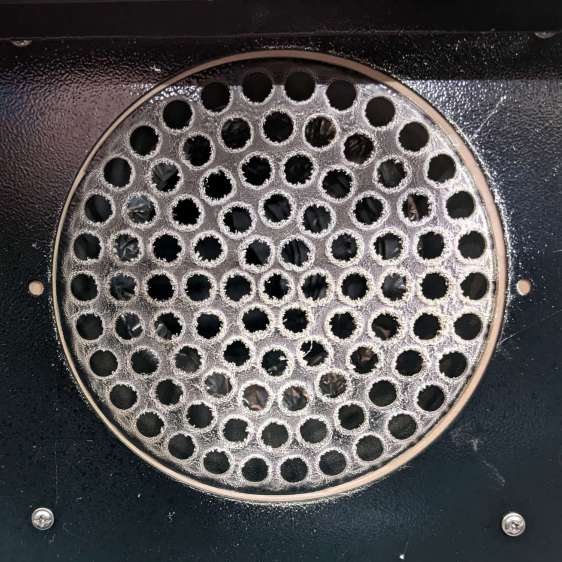
    A casual search shows a Figaro TGS5042 is actually a carbon monoxide sensor. I’m mildly surprised enough gas gets through the vents fast enough to produce an early alert:

    Figaro TGS5042 CO sensor - vent detail
    Figaro TGS5042 CO sensor – vent detail

    I tore it apart to reveal a few droplets of whatever the electrolyte might be, so it hadn’t completely dried out.

    The Product Information flyer doesn’t define what “long life” might be, but another page says “10 years”, so apparently the rest of the circuitry failed around a not-quite-dead-yet sensor.

  • Kodak 750H Slide Projector: Tin Whiskers!

    Kodak 750H Slide Projector: Tin Whiskers!

    Mary’s folks asked me to figure out why the carousel on their Kodak 750H projector no longer turned. Some initial poking around suggested a problem with the solenoid, which only clunked when the projector was upside-down on the desk. I thought it might just have gummed up after all those years, but disassembling the thing (per the Service Manual and the usual Youtube videos) produced the root cause:

    Kodak 750H Projector - broken solenoid link
    Kodak 750H Projector – broken solenoid link

    That explained the yellowish plastic fragments rattling around inside.

    As predicted, it’s impossible to remove the solenoid without breaking the equally brittle focus gear in the process:

    Kodak 750H Projector - stripped focus gear
    Kodak 750H Projector – stripped focus gear

    This is a sufficiently common projector to make repair parts cheap and readily available, at least for now.

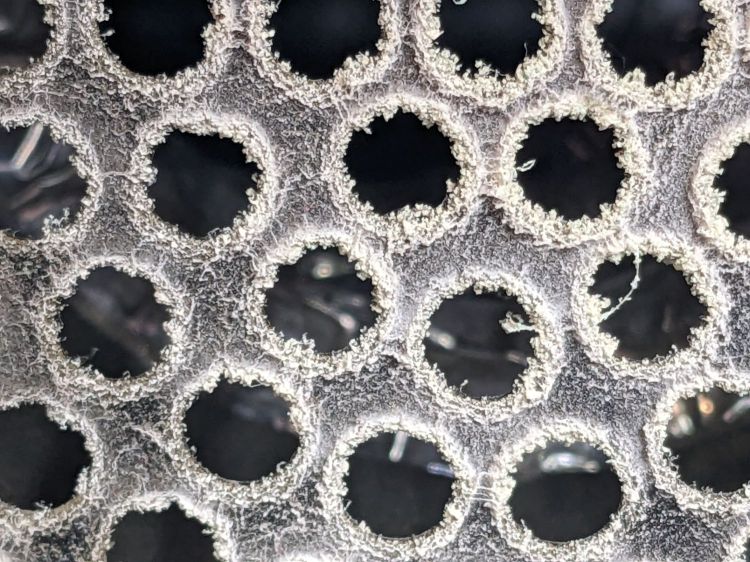
    Some of the interior sheet metal has a dark surface, likely heavy tin plating, covered with a thick coat of whiskers:

    • Kodak 750H Projector - tin whiskers
    • Kodak 750H Projector - tin whiskers
    • Kodak 750H Projector - tin whiskers
    • Kodak 750H Projector - tin whiskers

    Touching a whiskered surface with masking tape captures the culprits, whereupon zooming the microscope and camera all the way in makes them just barely visible: they’re a few millimeters long and a few atoms wide:

    Kodak 750H Projector - tin whiskers - detail
    Kodak 750H Projector – tin whiskers – detail

    I have surely contaminated the entire Basement Laboratory with tin whiskers. Makes me itchy just thinking about them …