Ed Nisley's Blog: Shop notes, electronics, firmware, machinery, 3D printing, laser cuttery, and curiosities. Contents: 100% human thinking, 0% AI slop.
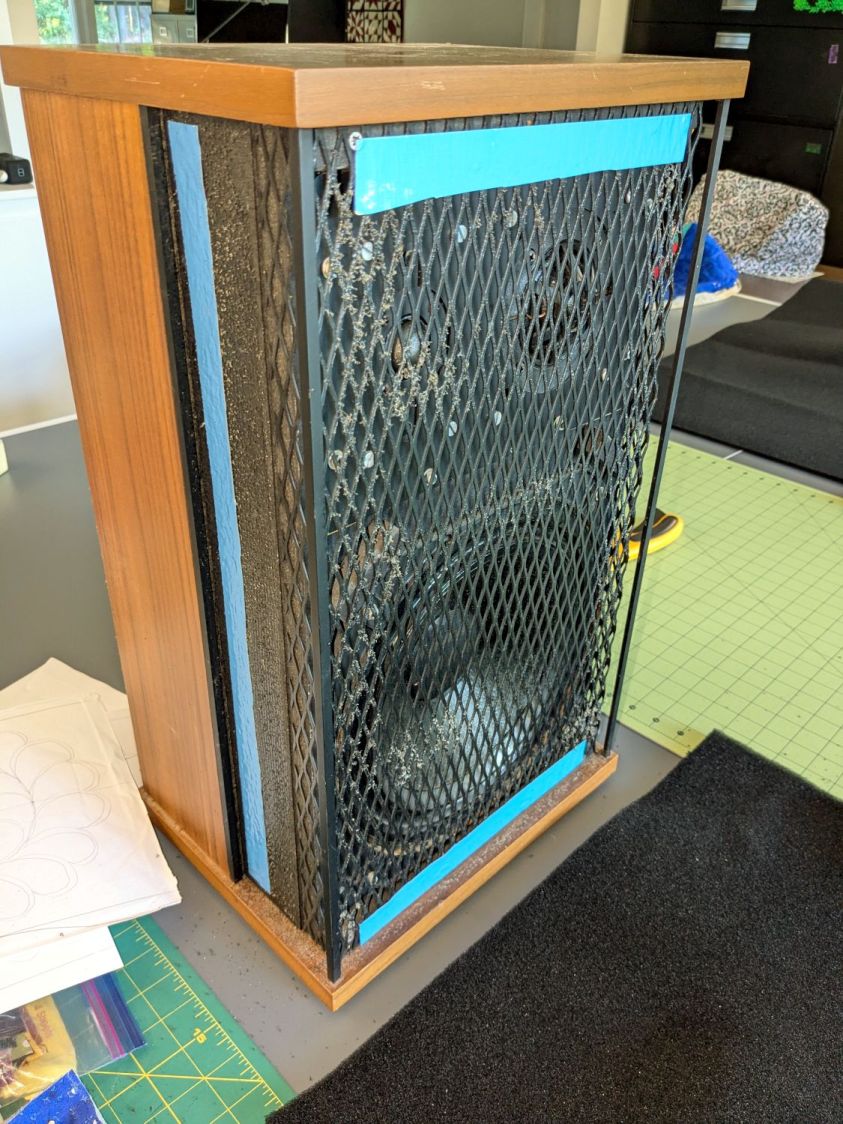
Having recently promoted a pair of Radford Tri-Star 90 speakers to the Sewing Room, it was time to make them presentable:
Radford Tri-Star 90 speakers – taped grill
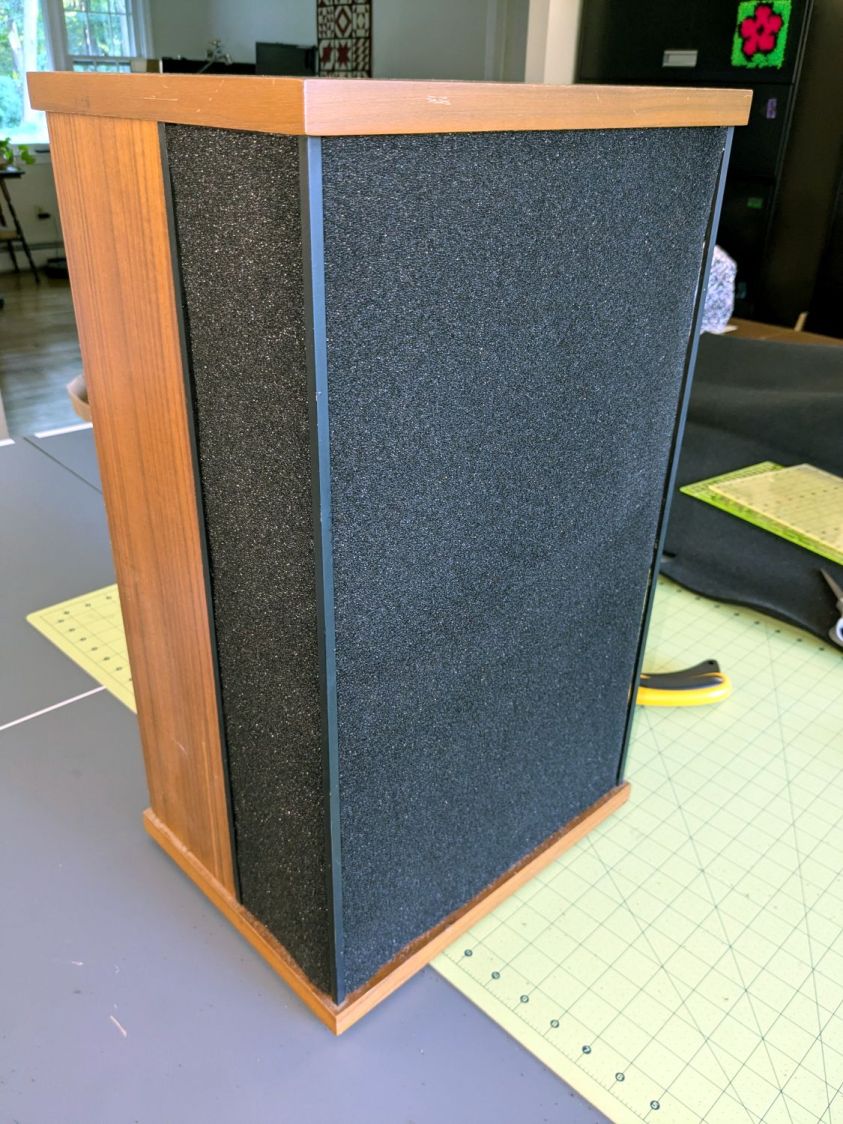
The original foam grill covering had disintegrated and left fossilized adhesive over the metal gridwork. Being not much for historic accuracy, I used double-sided duct tape (the blue barrier film peels off) and stuck some allegedly acoustic foam in place:
Radford Tri-Star 90 speakers – re-covered
The foam is a single sheet wrapped around three sides and, after some whittling, measured 19.5 inches tall and 19.25 inches wide. The width surely depends on how snugly it’s stretched, so allow a bit more and trim to fit.
Duct tape probably isn’t the right adhesive for the job, but we’ll see how long it lasts. I really did not want to use spray glue and doubted my ability to slobber liquid stickum without oopsing the cones.
The speakers sounded great back in the day and they definitely sound much better than my deflicted ears can hear now. Mary thinks they’re OK and that’s all that matters.
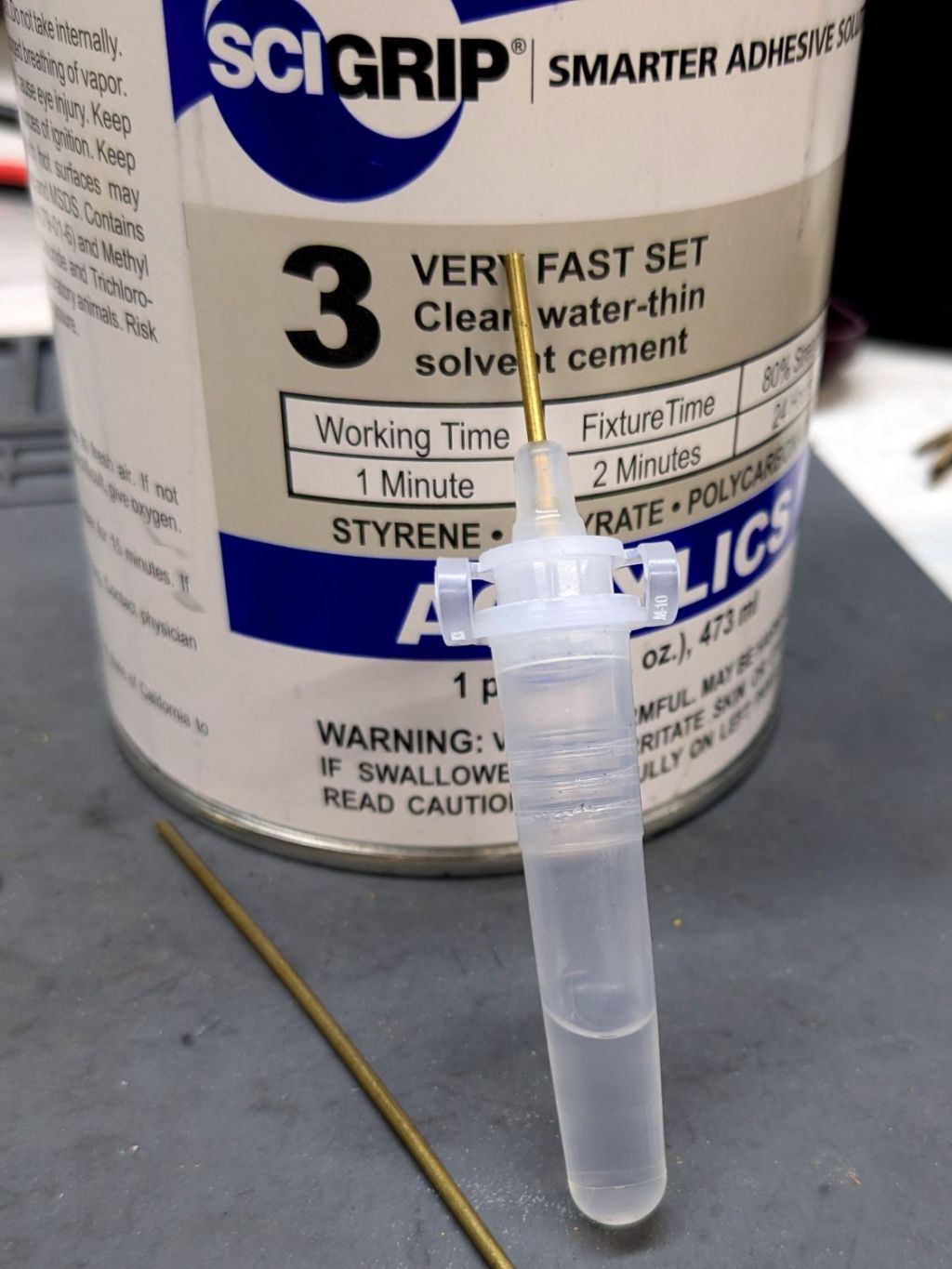
This seemed like a good idea for dispensing small drops of acrylic solvent while gluing spiders together:
COVID test Buffer Extraction Tube – adhesive hack
It’s the Buffer Extraction Tube from a COVID-19 rapid test kit with a short brass tube jammed in its dropper tip. The longer brass tube let me suck that dose of solvent into the tube without any of the hassle required to pour the liquid from a big can into a little tube.
Tell me you didn’t save those things because you thought they didn’t look like they might come in handy for something.
Well, that turned out to be a Bad Idea™, because whatever plastic that tube is made out of cracks when exposed to the hellish mixture in SCIGRIP #3 solvent adhesive. The tube didn’t dissolve or melt, it just cracked when you (well, I) squeezed the sides.
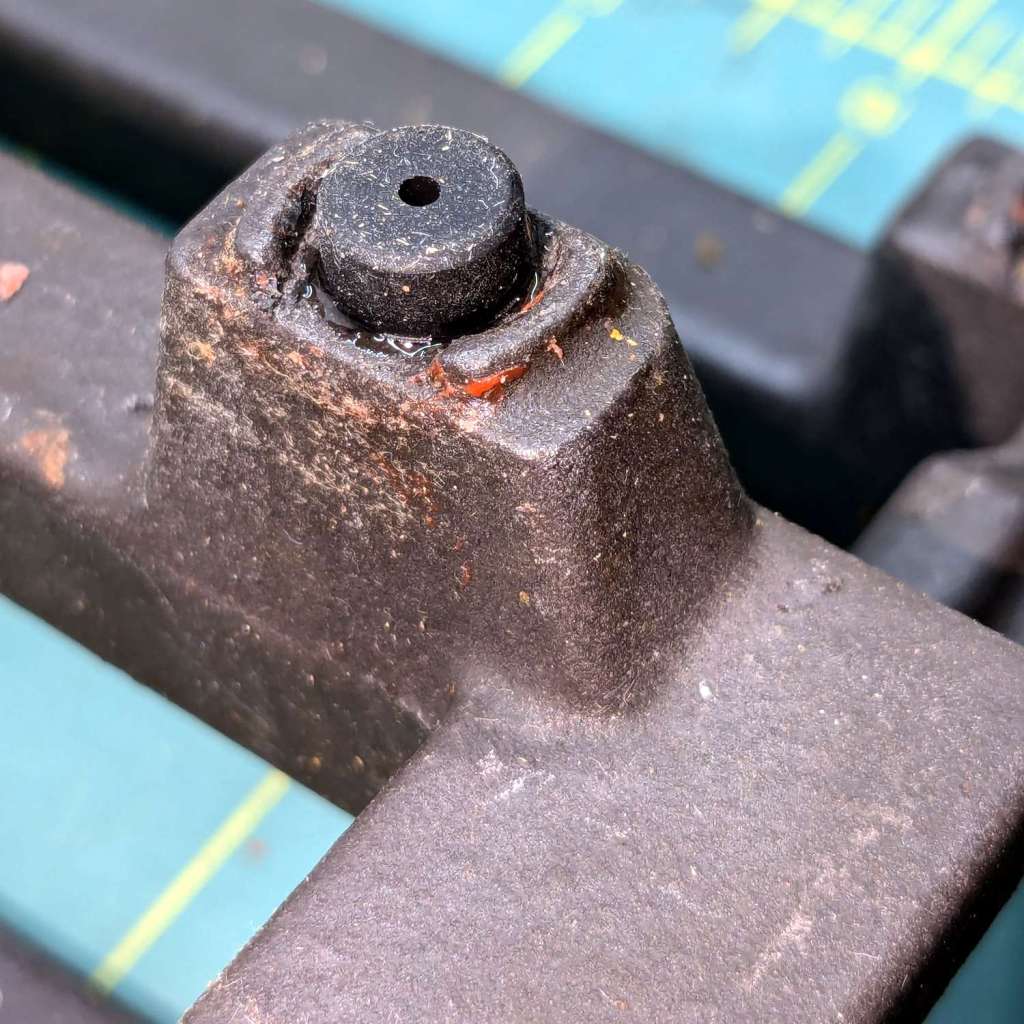
The Samsung range has ungainly cast-iron (or some such) grates that have long since worn out / lost their original Genuine Samsung rubber bumper feet. The grates had glued-on feet that looked very much like they belonged under something else, affixed with mystery adhesive that stuck firmly in some corners and let go in others:
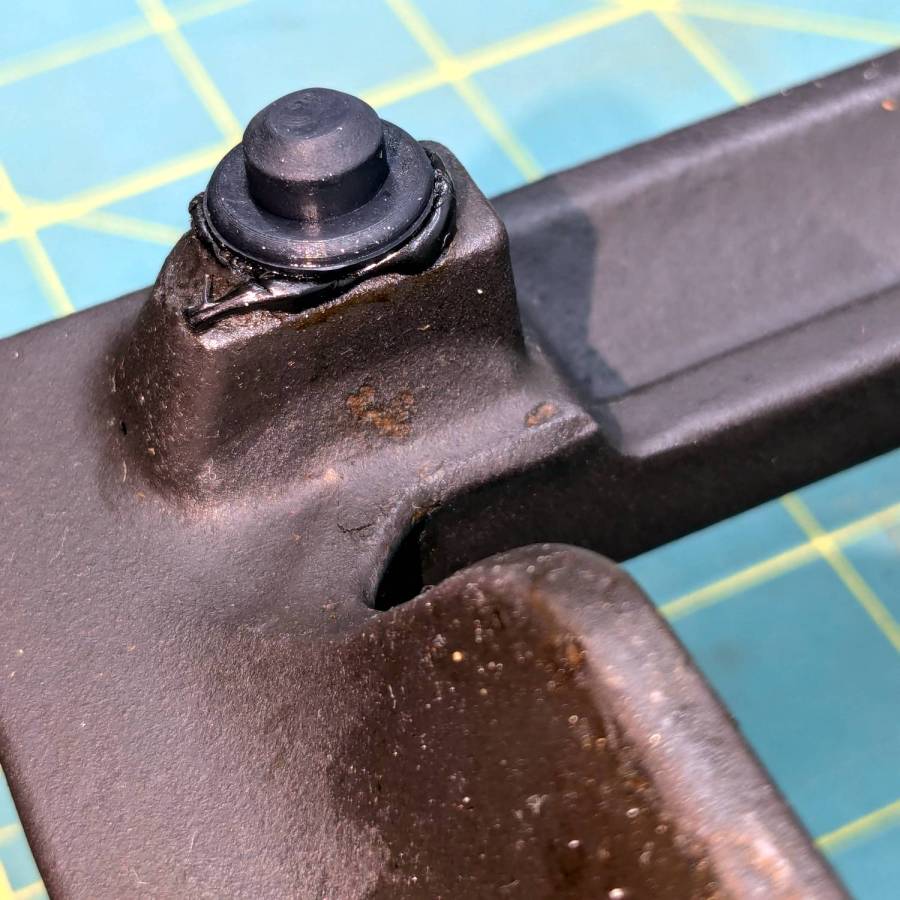
Samsung grate – old foot
It seems Samsung no longer sells replacement feet, which may be an indication they don’t want customer complaints, so I got a bag of nominally compatible rubber feet from the usual source and broke out the cyanoacrylate glue:
Samsung grate – new foot
The red flecks are traces of a previous generation of adhesive, with the new cyanoacrylate peeking out around the base of the new foot.
The grates have holes for the stems of the feet, so in principle they have plenty of resistance to being shoved around. In practice, tipping the grates up to clean underneath them dislodged the feet with depressing regularity. The grates are too heavy and too awkward to remove and plunk somewhere else, which suggests this sort of range is better suited to a kitchen that’s never used or, perhaps, comes equipped with a support staff.
You’re supposed to use high-temperature adhesive and, in fact, the red flecks look remarkably like high-temp silicone gasket compound, but all the missing feet were along the back of the grates where the small & simmer burners live, so I figured cyanoacrylate was certainly worth a try.
When & if they fall out, I’ll know when they went in.
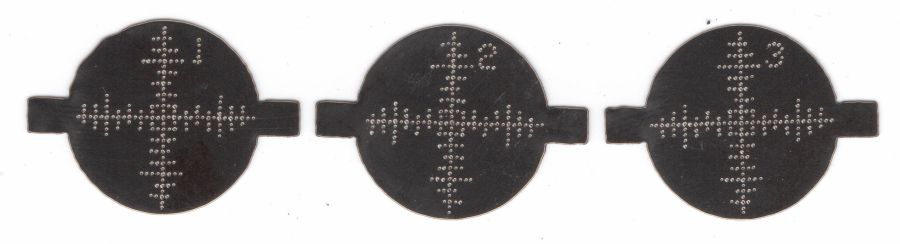
The dots just barely punch through the back side (open in a new tab & zoom for more dots):
Test paper – target patterns back side- 2024-07-03
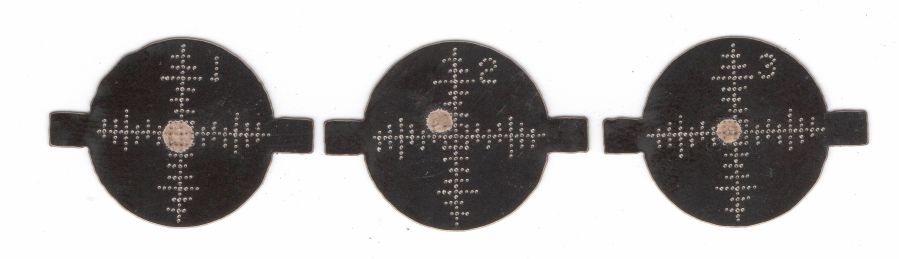
The plastic coating chars and buckles with each pulse, but remains in place:
Test paper – 2 shot – uncleaned – 2024-07-03
Wiping the surface removes the loose coating / ash / debris to expose the underlying charred paper core:
Test paper – 2 shot – wiped – 2024-07-03
Those are two pulses marking the ends of each axis, so the machine remains well aligned after the fourth-corner tweak.
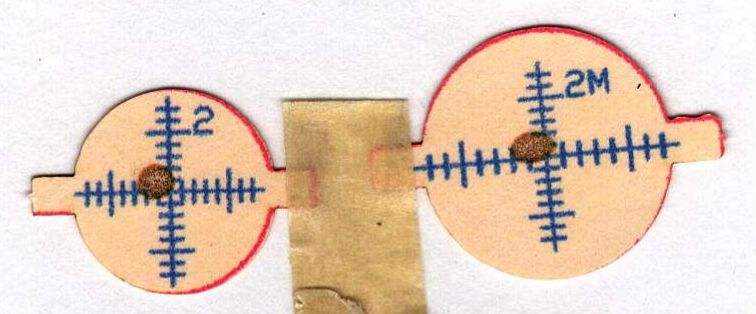
A single pulse shows the beam has a nice round shape with well-defined edges:
Test paper – 1 shot – wiped – 2024-07-03
In principle, the beam should be more intense toward the middle, but I suspect that’s beyond the paper’s ability to resolve the energy; the beam either burns through the coating or it doesn’t. In all those targets, the back surface of the paper remains undamaged.
These switches carry absolutely no regulatory approval markings, although they do claim to carry 10 A at 250 V, which I take with another load of salt.
At least here in the US-of-A, a 240 VAC outlet has two “hot” wires carrying 120 VAC 180° out of phase, which means both conductors must be switched. Despite the voltage rating, only the L path goes through the clicky switch, with the N path along a strap just below the switch toggle. Using it on a 240 VAC circuit will kill you stone cold dead should you assume whatever it controls is turned off.
I secured the Line and Neutral conductors with crimp connectors, rather than just wrapping the 20 AWG wires around the screw terminals, because the case halves join without perimeter nesting: a bare millimeter of air in the gap between the halves separates the terminals from my fingers. A layer of good electrical tape on each side improved that situation, but not by much.
The complete lack of strain relief clamping on the cords prompted me to route the wires around the screw bosses. After a function check, squirts of hot melt glue anchored the two cords somewhat better.
Aaaaand I secured that loose strap on the right with an (identical to the others!) screw from the Tray o’ Random Screws. The other switches had both screws installed, so this one must have been a QC escape.
They suffice for the purpose, but … caveat emptor!
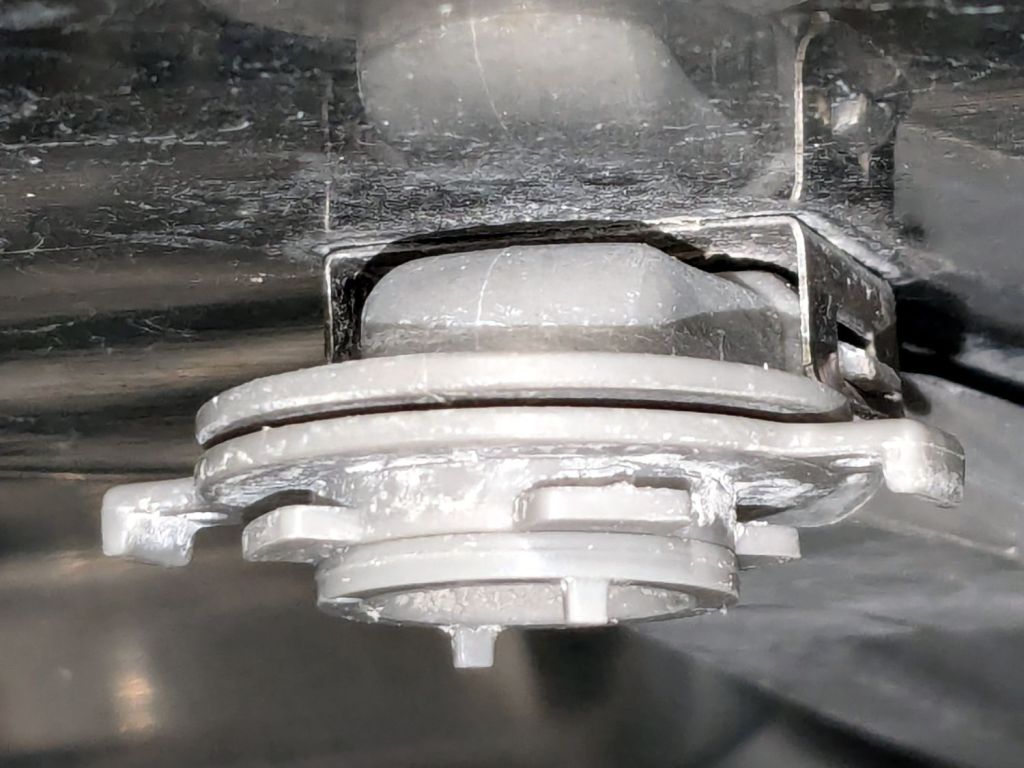
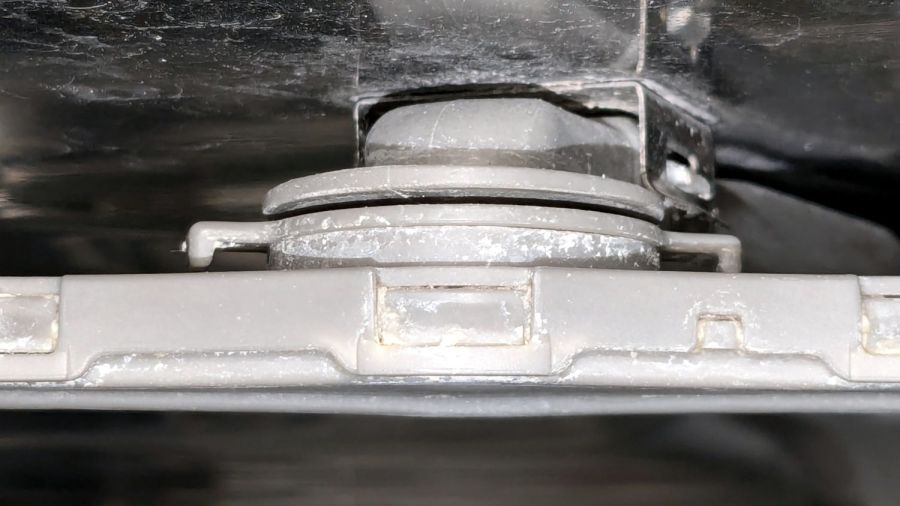
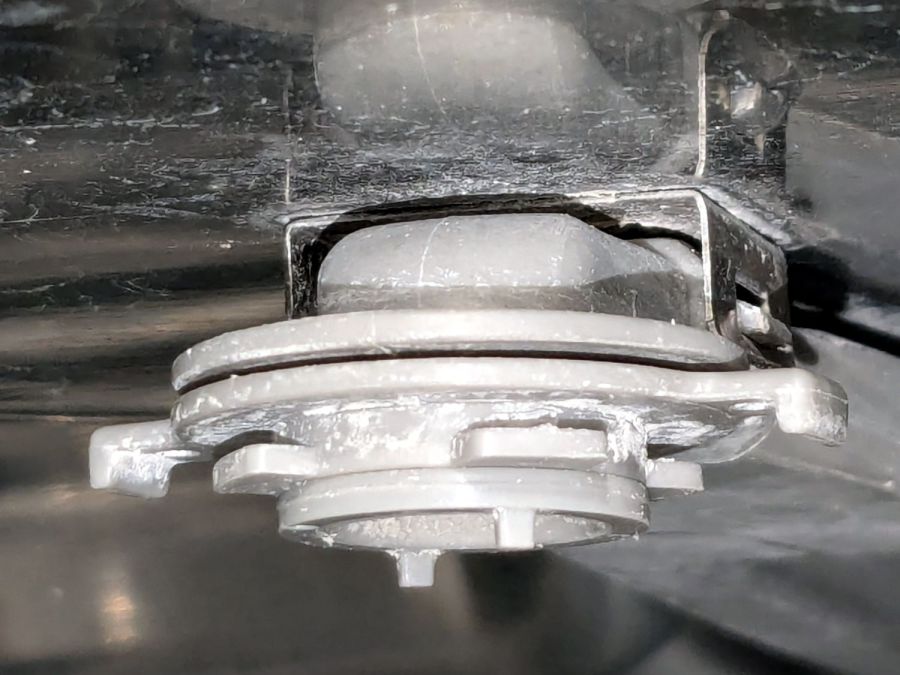
It comes apart by rotating the lock ring (the one with right-angle ears sticking out on either side) 1/8 turn in the other direction from whichever way you think it should rotate. Hold the spray bar, shove the ears, and the spray arm will drop off:
Samsung dishwasher top nozzle – unlocked
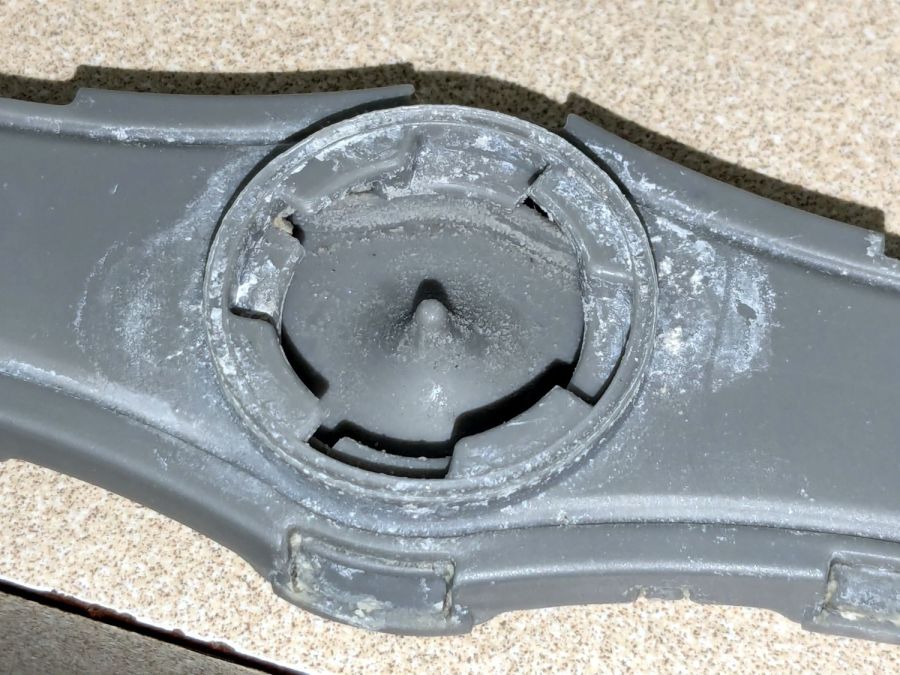
The inside of the spray bar shows the locking details:
Samsung dishwasher top nozzle – sprayer
Now, here’s the tricky part.
The small ring under the locking ring, the one with two square nubbins pointing downward, snaps onto the pipe carrying the water. There’s a shallow notch around the pipe, the inside of the ring has a shallow lip, and the ring holds the whole affair onto the pipe.
Contrary to what I thought, the two nubbins do not latch onto anything. Apparently, they hold the ring in the proper position relative to the arm’s interior and that’s it.
The only way to reassemble the arm is to snap the small ring into place, with the lock ring above it, then install the arm and turn the lock ring 1/8 turn the other way. You (well, I) cannot snap the assembled arm into place, because the nubbins don’t provide enough oomph to seat the small ring on the pipe.
Unless I write that down, I will never remember it …
Protip: Needle nose tweezers are invaluable for picking crud out of the nozzles. Iterate on picking and flushing with water until nothing more comes out, then expect to repeat the process several times as more crud emerges from the depths of the plumbing.
Although it is apparently possible to disassemble the spray arm by unlatching all the snaps along the edge, I’d reserve that for a moment when lives depended on unclogging the nozzles.
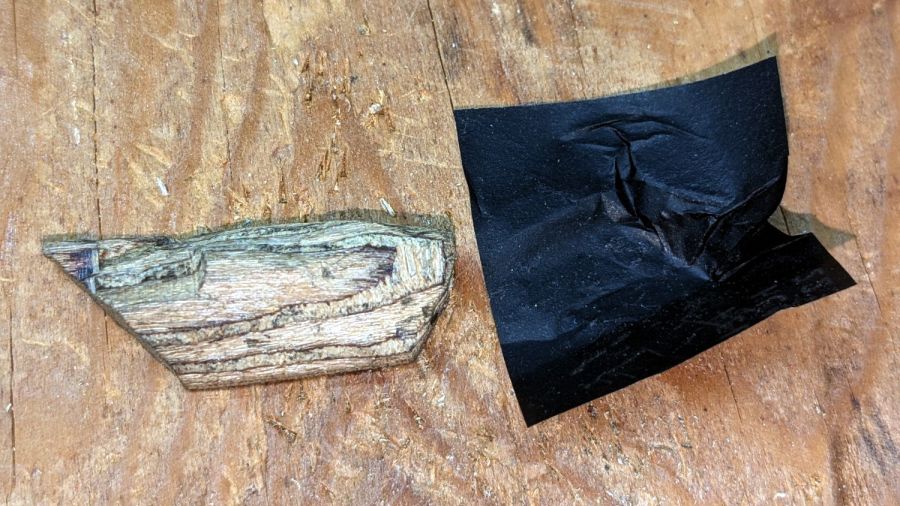
After whittling the wood to kinda-sorta go in there, I pressed it against snippets of carbon paper (remember carbon paper?) to mark the contact points and carve them off:
Wood desk chair – leg filler – carbon paper fitting
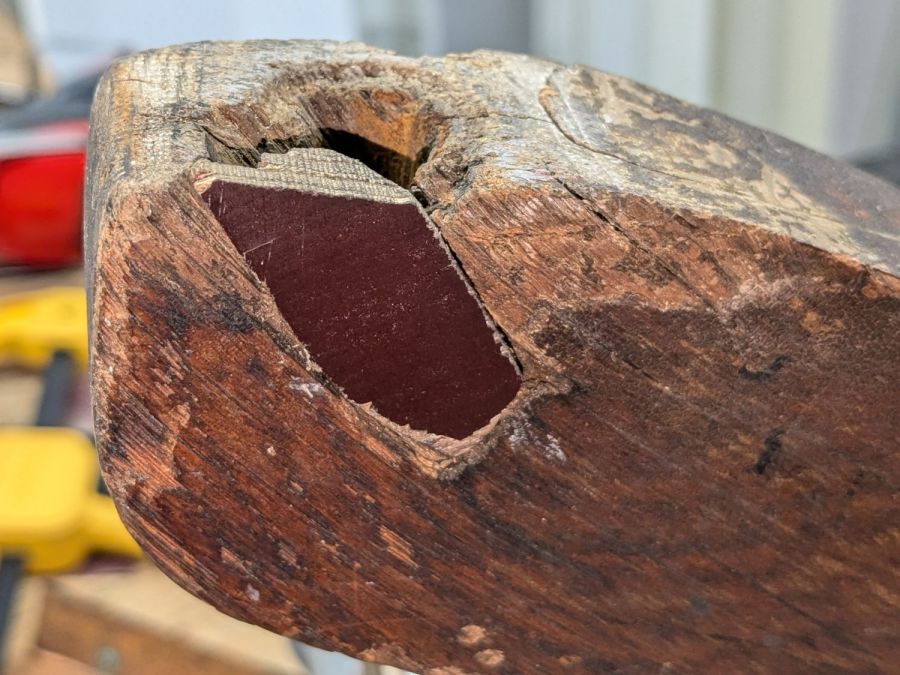
This occupied most of a SquidWrench remote meeting, but eventually sank it flush with the leg:
Wood desk chair – leg filler – side
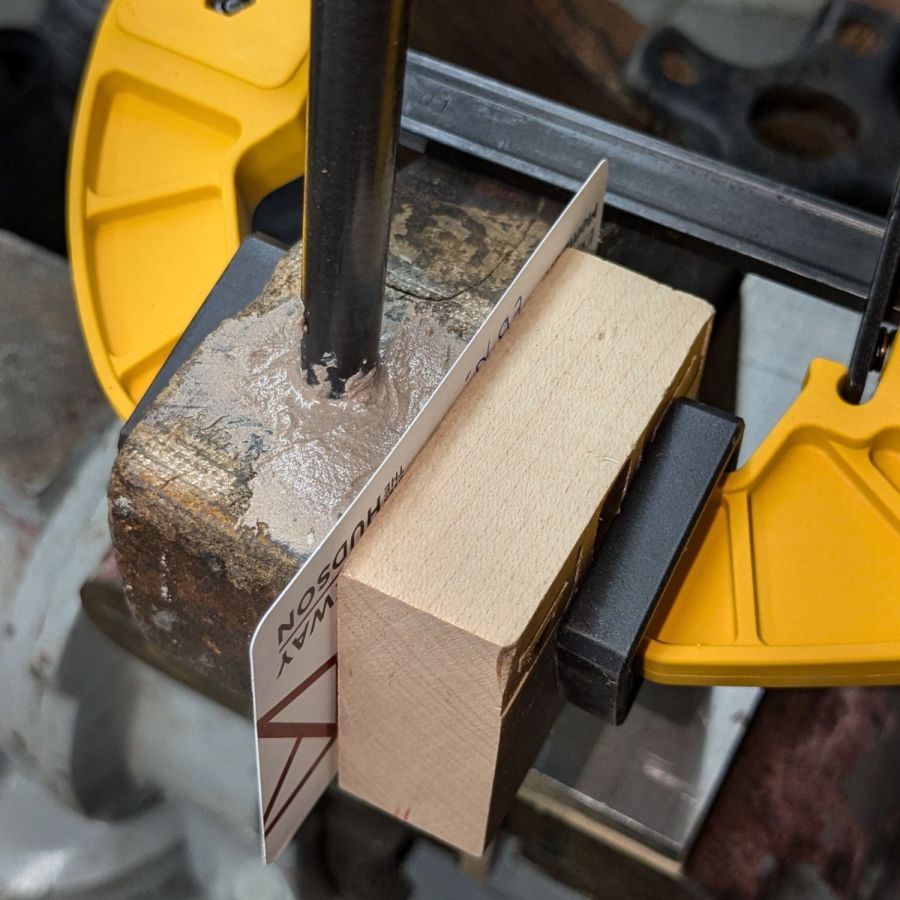
Now, that’s not the prettiest job you’ve ever seen, but it gets worse:
Wood desk chair – leg epoxy shaping
This time around, I tinted the epoxy with brown and black dye, which knocked the color back to something tolerable and increased the curing time well beyond the usual couple of hours. Fortunately, I wasn’t in a hurry and it was pretty much done by the next afternoon.
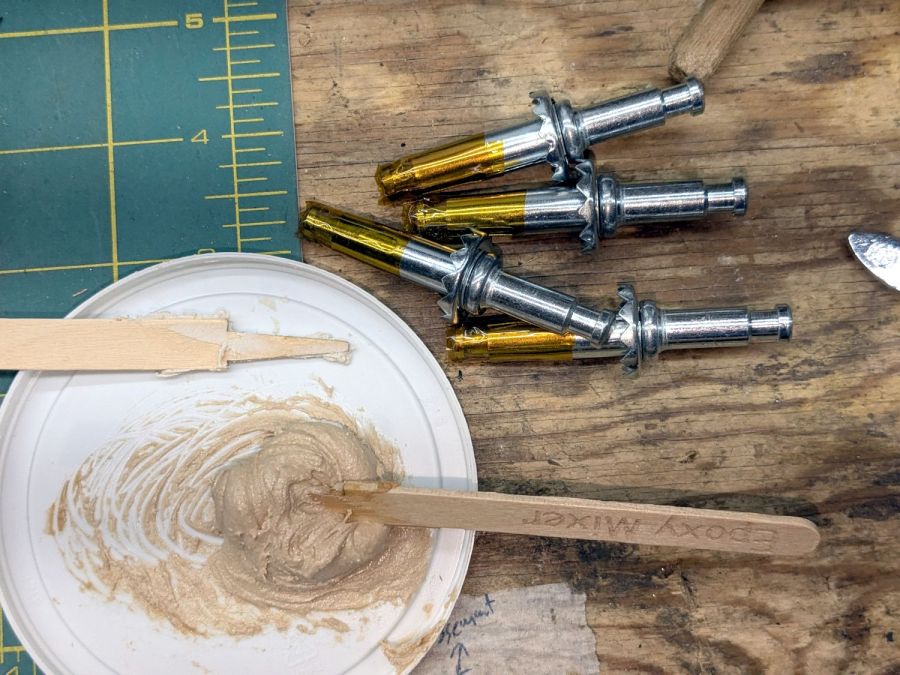
Whereupon I mixed up another bodacious batch of epoxy:
Wood desk chair – caster pin prep
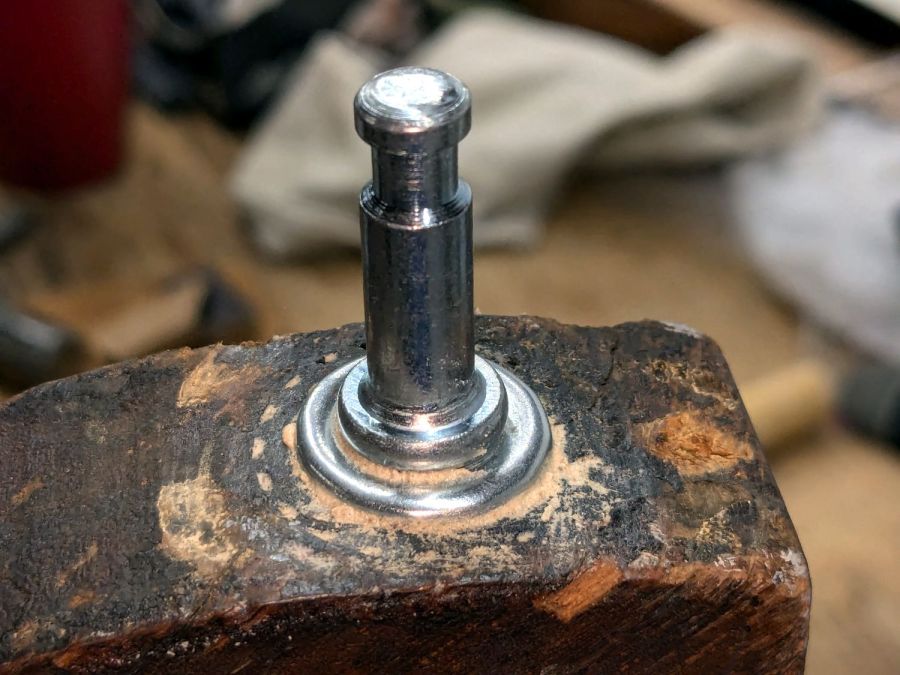
The Kapton tape wrap kept (most of) the epoxy out of the end of the sockets. I buttered up the sockets just below their serrated heads and tapped them into the legs:
Wood desk chair – caster pin installed
Yeah, I wiped that down a little better before another overnight cure left the four pins firmly secured in their legs; the pins still rotate (albeit stiffly) in the sockets, although the casters really swivel on their pins.
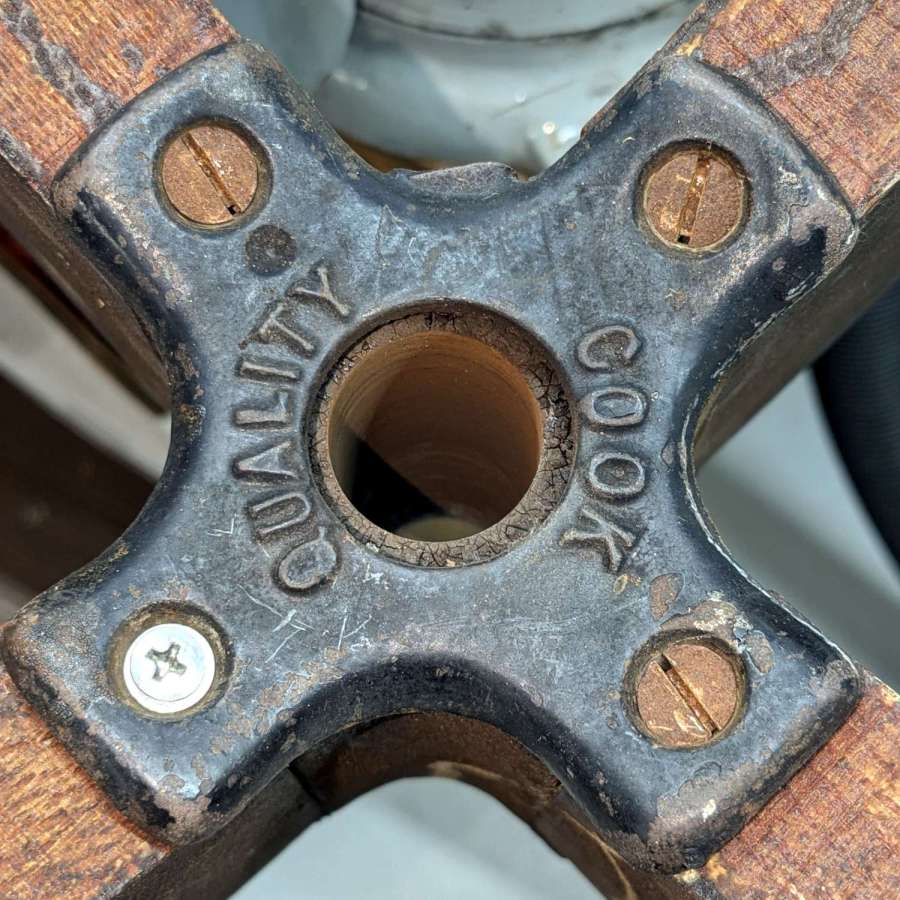
A cast iron fitting of the kind they just don’t make any more holds the legs in place:
Wood desk chair – bottom plate
My screw collection lacks chonky wood screws, but I doubt anybody will ever notice that shiny crosspoint screw.
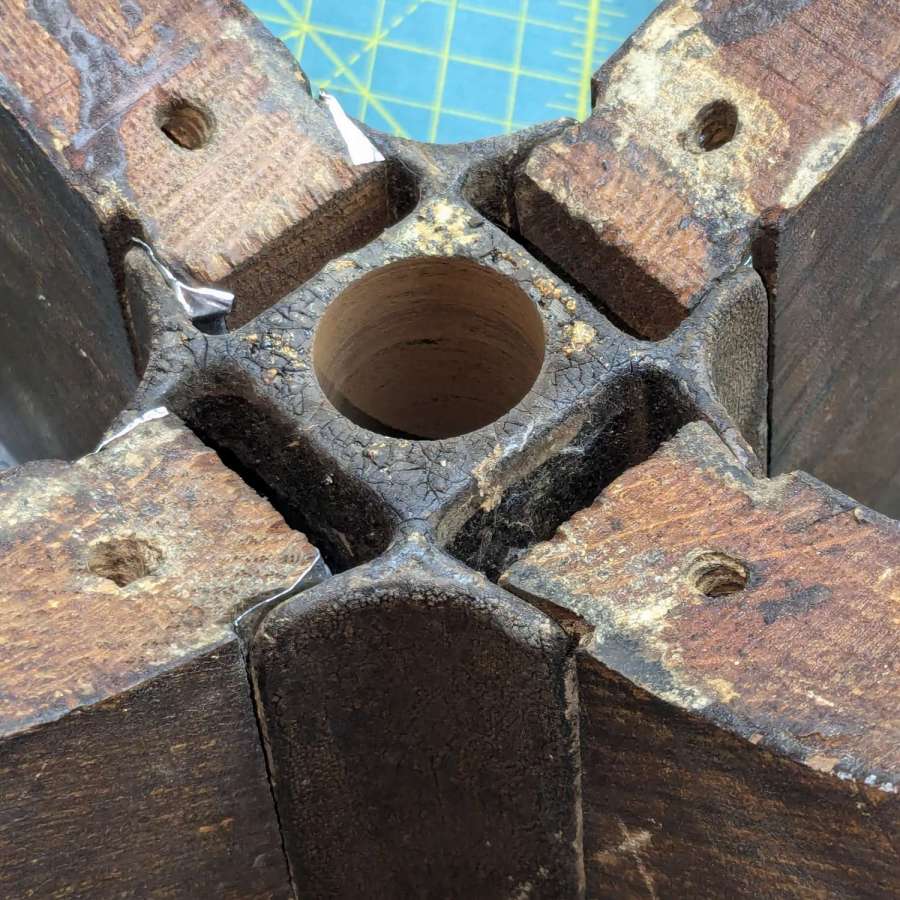
In any event, the plate holds the legs in tapered slots along the cast iron base that also guides the height adjusting leadscrew under the seat:
Wood desk chair – leg wedge shims
The wood dovetails in the legs were a bit worn / shrunken, so I shimmed them with two strips of 3.5 mil = 0.09 mm stainless steel tape on each side and tapped the legs into place with a plastic mallet. The steel is completely invisible from outside and the legs are magically solid, just like they should be.
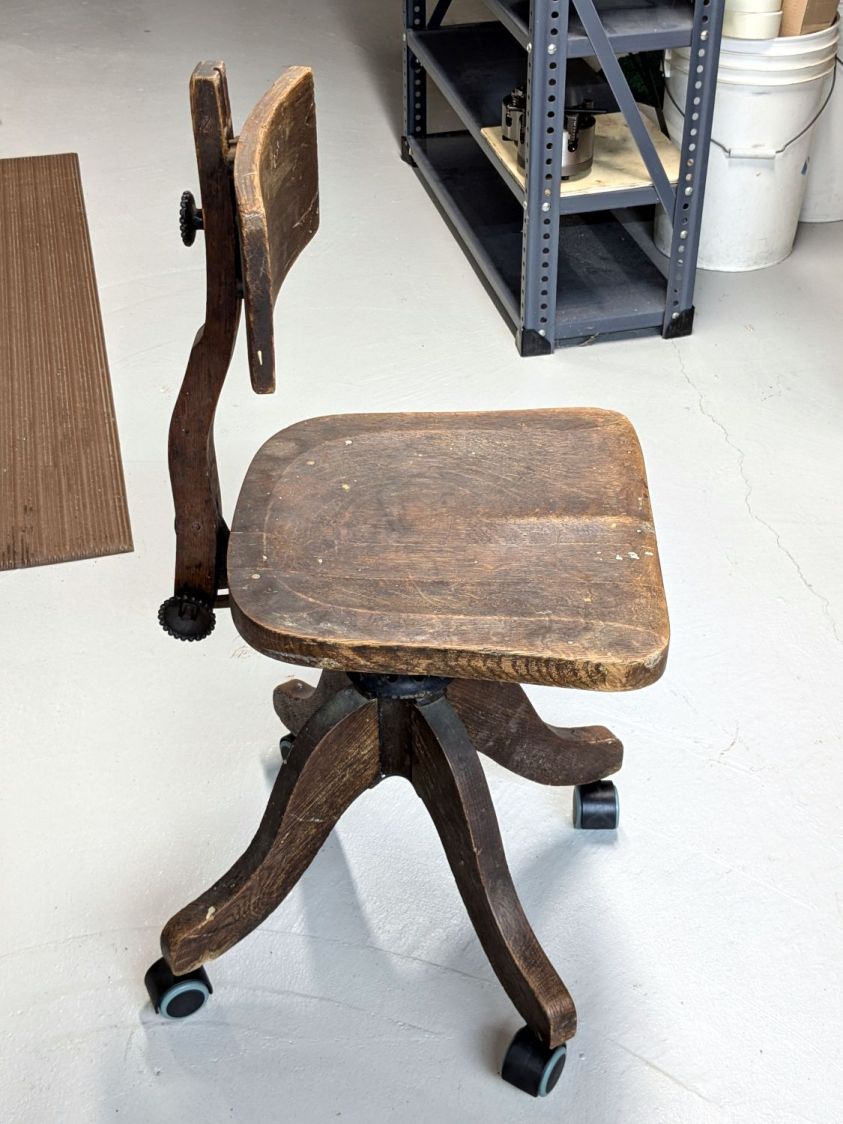
As expected, the new casters clash horribly with the chair’s classic style:
Wood desk chair – repaired
Somewhat to my surprise, it’s now undergoing a field test at Mary’s desk, where it replaces a chair she never liked. The seat adjusts down enough to let her feet reach the floor (which most modern chairs do not) and the edge doesn’t press on the back of her legs. We fiddled with the backrest height / angle / tension and it feels surprisingly good.
You gotta admire something with that kind of durability and repairability.
A good refinishing job would definitely improve its appearance, but that’s well beyond my abilities.