The Smell of Molten Projects in the Morning

Ed Nisley's Blog: Shop notes, electronics, firmware, machinery, 3D printing, laser cuttery, and curiosities. Contents: 100% human thinking, 0% AI slop.

Tag: MPCNC

Pimping and using a Mostly Printed CNC Machine

  • MPCNC: Stepper Motor Power Control

    GRBL responds to critical errors by disabling its outputs, which seems like a useful feature for a big-enough-to-hurt CNC machine like the MPCNC. Unlike the RAMPS 1.4 board, there’s no dedicated power-control pin, so I connected the Coolant output to the same DC-DC SSR I tried out with the RAMPS board:

    MPCNC - CNC Shield - Power SSR
    MPCNC – CNC Shield – Power SSR

    With homing enabled, GRBL emerges from power-on resets and error conditions with the spindle and coolant turned off and the G-Code interpreter in a locked state requiring manual intervention, so turning the stepper power on fits right in:

    • $x – Unlock the controls
    • m8 – Coolant output on = enable stepper power
    • $h – Home all axes

    The steppers go clunk as the power supply turns on, providing an audible confirmation. The dim red LED on the SSR isn’t particularly conspicuous.

    Turning the stepper power off:

    • m9 – Coolant output off = disable stepper power

    I think the A4988 drivers maintain their microstep position with the stepper power supply off, because their logic power remains on. In any event, you probably wouldn’t want to restart after an emergency stop without clearing the fault and re-homing the axes.

    The board has Cycle Start, Feed Hold, and Abort inputs just crying out for big colorful pushbutton switches.

    Unlike the RAMPS board, the Prontoneer CNC Shield does not feed stepper power to the underlying Arduino UNO, leaving it safely powered by USB or the coax jack.


  • MPCNC: Z Axis Coupler Backlash Prevention

    The MPCNC has the entire weight of the Z axis motor and stage resting on the leadscrew, so the instructions call for preloading the spring coupler by stretching it with the leadscrew butted against the motor shaft. The leadscrew end isn’t particularly flat, so I inserted a 1/4 inch ball bearing between the two before the stretch:

    MPCNC - Z Axis leadscrew - coupler bearing
    MPCNC – Z Axis leadscrew – coupler bearing

    I’m reasonably sure the ball won’t make the slightest difference, but two slightly misaligned shafts can now pivot on a point, rather than grind against each other. There’s no evidence of misalignment; I feel better and that’s what counts.

  • MPCNC: Belt Tensioners

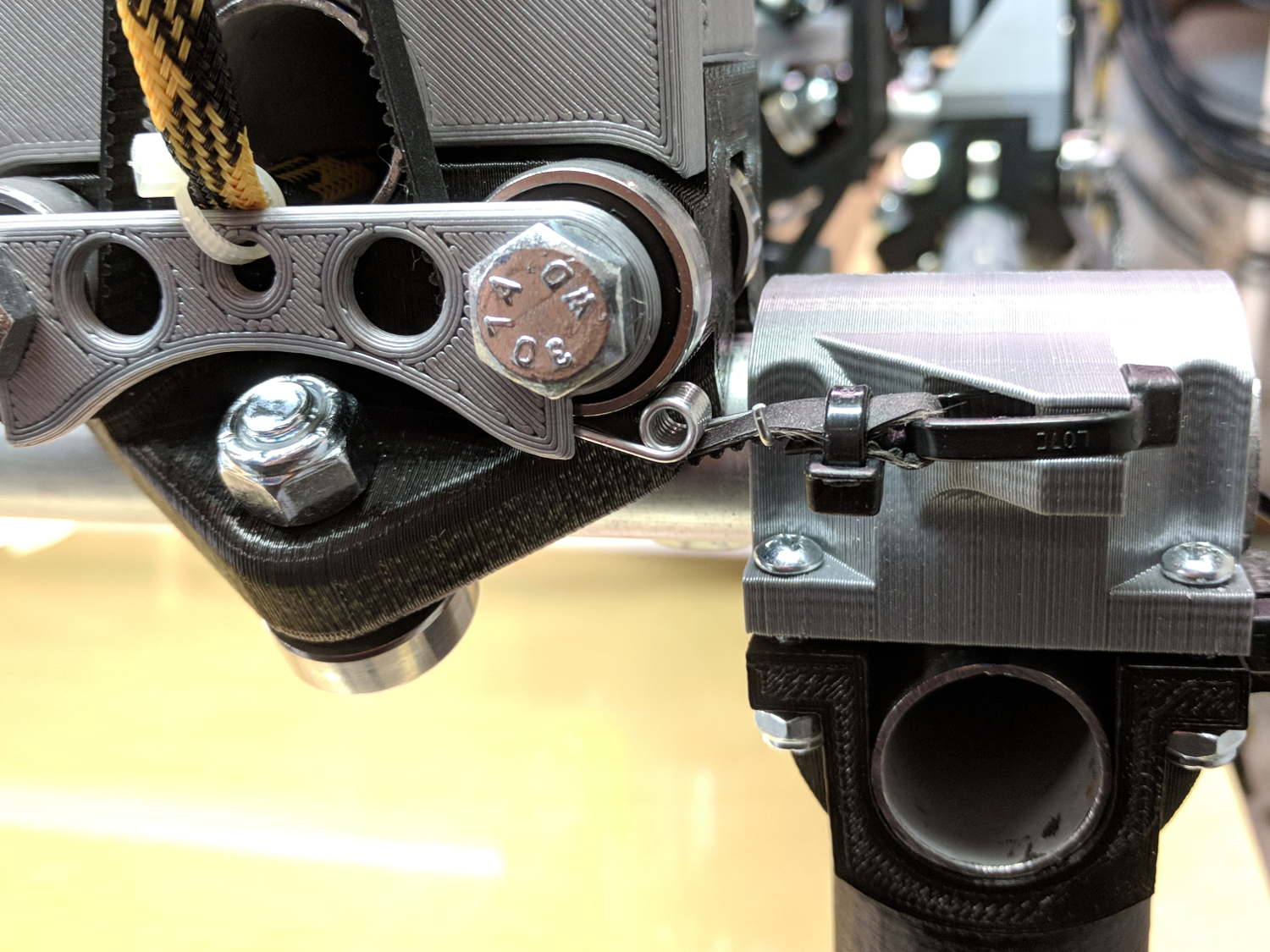
    The GT2 / GT3 belt specs call for 10-ish pounds of tension, but I don’t yet have a good feel for the actual MPCNC belt tension … and it’s hard to measure in-situ. So I picked up some spring tensioners and yanked one with a luggage scale:

    GT2 Belt Tensioner - 4 kg
    GT2 Belt Tensioner – 4 kg

    You’re looking at 4 kg = 8-ish pounds of tension. When they’re relaxed, the arms sit at roughly right angles.

    I installed them on the far end of the belts, although that’s a bit snug under the roller:

    GT2 Belt Tensioner - installed
    GT2 Belt Tensioner – installed

    An endstop switch will eventually add some clearance and it’ll be all good.

    Even though they’re neither linear nor precisely calibrated, they’ll serve as a reminder to check the tension every now and again.

    Install them with the same casual disregard you reserve for fish hooks and you’ll emerge unscathed.

  • MPCNC: Makerbot-style Endstop Switch Modification

    The Protoneer CNC Shield has headers for two endstops on each axis, although they’re wired to the same Arduino input pin. I installed a pair of Makerbot-style endstops on the Y axis, plugged them in, triggered one, and … the Arduino crashed. Hard. As in, a complete loss of power and reboot.

    Some fiddling around produced absolutely baffling symptoms, as I replaced each endstop board and their cables to no avail.

    Perusing the schematic (the “full instructions” link is dead, of course) eventually revealed the problem:

    Makerbot style endstop - schematic
    Makerbot style endstop – schematic

    Got it?

    Although there’s a pullup on the COM switch terminal, the switch’s NC terminal is connected to the +5 V supply, shorting across the both resistor and the LED+resistor. With two endstops in parallel, triggering one crowbars the other’s power supply to ground. I’m sure it made sense at the time, perhaps by ensuring no possible noise source could interfere with the pullup.

    The solution is simple: disconnect the NC terminal from the power supply. As it turns out, the PCB layout routes +5 V on the bottom layer, up through the via around the NC switch terminal, thence to the LED and resistor, leaving only one choice:

    MPCNC - dual MG endstop hack
    MPCNC – dual MG endstop hack

    Yup, amputate the NC terminal and be done with it.

    After that, the pullup resistor lets the endstops cooperate like you’d expect: triggering either one lights up both LEDs.

  • MPCNC: 12 V Supply vs. Stepper Current vs. Axis Speed

    The default MPCNC configuration wires the two stepper motors on each axis in series, doubling the total resistance and inductance of a single motor. The stock Automation Technology motor presents 2.8 Ω and 4.8 mH in each winding to the driver, for an L/R time constant of τ = 1.7 ms. Doubling both doesn’t change the ratio, but including the harness wiring resistance gives 1.6 ms = 9.6 mH / 6 Ω.

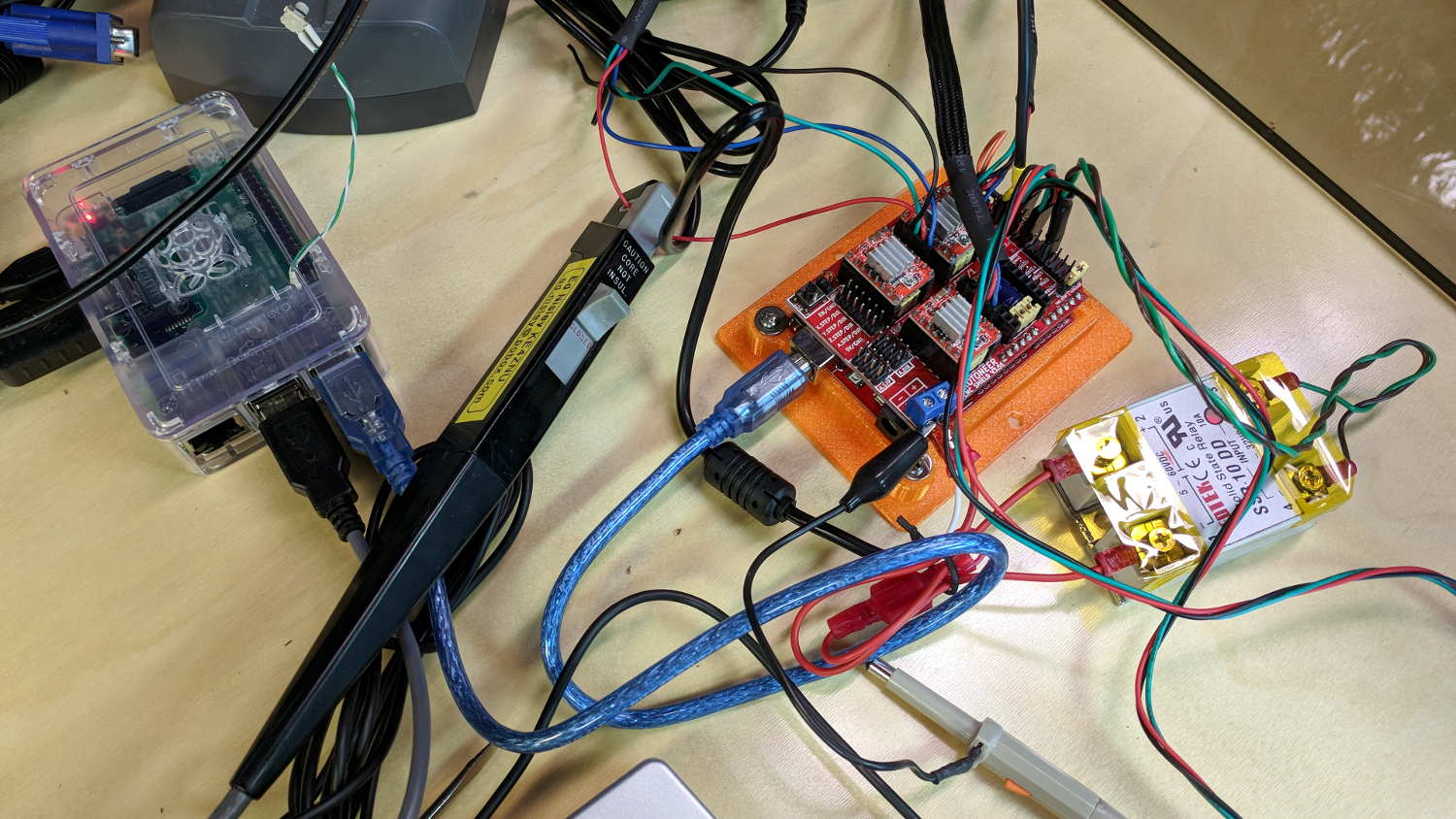
    The default DRV8825 driver configuration uses 1:32 microstepping, which I thought was excessive. I replaced the stock RAMPS setup with a Protoneer / GRBL setup using A4988 drivers in 1:16 microstepping mode, got it configured, and made a few measurements:

    MPCNC CNC Shield - Current Measurement Setup
    MPCNC CNC Shield – Current Measurement Setup

    The current probe measures the winding current in the red wire. The voltage probe at the bottom isn’t doing anything, because I ran out of hands.

    Here’s a 10 mm X axis move at 3600 mm/min = 60 mm/s:

    MPCNC X 10mm 60mm-s 500mA-div
    MPCNC X 10mm 60mm-s 500mA-div

    The top trace shows the winding current at 500 mA/div. The bottom trace shows the voltage applied to the winding at the A4988 driver pin.

    Basically, the +12 V supply doesn’t provide enough headroom to let the driver force the required current into the winding at full speed, which is why the peak current decreases as the step rate increases and the sinusoid becomes a square(-ish) wave. The applied voltage switches rapidly to maintain the proper winding current when the axis is stationary or moving slowly (where the driver’s PWM current control works fine), but turns into a square (well, rectangular) wave as the pace picks up (and the driver loses control of the current).

    The motor drives a 16 tooth pulley with a 2 mm belt pitch, so each revolution moves 32 mm of belt. With 1:16 microstepping, each revolution requires 3200 = 200 full step × 16 microstep/step pulses, which works out to 100 step/mm = (3200 step/rev) / (32 mm/rev). At the commanded speed near the middle of the trace, the driver must produce 6000 step/s = 60 mm/s × 100 step/mm, so each step lasts 167 μs, about τ/10.

    In round numbers, the first full cycle on the left has a 20 ms period. Each full cycle = 4 full steps = 64 microsteps, so the belt moved (60 step) / (100 step/mm) = 0.6 mm, at an (average) speed of 30 mm/s = 1800 mm/min. The current begins to fall off by the third cycle with a 12 ms period, a pace of 50 mm/s = 3000 mm/s, and pretty much falls off a cliff by 60 mm/s in the middle.

    To be fair, those are aggressive speeds for milling, but lasers and 3D printers tick along pretty quickly, so they’re not unreasonable.

    More study is indicated, as the saying goes …

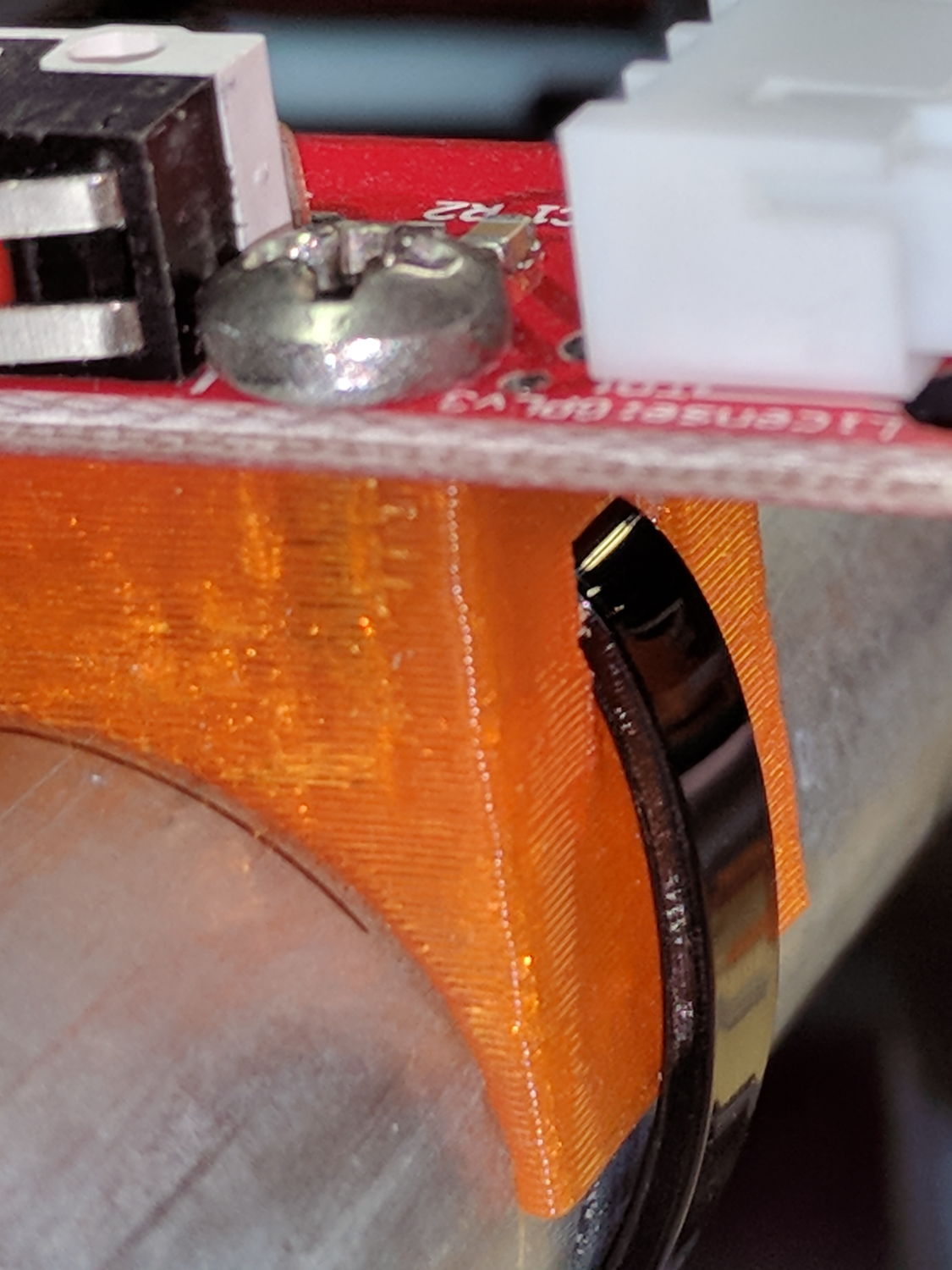
  • MPCNC: Endstop Mount, Now With Recess

    There being nothing like a new problem to take your mind off all your old problems, now there’s a cable tie latch recess:

    X min endstop - recessed cable tie latch
    X min endstop – recessed cable tie latch

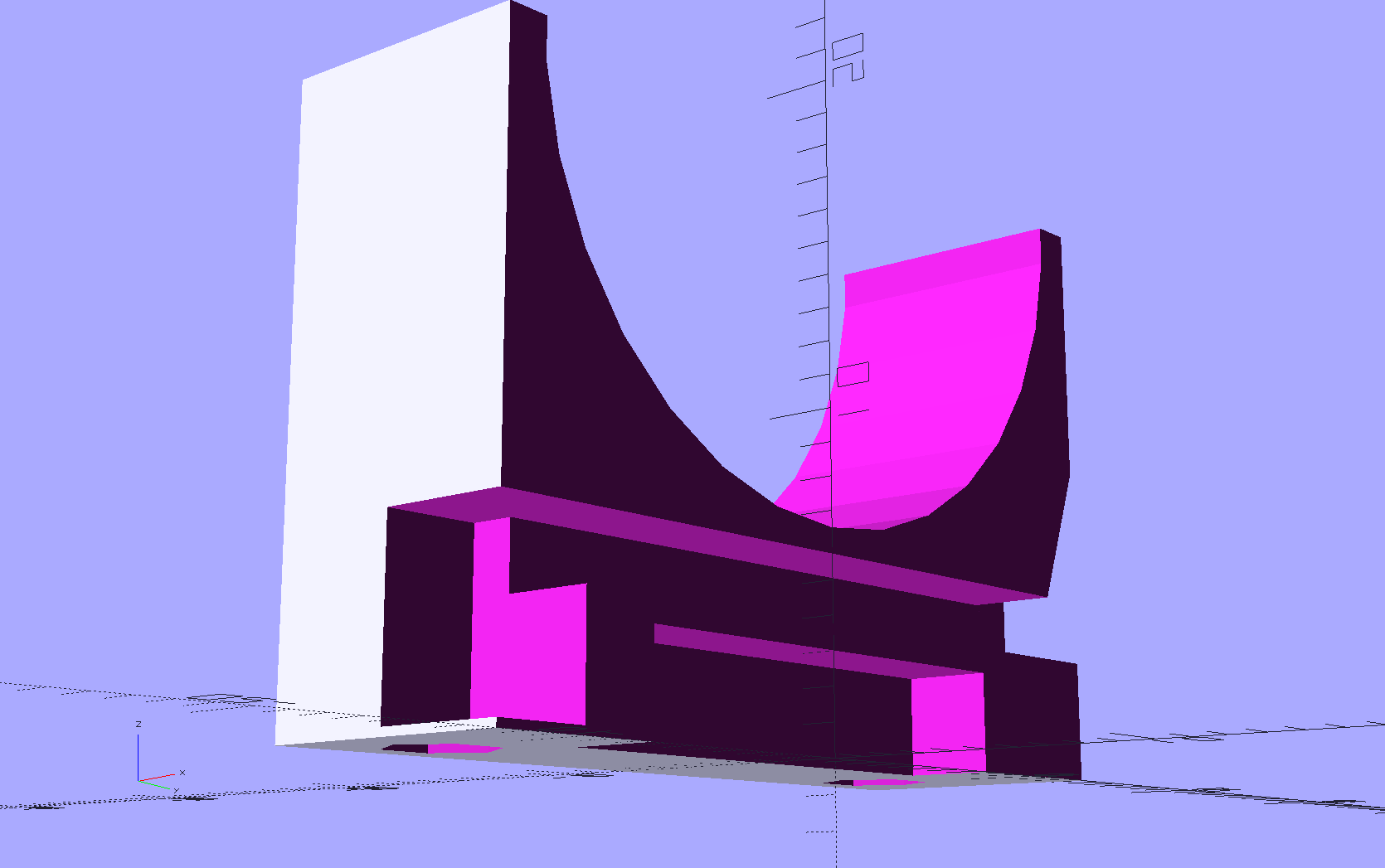
    A sectioned view of the model shows the layout:

    MPCNC MB Endstop Mount - latch recess
    MPCNC MB Endstop Mount – latch recess

    On the other side, a ramp helps bend the tie toward the MPCNC rail:

    X min endstop - recessed strap
    X min endstop – recessed strap

    Which looks thusly in the realm of applied mathematics:

    MPCNC MB Endstop Mount - strap recess
    MPCNC MB Endstop Mount – strap recess

    I’ll leave the OpenSCAD code to your imagination, because the endstop block turns out to be a bit small for the recesses. Eventually, they need a dust cover and some cleanup.

    So, there!

  • MPCNC: GRBL Configuration

    This collection of GRBL settings gets the MPCNC hardware up and running:

    $$
    $0=10
    $1=255
    $2=0
    $3=2
    $4=0
    $5=0
    $6=0
    $10=1
    $11=0.010
    $12=0.002
    $13=0
    $20=0
    $21=0
    $22=1
    $23=7
    $24=500.000
    $25=1000.000
    $26=250
    $27=2.000
    $30=1000
    $31=0
    $32=0
    $100=100.000
    $101=100.000
    $102=400.000
    $110=6000.000
    $111=6000.000
    $112=3000.000
    $120=1000.000
    $121=1000.000
    $122=1000.000
    $130=650.000
    $131=475.000
    $132=100.000
    ok
    view raw MPCNC-GRBL.cfg hosted with ❤ by GitHub

    Conveniently, the $$ command (in the first line) produces output in exactly the format it will accept as input, so just pour the captured file into GRBL’s snout. I used ascii-xfr with a 250 ms line delay:

    ascii-xfr -s -v -l 250 MPCNC-GRBL.cfg > /dev/ttyACM0
    

    Now, to be fair, the MPCNC hasn’t yet done any useful work, but it moves.

    Notes:

    Setting $22=1 requires home switches to be installed and working, with $23=7 putting them on the negative end of the axes, which may not work well in practice. In particular, having the Z axis homing downward is just plain dumb.

    The step/mm values in $10[012] require 1/16 microstepping with 2 mm belts on 16 tooth motor pulleys. The MPCNC’s Marlin config uses 1/32 microstepping, which doubles the step frequencies and (IMO) doesn’t provide any tangible benefit.

    The speeds in $11[012]=6000 seem aggressive, although they actually work so far.

    The accelerations in $12[012] may push the motors too hard with anything installed in the toolholder.

    The travel limits in $13[012] depend on the rail lengths you used.