The Smell of Molten Projects in the Morning

Ed Nisley's Blog: Shop notes, electronics, firmware, machinery, 3D printing, laser cuttery, and curiosities. Contents: 100% human thinking, 0% AI slop.

Tag: MK4

Prusa Mk 4 3D printer with MMU3 feeder

  • Wire Plant Stand Feet

    Wire Plant Stand Feet

    A pair of plant stands from a friend’s collection ended up in Mary’s care and cried out for feet to keep their welded steel wire legs from scratching the floor:

    Wire plant stand feet - indoor stand
    Wire plant stand feet – indoor stand

    Admittedly, it’s not the prettiest stand you can imagine, but the sentimental value outweighs all other considerations.

    The feet are shrink-wrapped around the legs with enough curviness to look good:

    Wire plant stand feet - show side view
    Wire plant stand feet – show side view

    With a drain hole in the bottom to prevent water from rusting the wires any more than they already are:

    Wire plant stand feet - show bottom view
    Wire plant stand feet – show bottom view

    I briefly considered a flat bottom at the proper angle to sit on the floor, but came to my senses; it would never sit at the proper angle.

    The end results snapped into place:

    Wire plant stand feet - indoor detail
    Wire plant stand feet – indoor detail

    Of course the other stand, at first glance identical to the one above, has a different wire size and slightly different geometry, which I only discovered after printing another trio of feet. Changing the appropriate constants in the OpenSCAD program and waiting an hour produced a better outcome:

    Wire plant stand feet - outdoor stand
    Wire plant stand feet – outdoor stand

    Living in the future is good, all things considered.

    The OpenSCAD code as a GitHub Gist:

    // Wire plant stand feet
    // Ed Nisley KE4ZNU
    // 2024-11-06
    Layout = "Show"; // [Show,Build,Leg,LegPair,FootShell,Foot,Section]
    /* [Hidden] */
    ID = 0;
    OD = 1;
    LENGTH = 2;
    TOP = 0;
    BOT = 1;
    FootLength = 30.0; // vertical foot length
    LegRings = // [255.0,350.0,300.0]; // top dia, bottom dia, vertical height
    [260.0,312.0,300.0];
    WireOD = //4.6 + 0.4; // oversize to handle bent legs
    5.7 + 1.0;
    DrainOD = 4.0; // drain hole in the bottom
    LegWidth = // [65.0,9.7]; // outer width at top & bottom
    [95.0, 12.0];
    LegAngle = atan((LegWidth[TOP] – LegWidth[BOT])/(2*LegRings[LENGTH]));
    StandAngle = atan((LegRings[TOP] – LegRings[BOT])/(2*LegRings[LENGTH]));
    WallThick = 3.0;
    FootWidth = 2*[WallThick,WallThick] +
    [LegWidth[BOT] + LegWidth[TOP]*FootLength/LegRings[LENGTH],LegWidth[BOT]];
    echo(FootWidth=FootWidth);
    NumSides = 2*3*4;
    Protrusion = 0.1;
    //—– Set up pieces
    module Leg() {
    hull()
    for (k = [0,1])
    translate([0,0,k*LegRings[LENGTH]])
    sphere(d=WireOD,$fn=NumSides);
    }
    module LegPair() {
    for (i = [-1,1])
    translate([i*(LegWidth[BOT] – WireOD)/2,0,0])
    rotate([0,i*LegAngle,0])
    rotate(180/NumSides)
    Leg();
    hull() // simulate weld for flat bottom
    for (i = [-1,1])
    translate([i*(LegWidth[BOT] – WireOD)/2,0,0])
    rotate([0,i*LegAngle,0])
    rotate(180/NumSides)
    sphere(d=WireOD,$fn=NumSides);
    }
    module FootShell() {
    difference() {
    hull() {
    for (i = [-1,1]) {
    translate([i*((FootWidth[BOT] – WireOD)/2 – WallThick),0,0])
    rotate(180/NumSides)
    sphere(d=(WireOD + 2*WallThick),$fn=NumSides);
    translate([i*((FootWidth[TOP] – WireOD)/2 – WallThick),0,FootLength – WireOD/2])
    rotate(180/NumSides)
    sphere(d=(WireOD + 2*WallThick),$fn=NumSides);
    }
    }
    translate([0,0,FootLength + FootLength/2])
    cube([2*FootWidth[TOP],10*WallThick,FootLength],center=true);
    rotate(180/NumSides)
    cylinder(d=DrainOD,h=4*FootLength,center=true,$fn=NumSides);
    }
    }
    module Foot() {
    difference() {
    FootShell();
    hull()
    LegPair();
    }
    }
    //—– Build it
    if (Layout == "Leg")
    Leg();
    if (Layout == "LegPair")
    LegPair();
    if (Layout == "FootShell")
    FootShell();
    if (Layout == "Foot")
    Foot();
    if (Layout == "Section")
    difference() {
    Foot();
    cube([FootWidth[TOP],(WireOD + 2*WallThick),2*FootLength],center=false);
    }
    if (Layout == "Show") {
    rotate([StandAngle,0,0]) {
    Foot();
    color("Green",0.5)
    LegPair();
    }
    }
    if (Layout == "Build")
    translate([0,0,FootLength])
    rotate([0*(90-StandAngle),180,0])
    Foot();
  • Doorbell Button Skulls

    Doorbell Button Skulls

    With only days to spare, I decorated the doorbell button:

    Doorbell button skulls - installed
    Doorbell button skulls – installed

    Yeah, I jammed Sharpies in the eye sockets, but they look exactly the way they should. The middle skull is in the middle of the actuator in the hope that’s where it’ll get pushed.

    The solid model comes directly from the seasonally appropriate teapot lid handle with a rectangle to suit the doorbell button actuator:

    Doorbell Button Skulls - solid model
    Doorbell Button Skulls – solid model

    Perforce, the OpenSCAD code has eyeballometric magic numbers:

    // Doorbell Button Enhancement
    // Ed Nisley - KE4ZNU
    // 2024-10-28
    
    Button = [5.0,13.0,40.0];    // button width, boss depth, button height
    
    union() {
        rotate([0,0,65])
        translate([-121,-105])      // totally eyeballometric
            import("stackofskulls - 50mm.obj",convexity=10);
    
            translate([0,Button.y/2,Button.z/2])
                cube(Button,center=true);
    }
    

    The rectangular slab goes all the way down to the platform because I couldn’t be bothered with support or a little wedge.

    I’m sure it will survive exactly as long as it must.

    Dunno how many little ones will venture up the driveway, though:

    Halloween mailbox decorations
    Halloween mailbox decorations
  • Gizo Spider Footpads

    Gizo Spider Footpads

    Given a 3% failure rate for the tiny footprint of Gizo spider legs, I added 5 mm pads to each foot:

    Gizo Spider - footpads
    Gizo Spider – footpads

    A few rounds of successive approximation and one copypasta hit the right spots:

    // Gizo spider footpads
    // Ed Nisley - KE4ZNU
    // 2024-10-26
    
    pts = [
    [24,-23],[28.5,-7],[29.5,14.5],[20,28],
    [-24,-23],[-28.5,-7],[-29.5,14.5],[-20,28]
    ];
    
    translate([14,0,2.8])
      import("/mnt/bulkdata/Project Files/Prusa Mk4/Models/Gizo Spider/GizoSpider.stl");
    
    linear_extrude(height=0.2)
      for (pt = pts)
        translate(pt)
          circle(d=5,$fn=2*3*4);
    

    Which was enough to stick the legs firmly to the build platform:

    Gizo spider - white leg towers
    Gizo spider – white leg towers

    Talk about blank looks:

    Gizo spider - black on platform
    Gizo spider – black on platform

    White filament is particularly susceptible to charred globbing:

    Gizo spider - white char inclusion
    Gizo spider – white char inclusion

    Which was, fortunately, completely hidden inside the shell.

    Extensive testing showed the pads pushed the error rate below 1.5%:

    Gizo spider pile
    Gizo spider pile

    As before, dots of hot melt glue hold the eyes in place.

    All’s well that ends well: just in time, too.

  • Cart Coin Handle vs. Reality

    Cart Coin Handle vs. Reality

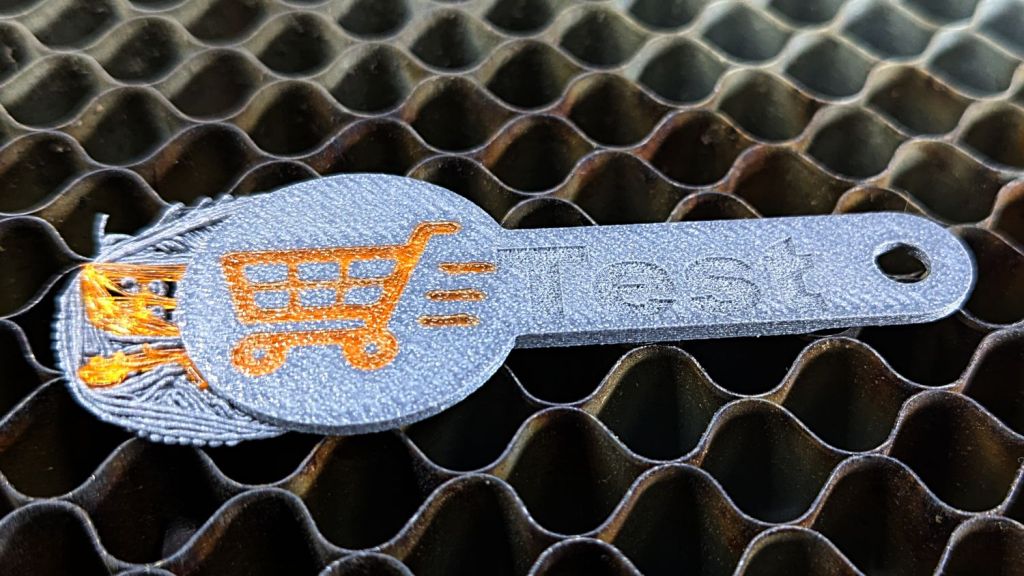
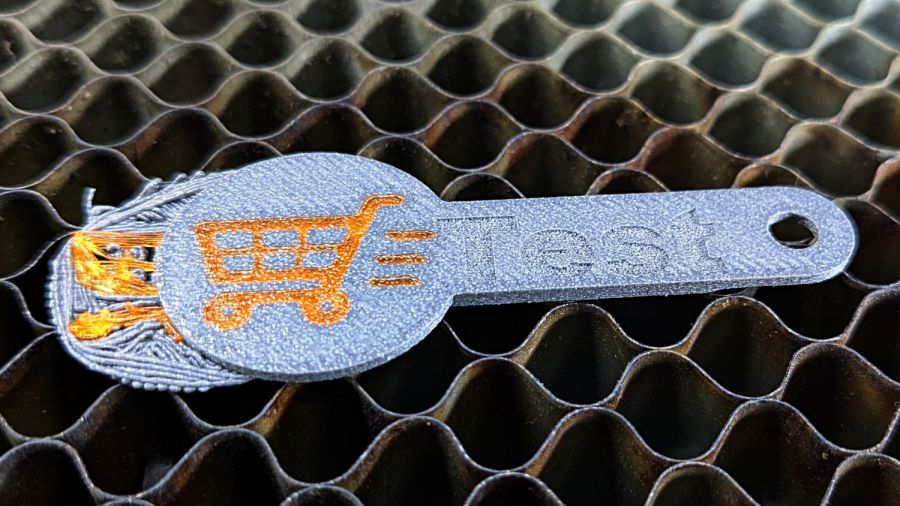
    This failed pretty much the way I expected:

    Cart Coin - broken handle
    Cart Coin – broken handle

    The “carbon fiber” part of PETG-CF consists of very very short fibers, unlike the longer fibers in real carbon fiber materials, so the strength is nowhere near what you might expect from the marketing. I knew this going in and the break wasn’t surprising.

    Round cart coins continue to work exactly like US quarters.

  • Humidifier Lid Hinges

    Humidifier Lid Hinges

    The humidifier that Came With The House™ had a lid with two broken plastic hinges that I figured I could never replace, but while cleaning out the fuzz for the upcoming season I found one missing piece stuck inside the lid. Given a hint, I glued it back in place:

    Humidifier Hinge - outlined
    Humidifier Hinge – outlined

    There’s a strip of duct tape around the outside holding the fragment in place while the adhesive cured.

    A manual curve fit to the image in Inkscape produced the red outline, which gets saved as a plain SVG and fed into OpenSCAD to create a solid model:

    Humidifier Hinge - solid model
    Humidifier Hinge – solid model

    The cylinder doesn’t exactly fit the end of the hinge, but it’s close enough. The straightforward OpenSCAD code making that happen:

    // Humidfier Hinge Replacement
    // Ed Nisley KE4ZNU
    // 2024-10-20
    
    HingeThick = 10.0;
    PinLength = 10.0;
    
    ScrewOD = 2.0;
    
    NumSides = 2*3*4;
    Protrusion = 0.1;
    
    difference() {
        union() {
            translate([0,0,HingeThick])
                cylinder(d=6.0,h=PinLength,$fn=NumSides);
    
            linear_extrude(height=10.0,convexity=5)
                translate([-3.1,-8.0])
                    import("Humidifier Hinge - ouline.svg");
        }
    
        cylinder(d=ScrewOD,h=4*(HingeThick + PinLength),center=true,$fn=8);
    }
    

    The pin has a hole for a M2 screw, but contemplation of the broken pieces suggested the pin wasn’t the weakest link, which later experience confirmed.

    Figuring I’d need only one hinge, I made a spare for fitting:

    Humidifier hinge - on platform
    Humidifier hinge – on platform

    The unmodified part fit just about perfectly, whereupon a completely ad-hoc fixture involving a pair of laser-cut MDF slabs, a craft stick epoxy mixer, and more duct tape held it in place while the adhesive cured:

    Humidifier hinge - fixturing
    Humidifier hinge – fixturing

    The hinge pin turned out to be half a millimeter too long, which is easily fixed, and it worked fine:

    Humidifier hinge - installed
    Humidifier hinge – installed

    That’s more duct tape wrapped around the perimeter to hold the pieces in place, should it break again.

    Which, I regret to report, occurred on the way up the stairs from the Basement Shop™ when the lid slipped from my grasp, fell away from the rest of the humidifer’s top panel, and jammed open:

    Humidifier hinge - break
    Humidifier hinge – break

    The PETG-CF part held together, the adhesive remained bonded to both pieces, but the original plastic fractured just below the joint. A closer look from the other side shows the break:

    Humidifier hinge - break detail
    Humidifier hinge – break detail

    The other hinge broke about where it did before.

    So the humidifier remains in service with the lid in status quo ante and a small bag inside holding the fragments for the next return to the shop.

    Drat!

  • Gizo Spiders: Leg Splice

    Gizo Spiders: Leg Splice

    This being the season for decorative spiders, two more appeared:

    Gizo spider assortment
    Gizo spider assortment

    Wedding photographers have trouble getting the proper exposure for both the bride and the groom, too.

    Only one of the 32 legs came loose from the platform:

    Gizo spider - failed leg
    Gizo spider – failed leg

    The upper part of the leg captured the loose segment and glommed it into a blob:

    Gizo spider - failed leg - detail
    Gizo spider – failed leg – detail

    Fortunately, one of the clearance test pieces was an isolated leg and joint, so I amputated the grisly mess, matched the cut in the test piece, and hot-melt-glued the pieces together:

    Gizo spider - spliced leg
    Gizo spider – spliced leg

    Not quite perfect, but good enough for the purpose.

    Given the 3% failure rate, I think the legs show such small contact areas really do justify a brim. Adding a brim to the main body would mess up the joints, but I think PrusaSlicer can add brims to specific parts. More study is needed.

    Orange eyes for the win!

  • Laser Cutter: Focus Ramp Fixture

    Laser Cutter: Focus Ramp Fixture

    After figuring out the Ruida focus settings, a focus ramp fixture seemed like a good thing to have around:

    Ramp Test Fixture - setup
    Ramp Test Fixture – setup

    The solid model shows a bit more detail:

    Laser Focus Ramp Fixture - solid model
    Laser Focus Ramp Fixture – solid model

    Centering the autofocus “pen” = switch on the peg in the back puts the beam dead-center in the fixture, with the notches as comfort marks. The top of the peg is flush with the center notch, so the machine should be properly focused at that level after a focus operation.

    Obviously, your laser has a different pen location, as will this one the next time I fiddle with anything around the nozzle.

    The general idea is to tape a target to the ramp, with some attention to flattening the paper (tape the edges in critical spots as needed) & putting its zero at the center marks, align the fixture to the laser path along the X axis & secure it with a few magnets, then burn a single line at low power along the length of the scale:

    Ramp Test Fixture - laser line
    Ramp Test Fixture – laser line

    The mark will be thinnest in the region with the best focus, which should be centered around the 0.0 mark in the middle. In that photo, the thinnest section runs from about -2.0 to +1.0, although (at least for me) it does take some squinting to be sure.

    The ramp has a 1:10 = 5.71° slope to spread 1 mm of vertical focus across 10 mm of horizontal distance. If you’re being finicky, you should rescale the targets to correct the 0.5% cosine error, but IMO it’s irrelevant for this purpose.

    A few more tests varying the focus distance by a millimeter:

    Ramp Test Targets - 15 16 mm
    Ramp Test Targets – 15 16 mm

    AFAICT, setting the controller’s Focus Distance to 16 mm is about right. That puts the focal point 18 mm below the nozzle, as shown in the earlier post, and is pretty much what I’ve been using all along.

    The OpenSCAD code as a GitHub Gist, along with a simplified target layout in SVG format:

    // Laser Cutter Focus Ramp Fixture
    // Ed Nisley KE4ZNU
    // 2024-10-10
    FocusPenOffset = [-19,23,0];
    FocusPenOD = 10.0;
    RampHeight = 16.0;
    RampScale = 10;
    RampLength = RampScale * RampHeight;
    Magnet = [5.0,60.0,10.0];
    NumSides = 3*4;
    Protrusion = 0.1;
    RampAngle = atan(RampHeight/RampLength);
    echo(RampAngle=RampAngle);
    Slot = [(RampLength + 2*5.0),10.0,8*RampHeight]; // very tall to cut through everything
    Body = [(Slot.x + 2*10.0),30.0,3*RampHeight]; // extend Z to reach baseplate
    FocusPillarHeight = (RampHeight/2) + Body.z/3; // match Z at center of body
    BasePlate = [(Body.x + 2*Magnet.x + 2*5.0),max(Magnet.y,FocusPenOffset.y + 2*5.0),3.0];
    BaseRound = 5.0;
    //—– Build it
    difference() {
    union() {
    translate(FocusPenOffset)
    cylinder(d=FocusPenOD,h=FocusPillarHeight,$fn=NumSides);
    difference() {
    union() {
    rotate([0,RampAngle,0])
    cube(Body,center=true);
    linear_extrude(height=BasePlate.z)
    hull()
    for (i=[-1,1], j=[-1,1])
    translate([i*(BasePlate.x/2 – BaseRound),j*(BasePlate.y/2 – BaseRound)])
    circle(r=BaseRound,$fn=NumSides);
    }
    cube(Slot,center=true);
    translate([0,0,FocusPillarHeight]) {
    cube([0.5,2*Body.y,1.0],center=true);
    rotate([0,RampAngle,0])
    cube([2*Slot.x,0.5,1.0],center=true);
    }
    }
    }
    translate([0,0,-Body.z])
    cube(2*[BasePlate.x,BasePlate.y,Body.z],center=true);
    }
    Loading
    Sorry, something went wrong. Reload?
    Sorry, we cannot display this file.
    Sorry, this file is invalid so it cannot be displayed.

    Contrary to what you might think, the targets are not laser cut, although you could use the crosshairs for LightBurn’s Print and Cut alignment.