The Smell of Molten Projects in the Morning

Ed Nisley's Blog: Shop notes, electronics, firmware, machinery, 3D printing, laser cuttery, and curiosities. Contents: 100% human thinking, 0% AI slop.

Tag: Laser Cutter

  • Laser Cutter: Streaming Camera Support

    Laser Cutter: Streaming Camera Support

    If I’m making something with the laser cutter during a Zoomed SquidWrench meeting, switching the view to a camera inside the cabinet is always a crowd-pleaser. Having tried several locations with various degrees of success, the camera now sits atop a small chipboard box holding it as high as it can get over the front left corner of the platform:

    Laser camera support box - position overview
    Laser camera support box – position overview

    It juuuust barely kisses the head in that corner:

    Laser camera support box - near collision
    Laser camera support box – near collision

    The box is a simple ClosedBox from boxes.py with a jawbreaker URL full of parameters, minus two holes, plus a quartet of shims, all cut from chipboard:

    Camera Support box - LB layout
    Camera Support box – LB layout

    The holes fit a 1/4-20 button head screw for the Logitch C615 camera’s tripod mount and the hex wrench needed to tighten it:

    Laser camera support box - interior
    Laser camera support box – interior

    The box is held together with Genuine Scotch Tape, because I want it to fall apart if it gets hit by the laser head. It’s held to the cabinet with a finger-crushingly strong bar magnet.

    The camera has a reasonably good view of the entire platform:

    Laser Cutter - USB Camera view
    Laser Cutter – USB Camera view

    The camera’s closest focus point sits about halfway across the platform, roughly corresponding to the typical monitor-to-face distance the camera was intended for, but it’s Good Enough™ for the purpose.

  • Harbor Freight Bar Clamp: Plywood Handle

    Harbor Freight Bar Clamp: Plywood Handle

    After only a dozen years, one of the 3D printed replacement handles for my Harbor Freight bar clamps snapped exactly where you’d expect:

    HF bar clamp - plywood handle
    HF bar clamp – plywood handle

    The replacement this time around is laser-cut plywood, with a pair of 3 mm sheets glued together to just about match the original thickness:

    HF bar clamp - plywood handle gluing
    HF bar clamp – plywood handle gluing

    I hacked the OpenSCAD code to use its projection() operation to export the outline of the solid model on the XY plane, inhaled the SVG into LightBurn, replaced the original chunky hole with a Real Circle, cut a pair of them, discovered I messed up the diameter, tweaked that, cut a pair that fit perfectly, and that was that.

    Flushed with success, I cut another pair to replace the (not yet failed) handle in the other HF bar clamp and restarted the failure clock.

    Not as fancy as something milled on the Sherline, but way easier and, if it lasts another decade, I’ll call it a win.

    The WordPress AI had fun with this post:

    HF Bar Clamp Handle - WP AI image
    HF Bar Clamp Handle – WP AI image

    The thing over on the left must be a 3D printer, but what’s floating in the middle? Those hand tools look downright scary.

  • Prince Ping-Pong Table Surface Leveler

    Prince Ping-Pong Table Surface Leveler

    Mary redesignated the Prince Tournament 6800 ping-pong table that Came With The House™ as her quilting layout table, so it now fills much of the Sewing Room (f.k.a. the Living Room):

    Mary with quilt on ping-pong table
    Mary with quilt on ping-pong table

    For reasons lost in the table’s history, the two halves of the top surface weren’t quite flush on one side, by a matter of a few millimeters. This bothered me far more than it did her, so the delay until I finally fixed it wasn’t critical:

    Prince ping-pong table leveler
    Prince ping-pong table leveler

    That’s 3 mm plywood + 1.5 mm Trocraft Eco pushing the surface upward just enough to almost make the joint (visible near the bottom of the picture) flush within +2 -1 mm across the table width, making it obvious that neither piece is exactly planar.

    The shape has mixed metric and inch dimensions, for no reason I know:

    Prince ping-pong table leveler
    Prince ping-pong table leveler

    If you ever need such a thing, remember to use screws about 4 mm longer than the ones you took out.

    The LightBurn layout as an SVG image:

    Loading
    Sorry, something went wrong. Reload?
    Sorry, we cannot display this file.
    Sorry, this file is invalid so it cannot be displayed.
  • Juki / Arrow Sewing Table Insert Filler

    Juki / Arrow Sewing Table Insert Filler

    Mary’s Juki TL-2010Q sewing machine sits in an Arrow Gidget II sewing table with a clear acrylic insert filling the opening:

    Juki TL-2000Q in Gidget II table
    Juki TL-2000Q in Gidget II table

    Before the insert arrived (it had month of leadtime), I hacked out a temporary cardboard insert:

    Juki temporary table insert
    Juki temporary table insert

    Although it may not be obvious from the picture, unlike my cardboard insert, the acrylic insert does not fill the tabletop hole to the immediate right of the machine:

    Custom Inserts are U-shaped, designed to fit around all 3 sides of your sewing machine

    Shortly after the insert arrived I hacked a temporary filler, for which no pictures survive, to keep pins / tools / whatever from falling to their doom. This turned out to be a blessing in disguise, because she wanted the machine positioned an inch to the right of its intended spot to leave enough space for a finger to reach the bobbin hatch latch.

    I then promised to replace the ugly cardboard filler with a less awful acrylic filler and finally got it done:

    Juki TL-2000Q in Gidget II table - insert filler
    Juki TL-2000Q in Gidget II table – insert filler

    The stack of cardboard prototypes show iterative fit-and-finish improvements, with the odd shape on the top serving to measure the machine’s 25 mm corner radius by comparison with known circles.

    The insert filler is made from smoked gray acrylic, because I have yet to unpack the acrylic stockpile and may not, in fact, have any clear 6 mm acrylic, so we’ll regard this as a final prototype pending further developments. It did, however, confirm the laser survived the move, which was pretty much the whole point.

    The end of the machine is not a straight line. Part of the iteration was measuring the curve’s chord height to calculate the circle’s radius, which turned out to be 760 mm:

    Juki Insert Filler - end chord circle
    Juki Insert Filler – end chord circle

    With that in hand, a few Boolean operations produced the filler shape:

    Juki Insert Filler
    Juki Insert Filler

    A pair of silicone bumper feet stuck to the side of the Juki hold the left edge of the filler at the proper level.

    For the record, the smoked acrylic came from a fragment of a Genuine IBM Printer stand I’ve had in the scrap pile since The Good Old Days:

    Etsy listing - Vintage IBM Printer Stand
    Etsy listing – Vintage IBM Printer Stand

    The LightBurn layout as an SVG image:

  • Kenmore Microwave Turntable Drive Rollers

    Kenmore Microwave Turntable Drive Rollers

    Our ancient Kenmore microwave has a three-armed turntable drive:

    Kenmore Microwave - turntable installed
    Kenmore Microwave – turntable installed

    After all these years the (white) rollers have worn to the extent they fall off the (brown) drive arms all too easily. They ride in a recessed track in the glass plate that holds them in place during normal operation, but having once again found a roller wandering around when I put the turntable back in, it’s time for at least a temporary fix.

    Everything is, of course, plastic:

    Kenmore Microwave - turntable drive roller parts
    Kenmore Microwave – turntable drive roller parts

    I considered drilling the end of the axle and tapping it for a nylon screw + washer, but came to my senses just in time:

    Kenmore Microwave - turntable drive
    Kenmore Microwave – turntable drive

    The laser-cut parchment paper disk (barely) fits over the axle against the outside of the roller, while allowing the hot-melt glue to glom onto the undercut and hold everything in place:

    Kenmore Microwave - roller glopped
    Kenmore Microwave – roller glopped

    I expect the paper to wear / fall off in short order, but the HDPE roller won’t bind against the glue and the blob should remain latched in place for a while.

    When those hideous glue blobs do fall off, I’ll reconsider drilling & tapping. More likely, I’ll just fire up the glue gun again.

    Actual use required trimming the blob from the upper side of the roller / hub, because the track in the glass plate fits very close against the edge of the roller. The hideous glue blob slid freely on the roller, but jammed firmly against the plate, causing it to turn at half speed.

  • Laser Cutter: Test Cuts

    Laser Cutter: Test Cuts

    Just to see if all the laser parts once again fly in formation, I cut a defunct cotton shirt into shop wipes:

    Laser cutter - first cuts after move
    Laser cutter – first cuts after move

    Which worked as before:

    Laser cutter - more wipes
    Laser cutter – more wipes

    Not that I need more wipes, but in this case the process is more important than the product.

    Looks like I can start using the laser cutter again … whew!

  • Laser Cutter Alignment Check

    Laser Cutter Alignment Check

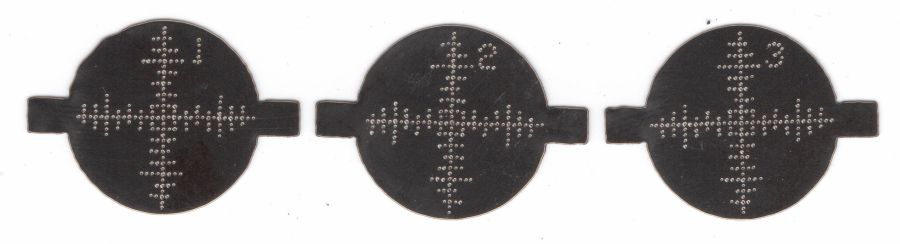
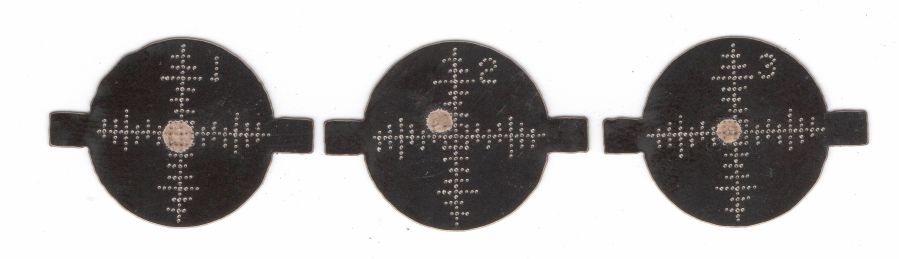
    A couple of test shots to verify the move hasn’t jostled the laser mirrors too far out of alignment:

    Laser cutter alignment check
    Laser cutter alignment check

    The overlapping scorches on the left happened at the Mirror 3 position with the laser head at the far left and near right positions. Not quite as accurate as immediately after I overhauled the beamline, but close enough.

    The pair of dot + disk scorches on the right show the beam position on the platform at the focus point and 20 mm below. The red-dot pointer definitely traces a wavering path as the platform goes down, suggesting the leadscrews may have taken a sideways jolt during the laser’s trip down the basement stairs and are now distinctly angled in their guides, but it’s good enough for my simple needs.

    Looks like the laser survived the move pretty much intact!